
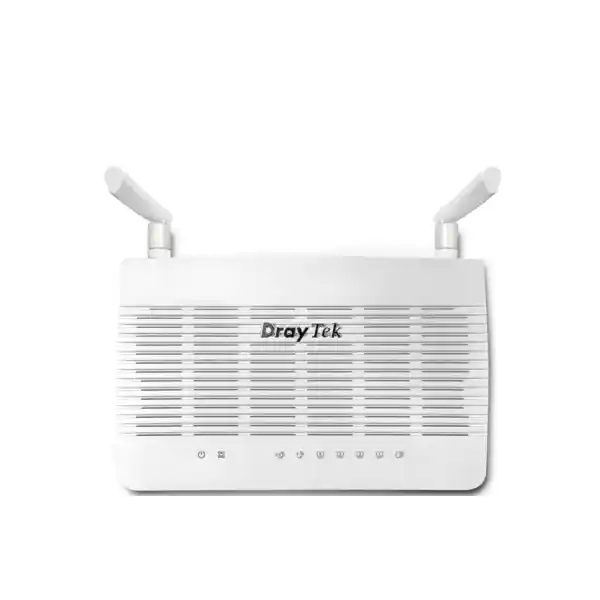
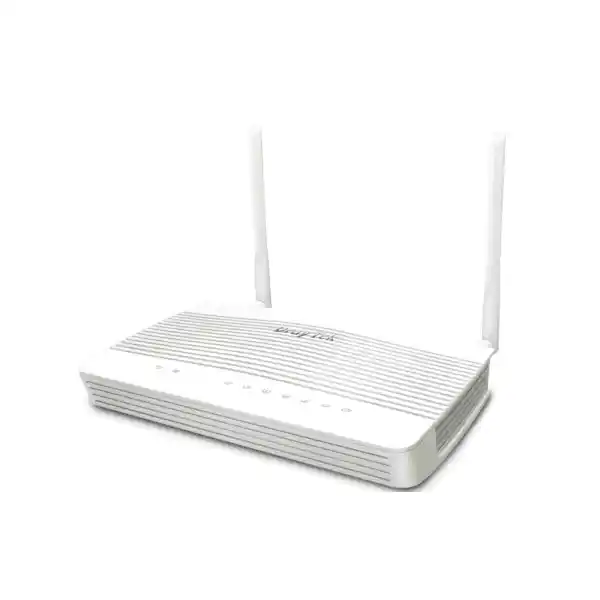
Business Wi-Fi 6 VDSL2 Router for Dubai & UAE
DrayTek Vigor2767ax: AX3000 Wi-Fi 6, VDSL2 35b and 2.5GbE for Secure Branch Connectivity
The DrayTek Vigor2767ax is designed for organisations that want more control than a basic ISP router can provide but do not require the scale, rack footprint or licensing model of a large enterprise security appliance. It combines a built-in VDSL2 modem with profile 35b supervectoring support, a switchable 2.5 Gigabit Ethernet LAN/WAN interface, three fixed Gigabit Ethernet LAN ports, AX3000-class dual-band Wi-Fi 6, business-grade firewalling, policy routing, multi-subnet networking, VPN services and centralised DrayTek device management. For Dubai offices, professional villas, clinics, showrooms, small warehouses, retail branches and distributed businesses, that combination makes the Vigor2767ax particularly useful where the edge device must handle the WAN handoff, local segmentation, wireless access and secure remote connectivity in one compact platform.
DrayTek Vigor2767ax at a Glance
Flexible WAN Edge
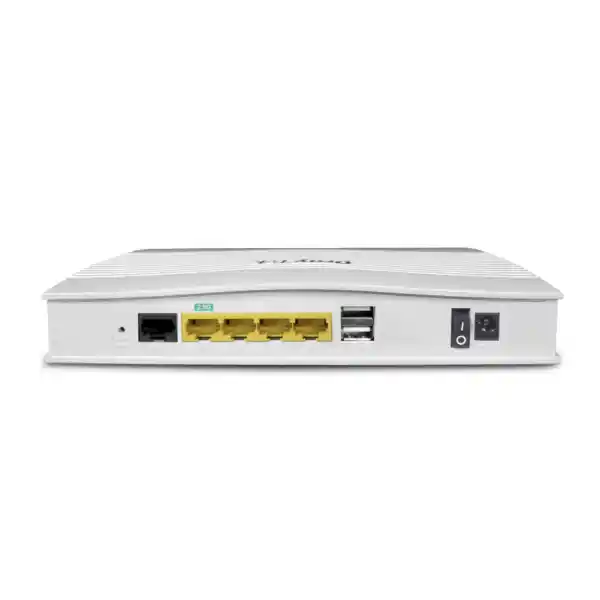
A built-in RJ-11 xDSL interface supports ADSL, ADSL2, ADSL2+ and VDSL2, including profile 35b. The 2.5GbE RJ-45 port can be assigned as LAN or Ethernet WAN, making the same appliance relevant for copper DSL today and Ethernet broadband migration later.
AX3000 Wi-Fi 6
The wireless model combines up to 574 Mbps on 2.4 GHz and up to 2402 Mbps on 5 GHz, with Wi-Fi 6 technologies such as OFDMA, MU-MIMO, 160 MHz channel support, band steering and airtime fairness to improve efficiency under mixed-client loads.
Business Routing
Static routing, inter-VLAN routing, policy routing, RIP, OSPF and BGP capabilities give administrators a much richer routing toolbox than a typical residential gateway. This is valuable for segmented offices, branch connectivity and multi-network environments.
Secure Remote Access
The router supports up to 16 VPN tunnels and multiple protocols including IPsec, IKEv1/IKEv2, L2TP over IPsec, OpenVPN and WireGuard. DrayTek rates IPsec performance up to 300 Mbps under its stated test conditions.
Traffic Governance
Application-aware QoS, IP-based bandwidth limits, session limits and VoIP prioritisation help keep interactive services usable when cloud backup, large downloads or guest traffic would otherwise compete for the same WAN capacity.
Centralised Operations
VigorACS support plus integrated AP and switch controller functions can reduce operational overhead for sites already standardised on DrayTek. Configuration backup, monitoring, firmware workflows, syslog and SNMP assist with repeatable administration.
Where the Vigor2767ax Fits in a UAE Network
The strongest use case for the DrayTek Vigor2767ax is not simply “a faster Wi-Fi router.” Its value is the consolidation of several edge functions that normally require separate devices or a more complicated appliance stack. In a small office, it can terminate a VDSL2 circuit, provide Ethernet WAN migration capability, present multiple VLAN-backed LANs, run the site firewall, prioritise business applications, provide encrypted tunnels to a headquarters or cloud gateway, and offer local Wi-Fi 6 connectivity. That integration is useful where the network must remain manageable by a small IT team while still providing clear policy separation between staff, guest, voice, CCTV, IoT and administrative traffic.
Dubai businesses often operate from leased offices, retail units, clinics, warehouses, villas converted into offices, or branch locations where the available carrier handoff can change over the life of the tenancy. A router that accepts both xDSL and Ethernet WAN provides useful continuity. The organisation can begin with a DSL circuit where that is the practical service, then move to a faster Ethernet handoff later without replacing the entire branch edge platform. The switchable 2.5GbE port is particularly helpful because it avoids making the router’s wired edge immediately obsolete when a service above one gigabit becomes available, while the three Gigabit LAN interfaces continue to serve switches, phones, printers, local servers or access points.
For FourTeck customers, the device is best treated as a business network component rather than a plug-and-play home router. Correct performance depends on line conditions, WAN service type, enabled inspection functions, VPN encryption, wireless RF design, client capability and policy configuration. A clean deployment begins with requirements: number of users, WAN service, expected concurrent sessions, number of VLANs, Wi-Fi coverage area, VPN topology, voice requirements, public services, remote-management policy and growth horizon. The Vigor2767ax can then be configured around the site rather than forcing the site into a consumer default configuration.
VDSL2 Profile 35b: Understanding the Integrated DSL WAN
The Vigor2767ax includes an integrated xDSL modem supporting established ADSL families and VDSL2. Its most important capability for modern copper access is VDSL2 profile 35b, often described as supervectoring. DrayTek states a VDSL2 link rate of up to 300 Mbps for the platform. That figure is a physical-layer maximum under favourable loop and provider conditions, not a guaranteed application throughput. Actual DSL performance is determined by the carrier profile, copper length, line quality, crosstalk environment, cabinet technology, noise margin and provisioning. From a network-design perspective, the key benefit is not merely the headline rate but the fact that the router can terminate the DSL service directly, removing the need for a separate bridge modem in many deployments.
Direct DSL termination simplifies fault isolation because line statistics, WAN state and router policy live in the same management environment. For branch support, administrators can inspect whether a problem sits at the DSL synchronisation layer, authentication layer, routing layer or LAN policy layer without moving between unrelated interfaces. This is especially useful when remote support teams are responsible for many compact sites. The Vigor2767ax supports common DSL standards including ITU-T VDSL/VDSL2 and vectoring functions, as well as ADSL2 and ADSL2+. It supports multiple VDSL2 profiles through 35b and common Annex modes, giving it broad interoperability across DSL access designs where local provider compatibility is confirmed.
It is important to distinguish this model from DrayTek products that include G.fast. The Vigor2767ax is positioned around VDSL2 35b rather than G.fast. For a UAE procurement, the correct question is therefore not “what is the fastest DSL standard on paper?” but “what access technology is the site actually being delivered, and what router interface matches that handoff?” If the carrier provides Ethernet from an ONT, NTE or media converter, the 2.5GbE Ethernet WAN mode may be the more appropriate design. If the service is delivered as compatible xDSL over copper, the integrated modem can reduce device count and power requirements.
2.5GbE LAN/WAN Port and Wired Port Architecture
One of the most practical improvements in the Vigor2767 family is the 2.5GbE RJ-45 port. On the Vigor2767ax, this interface is switchable between LAN and WAN use. In WAN mode it can accept an Ethernet broadband handoff, allowing the router to serve fibre, fixed wireless or other services presented as Ethernet. In LAN mode it can provide a higher-bandwidth connection to a capable switch, workstation, storage device or downstream Wi-Fi access point. The design is complemented by three fixed Gigabit Ethernet LAN ports, which are suitable for ordinary access switching, voice systems, local devices or secondary network segments.
DrayTek specifies up to 2.3 Gbps aggregate NAT throughput for the series under its internal test conditions, and notes that a single 1GbE client can approach the practical ceiling of a Gigabit Ethernet connection. This matters when sizing the router for broadband services faster than traditional DSL. A 2.5GbE WAN port does not mean every connected client will receive 2.5 Gbps, nor does it guarantee full line-rate performance with every security, QoS or VPN feature enabled. It does, however, remove the one-gigabit physical interface bottleneck at the WAN edge and gives the platform room to use its higher aggregate routing capacity across multiple clients.
For network architects, the switchable nature of the port should be considered early because using it as WAN means it is not simultaneously available as a 2.5GbE LAN uplink. Where a site needs a 2.5GbE WAN and also requires multi-gigabit LAN distribution, a downstream managed switch with appropriate uplinks may be preferable. The three fixed Gigabit ports can then be assigned by function, while VLAN trunking carries multiple logical networks toward the switch. This is a cleaner design than dedicating each physical LAN port to a separate department when the number of segments grows.
AX3000 Wi-Fi 6: Capacity, Efficiency and Real-World Planning
The “ax” suffix identifies the wireless version of the Vigor2767. It provides dual-band IEEE 802.11ax connectivity with an aggregate class commonly described as AX3000. DrayTek lists up to 574 Mbps link rate on 2.4 GHz and up to 2402 Mbps on 5 GHz. Those are negotiated radio link rates, not guaranteed internet speeds. Real user throughput is lower after protocol overhead, RF conditions, contention, client limitations and WAN constraints are considered. The practical benefit of Wi-Fi 6 is therefore broader than peak rate: OFDMA and MU-MIMO improve how airtime is distributed among modern clients, while 160 MHz channel support can provide high throughput to compatible devices where the RF environment permits.
In a Dubai office, channel planning matters because surrounding tenants, neighbouring access points, mobile hotspots and building materials can create substantial interference. On 2.4 GHz, the priority is usually stability and coverage for low-bandwidth devices rather than maximum speed. On 5 GHz, more channel capacity is available, and compatible Wi-Fi 6 clients can benefit from wider channels and higher modulation rates. A 160 MHz channel may deliver strong point-to-point throughput in a clean environment, but it consumes a large portion of available spectrum. In dense commercial buildings, 80 MHz or narrower channels may provide better total network behaviour because more non-overlapping channel plans can coexist.
The Vigor2767ax also supports capabilities such as band steering, airtime fairness, assisted roaming and multiple SSIDs. These are important in a professional deployment because the wireless network should map to the security design. For example, a corporate SSID can place managed laptops into a staff VLAN, a guest SSID can use an isolated guest network and captive portal, and an IoT SSID can place displays, controllers or smart devices into a restricted segment with carefully limited access. The goal is to prevent the convenience of wireless access from collapsing network separation.
A single integrated router radio is appropriate for compact coverage areas, but it should not be expected to overcome difficult building geometry. Larger offices, concrete structures, multiple floors or long corridors often require additional access points. The Vigor2767ax can participate in DrayTek’s broader wireless ecosystem and provides integrated management functions for supported VigorAP devices. That creates a useful migration path: start with the router’s integrated Wi-Fi where coverage is sufficient, then add managed access points when density or floor area grows.
Firewall, URL/IP Reputation and Edge Security
The Vigor2767ax includes a stateful firewall and multiple policy tools intended to provide stronger edge governance than a simple NAT gateway. Administrators can define firewall filters around source, destination and service criteria, control access between logical networks, use MAC filtering where appropriate, and combine policy with URL or IP reputation functions. Content filtering can restrict access based on URL keywords or web categories, while reputation services help classify destinations associated with known risks. These tools are useful as part of layered security, although they should not be treated as replacements for endpoint security, secure DNS architecture, identity protection, patch management and user awareness.
Port knocking is another available control. Instead of leaving a management or VPN-related service openly discoverable, an administrator can require a predefined sequence before a protected service becomes temporarily accessible. This reduces unnecessary exposure but does not eliminate the need for strong authentication and secure protocols. For remote administration, FourTeck normally recommends restricting management interfaces to trusted networks or approved VPN paths, disabling legacy access methods that are not required, enforcing unique administrative credentials, maintaining current firmware and sending logs to a central syslog or monitoring service where feasible.
The product also supports DNSSEC-related DNS security functions, local RADIUS capabilities and role-based administrative controls. In a segmented office, these features can support a more disciplined trust model. Management interfaces can live on a dedicated administrative subnet, ordinary users can be denied direct access to infrastructure addresses, guest networks can be isolated from internal RFC1918 ranges, and inter-VLAN communication can be explicitly permitted only where a business application requires it. A CCTV VLAN, for example, may need to reach an NVR and selected DNS/NTP services but should not have unrestricted access to finance workstations.
Security policy should also take into account services exposed through port forwarding or DMZ functions. The Vigor2767ax supports NAT functions such as port forwarding, port triggering and a DMZ host, along with application helpers for common protocols. These are powerful tools, but every inbound rule creates an attack surface. Where possible, remote users should access internal resources through authenticated VPN rather than direct public exposure. If a business application must be published, the rule set should be as narrow as possible and the destination service should be hardened independently.
VPN Design for Branches, Remote Users and Secure Administration
The Vigor2767ax supports up to 16 VPN tunnels, making it suitable for a small branch that needs a combination of site-to-site links and remote-user access. Supported technologies include IPsec, IKEv1/IKEv2, IKEv2-EAP, IPsec XAuth, L2TP over IPsec, OpenVPN and WireGuard. DrayTek quotes IPsec throughput up to 300 Mbps with AES-256 under its internal test methodology and lists WireGuard performance up to 50 Mbps for the platform. These figures provide a useful sizing reference, but real throughput varies with packet size, tunnel count, encryption settings, latency, enabled router functions and the performance of the peer device.
For site-to-site connectivity, the router can link a branch LAN to a headquarters firewall, another DrayTek router or a compatible cloud VPN endpoint. The correct design normally uses route-based or policy-defined connectivity aligned with the organisation’s subnet plan. Overlapping address ranges between branches should be avoided because they complicate routing and can force translation workarounds. A new branch deployment is an opportunity to assign unique address space, reserve infrastructure ranges, document VLAN IDs and define which networks are reachable across the tunnel.
Remote-user VPN should be designed around identity and least privilege rather than merely creating a tunnel. A teleworker who needs access to an ERP application may not need unrestricted access to printers, cameras or infrastructure management. The Vigor2767ax supports authentication mechanisms that can be integrated into an appropriate access model, while DrayTek’s client ecosystem simplifies configuration for supported platforms. EasyVPN is intended to reduce profile complexity for remote users, which can be useful for small teams where a full enterprise remote-access platform would be disproportionate.
VPN redundancy also depends on WAN design. If the primary DSL circuit fails, a secondary Ethernet, Wi-Fi WAN or compatible USB WAN arrangement may maintain internet reachability, but tunnel re-establishment depends on addressing, peer configuration and route policy. For business-critical branches, FourTeck recommends designing failover explicitly: define which WANs are eligible, how failure is detected, how DNS or public addressing is handled, whether the remote peer accepts multiple source addresses, and how applications behave when the public path changes.
VLAN Segmentation and Multi-Subnet Architecture
A key reason to choose a router such as the Vigor2767ax over a basic Wi-Fi gateway is its support for structured LAN segmentation. The platform supports 802.1Q tag-based VLANs, multiple LAN subnets and up to eight VLANs. That is enough for many small-business segmentation models without creating an excessively complex policy environment. A practical branch design might use separate VLANs for corporate users, voice, guest Wi-Fi, CCTV, IoT, servers, management and a restricted contractor network. Each segment can have its own DHCP scope, gateway policy and firewall rules.
VLANs become most valuable when combined with a managed switch. The router can carry multiple tagged networks over a trunk, while the switch assigns untagged access ports to the correct endpoint VLANs. This keeps the cabling flexible and prevents the physical port count on the router from limiting the logical network design. The same principle applies to managed access points: SSIDs can map to VLANs so wireless clients join the same security zones as equivalent wired devices. A staff laptop on Wi-Fi and a desktop on Ethernet can therefore share a corporate subnet, while visitors remain isolated even though both pass through the same infrastructure.
Inter-VLAN routing must then be controlled. Segmentation without firewall enforcement simply creates different IP ranges that can still talk freely. The design should begin with deny-by-default assumptions for sensitive zones and add only required flows. Voice devices may need call-control, DNS, NTP and provisioning services. CCTV devices may require NVR access but no lateral access to staff networks. Guest users should generally have internet access only. Management VLANs should be reachable only from approved administrator devices or VPN pools. The Vigor2767ax provides the routing and firewall primitives to implement this pattern in a compact site.
DHCP options and IP-to-MAC binding can further improve operational consistency. Static infrastructure such as switches, access points, printers and controllers should be addressed predictably, either through reservations or carefully managed static assignments. The goal is not to turn a small branch into a complicated data centre, but to create enough structure that troubleshooting, security reviews and future expansion remain manageable.
Routing Features Beyond a Typical SOHO Gateway
The Vigor2767ax supports IPv4 and IPv6 static routing, policy routing, inter-VLAN routing, RIP, OSPF and BGP. Not every deployment will use dynamic routing, but their presence gives network designers options when the branch participates in a larger routed topology. A multi-site organisation may choose OSPF for route exchange across VPN links, while a specialised environment may use BGP at a controlled boundary. In simpler offices, static routes and policy routing are often sufficient and easier to audit.
Policy-based routing is especially useful when traffic decisions depend on more than the destination network. Rules can consider parameters such as protocol, IP address and port, allowing selected applications or subnets to follow specific WAN behaviour. For example, voice traffic can be kept on the most stable circuit, guest internet traffic can be directed to a secondary connection, or a particular server subnet can use a defined gateway. This should be implemented conservatively, because complicated route policy can make troubleshooting difficult when administrators later forget why a flow takes an unexpected path.
IPv6 support also deserves deliberate planning. Many networks enable IPv6 indirectly through provider defaults but never establish equivalent firewall and monitoring policies. The Vigor2767ax supports multiple IPv6 WAN mechanisms and IPv6 routing capabilities, allowing organisations to deploy IPv6 intentionally rather than treating it as an invisible side channel. Where IPv6 is not required, administrators should understand how it is being handled rather than assuming IPv4 firewall rules automatically cover every case.
Multicast functions including IGMP proxying, snooping and fast leave are relevant for IPTV, digital signage and selected real-time applications. As with every feature, the safest design is to enable what the application requires and avoid unnecessary complexity. The router provides a broad toolbox; good network engineering means using the smallest combination of tools that meets the business requirement while remaining supportable.
QoS, Session Control and Application Prioritisation
WAN speed alone does not guarantee good user experience. A 200 Mbps circuit can still feel poor if a few devices consume queues with large uploads, cloud synchronisation or unrestricted guest downloads. The Vigor2767ax provides bandwidth limits, session limits, traffic shaping, conventional QoS and application-aware prioritisation. These controls are particularly valuable on DSL links where upstream bandwidth may be much lower than downstream bandwidth. A saturated upstream can increase latency dramatically and affect voice, remote desktop, video conferencing and interactive SaaS applications.
A sensible QoS policy begins by identifying business-critical traffic rather than prioritising every application. Voice and real-time collaboration are common high-priority classes. Business systems may receive guaranteed or preferred treatment. Bulk backup, software updates and guest traffic can be constrained or assigned lower priority. Session limits can help prevent a single endpoint or peer-to-peer workload from creating an excessive number of concurrent connections that consume state table resources. With up to 50,000 NAT sessions available, the Vigor2767ax has substantial headroom for a compact site, but governance remains useful when many modern devices maintain large numbers of cloud connections.
VoIP prioritisation is especially relevant for offices using cloud PBX or SIP trunks. Quality depends on latency, jitter, packet loss and stable routing, not just nominal bandwidth. The router can prioritise voice flows, but a complete voice design also requires suitable switching, VLANs, handset configuration and WAN quality. FourTeck can integrate the router with broader communications environments through its UAE IT services practice, allowing QoS policy to be aligned with endpoints, switching and application requirements rather than configured in isolation.
Administrators should validate QoS after deployment with actual application testing. Policies that are too restrictive can reduce useful throughput, while policies that are too broad may fail to protect interactive traffic. The best configuration is measurable: monitor latency during peak utilisation, observe WAN queues, review application behaviour and adjust thresholds based on evidence.
Performance Sizing: NAT, Sessions and Feature Impact
DrayTek specifies up to 2.3 Gbps aggregate NAT throughput and approximately 50,000 NAT sessions for the Vigor2767 series. These numbers indicate that the routing engine is designed for significantly more than a basic DSL-only workload. They also need to be interpreted correctly. Vendor throughput testing is typically performed under controlled conditions with selected acceleration paths, packet sizes and feature combinations. Enabling additional services such as VPN encryption, detailed filtering, traffic shaping or complex routing can change the available forwarding performance.
For a Dubai branch with a 100 to 500 Mbps internet circuit, the platform has comfortable routing headroom for normal office use when the feature set is sensibly configured. On near-gigabit or multi-gigabit broadband, sizing should examine the exact traffic mix. A 2.5GbE WAN physical link can accept a service above one gigabit, while the aggregate NAT figure suggests multi-client throughput potential, but a single Gigabit LAN client is physically limited by its one-gigabit interface. Multi-gigabit user access requires an appropriate LAN design and the 2.5GbE port may already be committed to WAN use.
Session count is another useful metric. Modern browsers, cloud applications, mobile devices, IoT products and security agents create many simultaneous connections. A 50,000-session ceiling is generally ample for the intended SOHO and professional small-site market, but unusual workloads such as high-volume peer-to-peer traffic, large guest populations or badly behaved devices can still create pressure. Session limiting allows the administrator to place sensible boundaries around such behaviour.
VPN sizing should be separated from raw NAT sizing. The stated IPsec throughput of up to 300 Mbps reflects encryption workload and is lower than ordinary routed NAT performance. WireGuard is listed with lower tested throughput on this platform. If a branch must encrypt a full gigabit of sustained traffic to a data centre, a higher-class router or firewall may be appropriate. If the requirement is several dozen users accessing cloud services locally plus a smaller encrypted corporate tunnel, the Vigor2767ax can be a well-balanced choice.
WAN Resilience Without Confusing the Standard Model with the 4G Variant
The standard Vigor2767ax should not be confused with the separate Vigor2767ax-4G model. The standard Vigor2767ax does not contain an integrated cellular modem or SIM slots. Its resilience options come from the available DSL WAN, the switchable Ethernet WAN, wireless WAN functionality and supported USB WAN scenarios using compatible external devices. This distinction is important for procurement because a site that requires native dual-SIM cellular failover should evaluate the cellular variant or a dedicated cellular gateway rather than assuming the standard model contains LTE hardware.
For many branches, the most useful resilience design is a primary fixed service with a secondary path used only during failure. A VDSL2 primary line can be backed by Ethernet WAN where a second provider is available, or an Ethernet primary can use another supported path for emergency access. The router’s policy features can be configured so business-critical networks retain connectivity while guest or bulk traffic is restricted during failover. This prevents an expensive or bandwidth-limited backup connection from being immediately saturated.
Wireless WAN can also be practical for temporary service, but the RF environment and upstream device become additional dependencies. When using a smartphone hotspot or dedicated wireless bridge, power, location and security must be considered. USB WAN provides another option where compatible hardware is available. In all cases, resilience should be tested rather than assumed. Disconnect the primary circuit during commissioning, observe route convergence, confirm DNS resolution, verify VPN re-establishment and check that critical applications behave correctly.
Where uptime requirements are strict, the router is only one component of availability. Power resilience, carrier diversity, switch redundancy, access point coverage, cloud application architecture and remote support all matter. A UPS protecting the router, ONT or modem, switch and key access point may deliver more real-world continuity than adding a backup WAN path while leaving the entire communications stack on unprotected mains power.
Central AP and Switch Management
The Vigor2767ax can act as more than a standalone router. DrayTek includes controller functions for supported VigorAP wireless access points and VigorSwitch devices. The published specification for this model includes management capacity for up to 20 supported access points, up to seven mesh nodes and up to five managed switches. These figures make the router attractive for small organisations that want central visibility without installing a separate controller appliance at every compact site.
Central management becomes valuable as soon as the network grows beyond one radio and one switch. Administrators can standardise SSIDs, VLAN mappings, security policy and selected maintenance tasks across compatible devices. Switch profiles can help propagate VLAN and QoS intent, while central status information reduces the need to log into each device individually. This does not remove the need for sound design: uplinks, loop prevention, PoE budgets, trunk configuration and RF planning still require engineering. It simply gives the branch router a useful operational role within the DrayTek ecosystem.
For sites with several access points, mesh functionality can simplify expansion where Ethernet cabling is difficult, though wired backhaul remains preferable for predictable capacity whenever practical. Wireless mesh consumes airtime for inter-node backhaul and performance depends on node placement. In office fit-outs, planning data cabling for access points usually produces a cleaner result, while mesh can serve areas where cabling is constrained or as a temporary extension method.
VigorACS adds a higher-level option for centralised deployment and monitoring across multiple locations. Zero-touch provisioning, configuration management and remote operational workflows can be useful for resellers, MSPs and multi-branch customers. For a single small office, local management may be sufficient; for a chain of branches, central orchestration can significantly reduce support time and configuration drift.
USB Functions and Practical Peripheral Use
The Vigor2767ax includes two USB 2.0 ports. DrayTek exposes USB functions that can include storage-related services, printer sharing, device status, temperature sensor support and USB WAN use with compatible hardware. These functions can be convenient in a compact site, but they should be evaluated against security and performance requirements. A router is primarily an edge networking device; it should not become an uncontrolled general-purpose file server simply because a USB storage function is available.
For SMB file sharing, external storage can provide a simple local transfer point, but important business data should normally reside on a properly backed-up storage platform with access control, versioning and recovery procedures. Printer-server functions can be useful for legacy USB printers, although most modern office printers have Ethernet or Wi-Fi interfaces and are easier to manage as network-native devices. A temperature sensor can be useful in small comms cabinets where environmental monitoring would otherwise be absent.
USB WAN is more strategically relevant. A supported external cellular modem or tethered device can provide temporary internet access during a fixed-line outage. Compatibility should be checked before procurement, and the failover scenario should be tested with the exact modem and service provider. Do not assume that every USB modem, smartphone or cellular device will operate identically. Where mobile backup is mission-critical, a purpose-built cellular router or the dedicated 4G model may provide a more deterministic solution.
Physical Specifications and Installation Considerations
| Parameter | Vigor2767ax Detail | Deployment Meaning |
|---|---|---|
| DSL WAN | RJ-11, ADSL/ADSL2/ADSL2+/VDSL2, profile 35b | Direct termination of compatible copper broadband services. |
| Multi-Gigabit Port | 1 × 2.5GbE RJ-45, switchable LAN/WAN | Supports Ethernet broadband or a faster LAN uplink. |
| Fixed LAN | 3 × Gigabit Ethernet RJ-45 | Connects switches, endpoints, phones, servers or local infrastructure. |
| Wi-Fi | 802.11ax dual-band, AX3000 class | Integrated wireless for compact offices and professional homes. |
| 2.4 GHz | Up to 574 Mbps link rate | Useful for range and general client compatibility. |
| 5 GHz | Up to 2402 Mbps link rate | Primary band for high-throughput modern Wi-Fi 6 clients. |
| NAT Sessions | Up to 50,000 | Good headroom for cloud-heavy small-business endpoint populations. |
| NAT Performance | Up to 2.3 Gbps aggregate under vendor test conditions | Supports fast broadband while retaining multi-client routing capacity. |
| VPN | Up to 16 tunnels; IPsec up to 300 Mbps stated | Suitable for branch links and remote access at small-site scale. |
| VLAN | 802.1Q; up to 8 VLANs | Enables staff, guest, voice, CCTV, IoT and management separation. |
| USB | 2 × USB 2.0 | Supports selected storage, printer, sensor and WAN functions. |
| Power | 12 V DC, 1.8 A; maximum listed consumption 21.6 W | Easy to protect with a suitably sized UPS alongside ONT and switch. |
| Dimensions | Approx. 207 × 131 × 42 mm | Compact desktop or communications-shelf footprint. |
| Operating Environment | 0–45°C; 10–90% relative humidity | Install in a ventilated indoor location away from direct heat and dust. |
In the UAE, installation environment deserves attention. Routers placed inside closed cabinets, near unconditioned windows, above ceiling voids or beside heat-generating equipment can experience temperatures beyond their intended operating range. The compact enclosure should have free airflow, and power adapters should not be buried under cabling. Where the router forms part of a business-critical site, label WAN and LAN cables, document port roles, secure the power connection and include the device in the branch UPS plan.
Deployment Scenario 1: Professional Office on VDSL2
A 20- to 40-user professional office may receive a VDSL2 service because fibre is not yet available at the premises or because the DSL circuit is retained as a cost-effective business connection. The Vigor2767ax can terminate that line directly. The staff network can be placed on one VLAN, IP phones on another, guest Wi-Fi on a third and printers or IoT devices on a fourth. A managed switch carries the VLANs to desks and phones, while the integrated Wi-Fi serves a modest floor area.
Application-aware QoS protects voice and conferencing from large cloud transfers. Remote workers connect through VPN, while a site-to-site tunnel provides access to a central file or application environment. Firewall policy prevents guests from reaching internal subnets and limits IoT devices to required internet services. If the office later upgrades to Ethernet broadband, the 2.5GbE port can become WAN without replacing the router. This scenario demonstrates the core strength of the product: it is not tied to a single access technology.
For Dubai procurement, FourTeck can supply the router and align it with managed switching, cabling and wireless requirements through the FourTeck UAE portfolio. This is useful when the router is part of a wider branch refresh rather than an isolated replacement.
Deployment Scenario 2: Ethernet WAN Branch with DSL as a Migration Path
A second common design uses the 2.5GbE interface as the primary Ethernet WAN. The carrier may present service from an ONT, building NTE, fixed wireless CPE or another managed handoff. The Vigor2767ax then acts as the firewall, router, VPN gateway and Wi-Fi platform. The built-in DSL modem remains available if the site later needs a compatible copper circuit, or the design can be reversed during migration. This flexibility can simplify standardisation across a branch estate where different locations receive different carrier technologies.
Standardisation has operational value. Help-desk teams can use one configuration template, one firewall policy structure and one monitoring approach even when WAN access varies by site. VLAN IDs and subnet patterns can be consistent across branches, while site-specific addressing and routing are applied as variables. VigorACS can assist with central deployment and configuration management where appropriate. The organisation avoids maintaining a mixture of consumer ISP routers, ad-hoc firewalls and different Wi-Fi systems at every location.
A branch template should still preserve local differences. A clinic may require strict separation for medical systems; a retail site may need POS, CCTV and guest segments; a professional services office may prioritise video meetings and secure document access. The router provides reusable network primitives, while policy is tailored to the actual business risk.
Deployment Scenario 3: Secure Professional Villa or Home Office
Professional home environments increasingly resemble small offices. Executives, consultants and technical staff may run multiple laptops, video conferencing equipment, smart-home devices, cameras, storage, printers and visiting devices from the same property. A consumer router often places all of these systems on one flat network. The Vigor2767ax allows a more disciplined design: work devices on a corporate or trusted VLAN, household devices on a separate network, IoT on a restricted segment and guests on an isolated SSID.
The integrated Wi-Fi 6 radio can provide strong service in a suitable coverage area, and additional VigorAP units can extend the network where the property is larger or built with RF-attenuating materials. VPN capability can provide secure access back to an office or cloud environment. Policy routing can separate work traffic from household traffic where multiple WAN paths exist. Bandwidth controls can prevent entertainment downloads or guest usage from degrading a critical video meeting.
This scenario is particularly relevant for high-value professional homes in Dubai where privacy, performance and manageability matter but a full enterprise firewall cluster is unnecessary. The device provides enterprise-style controls in a compact format, provided the configuration is engineered and maintained appropriately.
Deployment Scenario 4: Retail, Clinic or Small Warehouse
Retail stores, clinics and compact warehouses often have diverse device populations despite modest user counts. A site may include POS terminals, payment devices, staff PCs, IP phones, CCTV cameras, printers, handheld scanners, building systems and guest Wi-Fi. The important metric is not simply “number of users” but the number of device classes and trust zones. The Vigor2767ax can divide these systems into VLANs, apply inter-zone firewall policy, prioritise voice or transactional traffic and maintain a VPN link to headquarters.
For a retail branch, POS traffic should not share an unrestricted broadcast domain with guest devices. For a clinic, administrative systems may need stronger isolation from waiting-room Wi-Fi and smart devices. For a warehouse, handheld terminals need reliable wireless while CCTV traffic should not overwhelm interactive applications. VLANs, QoS, Wi-Fi SSIDs and policy routing allow one compact edge device to coordinate these requirements.
The limitation to remember is scale. If a site grows into hundreds of users, requires extensive threat inspection, high-throughput encrypted traffic, advanced high-availability features or dozens of network segments, a larger platform may be more appropriate. The Vigor2767ax is strongest when deployed within its intended professional SOHO and small-branch envelope.
UAE Procurement and Carrier Handoff Checklist
Before ordering a Vigor2767ax for a Dubai or UAE site, identify the WAN handoff precisely. Ask the carrier whether the service is xDSL presented directly on copper, Ethernet from an ONT or managed CPE, PPPoE, DHCP, static IP or another delivery model. For DSL, confirm compatibility with the line profile and Annex requirements. For Ethernet, confirm whether VLAN tagging is required on the WAN and whether the service speed can exceed one gigabit. If public IP addressing is important for inbound VPN or hosted services, confirm whether the carrier provides a real public address or uses carrier-grade NAT.
Next, document the local network. Count wired endpoints, PoE devices, wireless clients, SSIDs, VLANs, IP phones, cameras, servers and printers. Determine whether the router’s three fixed Gigabit LAN ports are enough directly or whether a managed switch is required. In most business deployments, a managed switch is preferable because it provides additional ports, VLAN control, PoE and a cleaner topology. If the 2.5GbE port will be used as WAN, remember that it is unavailable as a multi-gigabit LAN uplink.
Wireless planning should include floor area, wall construction, client density and interference. Do not size Wi-Fi solely from the AX3000 label. A small open office may be served by the integrated radio; a villa with reinforced walls or an office across multiple suites may require additional access points. For business-critical voice over Wi-Fi or roaming applications, conduct coverage planning rather than relying on best-effort placement.
Finally, define support ownership. Decide who controls firmware, configuration backups, remote administration, VPN credentials and incident logs. FourTeck can provide procurement and integration through its Firewall Dubai practice, while broader multi-country requirements can be coordinated through FourTeck Global.
Security Hardening Baseline for Production Deployment
A production Vigor2767ax should not be left with a basic out-of-box posture. The first step is to update to an appropriate current firmware release after reviewing release notes and compatibility guidance. Administrative credentials should be unique, strong and stored securely. Remote administration from the open internet should be disabled unless there is a documented requirement; even then, access should be restricted by source address, VPN, port-knocking policy or other available controls. Use HTTPS or SSH rather than legacy clear-text services wherever possible.
Create a dedicated management network or restrict management access to trusted administrator devices. Disable unused services. Review UPnP carefully because automatic port creation is often inappropriate in business environments. Audit every port-forwarding rule and remove stale entries. Configure DNS deliberately and enable relevant DNS security functions. Send syslog to a central collector when operationally practical. Configure SNMPv3 instead of older community-string versions if SNMP monitoring is required and supported by the monitoring platform.
Wireless security should use WPA2/WPA3 or WPA3 modes appropriate to the client estate, avoiding obsolete WEP. Corporate SSIDs can use 802.1X where an authentication infrastructure exists; smaller deployments may use strong pre-shared keys with a documented rotation process. Guest Wi-Fi should be isolated. WPS should be disabled if not required. Hidden SSIDs should not be treated as a security feature. Access lists can support policy but should not replace encryption and authentication.
Firewall rules should be readable and ordered logically. Group related rules by zone or service, include comments in documentation, and periodically review hit counts or behaviour. Avoid broad “any to any” inter-VLAN permissions that undermine segmentation. Where a service must cross zones, allow the specific source range, destination and port required. For branch VPN, define which local VLANs are exported and which remote networks are accepted.
Back up the configuration after major changes and store the file securely. A backup should be paired with notes on firmware version, WAN credentials, IP plan and recovery procedure. During an outage, the value of configuration backup is not just the file itself but the ability for another engineer to understand how the site was intended to work.
Wi-Fi Security and Guest Access Design
The Vigor2767ax supports modern wireless security modes including WPA3 combinations as well as enterprise authentication options. The correct mode depends on client compatibility. A modern office with managed devices should move toward WPA3 where practical, while mixed fleets may require transitional WPA2/WPA3 operation. Legacy modes should be retained only when a documented device requirement exists and ideally isolated into a restricted network until the device can be replaced.
Multiple SSIDs allow wireless policy to mirror wired segmentation. The corporate SSID should map to the staff VLAN, a voice SSID to a voice or mobility segment where needed, guest SSID to an internet-only network, and IoT SSID to a restricted segment. Client isolation can reduce peer-to-peer visibility on guest networks. Scheduling can turn selected SSIDs off outside business hours if that supports the operational model. Band steering helps dual-band clients favour 5 GHz, while airtime fairness prevents slower clients from disproportionately consuming radio time.
The hotspot web portal can support guest access workflows such as click-through, RADIUS or other supported methods. Businesses should design captive portals around both usability and privacy. A portal should not collect unnecessary personal data, and guest terms should be appropriate for the organisation. For high-traffic hospitality environments, the Vigor2767ax may act as a compact controller and gateway, but wireless capacity must still be sized from expected concurrent clients and floor coverage rather than from portal features alone.
Assisted roaming and mesh support become relevant when additional VigorAP units are installed. Roaming quality ultimately depends on client behaviour, AP placement, RF levels and common SSID/security settings. The router can coordinate supported infrastructure, but endpoints decide when to roam. Proper cell overlap and transmit-power planning remain important.
Management, Monitoring and Troubleshooting
A business router must be supportable after installation. The Vigor2767ax provides local web management, command-line access options, configuration backup and restore, firmware update mechanisms, SNMP and syslog. These functions allow an administrator to establish a repeatable operations model. Configuration should be exported after commissioning, monitoring credentials should be documented, and alerting should focus on actionable events such as WAN failure, VPN state, unusual authentication attempts or resource pressure.
Troubleshooting is easiest when the site is documented in layers. Start with physical state: power, DSL sync, Ethernet link and interface errors. Then verify WAN addressing and gateway reachability. Check DNS resolution separately from raw internet connectivity. Review policy routing and firewall rules if only selected applications fail. For VPN incidents, verify peer reachability, IKE negotiation, encryption parameters, route selectors and remote subnets. For Wi-Fi problems, inspect channel use, signal strength, client capability and whether the issue is RF or upstream WAN congestion.
DSL faults require particular discipline. A router can synchronise at a lower rate due to line conditions even when its configuration is correct. Compare current sync metrics with historical values, inspect error counters, eliminate internal cabling issues and confirm whether the carrier has changed the line profile. Rebooting repeatedly may temporarily mask a marginal line without solving it. Where a provider manages the access line, capture enough statistics to support a meaningful fault ticket.
Central VigorACS management can make multi-site troubleshooting more efficient by providing consistent visibility and configuration workflows. For organisations with one or two sites, local management may be simpler. The right model depends on branch count, support team structure and the cost of site visits.
How to Size the Vigor2767ax for Your Site
Start with WAN throughput. If the site uses VDSL2 up to the product’s supported 35b range, the router has ample routing capacity above the line rate. If the service is Ethernet broadband, compare the contracted speed with the router’s stated aggregate NAT performance and with the features you plan to enable. A one-gigabit broadband service is comfortably within the physical capability of the 2.5GbE WAN port, while actual routed throughput should be validated under the intended feature set.
Next, estimate endpoint and session load. Thirty staff may represent far more than thirty devices when laptops, phones, tablets, printers, cameras and IoT are counted. A 50,000-session platform is generous for ordinary small-branch cloud use, but applications differ. Guest-heavy environments, peer-to-peer workloads or large device fleets should be assessed more closely. Session limiting can provide protection against outliers.
Then size wireless coverage. AX3000 describes radio capability, not square metres. Building materials, ceiling height, interference, channel plan and client mix determine whether one integrated access point is enough. If the router must sit in a comms room at one edge of the office, its physical location may be poor for wireless coverage. In that case, treat the integrated radio as supplementary or disable it and deploy centrally located access points connected by Ethernet.
VPN sizing should reflect encrypted traffic volume. Sixteen tunnel capacity is not the same as sixteen tunnels each running at maximum throughput. If the site needs several low-bandwidth branch links and a handful of remote users, the platform is well aligned. If it must backhaul all internet traffic through an encrypted hub at hundreds of megabits continuously, evaluate whether the stated IPsec performance provides sufficient headroom.
Finally, review future growth. If the branch is expected to remain under a few dozen users with moderate segmentation, the Vigor2767ax offers a strong feature-to-size ratio. If the location is becoming a regional office with multiple high-speed WANs, large-scale access switching, high VPN throughput and advanced security inspection, selecting a larger platform at the beginning may reduce later migration cost.
Comparison Logic: When the Vigor2767ax Is the Right Choice
Choose the Vigor2767ax when you specifically value an integrated VDSL2 35b modem, modern Wi-Fi 6, a 2.5GbE switchable WAN/LAN port, strong small-business routing features, multiple VLANs, business firewalling and moderate VPN capacity in one compact appliance. It is especially compelling for organisations already using DrayTek switches or access points because the router can participate in a unified operational model.
Choose a simpler consumer router when the network is genuinely simple: one flat LAN, no VPN requirement, no VLAN separation, minimal logging, no structured QoS and no need for central management. In that case, many of the Vigor2767ax features would remain unused. Business networks, however, often become more complex after deployment as guest access, cameras, cloud phones and remote work are added. Buying only for today’s simplest state can create an early replacement cycle.
Choose a larger security appliance when requirements include advanced threat inspection at high throughput, multiple independent multi-gigabit WANs, extensive high availability, hundreds of VPN tunnels, deep identity integration or enterprise-scale logging. The Vigor2767ax is a sophisticated small-site router, not a substitute for every next-generation firewall scenario. The product is strongest when requirements align with its architectural envelope.
FourTeck can help position the model within a wider firewall and branch-network portfolio. For organisations comparing different security and routing classes, the Dubai firewall solutions site provides a relevant starting point, while the router can also be integrated with switching, Wi-Fi and infrastructure supplied through FourTeck.
Implementation Blueprint for a Clean Business Deployment
Phase one is discovery. Record carrier details, public addressing, line type, current bandwidth, required VLANs, existing switches, Wi-Fi coverage, server addresses, printer dependencies, voice systems, VPN peers and remote-support requirements. Export the configuration of the outgoing router if available and document any port forwards or static routes that may otherwise be lost during migration.
Phase two is base configuration. Update firmware, set administrator security, configure time and DNS, define the WAN, create LAN subnets and VLANs, establish DHCP scopes and reserve infrastructure addresses. Build firewall rules from a clear zone matrix rather than adding ad-hoc exceptions. Configure Wi-Fi SSIDs with the intended VLAN mappings and security modes. If the router will manage switches or access points, adopt those devices only after the core addressing plan is stable.
Phase three is service policy. Configure QoS classes, bandwidth limits, VPN tunnels, policy routes and guest controls. Apply URL or IP reputation services according to business policy. Review UPnP and application helpers. Configure logging and monitoring. If VigorACS is used, establish management connectivity and verify that the site can be restored from central templates without overwriting unique branch values.
Phase four is validation. Test internet access from every VLAN, verify isolation boundaries, confirm DNS and DHCP, run wired and wireless throughput tests, place voice calls under load, establish each VPN, test inbound services, check guest isolation and validate failover if a secondary WAN is configured. Record baseline DSL sync or Ethernet statistics. A configuration is not complete until the intended failure cases have been tested.
Phase five is handover. Save the final configuration, update diagrams, record firmware and serial information, label cables, document support contacts and define who can approve future changes. Good handover is particularly important in leased Dubai offices where providers, building management and internal IT may each control different parts of the connectivity chain.
Operational Practices for Long-Term Reliability
A router that is correctly installed can still degrade operationally if configuration changes accumulate without control. Maintain a change record for WAN updates, firewall rules, VPN peers and VLAN additions. Review unused rules periodically. Remove former employees from remote-access groups and rotate credentials when administrative ownership changes. Schedule firmware review rather than waiting for a problem to force an emergency update.
Monitor capacity trends. If NAT sessions, CPU utilisation, wireless client count or WAN usage approaches sustained high levels, investigate before users experience instability. Rapid business growth can move a site beyond the original design. The Vigor2767ax offers useful headroom for its class, but no router should be expected to absorb unlimited expansion. Capacity planning is easier when monitoring baselines exist from the beginning.
Keep physical conditions under control. Dust, poor airflow, overloaded power strips and unprotected adapters are common causes of branch incidents. Place the router and switch in a secure, ventilated area. Use a UPS where business continuity matters. Protect the WAN handoff equipment on the same UPS if possible; keeping the router alive is not useful if the upstream ONT or DSL termination loses power.
Review backup and restore at least once. A configuration file is only useful if the support team knows where it is, which firmware it belongs to and how to restore it. For multi-site operations, central management and standardised templates reduce dependency on individual engineers and make branch replacement much faster.
Technical Notes for Network Engineers
The Vigor2767ax exposes a feature set that invites sophisticated configuration, but engineers should avoid over-engineering small sites. Dynamic routing such as OSPF or BGP is valuable when it solves a real route-distribution problem; otherwise static routes are easier to audit. Policy routing is powerful but should be used sparingly and documented. Eight VLANs are enough for meaningful segmentation, but using all eight without a zone design can create unnecessary operational burden.
Hardware acceleration contributes to the platform’s high stated aggregate NAT performance. DrayTek does not publish the kind of detailed forwarding-silicon architecture that would justify claims about a named ASIC or dedicated network processor in this product, so capacity planning should be based on the vendor’s measured performance specifications and field testing rather than invented chipset assumptions. This is especially important for technical procurement: verified throughput under the intended feature mix is more useful than marketing language about internal silicon.
On the wireless side, the published radio configuration includes Wi-Fi 6 operation with 2.4 GHz and 5 GHz capabilities, 160 MHz support and multiple spatial-stream features. A link rate is not payload throughput. TCP efficiency, channel utilisation, signal-to-noise ratio and client radio capability determine actual application results. For performance testing, use a capable wired endpoint on the LAN side and test close-range 5 GHz separately from internet speed to isolate Wi-Fi from WAN constraints.
For VPN measurement, test both directions and realistic packet mixes. A small-file application, voice stream and large TCP transfer stress different aspects of the path. Where encrypted branch traffic is critical, include failover and rekey behaviour in acceptance testing. The published 16-tunnel limit indicates scale, while application performance should be validated with the chosen protocol and peer device.
Why Buy DrayTek Vigor2767ax from FourTeck in Dubai
The router itself is only one part of a reliable branch network. Correct results depend on matching the model to the carrier handoff, choosing the right managed switch, designing VLANs, planning Wi-Fi, configuring VPNs and applying firewall policy. FourTeck approaches the Vigor2767ax as an infrastructure component that should fit a documented topology. This reduces the risk of buying a capable router and then operating it as an unmanaged all-in-one box with default settings.
For Dubai and UAE customers, FourTeck can assist with product supply, branch network design, migration from ISP routers, managed switching, wireless expansion, VPN integration, security hardening and remote support planning. Customers can also use the FourTeck UAE site to coordinate complementary networking products and the FourTeck IT Services UAE team for implementation requirements.
For multi-country organisations, the same branch design can be documented and replicated with local WAN adjustments, standardised VLAN IDs, common firewall templates and central monitoring. FourTeck’s global infrastructure practice can support broader standardisation where UAE branches are part of a regional network.
Frequently Asked Technical Questions
Does the Vigor2767ax support Wi-Fi 6?
Yes. The ax model supports 802.11ax on both 2.4 GHz and 5 GHz, with an AX3000-class aggregate link rate and features including OFDMA and MU-MIMO.
Can the 2.5GbE port be used for WAN?
Yes. The 2.5GbE RJ-45 interface is switchable between LAN and WAN roles, allowing Ethernet broadband use as well as multi-gigabit LAN scenarios.
Does it have built-in 4G?
No. The standard Vigor2767ax does not include integrated LTE. DrayTek sells a separate Vigor2767ax-4G variant. The standard model can use other supported backup-WAN methods.
How many VPN tunnels are supported?
Up to 16 VPN tunnels are supported. The platform includes IPsec, IKE, OpenVPN, WireGuard and other DrayTek-supported remote-access options.
How many VLANs can be configured?
The published specification lists support for up to eight 802.1Q tag-based VLANs, suitable for common small-business segmentation schemes.
Is one router enough for a large office?
Routing may be adequate for many small sites, but wireless coverage must be designed independently. Larger premises often need managed switches and multiple access points even when one router remains sufficient at the WAN edge.
Decision Recap: Who Should Select the Vigor2767ax?
Strong Fit
Small offices, professional homes and compact branches that need VDSL2 35b, Ethernet WAN flexibility, Wi-Fi 6, VLAN segmentation, business QoS, secure VPN and richer routing than a consumer gateway.
Review Carefully
Sites with near-multi-gigabit encrypted workloads, very large wireless populations, more than eight VLANs or advanced security-inspection requirements should validate headroom and consider a higher-class platform if necessary.
Choose Another Model When
You require built-in dual-SIM cellular in the standard appliance, extensive HA clustering, hundreds of VPN tunnels or enterprise NGFW inspection at very high throughput. Those needs fall outside the intended small-site role.
Best Procurement Approach
Provide FourTeck with the WAN handoff, user count, Wi-Fi area, VLAN list, VPN requirement, public-IP needs and expected growth. That allows the model and configuration to be validated before installation.
Quotation Input Checklist
To prepare an accurate quotation and deployment recommendation for the DrayTek Vigor2767ax in Dubai or elsewhere in the UAE, provide as much of the following information as possible. Precise inputs reduce redesign during installation and help determine whether the integrated capabilities are sufficient or whether managed switching, extra access points, UPS protection or a different router class should be included.
DSL type/profile, Ethernet handoff, contracted bandwidth, PPPoE/DHCP/static IP, provider VLAN and public-IP details.
Staff count, wired endpoints, phones, cameras, printers, servers, guest clients and IoT devices.
Required VLANs or trust zones such as staff, voice, guest, CCTV, IoT, server and management.
Floor area, number of rooms/floors, wall type, critical roaming applications and expected concurrent clients.
Site-to-site peers, remote-user count, preferred protocols, expected encrypted throughput and remote subnets.
Backup WAN preference, UPS requirement, acceptable outage window and critical applications that must survive failover.
Plan a DrayTek Vigor2767ax Deployment with FourTeck UAE
The DrayTek Vigor2767ax is a technically strong fit for professional sites that need the unusual combination of integrated VDSL2 35b, an upgrade path to 2.5GbE Ethernet WAN, AX3000 Wi-Fi 6, multi-VLAN segmentation, application-aware QoS, secure VPN and central DrayTek management. Its biggest advantage is architectural flexibility: it can begin as a DSL gateway, evolve into an Ethernet WAN router, support additional access points and switches, and maintain the same branch security model as requirements grow.
For procurement, avoid choosing solely from headline Wi-Fi speed. Confirm the carrier handoff, encrypted throughput requirement, VLAN count, wireless coverage area and expansion plan. FourTeck can review those requirements and recommend the router, switching, wireless and power components needed for a complete deployment.


Reviews
There are no reviews yet.