
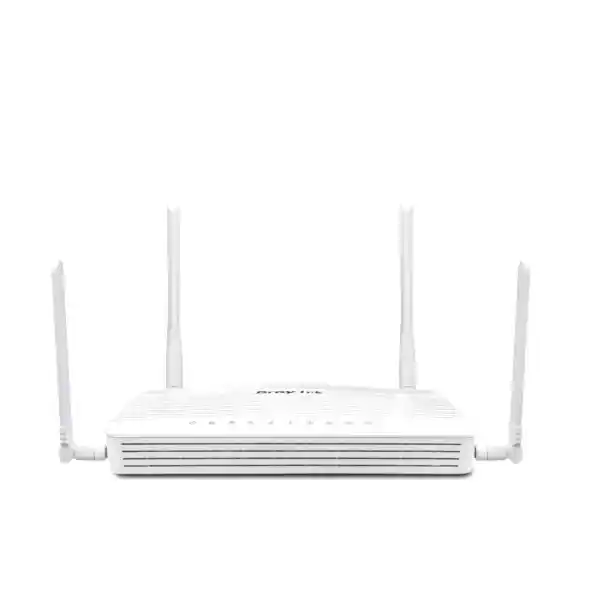
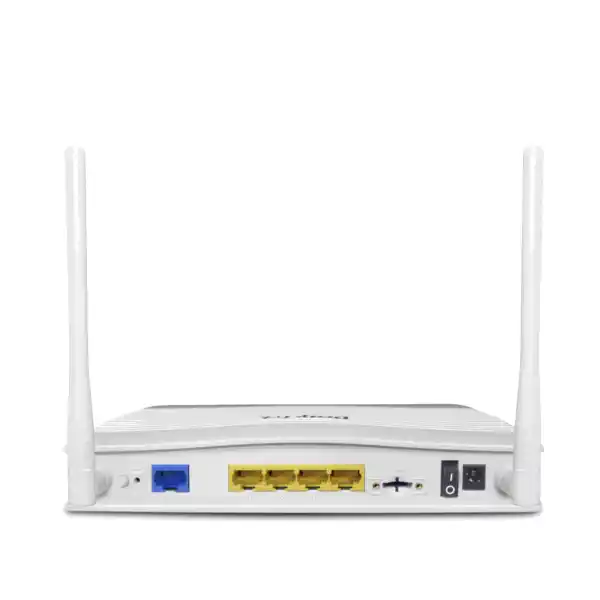
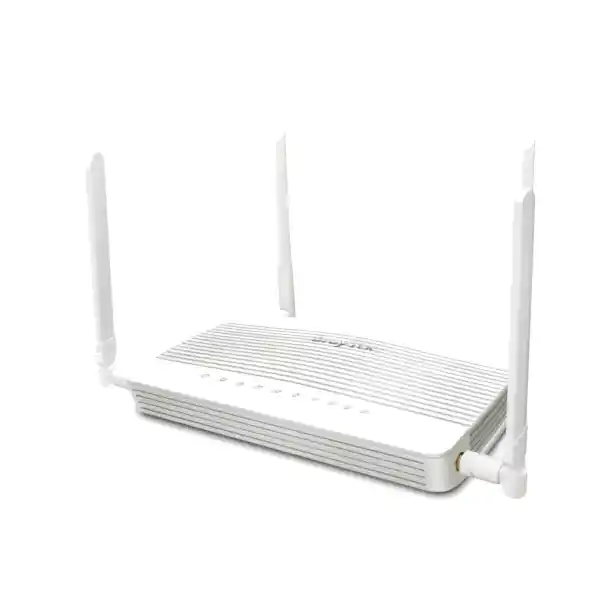
DrayTek Vigor C510 5G Cellular Security Router in Dubai, UAE
The DrayTek Vigor C510 is engineered for organizations that need dependable business connectivity where 5G or LTE must operate as a primary WAN, resilient backup path, rapid-deployment circuit, or branch edge. The non-wireless C510 model focuses on cellular and wired networking, combining an embedded 5G modem, dual nano-SIM capability, Gigabit Ethernet, advanced routing, firewall policy, VLAN segmentation, traffic control, VPN, identity-aware access controls, hotspot services, and local management of compatible DrayTek access points and switches.
Direct answer: what is the DrayTek Vigor C510?
The Vigor C510 is a compact enterprise-oriented cellular security router that integrates 5G and 4G LTE connectivity directly into the routing platform. Its purpose is broader than simply sharing a mobile data connection. It is designed to sit at the edge of a business network, establish secure Internet connectivity, segment internal traffic, enforce firewall and access policies, prioritize critical applications, terminate site-to-site and remote-access VPNs, and provide operational visibility for branch administrators. This makes it relevant to UAE businesses that need a controllable edge platform rather than a consumer mobile hotspot.
The C510 supports 5G Standalone and Non-Standalone operation and includes dual nano-SIM slots for cellular-provider resilience. Only one SIM is active at a time, so the design should be understood as cellular carrier redundancy rather than simultaneous dual-cellular bonding. The integrated LTE capability is Category 19, while DrayTek publishes radio link figures up to 3.4 Gbps receive and 550 Mbps transmit for 5G NSA, and up to 2.4 Gbps receive and 900 Mbps transmit for 5G SA under supported radio conditions. These are modem link-rate capabilities, not a promise of real application throughput. Operator load, spectrum allocation, signal quality, indoor attenuation, APN policy, data plan, antenna placement, routing features, VPN encryption and upstream peering all influence measured results.
The product also includes a wired WAN architecture and three fixed Gigabit LAN interfaces. In practical deployments, that allows the C510 to work as a pure 5G primary router, as a cellular failover device behind a fixed broadband service, as the main security gateway for a compact branch, or as a rapid-deployment router for sites that do not yet have fiber. The base C510 must not be confused with the Vigor C510ax: the C510 does not provide an integrated Wi-Fi 6 access radio. Organizations that need managed wireless can pair it with compatible VigorAP devices and use the router’s centralized AP-management capabilities.
Technical snapshot for UAE network teams
Cellular
Embedded 5G modem with SA and NSA support, LTE Category 19 fallback, dual nano-SIM slots and two external plus two internal cellular antennas.
Ethernet
Gigabit Ethernet edge connectivity with fixed WAN and LAN functionality, plus three fixed Gigabit LAN ports for local switching and segmentation.
Security
Stateful firewall controls, URL/IP reputation, threat protection, port knocking, defense against ARP/IP spoofing, MAC filtering and IPv6 address security.
VPN
Up to 16 tunnels with IPsec, L2TP over IPsec, IKEv1/IKEv2, IKEv2-EAP, IPsec-XAuth, OpenVPN and WireGuard support.
Routing
IPv4/IPv6 static routing, policy routing, inter-VLAN routing, RIP v1/v2, BGP and OSPF v2/v3 for sophisticated branch and multi-site designs.
Management
Web, HTTPS, SSH v2, SNMP, Syslog, TR-069, VigorACS support, AP management up to 20 devices and switch management up to five devices.
5G and LTE architecture: why the integrated modem matters
A business cellular router should be evaluated as an RF system, a routing platform and a security gateway at the same time. The Vigor C510 integrates the cellular modem into DrayTek’s routing stack, eliminating the need for an external USB modem and reducing the number of independent devices required at a branch. This integration matters operationally because the gateway can monitor cellular status, apply connection-detection logic, enforce data-budget controls, switch between SIM profiles, feed status information into management workflows and maintain the same firewall and VPN policies across fixed and mobile WAN conditions.
For 5G, the C510 supports bands n1, n3, n7, n8, n20, n28, n38, n40, n77 and n78. For LTE, the published FDD bands include 1, 3, 7, 8, 20 and 28, while TDD support includes bands 38 and 40. The device also supports WCDMA bands 1 and 8. This broad radio support is useful when building a router that may move between locations or operators, but procurement teams should still validate the exact operator, APN, SIM profile, indoor coverage and preferred 5G mode at the final UAE site. A supported band list does not by itself guarantee a specific operator’s commercial service, peak speed, carrier aggregation combination or service-level outcome.
The four-antenna cellular design combines two external dipole antennas with two internal PIFA antennas. The external elements are especially useful during installation because a few tens of centimeters of repositioning can materially change radio conditions inside reinforced buildings, warehouses, retail stores and equipment rooms. Installers should avoid treating signal bars as the only metric. A professional survey should compare RSRP, RSRQ, SINR, band selection, observed latency, upload stability, packet loss and actual throughput at the router’s intended mounting location. In a high-rise office, for example, the strongest signal may not deliver the cleanest uplink if interference is high. In a warehouse, a position near a doorway or external wall can outperform an enclosed comms cabinet even when the cabinet is physically closer to users.
The published 5G radio figures of up to 3400 Mbps receive and 550 Mbps transmit in NSA mode, and up to 2400 Mbps receive and 900 Mbps transmit in SA mode, describe modem link capability under suitable network conditions. Application performance will normally be lower. This distinction is important for sizing SD-WAN, cloud access, remote desktop, video, VoIP and VPN. A branch that requires 200 Mbps of encrypted site-to-site traffic needs to be sized around measured encrypted throughput, latency and carrier consistency, not only the headline 5G downlink rate.
Dual SIM design for carrier resilience
Dual SIM is one of the most useful features in a cellular edge router, provided it is implemented with a clear failover strategy. The Vigor C510 accepts two nano-SIM cards and can switch service when the primary cellular connection is unavailable. Because only one SIM is active at a time, administrators can use different operators or different service plans to reduce dependence on a single mobile network. This is particularly valuable for temporary offices, retail branches, kiosks, construction sites, events, remote security systems and businesses that use cellular connectivity as continuity protection for a fixed broadband circuit.
A resilient dual-SIM configuration should define more than primary and secondary SIM labels. It should include APN settings, authentication requirements, private or public addressing expectations, health-check targets, failover thresholds, recovery timers, data-plan limits and whether the router should automatically return to the preferred SIM when service recovers. The most stable design also considers what happens to existing NAT and VPN sessions during a carrier transition. A change of public IP address can cause active tunnels and cloud sessions to rebuild, so application owners should understand that WAN failover preserves connectivity architecture but may not preserve every stateful session.
For sites where the cellular WAN is a backup to wired Internet, test failover under realistic conditions. Disconnecting an Ethernet cable is not enough; a real failure may leave the physical interface up while upstream Internet reachability is lost. The C510 supports connection detection using ARP and Ping methods, which can help distinguish link presence from usable upstream connectivity. FourTeck can integrate this logic into broader UAE IT services and network continuity designs so that cellular failover, DNS, VPN and application recovery are tested together rather than as isolated router features.
Ethernet port design and practical topology
Primary 5G branch gateway
Use the embedded 5G modem as the Internet edge, connect managed switching to the LAN side, create VLANs for corporate, voice, camera, guest and management traffic, and establish VPN connectivity back to headquarters or cloud resources. This keeps deployment independent of fixed-line lead times.
This topology is strong for new offices, relocations, project spaces and rapid branch turn-up. Once a fixed circuit arrives, the same router can be retained as cellular continuity equipment rather than discarded.
Fixed WAN with cellular failover
Use Gigabit Ethernet as the normal WAN path and retain the integrated 5G service for failure protection. Health checks can determine when fixed connectivity is no longer usable, after which policy can redirect Internet-bound traffic to cellular.
This design is useful when branch availability matters but a second fiber or microwave circuit is not economical. Data-plan sizing must reflect the traffic that will shift during an outage.
Cellular-only operational network
For CCTV backhaul, temporary POS networks, signage, monitoring, remote equipment or pop-up operations, the C510 can provide IP connectivity without dependence on a local broadband handoff. Firewall and VPN policy can limit exposure while still allowing central management.
When public inbound access is required, confirm whether the mobile operator uses CGNAT. Private APN, static addressing or outbound VPN architecture may be more reliable than expecting direct inbound reachability.
Security edge in front of managed LAN
The C510 can terminate WAN services while downstream managed switches provide port density, PoE and access-layer controls. The router handles segmentation, routing, policy, VPN and central visibility, while the switch layer serves phones, cameras, access points and workstations.
This separation keeps the cellular security gateway compact while allowing the LAN to grow independently through managed switching.
Routing depth for branch and multi-site networks
Many cellular routers are intentionally simple: they provide NAT, a few port-forwarding options and basic DHCP. The Vigor C510 is different because it exposes a routing feature set suitable for structured business networks. It supports IPv4 and IPv6 static routes, policy routes, inter-VLAN routing, RIP v1/v2, BGP and OSPF v2/v3. That flexibility matters when the device participates in more than a single flat LAN and Internet connection.
Policy-based routing can steer traffic according to protocol, IP address and port. In a practical UAE branch, administrators might direct general Internet browsing through the normal WAN while preserving a specific path for cloud voice, payment services, remote management or a private VPN. Policy design can also reduce unnecessary mobile-data usage by ensuring that only essential business applications use the cellular backup path during a fixed-line outage. This is more efficient than a simple all-or-nothing failover policy for organizations with metered data plans.
OSPF is useful when the C510 connects into an internal routed environment where networks may change and static-route maintenance would become cumbersome. BGP can be relevant for specialized branch or service-provider designs, although most small businesses will not need dynamic interdomain routing. The value is that the platform can fit into a more mature routing architecture rather than forcing the network to be redesigned around a limited cellular gateway.
DNSSEC support, local DNS functions, conditional DNS forwarding and IPv6 capabilities further help administrators build predictable name resolution and dual-stack behavior. Where split DNS is used for internal applications, conditional forwarding can direct specific domains to corporate resolvers while public names use an external service. This becomes especially important over VPN, where routing and DNS must agree; otherwise users may be able to reach a remote subnet by IP address but fail to resolve internal application names.
Firewall and threat-control capabilities
A cellular WAN does not reduce the need for edge security. In many cases it increases it, because rapid deployments can be placed into service before the same governance used for a permanent office has been completed. The Vigor C510 provides firewall filtering, URL/IP reputation functions, threat protection, MAC filtering, IPv6 address security and defenses against ARP and IP spoofing. These capabilities can be used to build a layered branch policy rather than relying on NAT alone.
Firewall design should begin with zone and service requirements. Define which VLANs can reach the Internet, which can reach other internal segments, which services are allowed toward headquarters, and which devices require management access. A camera VLAN, for example, may need NTP, DNS and access to a recorder but no direct access to user workstations. Guest devices may need Internet only. A management VLAN may require HTTPS and SSH access to network infrastructure but should be restricted to authorized administrators. The Vigor C510’s inter-VLAN routing and policy engine can enforce those distinctions when the network is properly segmented.
URL/IP reputation adds an intelligence layer by classifying destinations and supporting control of known or suspicious resources. Web content filtering can complement endpoint security and DNS-layer controls, especially on unmanaged guest or contractor devices. It should still be treated as one security layer rather than a replacement for endpoint protection, MFA, patching, secure email controls and identity governance.
For organizations comparing cellular security gateways with dedicated firewall platforms, FourTeck can align the Vigor C510 with broader firewall solutions in Dubai. The right architecture depends on user count, inspection requirements, VPN load, compliance scope, segmentation depth and whether the cellular router is the permanent security edge or a resilient WAN device behind a larger firewall.
Port knocking and reduced attack exposure
DrayTek includes port-knocking capabilities on the Vigor C510 to reduce the exposure of selected services. The idea is to keep management or VPN-related ports unavailable to unsolicited Internet scans until an authorized client performs the expected sequence or satisfies the defined condition. This approach can make externally reachable services less visible to opportunistic scanning and brute-force attempts.
In a secure deployment, port knocking should be used as an additional layer rather than the only access control. Administrator access should still use strong credentials, preferably multi-factor methods where supported by the relevant service, trusted source restrictions, encrypted management protocols and regular firmware maintenance. If the organization can avoid exposing management services to the public Internet entirely, that is normally preferable. A management VPN or private network path often provides a cleaner trust boundary.
The C510 can use port knocking in relation to port redirection, router management access and VPN service control. The operational advantage is that the service can remain hidden during normal conditions and become temporarily available after the correct access sequence. For branches deployed on changing public mobile addresses, administrators should document the access workflow carefully so that support teams can recover connectivity without resorting to insecure emergency rules.
VPN capabilities for branches, remote users and cloud access
Site-to-site IPsec
Connect a Dubai branch to headquarters, a data center, cloud network or another office using encrypted IPsec. The C510 supports IKEv1 and IKEv2, pre-shared keys and X.509-based authentication options. DrayTek publishes single-direction AES-256 IPsec throughput up to 370 Mbps under its test conditions.
WireGuard
WireGuard provides a modern lightweight tunneling option for supported designs. DrayTek lists single-direction WireGuard throughput of up to 50 Mbps for this platform. This can suit administrative access, lightweight branch connectivity and selected remote-user use cases.
OpenVPN and teleworker access
OpenVPN provides another remote-access option, while EasyVPN is intended to simplify client onboarding and reduce manual key, certificate and profile handling. Choose the protocol according to endpoint support, security policy and operational requirements.
16 tunnel capacity
The C510 supports up to 16 VPN tunnels. Capacity planning should count persistent site-to-site tunnels, remote-access concurrency and contingency connections. Tunnel count is only one sizing factor; encrypted throughput and application latency are equally important.
The router also supports L2TP over IPsec, IKEv2-EAP and IPsec-XAuth. User authentication options include local accounts, RADIUS, TACACS+, mOTP and TOTP. In an enterprise environment, central authentication is generally easier to govern than independent local credentials on each router. Administrators should define account ownership, MFA expectations, password policy, offboarding procedures and logging before remote access goes live.
VPN over cellular requires special attention to addressing. Some mobile services place the customer behind carrier-grade NAT. Outbound site-to-site tunnels can still work well in that architecture, but inbound initiation or direct port exposure may be restricted. Private APN services, static public IP options or a design in which the branch always initiates the tunnel can simplify deployment. When requesting a quotation, include the intended VPN peer, encryption method, required throughput and whether the cellular operator provides public, private or CGNAT addressing.
VLAN segmentation and LAN design
The Vigor C510 supports 802.1Q tag-based VLANs, up to eight VLANs and four LAN subnets. This is enough for many small and medium branch designs when segmentation is planned carefully. A common pattern is to separate corporate endpoints, IP phones, CCTV, guest/contractor devices and network management. The router can then apply different addressing, DHCP, firewall, QoS and routing behavior to each security zone.
For example, the corporate VLAN may have Internet access plus access to headquarters through IPsec. The voice VLAN may receive strict priority for signaling and RTP while being denied access to general workstation shares. CCTV devices may be permitted to reach only the recorder or VMS platform. Guest devices can be isolated from internal resources and directed to a captive portal. Management interfaces can be placed on a dedicated subnet reachable only by IT staff or management VPN users. These boundaries reduce lateral movement and make troubleshooting easier because traffic intent is explicit.
The DHCP server supports multiple IP subnets, custom DHCP options and IP-to-MAC binding. Custom options are useful for devices such as phones or network appliances that need provisioning information. Port mirroring can support packet analysis when troubleshooting, while wired 802.1X authentication provides an additional access-control mechanism in supported designs. The router also includes local DNS and conditional forwarding features, helping administrators keep internal applications reachable across routed subnets and VPNs.
When the three integrated LAN ports are insufficient, deploy a managed switch and carry multiple VLANs over an 802.1Q trunk. This is normally cleaner than using unmanaged switching because the managed switch can enforce port VLAN membership, QoS and access policy at the edge. The C510 can manage up to five compatible VigorSwitch devices through its virtual switch-management functions, giving administrators a convenient local control point.
Bandwidth management, QoS and mobile-data control
Mobile bandwidth can be fast but variable, and data may be metered. That combination makes traffic management essential. The Vigor C510 supports traffic shaping, IP-based bandwidth limits, session limits, QoS based on IP address, port and application, application-aware QoS controls, default policies and VoIP prioritization. Instead of allowing a single workstation, cloud backup or software update to saturate the cellular uplink, administrators can reserve capacity for interactive applications.
The uplink deserves special attention. Many 5G marketing figures emphasize download performance, but real-time business applications are highly sensitive to upload congestion. Video meetings, cloud file synchronization, SIP/RTP voice, CCTV uploads and site-to-site VPN all compete for upstream capacity. When the uplink queue becomes saturated, latency can increase sharply even when downstream bandwidth remains available. QoS should therefore be tested under intentional upload load, not only during a quiet speed test.
WAN data-budget features can help organizations control mobile usage. This is especially useful for backup links, where a fixed-line outage can unexpectedly move every device onto a metered SIM. A well-designed policy may limit nonessential cloud backups, software distribution and entertainment traffic during failover while preserving ERP, payment, DNS, voice and management services. The exact policy should reflect the commercial terms of the SIM plan and the business impact of each application.
Session limits are another useful control for guest networks, infected endpoints or applications that create large numbers of simultaneous connections. The C510 is positioned for approximately 30 hosts and a 50,000-session environment according to DrayTek’s product guidance. Real sizing should still consider application behavior: thirty light office users may generate less load than ten devices running heavy encrypted transfers, camera streams and cloud synchronization.
No built-in Wi-Fi on the C510: what that means
The exact product on this page is the DrayTek Vigor C510, not the Vigor C510ax. The base C510 does not include a 2.4 GHz or 5 GHz client-access radio and does not provide Wi-Fi 6. That can be an advantage in professional networks where wireless coverage is delivered by dedicated ceiling or wall-mounted access points rather than by a router located inside a comms cabinet. It avoids purchasing an integrated radio that may be badly positioned for RF coverage.
Although it has no integrated WLAN, the C510 can act as a centralized management point for compatible DrayTek access points. The specification lists virtual AP controller capacity up to 20 devices. This lets administrators keep routing and cellular functions in the network room while placing access points where users actually need RF coverage. For larger office floors, retail spaces or villas converted to offices, this separation produces better coverage planning and simpler scaling than relying on a single router radio.
If an installation specifically needs integrated Wi-Fi 6 at the router, compare the Vigor C510ax rather than assuming the C510 provides the same wireless feature set. FourTeck can size the access layer separately and integrate the C510 with managed APs, switching and structured cabling through the FourTeck UAE network portfolio.
Centralized AP and switch management
Virtual AP Controller
Manage up to 20 compatible DrayTek access points from the router interface. Centralized visibility can reduce the need to sign into every AP individually for routine configuration and monitoring. This is valuable for compact branches with multiple APs but no dedicated on-premises wireless controller.
Switch Management
The C510 can manage up to five compatible switches. Administrators can monitor device status, review firmware and uptime, use port profiles, apply VLAN/QoS/PoE-related settings on supported equipment and perform maintenance tasks such as backup, restore or reboot.
VigorACS integration
VigorACS 3 can support centralized fleet operations such as zero-touch provisioning, configuration, monitoring and policy workflows across supported DrayTek devices. This becomes useful when a company operates multiple retail stores, clinics, warehouses or branch offices.
Local visibility
Operational tables for clients, ARP, routes, DHCP, IPv6 neighbors, DNS cache, cellular WAN, sessions and running services help engineers troubleshoot without immediately relying on an external monitoring platform.
Identity and Access Management on DrayOS 5
The C510 runs a DrayOS 5 generation feature set that includes Identity and Access Management functions. IAM features are intended to connect network access policy to defined users, groups and resources rather than relying entirely on source IP addresses. The platform includes users and groups, access policies, group policies, conditional access policy, resource definitions, account status and backup/restore functions.
In a practical branch, identity-aware policy can help distinguish administrators, staff, contractors and other roles. However, IAM should be aligned with the organization’s directory, authentication and compliance strategy. Local accounts may be convenient for a small site, while central RADIUS or TACACS+ integration can provide better lifecycle management in larger environments. The C510 also supports time-based one-time password methods such as TOTP and mOTP in its authentication options.
Zero-trust principles are best implemented as an architecture rather than a checkbox. Network segmentation, identity verification, least-privilege rules, secure management, endpoint health, logging and continuous review all work together. The C510 can contribute routing, segmentation, authentication and policy enforcement at the branch edge, while endpoint and cloud identity systems provide complementary controls.
Hotspot and guest-access features
The Vigor C510 supports hotspot web portal profiles and multiple authentication approaches including click-through, social login, SMS PIN, RADIUS and external portal server integration. Because the C510 itself is non-wireless, the typical use case is to pair it with managed access points and use VLANs to separate guest traffic from business systems. The router can then provide gateway policy and portal functions while the AP layer provides radio coverage.
Guest networks should be designed with strict isolation. Visitors generally need DNS, DHCP and Internet access, but they should not be able to reach corporate endpoints, cameras, printers, PBX systems or management interfaces. Bandwidth limits and session controls prevent a small number of guest devices from consuming the whole cellular connection. Where the site operates on a metered SIM, guest access policies should also reflect the data allowance and business priority of the WAN service.
For hospitality, showrooms, clinics or waiting areas, a portal can communicate usage terms or branding before granting access. Privacy and legal requirements for user data, authentication records and portal integrations should be reviewed by the organization. The router provides technical mechanisms; policy owners remain responsible for how identity and activity data are collected, retained and used.
Performance sizing: interpret specifications correctly
DrayTek lists maximum NAT throughput of 940 Mbps for the Vigor C510, IPsec AES-256 single-direction throughput up to 370 Mbps and WireGuard single-direction throughput up to 50 Mbps. These figures are useful reference points, but they should not be treated as guaranteed production performance. DrayTek notes that performance values are derived from internal testing under optimal conditions and may change with network conditions and enabled applications.
Real-world throughput depends on packet size, traffic direction, encryption, concurrent flows, firewall rules, logging, routing complexity and cellular behavior. A speed test using large TCP packets may show a very different result from hundreds of short-lived web sessions, SIP traffic, camera streams and encrypted file transfers at the same time. The correct sizing method begins with application demand, concurrency and acceptable latency, then validates the configuration under a representative load.
For a 30-user office, record peak Internet throughput, upload demand, simultaneous voice/video meetings, cloud backup windows, VPN traffic and guest usage. If the branch has a 500 Mbps fixed circuit and 5G backup, decide whether the backup must sustain full business demand or only critical services. In many continuity designs, the target is not to reproduce the entire fixed-line capacity; it is to keep ERP, payment, email, DNS, authentication, voice and remote support working until the primary circuit returns.
The specification’s 50,000-session figure and recommended network size of around 30 hosts provide additional context. Host count is not a hard ceiling. A workstation browsing and using SaaS may create hundreds of sessions; a camera or IoT endpoint may create far fewer but generate continuous throughput. A realistic inventory of device types is therefore more useful than a raw headcount.
UAE deployment engineering: RF, thermal and site considerations
Deploying a 5G router in Dubai or elsewhere in the UAE involves more than inserting a SIM. Building materials, equipment-room location, glass coatings, metal cabinets, roof structures and neighboring radio activity can change 5G and LTE performance dramatically. The router should be installed where the external cellular antennas can operate effectively, while still preserving physical security and a clean Ethernet path to the LAN.
Avoid sealing the router inside a metal cabinet unless the antenna arrangement is designed to place suitable external antennas outside the enclosure. Even when the router shows 5G registration, poor SINR or band conditions can cause inconsistent latency and uplink performance. Run repeated tests during business hours and, where possible, at different times of day. Mobile networks are shared resources, so a site that performs well at 7 a.m. may behave differently during the afternoon peak.
The C510 is specified for operation from 0 to 45°C and relative humidity from 10 to 90 percent non-condensing. Indoor UAE installations should therefore ensure adequate ventilation and avoid direct solar exposure, unconditioned rooftop cabinets or locations where equipment temperature may exceed the rated operating range. Power input is DC 12V at 0.7A, with published maximum power consumption of 8.1 watts for the base C510. A suitable UPS can help preserve connectivity through short power interruptions, but UPS runtime calculations should include the router, switch, APs, optical network terminal and any other devices required for end-to-end service.
Before production rollout, document SIM PIN behavior, APN, DNS, time settings, NTP, firmware baseline, admin account policy, configuration backup, remote-management path, monitoring destination, syslog settings and escalation contacts. A repeatable installation checklist is especially valuable for multi-branch projects. FourTeck can coordinate these elements through its global infrastructure and networking portfolio while adapting the final configuration to UAE site requirements.
Cellular addressing, CGNAT, private APN and remote access
One of the most common deployment surprises with mobile broadband is the assumption that every SIM receives a publicly reachable IPv4 address. Many operator services use carrier-grade NAT, meaning the router receives an address that is translated again inside the operator network. Normal outbound Internet access works, but unsolicited inbound connections cannot simply be forwarded to the router. This affects remote management, inbound VPNs, hosted services and monitoring tools that expect to contact the branch directly.
The cleanest solution is often an outbound-initiated VPN. The branch C510 establishes a persistent tunnel to a known headquarters or cloud VPN endpoint, after which administrators manage devices through that protected path. Another option is a mobile service with a public static IP or private APN, depending on the operator and enterprise contract. Private APNs can place the SIM within a controlled enterprise addressing environment, but commercial terms and routing design vary by provider.
Dynamic DNS is valuable when the WAN receives a changing but publicly reachable address. The C510 supports Dynamic DNS and DrayDDNS, helping map a changing address to a stable hostname. Dynamic DNS does not bypass CGNAT, so it should not be mistaken for a universal inbound-access solution. Determine the operator addressing model before deciding how remote access should work.
For critical remote sites, test management under all failover states. If fixed WAN normally provides a public address but cellular backup uses CGNAT, the management design must remain usable after failover. Outbound VPN, cloud management or a private APN can preserve reachability in ways that direct inbound port forwarding cannot.
Monitoring, logging and operational support
A resilient router needs visibility. The Vigor C510 exposes client lists, log information, WAN status, ARP table, route table, DHCP table, IPv6 neighbor information, DNS cache, cellular WAN status, session table, running services and port-knocking status. These views help an engineer determine whether an incident is related to RF, routing, name resolution, address assignment, policy, VPN or application behavior.
SNMP v1, v2c and v3 support enables integration with network monitoring systems, while Syslog can send event information to a centralized collector. In security-sensitive deployments, prefer SNMPv3 where practical and restrict management access to trusted networks. Notifications can be delivered through SMS or email according to the supported platform configuration. Monitoring should include WAN reachability, VPN state, cellular registration, latency, packet loss, interface errors, device uptime and configuration changes.
Configuration backup is a simple but important control. Keep a known-good configuration after commissioning, then create additional backups after approved changes. For multi-site deployments, standardize filenames, site codes, firmware versions and change documentation. An emergency replacement is much faster when a spare appliance can be loaded with the correct baseline rather than rebuilt from memory.
VigorACS support can extend management across a fleet. Zero-touch provisioning and centralized monitoring become increasingly valuable as the number of routers grows. A retailer with twenty branches, for example, should not rely on unique hand-built configurations and manual firmware checks. Templates, staged changes, monitoring and audit records reduce support effort and configuration drift.
Best-fit use cases for the Vigor C510
New branch before fiber delivery
Bring the site online over 5G, establish VPN and corporate segmentation, then add the fixed circuit later and retain cellular as backup. This reduces dependence on telecom installation lead times.
Retail and point-of-sale continuity
Maintain payment, inventory and cloud access during primary WAN disruption. QoS and failover policy can prioritize transaction traffic while limiting nonessential data usage.
Temporary and project sites
Construction offices, events, pop-up locations and temporary facilities can receive a managed network without waiting for permanent fixed infrastructure.
CCTV and remote monitoring
Connect remote equipment through secure outbound VPN. Apply VLAN and firewall restrictions so cameras and controllers reach only the required monitoring services.
SMB branch security edge
Use the C510 as the main router for a modest office that needs multi-VLAN networking, policy routing, VPN, QoS and centralized management without deploying a large firewall appliance.
Out-of-band connectivity
Provide an independent cellular path for remote support or emergency access, subject to a secure management design, suitable SIM addressing and strict firewall policy.
When the Vigor C510 may not be the right choice
The C510 is not intended to solve every branch requirement. If the router must provide integrated Wi-Fi 6 coverage, choose the C510ax or deploy separate access points. If the site requires multi-gigabit Ethernet handoffs, the base C510’s Gigabit interfaces may be a limiting factor even though the cellular modem can negotiate higher radio link rates. If hundreds of users, very high inspection throughput or advanced next-generation firewall controls are required, a larger dedicated security appliance may be more appropriate, potentially with the C510 serving only as a cellular WAN device.
Similarly, a site requiring more than 16 simultaneous VPN tunnels should be sized on a larger platform. The 370 Mbps published IPsec throughput is suitable for many branch scenarios but may not meet workloads that require several hundred megabits of sustained encrypted traffic in both directions under complex policy. WireGuard throughput is listed much lower at 50 Mbps, so protocol choice matters.
The best architecture is based on application and availability requirements rather than product branding. FourTeck can compare the C510 with larger routers and firewall platforms and determine whether cellular should be primary, backup, out-of-band or connected behind another security gateway. This avoids oversizing simple branches and undersizing critical sites.
Detailed specification reference
| Category | DrayTek Vigor C510 specification | Engineering note |
|---|---|---|
| Cellular | Integrated 5G with SA/NSA; LTE Cat.19 fallback | Validate SIM, APN, coverage and operator service at final site. |
| SIM | 2 nano-SIM slots, one active at a time | Useful for carrier redundancy; not simultaneous bonding. |
| 5G bands | n1, n3, n7, n8, n20, n28, n38, n40, n77, n78 | Band support does not guarantee every carrier profile or aggregation mode. |
| LTE FDD/TDD | FDD 1/3/7/8/20/28; TDD 38/40 | Supports fallback where 5G is unavailable or unstable. |
| 5G NSA link rate | Up to 3400 Mbps Rx / 550 Mbps Tx | Radio link capability; real application throughput varies. |
| 5G SA link rate | Up to 2400 Mbps Rx / 900 Mbps Tx | Subject to operator SA availability and network conditions. |
| LTE Cat.19 link rate | Up to 1600 Mbps Rx / 200 Mbps Tx | Carrier aggregation and spectrum availability affect results. |
| NAT | Maximum listed NAT throughput 940 Mbps | Feature load, traffic mix and packet size influence measured throughput. |
| LAN | 3 fixed Gigabit RJ-45 LAN ports | Use managed switching for higher port density and PoE. |
| WAN Ethernet | Gigabit Ethernet WAN functionality | Suitable for fixed-WAN plus 5G failover designs. |
| LAN subnets | 4 | Plan subnet boundaries around security and application roles. |
| VLAN | 802.1Q tag-based, up to 8 VLANs | Supports corporate, voice, CCTV, guest and management separation. |
| VPN tunnels | Up to 16 | Count site-to-site and remote-access concurrency in sizing. |
| IPsec | Up to 370 Mbps AES-256 single-direction | Published lab figure; production performance varies. |
| WireGuard | Up to 50 Mbps single-direction | Protocol selection should reflect throughput and endpoint needs. |
| Routing | Static IPv4/IPv6, policy route, inter-VLAN, RIP, BGP, OSPF v2/v3 | Provides flexibility beyond basic cellular gateways. |
| AP management | Up to 20 compatible APs | Base C510 has no integrated Wi-Fi radio. |
| Switch management | Up to 5 compatible switches | Useful for compact managed branch stacks. |
| Power | DC 12V @ 0.7A; max 8.1W | Include router and dependent LAN equipment in UPS sizing. |
| Dimensions | 207 × 131 × 42 mm | Compact form factor for branch installation. |
| Environment | 0–45°C operating; 10–90% RH non-condensing | Keep within conditioned indoor operating limits. |
Procurement and licensing questions to resolve before ordering
A correct router quotation should include more than the hardware model. Confirm whether the intended deployment uses a business mobile plan, public IP, private APN, static addressing or CGNAT. Identify whether a fixed WAN will coexist with cellular, whether the router must terminate VPN, and whether remote users will connect directly to it. Include expected user count, device count, VLAN count, access-point count, switch count and the required management method.
Also confirm the operational support model. Some organizations prefer local web management and configuration backups; others need centralized fleet management through VigorACS. Determine who owns firmware updates, configuration changes, monitoring and incident response. For multi-branch deployments, define a template and exception process before shipping devices to sites. Standardization is often more valuable than saving a small amount on the initial hardware purchase.
Ask whether content-filtering or reputation services require subscriptions for the desired feature level and validity period. Service packaging can change by region and over time, so the quotation should explicitly state included and optional licenses rather than assuming all cloud-backed functions are perpetual. The hardware’s core routing and firewall capabilities should be distinguished from services that depend on an active subscription.
For UAE projects, FourTeck can quote the router together with installation, managed switching, wireless access points, VPN configuration, network segmentation and testing. If the branch is part of a wider technology rollout, use the broader FourTeck IT Services UAE scope to coordinate edge networking with systems, cabling and support requirements.
Commissioning methodology recommended for business sites
Start with a clean inventory and configuration plan. Record the router serial information, SIM provider, SIM ICCID or internal reference, APN, fixed-WAN details, management subnet, LAN subnets, VLAN IDs, DHCP ranges, DNS servers, VPN peers and monitoring targets. Decide whether the SIM PIN will remain enabled and ensure the operational team knows the recovery process. Update the router to the approved firmware baseline before final acceptance testing, then export a known-good configuration.
Next, validate cellular conditions. Confirm 5G or LTE registration, inspect signal quality, run repeated latency and throughput tests, and compare results with the antennas repositioned where practical. Test upload as well as download. If two SIMs are installed, validate both providers independently before configuring failover. Confirm that the secondary SIM has the expected APN, addressing and data allowance.
Then validate routing and security. Test each VLAN’s DHCP scope, default gateway, DNS behavior, Internet access and inter-VLAN restrictions. Confirm that guest or IoT networks cannot reach protected resources. Test management access only from the approved administrator subnet or VPN. Validate firewall logging and, if a centralized collector is used, ensure timestamps and NTP are correct.
VPN testing should include tunnel establishment, route propagation or static routes, DNS resolution, application access and failover behavior. If the branch uses cellular as backup, simulate a fixed-WAN outage and verify how long recovery takes. Then restore the primary WAN and confirm that traffic returns according to policy. Repeat the test while voice, video or another important application is active so the business impact is understood.
Finally, record acceptance results. A commissioning sheet should include firmware, configuration backup location, measured throughput, measured latency, SIM status, failover result, VPN result, VLAN test result, monitoring result and any exceptions. This document becomes the baseline for future troubleshooting and prevents ambiguity about what was working on the installation date.
Security hardening checklist for production rollout
Change default administrative credentials immediately and use unique, high-entropy passwords. Restrict management to HTTPS and SSH where appropriate, disable unused management services, and limit administrative access to trusted source networks. If remote management is required, prefer a VPN-based method over exposing the management interface to the public Internet. Where port knocking is used, keep it as an additional layer rather than a substitute for authentication and source restrictions.
Segment users, guests, cameras, IoT, voice and network management. Apply explicit inter-VLAN rules based on business need. Keep guest traffic Internet-only unless a specific service requires otherwise. Prevent cameras and unmanaged devices from initiating connections to user segments. Use MAC controls and wired 802.1X where they fit the access-layer design, but do not rely on MAC addresses as strong identities by themselves.
Keep firmware current using an approved change process. Subscribe operational teams to vendor security and firmware notices where available. Back up the configuration before and after changes. Send logs to a central collector when the environment requires auditability. Review VPN user accounts and keys periodically, remove unused accounts quickly, and prefer centralized authentication for organizations with formal identity lifecycle controls.
Apply data-budget and QoS rules before a real outage occurs. During emergency failover, administrators should not be forced to improvise which applications are essential. Predefined policy can protect voice, payment and business systems while limiting high-volume updates or guest traffic. Security and availability are strongest when the expected failure modes are designed and tested in advance.
Decision recap: where the Vigor C510 fits
Choose it when
You need integrated 5G/LTE, dual-SIM resilience, business routing, VLANs, firewall controls, VPN and branch management in one compact gateway.
Plan around
Gigabit Ethernet interfaces, 16 VPN-tunnel capacity, non-Wi-Fi base hardware, real cellular signal quality and the addressing model of the selected SIM service.
Validate before rollout
APN, 5G/LTE bands in service, CGNAT/public IP behavior, VPN throughput, failover timing, data allowance, RF conditions and temperature at the installation location.
Scale with
Managed switches, dedicated VigorAP access points, VigorACS fleet management, central authentication, monitoring and a standardized branch configuration template.
The Vigor C510 is especially compelling when cellular connectivity must be treated as part of the enterprise network rather than as an emergency consumer hotspot. Its routing, segmentation and management capabilities make it possible to apply the same disciplined network principles to a 5G-connected site that would normally be used on fiber or Ethernet WAN.
Quotation input checklist for Dubai and UAE projects
For an accurate DrayTek Vigor C510 quotation and deployment plan, provide the following information. This allows FourTeck to determine whether the router alone is sufficient or whether the design also needs managed switching, access points, VPN work, SIM services or a larger security platform.
FourTeck consultation and deployment support
FourTeck can supply the DrayTek Vigor C510 and assist with the engineering required to turn it into a reliable production gateway. That can include pre-sales sizing, SIM and APN planning, RF placement guidance, LAN and VLAN design, VPN configuration, firewall policy, QoS, failover testing, managed switch integration, access-point planning, monitoring and documentation. For organizations operating multiple sites, the design can be standardized so that each branch follows the same addressing, VLAN, logging and remote-management framework.
The goal is not simply to achieve a 5G speed-test result. A successful branch design must preserve the applications the business depends on, keep internal networks separated, give administrators secure reachability during an outage, control mobile data usage and provide enough visibility to diagnose faults remotely. The C510 provides the technical foundation for that style of deployment when its capacity matches the branch workload.
For broader project requirements, review the FourTeck UAE portfolio, explore Firewall Dubai for security-edge options, or use the FourTeck global site for wider infrastructure coverage. A final solution can be scoped around the exact Dubai or UAE site rather than forcing every branch into the same hardware profile.
Request a DrayTek Vigor C510 solution for your UAE site
Share the site location, WAN role, SIM provider, user count, VPN requirement, VLAN plan and required support scope. FourTeck can prepare a practical bill of materials and configuration approach for a primary 5G, fixed-WAN backup or rapid-deployment branch design.

Reviews
There are no reviews yet.