
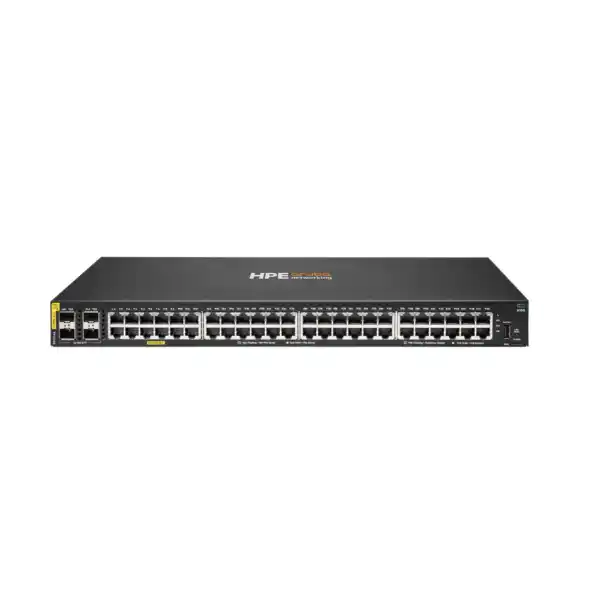
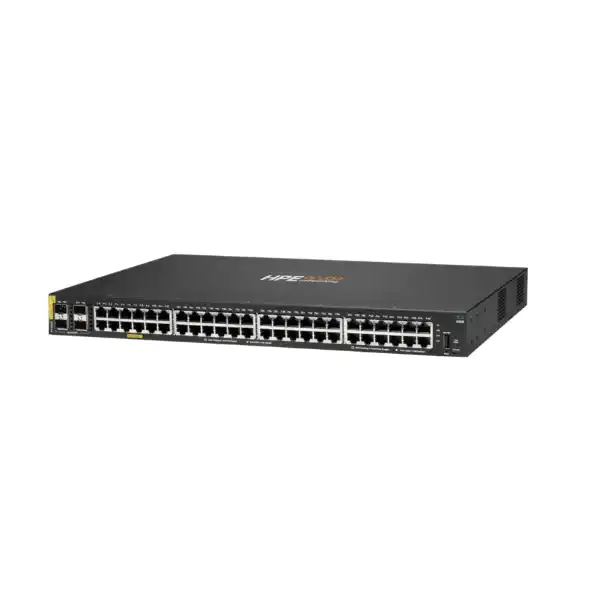
HPE Aruba Networking CX 6100 48G Class4 PoE 4SFP+ 740W Switch R9Y04A
A high-PoE-density access switch for organisations that need forty-eight Gigabit Ethernet edge ports, four 1/10GbE SFP+ uplinks, and a substantial 740W Class 4 PoE budget in a fixed 1U platform running HPE Aruba Networking CX Operating System.
What is the HPE Aruba CX 6100 48G 740W PoE Switch?
The HPE Aruba Networking CX 6100 R9Y04A is a fixed-port, fully managed access switch intended for enterprise branch and small to midsize network edge deployments. Its main role is to connect wired users and devices while supplying PoE power to equipment such as wireless access points, IP phones, cameras, sensors, and selected IoT devices. Organisations should consider it when forty-eight Gigabit copper ports and a large PoE budget are required but the design does not call for a more advanced Layer 3 campus access platform. The most important factor to confirm before ordering is the combined PoE and uplink requirement, because device power draw, optics, topology, and redundancy expectations determine whether this model is the right fit. FourTeck can help validate port count, PoE budget, uplink media, accessories, management approach, rack power, configuration scope, and a suitable bill of materials.
The role of R9Y04A at the wired network edge
The CX 6100 family is positioned as an entry-level enterprise access switching platform. In practice, that means the R9Y04A is designed to sit close to users and endpoint equipment rather than acting as a high-capacity core or advanced distribution switch. Forty-eight 10/100/1000BASE-T interfaces provide the local access layer, while four 1/10GbE SFP+ interfaces provide higher-speed links toward an aggregation, distribution, firewall, server, or upstream switching layer. This layout is especially useful in a wiring closet where a single rack unit needs to terminate many Ethernet runs and provide power to a meaningful number of connected devices.
The high 740W PoE budget distinguishes this model from lower-PoE variants in the same family. Port count alone does not tell a buyer whether a PoE switch is correctly sized. A forty-eight-port device populated mostly by phones may have modest power demand, while a deployment with wireless access points, PTZ cameras, door controllers, conference devices, and other power-hungry endpoints can require substantially more. The R9Y04A gives the designer significantly more shared PoE capacity than the 370W forty-eight-port CX 6100 model, which can reduce the need to split devices across additional switches solely because of power budget.
For a new UAE branch, a floor-level office switch, or a technology refresh, the model is best evaluated as part of the full access-layer design. That includes data ports, powered-device wattage, VLANs, voice requirements, quality-of-service policies, uplink speeds, optics or direct-attach cables, rack depth, power circuits, cooling, cable management, and ongoing administration. FourTeck can review these elements before a quotation so that the switch is not selected only on the basis of its forty-eight-port label.
Who should consider this 48-port 740W model?
R9Y04A is relevant where the access layer needs both dense Gigabit connectivity and a comparatively high PoE allocation. Typical candidates include business branches with many desk phones, offices with wireless access points spread across the floor, retail environments using cameras and point-of-sale peripherals, schools with classroom connectivity, hospitality areas with phones and wireless coverage, medical offices with Ethernet-connected operational devices, and security projects that need to power multiple cameras from a central rack. It can also suit network modernization projects where older non-PoE or low-budget PoE switches are being replaced by a managed AOS-CX platform.
The model is particularly attractive when the organisation prefers a fixed 1U design rather than a chassis. A fixed switch keeps the bill of materials straightforward: the base platform includes the copper access ports, SFP+ uplink slots, fixed power supply and fixed fans. The trade-off is that the hardware is not intended to provide modular power-supply redundancy. Buyers who need redundant hot-swappable power, more advanced Layer 3 routing, larger scale, higher-speed access ports, multi-gigabit copper, more demanding campus architecture, or different stacking capabilities should compare the CX 6100 against other HPE Aruba Networking CX families rather than assuming that a larger PoE budget makes it suitable for every edge design.
It is also useful to separate physical capacity from operational need. Forty-eight ports may be appropriate for a floor with thirty-five active endpoints if spare ports are needed for growth, temporary devices, and moves. Conversely, a site with forty-six permanent connections leaves almost no physical headroom even though the switch technically has enough ports today. A practical design normally reserves space for expansion and avoids consuming every port on day one. FourTeck can assist with this sizing discussion and identify whether one R9Y04A, multiple access switches, or a different model family provides a cleaner operational result.
Verified technical specifications for HPE Aruba CX 6100 R9Y04A
| Specification | R9Y04A detail |
|---|---|
| Manufacturer | HPE Aruba Networking |
| Product family | CX 6100 Switch Series |
| Product number | R9Y04A |
| Access ports | 48 × 10/100/1000BASE-T Class 4 PoE ports |
| PoE standards | IEEE 802.3af and IEEE 802.3at |
| PoE capability | Up to 740W Class 4 PoE budget; up to 30W per supported port within the shared budget |
| Uplinks | 4 × 1/10GbE SFP+ ports |
| Console / host interfaces | 1 × USB-C console port and 1 × USB Type-A host port |
| Switching capacity | 176 Gbps |
| Throughput | 98.6 Mpps |
| Latency | 1 Gbps: 1.9 microseconds; 10 Gbps: 1.8 microseconds, based on HPE listed LIFO 64-byte packet values |
| Processor | Dual-core Arm Cortex-A9 at 1016 MHz |
| Memory | 4 GB DDR3 |
| Flash | 16 GB eMMC; HPE QuickSpecs also list 128 MB Flash ROM for this model |
| Packet buffer | 12.38 MB total, with HPE QuickSpecs identifying ingress and egress allocations |
| MAC table capacity | 8,192 entries |
| Switched virtual interfaces | 16 dual-stack SVIs |
| IPv4 host table | 1,024 ARP entries |
| IPv6 host table | 512 ND entries |
| Static route scale | 512 IPv4 unicast routes and 512 IPv6 unicast routes |
| Power supply | Fixed internal power supply; HPE QuickSpecs list a 950W supply for R9Y04A |
| Input voltage | 100–127 VAC / 200–240 VAC, 50/60 Hz |
| Maximum power consumption | 49.7W without PoE; up to 890W with PoE load |
| Dimensions | 4.39 cm H × 44.25 cm W × 32.42 cm D |
| Weight | 4.7 kg |
| Operating temperature | 0°C to 45°C up to 1.5 km altitude, with temperature derating above that altitude as specified by HPE |
| Warranty guidance | HPE lists a limited lifetime warranty; exact terms, eligibility and regional service conditions should be confirmed for the purchased unit |
These values should be used as the starting point for design, not as a substitute for checking the final bill of materials. SFP/SFP+ transceivers or direct-attach cables are separate design items, and the required media depends on distance, fibre type, upstream equipment and link speed. Likewise, a 740W PoE budget is shared across the powered ports; each endpoint should be mapped with realistic power consumption rather than assuming every connected device will draw its maximum at all times.
740W Class 4 PoE: how to size the power budget correctly
The PoE budget is the central buying reason for choosing R9Y04A instead of a lower-power CX 6100 variant. HPE identifies the model with a 740W Class 4 PoE capacity supporting IEEE 802.3af and 802.3at. In practical terms, Class 4 corresponds to PoE+ operation with up to 30W supplied at the switch port for compatible powered devices. However, the overall 740W limit remains shared across all active PoE interfaces. The network design therefore needs a budget calculation rather than a simple device count.
A useful method is to list every powered endpoint, record its expected or manufacturer-rated PoE draw, identify whether it is likely to operate near peak consumption, and then add reasonable design headroom. For example, a combination of forty IP phones may consume far less than the full budget, whereas twenty high-feature wireless access points plus cameras and room systems can move much closer to the available ceiling. It is also important to consider future additions. A switch installed for a new office may gain more cameras, access points, badge readers or conference endpoints later, and a design that consumes nearly all PoE capacity on day one leaves limited flexibility.
PoE planning also interacts with cabling and endpoint compatibility. The switch can negotiate standard PoE with compliant devices, but structured cabling quality, cable length, patch-panel condition and power requirements still matter. A device that needs a higher PoE class than the switch supports should not be assumed to work merely because its Ethernet connector fits. If the planned environment includes equipment requiring 802.3bt, higher per-port power, or non-standard passive power, a different access switch or local power method may be necessary. FourTeck can review endpoint models before ordering to avoid a mismatch between total wattage and per-device power class.
The site electrical design must be considered as well. HPE lists up to 890W maximum power consumption with PoE and an input range of 100–127 VAC or 200–240 VAC. A UAE installation will normally use the applicable 200–240V environment, but rack PDUs, UPS capacity, circuit loading and plug or power-cord selection should still be checked. When multiple high-PoE switches are installed in one rack, their aggregate input and cooling requirements can be significant even if each individual switch fits comfortably in 1U.
Four 1/10GbE SFP+ uplinks and access-layer bandwidth planning
The four integrated SFP+ ports provide the higher-speed path from the access switch toward the rest of the network. They can operate with supported 1GbE or 10GbE optics or suitable direct-attach options, depending on the chosen link and HPE compatibility guidance. This gives the R9Y04A more practical uplink capacity than a design limited to Gigabit uplinks, especially when many users, cameras, phones and wireless access points share the same access switch.
The correct uplink design depends on traffic patterns. Forty-eight Gigabit access ports do not mean all users will simultaneously generate 48 Gbps of sustained traffic, but a modern branch can still create significant bursts through cloud applications, backups, video, voice, large file transfers and wireless traffic. A single 10GbE uplink may be adequate in some branch environments, while others may require multiple uplinks, link aggregation where supported by the design, or separate paths for resilience and capacity. The upstream switch must have compatible interfaces, optics, fibre types and logical configuration.
Distance is another major consideration. Direct-attach copper can be convenient for short rack-to-rack or switch-to-switch links where compatible, while fibre is common between telecom rooms or across longer building paths. The choice between multimode and single-mode fibre should follow the actual cable plant and distance. Transceiver selection is not an area for guesswork: wavelength, fibre connector, cable category, distance, vendor support and upstream port capability all need to align. FourTeck can include compatible uplink components in the quotation after the physical path and upstream equipment are confirmed.
Uplink planning should also account for growth. If the first phase uses one 10GbE uplink and the site is expected to add another access switch, more wireless APs or higher traffic workloads, preserving available SFP+ ports and upstream capacity can simplify expansion. Buyers should therefore specify whether the switch will operate as a standalone access node, part of a larger floor architecture, or in a branch where multiple switches converge toward a firewall or router.
AOS-CX management and operating model
The R9Y04A runs HPE Aruba Networking CX Operating System, commonly referred to as AOS-CX. Using the same operating model across multiple CX switching families can simplify administration for organisations that already use HPE Aruba Networking switching. HPE lists several management approaches for the CX 6100, including an easy-to-use web interface, industry-standard command-line interface, HPE Aruba Networking Central, and HPE Aruba Networking Switch Multi-Edit Software. The right choice depends on the size of the network, existing operations process, need for centralized visibility, change-control practices, and whether the organisation already uses Central.
For a small branch, local administration through the web interface or CLI may be sufficient if the network team has a clear configuration standard and secure remote access process. In a multi-site estate, centralized management can become more valuable because administrators need consistent configuration, monitoring and inventory across many switches. HPE Aruba Networking Central is a separate management platform and its use may require an appropriate subscription or service entitlement even though the switch’s embedded switching feature set does not require a separate software feature license. That distinction should be made clear at quotation stage so the hardware requirement and the optional management service are not confused.
Configuration governance matters regardless of the selected interface. VLAN assignments, trunk definitions, access policies, spanning-tree settings, PoE priorities, QoS, authentication, management IP addressing, time synchronization, logging, firmware policy and administrative credentials should be documented. An access switch often appears simple because it is close to users, but a misconfigured edge port can affect voice quality, wireless service, device security or upstream traffic. FourTeck can help define configuration scope and handover requirements so the delivered device aligns with the customer’s operating procedures rather than being installed with only a minimal base configuration.
Layer 2 switching, static routing and traffic control
HPE positions the CX 6100 as a fully managed Layer 2 access series with support for static routing. This is an important architectural distinction. The switch can participate in VLAN-based segmentation, access control, quality of service and selected Layer 3 functions such as static routes, but it should not automatically be treated as a replacement for a more advanced Layer 3 distribution platform when the network requires dynamic routing, richer resiliency, large routing tables or complex campus services. The access layer should be designed around the actual feature set rather than assumptions based only on the CX naming family.
Static routing can be useful in simple environments where a small number of predictable routes are required. HPE QuickSpecs list capacities of up to 512 IPv4 and 512 IPv6 unicast routes for the 48-port model. That capacity does not mean every branch should move routing into the access switch. Many networks will continue to use a firewall, router or higher-layer switch as the default gateway and routing point while the CX 6100 handles VLAN access and uplinks. The correct boundary depends on security policy, topology, fault domains and operational preferences.
Access control lists can filter traffic using Layer 2 or Layer 3 criteria, helping restrict unwanted access and manage which traffic is permitted through a port or VLAN. Quality of service is relevant for voice, video and other latency-sensitive traffic where prioritization is needed. These features become most effective when they are part of an end-to-end policy. Configuring a QoS marking on the access switch cannot correct a congested upstream network that ignores the marking, and an ACL should be tested against actual business flows so it does not unintentionally block required applications.
Security capabilities at the access layer
Access switches sit at a sensitive point in the network because they connect user endpoints, phones, cameras, access points and operational devices. HPE documents an integrated Trusted Platform Module in the CX 6100 family to support platform integrity during boot. The series also includes access control list support for IPv4, IPv6 and MAC-related policies, as well as authentication capabilities such as RADIUS and TACACS+. These functions can help an organisation place switch administration and network access under stronger policy control.
The presence of security features does not remove the need for network design. Administrative access should be restricted to trusted management networks, credentials should follow the organisation’s identity and change-control process, and remote administration protocols should be configured securely. If RADIUS or TACACS+ is used, server reachability, fallback behavior and emergency administrative access need to be planned. Logging should be directed to the organisation’s monitoring or security platform when required, and time synchronization should be configured so events can be correlated correctly.
IPv6 should not be ignored simply because most user applications still rely heavily on IPv4. HPE lists IPv6 ACL and QoS support, IPv6 static routing, MLD snooping, RA guard, dynamic IPv6 lockdown and neighbor-discovery snooping capabilities in the CX 6100 feature set. These controls can matter in dual-stack networks or in environments where IPv6 may be active by default on endpoints. The safest design is to decide intentionally how IPv6 is handled rather than leaving it unmanaged.
For device onboarding or stronger user-to-port policy, the exact authentication and access-control architecture should be reviewed against the intended use. A switch is one component in that architecture; identity services, endpoint configuration, DHCP, DNS, firewall policy and wireless controls may all participate. FourTeck can help clarify which functions belong on the R9Y04A and which require other infrastructure or services.
Performance numbers and what they mean for a buyer
HPE specifies 176 Gbps of switching capacity and 98.6 million packets per second of throughput for R9Y04A. These are platform-level forwarding metrics and confirm that the switch is built to operate as a non-blocking access platform for its intended port mix. The listed latency is approximately 1.9 microseconds at 1 Gbps and 1.8 microseconds at 10 Gbps using HPE’s stated LIFO 64-byte packet methodology. For most office and branch buyers, these values are less important than proper uplink design, but they still provide useful evidence that the hardware is designed for wire-speed access switching rather than low-end unmanaged connectivity.
Performance should be interpreted in context. A switch can forward traffic quickly while the user still experiences poor application performance because the bottleneck is an overloaded WAN, firewall, server, internet connection or wireless network. Similarly, a 10GbE uplink can remain lightly used if the branch has a modest internet circuit, yet it may still be valuable for local server traffic or future growth. When evaluating the R9Y04A, performance sizing should therefore include both east-west traffic inside the site and north-south traffic toward data centres, cloud services or the internet.
The listed 8,192-entry MAC table and host and route scales are appropriate to the product’s access-layer positioning. They should not be interpreted as a general-purpose campus core specification. If the design calls for very large endpoint populations, extensive routing, complex multicast, large-scale segmentation or advanced network services, a higher HPE Aruba Networking CX platform may provide a better architectural fit. FourTeck can help identify these boundaries early so the access switch is selected for the role it was designed to perform.
Physical design, rack space, power and cooling
R9Y04A is a 1U switch measuring approximately 44.25 cm wide, 32.42 cm deep and 4.39 cm high, with a listed weight of 4.7 kg. The depth should be checked against the target rack or cabinet, particularly in wall-mounted or compact network enclosures where shallow equipment is common. Cable bend radius, fibre patching, power connector clearance and front-to-rear access can be just as important as the switch chassis dimensions.
The unit uses fixed fans and a fixed internal power supply. That keeps the base hardware simple but also means buyers should not expect field-swappable redundant power modules. For critical locations, availability requirements should be addressed through the wider architecture, such as redundant access switches, alternate paths, UPS design and appropriate support arrangements. If the business requires in-chassis redundant power or a different resilience model, that should be a trigger to compare other switch families.
HPE lists an operating range from 0°C to 45°C up to 1.5 km altitude, with temperature derating as altitude increases. UAE deployments frequently operate in air-conditioned server rooms or telecom closets, but local ambient heat still matters if cooling fails or the cabinet has limited airflow. The maximum electrical draw with PoE can reach 890W, meaning several switches in the same enclosure can create a significant heat load. The cabinet should have suitable ventilation, the room should maintain appropriate temperature, and the UPS should be sized for the combined network load and required runtime.
Power-cord selection can vary by ordering option and region. The quotation should confirm the exact power cord or PDU connection required in the customer environment rather than assuming every regional variant includes the same cord. FourTeck can coordinate the hardware and accessory requirements once the rack, power outlet or PDU, and UPS arrangement are known.
Product-fit matrix
| Requirement | R9Y04A may fit when | Confirm before ordering |
|---|---|---|
| Port density | Up to 48 Gigabit copper access ports suit the current floor or branch plan. | Active port count, spare capacity, growth and whether multi-gigabit access is required. |
| Powered devices | Devices use IEEE 802.3af/at Class 4 PoE and combined demand fits inside 740W. | Per-device wattage, peak load, power class and future expansion. |
| Uplink speed | Four 1/10GbE SFP+ interfaces provide sufficient upstream options. | Optics, fibre, distance, link aggregation, redundancy and upstream port support. |
| Routing | Layer 2 access plus static routing meets the intended architecture. | Whether dynamic routing, advanced campus features or larger route scale is needed. |
| Management | AOS-CX local or centralized management aligns with network operations. | Need for HPE Aruba Networking Central and any separate management entitlement. |
| Resilience | Fixed power and access-layer resiliency are acceptable for the site. | Requirement for redundant power, different stacking behavior, alternate uplinks or a higher family. |
R9Y04A versus the 48-port 370W CX 6100
The nearest same-port-count comparison is the CX 6100 48G Class4 PoE 4SFP+ 370W model JL675A. Both models provide forty-eight Gigabit copper ports with Class 4 PoE and four 1/10GbE SFP+ uplinks, and both operate in the CX 6100 family. The primary buying difference is power capacity: R9Y04A offers up to 740W of shared PoE budget, while JL675A provides up to 370W. This is a material difference when many endpoints need PoE or when the device mix includes higher-consumption access points, cameras or collaboration equipment.
Choosing the 740W model simply because it is the larger number is not always necessary. If the site has mostly low-power phones and only a few access points, a realistic power calculation may show that 370W is sufficient with adequate headroom. In that case the lower-PoE model can be a more proportionate choice. Conversely, if the initial calculation is already near the 370W ceiling, selecting R9Y04A can improve growth margin and reduce the chance that future endpoints require a second switch just to obtain additional PoE capacity.
Physical and power-planning differences should also be considered. R9Y04A is listed at 32.42 cm depth and 4.7 kg, and it can draw up to 890W with PoE load. The 370W model has lower maximum power consumption. In a tightly constrained cabinet or UPS, this may influence the decision. The correct model is therefore determined by endpoint count, power demand, electrical infrastructure and growth expectations together rather than by PoE budget alone.
When a different switch family should be evaluated
The CX 6100 is designed for entry-level managed access switching. A different HPE Aruba Networking CX family should be considered when requirements extend beyond that role. Examples include dynamic routing protocols, larger Layer 3 scale, stronger built-in redundancy options, more advanced campus segmentation, multi-gigabit copper for high-performance wireless access points, higher-speed uplink requirements, more sophisticated stacking expectations, or other functions documented on higher CX platforms. Choosing a switch family is an architectural decision, not simply a port-count decision.
The access-port media can also drive an alternative. R9Y04A provides standard 10/100/1000BASE-T copper downlinks. If the project needs 2.5GbE, 5GbE or other multi-gigabit access rates on copper, particularly for newer wireless APs, this exact model may not satisfy the requirement. Likewise, if powered endpoints require IEEE 802.3bt and more than Class 4 power, a platform with higher per-port PoE capability should be considered.
Redundancy is another selection trigger. The R9Y04A has a fixed internal power supply. A business that requires field-replaceable or redundant power at every access switch may prefer another model or family. Similarly, if a site needs switch-level resiliency features that are not part of the exact CX 6100 design, those requirements should be documented before a bill of materials is approved. FourTeck can compare the intended design with relevant HPE Aruba Networking alternatives and recommend that the customer evaluate a different platform when the requirement justifies it.
Typical deployment scenarios
Branch office access switching
A branch may need one switch to connect user workstations, IP phones, printers, access points, cameras and local appliances. R9Y04A can consolidate this traffic into one 1U unit when forty-eight ports are sufficient and the total PoE requirement fits within 740W. Four SFP+ uplinks allow the branch to connect upstream at up to 10GbE per supported interface, subject to topology and compatible optics. The design should still identify whether the firewall, router or distribution switch is the primary Layer 3 gateway.
Wireless access-point aggregation at the edge
Wireless deployments can create heavy PoE demand because each AP requires both Ethernet connectivity and continuous power. The 740W budget gives more room for multiple PoE+ access points alongside other devices. However, the copper interfaces are Gigabit Ethernet, so any AP requiring multi-gigabit wired connectivity should be checked carefully. The correct AP-to-switch match involves both power and data rate; adequate wattage alone does not guarantee the desired wireless backhaul capacity.
IP surveillance and physical-security networks
Camera networks often have predictable port and power requirements and can benefit from centralized PoE. R9Y04A can be suitable for a camera access layer when each camera’s power requirement fits Class 4 PoE, the total budget is within 740W, and the uplink design can carry the combined video streams. Storage and recorder placement should be considered because sustained video traffic differs from ordinary office bursts. PTZ or advanced cameras should be checked individually for peak power.
Voice and collaboration environments
IP phones generally use modest PoE, but a large office may combine phones with video endpoints, room systems and APs. VLAN and QoS planning becomes particularly important because voice traffic must remain predictable during periods of heavy data use. The switch supports robust QoS capabilities, but end-to-end configuration should align with the call platform, upstream network and WAN policy.
Retail, hospitality and distributed sites
Retail stores, hospitality areas and distributed operational sites may connect a mixture of point-of-sale devices, cameras, phones, access points, controllers and management systems. The CX 6100 platform can provide a consistent AOS-CX operating model across branches. Centralized management may be valuable where an IT team supports many locations, but the management service should be priced and scoped separately when required.
Compatibility and integration checks before purchase
Compatibility work should begin with the upstream network. Identify the exact firewall, router, aggregation switch or distribution switch that will receive the R9Y04A uplinks. Confirm the available interface speed, transceiver type, fibre connector, cable distance and logical link design. If link aggregation or redundant paths are expected, both sides need a supported configuration. An SFP+ slot is only the physical starting point; the complete link must use compatible components.
Next, review powered endpoints. Record the model of each access point, phone, camera or IoT device and confirm its Ethernet speed and PoE standard. Devices using 802.3af or 802.3at fall within the switch’s stated PoE standards, subject to power budget. Devices needing higher-power 802.3bt should be treated as a potential mismatch unless they can operate in a lower supported power mode that meets the application requirement. Avoid assuming that a device described simply as “PoE” is automatically compatible.
Structured cabling should meet the intended Ethernet speed and PoE conditions. Existing copper runs may have been installed years earlier, and marginal terminations can create intermittent issues when used for powered endpoints. For fibre uplinks, check fibre type and patch-panel presentation. For direct-attach cabling, verify length and vendor support. Rack, PDU and UPS compatibility should also be checked because the switch can draw substantially more power under heavy PoE load than a non-PoE access switch.
Finally, align the configuration with existing services: DHCP, DNS, RADIUS or TACACS+, NTP, syslog, monitoring tools, VLAN IDs, IP addressing, voice configuration, spanning-tree policy and any security controls. The switch can integrate into a broader enterprise environment, but successful integration depends on consistent parameters across systems.
Licensing and subscription considerations
HPE states that the CX 6100 series does not require a separate switch software license or subscription to enable the embedded switching feature set. That simplifies the base hardware purchase because core switch functionality is part of the platform rather than unlocked through a feature-tier license. Buyers should still distinguish this from optional management and support services. A project that uses HPE Aruba Networking Central may require an appropriate Central subscription or entitlement, and support services can have their own commercial terms.
This distinction is important for procurement. A hardware-only quotation may be sufficient for a locally managed switch if the organisation already has a support and management approach. A multi-site project may need hardware plus Central management, support, optics, power accessories, rack components, configuration and installation. Those are separate line items or scope elements even though the switch itself does not need a feature license to perform its switching functions.
Organisations should also confirm whether they have existing HPE Aruba Networking Central licensing that can cover new switches, whether device onboarding is part of the deployment scope, and how subscription renewal will be managed. FourTeck can help clarify the intended management model and ensure the quotation separates mandatory hardware from optional management services instead of presenting every project as though it requires the same subscription bundle.
Planning VLANs, voice, wireless and device segmentation
A forty-eight-port access switch can carry several device types, so logical segmentation should be planned before installation. Common categories include employee workstations, corporate wireless APs, guest wireless services, IP phones, cameras, printers, building-management devices and management interfaces. VLANs can separate these traffic groups so that firewall and routing policy can be applied more predictably. The exact VLAN plan should follow the organisation’s addressing and security standards rather than using a generic template.
Voice deployments often use dedicated voice VLANs and QoS marking. The R9Y04A can support traffic prioritization, but the switch configuration must match the phone platform and upstream network. Wireless APs may carry multiple SSIDs mapped to different VLANs, which means their access-switch ports can require trunked VLANs rather than a single access VLAN. Cameras may sit on a dedicated security network with controlled access to recording systems. These are operational design decisions that should be recorded in the switch port plan.
PoE priority can also matter where total demand approaches the shared budget. Critical phones or network devices may deserve different power priority from non-essential endpoints, depending on the capabilities and policy. The best approach is to size the switch with enough margin that routine operation does not depend on aggressive power shedding. Configuration should then provide sensible behavior for abnormal conditions rather than compensating for an undersized design.
Installation considerations for a Dubai or UAE site
Installation begins with the physical environment. Confirm that the rack is compatible with standard 19-inch mounting and has sufficient depth for the 32.42 cm chassis plus cable clearance. Ensure that the cabinet is secure, ventilated and reachable for maintenance. Keep copper patch leads and fibre jumpers organized so they do not obstruct airflow or place stress on connectors. If the switch is part of a floor distributor, label ports in a way that maps clearly to patch-panel outlets and endpoint locations.
Power design should be checked against the 890W maximum consumption with PoE. The switch may draw much less under normal loads, but the UPS and circuit should be planned for realistic worst-case requirements across all rack equipment. In a cabinet containing several PoE switches, firewall appliances, wireless controllers or servers, total power and heat can become a significant constraint. UAE ambient conditions make dependable cooling particularly important where telecom closets are small or have limited air-conditioning redundancy.
Before connecting users, update or standardize the approved AOS-CX software version according to the organisation’s policy, configure management access, apply the intended VLAN and uplink settings, set time and logging, define security controls, and test PoE endpoints. Uplinks should be validated at the intended speed, and fibre or DAC links should be checked for errors. Powered devices should be monitored to ensure actual wattage remains within the planned budget.
Documentation should be part of the installation scope. A useful handover includes the switch name, management IP, rack position, uplink mapping, SFP+ module type, VLAN list, key access policies, administrative access method, firmware version, device inventory, and any configuration backup or change-control reference. FourTeck can include configuration and installation assistance in the quotation when required.
Configuration and commissioning approach
A structured commissioning process reduces mistakes. Start by agreeing the switch’s role, management address, hostname and upstream topology. Then create the required VLANs and define which ports are access, voice, trunk or uplink ports. Apply PoE settings where special priorities or exclusions are required. Configure spanning-tree behavior, link aggregation if used, static routes if the design requires them, ACLs, QoS, authentication, time synchronization, logging and monitoring according to the network standard.
Next, validate the physical uplinks. Confirm that every SFP+ or direct-attach connection is recognized, operates at the intended speed, and has clean error counters. Where redundant uplinks are used, test failover according to the approved topology. Check that VLANs traverse the uplink as expected and that access ports reach their designated gateways and services. Test one representative endpoint from each device category before mass migration.
PoE validation should include endpoint negotiation and power monitoring. Confirm that phones, APs, cameras and other devices power up without external injectors where that is the intended design. Record total and per-port consumption under normal load. If any device fails to power correctly, check the device’s required PoE class, cabling, port configuration and total budget before assuming a hardware fault.
Finally, capture a known-good configuration and document the system. Centralized management, if part of the project, should be tested for onboarding, inventory visibility, configuration control and alerts. The handover should clearly identify which functions are locally configured and which are managed through Central so that future administrators understand the source of truth.
Operational monitoring after deployment
A switch is not finished once it passes initial connectivity tests. Ongoing operations should monitor link state, interface errors, PoE consumption, temperature, CPU and memory indicators where relevant, uplink utilization, spanning-tree events, authentication failures and software health. High error counts can point to cabling or optics issues; repeated link flaps can affect voice and wireless services even if the switch remains reachable.
PoE monitoring is especially important on R9Y04A because the large power budget is often a primary reason for buying it. Operations staff should know the normal total draw and identify significant changes. A sudden increase can indicate newly connected devices, a configuration change or a device entering a higher-power state. Maintaining headroom makes these changes easier to absorb without approaching the platform limit.
Firmware and security maintenance should follow the organisation’s standard network lifecycle. New AOS-CX releases can include fixes, security updates and feature changes. Upgrades should be reviewed against the exact model and current configuration, scheduled within approved maintenance windows, and backed by rollback or recovery planning where appropriate. If HPE Aruba Networking Central is used, the organisation should decide how firmware policy and change workflows are governed centrally.
Inventory records should include the exact product number R9Y04A, serial number, purchase reference, support details, rack location and configuration backup. Accurate records make warranty, troubleshooting, replacement and lifecycle planning considerably easier than relying on informal labels or port diagrams alone.
Buyer questions to resolve before ordering
Do all 48 ports need PoE?
Not necessarily. The switch can serve a mix of powered and non-powered Gigabit devices. What matters is whether the combined demand of powered endpoints remains within the 740W shared budget and each endpoint uses a supported PoE standard.
Are SFP+ modules included?
Transceiver requirements depend on the order and deployment. Treat optics or DACs as bill-of-material items that must be selected for speed, distance, fibre type and compatibility rather than assuming that every quotation includes them.
Is a software license required?
HPE states that the CX 6100 embedded switch software features do not require a separate switch software feature license or subscription. Optional centralized management through HPE Aruba Networking Central can involve separate subscription requirements.
Can it replace a Layer 3 core switch?
The model supports static routing but is positioned as an entry-level managed access switch. Networks needing advanced dynamic routing, larger scale or richer resiliency should compare higher CX families.
Will it support future wireless APs?
Power and data requirements must both be checked. R9Y04A offers PoE+ Class 4 and Gigabit copper access ports. APs that require multi-gigabit Ethernet or higher-power PoE can justify a different switch model.
What rack power should be reserved?
HPE lists up to 890W maximum consumption with PoE. UPS, PDU and circuit sizing should include this switch together with the rest of the rack and the runtime requirement.
Procurement checklist for R9Y04A
- Confirm the exact manufacturer product number is R9Y04A for the 48G Class4 PoE 4SFP+ 740W CX 6100 model.
- Record the required quantity and whether switches are intended for one site, multiple branches, spare inventory or phased rollout.
- Count current copper access connections and reserve realistic capacity for growth, moves and temporary devices.
- List every powered endpoint and calculate expected PoE demand with headroom rather than relying only on the 740W headline figure.
- Verify that powered endpoints use IEEE 802.3af or 802.3at and do not require a higher PoE class.
- Define each uplink’s speed, media, distance and upstream device so compatible SFP/SFP+ optics or DACs can be selected.
- Confirm rack depth, mounting arrangement, cable management, ventilation and service access.
- Check the rack PDU, local circuit and UPS against the potential 890W maximum switch draw with PoE.
- Decide whether management will be local through Web GUI or CLI, through existing tools, or through HPE Aruba Networking Central.
- If Central is required, confirm subscription scope, tenancy, onboarding responsibilities and renewal ownership.
- Prepare VLAN, IP addressing, gateway, QoS, authentication, logging, monitoring and access-control requirements.
- Clarify whether FourTeck should include staging, configuration, installation, migration assistance, testing and documentation.
- Confirm desired support coverage and the applicable HPE warranty or service terms for the supplied unit.
- Ask FourTeck to confirm current UAE availability, lead time, accessory availability and final commercial quotation before purchase.
Information FourTeck needs for an accurate quotation
A useful quotation starts with more than a product name. For R9Y04A, FourTeck should know the quantity, intended site, number and type of wired endpoints, PoE device list, expected growth, required SFP+ uplink media, cable distances, upstream switch or firewall model, rack and power arrangement, and whether configuration or installation is required. If the project includes several floors or branches, a simple topology diagram can quickly reveal whether the access-layer design needs multiple switches, fibre uplinks, redundant paths or a different family.
Management requirements should also be stated. If the customer already uses HPE Aruba Networking Central, identify the tenant and whether new subscriptions need to be included. If the customer prefers local management, note whether FourTeck is expected to pre-stage the switch and provide a configuration file. For replacements, provide the current switch model, port map, VLAN list and any known performance or PoE issues. These details help distinguish a like-for-like hardware replacement from a broader network modernization project.
The more complete the input, the easier it is to avoid missing optics, power cords, rack accessories, support services or configuration tasks. FourTeck can then produce a bill of materials that separates the base R9Y04A hardware from optional accessories and service scope, making procurement review clearer.
Migration from an older access switch
Replacing an existing switch requires more than moving patch cables. Before the maintenance window, export or document the current configuration, identify VLANs, trunks, voice settings, port descriptions, QoS rules, access policies, spanning-tree settings, static routes, management addresses and authentication servers. Not every command from an older platform maps directly to AOS-CX syntax, so the migration should focus on intended network behavior rather than blind line-by-line translation.
A port migration plan can reduce downtime. Map old ports to new R9Y04A interfaces, mark critical links, identify devices that need PoE immediately, and preconfigure the switch before the outage. Uplink optics should be tested in advance whenever possible. If the old switch used 1GbE uplinks and the new design upgrades to 10GbE, confirm that the upstream device, optics and fibre support the higher speed.
During cutover, move and validate critical infrastructure first: upstream links, management, DHCP reachability, voice, wireless APs, security cameras and business-critical endpoints. Check spanning-tree state and ensure that no accidental loops were introduced. Verify PoE power after devices reconnect because a large number of endpoints may boot simultaneously. After the migration, compare interface status and endpoint counts against the pre-change inventory and retain the old configuration for reference according to the customer’s change-control policy.
Capacity planning examples
Example 1: phone-heavy office. Suppose a floor uses thirty-six IP phones averaging roughly 7W each and six access points averaging roughly 18W each under normal operation. The nominal combined draw would be around 360W before additional headroom or other devices are considered. A 370W PoE switch would leave almost no practical margin, while the 740W R9Y04A provides considerably more space for peaks and future additions. Exact endpoint ratings should still replace these illustrative figures before ordering.
Example 2: camera deployment. A site might use twenty-four standard cameras, several higher-power PTZ cameras and a group of wireless access points. Even if the total remains below 740W, the design must confirm that every device operates within Class 4 PoE and that sustained camera traffic can be carried over the uplink. The recording server or NVR path may justify multiple 10GbE uplinks or a particular upstream architecture.
Example 3: growth-focused branch. A new branch may open with twenty-eight connected ports but plan to add desks and APs over two years. A forty-eight-port switch can provide useful expansion space, but the expected final PoE draw and cable count should still be projected. If the future branch is likely to exceed forty-eight physical ports, it may be more sensible to plan two access switches from the beginning rather than treat the second unit as an emergency expansion later.
These examples illustrate the sizing method rather than a fixed recommendation. The correct result depends on actual endpoint models, peak power, uplink design and business growth. FourTeck can turn the device list into a practical port-and-power worksheet during pre-sales planning.
Management choices: local control or HPE Aruba Networking Central
Local administration can suit a single site where the network team is comfortable with AOS-CX and has secure remote access to the management network. The Web GUI can provide a visual interface for common tasks, while CLI offers detailed configuration and troubleshooting control. Configuration backups and change documentation become especially important in this model because the management state is maintained locally unless an external platform is used.
HPE Aruba Networking Central can be valuable for organisations with multiple branches or a broader Aruba environment. Centralized inventory, monitoring and configuration workflows can reduce the need to log into individual switches one by one. However, Central should be evaluated as a management service rather than assumed to be included automatically with the hardware. Subscription duration, account ownership, onboarding and renewal responsibilities should be clarified in the quotation.
Some organisations may use other approved management and monitoring tools alongside AOS-CX. HPE also references Switch Multi-Edit Software and management APIs in the CX platform ecosystem. The appropriate method depends on operational maturity and existing tooling. FourTeck can help the customer decide whether the project should deliver only the switch hardware, a locally managed configured switch, or a centrally managed device integrated into an existing environment.
What the 740W figure does not tell you
A large PoE number can make a switch appear universally suitable, but it answers only one part of the design. It does not tell you whether the copper ports provide the required data rate, whether endpoints need higher than 30W per port, whether the uplinks suit the cable plant, whether the switch provides the necessary routing protocols, or whether the resilience model matches the business requirement. A technically sound purchase checks all of these dimensions together.
It also does not guarantee that every rack can support the switch at maximum load. The electrical input, UPS runtime and cooling must be considered for the full rack. If several 740W-class PoE switches are installed together, total potential load can be substantial. Facilities and IT teams should coordinate rather than treating the switch as a low-power network appliance.
Finally, the PoE budget does not imply that every device will consume its maximum simultaneously. Real deployments often operate below worst-case draw, but design should use dependable endpoint data and appropriate margin. FourTeck can help balance realistic consumption with prudent headroom so the project avoids both severe oversizing and insufficient capacity.
Warranty, support and lifecycle planning
HPE lists a limited lifetime warranty for the CX 6100 R9Y04A. Warranty language should not be interpreted as a complete support plan, because service response, replacement process, eligibility, registration and regional conditions can differ. Procurement teams should review the specific warranty terms that apply to the purchased hardware and decide whether additional HPE support services are needed for the business’s operational expectations.
A branch switch supporting phones, wireless and cameras can have significant business impact if it fails, so replacement and spare strategy should be considered. Some organisations keep an on-site spare; others rely on support services and architectural redundancy. The most suitable approach depends on site criticality, number of switches, local technical skills and acceptable recovery time. A small office with one access switch may have a very different risk profile from a campus with multiple closets and redundant paths.
Lifecycle planning should include software maintenance and eventual replacement. Record purchase dates, firmware versions, support coverage and device role. When HPE publishes lifecycle changes or recommended replacement platforms, the organisation can then plan upgrades rather than discovering obsolescence during a failure or expansion project. FourTeck can assist with product refresh discussions and compare current requirements with available HPE Aruba Networking options at the time of procurement.
Practical design limitations to recognize
The first limitation is that the access ports are Gigabit Ethernet. That is still appropriate for many desktops, phones, cameras and standard network devices, but some modern Wi-Fi access points can benefit from 2.5GbE or faster wired links. A project centered on high-throughput wireless should confirm the AP interface requirement before committing to this exact switch.
The second limitation is PoE class. R9Y04A supports Class 4 PoE under IEEE 802.3af/at. Devices requiring higher-power 802.3bt operation may not receive their required power mode. Do not treat the 740W total budget as equivalent to high per-port PoE capability; total power and per-port class are separate specifications.
The third limitation is architecture. CX 6100 supports static routing and enterprise access features, but it is not positioned as the most advanced HPE Aruba Networking campus platform. Dynamic routing, more complex segmentation, enhanced resiliency or higher scale may require a different family. The fourth limitation is hardware redundancy: R9Y04A has a fixed power supply and fixed fans. Buyers who require hot-swappable redundant power should evaluate other options.
Recognizing these limitations is not a criticism of the product. It is how a buyer ensures the switch is used in the role for which it is designed. A well-matched access switch can be more economical and easier to operate than a higher-end platform selected without a clear requirement.
Why exact model identification matters
The CX 6100 family contains several models with different port counts, PoE budgets and physical characteristics. Similar naming can create procurement errors, particularly between R9Y04A and JL675A. Both are forty-eight-port Class 4 PoE models with four SFP+ uplinks, but the PoE budget differs substantially: R9Y04A is the 740W model, while JL675A is the 370W model. A quotation that says only “CX 6100 48G PoE” is therefore not precise enough for a serious purchase.
Exact part numbers also matter for power-cord variants, support registration, asset inventory and replacement. The product number should appear on the purchase order, quotation and internal network documentation. If the project requires a particular regional power option, that should be reflected in the final ordering code or accessory list rather than inferred from the family name.
FourTeck uses the exact R9Y04A identity when preparing this product page so buyers can distinguish the 740W model from nearby CX 6100 variants. Before order placement, the final quotation should still be reviewed against the customer’s endpoint list and deployment requirements.
Designing for uplink resilience
A single uplink creates a straightforward design but also a single physical path. Where business continuity is important, the network may use two uplinks toward redundant upstream equipment or multiple links in a supported aggregation design. The exact topology depends on the upstream architecture and the features available on both sides. The four SFP+ ports give physical flexibility, but they do not by themselves create redundancy; cabling, configuration and upstream devices must be designed for it.
Physical diversity matters too. Two fibre links that follow the same cable tray and terminate on the same upstream switch may still share failure points. For higher resilience, consider separate upstream devices and diverse cabling where the site supports it. In small branches, this may be unnecessary complexity, while in a critical operations site it may be justified.
Failover behavior should be tested after configuration. Removing one uplink during an approved test can confirm whether traffic converges as expected and whether critical VLANs remain reachable. Monitoring should alert administrators to a failed redundant link even if users do not immediately notice an outage. FourTeck can include resilient uplink planning in the configuration scope when the customer provides upstream topology details.
Sizing spare ports and future growth
Using all forty-eight access ports on day one is usually a warning sign. Business networks change: employees move, new meeting rooms open, cameras are added, extra access points are installed, and temporary equipment appears during projects. Leaving spare ports reduces the need for rushed expansion and gives technicians flexibility when troubleshooting cabling or moving devices.
The appropriate spare capacity depends on growth expectations. A stable branch with a fixed layout may need only modest headroom, while a fast-growing office may justify a larger reserve or a second switch. Port availability and PoE headroom should be tracked separately. A switch can have ten unused Ethernet ports but almost no remaining PoE capacity, or it can have abundant power but no free ports. Both constraints can trigger expansion.
Where future wireless standards or device types are uncertain, consider whether the Gigabit and Class 4 port characteristics will remain appropriate. If the roadmap includes multi-gigabit APs or high-power endpoints, it may be better to choose a different platform now instead of planning a near-term replacement. FourTeck can help compare immediate cost with likely lifecycle requirements.
Network documentation and handover
Good documentation makes an access switch easier to support long after installation. The final record should identify the product number R9Y04A, serial number, rack and U position, hostname, management IP address, uplink ports, optic types, upstream destinations, VLANs, gateway strategy, authentication method, PoE device categories and any special ACL or QoS policies. Port descriptions should map to room, outlet or device identifiers wherever possible.
A configuration backup should be stored according to the customer’s change-control policy. If Central is used, document which settings are controlled centrally and how local emergency access works. If the switch is locally managed, record how administrators securely reach the management interface. Do not place passwords in general network diagrams or handover files that are widely distributed.
For support purposes, retain purchase information, warranty references, software version and any additional service contract. This allows a future engineer to identify the exact hardware without opening the rack or guessing from a generic family name. FourTeck can include documentation deliverables in a deployment quotation when required.
FourTeck assistance for HPE Aruba Networking CX 6100 projects
FourTeck can assist with the practical steps that sit between selecting R9Y04A and putting it into service. Pre-sales work can include requirement clarification, port-count review, PoE budget calculation, uplink design, transceiver or DAC selection, rack and power checks, management-platform discussion and comparison with nearby HPE Aruba Networking models. This is especially useful when the product name has already been chosen but the exact bill of materials is incomplete.
For a deployment project, the scope can be defined around staging, base AOS-CX configuration, VLAN setup, uplinks, PoE behavior, management access, security controls, monitoring, static routing where required, endpoint migration, testing and documentation. The precise work should be agreed in the quotation because every network has different addressing, security policy, maintenance windows and integration requirements.
FourTeck can also help customers decide when not to use R9Y04A. If the requirement calls for multi-gigabit access, higher per-port PoE, advanced routing, redundant power or another feature outside the CX 6100 design, evaluating a higher or different CX family can prevent an unsuitable purchase. For broader infrastructure planning, customers can review FourTeck technology products, discuss installation and configuration services, or contact FourTeck for product sizing.
UAE availability and project coordination
Contact FourTeck to confirm current UAE availability for the HPE Aruba Networking CX 6100 48G Class4 PoE 4SFP+ 740W Switch R9Y04A. Availability can depend on exact product number, quantity, regional ordering option, accessories and vendor lead time. FourTeck does not assume that the model is in local stock until the requirement has been checked.
Delivery and project coordination can be discussed after the bill of materials is confirmed. Where installation or configuration is required, include that scope in the quotation so the hardware order, optics, rack requirements, power arrangement and maintenance window can be coordinated together. UAE buyers should also confirm any specific power-cord or PDU requirement, especially where the switch will be installed in an existing rack with standardized power connections.
Related options to evaluate
CX 6100 48G Class4 PoE 4SFP+ 370W JL675A: consider the lower-PoE version when the forty-eight-port requirement is correct but the endpoint power budget is comfortably below 370W with sufficient headroom.
CX 6100 48G 4SFP+ JL676A: consider a non-PoE forty-eight-port version when powered Ethernet is not needed or is provided elsewhere.
CX 6100 24-port models: a smaller access switch may be more proportionate for locations with lower port counts. Selecting twenty-four ports can reduce unused capacity where expansion is limited, but buyers should still plan headroom.
Higher HPE Aruba Networking CX families: evaluate these when requirements include more advanced Layer 3 functions, multi-gigabit access, higher PoE classes, different resilience options or other campus features beyond the CX 6100 role.
HPE Aruba Networking Central: consider centralized management when the organisation needs consistent visibility and administration across multiple switches or sites. Subscription scope should be confirmed separately from the base switch hardware.
Frequently asked questions
What is the exact part number for the CX 6100 48G 740W PoE model?
The exact HPE product number is R9Y04A. It identifies the HPE Aruba Networking CX 6100 48G Class4 PoE 4SFP+ 740W Switch. This should not be confused with JL675A, which is the forty-eight-port 370W PoE model.
How many PoE ports does R9Y04A provide?
It provides forty-eight 10/100/1000BASE-T Class 4 PoE ports. The switch supports IEEE 802.3af and IEEE 802.3at powered devices, with up to 30W per supported port subject to the shared 740W PoE budget.
Does the switch have 10GbE uplinks?
Yes. R9Y04A has four 1/10GbE SFP+ uplink ports. The required transceivers, fibre or direct-attach cables must be selected to match distance, media and the upstream device.
Does CX 6100 require a switch software subscription?
HPE states that no separate switch software feature license or subscription is required to enable the embedded CX 6100 switching features. Optional HPE Aruba Networking Central management can have separate subscription requirements.
Is R9Y04A suitable for Wi-Fi access points?
It can be suitable for APs that use Gigabit Ethernet and IEEE 802.3af/at PoE within the available power budget. APs requiring multi-gigabit wired speeds or higher-power 802.3bt PoE should be checked against a different switch option.
Can FourTeck configure the switch before installation?
Configuration can be included as project scope when the customer provides or approves the required VLANs, management addressing, uplink design, authentication, QoS, security policy, monitoring and other network parameters. The exact scope should be agreed in the quotation.
Is R9Y04A currently available in Dubai?
Current stock and lead time are not assumed. Contact FourTeck to confirm UAE availability for the exact R9Y04A model, quantity, accessories and required project timeline.
What information is needed for a quotation?
Provide the quantity, site, endpoint count, PoE device list, expected growth, uplink speed and media, rack and power details, upstream equipment, desired management method, and whether configuration, installation, migration or support should be included.
Confirm R9Y04A before you order
The HPE Aruba Networking CX 6100 R9Y04A is a strong fit when a business needs forty-eight Gigabit PoE+ access ports, a 740W shared power budget and four 1/10GbE SFP+ uplinks in an entry-level managed AOS-CX access switch. The final decision should be based on actual endpoint power, uplink media, data-rate requirements, rack power, management approach and resilience expectations. FourTeck can review these details and prepare a quotation with the required accessories and project scope.


Reviews
There are no reviews yet.