
Enterprise wired access • 24-port non-PoE • 10GbE uplinks
HPE Aruba Networking CX 6200F 24G 4SFP+ Switch in Dubai
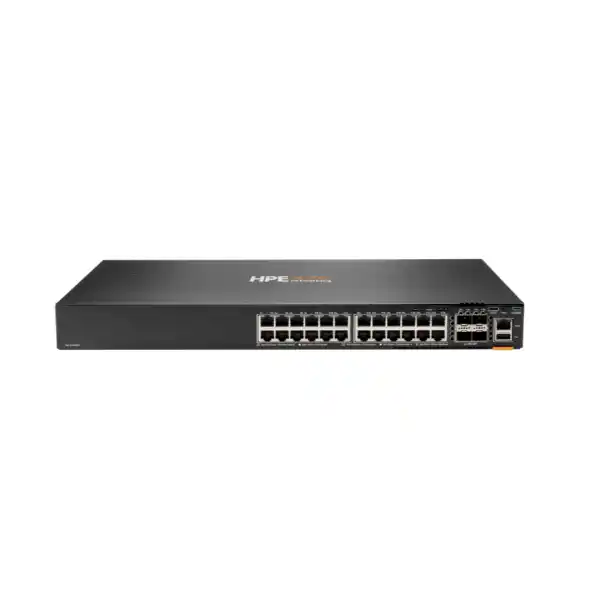
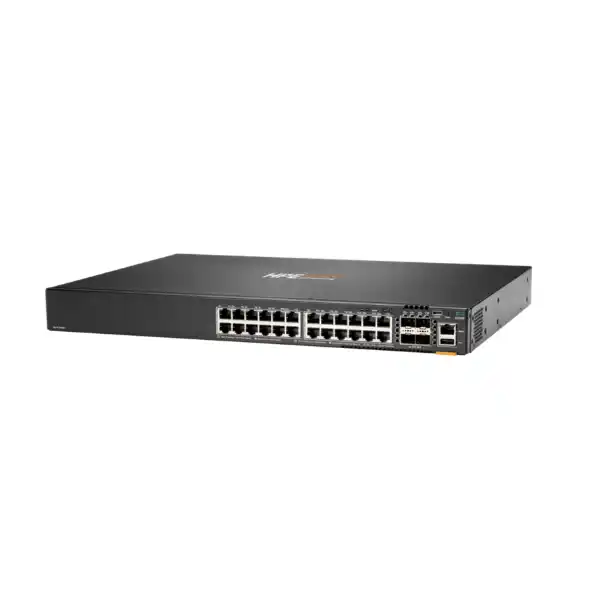
The HPE Aruba Networking CX 6200F 24G 4SFP+ Switch, product number JL724A, is a fixed-port AOS-CX access switch built for enterprise campus, branch and SMB wired networks. It combines 24 10/100/1000BASE-T access ports with four 1/10GbE SFP+ uplinks, a 128 Gbps switching capacity and support for Virtual Switching Framework stacking of up to eight members. This particular model is non-PoE, making it a practical choice where connected devices have their own power or where PoE is supplied elsewhere in the network design.
Direct answer: what is the CX 6200F 24G and when should you consider it?
The HPE Aruba Networking CX 6200F 24G 4SFP+ Switch (JL724A) is a fixed, stackable enterprise access switch with 24 Gigabit Ethernet copper ports and four 1/10GbE SFP+ uplinks. Its main role is to connect wired business devices at the campus or branch access layer while providing AOS-CX management, segmentation, routing, policy and operational visibility features. It suits organizations that need 24 access ports and do not need the switch itself to power endpoints through PoE. The most important point to confirm before proceeding is therefore the endpoint power requirement, followed by uplink media, stacking and management design. FourTeck can help a buyer confirm the exact model, transceivers, stack topology, software or management requirements, installation scope and UAE quotation details.
What the HPE Aruba CX 6200F 24G does in a business network
The CX 6200F 24G is designed primarily for the access layer: the point in a switched network where employee computers, printers, IP appliances, local servers, building systems and other Ethernet-connected devices enter the network. Twenty-four 10/100/1000BASE-T ports give the switch a familiar copper access profile, while four SFP+ interfaces provide higher-speed links toward distribution switches, core infrastructure or adjacent switching equipment. This separation between access and uplink ports helps network teams build clean edge designs without consuming copper user ports for every upstream connection.
The switch belongs to the HPE Aruba Networking CX 6200 family and runs AOS-CX, the vendor’s modern switching operating system. In practical terms, this means buyers are not purchasing only a set of Ethernet ports. They are selecting a managed platform that can participate in enterprise VLAN, quality-of-service, access-control, routing, monitoring and automation workflows. AOS-CX exposes operational state through programmable interfaces and supports management choices that range from local CLI and web workflows to centralized HPE Aruba Networking Central. The appropriate management approach should be confirmed as part of the project because cloud management, local administration, configuration standards and organizational processes can affect licensing and implementation scope.
For a branch office, the switch can provide the main wired access layer when 24 ports are sufficient and endpoints do not require PoE from the switch. In a larger campus, it may be used as one access block within a stacked design, with SFP+ links carrying traffic upstream. In a server room or back-office environment, it can connect non-PoE appliances that need reliable 1GbE edge access and can benefit from managed policy and monitoring. Its value therefore depends less on headline port count alone and more on whether the non-PoE access profile, 10GbE uplinks, fixed power design and CX operating model match the intended topology.
A serious product decision should also consider what the CX 6200F 24G is not. JL724A does not provide PoE, so it will not directly power IP phones, Wi-Fi access points, surveillance cameras or other powered devices through Ethernet. It is not a modular 6200M model with hot-swappable field-replaceable power and fan components. It is also not intended to replace a higher-capacity campus aggregation platform simply because it supports Layer 3 functions. The strongest deployment is one in which the switch’s access-layer role, port density, resiliency expectations and management requirements have been defined before the bill of materials is finalized.
Who should consider JL724A?
Organizations should consider the JL724A configuration when they need a compact 24-port enterprise access switch but do not require PoE output on the access ports. Typical environments include office floors where desktops and printers use local power, branch sites with separately powered network appliances, IT rooms connecting management interfaces, or networks in which PoE is deliberately handled by other switches. The model can also fit standardized CX deployments where a business wants common AOS-CX operational tools across multiple sites while keeping the access configuration simple.
It is particularly relevant when four 1/10GbE uplinks provide enough upstream flexibility. Depending on the approved transceiver or cabling selection, these ports can be used for fiber uplinks, supported direct-attach links or VSF connections. The right optics must be confirmed against HPE Aruba Networking transceiver guidance, required distance, fiber type and software support. A switch should not be ordered on the assumption that every generic SFP or SFP+ module will be supported.
JL724A can also make sense for buyers that expect to scale through stacking rather than managing every switch as an isolated device. The CX 6200 family supports VSF stacks of up to eight members, allowing compatible units to operate as one logical switching system. Stacking does not remove the need for topology design: uplink distribution, link redundancy, conductor and standby roles, software level, member compatibility and physical cabling all need planning. For organizations with higher redundancy requirements at the power-supply or fan level, a modular CX 6200M configuration may deserve comparison before the purchase is finalized.
Verified technical specifications for HPE Aruba CX 6200F 24G 4SFP+ JL724A
The following values are model-specific to the JL724A configuration and should be used as the basis for sizing and quotation discussions. Regional ordering suffixes, compatible accessories and current lifecycle availability should still be confirmed before purchase because vendor order codes and supplied power-cord options can vary by region.
| Specification | JL724A value |
|---|---|
| Product | HPE Aruba Networking CX 6200F 24G 4SFP+ Switch |
| Product number | JL724A |
| Access ports | 24 × 10/100/1000BASE-T |
| Uplink ports | 4 × 1/10G SFP+ |
| PoE | Non-PoE model |
| Switching capacity | 128 Gbps |
| Throughput | Up to 95.2 Mpps |
| Latency | 1 Gbps: 2.28 μs; 10 Gbps: 1.46 μs |
| CPU | Quad-core Arm Cortex-A72 at 1.8 GHz |
| Memory / flash | 8 GB DDR4 / 16 GB eMMC |
| Packet buffer | 8 MB (6 MB + 2 MB) |
| VSF stack size | Up to 8 members |
| Stacking bandwidth | 40 Gbps |
| Maximum stacking distance | Up to 10 km with suitable long-range transceivers |
| Switched virtual interfaces | 128 dual-stack SVIs |
| IPv4 host table | 8,192 entries |
| IPv6 host table | 8,192 entries |
| IPv4 unicast routes | 2,048 |
| IPv6 unicast routes | 1,024 |
| MAC address table | 32,768 entries |
| Management / service ports | USB-C console, USB Type-A host, OOBM and Bluetooth adapter support for CX Mobile App workflows |
| Power supply | Fixed 200 W power supply |
| Input voltage | 100–120 V / 200–240 V AC, 50/60 Hz |
| Power consumption | Up to 59 W at 230 VAC under 100% traffic rate; documented idle and hibernation values are lower |
| Dimensions | 4.39 × 44.2 × 32.7 cm (H × W × D) |
| Weight | 4.36 kg |
| Operating temperature | 0°C to 45°C up to 5,000 ft; temperature derating applies above that altitude |
| Operating humidity | 15% to 95% at 40°C, non-condensing |
| Mounting | EIA-standard 19-inch rack or cabinet; 2-post rack kit identified in HPE QuickSpecs |
The most important selection point: JL724A does not provide PoE
Direct answer: if your endpoints need to receive power through their Ethernet cables, JL724A is not the correct standalone access-switch choice for those devices. Its 24 copper ports carry Ethernet data but do not provide Power over Ethernet. This distinction matters because many modern access-layer projects include Wi-Fi access points, IP phones, surveillance cameras, door controllers, sensors or other devices that are commonly powered from a PoE switch.
A buyer should therefore create an endpoint inventory before ordering. For every planned port, identify whether the attached device has its own AC or DC power supply, receives power through an injector, is powered by another infrastructure component, or expects PoE from the access switch. If even a portion of the endpoints requires switch-supplied PoE, the design may need a PoE-capable model, a mixed-switch arrangement, or a clear external power strategy. The adjacent 24-port CX 6200F PoE model JL725A is one option to evaluate when Class 4 PoE and a defined PoE power budget are required.
The non-PoE design can still be advantageous in the right environment. It avoids paying for PoE hardware and power capacity that may never be used, can fit networks dominated by desktops and separately powered equipment, and gives project teams a straightforward fixed-switch profile. However, future expansion should be considered. A site that has no powered endpoints today may later add wireless access points, cameras or IP devices. If that growth is likely, it can be more economical to evaluate PoE requirements during the initial bill-of-material design rather than retrofit power later.
Ports, uplinks and physical connectivity planning
The front-panel connectivity is one of the strongest reasons to choose this exact model. The 24 10/100/1000BASE-T ports are intended for conventional copper Ethernet access. Network architects should count not only today’s active devices but also reserved ports for local growth, spare capacity, management appliances and temporary project needs. A nominal requirement for 22 endpoints can consume a 24-port switch quickly once uplink-independent services, local test ports and growth allowance are considered. If the site is likely to exceed the comfortable operating port count, a 48-port model or a second switch may be operationally cleaner than filling every port from day one.
The four 1/10GbE SFP+ ports are built-in high-speed uplinks. They can be valuable for connecting the access switch to distribution or core infrastructure without taking up RJ45 access ports. Before ordering optics, confirm the required link speed, fiber type, connector type, distance, remote interface specification and HPE Aruba Networking transceiver support. A 10GbE uplink across a building or campus may require a different optical module from a short rack-to-rack connection. Direct-attach cabling can be attractive inside a rack or between nearby devices, but cable reach and supported part numbers still need validation.
Uplink capacity should be designed around traffic patterns rather than port-count arithmetic alone. Twenty-four users do not necessarily generate 24 Gbps of continuous upstream traffic, but applications such as local backups, imaging, media workflows, high-volume file access or dense virtualization can change the traffic profile. Conversely, many office access networks are heavily oversubscribed without operational problems because endpoint demand is bursty. The correct uplink design therefore depends on expected concurrency, application mix, redundancy requirements and where services are hosted. Four 10GbE-capable uplinks provide design flexibility, but assigning them effectively requires understanding whether they will be used for upstream LAGs, VSF links, separate network paths or other approved connections.
The switch also provides a USB-C console interface, a USB Type-A host port and an out-of-band management interface. Out-of-band management is useful when the organization maintains a separate management network because it allows administrative access independent of normal production data paths, subject to the management architecture and security policy. Local console access remains important for staging, recovery and initial configuration. The Bluetooth adapter capability used with the CX Mobile App can support installation workflows where approved by the organization’s device and wireless-management policies.
VSF stacking: where eight-member scalability helps
HPE Aruba Networking Virtual Switching Framework, or VSF, allows compatible CX switches to be combined into one logical stack. The CX 6200 series supports stacks of up to eight members. For an access-layer deployment, this can reduce the operational burden of treating every switch as an unrelated device and can provide a structured way to expand port density as the site grows. The stack is controlled through conductor and standby roles, while other members participate in the logical system.
Stacking should be designed before cables are purchased. VSF links consume eligible network interfaces, and the selected link speed, transceivers or DACs, member arrangement and redundancy topology all influence the final bill of materials. HPE documentation notes that 6200-family VSF connections can use eligible 1G or 10G links and that compatible 24- and 48-port CX 6200 models can participate together, subject to the platform and software rules. The practical design should follow the software version in use rather than relying on an old deployment template.
An eight-member maximum does not mean every deployment should grow to eight switches. A stack with many access ports concentrates operational importance into one logical system, so maintenance practices, uplink redundancy, change windows and failure domains should be assessed. For a small branch, two members may be sufficient. For a larger floor or building, a multi-member stack may simplify management. Where very high availability, larger scaling domains, modular field-replaceable components or higher-speed aggregation are essential, another CX platform may be more appropriate.
Maximum stacking distance is documented at up to 10 km with suitable long-range transceivers, but this figure should not be treated as permission to create a long-distance stack without architectural review. Fiber plant quality, optics, topology, software behavior, operational ownership and failure-domain design all matter. For geographically separated facilities, it may be better to operate independent switching systems connected through routed or resilient campus links. FourTeck can help distinguish a practical in-building or campus stack from a topology that should be designed as separate network blocks.
AOS-CX management, automation and operational visibility
The CX 6200F 24G runs HPE Aruba Networking CX Switch Operating System, commonly referred to as AOS-CX. This operating model is important for organizations standardizing operations across Aruba CX switching because configuration, monitoring and automation can be approached consistently rather than as a collection of one-off device behaviors. HPE describes AOS-CX as a modern, database-driven and programmable architecture with REST APIs, Python scripting support and streaming telemetry mechanisms. Those capabilities are valuable when the network team wants to integrate switching into broader operational workflows.
For day-to-day administration, the switch supports multiple management methods. HPE Aruba Networking Central can provide centralized management across wired and other Aruba networking domains when the required account, subscription and device onboarding conditions are met. Local GUI and CLI workflows remain available, and CX Multi-Edit can support configuration and validation tasks across switches. The right management mode should be chosen deliberately. A business that already operates HPE Aruba Networking Central may prefer centralized policy, visibility and inventory. A self-contained environment may use local tools. A managed-service model may have its own access, logging and configuration standards.
Centralized management should not be confused with the base ability of the switch to forward traffic. The hardware remains a managed access switch, while some cloud-management or advanced feature consumption can depend on subscriptions, account entitlements and current vendor packaging. HPE’s recent CX portfolio documentation also identifies optional term-based Advanced Feature Pack capabilities for selected visibility and advanced security use cases. Because licensing structures evolve, FourTeck recommends confirming the intended management and feature set at quotation time rather than assuming that every cloud or advanced function is included indefinitely with the hardware.
Network Analytics Engine functionality is part of the CX platform’s operational story. It can collect and analyze switch state and telemetry to help administrators investigate events and trends. For an IT team, the value is not simply that analytics exists, but that troubleshooting can be based on time-series operational data rather than only on a live snapshot after a problem has already disappeared. This can be useful when diagnosing intermittent interface behavior, resource trends or network state changes. The usefulness of analytics still depends on having suitable monitoring policies, trained staff and a defined operational process.
REST APIs and programmability can also be relevant to organizations adopting infrastructure-as-code or automated configuration practices. They make it possible to integrate switching with orchestration systems or internal tooling instead of relying entirely on manual CLI changes. Automation should be governed carefully: configuration validation, change control, rollback planning and credential security remain essential. A programmable switch does not eliminate the need for network engineering discipline; it gives the organization more ways to implement that discipline consistently.
For multi-site buyers in Dubai and the wider UAE, management architecture can affect rollout cost more than the switch purchase itself. Consider who will stage each device, how configurations are standardized, whether sites have remote hands, how software versions are maintained, where logs are collected, and what happens when WAN access to a cloud management service is unavailable. Answering these questions before rollout helps determine whether Central, local management, Multi-Edit, automation scripts or a hybrid operational model is the most appropriate approach.
Layer 2, routing, policy and segmentation considerations
The CX 6200 family supports enterprise access functions including VLAN switching, access control lists, quality of service, static routing and access OSPF capabilities. For buyers, these features matter because an access switch often needs to do more than connect devices. It may separate users from printers, building systems or guest services; prioritize latency-sensitive traffic; apply policy at the edge; and provide local routed interfaces for selected network segments. The exact configuration should follow the network’s addressing, security and routing design rather than enabling features simply because they exist.
JL724A supports up to 128 dual-stack switched virtual interfaces according to current HPE QuickSpecs. It also lists 8,192 IPv4 host entries, 8,192 IPv6 host entries, 2,048 IPv4 unicast routes and 1,024 IPv6 unicast routes. These figures provide useful scale boundaries for architects considering local Layer 3 functions. They should not be interpreted as a reason to use the device as a substitute for a purpose-built distribution or core platform in every environment. The appropriate routing role depends on topology, route scale, redundancy, convergence requirements and organizational standards.
Access control list capacity is also finite. HPE publishes separate ingress and egress capacities for IPv4, IPv6 and MAC ACL entries. This is a reminder that a detailed policy design should be reviewed for scale before large rule sets are deployed. For ordinary campus access, the available capacity may be more than adequate, but complex segmentation or heavily customized edge-security policies can consume resources quickly. If the project involves many ACLs, dynamic policy constructs or advanced security features, the rule count and intended software release should be validated during design.
Dynamic Segmentation is part of the broader Aruba access architecture and can simplify policy for users and IoT devices when the surrounding Aruba solution, authentication components and configuration are in place. Buyers should view segmentation as a system-level design rather than a checkbox on a single switch. Identity source, authentication method, policy enforcement model, role definitions, wireless integration and management architecture all affect the outcome. FourTeck can assist with reviewing how the CX 6200F participates in that design, but the final scope depends on the customer’s existing infrastructure and required security model.
Performance and capacity: how to interpret the published numbers
JL724A is specified with 128 Gbps switching capacity and throughput of up to 95.2 million packets per second. These values describe the switching platform’s forwarding capability, not an application-level guarantee. Actual user experience depends on endpoint speed, uplink design, traffic patterns, cabling quality, server or WAN constraints, network policy and the rest of the architecture. A switch cannot make a slow Internet circuit, overloaded firewall or undersized server perform faster simply because its local switching capacity is high.
The published average latency for 64-byte packets is 2.28 microseconds at 1 Gbps and 1.46 microseconds at 10 Gbps. This indicates low device-level forwarding latency within the tested conditions. Most office buyers will not select an access switch based only on microsecond differences, but latency can be relevant in tightly controlled real-time or transactional environments. Network architects should measure end-to-end latency requirements rather than treating switch latency in isolation. Cabling, transceivers, server processing, firewall inspection and application behavior may dominate the total response path.
The 32,768-entry MAC table is also meaningful when evaluating edge scale. A normal 24-port branch switch will usually have far fewer directly connected devices than that figure, but virtualized environments, downstream switching, large Layer 2 domains or unusual aggregation use can increase learned addresses. The published hardware tables provide limits, not recommended design targets. Running every resource near its maximum leaves less operational margin and can make future changes harder. A good deployment keeps capacity headroom based on expected growth and the specific features that consume shared hardware resources.
The 8 MB packet buffer should be understood in the same context. Buffering can absorb transient congestion, but it cannot compensate for permanently undersized uplinks or poorly designed traffic flows. If a site has many 1GbE access ports sending sustained data toward one upstream path, oversubscription can still occur. The solution may involve multiple uplinks, link aggregation, traffic engineering, application scheduling or a different architecture. Capacity planning should therefore map data sources and destinations rather than simply comparing headline switching bandwidth with port speeds.
Product-fit matrix for the CX 6200F 24G non-PoE model
| Requirement | Suitable when | Confirm before ordering |
|---|---|---|
| 24 copper access ports | Current device count fits comfortably with reasonable growth allowance. | Final endpoint count, spare ports and any downstream devices. |
| No PoE required | Endpoints use local power or a separate power strategy. | Phones, access points, cameras and IoT power needs. |
| 10GbE uplinks | Four 1/10GbE SFP+ ports provide enough uplink and stack flexibility. | Optics, DACs, fiber type, distance, remote port type and redundancy. |
| Stacked access layer | VSF up to eight members aligns with site scale and operations. | Topology, conductor/standby plan, software and stack links. |
| Fixed hardware design | Fixed power supply and fans meet resiliency expectations. | Whether field-replaceable redundant components are required. |
| AOS-CX operations | The organization wants CX management, automation and monitoring workflows. | Central subscription, advanced feature requirements and software policy. |
Management licensing and subscription questions to resolve
Does JL724A require a subscription simply to operate as a managed switch? The hardware is an AOS-CX switch with local management capabilities, so the buying decision should distinguish base switching functionality from optional or subscription-based management and advanced features. HPE Aruba Networking Central is a separate centralized management platform whose current entitlement model should be confirmed for the intended device and term. If the organization wants Central, include the required subscription in the bill of materials rather than assuming it is bundled permanently with the switch.
Are all advanced software functions included forever with the hardware? No buyer should assume that. HPE’s current CX portfolio documentation identifies optional term-based advanced feature packaging for certain visibility and advanced security use cases. Feature packaging can change over the lifecycle of a product and across software releases. A requirement such as advanced telemetry, edge insights, specific security capabilities or cloud orchestration should be mapped to the current licensing guide at the time of quotation. This protects the project from discovering after installation that a desired workflow needs an additional entitlement.
Can the switch be managed locally? Yes, HPE identifies local GUI and CLI management options, along with the CX Mobile App for supported setup workflows and CX Multi-Edit for broader switch configuration tasks. The organization should still define how credentials, backups, configuration approval, firmware updates and logging are handled. Local management is not synonymous with unmanaged operation; enterprise networks still need access-control and change-management practices.
What software version should be used? Use a version that is supported for the switch and appropriate for the organization’s feature and stability requirements. HPE continues to publish AOS-CX releases and platform-specific guides. A new installation should not assume that an old configuration example or previously standardized release is still the best choice. Review release notes, interoperability requirements, security advisories and management-platform compatibility before a production rollout.
Compatibility and integration checks before purchase
Switch compatibility is broader than whether an Ethernet cable fits the port. Start with transceivers and uplink media. Each optical link needs a matched design: supported module, wavelength, fiber type, connector, distance and compatible interface on the remote device. If the remote switch is from another vendor, standards compatibility may make the link technically possible, but operational support and optic qualification should still be checked. Mixed-vendor optical problems can be time-consuming to troubleshoot when the bill of materials was assembled without a compatibility review.
Next, verify existing network protocols and design standards. The CX 6200 supports common access-layer routing, VLAN and policy functions, but a migration from another switch family can expose differences in syntax, defaults, feature behavior and spanning-tree design. Configuration should be translated by intent, not line-for-line. VLAN IDs, trunks, link aggregation, loop prevention, authentication, DHCP-related controls, QoS markings, routing adjacencies and monitoring settings should all be reviewed.
Authentication and segmentation integrations deserve particular attention. If the network uses 802.1X, MAC authentication, role-based policy, RADIUS or Dynamic Segmentation, confirm the identity platform, policy workflow and switch software requirements. A switch can support the necessary mechanisms and still fail to deliver the desired access experience if the RADIUS attributes, certificates, time synchronization, fallback behavior or enforcement design are incomplete.
Management integration is another dependency. HPE Aruba Networking Central onboarding requires the appropriate tenant, device association, subscription and network connectivity. SNMP, syslog, API integrations or third-party monitoring platforms may have their own version and security requirements. Document whether management traffic uses the dedicated OOBM interface or in-band VLANs, where NTP and DNS come from, which administrators need access, and whether remote troubleshooting must work during a production-network outage.
Finally, check physical environment and rack integration. JL724A is approximately one rack unit high and 44.2 cm wide, with a depth of 32.7 cm. The rack or cabinet must provide sufficient depth, airflow clearance, grounding, cable management and suitable AC power. The documented primary airflow is front-and-side to back. Equipment placement should avoid blocking intake or exhaust paths, especially in compact communications cabinets where patch cords, power strips and other devices can restrict cooling.
Power, cooling and rack considerations for UAE deployments
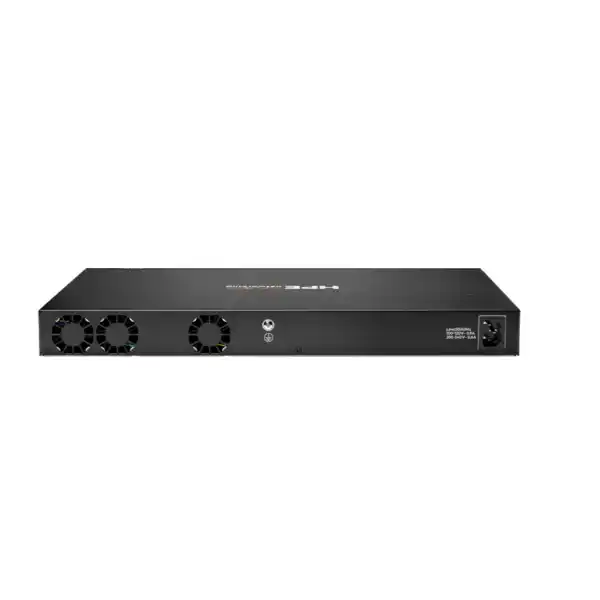
The JL724A uses a fixed 200 W power supply and accepts 100–120 V or 200–240 V AC at 50/60 Hz. HPE lists up to 59 W power consumption at 230 VAC under a 100% traffic test rate, with lower documented values at idle and hibernation. For project planning, the switch’s own draw is only one part of the electrical design. The rack may also contain firewalls, routers, UPS systems, patching equipment, servers and other switches. UPS sizing should be based on the total protected load, required runtime, power factor and future expansion rather than the switch nameplate alone.
Because this is a non-PoE model, the switch does not have to supply a large endpoint PoE budget. That reduces one source of rack power demand, but endpoints still require power somewhere. If external PoE injectors are used, their energy and heat contribution shifts elsewhere in the cabinet. In many projects, selecting a PoE switch is operationally simpler than deploying many individual injectors, while in other environments the non-PoE design remains the cleaner choice. The correct answer depends on endpoint type and site infrastructure.
HPE specifies an operating range of 0°C to 45°C up to 5,000 feet, with derating of the maximum temperature above that altitude. Dubai installations are normally at low altitude, but ambient temperature remains a serious consideration. Network equipment should be installed in a climate-controlled communications room or suitable cabinet environment rather than exposed to outdoor UAE temperatures. The 45°C operating maximum is an equipment limit, not a recommended room target. Maintaining a cooler, stable environment gives better operational margin and supports the other devices in the rack.
Primary airflow is front and side to back. Rack layout should preserve this path and avoid tightly packed obstructions. Network cabinets with poor ventilation can develop local hot spots even when the room air conditioning is acceptable. Cable bundles should be dressed so they do not block side vents, and rear cable management should allow exhaust air to leave the chassis. If a site has unusual dust, humidity or industrial conditions, environmental suitability should be reviewed separately; a standard enterprise access switch should not be assumed to meet harsh-environment requirements.
Where JL724A fits within the CX 6200 family
JL724A represents the 24-port, non-PoE fixed configuration in the CX 6200F range with four 1/10GbE SFP+ uplinks. That position makes it relatively easy to compare with neighboring models. JL725A keeps the 24-port access density but adds Class 4 PoE capability and a defined PoE power budget. JL726A moves to 48 non-PoE access ports, while JL727A and JL728A provide 48-port Class 4 PoE configurations with different power budgets. The newer family also includes modular CX 6200M choices and additional refreshed part numbers, so the exact ordering code offered in the UAE should be confirmed at quotation time.
Choose the 24-port non-PoE profile when port count is modest and powered endpoints are not part of the requirement. Move toward a 24-port PoE model when device power must be delivered through Ethernet. Consider a 48-port model when endpoint density is higher or when combining two small access blocks would create unnecessary complexity. Evaluate CX 6200M when field-replaceable components, higher resiliency options or modular hardware characteristics are important. These are not simply price tiers; each model changes the operational design.
Family comparison should also include lifecycle and standardization. A business may prefer to maintain one access-switch type across many branches even if some sites could use a smaller device, because standardized spares, configuration templates and training can reduce operational overhead. Another organization may optimize each location individually to minimize unused port and power capacity. FourTeck can help build a model matrix based on site counts, endpoint types, PoE demand, uplink needs and support strategy rather than selecting purely by headline specifications.
When another switch should be evaluated
Choose a PoE model when the switch must power edge devices
If Wi-Fi access points, IP phones, cameras or other powered devices will connect directly to this access layer, compare JL724A with a PoE-capable CX 6200F configuration. Calculate both per-port power class and total PoE budget. A port count of 24 does not automatically mean a 370 W budget is sufficient: high-power devices, future Wi-Fi upgrades and camera heaters or peripherals can increase demand. The power design should include realistic simultaneous consumption and headroom.
Choose 48 ports when growth will exceed a comfortable 24-port plan
A 24-port switch can be attractive at purchase time, but continually adding small switches can consume rack units, uplinks, power outlets and management attention. If the site already expects more than roughly one access switch worth of devices, compare a 48-port non-PoE CX 6200F or another appropriate model. The decision should consider physical patch-panel layout and failure domain as well as port price.
Choose a modular or higher-tier platform when resiliency requirements increase
The CX 6200F uses fixed power and fan components. Organizations that require field-replaceable redundant power supplies, more advanced campus roles, higher uplink speeds or larger scaling domains should compare modular CX 6200M or higher-tier CX switching families. High availability is an architectural property; stacking fixed switches does not make every hardware component redundant.
Choose a simpler platform when enterprise CX features are unnecessary
Some small environments only need basic unmanaged or lightly managed connectivity. In those cases, an enterprise AOS-CX switch can be more capability than the business intends to use. Security policy, lifecycle, visibility and centralized management often justify enterprise switching, but the requirement should still drive the purchase. FourTeck can compare management depth, support expectations and future growth before proposing the final switch family.
Deployment journey: from requirement to production
- Define endpoints and power needs. Record every expected connected device, required speed and whether it needs PoE. Include a realistic allowance for growth instead of sizing only to the present-day cable count.
- Map VLANs, routing and policy. Identify user, voice, server, management, IoT and guest segments; determine which VLANs terminate locally, where gateways sit, and what access-control or authentication rules are required.
- Design uplinks. Choose 1GbE or 10GbE operation, redundancy, link aggregation and fiber/DAC media. Validate transceiver support and the interface capabilities of the upstream switch.
- Decide on standalone or VSF operation. If stacking is required, plan member order, stack links, conductor and standby roles, software level and cabling before the installation team arrives.
- Select the management model. Confirm whether the switch will use HPE Aruba Networking Central, local management, Multi-Edit, automation or a mixed operational approach. Add any needed subscriptions or service scope to the quotation.
- Confirm rack and power readiness. Verify the 19-inch rack, mounting position, depth, grounding, AC feed, UPS capacity, airflow and environmental conditions.
- Stage software and base configuration. Apply the agreed software release, management addressing, credentials, NTP, DNS, logging and standard configuration templates in a controlled environment where practical.
- Install and patch. Mount the switch, connect power, patch access ports, install validated optics and label connections. Preserve airflow and cable-management clearance.
- Validate services. Test uplink redundancy, VLAN reachability, routing, authentication, policy, management access and monitoring. Check interface errors and verify that endpoints land in the intended network segments.
- Document and hand over. Record serial numbers, port mapping, software version, configuration backup, subscriptions, support details and escalation contacts so the device can be operated consistently after deployment.
Migration considerations when replacing an existing access switch
Replacing an older access switch with JL724A should begin with an intent-based review of the current configuration. Exporting the old configuration is useful, but copying it line by line is rarely the right approach when moving between operating systems or switch families. Start by documenting what each configuration section achieves: VLAN membership, trunks, LAGs, spanning tree, authentication, ACLs, QoS, routing, DHCP protections, management access, syslog and monitoring. Then rebuild that intent using current AOS-CX syntax and supported practices.
Port mapping is often the most visible migration risk. A 24-port switch may have critical devices mixed with ordinary user ports, and patch-panel labels may be incomplete. Before the change, create a port-to-device map using switch tables, cable tracing, DHCP information and onsite verification. Identify any statically addressed appliances or devices that cannot tolerate long link interruptions. Plan rollback so a failed cutover does not become an extended site outage.
Authentication migrations require additional care. If 802.1X or MAC authentication is already in use, test a representative set of endpoints before a full cutover. Different supplicants, phones with attached PCs, printers, cameras and building devices can behave differently. Define fallback and critical-access behavior so an authentication-service outage does not cause unexpected lockout. Certificate validation, RADIUS reachability and time synchronization should be verified before production users are moved.
Spanning-tree and link-aggregation behavior should also be reviewed. The new switch must integrate into the existing topology without creating a loop or unexpected root-bridge change. If uplinks are moved from 1GbE to 10GbE during the same project, the path cost and traffic distribution can change. A migration is therefore a good opportunity to validate the topology rather than simply recreate historical settings.
After cutover, check more than ping tests. Review interface speed and duplex, error counters, MAC learning, VLAN reachability, authentication results, routing neighbors where used, logging, NTP and management monitoring. Confirm that business applications behave correctly and that backup or high-volume traffic does not saturate the new uplink design. Capture a known-good post-migration configuration and update network diagrams while the details are still fresh.
Questions a buyer should answer before requesting a quotation
How many switches are required? State the number of sites, racks and access blocks rather than giving only a total endpoint count. Two offices with twelve devices each may need different physical hardware placement from one office with twenty-four devices.
Is PoE definitely unnecessary? Review current and planned phones, wireless access points, cameras and IoT equipment. If any endpoint depends on switch-delivered power, include that in the requirement so a PoE model can be evaluated.
What uplink speed and media are required? Specify whether upstream connectivity is 1GbE or 10GbE, fiber or DAC, and the approximate distance. Provide the upstream switch model when possible so transceiver compatibility can be checked.
Will the switches form a VSF stack? If yes, specify the number of members, physical rack arrangement and desired redundancy. Stack links and their optics or cables must be included in the bill of materials.
How will the switch be managed? Indicate whether HPE Aruba Networking Central is required, whether an existing Central tenant already exists, or whether local management will be used. This can change subscription and configuration requirements.
What configuration is expected? Provide VLANs, IP addressing, routing, authentication, ACL, QoS, logging and monitoring requirements where known. A hardware-only quotation is different from a configured deployment service.
What installation environment is available? Confirm rack type, usable depth, AC power, UPS, grounding, patch panels and cooling. A technically correct switch can still be the wrong installation choice if the cabinet is unsuitable.
What delivery or project date matters? Availability can vary by exact part number, region, quantity and vendor lead time. A required date helps FourTeck determine whether the requested model or an appropriate alternative should be evaluated.
Procurement checklist for HPE Aruba CX 6200F 24G in Dubai
- Confirm the exact base product: HPE Aruba Networking CX 6200F 24G 4SFP+ Switch, JL724A or the currently offered regional equivalent.
- Confirm required quantity and whether each unit is standalone or part of a VSF stack.
- Validate that the project does not require PoE on the 24 copper access ports.
- Confirm endpoint count and expected growth so 24 ports remain an appropriate density.
- Define uplink speed, number of uplinks, fiber type or DAC requirement, link distance and remote switch interface.
- List required HPE-supported SFP/SFP+ transceivers or direct-attach cables instead of assuming optics are included.
- Confirm the planned AOS-CX software release and any interoperability constraints.
- Identify whether HPE Aruba Networking Central management and the appropriate subscription are required.
- Identify any optional advanced software features that need current licensing confirmation.
- Confirm rack, mounting, power, UPS, grounding and airflow conditions at the deployment site.
- Define whether FourTeck should provide staging, configuration, installation, migration or post-cutover validation.
- Provide existing switch models and current configuration information if this is a replacement project.
- Confirm support and warranty expectations and review the current HPE terms for the quoted regional product.
- Request current UAE availability and lead time for the exact part number and quantity before committing to a project schedule.
How FourTeck can assist with CX 6200F selection and deployment
FourTeck can help translate a network requirement into a practical bill of materials rather than treating the switch as an isolated line item. For JL724A, that process can include confirming the current regional order code, identifying suitable transceivers or DACs, checking whether 24 non-PoE ports are the right density, reviewing stack needs and clarifying management or subscription requirements. This is especially useful when a buyer has a functional requirement such as “24 office users with redundant 10GbE uplinks” but has not yet finalized exact accessories.
For replacement projects, FourTeck can also discuss configuration and migration scope. That may include reviewing the existing VLAN and uplink design, planning AOS-CX configuration, mapping ports, coordinating installation and validating basic connectivity after cutover. The exact service deliverables should be agreed in the quotation; hardware supply does not automatically include every configuration or migration activity.
Organizations building a broader HPE Aruba Networking environment can use FourTeck to compare nearby CX 6200 models and related implementation services. Visit the FourTeck product portfolio for additional infrastructure options, review network installation and configuration services, or contact FourTeck for model and BOM guidance. Business background and company information are available on the FourTeck about page.
UAE availability and quotation guidance
Contact FourTeck to confirm current UAE availability for the HPE Aruba Networking CX 6200F 24G 4SFP+ Switch. Availability can depend on the exact part number, regional suffix, quantity, vendor lead time and current channel supply. A quoted alternative should not be assumed to be identical until port count, PoE capability, uplink type, hardware design and management requirements have been compared.
For an accurate quotation, provide the quantity, delivery location, required project date, uplink media, transceiver distances, stacking requirement and management preference. If installation or configuration is needed, include the site count, rack readiness, VLAN and IP information, routing requirements, authentication design and migration expectations. This lets hardware, accessories and professional-service scope be separated clearly.
Delivery coordination and installation planning can be discussed after the requirement is confirmed. FourTeck does not need to assume stock status to begin a design conversation; the objective is to establish the right model and complete bill of materials first, then confirm current commercial availability for the UAE.
Practical deployment scenarios
Branch office with separately powered user devices
A branch with desktops, printers and a few locally powered appliances may need reliable managed Ethernet but no switch-supplied PoE. JL724A can provide the 24-port access layer, while one or more 10GbE SFP+ links connect upstream to a router, firewall or distribution switch depending on the topology. The main sizing questions are endpoint growth, uplink redundancy and whether future wireless or voice deployments will introduce PoE demand.
Campus access block with VSF stacking
Several CX 6200 switches can be organized as a VSF stack to provide a larger logical access system. A campus floor could use non-PoE members for desktop-heavy areas while separate PoE-capable members serve access points and phones, subject to current family compatibility and stack-design rules. This approach can centralize operations but must be designed around stack links, uplink resilience and the failure domain.
Data-room connectivity for non-PoE appliances
Network appliances, storage management interfaces, hypervisor management ports, console servers and other rack equipment commonly use standard Ethernet and have their own power supplies. A 24-port non-PoE access switch can be appropriate for this type of connectivity when 1GbE access is sufficient and higher-speed SFP+ uplinks connect the block to the rest of the network. Device criticality should determine whether fixed hardware resiliency is acceptable.
Standardized multi-site enterprise edge
An organization with many modest branches may value a common AOS-CX operating model more than maximizing each switch’s port utilization. Standard configurations, monitoring and lifecycle processes can simplify support. In that case, JL724A may serve sites without PoE needs, while related CX 6200 models cover sites that require more ports or endpoint power. Centralized management can be evaluated to reduce the burden of administering each location individually.
Operational considerations after installation
Once the switch is in production, maintain a controlled software and configuration process. AOS-CX continues to receive software releases, documentation and security fixes. Organizations should define how often release notes are reviewed, who approves upgrades, how configurations are backed up and how rollback is handled. Upgrading solely because a newer version exists is not always appropriate, but leaving switches indefinitely on an old release can create support and security issues.
Monitor interfaces for errors, unexpected speed negotiation, excessive broadcast behavior and capacity trends. High utilization is not automatically a problem if it is brief and expected, but recurring congestion should be investigated. Use telemetry, logs and management tools to identify whether bottlenecks are at access ports, uplinks or elsewhere in the path. Network Analytics Engine capabilities can help preserve operational state and trends that are difficult to reconstruct after an intermittent event.
Review stack health if VSF is used. Verify member state, stack-link integrity and conductor/standby operation as part of routine checks. Changes that affect stack links should be planned carefully because they can impact multiple access switches simultaneously. Keep spare transceivers or cables where the operational risk justifies them, and document which part numbers are approved for the deployed interfaces.
Access security should also be revisited as endpoint populations change. New device types may require different authentication or segmentation rules. Ports that were once assigned to a user VLAN may later connect printers, cameras or contractors. Maintaining intent-based port and role policies helps avoid configuration drift. If Central or another management platform is used, leverage configuration compliance and monitoring workflows rather than relying only on manual checks.
Physical housekeeping matters as well. Keep rack airflow unobstructed, inspect cabling and labels, ensure UPS maintenance is current and prevent unused patch leads from blocking vents. Small operational practices can extend infrastructure reliability and make later troubleshooting faster. A well-documented 24-port switch is easier to support than a larger platform with unknown cabling and undocumented configuration.
Related options to compare
HPE Aruba Networking CX 6200F 24G Class 4 PoE 4SFP+ 370W (JL725A): consider this when the same general 24-port access density is needed but endpoints require switch-supplied PoE. PoE budget and per-port power requirements must still be calculated.
HPE Aruba Networking CX 6200F 48G 4SFP+ (JL726A): evaluate this non-PoE option when 24 access ports do not provide enough density and a 48-port fixed access configuration is more efficient.
HPE Aruba Networking CX 6200F 48G Class 4 PoE models: relevant when both higher port density and PoE are required. Compare available power budgets with the endpoint inventory instead of selecting only on port count.
HPE Aruba Networking CX 6200M family: worth comparing where modular power/fan characteristics, enhanced resiliency options or different hardware design requirements are important.
Higher-tier Aruba CX switching: consider another family when the access block needs higher-speed uplinks, larger routing scale, more advanced campus roles or resiliency characteristics beyond the CX 6200 design. The correct alternative depends on architecture, not simply on choosing the next model number.
Frequently asked questions about the HPE Aruba CX 6200F 24G
Is JL724A a PoE switch?
No. The HPE Aruba Networking CX 6200F 24G 4SFP+ JL724A is a non-PoE model. Its 24 copper ports carry Ethernet data but do not supply PoE power. If phones, Wi-Fi access points, cameras or other powered devices need electricity through the network cable, compare a PoE-capable CX 6200 configuration such as the 24-port JL725A and verify the required power budget.
How many uplink ports does the CX 6200F 24G provide?
JL724A provides four 1/10GbE SFP+ ports in addition to the 24 copper access ports. These can support uplink or VSF design needs depending on the architecture. The required transceivers, fiber or direct-attach cables are separate design items and should be checked for HPE support, distance and remote-device compatibility.
Can multiple CX 6200F switches be stacked?
Yes. The CX 6200 series supports VSF stacking with up to eight members. The actual stack requires compatible models, suitable stack links, supported software and a planned conductor/standby topology. Buyers should include stack cabling or transceivers in the BOM and should not assume that stacking accessories are automatically included with each switch.
Does the switch support 10GbE?
Yes, the four SFP+ interfaces support 1GbE or 10GbE operation with suitable supported modules or cables. The 24 RJ45 access ports are 10/100/1000BASE-T, not 10GbE copper. If 10GbE access to servers or workstations is required on many ports, another switch design should be evaluated.
Can JL724A be managed through HPE Aruba Networking Central?
Yes, HPE lists Central as a management option for the CX 6200 series. Central use depends on the current subscription, account and onboarding requirements. Confirm the intended management term and feature set during quotation so the hardware and any required subscription are ordered together.
Is JL724A suitable as a core switch?
It is primarily positioned as an enterprise access-layer switch. It supports Layer 3 functions and published route scales, but a core or distribution design may require higher routing scale, higher-speed interfaces, redundant field-replaceable components or other resiliency features. Use the network role and failure-impact requirements to decide whether a higher-tier CX platform is more appropriate.
Are SFP+ transceivers included?
The switch provides SFP+ ports, but the required optical transceivers or direct-attach cables should be treated as separate BOM items unless a specific commercial bundle states otherwise. Select them according to link speed, fiber type, connector, distance and HPE support guidance.
What information does FourTeck need to quote the switch correctly?
Provide quantity, delivery location, required date, PoE requirements, uplink speed and distance, fiber or DAC preference, stacking needs, management choice and whether configuration or installation is required. Existing switch and upstream device models are also useful for compatibility review. FourTeck can then confirm the exact regional model, accessories and current UAE availability.
Confirm the right CX 6200F model before ordering
Send FourTeck your required port count, PoE needs, uplink media, stack size and management preference. We can help confirm JL724A, identify the required transceivers and subscriptions, compare nearby CX 6200 options and prepare a UAE quotation based on the complete requirement.

Reviews
There are no reviews yet.