
Secure uCPE & SD-WAN
Dubai / UAE Procurement
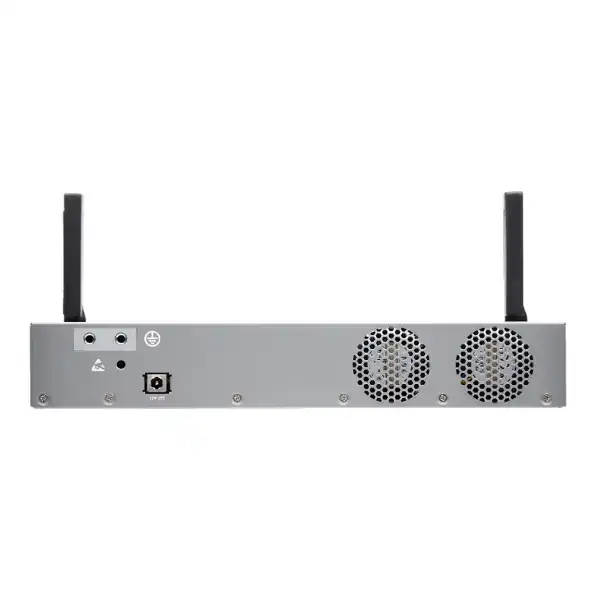
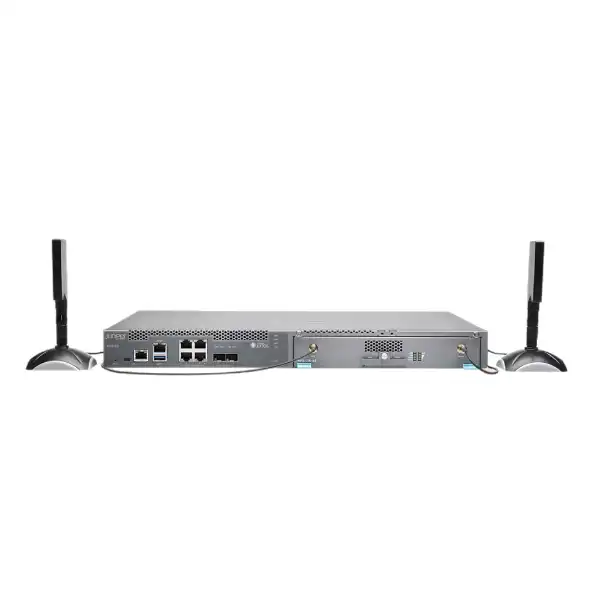
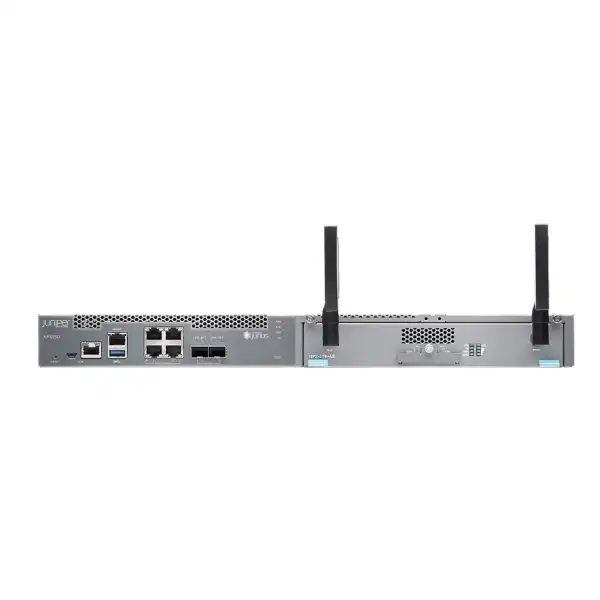
Juniper NFX150 Network Services Platform in Dubai
A practical buyer guide to the NFX150 family for secure branch routing, SD-WAN, Network Functions Virtualization, managed services and multi-WAN connectivity. The exact NFX150 model matters: compact and rack-mount variants differ in compute resources, expansion capability, VNF capacity and performance, so a reliable quotation starts with the branch workload rather than the family name alone.
Direct answer: what is the Juniper NFX150?
The Juniper NFX150 Network Services Platform is a secure, software-driven customer premises equipment platform designed to host branch networking and security functions while also supporting virtualized network functions. It belongs to Juniper’s NFX family of universal CPE platforms and is primarily used for secure SD-WAN, secure routing, managed security and service-provider or enterprise branch deployments where several network roles can be consolidated onto a single device.
Small and medium-sized enterprise sites, managed-service deployments, distributed retail or office networks, and organizations standardizing many branches are the most natural candidates. The NFX150 is not one identical appliance in every quotation: Juniper documents compact desktop models and 1U rack-mount models with different processor resources, memory, storage, VNF limits, LTE options and interface expansion. The most important factor to confirm is therefore the exact workload and exact SKU, including required WAN throughput, IPsec demand, number of VNFs, physical interfaces, LTE region, software release and support expectations.
FourTeck can help determine whether the NFX150 is the correct branch platform, which model is appropriate, which optics or access modules are needed, whether an LTE option is regionally suitable, what licensing or management components belong in the solution, and whether a larger Juniper platform should be compared for higher performance or growth.
Why the NFX150 exists: branch services without an appliance for every function
Traditional branch networks frequently grow one box at a time. A router arrives with the leased line, a separate firewall is introduced for security, an SD-WAN edge is added during a WAN transformation, and another appliance appears when a managed service or optimization function is required. That architecture can work, but it creates a larger operational surface: separate power supplies, separate support contracts, additional rack space, more cabling, multiple operating systems, and more failure and troubleshooting boundaries. The NFX150 approaches the branch differently by combining physical connectivity with Junos-based networking and a virtualization layer capable of hosting supported Juniper or third-party virtual network functions.
This consolidation is valuable when the branch design benefits from service agility. A service provider can use a universal CPE platform as the stable physical edge and introduce or change functions in software instead of dispatching a technician for every new appliance. An enterprise can use the same concept to simplify a distributed estate and create a repeatable branch standard. Because the NFX150 architecture integrates routing, switching and security functionality and provides a common operational model, it is particularly relevant where local IT staffing is limited and central teams need consistent control.
Consolidation does not mean that every branch requirement automatically belongs on the NFX150. Compute resources are finite, security inspection consumes capacity, encrypted traffic can become the dominant sizing factor, and a virtualized function may have its own CPU, memory, storage and licensing requirements. A sound design treats the NFX150 as a resource platform. The goal is not simply to fit several functions onto one chassis; the goal is to leave enough headroom for stable operation, maintenance activity, software growth and real traffic patterns. That distinction is essential when comparing compact and rack-mount variants.
Core capabilities translated into buyer decisions
Secure routing and branch edge
The NFX150 can act as an integrated branch router and switch and includes SRX Series security functionality in the platform architecture. For a buyer, this means the appliance can sit at the branch edge rather than serving only as a virtualization host. The design still needs a clear routing policy, WAN handoff definition, security policy, tunnel architecture and throughput target. A 1GbE or 10GbE physical interface does not imply the same inspected or encrypted throughput.
SD-WAN platform role
Juniper positions NFX150 for secure SD-WAN and managed network services. This is useful for organizations replacing private WAN dependence with multiple internet, carrier or cellular paths. The purchase decision is broader than the chassis: confirm which Juniper SD-WAN architecture and management software are being used, how the branch will be onboarded, what licenses apply, which link types are active, and how policy will be managed across the estate.
Virtual network functions
The platform can host multiple supported VNFs, with the documented maximum depending on the model. Compact systems generally support fewer VNFs than rack-mount variants, and the higher-memory rack model provides more room for virtualization. Count alone is not sufficient for sizing: one demanding VNF can consume more resources than several light services, so the actual VNF images and allocations must be checked.
Multiple WAN media
Four copper Gigabit Ethernet ports and two 1/10GbE SFP+ ports provide a flexible base for branch connectivity. DSL can be delivered through an appropriate SFP transceiver, while LTE is available on selected compact models or through a module on rack variants. This flexibility is valuable in Dubai deployments that may combine fibre, Ethernet handoff, broadband and wireless backup, but the exact carrier presentation and optic type must be established first.
Zero-touch deployment
Zero Touch Provisioning can reduce the effort required to stage many branches. Its value is highest when onboarding, management reachability, templates and inventory processes are prepared before devices are shipped. ZTP is not a substitute for design: addressing, WAN access, certificates, security policy and the management platform still need to be defined so that an unconfigured site can successfully join the intended operational workflow.
Centralized operational model
NFX150 integrates multiple platform components under a unified management approach, including the Junos Control Plane, Juniper Device Manager, data planes and VNF environment. Buyers should evaluate who will operate the platform after deployment. A branch architecture that is technically capable but unsupported by the customer’s monitoring, logging, change-control and troubleshooting process can create more complexity instead of less.
NFX150 model selection: compact versus rack-mount
The family name should never be the final line item on a serious bill of materials. Juniper documents five compact models and two rack-mount models. The practical differences include memory, storage, LTE implementation, expansion support and the amount of virtualized workload the appliance can support. The table below is a buyer-oriented summary; exact ordering part numbers and currently supported software combinations should be revalidated at quotation time.
| Model group | Compute and memory | Storage | VNF guidance | Expansion / LTE |
|---|---|---|---|---|
| NFX150-C-S1 | 2.2 GHz 4-core Intel CPU, 8 GB RAM | 100 GB SSD | Typically 1-2 VNFs depending on resource demand | No expansion module; base model has no LTE |
| NFX150-C-S1-AE / AA | 2.2 GHz 4-core Intel CPU, 8 GB RAM | 100 GB SSD | Typically 1-2 VNFs | Integrated LTE; regional modem variant must match deployment requirements |
| NFX150-C-S1E-AE / AA | 2.2 GHz 4-core Intel CPU, 16 GB RAM | 100 GB SSD | Typically 1-2 VNFs, with additional memory headroom versus C-S1 | Integrated LTE; regional modem selection remains important |
| NFX150-S1 | 2.2 GHz 8-core Intel CPU, 16 GB RAM | 200 GB SSD | Typically 2-3 VNFs depending on allocation | 1U rack model with expansion support; LTE can be added through a supported module |
| NFX150-S1E | 2.2 GHz 8-core Intel CPU, 32 GB RAM | 200 GB SSD | Typically 2-3 VNFs and the strongest virtualization headroom in the NFX150 range | 1U rack model with expansion support; LTE module option |
The difference between an 8 GB compact appliance and a 32 GB rack appliance is more than a specification-table detail. Memory has a direct bearing on how comfortably virtual services can coexist with the platform’s own control and data-plane functions. Storage matters when VNF images and logs are involved. The rack platform also offers interface expansion flexibility that the compact models do not. If the site is intended to host several VNFs, retain growth headroom, or use modular WAN connectivity, NFX150-S1E deserves comparison even if a smaller unit initially appears sufficient.
Performance: understand the difference between port speed and service throughput
One of the easiest mistakes in branch-edge purchasing is to size from interface labels. The presence of 1GbE or 10GbE ports tells you what the physical interface can negotiate; it does not tell you how much traffic the selected security, routing, encryption and virtualization workload can sustain. Juniper’s published NFX150 family figures differentiate managed secure routing, managed security and IPsec performance across models, and those figures are materially lower than the highest physical port rate. That is normal for an appliance that performs packet processing rather than simple switching.
| Model | Managed Secure Router | Managed Security | IPsec |
|---|---|---|---|
| NFX150-C-S1 | 200 Mbps | 200 Mbps | 80 Mbps |
| NFX150-C-S1-AE / AA | 400 Mbps | 400 Mbps | 100 Mbps |
| NFX150-C-S1E-AE / AA | 500 Mbps | 500 Mbps | 150 Mbps |
| NFX150-S1 | 500 Mbps | 500 Mbps | 150 Mbps |
| NFX150-S1E | 800 Mbps | 800 Mbps | 300 Mbps |
Published figures are useful comparison anchors, but production sizing needs more context. Packet size, enabled services, tunnel count, application mix, concurrent sessions, VNF resource demand and software version can all influence real results. Encryption is especially important. A branch with a 300 Mbps internet circuit that sends nearly all traffic through encrypted overlays has a different requirement from a branch with the same circuit that uses local breakout and relatively little IPsec. The correct metric is the workload the platform must process, not the carrier’s headline bandwidth.
Growth should also be explicit. If a site operates close to the selected model’s realistic capacity on day one, adding another WAN circuit, increasing cloud traffic or enabling additional security features may require a platform change. A practical design normally leaves enough headroom for peaks, protocol overhead, policy changes and future services. Where requirements are clearly above the upper end of the NFX150 family, the buyer should compare a higher-capacity Juniper platform rather than relying on optimistic assumptions.
Interfaces and physical connectivity
The base NFX150 design provides four 10/100/1000BASE-T RJ-45 Ethernet ports that can be used as access ports or uplinks, two 1GbE/10GbE SFP+ ports, one dedicated 10/100/1000BASE-T RJ-45 management port, console access and USB. That interface mix is useful at branches because the device can connect to common copper handoffs while retaining fibre-capable SFP+ ports for higher-speed or optical circuits. The port mix also allows the NFX150 to sit between WAN services and a downstream LAN switch without assuming that every connection is delivered in the same media type.
Optics must be treated as separate design items. An SFP+ cage is not a complete fibre link. The transceiver type must match the speed, fibre medium, wavelength, connector and distance of the carrier handoff or internal connection. If the WAN provider presents copper Ethernet, an optical transceiver may be unnecessary. If the provider presents single-mode fibre at a particular optical standard, the bill of materials must include compatible optics. Where the service uses a carrier-managed NTE, the NFX150 may simply connect over copper or fibre Ethernet to that handoff. FourTeck should receive the carrier interface description before finalizing optics.
Juniper also documents ADSL2, ADSL2+ and VDSL2 access through an SFP form-factor DSL transceiver. That can be useful in locations where DSL remains part of the WAN design, but the exact circuit type and provider compatibility must be checked. DSL access is sensitive to regional service characteristics and provider presentation, and a generic statement that the platform supports VDSL does not guarantee interoperability with every access network.
The rack-mount NFX150-S1 and NFX150-S1E add an expansion path that compact models lack. Historically the optional network interface module provided six additional 100/1000BASE-T ports and two 1000BASE-X SFP interfaces. However, Juniper documentation notes that starting with Junos OS Release 23.1R1, NFX150 models do not support the NFX-EM-6T2SFP expansion module. This is exactly why software release and hardware option must be verified together. A legacy deployment may use an expansion module successfully on an earlier supported release, while a new design targeting a later release should not assume the same combination remains available.
Important compatibility notice for expansion-module planning
The NFX150 hardware family has existed across multiple Junos generations, so a historical datasheet can show options that are not supported in a newer release. Juniper specifically states that NFX150 models do not support the NFX-EM-6T2SFP Expansion Module starting in Junos OS 23.1R1. Buyers planning additional copper or SFP interfaces must therefore confirm both the exact hardware SKU and the intended Junos software train before treating an expansion module as part of the design.
For new procurement, do not purchase an expansion module only because it appears in an older specification sheet. For an existing estate, do not upgrade software without checking whether an installed module remains supported. Interface count, software policy and lifecycle planning should be resolved together so that a branch upgrade does not remove a capability the site depends on.
LTE and wireless WAN: useful for resilience, but region selection matters
LTE is one of the features that makes the NFX150 attractive for distributed branches. A cellular path can provide backup connectivity when the wired WAN fails, temporary connectivity during a site opening, or an additional transport under an SD-WAN policy. Juniper offers integrated LTE on selected compact models and LTE module options for the rack-mount NFX150-S1 and NFX150-S1E. The key purchasing point is that LTE is not universal across every NFX150 model and modem variant.
Juniper documents different modem regional band sets. The MC7430 is associated with Asia Pacific, Australia and New Zealand bands, while the MC7455 is associated with North America and Europe bands in NFX150 documentation. Because Dubai and UAE cellular compatibility cannot be inferred reliably from a broad label alone, the modem, bands, local operator support, SIM requirements and regulatory suitability should be confirmed before an LTE-capable SKU is quoted. A cellular radio that physically fits the appliance is useful only if it operates on the intended carrier frequencies and service profile.
The WAN design should also define what LTE is expected to do. A low-usage failover link can be sized and costed differently from an active-active SD-WAN path carrying regular business traffic. Consider the data plan, NAT behavior, public addressing needs, inbound service requirements, signal quality, antenna placement, failback policy and application priority during degraded operation. A branch that must keep voice, payment or ERP traffic running during a fibre outage should have an explicit cellular policy rather than a generic statement that LTE is available.
For sites in difficult RF environments, antenna placement can matter as much as the modem. Equipment rooms in concrete cores, basements or enclosed racks may have poor cellular reception. A deployment survey should determine whether the built-in or module antenna arrangement is adequate, whether approved external antenna positioning is required, and whether the operator provides acceptable coverage at the actual site. These details belong in installation planning, not after the primary WAN has already failed.
Virtualization resources and VNF sizing
NFX150 is differentiated from a conventional branch router by its ability to run virtualized services. The host environment uses Wind River Linux, while Junos functions are integrated into the platform architecture. Juniper describes the Junos Control Plane, Juniper Device Manager, Layer 2 and Layer 3 data planes and VNFs as key software components. For the buyer, the important consequence is that the device’s CPU, RAM and SSD are shared platform resources with defined roles; they are not a blank general-purpose server specification.
Compact models use a 4-core Intel processor, with 8 GB or 16 GB RAM depending on variant and 100 GB SSD storage. Rack-mount NFX150-S1 and S1E models use an 8-core processor with 16 GB or 32 GB RAM respectively and a 200 GB SSD. Juniper’s published guidance indicates one to two VNFs on compact systems and two to three on rack-mount systems, while product material highlights up to three VNFs on the 32 GB configuration. That maximum is a platform capability statement, not a promise that every combination of three VNFs will have equal performance.
Each VNF can have its own virtual CPU, memory and storage profile. A security service that performs deep inspection may be more demanding than a lightweight network function. Traffic steering between VNFs also adds an architectural dimension: the service chain must be designed so packets traverse the correct functions in the correct order without creating avoidable bottlenecks. If a third-party VNF is required, its supported NFX software version, image format, resource minimums and vendor support statement should be collected before the hardware is ordered.
Headroom is particularly important during lifecycle events. Upgrades, logging bursts, new policy engines and revised VNF releases can increase resource consumption. A branch that barely fits its intended services at commissioning leaves little operational margin. When the project requires multiple substantial VNFs or expects more services to be added later, the S1E’s 32 GB RAM should be evaluated against the smaller models. Where the workload exceeds the practical limits of NFX150, moving to a larger NFX platform or a different architecture is usually more defensible than forcing the design into an undersized branch appliance.
The final sizing document should list every intended VNF by name and version, the resource reservation for each, expected traffic through each function, whether traffic is symmetric, and what happens during failure. That makes the virtual-service design measurable and gives operations teams a baseline for monitoring after deployment.
Security architecture and SRX functionality
Juniper positions the NFX150 as a secure uCPE and states that it uses SRX Series next-generation firewall software for security. Juniper documentation for Cloud CPE also distinguishes NFX150 from other NFX platforms by noting a built-in SRX firewall function rather than relying solely on a separate vSRX instance for the gateway role. This integrated approach can reduce the number of individual appliances needed at a branch while keeping familiar Junos and SRX security concepts in the design.
The security policy still needs to be specified. Determine whether the NFX150 is the branch’s primary security enforcement point or whether it sits behind another firewall. Define which traffic is trusted, how guest and corporate networks are segmented, whether direct internet access is allowed, which applications need inspection, how VPN tunnels terminate, and how logs are retained. A product capability becomes operational security only after policy, monitoring and ownership are clear.
Encryption can be the sizing constraint. IPsec throughput figures across NFX150 models range below the associated managed router/security figures, so a branch that relies heavily on encrypted overlay traffic must be sized against IPsec demand rather than raw Ethernet speed. Count primary and backup tunnels, expected concurrent bandwidth, encryption policy and whether all cloud traffic is carried through overlays. Also account for the fact that internet usage often grows faster than the original WAN contract because SaaS, video meetings, software distribution and cloud backups move more traffic directly through the branch edge.
Security licensing and subscriptions must be confirmed for the intended feature set and software release. The appliance hardware alone should not be treated as a complete security service. Procurement should identify the entitlement term, support level, management components and any feature subscriptions required by the design. If the organization already operates Juniper SRX equipment, the NFX150 can offer operational familiarity; if not, training and support ownership should be included in the rollout plan.
SD-WAN design considerations for enterprise branches
SD-WAN is often described as a product feature, but it is better understood as an operating architecture. The NFX150 can serve as the physical branch platform within a Juniper SD-WAN design, including environments based on Juniper Session Smart technology and management components. The business value comes from policy-driven use of multiple transports, centralized visibility, simpler branch onboarding and application-aware path decisions. Those benefits depend on the complete solution, not only the NFX150 chassis.
Start by documenting the WAN transports at each location. A Dubai head office may have diverse carrier fibre links, while a retail branch may combine a primary broadband service with LTE. A warehouse might need a fixed Ethernet service plus cellular backup. SD-WAN policy should specify which applications prefer which path, what latency or loss thresholds trigger path changes, and what traffic is deprioritized during constrained operation. If all links are purchased from the same last-mile infrastructure, the logical diversity may not provide the physical resilience the business expects.
Next, define routing boundaries. Decide where dynamic routing protocols are used, how branch prefixes are advertised, how internet breakout works, and whether private application traffic is tunneled to a data centre, cloud security service or regional hub. The NFX150 must also integrate with the branch LAN. VLANs, DHCP or relay functions, QoS, voice segmentation and switch uplink design can affect interface requirements and operational templates.
Central management should be designed before mass deployment. The team needs device inventory, standardized templates, authentication, role-based administration, configuration backup, monitoring, event handling and a software-upgrade process. Zero-touch onboarding is most effective when these elements are already established. A box arriving at a remote site should have a known serial-to-site mapping, known WAN handoff, clear cabling instructions and an escalation path if automated provisioning fails.
Finally, define the failure model. SD-WAN can move traffic between links, but the NFX150 itself may still be a single appliance at the branch. Juniper’s published NFX150 specifications do not position the platform as a dual-CPE clustered high-availability system. Where a branch requires device-level redundancy rather than link-level redundancy alone, the architecture should be reviewed carefully and an alternative design or higher-resilience platform may be more appropriate.
Physical installation, power and environmental planning
NFX150 deployment is straightforward when the site is prepared. Rack-mount NFX150-S1 and NFX150-S1E systems are 1U appliances, while compact models are designed for desktop-style installation and can suit smaller communications spaces. Juniper also documents installation options that include rack and wall scenarios depending on model and mounting accessories. Before delivery, confirm the mounting location, clearances, cable entry, grounding, power outlet type and whether the device will be installed in a secure communications area.
The NFX150 uses built-in cooling and Juniper specifies airflow-out, front-to-back cooling. The equipment room should not direct hot exhaust from neighboring devices into the NFX150 intake. Dense branch cabinets sometimes place firewalls, switches, UPS units and carrier devices in a shallow enclosure with limited airflow; even a 1U appliance can become thermally stressed if vents are obstructed. Site planning should preserve ventilation and avoid using the chassis as a shelf for other equipment.
Rack NFX150-S1 and S1E power documentation specifies a 100-240 VAC input range at 50-60 Hz with an internal power supply rated at up to 150 W. The supplied power cord must be appropriate to the region and equipment inlet. For a UAE project, the quotation should confirm the local power-cord requirement rather than assume a cord bundled for another geography. If the branch uses a UPS, verify available receptacles, load and expected runtime with the complete communications stack, not the NFX150 alone.
Physical access is a security consideration. Juniper’s site guidance recommends installation in a secure area accessible to authorized personnel and proper ESD precautions during handling. Console ports provide valuable recovery access but also mean that a physically exposed appliance can offer a direct administrative path. Branch cabinets should therefore be locked where appropriate, cables labeled, serial numbers recorded and local access procedures documented.
The installation work order should include rack position, device model and serial number, WAN port mapping, LAN uplink, management addressing, optics, console method, LTE antennas where applicable, power source and test steps. This turns a network design into a repeatable site procedure and reduces ambiguity for technicians who may install many branches in different locations.
Management, automation, logging and day-two operations
A branch edge is a long-lived operational system, so the management model deserves as much attention as the first configuration. NFX150 uses Junos-based control together with platform components that manage the virtualization environment. Juniper highlights unified management and automation as key benefits. The buyer should convert that capability into specific operating procedures: who can change configurations, where logs are sent, how alarms are monitored, how backups are maintained and how software upgrades are approved.
For a small number of sites, direct CLI administration may remain part of troubleshooting, but large estates need consistency. Templates reduce configuration drift, and automation can enforce common routing, security and interface standards. That does not remove the need for site-specific variables. WAN addresses, VLAN IDs, circuit identifiers, LTE settings and local contact details vary, so the deployment system should separate reusable policy from unique site data.
Logging should cover both security and availability objectives. Decide whether events are sent to a SIEM, syslog platform, managed SOC or another monitoring service. Retention requirements may come from internal audit or regulatory policy. Time synchronization is important because troubleshooting encrypted tunnels, routing changes and security events depends on accurate timestamps across devices. Management connectivity should also remain available during WAN faults where practical, especially if LTE is intended as an emergency path.
Software lifecycle management is especially significant for NFX150 because hardware options and supported combinations can change across Junos releases. The expansion-module limitation introduced from Junos OS 23.1R1 is a concrete example. Upgrades therefore need a compatibility review covering installed hardware, VNF images, management platform release and required features. A software update should not be treated as a generic routine if the branch hosts multiple interdependent services.
Operational acceptance should include more than a successful ping. Test primary and backup WAN behavior, tunnel establishment, policy enforcement, application reachability, logging, management access, LTE failover where used, DNS, NTP and monitoring alarms. Capture a baseline of CPU, memory and interface utilization after the site is stable. That baseline gives the operations team evidence when future performance complaints arise.
Where the NFX150 fits well
Distributed offices
Organizations with many small or medium branch offices can use NFX150 to standardize routing, security and WAN connectivity in a repeatable form factor. It fits particularly well when central IT wants zero-touch deployment, common policies and the option to host virtual services without installing a separate appliance for each network role.
Retail and service locations
Retail, hospitality and customer-service branches often need compact edge equipment, internet access, private application connectivity and a backup path. An LTE-capable NFX150 can support a resilient design when the correct regional modem and carrier service are confirmed. Application priority during failover should be defined so business-critical traffic receives preference.
Managed-service CPE
Service providers can use the NFX150 as a universal CPE foundation and deliver network or security functions in software. The business case becomes stronger when remote service activation reduces site visits. Provider designs still need clear resource reservations, VNF support matrices, customer isolation and an upgrade process that protects every hosted service.
Secure SD-WAN branches
Branches moving from single-path private WAN designs to policy-driven multi-WAN connectivity are a natural NFX150 use case. The platform can combine Ethernet, fibre-capable interfaces and LTE options with Juniper SD-WAN technology. The selected NFX150 model must still meet encrypted throughput and management requirements.
Branch modernization
A site currently running separate router, firewall and edge-service appliances may be able to consolidate functions during a refresh. Migration should identify which legacy functions really need to move, which can be retired, and which dependencies—such as specialized interfaces or very high throughput—make consolidation unsuitable.
When the NFX150 may not be the right choice
A balanced product evaluation must identify boundaries as clearly as benefits. NFX150 is designed for small to medium enterprise branches and managed service use cases, not every edge scenario. If a location requires substantially higher inspected or encrypted throughput than the NFX150-S1E can provide, a larger platform should be evaluated. Purchasing the largest NFX150 simply because it has 10GbE interfaces can still result in a mismatch if the security or VPN workload exceeds the platform’s service-processing capacity.
The platform is also less compelling when the branch does not need virtualization and can be served by a simpler dedicated router or firewall. Universal CPE brings flexibility but also introduces a host and VNF operational model. If an organization has no need to run VNFs and prefers a focused appliance with a simpler lifecycle, a suitable SRX or another purpose-built edge design may be easier to operate. The correct architecture minimizes total complexity, not the number of boxes at any cost.
High-availability requirements can be another deciding factor. Juniper’s published NFX150 specifications indicate no dual-CPE cluster capability for high availability. A branch that cannot tolerate the failure of a single edge device may require a different architecture with two independently resilient appliances, redundant power designs or a platform family that supports the necessary HA model. Dual WAN links do not eliminate the single-appliance failure domain.
Specialized interface needs should also be checked. The compact models have no expansion module support, and later Junos releases no longer support the NFX-EM-6T2SFP module on NFX150. If a branch needs a larger number of local switch ports, specific fibre modules or other specialized connectivity, it may be cleaner to use a dedicated access switch or choose a platform with the required interfaces natively.
Finally, lifecycle and supply status must be confirmed for the exact SKU at the time of purchase. A product family can remain documented while individual part numbers, support milestones, software trains or accessories change. Procurement should request manufacturer-supported status, warranty or service entitlement and the recommended software release before committing to a new long-term standard.
Licensing, subscriptions and software dependencies
NFX150 procurement should separate three concepts: hardware capability, software entitlement and service/support entitlement. The chassis provides processors, memory, storage and physical interfaces. Junos and the NFX software environment provide the platform functions. Security, SD-WAN, management or third-party VNFs can introduce their own licensing terms. A quote that lists only the appliance may therefore be incomplete even if the hardware itself is correctly sized.
The exact entitlement depends on the intended use and current Juniper commercial model, so it should be validated rather than generalized. Buyers should state whether the NFX150 will be used as a secure router, as part of a Juniper SD-WAN solution, as a Cloud CPE node, or as a host for named third-party VNFs. Each scenario can lead to a different software and support requirement. The term length should match the organization’s procurement policy and planned equipment lifecycle.
For third-party VNFs, licensing is typically independent of the NFX appliance. Confirm the VNF vendor, edition, subscription period, resource requirement and support responsibility. If the VNF vendor certifies only certain NFX or Junos releases, that constraint becomes part of the platform lifecycle. Changes to one component may require regression testing across the whole service chain.
Support should cover the operational risk the branch represents. A small non-critical office may tolerate a different response model from a revenue-generating retail site or a branch carrying voice, payment and cloud application traffic. Define required replacement service, technical support access, software-update entitlement and who owns incident coordination when a fault spans the carrier, NFX platform and a hosted VNF.
Migration from an existing branch router or firewall
Replacing an existing edge appliance with NFX150 is not just a configuration-conversion exercise. The first step is discovery. Capture current WAN circuits, public addresses, VLANs, routing tables, DHCP functions, VPN peers, security rules, NAT policies, QoS, monitoring targets and any dependency on legacy interfaces. Old branch devices frequently contain years of accumulated configuration that no longer maps neatly to the business requirement. Migration is an opportunity to separate necessary policy from historical residue.
Next, map the existing functions to the target NFX architecture. Decide which functions will run in the integrated Junos/SRX environment and which, if any, will be hosted as VNFs. If an SD-WAN overlay is introduced at the same time, document routing changes between the old private WAN and the new policy-driven paths. Where both old and new environments must coexist during transition, route preference and tunnel behavior need to be deterministic so that return traffic remains symmetric.
Build a cutover plan around service verification rather than device replacement alone. A successful migration means users can reach required applications, phones register, DNS works, cloud services remain accessible, security policy is enforced and monitoring sees the branch. Test both primary and backup WAN conditions. If LTE is the fallback path, simulate the loss of the wired link before declaring the deployment complete. Document how to return to the old device if a critical dependency appears during the change window.
For multi-site rollouts, pilot representative branches. One office with fibre, one site using copper handoff, and one location with LTE backup can expose different implementation issues. Use the pilot to refine templates, technician instructions and monitoring rules before mass deployment. Standardization creates value only when the standard is proven against the actual site variations in the estate.
After migration, remove obsolete routes, VPN peers, firewall rules and monitoring references from the old architecture. Keep configuration archives and asset records according to policy, but do not leave stale live dependencies that make troubleshooting ambiguous. A clean operational handover should identify the NFX model, installed options, software version, licenses, management system, support contract and local cabling for every site.
A practical NFX150 sizing workflow
Measure real WAN demand
List every current and planned circuit, expected average and peak utilization, and how much traffic will be encrypted or security-inspected. Include cloud growth rather than sizing from historical private-WAN usage alone. Distinguish physical line rate from the traffic the NFX services must actually process.
Define security functions
Record VPN requirements, policy enforcement, application inspection and any other security services. The strongest constraint may be encrypted or inspected throughput rather than routing. Document tunnel count and whether traffic is local breakout, hub-and-spoke or full-overlay.
List every VNF
Name each Juniper or third-party VNF and collect its supported releases, CPU, memory and storage needs. Do not size from the number of VNFs alone. A three-VNF platform limit is useful only when all three workloads fit within available resources with enough operational headroom.
Map physical interfaces
Specify copper or fibre handoffs, SFP/SFP+ speed, DSL requirements, management connectivity and LTE. If an expansion module appears necessary, verify compatibility with the target Junos release before including it. Confirm optics separately from the appliance.
Choose form factor and resilience
A compact unit may fit a small communications cabinet, while a rack model provides more compute and expansion capability. If device-level high availability is mandatory, reassess the architecture because the NFX150 family itself should not be assumed to provide dual-CPE clustering.
Validate lifecycle and support
Before ordering, confirm exact SKU availability, supported Junos release, management compatibility, license term and support entitlement. This final check prevents a technically sound design from being built around an accessory, software combination or part number that is no longer recommended for new deployment.
Procurement considerations for Dubai and the UAE
A UAE quotation should be based on the exact NFX150 variant, not a generic family description. Provide the physical form factor, RAM target, required interfaces, LTE requirement and software use case. If the buyer needs an integrated LTE compact model, the regional radio variant must be validated against the intended UAE operator. If the buyer needs the rack-mount model, specify whether an LTE module is required and whether any interface expansion assumption is compatible with the planned software release.
Power-cord and local installation requirements should be part of the bill of materials. Network appliances are frequently sourced internationally, and accessories can reflect the original sales region. FourTeck should confirm the supplied power lead, rack accessories, optics and any LTE antennas or modules. The goal is to deliver a branch kit that can be installed without discovering on site that a transceiver, cable or region-specific accessory is missing.
Support entitlement is equally important. Ask whether the requirement is for hardware only, hardware plus manufacturer support, deployment assistance, configuration, migration or managed operations. A branch edge may be business critical even when the chassis itself is small. Replacement response and access to software updates can matter more than the purchase-price difference between service tiers.
Lead time and lifecycle should be checked at quotation time. Documentation can remain online after commercial availability changes, and accessories can have different lifecycle dates from the base chassis. Where an exact NFX150 SKU is difficult to source or not appropriate for a new long-term deployment, request a current Juniper alternative rather than accepting an unknown-market substitute. Genuine manufacturer traceability, serial verification and support eligibility reduce the risk of unsupported equipment entering the network.
For a multi-branch project, procurement should standardize a small number of approved bundles. For example, one compact branch bundle, one LTE-enabled bundle and one higher-resource rack bundle can simplify stocking and field support. Each bundle should specify appliance SKU, optics, cables, license term, support, template and installation scope. Standardization should reflect real site categories rather than forcing every branch into the same hardware.
Comparing NFX150 with nearby architectural choices
A good shortlist compares the NFX150 with the nearest practical alternatives rather than with unrelated flagship systems. The right comparison depends on whether the buyer values virtualized services, security throughput, resilience, form factor or operational simplicity.
NFX150 vs a dedicated SRX branch firewall
Choose the NFX150 when universal CPE and VNF hosting are meaningful parts of the requirement. A dedicated SRX can be preferable when the branch primarily needs routing and security and the organization has no plan to run virtualized third-party services. The simpler architecture can reduce virtualization overhead and operational dependencies.
Compare security throughput, interface count, SD-WAN architecture, HA requirements and the management tools already used by the organization. Existing SRX operational skills may influence total cost just as much as hardware specifications.
NFX150 vs a larger NFX platform
Move the comparison upward when the branch requires more encrypted throughput, more VNF resources, additional resilience or a larger interface footprint. NFX250 and NFX350-class systems have historically addressed higher capacity and scale in the NFX family, although current product status, exact model availability and supported architectures must be verified at the time of design.
Do not pay for a larger platform without a workload reason, but do not select NFX150 simply because it is physically smaller. Performance and resource headroom should determine the boundary.
NFX150 vs separate router, firewall and SD-WAN appliances
Separate appliances can offer clear fault boundaries and specialized performance, but they consume more space, power, cabling and management effort. NFX150 can simplify the branch by consolidating roles and introducing services in software.
The tradeoff is resource sharing and a broader software stack. Organizations should compare the operational model, not just appliance count. Consolidation is most attractive when the team can manage the platform consistently and the hosted workloads fit with comfortable headroom.
Compact NFX150 vs rack-mount NFX150
Compact models suit space-constrained branches and can include integrated LTE in selected variants. Rack models provide an 8-core processor, more RAM and storage, a full 1U footprint and modular LTE capability. The S1E’s 32 GB RAM is the strongest choice inside the NFX150 family for multiple VNFs.
Choose on workload and installation conditions. A rack model is not automatically better for a small branch, and a compact unit is not automatically cheaper once the required performance and LTE configuration are considered.
Detailed technical reference for planning
The following summary brings together the specifications most often needed during initial design. Values vary by model, so use it as a planning reference and validate the selected SKU against current Juniper documentation and software support before ordering.
| Product type | Secure universal CPE / Network Services Platform for branch networking, SD-WAN, managed services and VNF hosting. |
|---|---|
| Form factors | Compact desktop variants and 1U rack-mount NFX150-S1 / NFX150-S1E variants. |
| CPU | Compact: 2.2 GHz 4-core Intel CPU. Rack: 2.2 GHz 8-core Intel CPU. |
| RAM | Compact: 8 GB or 16 GB by model. Rack: 16 GB on S1, 32 GB on S1E. |
| Storage | 100 GB SSD on compact models; 200 GB SSD on rack models. |
| Base Ethernet | Four 10/100/1000BASE-T RJ-45 ports usable as access ports or uplinks. |
| WAN / SFP+ | Two 1GbE/10GbE SFP+ ports. |
| Management | One 10/100/1000BASE-T RJ-45 management port plus RJ-45 and mini-USB console access; USB 3.0 port. |
| DSL | ADSL2, ADSL2+ and VDSL2 capability through an appropriate SFP transceiver. |
| LTE | Integrated on selected compact AE/AA variants; modular LTE option on rack models. Regional band compatibility must be confirmed for the intended UAE carrier. |
| VNF capacity | Generally 1-2 VNFs on compact models and 2-3 on rack models, subject to actual VNF resource demand. |
| System OS layer | Wind River Linux 8 is documented as the host operating environment in Juniper specifications, with Junos control-plane components integrated into the platform architecture. |
| High availability | Do not assume dual-CPE cluster HA; Juniper’s NFX150 specification page lists dual CPE cluster for high availability as not supported. |
| Expansion caution | Rack models historically support interface expansion, but Juniper states that NFX-EM-6T2SFP is not supported on NFX150 starting with Junos OS 23.1R1. |
Buyer questions that should be answered before ordering
Do I need a compact or rack-mount NFX150?
Choose compact when the branch is space constrained and the lower compute/storage profile is sufficient. Choose rack when the site benefits from 8-core processing, 16-32 GB RAM, 200 GB SSD storage, rack installation or modular LTE. If multiple VNFs are planned, the S1E should be compared because it provides the largest memory configuration in this family.
Can the 10GbE ports carry a 10 Gbps secured WAN?
Do not infer service throughput from port speed. Juniper’s published managed routing/security and IPsec figures for NFX150 are far below 10 Gbps. The SFP+ ports provide interface flexibility and local high-speed connectivity, but encrypted or inspected branch traffic must be sized against the relevant service-performance figures and workload conditions.
Can NFX150 run third-party VNFs?
The NFX architecture is designed to support Juniper and third-party virtual network functions, but support is not universal for every image. Confirm the VNF vendor, image version, resource requirement and supported NFX/Junos combination. The platform’s maximum VNF count does not override individual VNF resource or certification requirements.
Is LTE ready to use in Dubai?
LTE is model and region dependent. Selected compact variants include integrated cellular hardware and rack models can use an LTE module, but the modem’s supported bands must match the chosen UAE operator and deployment conditions. Confirm the exact regional SKU, SIM/service plan, antenna environment and carrier compatibility before treating LTE as a guaranteed WAN path.
Can I add extra Ethernet ports with the expansion module?
Only rack models have the expansion path, and software compatibility is critical. Juniper notes that starting in Junos OS 23.1R1 the NFX150 does not support the NFX-EM-6T2SFP expansion module. A design that depends on this module must therefore be checked against the actual release rather than copied from an older datasheet.
Does hardware purchase include every license I need?
Not necessarily. The final solution can involve Juniper software, management, security entitlements and third-party VNF subscriptions in addition to the hardware. State the intended use case and subscription term so the quotation can include the appropriate licenses and support instead of delivering a chassis without the required service entitlement.
Can NFX150 provide device-level high availability?
The NFX150 specification does not list dual-CPE clustering as a supported HA capability. Multiple WAN links can improve path resilience but do not remove the appliance as a failure domain. Where device redundancy is mandatory, the branch architecture should compare an alternative resilient design instead of assuming two NFX150 units form a supported cluster.
What information gives the most accurate quote?
Provide site count, preferred form factor, WAN bandwidth, encrypted throughput, interfaces, fibre types, VNF list, LTE requirement, license term, support level and installation scope. For existing branches, include current router/firewall models and a brief migration description. These inputs are far more useful than requesting “one NFX150” without a workload definition.
FAQ: Juniper NFX150 Network Services Platform
What is the main purpose of the NFX150?
Its main purpose is to provide a secure, software-driven branch CPE platform that combines physical WAN/LAN connectivity with routing, switching, security and the ability to host virtualized network functions. It can support secure SD-WAN, secure routing and managed services in small to medium enterprise environments.
How many NFX150 models are documented?
Juniper’s current hardware overview documents seven models: five compact variants and two rack-mount variants. The compact models differ in memory and integrated LTE options, while the rack models differ primarily in memory and provide an expansion capability. Exact commercial availability should be confirmed before procurement.
What are the NFX150-S1 and NFX150-S1E differences?
Both are 1U rack-mount models with an 8-core 2.2 GHz Intel CPU and 200 GB SSD. NFX150-S1 has 16 GB RAM, while NFX150-S1E has 32 GB RAM. The S1E also has higher published managed routing/security and IPsec performance, making it the stronger NFX150 candidate when resource headroom matters.
Does NFX150 support 10 Gigabit Ethernet?
Yes. Juniper documents two 1GbE/10GbE SFP+ interfaces. These are physical interface capabilities. They should not be confused with managed security or IPsec throughput, which are lower and vary by model.
Can NFX150 use DSL?
Juniper documents ADSL2, ADSL2+ and VDSL2 support through an SFP-form-factor DSL transceiver. The circuit and service-provider compatibility should still be verified, because access-network details can differ by region and carrier.
How many VNFs can NFX150 run?
Published guidance is generally one to two VNFs for compact models and two to three for rack models, with the S1E offering 32 GB RAM. Real capacity depends on the CPU, memory and storage requirements of the chosen VNF images and on the traffic they process.
Does every NFX150 include LTE?
No. The base compact NFX150-C-S1 does not include LTE. Selected compact AE/AA variants integrate LTE, while rack-mount S1 and S1E platforms can use a supported LTE expansion module. Regional band compatibility must be checked for the intended mobile operator.
Is NFX150 suitable for a high-bandwidth headquarters?
It depends on the traffic profile, but NFX150 is primarily positioned for small to medium enterprise sites. If the location needs security or IPsec throughput beyond the S1E’s published level, hosts many demanding VNFs or requires stronger device-level redundancy, a larger platform should be compared.
What should be checked before a Junos upgrade?
Check hardware options, VNF compatibility, management-platform compatibility, licenses and feature support. The NFX-EM-6T2SFP expansion-module change from Junos OS 23.1R1 shows why hardware and software lifecycle cannot be managed independently.
Can FourTeck supply only the appliance?
A hardware-only requirement can be quoted when that is genuinely what the buyer needs, but for a deployable branch solution it is usually better to identify optics, LTE options, licensing, support and configuration or installation scope at the same time. That reduces the risk of discovering missing dependencies after delivery.
Deployment journey from requirement to operational branch
Collect circuits, applications, security functions, VNF requirements, user/device count, branch criticality and growth. Confirm whether the project is a new site, replacement, SD-WAN migration or managed-service rollout.
Compare service throughput, IPsec demand, RAM, SSD capacity, number and weight of VNFs, interface count and LTE. Leave operational headroom instead of selecting the lowest model that matches a single headline metric.
Check exact SKU, supported Junos release, VNF compatibility, regional LTE bands, optics, accessories, licenses and support. Resolve any dependency on legacy expansion modules before purchase.
Build templates, asset records, management access and zero-touch onboarding information. Preassign each serial number to its site where the deployment model supports it, and document the physical cabling plan.
Install securely with correct airflow, power, optics and antennas. Bring up primary connectivity, verify management, activate virtual services and check that the branch receives the intended routing and security policy.
Test failure scenarios, application access, logs and monitoring. Capture baseline utilization, hand the site to operations, and place hardware, software, VNF and support lifecycle checks into the regular change process.
How to build a complete bill of materials
The appliance is the center of the design, but a usable bill of materials can include several supporting components. Begin with the exact NFX150 chassis SKU. Then identify the WAN transceivers and cables for each SFP or SFP+ connection. If DSL is required, specify the appropriate DSL SFP and confirm access compatibility. If LTE is required, select the correct integrated compact variant or supported rack LTE module and confirm antennas, modem region and operator service.
Next add software and support. Document Junos or solution-specific entitlement requirements, SD-WAN management components, security subscriptions and each third-party VNF license. Define the support term and service level. If the project includes multiple sites, keep software terms aligned where practical so renewals do not fragment into dozens of dates.
Installation materials are often overlooked. Confirm rack brackets for the intended mounting method, patch leads, console access, power-cord region, rack PDU connectivity and labels. If the local branch switch does not have the required uplink, an additional optic or cable may be needed on that device as well. For wall or desktop installations, ensure the equipment location provides secure mounting and ventilation.
Services should be separate lines in the commercial proposal so the buyer understands what is included. Common scopes include configuration template creation, staging, site installation, migration, SD-WAN policy design, VNF onboarding, testing, documentation and post-cutover support. A hardware-only price should not be compared directly with a complete deployment bundle without recognizing the difference in scope.
Finally, add spares where the estate justifies them. A large branch rollout may benefit from holding one or more preconfigured spare appliances and critical optics locally. Spare strategy should consider failure impact, manufacturer replacement SLA and the time required to stage a replacement. A spare without current software, licenses or configuration can still prolong an outage, so readiness matters as much as inventory.
Decision recap
The NFX150 can be a strong fit when a branch needs secure routing, SD-WAN and virtualized services in one operational platform. The decision becomes reliable only when the family is narrowed to an exact model and workload. Use these six checkpoints before approving the purchase.
What FourTeck needs for an accurate NFX150 quotation
The fastest route to a useful quote is a concise branch requirement. You do not need a completed low-level design; the following inputs are enough to identify the right questions, rule out unsuitable models and build a defensible bill of materials.
Build the right Juniper NFX150 branch solution for Dubai
Send FourTeck the site count, WAN bandwidth, security requirement, VNF list, preferred interfaces and LTE needs. We can use those inputs to identify the appropriate NFX150 variant, check current compatibility and lifecycle considerations, assemble optics and accessories, clarify licensing and support, and define an installation or migration scope that matches the actual branch environment.

Reviews
There are no reviews yet.