
Juniper SRX320 Firewall Dubai
A compact SRX Series services gateway for branch offices that combines firewall security, routing, switching, VPN and adaptable WAN connectivity in a desktop platform. The most important purchasing decision is not simply whether an SRX320 is available; it is whether its measured security performance, port mix, licensing tier and expansion plan match the real branch workload.
Direct answer: what is the Juniper SRX320?
Why the SRX320 occupies a useful branch-network position
The Juniper SRX320 is best understood as a branch security platform rather than as a simple Internet router with a firewall feature added. Juniper designed the SRX300 line for distributed enterprises that want one operating model across routing and security. On the SRX320, Junos OS brings familiar interface configuration, routing policy, security zones, NAT, VPN and operational commands into the same platform. That matters to organizations already using Juniper because branch support teams do not have to learn a separate small-office appliance interface just because the location is smaller. It also matters to buyers planning centralized standards across many UAE sites: configuration templates, security policy conventions, interface naming, logging and troubleshooting procedures can be designed around a common Junos approach.
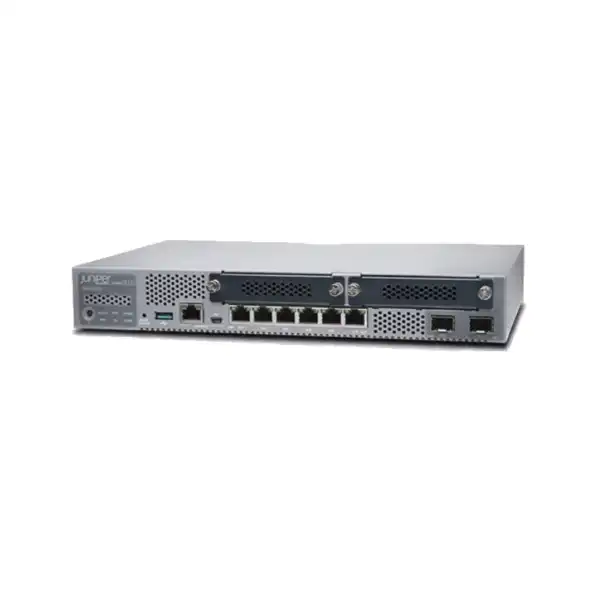
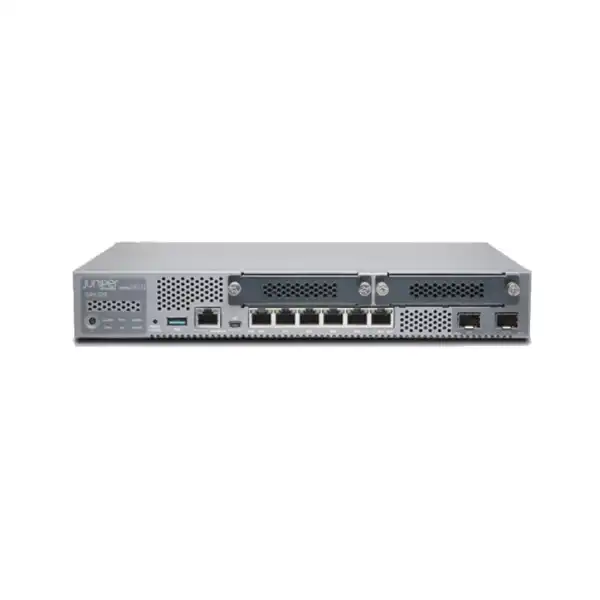
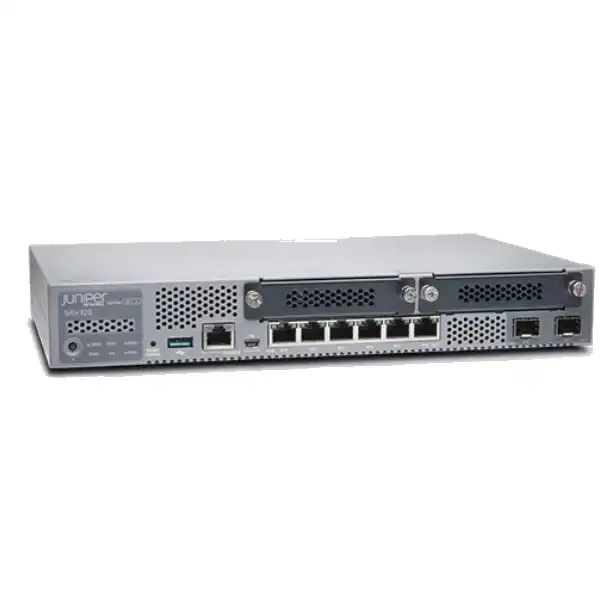
The physical design is compact but deliberately more flexible than the entry-level concept of a fixed eight-port firewall. Juniper specifies six 1GbE RJ-45 ports, two 1GbE SFP ports and two Mini-PIM slots. The SFP ports are useful where a fibre handoff, fibre uplink or electrical-separation requirement makes copper-only connectivity inconvenient. The Mini-PIM slots are the stronger differentiator for unusual branch circuits. Supported modules can add serial, T1/E1, VDSL2, LTE or Wi-Fi connectivity depending on the module and deployment. This flexibility is particularly relevant when a business has a standard firewall design but encounters a branch with a different carrier handoff, a temporary LTE backup requirement or a legacy WAN interface that cannot be replaced immediately.
The key limitation is that flexibility does not turn the SRX320 into a high-capacity campus or data-centre firewall. Its desktop form factor, session scale and security-throughput figures place it in a small-branch class. Buyers should therefore evaluate the SRX320 by the protected traffic profile, not by the physical number of ports. A branch may have only a handful of users yet still produce demanding encrypted traffic, cloud application flows, site-to-site VPN usage or content-inspection requirements. Conversely, a larger headcount performing light transactional work may fit comfortably. The correct decision comes from workload, enabled services and growth margin rather than user count alone.
SRX320 hardware and performance snapshot
| Area | Juniper-listed SRX320 detail | Buyer relevance |
|---|---|---|
| Form factor | Fixed desktop chassis, about 1.73 × 11.81 × 7.52 inches | Compact for branch installation; rack-mount planning may require the appropriate kit and physical-clearance checks. |
| Copper interfaces | 6 × 1GbE RJ-45 | Useful for WAN/LAN segmentation and small-site connectivity, but port roles must be mapped before deployment. |
| Fibre interfaces | 2 × 1GbE SFP, MACsec capable | Optics are selected according to fibre type, distance, connector and peer compatibility. |
| Expansion | 2 × Mini-PIM slots | Supports branch-specific WAN choices; Mini-PIMs are not hot-swappable, so module changes require a power-off window. |
| Firewall throughput | 1.9 Gbps at 1518-byte packets; 600 Mbps IMIX in Juniper Pathfinder hardware specifications | Packet size and test method matter; do not size using the largest number alone. |
| IPsec VPN | 0.336 Gbps at 1400-byte packets; 0.116 Gbps IMIX | Important for branches that backhaul or encrypt a large part of WAN traffic. |
| NGFW / IPS reference | NGFW performance listed at 0.226 Gbps; recommended IPS at 0.2 Gbps | Advanced inspection can become the practical sizing limit on faster Internet circuits. |
| Sessions | 64,000 maximum concurrent IPv4/IPv6 sessions | Consider application behaviour, guest traffic, IoT and cloud use, not just employee headcount. |
| VPN tunnels | 256 IPsec VPN tunnels | Adequate for many branch topologies, but tunnel count is separate from encrypted throughput. |
| Security scale | Up to 1,000 security policies, 16 zones and 1,000 NAT rules | Provides meaningful policy flexibility for a branch, but complex segmentation should still be designed carefully. |
Published performance values are test references, not a promise of identical production throughput. Real results depend on packet mix, software release, enabled services, policy complexity, VPN encryption, logging, traffic composition and other operational conditions.
Understanding the eight built-in network ports
The SRX320 front panel gives the buyer six copper Gigabit Ethernet ports and two 1GbE SFP ports. That sounds straightforward, but a useful deployment plan starts by assigning every physical interface a role. One copper port may serve as the primary Internet or MPLS handoff, another as a secondary WAN, and the remaining ports may connect to a switch, a management segment or a local server network. Alternatively, the branch can use an SFP interface for the carrier-facing link and reserve the copper ports for internal networks. Because Junos allows interfaces to participate in security zones and routing constructs, the physical layout can support more than a simple WAN-versus-LAN split.
The two SFP interfaces deserve special procurement attention. An SFP socket does not by itself guarantee compatibility with any fibre connection. The optic must match the required Ethernet speed, fibre type, wavelength, reach and connector arrangement, while the far-end device or carrier handoff must support the same optical characteristics. In practical terms, a quotation for an SRX320 with fibre connectivity should state whether optics are required and identify the physical media. Buyers should avoid ordering a firewall first and discovering at installation that the carrier provides a fibre presentation for which no compatible optic has been included. Where an existing Juniper optic is intended for reuse, its exact part number and support status should be checked rather than assumed.
Juniper lists MACsec capability on the two SFP ports. This can be relevant where Layer 2 link encryption forms part of the design, but it should not be confused with IPsec VPN. MACsec protects compatible Ethernet links at Layer 2, whereas IPsec normally protects routed IP traffic across an untrusted network. The choice depends on the network architecture and the peer equipment. A buyer who simply needs site-to-site encryption over the Internet is more likely to focus on IPsec performance and tunnel design, while a buyer extending a controlled Ethernet service may have a reason to evaluate MACsec. The distinction is important because the same physical SFP interface can appear in very different security designs.
Mini-PIM expansion: one of the SRX320’s most practical differentiators
The SRX320 provides two Mini-Physical Interface Module slots. Juniper documents support for modules that can provide serial, T1/E1, VDSL2, LTE and Wi-Fi connectivity. This does not mean every branch needs a module; many deployments will use only the built-in Ethernet and SFP interfaces. The value of the slots is that a standard SRX320 design can adapt to locations where the WAN presentation differs from the norm. For a distributed organization, that can reduce the need to introduce an entirely different firewall family just because a particular site uses a specialist or transitional access circuit.
LTE is a typical example. A branch can use cellular connectivity as part of a primary, temporary or backup architecture when the appropriate Mini-PIM, antennas, SIM and mobile service are supplied and correctly configured. The design should clarify whether LTE is expected to carry all branch traffic during an outage or only essential applications, because cellular bandwidth, addressing, data-plan terms and carrier coverage influence the usefulness of the failover. A backup link that technically comes online but cannot support critical cloud applications under load may not meet the business requirement. The firewall policy and routing behaviour also need to define which traffic is allowed over the backup path.
The operational detail that is often missed is that SRX320 Mini-PIMs are not hot-swappable. Juniper instructs administrators to power off the device before installing or removing a Mini-PIM. That matters during both initial deployment and later upgrades. If the branch is live and a module has to be changed, the work requires a planned interruption unless another architecture maintains connectivity. The physical installation should also follow ESD precautions and the device’s grounding requirements. These are straightforward data-centre practices, but small branch devices are frequently installed in general office areas where maintenance discipline can be less formal.
Wi-Fi Mini-PIM support can be useful in certain compact branch-in-a-box designs, but it should be assessed against the organization’s broader wireless architecture. A company already standardizing on centrally managed enterprise access points may prefer to keep WLAN infrastructure separate from the firewall. A small temporary site may value integration more highly. The correct choice depends on RF requirements, centralized management standards, regulatory country settings, expected client density and support responsibilities. Mini-PIM capability is therefore best treated as an architecture option, not as a reason to add modules that the site does not need.
Performance sizing: why the biggest throughput number is rarely enough
Current Juniper hardware specifications list several different performance figures for the SRX320 because different traffic conditions exercise the platform differently. Firewall throughput is listed at 1.9 Gbps with 1518-byte packets and 600 Mbps with IMIX traffic. IPsec is listed at 0.336 Gbps with 1400-byte packets and 0.116 Gbps with IMIX. Juniper also lists NGFW performance at 0.226 Gbps and a recommended IPS figure of 0.2 Gbps. These values immediately show why a branch with a 1 Gbps Internet circuit cannot simply see “1.9 Gbps firewall throughput” and conclude that every security feature will inspect a full gigabit of production traffic.
Sizing starts with the services that will be enabled. Basic stateful firewalling and routing impose a different workload from intrusion prevention, application identification, URL filtering, antivirus functions or advanced threat services. VPN encryption adds another distinct workload. A branch that sends most traffic through an encrypted site-to-site tunnel should examine the IPsec figures closely. A branch that breaks out directly to the Internet and wants extensive application and threat inspection should focus more heavily on the inspected-security figures. If both patterns happen simultaneously, the design should allow margin for combined use rather than independently assuming each maximum can be reached at the same time.
Traffic shape also matters. Large sequential packets often produce better throughput numbers than mixed real-world traffic containing many packet sizes, concurrent sessions and short-lived connections. Cloud applications, browsing, voice, software updates, video, SaaS APIs and security telemetry create a different workload from a laboratory stream. Session count and connection rates can also matter even when aggregate bandwidth appears modest. Juniper lists 64,000 maximum concurrent sessions and 16,000 AppID and IPS sessions, so a design with many guest, IoT or high-connection-rate devices should consider session behaviour rather than dividing bandwidth by employee count.
A responsible quotation therefore needs the expected WAN speed, peak utilization, percentage of encrypted traffic, enabled security functions, number and type of devices, growth horizon and any performance-sensitive applications. If the required inspected throughput approaches or exceeds the published capability, the better decision may be to evaluate a larger SRX platform rather than purchase the SRX320 with little operational headroom. Capacity margin is especially valuable in Dubai branches where cloud adoption, video collaboration and centralized security logging can increase traffic after the original Internet circuit is upgraded.
Junos OS: operational consistency for Juniper environments
The SRX320 runs Junos OS. For a buyer already operating Juniper routers, switches or firewalls, this can be a stronger reason to choose the platform than any single hardware specification. Network operations teams can work with familiar Junos concepts for interfaces, routing, policies, configuration hierarchy and troubleshooting. The branch does not become an isolated appliance managed through a completely different mental model. Standardized operating procedures can cover configuration changes, backups, software upgrades, rollback practices, command-line diagnostics and incident response.
Junos also supports the SRX320’s dual identity as a security gateway and branch router. The platform can participate in routing decisions while enforcing zone-based security policy and NAT. This is useful when a branch has multiple WAN paths, local subnets, VPN routes or segmented internal networks. However, the flexibility should not encourage unnecessarily complex branch configurations. A design that uses advanced routing, many zones, application controls and multiple tunnels needs stronger documentation and change control than a simple Internet edge. The hardware supports up to 16 security zones, 32 virtual routers and 1,000 security policies, but maximum scale numbers are not a recommendation to consume all of that complexity on every small site.
Management options documented by Juniper include the Junos CLI and graphical interfaces, and Juniper also provides onboarding paths for cloud-oriented management services such as Security Director Cloud and Mist depending on the target architecture and software support. The buyer should decide at procurement whether the SRX320 will be managed locally, through an existing central platform or as part of a broader cloud-managed branch strategy. That choice can affect licensing, onboarding steps, administrator roles, template design and support procedures.
Software release planning is another procurement consideration. Features, fixes, platform support and licensing behaviour can depend on the Junos OS release. A new SRX320 should therefore be introduced using a release that fits the organization’s support policy rather than simply leaving whatever image happened to ship on the unit. In an existing fleet, version alignment can make support and configuration management easier. In a new deployment, the selected release should be validated against required VPN, security, management and interface features before installation.
Licensing is part of the design, not an afterthought
The base SRX320 hardware includes Junos Base capabilities such as routing, firewalling, switching, NAT, VPN and MPLS, while advanced threat functions are associated with Juniper security licensing. Juniper’s current licensing documentation lists Flex tier options for the SRX300 and SRX320 including Advanced 1, Advanced 2 and Premium 1. The exact entitlement matters because the tiers cover different functions. For example, Juniper documents IDP signature entitlement across these listed tiers, Enhanced Web Filtering and related content-security functions in Advanced 2, and ATP Cloud in Premium 1. License availability and terms should be checked against the current Juniper program at the time of quotation because vendor licensing models evolve.
This has a direct effect on budget comparison. Two quotations that both say “Juniper SRX320” may represent different security outcomes if one includes only hardware and base software while another includes a multi-year security subscription. Comparing only the appliance price can therefore be misleading. The buyer should ask for the hardware SKU, subscription SKU, term, included security functions and support coverage to be shown separately or clearly described. If advanced inspection is not required, a base configuration may be appropriate; if threat prevention, filtering or cloud-assisted security is part of the requirement, the correct subscription should be included from the beginning.
Remote-access VPN should also be treated as its own requirement. Juniper licensing documentation identifies an SRX320-specific Juniper Secure Connect subscription option associated with 50 concurrent users. The hardware specification likewise lists a maximum of 50 SSL VPN concurrent users. A company expecting dozens of remote users should not treat the branch firewall’s remote-access capability as unlimited. It should confirm the number of concurrent users, authentication architecture, endpoint requirements and support term. If remote access is primarily hosted elsewhere, such as a larger central firewall or a cloud security service, the branch requirement may be minimal.
For procurement, the cleanest approach is to describe the intended security outcome rather than asking vaguely for “full license.” State whether intrusion prevention, URL filtering, antivirus, application security, cloud threat protection, remote access and centralized management are required, and state the desired one-, three- or five-year commercial term where applicable. FourTeck can then align the quotation to a specific licensing tier instead of assuming that every branch needs the most feature-rich bundle.
Standard versus PoE SRX320 hardware
Juniper lists the SRX320 in non-PoE and PoE hardware forms. The PoE model makes the six Ethernet ports PoE capable, while the non-PoE model provides the same general services-gateway role without powering connected Ethernet devices. The choice should be deliberate. PoE can simplify a small installation when the firewall is expected to power compatible endpoints, but many enterprise branches already use a managed PoE switch for access points, phones and cameras. In that architecture, paying for PoE at the firewall may provide little benefit.
A PoE requirement also needs a power-budget discussion, not merely a yes/no feature check. Connected devices have their own power classes and consumption, and the installation must ensure the selected hardware and power arrangement support the expected load. If a branch has several access points, IP phones and cameras, a dedicated PoE switch may offer better port density and operational separation. If only one or two devices require power and the topology is intentionally compact, the PoE SRX320 can reduce equipment count. The correct answer depends on the endpoint list and switching design.
The hardware compatibility data identifies SRX320-SYS-JB and SRX320-SYS-JB-P variants. A quotation should therefore state the exact hardware SKU rather than relying only on the family name “SRX320.” This protects the buyer from assuming PoE is included when the quoted unit is the non-PoE variant, or from purchasing a PoE model with no practical need for it. It also helps support teams maintain accurate asset records and spares.
When a branch requires more access ports than the SRX320 provides, the firewall should normally uplink to an appropriate switch rather than forcing every endpoint directly onto the security appliance. This preserves a clear separation between security-edge responsibilities and access switching. The SRX320’s built-in ports are flexible, but they should be assigned according to network architecture, not consumed simply because they are available.
VPN planning for site-to-site and remote connectivity
The SRX320 supports IPsec VPN and Juniper lists up to 256 IPsec tunnels. That tunnel count is useful for a branch platform, but it should not be interpreted as 256 simultaneously busy high-bandwidth VPNs. Encrypted throughput is the more important sizing constraint for many real deployments. Juniper’s current hardware specifications list 0.336 Gbps IPsec throughput at 1400-byte packets and 0.116 Gbps with IMIX. A branch using a 500 Mbps or 1 Gbps Internet connection may therefore be limited by encrypted security processing well before it reaches the raw line rate.
For a site-to-site design, identify the expected encrypted traffic volume, number of peers, routing method, tunnel redundancy and failover behaviour. A small branch connecting to two data centres may use only a few tunnels but carry most business traffic through them. Another branch may use many low-volume partner or segmentation tunnels. These are very different workloads even though the tunnel count alone may appear similar. Encryption algorithms, software version and traffic characteristics can also affect observed throughput.
Remote access introduces different questions. Juniper documents support for Juniper Secure Connect and identifies the SRX320 with a 50-concurrent-user licensing option. If the SRX320 is being considered as the primary remote-access concentrator for a business, concurrent-user demand and Internet uplink performance should be modeled together. Authentication integration, endpoint posture expectations, certificate handling and help-desk support are also part of a usable remote-access service. A device capable of establishing a tunnel is only one component of the user experience.
For UAE organizations with multiple branches, it is often useful to define a standard tunnel template covering address space, routing, security policy, monitoring and failover. The SRX320 can then be deployed as a repeatable branch edge rather than configured independently at every site. The benefit is operational consistency: troubleshooting is faster when the same logical design appears across locations, and configuration changes can be assessed against a known baseline.
Where the SRX320 fits well
Small enterprise branch
A branch needing stateful firewalling, routing, NAT, site-to-site VPN, segmentation and optional advanced security can be a natural SRX320 use case, especially when the expected inspected traffic remains within the platform’s practical capacity. The compact form factor fits locations where a full rack appliance would be excessive.
Distributed retail or service site
Sites with modest local infrastructure may benefit from the SRX320’s combination of security and WAN flexibility. Mini-PIM options can be valuable where primary connectivity, LTE backup or legacy circuit types vary between locations, while Junos standards can keep configurations consistent.
Juniper-standardized network
Organizations with Junos operational skills can use the SRX320 to keep branch firewall and routing procedures aligned with a broader Juniper environment. Familiar command structures, configuration discipline and centralized practices can reduce the operational overhead of supporting many small sites.
Fibre-connected branch edge
Two built-in 1GbE SFP ports give the SRX320 an advantage when fibre handoffs or uplinks are required. The design still needs compatible optics, but the firewall does not depend exclusively on copper Ethernet for its built-in network interfaces.
Branch with specialized WAN needs
The two Mini-PIM slots make the SRX320 relevant where a site must support serial, T1/E1, VDSL2, LTE or Wi-Fi module options. This can be useful during network migration when a standard Ethernet-only branch design cannot yet be applied everywhere.
When a larger or different firewall should be evaluated
The SRX320 should not be selected merely because it is compact and familiar. If the branch requires inspected security throughput close to or above the SRX320’s published NGFW or IPS capability, a larger model deserves evaluation. The same applies when the organization expects rapid WAN upgrades, large encrypted workloads, heavy remote-access use or significantly more concurrent sessions. Buying a firewall with minimal capacity margin can lead to a second purchase when security policies become stricter or the Internet circuit is upgraded.
Port requirements can also point elsewhere. The SRX320 provides eight built-in 1GbE network ports in a six-copper/two-SFP mix. A site needing higher-speed interfaces, more native ports, different transceiver support or greater physical redundancy should compare other SRX models. The Mini-PIM slots add specialized WAN flexibility, but they are not a substitute for a platform designed around higher interface density or multi-gigabit requirements.
High-availability architecture deserves separate attention. Juniper documents HA functionality on the SRX320 family, but a production design still has to account for duplicate hardware, cabling, upstream/downstream connectivity, failure domains and operational complexity. For a critical site, the business may decide that a higher-class platform with different redundancy characteristics is more appropriate. Conversely, for a low-impact branch, the cost and complexity of two devices may be harder to justify than a single firewall plus a tested recovery and spare strategy.
A different solution can also make sense when the organization does not use Junos and wants a security platform tightly integrated with another vendor’s endpoint, cloud or management ecosystem. The SRX320’s strongest operational value appears when its networking and security capabilities align with the surrounding architecture. Product selection should therefore consider the complete security stack, not only appliance specifications.
Security policies, zones and NAT at branch scale
Juniper lists support for up to 1,000 security policies, 16 security zones and 1,000 NAT rules on the SRX320. These numbers are more than enough for many small branches, but they also illustrate how quickly a security gateway can become complex if policy design is not disciplined. A good branch configuration normally begins with a small number of clearly defined zones based on trust boundaries: for example, corporate users, guest or untrusted devices, servers, management, WAN and VPN. The exact structure depends on the site, but each zone should have a real security purpose rather than existing merely because the platform allows it.
Policy rules should be written around permitted business flows and documented ownership. Broad any-to-any rules can make initial commissioning easy but weaken the reason for deploying a firewall. At the other extreme, hundreds of narrowly scoped rules can become difficult to audit in a small environment. A balanced design groups similar workloads, uses address and application objects consistently, documents exceptions and reviews unused rules. When advanced application identification is licensed and enabled, policy can become more aware of application behaviour, but the inspection load must still fit the hardware.
NAT design is equally important at branches with direct Internet access. Source NAT is common for internal users reaching the Internet, while destination NAT or static mappings may be needed when local services must be published. Public exposure should be minimized and protected with precise policy rules. If services can be hosted centrally or in a cloud platform instead of on a small branch network, that may reduce local attack surface and operational burden.
Juniper’s factory-default settings can help a new unit establish basic connectivity, but production deployment should not be treated as a factory-default exercise. Administrative access, passwords, management networks, DNS, NTP, logging, software level, zones, policies, NAT and VPN must be deliberately configured. A rollout template should replace ad-hoc per-site changes, particularly when the same SRX320 design is being deployed across many UAE locations.
Routing and branch WAN design
Because the SRX320 is a services gateway rather than only a security appliance, routing can be part of the branch design. A straightforward site may use a default route toward a single Internet connection and advertise local networks through an IPsec tunnel. A more advanced branch may have two WAN providers, dynamic routing to a private network, policy-based path selection or separate local and central Internet breakout. The SRX320 can participate in these designs, but the number of features should match the operational maturity of the team supporting them.
Dual-WAN designs need more than a second cable. The configuration must define how link health is detected, which routes are preferred, what happens to existing sessions during failure, whether NAT changes between providers, and how VPN tunnels recover. If the backup path is LTE, it may also have different addressing and bandwidth behaviour from the primary Ethernet circuit. The branch should have a tested failure scenario rather than assuming that the presence of two links automatically creates resilience.
Dynamic routing may be appropriate when branches participate in a larger routed enterprise, but it introduces route-policy and convergence considerations. Juniper lists large RIB and FIB capacities relative to typical branch needs, yet branch routing tables should remain purposeful. Accepting unnecessary routes increases complexity without creating business value. The routing design should also prevent accidental advertisement of guest or unmanaged networks into trusted corporate paths.
Where an SD-WAN architecture is planned, licensing and feature support should be verified against the current Junos release and Juniper subscription model. The SRX family can participate in application-aware and centrally managed designs, but a buyer should confirm exactly what functions are included in the quoted license tier. The phrase “supports SD-WAN” can cover different operational experiences depending on controller, policy, analytics and subscription choices.
Deployment journey for a Dubai branch
Physical installation, power and environmental planning
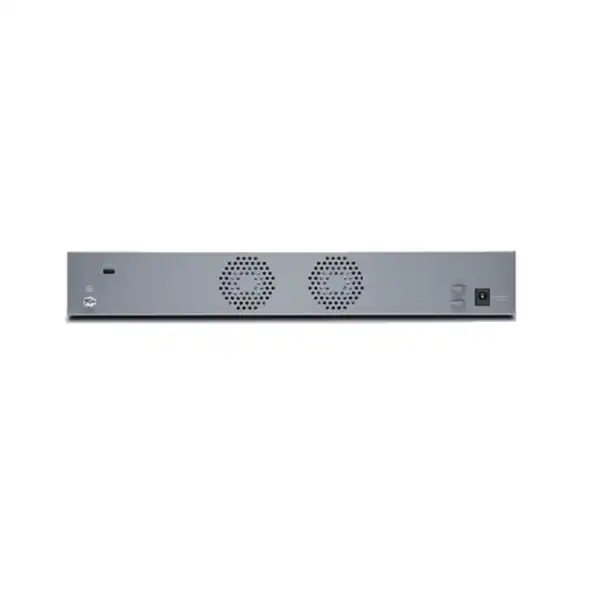
The SRX320’s small desktop chassis can make physical installation look trivial, but a branch firewall is still critical network infrastructure. Juniper publishes a chassis width of about 11.81 inches, depth of 7.52 inches and height of 1.73 inches, with weights around 3.28 lb for the non-PoE model and 3.4 lb for the PoE model. These dimensions suit desks, shelves and compact communications spaces, and Juniper also documents rack installation options. The chosen location should protect the device from accidental disconnection while allowing technicians to reach console, Ethernet, SFP and Mini-PIM interfaces.
Airflow should remain unobstructed. Juniper’s maintenance guidance calls for keeping the device clear of excessive dust, loose cabling and moisture and for maintaining appropriate clearance so the cooling system can function. Small offices sometimes place network equipment in cabinets designed for stationery rather than electronics; those spaces can trap heat and make cable management difficult. A firewall that is correctly sized logically can still become unreliable if the physical environment is poor.
Grounding and power protection should be part of the installation checklist. Juniper states that the services gateway should be connected to earth ground during normal operation and recommends a surge protector for the power connection. UAE sites may also choose to place the firewall and upstream modem or optical network equipment on an appropriate UPS so short power interruptions do not immediately disconnect the branch. UPS runtime should reflect business requirements and should include all devices necessary to maintain connectivity, not only the firewall.
Cable labeling is especially important when the SRX320 uses multiple WANs, SFP links or Mini-PIM modules. The physical label should correspond to the logical interface description in Junos and to the network diagram. This simple practice reduces troubleshooting time during outages because local staff or remote hands can identify the correct circuit without guessing. For multi-site deployments, standardized rack or shelf placement and consistent labeling create operational value far beyond their cost.
Migration from an existing firewall
Replacing an existing branch firewall with an SRX320 is not a matter of copying IP addresses alone. The migration should begin with an inventory of the current device’s interfaces, VLANs, routes, NAT rules, security policies, VPN peers, public addresses, DHCP services, DNS settings, authentication dependencies and management access. Each item should be classified as required, obsolete or uncertain. This prevents years of accumulated configuration from being transferred blindly to the new firewall.
Policy migration is particularly important when moving from another vendor because terminology and rule evaluation behaviour may differ. A rule that appears equivalent by name may not behave identically if objects, zones, NAT order or application controls are implemented differently. The target Junos policy should be built around the intended business flow and then tested. During the review, unused rules and old VPN peers can often be removed, reducing the attack surface and simplifying support.
The cutover plan should define the maintenance window, backout method and validation sequence. Public IP addressing and upstream carrier equipment may require changes. Site-to-site VPN peers at headquarters, data centres or cloud gateways may need corresponding configuration updates. If the old firewall provides DHCP or other local services, the replacement must assume those functions before user devices reconnect. A rollback path is especially valuable for remote UAE branches where travel to the site may be inconvenient.
After cutover, success should be measured by application functionality and monitoring, not only by successful ping tests. Confirm Internet browsing, critical SaaS platforms, voice, remote desktop, payment or business applications, DNS, VPN access, inbound services where applicable, logging and failover. Keep the old firewall configuration and migration notes in the change record even after the replacement is stable. They can explain unexpected traffic patterns discovered later.
Procurement checklist: what should appear in an SRX320 quotation?
High availability, resilience and recovery strategy
Juniper lists high availability among SRX320 capabilities, but resilience should be designed as a complete service. Two firewalls alone do not remove every single point of failure. A branch may still depend on one carrier circuit, one upstream modem, one switch, one power feed or one fibre path. The business should identify which failures must be tolerated and then decide where redundancy provides enough value to justify its cost.
For critical branches, a paired firewall design can provide device-level resilience, but it requires duplicate hardware, compatible software and licensing, correct control and data-path design, coordinated cabling and operational testing. Change procedures must account for both units. The team should know how to verify cluster or redundancy state and how to recover from partial failures. A pair that has never been tested under real failover conditions can provide false confidence.
For lower-impact locations, the organization may choose a different strategy: one SRX320 in service, a standardized configuration backup, documented replacement procedure and an available spare. This does not provide instant failover, but it can reduce recovery time without doubling every branch appliance. The business impact of downtime determines whether this is acceptable. Retail, payment, healthcare or operational sites may have very different tolerance from a small administrative office.
WAN resilience should be assessed at the same time. A second Ethernet provider, an LTE Mini-PIM or another backup path can preserve basic connectivity when the primary link fails. The failover path needs its own security, routing, NAT and bandwidth policy. If the branch normally sends 300 Mbps of cloud and VPN traffic, a modest LTE backup may need traffic prioritization so only essential systems continue. Resilience is effective when the degraded mode has been intentionally defined.
Logging, monitoring and operational visibility
A firewall protects the branch most effectively when its status and security events are visible to the operations team. The SRX320 can produce logs for security policies, system events, VPN conditions and other operational activity, but the design must decide where those logs go and how long they are retained. Local-only logging on a small appliance may be insufficient for centralized incident investigation, especially when a device is damaged or replaced. A syslog, SIEM or Juniper management platform can provide a broader operational record depending on the environment.
Monitoring should cover more than device reachability. Useful indicators include interface state, WAN latency and loss, VPN tunnel status, CPU and memory trends, session levels, security events, license state and software health. For dual-WAN sites, the monitoring platform should identify when traffic has moved to the backup path. Otherwise, a branch may operate for days on a constrained cellular circuit without anyone noticing that the primary connection failed.
Log volume must be considered when advanced security functions are enabled. Detailed traffic and threat logging creates value for troubleshooting and security operations, but it can generate substantial data. The logging policy should focus on events that can be acted upon. Excessive low-value logging can increase storage costs and make meaningful alerts harder to find. Conversely, logging only denied traffic may leave insufficient context for an incident.
Operational documentation should include management IP addresses, allowed administrator sources, authentication method, escalation contacts, monitoring destination, software release, license details and configuration-backup location. This information is often more valuable during an outage than a product brochure. For a fleet of SRX320 devices, consistent naming and monitoring tags can show site, business unit and circuit information so alarms immediately identify the affected branch.
SRX320 compared with nearby buying directions
| Buying direction | Why it may be preferred | What to verify |
|---|---|---|
| Smaller branch platform | A lower-capacity model may reduce cost where WAN speed, VPN load and security inspection are modest and fewer expansion capabilities are needed. | Do not reduce capacity so far that the first circuit upgrade or security-service change forces replacement. |
| Juniper SRX320 | Useful balance of compact form factor, 6 copper ports, 2 SFP ports, 2 Mini-PIM slots and Junos consistency for small branches. | Confirm inspected throughput, IPsec load, licensing tier, PoE need, Mini-PIM requirement and growth. |
| Larger SRX branch platform | May provide more performance, session scale, ports or headroom for faster circuits and heavier security inspection. | Compare total cost with the risk of undersizing the SRX320 for the expected three-to-five-year workload. |
| Different firewall ecosystem | May be preferred when the organization standardizes on another vendor’s management, endpoint, cloud-security or SOC tooling. | Compare operational integration, licensing, migration effort and support skills, not only raw hardware specifications. |
Dubai and UAE deployment considerations
For Dubai and wider UAE buyers, the appliance specification is only one part of the deployment. Carrier handoff type, rack or cabinet conditions, power protection, onsite access, support response and replacement logistics can affect the final design. A branch in a managed office tower may receive a completely different Internet presentation from a warehouse, retail outlet or remote operational site. The SRX320’s mix of copper, SFP and Mini-PIM connectivity gives the integrator options, but each location should still be surveyed or documented before equipment is ordered.
Fibre handoffs are common in business connectivity, so the SFP requirement should be confirmed early. The firewall may connect directly to the provider equipment or through an intermediate switch or router depending on the service. Public IP addressing, VLAN tags and provider-side requirements should be documented. If the link terminates on copper Ethernet, the built-in RJ-45 ports can simplify the design; if it terminates on fibre, the correct supported optic and patching become part of the bill of materials.
Cellular backup deserves coverage validation. An LTE Mini-PIM can add valuable path diversity, but indoor signal quality varies with building structure and equipment-room location. Antenna placement and mobile-network coverage may determine whether LTE provides a reliable failover path. The mobile plan should also match expected usage during an outage. A capped or low-volume service might be acceptable for emergency access to essential applications but unsuitable for unrestricted user traffic.
Commercial planning should include lead time, exact regional power components, support entitlement and whether installation is scheduled during business hours or a maintenance window. If the SRX320 is replacing an active firewall, the quotation should distinguish supply from migration services so responsibilities are clear. FourTeck can structure the scope around a single branch or a repeatable rollout for multiple UAE sites.
How to size the SRX320 from business requirements
Start with the fastest expected WAN circuit during the firewall’s planned service life, not only today’s bandwidth. If a Dubai branch has a 200 Mbps Internet connection but the carrier can upgrade it to 500 Mbps next year, security sizing should consider the higher figure. Then estimate how much of that traffic will receive advanced inspection. A branch using only stateful firewalling may have a very different capacity profile from one enabling IPS, application visibility, URL filtering and other services on most Internet sessions.
Next, separate encrypted and unencrypted traffic. Site-to-site VPN, remote access and secure connectivity to cloud environments can consume a large percentage of branch bandwidth. Compare the expected encrypted load with Juniper’s IPsec performance references, allowing margin for mixed packet sizes and simultaneous security work. If the design backhauls all user Internet traffic through an encrypted tunnel to headquarters, the tunnel may become the dominant sizing factor even if local breakout is minimal.
Then examine concurrency. Count employees, guests, phones, printers, cameras, access points, IoT devices, building systems and local servers. Many of these generate multiple simultaneous connections. A site with 40 employees can easily have far more than 40 active network devices. Juniper lists 64,000 maximum concurrent sessions for the SRX320, but application and inspection session limits can be lower. The goal is not to approach maximum values; it is to maintain comfortable operational margin during peaks.
Finally, consider future security policy. Organizations often buy a firewall for basic routing and VPN, then enable additional threat controls later. If the SRX320 is already close to its practical performance limit before those controls are enabled, the security team may be forced to choose between performance and inspection. A slightly larger platform can sometimes be more economical over several years if it avoids early replacement. Conversely, buying a much larger appliance for a tiny branch with stable requirements can waste budget. The sizing decision should be proportional, documented and tied to measurable assumptions.
FourTeck can use a short set of inputs—WAN speeds, peak utilization, number of users and devices, VPN percentage, required security services, expected growth, interface needs and high-availability requirements—to recommend whether the SRX320 remains a sensible choice or whether another platform should be compared.
Frequently asked buyer questions
Is the SRX320 suitable for a 1 Gbps Internet connection?
It depends on what security processing is required. Juniper lists 1.9 Gbps firewall throughput with large packets but 600 Mbps IMIX, about 226 Mbps NGFW performance and 200 Mbps recommended IPS performance. A 1 Gbps circuit with full advanced inspection can therefore exceed the practical capacity of the SRX320. Size against enabled services and traffic mix, not the highest headline figure.
Does the SRX320 include PoE?
PoE is model dependent. Juniper offers a standard SRX320 and a PoE variant in which the six Ethernet ports are PoE capable. The quotation should identify the exact hardware SKU so the buyer does not assume PoE is included on every SRX320.
How many SFP ports are built in?
The SRX320 provides two 1GbE SFP ports. Juniper lists them as MACsec-capable. Optics are selected separately according to the fibre and peer requirement, so the bill of materials should identify the needed transceiver type rather than treating the empty SFP socket as a complete fibre connection.
Can the SRX320 use LTE backup?
Yes, Juniper documents supported LTE Mini-PIM options for the SRX320. The design must also account for the specific module, antennas, SIM, carrier plan, signal coverage, routing and failover policy. Mini-PIM installation requires powering off the device.
Does advanced threat protection require a license?
Advanced security functions are tied to Juniper subscription tiers. Current documentation lists Advanced 1, Advanced 2 and Premium 1 options for SRX300/SRX320, with different entitlements. The exact bundle should be selected according to the required features and term.
How many remote-access users can the SRX320 support?
Juniper’s hardware specifications list a maximum of 50 SSL VPN concurrent users, and licensing documentation identifies an SRX320-specific Juniper Secure Connect subscription associated with 50 concurrent users. Confirm the current licensing model and expected concurrency before purchase.
Can it be rack mounted?
The SRX320 is a desktop-form-factor device, and Juniper provides rack-installation guidance. If rack mounting is required, confirm the appropriate rack kit and available depth, grounding, power and cable clearance as part of the order.
Are Mini-PIMs hot-swappable?
No. Juniper specifies that SRX320 Mini-PIMs are not hot-swappable. The services gateway must be powered off before a Mini-PIM is removed or installed, so a live-site module change requires a planned maintenance window unless the network has another path.
Lifecycle and support planning
A firewall purchase should include a lifecycle plan from the start. Record the exact SRX320 hardware SKU, serial number, Junos OS release, support entitlement, subscription term, license IDs, optics and installed Mini-PIMs. This inventory makes future support cases, renewals and replacements easier. It also prevents a common problem in distributed networks: the central team knows a branch has an “SRX320” but cannot determine remotely whether it is the PoE model, which LTE module is installed or when its security subscription expires.
Software maintenance should follow a controlled process. Junos releases contain feature changes, security fixes and resolved issues, but upgrades can also change behaviour. Organizations should use a tested release policy, read relevant release notes, back up configurations and schedule maintenance rather than upgrading branch devices casually. A pilot site can validate a new software release before it reaches the entire fleet. For critical branches, backout procedures should be documented and remote-console options considered.
Subscription renewal should be tracked before expiry. If advanced security services depend on an active entitlement, allowing the license to lapse can change the site’s protection or support position. Multi-year terms can reduce renewal administration, but the selected duration should match the expected hardware lifecycle and organizational budgeting approach. The quotation should make start dates and terms clear.
Hardware lifecycle status can change over time, so buyers planning new long-term deployments should confirm current Juniper sale and support status at the time of order. The SRX320 remains documented by Juniper, but procurement decisions should use current vendor lifecycle information rather than relying on an old project specification. If a successor platform provides materially better performance, software longevity or management integration, it may be worth comparing before committing to a new multi-year rollout.
What information improves quotation accuracy?
The product name alone is enough to identify the platform, but it is not enough to produce a technically complete branch-security quotation. The first useful input is the expected Internet or WAN speed at each site. The second is the required security service level: basic firewall and VPN, or advanced inspection such as IPS, application control, filtering and cloud-assisted threat services. The third is the interface requirement, including whether the carrier provides copper Ethernet, fibre, VDSL2, LTE or another supported medium.
User and device counts help with session planning, but the traffic profile is equally important. State whether the site hosts servers, cameras, point-of-sale equipment, voice systems, guest Wi-Fi, large software updates or cloud collaboration. Estimate what percentage of traffic uses site-to-site VPN. Identify the number of remote-access users if the SRX320 will terminate client VPN sessions. If the organization already has a Juniper management platform, name it so onboarding requirements can be aligned.
Physical scope should include PoE requirements, rack or desktop placement, optics, patch cords, Mini-PIMs, UPS or power considerations, installation location and maintenance-window restrictions. For a replacement project, provide the current firewall model, public IP information, number of VPN peers and whether FourTeck is expected to migrate configuration and test applications. These details affect engineering effort as much as hardware selection.
Finally, state the commercial expectations: quantity, delivery location within the UAE, desired support term, preferred security-subscription term and whether the quotation should include onsite installation. A concise but complete requirement enables a more comparable quote and reduces change orders after equipment arrives.
Decision recap before you order a Juniper SRX320
What FourTeck needs from the buyer
For an accurate Dubai or UAE quotation, the following inputs are usually enough to move from a product-name request to a properly sized bill of materials and service scope.
How many SRX320 units are required, and are they for one branch or a multi-site rollout?
Current and planned Internet, MPLS or private-WAN speed for each site.
Basic firewall/VPN only, or IPS, application control, web filtering, antivirus-related functions and ATP Cloud.
Employees plus guest, IoT, voice, camera, printer and server endpoints that create concurrent sessions.
Copper or fibre handoff, required SFP optics, Mini-PIM need and PoE requirement.
Expected site-to-site encrypted bandwidth, number of peers and concurrent remote-access users.
Preferred one-, three- or five-year subscription and support horizon where applicable.
Supply only, preconfiguration, migration, onsite installation, testing, documentation or support handover.
Build the SRX320 quote around the branch, not around a box
The Juniper SRX320 is a capable compact branch firewall when its security performance, interfaces, Junos operating model and license tier match the site. A technically sound order should identify the exact standard or PoE hardware, required subscriptions, SFP optics, Mini-PIMs, support coverage and implementation scope. Share your WAN speed, user/device profile, VPN load and security requirements with FourTeck to confirm whether the SRX320 is the right fit or whether a larger option provides safer long-term capacity.

Reviews
There are no reviews yet.