
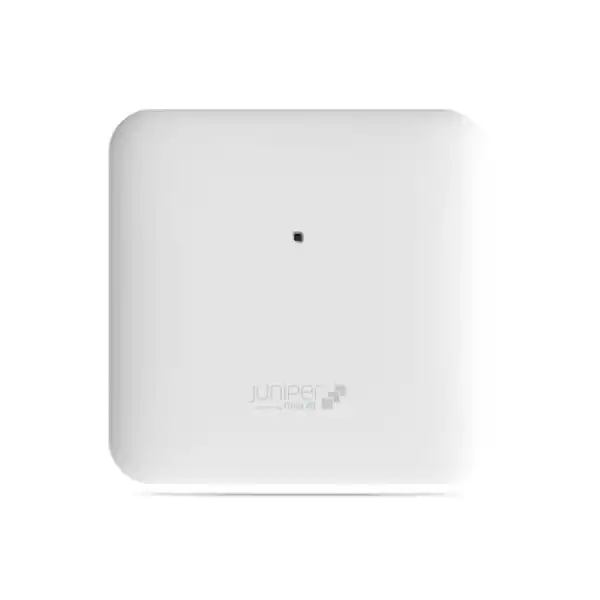
Juniper AP33 Access Point Dubai
The Juniper AP33 is an indoor 802.11ax Wi-Fi 6 access point built for organizations that need dependable high-density wireless service, cloud-led operations through Juniper Mist, dedicated radio scanning, and location-aware Bluetooth capabilities. It is especially relevant where a buyer wants strong 5 GHz capacity without moving immediately to a 6 GHz Wi-Fi 6E design.
Direct answer: what is the Juniper AP33 and who should consider it?
The AP33 is a Juniper indoor Wi-Fi 6 access point with internal antennas, dual-band client radios, a dedicated third radio for monitoring and analytics, Bluetooth 5.0 with a virtual BLE antenna array, and cloud-centric management through Juniper Mist services.
It is used to deliver managed indoor business Wi-Fi in offices, schools, clinics, retail environments, warehouses and similar sites where administrators need user connectivity, RF visibility, operational assurance and optional location-related capabilities.
Organizations standardizing on Juniper Mist, replacing older Wi-Fi 5 infrastructure, expanding dual-band Wi-Fi 6 coverage, or requiring stronger 5 GHz capacity with 4×4:4 operation should shortlist AP33 where the indoor environment and regional model match the project.
Confirm the design, not only the access point model. Device density, application mix, wall construction, channel plan, switch uplinks, PoE budget, subscription requirements and client capabilities determine whether the installed experience meets expectations.
FourTeck can help a Dubai or UAE buyer define access-point quantity, AP placement, switch and PoE readiness, required Mist services, mounting accessories, cabling scope, migration sequence, and whether AP33 remains the right family position compared with Juniper Wi-Fi 6E or other available access-point options.
Why the AP33 remains a serious enterprise Wi-Fi 6 option
A good access-point decision is not simply a contest for the newest Wi-Fi generation. Many business networks still serve a broad mix of 2.4 GHz and 5 GHz devices, and the practical objective is to create predictable coverage, enough airtime capacity, secure authentication and manageable operations. The AP33 addresses that requirement with 802.11ax features such as OFDMA, MU-MIMO, 1024-QAM, Target Wake Time and BSS Coloring while preserving backward compatibility with earlier 802.11a/b/g/n/ac client generations. That matters in real deployments because offices, clinics, classrooms, point-of-sale environments and warehouses rarely refresh every endpoint at the same time.
Its radio design is also important. On 5 GHz, AP33 supports 4×4:4 operation with up to 2,400 Mbps physical-layer data rate under supported conditions, while the 2.4 GHz radio is 2×2:2 and supports up to 575 Mbps with 802.11ax. Those figures are protocol-level maximum data rates rather than guaranteed application throughput, but they describe the model’s relative capability. For buyers comparing APs, the key implication is that AP33 prioritizes stronger 5 GHz spatial-stream capability, which can be useful in indoor environments where modern laptops, phones and business devices spend most of their productive time on 5 GHz.
The dedicated third radio deserves equal attention. Instead of forcing the client-serving radios to perform every background task, the AP33 includes a dual-band radio used for functions such as wireless intrusion detection and prevention, spectrum analysis, synthetic-client activity and location analytics. From a buyer’s perspective, this architecture is valuable because operational visibility is not an optional extra in a busy network. When users report that “Wi-Fi is slow,” the team needs evidence about interference, roaming, authentication, coverage, capacity and client behaviour. A platform that continuously collects relevant wireless telemetry can shorten the path from complaint to cause.
AP33 also includes Bluetooth 5.0 and Juniper’s virtual Bluetooth LE approach. Juniper positions the vBLE array as a foundation for location services and has published one-to-three-metre accuracy claims for supported location use cases. A buyer should treat this as an application capability that depends on the wider Mist service design, device/tag ecosystem, floor plan and subscription choice, not as an automatic outcome of merely powering on the AP. When location or asset use cases matter, they should be included in the solution design from the start because AP placement decisions for ideal Wi-Fi and for location performance may need to be considered together.
Juniper AP33 key specifications
| Specification | AP33 detail and buyer relevance |
|---|---|
| Deployment type | Indoor access point. It should not be selected for exposed outdoor locations unless the environment is suitably enclosed and the installation remains within the product’s published operating requirements. |
| Wi-Fi generation | IEEE 802.11ax Wi-Fi 6 with backward compatibility for 802.11a/b/g/n/ac clients. |
| 5 GHz radio | 4×4:4 802.11ax, supporting up to 2,400 Mbps data rate under appropriate channel width, client and RF conditions. |
| 2.4 GHz radio | 2×2:2 802.11ax, up to 575 Mbps; older 802.11b/g/n/ac operation is also supported as documented. |
| Combined highest supported data rates | Up to 3.0 Gbps across 2.4 GHz and 5 GHz. This is not the same as a guaranteed single-user Internet speed or real application throughput. |
| Dedicated scanning radio | Dual-band third radio for WIDS/WIPS, spectrum analysis, synthetic client functions and location analytics. |
| Bluetooth | Bluetooth 5.0 with a 16-element directional vBLE antenna array plus an omnidirectional Bluetooth antenna. |
| Internal Wi-Fi antennas | Two 2.4 GHz omnidirectional antennas with published 5 dBi peak gain and four 5 GHz omnidirectional antennas with published 6 dBi peak gain. |
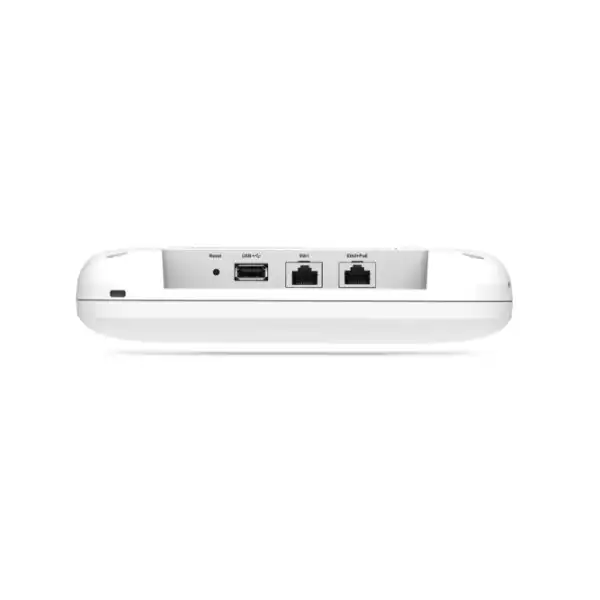
| Primary Ethernet | Eth0 supports 100/1000Base-T and 2.5GBase-T over RJ45 and acts as the PoE powered-device interface. |
| Secondary Ethernet | Eth1 supports 10/100/1000Base-T over RJ45. Confirm the intended topology before treating this port as a substitute for a dedicated access switch connection strategy. |
| USB | USB 2.0 support interface. Any accessory or feature dependency should be checked against the current Juniper documentation and subscription plan. |
| Power | Juniper’s current PoE requirements guidance lists 802.3af for minimum functionality and 802.3at for full functionality, with 19.5 W stated for full functionality. Project design should therefore validate switch PoE class and total budget, not just port count. |
| Dimensions | 202 × 202 × 44 mm. |
| Weight | Approximately 0.98 kg excluding mount and accessories. |
| Operating temperature | 0°C to 40°C for the internal-antenna model. Ceiling voids, warehouses and hot utility areas should be checked carefully in the UAE climate. |
| Operating humidity | 10% to 90% maximum relative humidity, non-condensing. |
| Security hardware | Includes a Trusted Platform Module according to Juniper’s published specification. |
| Mounting | The universal APBR-U bracket is documented as included, with additional adapters available for specific T-rail or threaded-rod mounting conditions. |
| Regional ordering | Juniper lists AP33-US for the United States and AP33-WW outside the United States. UAE buyers should still confirm the currently authorized regional SKU, regulatory domain, support entitlement and exact bill of materials before ordering. |
What the Wi-Fi 6 radio design means in a real Dubai deployment
5 GHz is the main capacity engine
The 4×4:4 5 GHz radio is the AP33’s strongest client-facing feature. In modern offices, classrooms and clinics, 5 GHz typically carries a large share of productive traffic because it offers more usable spectrum and supports wider channels than 2.4 GHz. The access point’s four spatial streams can improve aggregate efficiency and provide more flexibility when many compatible clients contend for airtime. It does not mean every laptop will receive four streams; many clients are 2×2. The advantage is the access point’s ability to coordinate multiple users and maintain stronger overall capacity.
2.4 GHz remains useful but should be designed carefully
The 2.4 GHz radio is 2×2:2. That band remains relevant for legacy endpoints, IoT devices and some clients at longer ranges, but it offers fewer non-overlapping channels and is more exposed to interference. A sensible enterprise design does not chase maximum transmit power. It uses appropriate channel widths, power levels and minimum data-rate choices so clients can move toward 5 GHz where practical while 2.4 GHz remains available for devices that genuinely require it.
OFDMA and MU-MIMO are efficiency tools
Wi-Fi 6 capabilities such as OFDMA and MU-MIMO are designed to use airtime more efficiently when compatible clients and suitable traffic patterns are present. They are most meaningful in multi-client environments rather than as a promise of a particular speed-test result. Buyer planning should therefore focus on expected concurrent users, application types, roaming behaviour and channel reuse. Capacity planning based only on the headline 3.0 Gbps figure risks underestimating real RF constraints.
The third radio improves operational awareness
AP33’s dedicated scanning radio can support continuous monitoring functions without relying entirely on the client-serving radios. That gives the platform more telemetry for radio resource management, wireless security, spectrum analysis and location-related analytics. For IT teams, this distinction can matter more than an incremental increase in headline throughput because reliable diagnosis reduces the operational cost of supporting wireless users across a busy site.
Channel width is a design decision
The 2,400 Mbps 5 GHz figure depends on a suitable high-efficiency configuration such as HE80 and compatible clients. In dense sites, wider channels are not always preferable because each wider channel consumes more spectrum and can reduce the number of reusable channels. A warehouse with long aisles, an open office and a multi-floor school can require very different channel strategies even when they use exactly the same AP model.
Client capability still sets the ceiling
A network can only use features that both the infrastructure and client support. A 1×1 IoT device, older Wi-Fi 5 phone or low-power scanner will not perform like a modern 2×2 Wi-Fi 6 laptop. Procurement teams should therefore consider the actual endpoint population rather than assuming access-point capability alone determines user experience. Client drivers, power-saving behaviour, roaming implementation and antenna design are all part of the outcome.
Mist cloud management: the AP is only one layer of the solution
The AP33 is designed to operate as part of the Juniper Mist cloud-managed architecture. That changes how a buyer should evaluate the product. Traditional access-point comparisons often concentrate on radio count, data rate and port speed. Those factors still matter, but day-two operations can be equally important. Administrators need to know whether users can authenticate, whether devices roam successfully, whether DNS and DHCP complete on time, where interference appears, which WLAN or site policy applies, and whether a problem is local to one client or systemic across an area.
Juniper Mist Wi-Fi Assurance is positioned around service-level expectations and operational visibility. In practice, the relevant purchasing question is not “does the AP have AI?” but “which Mist subscription and operational workflow do we need for our environment?” A small office may mainly require centralized configuration and straightforward wireless assurance. A multi-site retailer may place more value on consistent templates, guest access, site-level visibility and fast support triage. A campus may add location, advanced analytics, network access control, switching integration or Mist Edge depending on architecture and policy.
Marvis capabilities can add conversational and data-science-assisted troubleshooting to the broader Mist environment. Buyers should still define who will own network operations, what alarms and dashboards are needed, how incidents are escalated, and whether the team already has Juniper Mist expertise. Cloud management reduces some traditional controller complexity, but it does not eliminate the need for sound WLAN design, wired switching, RADIUS or identity integration where required, change control, monitoring ownership and support processes.
Subscription choice therefore belongs in the bill of materials from the beginning. The access point should not be quoted in isolation if the organization expects specific assurance, location, analytics or access-control features. The exact current licenses, terms and feature entitlements should be confirmed at quotation time because cloud-service packaging can evolve independently of the physical AP lifecycle.
2.5GbE, PoE and switching: where many access-point projects succeed or fail
AP33 provides a primary Ethernet interface that supports 100 Mbps, 1 Gbps and 2.5GBASE-T. This is strategically useful because Wi-Fi 6 access points can aggregate enough traffic that a Gigabit uplink may become a constraint in some high-usage scenarios. Whether 2.5GbE is necessary at every AP depends on the site’s actual traffic, channel plan, client mix and application demand. A light office might never approach a sustained Gigabit bottleneck, while a dense training facility or performance-oriented deployment could justify multigigabit switching to preserve headroom.
The switch port must support more than the desired Ethernet speed. Power is equally important. Juniper’s current PoE requirements documentation lists 802.3af as providing minimum functionality for AP33 and 802.3at for full functionality, with 19.5 watts stated for full functionality. That creates two planning tasks. First, each switch port needs the appropriate PoE capability. Second, the switch’s total PoE budget must be sufficient when every attached device draws its planned power at the same time. A 48-port switch with enough ports is not automatically capable of powering 48 APs at the required level.
Cabling quality also matters. Existing Cat5e may support 2.5GBASE-T within supported conditions, but older, damaged or poorly terminated cabling can create negotiation problems or errors. A refresh project should include certification or at least targeted testing of questionable cable runs. In ceiling spaces, cable pathways, fire-stopping, labeling and separation from sources of electrical interference should be considered as part of the implementation rather than treated as last-minute installation details.
The secondary Eth1 interface is Gigabit Ethernet. Its presence may support particular connection or topology requirements, but it should not be used as justification for an improvised network design. Confirm the intended AP mode, downstream device requirements, segmentation and current Juniper feature support. In enterprise deployments, clarity about which ports carry management, client traffic, tagged VLANs and any attached device traffic is essential for predictable troubleshooting.
For a Dubai quotation, the wired dependency should be documented explicitly: switch model, available port speed, PoE standard, remaining PoE budget, VLAN design, DHCP reachability, DNS, Internet/cloud egress policy and any firewall rules required for Juniper Mist connectivity. That prevents a situation where the correct access point is purchased but cannot operate as intended because the access layer was never validated.
Planning AP quantity: why floor area alone is not enough
Coverage requirements
A floor plan should identify walls, doors, partitions, shelving, machinery, ceiling structure and areas where reliable service is mandatory. Concrete, metalized glass and dense storage can attenuate signals very differently from light office partitions. Warehouses in particular can change RF characteristics when racks are full versus empty. AP placement must therefore be based on the real environment, not a simple square-metre ratio.
Capacity requirements
An area can have excellent signal and still perform poorly when too many active clients compete for airtime. Meeting rooms, training rooms, auditoriums, waiting areas and staff clusters may need more AP capacity than their physical size suggests. Count active devices, estimate simultaneous use, identify voice/video demand and consider peak periods. The goal is not to attach the largest possible number of clients to each AP; it is to distribute airtime demand sensibly.
Application requirements
Web access is relatively forgiving. Real-time voice, video meetings, cloud desktops, large file synchronization, barcode scanning, mobile point-of-sale and location services each place different demands on latency, packet loss, roaming and airtime. If Wi-Fi supports an operational process rather than simple convenience, the design criteria should be written around that process and validated after installation.
Roaming requirements
Users walking with voice handsets, tablets or scanners need overlap that supports stable roaming without creating excessive co-channel interference. Roaming is ultimately a client decision influenced by signal, driver and network configuration. AP placement, transmit power, minimum data rates and authentication design should encourage timely movement between access points while preserving enough coverage at cell boundaries.
A practical AP count therefore emerges from coverage, capacity and application requirements together. A predictive design can establish an initial model, but important sites may justify an on-site survey or post-installation validation. For brownfield refreshes, existing controller statistics and client telemetry can also help identify high-density areas, weak coverage zones and roaming problems before the new AP layout is finalized.
Indoor deployment considerations for Dubai and the UAE
Although AP33 is an indoor device, UAE conditions still influence design. Indoor access points may be mounted above suspended ceilings, near external doors, inside warehouses or in utility spaces where temperatures can differ substantially from an air-conditioned office. Juniper publishes a 0°C to 40°C operating-temperature range for the internal-antenna AP33. The designer should therefore check the temperature at the actual mounting location, not assume the occupied-room thermostat represents conditions above the ceiling or near a roof deck.
Humidity is another consideration. AP33 is specified for 10% to 90% relative humidity, non-condensing. Locations with condensation risk, wash-down requirements, dust exposure or outdoor air infiltration may require a different installation approach or an access point designed for more challenging environments. Using an indoor AP in an unsuitable space can create reliability and warranty issues even when the radio performance initially appears acceptable.
Regulatory domain is important. Juniper’s ordering information distinguishes the AP33-US model from the AP33-WW model used outside the United States. A UAE deployment should use a regionally authorized unit and configuration. Wireless channel availability and transmit-power rules are regulatory matters; they should not be copied from a US reference design. Procurement through an appropriate regional channel also supports correct warranty, entitlement and regulatory handling.
Physical security can matter in public or semi-public spaces. The AP33 includes features such as a Kensington-style lock slot and safety-tie provision in the hardware documentation. Mounting height and bracket choice should reduce casual tampering while still allowing maintenance access. In schools, retail stores, clinics and shared buildings, an installation plan should also consider cable protection, visible aesthetics, ceiling material and whether maintenance teams can safely reach the AP without disrupting the premises.
Finally, network cloud access must be considered within local cybersecurity and IT governance policies. Organizations with strict outbound firewall controls should document the connectivity needed for Mist cloud operations. Where a buyer requires local traffic tunneling or specific campus mobility architecture, Juniper Mist Edge may become relevant. That is an architectural option, not a mandatory component for every AP33 deployment, and it should be evaluated against the organization’s segmentation, guest, resilience and data-path requirements.
Mounting and installation: what should be included in the project scope?
Juniper documents the APBR-U universal bracket as included with AP33 and supports wall, ceiling and junction-box mounting methods. Additional adapters are available for particular T-rail and threaded-rod arrangements. This looks simple in a datasheet, but installation quality has a direct effect on RF results. An access point placed above metal ducting, tucked into a corner, mounted against a dense obstruction or hidden inside a cabinet can behave very differently from the predictive plan.
A good installation scope should identify the exact mounting position, mounting surface, bracket or adapter, cable route and labeling standard for every AP. Where ceiling types vary across the site, the bill of materials should distinguish standard universal mounts from required rail adapters. Warehouse and industrial-style ceilings may require threaded-rod hardware or specialist mounting. These accessories should be confirmed before installers arrive because a missing bracket can leave an AP hanging in a temporary position that becomes permanent through project inertia.
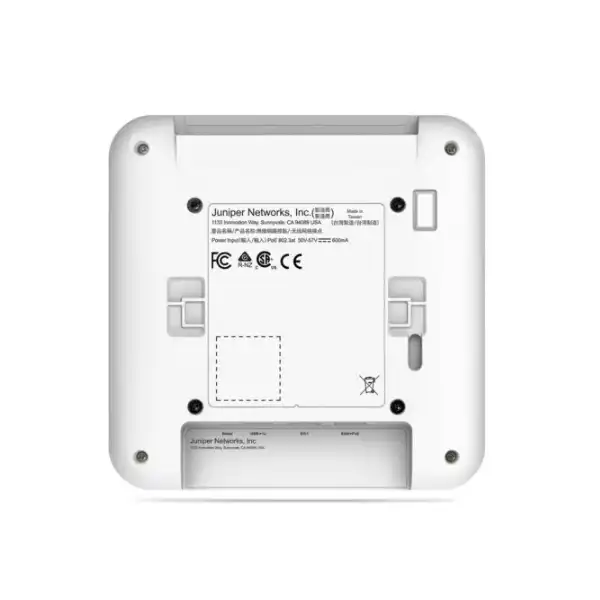
Juniper recommends claiming the access point before mounting because the claim code is located on the rear and can become difficult to access after installation. This is a small operational detail with real project value. A staging workflow can record serial numbers, claim devices into the correct organization, assign site names, apply labels and test basic cloud connectivity before the hardware is lifted into position. That reduces ceiling work and helps ensure each physical AP maps correctly to its logical name in Mist.
Post-installation verification should test more than whether the LED turns green. Validate that each AP negotiates the intended Ethernet speed, receives the correct power level, reaches Mist, advertises the expected WLANs, receives the planned VLANs and follows the assigned RF template. Then validate client experience across important areas. Coverage checks should include signal and noise; functional checks should include DHCP, DNS, authentication, Internet or application reachability, roaming where required, and representative throughput rather than a single best-case speed test beneath one AP.
Where the project replaces an existing WLAN, installation and cutover should be coordinated carefully. Operating old and new APs in the same space can cause additional contention if channel plans overlap. A phased migration may still be appropriate, but each phase should define which old APs are removed or disabled, how SSIDs are transitioned, what authentication dependencies move first and how users are supported during the change window.
Security, authentication and segmentation decisions
The physical access point is only one part of a secure WLAN. The security design starts with the WLAN authentication method. Enterprises commonly use 802.1X with RADIUS or another policy service for employee access, while guest and device networks may use different controls. Juniper Mist supports modern WLAN security options and can integrate into broader access-assurance architectures. The buyer should define user groups, device types, identity sources, certificate strategy, guest workflow and segmentation before finalizing the implementation.
WPA3 can improve wireless security for compatible devices, but migration requires attention to legacy clients and roaming support. A site with scanners, printers, older handhelds or specialized medical/industrial devices may not be able to switch every SSID to the newest mode immediately. Maintaining a temporary compatibility WLAN can be necessary, but it should be intentional, segmented and reviewed rather than left indefinitely. Authentication testing should include representative devices from every important category.
Network segmentation determines where authenticated clients can go after joining Wi-Fi. VLANs, role-based policy, firewall rules and access-control logic should separate trusted corporate users, guests, voice devices and IoT endpoints according to business risk. An AP33 deployment can participate in these designs, but the exact enforcement architecture depends on switches, gateways, firewalls, Mist services and organizational policy. Do not assume that buying the AP alone creates a zero-trust or microsegmented network.
The dedicated scanning radio can contribute to wireless intrusion detection and prevention functions, providing another source of security visibility. Its value depends on policy and operations: alerts need ownership, legitimate neighbouring networks need context, and response processes must distinguish harmless interference from actual unauthorized activity. For a managed environment, the wireless security workflow should align with existing incident management rather than becoming a separate dashboard that nobody reviews.
For procurement, ask who owns identity integration and whether existing RADIUS, certificates, directory services, NAC or access-assurance components are part of the scope. These dependencies can affect professional services effort more than the physical installation itself. A quote that includes only access points and mounting may be incomplete for an organization moving from pre-shared keys to enterprise authentication or redesigning segmentation at the same time.
Bluetooth location and asset visibility: useful capability, separate design discipline
AP33’s vBLE capability is one of the features that differentiates it from a basic commodity access point. Juniper describes a 16-element directional virtual Bluetooth LE antenna array plus an omnidirectional Bluetooth antenna and offers cloud services related to mobile engagement and asset visibility. Juniper also publishes one-to-three-metre accuracy for supported location-based services. For a buyer, the important point is that this capability can reduce reliance on manually calibrated physical beacon deployments, but it is not simply “free indoor GPS.”
Location performance depends on the service, mobile application or tags, floor-plan data, AP placement and environmental conditions. If the business case is wayfinding in a hospital, engagement in a retail store, or finding tagged assets in a large facility, the project should define what “accurate enough” means operationally. Room-level accuracy may be sufficient for one workflow while turn-by-turn navigation demands a tighter design. The number and position of APs may therefore be influenced by location objectives as well as Wi-Fi coverage.
Mobile engagement use cases can also involve application development, SDK integration, privacy decisions and notification policy. Asset visibility can depend on compatible third-party tags and the telemetry those tags expose. These are system-level requirements. A procurement team should avoid buying access points on the assumption that every location use case is included automatically. Instead, define the desired experience, identify the Mist service required, confirm the tag or mobile-device workflow and verify integration effort.
For organizations that do not need location services, vBLE should not distract from the core AP selection criteria. AP33 can still be a strong Wi-Fi choice based on radio capacity and Mist operations. Conversely, if location is strategically important, AP33’s vBLE architecture becomes a central comparison point and should be assessed against alternative Juniper models that also support virtual BLE.
Where Juniper AP33 fits — and when to compare another model
AP33 belongs to Juniper’s indoor Wi-Fi 6 access-point range. It is not a Wi-Fi 6E model, so it does not add the 6 GHz band. That can be perfectly acceptable for a network whose endpoint base is mainly 2.4 GHz and 5 GHz, but buyers starting a new long-lifecycle deployment should examine whether 6 GHz capability is a meaningful requirement during the expected service life. The right answer depends on client refresh plans, spectrum congestion, budget, switching and design goals.
| Model / direction | Why compare it | Decision implication |
|---|---|---|
| Juniper AP33 | Dual-band Wi-Fi 6, 4×4:4 on 5 GHz, 2×2:2 on 2.4 GHz, dedicated scanning radio and vBLE. | Strong fit when 5 GHz Wi-Fi 6 capacity and Mist/vBLE capabilities matter, but 6 GHz is not required. |
| Juniper AP34 | Current Juniper family information positions AP34 as an indoor Wi-Fi 6E access point with 2×2:2 operation and 6 GHz support. | Compare when 6 GHz access and a newer tri-band generation are more important than AP33’s 4×4 5 GHz design or vBLE requirement. |
| Juniper AP45 family | Higher-end indoor Wi-Fi 6E family position with 4×4:4 capability and 6 GHz support. | Evaluate for premium/high-density designs where more radio capability, 6 GHz and future client adoption justify additional cost and supporting infrastructure. |
| Wall-plate or outdoor Juniper models | Different form factors and environmental ratings address guest rooms, wall-mounted edge use cases or exposed areas. | Do not force AP33 into a location whose mounting, port-access or environmental requirement is better served by a purpose-built form factor. |
A comparison should consider the complete bill of materials, not just AP unit price. A Wi-Fi 6E design can influence switch uplink speed, PoE, channel planning and client strategy. Conversely, retaining AP33 for a stable dual-band environment can avoid complexity where 6 GHz provides little immediate business value. Lifecycle and availability should also be checked at the time of quotation because product families change over time. FourTeck can help identify whether the requested AP33 should be quoted as specified or whether a current adjacent model deserves evaluation before purchase.
Use-case guidance for the AP33
Corporate offices
AP33 can suit modern offices where 5 GHz carries laptops, collaboration traffic and mobile devices while 2.4 GHz continues to serve selected legacy or IoT endpoints. Design attention should go to meeting-room density, roaming paths, voice/video performance, guest separation and switch uplink capacity. Open-plan offices may need more APs for capacity than simple coverage modelling suggests.
Schools and training centres
Classrooms create highly synchronized demand when many students connect at once, open cloud applications or stream content. AP quantity should reflect peak concurrent devices, not just room count. Authentication, content-control pathways and device-management systems must also be considered so the WLAN remains manageable across staff, student and guest populations.
Clinics and healthcare spaces
Healthcare environments may combine staff laptops, tablets, voice handsets, medical devices, guest access and location-related use cases. Network segmentation and client qualification are critical. AP placement should also respect infection-control practices, ceiling access rules and any areas where equipment can cause RF interference. Critical medical workflows require validation with the actual devices used on site.
Retail environments
Retail Wi-Fi can support point-of-sale, handheld stock tools, staff devices, guest access and optional location/engagement services. Storefront construction, metal shelving and neighbouring Wi-Fi can influence RF behaviour. The vBLE capability may be relevant where the business has a defined location or engagement application, but it should be scoped as a solution rather than assumed from the AP hardware alone.
Warehouses
Juniper lists warehouse environments among AP33 use cases, but warehouse RF is highly site-specific. High racks, inventory density, moving forklifts and long aisles influence propagation. Handheld scanners may have conservative roaming behaviour. A design should account for rack orientation, device height, coverage when inventory is full and mounting conditions that remain within the AP’s indoor environmental specifications.
Branch and home-office style business sites
Smaller sites can benefit from the same Mist operational model as a larger enterprise, especially when a central IT team manages many branches. The key is right-sizing: AP33 may provide more radio capability than a very small low-density office needs. Standardization across locations can still justify the model, but compare total cost and operational consistency rather than selecting solely on peak data rate.
Migration from an existing WLAN to Juniper AP33
A wireless refresh is an opportunity to correct old design assumptions rather than reproduce them. If the existing network has weak areas, excessive transmit power, too many SSIDs, poor VLAN structure or authentication problems, installing AP33 units in exactly the same positions with exactly the same configuration can preserve those issues. Start by collecting evidence from the current environment: floor plans, access-point locations, client counts, peak utilization, ticket history, channel overlap, roaming complaints and known dead zones.
Next, identify dependencies that users do not see. SSIDs may map to VLANs that terminate on specific switches or firewalls. Enterprise WLANs may depend on RADIUS policies, certificates, directory groups, captive portals, DHCP scopes, DNS, content filters or NAC platforms. Guest traffic may require a particular Internet breakout or DMZ. These components should be mapped before the new APs are activated so a wireless cutover does not unexpectedly become an identity or firewall project.
The staging phase should create the Mist organization and sites, claim APs, define templates, build WLANs, establish RF policy and connect supporting services. A lab or pilot AP can validate authentication and client compatibility before large-scale installation. This is especially valuable when legacy devices are present. A scanner that worked with an older WPA2 configuration may need firmware or profile changes before it joins a new secure WLAN reliably.
Cutover sequencing depends on business tolerance. A floor-by-floor or site-by-site migration can reduce change risk, but the coexistence of old and new wireless systems must be managed carefully. New APs should not be placed on top of old APs with overlapping channels and full power for an extended period. Each phase should include a rollback approach, named owners, test cases and user communication. Critical areas such as reception, payment counters, warehouses or clinical zones should be validated immediately after change.
After migration, use the available Mist telemetry to establish a new baseline. Review client connection success, DHCP and DNS performance, roaming, radio health and recurring problem areas. The aim is not merely to close the implementation project but to transition into an operating model where wireless experience can be measured and improved. A strong post-cutover review often finds easy optimizations such as adjusting power, correcting a cable negotiation issue, moving one AP or updating a client driver.
Finally, remove obsolete infrastructure and documentation. Old SSIDs, unused VLANs, abandoned RADIUS rules and disconnected controller configurations can become security and troubleshooting liabilities. Update floor plans, IP/VLAN records, AP names, support contacts, subscription records and renewal dates so the environment remains understandable after project staff move on.
Licensing and subscription questions to resolve before ordering
Cloud-managed access points are purchased as hardware plus the service capabilities needed to operate and support the network. For AP33, the exact Mist subscription set should be selected according to the required outcomes. Wi-Fi Assurance is central to Juniper’s wireless management and service-level experience model. Additional services such as Marvis, Premium Analytics, Mobile Engagement, Asset Visibility or Access Assurance may be relevant depending on the project, but they should not be bundled by assumption.
The subscription term also matters commercially. Some organizations prefer multi-year terms aligned with the planned hardware lifecycle; others align wireless services with wider support or budget cycles. Procurement teams should identify renewal ownership and expected operating period, because an access point may remain physically installed longer than the first cloud-service term. A quote should clearly state which service is included, for how many APs, for how long and what capability it enables.
Location use cases require particular care because the AP33’s vBLE hardware is only one component. If the buyer expects indoor navigation, engagement or asset visibility, the quotation should identify the corresponding service, application or tag dependencies and any integration work. Similarly, advanced access-control requirements may introduce Access Assurance or external RADIUS/NAC components. A requirement such as “secure corporate Wi-Fi” is not specific enough to price accurately without defining the authentication architecture.
Licensing should also be considered during replacement planning. If an organization already uses Mist, determine whether existing subscriptions can be reassigned, whether terms are tied to particular devices or quantities, and how renewal dates should be consolidated. If the organization is new to Mist, define administrator roles, organization ownership, multi-site structure and who will receive renewal or security communications.
FourTeck can prepare a cleaner bill of materials when the buyer provides desired services and term length up front. If those details are unknown, the consultation should first separate must-have operational functions from optional capabilities. This prevents both under-licensing, which can block expected features, and over-licensing, which adds cost without a defined business use.
Procurement checklist for a Juniper AP33 quotation in Dubai
Confirm the UAE-authorized AP33 regional SKU and current ordering status rather than assuming a US model is interchangeable.
Provide site drawings, floor count and any existing AP positions. Quantity should be validated against coverage and capacity requirements.
Estimate total and peak concurrent devices, with special attention to meeting areas, classrooms, handheld scanners, voice and IoT endpoints.
List switch models, available multigigabit ports, PoE standard and total power budget. Include cabling age and category where known.
Specify required wireless assurance, analytics, location, asset or access-control services and the desired subscription duration.
Identify ceiling type, wall or junction-box requirements, special rail/rod adapters, access restrictions and installation height.
Define SSIDs, WPA2/WPA3 expectations, 802.1X/RADIUS requirements, guest access, VLANs and policy integration.
State whether the requirement is supply only, staging, physical installation, configuration, migration, RF validation, handover or ongoing support.
How to evaluate performance after installation
A successful wireless project needs acceptance criteria. “The APs are online” is an infrastructure check, not a user-experience result. Define representative locations and user journeys before implementation. In an office, that may include desks, meeting rooms, reception and corridors. In a warehouse, test at both ends of aisles and with the actual handheld devices. In a school, validate a full classroom under realistic concurrency rather than testing with one engineer’s laptop.
Measure multiple layers. First confirm wired health: correct Ethernet speed, no excessive errors, correct PoE state and stable cloud connectivity. Next confirm RF conditions: channel plan, transmit power, interference and expected coverage. Then test network services such as authentication, DHCP, DNS and policy. Finally test applications. A speed test can be useful, but a video meeting, voice call, file transfer or business application may reveal latency or roaming issues that a short throughput burst does not.
Roaming deserves specific acceptance tests where mobility matters. Walk the actual path with representative client devices while monitoring connection changes. Different clients can roam at different thresholds, so successful roaming on a flagship smartphone does not guarantee the same result for a scanner or voice handset. If a device clings to a distant AP, the solution may involve RF tuning, client driver updates, minimum data-rate adjustments or vendor-specific device configuration.
Mist telemetry can help distinguish association, authentication, DHCP, DNS and other experience components. The project team should define which service-level metrics will be monitored after handover and what constitutes an actionable degradation. This converts the Wi-Fi deployment from a one-time installation into an operational service with measurable health.
Document the final state after tuning. Record AP names and locations, switch ports, VLANs, SSIDs, subscription terms, key RF settings and known exceptions. This baseline makes future troubleshooting easier and gives the next expansion project better data for deciding whether to add AP33 units, replace them with a newer generation or redesign a specific high-density area.
Common buying mistakes to avoid with AP33
Buying by square metres only
A rule such as one AP per fixed number of square metres ignores walls, density, applications and RF reuse. It may be acceptable for a rough budgetary estimate, but it should not be treated as a final design in a business-critical environment.
Ignoring switch PoE budget
A switch can support PoE on every port yet still lack enough total wattage for all connected devices at full power. Confirm per-port capability and chassis power budget for the planned AP quantity.
Treating 3.0 Gbps as Internet throughput
The combined highest supported data rates are PHY-layer radio figures. Real application throughput is lower and shared among clients; it is affected by channel width, interference, protocol overhead, client capability, backhaul and Internet/service limits.
Forgetting subscriptions
Mist-managed wireless should be purchased with the required cloud-service term and features. If a quote does not state the subscription, the buyer may not know the real operating cost or whether expected assurance and location capabilities are included.
Frequently asked buyer questions
Is Juniper AP33 a Wi-Fi 6E access point?
No. AP33 is an 802.11ax Wi-Fi 6 access point operating in the 2.4 GHz and 5 GHz bands. It does not provide the 6 GHz radio used by Wi-Fi 6E products. If 6 GHz is a requirement, compare a suitable Juniper Wi-Fi 6E model such as the currently listed AP34 or AP45 family, subject to project needs and regional availability.
Does AP33 support 2.5GbE?
Yes. The primary Eth0 interface supports 100/1000Base-T and 2.5GBASE-T over RJ45. To use 2.5GbE, the connected switch port and cabling must also support the required Ethernet standard and operate reliably at that rate.
What PoE does AP33 need?
Juniper’s current PoE guidance lists 802.3af for minimum functionality and 802.3at for full functionality, with 19.5 watts for full functionality. For a production design, provide the switch model and AP quantity so the total PoE budget can be checked as well as the per-port standard.
Can AP33 be used outdoors?
AP33 is an indoor access point. For exposed, dusty, wet or temperature-extreme areas, evaluate a model intended for those environmental conditions. Even in indoor UAE sites, check ceiling-space temperature and condensation risk against published limits.
Does the AP33 include internal antennas?
Yes. AP33 is documented with internal omnidirectional Wi-Fi antennas. If a project requires directional or external antennas because of a specialized RF environment, another model or form factor may be more appropriate.
What is the dedicated third radio used for?
Juniper documents the third radio for dual-band WIDS/WIPS, spectrum analysis, synthetic-client functions and location analytics. Its purpose is to provide monitoring and operational functions without relying only on the client-serving radios.
Does AP33 provide location services?
The hardware includes Bluetooth 5.0 and a virtual BLE antenna array that supports Juniper Mist location-related services. The complete use case may require a specific cloud subscription, application, mobile SDK or asset tags. Define the location outcome before assuming the AP hardware alone completes the solution.
How many users can one AP33 support?
A useful engineering answer cannot be reduced to one universal client number. Associated-client limits are not the same as acceptable active-user capacity. Determine AP quantity from concurrent devices, airtime demand, application requirements, client capability, channel plan, roaming and the physical environment.
Can AP33 replace an older Wi-Fi 5 access point one-for-one?
Sometimes, but a direct one-for-one replacement should not be assumed. New radio characteristics, different capacity targets, changed furniture or walls, new client density and modern channel planning can justify moving AP positions or changing quantity. A refresh is a good time to validate the design rather than inherit old mistakes.
Which AP33 SKU is relevant outside the United States?
Juniper’s published ordering information lists AP33-WW for outside the United States, while AP33-US is the US model. For a Dubai or UAE purchase, the exact currently authorized regional SKU, support entitlement and regulatory suitability should be confirmed at quotation time.
Is the universal mounting bracket included?
Juniper documentation states that AP33 ships with the APBR-U universal bracket. Specialized ceiling T-rail or threaded-rod conditions can require additional adapters or brackets, so the mounting environment should be reviewed before finalizing the bill of materials.
Should a new project still buy AP33 instead of Wi-Fi 6E?
AP33 can still be suitable when the design is centered on 2.4 GHz and 5 GHz, the client estate does not require 6 GHz, and its 5 GHz 4×4:4 plus vBLE capabilities match the use case. For a long-lifecycle greenfield project, it is prudent to compare current Wi-Fi 6E or newer options before committing.
A practical implementation journey
Collect floor plans, users, device types, applications, security requirements, existing switching, cabling, PoE, identity systems and problem history. Define whether location or asset services are part of the business objective.
Develop AP placement and quantity around coverage, capacity and roaming. Define channel strategy, VLANs, SSIDs, authentication, switch ports, PoE requirements, subscription package and mounting accessories.
Claim APs before mounting, assign devices to the right organization and site, apply naming conventions, configure WLANs, test cloud reachability and validate representative client authentication in a controlled environment.
Mount APs in designed positions using the appropriate bracket, connect certified cabling, verify power and Ethernet negotiation, and keep physical AP labels aligned with switch-port and Mist inventory records.
Test signal, interference, client onboarding, DHCP, DNS, roaming, application performance and high-density areas. Use Mist telemetry and real user-device testing to identify issues that a simple AP-online check would miss.
Establish monitoring ownership, renewal records, support escalation and periodic reviews. Revisit RF and capacity as headcount, devices, office layout, applications or neighbouring wireless conditions change.
Technical dependencies that should appear in the statement of work
A detailed scope protects both the buyer and implementation team. For the wired layer, record switch model, firmware train, port assignments, link speed, PoE class, power budget, VLAN trunks and spanning-tree expectations. For network services, record DHCP scopes, DNS servers, default gateways, NTP and Internet or WAN reachability. For cloud management, identify the Mist organization, site hierarchy, administrator ownership and any outbound connectivity controls that must be changed.
For wireless policy, state SSID names, intended user groups, VLAN or role mapping, security method, authentication servers, fast-roaming settings where applicable, guest workflow and device-specific exceptions. The fewer undocumented exceptions, the easier the network will be to support. If a legacy device needs weaker security or a special WLAN, document the business owner, reason and planned retirement path so the exception does not silently become permanent.
For RF design, include AP locations, target coverage criteria, channel widths, band preferences, power strategy and any areas with expected interference or special density. If the project includes voice or scanning, identify the client models and roaming requirements. If it includes vBLE location, define the service, accuracy objective, floor-plan requirements and integration ownership separately from the Wi-Fi acceptance criteria.
For installation, record access windows, ceiling type, mounting height, safety requirements, lift or ladder needs, cable routes, patch-panel ports and labeling format. UAE commercial buildings may require landlord, facility-management or security approvals for work above ceilings or outside normal hours. These logistical items can materially affect implementation scheduling and should be identified before the quote is finalized.
For handover, define the deliverables: final AP inventory, switch-port map, subscription list, configuration summary, administrative access transfer, test results, known exceptions and support process. A technically successful installation can still become difficult to operate if this documentation is missing.
Lifecycle, support and future expansion
AP33 is part of a broader Juniper access-point portfolio, and product families evolve. A buyer should therefore consider both immediate technical fit and planned service life. If the organization expects to keep the WLAN for many years, estimate when Wi-Fi 6E or newer client devices will become common, whether 6 GHz will provide meaningful relief in the site, and whether future applications will demand more capacity. This does not automatically make AP33 the wrong choice; it makes lifecycle part of the decision.
Standardization can be valuable. A company already operating AP33 across many branches may prioritize consistent sparing, mounting, troubleshooting and templates over introducing a new model into a small expansion. On the other hand, a new headquarters project may justify a newer generation even if branch offices continue using AP33. Mixed-model Mist environments can be reasonable when the differences reflect real site needs rather than accidental purchasing.
Support planning should identify who handles first-line user issues, who owns Mist administration, and when vendor or partner escalation begins. Keep AP serial numbers, subscription data and support entitlements accessible. If the business relies on Wi-Fi for revenue, logistics or clinical workflows, consider spare strategy and replacement process. Waiting to determine warranty status after a critical AP fails extends downtime unnecessarily.
Expansion should reuse data from the live network. Mist telemetry, client counts and ticket history can reveal whether a future area needs more AP density, more 5 GHz capacity or a move to newer spectrum. This is more reliable than assuming the original design ratio applies indefinitely. Offices add meeting rooms, warehouses change racking, retailers change layouts and schools increase device counts; wireless design should follow those changes.
When the network reaches a refresh point, compare replacement models based on current client capabilities, regulatory spectrum, PoE and switching infrastructure, operational features and subscriptions. A well-documented AP33 deployment makes that future decision easier because the organization will know what it actually used and where its constraints developed.
Decision recap for Juniper AP33 buyers
Choose AP33 when dual-band indoor Wi-Fi 6, strong 5 GHz 4×4:4 capability, Mist operations and vBLE align with the requirement. Compare Wi-Fi 6E where 6 GHz matters.
Do not size from floor area or theoretical data rate alone. Use concurrent devices, airtime demand, room density, applications and RF conditions.
Define the Mist services and term needed for wireless assurance, analytics, location or access-control outcomes before finalizing the bill of materials.
Check switch multigigabit support, PoE budget, cabling, VLANs, authentication services, client capabilities and outbound cloud connectivity.
Match AP placement and brackets to the actual ceiling or wall, verify environmental limits, claim devices before mounting and validate RF after installation.
A reliable quote requires quantity, site design, regional SKU, subscriptions, switch/PoE information, mounting accessories, installation scope and support expectations.
What FourTeck needs from you for an accurate AP33 quote
A useful quotation can be prepared much faster when the requirement describes the deployment rather than only the product name. Send as many of the following details as are available; unknown items can be resolved during consultation.
Required units, building drawings or approximate coverage areas.
Typical and peak concurrent counts, including special endpoints.
Switch models, free ports, PoE budget and required uplink speed.
Wi-Fi Assurance, analytics, location, asset or access-control requirements.
WPA2/WPA3, 802.1X, RADIUS, guest access and VLAN expectations.
Ceiling type, height, wall/junction-box use and any special adapters.
Existing WLAN vendor/model, SSIDs, controller or cloud platform and cutover expectations.
Supply only, staging, installation, configuration, survey, validation or ongoing support.
Plan the Juniper AP33 deployment around the real network, not just the access point
For Dubai and UAE projects, FourTeck can help turn an AP33 request into a complete purchasing and deployment plan covering regional model selection, AP quantity, 2.5GbE and PoE readiness, Mist subscriptions, mounting, RF design, authentication, migration and validation. If a newer Juniper model is a better technical fit, that comparison can be made before the order rather than after installation.

Reviews
There are no reviews yet.