
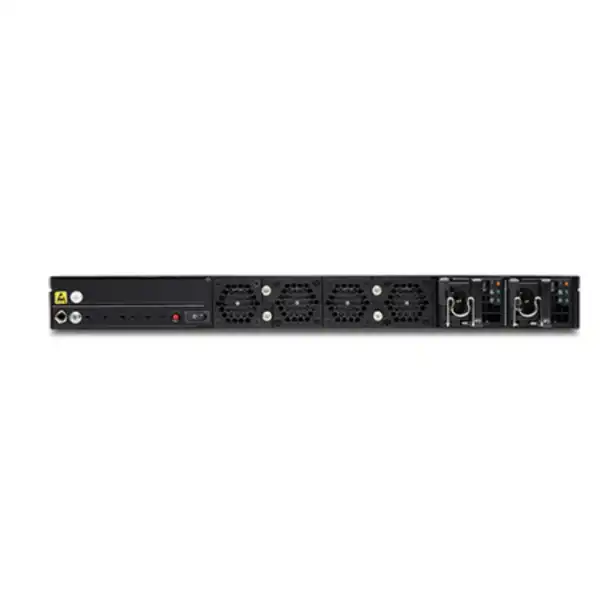
Juniper SSR1400 Session Smart Router Dubai
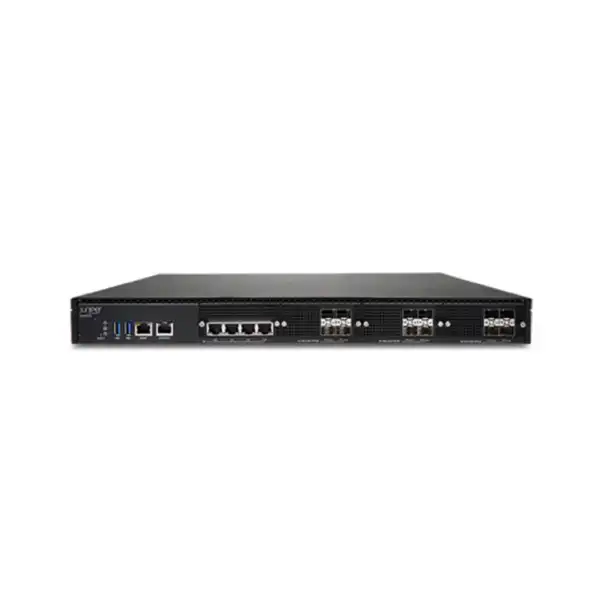
A high-capacity 1U Session Smart Router for organizations that need resilient WAN connectivity, flexible 1/10/25GbE interfaces, policy-aware routing, secure session handling and a practical path to Juniper Mist WAN operations. The SSR1400 is positioned for large campus, hub and data-center roles where branch-class platforms may not provide enough throughput or interface headroom.
Direct answer: what is the Juniper SSR1400 and who should consider it?
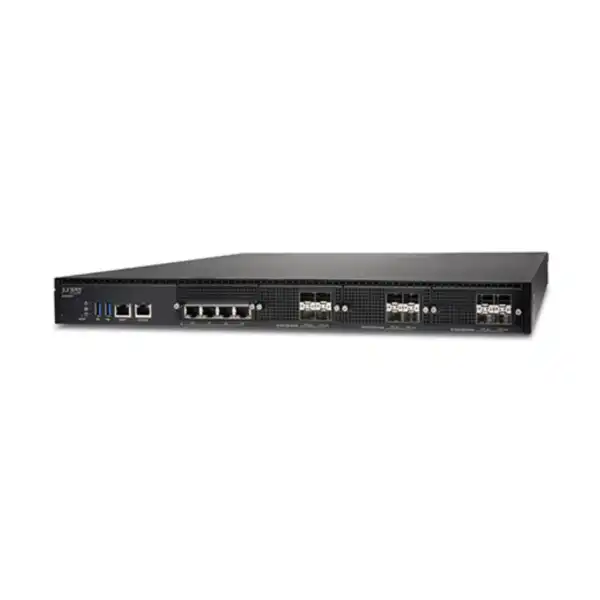
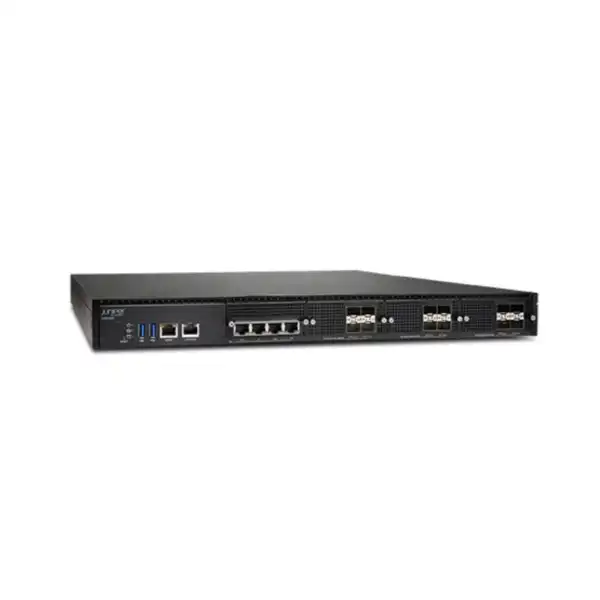
The Juniper SSR1400 Session Smart Router is a fixed 1U enterprise routing appliance that runs Juniper Session Smart software. It is intended for larger WAN edge, campus, hub and data-center deployments where an organization needs materially more forwarding capacity and higher-speed interface flexibility than a normal branch router. The platform combines 1GbE copper, 10GbE SFP+ and 1/10/25GbE SFP28 connectivity with 256 GB of memory, 512 GB of enterprise SSD storage, redundant AC power supplies and removable fan modules.
Its main role is not simply to move packets between two networks. Session Smart Routing is designed around sessions and service policies, enabling application-aware path selection, segmentation, security controls, traffic steering, NAT, VPN functions and resilient WAN designs. Juniper also documents zero-trust security functions and adaptive encryption behavior in the SSR platform, along with onboarding and operational visibility through Juniper Mist WAN Assurance when the chosen deployment and subscription model supports it.
Organizations that should evaluate the SSR1400 include large offices consolidating multiple WAN circuits, regional hubs aggregating branch traffic, campuses with high-speed data-center or core connections, enterprises building an SD-WAN fabric, and environments where 10GbE or 25GbE handoffs make smaller platforms restrictive. The most important factor to confirm is not the appliance name alone: buyers need to validate expected encrypted and unencrypted traffic, packet-size mix, application profile, required ports, optics, high-availability design, software tier, bandwidth entitlement and management architecture.
FourTeck can help translate those variables into an accurate Dubai quotation, including the SSR1400 hardware, the appropriate Session Smart or AIWAN subscription, optics, rack and power requirements, support, installation and migration scope. If the actual design is smaller or larger than the SSR1400 sweet spot, comparing the SSR1300 or SSR1500 before purchase can reduce cost or avoid capacity risk.
Where the SSR1400 fits in a modern enterprise WAN
The strongest reason to shortlist this model is the combination of large-site performance, mixed Ethernet interface speeds and the Session Smart software model. That combination makes it relevant to network designs that have moved beyond a simple branch router but do not necessarily require a much larger chassis or carrier-class platform.
Large campus WAN edge
A campus may terminate several Internet, MPLS, Ethernet or cloud-facing connections while also carrying large east-west or north-south traffic flows. The SSR1400 provides four 10GbE SFP+ ports and four multi-rate SFP28 ports capable of 1, 10 or 25GbE, giving architects useful choices for uplinks to core switches, provider equipment or aggregation layers. The four 1GbE copper ports can serve lower-speed handoffs or supporting connections. This mix reduces the likelihood that an organization will need an external media conversion layer merely because one circuit arrives at a different speed.
Regional hub or aggregation site
Hub sites concentrate traffic from many branches and therefore experience different stresses from an ordinary edge location. The platform may need to process a large number of simultaneous sessions, sustain encrypted traffic, apply policy across multiple paths and remain available when a circuit or peer fails. The SSR1400’s hardware resources and support for high-availability designs make it a candidate for this role, but actual node count, topology and subscription requirements should be designed rather than inferred from a headline throughput number.
Data-center WAN or service edge
The current SSR1000 family positioning places the SSR1400 in large campus, hub and data-center use. In this role, 10GbE and 25GbE connectivity can be especially important because the router may sit between a high-speed switching fabric and several WAN or cloud paths. Buyers should validate whether the requirement is truly a Session Smart WAN edge function or whether a different Juniper routing or security family is more appropriate for highly specialized data-center routing, deep security inspection or very high interface density.
SD-WAN transformation
Session Smart Networking is commonly evaluated when an enterprise wants to replace or complement legacy WAN constructs with software-defined policy, application-aware routing and centralized operational workflows. The SSR approach uses Secure Vector Routing and session intelligence rather than treating every application flow as undifferentiated IP traffic. That can simplify policy intent and route selection, but the migration should still be designed around real routing protocols, IP addressing, segmentation, firewall rules and application dependencies.
Resilient multi-circuit edge
Enterprises increasingly combine private WAN, dedicated Internet, broadband, direct cloud connectivity or multiple service providers. A Session Smart design can steer sessions according to service policy and path conditions rather than relying only on a static primary-and-backup concept. The value depends on correct policy definition, accurate performance targets and real carrier diversity. Hardware redundancy inside the router does not substitute for diverse WAN paths, power feeds, switching paths or paired routers where the business requires end-to-end availability.
SSR1400 hardware specification summary
The following values are important for physical design and initial capacity screening. Performance figures are aggregate platform measurements published by Juniper and should not be read as a guaranteed application throughput under every combination of packet size, security function, policy, routing feature and software release.
| Specification | Juniper SSR1400 |
|---|---|
| Platform | Fixed-configuration 1U Session Smart Router |
| 1GbE copper | 4 x 1GbE RJ-45 network ports |
| 10GbE optical | 4 x 10GbE SFP+ ports |
| Multi-rate optical | 4 x 1/10/25GbE SFP28 ports |
| Management | 1 x 1GbE RJ-45 management port for Mist operations |
| Console and USB | RJ-45 console, Micro-USB console and 2 x USB 3.0 Type-A ports |
| Memory | 256 GB DRAM |
| Storage | 512 GB SSD |
| Power supplies | 2 x AC PSU, 1+1 redundancy; hot-removable/hot-insertable |
| Maximum AC power consumption | 472.8 W published maximum/estimated value |
| Cooling | Front-to-back airflow, 4 removable fan modules |
| Dimensions | Approximately 438 mm W x 650 mm D x 44 mm H |
| Weight | 19.2 kg |
| Operating temperature | 0°C to 40°C |
| Published MTBF | 164,964 hours |
| Unencrypted aggregate performance | 40 Gbps IMIX; 50 Gbps with 1518-byte frames in published hardware specifications |
| Encrypted aggregate performance | 25 Gbps IMIX; 50 Gbps with 1518-byte frames in published hardware specifications |
| Encrypted + HMAC aggregate | 10 Gbps IMIX; 15 Gbps with 1518-byte frames in published hardware specifications |
Performance sizing: use the numbers correctly
SSR1400 performance data is valuable, but it must be interpreted in the context of the intended traffic profile. Juniper publishes different figures for unencrypted traffic, encrypted traffic, and encrypted traffic with HMAC. It also distinguishes IMIX traffic from larger 1518-byte frames. That distinction matters because a router processing many small packets generally performs more packet-processing work per gigabit than one forwarding a smaller number of large frames. A 40 or 50 Gbps headline therefore should not become the sole sizing rule for a production WAN.
For unencrypted aggregate traffic, Juniper’s current hardware specifications list 40 Gbps for IMIX and 50 Gbps for 1518-byte frames. For encrypted aggregate traffic, the listed figures are 25 Gbps IMIX and 50 Gbps at 1518 bytes. When encryption and HMAC are combined, the listed values are 10 Gbps IMIX and 15 Gbps at 1518 bytes. These categories show why the security and integrity model of the production traffic must be established before choosing a router. An enterprise expecting 8 Gbps of encrypted traffic with growth to 12 Gbps should not treat the platform in the same way as an organization expecting 30 Gbps of mostly unencrypted bulk transfer.
Application mix also matters. Voice, transactional applications, virtual desktop traffic, SaaS, Internet browsing, large backups, replication and cloud transfers create different packet sizes, session counts and sensitivity to loss or latency. Session Smart policies can steer and secure traffic according to business intent, but policy processing does not eliminate physical constraints. The router must be sized with realistic concurrent traffic rather than nominal carrier bandwidth alone. Two 10 Gbps circuits do not necessarily mean 20 Gbps of sustained useful traffic, and a 25 Gbps handoff does not imply the full port rate will be achieved for every function.
Capacity planning should also include failure conditions. If the WAN is designed with two active paths and one path fails, the remaining path and router still need to support the redistributed sessions. If a pair of SSR1400 appliances is used for high availability, sizing should consider whether one node may need to handle the intended service level during maintenance or failover. A design that works only while every link and every node is healthy has little operational margin.
Growth is another reason to compare adjacent models. The SSR1300 is positioned below the SSR1400 and may be cost-efficient where 20 Gbps-class unencrypted IMIX capability and 10GbE-oriented interfaces are sufficient. The SSR1500 sits above the SSR1400 with more memory, larger SSD storage and twelve SFP28 ports, making it relevant where interface density and extra-large site requirements are stronger. The correct choice depends on actual path speeds, required optics, expected encrypted load and growth over the intended support period.
Sizing checkpoint for Dubai buyers
For quotation accuracy, provide the current and planned WAN circuit speeds, typical peak utilization, proportion of encrypted traffic, expected growth, number of sites, topology, high-availability requirement and whether 25GbE handoffs are actually needed. If the network carries unusual packet profiles or very large session counts, those details should be discussed before the platform is finalized.
Interfaces, optics and physical connectivity
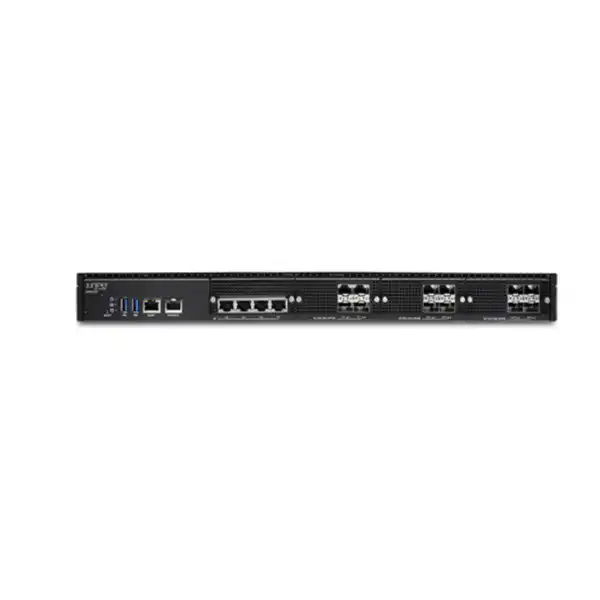
One of the SSR1400’s strongest practical characteristics is its mixed port set. The appliance has four 1GbE RJ-45 network ports, four 10GbE SFP+ ports and four SFP28 ports capable of 1, 10 or 25GbE operation. This gives a designer twelve data-plane interfaces across copper and optical form factors, in addition to a dedicated 1GbE management connection. The onboard network interfaces are fixed; they are not modular line cards that can later be replaced with a different port family. That makes port planning important at the buying stage.
The four copper 1GbE ports can be useful for provider handoffs, local interconnects or supporting LAN connections where standard Ethernet cabling is appropriate. The four 10GbE SFP+ interfaces give predictable 10GbE optical or compatible direct-attach options, subject to Juniper’s supported transceiver list. The four SFP28 interfaces are more flexible because they can operate at 1, 10 or 25GbE, allowing the same port bank to fit several types of network design. This is particularly valuable when a campus core or data-center switch already uses 25GbE and the WAN edge should connect without forcing the uplink down to 10GbE.
Optical transceivers are sold separately. Buyers should therefore not assume that an SSR1400 hardware SKU includes the SFP, SFP+ or SFP28 optics needed for production links. The exact transceiver must match port speed, fiber type, wavelength, reach and the equipment at the far end. A short multimode link in the same room has different optical requirements from a single-mode carrier cross-connect spanning a campus or building. Direct-attach cables may be appropriate for some short inter-rack connections, but compatibility and supported cable type should still be checked.
The dedicated management interface deserves separate design attention. In Mist-managed deployments, management reachability and Internet access requirements affect zero-touch onboarding. Juniper documentation describes using the management or designated onboarding interface to reach the Mist cloud, depending on the onboarding workflow and software generation. The practical lesson is that the management network, DHCP or static addressing plan, DNS and required external connectivity should be prepared before the maintenance window. A router cannot complete cloud adoption if the path required to reach the control service is blocked by an upstream firewall or unavailable on the staging network.
Local access remains important even in cloud-managed environments. The SSR1400 includes an RJ-45 console interface, a Micro-USB console interface and two USB 3.0 Type-A ports. These can support installation and troubleshooting workflows when network-based management is not yet available. Console access procedures, account credentials and change-control permissions should be planned as part of the implementation runbook rather than improvised during installation.
Hardware resilience, rack planning and environmental fit
The SSR1400 is a 1U appliance measuring approximately 438 mm wide, 650 mm deep and 44 mm high, with a system weight of 19.2 kg. The depth is important in dense cabinets because a nominal 19-inch rack can still be unsuitable if rail depth, rear-door clearance, cable bend radius or power-distribution-unit placement interferes with installation. Juniper’s hardware data also calls for approximately 30 inches, or 76.2 cm, of maintenance clearance. A site survey should therefore consider service access rather than checking rack-unit availability alone.
Power resilience is built into the standard platform through two AC power supplies configured for 1+1 redundancy. The documented input range is 100 to 240 V AC at 50 to 60 Hz, and Juniper publishes an estimated maximum power draw of 472.8 W. In a resilient data-center design, each PSU is normally connected to an independent PDU or power feed where the site provides true electrical diversity. Plugging both redundant PSUs into the same single point of failure protects against one power-supply module fault but not against the upstream feed failing.
Cooling is front-to-back, and the SSR1400 uses four removable fan modules. The airflow direction should match the rack’s hot-aisle/cold-aisle arrangement. Blocked front intake, poor rear exhaust clearance or recirculated hot air can compromise reliability even when the room temperature appears acceptable. The documented operating range is 0°C to 40°C. Dubai installations therefore require appropriate conditioned indoor environments; the router is not an outdoor or unconditioned-room appliance simply because enterprise networking equipment is designed for continuous operation.
The published MTBF is 164,964 hours. MTBF is a statistical reliability measure, not a promise that a particular unit will run for that exact duration without service. Operational resilience should instead come from a combination of redundant power, removable fans, monitoring, spare strategy, support coverage, configuration backups and, where justified by the business impact, a high-availability router architecture.
Rack-readiness checklist
- 1U rack space reserved in the correct cabinet.
- Rail depth and 650 mm chassis depth validated.
- Front-to-back airflow aligned with the rack cooling plan.
- Dual AC power feeds or independent PDUs available if resilience requires them.
- Grounding requirements incorporated into the rack standard.
- Optics, patch cords and cable management prepared.
- Console and management access available during commissioning.
- Adequate service clearance retained for future maintenance.
Session Smart software: why the appliance is different from a basic router
The SSR1400 hardware exists to run Juniper Session Smart Networking software. That software architecture is the main reason organizations evaluate the platform. Traditional routing is commonly discussed in terms of prefixes, next hops and tunnels. Session Smart Routing adds a service-oriented view in which the network can identify sessions, understand policy intent and select forwarding behavior according to the service being delivered. Juniper describes the platform’s routing approach as Secure Vector Routing, which is designed to make forwarding decisions around sessions and services rather than relying on a tunnel-first SD-WAN model.
For a buyer, the distinction matters because the outcome is not simply a faster router. The value appears when the network team uses the platform to define meaningful policies for applications, users, services and paths. For example, a business-critical ERP session may have different path requirements from bulk backup traffic; interactive voice or collaboration may have stricter sensitivity to latency, jitter and loss; guest or untrusted traffic may require stronger segmentation from corporate services. A Session Smart design can express those differences in the routing and policy system.
Juniper documents zero-trust security behavior for the SSR platform, including route authentication, session encryption and Layer 2 through Layer 5 stateful firewall functions. The documented feature set includes denial-of-service and distributed-denial-of-service protection, NAT, encryption, VPN capabilities and traffic filtering. This gives the platform security functions that are directly relevant to WAN connectivity. It should not, however, be automatically treated as a substitute for every dedicated next-generation firewall use case. Organizations with advanced inspection, specialized threat-prevention, regulatory or security-stack requirements should map those requirements explicitly before consolidating functions.
Adaptive encryption is another notable behavior. Juniper states that the SSR1000 line can identify traffic already encrypted with protocols such as HTTPS or IPsec and avoid re-encrypting it, reducing the overhead of unnecessary double encryption. This can be operationally attractive because a large portion of modern enterprise application traffic is already encrypted. The practical impact still depends on how policies are configured and what security objectives apply to the WAN path; encryption decisions should be part of the architecture, not an assumption made from marketing terminology.
Network tenancy and segmentation are relevant in larger campus or hub deployments. Enterprises may need to separate corporate users, voice, IoT, operational technology, guest access, partner connectivity or acquired-business networks while still sharing WAN infrastructure. A session-aware platform can support policy boundaries and service-specific treatment, but the quality of the result depends on a clean segmentation model. Existing VLANs, VRFs, addressing, identity sources, firewall policy and routing domains should be documented before migration so that the new design preserves necessary isolation and does not accidentally create broader reachability.
The software platform also exposes modern operational and automation capabilities. Juniper maintains APIs, centralized management options, configuration workflows and monitoring for Session Smart deployments. For organizations with infrastructure-as-code or automated change processes, API capability can reduce repetitive manual work. Automation should be introduced with validation and rollback controls, especially at high-capacity hub locations where a configuration error can affect many dependent sites at once.
Licensing and subscriptions: the key commercial dependency
The SSR1400 hardware alone is not a complete deployment. Juniper documentation explicitly states that the Session Smart software subscription license is sold separately. This is one of the most important purchasing details because the required software tier, licensed bandwidth, management model and subscription duration affect both capability and total cost. A quotation that includes only the appliance can therefore be materially incomplete.
Juniper currently documents standalone Session Smart Networking on-premises licenses for conductor-managed deployments in Standard, Advanced and Premium tiers. The Standard tier is described as an L3 Network Interface Device license with functions such as monitoring, remote access, network management, application identification, analytics and static routing. The Advanced tier adds capabilities associated with the Session Edge Router role, including high availability, dynamic routing, NAT, network firewall functions, SIP ALG, GRE and IPsec. Premium extends this with advanced security capabilities and corresponds to the full Session Smart Router role. Exact feature entitlements can evolve, so the current Juniper ordering guide should be checked for a production purchase.
The licensing framework also incorporates bandwidth tiers. This means the physical SSR1400 can have hardware capacity that exceeds the purchased software entitlement. Buyers should not select a small bandwidth tier merely because the current circuit is small if a near-term WAN upgrade is already planned. Conversely, buying the largest possible entitlement may create unnecessary cost where the site will remain well below that requirement. The appropriate bandwidth level should be tied to real traffic and growth expectations.
For Mist-oriented deployments, Juniper documents WAN Assurance subscriptions and AIWAN SaaS bundles. WAN Assurance can provide centralized operational workflows and visibility for supported Session Smart Router deployments, while AIWAN bundles can combine SSN and WAN Assurance elements depending on tier. Juniper also lists optional Marvis for WAN and Premium Analytics subscriptions. The exact package should follow the operational model the customer intends to use rather than adding subscriptions simply because they exist.
High availability can introduce additional licensing requirements. Juniper’s published subscription nomenclature includes secondary-node licenses for HA deployments, and optional services such as Marvis may also require coverage for both nodes. Therefore, a two-router high-availability design is not priced as one hardware appliance plus one generic software line. The BOM needs to reflect both nodes and the intended subscription model.
Subscription terms are another commercial choice. Juniper documentation references one-, three- and five-year terms for several SSN and WAN subscriptions. Longer terms can simplify renewal planning but should be aligned with equipment lifecycle, corporate procurement rules and expected architecture duration. Where an organization is mid-transformation, a shorter term may preserve flexibility; where the architecture is standardized and approved, a longer term may reduce renewal administration. The final choice is commercial as well as technical.
Do not approve the hardware BOM without the software BOM
For the SSR1400, ask for a quotation that clearly separates hardware, SSR/SSN or AIWAN subscription, bandwidth tier, term, HA entitlement if applicable, Mist-related services, support, optics and implementation. This makes later comparison and renewal planning much easier than a single undifferentiated line item.
Juniper Mist WAN Assurance and operational model
Juniper’s cloud-ready SSR workflow supports onboarding and monitoring through the Mist environment. A claim code or QR code on the appliance can be used to associate the router with an organization and site, simplifying initial adoption compared with a purely manual staging process. Juniper documentation notes Mist-based management support for SSR1400 beginning with SSR software release 6.0. In practical deployments, teams should still check the actual software release, entitlement and intended management architecture before assuming every device will follow the same onboarding sequence.
WAN Assurance can be valuable when the operational objective is to move beyond device-centric monitoring. Instead of treating a router as a collection of interfaces and counters, the Mist environment can provide service-level views, events and insights intended to help teams understand user, device and application experience. For distributed enterprises, this can reduce the time spent correlating data from isolated branch appliances. The value is highest when telemetry is consistently onboarded and the operations team uses the same platform across the WAN rather than leaving some sites fully unmanaged.
Zero-touch provisioning is particularly useful when appliances are installed at remote locations with limited local networking expertise. The SSR1400, however, is more commonly associated with large campus, hub and data-center roles, where there may already be onsite technical staff. Even there, cloud adoption can standardize workflows, reduce manual configuration steps and help ensure devices are associated with the correct organization and site. A deployment runbook should define who owns the Mist organization, who has administrative rights, how multi-factor authentication is controlled and how configuration changes are approved.
Management connectivity should be resilient enough for the expected operational model. A router may continue forwarding even when a cloud management path is temporarily unavailable, depending on configuration and state, but loss of visibility during a major incident can complicate troubleshooting. The management design should consider DNS, outbound access, upstream firewall policy, IP addressing, proxy requirements if relevant, and whether out-of-band access is available when production forwarding paths are impaired.
Organizations that already use Juniper Mist for wireless or switching may gain additional operational consistency by bringing WAN into the same broader experience framework. Organizations using a different NMS, SIEM or automation platform should instead evaluate integration points, logs, APIs and operational ownership. Centralization is useful only when it simplifies real workflows; duplicating the same alarms across several management systems can increase noise rather than improve response.
High availability: hardware redundancy is only one layer
The SSR1400 includes redundant power supplies and multiple removable fans, which protects against some component failures. Business-critical WAN designs often require a second layer of resilience: redundant routers. Juniper’s Session Smart licensing model includes HA-related entitlements, and the SSR1400’s default port mapping documentation identifies interfaces that can be used for HA synchronization and HA fabric roles. That makes paired-router architecture a relevant design option when a single appliance failure would interrupt unacceptable amounts of traffic.
A proper HA design is broader than ordering two identical boxes. Both routers need suitable power, switching paths, WAN connectivity, IP addressing and physical links. If both devices connect through the same upstream switch, single carrier NID, same PDU and same fiber tray, the overall service still has several shared failure points. The desired resilience target should be stated first, then the topology should remove the failure points that matter to that target.
Capacity under failure is another important check. If a normal design shares load across two nodes, can one node sustain the expected traffic while the peer is offline for maintenance or fault recovery? The answer depends on actual traffic, encryption mode and packet profile, not just the number of interfaces. Sizing each node only for its normal half of the load can create an overloaded state during the exact moment resilience is needed most.
Maintenance procedures should also be considered. Software upgrades, policy changes, optics replacement and power work are easier to perform safely when the network has designed redundancy and tested failover behavior. A pair of routers provides limited protection if operators have never validated session continuity, routing convergence, service policy and monitoring behavior during a controlled failover test.
For less critical sites, a single SSR1400 with redundant PSUs may be an acceptable business decision. The point is not that every deployment needs two routers; it is that the redundancy choice should follow service impact, recovery objectives and budget. FourTeck can quote single-node and HA variants separately so the buyer can compare cost against the operational risk being addressed.
Deployment journey from design to production
A well-planned SSR1400 installation is not complicated because of the rack hardware; the work lies in translating an existing WAN into verified services, policies, routes, security controls and operational responsibilities. The following sequence helps reduce avoidable changes during the production cutover.
Capture the current WAN
Document carrier circuits, bandwidth, addressing, VLANs, static and dynamic routing, NAT behavior, firewall rules, VPNs, application dependencies, monitoring, DNS and any special traffic paths. Include current pain points. If the existing design is poorly documented, discovery should happen before the migration window rather than during it.
Define the target services
Decide which applications and network segments are business critical, which paths they may use, what security boundaries apply and what performance expectations must be protected. Session Smart policy is most useful when it reflects service intent rather than simply recreating every legacy route without review.
Validate sizing and BOM
Map expected traffic to published platform performance, then confirm the required optics, subscriptions, bandwidth tier, term, support, rack accessories and HA quantities. Verify the far-end port speeds and optics. This is the stage where an SSR1300 or SSR1500 comparison should be resolved if capacity is close to a model boundary.
Prepare rack, power and management
Reserve the correct rack position, verify depth and rails, allocate power feeds, connect grounding according to site standards and prepare management connectivity. If Mist onboarding will be used, ensure the relevant management network can reach required cloud services and that the device can be claimed into the correct organization.
Stage configuration and test
Build the configuration under change control, validate addressing and routing, test policy behavior and confirm monitoring. Where practical, use a staging environment or isolated test paths to verify carrier and LAN connectivity before moving production traffic. Confirm rollback steps while the previous network is still intact.
Cut over and validate applications
Move traffic according to the approved plan, then test not only reachability but actual business applications. Validate Internet, cloud, voice, remote access, site-to-site services, DNS and monitoring. Watch path selection and session behavior under real load. Keep the rollback threshold objective and time-bound.
Migration from a conventional router or legacy SD-WAN
Moving to an SSR1400 often involves more than replacing hardware at the same IP addresses. If the objective is to gain value from Session Smart Routing, the migration should identify existing services, application paths and policy intent. Copying every legacy access rule and static route into a new platform without reviewing why it exists can preserve years of technical debt. A controlled migration is an opportunity to remove obsolete networks, unused NAT rules and unnecessary dependencies while keeping business-critical behavior intact.
Routing is the first major dependency. The network team should list static routes and dynamic protocols, determine where route redistribution occurs and identify any special default-route or policy-based-routing behavior. The SSR Advanced and Premium tiers support dynamic routing capabilities according to Juniper’s licensing documentation, so license selection must reflect the routing functions used in production. Route convergence and preference should be tested during circuit failure scenarios, not only during normal operation.
Address translation and firewall behavior are equally important. Many edge routers accumulate NAT exceptions, port forwards and partner-access rules over time. Session Smart can provide NAT and stateful firewall functions in the appropriate licensing tiers, but the new policy model may express them differently from the old device. Rules should be translated from business requirements, then validated with application owners. A rule that appears unused in a configuration export may still support a month-end process or infrequent partner workflow.
For SD-WAN replacement projects, tunnel design deserves special attention. Session Smart’s Secure Vector Routing architecture differs from conventional tunnel-centric overlays. The migration therefore should not be evaluated only by asking whether the new device reproduces each legacy tunnel. The better question is whether the new service policy provides the required reachability, path preference, segmentation, encryption and resilience. Parallel operation can be useful where a phased migration is safer than a single big-bang cutover.
Operational migration is often overlooked. Network teams need new procedures for configuration, software upgrades, troubleshooting, dashboards, alarms and support escalation. If Mist WAN Assurance becomes the main operations interface, the monitoring team should receive access and training before production. Existing SNMP, syslog, SIEM or ticket integrations may need review. Success is not just traffic passing through the new router on cutover night; it is the operations team being able to diagnose a real incident several months later.
Finally, maintain a rollback plan until the new service has passed agreed validation. Preserve old configuration backups, document cable moves, identify the point at which rollback becomes difficult and decide who has authority to trigger it. High-capacity WAN migrations can affect many dependent sites, so a short written decision tree is more useful during an incident than a vague instruction to “restore the old router if required.”
Practical SSR1400 use cases in Dubai and the UAE
Regional headquarters
A Dubai headquarters connecting offices across the UAE, GCC or wider region may aggregate Internet, private WAN and cloud traffic through a central site. SSR1400 interface speeds and performance can suit that concentration, particularly where 10GbE or 25GbE LAN/core connectivity is already in use. The architecture should be tested for failure conditions because a hub outage can affect many downstream branches.
Large campus with diverse WAN links
Universities, large offices, hospitality campuses and enterprise facilities may have several service-provider handoffs with different speeds. The mixture of copper, SFP+ and SFP28 interfaces allows the router to connect across a range of media. Fiber reach, transceiver support and physical cable plant still need to be confirmed for each circuit.
Data-center edge for cloud-heavy organizations
Businesses consuming SaaS and public-cloud services may need a WAN edge that can steer sessions across multiple paths while maintaining segmentation and security policy. The SSR1400 can be evaluated where traffic volumes exceed branch-class devices. Direct cloud interconnect requirements should be mapped to the actual provider handoff and routing design rather than assumed from port speed alone.
SD-WAN hub modernization
Organizations replacing a tunnel-heavy WAN can use the SSR platform to explore service-centric routing and policy. A phased deployment may place SSR1400 appliances at major hubs first, then migrate branches gradually. This approach can reduce project risk if interoperability and routing boundaries are designed carefully.
Business-continuity WAN design
Where a site has multiple carriers and strict uptime objectives, Session Smart policy can be part of a design that keeps sessions on suitable paths and responds to failures. The SSR1400’s redundant power supports appliance resilience, while a paired-router architecture can address node failure. Carrier, switch, power and rack diversity remain separate requirements.
Network consolidation with controlled segmentation
A large site may carry corporate, guest, IoT, voice and partner traffic over shared WAN infrastructure. Session Smart policy and tenancy features can support differentiated treatment while the hardware provides sufficient port and throughput headroom. The segmentation design should be reviewed with security stakeholders before old firewall or VRF boundaries are changed.
SSR1300 vs SSR1400 vs SSR1500: choosing the right family position
The SSR1400 should not be purchased simply because it sits in the middle of three larger SSR1000 models. Juniper positions the SSR1300 for medium data-center/campus deployments, the SSR1400 for large data-center/campus roles and the SSR1500 for extra-large data-center/campus requirements. The practical differences include published throughput, memory, storage and interface mix. Choosing one model above or below the SSR1400 can be justified when the real design makes that fit clearer.
| Decision point | SSR1300 | SSR1400 | SSR1500 |
|---|---|---|---|
| Juniper family positioning | Medium campus/data center | Large campus/data center | Extra-large campus/data center |
| Published unencrypted IMIX | 20 Gbps | 40 Gbps | 50 Gbps |
| Memory | 128 GB | 256 GB | 512 GB |
| SSD | 256 GB | 512 GB | 1 TB |
| High-speed optical mix | 4 x 10GbE SFP+ plus 4 x 1/10GbE SFP+ | 4 x 10GbE SFP+ plus 4 x 1/10/25GbE SFP28 | 12 x 1/10/25GbE SFP28 |
| Best reason to compare | Potentially lower-cost fit where 25GbE and SSR1400 capacity are unnecessary. | Balanced choice when 25GbE flexibility and large-site capacity are required without SSR1500 interface density. | More headroom, memory, storage and SFP28 density for extra-large sites or growth-heavy designs. |
A buyer near the lower end of SSR1400 capacity should compare the SSR1300, especially if all high-speed connections are 10GbE and future traffic growth is modest. A buyer needing many 25GbE ports, higher encrypted capacity, additional memory or significant expansion should compare the SSR1500. The SSR1400 is strongest when the design genuinely benefits from its four SFP28 ports and 256 GB memory without needing the SSR1500’s twelve SFP28 interfaces and larger resources.
What can make the SSR1400 the wrong choice?
A technically capable product is not automatically the right product for every network. The SSR1400 may be oversized for a small branch with one or two modest broadband links. In that case, a branch-oriented SSR platform can provide the required functions with lower hardware and subscription cost. Overbuying also creates unnecessary rack, power and support overhead.
The model may also be undersized or insufficiently dense for an extra-large hub. If the site needs more than four 25GbE-capable SFP28 ports, very high aggregate encrypted throughput or substantial growth, the SSR1500 deserves comparison. Interface density is often more decisive than raw throughput: a design that needs eight separate 25GbE connections cannot be solved by the SSR1400 merely because aggregate forwarding capacity looks acceptable.
Another mismatch occurs when the primary requirement is a specialized security appliance with a feature set outside the SSR licensing and policy model. SSR includes stateful firewall, NAT, VPN and security functions, but enterprises requiring a particular inspection engine, security certification, threat-prevention stack or existing firewall operational model should compare the requirement against Juniper security products or other appropriate platforms. Consolidation should be based on feature equivalence and risk, not the desire to reduce appliance count.
The fixed port configuration can also be limiting. The SSR1400’s network interfaces are onboard and not field-replaceable. If a future design requires a very different interface mix, the appliance cannot simply accept a new modular line card. Organizations with uncertain long-term interface requirements should consider whether the available SFP+, SFP28 and RJ-45 mix offers enough flexibility for the equipment lifecycle.
Environmental constraints matter in Dubai. The published maximum operating temperature is 40°C, so the appliance requires appropriate indoor cooling. A telecom enclosure or remote room that can exceed this temperature is not suitable unless the site is engineered to keep the device within specification. Likewise, the 650 mm chassis depth and service clearance may be problematic in shallow wall cabinets.
Finally, organizations unwilling to adopt subscription-based software licensing should account for that commercial model before choosing SSR. The hardware requires an SSR software subscription, and cloud operational services can add further subscriptions. The value can justify the recurring cost where Session Smart capabilities are central to the WAN strategy, but that decision should be deliberate.
Procurement guidance for an accurate Dubai quotation
The standard SSR1400 ordering line is hardware-focused. Juniper’s SSR1000 family documentation describes the SSR1400 hardware with 256 GB RAM, 512 GB SSD, redundant power supplies, the mixed RJ-45/SFP+/SFP28 interface set and rackmounts. It also states that Session Smart software licensing and optics are sold separately. That means a complete bill of materials normally contains more than the base appliance.
Start with the exact hardware quantity and architecture. A single-node deployment needs one appliance, while high availability typically needs two nodes plus the corresponding software entitlements and physical interconnect planning. If the buyer requests a chassis-only spare or replacement, Juniper lists an SSR1400-CHAS variant that excludes AC power supplies, fan trays and rackmount kit. That is materially different from a standard complete SSR1400 order and should not be substituted without checking the intended use.
Next, define optics. List each port that will be populated, its speed, fiber type, connector, distance and far-end device. Avoid ordering a generic quantity of SFPs without mapping them to actual links. A 25GbE SFP28 requirement must be differentiated from a 10GbE SFP+ requirement, and long-range single-mode optics have different commercial and technical implications from short-range multimode optics.
Then define the software model. State whether the target is conductor-managed Session Smart Networking, Mist WAN Assurance, an AIWAN SaaS bundle or another currently supported architecture. Select the required functionality tier, bandwidth tier and subscription term. For HA, include secondary-node entitlements where required. Optional services such as Marvis for WAN or Premium Analytics should be added only when the operational requirements justify them.
Support should be quoted separately enough that the buyer can see its term and coverage. Enterprise WAN routers often serve critical paths, so support level should align with the organization’s recovery objectives, spare strategy and internal technical capability. If the business requires onsite implementation, migration, after-hours cutover or post-change validation, those services should also be described separately from product supply.
Stock status, lead time, commercial pricing, UAE delivery terms and any relevant homologation or regulatory requirements should be confirmed at quotation time. These variables can change independently of the product specifications. A technically correct page cannot guarantee current stock or final landed pricing without a live commercial quotation.
Buyer questions about the Juniper SSR1400
Is the SSR1400 a firewall or a router?
It is primarily a Session Smart Router platform, but Juniper documents Layer 2 through Layer 5 stateful firewall functions, NAT, VPN, traffic filtering and security capabilities within the SSR software. Whether it can replace a dedicated firewall depends on the organization’s required inspection, threat-prevention, compliance and operational features. Treat firewall consolidation as a requirements comparison, not an automatic outcome.
Does the SSR1400 include the software license?
No. Juniper states that the SSR/SSN software subscription is sold separately. The exact license tier, bandwidth entitlement, management option and term should be included in the bill of materials. A hardware-only quote does not represent the full deployable solution.
Are SFP or SFP28 transceivers included?
Juniper’s ordering information states that optics are sold separately. Required transceivers should be selected for each populated SFP+ or SFP28 port according to speed, media type, distance and far-end compatibility. This is especially important when the design mixes 10GbE and 25GbE links.
How many 25GbE ports does it have?
The SSR1400 has four SFP28 ports that support 1GbE, 10GbE or 25GbE operation. It also has four dedicated 10GbE SFP+ ports and four 1GbE RJ-45 network ports. If more than four 25GbE-capable ports are needed, the SSR1500 should be compared.
What is the maximum throughput?
Juniper publishes multiple values rather than one universal number. Current hardware specifications list unencrypted aggregate performance of 40 Gbps IMIX and 50 Gbps with 1518-byte frames; encrypted aggregate performance of 25 Gbps IMIX and 50 Gbps with 1518-byte frames; and encrypted plus HMAC performance of 10 Gbps IMIX and 15 Gbps with 1518-byte frames. Production sizing should use the traffic profile closest to the intended workload.
Can SSR1400 be managed through Juniper Mist?
Yes, Juniper documents onboarding, monitoring and management workflows through Mist WAN Assurance for supported SSR software releases and subscription models. The deployment should confirm the actual release, organization ownership, WAN Assurance entitlement and management connectivity before installation.
Does it support redundant power?
Yes. The SSR1400 supports two AC power supplies in a 1+1 redundant configuration, and the power supplies are documented as hot-removable and hot-insertable. For true facility resilience, the two PSUs should connect to independent upstream power sources where the site supports that architecture.
Is the SSR1400 suitable for a small branch?
Usually it would be larger than necessary for a typical small branch. Juniper positions smaller SSR lines for branch use and the SSR1400 for large campus, hub and data-center roles. A branch platform may be more economical where circuit speeds and interface requirements are modest.
When should I choose SSR1500 instead?
Compare the SSR1500 when the site requires more SFP28 interface density, extra memory and storage, or greater high-end encrypted and overall capacity. The SSR1500 provides twelve 1/10/25GbE SFP28 ports and is positioned for extra-large campus or data-center deployments.
Can FourTeck supply only the hardware?
A hardware-only quote can be prepared when that is the customer’s requirement, but a production SSR1400 still needs the correct software entitlement. For a new deployment, it is usually safer to quote the complete BOM so that licensing, optics and support are not discovered as missing items during installation.
Detailed buyer considerations before approving the order
A network appliance at this level is normally purchased as part of an architecture rather than as an isolated device. Before the order is approved, the technical owner should be able to explain where each network port will connect, which services will traverse the router, how traffic will behave during failure, what management platform will own the configuration and which subscription enables the required features. If those answers are missing, the project is not yet at a stable procurement point.
Start with topology. Determine whether the SSR1400 will act as a single WAN edge, part of an HA pair, a hub within a larger Session Smart fabric or a migration boundary between legacy routing and a new SD-WAN architecture. This choice affects cabling, IP addressing, routing adjacencies, HA connections and software entitlements. A drawing showing only “Internet — SSR1400 — LAN” is usually insufficient for a large campus or data-center project.
Next, map services to traffic paths. Identify which applications use private WAN, which may use public Internet, which require symmetric routing, which are sensitive to delay and which can tolerate a lower-cost path. Document SaaS and public-cloud dependencies, partner VPNs, remote-access services and any traffic that must pass through a dedicated security stack. Session-aware routing is valuable only when policy is based on real application requirements.
Security ownership should be explicit. If the SSR1400 performs stateful firewall and VPN functions, decide which team owns those policies and how they interact with existing firewalls. If dedicated security appliances remain in place, define whether traffic is inspected before or after the SSR, how asymmetric paths are prevented and how failure scenarios change the traffic chain. Poorly defined service chaining can turn a resilient WAN into a troubleshooting problem.
Capacity assumptions should be documented in measurable terms. Use actual 95th-percentile or peak traffic where available, not only contracted circuit speed. Include expected growth and major upcoming projects such as cloud migration, office consolidation, new branches, large backup workloads or data-center relocation. If encrypted traffic is the dominant load, size against encrypted performance rather than unencrypted values. If HMAC is required for the design, use the published encrypted-plus-HMAC figures as the relevant reference point.
Interface planning should include both quantity and speed. A router with enough total throughput can still be unsuitable if it lacks the right number of physical ports. Reserve ports for HA links, management and future expansion where required. Confirm whether 25GbE is needed immediately or only as future headroom. Where fiber paths run through patch panels or carrier meet-me rooms, validate connector standards and optical budgets.
Licensing should be treated as part of solution design. The Standard, Advanced and Premium models exist because not every deployment needs the same feature set. A site using dynamic routing, HA, NAT, firewall or IPsec functions should not be quoted with a tier that omits required capabilities. At the same time, organizations should avoid buying premium features they will not use simply because the hardware is high-end. Licensing should follow actual functions.
Operations should be designed before handover. Decide whether Mist WAN Assurance, conductor-based management or another supported model will be the operational system of record. Define who can make changes, how backups are handled, how software upgrades are approved and how logs are retained. If the organization has a NOC or managed service provider, give that team access to the platform and escalation contacts before the first production incident.
Support and lifecycle planning should reflect business impact. A regional hub carrying many branch sites may justify faster support response and a stronger spare strategy than a noncritical test environment. The buyer should check current Juniper support options and product lifecycle status during procurement because those commercial details can change over time. The same applies to approved optics and software-release compatibility.
For UAE deployments, delivery, import, regional support logistics, installation location and site access should be included in project planning. If the router is going into a colocation facility, confirm rack authorization, remote-hands procedures, cross-connect completion and change-window requirements. If it is going into a corporate data room, confirm cooling, dual power and cable readiness before scheduling the engineer. These practical details often determine whether a technically correct design reaches production smoothly.
Decision recap
What FourTeck needs for an accurate SSR1400 quotation
Providing the following information helps separate a precise solution BOM from a generic hardware quote. Not every item is mandatory, but the more complete the design inputs are, the fewer assumptions need to be corrected later.
Single appliance, HA pair or multiple sites.
Current bandwidth, planned upgrades and provider handoffs.
Peak usage, encrypted load, major applications and growth.
1/10/25GbE requirements, fiber type, reach and peer equipment.
Static/dynamic routing, NAT, firewall, VPN and segmentation needs.
Mist WAN Assurance, conductor-managed model or existing operations approach.
Preferred one-, three- or five-year commercial period where applicable.
Supply only, installation, configuration, migration, testing or support.
Plan the Juniper SSR1400 around your real WAN, not a generic specification
The SSR1400 offers a strong combination of 1U density, 25GbE-capable interfaces, substantial memory, redundant power and Session Smart software for large-site WAN roles. The best purchase is the one that matches actual encrypted traffic, service policy, optics, subscription tier, HA design and operating model. FourTeck can prepare a Dubai quotation that separates hardware, licensing, optics, support and implementation so the technical and commercial scope is clear before approval.


Reviews
There are no reviews yet.