
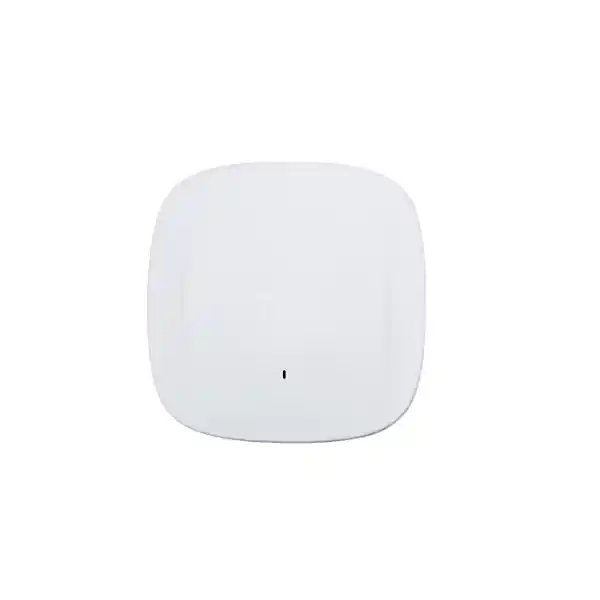
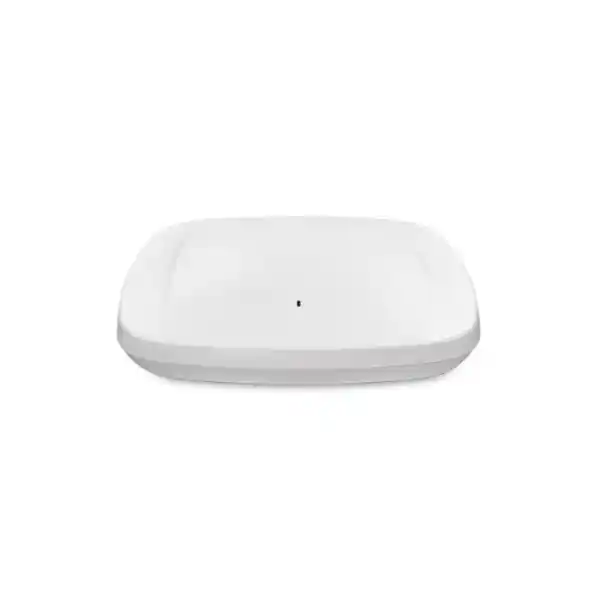
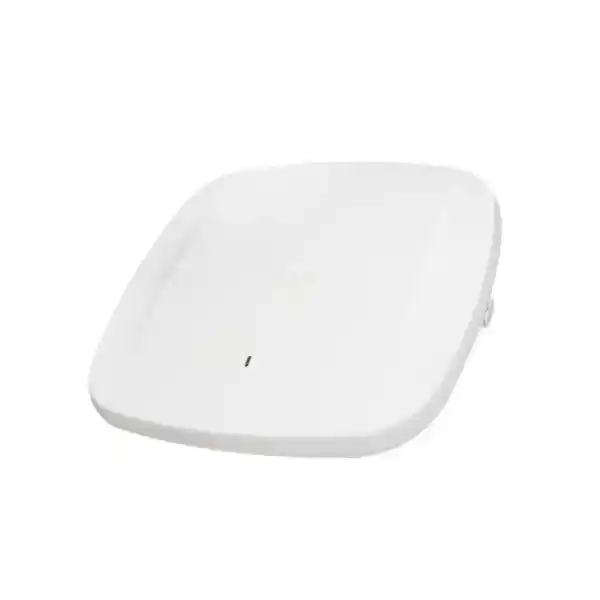
Cisco Meraki MR57 UAE – Ultra-High-Performance Wi-Fi 6E Access Point
The Cisco Meraki MR57 is built for organisations that need more wireless capacity, cleaner spectrum options and cloud-managed operational visibility without compromising enterprise security. Its distinguishing characteristics are a tri-band Wi-Fi 6E radio architecture, 4×4:4 MU-MIMO on the client-serving bands, dual 5 Gbps multigigabit Ethernet ports, a dedicated scanning radio, integrated BLE/IoT capability and Meraki Dashboard management. It is particularly relevant to high-density offices, education environments, hospitality, healthcare, large meeting areas, collaboration-heavy workplaces and sites where multi-gigabit wired access is being introduced alongside newer Wi-Fi 6E clients.
Direct answer: what the Cisco Meraki MR57 is and when to consider it
What exactly is it?
The MR57 is a cloud-managed indoor enterprise Wi-Fi 6E access point in the Cisco Meraki MR family. It supports client connectivity across 2.4 GHz, 5 GHz and 6 GHz using three 4×4 radios, with separate radios for RF/security scanning and Bluetooth Low Energy/IoT functions.
What is it mainly used for?
It is mainly used to provide high-capacity indoor wireless access in environments with demanding application traffic, many concurrent devices, modern Wi-Fi 6E endpoints, large collaboration spaces or a requirement for cloud-based visibility and policy control.
Who should consider it?
Enterprises, universities, schools, healthcare organisations, hospitality operators, large offices, technology companies and multi-site businesses should consider the MR57 when wireless density, operational consistency and future 6 GHz use justify a premium access point.
What is the most important factor to confirm?
Confirm the complete deployment dependency chain: Meraki licensing, local 6 GHz regulatory availability, compatible client devices, multigigabit switching, PoE budget, cabling quality, RF design and any need to use the USB interface at full power.
What can FourTeck help determine?
FourTeck can help translate floor plans, expected device counts, application needs, existing switching, cable infrastructure and licensing preferences into a practical MR57 quantity, accessory list, switch-port requirement and deployment scope for a UAE project.
Where the MR57 fits in an enterprise wireless design
The MR57 sits at the performance-oriented end of the Meraki Wi-Fi 6E indoor portfolio. Its value is not simply that it carries a Wi-Fi 6E label. The model is differentiated by three 4×4 client-serving radios, the ability to operate with 2.4 GHz plus two 5 GHz radios or with 2.4 GHz, 5 GHz and 6 GHz, and two multigigabit Ethernet interfaces that can operate at up to 5 Gbps each. Those attributes make it relevant where the access point may have considerably more aggregate wireless capacity than a conventional single-gigabit uplink can comfortably support.
For a business buyer, that means the MR57 should be evaluated as part of a system rather than as a standalone ceiling device. A high-capacity access point connected to an older 1 GbE access switch may still deliver excellent Wi-Fi, but the wired edge could become a practical constraint when many capable clients are active at once. Likewise, an organisation may buy the MR57 for 6 GHz and discover that a large proportion of current laptops, handheld devices or scanners still operate only in 2.4 GHz and 5 GHz. That does not make the investment wrong, but it changes the immediate benefit and the expected migration curve.
The strongest use case is therefore a planned refresh where wireless, wired access, PoE, client lifecycle and cloud management are considered together. In a new office or major renovation, the dual multigigabit interfaces can influence switch selection and cable certification. In an existing site, the MR57 can be introduced selectively in high-demand zones while other suitable Meraki access points remain in lower-density areas. A site survey and a realistic device profile are more valuable than simply replacing every older AP one-for-one.
Wi-Fi 6E and the practical value of 6 GHz
Wi-Fi 6E extends Wi-Fi 6 operation into the 6 GHz spectrum. In practical enterprise terms, the attraction of 6 GHz is additional spectrum that can reduce contention and make wider channels more practical for compatible devices. It does not automatically mean that every user receives a dramatic speed increase. A client must support Wi-Fi 6E, the local regulatory domain must permit the required 6 GHz operation, the access point must be configured accordingly and the wired network must be able to carry the resulting traffic.
The MR57 is particularly useful during a transition period because its third client-serving radio can be used flexibly. In environments where 6 GHz is not enabled or where Wi-Fi 6E client penetration is still low, the platform can operate with a 2.4 GHz radio and two 5 GHz radios. That gives designers another way to serve dense populations of conventional 5 GHz clients. As the client fleet changes and local 6 GHz operation is available, the design can move toward 2.4 GHz, 5 GHz and 6 GHz service without replacing the access point hardware.
For UAE procurement, the important point is to avoid treating the 6 GHz radio as an unconditional feature that will be usable in exactly the same way in every country and at every time. Cisco documentation explicitly ties 6 GHz operation to country support and regulatory availability. The Meraki Dashboard country setting and current firmware are part of that equation. A quotation should therefore separate the fact that the MR57 is technically Wi-Fi 6E capable from the project-specific question of which 6 GHz channels and operating modes are permitted for the deployment location.
MR57 radio architecture: why three 4×4 client radios matter
2.4 GHz 4×4 radio
The 2.4 GHz band remains important for legacy devices, some IoT equipment and clients that prioritise coverage over peak throughput. A good design normally limits unnecessary 2.4 GHz channel overlap and avoids assuming that all available radio capacity should be used simply because the hardware supports it.
5 GHz 4×4 radio
The 5 GHz radio will remain the main workhorse in many enterprise deployments because the installed client base is broad. Channel planning, transmit-power tuning, minimum bit rates and roaming behaviour should be set around the actual environment rather than copied from another site.
Flexible 5/6 GHz 4×4 radio
The additional client radio can support 6 GHz where allowed and appropriate, or provide another 5 GHz service role. This flexibility is one of the MR57’s most useful deployment characteristics because it supports both current high-density 5 GHz needs and a later transition toward Wi-Fi 6E clients.
Each client-serving radio uses 4×4:4 MU-MIMO rather than the 8×8 radio design associated with some earlier high-end Wi-Fi 6 access points. That is an important distinction when buyers compare model numbers. Cisco’s own MR57 guidance explains that the model does not use an 8×8 client radio; instead, it gains spectral flexibility by spreading capacity across three bands. Whether that is better for a given site depends on client capabilities, RF conditions and density. In a modern mixed-client environment, more usable spectrum can be more valuable than concentrating additional spatial streams in one band.
The access point also includes a dedicated tri-band scanning radio used for RF analysis and security functions, plus a Bluetooth Low Energy-capable IoT radio. These are separate from the three radios serving Wi-Fi clients. Operationally, this matters because RF monitoring and Air Marshal functions do not have to rely solely on time taken away from the client-serving radios. For teams that use location or IoT integrations, the additional radio resources broaden the role of the AP beyond basic connectivity, although any specific application should be validated against current Meraki feature and licensing documentation.
Performance: interpreting the 7.8 Gbps aggregate frame-rate figure correctly
Cisco specifies an aggregate tri-radio frame rate of approximately 7.8 Gbps for the MR57. This is a useful indication of the access point’s radio-class capability, but it should not be read as a promise that one user will download at 7.8 Gbps or that an application will see that amount of end-to-end throughput. Wireless headline rates are affected by channel width, modulation, spatial streams, client capabilities, protocol overhead, airtime contention, retransmissions, signal quality and the wired path beyond the AP.
The buyer-relevant interpretation is that the MR57 can create enough aggregate wireless demand to justify multigigabit wired access in busy environments. A client equipped with only a 2×2 Wi-Fi adapter will not use four spatial streams simply because the AP has 4×4 capability. Similarly, a site that uses narrow channels for reuse and interference control will experience different peak PHY rates from a lab environment using wide channels. In dense offices, consistent airtime efficiency and predictable latency can matter more than a single-device speed test.
The MR57 supports Wi-Fi 6/6E mechanisms such as OFDMA, MU-MIMO, target wake time, BSS coloring, beamforming and high-order modulation, subject to client and configuration support. These technologies are most valuable when many compatible devices share the RF environment. They improve the efficiency with which airtime is scheduled and reused; they do not remove the need for sound channel planning or appropriate AP density.
For sizing, FourTeck would normally look beyond an advertised aggregate rate. Useful inputs include the number of simultaneously active devices, the type of applications in use, expected video-conferencing concurrency, voice requirements, large-file workflows, client radio capabilities, floor construction, ceiling height, interference sources and whether guest traffic competes with business-critical traffic. These inputs help determine whether the MR57’s high radio capacity will be used effectively and whether the access layer needs 2.5 GbE, 5 GbE or dual-uplink design.
Key Cisco Meraki MR57 specifications
| Specification | MR57 detail |
|---|---|
| Wireless standard | 802.11ax / Wi-Fi 6E, with 2.4 GHz, 5 GHz and 6 GHz capability |
| Client-serving radios | Three 4×4 radios, configurable for 2.4 + 5 + 6 GHz or 2.4 + dual 5 GHz operation |
| Additional radios | Dedicated tri-band scanning radio plus Bluetooth Low Energy/IoT radio |
| Aggregate radio frame rate | Up to approximately 7.8 Gbps across the tri-radio architecture |
| Ethernet | 2 x 100/1000/2.5G/5G BASE-T RJ45 |
| Power | 802.3at PoE+ or 802.3bt; 54 V DC option; maximum consumption up to 40 W depending on use |
| USB | USB interface supported; full USB availability depends on adequate power delivery |
| Mounting | Ceiling, wall and desktop-capable mounting options with standard mounting hardware |
| Dimensions | Approximately 260 mm x 260 mm x 56 mm including mount plate/feet |
| Weight | Approximately 1.7 kg |
| Operating environment | Indoor; 0°C to 40°C operating temperature, 5% to 95% non-condensing humidity |
| Management | Cisco Meraki cloud management; a valid Meraki wireless license is required |
Specification planning should use the current Cisco datasheet, current firmware documentation and the final country-specific bill of materials at quotation time.
Dual 5 Gbps Ethernet: one of the MR57’s most important design differences
The MR57 includes two RJ45 multigigabit Ethernet ports supporting 100 Mbps, 1 Gbps, 2.5 Gbps and 5 Gbps operation. This immediately separates it from access points that rely on a single multigigabit uplink. Cisco documentation also describes the ability to combine the two ports for aggregate wired throughput and to provide Ethernet and power resiliency when both paths are used, subject to the supported configuration and firmware behaviour.
For a buyer, the first question is not whether two 5 GbE ports look impressive on the specification sheet. The question is whether the switching infrastructure can use them. An access switch may have only 1 GbE downlink ports, or it may support 2.5 GbE but not 5 GbE. Another switch may support 5 GbE but lack the required PoE budget. If link aggregation or dual-path resilience is part of the design, switch configuration, topology and failure behaviour must be validated before deployment. A complete MR57 quote may therefore have implications for access switching as well as the AP purchase itself.
Cabling is another dependency. Existing Category 5e may support multigigabit Ethernet in many installations, but actual results depend on cable quality, distance, termination, bundle conditions and local installation quality. A wireless refresh is a good time to test and document the horizontal cabling rather than assuming that every run can reliably support the intended data rate and PoE level. Where ceilings are difficult to access, discovering cabling limitations after the APs are mounted is an avoidable project risk.
The second Ethernet port can also be strategically valuable where resilience matters. However, the network should not advertise dual-port redundancy as a guaranteed outcome without confirming the current Meraki firmware behaviour and power source design. The safest procurement approach is to state the desired result—higher aggregate wired capacity, link resilience, power resilience, or all three—and then choose the switching and configuration needed to achieve it.
PoE planning: 802.3at works, but 802.3bt matters for full functionality
Power planning is easy to overlook because many organisations assume that any modern PoE switch will power any access point. The MR57 deserves more careful treatment. Cisco specifies support for 802.3at and 802.3bt power. When the AP is powered by 802.3at PoE+, its client radios, scanning radio and IoT radio can operate, but the USB interface is disabled. Cisco identifies 802.3bt/UPoE as the power level required for full operation including USB. Maximum power consumption is specified at up to 40 W, while operation without USB is lower.
This distinction affects switch selection and port budgeting. A switch may technically provide PoE+ on every port while lacking the total chassis or power-supply budget to feed a large number of high-power APs simultaneously. For example, a 48-port access switch with many powered phones, cameras and access points could reach its PoE budget long before all ports are occupied. The correct design therefore checks both per-port power capability and the total available PoE budget under normal and redundant power-supply conditions.
Cisco also lists a Meraki multigigabit 802.3bt injector, MA-INJ-6, and an MR-series AC adapter, MA-PWR-50WAC, as powering accessories. These can be useful when a switch does not provide the required PoE level, but they add installation, power-outlet and cable-management considerations. Power cords for some accessories are country-specific and may need to be ordered separately. In UAE projects, the final accessory part numbers and plug requirements should be confirmed in the quotation rather than assumed from a global datasheet.
A practical rule is to decide early whether the USB interface will be used. If the answer is no, 802.3at may satisfy the functional requirement while retaining all five radios. If USB is needed for an approved application, plan for 802.3bt or another supported full-power method. This avoids buying an expensive switch purely for a theoretical feature that will never be used, while also preventing an underpowered design where the USB requirement appears late in the project.
Meraki cloud management and operational visibility
The MR57 is designed around Cisco Meraki cloud management. For organisations already standardised on Meraki, this is often a major reason to select the product. Access points can be claimed into the Meraki organisation, assigned to networks, configured centrally and monitored through the Dashboard. This operating model can reduce the number of site-by-site administrative workflows, especially for businesses with branches, schools, clinics, retail locations or hospitality properties distributed across multiple sites.
Central management is more than a convenience feature. It gives network teams a consistent place to examine client connections, RF behaviour, application traffic, event information and health indicators. Meraki’s automatic RF optimisation and spectrum visibility can help administrators understand the wireless environment, while Layer 7 application identification and traffic shaping provide a way to align available bandwidth with business priorities. These capabilities are most effective when policies are deliberately designed rather than simply left at defaults.
Cloud management also changes the lifecycle model. Firmware upgrades, configuration templates and network-wide policy can be coordinated centrally, but the organisation must maintain appropriate licensing and operational governance. Change windows, firmware-release review, administrative access control, alert routing and configuration ownership should be part of the deployment plan. A technically powerful AP can still produce a poor user experience if multiple teams make conflicting changes without a defined operating process.
For buyers migrating from a controller-based WLAN, the Meraki model should be evaluated operationally as well as technically. The transition affects how administrators troubleshoot, where configuration is stored, how licensing is managed and how support cases are handled. If the organisation already uses Meraki switches, security appliances or cameras, the common cloud interface may be particularly attractive. If it has a mature on-premises wireless controller strategy, the management-model decision should be made before selecting the AP family.
Security capabilities: strong tools still require deliberate policy
The MR57 supports a broad enterprise security feature set through the Meraki wireless platform. Cisco documents WPA2 and WPA3 options, 802.1X authentication, enterprise EAP methods, guest access controls, client isolation, VLAN tagging, IPsec tunnelling options, Air Marshal wireless intrusion detection and prevention, and integrations with Cisco identity and device-management systems. This provides a strong foundation, but the presence of security features does not automatically create a secure WLAN.
The most important decisions concern identity, segmentation and legacy compatibility. Corporate laptops may use certificate-based 802.1X while guests use a captive portal, contractors use a separate authentication path and IoT devices are isolated in dedicated VLANs. Some older devices may not support the same WPA3 or EAP methods as the newest client fleet. A successful migration identifies these exceptions in advance so that security is not weakened globally simply to accommodate a handful of legacy endpoints.
Air Marshal and the dedicated scanning radio add visibility into rogue access points and suspicious wireless behaviour. In a dense commercial building, however, many neighbouring networks may be legitimate. Containment policies should be implemented carefully and in accordance with applicable rules and the organisation’s own governance. Security teams should distinguish between detection, alerting, investigation and active containment rather than treating every unknown SSID as a hostile device.
Application-aware controls can also support security and user experience by identifying traffic categories, applying per-application limits and prioritising important business applications. This is useful for guest networks or locations where recreational traffic can consume disproportionate airtime. Policy should still be tested against encrypted applications, privacy requirements and the organisation’s acceptable-use standards. The best outcome comes from combining wireless security, identity, wired segmentation and firewall policy into one coherent access design.
Licensing is mandatory: include it in the MR57 buying decision
A Cisco Meraki MR57 hardware purchase is not complete without the appropriate Meraki wireless licensing. Cisco currently documents Subscription Licensing and Co-Termination as supported licensing models for customers, while Per-Device Licensing is generally limited to organisations already using that model. Meraki wireless licenses are hardware-model agnostic within the MR family, which means the buyer should focus on the organisation’s licensing model, feature tier, quantity and term rather than expecting a unique license code for the MR57 hardware itself.
For co-termination environments, MR Enterprise and MR Advanced are the principal product editions, with an MR Upgrade path used to move from Enterprise to Advanced. The correct tier depends on the features the organisation intends to use. Cisco periodically changes licensing structures and feature placement, so a quotation should not assume that a feature mentioned in an older design remains in the same license tier indefinitely. This is especially relevant for advanced analytics, capture, USB-related functions or integrations that may evolve over time.
Subscription licensing is increasingly important in Cisco’s portfolio and has different compliance behaviour and term structure from legacy co-term licensing. Existing Meraki customers should identify their current organisation licensing model before purchasing additional access points. Cisco does not support mixing licensing models within the same Meraki organisation. Therefore, a new MR57 order should align with the licensing approach already in use unless a deliberate migration is being planned.
Licensing also matters commercially because it affects total cost over the deployment lifecycle. Comparing hardware-only prices can make two wireless designs appear closer than they really are. The relevant comparison includes the AP, license term, required feature tier, PoE or injector accessories, switching upgrades, installation, survey work and ongoing support. A five-year business case should normally include five years of the required licensing rather than treating the license as an optional first-year line item.
For an accurate UAE quotation, provide the number of access points, whether the Meraki organisation already exists, its current licensing model if known, the preferred term and any advanced features that matter to the project. That information makes it possible to quote the MR57 as an operational solution instead of a box that cannot be managed as intended.
UAE 6 GHz planning: verify the country configuration before promising Wi-Fi 6E operation
The MR57 hardware is designed for Wi-Fi 6E, but 6 GHz availability is country dependent. Cisco’s documentation explains that access points may ship or operate in a 2.4 GHz plus dual-5 GHz configuration where 6 GHz channels are not available for the configured country, and the Dashboard can restrict 6 GHz options based on regulatory support. This is especially important for multinational organisations that may standardise on one AP model across several countries but cannot assume identical channel availability everywhere.
For a UAE deployment, the project team should confirm the current Meraki regulatory support, the correct Dashboard country setting and the firmware release planned for deployment. Regulatory conditions can evolve, and wireless products may receive additional country support through later software releases. The safe commercial position is to describe the MR57 as 6 GHz-capable hardware while confirming the exact locally usable 6 GHz configuration at the time of design and deployment.
This does not reduce the usefulness of the MR57 if a project initially runs dual 5 GHz. High-density 5 GHz environments can benefit from the additional client-serving radio, while the same hardware preserves a path to 6 GHz operation as client adoption and local support permit. That flexibility can be valuable in phased campus or office refreshes where access points are expected to remain installed for several years.
Country validation should also be included in any cross-border procurement. An AP or accessory ordered for another market should not be assumed to be correct for the UAE merely because the model family appears similar. The final bill of materials should reflect the supported regional hardware, power accessories and licensing arrangement for the actual installation location.
Deployment planning: what determines how many MR57 access points you actually need?
RF coverage and building materials
Concrete, glass treatments, metal partitions, shelving, lift cores and service areas can change signal propagation dramatically. The fact that an AP has high performance does not mean it should be spaced farther apart than the client devices can reliably transmit back to it.
Client density and concurrency
A classroom with forty active laptops, a boardroom with video calls and a warehouse aisle with a few handheld scanners can require very different designs even when the floor area is similar. Active concurrent devices matter more than the total number of registered devices.
Application behaviour
Voice, real-time video, VDI, cloud collaboration, large engineering files and guest browsing place different demands on latency, airtime and throughput. A design that works for email and web access may not be sufficient for dense interactive collaboration.
Client radio capability
The AP’s 4×4 radios do not make a 1×1 or 2×2 client behave like a 4×4 client. Device generation, channel-width support and 6 GHz capability should be considered when estimating the practical benefit of the MR57.
Channel reuse and interference
More APs are not always better. Excessive AP density can create co-channel contention if the channel plan and power levels are not tuned. Conversely, too few APs can leave clients with weak uplink performance even when they can hear the AP.
A predictive design based on drawings is useful for initial quantity and placement, but it should be validated against the actual site where the wireless environment is important. Ceiling height, furniture, tenant networks and building materials can differ from drawings. In high-value environments, a post-installation validation survey helps confirm coverage, channel utilisation and roaming behaviour after the APs are mounted and tuned.
Do not assume that an existing access point count should remain unchanged during an MR57 refresh. Older APs may have been positioned for coverage, while a new design may be capacity driven. The reverse can also be true: a dense legacy installation may have been compensating for older radio limitations. The right quantity is the result of a current requirement, not the quantity printed on the previous purchase order.
Use cases where the MR57 can make sense
High-density office floors
Open-plan offices with collaboration suites, cloud applications and a high concentration of modern laptops can benefit from the MR57’s multiple 4×4 client radios and multigigabit uplinks. The design should still separate coverage, capacity and roaming requirements rather than simply placing one AP per arbitrary floor-area unit.
Universities and training spaces
Lecture halls and classrooms can produce sharp concurrency peaks when many devices connect at once. 6 GHz-capable client populations may benefit from additional spectrum, while dual-5 GHz operation can remain useful during the transition. Authentication and roaming design should match the campus identity platform.
Healthcare environments
Clinical mobility, voice, tablets and location-aware workflows can make consistent RF performance important. Device compatibility, security, segmentation and application validation are essential because specialised healthcare endpoints may not support the newest wireless standards even when staff devices do.
Hospitality and premium guest areas
Hotels, event spaces and executive meeting facilities may need high client capacity, guest segmentation and strong application visibility. The MR57 can be a fit in dense shared areas, while less demanding rooms or back-office spaces may justify a different AP model for cost efficiency.
Technology and engineering teams
Teams that use large cloud datasets, high-quality conferencing, development environments and newer premium laptops may exploit more of the available Wi-Fi 6E capability than a basic office. Multigigabit switch ports become more relevant where high aggregate traffic is expected.
Multi-site Meraki estates
Organisations already using Meraki Dashboard can add the MR57 into the same cloud operating model. Templates, monitoring, policy consistency and remote troubleshooting can be valuable when branches have limited local IT support, although the high-end MR57 should still be reserved for sites that justify its capacity and interfaces.
Roaming, voice, video and application performance
Wireless performance is often judged by a speed test, yet many enterprise problems are caused by roaming, latency or airtime contention rather than raw internet bandwidth. Cisco documents fast-roaming support including 802.11r and related mechanisms within the Meraki wireless platform. These can help mobile clients move between APs more efficiently, but the result still depends on client behaviour, SSID security settings, RF overlap and the application itself.
Voice over Wi-Fi is a good example. A handset or softphone may need continuous low-latency connectivity while the user walks through the building. Too much cell overlap can make clients sticky; too little can create dead zones. Aggressive minimum data rates may improve airtime efficiency but exclude devices with weaker signal. The correct setting is therefore a design choice based on client capability and validated coverage, not a universal template.
For video collaboration, the MR57 provides ample radio capability, but the end-to-end path includes the client adapter, wireless channel, AP, Ethernet uplink, switching fabric, firewall, WAN and cloud service. A high-capacity AP cannot compensate for a congested internet circuit or poorly configured QoS upstream. Where collaboration traffic is business critical, wireless policy should align with DSCP handling and QoS strategy on the wired network.
Meraki’s Layer 7 application visibility and traffic shaping can help administrators prioritise productivity traffic or constrain applications that consume excessive bandwidth. The best policies are usually simple and measurable. Overly complex rules create troubleshooting difficulty. Start with clearly defined business priorities, observe actual usage, and then apply controls where the data shows a genuine need.
IoT, Bluetooth Low Energy, location analytics and the USB interface
The MR57 includes a Bluetooth Low Energy-capable IoT radio as well as location and presence capabilities in the Meraki platform. These functions can support use cases such as asset-awareness integrations, visitor analytics or compatible sensor and application ecosystems. They should not be treated as automatic outcomes of installing the AP. The software platform, licensing, privacy requirements and third-party system must all be evaluated for the intended application.
Location analytics can be useful to facilities, retail or experience teams, but location-derived data has governance implications. Organisations should decide who can access the information, how long it is retained, whether it is linked to identifiable users and how the use case fits applicable privacy obligations. The technical ability to collect a signal does not remove the need for policy and consent decisions.
The USB port is another area where project-specific planning matters. Cisco documents USB support and ties full USB operation to sufficient power. If no USB-connected application is planned, there may be no reason to engineer every switch port for the highest power purely because the AP has a USB socket. If a supported third-party USB application is part of the solution, then 802.3bt power and compatibility validation become important requirements.
Treat the IoT and USB capabilities as expansion options rather than generic marketing features. Their value is highest when there is a defined operational use case, approved integration and clear ownership. This approach keeps the wireless design focused while preserving the ability to use the MR57’s broader platform capabilities later.
Mounting, environment and physical deployment
The MR57 is an indoor access point with a physical size of roughly 260 mm by 260 mm by 56 mm and a weight of approximately 1.7 kg. Cisco supports ceiling, wall and desktop mounting approaches, with standard mounting hardware for common installations. The product is larger and heavier than some compact access points, so installers should confirm ceiling structure, tile system, mounting location and cable access before the deployment day.
The specified operating temperature range is 0°C to 40°C, with 5% to 95% non-condensing humidity. That makes the MR57 suitable for typical conditioned indoor spaces, not for unconditioned outdoor or high-temperature industrial locations. In UAE projects, ceiling voids and non-air-conditioned service areas can become much hotter than occupied rooms. The access point should be installed where the environmental conditions remain within specification rather than hidden in a hot ceiling space simply for aesthetic reasons.
Mounting orientation matters because antenna patterns and RF design assumptions are tied to how the AP is installed. A ceiling-mounted design should not be casually changed to a vertical wall position without reviewing the coverage objective. Likewise, concealing an AP inside cabinets or above dense architectural materials can weaken performance and complicate maintenance.
Installation planning should also cover cable labels, switch-port mapping, AP serial-number records, asset tags and the relationship between Dashboard AP names and physical locations. Good documentation makes later troubleshooting much faster, especially in large multi-floor deployments where dozens of identical access points may be visible to the management platform.
Switching and cabling dependencies for a high-performance MR57 deployment
The MR57 can expose weaknesses in the wired edge because its wireless capacity and two 5 GbE interfaces are substantially greater than the conventional 1 GbE access layer found in many offices. Before ordering, identify the current switch model, available multigigabit port speeds, PoE standard, total PoE budget, uplink capacity and whether the access layer is itself connected upstream at sufficient speed.
A 5 GbE AP port connected to a switch whose uplink to the distribution layer is only 1 Gbps does not create a 5 Gbps end-to-end path. In small environments, that may still be acceptable because user traffic rarely peaks simultaneously. In high-density locations, the oversubscription ratio should be understood and intentional. The same applies to internet bandwidth: a local WLAN can be fast while cloud applications remain constrained by the WAN circuit.
Cable verification should include the full permanent link, not just a visual check. Poor terminations, long runs, old patch panels or damaged cabling can create intermittent errors at higher multigigabit rates even if 1 GbE appeared stable. PoE also increases the importance of cable quality and thermal considerations in large bundles. An experienced structured-cabling team can certify critical runs before the wireless cutover.
If the project uses dual Ethernet interfaces for capacity or resilience, document which switch ports form each AP connection, how failure is expected to behave and whether the two links terminate on the same physical switch, a stack or another resilient access design. Redundancy only adds value when failure domains are understood. Two cables connected to the same single point of failure may improve bandwidth without delivering the resilience the business expects.
Migrating from Wi-Fi 5 or Wi-Fi 6 to the MR57
A move to the MR57 is most successful when the project identifies what problem the new generation is meant to solve. If the current WLAN has coverage holes, simply replacing old APs with higher-capability APs in the same locations may not fix the underlying RF design. If the problem is congestion in dense areas, the MR57’s additional spectrum options and radio capacity may be useful, but channel planning and client distribution still matter. If the problem is operational inconsistency across sites, Meraki cloud management may deliver as much value as the new radio standard.
During migration, mixed client populations are normal. Wi-Fi 5 and Wi-Fi 6 clients can continue to use supported 2.4 GHz or 5 GHz service while Wi-Fi 6E-capable clients use 6 GHz where available. The organisation does not need to replace every endpoint on the same day. However, if nearly all business-critical devices are legacy clients, the immediate return from 6 GHz will be limited, so the investment case should emphasise high-density 5 GHz flexibility, lifecycle planning and the intended future client refresh.
SSID and authentication migration needs equal attention. Reusing old SSID names may simplify the client transition, but it can also preserve outdated security settings or VLAN structures. A refresh is an opportunity to simplify the WLAN, retire unused SSIDs, strengthen authentication and rationalise guest access. Every additional SSID creates management overhead and consumes airtime for beaconing, so fewer well-designed SSIDs are generally easier to operate.
Pilot deployment is valuable where the environment is complex. A representative floor or area can be upgraded first, allowing the team to validate client compatibility, roaming, 6 GHz visibility, PoE behaviour, switch performance and Dashboard policies before a large rollout. The pilot should use production-like security and applications so the results reflect real operating conditions rather than a simple connectivity test.
MR57 versus nearby alternatives: choose by deployment model, not only by headline speed
| Model | General position | Why compare it with MR57 |
|---|---|---|
| Meraki MR57 | Ultra-high-performance Wi-Fi 6E, three 4×4 client radios, dual 5 GbE | Best considered where high density, flexible 5/6 GHz operation and dual multigigabit uplinks justify the premium platform. |
| Cisco CW9164 | High-performance Wi-Fi 6E for midsize deployments | Can be more cost-efficient where the site does not require the MR57’s dual 5 GbE interfaces or highest radio density. |
| Cisco CW9166 | Ultra-high-performance Wi-Fi 6E in Cisco’s unified hardware family | Important where the organisation values a hardware path that can be managed in Meraki cloud or Cisco Catalyst architecture, subject to model and deployment requirements. |
| Meraki MR56 | High-end Wi-Fi 6 generation access point | Relevant in existing Wi-Fi 6 estates, but it does not provide the MR57’s 6 GHz capability. Migration decisions should account for existing hardware, client needs and lifecycle planning. |
The CW916x family is particularly important in new designs because Cisco positions those models as unified hardware that can support Meraki cloud management and, depending on model and design, Cisco Catalyst management approaches. The MR57, by contrast, is a Meraki cloud-managed product. An organisation that wants to preserve flexibility between management architectures should therefore compare the MR57 with the appropriate CW916x option rather than focusing only on radio specifications.
Within a single site, not every zone needs the same AP. A dense auditorium may justify an ultra-high-performance model, while corridors, small offices or low-density areas can often use a lower-cost access point without harming the user experience. Mixed-model deployments can reduce project cost, provided the selected models support the required firmware and features in the same Meraki network. The design objective is not to maximise the specification of every ceiling device; it is to meet coverage, capacity, manageability and lifecycle requirements efficiently.
When the Cisco Meraki MR57 may be more than you need
The MR57 should not be recommended automatically for every office simply because it is a high-performance model. A small branch with twenty users, a modest internet connection and primarily Wi-Fi 5/6 clients may receive little practical benefit from dual 5 GbE interfaces and three 4×4 radios. A lower-tier Meraki access point may deliver the same user experience at a lower acquisition and PoE cost.
It may also be unnecessary where the wired access layer cannot be upgraded and the project has no high-density requirement. The AP will still function on suitable lower-speed Ethernet, but a major part of its design headroom remains unused. That may be acceptable for future-proofing, but the buyer should recognise it as a deliberate investment rather than a current performance requirement.
The MR57 is an indoor access point, so it is not the correct choice for outdoor yards, rooftops, exposed loading bays or high-temperature industrial spaces. Those locations require an appropriate outdoor-rated model and antenna strategy. Similarly, a venue needing specialised directional coverage may be better served by a purpose-designed directional AP rather than an omnidirectional indoor unit.
Finally, organisations that do not want Meraki cloud management should evaluate alternatives before committing to the MR57. The management model is a core part of the product, not a cosmetic feature. Buyers that need an on-premises controller architecture, or that want management-mode flexibility, should compare suitable Cisco Catalyst wireless options. A technically strong product is only a good purchase when it fits the operational model of the customer.
Procurement checklist for a Cisco Meraki MR57 UAE quotation
A quotation based on these inputs is more useful than a hardware-only price because it exposes the dependencies that can change project cost. If the existing switches need replacement, that may be a larger budget item than the APs. If the switches already provide suitable multigigabit PoE and the licensing model is established, the rollout may be comparatively straightforward. Procurement accuracy improves when these facts are known before the purchase order rather than discovered during installation.
Frequently asked buyer questions about the Meraki MR57
Is the MR57 a Wi-Fi 6 or Wi-Fi 6E access point?
It is a Wi-Fi 6E access point. Wi-Fi 6E uses the 802.11ax technology family while extending operation into 6 GHz. The MR57 can serve 2.4 GHz, 5 GHz and 6 GHz clients when the configured country and regulatory environment support the required 6 GHz operation. Where 6 GHz is not available, Cisco documents dual-5 GHz operation as an alternative radio configuration.
Does every client get 7.8 Gbps?
No. The approximately 7.8 Gbps figure is an aggregate radio frame-rate specification across the AP’s tri-radio architecture, not an application-throughput promise for one device. A client’s actual rate depends on its own radio design, spatial streams, signal quality, channel width, modulation, contention, protocol overhead and the wired path beyond the AP.
Does the MR57 have an 8×8 radio?
No. Cisco describes the MR57 as using three 4×4 client-serving radios rather than an 8×8 client radio. The design advantage comes from distributing capacity across multiple bands and allowing the third radio to operate in 6 GHz or as an additional 5 GHz radio, depending on configuration and local support.
Can I connect the MR57 to a normal 1 GbE switch?
The Ethernet interfaces support 100 Mbps and 1 Gbps as well as 2.5 and 5 Gbps, so lower-speed Ethernet can be technically possible. However, the switch must also provide appropriate PoE, and a 1 GbE uplink can limit how much of the AP’s aggregate capacity is available to the wired network. High-density deployments should evaluate multigigabit switching.
Does the MR57 need 802.3bt PoE?
Cisco indicates that 802.3at PoE+ can operate all three client radios, the scanning radio and the IoT radio, while the USB interface is disabled. Full operation including USB requires the higher power available from 802.3bt/UPoE or another supported full-power method. The switch’s total PoE budget must also be checked.
Is a power injector included?
The AP is normally powered from a suitable PoE switch. Cisco lists the MA-INJ-6 multigigabit 802.3bt injector and MA-PWR-50WAC AC adapter as accessories, and these are not automatically assumed to be part of every AP purchase. Power cords can also be region specific. The quotation should state exactly what is included.
Is a Meraki license required for the MR57?
Yes. A valid Meraki wireless license is required for cloud management. The correct licensing model, term and feature tier should be aligned with the customer’s Meraki organisation. Existing customers should not order a license in isolation without first confirming whether the organisation uses Subscription, Co-Termination or an existing legacy licensing model.
Can MR57 use two Ethernet ports at the same time?
Cisco documents dual multigigabit Ethernet interfaces and describes combined throughput and redundancy use cases. The exact switch configuration, supported link behaviour, power design and current firmware requirements should be validated for the intended topology. The design should specify whether the objective is capacity, failover, power resilience or a combination.
Will older Wi-Fi devices still connect?
A mixed-client environment can continue to use supported 2.4 GHz and 5 GHz service while newer Wi-Fi 6E devices use 6 GHz where available. Compatibility still depends on the SSID’s security settings and the client. A migration should test older business-critical devices before enforcing newer authentication or encryption requirements across the entire WLAN.
Will 6 GHz automatically improve coverage?
Not necessarily. The main value of 6 GHz is additional spectrum and cleaner channel opportunities for compatible clients. Coverage behaviour differs by band and environment, and client transmit power still matters. The AP quantity and placement should be determined by RF design and application requirements rather than by an assumption that a newer band travels farther.
Is the MR57 suitable for outdoor use in Dubai?
No. The MR57 is an indoor access point with a specified 0°C to 40°C operating range. Outdoor, rooftop, yard or unconditioned industrial deployments should use an appropriate outdoor-rated wireless product. Even indoor ceiling voids should be checked for temperature, ventilation and mounting conditions.
How many MR57 access points do I need?
There is no reliable universal AP-per-square-metre rule. Quantity depends on floor plan, construction materials, ceiling height, client density, application concurrency, channel plan, roaming requirements and the required minimum signal level. A predictive design followed by validation is a better basis for procurement than a one-for-one replacement assumption.
Should I use MR57 everywhere in the building?
Usually not unless every zone has a similar high-capacity requirement. High-density areas may justify MR57 while low-density offices, corridors or support rooms can often use another suitable Meraki model. A mixed-model design can lower cost while preserving consistent cloud management, provided firmware and feature compatibility are confirmed.
How should I compare MR57 with CW9166?
Both sit in the high-performance Wi-Fi 6E class, but the management and hardware strategy differs. The MR57 is a Meraki cloud-managed MR product, while the CW916x family is positioned as unified hardware with broader management-mode flexibility. Buyers should compare management architecture, interface needs, lifecycle strategy, pricing and the exact radio requirements for the site.
Can FourTeck supply installation as well as hardware?
A UAE project can be scoped to include more than hardware, such as survey support, cable checks, installation, switch and VLAN preparation, Dashboard configuration, migration assistance, testing and documentation. The exact service scope should be written into the quotation so responsibilities between the customer, cabling contractor and network integrator are clear.
Support, lifecycle and operational planning
Wireless infrastructure is usually deployed for several years, so lifecycle planning should be included in the purchase decision. Cisco publishes end-of-sale and end-of-support information for Meraki products, and organisations should review the current lifecycle status at quotation and renewal time. A page or proposal should avoid relying on a static assumption that any product will remain orderable indefinitely, particularly when Cisco introduces newer Wi-Fi generations.
The MR57 remains part of Cisco’s published Meraki Wi-Fi 6E indoor portfolio at the time this content was prepared, but buyers planning a long procurement cycle should still re-check availability before issuing a purchase order. Large projects may need staged deliveries, spares and a defined replacement strategy. If a new-generation model becomes more appropriate during the project, the design should be reviewed rather than forcing the original bill of materials simply because it was written months earlier.
Operational support should include ownership of Meraki Dashboard administration, firmware-review responsibility, alert handling and escalation paths. For multi-site organisations, a standard naming convention and template strategy can simplify management. At the same time, not every site is identical; RF settings and WAN constraints may require local tuning even when common security and SSID policies are shared.
Spare strategy depends on business criticality. A small office may accept next-business-day replacement with no local spare, while a hospital, event venue or 24-hour operation may hold spare hardware on site. The desired service level should be defined before procurement so support cost and spare quantity reflect the business impact of downtime.
A practical MR57 implementation journey
Document user density, applications, mobility, guest access, existing issues, security requirements and growth expectations. This prevents the design from being reduced to a model-number replacement exercise.
Use current drawings, site information and survey data to estimate AP locations and validate them where necessary. Consider wall materials, ceilings, interference, neighbouring networks and high-density zones.
Confirm multigigabit port speeds, PoE class, switch PoE budget, uplink capacity and cable certification. Decide whether dual Ethernet ports will be used and why.
Match the order to the customer’s Meraki organisation licensing model, term and feature tier. Confirm the current UAE regulatory support and planned Dashboard country configuration for 6 GHz.
Test representative clients, security, roaming, power behaviour, application performance and monitoring. Use production-relevant policies so the pilot exposes real dependencies.
Install to the approved design, document physical locations and switch ports, then validate coverage, client experience and RF behaviour. Adjust settings based on measured results rather than assumptions.
Regional and specialist FourTeck resources
For organisations sourcing the Cisco Meraki MR57 in the UAE, FourTeck UAE is a useful starting point for local infrastructure procurement and solution discussions. Buyers with wider multinational requirements can also review FourTeck global when projects span more than one market.
If the wireless refresh is part of a broader operational support requirement, FourTeck IT Services UAE provides a relevant route for discussing implementation, maintenance and infrastructure support. Where the WLAN is being upgraded alongside network-security controls, Firewall Dubai by FourTeck can help connect wireless-access decisions with firewall, segmentation and secure network-edge requirements.
These resources should support, not replace, a project-specific design. The MR57 bill of materials should still be based on exact site requirements, current Cisco ordering information and the customer’s existing Meraki organisation and switching environment.
Decision recap: the six points that determine whether MR57 is the right fit
What FourTeck needs from you for an accurate MR57 quotation
A useful quote can be prepared much more accurately when the requirement includes a few practical facts. Exact information is preferable, but estimates are still useful at the early design stage.
How many access points are expected, and are they for one office or several UAE locations?
Provide drawings where available, along with typical and peak numbers of active wireless users per major area.
Share switch models, available multigigabit ports, PoE standard and whether the current uplinks have sufficient capacity.
State whether Meraki is already deployed, the current licensing model if known, and the preferred license term.
Identify voice, video, VDI, guest Wi-Fi, specialised devices, IoT or any application that creates unusual capacity or roaming requirements.
Clarify whether you need supply only, survey, installation, configuration, migration, documentation, testing or ongoing support.
Plan the Cisco Meraki MR57 as a complete wireless solution
The MR57 can be an excellent fit for high-capacity UAE wireless environments, but its real value depends on the surrounding design. The right project aligns AP placement, 6 GHz availability, client capability, Meraki licensing, multigigabit switching, PoE budget, cabling, security policy and deployment support. Share your site details and existing network information so the quotation reflects the environment you actually need to operate, not only the access point model you selected.

Reviews
There are no reviews yet.