
Enterprise Outdoor Wireless | Dubai & UAE
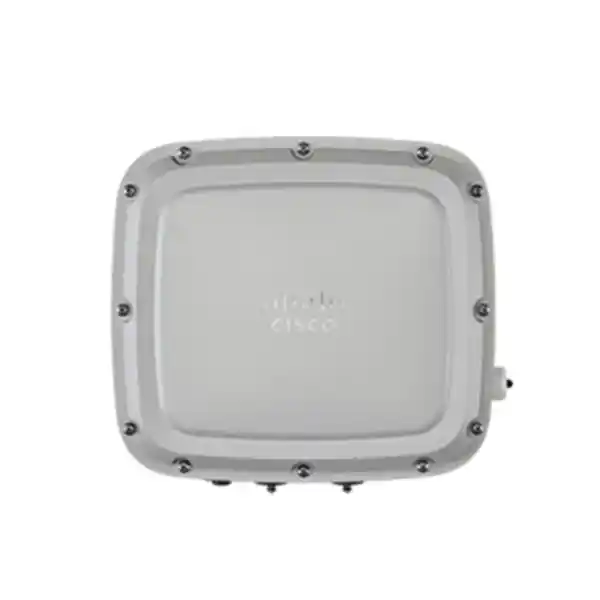
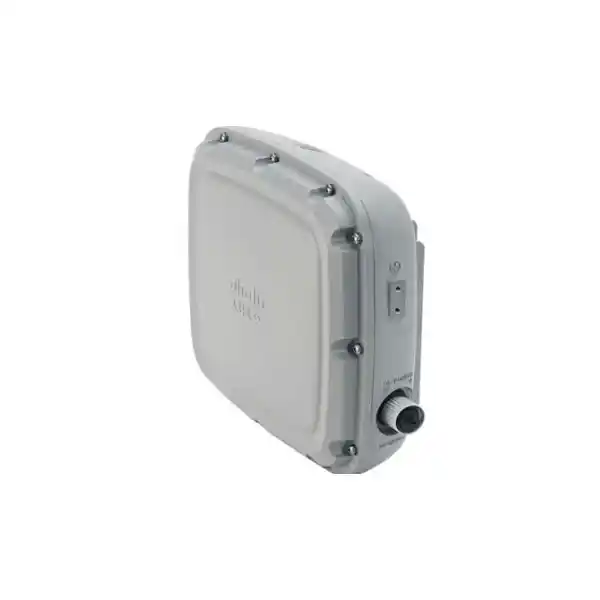
Cisco Catalyst C9124AXI Outdoor Access Point
The Cisco Catalyst C9124AXI is an enterprise Wi-Fi 6 outdoor access point built for organizations that need reliable dual-band wireless coverage beyond indoor ceilings and corridors. It combines integrated omnidirectional antennas, 4×4:4 spatial streams on both 2.4 GHz and 5 GHz, uplink and downlink OFDMA, MU-MIMO, Cisco RF ASIC intelligence, Bluetooth Low Energy 5, multigigabit Ethernet and a hardened IP66/IP67 enclosure. For UAE deployments, that combination is particularly relevant to campus walkways, hotel grounds, schools, warehouses, logistics yards, parking areas, construction compounds, utility environments and other outdoor locations where heat, dust, moisture, cable distance and mounting discipline all influence real-world WLAN performance.
Direct answer: who should choose the C9124AXI?
Choose the C9124AXI when the requirement is broad, approximately omnidirectional outdoor Wi-Fi coverage around the access-point position and the project benefits from an integrated-antenna design. The model is the internal omnidirectional member of the Catalyst 9124AX family; the C9124AXD uses integrated directional antennas, while the C9124AXE is intended for deployments that need external antenna flexibility. That distinction should be made before pricing because antenna architecture determines the practical coverage pattern, mounting orientation, RF design assumptions and bill of materials.
The access point is well suited to organizations standardizing on Cisco Catalyst wireless, particularly where a Catalyst 9800 Series Wireless Controller, centralized management, FlexConnect, policy integration and enterprise security practices are already part of the network architecture. It is not a substitute for RF engineering. Outdoor Wi-Fi performance depends on client capability, regulatory power limits, channel width, interference, mounting height, line of sight, obstacles, cable design, switch power availability and the density of active devices. FourTeck therefore positions the C9124AXI as an engineered infrastructure component rather than as a simple range-extender product.
C9124AXI technical snapshot
Radio architecture
Dual-band 2.4 GHz and 5 GHz Wi-Fi 6 with 4×4:4 capability, uplink/downlink OFDMA and uplink/downlink MU-MIMO. BSS coloring and Target Wake Time help improve efficiency in compatible client environments.
Integrated antenna model
The C9124AXI incorporates omnidirectional antennas, simplifying external antenna selection and reducing the number of exposed RF connections compared with an external-antenna deployment.
Wired uplink options
One 100/1000/2500BASE-T multigigabit Ethernet uplink and one Gigabit Ethernet SFP interface provide copper and fiber design options. The available features depend on how the AP is powered.
Outdoor resilience
IP66/IP67 ingress protection, outdoor operating range down to -40°C and up to 65°C without solar load, plus testing for humidity, wind, solar radiation, corrosion and vibration.
RF intelligence
Cisco RF ASIC is designed for spectrum and RF functions including Cisco CleanAir, wireless intrusion prevention, FastLocate and Dynamic Frequency Selection support.
IoT and location
Integrated Bluetooth Low Energy 5 radio supports location-oriented use cases such as wayfinding, asset visibility and analytics when used with the appropriate software architecture.
Why outdoor Wi-Fi 6 is an engineering problem, not simply an AP purchase
Outdoor WLAN projects in Dubai and across the UAE combine radio-frequency design with environmental, electrical and structured-cabling requirements. A model such as the C9124AXI can provide a strong technical foundation, but the result still depends on where it is mounted and what surrounds it. A courtyard bordered by reflective glass behaves differently from an open logistics yard. A hotel pool deck has different client density, roaming expectations and aesthetic constraints than an industrial perimeter. A school campus may need predictable voice roaming between buildings, while a construction or utility site may prioritize rugged coverage for tablets, scanners and operational applications.
The correct design begins with service objectives. Engineers should define which applications must work outdoors, the minimum acceptable signal and data rate, the types of client devices, the expected peak concurrency, whether voice or real-time collaboration is important, whether scanners or IoT devices use 2.4 GHz, and which areas are mandatory rather than merely desirable. Those answers influence AP count, channel reuse, placement and power decisions. Coverage designed only around theoretical maximum transmit power can be misleading because client devices usually transmit at lower power than infrastructure APs. A client may hear the access point while the access point cannot reliably hear the client, creating an asymmetric link.
For that reason, FourTeck recommends treating the C9124AXI as one element of a complete outdoor wireless architecture. The WLAN controller, access-switch power budget, fiber or copper uplink, surge and grounding approach, mounting hardware, cable glands, VLAN and policy design, DHCP reachability, RADIUS or identity services and monitoring model all need to align. Organizations seeking a broader UAE network design can also review FourTeck UAE enterprise networking capabilities when the outdoor WLAN is part of a larger switching, security or infrastructure refresh.
Wi-Fi 6 radio architecture: 4×4:4 on 2.4 GHz and 5 GHz
The C9124AXI is designed with four spatial streams on both serving bands when supplied with the power required for full operation. The 4×4:4 description refers to four transmit chains, four receive chains and up to four spatial streams. In practical WLAN engineering, more spatial streams can increase aggregate capacity and improve flexibility when compatible clients, channel conditions and modulation rates permit. It does not mean that every client will communicate using four streams. Many smartphones and handheld devices are 2×2 clients, and some IoT endpoints are simpler still. The advantage is that the AP can use its radio resources efficiently across a mixed population rather than relying on a single-client headline rate.
Wi-Fi 6 introduces Orthogonal Frequency Division Multiple Access, or OFDMA, in both uplink and downlink directions. OFDMA allows a channel to be divided into smaller resource units so multiple compatible devices can be scheduled within the same transmission opportunity. This is particularly valuable when many clients exchange modest amounts of data instead of each consuming a full channel opportunity. Outdoor venues often have exactly that mixture: phones generating background traffic, handheld terminals sending transactions, telemetry endpoints, location clients and users running high-throughput applications. Effective scheduling can therefore matter as much as raw radio rate.
Uplink and downlink MU-MIMO complement OFDMA by enabling spatial resources to be shared among multiple compatible clients. BSS coloring helps devices distinguish overlapping basic service sets, supporting spatial reuse where RF cells overlap. Target Wake Time can let compatible battery-powered devices coordinate sleep and wake schedules, potentially reducing contention and extending endpoint battery life. These capabilities are most beneficial when the broader WLAN, client population and software release support them; they should not be treated as universal guarantees for every legacy device.
Channel-width planning remains crucial. Wider channels can raise peak PHY rates, but outdoors they also consume more spectrum and reduce the number of reusable channels. In dense campus or hospitality designs, engineers frequently prioritize cleaner channel reuse and predictable contention over the broadest possible channel width. Dynamic Frequency Selection can also affect 5 GHz operation in regulatory environments where radar-protected channels are used. The C9124AXI’s RF and DFS capabilities must operate within the approved regulatory domain for the UAE, so procurement should verify the correct Cisco regulatory-domain suffix rather than assuming that any worldwide stock code is interchangeable.
Integrated omnidirectional antennas: where the AXI model fits
Use C9124AXI when coverage should surround the AP
The integrated omnidirectional antenna system is a strong fit for poles or building positions where clients are expected in multiple directions. Typical examples include central courtyards, pedestrian areas, outdoor seating zones, campus intersections, parking areas and open work yards. Integrated antennas also simplify installation because RF jumpers and separate antenna bodies are not part of the normal design.
Omnidirectional does not mean perfectly spherical or unlimited coverage. Antenna radiation patterns, mounting orientation, nearby metal, walls, vehicle movement, landscaping and vertical elevation all influence the usable cell. A high pole may create an attractive coverage radius on paper while producing poor signal directly below or reducing client uplink reliability at the edge.
Consider AXD or AXE when the pattern must be shaped
The C9124AXD uses integrated directional antennas and can make more sense when coverage needs to be pushed toward a specific zone rather than distributed around the mounting point. The C9124AXE exposes external antenna ports and is more appropriate when the project needs specialized antenna gain, pattern or placement. Those models should be evaluated separately rather than substituted after a survey without recalculating the RF design.
A directional choice can reduce unwanted energy behind the AP, improve frequency reuse and better serve long or narrow spaces. An external-antenna design can solve specialized mounting constraints. Conversely, the AXI can reduce component count and weather-sealing complexity. The correct answer is the model whose radiation pattern matches the physical service area.
Cisco RF ASIC, CleanAir, wIPS and operational visibility
The C9124AX family includes Cisco RF ASIC technology, a software-defined radio capability used for advanced spectrum and RF functions. Cisco identifies functions such as CleanAir, wireless intrusion prevention, FastLocate and Dynamic Frequency Selection as benefits of this RF architecture. For enterprise operators, the importance is operational: outdoor RF conditions can change after installation. Temporary events, neighboring networks, point-to-point links, machinery, rogue devices and new construction can alter the spectrum. Visibility into those conditions helps administrators distinguish a radio problem from an upstream switching, DHCP, authentication or application problem.
CleanAir-style spectrum intelligence can help identify non-Wi-Fi interference patterns rather than showing only 802.11 contention. Wireless intrusion-prevention functions contribute to monitoring for suspicious or unauthorized wireless behavior, but security still depends on configuration, software version, controller policy, authentication design and operational response. A hardened outdoor AP should be incorporated into the same logging, alerting, lifecycle and configuration-management processes as indoor access points, especially when it is physically accessible from public or semi-public spaces.
FastLocate and BLE-related capabilities can support location and analytics use cases, subject to the surrounding Cisco architecture and application stack. These features should be scoped deliberately. A customer buying the AP only for client Wi-Fi should not assume that every location function is automatically delivered without software, design and integration. Likewise, organizations building asset visibility should define beaconing strategy, location accuracy objectives, data retention and privacy requirements before treating the access point radio as a complete positioning platform.
Interfaces and port planning
The C9124AXI provides a 100/1000/2500BASE-T Ethernet uplink. At full capability, the 2.5 GbE link gives the wired side more headroom than a conventional 1 GbE uplink and can prevent the uplink from becoming an unnecessary bottleneck as aggregate wireless demand increases. Cisco indicates support for multigigabit speeds across suitable Category 5e cabling, although outdoor cable condition, distance, shielding, termination quality and environmental exposure still need to be validated. Existing copper should be tested rather than assumed acceptable merely because it previously carried Gigabit Ethernet.
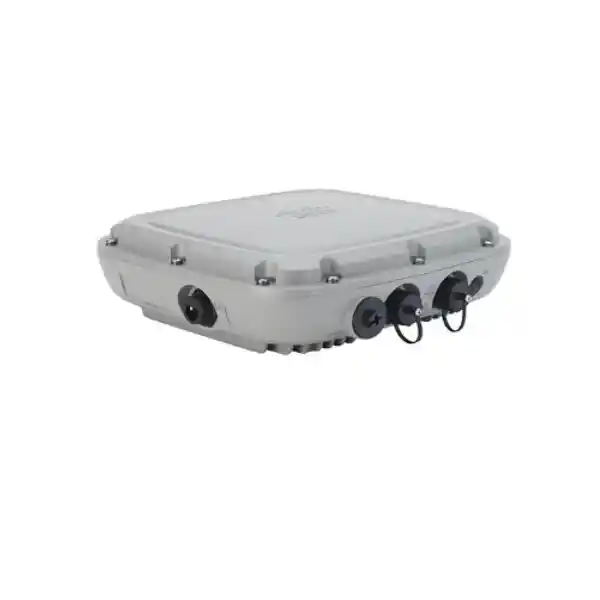
A Gigabit Ethernet SFP interface provides a fiber-oriented uplink option. Fiber can be valuable when the access point is far from the nearest communications room, when electrical isolation is desirable or when a site topology makes copper distance impractical. Fiber does not eliminate the need to power the AP. If SFP is chosen for data, the project still needs a suitable DC or PoE-related power architecture as allowed by the design. Unused outdoor ports must remain correctly sealed using the required plugs or caps so that the environmental rating is not compromised.
The family also includes a 10/100/1000BASE-T downlink interface with PoE-out capability under the correct input-power conditions. Cisco specifies 802.3af-compliant PSE output when the AP is powered from UPOE, 802.3bt or a sufficiently rated DC source. This can be useful for selected auxiliary devices, but it requires careful end-to-end power budgeting. Engineers should calculate AP consumption, downstream device demand, switch or injector capacity, cable loss and environmental derating instead of assuming that the mere presence of a PoE-out port guarantees power availability in every mode.
An RJ-45 management console port is available for local administration and troubleshooting. In outdoor installations, console access should be treated as a maintenance function and the port should be resealed after use. Operational procedures should document who can access the unit, how maintenance windows are controlled, which switch/controller records identify the physical AP and how technicians verify that cable glands and weather seals are restored before leaving the site.
Power mode is a performance decision
The C9124AXI supports 802.3af PoE, 802.3at PoE+, 802.3bt, Cisco UPOE and auxiliary DC input from 24 to 56 VDC, but those sources do not provide identical functionality. This is one of the most important procurement details on the product. Cisco’s reduced-power matrix shows that 802.3af is not a practical serving-radio power mode because both 2.4 GHz and 5 GHz serving radios are disabled and the Ethernet side is reduced. A project should not select an AP of this class and then connect it to legacy 802.3af ports expecting normal Wi-Fi operation.
With 802.3at PoE+, the serving radios operate in a reduced 2×2 mode, the multigigabit connection is limited to 1 GbE, the SFP interface is unavailable, the 1 GbE downlink can remain available and PoE-out is disabled. That can be acceptable for certain constrained deployments, but it means the installed system is not using the access point’s full 4×4 and 2.5 GbE capabilities. If a bill of materials lists C9124AXI units but the access switches provide only 30 W PoE+, the design team should explicitly document that reduced feature state.
For the full-feature mode, Cisco specifies 802.3bt, UPOE or suitable DC power. In this state, the C9124AXI can use 4×4 operation on the serving radios, the 2.5 GbE multigigabit interface is available, SFP can be used, the 1 GbE downlink is available and PoE-out can be supported. This is why switch model, power-supply sizing and available PoE budget should be evaluated before the access points are ordered. Upgrading only the AP while leaving an underpowered access layer can create a technically functional but materially constrained installation.
Cisco also lists outdoor 60 W power injectors and other injectors for the family, with capability differences. The 60 W outdoor injectors identified by Cisco operate at 10/100/1000BASE-T and do not deliver the 2.5GBASE-T multigigabit data rate. Therefore, an injector can solve a power problem while introducing a 1 GbE uplink limit. FourTeck can help customers compare switch-delivered power, injector placement and DC powering as part of the overall network design. For related switch, cabling, power and on-site integration requirements, customers can reference FourTeck IT Services UAE.
Power and feature matrix for procurement teams
| Input power | Serving radios | Copper uplink | SFP | PoE-out |
|---|---|---|---|---|
| 802.3af | Serving radios disabled | 1 GbE mode | No | No |
| 802.3at PoE+ | 2×2 reduced mode | 1 GbE | No | No |
| 802.3bt / UPOE / suitable DC | Full 4×4 mode for C9124AXI | Up to 2.5 GbE | Yes | Yes, subject to power design |
Procurement note: final capability depends on exact software, regulatory domain, controller support, switch/injector implementation and the complete power budget. Confirm the intended operating mode before issuing the purchase order.
Environmental design for UAE outdoor installations
The C9124AX family is engineered for outdoor service with IP66/IP67 ingress protection. Cisco publishes an operating range of -40°C to 65°C without solar loading and up to 55°C with solar loading. The difference matters in the UAE because an enclosure installed in direct sunlight experiences a more demanding thermal condition than ambient air temperature alone suggests. Designers should evaluate the actual mounting location, direct solar exposure, surrounding reflective surfaces, airflow and the possibility of heat radiated from nearby walls or rooftops. Environmental ratings support robust design, but they do not remove the need for thoughtful placement.
Cisco also lists operation at 0 to 100 percent condensing humidity, wind resistance up to 100 mph sustained and 165 mph gusts, corrosion testing, solar-radiation testing and vibration testing for the family. These attributes are relevant to coastal areas, exposed rooftops, industrial sites and pole-mounted installations. In the Gulf, corrosion risk can be increased by salt-laden air near the coast, dust accumulation and repeated thermal cycling. Mounting hardware, fasteners, cable shielding and grounding components should be selected for the same environment rather than focusing only on the AP enclosure.
Ingress protection depends on correct installation. Cable glands, gaskets, unused-port caps and SFP plugs must be installed and tightened as Cisco specifies. A water-resistant chassis can still fail if an installer leaves a port open, damages a seal or routes a cable so water runs directly toward the connector. Outdoor Ethernet should be shielded and appropriately rated. A drip loop helps prevent water from traveling along the cable into the gland. The installation guide also calls for grounding, including a 6-AWG copper grounding conductor in the typical outdoor assembly.
Lightning and surge exposure should be considered as part of site risk. Grounding must follow the relevant electrical and building requirements and Cisco’s installation instructions. The access point should not be treated as the only protective element in a long outdoor copper run. Where site topology, distance or electrical exposure makes copper undesirable, a fiber architecture may be evaluated using the SFP interface while separately addressing AP power. For broader structured-cabling, rack, server-room and infrastructure planning, customers can also review FourTeck Server Dubai infrastructure solutions.
Physical dimensions, mounting and service access
The C9124AXI chassis measures approximately 10.2 x 9.2 x 3.2 inches, or 25.9 x 23.3 x 8.1 centimeters, without mounting brackets, and weighs about 6.5 pounds or 2.9 kilograms. Those figures should be used when planning pole loading, bracket clearance, access for cable glands and technician reach. Outdoor APs should not be mounted where routine maintenance requires unsafe access or where later construction is likely to obstruct the RF pattern. A clear maintenance path is an operational requirement, not merely an installation convenience.
Cisco’s installation guidance supports wall or pole-type deployment and recommends a site survey before mounting. Cisco also advises, for ground-client coverage, avoiding excessive installation height and notes a recommendation not to mount above 40 feet in the general installation guidance. Height should be determined by the RF objective rather than by the highest available pole. Mounting higher can increase visual line of sight, but it may also enlarge cells, reduce reuse, weaken client uplinks and change the antenna geometry relative to users on the ground.
Mechanical design must account for wind, vibration and cable strain. The Ethernet or fiber cable should be supported so its weight is not carried by the connector. Service loops should be controlled rather than left to flap in the wind. The grounding conductor should follow the prescribed route. If the SFP, console, DC or data ports are unused, caps or plugs should remain installed and correctly tightened. These details are small compared with the AP purchase price but are often what determine whether an outdoor installation remains reliable after multiple summers and maintenance cycles.
Controller, software and deployment modes
Cisco lists Catalyst 9800 Series Wireless Controllers as the supported controller family for the C9124AX platform. The C9124AXI can participate in centralized and FlexConnect designs, and Cisco documentation for the AXI also identifies embedded wireless controller support in applicable software. The precise architecture should be selected based on site count, WAN dependency, policy consistency, redundancy requirements and the organization’s operational model. A branch or remote yard may have different control and survivability requirements from a headquarters campus with redundant local controllers.
Software compatibility must be verified before shipment. Cisco’s product documentation identifies minimum IOS XE releases for the platform, but production networks should not simply target the earliest supported release. The preferred code should be selected using Cisco’s current compatibility matrix, release notes, security advisories and the versions supported across the existing AP estate and controller pair. Mixed-generation deployments require special care because a controller upgrade that benefits one model can affect another model’s support status or behavior.
Network services must be ready before the AP is taken to the pole. The installation process depends on switching, VLAN, DHCP and controller reachability. Engineers should pre-stage the AP when practical, validate its regulatory domain, confirm controller join, verify the intended site and RF profile, label the unit and record its serial number and switch port. Pre-staging reduces the amount of troubleshooting required from a lift, ladder or exposed outdoor location.
For FlexConnect or multi-site designs, define local switching behavior, VLAN mappings, authentication survivability and WAN-failure expectations. Outdoor WLAN traffic should be segmented according to business function. Guest access, employee access, building systems, handheld operations and IoT endpoints may require separate policies. The AP provides the radio infrastructure, but secure service depends on controller policy, AAA design, firewall segmentation and upstream network enforcement.
WPA3, trust and enterprise security architecture
The Catalyst 9124AX platform supports WPA3 capabilities, including WPA3-Enterprise 192 in supported configurations. For enterprise deployments, wireless security should be designed as a chain of trust rather than as a single encryption setting. The client, supplicant, credential or certificate, RADIUS server, wireless controller, AP, switching fabric and security policy all participate. Strong wireless encryption does not compensate for weak identity lifecycle practices, shared credentials or flat network segmentation.
Cisco also positions the Catalyst 9100 family around Trust Anchor technologies, including image signing, Secure Boot and a Cisco Trust Anchor module. These mechanisms strengthen confidence in platform software and hardware authenticity. They should be paired with operational controls: maintain supported software, restrict administrative access, use secure management protocols, centralize logs, monitor controller and AP events, inventory serial numbers and review configuration changes. Outdoor devices deserve particular attention because they can be physically closer to public access than equipment secured inside a communications room.
Wireless intrusion-prevention capabilities can contribute to rogue and threat visibility, while firewall and segmentation policy determine what an authenticated device can reach. Organizations designing secure wireless around Cisco access points can coordinate those requirements with FourTeck Firewall Dubai when the project also requires next-generation firewall policy, secure internet breakout, site-to-site connectivity or network segmentation.
Recommended outdoor deployment scenarios in Dubai and the UAE
Corporate and education campuses
Provide controlled wireless continuity across walkways, courtyards, building entrances, gathering spaces and selected parking areas. Campus design should focus on roaming boundaries, channel reuse and avoiding oversized cells that interfere with indoor APs. Where voice roaming is important, survey methodology should test both directions of the link and the behavior of actual client devices.
Hotels, resorts and outdoor hospitality
Serve pool areas, terraces, landscaping zones and guest pathways while preserving aesthetic and operational constraints. Integrated antennas can reduce visible RF accessories, but mounting still needs clear propagation and safe access. Hospitality networks should isolate guest service, staff operations and building systems with appropriate policy.
Logistics yards and warehouses
Extend connectivity to handheld scanners, tablets, vehicle-side operations and staff devices in external loading or storage zones. Trucks, containers and racking can create changing RF shadows, so predictive design should be validated with on-site measurements and real operational traffic patterns.
Industrial and utility environments
Support field mobility and selected IoT applications in rugged areas where dust, humidity, vibration or exposure rule out conventional indoor access points. Industrial sites may also contain sources of interference and metal structures that require detailed spectrum analysis and carefully chosen mounting positions.
Public spaces and outdoor events
Enable high-capacity outdoor client access where concurrent demand can vary sharply. Temporary crowd concentration changes the airtime model, so event design should consider user density, authentication flow, application mix and backhaul capacity instead of extrapolating from an empty-site survey.
Construction and temporary compounds
Provide rugged wireless coverage for site offices, inspection devices, tablets and operational teams where the physical environment evolves over time. Mounting and coverage should be reviewed as cranes, temporary buildings, stored materials and site boundaries change.
RF sizing methodology: how many C9124AXI access points are required?
There is no responsible universal answer such as one outdoor AP per fixed number of square meters. Capacity and coverage must be engineered from requirements. A preliminary design starts with a map and identifies mandatory service areas, excluded areas, building materials, elevations and likely mounting points. The team then defines client types and applications. A smartphone browsing the web, a voice handset, a rugged scanner and a telemetry endpoint have different receiver sensitivity, antenna design, data-rate requirement and roaming behavior. The weakest important client often determines the usable cell edge.
The design should establish a minimum signal target, signal-to-noise objective and acceptable retry level for each service class. Predictive modeling can estimate coverage, but outdoor modeling must account for walls, glass, foliage, vehicles, containers and terrain. The AP transmit power should not simply be maximized. Excessive power can make cells too large, increase co-channel contention and create downlink/uplink asymmetry. Transmit power should align with client capability and the planned channel-reuse pattern.
Capacity sizing uses expected concurrency and airtime demand. Wi-Fi is shared medium access; ten clients each performing low-rate transactions impose a different load from ten clients simultaneously uploading video. Engineers should estimate active client count at peak periods, traffic direction, average and burst throughput, protocol overhead and the amount of airtime consumed by slower or distant clients. Channel width and MCS distribution matter because a client at a low data rate occupies airtime longer for the same payload.
After installation, validation should measure the deployed system instead of assuming the predictive model is perfect. A post-deployment survey checks signal, noise, channel overlap, roaming transitions and physical coverage. Functional tests should validate DHCP, DNS, authentication, internet or application reachability and controller monitoring. Where devices are mission critical, test with the actual client model and normal application. A laptop survey adapter can show strong RF while a scanner with a smaller antenna behaves differently.
Finally, document assumptions. If the customer later doubles outdoor seating, adds autonomous devices or installs metal storage structures, the original design conditions have changed. Good WLAN documentation lets the operations team understand why APs were placed where they are, which channels and power objectives were intended, where coverage boundaries were accepted and what trigger would justify a new survey.
2.4 GHz strategy versus 5 GHz strategy
The C9124AXI provides both 2.4 GHz and 5 GHz serving capability, but good design uses the bands intentionally. The 2.4 GHz band has fewer non-overlapping channel choices and generally experiences more interference from legacy Wi-Fi and non-Wi-Fi devices. It can propagate farther, which is useful for certain IoT or legacy endpoints but can also create large contention domains. In many enterprise networks, 2.4 GHz is operated at lower power and primarily retained for devices that genuinely need it.
The 5 GHz band offers more channel-planning flexibility and is generally preferred for modern client capacity. Outdoor use may include DFS channels subject to regulatory requirements. The access point and controller must respond appropriately if radar events are detected on DFS frequencies. Channel selection should therefore balance available spectrum, event sensitivity, client support and the stability requirements of the application. Some specialized or older clients may support only a subset of 5 GHz channels.
Band steering and client behavior should be observed rather than assumed. The AP can advertise service on both bands, but the client ultimately makes many roaming and association decisions. A well-designed network encourages modern clients toward the preferred band through RF design and supported controller features while maintaining compatibility for required 2.4 GHz devices. If an operational device is 2.4 GHz only, it should be identified during requirements gathering so that coverage for that device is validated separately.
Multigigabit Ethernet and switch selection
A 2.5 GbE capable AP should be paired with access switching that can actually provide the intended speed and power simultaneously. That means checking the switch-port media capability, per-port PoE standard, total chassis or stack PoE budget, uplink capacity, VLAN design and software support. An AP connected to a 1 GbE port will still have a wired bottleneck even if the radio can generate more aggregate traffic. Conversely, connecting to an mGig port with insufficient power can force reduced radio operation.
The access switch should also be sized for aggregate outdoor WLAN traffic. If several C9124AXI units connect to one switch, each port may be capable of 2.5 GbE while the switch uplink to distribution is much smaller. Oversubscription is not automatically a problem because client demand is bursty, but it should be an intentional design choice. QoS policy, guest internet limits, application prioritization and expected peak usage should inform the upstream bandwidth model.
Existing cabling deserves test evidence. Cisco indicates 2.5G, 1G and 100M support using Category 5e cabling, but outdoor cable can be damaged by UV exposure, moisture, poor glands, crushing or improper terminations. Certification or qualification testing provides better assurance than relying on jacket markings. If the run passes through exposed areas, use outdoor-rated shielded cable and maintain grounding practices appropriate to the installation.
Where copper distance, lightning exposure or pathway constraints make a copper uplink unattractive, the Gigabit SFP option may be useful. The fiber type, optic compatibility, pathway, termination enclosure and AP power source must all be engineered together. Do not treat SFP as a plug-in afterthought after the pole and power design are finalized.
BLE 5 and IoT considerations
The integrated Bluetooth Low Energy 5 radio can support location-oriented applications such as asset tracking, wayfinding and analytics in architectures that use those capabilities. This is useful for customers who want the wireless infrastructure to contribute more than client connectivity. A hospitality campus might use location services to understand movement patterns; a logistics operation might explore asset visibility; a large facility might use beacons for wayfinding. The business value depends on the application stack, beacon strategy and data integration, not on the radio alone.
IoT design also changes the WLAN requirement. Many sensors send small packets but may remain deployed for years, resulting in mixed generations of security and radio capability. Segment IoT traffic from user devices, enforce least-privilege access and understand whether endpoints rely on 2.4 GHz. Battery devices can benefit from Wi-Fi 6 power-saving mechanisms such as Target Wake Time when both sides support the function, but battery-life estimates should be validated using actual device firmware and traffic patterns.
Location and IoT projects should include privacy and governance requirements. Decide what location data is collected, who can access it, how long it is retained and which operational system consumes it. The access point can provide enabling radio functions, while the overall solution requires controller, software, identity and application design.
Outdoor installation workflow recommended for enterprise projects
- Define service outcomes. Document the outdoor zones, applications, client types, concurrency, roaming expectation, guest requirements, operational devices and minimum performance objectives. Distinguish mandatory coverage from nice-to-have coverage so that AP quantity can be justified.
- Survey and model the RF environment. Record proposed mounting heights, obstructions, metal structures, landscaping, reflective surfaces and interference sources. Use predictive design as a starting point and plan validation with actual site conditions.
- Choose the correct 9124AX model. Confirm that integrated omnidirectional coverage is appropriate. If the target area is strongly directional or needs a specialized antenna, compare C9124AXD or C9124AXE rather than forcing the AXI into an unsuitable pattern.
- Verify the regulatory-domain SKU. Cisco outdoor radios are sold with regulatory-domain considerations. Confirm that the exact model suffix is approved for use in the UAE and that the controller country configuration is correct before deployment.
- Engineer power before cabling. Decide whether the AP will run from 802.3bt, Cisco UPOE, DC or a reduced 802.3at mode. If full 4×4 and 2.5 GbE are required, do not build the design around a 30 W PoE+ constraint. Calculate total switch PoE budget for all APs and any PoE-out use.
- Select copper or fiber uplink. For copper, verify distance, cable category, shielding, outdoor rating, grounding and 2.5 GbE capability. For fiber, choose the compatible SFP and plan a separate AP power method. Protect unused interfaces with the correct caps.
- Prepare controller and network services. Create the WLANs, policies, VLANs, RADIUS dependencies, DHCP scopes, DNS and switch-port configuration. Validate that the software release supports the C9124AXI and the rest of the AP estate.
- Pre-stage and label. Join each AP to the intended controller, apply the correct site configuration, record serial and MAC information, label the physical unit and map it to the switch port. This dramatically reduces troubleshooting at height.
- Install with outdoor mechanical discipline. Use approved mounting hardware, maintain safe clearance, secure cable strain relief, create drip loops, install grounding and ensure glands, gaskets and caps are correctly seated. Never leave an unused outdoor connector exposed.
- Validate after installation. Survey RF coverage, test client roaming, measure throughput appropriate to the design, verify application behavior, check controller health and document final AP positions, channel behavior and any exceptions from the predictive plan.
Common deployment mistakes to avoid
Buying on maximum range claims. Outdoor range cannot be reduced to a single reliable number because the client radio, interference, frequency, antenna pattern, mounting height and obstacles change the link budget. Design from service requirements and validate on site.
Using 802.3at and expecting full specifications. PoE+ powers the AP in a reduced mode. If the project requires the full 4×4 configuration, 2.5 GbE, SFP or PoE-out, the input-power architecture must support it.
Mounting too high because the pole is available. Very high mounting can enlarge cells and create poor client uplinks. The antenna pattern and client geometry must be modeled. Serviceability and safe maintenance access also matter.
Ignoring waterproofing details. Environmental ratings depend on proper cable glands, port caps, sealing and cable routing. One improperly closed connector can defeat an otherwise rugged chassis.
Skipping grounding and surge planning. Outdoor copper can expose the network to electrical events. Follow Cisco installation requirements and local electrical practices, and evaluate whether fiber is more appropriate for exposed or long pathways.
Assuming every client is Wi-Fi 6 and four-stream capable. Client mix is usually heterogeneous. Many mobile clients are 2×2, and some operational devices are legacy 2.4 GHz. Capacity planning must reflect real endpoints.
Leaving validation until users complain. Post-installation survey and functional testing should be part of the acceptance process. Capture baseline results when the deployment is new so future troubleshooting has a comparison point.
Licensing and lifecycle planning
Cisco positions Catalyst 9124AX Series access points within the Cisco DNA software ecosystem. The exact subscription, entitlement and ordering structure should be checked against the current Cisco wireless ordering guide at the time of quotation because licensing programs and bundle rules can change. Procurement should therefore request a complete bill of materials that identifies the access-point regulatory SKU, required licensing, controller requirements, mounting hardware, power method, optics or injectors and support coverage instead of pricing the bare AP alone.
Lifecycle planning should include controller software strategy, security advisories and hardware support. Cisco support pages continue to publish release guidance and field notices for deployed products. Administrators should maintain an inventory of AP model, serial number, location, controller, software and switch port so that advisories can be mapped rapidly to affected devices. Outdoor AP replacement can require lifts, permits or after-hours access, so keeping spare strategy and physical access documentation is more important than for a ceiling AP that a technician can reach quickly.
Support planning is also an opportunity to define acceptance criteria. A purchase order can state the intended powering mode, WLAN controller integration, firmware baseline, mounting location, post-installation survey and documentation deliverables. This reduces ambiguity between a supply-only quote and a fully engineered deployment. FourTeck can structure the engagement around product supply, implementation support or a broader managed project depending on customer requirements.
UAE procurement checklist for C9124AXI
Model and regulatory domain
Confirm C9124AXI specifically, not AXD or AXE, and verify the Cisco regulatory-domain suffix authorized for UAE use. Record the exact orderable part number on the quotation.
Power source
State whether the deployment requires full 802.3bt/UPOE/DC capability or accepts 802.3at reduced mode. Verify switch port and total PoE budgets rather than only total switch wattage.
Uplink medium
Specify 2.5GBASE-T copper, 1 GbE copper, or SFP/fiber. Test existing cabling, and include suitable outdoor-rated shielded cable, glands and optics where required.
Mounting hardware
Confirm pole or wall orientation, bracket components, pole diameter or surface condition, wind exposure, safe access and clearance for cable service before ordering mounting materials.
Controller and software
Validate Catalyst 9800 controller architecture, IOS XE compatibility, AP join capacity, WLAN policy, licensing and any coexistence requirements with older AP models.
Survey and acceptance
Define whether the quote includes predictive design, on-site survey, installation, post-deployment validation, heat maps, roaming tests and final as-built documentation.
Detailed specification reference
| Product family | Cisco Catalyst 9124AX Series outdoor access points |
|---|---|
| Model | C9124AXI, integrated omnidirectional antenna model |
| Wireless generation | Wi-Fi 6 / IEEE 802.11ax with backward compatibility subject to supported standards and configuration |
| Serving bands | 2.4 GHz and 5 GHz |
| Spatial streams | 4×4:4 capability on 2.4 GHz and 5 GHz in full-power operating mode |
| Wi-Fi 6 efficiency | Uplink/downlink OFDMA, uplink/downlink MU-MIMO, BSS coloring and Target Wake Time |
| RF intelligence | Cisco RF ASIC supporting functions including CleanAir, wIPS, FastLocate and DFS |
| Bluetooth | Integrated Bluetooth Low Energy 5 radio |
| Copper uplink | 1 x 100/1000/2500BASE-T Ethernet |
| Fiber interface | 1 x Gigabit Ethernet SFP |
| Downlink | 1 x 10/100/1000BASE-T with conditional PoE-out support |
| Console | RJ-45 management console port |
| Power inputs | 802.3af, 802.3at, 802.3bt, Cisco UPOE and auxiliary 24-56 VDC, with feature reductions on lower PoE levels |
| Ingress rating | IEC 60529 IP66/IP67 |
| Operating temperature | -40°C to 65°C without solar loading; -40°C to 55°C with solar loading |
| Humidity | 0% to 100% condensing |
| Dimensions | Approximately 25.9 x 23.3 x 8.1 cm without mounting bracket |
| Weight | Approximately 2.9 kg for C9124AXI |
Specifications and supported functions can vary by regulatory domain, software release, controller mode and power source. Verify the final Cisco orderable SKU and current software documentation for the intended UAE deployment.
How the C9124AXI fits into a resilient network architecture
An outdoor AP is an edge device, but its user experience depends on every upstream layer. At the access layer, the switch must provide the required PoE and mGig service. At distribution or core, sufficient bandwidth and resilient paths are needed so an AP failure is not confused with a network-core issue. The controller layer needs redundancy appropriate to the site criticality. Identity services should have enough capacity for peak reconnect events, especially after a site power restoration when many clients reauthenticate at once.
DHCP scope sizing is easily overlooked in guest and event environments. The WLAN may have abundant RF capacity while clients fail because the address pool is exhausted. DNS response time, captive-portal dependencies and internet edge capacity can create similar symptoms. Monitoring should therefore correlate radio health, client association, authentication, DHCP, DNS and application reachability. A dashboard that shows only AP online/offline state is insufficient for a business-critical wireless service.
Resiliency also extends to physical infrastructure. If a group of outdoor APs all draw power from one access switch or one electrical circuit, that device becomes a fault domain. If every AP’s fiber returns through the same exposed pathway, a cable incident can remove all outdoor coverage. High-availability requirements should be translated into power, switch, controller and pathway diversity as appropriate to the business impact.
For deployments crossing multiple buildings or sites, document the operational boundary: who owns the controller, who manages switching, who maintains outdoor mounting, who responds to cabling faults and who approves WLAN policy changes. Clear responsibility reduces restoration time and helps preserve the environmental integrity of the installation during maintenance.
Capacity planning examples without misleading range promises
Consider a hotel garden where the mandatory service area contains 150 seats, but only 40 to 60 guests are expected to be active concurrently. Most traffic may be messaging, browsing and short video bursts. The RF plan would focus on enough 5 GHz capacity, sensible channel reuse and roaming back into the building. A single centrally mounted omnidirectional AP might appear attractive, but actual AP count should be determined by cell size, neighboring indoor RF and peak airtime rather than seat count alone.
Now consider a logistics yard. Concurrent user count may be lower, but scanners roam between lanes of trailers and containers. Metal objects create moving reflections and shadows. The critical metric may be transaction reliability and roaming continuity rather than headline throughput. More APs at moderate power can be preferable to one high-power AP because smaller cells can improve uplink balance and provide path diversity around obstructions.
A school campus presents another profile. Students gather densely between buildings during breaks, creating brief concurrency spikes. Indoor and outdoor cells overlap at entrances. The controller and RF design must prevent outdoor APs from overpowering indoor cells or causing sticky-client behavior. Identity systems and DHCP must also handle mass movement. Here, the 4×4 Wi-Fi 6 architecture offers useful capacity, but architecture and tuning determine whether it translates into a consistent experience.
These examples illustrate why FourTeck does not publish a single guaranteed coverage radius for the C9124AXI. A responsible quotation can estimate AP quantity from drawings, but final engineering should use a site survey or a clearly stated predictive-design methodology. The correct result is a network that meets the customer’s application objective, not a marketing number measured in ideal open air with unspecified clients.
Migration from older outdoor Wi-Fi generations
Replacing older outdoor access points with the C9124AXI should be treated as a design refresh rather than a one-for-one hardware swap. An old AP may use a different antenna pattern, mounting bracket, cable type, PoE level and controller architecture. Reusing the same position can preserve historical coverage problems or create new interference because Wi-Fi 6 capacity and radio behavior differ from the previous generation. Survey the area as if it were a new design, then use existing positions only when they remain appropriate.
Power is often the first migration constraint. Legacy switches may provide only 802.3at or even 802.3af. The C9124AXI will not expose its full feature set under those conditions. A refresh plan should therefore inventory switch models, power supplies, current PoE utilization and mGig port availability. In some environments, replacing access switching creates more value than installing premium APs into an old edge.
Controller and licensing readiness are next. Confirm the target Catalyst 9800 software supports both new and retained AP models. If older hardware is not supported by the desired IOS XE release, the migration may need phases. Plan controller capacity for the final AP count and account for join behavior during cutover. WLAN policies, authentication and VLAN mappings should be tested before outdoor units are physically replaced.
Finally, use the refresh to improve documentation and weatherproofing. Replace degraded outdoor cables, glands or mounts instead of attaching a new AP to aging infrastructure. Record photographs, pole identifiers, cable routes, switch ports and grounding details. The access point may have a long service life; good as-built information is what allows future technicians to maintain it correctly.
Operations, monitoring and troubleshooting
After deployment, establish a baseline for each outdoor AP. Record normal channel, transmit power range, noise floor, client count, retry rate, uplink speed and power state. Baselines make it easier to identify gradual environmental changes. A new neighboring wireless network, a seasonal event structure or a new metal canopy can change RF behavior even though the AP configuration has not changed.
When users report poor wireless service, troubleshoot by layers. First confirm the AP is online and has the expected power mode and wired uplink rate. Then check RF health, channel utilization, interference and client RSSI/SNR. Verify authentication, DHCP and DNS. Finally, test the application path. This sequence prevents wasted time adjusting radio settings when the underlying issue is an exhausted DHCP pool, failed RADIUS service or congested internet circuit.
Outdoor APs should be inspected physically on a scheduled basis in harsh sites. Look for damaged cable jackets, loose glands, corrosion, compromised mounts, missing caps, unusual cable strain or changes to surrounding structures. Do not open or disturb sealed components casually. Maintenance should follow Cisco’s documented procedures so environmental protection is restored after work.
Software lifecycle should be part of routine operations. Review Cisco release notes, security notices and field notices, then test upgrades in a controlled environment when possible. Because controller software affects many APs simultaneously, change plans should include rollback criteria and monitoring. Keep configuration backups and current inventory so the team knows which outdoor units are affected by a software recommendation.
Frequently asked technical questions
Is C9124AXI an outdoor AP?
Yes. It is part of Cisco’s Catalyst 9124AX outdoor series and carries an IP66/IP67 ingress rating when installed according to Cisco requirements.
Does it include antennas?
Yes. The AXI variant uses integrated omnidirectional antennas. Choose AXD for integrated directional coverage or AXE when external antenna flexibility is required.
Does it support 2.5 GbE?
Yes, the copper uplink supports 100/1000/2500BASE-T. Full 2.5 GbE capability is tied to sufficient power; 802.3at reduced mode limits the interface to 1 GbE.
Can I power it with PoE+?
Yes, but 802.3at PoE+ operates the serving radios in reduced 2×2 mode and disables certain features. Use 802.3bt, UPOE or suitable DC power when the design requires full capability.
Which controller is supported?
Cisco lists Catalyst 9800 Series Wireless Controllers for the platform. Verify the intended IOS XE release, controller capacity and compatibility with the complete AP estate.
Can one AP cover an entire yard?
There is no reliable universal radius. Yard size, client radios, metal obstacles, interference, mounting height, channel plan and application requirements determine AP count. Use RF design and validation.
Does it support fiber?
The family includes a Gigabit Ethernet SFP interface. Fiber can be useful for distance or electrical-isolation reasons, but the AP still requires an appropriate power source.
Is WPA3 available?
Yes, Cisco documents WPA3 support for the platform, including WPA3-Enterprise 192 capabilities in supported configurations. Validate client and controller compatibility before enforcement.
Decision recap: when the C9124AXI is the right outdoor Cisco AP
The Cisco Catalyst C9124AXI is a strong fit when an enterprise needs rugged Wi-Fi 6 coverage with integrated omnidirectional antennas, four spatial streams on both serving bands, multigigabit copper uplink capability, optional SFP connectivity, RF intelligence and BLE 5. It is especially compelling for organizations already operating the Catalyst 9800 wireless architecture and wanting a consistent enterprise policy model across indoor and outdoor coverage.
The most important design caveat is power. Full feature use requires an 802.3bt, UPOE or suitable DC architecture; 802.3at runs the AP in reduced mode, and 802.3af does not provide normal serving-radio operation. The second caveat is antenna selection. AXI is omnidirectional. If the service zone is directional, elongated or requires specialized antennas, compare the AXD and AXE instead of purchasing AXI solely because it is in stock.
The third caveat is outdoor installation quality. IP66/IP67 capability, high temperature tolerance and rugged testing support demanding use, but proper glands, grounding, cable selection, mounting and port sealing remain essential. A correctly designed outdoor WLAN is the combination of RF engineering, physical installation, switching, power, controller software and security policy.
Quotation input checklist
For an accurate FourTeck UAE quotation, prepare the information below. Supplying it at the start helps distinguish a product-only request from a fully engineered deployment and reduces the risk of missing power or mounting components.
FourTeck UAE consultation
Plan the C9124AXI as a complete outdoor wireless system
FourTeck can help UAE organizations translate outdoor coverage requirements into a practical Cisco bill of materials covering access-point model selection, regulatory SKU checks, Catalyst 9800 integration, PoE and mGig switching, fiber or copper uplinks, mounting, grounding, survey requirements and deployment validation. This is particularly useful when a project spans several sites or when existing switching may limit full AP functionality.
For Dubai projects, share the quantity, site drawings, current Cisco controller and switch models, preferred mounting positions and target applications. FourTeck can then structure the quotation around supply-only, implementation assistance or a broader network deployment scope.
Before approval
Confirm: C9124AXI model, UAE regulatory domain, full-power or reduced-power mode, copper or fiber uplink, mounting position and controller software.
These six checks prevent the most common specification gaps in outdoor AP purchasing.

Reviews
There are no reviews yet.