
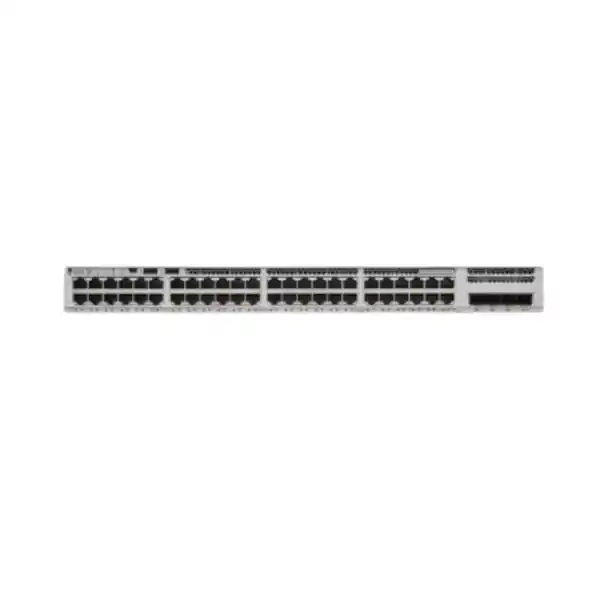
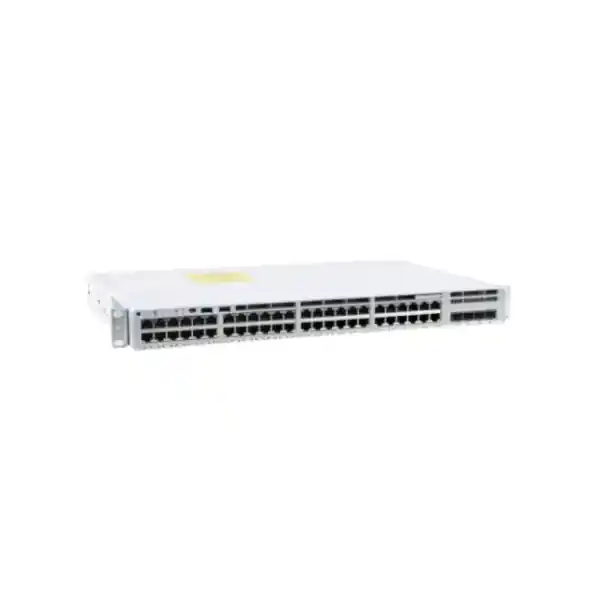
Cisco Catalyst C9200L-48P-4X Network Switch
A 48-port full-PoE+ Cisco Catalyst access platform with four fixed 1/10G SFP+ uplinks, StackWise-80, redundant power-supply capability and Cisco IOS XE for secure, highly manageable enterprise edge networks.
For UAE organizations, the C9200L-48P-4X is especially practical where a wiring-closet switch must power phones, Wi-Fi access points, cameras, door controllers and other Ethernet endpoints while maintaining resilient fiber connectivity toward distribution or core layers. FourTeck can assist with bill-of-material validation, optics, stacking, power sizing, VLAN and security design, migration planning and deployment.
Platform at a glance
Direct answer: what is the Cisco Catalyst C9200L-48P-4X?
The Cisco Catalyst C9200L-48P-4X is a fixed-uplink, stackable Layer 2 and Layer 3-capable enterprise access switch in the Catalyst 9200L family. Its front panel provides forty-eight 10/100/1000BASE-T copper access ports with IEEE PoE+ capability and four fixed SFP/SFP+ uplink interfaces that can operate at 1 or 10 Gigabit Ethernet depending on the optics and design. Cisco positions this class of switch for the campus and branch access layer, where endpoints connect at Gigabit speed and the switch aggregates traffic toward higher-capacity distribution infrastructure. Unlike modular-uplink C9200 models, the C9200L design fixes the uplink port type in the chassis; the 4X variant is therefore best selected when the network standard requires four 10G-capable uplink cages rather than four 1G-only uplinks.
The model combines 176 Gbps of switching capacity with a published forwarding rate of 130.95 Mpps when operating as a standalone switch. With StackWise-80 enabled, Cisco publishes a switch capacity of 256 Gbps and a forwarding rate of 190 Mpps. The C9200L platform uses Cisco’s UADP 2.0 mini application-specific integrated circuit architecture to implement key forwarding, segmentation, quality-of-service, access-control and telemetry functions in hardware. This is important in a real access network because policy features should not turn the switch into a software-forwarding bottleneck when many users, phones, cameras or wireless access points are active at the same time.
In practical UAE deployments, this model sits comfortably in wiring closets serving a floor, office zone, school block, retail cluster, hotel back-of-house area or branch location. It is not a multigigabit access model: its standard copper edge ports top out at 1 Gbps. That distinction matters when evaluating modern Wi-Fi access points that can exceed 1 Gbps over a single wired connection. Where the connected access points or high-performance endpoints require 2.5G, 5G or 10G downlinks, a multigigabit Catalyst variant should be sized instead. Where the requirement is high port density, PoE+, strong security controls, 10G fiber uplinks and predictable enterprise operations at the edge, the C9200L-48P-4X remains a focused and cost-effective choice.
Core hardware specifications
Access interfaces
48 x 10/100/1000BASE-T copper ports with full PoE+ support. The ports are intended for desktop devices, IP phones, access points, cameras, thin clients, printers, IoT endpoints and other Ethernet-connected equipment.
Uplink interfaces
4 x fixed SFP/SFP+ slots supporting 1G or 10G Ethernet. The fixed 4X uplinks are a defining reason to choose this SKU for fiber-connected access closets with redundant 10G paths.
Forwarding resources
176 Gbps standalone switching capacity and 130.95 Mpps standalone forwarding rate, with 6 MB packet buffering on the Gigabit C9200L platform.
Stack architecture
StackWise-80 support for up to eight C9200L members with compatible licensing. A C9200L stack cannot be mixed with modular C9200 switches because the stack architectures are different.
Memory and scale
2 GB DRAM, 4 GB flash, 16,000 MAC addresses, 3,000 IPv4 routing entries, 1,500 IPv6 routing entries, 512 switched virtual interfaces and support for 4,094 VLAN IDs.
Power system
The default primary AC supply is PWR-C5-1KWAC. A second compatible supply can be installed for additional PoE capacity and power redundancy, subject to the final ordered configuration.
PoE+ engineering: budget the watts, not just the port count
A common mistake in access-switch procurement is to see forty-eight PoE+ ports and assume that forty-eight endpoints can simultaneously draw the maximum IEEE PoE+ allocation. The physical ports may all support PoE+, but the switch’s usable power budget is determined by installed power supplies, chassis consumption, supported supply combinations and endpoint demand. For the C9200L-48P-4X, Cisco specifies 740 W of available PoE power with a single PWR-C5-1KWAC primary supply. With a second PWR-C5-1KWAC installed, the published available PoE power rises to 1,440 W. Forty-eight ports multiplied by 30 W equals 1,440 W, which explains why the dual-1 kW configuration is the appropriate reference point when a design genuinely needs maximum PoE+ allocation across all access ports at once.
Most enterprise networks do not operate at theoretical maximum power on every port. A desk phone may consume far less than its negotiated class ceiling, a compact camera may draw a modest continuous load, and an access point can vary significantly according to radio configuration, USB peripherals and model. Good sizing starts with an endpoint inventory. Record device type, quantity, expected peak draw, IEEE class, criticality and whether the device must remain powered during maintenance. Add a realistic growth margin rather than relying only on today’s average consumption. For a mixed floor containing thirty IP phones, eight wireless access points, six cameras and a few door or IoT controllers, the total can be comfortably below 740 W, but a high-density surveillance or wireless deployment can consume the budget much faster.
Cisco supports operational features such as Perpetual PoE and Fast PoE on the Catalyst 9200 family. Perpetual PoE is designed to maintain power to connected powered devices during a switch reload where supported, reducing disruption to endpoints that should not power-cycle just because the network operating system is restarting. Fast PoE is intended to restore endpoint power promptly after switch power returns rather than waiting for the complete operating-system boot process. In UAE offices, hotels, schools and security installations, these capabilities can matter because a camera, door controller or telephone may need power before full network services are ready.
Redundancy design also requires a distinction between total available PoE and survivable PoE. If a dual-power configuration is sized so tightly that losing one supply leaves the remaining 740 W below the live endpoint demand, the switch may remain operational but some powered devices can no longer be sustained. A resilient design therefore calculates the PoE requirement under a single-supply failure state, not only under normal dual-supply operation. FourTeck engineers can map endpoint loads to supply selection, rack PDU capacity and UPS runtime so that the switch, the powered endpoints and the facility electrical design are aligned instead of being treated as independent purchasing decisions.
Four fixed 10G uplinks: why the 4X variant matters
The suffix “4X” identifies four fixed 1/10G-capable SFP+ uplink interfaces. This gives the access switch more aggregation flexibility than a 4G variant whose uplinks are limited to 1G. In a modern campus design, forty-eight edge ports can create substantial aggregate demand, especially when they support voice, video surveillance, cloud applications, wireless access points and large workstation transfers. A single 1G uplink can become a congestion point long before the copper ports are individually saturated. Moving the access layer to 10G uplinks creates headroom for traffic bursts, inter-VLAN flows reaching the distribution layer, backups, software distribution, video and centralized security services.
The four uplink cages also support resilient topology choices. Two links can be placed in a port channel toward one logical upstream system, or connectivity can be split across redundant distribution switches using the design method supported by the upstream platform and network architecture. Spare uplink ports can be retained for migration, temporary parallel connections or additional fiber paths. The correct choice of SFP+ optics depends on fiber type, distance, patch-panel construction, optical budget and upstream transceiver compatibility. Short-range multimode links in the same building are commonly addressed with SR-class optics and appropriate multimode fiber; longer campus or inter-building connections may require single-mode LR-class optics or other supported transceivers. The switch should be ordered with optics selected against the actual cable plant, not simply added as generic “10G SFPs.”
Uplink design should account for oversubscription mathematically. Forty-eight 1G access ports represent 48 Gbps of nominal edge-facing bandwidth. That does not mean every user sends line-rate traffic at the same time, so a 1:1 aggregation ratio is rarely required at a typical office edge. However, two 10G uplinks in a 20G logical aggregate provide substantially more practical headroom than a 2G aggregate built from 1G links. The right ratio depends on endpoint behavior, east-west versus north-south traffic, wireless density, camera bitrates, server locality and application criticality.
Because the uplink module is not field-changeable on the C9200L fixed-uplink design, this choice should be made with the expected lifetime of the closet in mind. If the organization expects to standardize on 10G distribution over the next several years, the C9200L-48P-4X avoids the architectural constraint of 1G-only fixed uplinks. Conversely, if future requirements include 25G uplinks or widespread multigigabit copper access, a different Catalyst platform should be compared before procurement. Selecting the correct model early is cheaper and cleaner than engineering around an unsuitable port architecture after installation.
StackWise-80: scale, single-system operations and failure-domain planning
The C9200L family supports Cisco StackWise-80 using the C9200L stack hardware kit. Cisco permits up to eight C9200L members in a compatible stack, creating a single logical management and control construct while forwarding remains distributed across member hardware. For a UAE building with several access switches in the same telecommunications room, stacking can simplify operation because administrators manage one logical system rather than treating every chassis as an isolated configuration target. VLANs, port policies, software maintenance, monitoring and many day-to-day tasks can be coordinated through the stack.
The physical stack topology is normally built as a ring so that the stack retains connectivity when a single stack link is interrupted. Cable length must be matched to rack placement. Cisco’s C9200L stack kit includes adapters and a standard stack cable, with longer supported cable options available. Rack diagrams should show exact switch positions, stack adapter placement and cable routing before installation. This prevents an avoidable scenario where switches are mounted too far apart for the selected stack cables or where cable pathways obstruct power and data maintenance.
Stacking does not eliminate the need to engineer failure domains. An eight-member stack can provide high port density, but it also creates a larger logical system. Software maintenance, control-plane events, power distribution and rack environmental risks should be considered. In some sites, two smaller stacks may be operationally preferable to one maximum-sized stack because they reduce the number of ports affected by a rare common-mode incident. In other sites, a larger stack may simplify distribution uplinks and management. The choice should follow business impact, floor layout, redundancy objectives and change-management practices rather than a rule that “more stacking is always better.”
A key compatibility constraint is that C9200L fixed models use StackWise-80 and are not stack-compatible with modular C9200 models that use StackWise-160. They also should not be assumed stack-compatible with older Catalyst families. When expanding an existing closet, engineers must identify the exact installed model and license level before ordering an additional member. A switch that looks similar from the front panel may belong to a different stack architecture.
For capacity planning, Cisco publishes 80 Gbps stack bandwidth for C9200L and permits up to eight members. The C9200L-48P-4X has a published 256 Gbps switch capacity and 190 Mpps forwarding rate when stacking is considered. These figures should not be interpreted as an invitation to send all user traffic through the stack ring. A sound design distributes upstream connectivity appropriately, avoids unnecessary hairpin traffic and uses EtherChannel or redundant uplinks according to the upstream topology. Stack bandwidth is a resource to preserve resiliency and internal connectivity, not a substitute for well-sized distribution links.
UADP 2.0 mini architecture and hardware-forwarded policy
Cisco’s Catalyst 9200L architecture is built around the UADP 2.0 mini ASIC, a member of Cisco’s Unified Access Data Plane family. In practical terms, the ASIC is responsible for forwarding packets and enforcing many network policies at hardware speed. This architecture is one reason an enterprise access switch differs from a basic unmanaged or lightly managed switch: segmentation, access lists, quality-of-service classification, telemetry and forwarding decisions are designed to operate as part of the data plane rather than depending on a general-purpose CPU for every packet.
The C9200L platform provides a 6 MB packet buffer on Gigabit Ethernet models. Buffering matters when traffic arrives in bursts or when multiple ingress ports contend for a smaller set of egress links. It does not remove the need for adequate uplink bandwidth, but it helps absorb transient microbursts. QoS should still be configured to protect latency-sensitive voice and critical control traffic from large best-effort transfers. In an office using Microsoft Teams or similar real-time collaboration, IP telephony, video surveillance and bulk cloud synchronization at the same time, policy design can be as important as raw switch capacity.
The platform supports 16,000 Flexible NetFlow entries on the relevant Gigabit models, enabling useful traffic visibility when licensed and configured appropriately. Flow telemetry helps network teams understand which conversations consume bandwidth, identify unexpected traffic patterns and support incident investigation. It should be exported to a collector sized for the number of devices and flow volume. Enabling telemetry without a clear collection and retention plan can generate data without operational value, so monitoring architecture should be defined alongside the switch configuration.
Published platform scale
The C9200L scale profile includes up to 16,000 MAC addresses, 11,000 total IPv4 routes when ARP/direct and learned routes are considered under Cisco’s published model, 3,000 IPv4 routing entries, 1,500 IPv6 routing entries, 1,000 multicast routing entries, 1,000 QoS scale entries and 1,500 ACL scale entries. It also supports 512 SVIs and 4,094 VLAN IDs.
These are platform maximums, not a recommended configuration target. Engineers should leave operating margin for growth, software behavior and policy additions. A wiring-closet switch rarely needs thousands of routes, but route scale can become relevant when Layer 3 is pushed deeper into the access layer. Likewise, a campus may have many VLANs globally while an individual access switch only carries the VLANs required for its endpoints.
Jumbo frames up to the platform’s published 9,198-byte size can be useful in selected environments, but MTU changes should be end-to-end and application-driven. Enabling a larger MTU on one switch does not automatically improve performance and can create troubleshooting complexity if upstream paths, servers, firewalls or virtualization systems use different values.
Cisco IOS XE operations: automation without giving up CLI control
The Catalyst 9200L runs Cisco IOS XE, giving enterprise teams a familiar operational model with a modern software architecture. Traditional administrators can continue to use the command-line interface for configuration, troubleshooting and change validation, while organizations pursuing automation can use APIs, model-driven telemetry and configuration-management workflows supported by the software release and license. This dual approach is valuable in mixed-skill environments: an engineer can inspect interface counters or spanning-tree state interactively while repeatable tasks such as VLAN provisioning, compliance checks or inventory gathering are automated centrally.
A production switch should be treated as software infrastructure, not a sealed appliance that is configured once and ignored for ten years. IOS XE images have release trains, maintenance releases, security fixes, feature changes and hardware support considerations. A sustainable lifecycle process records the approved software version, golden configuration, boot variables, licensing state, image checksum, rollback plan and maintenance history. Stacked systems deserve additional care because software changes affect the logical stack and may require sequencing or reload strategies appropriate to the release.
Configuration hygiene begins with management-plane isolation. Use a dedicated management VLAN or out-of-band management design where appropriate, restrict administrative protocols, apply AAA through enterprise identity systems where available, use SSH rather than insecure legacy methods, synchronize time, send logs to centralized collectors and configure SNMP or telemetry with appropriate security. Local credentials should be controlled as break-glass mechanisms rather than shared everyday passwords. Role separation, configuration backups and change auditing reduce the chance that a simple administrative mistake becomes a prolonged outage.
Operational observability should cover more than “ping up or down.” Monitor interface utilization, errors, discards, PoE consumption, temperature, power-supply state, stack status, CPU and memory trends, spanning-tree events, EtherChannel health and link flaps. Alert thresholds should be meaningful. A 90% utilization alarm on a 10G uplink might be important if sustained for ten minutes but noisy if triggered by a two-second backup burst. Similarly, camera ports that normally run continuously should be treated differently from office wall ports that frequently transition between connected and disconnected states.
FourTeck’s UAE IT services practice can support network implementation, configuration standardization, monitoring integration and migration activities where the switch is part of a wider infrastructure project. The goal is to make the C9200L-48P-4X fit an operational system of documentation, support and security rather than leave it as an isolated box in a rack.
Network Essentials vs Network Advantage: choose the feature tier deliberately
Cisco offers the C9200L-48P-4X in Network Essentials and Network Advantage base-license variants, commonly reflected by -E and -A ordering identifiers. The base network license is perpetual, while Cisco’s add-on subscription licensing provides additional capabilities for defined subscription terms. The exact commercial package, subscription name and entitlement workflow should be validated against the Cisco quote at the time of purchase because licensing programs evolve over the product lifecycle. What matters technically is that the feature tier be selected from the intended routing, segmentation, automation and policy requirements instead of choosing purely on the lowest initial price.
For a straightforward Layer 2 access closet with standard VLANs, access control, QoS and conventional uplinks, Network Essentials may cover the required feature set. Environments using more advanced routing or policy capabilities may require Network Advantage. The most reliable method is to list the actual features the design depends on and map those features to the Cisco software release and license level. Avoid vague statements such as “we might need advanced routing someday.” Define whether the access layer will participate in a routed-access architecture, which protocols are required, whether advanced segmentation is planned, and whether centralized automation features are part of the deployment.
Licensing should also be standardized within a stack. Cisco documentation specifies compatible stack membership requirements, including license considerations. Mixing equipment ordered at different feature tiers without a migration plan can complicate operations and procurement. When expanding an existing stack, capture the exact SKU suffixes, software version and current entitlement state before the new unit is ordered. If an organization has a standard template for one license tier, buying a different tier for a new member because it is temporarily cheaper can create long-term inconsistency.
Smart Licensing is part of the Catalyst 9000 operating model, and current IOS XE releases use Cisco’s policy-based licensing mechanisms. Network teams should define who owns the smart account or virtual account, how devices are registered or reported, how disconnected environments are handled and how entitlement records are maintained. Licensing is not only a procurement issue; it is an operational asset-management discipline. A clean handover should include the hardware serial numbers, license tier, subscription dates where applicable, support coverage, account ownership and renewal responsibility.
Access-layer security controls for zero-trust-minded campus design
Identity and admission
Use 802.1X where endpoint identity can be validated, with MAB or carefully designed exceptions for devices such as printers, cameras or controllers that cannot perform full supplicant authentication. Tie authorization outcomes to VLAN, ACL or policy decisions according to the enterprise identity architecture.
Layer 2 protection
Features such as DHCP snooping, Dynamic ARP Inspection, IP Source Guard, storm control and port security can reduce common access-layer risks when deployed with correct trust boundaries. These controls must be tested because a wrong trust assignment can block legitimate DHCP or gateway traffic.
Segmentation
Separate user, voice, camera, building-management, guest and infrastructure traffic according to business and security requirements. VLANs provide basic Layer 2 separation; stronger segmentation may also use routed policy enforcement, ACLs, firewalls or identity-driven policy.
Management plane
Restrict management access to authorized subnets and administrators, use secure protocols, centralized AAA, logging and time synchronization, and disable unnecessary services. Treat the switch management IP as a privileged infrastructure endpoint rather than an ordinary host.
Security at the access layer is effective when controls reinforce one another. For example, DHCP snooping builds a trusted binding database that can support additional source-validation mechanisms; 802.1X establishes device or user identity; VLAN or policy assignment limits reachability; and upstream firewalls enforce security boundaries between sensitive zones. No single switch feature creates zero trust by itself. The design must define identity, device posture, segmentation, allowed flows, monitoring and incident response across the whole network.
Port templates are particularly useful on a 48-port switch. Instead of configuring every interface manually, define standard profiles for user-plus-phone, access point, camera, printer, uplink, spare and disabled ports. Each template can specify VLAN behavior, QoS trust, 802.1X or MAB, spanning-tree edge behavior, storm control, DHCP snooping expectations, PoE settings and descriptions. Standardization reduces configuration drift and makes troubleshooting faster because engineers know what a correctly configured port should look like.
Unused ports should not remain in a default active state. Administratively shut them down, place them in an unused VLAN if that is part of the standard, and document exceptions. Physical patching is still part of security. A secure configuration can be undermined if an undocumented patch panel allows an unauthorized connection into a privileged switchport. Rack labeling, patch records and logical configuration should match.
QoS for voice, video, wireless and business-critical traffic
Access networks carry traffic with very different sensitivity to delay, jitter, loss and congestion. A large file transfer can tolerate short queuing delays, while an IP voice packet or interactive video stream may show quality degradation quickly. The C9200L platform supports hardware QoS capabilities that allow traffic classification, marking, policing and queuing according to the selected design. The objective is not to make every application “high priority.” It is to protect a small set of truly latency-sensitive or business-critical flows while preserving fair service for everything else.
Trust boundaries should be explicit. An IP phone supplied and managed by the organization may be allowed to mark voice traffic, while a general user port should not blindly trust any DSCP value sent by a laptop. When phones provide a downstream PC port, the switch configuration needs to distinguish voice and data behavior correctly. Wireless access points can carry multiple SSIDs and application classes over one wired port, so the QoS model should match the WLAN architecture rather than treat the AP as a single user.
Surveillance is another common UAE use case. Camera traffic is usually predictable per stream but can become significant when dozens of high-resolution cameras share an uplink. The proper response is not automatically to place all video into the highest-priority queue. Instead, calculate aggregate bitrate, account for codec, frame rate and recording behavior, provide sufficient uplink bandwidth and reserve strict priority for traffic that genuinely requires it. Monitoring should confirm whether the design assumptions match actual utilization.
QoS configuration should be validated under congestion. A policy can appear correct when links are lightly loaded because there is no competition for bandwidth. Test or model the behavior at the point where uplinks or WAN circuits become constrained. Look at drops by queue, interface discards, latency and application metrics. In a campus where 10G uplinks feed a much slower WAN or internet edge, the critical congestion point may be upstream rather than on the access switch. End-to-end QoS must therefore align markings and queue treatment across switches, routers, firewalls, SD-WAN and service-provider links.
Layer 2 and Layer 3 design choices
The C9200L-48P-4X can serve conventional Layer 2 access designs and can also participate in Layer 3 functions according to license and software capabilities. The architecture should decide deliberately where default gateways live. In a traditional campus, access switches carry VLANs to distribution switches where SVIs and routing occur. This centralizes Layer 3 policy but extends Layer 2 fault domains. In routed-access designs, gateways and routing move closer to the edge, reducing spanning-tree dependency and improving failure-domain isolation, but increasing routing configuration and feature requirements at the access layer.
The C9200L platform supports up to 512 SVIs and has published routing table scales that are more than sufficient for many branch and edge use cases. Scale alone does not determine suitability. Routing protocol requirements, convergence objectives, multicast behavior, security policy and operational skills matter. A branch with a few local VLANs may use simple static or dynamic routing; a large campus may depend on more structured routing and segmentation designs. License selection must align with the exact protocols and features required.
Spanning Tree remains important in Layer 2 environments. Use a defined root-bridge strategy, edge-port settings, BPDU protection and link aggregation rather than allowing default topology behavior to evolve accidentally. An access switch should not become spanning-tree root for production VLANs because of an unplanned priority value. Likewise, PortFast or equivalent edge behavior belongs on true endpoint ports, not on links where another switch can appear unless the topology and safeguards explicitly support it.
EtherChannel combines multiple physical links into a logical bundle for capacity and redundancy when both ends support a compatible configuration. LACP is commonly preferred because it negotiates membership and exposes mismatches more clearly than static bundling. When using multiple 10G uplinks, verify load-balancing behavior and remember that a single flow generally follows one physical member rather than being striped packet-by-packet across all links. An aggregate can provide 20G or more of total capacity to many conversations without making one TCP flow exceed the speed of a single 10G member.
The correct campus design is therefore not “Layer 2 versus Layer 3” in isolation. It is a set of decisions about convergence, segmentation, gateway placement, broadcast containment, failure domains, uplink capacity, security enforcement and operations. FourTeck can map the C9200L-48P-4X into an existing Cisco environment or a multivendor upstream network while preserving clear handoff points and support boundaries.
Physical deployment in UAE racks, closets and equipment rooms
The C9200L-48P-4X is a standard 1RU-class rack switch with a chassis approximately 4.4 cm high, 44.5 cm wide and 28.8 cm deep before the additional projection associated with installed power and related rear components. Cisco lists a weight of approximately 4.80 kg for this model. The relatively compact depth is useful in telecommunications rooms where rack depth is limited, but the installed system still requires clearance for power cords, stack cables, airflow and service access. Never size a cabinet using chassis depth alone.
The C9200L uses fixed redundant fans rather than field-replaceable fan modules. Airflow should remain unobstructed, and the closet should be cooled for the actual heat load of all switches, UPS systems and adjacent equipment. UAE environmental conditions make room cooling particularly important: even if a building is air-conditioned, small IDF rooms can become hot when doors remain closed and multiple PoE switches dissipate continuous power. Temperature monitoring and facility alarms should be considered for critical closets.
The AC power supplies are auto-ranging for 100 to 240 VAC, making the platform suitable for standard UAE electrical infrastructure when ordered with the correct power cords and connected to properly rated PDUs. A dual-supply switch should ideally connect its two PSUs to independent PDU or UPS feeds where the facility design supports it. Plugging both supplies into the same single outlet strip provides power-supply redundancy but does not protect against strip, breaker or upstream UPS failure. Critical PoE loads deserve an electrical single-point-of-failure review.
Copper cabling should be Category 5e or better for 1G access, with installation quality verified through certification where appropriate. Patch-panel and horizontal cable records should match the logical switchport documentation. For PoE deployments, poor terminations can produce voltage drop, intermittent endpoint behavior or heat issues, especially across large cable bundles. Cabling standards and bundle design should be considered when many ports provide PoE continuously.
Fiber uplinks require equal discipline. Document each fiber pair, connector type, patch path, optic model and destination port. Clean fiber connectors before insertion, observe bend radius and avoid mixing incompatible multimode generations or optical types without design validation. A 10G link that intermittently accumulates CRC errors can look like a switch problem when the real cause is contaminated or marginal fiber. Commissioning should capture baseline optical receive and transmit levels where the optics expose digital diagnostics, along with interface error counters after a sustained test period.
Deployment patterns that fit the C9200L-48P-4X
Corporate floor access
One or more 48-port switches serve desks, phones, printers and access points, with 10G uplinks to redundant distribution switches. Port templates separate user, voice and infrastructure roles while the PoE budget is sized for phones and WLAN.
Hospitality and mixed services
Hotel or serviced-apartment back-of-house networks may combine IP phones, cameras, staff terminals, access control, wireless APs and building systems. Segmentation and PoE availability are key, and separate VLAN or policy domains help isolate operational technology from guest or office traffic.
Education campus
Classrooms, labs, phones, access points and surveillance devices can share a resilient access layer. StackWise-80 simplifies multi-switch closets, while 10G uplinks provide headroom for cloud applications, video learning and high device density.
Warehouse and logistics
Access points, fixed terminals, scanners, cameras and automation gateways can connect through hardened cabling paths to centrally located switches. Check environmental conditions carefully because ordinary enterprise switches should remain in suitable indoor equipment spaces.
Branch office
A single switch or small stack can consolidate wired users, voice, WLAN and security endpoints. The design can use redundant uplinks toward branch routers or firewalls and centralized monitoring from the head office.
Surveillance-heavy edge
The full-PoE model can support dense camera estates when the total power budget and uplink video throughput are engineered properly. Dual 1 kW supplies may be important when high PoE draw must be sustained across many ports.
Across all of these patterns, the central sizing question is not simply whether there are fewer than forty-eight endpoints. Consider spare port percentage, PoE peak load, future WLAN requirements, uplink oversubscription, stack growth, optics, rack power, licensing and operational support. A switch with twelve free ports today may still be the wrong platform if upcoming Wi-Fi access points require multigigabit copper or if the distribution network is moving beyond 10G.
Sizing methodology: a repeatable way to specify the switch correctly
1. Count physical endpoints and growth. Start with the patching schedule, not a rough estimate. Count active desktops, phones, printers, cameras, access points, access-control devices, building controllers and any special appliances. Then reserve growth ports. Many enterprises target a practical spare-port margin so that a floor can absorb staff movement or new devices without immediate recabling or another switch purchase.
2. Identify speed requirements per port. The C9200L-48P-4X provides 1G copper access. That is appropriate for many users, phones, cameras and IoT devices, but it is not a multigigabit switch. Mark any endpoint expected to need 2.5G, 5G or 10G. High-performance Wi-Fi 6E or Wi-Fi 7 access points can make this check critical. If even a modest number of endpoints require multigigabit access, compare a suitable Catalyst mGig SKU instead of assuming an uplink upgrade solves the edge-port limitation.
3. Build the PoE worksheet. For each powered endpoint, record maximum expected draw and criticality. Sum the values, add growth, and compare the result against 740 W with one 1 kW AC supply and up to 1,440 W with dual 1 kW supplies. Then repeat the calculation for the failure state. If the total critical endpoint demand exceeds what one remaining supply can deliver, decide whether that risk is acceptable or whether endpoints should be distributed across multiple switches.
4. Model uplink traffic. Estimate peak user, WLAN, camera and application traffic. Determine whether one 10G link is sufficient or whether redundant or aggregated 10G links are required. Include the upstream switch port availability and optic types. A well-sized access switch is useless if the distribution layer lacks compatible SFP+ capacity.
5. Decide stack strategy. If multiple switches share a rack, determine whether they should form one StackWise-80 stack, multiple stacks or operate independently. Confirm exact stack-kit quantities and cable lengths. Do not mix C9200L and modular C9200 units in one stack.
6. Map software requirements. List Layer 3 protocols, segmentation, automation, telemetry and policy features. Choose Network Essentials or Network Advantage from that list, then align any subscription add-ons. Standardize the license tier across stack members.
7. Complete facility and support checks. Confirm rack space, PDU connectors, UPS capacity, cooling, patch-panel positions, fiber paths, spare optics, console access, monitoring platform, software standard and support coverage. This final step turns a hardware SKU into a deployable solution.
Migration from older Catalyst access switches
Many C9200L-48P-4X projects are refreshes of older Catalyst 2960, 2960-X, 3560, 3750 or similar access estates. The most reliable migration method begins by documenting the existing behavior rather than copying the old configuration line for line. Legacy configurations often contain years of temporary changes, unused VLANs, obsolete ACL entries, abandoned voice settings and interface descriptions that no longer match cabling. A hardware refresh is an opportunity to preserve required functionality while removing accumulated technical debt.
Create a port mapping from old switch interface to patch-panel port, endpoint role and new switch interface. Note trunks, EtherChannels, special VLANs, voice settings, authentication exceptions, static MAC addresses, port-security constraints and devices with unusual speed or duplex requirements. Capture PoE consumption on the old environment where possible. Some endpoints that were powered by injectors may move to switch PoE during the refresh, changing the new switch’s power requirement.
Uplink migration deserves a separate plan. Older closets may use 1G fiber while the C9200L-48P-4X is being introduced specifically for 10G. Verify that the existing fiber type can support the target 10G distance and that the upstream platform has compatible SFP+ interfaces. A closet can be physically recabled in minutes but remain stuck at 1G if the distribution chassis, optic inventory or fiber plant was not included in the project scope.
Stack migrations should not assume cable compatibility with the previous platform. C9200L uses its own StackWise-80 hardware kit, so old stack cables from another family are not automatically reusable. Build the new stack, establish the desired member numbering and priorities, load the standard IOS XE image, validate licensing and test failover behavior before moving production patch cords wherever project logistics allow. Staging reduces the number of unknowns during the maintenance window.
Cutover validation should include more than ping tests. Verify DHCP, DNS reachability, default-gateway behavior, voice registration, WLAN AP status, camera streaming, authentication, key business applications, PoE draw, uplink port-channel state, spanning-tree topology, error counters and monitoring alarms. Compare pre- and post-migration interface states. Keep a rollback threshold: if a critical dependency fails and cannot be corrected within the approved window, the team should know exactly when and how to restore the previous service.
For a broader infrastructure refresh, organizations can review FourTeck’s UAE technology portfolio to coordinate switching with wireless, security, telephony, compute and support requirements instead of managing each subsystem as an unrelated purchase.
Integration with firewalls, servers, wireless and IP telephony
An access switch rarely operates alone. Its VLANs and uplinks connect users to firewalls, routers, wireless controllers or cloud-managed wireless platforms, servers, voice systems and internet services. Integration starts by defining ownership of each Layer 3 boundary. If user VLAN gateways live on a firewall, the switch may transport tagged VLANs toward that firewall or an intermediate distribution layer. If gateways live on distribution switches, the firewall sees routed transit networks instead. Both models can work, but security policy, failure behavior and throughput depend on a clear topology.
For security segmentation, camera, guest, building-management and server networks may require firewall inspection rather than simple VLAN separation. FourTeck’s Firewall Dubai solutions can be aligned with Catalyst access switching so that VLAN IDs, trunks, routing and security zones are designed together. This avoids mismatches such as a switch carrying VLANs that the firewall does not terminate, or a firewall policy expecting subnets that were changed during the access-layer deployment.
Wireless integration requires special attention to access-point port speed and power. Many enterprise APs operate happily on 1G PoE+ in moderate deployments, but high-performance models can require multigigabit access and higher PoE classes. The C9200L-48P-4X is therefore a strong fit when AP requirements remain within 1G and PoE+ but should not be selected blindly for every new WLAN. Count AP radio capacity, expected client density, wired uplink need and power requirement per model.
IP telephony commonly uses a voice VLAN plus a data VLAN on the same physical access port, with the phone providing a downstream connection for the workstation. QoS trust and authentication behavior must be engineered for this chained topology. LLDP or Cisco discovery mechanisms can assist endpoint identification and power negotiation depending on device interoperability. The switch port description should identify both wall outlet and phone/user role so that support teams can trace service quickly.
Server connectivity is usually better placed on data-center or server-access switching rather than on a campus user switch when workloads require redundant high-speed links, storage traffic or advanced data-center features. However, small branches may attach local servers, NVRs or appliances directly to the C9200L. In that case, check throughput and redundancy carefully. FourTeck’s Server Dubai infrastructure practice can help coordinate rack power, server NIC design and switching where branch compute is part of the solution.
The principle is consistent: design the switch as a participant in an end-to-end system. Port count, VLANs, power, optics and licensing should all map to adjacent infrastructure. This produces cleaner procurement, faster commissioning and fewer cross-vendor support disputes.
Operational troubleshooting playbook
Endpoint has no link
Check interface administrative state, physical link status, speed negotiation, cable test results, patching, error-disabled causes and whether the endpoint NIC is functioning. Move systematically from physical layer to configuration instead of changing VLANs before confirming link integrity.
PoE device does not power
Inspect PoE negotiation, per-port state, switch power budget, power-supply health, endpoint class and cable condition. A port can have Ethernet continuity yet still fail PoE because of pair or resistance problems that a basic continuity tester does not reveal.
Intermittent performance
Review utilization, discards, CRC errors, queue drops, duplex state, optic diagnostics, spanning-tree changes and application path. Microbursts or a marginal fiber link can create user complaints even when average bandwidth graphs appear low.
Stack instability
Check member state, stack link status, cabling topology, software consistency, hardware compatibility and logs. Confirm the ring is complete and that C9200L members use the proper StackWise-80 hardware rather than assuming a visually similar cable is valid.
Authentication failure
Separate physical connectivity from AAA, 802.1X, MAB and authorization issues. Verify RADIUS reachability, time synchronization, certificate status where used, endpoint identity and the policy result returned by the identity platform.
Uplink congestion
Measure traffic per member and per port channel, inspect queue drops, identify top flows and compare against the expected oversubscription model. Adding a second 10G link may help aggregate capacity, but the load-balancing behavior and upstream path must support it.
Troubleshooting improves dramatically when the switch is well documented before an incident. Keep interface descriptions accurate, save topology diagrams, record optic types and fiber destinations, centralize syslog, maintain time synchronization and retain configuration backups. Monitoring baselines allow engineers to answer “what changed?” rather than starting every incident with no reference point.
For complex faults, gather evidence before reloading the switch. A reboot can temporarily clear symptoms while destroying the runtime state needed to find the cause. Capture logs, counters, stack status, environment information and relevant show-command outputs first unless the outage severity requires immediate service restoration. Operational maturity means balancing fast recovery with enough diagnostics to prevent recurrence.
Lifecycle, software maintenance and configuration governance
Enterprise switching lifecycle management begins before installation. Record the purchased SKU, serial number, license level, power supplies, stack kits, optics, support contract and assigned site. Tag the switch consistently in the organization’s asset system. Maintain a standard hostname convention that identifies location and role without exposing unnecessary sensitive information. These details make future RMA, audit, security response and capacity planning faster.
Software versions should follow an approved baseline. Avoid random upgrades simply because a newer IOS XE image exists, but also avoid leaving production indefinitely on an old release with known vulnerabilities. Review Cisco advisories, recommended release guidance, feature requirements and hardware compatibility. Stage updates in a representative environment where possible. For stacks, understand the chosen upgrade mechanism, expected downtime and rollback procedure. Verify image integrity and available flash space before the maintenance window.
Configuration governance should use versioned backups and change records. A daily or event-driven configuration archive can show exactly what changed before an outage. Golden templates should define management services, AAA, NTP, logging, SNMP or telemetry, security features, spanning-tree parameters, QoS policy and standard interface profiles. Site-specific variables such as VLAN IDs or management IPs can then be inserted without rewriting the core standard for every switch.
Security review should include accounts, cryptographic settings, exposed management protocols, unused services, control-plane protections and vulnerability advisories. When staff leave the organization or service providers change, revoke credentials and access paths promptly. Network devices often outlive individual administrators, so access cannot depend on institutional memory or shared passwords.
Capacity review should happen periodically. Track port consumption, PoE draw, uplink utilization, error trends and stack member growth. If free ports fall below the organization’s threshold or PoE demand approaches the survivable budget, plan expansion before a project needs connectivity urgently. Likewise, rising 10G uplink utilization may signal a need for additional aggregation or an architecture refresh.
End-of-life planning matters too. A switch may continue forwarding traffic after vendor support dates, but hardware replacement, security maintenance and software compatibility become increasingly difficult. Maintain a refresh roadmap that considers vendor lifecycle notices, business criticality and spare availability. This avoids emergency purchases and allows the organization to transition to newer access technologies, including multigigabit and higher-power PoE, when requirements justify them.
UAE procurement checklist: order the solution, not only the chassis
A complete quotation for the C9200L-48P-4X should identify the exact base SKU and license tier, not just the family name. Confirm whether the requirement is the Network Essentials or Network Advantage variant. List the number and type of power supplies, because PoE capacity and resilience depend on them. Confirm whether stacking is required and include one C9200L stack kit per member as appropriate for the design, with cable lengths that match the rack layout. Add the exact quantity and model of 1G or 10G optics based on uplink topology and fiber type.
Power cords should match the UAE facility and rack PDU standard. Many enterprise racks use IEC PDUs rather than wall sockets, so the appropriate cord type may differ from a desktop appliance lead. If the project needs dual power feeds, verify that the rack actually provides two independent sources. UPS runtime calculations should include not only the switch chassis but also the PoE load being delivered to endpoints. A 740 W camera or AP load can materially reduce runtime compared with a data-only switch.
Optics and fiber patch cords must be explicit line items. State 10G SR, LR or other supported type, connector, wavelength class where relevant, and required patch length. For multimode installations, confirm the installed fiber grade and distance. For single-mode links, confirm path loss and distance. If the upstream device is not Cisco, check interoperability policy and support expectations before selecting third-party optics. Technically interoperable is not always identical to vendor-supported.
Implementation scope should identify what the supplier will configure. Does the quotation include IOS XE standardization, license registration, stack formation, VLANs, uplinks, AAA, 802.1X, DHCP snooping, QoS, SNMP, syslog, monitoring, documentation and migration? Does it include rack mounting and patching? Who provides IP addressing and firewall changes? Clear scope avoids the common gap where hardware arrives but no one owns the integrated cutover.
Support and warranty terms should be stated as quoted rather than assumed. Record response objectives, replacement logistics, software entitlement and who opens vendor cases. For multi-site UAE operations, spare strategy can be as important as formal support. A centrally held preconfigured spare may restore a small branch faster than waiting for logistics, depending on organizational risk tolerance.
For procurement coordination, product sourcing and project scoping, FourTeck can align the switch with approved network, security and infrastructure components while keeping the bill of materials tied to the actual topology. That is particularly useful when a customer is refreshing several UAE sites and wants consistent SKU, optic, license and configuration standards across all locations.
Frequently asked technical questions
Does the C9200L-48P-4X have 48 PoE+ ports?
Yes. It is the full-PoE+ 48-port model. The total usable PoE budget still depends on the installed power supplies: Cisco publishes 740 W with one 1 kW AC supply and up to 1,440 W with two 1 kW AC supplies.
Are the four uplinks 10G?
They are fixed 1/10G SFP+ uplink interfaces. The operating speed depends on the supported transceiver and design. This is the key difference between the 4X model and 4G variants with 1G-only fixed uplinks.
Can C9200L stack with C9200?
No. C9200L uses StackWise-80, while modular C9200 models use StackWise-160. Cisco does not support mixing those families in one physical stack.
How many C9200L switches can be stacked?
Cisco supports up to eight compatible C9200L members in a StackWise-80 stack. License level and exact model compatibility should be checked when adding to an existing stack.
Is this a multigigabit switch?
No. The forty-eight copper access ports are 10/100/1000BASE-T. If endpoints require 2.5G, 5G or 10G copper access, compare a Catalyst multigigabit SKU.
What is the forwarding performance?
Cisco publishes 176 Gbps switching capacity and 130.95 Mpps forwarding rate standalone for C9200L-48P-4X, rising to 256 Gbps switch capacity and 190 Mpps forwarding with stacking considered.
Which power supply is standard?
Cisco lists PWR-C5-1KWAC as the default primary supply for this full-PoE+ 48-port 4X model. A second compatible supply can be ordered for redundancy and additional PoE capacity.
Does it support redundant fans?
The C9200L platform uses fixed redundant fans. Unlike modular C9200 models, the C9200L fan units are not field-replaceable modules.
Which license should I choose?
Choose Network Essentials or Network Advantage based on the exact required feature set. Advanced routing, segmentation and automation requirements should be mapped to the current Cisco feature navigator and ordering rules before purchase.
Can FourTeck configure and migrate it?
Yes. Project scope can include staging, IOS XE standardization, stacking, VLANs, uplinks, security controls, QoS, monitoring, documentation and migration, depending on the agreed statement of work.
Decision recap: when the C9200L-48P-4X is the right fit
Choose this model when the access layer requires up to forty-eight 1G copper endpoints, substantial PoE+ support, four 10G-capable fiber uplinks, Cisco IOS XE operations and the ability to form a StackWise-80 stack. It is well matched to conventional enterprise campus and branch access where endpoint bandwidth is primarily 1G and where the organization values predictable Cisco switching behavior, security controls and centralized lifecycle management.
Quotation input checklist
A precise quotation is faster when the technical input is complete. Provide the following information with the request so the switch, power, optics, licensing and implementation scope can be sized together.
UAE emirate/site, number of closets, switches per closet, rack availability and target deployment date.
Users, phones, APs, cameras, printers, access control, IoT and expected growth per switch.
Endpoint models, maximum watts, critical devices and whether dual-PSU failover must preserve all powered loads.
1G or 10G, number of links, upstream switch model, fiber type, distance and required optic type.
Standalone or StackWise-80, number of members, existing member SKUs and required cable lengths.
Network Essentials or Network Advantage, required advanced features and subscription requirements.
PDU connector type, number of independent feeds, UPS runtime objective and available rack power.
Supply only, staging, rack installation, migration, configuration, monitoring integration, testing and documentation.
FourTeck consultation for Cisco Catalyst switching in the UAE
FourTeck can assist UAE customers with the complete decision path around the Cisco Catalyst C9200L-48P-4X: confirming whether 1G access is sufficient, calculating PoE requirements, validating dual-power behavior, selecting SFP/SFP+ optics, defining StackWise-80 topology, choosing the appropriate software tier and preparing a migration plan. The resulting bill of materials can include the switch, power supplies, stack accessories, optics, patching and agreed implementation services rather than leaving critical dependencies for later discovery.
For existing networks, provide a current topology or old switch configuration and endpoint list. FourTeck can identify likely migration dependencies such as legacy trunks, special VLANs, voice settings, uplink fiber constraints, authentication exceptions and unsupported stack combinations. For new sites, provide floor counts, endpoint schedules, AP and camera models, rack details and upstream architecture. This allows the access layer to be designed with appropriate spare capacity from day one.
The C9200L-48P-4X is a strong enterprise edge platform when its 48 x 1G PoE+ access ports and 4 x 10G uplinks match the workload. The most valuable engineering work is therefore not proving that the switch is capable; it is confirming that the capabilities map precisely to the site’s traffic, power, resilience and lifecycle requirements.
For multi-country projects extending beyond the UAE, FourTeck’s global technology operations can help coordinate standardized hardware and deployment approaches while maintaining site-specific power, cabling and logistics considerations.
Before you request a quote
Confirm these four items first:
- How many ports need PoE and what are their device models?
- Do any endpoints require more than 1G copper?
- Are uplinks 10G multimode, 10G single-mode or another design?
- Will the switch run standalone or join a C9200L StackWise-80 stack?

Reviews
There are no reviews yet.