
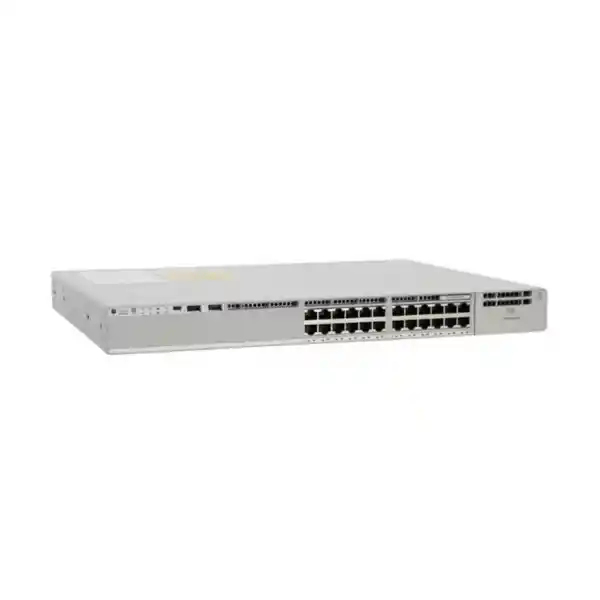
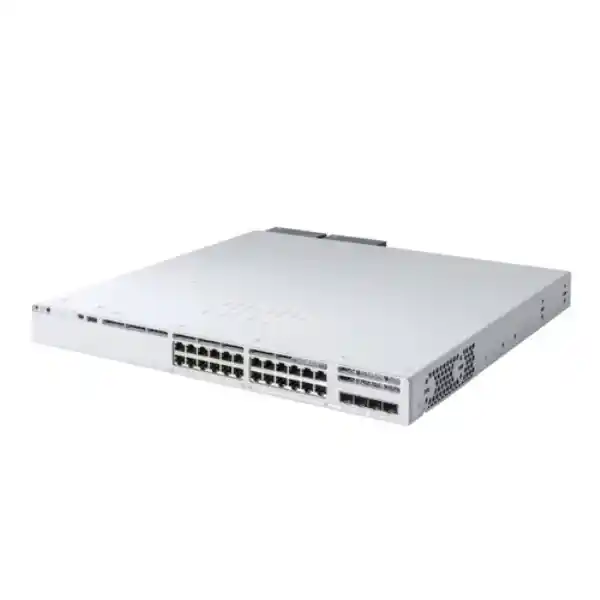
Cisco Catalyst C9300L-24P-4X Network Switch
A 24-port Gigabit PoE+ access-layer platform with four fixed 10G/1G SFP+ uplinks, a 505W PoE budget, StackWise-320 capability, Cisco IOS XE programmability, and enterprise security controls for organizations building reliable wired, wireless, voice, video, IoT, and branch connectivity across the UAE.
What is the Cisco C9300L-24P-4X?
The Cisco Catalyst C9300L-24P-4X is a fixed-uplink member of the Catalyst 9300L family designed primarily for enterprise access switching. Its front panel combines twenty-four 10/100/1000BASE-T copper ports capable of IEEE 802.3at PoE+ with four fixed 1G/10G SFP+ uplink interfaces. In practical network design terms, this means one rack unit can connect and power common edge devices such as IP phones, Wi-Fi access points, security cameras, badge readers, thin clients, room systems, small IoT gateways, and standard desktop endpoints while simultaneously providing multiple high-speed fiber or direct-attach uplinks toward a distribution or core layer. Because the uplinks are integrated rather than supplied through a removable network module, the C9300L-24P-4X is especially suitable when the required uplink architecture is known in advance and four 10G interfaces provide adequate capacity for the planned lifecycle.
For UAE enterprises, the platform occupies an important middle ground between basic Layer 2 PoE access switches and higher-cost multigigabit or modular-uplink systems. It offers enterprise software, routing scale, security functions, automation interfaces, telemetry, high availability, and stacking while retaining a conventional 1G copper edge. That combination is useful in environments where most attached devices still operate at 100 Mbps or 1 Gbps but the aggregation layer requires 10G bandwidth and operational resiliency. Organizations can therefore modernize the access layer without paying for multigigabit ports that may not be required at every desk or endpoint. FourTeck can help map this model to existing optics, patch panels, PoE loads, routing policy, segmentation plans, and support requirements through the FourTeck UAE network portfolio.
Core hardware specifications and capacity
Access interfaces
24 × 10/100/1000BASE-T copper interfaces with PoE+ capability. These are appropriate for standard enterprise endpoints and are not multigigabit ports.
Fixed uplinks
4 × fixed SFP+ uplinks supporting 10G or 1G operation, enabling resilient fiber or DAC connectivity to distribution switches, server rooms, or upstream aggregation.
Switching performance
128 Gbps standalone switching capacity and 95.23 Mpps forwarding rate using the published 64-byte IPv4 measurement method, with wire-speed nonblocking forwarding.
Stacked performance
With the optional StackWise-320 architecture, published switching capacity with stacking rises to 448 Gbps and forwarding rate with stacking to 333.33 Mpps.
PoE power
A 715W default AC power supply provides up to 505W of available PoE budget for powered devices, subject to configuration, redundancy, and endpoint power requirements.
Memory and scale
The fixed-uplink C9300L class provides 8 GB DRAM, 16 GB flash, a 16 MB packet buffer on Gigabit Ethernet models, and up to 32,000 MAC addresses.
Port architecture: why 24 PoE+ ports plus four 10G uplinks matters
Access-switch selection should start with traffic patterns rather than only port count. Twenty-four 1G copper interfaces are a natural fit for a single workgroup, classroom cluster, retail floor, branch office, meeting-room zone, surveillance segment, or compact office distribution frame. In many UAE buildings, horizontal copper cabling remains Category 6 or Category 6A and the connected estate includes a mix of 100 Mbps phones, 1G desktop computers, printers, cameras, access controllers, and wireless infrastructure. The C9300L-24P-4X lets these devices terminate on a consistent enterprise switching platform while the four SFP+ uplinks provide enough aggregate headroom to prevent a single 1G uplink from becoming the obvious choke point.
The four uplink ports also improve topology choices. A deployment can dedicate two uplinks to a port-channel toward one distribution pair, use separate physical paths to different upstream switches, reserve interfaces for future growth, or connect selected local systems that benefit from 10G fiber or DAC. In a stacked access design, cross-stack EtherChannel can spread member links across different switches so the failure of one access-switch member or one uplink path does not necessarily interrupt upstream connectivity. The exact design depends on the upstream platform, routing boundary, STP strategy, EtherChannel configuration, and whether the access layer is Layer 2, routed access, or part of a fabric architecture.
Because the uplinks are fixed, organizations should evaluate future bandwidth before procurement. If a project roadmap expects dense Wi-Fi 7 access points, extensive multigigabit edge requirements, 25G uplinks, or unusually high east-west traffic, a different Catalyst model may be more appropriate. If the requirement is conventional 1G access with robust 10G aggregation, the C9300L-24P-4X is efficient and predictable. This distinction prevents overbuying while also avoiding a model that becomes constrained before its intended refresh date.
PoE+ engineering and the 505W power budget
The most important sizing question on a PoE switch is not simply whether the switch supports PoE+, but whether the available system power can sustain the intended powered-device mix during normal operation and fault conditions. The C9300L-24P-4X uses a 715W default AC power supply and offers a published 505W available PoE budget. Dividing 505W by twenty-four ports gives a theoretical average of roughly 21W per access port if every port is drawing power at the same time. Real deployments are rarely uniform, so engineers should calculate endpoint classes and actual maximum requirements rather than assume all devices consume the same amount.
A common office could include IP phones drawing only several watts, wireless access points drawing considerably more, PTZ cameras with higher transient requirements, room video endpoints, door controllers, and non-PoE workstations. The correct method is to list every powered endpoint, record its IEEE class or maximum expected draw, add a design reserve, and then verify that the switch budget remains adequate with the planned power-supply arrangement. Reserving headroom is especially important where devices may increase consumption after firmware changes, radio activation, USB attachment, heater activation in a camera housing, or feature expansion.
Power redundancy also needs design attention. A switch may be ordered or equipped with a second supported power supply for resilience, but the operating objective must be defined: is the second supply intended only to keep the switch running after a PSU failure, or must it preserve the full planned PoE load as well? These are not identical requirements. The quotation should therefore identify PSU quantity, input circuits, outlet type, UPS capacity, rack power distribution, and expected PoE load. The C9300L family does not support Cisco StackPower, so power cannot be pooled across C9300L stack members through StackPower cabling. That makes per-switch power planning essential.
For UAE projects involving wireless, IP telephony, CCTV, or building systems, FourTeck can align the switching BOM with endpoint and infrastructure requirements through its UAE IT services practice. A proper PoE schedule should be part of the design documentation rather than an afterthought added during installation.
UADP 2.0 architecture and forwarding behavior
Cisco documents the C9300L-24P-4X as using a UADP 2.0 ASIC architecture. The practical significance is that core switching, routing, classification, access control, QoS, and telemetry functions are implemented on an enterprise switching silicon platform rather than relying on a general-purpose CPU to process ordinary data-plane traffic. The control plane still handles routing protocols, management, software services, and exception traffic, while packet forwarding is handled at high speed in hardware according to programmed tables and policies.
Published performance for the C9300L-24P-4X is 128 Gbps switching capacity with a 95.23 Mpps forwarding rate. With stacking, Cisco publishes 448 Gbps switching capacity and 333.33 Mpps forwarding rate for this SKU. These values help architects understand the platform envelope, but they should not be interpreted as guaranteed application throughput in every network. Real user experience also depends on uplink oversubscription, packet size distribution, QoS policy, routing design, congestion, endpoint behavior, WAN capacity, firewall performance, server response time, and application protocol characteristics.
The fixed-uplink 9300L class also provides a 16 MB packet buffer on its 24- and 48-port Gigabit Ethernet models. Buffers absorb short traffic bursts when ingress and egress rates do not perfectly match, but buffer capacity should not be treated as a substitute for correct bandwidth engineering. Persistent congestion needs to be solved through capacity, traffic engineering, QoS, or application design. A switch with four 10G uplinks gives network architects useful options to increase aggregate capacity and distribute critical traffic without redesigning the access edge.
For scalable enterprise designs, Cisco publishes up to 32,000 MAC addresses, 32,000 IPv4 routes for the fixed-uplink class with its stated mix of direct and indirect entries, 16,000 IPv6 routing entries, 8,000 multicast routing entries, 5,120 QoS scale entries, 5,120 ACL scale entries, 64,000 Flexible NetFlow entries, 4,094 VLAN IDs, up to 1,000 SVIs, and jumbo frames up to 9,198 bytes. Actual usable scale depends on software, features, templates, and configuration, so final design validation should use the intended IOS XE release and feature set.
StackWise-320: building a resilient access stack
The C9300L fixed-uplink family supports optional StackWise-320. Up to eight compatible fixed-uplink Catalyst 9300L/9300LM switches can participate in a supported stack architecture when the appropriate stack hardware and software compatibility requirements are met. A stack simplifies management by presenting multiple physical switches as a coordinated system, and it enables resilient features such as cross-stack EtherChannel. For a multi-floor or multi-rack deployment, this can reduce operational complexity compared with treating each access switch as an unrelated standalone device.
The C9300L-STACK-KIT family includes stack adapters and cabling options, with common cable lengths designed for adjacent rack units or wider physical spacing. Cable length and switch placement should be planned before installation, because an access stack requires a deliberate physical topology and correct cable routing. Avoid blocking fan exhaust, power-supply access, or service paths. Label every stack cable and member, record stack member priorities, and maintain configuration backups so replacement procedures can be executed predictably.
It is equally important to understand what C9300L stacking is not. Fixed-uplink C9300L models are not mixed into the same stack with modular-uplink C9300 models, Catalyst 3850, or Catalyst 3650. A migration project therefore needs to decide whether the new access block will be a homogeneous 9300L stack or a separate system connected through standard Ethernet uplinks. Cisco also distinguishes StackWise-320 data stacking from StackPower. C9300L supports StackWise-320, but it does not support StackPower or XPS 2200 power sharing. This distinction should be reflected in network diagrams, rack elevations, power design, and spare strategy.
In production, stacking is most valuable when coupled with upstream redundancy. An eight-member stack with only one physical uplink still leaves a single connectivity failure domain. Better designs use multiple uplinks, logically bundled where appropriate, and distributed across stack members or upstream devices. The objective is to ensure that the loss of a member, cable, optic, upstream interface, or power supply does not create avoidable service interruption.
Layer 2 design: VLANs, trunks, loop prevention, and edge control
A mature access-layer deployment uses the switch not merely as a port multiplier but as a policy enforcement and fault-containment point. VLANs can separate corporate users, voice, guest services, cameras, building automation, printers, operational technology, and management traffic. The C9300L platform supports the scale expected for enterprise segmentation, but engineers should avoid creating VLANs without a lifecycle policy. Every VLAN should have an owner, purpose, IP subnet, gateway location, security policy, DHCP behavior, monitoring requirement, and retirement process.
IEEE 802.1Q trunks connect access switches to upstream systems and can carry multiple VLANs, while EtherChannel can combine multiple physical links into one logical bundle for additional bandwidth and resiliency. Spanning Tree remains important when Layer 2 redundancy creates potential loops. Cisco supports common enterprise spanning-tree mechanisms, including rapid and multiple-instance designs. Features such as BPDU Guard, Root Guard, Loop Guard, storm control, UDLD on appropriate fiber paths, and carefully defined port roles help contain faults and prevent accidental loops caused by patching errors or unmanaged switches.
Access ports should be configured according to endpoint type rather than relying on generic defaults. User ports may use 802.1X, MAB fallback for devices that cannot authenticate interactively, DHCP snooping, Dynamic ARP Inspection where supported and correctly designed, IP Source Guard, port security, voice VLAN assignment, LLDP/LLDP-MED, QoS trust boundaries, and edge spanning-tree settings. Camera ports can be placed into constrained VLANs with appropriate ACLs. Printer ports can be restricted to only the services they require. Infrastructure ports should have separate templates. Consistency is more important than one-off clever configuration.
For environments with a large number of access switches, template-driven configuration reduces drift. Standardize descriptions, VLAN naming, uplink policy, port channels, authentication, logging, SNMP or telemetry settings, NTP, AAA, TACACS+/RADIUS integration, management ACLs, and syslog destinations. This turns the access layer into a repeatable platform rather than a collection of individually customized devices.
Layer 3 routing and routed-access considerations
The Catalyst 9300 family is capable of more than simple Layer 2 access. Depending on software entitlement and design, the switch can participate in IPv4 and IPv6 routing, operate SVIs, and support enterprise routing functions. This allows architects to place the Layer 3 boundary at the access layer instead of extending user VLANs over large Layer 2 domains. Routed access can reduce spanning-tree dependence and improve failure isolation, while traditional Layer 2 access remains appropriate when centralized gateways, fabric designs, or operational standards require it.
Choosing between Layer 2 access and routed access should be a design decision, not a feature checklist. Routed access may simplify convergence and contain broadcast domains, but it changes gateway placement, first-hop redundancy, multicast behavior, address planning, security policy, and troubleshooting workflows. An enterprise with a centralized firewall segmentation strategy may intentionally keep some VLAN gateways upstream. Another enterprise may route at the access stack and use dynamic routing to the core. Both can be correct if the security and operational model is coherent.
Published scale for the C9300L fixed-uplink class includes up to 32,000 IPv4 route-related entries with Cisco’s stated distribution of direct and indirect routes, 16,000 IPv6 routing entries, 8,000 multicast routing entries, and up to 1,000 SVIs. These numbers are useful in campus sizing, but designs should leave margin rather than aiming at the maximum. Feature combinations can share hardware resources and specific software releases can affect capabilities. Network architects should validate the expected route count, adjacency count, ACL usage, multicast scale, NetFlow use, and policy requirements together.
In a branch, the C9300L can provide local inter-VLAN routing while a firewall handles Internet, WAN, and security policy. In a campus, it can participate in a structured distribution/core design. In an SD-Access deployment, it can contribute to a broader fabric and policy architecture when the required licensing and controller ecosystem are in place. The important point is that the hardware should be purchased as part of a topology plan, not as an isolated line item.
Security at the campus edge
The access switch is one of the first enforcement points encountered by users and devices, so switch security must be treated as part of the enterprise security architecture. Cisco Catalyst 9300 platforms provide capabilities for identity-based access, segmentation, secure management, Layer 2 attack mitigation, telemetry, hardware trust, and link encryption. The strongest design combines these functions with centralized identity, firewall policy, endpoint posture, logging, asset inventory, and incident response.
IEEE 802.1X can require endpoints to authenticate before receiving normal network access. Devices that do not support 802.1X, such as certain printers, cameras, sensors, or legacy systems, can be handled through controlled alternatives such as MAC Authentication Bypass where policy permits. Dynamic policy can then place users or devices into appropriate VLANs or security groups. The operational challenge is not enabling authentication on one port; it is designing exceptions, fail-open or fail-closed behavior, onboarding, certificate lifecycle, RADIUS redundancy, help-desk procedures, and monitoring so that security does not become fragile.
Cisco also documents MACsec support in the Catalyst 9300 family for encrypted Ethernet links, with AES-256 and AES-128 options where applicable. MACsec is useful when traffic between trusted network nodes crosses infrastructure where link confidentiality is required. It is not a replacement for end-to-end application encryption or a firewall, but it can protect traffic on supported Ethernet segments. Secure Boot, signed images, and Cisco Trust Anchor mechanisms add platform-integrity protections that help establish confidence in software authenticity and boot integrity.
At Layer 2, protections such as DHCP snooping, source validation, ARP inspection, BPDU protection, storm control, and restrictive port templates reduce the blast radius of common misconfiguration and local attacks. Management should use secure protocols, centralized AAA, role-appropriate privilege, restricted management-source networks, logging, NTP, and configuration archival. Disable unused access ports or place them into an isolated state. Do not leave default credentials, broad SNMP community access, unused web services, or unrestricted management plane access enabled.
Campus switching should also be integrated with the perimeter and internal security design. FourTeck’s Firewall Dubai practice can help align segmentation, inter-VLAN policy, Internet security, VPN, and network access controls so that access switching and firewalling reinforce one another instead of creating gaps.
QoS for voice, video, wireless, and business applications
Quality of Service matters at the access layer because congestion is most disruptive when latency-sensitive traffic competes with bulk data. A C9300L-24P-4X deployment may simultaneously carry IP telephony, Teams or Webex meetings, Wi-Fi traffic, CCTV streams, desktop applications, software updates, backups, cloud synchronization, and management traffic. The switch can classify, mark, police, queue, and schedule traffic according to policy, but QoS should be engineered end to end. Marking a packet at the edge has little value if upstream devices ignore or rewrite the marking unpredictably.
A standard enterprise approach establishes a trust boundary. Cisco IP phones can communicate capability through LLDP-MED or CDP, and an access policy can trust known voice markings while remarking or policing untrusted endpoint traffic. Wireless access points may use a different policy because they aggregate multiple traffic classes over one wired connection. Camera networks may need bandwidth controls to prevent video traffic from overwhelming uplinks during events. Backup or software-distribution traffic may be intentionally deprioritized during business hours.
The fixed-uplink Catalyst 9300L class has a published QoS scale of 5,120 entries. That does not mean every deployment should create thousands of unique policies. Simpler is usually safer. Use a small number of well-defined classes, apply consistent policies, document DSCP assumptions, and monitor interface queues for drops. When troubleshooting application quality, check physical errors, duplex, packet loss, uplink utilization, WAN behavior, firewall queues, and application latency before assuming the switch needs a more complex QoS policy.
The four 10G uplinks can also reduce the need for aggressive QoS by providing more aggregate headroom. Capacity and policy complement each other: adequate bandwidth handles normal load, while QoS protects priority traffic during temporary congestion or failure scenarios.
Cisco IOS XE automation and programmability
Cisco IOS XE makes the Catalyst 9300 family suitable for organizations moving from device-by-device CLI administration toward repeatable network automation. Cisco documents support for modern APIs and model-driven methods including NETCONF, RESTCONF, gNMI, and YANG-based data models. These interfaces allow external platforms to retrieve operational state, apply structured configuration, validate intended state, and integrate switching into broader IT workflows.
The value of automation is not that every engineer must become a software developer. The immediate benefits come from consistency and auditability. A deployment workflow can validate hostnames, management addresses, software versions, VLAN definitions, uplink configuration, AAA, NTP, logging, telemetry, SNMP, interface descriptions, and security templates before a switch enters production. A compliance workflow can identify drift, such as an access port missing 802.1X or a device using an unauthorized DNS server. An inventory workflow can correlate serial numbers, software images, stack membership, optics, and port status.
Cisco also supports automated provisioning mechanisms such as Plug and Play and zero-touch approaches. For multi-branch UAE rollouts, staging can be simplified by predefining configuration and allowing onsite staff to install hardware while centralized engineering handles policy. This reduces travel, typing errors, and inconsistent branch configurations. Automation should still include safeguards: peer review, change windows, version control, pre-checks, rollback planning, credential protection, and staged deployment to a subset of devices before wide release.
Model-driven telemetry provides another operational advantage. Instead of relying only on periodic polling, the switch can stream selected operational data to monitoring platforms. Near-real-time interface, environmental, queue, route, and system telemetry can shorten time to detection when a fault develops. Telemetry is most useful when teams define actionable thresholds and ownership, rather than collecting large volumes of data that no one reviews.
Flexible NetFlow and operational visibility
Cisco publishes a Flexible NetFlow scale of up to 64,000 flows for 24- and 48-port Gigabit Ethernet models in the C9300L fixed-uplink class. Flow telemetry can help network teams understand which sources, destinations, protocols, and conversations consume network resources. In a troubleshooting case, flow data may show that a backup job, camera recorder, software distribution system, cloud synchronization process, or compromised endpoint is responsible for an unexpected traffic spike.
Flow visibility should be designed with storage and privacy in mind. Exporting every possible field at high granularity may overwhelm a collector without improving decisions. Define the questions the telemetry needs to answer: Which applications dominate uplinks? Which VLANs communicate unexpectedly? Are there unusual external destinations? Did a branch’s bandwidth pattern change after a new deployment? Are users experiencing congestion because of local LAN traffic or upstream WAN limits? Select records, sampling, export intervals, and retention accordingly.
Traditional monitoring remains important. SNMPv3, syslog, interface counters, environmental status, spanning-tree events, authentication logs, PoE state, stack status, PSU condition, fan health, optic diagnostics, and routing adjacency events all contribute to a complete view. A monitoring platform should distinguish actionable alarms from noise. For example, a user disconnecting a desktop port should not generate the same priority as a stack ring failure, PSU fault, uplink CRC increase, or routing adjacency loss.
Good observability also supports capacity planning. Tracking uplink utilization over weeks or months reveals whether 10G links have sustainable headroom. PoE utilization trends show whether additional wireless access points or cameras can be added safely. Port utilization shows where access capacity is available. These insights extend the useful life of the switch because expansions are based on measured data rather than guesses.
Wireless access-point connectivity
The C9300L-24P-4X is well suited to many Wi-Fi access deployments where the wireless access points use standard Gigabit Ethernet and PoE+ power. A single switch can power multiple APs while carrying their traffic to an upstream controller, gateway, or distribution network. However, the copper access ports on this model are 1G, not multigigabit. Engineers should therefore check the wired interface requirement of every planned access-point model before specifying this switch.
Newer high-performance access points may have 2.5G, 5G, or higher wired interfaces and may require PoE levels beyond traditional PoE+. If the WLAN design expects sustained throughput above 1 Gbps per AP, the C9300L-24P-4X can become the bottleneck even though the uplinks have ample bandwidth. In such cases, a multigigabit Catalyst access switch may be the better long-term choice. Conversely, many offices have modest client density and Internet/WAN limits far below the theoretical AP radio rate, making 1G access perfectly practical.
Wireless power budgets should include all APs at their maximum intended feature configuration. Some access points reduce radios, USB functions, or performance when insufficient PoE is available. Ensure the switch is delivering the expected power class and inspect negotiation after installation. Where access points are distributed across ceilings or difficult locations, PoE provides operational simplicity because UPS-backed switch power can keep the wireless network online during short electrical interruptions without local adapters.
Network segmentation for corporate, guest, IoT, and voice SSIDs should coordinate with the wired VLAN or fabric design. Avoid treating the wired switch and wireless platform as separate projects. DHCP, DNS, authentication, firewall policy, QoS, multicast, roaming, monitoring, and logging must operate coherently across both domains.
IP telephony and collaboration deployment
Twenty-four PoE+ ports make the C9300L-24P-4X a natural access switch for office telephony. A typical desk can connect an IP phone to the switch and, depending on the phone model and design, a computer through the phone’s integrated Ethernet pass-through. Voice VLANs separate real-time traffic logically, while LLDP-MED or Cisco Discovery Protocol can help endpoints learn voice and power parameters. QoS can prioritize signaling and media so calls remain usable during periods of higher data utilization.
Power planning is generally favorable for IP phones because many handsets draw much less than the maximum PoE+ allowance, but video phones, conference systems, expansion modules, and USB peripherals may require more. Do not size by assuming all phones consume five or seven watts. Use actual model specifications and consider future endpoint replacements. In a contact center, also account for desk density and the possibility that nearly every port is active simultaneously.
Resiliency matters because a switch failure can remove both connectivity and power from every phone attached to it. Where voice availability is critical, distribute endpoints across multiple switches, provide redundant uplinks, deploy redundant switching or stack architecture where appropriate, ensure UPS runtime is adequate, and avoid placing all key operational phones on one fault domain. Emergency calling and local regulatory requirements should be reviewed as part of the collaboration design.
For mixed estates, the switch can support phones from Cisco and other standards-based vendors, but interoperability details must be tested. LLDP-MED behavior, DHCP options, voice VLAN assignment, 802.1X, pass-through authentication, QoS markings, and PoE negotiation can differ. A pilot configuration prevents surprises during mass deployment.
Surveillance, IoT, and building-system access
CCTV and building systems are attractive use cases because PoE simplifies cabling and centralizes power. A 24-port C9300L-24P-4X can connect IP cameras, access-control panels, intercoms, sensors, environmental gateways, digital-signage players, and small IoT controllers while carrying traffic over high-speed uplinks to recording, analytics, or management systems. The enterprise switching software provides better segmentation and monitoring than unmanaged PoE switches commonly used in small installations.
Video surveillance generates a predictable but continuous traffic load. Each camera’s codec, resolution, frame rate, scene complexity, recording mode, and number of streams influences bandwidth. Multiply the realistic bitrate by the number of cameras, include peaks and management traffic, and compare the result with uplink capacity. Four 10G uplinks offer ample aggregation flexibility for many camera blocks, but recorder and server interfaces also need to be sized correctly. Jumbo frames may be useful in some server/storage environments, although end-to-end compatibility is essential.
PoE load can be more demanding than bandwidth. Outdoor cameras may use IR illumination, heaters, wipers, or pan-tilt-zoom motors. Their maximum power can be substantially higher than idle consumption. A switch that appears comfortable during daytime commissioning may exceed its budget at night when IR activates. Power calculations should therefore use worst-case documented draw and include reserve. Where a device requires more than PoE+, verify compatibility before purchase.
IoT security is equally important. Cameras and building devices often have long firmware lifecycles and limited endpoint protection. Place them in dedicated networks, restrict lateral access with ACLs or upstream firewall policy, control Internet connectivity, monitor unexpected flows, and disable unused switch ports. The access switch becomes an enforcement point that helps prevent a weak IoT device from becoming an unrestricted bridge into the corporate environment.
Uplink optics, DACs, and cabling choices
The four fixed SFP+ uplinks can operate at 10G or 1G with supported transceivers and cabling. The correct choice depends on distance, fiber type, patching standards, environmental conditions, and upstream interface compatibility. Short intra-rack or adjacent-rack connections may use supported direct-attach copper where appropriate. Multimode fiber with suitable SR optics is common inside buildings and data rooms. Single-mode fiber with LR-class optics is common where distances are longer or campus fiber infrastructure is standardized on single mode.
A purchase order should not list only the switch. It should also identify each required optic, fiber patch cord, cable type, connector polarity, rack mounting requirement, stack kit, power supply, power cord, licensing option, support entitlement, and spare. Optic mismatches are a common cause of installation delay: an engineer may arrive with LC-LC multimode patch cords while the building handoff uses single-mode fiber, or the remote device may have a different supported speed. Confirm both ends before ordering.
Ten-gigabit uplinks can be aggregated through EtherChannel where the upstream switch and topology support it. Link aggregation improves capacity and resilience but does not make every single flow run at the sum of all member links; hashing distributes flows across physical members. A large single TCP flow may still use one member. For typical enterprise access traffic containing many users and applications, the distribution is usually effective.
Fiber path diversity is valuable when availability matters. Two uplinks routed through the same tray, same patch panel, same upstream chassis, and same power domain may look redundant on a diagram but share multiple physical risks. Document pathways and upstream dependencies so the redundancy is real rather than cosmetic.
Power supplies, fans, rack design, and environmental planning
The C9300L-24P-4X ships with a 715W-class default AC power supply in the standard hardware specification and provides two power-supply slots for supported redundancy options. The platform also uses field-replaceable fans, and Cisco documents three fan modules with N+1 redundancy for the Catalyst 9300 family. These details matter in hot equipment rooms because switch reliability depends on unobstructed airflow, proper rack spacing, clean intake air, suitable ambient temperature, and correctly installed blanking or service components.
The chassis is one rack unit high. Published C9300L-24P-4X dimensions vary in depth depending on installed power supply, with a base chassis size around 4.4 cm high by 44.5 cm wide by 40.9 cm deep and greater depth with certain power supplies installed. The listed chassis weight is approximately 6.81 kg. Rack procurement should therefore consider not only nominal 19-inch width but also usable cabinet depth, rear-door clearance, cable bend radius, PDU placement, stack-cable routing, and front/rear service access.
UAE facilities often use high-capacity cooling, but localized rack heat can still become a problem when many PoE switches are installed together. PoE energy is delivered to endpoints, yet the switch and power supplies also dissipate heat. Do not place high-PoE-density racks in unconditioned closets without thermal analysis. Monitor inlet temperature, fan health, and PSU status. Ensure filters, if part of the facility design, are maintained. Keep cabling bundles from blocking exhaust paths.
Electrical resilience should be coordinated with the UPS and generator plan. A second switch power supply connected to the same PDU and same breaker provides less fault isolation than supplies connected to independent protected feeds. If the design objective is continued network and PoE service during a utility failure, calculate UPS runtime using realistic switch and endpoint consumption, not just the PSU nameplate. Camera or wireless loads can materially increase total draw.
Because C9300L does not participate in StackPower pooling, every stack member needs its own adequate power design. Maintain spare power supplies and fan modules according to criticality, support SLA, and local logistics. For high-value branches where replacement travel is difficult, local spares can reduce outage duration more effectively than relying solely on shipment.
Software licensing: Network Essentials, Network Advantage, and subscription planning
Cisco Catalyst 9300L hardware is commonly ordered with different software entitlement combinations. The C9300L-24P-4X base model is available in variants associated with Network Essentials or Network Advantage, and current Cisco ordering also includes management/licensing choices that can involve Cisco Catalyst Center or cloud-managed approaches depending on the offer. The exact suffix on the quotation matters because two physically similar switches can have different enabled software rights and commercial terms.
Network Essentials is generally aimed at common enterprise access capabilities, while Network Advantage enables a broader set of advanced functions. A buyer should not automatically choose the lowest-cost license without mapping the required routing, segmentation, automation, policy, telemetry, and high-availability features. Conversely, it is wasteful to purchase advanced entitlements when the project will use only standard Layer 2 access and simple routing. Licensing should be derived from a feature matrix tied to the intended deployment architecture.
Subscription terms also influence lifecycle cost. Three-, five-, or seven-year terms may be available for associated Cisco software subscriptions, but the appropriate duration depends on procurement policy, refresh cycle, controller strategy, and support model. Keep contract renewal dates in the asset inventory. A network can continue forwarding traffic long after a procurement team forgets a subscription anniversary, but management, feature rights, support, and compliance may be affected. Treat licensing as an operational dependency rather than a one-time purchase detail.
When requesting a quote, state the desired license level, software subscription duration, management platform, support contract, and any requirement for spare units. If these details are unknown, FourTeck can translate the technical design into an orderable BOM and verify the appropriate current Cisco commercial option at quotation time.
Cisco Catalyst Center, SD-Access, and policy-based campus design
Cisco positions the Catalyst 9300 family as part of its modern enterprise campus architecture, including integration with Cisco Catalyst Center and Software-Defined Access capabilities when appropriate licenses, controllers, and design components are present. SD-Access can automate provisioning and apply policy-based segmentation across wired and wireless infrastructure. Instead of manually extending VLANs everywhere, organizations can define identity and group policies that follow users or devices through the fabric.
This approach is particularly valuable for large campuses, universities, healthcare groups, government environments, and enterprises with many device classes. A hospital may need separate policies for clinical systems, biomedical equipment, guest devices, facilities systems, and staff. A university may distinguish students, faculty, labs, cameras, and research networks. A corporate campus may isolate contractors, printers, executives, IoT, and building systems. Policy-based segmentation can simplify enforcement at scale, but it requires careful identity, address, controller, and operational design.
Not every C9300L deployment needs SD-Access. A 24-port branch office may be simpler with conventional VLANs, static or dynamic routing, centralized firewall segmentation, and cloud or traditional monitoring. The decision should be driven by scale and operations, not by feature availability. Introducing a fabric architecture without operational readiness can increase complexity. Conversely, manually managing hundreds of access switches with inconsistent local policy can become more expensive than deploying structured automation.
Organizations considering Catalyst Center should evaluate controller sizing, integration with identity services, IP address management, AAA, software-image management, telemetry retention, high availability, backup, API use, and staff training. The switch is one component of that system. A successful campus modernization aligns hardware, software, policy, identity, security, monitoring, and support as one architecture.
Typical UAE deployment scenarios
Corporate branch office
Connect desktops, phones, printers, meeting-room endpoints, and a handful of access points. Use redundant 10G uplinks to the branch core or firewall zone, VLAN separation, 802.1X where appropriate, QoS for voice, and UPS-backed PoE.
Education floor or lab
Serve classrooms, teacher devices, APs, printers, cameras, and lab endpoints. Segment student, staff, IoT, guest, and infrastructure traffic while using automation to maintain standardized configuration across multiple buildings.
Retail or hospitality
Power POS peripherals, phones, APs, cameras, signage, and management devices. Use separate security zones, dual uplinks, centralized logging, and documented failover because business operations depend on local network availability.
Healthcare access block
Separate clinical, administrative, voice, guest, biomedical, and facilities traffic. Apply identity controls, strict management access, redundant uplinks, monitoring, and change management appropriate for critical operational environments.
CCTV and security systems
Use PoE+ for cameras and access-control endpoints, calculate worst-case night-time PoE draw, restrict IoT communication, monitor uplink utilization, and use 10G aggregation toward recorders or security-server infrastructure.
Distributed enterprise rollout
Standardize the same switch template across branches, automate provisioning, centralize AAA and telemetry, maintain local spares where necessary, and use a common licensing and support strategy to reduce operational variance.
When the C9300L-24P-4X is the right fit — and when it is not
Choose this model when the access requirement is primarily 1G copper, PoE+ is sufficient for the endpoint estate, twenty-four ports match the local density, and four 10G/1G SFP+ uplinks provide enough upstream capacity. It is particularly compelling when enterprise-grade IOS XE features, stacking, security, telemetry, automation, and routing are required but modular uplinks or multigigabit copper are not necessary. Its fixed-uplink design can make the BOM straightforward because there is no separate uplink network module to select.
Consider a different switch when the edge requires 2.5G, 5G, or 10G copper for high-performance access points or workstations; when endpoints need UPOE/UPOE+ power beyond PoE+; when uplinks must be 25G or 40G; when a modular uplink strategy is required; or when the design depends on StackPower. A 48-port model may also be more efficient in dense racks, although port count should be balanced against fault domain size, PoE budget, cable management, and expansion requirements.
Do not choose based only on today’s active port count. A branch with eighteen devices may appear to fit comfortably on a 24-port switch, but two additional access points, a camera project, an access-control upgrade, and a conference-room refresh can consume the remaining capacity quickly. A sensible reserve avoids emergency switches later. On the other hand, buying large amounts of unused capacity across dozens of branches has a real cost. Use a three- to five-year endpoint forecast for sizing.
FourTeck can compare the C9300L-24P-4X against alternate Cisco Catalyst options and related infrastructure through the FourTeck global technology portfolio where multi-country standardization is part of the project.
Migration from Catalyst 2960, 3650, 3850, or older access switches
Replacing older access infrastructure is rarely a like-for-like physical swap. Start by extracting the live configuration, interface status, VLAN database, port descriptions, PoE utilization, trunk assignments, EtherChannels, spanning-tree state, routing configuration, authentication settings, DHCP snooping bindings, ACLs, QoS policy, monitoring destinations, and management services. Compare this inventory with the target IOS XE design and remove obsolete configuration rather than carrying every legacy command forward.
A migration from Catalyst 2960 may introduce Layer 3 and automation capabilities that did not exist on the old access platform. A migration from 3650 or 3850 requires special attention to stacking because C9300L does not form a mixed stack with those products. Plan a cutover boundary where the new 9300L stack or standalone device connects to the existing network through Ethernet uplinks. If gateway functions move during the project, stage and test routing, HSRP/VRRP where applicable, DHCP relay, ACLs, multicast, and monitoring before moving users.
Port-by-port documentation dramatically reduces downtime. Map old switch interface to new switch interface, endpoint name, VLAN, voice VLAN, PoE requirement, authentication method, and cable label. Preconfigure the new switch, validate software and licensing, install optics, test stack operation, and confirm upstream port channels before the maintenance window. During cutover, move known groups of cables and verify services incrementally instead of relocating an entire patch field without checkpoints.
After cutover, monitor interface errors, authentication failures, DHCP, DNS, voice registration, Wi-Fi AP status, camera streams, routing neighbors, spanning-tree topology, CPU, memory, PoE, stack health, logs, and user reports. Keep the old switch available until the rollback window closes. Update diagrams, monitoring inventories, backup systems, asset records, and support contracts once the migration is accepted.
Migration is also a chance to improve standards. Replace vague port descriptions, remove unused VLANs, disable abandoned services, tighten management ACLs, adopt stronger AAA, update NTP and syslog targets, standardize software releases, and document a consistent access-port template. Modern hardware delivers the most value when operational practices are modernized with it.
Deployment methodology for a production C9300L-24P-4X
- Validate the BOM. Confirm exact switch license suffix, quantity, stack kits, stacking cables, primary and secondary power supplies, UAE-compatible power cords, optics, DACs, fiber patch leads, rack kits, support entitlement, software subscription, and spare strategy.
- Survey the site. Record rack depth, free rack units, airflow, cooling, PDU outlets, UPS feeds, grounding, fiber handoff, copper patch-panel positions, cable labeling, and physical access restrictions.
- Build the logical design. Define management subnet, VLANs, gateways, routing boundary, STP or routed-access strategy, port channels, AAA, NAC, ACLs, QoS, DHCP snooping, telemetry, DNS, NTP, syslog, SNMP or streaming telemetry, and software version.
- Calculate PoE. List each powered device and worst-case load, then verify the 505W available budget provides sufficient reserve. Document whether PSU redundancy must preserve all PoE services.
- Stage the hardware. Upgrade or standardize IOS XE, verify licenses, set stack member numbering, configure management, apply templates, test uplinks, confirm optic compatibility, and save a baseline configuration.
- Security harden. Apply AAA, secure management protocols, management ACLs, disable unnecessary services, protect Layer 2 edges, set authentication policy, configure logging, and ensure unused ports are administratively controlled.
- Install and cable. Mount hardware with correct clearances, connect protected power, route stack and uplink cables cleanly, label both ends, verify link state, and avoid obstructing fan or PSU service access.
- Test resiliency. Where permitted, validate uplink failover, stack behavior, PSU redundancy, routing convergence, authentication fallback, and monitoring alerts. A design is not resilient until failure paths have been tested.
- Migrate endpoints. Move devices in controlled groups, validating voice, Wi-Fi, camera, printer, user, and business application services as each group transitions.
- Close documentation. Capture final configuration, diagrams, serial numbers, license information, software version, rack location, port maps, IP addresses, monitoring status, warranty/support data, and operational ownership.
Operations, maintenance, and lifecycle management
Once deployed, the switch should be managed through a defined lifecycle. Maintain an approved IOS XE train and patch policy rather than upgrading ad hoc. Review Cisco release notes, field notices, security advisories, and compatibility requirements before changes. Test new software on a pilot switch or representative lab where possible. Keep a known-good image and rollback procedure available, especially for remote branches where hands-on recovery is expensive.
Configuration backups should be automated and stored outside the switch. Record both the running configuration and the intended state in a system that allows change comparison. A nightly backup that no one can restore is not a recovery plan, so periodically test retrieval and replacement workflows. For stacked systems, document member serial numbers and replacement procedures. Keep stack adapters and cables in the spare inventory if stack availability is critical.
Monitoring should include CPU and memory trends, interface errors, packet drops, uplink utilization, temperature, fan state, power-supply alarms, PoE consumption, stack status, routing neighbors, spanning-tree changes, authentication failures, and system logs. Track optics where digital diagnostics are available. A slow rise in receive errors or optic temperature can identify a degrading path before users report an outage. Baseline normal behavior so alerts are tied to meaningful deviation.
Access ports should also be reconciled with asset inventory. Long-unused ports can be disabled, old VLAN assignments removed, and temporary exceptions retired. NAC policy, certificates, AAA servers, and management credentials all have lifecycles of their own. Review them periodically. Security hardening is not a one-time installation task; it is a continuing process aligned with threat, software, and operational changes.
Capacity reviews should examine PoE headroom, active port count, uplink utilization, route and MAC growth, telemetry load, and device additions. If a switch routinely operates close to its planned limits, schedule expansion before a business project forces an emergency upgrade.
Troubleshooting framework
When a user reports that “the network is slow,” begin with scope. Is one endpoint affected, one access port, one VLAN, one switch, one stack member, one uplink, one branch, or the entire enterprise? Verify physical link state, negotiated speed, duplex, input errors, CRCs, output drops, PoE state, endpoint authentication, DHCP lease, gateway reachability, DNS resolution, and application path. This basic sequence often isolates the problem faster than changing configuration immediately.
For a down PoE device, check whether the port is administratively enabled, whether the powered device is detected, the negotiated power class, per-port allocation, total PoE budget, PSU health, and cabling. Swap with a known-good port or cable only as part of a controlled test. A camera that reboots at night may point to power draw changes, while an AP that connects but underperforms may be limited by negotiated Ethernet speed rather than RF conditions.
For uplink problems, inspect optic compatibility, transmit and receive levels where diagnostics exist, fiber polarity, patch cleanliness, port-channel membership, LACP state, VLAN allowance, spanning-tree status, routing adjacency, MTU, and error counters. A link light proves only that some physical connectivity exists; it does not prove the logical path is correct. Compare both ends of the link.
For stack issues, verify stack topology, member state, ring integrity, stack cable seating, adapter health, software compatibility, and logs. Since C9300L uses StackWise-320 rather than StackPower, troubleshoot data stacking and power as separate systems. A stack can be logically healthy even when one member has a PSU problem, and a power issue will not be solved by changing stack data cables.
For intermittent application performance, correlate timestamps across switch telemetry, firewall logs, WAN monitoring, server metrics, and user reports. Packet loss or congestion may occur outside the access switch. The objective is to locate the first point where service quality degrades, not to assume the device closest to the user is at fault.
High-availability design beyond stacking
Stacking improves availability and operations, but a complete resilient design also addresses upstream connectivity, electrical power, cooling, fiber paths, management, authentication, DHCP, DNS, routing, firewalling, and WAN services. A switch stack with dual uplinks can still fail operationally if both uplinks terminate on the same upstream supervisor, both PSUs use one breaker, or the only RADIUS server is unreachable during a WAN outage. Availability is an end-to-end property.
Cross-stack EtherChannel can distribute an uplink port channel across different C9300L members. This is useful because a member failure does not necessarily remove the entire logical uplink. Upstream redundancy can use a pair of distribution switches with a topology supported by the selected architecture. In routed-access designs, dynamic routing can provide path failover. In Layer 2 designs, spanning-tree and multi-chassis capabilities at the upstream layer must be carefully coordinated.
Power designs should consider the difference between device availability and endpoint availability. If a PSU fails and the switch remains online but no longer has enough PoE capacity, users may lose phones, wireless, or cameras even though the switching control plane is alive. Test or model this scenario. The desired redundancy level may justify dual PSUs, separate power feeds, UPS protection, or distributing critical powered endpoints across separate access switches.
Operational redundancy matters too. Keep current diagrams, credentials in an approved secure system, replacement procedures, spare optics, stack cables, and a tested configuration backup. A technically redundant network can still have a long outage if no one knows which fiber connects to which distribution port or if replacement hardware cannot be configured quickly.
UAE procurement and project planning considerations
Enterprise switch procurement in the UAE should confirm more than unit price. The quotation should specify exact Cisco product IDs, software entitlement, subscription duration, power-supply configuration, local power cords, optics, stack accessories, rack hardware, support level, delivery location, and lead-time assumptions. Similar product names can hide meaningful differences, especially Network Essentials versus Network Advantage variants or alternate management offers. Purchasing against a precise BOM protects both the technical design and the commercial comparison.
For multi-site projects in Dubai, Abu Dhabi, Sharjah, Ajman, Ras Al Khaimah, Fujairah, or Umm Al Quwain, standardization reduces support cost. Use the same software train, access-port template, optic families, stack cable lengths, monitoring settings, AAA policy, and spare strategy wherever possible. Standardization also makes central staging easier. Exceptions should be documented, for example a branch that needs single-mode optics because of a long fiber path or a site that requires a different UPS runtime.
Lead time can influence architecture. If a project has a fixed opening date, confirm availability of the switch and every accessory early. A switch delivered without required SFP+ optics, second PSU, stack kits, or licenses may be unusable on installation day. Include spares for high-risk accessories if downtime is costly. For large rollouts, reserve a small percentage of spare switches that are prelicensed and ready for configuration where policy permits.
Support contracts should match business criticality. A retail store with alternative connectivity may tolerate next-business-day replacement; a hospital, airport function, financial trading floor, or manufacturing site may require a stronger SLA and local spare. Clarify what the vendor support covers versus what the integrator or internal IT team handles. Software troubleshooting, advanced replacement, onsite labor, cabling remediation, and configuration support are different service components.
FourTeck can support local design, sourcing, rollout coordination, and infrastructure integration. For broader regional or international deployments, teams can also reference the FourTeck global site alongside UAE-specific engineering resources.
Technical specification table
| Specification | C9300L-24P-4X details |
|---|---|
| Access ports | 24 × 10/100/1000BASE-T PoE+ copper |
| Uplinks | 4 × fixed 10G/1G SFP+ |
| Default AC PSU | 715W class |
| Available PoE power | 505W published budget |
| Switching capacity | 128 Gbps standalone |
| Forwarding rate | 95.23 Mpps standalone, published at 64-byte IPv4 packet size |
| Stacking | Optional StackWise-320; up to eight compatible fixed-uplink members in supported configurations |
| Capacity with stacking | 448 Gbps switching; 333.33 Mpps forwarding |
| ASIC architecture | Cisco UADP 2.0 |
| DRAM / Flash | 8 GB DRAM / 16 GB flash for fixed-uplink class |
| Packet buffer | 16 MB on 24/48-port Gigabit Ethernet C9300L fixed-uplink models |
| MAC addresses | Up to 32,000 published for fixed-uplink class |
| IPv6 routing entries | Up to 16,000 published for fixed-uplink class |
| VLAN IDs | 4,094 |
| SVIs | Up to 1,000 published |
| Jumbo frames | Up to 9,198 bytes |
| Chassis height | 1RU class, approximately 4.4 cm high |
| Weight | Approximately 6.81 kg published for C9300L-24P-4X chassis configuration |
| Important limitation | C9300L supports StackWise-320 data stacking but does not support Cisco StackPower/XPS 2200 power sharing |
Design notes for 10G uplink oversubscription
Twenty-four 1G access ports represent 24 Gbps of one-directional edge bandwidth if every port transmits at line rate simultaneously. The switch has four 10G uplinks, so designers can provide substantial upstream capacity relative to the edge. In an ordinary office, user endpoints rarely sustain maximum 1G rates at the same time, and one or two 10G uplinks may provide plenty of headroom. A data-intensive lab, video-production environment, or local server workload may benefit from more active uplinks or a higher-class access switch.
Oversubscription should be modeled using observed traffic where possible. Review existing switch counters at 95th percentile and peak intervals, then add forecast growth. Include failure conditions: if a two-link 20G port channel loses one member, can the remaining 10G link carry expected traffic without unacceptable congestion? If four 10G uplinks are divided between two upstream systems, what happens when one distribution device is offline for maintenance? Resilience testing should model degraded mode, not only normal operation.
Traffic direction also matters. Internet-heavy offices often send most traffic northbound through firewalls and WAN links. A surveillance block may send continuous streams from access ports toward local recorders. A virtual desktop deployment can concentrate traffic toward data-center servers. A branch with cloud applications may be limited by WAN bandwidth before switch uplinks are stressed. The switch provides the tools, but the architecture should be based on actual application flows.
Where multiple uplinks are bundled, EtherChannel hashing distributes flows rather than individual packets in most common configurations. This preserves packet ordering but means one very large flow usually stays on one physical member. If the application depends on more than 10G for a single flow, the C9300L-24P-4X uplink architecture may not meet that requirement even when multiple links are aggregated.
Management-plane hardening checklist
Frequently asked technical questions
Does the C9300L-24P-4X have 24 Gigabit PoE+ ports?
Yes. The model is specified with twenty-four 10/100/1000 copper PoE+ access ports. They provide standard Gigabit Ethernet rather than multigigabit speeds, so verify endpoint requirements for newer high-throughput wireless access points.
How many uplinks are included?
Four fixed SFP+ uplinks are integrated into the switch and support 10G/1G operation with supported optics or cabling. Because they are fixed, a separate modular uplink network module is not required for this configuration.
What is the PoE budget?
Cisco publishes up to 505W of available PoE power with the standard 715W AC power-supply configuration. Actual project sizing should add the maximum requirements of all powered endpoints and retain design reserve.
Does it support stacking?
Yes. C9300L fixed-uplink models support optional StackWise-320 with the appropriate stack kit and supported member combination, allowing up to eight compatible members in the stack architecture.
Does it support StackPower?
No. C9300L fixed-uplink models do not support Cisco StackPower or XPS 2200 power sharing. Each switch must be sized for its own power and PoE requirements.
What is the switching capacity?
Cisco publishes 128 Gbps standalone switching capacity and 95.23 Mpps forwarding for the C9300L-24P-4X. With stacking, the corresponding published figures are 448 Gbps and 333.33 Mpps.
Can it be used for Layer 3?
Yes, the Catalyst 9300 family supports enterprise Layer 3 functions, with the available feature set depending on license and software. Design the routing boundary and license entitlement together.
Is this a good Wi-Fi access switch?
It is a strong fit for access points that need 1G wired interfaces and PoE+. For APs requiring 2.5G/5G multigigabit or higher power classes, select an appropriate multigigabit/UPOE Catalyst model instead.
Decision recap: who should buy the C9300L-24P-4X?
The Cisco Catalyst C9300L-24P-4X is a strong enterprise access choice when a site needs twenty-four standard Gigabit Ethernet edge ports, PoE+ for phones, access points, cameras, and other devices, and four high-speed 10G uplinks for aggregation. It adds enterprise switching scale, routing, security, automation, telemetry, and optional StackWise-320, making it much more capable than a simple PoE access switch. The 505W PoE budget is substantial for many mixed endpoint environments, but it should be validated against the exact powered-device schedule.
Its main architectural constraints are equally important: access ports are 1G rather than multigigabit; uplinks are fixed rather than modular; and C9300L does not support StackPower. These are not defects when the requirements align with the platform. They are selection criteria. A well-matched switch is one where the topology, endpoint speeds, power needs, resiliency plan, software license, monitoring architecture, and three-to-five-year growth forecast all fit comfortably.
For UAE organizations standardizing campus and branch switching, the model can provide an excellent balance of density, enterprise capability, and predictable 10G uplink connectivity. The correct quotation should include the full solution rather than the chassis alone: licensing, support, optics, stacking hardware, power redundancy, patching, staging, installation, and configuration services should all be considered as applicable.
Quotation input checklist
Providing the following information allows FourTeck to prepare a more accurate C9300L-24P-4X solution and avoid missing accessories or licensing elements.
Number of switches, emirate/city, branch count, rack locations, target installation date, and whether spares are required.
Counts of users, IP phones, access points, cameras, printers, room systems, IoT devices, and any high-power PoE endpoints.
Maximum power per device, expected future additions, redundancy objective, UPS runtime, and whether all PoE devices must survive a PSU failure.
Number and speed of uplinks, upstream switch model, fiber type, distance, optic requirement, DAC use, port-channel design, and path diversity.
Standalone or stacked deployment, switch count per stack, physical rack spacing, stack cable length, member numbering, and spare stack accessories.
Network Essentials or Network Advantage requirement, subscription duration, Catalyst Center or cloud management needs, and support entitlement.
802.1X, MAB, RADIUS/TACACS+, VLAN and VRF segmentation, ACLs, MACsec, logging, management ACLs, and NAC integration requirements.
Design, staging, configuration, rack installation, migration, testing, documentation, onsite support, training, and post-cutover monitoring.
Plan a Cisco Catalyst access-switch consultation with FourTeck UAE
A production access-switch project should answer four questions before purchase: does the port speed match the endpoint roadmap, does the PoE budget survive realistic peak load, does the uplink and stack topology meet failure requirements, and does the selected license enable the required operational model? FourTeck can help turn those answers into a complete bill of materials and deployment plan for UAE enterprise environments.
Engineering support can cover topology review, PoE calculation, optics selection, StackWise design, VLAN and routing architecture, 802.1X/NAC integration, QoS, telemetry, switch hardening, rack and power review, migration planning, cutover assistance, and final documentation. Where the access layer integrates with security, server, voice, wireless, or WAN infrastructure, the design can be coordinated across those disciplines rather than treating the switch as an isolated purchase.
For broader infrastructure planning, visit the FourTeck UAE site, review enterprise implementation options through FourTeck IT Services UAE, or align network segmentation and perimeter controls with Firewall Dubai. These links provide relevant FourTeck resources without changing the primary objective of this page: selecting and deploying the Cisco Catalyst C9300L-24P-4X correctly.
Final pre-order validation
- Confirm 24 × 1G PoE+ access ports are sufficient.
- Confirm 4 × 10G/1G fixed SFP+ uplinks meet lifecycle needs.
- Confirm 505W PoE budget with design reserve.
- Confirm PSU quantity and protected power feeds.
- Confirm StackWise-320 accessories if stacking.
- Do not specify StackPower for C9300L.
- Confirm optics, fiber type, and distances.
- Confirm Network Essentials/Advantage licensing.
- Confirm support SLA and spare strategy.
- Confirm staging, migration, and documentation scope.

Reviews
There are no reviews yet.