
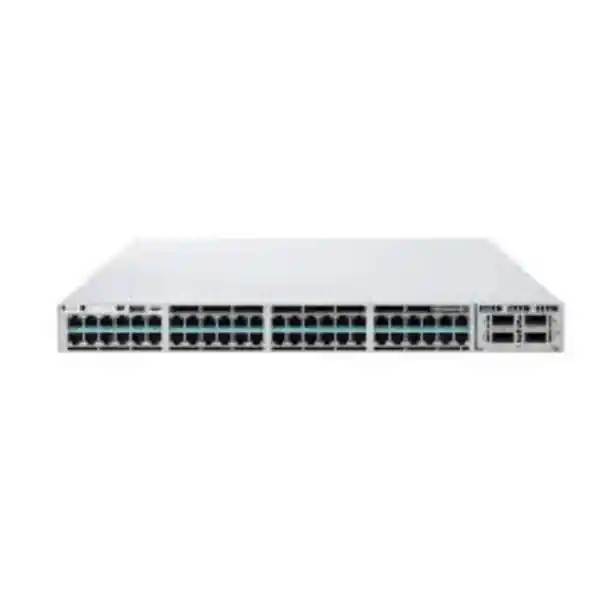
Cisco Catalyst C9300-24H Network Switch
The Cisco Catalyst C9300-24H is a 24-port stackable enterprise access switch built for locations where ordinary PoE+ is not enough. It combines 24 copper Gigabit Ethernet access ports with Cisco UPOE+ power delivery, modular high-speed uplink choices, StackWise-480 stacking, StackPower support, redundant power-supply capability, and the programmable Cisco UADP 2.0 forwarding architecture. For UAE organizations deploying advanced wireless access points, video endpoints, building systems, digital signage, physical-security devices, collaboration endpoints, compact compute appliances, or other high-power Ethernet devices, the C9300-24H provides a practical way to converge network connectivity and endpoint power at the access layer.
FourTeck designs C9300-24H deployments as complete systems rather than treating the chassis as an isolated line item. A production bill of materials should account for the selected Network Essentials or Network Advantage base license, the applicable Cisco Catalyst or Cisco DNA subscription tier and term, power-supply redundancy, actual UPOE+ load, uplink bandwidth, transceiver type, fiber medium, stacking cables, StackPower design, rack depth, UPS capacity, cooling, patching, management architecture, security policy, and lifecycle support.
Direct answer
Choose the C9300-24H when you need twenty-four 1G copper access ports with substantially higher PoE capability than conventional 30W PoE+, while retaining modular uplinks and full Catalyst 9300 stacking.
Access interfaces
24 x 10/100/1000 Mbps copper access ports with Cisco UPOE+ support for high-power Ethernet endpoints.
Forwarding platform
Cisco UADP 2.0 programmable ASIC architecture designed for enterprise switching, policy, telemetry and services.
Stacking
StackWise-480 architecture supports resilient logical-switch designs and scalable access-layer operation.
Uplink choice
Field-replaceable uplink modules let architects select 1G, 10G, 25G, 40G or multigigabit copper options according to design.
What the Cisco Catalyst C9300-24H is designed to solve
Many access switches are selected by port count alone. That approach can fail when the powered-device requirement is more demanding than the data-plane requirement. A camera, access point, display, collaboration terminal, thin client, sensor gateway, building controller or compact edge appliance may need only a 1G Ethernet data path, yet require significantly more electrical power than classic PoE or PoE+ can supply. The C9300-24H addresses that specific design problem: it maintains conventional 1G copper access connectivity while bringing Cisco UPOE+ capability to the port edge.
That distinction matters. The C9300-24H should not be confused with Catalyst 9300 multigigabit models such as the C9300-24UX or higher-bandwidth C9300X variants. The C9300-24H access ports are intended for 10/100/1000 Mbps Ethernet. If an endpoint genuinely requires 2.5G, 5G or 10G over the access copper pair, a multigigabit SKU is normally the more appropriate choice. If the endpoint requires 1G networking but a higher PoE power envelope, the C9300-24H is often the more cost-controlled and operationally direct fit.
In a UAE campus, this architecture is useful in floor-distribution rooms, branch offices, retail back rooms, hotels, schools, hospitals, transport sites and smart-building deployments where Ethernet-powered systems are expanding. It can reduce the number of local AC adapters and intermediate injectors, simplify UPS-backed power distribution, and centralize endpoint restart procedures. A network administrator can then treat power and connectivity as parts of the same managed access-layer service instead of maintaining a separate collection of unmanaged power bricks and injectors.
The hardware belongs to the modular-uplink Catalyst 9300 family, which is important for lifecycle planning. Instead of locking the purchase to one uplink speed, the design can be matched to the current distribution-layer requirement and revised later. This makes the C9300-24H suitable for organizations that may begin with 10G uplinks but expect to move toward 25G or 40G aggregation, or that need to standardize different access closets around a common Catalyst 9300 operating model.
Hardware architecture and packet-processing foundation
At the heart of the C9300-24H is Cisco’s UADP 2.0 application-specific integrated circuit architecture. In practical design terms, the ASIC provides a programmable forwarding pipeline for Layer 2 switching, Layer 3 forwarding, access control, quality of service, telemetry and other platform functions. This architecture is one of the principal reasons the Catalyst 9300 family can operate as more than a simple port concentrator. The switch is built to enforce policy, collect operational data, segment endpoints and support enterprise network services close to the user or device edge.
The C9300-24H offers a switching capacity of 208 Gbps and a forwarding rate of 154.76 Mpps in the standalone hardware specification. With stacking, Cisco publishes higher aggregate figures because the StackWise interconnect becomes part of the system. These numbers should not be interpreted as a promise that every real deployment will continuously generate those rates. They are platform capacity indicators used to verify that the access switch can forward traffic without turning normal edge workloads into a CPU-bound process.
The architecture also includes an x86-based CPU complex, system memory, flash storage and support for additional storage options within the broader family. The separation between the control plane and hardware forwarding plane is operationally important. Routine packet forwarding is handled in dedicated silicon, while routing protocols, management functions, telemetry, automation and platform services are handled through the software and control-plane environment. This lets the device provide modern campus functionality without treating every forwarded frame as a software event.
For network architects, the more useful question is not simply whether 208 Gbps is a large number. It is whether the switch fits the traffic topology. Twenty-four 1G downlink ports create a theoretical edge demand that is usually far below the switching fabric’s headline capacity once normal enterprise oversubscription is considered. The uplink module then becomes the key design variable. A lightly loaded office may be adequately served by redundant 10G uplinks, while a dense video, storage, imaging or building-automation environment may justify a different uplink strategy.
The C9300-24H also supports jumbo frames within the Catalyst 9300 platform limits, broad VLAN scaling, switched virtual interfaces and enterprise routing constructs. Whether those features are actually required depends on the design. In a conventional campus, Layer 3 gateways may live at the distribution layer. In routed-access or fabric designs, more Layer 3 responsibility can be moved to the access switch. FourTeck sizes this boundary based on failure domains, routing convergence targets, security policy, operational skill set, and the organization’s chosen Cisco management architecture.
24-port Gigabit access design: where 1G is still the correct choice
The C9300-24H provides twenty-four copper Ethernet access interfaces capable of 10, 100 or 1000 Mbps operation. In modern procurement discussions, it is easy to assume that every new switch must use multigigabit access ports. That is not automatically correct. The access-link requirement should be based on endpoint behavior, not on a generic preference for the highest advertised speed.
A 4K collaboration device may use less than 1G most of the time. Many security cameras remain well within 1G even at high resolution. Door controllers, sensor aggregators, building-management gateways, digital-signage players, IP phones, access-control appliances and small edge devices also remain comfortably below a Gigabit of sustained traffic. For these use cases, a 1G port can be entirely appropriate even when the endpoint has a substantial power requirement. The C9300-24H lets the design spend budget on power density, resiliency and enterprise switching rather than paying for multigigabit PHY capability that the endpoint may never use.
There is, however, a clear boundary. Newer high-performance Wi-Fi access points can produce aggregate wireless throughput that makes 2.5G, 5G or 10G wired uplinks useful. If the switch is primarily being purchased for high-capacity wireless access points, FourTeck will review whether a C9300 multigigabit or C9300X option provides a better long-term fit. UPOE+ power alone is not enough to qualify a switch for a wireless design; wired uplink speed per AP is equally important.
The same reasoning applies to edge servers or compact compute appliances. Some may draw substantial PoE power but still transmit relatively little data. Others may require both high power and multigigabit Ethernet. A correct bill of materials therefore starts with an endpoint inventory: device type, maximum PoE class, negotiated link speed, expected average traffic, burst profile, cable category and length, redundancy requirement, and whether the endpoint is safety-critical or operationally critical.
For organizations migrating from older access switching, the 10/100/1000 compatibility can also ease phased replacement. Existing 100 Mbps devices do not have to be replaced merely because the switching platform is upgraded. The network can modernize the access layer, power architecture, security policy and management system while retaining legacy endpoints until their own refresh cycle arrives.
Cisco UPOE+: engineering the power budget instead of guessing
Cisco positions the C9300-24H as a 90W PoE-class access model. The key procurement benefit is not that every port will necessarily draw 90 watts at the same time. The benefit is that supported endpoints can request a much larger power allocation than they could from a standard PoE+ switch, while the switch gives the designer a centralized platform for power delivery and monitoring.
Cisco’s hardware installation guidance lists an 830W PoE budget for the C9300-24H with the default 1100W AC power supply. This figure is essential for real sizing. Twenty-four times 90W equals 2160W, so a single default power supply cannot deliver 90W simultaneously to all twenty-four ports. The engineering task is therefore to calculate the actual endpoint mix. For example, a closet may contain four high-power video systems, six wireless devices, eight cameras and several low-power control devices. The sum of their negotiated or planned maximum draws determines whether the default power arrangement is adequate or whether a higher-capacity or redundant power design is required.
Power planning should distinguish between nominal, expected and worst-case demand. A powered device may normally consume a fraction of its advertised maximum but request a higher class for startup or peak operation. If the switch is designed only around typical draw, it may appear healthy until a restart causes multiple endpoints to renegotiate power simultaneously. FourTeck therefore recommends building a port-by-port PoE schedule that records endpoint model, power class, maximum allocation, operational priority and whether the device must remain powered during a supply failure.
Redundancy adds another dimension. Two installed power supplies can be used to increase available PoE capacity, provide supply redundancy, or support a chosen power mode. The correct approach depends on whether the priority is maximum endpoint density or continuity after a supply failure. If every powered endpoint is critical, the design should be tested against the failure condition, not only the normal condition. In other words, ask what the switch can keep powered after one PSU, feed or upstream UPS path is lost.
Cisco StackPower can also be relevant when multiple compatible Catalyst 9300 switches are installed together. StackPower allows power resources to be considered across a stack rather than only per chassis, depending on the supported design and cabling. This can improve resilience and utilization, but it must be planned with the same discipline as data stacking. Power-stack topology, supply ratings, power priorities, circuit capacity and failure behavior should all be documented before deployment.
UPOE+ may also reduce local electrical complexity at the endpoint. Instead of placing an AC outlet, power adapter and sometimes a local UPS beside each device, an appropriately designed Ethernet switch can centralize the power source in a secured wiring closet. That can be valuable for security cameras, access systems, displays or industrial-style endpoints where field power adapters are inconvenient to service. The benefit is strongest when the switch itself is backed by correctly sized UPS and generator infrastructure.
The final check is cabling. Higher-power PoE increases the importance of cable quality, bundle design, connector workmanship and thermal considerations. A high-power access design should not assume that old or undocumented horizontal cabling will behave like a new standards-compliant installation. FourTeck can coordinate switching, structured cabling, rack, patch-panel and UPS considerations so the electrical and network design are treated as one system.
Modular uplinks: build the aggregation path around the site
The C9300-24H does not force the customer into one fixed uplink interface. Cisco provides field-replaceable network modules for the Catalyst 9300 platform, including C9300-NM-4G, C9300-NM-4M, C9300-NM-8X, C9300-NM-2Q and C9300-NM-2Y options. Broadly, these provide choices spanning 1G, multigigabit copper, 10G, 25G and 40G connectivity. The selected module is a design component and should be included in the quotation; the base switch should not be assumed to contain the desired uplink module automatically.
For a typical UAE enterprise access closet, redundant 10G fiber uplinks are often a sensible starting point, but this is not a universal rule. A small branch with limited northbound traffic may use a lower-speed design. A floor serving dense cameras, video, storage-heavy users, wireless controllers or converged building systems may require higher capacity. A resilient campus might use two physical uplinks to separate distribution switches, with the exact topology determined by whether the network uses stacking, multichassis EtherChannel, routed access, SD-Access or another architecture.
Uplink optics also need to match the physical path. Multimode fiber may be appropriate inside a building; single-mode fiber is often preferred for longer building-to-building runs or when future distance flexibility matters. Transceiver selection must consider link speed, fiber type, wavelength, connector type, distance, patching losses, existing optical infrastructure and the supported Cisco compatibility matrix. A 10G uplink line item without the correct optic and patching plan is not a complete network design.
The modular approach supports staged investment. An organization can deploy the access switch with an uplink module appropriate for current traffic, then move to a faster supported module later when aggregation capacity changes. This is particularly useful where the access layer has a longer physical lifecycle than the distribution uplink design. The switch remains in the rack while the northbound interface strategy can evolve.
FourTeck can align the C9300-24H with distribution and core switching available through FourTeck UAE, including a validated optic, fiber and redundancy plan. For projects that also require broader infrastructure engineering, FourTeck IT Services UAE can be incorporated into the implementation scope.
StackWise-480 and high-availability access switching
Catalyst 9300 modular-uplink models support Cisco StackWise-480, providing a 480 Gbps stacking architecture for compatible C9300 members. A stack can present multiple physical switches as a more unified operational system, reducing the number of independently managed control points and providing a high-bandwidth stack interconnect. Cisco documents support for up to eight members in the C9300 stack family, subject to compatibility and license-level requirements.
Stacking is valuable, but the design objective should be stated clearly. Some customers want simpler management. Others want uplink resiliency across separate chassis. Others want the ability to add access ports while preserving a common configuration model. These are related but not identical goals. A stack does not eliminate the need for redundant uplinks, redundant power, diverse fiber paths or carefully planned maintenance. It is one layer in an availability architecture.
A good stack design addresses member placement, stack-cable length, ring closure, software compatibility, license compatibility, uplink distribution and failure scenarios. If all northbound links originate from one stack member, the design may create avoidable concentration. Where appropriate, uplinks can be distributed across different members so that a single member failure does not remove all upstream connectivity. Similarly, PoE-critical endpoints can be spread across members to reduce the consequence of one chassis or line-power failure.
Mixed stacking within the broader C9300 family must follow Cisco’s supported combinations and effective stack speed. Higher-scale variants and C9300X models have specific compatibility rules. Procurement teams should not assume that every switch with “9300” in its name can be combined arbitrarily. FourTeck validates the exact hardware and license combination before finalizing the stack bill of materials.
For sites that cannot tolerate a broad access outage, physical distribution remains important. Two smaller stacks in separate telecommunications rooms may provide better fault isolation than one large stack, depending on building layout and cabling. The right architecture balances operational simplicity, cost, failure domains, maintenance windows and the maximum number of users or devices that can be affected by a single event.
Dual power supplies, field-replaceable fans and rack engineering
The Catalyst 9300 platform supports dual power supplies, and Cisco ships the switch with one power supply by default while allowing a second supply to be ordered initially or added later. The C9300-24H is commonly associated with the 1100W AC power supply because of its higher PoE role. The chassis also uses field-replaceable fans. These serviceable components are important for organizations that want a maintainable access platform rather than a sealed appliance.
A redundant PSU does not automatically create end-to-end power redundancy. If both PSUs are connected to the same rack power strip, the same UPS, the same breaker and the same upstream electrical feed, many failure modes remain shared. Where site infrastructure permits, a stronger design connects the two switch power supplies to independent PDUs and, ideally, independent UPS or power paths. The benefit is greatest in data rooms, hospitals, hotels, operational facilities and security networks where powered endpoints depend on continuous switch operation.
Physical rack depth must also be checked. Cisco publishes approximately 1.73 x 17.5 x 16.1 inches for the chassis-only form factor and approximately 1.73 x 17.5 x 19.2 inches with the relevant 1100W power supply configuration. Rack drawings should allow additional clearance for rear connectors, power cables, stack cables and bend radius. A nominally deep-enough cabinet can still be difficult to service if cable management blocks the rear power or stacking area.
The listed operating weight with the default supply is approximately 7.54 kg for the C9300-24H. In a fully equipped rack, the switch weight itself is rarely the limiting factor, but cumulative cabinet loading, UPS weight, patch-panel density and rear cable volume matter. For high-density PoE installations, thermal output matters as well. The electrical energy consumed by the switch and endpoints ultimately becomes heat in the system environment, so air-conditioning and rack ventilation must be considered.
In UAE deployments, telecommunications rooms can face higher ambient stress if cooling is intermittent or if rooms are shared with other heat-producing equipment. FourTeck recommends verifying room temperature, airflow, dust control, UPS runtime, generator transfer behavior and maintenance access before commissioning high-power PoE switching. Network reliability begins with physical infrastructure, not only configuration.
Security and segmentation at the access layer
An enterprise access switch sits at a sensitive boundary. It is where employees, guests, phones, cameras, access-control systems, IoT devices and building systems attach to the network. The security objective is therefore not simply to block unwanted traffic at a perimeter firewall. The access layer must establish identity, enforce policy, limit lateral movement, protect control protocols and provide telemetry that helps operations teams understand what is connected.
Cisco IOS XE on the Catalyst 9300 family supports a broad set of enterprise access security mechanisms. Depending on software tier and design, this can include 802.1X-based authentication, MAC Authentication Bypass for devices that cannot perform 802.1X, downloadable or locally defined access policies, DHCP snooping, Dynamic ARP Inspection, IP Source Guard, port security, ACLs, control-plane protection and segmentation functions. The exact feature combination should be validated against the selected license and software release.
The strongest design starts with endpoint classification. Corporate laptops, phones, cameras, wireless access points, printers, building controllers and guest devices should not all be placed in the same security zone merely because they share a wiring closet. VLANs, virtual routing and forwarding instances, scalable group policy or other segmentation technologies can separate traffic according to business function and risk. The access switch becomes an enforcement point rather than only a transport device.
IoT and operational-technology endpoints deserve special attention because many have long replacement cycles and limited host-security capabilities. A camera or building controller may remain in service for years after a laptop fleet has been refreshed several times. Restricting these devices to the exact services they require can reduce exposure. Their switch ports can also be placed into documented profiles with expected VLAN, PoE behavior, QoS markings, authentication method and access policy.
Network policy should work with the organization’s firewalls and security services rather than duplicate them randomly. FourTeck can coordinate access-switch segmentation with firewall architecture through Firewall Dubai by FourTeck. This allows user, server, IoT and security-device zones to be designed consistently from the edge through the routed boundary.
For high-assurance networks, operations teams should also protect management access. Dedicated management networks, role-based administrative access, secure protocols, centralized AAA, logging, time synchronization, configuration backup and change control help reduce the risk that a powerful access switch becomes an unmanaged trust point. These controls are as important as the forwarding features themselves.
Network Essentials, Network Advantage and subscription planning
The C9300-24H is available in Network Essentials and Network Advantage ordering variants, represented by part numbers such as C9300-24H-E and C9300-24H-A. The hardware platform is the same core switch family, but the network license tier determines which perpetual feature set is enabled. Cisco describes Network Essentials as the foundational tier and Network Advantage as the tier that adds more advanced routing, segmentation, multicast, scale and security capabilities.
Cisco also requires an associated subscription license for new Catalyst 9300 orders using these network tiers. Cisco Catalyst or Cisco DNA subscriptions are offered in Essentials and Advantage tiers with common three-, five- or seven-year term options. The selected subscription should align with the intended management, automation, assurance and policy capabilities. The licensing model has evolved over time, so procurement teams should quote against the current Cisco configuration tool and support matrix rather than copying an old bill of materials.
A branch that needs conventional VLANs, access security, basic Layer 3 and centralized management may be satisfied by an Essentials-level design. A campus using advanced routing, deeper segmentation, software-defined access, advanced telemetry or broader assurance capabilities may justify Advantage. The correct answer depends on the feature plan, not simply on the customer’s preference for a more expensive tier.
Smart Licensing and the customer’s Cisco Smart Account should be part of deployment planning. Before installation, the project should identify who owns the Smart Account, which virtual account will receive licenses, how the switches will reach licensing services where required, and who is responsible for renewal. Leaving licensing until the final maintenance window creates unnecessary operational risk.
FourTeck can prepare the quotation with the required hardware and software components separated clearly, so the customer can see the base switch, uplink module, power supplies, optics, stack accessories, license tier, subscription term and support services rather than receiving one opaque package price.
Management, automation and operational visibility
Catalyst 9300 switches run Cisco IOS XE, giving network teams a familiar enterprise operating environment with CLI, programmable interfaces, telemetry, configuration management and integration into Cisco management platforms. The operational value is consistency. A standardized Catalyst access layer can reduce device-to-device variation and provide repeatable templates for VLANs, trunks, authentication, QoS, monitoring and routing.
Traditional CLI administration remains useful, but large deployments benefit from automation. Configuration templates, API-driven provisioning and centralized management can reduce manual errors across dozens or hundreds of switches. Instead of relying on an engineer to remember the correct commands for every access closet, the organization can define intended states and validate compliance. This is particularly valuable for repeatable branch rollouts in Dubai, Abu Dhabi, Sharjah and other UAE locations.
Telemetry is equally important. Interface utilization, errors, discards, PoE consumption, endpoint identity, authentication events, topology changes and environmental data can reveal problems before users report them. High-power PoE deployments should monitor both data and power. A port that is electrically close to its allocation limit may be operationally significant even if it is carrying very little traffic.
Cisco Catalyst Center can provide centralized automation, assurance and policy functions when included in the customer’s architecture. Cisco also supports management and monitoring options involving the Meraki dashboard for compatible Catalyst 9300 modes and licensing. The organization should decide on the intended management plane before purchase because hardware SKU, software mode and subscription choice can affect the implementation path.
Operational readiness should include standard naming, IP addressing, AAA, SNMP or telemetry settings, syslog, NTP, configuration backup, software-image policy, password and certificate management, and documented escalation procedures. A switch is not production-ready simply because links are green. It should be integrated into the organization’s monitoring, logging and change-control framework.
FourTeck can assist with planning, implementation and managed IT requirements through IT Services UAE, while broader compute and rack integration can be aligned with infrastructure available through Server Dubai by FourTeck.
Deployment scenario 1: high-power wireless and smart-workplace edge
A common reason to consider UPOE+ is a new workplace where edge devices have become more capable and more power hungry. Ceiling wireless infrastructure, collaboration displays, room-control systems, occupancy sensors, environmental sensors and digital signage may all converge on the same telecommunications room. The C9300-24H can become a central power and connectivity platform when those devices are satisfied with 1G Ethernet.
The design should begin by separating endpoint classes. Wireless access points should be checked for both maximum PoE draw and required Ethernet speed. If the AP has a 2.5G, 5G or 10G wired interface and is expected to use it, a multigigabit access switch is preferable. If the AP is intentionally operated at 1G and the main requirement is power, the C9300-24H may fit. Collaboration systems and signage endpoints often have lower bandwidth demand and may be well suited to 1G UPOE+ access.
A sample floor plan may use two C9300-24H switches in a StackWise pair, with endpoints divided between members and dual 10G or 25G uplinks to the distribution layer. Power supplies can be placed on separate rack PDUs. StackPower may be considered where appropriate. The exact power budget is then calculated from the planned endpoint inventory with headroom for startup, future additions and failover.
QoS should be defined for voice and real-time collaboration rather than copied blindly from legacy templates. Authentication policy should distinguish corporate devices from unmanaged IoT systems. Monitoring should include PoE draw and port negotiation. This turns the switch into a controlled workplace edge rather than simply a source of Ethernet sockets.
Deployment scenario 2: CCTV, access control and physical-security networks
Physical-security systems increasingly use IP networking for cameras, intercoms, access-control panels, recording appliances and analytics. These endpoints can remain in operation continuously and may be located where local AC power is inconvenient. Centralized PoE from an enterprise access switch can simplify the physical design, but the network must be engineered around security-system availability.
For CCTV, the first calculation is traffic. Each camera has a codec, resolution, frame rate and expected average or maximum bitrate. Those streams aggregate toward recorders or video management servers, often creating predictable northbound traffic. A 24-port switch populated with cameras can remain within 1G per access port while still generating enough aggregate traffic to justify redundant 10G uplinks. Recording retention, multicast viewing and analytics traffic should be included in the estimate.
The second calculation is power. PTZ cameras, heaters, IR illuminators, intercoms and access-control peripherals may draw more than fixed cameras. UPOE+ can provide design headroom, but the total chassis PoE budget must still be respected. Security endpoints should be assigned power priorities so that a noncritical device cannot consume resources needed by a critical door controller or camera during a degraded power condition.
The third calculation is security segmentation. Cameras should not share the same unrestricted network as employee laptops. Dedicated VLANs or VRFs, ACLs, identity policy and firewall rules can limit which systems may communicate with camera and access-control networks. Administrative protocols should be restricted to management stations. Logging and NTP are especially important because timestamps may be needed for incident investigation.
A properly designed C9300-24H deployment can therefore serve as both a power platform and a policy enforcement point for physical security. The network, UPS, recorder infrastructure and firewall rules should be designed together so that availability and evidence integrity are preserved.
Deployment scenario 3: hospitality, healthcare, education and retail
Hospitality sites may need to power wireless infrastructure, IP phones, room-control gateways, cameras, signage and back-office devices from distributed IDF rooms. The C9300-24H is particularly relevant when many of those devices are 1G but some need high PoE. Hotels also value service continuity, so redundant power paths, spare strategy and remote monitoring should be included from the beginning.
Healthcare environments add stricter operational expectations. Network segmentation must separate clinical, administrative, guest, IoT and building systems. Power continuity can be significant for devices that support patient workflows or security operations. The network team should verify endpoint and regulatory requirements rather than assuming that a standard office template is suitable. The C9300 platform provides enterprise controls, but the safety and compliance architecture must be designed at the solution level.
Education campuses often combine classroom access, high-density wireless, CCTV, access control and digital signage. The C9300-24H can be useful in locations dominated by 1G high-power endpoints, while high-density wireless areas may require multigigabit siblings. A mixed model strategy can be more economical than forcing every closet to use the most expensive port type.
Retail sites can use centralized switching for cameras, phones, digital signage, access points and point-of-sale support systems. Segmentation is vital because payment environments, staff devices, guest access and IoT should not be collapsed into one flat network. Compact branches may not need large stacks, but standardized software and monitoring across many stores can reduce support complexity.
Across all four sectors, the design rule is consistent: select the switch by endpoint bandwidth, power, availability and policy requirements together. A product specification only becomes useful when it is translated into an operational architecture.
Sizing methodology for the C9300-24H
A reliable sizing exercise can be completed with six linked calculations: port count, port speed, PoE load, uplink load, resiliency and software features. Treating them separately risks selecting a switch that is strong in one area but unsuitable overall.
1. Count ports with growth
Count installed endpoints, reserved outlets and expected growth. Avoid filling all 24 ports on day one unless expansion will be handled by a planned second switch.
2. Validate access speed
Confirm that each endpoint is satisfied by 10/100/1000 Mbps. If several devices need 2.5G or faster, evaluate a multigigabit model.
3. Build a PoE schedule
Record maximum power for every powered device, then test normal and failure-state budgets against the selected PSU design.
4. Size uplinks
Estimate average and peak northbound traffic, then select redundant uplinks and optics with appropriate oversubscription and growth margin.
5. Define failure behavior
Decide what must remain online after loss of one power supply, one stack member, one uplink or one distribution switch.
6. Select license tier
Map actual routing, segmentation, assurance, automation and management requirements to Essentials or Advantage rather than guessing.
A twenty-port camera design, for example, may appear to fit comfortably in a 24-port switch. But if four extra ports are needed for an access point, intercom, uplink-connected device and local controller, there is no spare capacity. The correct solution may be a second switch or a 48-port model. Conversely, buying a 48-port switch for twelve devices may waste capital and PoE capability if the closet cannot physically grow. The site survey determines the right answer.
PoE sizing should use actual device specifications. If ten devices can each request 60W, six devices request 30W and the rest request 15W, simply multiplying average consumption by port count can understate peak demand. Add engineering headroom and model a restart event. If redundancy is required, check the budget after one PSU is unavailable.
Uplink sizing should use traffic patterns. Twenty-four 1G ports do not automatically require 24G of northbound bandwidth, because most access traffic is bursty and not every endpoint transmits simultaneously. But video surveillance, backups, imaging and wireless aggregation can produce sustained load. Historical monitoring from the old switch can provide valuable evidence before migration.
When to choose C9300-24H instead of neighboring Catalyst models
| Requirement | Likely direction | Reasoning |
|---|---|---|
| 24 x 1G ports, ordinary PoE+ | C9300-24P class | Avoid paying for UPOE+ when no endpoint needs the higher power envelope. |
| 24 x 1G ports, high-power PoE | C9300-24H | Targets 1G access with Cisco UPOE+ capability and modular uplinks. |
| 24 x multigigabit copper, up to 60W class | C9300-24UX class | Use when endpoint bandwidth beyond 1G is more important than 90W UPOE+. |
| Multigigabit access plus 90W power and higher-performance stack | C9300X high-power class | Appropriate for demanding Wi-Fi and high-speed powered endpoints. |
This comparison is intentionally requirement-led. The C9300-24H is not “better” than every neighboring model; it is better when its combination of 1G access, UPOE+ power, modular uplinks and Catalyst 9300 stackability matches the site. A multigigabit switch is a better investment when high-speed access is required. A lower-power switch can be more economical when endpoints never need more than standard PoE+.
FourTeck can compare the C9300-24H against alternate Cisco access models using the same endpoint inventory and design assumptions so the customer sees why a model is recommended rather than receiving a part number without context.
UAE deployment considerations: power, cooling, cabling and logistics
A switch specification is global, but deployment conditions are local. UAE projects often range from highly controlled data rooms to branch closets, retail back rooms, warehouses, villas, schools, hospitality sites and industrial facilities. The same C9300-24H can behave very differently depending on the surrounding infrastructure.
Power quality and continuity should be checked first. High-power PoE means that the access switch may be supplying energy to many operational devices. If the switch loses power, the outage can simultaneously remove network connectivity and endpoint power. UPS capacity must therefore include the switch’s own consumption plus the attached PoE load and required runtime. Generator-backed sites should consider transfer time and UPS autonomy. Dual PSUs are most useful when connected to genuinely diverse supply paths.
Cooling should be evaluated under the actual loaded condition. A lightly populated switch with low-power endpoints produces less heat than a high-power PoE system near its design envelope. Cabinets need airflow, and telecommunications rooms should not depend on office air-conditioning that is turned off after business hours if critical devices must operate continuously.
Structured cabling quality is especially important for high-power Ethernet. Existing Category cabling may need testing for conductor condition, termination quality and suitability for bundled PoE loads. Patch cords, patch panels and intermediate connectors should be part of the assessment. Cable labeling should map cleanly to switch ports so operations teams can trace a powered endpoint quickly.
Logistics and support strategy also matter. Critical sites may justify local spare optics, power supplies, stack cables or an entire spare switch depending on business impact and replacement lead time. A spare policy should be based on downtime cost, not on component price alone.
FourTeck can combine switching with rack, server and infrastructure requirements through Server Dubai and broader UAE technology sourcing through FourTeck UAE.
Recommended implementation sequence
A controlled migration reduces downtime and makes troubleshooting easier. FourTeck recommends treating the C9300-24H deployment as a staged network change rather than an improvised swap.
Before cutover, the old and new configurations should be compared function by function, not line by line. A legacy command may map to a different syntax or a different recommended feature on IOS XE. The objective is to preserve the intended behavior while taking advantage of the modern platform.
After migration, the acceptance test should include a planned uplink failover, power-supply status review and endpoint power verification where business risk justifies it. A network that has never been tested in its intended failure mode has not fully demonstrated the resilience for which it was purchased.
Technical specification summary
| Model | Cisco Catalyst C9300-24H |
|---|---|
| Access ports | 24 x copper 10/100/1000 Mbps |
| Power over Ethernet | Cisco UPOE+; designed for supported powered devices requiring up to the 90W class |
| Default power-supply class | 1100W AC listed for C9300-24H configurations |
| Published PoE budget with 1100W AC | 830W |
| Uplink architecture | Modular, field-replaceable Catalyst 9300 network modules |
| Representative modules | C9300-NM-4G, C9300-NM-4M, C9300-NM-8X, C9300-NM-2Q, C9300-NM-2Y |
| Stacking | StackWise-480, up to eight supported C9300 members subject to compatibility rules |
| Switching capacity | 208 Gbps |
| Forwarding rate | 154.76 Mpps |
| ASIC | Cisco UADP 2.0 |
| Memory / flash platform class | 8 GB DRAM / 16 GB flash for C9300 platform class |
| Jumbo frames | Up to 9198 bytes in published Catalyst 9300 platform specifications |
| Chassis format | 1RU class; approximately 1.73 x 17.5 x 16.1 inches chassis-only |
| Approximate weight | 7.54 kg with default power supply |
| License variants | Network Essentials and Network Advantage ordering options |
Specification values are planning references for the C9300-24H family and should be validated against the current Cisco data sheet, selected software release, exact power-supply configuration, uplink module, licensing and approved bill of materials at the time of quotation.
Frequently asked technical questions
Is the C9300-24H a multigigabit access switch?
No. Its twenty-four copper access ports are 10/100/1000 Mbps. The model is optimized for customers who need high-power UPOE+ on 1G access ports. If the endpoint requires 2.5G, 5G or 10G access, choose an appropriate multigigabit Catalyst 9300 or Catalyst 9300X model instead.
Can every access port deliver 90W at the same time?
Not with a single default 1100W supply. Cisco lists an 830W PoE budget for the C9300-24H with that supply. The total connected load must fit within the available power budget. Additional supply capacity and the chosen power mode can change what is available, so a port-by-port PoE calculation is required.
Does the switch include the uplink module?
The modular Catalyst 9300 architecture uses an optional field-replaceable uplink module. The quotation should specify the desired module and optics. FourTeck can size 1G, 10G, 25G, 40G or supported multigigabit uplink options based on the aggregation design.
What stacking technology does C9300-24H use?
The C9300 family uses StackWise-480. Cisco lists up to eight members for supported C9300 stacks, with compatibility and license-level rules that must be followed. Stack cables are part of the stacking bill of materials and should be selected to suit the physical rack layout.
What is StackPower?
StackPower is Cisco’s power-stacking capability for compatible Catalyst switches. It can allow power resources to be shared or managed across members according to the supported topology. It is separate from StackWise data stacking and requires its own design and cabling. FourTeck evaluates it when power resiliency or pooled PoE capacity is an objective.
Which license should we choose?
Network Essentials is generally intended for foundational enterprise switching and routing features, while Network Advantage adds advanced routing, segmentation, multicast, scale and security capabilities. The associated Cisco Catalyst or Cisco DNA subscription tier and term should be selected at the same time. The final choice should be based on required features, management platform and policy architecture.
Can the C9300-24H be used for Wi-Fi 6 or newer access points?
It can power supported high-power access points, but the access-port speed remains 1G. Many modern access points provide multigigabit Ethernet interfaces because aggregate wireless throughput can exceed 1G. If that additional wired bandwidth is required, a multigigabit switch is the better choice. For lower-throughput or intentionally 1G AP deployments, the C9300-24H may still be appropriate.
Can we use it for CCTV?
Yes, provided port count, camera power draw and aggregate traffic are correctly sized. CCTV networks should use dedicated segmentation, protected management access and sufficient uplink capacity to recorders. PTZ, heater-equipped or analytics cameras may benefit from the higher PoE capability.
Can we use redundant power supplies?
Yes. Catalyst 9300 supports dual power supplies. Redundancy is strongest when the two supplies connect to independent power paths. The second supply can also affect available PoE capacity depending on configuration, so power design and redundancy objectives should be defined together.
What uplink speed should we buy?
There is no single correct speed. Redundant 10G fiber is common for enterprise access, but camera-heavy, high-density or aggregation-intensive sites may need 25G or 40G, while smaller branches may need less. Use measured or estimated traffic and future growth to decide rather than matching uplink speed to the sum of all access-port line rates.
Is 208 Gbps switching capacity enough for twenty-four Gigabit ports?
Yes for the intended platform design. The published switching capacity is far above the aggregate one-direction line rate of twenty-four 1G access ports and also accounts for platform forwarding architecture. Real site performance depends on uplink design, configuration and traffic pattern, but the switching silicon is not the normal bottleneck in a properly designed 1G access deployment.
Does high PoE change UPS sizing?
Absolutely. The UPS must support the switch plus the powered endpoints for the required runtime. A 24-port high-power switch can represent a significant electrical load when many devices are active. UPS sizing should use expected and worst-case load, efficiency, battery aging and required autonomy rather than the switch’s idle consumption.
Do we need to replace existing Cat6 cabling?
Not necessarily. The answer depends on cable condition, construction, length, bundling, connectors and the intended PoE load. Existing cabling should be tested where high-power delivery is planned. Poor terminations or unknown cable materials should be corrected before relying on them for critical UPOE+ endpoints.
Can the switch route between VLANs?
The Catalyst 9300 platform supports Layer 3 functions, but the exact routing feature set depends on the network license tier and software. Whether inter-VLAN routing belongs at the access layer is an architectural decision. Some designs keep gateways at distribution, while routed-access and fabric architectures place more Layer 3 functionality on the access switch.
Can FourTeck supply configuration and deployment, not just hardware?
Yes. A practical engagement can include design validation, bill of materials, staging, IOS XE baseline, stack configuration, VLAN and routing migration, uplink and optic installation, security hardening, monitoring integration, cutover support, testing and documentation. The scope can be adjusted for a single site or a multi-branch rollout.
What should be included in a complete quotation?
At minimum: exact C9300-24H license variant, software subscription tier and term, primary and secondary power supplies if required, uplink module, Cisco-compatible optics or DACs, stack cables, StackPower components if used, rack accessories, patching requirements, support coverage, professional services and any spares. Quoting only the chassis can hide important project costs.
Operational design details that improve long-term reliability
The best network design is one that operations teams can understand at 2 a.m. during an outage. That means creating a consistent interface description standard. Every access port should identify the endpoint, location and purpose. Uplink ports should identify the far-end device and interface. Stack members should have predictable numbering. Management IPs should follow an addressing plan. These practices reduce human error when troubleshooting.
Configuration baselines should be version controlled or backed up automatically. A production change should not depend on the last engineer remembering what was edited. Centralized configuration archives, change tickets and validated templates provide traceability. If a replacement switch is needed, the organization should be able to reproduce the intended configuration quickly.
Software lifecycle management matters as much as hardware lifecycle management. Cisco IOS XE releases have maintenance and end-of-support timelines. Organizations should maintain an approved release policy based on feature requirements, security advisories, interoperability and stability. A campus does not need every newly published release, but it should not remain indefinitely on an obsolete train.
Monitoring thresholds should be meaningful. A generic alert for every interface flap can create noise, while failing to alert on stack-state changes or power-supply loss can hide serious faults. Useful monitoring includes CPU and memory trends, interface errors, CRCs, discards, uplink utilization, PoE budget, temperature, fan state, PSU state, stack topology, routing adjacencies and authentication failures. Thresholds should reflect business impact.
Capacity planning should be repeated after deployment. If an uplink grows from 15 percent to 70 percent utilization over twelve months, the modular uplink architecture provides an upgrade path, but only if the trend is noticed. If the PoE budget is approaching its limit, new powered devices should trigger a design review rather than simply being plugged into the next free port.
A quarterly or semiannual access-layer review can therefore cover software level, open security advisories, license state, power headroom, uplink headroom, hardware alarms, stack health, spare availability and documentation accuracy. This keeps the C9300-24H operating as part of a managed infrastructure lifecycle rather than as forgotten rack equipment.
Procurement guidance for UAE enterprises
Cisco switch purchasing should begin with the exact functional SKU, not a shortened model name. C9300-24H identifies the hardware family, while ordering variants such as C9300-24H-E and C9300-24H-A specify the network license tier. The configuration also needs the required subscription, uplink module and optics. A request that says only “C9300-24H price” may therefore produce quotes that are not directly comparable.
Ask suppliers to itemize the bill of materials. If one quotation includes a second 1100W power supply and a 10G uplink module while another includes only the chassis, the lower price may not represent a lower cost for the same solution. Similarly, optic type can materially affect price. Single-mode 10G LR, multimode 10G SR, 25G optics, 40G optics and copper DACs serve different physical designs.
Support entitlement should also be explicit. Software subscription support and hardware support are not always the same entitlement. Determine whether the project requires Cisco Smart Net Total Care or another support arrangement, what response level is expected, and whether the organization maintains local cold spares. Mission-critical branches may justify a faster replacement strategy than low-impact offices.
For multi-site projects, standardization can reduce operating cost. A small set of approved access-switch templates, uplink modules, optics and software versions makes sparing and troubleshooting easier. At the same time, standardization should not force every site into an oversized model. A design standard can define when C9300-24H is used, when C9300-48H is used, and when multigigabit or lower-power models are preferred.
FourTeck can prepare a technically itemized UAE quotation and coordinate associated network, firewall, server, UPS and professional-service requirements. The goal is to make the purchased configuration match the deployment plan before equipment reaches the site.
Decision recap: is the C9300-24H right for your network?
Strong fit when
You need 24 enterprise 1G copper ports, some endpoints require substantially more than 30W PoE+, you want modular uplinks, you value Catalyst 9300 stacking, and you need Cisco IOS XE security and management capabilities.
Reconsider when
Your primary endpoints require 2.5G/5G/10G access, you need far more than 24 ports in the same closet, you do not need high-power PoE, or your aggregation architecture requires a different platform class.
The C9300-24H is best understood as a high-power 1G enterprise access switch. Its value lies in the combination of UPOE+, modular uplinks, stacking, redundant power options and Catalyst enterprise software. It is not intended to substitute for a multigigabit access model when endpoint bandwidth genuinely exceeds 1G.
If your endpoint schedule confirms 1G connectivity but shows cameras, collaboration systems, access points, displays, building systems or specialized devices with elevated power requirements, the C9300-24H deserves serious consideration. The final design should validate aggregate PoE, failure-state power, uplink load, license tier, optics and rack infrastructure.
Quotation input checklist
To receive a technically complete quotation rather than a chassis-only price, provide as many of the following inputs as possible:
FourTeck UAE consultation and deployment support
FourTeck can supply the Cisco Catalyst C9300-24H as part of a complete access-layer solution for UAE organizations. The engagement can begin with a simple hardware quotation or extend to network discovery, design review, rack and power assessment, bill-of-material validation, switch staging, IOS XE baseline configuration, stacking, uplink and optic installation, VLAN and routing migration, 802.1X and security-policy integration, monitoring, cutover support, resilience testing and final documentation.
For a new build, FourTeck can work from floor plans and endpoint schedules to determine switch quantity, closet placement, PoE headroom and fiber uplink strategy. For a refresh, existing configuration and traffic data can be analyzed to reduce migration risk. For multi-site projects, standardized templates can be created while allowing site-specific differences in port count, PoE and uplink capacity.
The most important design decision is to confirm that the C9300-24H matches the endpoint mix. If a significant portion of the network needs multigigabit access, FourTeck can propose an alternate or mixed-model architecture. If most endpoints are 1G but high-power PoE is required, the C9300-24H can provide a strong balance of enterprise features, power capability and modular growth.
Send the endpoint count, PoE requirements, preferred license tier, uplink speed, fiber distance, redundancy objective and required deployment services. FourTeck can then return a structured Cisco bill of materials suitable for technical and commercial review.

Reviews
There are no reviews yet.