
Enterprise Multigigabit Access Switching • Dubai & UAE
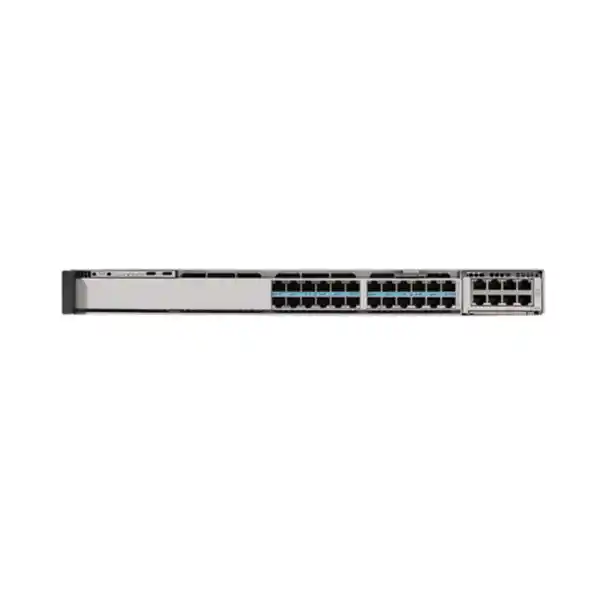
Cisco C9350-24HX Smart Switch
A high-density 24-port 10G Multigigabit access switch engineered for modern enterprise campuses that need Wi-Fi 7 readiness, high-power UPOE+, resilient stacking, high-speed modular uplinks, secure segmentation, and predictable operational scale.
Direct answer: what is the Cisco C9350-24HX designed for?
The Cisco C9350-24HX is designed for enterprise access layers where ordinary 1 Gigabit Ethernet and conventional PoE+ are no longer enough. Its twenty-four copper downlink interfaces can negotiate from legacy 10/100 Mbps through 1, 2.5, 5, and 10 Gigabit Ethernet, allowing a single access platform to support mixed generations of endpoints while providing a forward path for high-throughput wireless access points, workstation docks, video systems, edge appliances, building controls, and other devices that may need substantially more than 30W of power.
For a Dubai campus, headquarters, hotel, healthcare facility, education site, government office, logistics operation, or high-specification branch, the practical value is consolidation. Instead of deploying one switch for conventional users, another for Multigigabit wireless, and separate injectors or local adapters for high-power devices, the C9350-24HX can bring bandwidth, power, policy, telemetry, and Layer 2/Layer 3 services into a common access architecture. The result is simpler cabling, fewer intermediate failure points, and a cleaner migration path toward Wi-Fi 7 and higher-performance edge computing.
Cisco C9350-24HX technical highlights
Downlink architecture
24 RJ-45 Multigigabit Ethernet ports supporting 10M, 100M, 1G, 2.5G, 5G, and 10G rates, giving the access layer a broad endpoint compatibility envelope.
Power delivery
Up to 90W UPOE+ capability per downlink with an aggregate platform PoE budget up to 2160W when the power design is appropriately provisioned.
Switch silicon
A Cisco Silicon One A100/L-based forwarding architecture with 1.3 Tbps class ASIC throughput, built for deterministic enterprise switching at the modern campus edge.
Stacking
StackWise-1.6T provides up to 1.6 Tbps stack bandwidth and supports resilient multi-switch access designs where a logical switching system simplifies operations.
Modular uplinks
Modular uplink options can provide up to 200G aggregate bandwidth on the C9350-24HX, supporting high-capacity distribution or core connectivity.
Enterprise scale
The platform is positioned for converged wired, wireless, IoT, and operational-technology access, with hardware resource profiles designed for serious Layer 2 and Layer 3 policy scale.
Why the 24HX matters in a Wi-Fi 7 access network
Wireless upgrades expose the access switch as a potential bottleneck. A new access point may support far more aggregate radio capacity than a traditional 1G copper link can carry, and many modern enterprise access points also require more electrical power than legacy 802.3af or 802.3at designs can deliver. If the access layer remains at 1G and 30W while the wireless layer moves to Wi-Fi 6E or Wi-Fi 7, the organization pays for higher radio capability but cannot exploit it consistently.
The C9350-24HX addresses both sides of that constraint. Multigigabit copper lets existing structured cabling support intermediate speeds such as 2.5G and 5G where cable plant conditions and endpoint capabilities permit, while 10G is available for endpoints that genuinely need it. UPOE+ extends the electrical headroom to as much as 90W per port, which is valuable for premium access points, intelligent displays, edge devices, cameras with heaters or pan-tilt-zoom motors, and distributed systems that otherwise might require separate local power.
In design terms, this means wireless capacity planning should no longer be performed independently from switch-port planning. FourTeck can align access-point models, cable category and distance, expected radio throughput, switch port speeds, PoE consumption, uplink oversubscription, redundancy objectives, and UPS runtime as one system. For organizations already engaging FourTeck IT Services UAE, that integrated approach reduces the risk of purchasing a fast switch that is constrained elsewhere in the path.
Port map and access-layer behavior
The C9350-24HX front-panel value begins with twenty-four copper access interfaces. Each port is intended to accommodate heterogeneous endpoint generations rather than forcing the network team to standardize every connected device at one speed. A desk phone or legacy controller may remain at 100 Mbps, a conventional workstation may use 1G, a modern wireless access point can negotiate at 2.5G or 5G, and a specialized high-throughput endpoint can use 10G. This flexibility makes the model especially useful in brownfield UAE buildings where endpoint refresh cycles are staggered.
Multigigabit Ethernet also changes the way cable certification should be treated. The presence of a 10G-capable switch does not guarantee that every installed horizontal link will sustain 10G at the desired distance and electromagnetic environment. Category, cable quality, patching, termination workmanship, bundle temperature, pathway density, and alien crosstalk all matter. During a migration, it is sensible to certify or at least validate the links intended for the highest speeds, then allow other ports to operate at the highest stable negotiated rate compatible with the endpoint and cable plant.
At the logical layer, these access ports can be grouped according to user role, device type, floor, tenant, service, or operational domain. VLAN segmentation remains familiar, but modern deployments increasingly add identity-aware controls, access lists, policy enforcement, telemetry, and automated configuration. The C9350 family is built for that transition from a port-centric access model to a policy-centric access model, where the switch becomes a security and visibility enforcement point rather than a simple forwarding device.
For architects, the important distinction is that physical port count is only one sizing variable. The correct switch selection also depends on simultaneous PoE draw, expected mGig distribution, uplink requirements, MAC and route scale, multicast behavior, policy complexity, telemetry volume, stack topology, and high-availability requirements. A twenty-four-port chassis may therefore be the correct design even when fewer than twenty-four endpoints are initially connected, because power headroom and uplink capacity may be more important than raw port utilization.
UPOE+ and 2160W PoE budgeting
The C9350-24HX can provide up to 90W UPOE+ capability on its downlink ports and is specified with a total PoE budget up to 2160W. Those figures are powerful, but a professional design must distinguish between a per-port maximum and the sustained power budget available under a specific power-supply configuration. Engineers should inventory endpoint power classes, actual expected draw, worst-case startup requirements, redundancy mode, power-supply population, and UPS capacity before promising 90W simultaneously to every connected device.
A useful PoE worksheet lists each endpoint by port and records its device class, negotiated standard, normal draw, maximum draw, and criticality. High-power wireless APs may sit beside low-power phones and sensors, which means the switch can often support a mixed environment with substantial reserve capacity. However, a deployment dominated by 60W to 90W endpoints requires a different power plan from an office floor in which most ports feed low-power phones. Power-system design should therefore happen before purchase, not after devices are installed.
Resiliency changes the calculation again. If the design requires the access layer to remain fully powered after the loss of a supply or upstream electrical source, the N+1 or power-sharing arrangement must preserve the critical PoE load during that failure. A switch that can deliver a large budget in a fully populated configuration may have a lower surviving budget when one feed is unavailable. Critical cameras, badge readers, wireless access points, and building-control endpoints should be prioritized so the network does not remain logically alive while essential edge devices lose power.
In Dubai environments, UPS runtime and heat load are also linked to PoE. Every watt delivered to an endpoint ultimately originates from the electrical infrastructure, and conversion losses contribute additional heat. High-power access switching should therefore be coordinated with rack PDUs, UPS sizing, branch circuits, generator policy, and cooling. A precise bill of materials should consider power supplies, power cords, regional plug standards, redundant feeds, stack power accessories where applicable, and the operational policy for what must survive a partial electrical failure.
Silicon One forwarding architecture and capacity planning
Cisco positions the C9350-24HX on a Silicon One A100/L ASIC architecture with 1.3 Tbps class throughput. At the access layer, the practical consequence is not simply a larger headline number. The switch is designed to combine high-speed copper access, substantial uplink bandwidth, stacking, routing, policy enforcement, telemetry, and QoS in a platform intended to remain useful as endpoint speeds rise. The forwarding architecture provides the hardware foundation on which those services operate concurrently.
The published switching figures for the C9350-24HX are far beyond what a conventional 24-port 1G access switch would need. This matters when several 10G downlinks are active simultaneously, when traffic hairpins through local services, or when uplinks are upgraded into 100G-class connectivity. It also provides room for campus designs in which the access switch participates in Layer 3 forwarding rather than sending every inter-VLAN flow upstream. A high-capacity ASIC alone does not guarantee application performance, but it reduces the probability that the access switching fabric becomes the constraining element.
Hardware table resources matter as much as aggregate throughput in policy-rich deployments. Cisco documents default access-oriented database allocations covering MAC addresses, IPv4/IPv6 host and longest-prefix routes, multicast routes, security and object groups, NetFlow entries, ACL resources, QoS ACLs, policy-based routing or NAT entries, and GRE tunnels. The exact usable scale depends on feature mix and resource allocation, so architects should compare the intended control-plane and policy design with Cisco’s current software release documentation rather than treating maximum table figures as simultaneously achievable guarantees.
For most UAE enterprise access deployments, the right approach is to model expected scale with safety margins. Count endpoints, virtual interfaces, routes, multicast groups, policies, telemetry records, and anticipated growth. Then consider failure scenarios: a stack member loss may concentrate traffic, a routed-access change may increase route scale, or a new security policy may consume additional ACL resources. Designing to approximately full theoretical capacity on day one leaves no room for operational change and makes software upgrades more risky.
Modular uplinks: designing for 25G, 40G, 50G and 100G-class connectivity
The C9350-24HX supports modular uplink choices, including Cisco network modules that can provide high-capacity links and an aggregate uplink capability up to 200G for this model. The modular approach is important because an access switch installed today may start with a modest uplink requirement and later need substantially more bandwidth as Wi-Fi density, video traffic, virtualization, backup, edge workloads, and cloud usage increase.
Uplink sizing should be based on traffic behavior rather than downlink arithmetic alone. Twenty-four 10G-capable access ports do not necessarily require 240G of sustained northbound capacity because most user and wireless traffic is bursty, and not every endpoint transmits at line rate simultaneously. Conversely, a floor with dense Wi-Fi 7, media production, imaging, research instruments, or distributed storage may produce unusually high concurrent load. Oversubscription ratios should therefore come from measurement or credible application assumptions.
Redundancy also affects module selection. A pair of uplinks split across two distribution switches or core nodes is usually preferable to a single larger link if availability is important. Port-channel design, optical transceiver type, fiber medium, maximum distance, breakout requirements, and the upstream platform’s supported interface modes must all be checked. A 100G-capable switch port is only useful when the selected optic, fiber plant, peer port, and software configuration are compatible.
For new UAE builds, it is often economical to install fiber infrastructure with future uplink speeds in mind even if the initial optics operate at a lower rate. Pathway access and recabling labor can cost more than the optics themselves. FourTeck therefore treats the switch network module, transceivers, fiber type, patch panels, cleaning and test regime, and upstream topology as a single uplink system rather than separate purchase lines.
StackWise-1.6T: resilient scale without operational sprawl
StackWise-1.6T enables up to 1.6 Tbps of stack bandwidth and allows multiple compatible C9350 switches to operate as a coordinated system. Cisco documents stack configurations of up to eight switches for the family. In a practical campus, stacking can simplify management, cross-member port channels, gateway resiliency, and expansion because administrators deal with a consolidated switching system rather than a collection of unrelated access boxes.
A stack should still be engineered as a failure domain. Cable routing should avoid creating a physical single point of failure, stack members should be distributed intelligently within the rack, and power feeds should be mapped so one electrical event does not remove the entire stack. Uplinks should terminate on different members where supported by the topology, allowing a member failure or maintenance event to preserve northbound reachability. The goal is not simply to connect stack cables; it is to make stack topology and traffic path diversity support the availability requirement.
Large stacks can be attractive for port density, but they also concentrate operational impact. A software upgrade, control-plane issue, or configuration mistake can affect more endpoints when many switches behave as one system. Some organizations therefore prefer smaller stacks or routed access blocks to reduce blast radius. The correct approach depends on campus size, change-control maturity, maintenance windows, application criticality, and the organization’s preference for operational simplicity versus fault-domain isolation.
The 24HX is particularly useful as a high-power specialist within a wider C9350 estate. Not every floor needs twenty-four 10G mGig 90W ports. A design can use high-power models where dense wireless and edge devices require them while using other C9350 models for conventional 1G users. Compatibility and stacking rules should be validated for the exact hardware and software combination before finalizing a mixed-model stack.
Layer 2 and Layer 3 campus roles
The C9350-24HX can participate in conventional Layer 2 access designs or more distributed Layer 3 architectures. In a traditional campus, user and device VLANs extend from access switches toward a redundant distribution layer, where gateway and routing functions reside. This model is familiar and easy to understand, but large Layer 2 domains can increase spanning-tree scope, broadcast propagation, and operational coupling between access blocks.
Routed access moves Layer 3 boundaries closer to users and devices. Each access block can route toward the distribution or core, reducing Layer 2 failure domains and often improving convergence behavior. The tradeoff is greater routing configuration and a need for consistent IP addressing, route policy, and automation. The C9350 family’s hardware forwarding resources make it suitable for such designs when the chosen Cisco software package and feature set support the required protocols.
Hybrid architectures are common. Some VLANs may remain extended for operational reasons while others terminate locally. Wireless traffic may use one path while wired user traffic uses another. Building automation or security systems may need tightly controlled reachability. When the C9350-24HX is selected because of its physical capabilities, the logical design should be reviewed at the same time; otherwise an organization can install a modern switch but retain an unnecessarily fragile legacy topology.
IP addressing and gateway placement should also anticipate growth. Reserving sensible subnets, separating infrastructure management from user traffic, documenting point-to-point links, and assigning stable loopbacks or management addresses help automation and troubleshooting. The access layer becomes much easier to operate when the physical rack layout, logical VLAN plan, routing boundaries, and security zones are described in one current design document.
Security at the access edge
The modern access switch is part of the security architecture because it sees devices at the point where they enter the enterprise network. The C9350 platform can support a policy-rich access model involving authentication, segmentation, access control, telemetry, and secure management. This allows network teams to distinguish a corporate laptop from a camera, phone, visitor device, access point, building controller, or unknown endpoint and then apply an appropriate network policy.
Identity-based controls are most effective when the authentication system, endpoint database, VLAN or segment design, and enforcement policy are coordinated. Merely enabling 802.1X without considering certificate lifecycle, fallback methods, headless devices, guest behavior, and failure modes can create support problems. A practical deployment often introduces authentication in stages, beginning with monitor or low-impact modes, collecting endpoint behavior, and then increasing enforcement once the exception process is mature.
Access control lists can restrict lateral movement, but ACL design must be maintainable. A large collection of manually written per-port rules becomes difficult to audit and can consume hardware resources. Policy should be expressed around understandable roles and services wherever possible. Building-control systems, cameras, printers, voice devices, management interfaces, and user networks should not be able to communicate arbitrarily simply because they share the same physical switch.
Cisco also positions the C9350 family for emerging security capabilities, including post-quantum cryptography support and hardware readiness for newer inline threat-protection approaches. Those capabilities depend on software releases, licensing, architecture, and surrounding Cisco services, so they should be evaluated as part of a security roadmap rather than assumed to be automatically active on an unconfigured switch.
The access switch should sit within a broader layered security design. Organizations requiring perimeter segmentation, secure remote access, inspection, or data-center policy can review the Firewall Dubai solutions portfolio alongside the switching project so edge identity, inter-zone controls, Internet security, and application exposure are not designed in isolation.
QoS for voice, video, wireless and application traffic
A switch with 10G access ports can still deliver poor user experience if congestion is allowed to affect latency-sensitive traffic unpredictably. Quality of Service remains relevant because bottlenecks occur at transitions between link speeds, at shared uplinks, during bursts, and inside upstream WAN or security devices. The C9350-24HX should therefore be integrated with an end-to-end QoS policy rather than treated as a high-speed device that makes traffic engineering unnecessary.
The first step is classification. Voice signaling and media, interactive video, business-critical applications, network-control traffic, bulk backup, software distribution, guest access, and general web activity have different latency and loss sensitivities. Marking should ideally occur as close as practical to a trusted source, while the access layer validates or rewrites untrusted markings from endpoints. Trust boundaries are particularly important on open user ports, where blindly trusting DSCP markings could allow a misconfigured or malicious client to claim priority.
Queue design should reflect real business priorities. Reserving excessive strict priority bandwidth can starve other traffic, while failing to protect real-time media can create choppy calls even when average link utilization looks low. Wireless access points add another layer because multiple client traffic classes are aggregated onto a single wired port. The wired and wireless QoS policies should therefore use compatible classification and marking conventions.
Capacity planning and QoS complement each other. QoS can protect important traffic during congestion, but it cannot create bandwidth that does not exist. If sustained uplink utilization is consistently high, the correct fix may be a faster or additional uplink rather than increasingly complex queue tuning. Telemetry should be used to identify where drops and queue pressure actually occur before changing policy.
Telemetry, visibility and operations
Operational visibility is one of the strongest arguments for replacing older access switches before they fail. Modern enterprise teams need to understand who is connected, at what speed, with what power draw, through which VLAN or policy, generating which traffic, and experiencing what error conditions. The C9350 platform supports modern Cisco operational workflows and telemetry approaches that can reduce troubleshooting time when integrated with the organization’s management stack.
Interface counters remain fundamental. CRC errors, input errors, output drops, speed and duplex negotiation, flaps, PoE events, optical alarms on uplinks, and queue drops often explain incidents faster than application-layer speculation. Baselines should be captured after commissioning so later deviations can be recognized. A port that negotiates down from 10G to 1G, for example, may indicate a cabling, endpoint, or configuration issue rather than insufficient switch performance.
Flow telemetry can add context by showing which applications and endpoints consume capacity. This is useful when deciding whether to upgrade an uplink, when investigating unexpected east-west traffic, or when validating that a newly deployed service behaves as expected. Flow features consume hardware and management resources, so collection scope and retention should be designed intentionally rather than enabled everywhere without a question to answer.
Configuration backup, version control, software lifecycle, and standardized templates are equally important. A sophisticated switch becomes an operational risk if changes are performed manually without documentation. The preferred state is reproducible configuration, known software versions, validated golden templates, automated backups, controlled credentials, and clear rollback procedures. The exact tooling may vary, but the operational discipline should not.
Management choices and Cisco software planning
The C9350 Series is designed to support flexible enterprise management approaches. Depending on the selected software and organizational architecture, operations may include command-line administration, controller-assisted workflows, automation, APIs, and centralized assurance or policy systems. The hardware purchase should therefore be paired with a software and support decision that matches the intended operating model.
Licensing is not a line item to leave until the end of procurement. Cisco enterprise switching features can depend on software package, subscription level, term, and release. A bill of materials should identify the exact network license, subscription entitlement, support coverage, and any controller or management requirements. The correct choice depends on whether the organization needs basic access switching, advanced routing, segmentation, automation, assurance, or specific security functionality.
Software release selection also affects feature availability and operational risk. New hardware platforms may require relatively current Cisco IOS XE releases, while production networks often prefer a validated maintenance train rather than the newest code solely because it is new. Engineers should review Cisco’s current compatibility guidance, field notices, release notes, recommended releases, and feature caveats before deployment. Lab validation is especially valuable when stacking, advanced authentication, high-power PoE devices, or complex routing are involved.
Support coverage should align with business impact. An access switch serving a small office has a different recovery requirement from a stack that powers wireless, cameras, and building controls for an entire floor. Hardware replacement expectations, software support entitlement, spare strategy, and escalation ownership should be written into the deployment plan rather than assumed.
Recommended deployment topology for a UAE enterprise floor
Access block
Deploy one or more C9350-24HX switches close to horizontal cabling termination. Place high-bandwidth and high-power devices on the HX ports and document expected speed and PoE class by port.
Redundant uplinks
Use diverse uplinks toward separate distribution or core nodes where business continuity requires it. Select optics and fiber according to distance, upstream capability, and desired aggregate throughput.
Power resilience
Map switch PSUs to independent rack PDUs or electrical sources when available, then size UPS capacity to the actual switch plus PoE load and required runtime under failure conditions.
Policy boundary
Define where user, wireless, IoT, voice, camera, and management networks terminate. Apply authentication, segmentation, ACLs, and QoS according to endpoint role and business risk.
A typical enterprise floor may use two C9350-24HX switches as a small stack, with uplinks split between redundant distribution switches. Wireless access points occupy Multigigabit UPOE+ ports, while specialized high-bandwidth endpoints use 5G or 10G where justified. Lower-speed devices can coexist on remaining ports, preserving investment during staged migration. The stack should have adequate power supplies to support the designed PoE load after the agreed failure scenario.
This architecture is intentionally modular. Larger floors can add stack members, while smaller sites may use a single switch with redundant uplinks and a spare strategy. Sites requiring more conventional access ports can combine HX capacity with other C9350 models, provided compatibility and stack design are validated. The objective is to buy high-power 10G mGig ports where they create value rather than paying for unused capability everywhere.
Sizing methodology: how many C9350-24HX switches do you need?
Begin with a physical endpoint inventory, but do not stop at port count. Classify every planned device by current and future bandwidth, PoE requirement, redundancy importance, security zone, and location. A floor with eighteen devices may still justify a 24-port HX if twelve are high-power access points and the remaining capacity is needed for growth. Another floor with forty low-power desks may be better served by a different C9350 model plus a smaller number of HX ports for wireless.
Next calculate PoE. Sum realistic maximum device draw, not just nominal consumption, and identify which devices are critical. Then model the surviving power budget after the loss of a supply or feed if the design requires power redundancy. Reserve headroom for future devices and for endpoints whose power requirements may increase after firmware or feature changes. A PoE plan with zero reserve on day one is not a robust production design.
Then estimate traffic. Wireless APs deserve particular attention because one wired switch port carries traffic for many clients. Collect existing traffic data where possible and estimate growth based on radio refresh, application changes, cloud adoption, video use, and office density. Determine whether uplinks should begin at 25G, 40G, 50G, 100G, or another supported mode according to the chosen network module and peer platform. Avoid selecting optics before the upstream topology is confirmed.
Finally, model operational constraints: rack space, depth, cooling, AC feeds, UPS, stack cable routing, optical pathways, management platform, licensing, maintenance windows, and spare strategy. A technically compatible switch can still be the wrong purchase if the rack cannot accommodate its depth with cable bend radius, or if the power system cannot support the intended UPOE+ load.
FourTeck can use this methodology to build a project-specific bill of materials. Customers can review broader enterprise networking and infrastructure capabilities at FourTeck UAE when the switching requirement is part of a larger campus refresh.
Physical installation, rack depth and environmental planning
The C9350-24HX is a 1RU-class switch with a 17.5-inch width and an 18.6-inch chassis depth in Cisco’s current documentation. Installed depth can increase depending on power supply, cable management, connector bend radius, and rack arrangement. Cisco’s published hardware information should be checked against the selected power supply because the effective rear clearance is not simply the bare chassis dimension. For dense racks, those centimeters matter.
Airflow must remain unobstructed. High-power PoE access switches can generate significantly more heat than simple data-only models because the system handles both switching load and power conversion. Rack placement should preserve intake and exhaust clearance, avoid recirculating hot air, and keep ambient temperature within Cisco’s specified operating range. Cisco lists operation from -5°C to 45°C up to approximately 6,000 feet, with reduced maximum temperature at higher altitude, and specifies a 0°C minimum for cold start.
Dubai data rooms are often well cooled, but small communications closets can be more challenging. A closet that is comfortable during normal office hours may overheat overnight if building HVAC is reduced, especially when PoE cameras, APs, and other devices continue drawing power. Cooling calculations should therefore use worst-case or realistic sustained electrical load and the actual HVAC operating schedule.
Dust control and preventive maintenance also matter. Equipment rooms near construction, workshops, warehouses, or external loading areas may ingest more particulates. Filters, room pressure, housekeeping, and cabinet condition should be managed as part of facilities operations. Fans are serviceable components, but no fan design can compensate for blocked airflow or a chronically overheated closet.
Cable management should keep copper bundles and fiber jumpers clear of fan exhaust and service areas. Leave enough slack to replace a power supply or fan tray without disconnecting unrelated circuits. Label both ends of every permanent and patch connection using a consistent scheme tied to rack elevation and switch port documentation.
Copper cabling for 2.5G, 5G and 10G access
The benefit of Multigigabit Ethernet is that it can extract more capacity from suitable installed copper cabling, but performance depends on the cable plant. Network teams should know the category, length, patching topology, certification history, and environmental conditions of links intended for mGig. Older installations may contain mixed cable categories, undocumented repairs, low-quality patch cords, or termination problems that were invisible at 1G but become important at higher signaling rates.
For new cabling, design with the highest credible future rate and PoE load in mind. Higher PoE currents can raise cable bundle temperature, while high-speed Ethernet is sensitive to channel characteristics. Cable selection, conductor size, bundling, pathway fill, patch panels, jacks, and installation workmanship should follow current structured-cabling practice and local project specifications. Low-quality copper-clad aluminum cable should not be treated as equivalent to standards-compliant solid copper horizontal cabling.
Certification is especially valuable for critical 10G links. A switch can report link errors, but it cannot identify every physical cause. Proper cable test equipment can validate channel performance, locate faults, and provide documentation for handover. That evidence is useful when an access point later negotiates at a lower rate or accumulates errors under load.
During a brownfield upgrade, a staged strategy works well: identify high-priority mGig ports, certify those paths, replace questionable patch cords, remediate failed links, and leave low-priority legacy devices at their existing rates. This focuses cabling budget where the C9350-24HX’s higher port speeds will produce actual benefit.
Wi-Fi 6E and Wi-Fi 7 integration
High-end wireless access points are one of the clearest use cases for the C9350-24HX. As radios gain additional spectrum, wider channels, more spatial streams, and greater aggregate capacity, the wired edge must provide enough bandwidth and power to avoid becoming the limiting factor. A 2.5G, 5G, or 10G mGig port gives designers room to match AP requirements without immediately installing fiber to every ceiling location.
Power is equally important. Premium APs may consume more than 30W, particularly when all radios, USB peripherals, IoT functions, or advanced features are active. If power negotiation is insufficient, an AP may disable radios or features, reduce transmit capability, or operate in a restricted mode depending on its design. Providing adequate UPOE+ capacity allows the wireless system to operate as intended while avoiding local power adapters above ceilings.
The switch uplink must then aggregate wireless traffic. A floor with twelve APs each connected at 5G does not automatically generate 60G of sustained upstream traffic, but peak demand can rise quickly during large meetings, software distributions, high-definition collaboration, or dense events. Historical Wi-Fi controller data and application behavior provide a stronger basis for uplink design than theoretical radio maximums alone.
Wireless segmentation should be coordinated with wired policy. Corporate clients, guests, IoT devices, voice handsets, and operational systems may all traverse the same AP uplink but require different trust and access rules. The C9350-24HX can be part of a unified policy boundary where wired and wireless identities receive consistent treatment.
Cameras, physical security and building systems
Video surveillance and smart-building systems increasingly compete with wireless for access-layer capacity and PoE. High-resolution cameras can generate sustained traffic, and specialized cameras may require significant power for PTZ motors, heaters, IR illuminators, or analytics hardware. Building controllers, access-control panels, intercoms, digital signage, sensors, and gateways add additional endpoint classes that may remain operational around the clock.
The C9350-24HX can consolidate these devices, but convergence should not mean unrestricted communication. Physical-security and building-system VLANs should be segmented from ordinary user networks, with only required management servers, recording platforms, and controllers permitted to communicate. Many of these endpoints have long replacement cycles and may run embedded operating systems, making network-level containment particularly important.
Camera traffic can also affect uplink design differently from office traffic. User traffic is often bursty, while video streams may be continuous. A switch serving many high-bitrate cameras can therefore maintain a high baseline utilization even when users are idle. Recording location matters: if the NVR or video management system is upstream, every camera stream consumes uplink capacity; if recording occurs locally at the edge, traffic patterns differ.
Power continuity for security devices is a business decision as well as an IT decision. If cameras and access-control systems must remain active during utility interruptions, UPS and generator runtime should include their PoE load. The network switch is then effectively part of the physical-security power chain and should be documented accordingly.
User access, IP telephony and mixed-speed endpoints
Not every port on a C9350-24HX needs to run at Multigigabit speed to justify the switch. Mixed enterprise floors frequently combine high-end APs with laptops, phones, printers, conference-room systems, badge readers, thin clients, and test equipment. The wide speed range allows these endpoints to coexist without requiring separate access-switch families solely because of link rate.
Voice deployments benefit from reliable PoE, VLAN separation, QoS, and fast fault isolation. Phones usually draw far less than 90W, so they contribute relatively little to the overall PoE budget compared with high-power APs. However, desk designs that connect a computer through a phone’s internal switch should be reviewed for link-speed expectations; a Multigigabit access port cannot improve the workstation path if the intermediate phone only forwards at 1G.
Conference rooms increasingly contain multiple powered devices: video bars, touch panels, scheduling displays, cameras, wireless sharing appliances, and control processors. Consolidating those endpoints on managed PoE can simplify remote resets and power monitoring, but it also means one access switch may become critical to an entire meeting suite. Redundancy expectations should therefore be aligned with business dependence on collaboration spaces.
The value of an enterprise access switch is strongest when port configuration follows endpoint role. Standard templates for phone-plus-PC ports, AP ports, cameras, printers, IoT devices, and infrastructure links reduce configuration drift. Automation can then apply consistent VLAN, authentication, QoS, storm control, logging, and security behavior rather than relying on manual per-port customization.
IT/OT convergence without flattening security boundaries
Industrial, logistics, hospitality, and smart-building environments often need enterprise switching features while supporting operational technology endpoints that were never designed for open corporate networks. The C9350-24HX can provide high-speed and high-power connectivity for gateways, cameras, controllers, sensors, access points, and edge computers, but the architecture should preserve clear security zones between IT and OT.
Start by understanding communication flows. An OT device may need to reach only a local controller, a historian, DNS, NTP, and a management service. It usually does not need unrestricted access to user subnets. Segmenting by function and enforcing explicit flows reduces lateral movement and makes anomalies easier to investigate. Where an industrial protocol requires multicast or broadcast behavior, that requirement should be documented rather than solved by extending an unnecessarily large Layer 2 domain.
Operational availability is also different. An office printer can tolerate a maintenance window; a building controller or production endpoint may not. Network changes affecting OT ports should therefore use stronger change control, tested rollback plans, and clear coordination with facilities or operations teams. Even seemingly minor features such as authentication reconfiguration can interrupt devices that have unusual supplicant behavior.
High-power PoE can reduce local adapters in OT spaces, but environmental suitability must still be considered. The C9350-24HX is an enterprise switch, not a sealed industrial switch for arbitrary outdoor or harsh environments. Place it in a controlled communications space that meets Cisco’s environmental specifications and extend Ethernet or fiber from there as required.
Server and edge-compute connectivity
Although the C9350-24HX is primarily an enterprise access switch, some branches and distributed sites connect compact servers, appliances, hyperconverged nodes, or edge-compute systems at the access layer. A 10G copper port can be useful when the server or appliance has 10GBASE-T and the distance is modest. This can simplify small-site designs where installing dedicated top-of-rack data-center switching would be excessive.
However, access switching and server switching have different traffic profiles. Servers can generate sustained east-west flows, storage traffic, backup bursts, virtualization uplinks, and latency-sensitive application traffic. If several servers are planned, designers should evaluate whether a purpose-built data-center or server-access switch is more appropriate. The C9350-24HX should not be selected solely because it has 10G ports if the workload actually needs low-latency data-center fabrics, large buffers, specialized storage features, or very high east-west bandwidth.
For distributed edge workloads, the platform can still be compelling because the same switch can connect users, APs, cameras, and a local compute appliance while providing strong uplinks back to the campus core. The design should isolate infrastructure and server management, protect application VLANs, and provide sufficient redundant paths for the business service.
Organizations expanding branch compute can also review FourTeck Server Dubai resources so the switch, NIC speed, transceiver or copper interface, server redundancy, UPS load, and rack design are sized together.
Migration from Catalyst 9300 and older access platforms
A C9350 migration should be treated as an architecture refresh rather than a like-for-like hardware swap. Older access switches may have accumulated years of port-specific exceptions, unused VLANs, stale ACLs, hard-coded speed settings, legacy spanning-tree assumptions, and undocumented device dependencies. Copying that configuration blindly to a new platform preserves technical debt and can obscure the benefits of newer hardware.
Begin by collecting current configurations, interface status, PoE usage, link speeds, error counters, MAC tables, VLAN assignments, uplink utilization, routing neighbors, and authentication behavior. Identify ports that have been down for long periods and verify whether they are still required. Map every active port to a known endpoint or service. This creates a factual baseline for the new design.
Then standardize. Replace one-off port configurations with role-based templates where possible. Remove obsolete VLANs and ACL entries after validation. Decide whether gateways should remain at distribution or move closer to access. Confirm that old optics, stack cables, power supplies, and network modules are compatible before assuming they can be reused; new switch generations often require different accessories or software support.
A staged cutover lowers risk. Preconfigure and bench-test the C9350-24HX, validate software, licenses, stacking, uplinks, authentication, monitoring, and PoE with representative endpoints, then migrate a controlled subset of ports. Keep rollback paths clear until stability is confirmed. During the first production days, monitor interface errors, PoE events, uplink utilization, authentication failures, and endpoint complaints rather than relying only on switch reachability.
Where high-power Wi-Fi is the primary driver, prioritize AP migration and cable validation first. User desktops can follow later because their bandwidth requirements are often less demanding. This produces value early while reducing the number of simultaneous variables during the cutover.
High availability: design beyond redundant hardware
Buying two switches does not automatically create high availability. A resilient C9350-24HX deployment requires independent failure paths for data, power, management, and upstream connectivity. Two stack members powered from the same PDU, connected through the same fiber tray to a single distribution switch, still share multiple single points of failure.
At the data layer, uplinks should be diversified across stack members and upstream nodes where the architecture allows. Physical fiber routes should be reviewed if a cable cut would defeat logical redundancy. Port channels should be configured and tested under member failure, not just normal operation. Routing or gateway protocols should be validated for convergence behavior during maintenance and unexpected faults.
At the power layer, redundant power supplies are most valuable when they connect to independent electrical sources or PDUs. UPS redundancy, bypass arrangements, generator coverage, and maintenance procedures influence actual availability. The switch’s PoE budget during a failure should be modeled so essential APs, cameras, and controls remain powered. If the surviving budget is lower than the normal load, define which ports are preserved first.
At the operational layer, keep tested configuration backups, console access, spare optics, appropriate cables, and an escalation path. A highly redundant network can still suffer long downtime if a failed optic cannot be replaced or the team does not have current credentials. Documentation should include rack diagrams, stack member roles, cable identifiers, power feeds, uplink peers, management addresses, software version, and support contract references.
Finally, test. Planned resilience is not proven resilience. Perform controlled member shutdowns, uplink failures, and power-feed tests during commissioning where business policy permits. Observe endpoint behavior, routing convergence, wireless continuity, and monitoring alerts. Record the results so future teams understand what the design actually survives.
Performance and oversubscription: interpreting the numbers correctly
Cisco publishes high switching and forwarding figures for the C9350-24HX, and the platform’s Silicon One architecture gives it substantial headroom. Yet network performance is determined by the complete path. Endpoint NIC capability, copper quality, switch port rate, queue behavior, uplink bandwidth, distribution design, firewall throughput, WAN capacity, server response time, and application architecture all contribute to observed performance.
Oversubscription is not inherently bad. Enterprise access networks are usually oversubscribed because not every user or AP transmits at maximum rate simultaneously. The design question is whether the chosen ratio matches actual concurrency. A standard office floor can tolerate more oversubscription than a media lab, engineering environment, event venue, or floor with many high-capacity APs serving dense users.
Measure both average and peak utilization. Five-minute averages can hide short bursts that create queue drops and application complaints. Telemetry at shorter intervals, interface queue counters, and application monitoring can reveal congestion that broad averages miss. If a 100G uplink appears only 30 percent utilized on average but experiences repeated microbursts and drops, QoS or traffic distribution may still require attention.
When sizing a new deployment without historical data, use scenarios. Estimate normal office use, peak collaboration, software update windows, backups, large wireless events, and failure states where one uplink carries traffic that is normally split across two. Choose a design that remains acceptable under the critical scenarios rather than optimizing only for everyday averages.
Procurement considerations for Dubai and the UAE
Enterprise switch procurement is more than obtaining the chassis PID. The project should confirm the exact C9350-24HX hardware, power supplies, power cords, network module, optics or DACs, stack cables, stack-power accessories where required, mounting hardware, software licenses, subscription terms, support coverage, and any SSD or application-hosting options. Missing one accessory can delay a deployment even when the switch itself is available.
Lead time matters for large refreshes. High-end enterprise networking products and specific optics can have different regional availability. A project with a fixed move-in or cutover date should finalize the bill of materials early enough to absorb sourcing variation, shipping, staging, and testing. Substituting optics or power supplies at the last moment can create compatibility or warranty concerns, so any alternative should be technically validated rather than treated as a commodity swap.
Warranty and support provenance are equally important. Organizations should confirm that serial numbers, support entitlement, and subscription ownership can be registered appropriately. Grey-market equipment may appear cheaper but can introduce support, licensing, replacement, and authenticity risks that outweigh the initial saving. For critical campus infrastructure, a documented supply chain is part of risk management.
UAE deployments may also involve multi-site standards. A company with offices in Dubai, Abu Dhabi, Sharjah, or other emirates may want one validated access-switch architecture while varying port density by site. Standardizing software, templates, uplink modules, optics, and spare policy can reduce operational complexity even when different C9350 models are used in different locations.
FourTeck can coordinate product supply with staging, configuration, rack integration, cable validation, optics selection, and migration planning. This matters most when the project must fit an existing production environment rather than a greenfield network.
What should be included in a complete C9350-24HX bill of materials?
A complete bill of materials begins with the C9350-24HX chassis and the required Cisco software entitlement. Next come power supplies sized for both normal PoE demand and the required redundancy model. The switch supports multiple power-supply bays, so the quantity and wattage should reflect the load calculation rather than a generic assumption.
The uplink network module must match the target interface type and bandwidth. That choice determines which optics, direct-attach cables, or breakout arrangements are possible. For fiber, specify optic type, connector, wavelength, fiber class, distance, and peer interface. Include patch cords and any required adapter or breakout components. Verify that the upstream distribution or core switch supports the selected mode.
If stacking is required, specify StackWise cables in lengths appropriate to the rack layout. Cisco offers different stack cable lengths, and the correct size helps avoid tight bends or excessive loops. If power sharing is part of the design, include the relevant StackPower+ cables and validate the planned topology. Non-standard rack mounting requirements should be identified before installation.
Operational accessories can include console cables, spare optics, cable-management components, labels, rack PDUs, and UPS capacity. For larger deployments, maintaining a small on-site spare pool can reduce recovery time. Spare strategy should prioritize components with the highest failure impact and longest replacement lead time.
Finally, include services. Staging, software validation, configuration templates, migration, after-hours cutover, cable certification, wireless coordination, documentation, knowledge transfer, and post-cutover monitoring all affect project success. Hardware without an implementation plan simply transfers risk to the installation day.
C9350-24HX versus a conventional 24-port 1G PoE+ switch
| Design area | C9350-24HX | Conventional 1G PoE+ access |
|---|---|---|
| Copper speed | Up to 10G mGig per port | Typically 1G per port |
| PoE capability | Up to 90W UPOE+ per port | Typically up to 30W PoE+ |
| Wireless readiness | Designed for high-capacity Wi-Fi 6E/7 edge | May constrain premium AP bandwidth or power |
| Uplink strategy | High-speed modular uplinks up to 200G aggregate for this model | Often lower uplink ceiling |
| Stacking | StackWise-1.6T | Platform dependent and often much lower |
| Best fit | Premium enterprise access, Wi-Fi 7, high-power edge, future growth | Cost-sensitive standard user access |
The comparison shows why the 24HX should be targeted rather than deployed indiscriminately. If a site contains only ordinary 1G PCs and low-power phones, a lower-cost model may be sufficient. If the access layer must support premium wireless, high-power endpoints, rapid growth, and very fast uplinks, the 24HX’s additional capability can eliminate future forklift upgrades.
When the C9350-24HX is the right choice
Choose it when
Your floor or branch needs many 2.5G, 5G, or 10G copper links for premium wireless access points or specialized endpoints.
Choose it when
Your endpoint plan includes devices that require materially more than standard PoE+ and you want centralized managed power.
Choose it when
Your access layer needs high-capacity modular uplinks and a stack architecture capable of supporting significant bandwidth growth.
Choose it when
You are refreshing campus switching for a multi-year lifecycle and want a platform aligned with current Cisco enterprise access architecture.
When a different model may be more economical
The C9350-24HX is intentionally a high-capability model. If almost every endpoint is 1G and draws less than 30W, paying for 10G mGig and 90W UPOE+ on every port may not be economical. In that case, a 1G PoE+ model can serve standard desks while a smaller number of high-power ports are provided elsewhere. Similarly, a data-only environment does not need to fund a large PoE subsystem it will never use.
Port density matters too. A site requiring forty or more mGig UPOE+ endpoints may be better served by a 48-port model or by multiple 24-port switches depending on fault-domain and power goals. The choice is not simply price per port; two 24-port switches can provide different redundancy, rack, and power characteristics from one 48-port switch.
The best design often mixes models by floor. Use HX where wireless and high-power devices demand it, and use standard access models for user-dense areas with conventional requirements. Standardize software and operational processes across the family while optimizing hardware cost to actual endpoint needs.
Deployment services around the switch
A production deployment can include site survey, rack and power assessment, cable validation, logical design, bill-of-material review, software staging, base configuration, identity and segmentation integration, stacking, uplink configuration, PoE validation, wireless coordination, migration, testing, documentation, and post-cutover support. These activities reduce uncertainty around the hardware and make acceptance criteria measurable.
For multi-vendor environments, responsibilities should be explicit. The wireless team may own AP configuration, the facilities team may own UPS and cooling, the security team may own identity policy, and the network team may own switching. A coordinated implementation plan identifies dependencies before the maintenance window. FourTeck can provide an integration point across those workstreams rather than treating the switch as an isolated box sale.
Customers planning broader network, server, security, or communications upgrades can use the engineering capabilities available through FourTeck UAE and FourTeck IT Services UAE to align switching with the rest of the infrastructure lifecycle.
Commissioning checklist
Hardware verification
Verify chassis PID, serials, power supplies, fans, network module, stack cables, optics, rack mounting, airflow, power feeds, grounding, cable labeling, and spare components before production cutover.
Software verification
Confirm approved IOS XE release, boot variables, license and subscription status, time synchronization, AAA, logging, SNMP or telemetry, backups, secure management, and management-plane reachability.
Access-port verification
Test representative 1G, 2.5G, 5G, and 10G endpoints where available, validate PoE negotiation and draw, confirm VLAN and authentication behavior, and check interface errors after sustained traffic.
Resilience verification
Test stack behavior, redundant uplinks, power-source loss, routing convergence, monitoring alerts, and recovery procedures according to the approved maintenance plan and business risk tolerance.
Frequently asked technical questions
Does every C9350-24HX port support 10G?
The model is specified with twenty-four copper Multigigabit downlinks supporting rates from 10/100 Mbps through 1G, 2.5G, 5G, and 10G. The negotiated rate still depends on the connected endpoint, cabling, and configuration.
Can it power Wi-Fi 7 access points?
Yes, high-end wireless access points are a primary use case. The switch supports UPOE+ up to 90W per port, but the exact AP model’s requirements and the switch’s configured power budget should be checked together.
Is 2160W always available?
Cisco specifies a platform PoE budget up to 2160W for the C9350-24HX. Actual deliverable power in a given deployment depends on power-supply population, redundancy mode, input power, and configuration. A project-specific power calculation is required.
How fast is the stack?
The C9350 family supports StackWise-1.6T, providing up to 1.6 Tbps stack bandwidth. Stack design should include compatible hardware, correct stack cables, topology, software, and failure testing.
What uplink bandwidth can the 24HX support?
Cisco specifies up to 200G of modular uplink bandwidth for the C9350-24HX using supported network module options. The exact port modes depend on the selected module and peer infrastructure.
Can I reuse existing Cat6 cabling?
Potentially. Multigigabit standards are designed to provide higher-than-1G speeds over suitable copper, but achievable rate depends on cable category, channel length, termination quality, bundle conditions, interference, and endpoint capability. Critical links should be tested rather than assumed.
Can I use the C9350-24HX as a small core switch?
It has substantial Layer 3 and uplink capability, but role selection depends on required port types, routing scale, redundancy, buffers, services, and architecture. It is primarily positioned as a high-performance enterprise access platform, so a core design should be reviewed against Cisco’s platform guidance and the specific network requirements.
Does it replace a firewall?
No. Access switching security features and segmentation are complementary to firewall functions. Internet edge inspection, VPN, advanced threat controls, and inter-zone policy may still require dedicated security platforms depending on the architecture.
Should I choose a 24-port or 48-port HX model?
Choose based on mGig endpoint count, PoE demand, fault-domain preference, rack and power constraints, growth, and economics. Two 24-port switches can provide different resilience and scaling characteristics from one 48-port chassis.
What should be validated before ordering?
Confirm port count and speeds, PoE load, power redundancy, uplink module and optics, upstream compatibility, stack design, rack depth, airflow, software and licensing, support term, cabling, UPS capacity, implementation services, and delivery schedule.
Operational lifecycle after go-live
The switch lifecycle begins at deployment, not purchase. Maintain a software policy that defines how recommended Cisco releases are evaluated, lab-tested, approved, and deployed. Track advisories and field notices relevant to the installed hardware and software. Avoid leaving access switches on unsupported releases simply because they continue forwarding traffic.
Review port utilization and PoE trends periodically. A switch installed with substantial reserve may gradually fill as new APs, cameras, and edge devices are added. Without capacity review, the first sign of exhaustion may be a failed device installation or an unexpectedly constrained uplink. Regular reporting turns future expansion into a planned event rather than an emergency.
Configuration drift should be detected. Compare running configuration against approved templates and investigate changes that were not made through the standard process. Remove temporary exceptions after incidents are resolved. Review unused access ports and disable or secure them according to organizational policy. Rotate credentials and certificates on schedule.
Environmental monitoring belongs in the lifecycle as well. Watch temperature, fan status, power-supply health, and UPS alarms. Clean and inspect communications rooms, verify that cable additions have not blocked airflow, and keep rack documentation current. High-power PoE deployments deserve particular attention because electrical load can change significantly as endpoints are added.
Maintain spares and support information. Optics and cables are common practical failure points, and replacement speed matters during an incident. A labeled spare kit with known-compatible components can restore service faster than an emergency procurement process.
UAE campus standardization strategy
Large organizations often gain more from standardization than from optimizing every switch independently. A campus standard can define two or three approved access models, one software train, a small set of uplink modules, standard optic types, repeatable rack layouts, common configuration templates, consistent monitoring, and a shared spare pool. The C9350-24HX can serve as the premium high-power mGig tier in that standard.
For example, high-density wireless areas, executive floors, conference centers, innovation labs, and smart-building zones may receive the HX model. Ordinary office floors may use lower-cost 1G variants. Because the platforms belong to the same family, engineering teams can retain similar operational workflows while allocating hardware capability where it is needed.
Standardization also improves procurement forecasting. Instead of sourcing a unique switch for every project, the organization maintains approved configurations and predictable accessory bundles. Staging becomes faster because templates and test procedures are already validated. Support teams encounter fewer hardware permutations, and spare inventory becomes more useful across sites.
The standard should still be reviewed periodically. Wireless generations, endpoint power needs, optical standards, Cisco software strategy, and security architecture evolve. A design that is efficient today may need a higher-speed or differently segmented access tier in future phases.
Why buy the Cisco C9350-24HX through FourTeck?
FourTeck approaches the C9350-24HX as part of an enterprise system: switch hardware, power, cabling, uplinks, wireless, security, management, licensing, rack infrastructure, and migration. That matters because the expensive mistakes in a switch refresh are often not the chassis itself. They are mismatched optics, insufficient power, undocumented cabling, unsupported software combinations, under-sized uplinks, missing licenses, or cutovers without a rollback plan.
For a Dubai deployment, the procurement conversation can begin with a simple endpoint and site profile. How many APs? Which models? What mGig rates? How many high-power devices? What is the existing distribution platform? Which fiber types and distances exist? Is stacking required? What must survive a power-supply failure? Which network-management system is in use? What support term is required? These answers allow the bill of materials to be built around real requirements.
Where necessary, FourTeck can coordinate network readiness with server and firewall requirements so the new access switch does not expose a bottleneck elsewhere. This integrated view is especially useful for office moves, new hospitality properties, schools, healthcare expansions, warehouses, and campus upgrades where several infrastructure systems change at once.
The objective is a deployable solution, not just a purchase order. A correctly specified C9350-24HX should arrive with the accessories, licenses, power plan, uplink design, and implementation information needed to move efficiently from staging to production.
Decision recap: is C9350-24HX the correct access switch for your project?
Select the C9350-24HX when your design genuinely benefits from a concentration of 10G-capable Multigigabit copper ports, high-power UPOE+, very fast stacking, and high-capacity modular uplinks. It is especially well matched to premium wireless access, high-power cameras and edge systems, smart-building convergence, and enterprise floors that need substantial growth headroom without replacing horizontal copper with fiber at every endpoint.
Do not select it only because it is a newer model. If the site is dominated by 1G low-power endpoints, another C9350 variant may offer better economics. If the workload is primarily server east-west traffic, a data-center switching design may be more appropriate. The correct product is the one whose port speeds, PoE profile, forwarding role, uplinks, and operating model match the site.
For organizations standardizing a multi-site campus architecture, the C9350-24HX can act as the high-capability tier while other access models serve ordinary ports. This targeted strategy preserves the operational benefits of a common family without overprovisioning every closet.
Quotation input checklist
Site and quantity
Provide site location, number of communications rooms, required switch quantity, preferred delivery date, rack type, available rack depth, and whether staging is required before site delivery.
Endpoint profile
List Wi-Fi AP models and quantities, camera types, phones, edge devices, user ports, expected mGig rates, maximum PoE requirements, and anticipated three-to-five-year growth.
Uplink design
State the upstream switch model, desired uplink speed, link count, fiber type, distance, connector type, redundancy requirement, and whether optics or DAC/AOC cables are required.
Power and resilience
Confirm redundant PSU requirement, available AC feeds, UPS model and runtime target, estimated critical PoE load, StackPower+ requirement, and any generator-backed circuits.
Software and support
Specify current Cisco environment, desired license level, subscription term, management platform, support coverage requirement, software standard, and any identity or segmentation integrations.
Implementation scope
Indicate whether FourTeck should provide design, staging, configuration, rack installation, migration, after-hours cutover, cable testing, documentation, training, and post-cutover monitoring.
Final consultation panel
Build the C9350-24HX around your real traffic, power and resilience requirements
Send your access-point list, endpoint count, PoE requirements, existing core or distribution model, fiber details, rack and power information, desired license term, and target cutover date. FourTeck can turn those inputs into a project-specific Cisco C9350-24HX bill of materials for Dubai and the wider UAE.
For wider infrastructure coordination, FourTeck can align switching with wireless, cybersecurity, server connectivity, structured cabling, UPS, and migration requirements so the finished design is operationally consistent from the endpoint to the upstream network.
What FourTeck can return in the proposal
• Validated chassis, PSU, network-module and optics list
• PoE load and redundancy assumptions
• Uplink and stack architecture
• Licensing and support term guidance
• Staging, migration and testing scope
• Documentation and post-cutover support options
Product specifications, software features, licensing requirements, supported optics, accessories, environmental figures, and platform capabilities can change by Cisco hardware revision and software release. Final quotations and implementation plans should be validated against the current Cisco ordering guide, data sheet, release documentation, and the exact required deployment architecture.

Reviews
There are no reviews yet.