
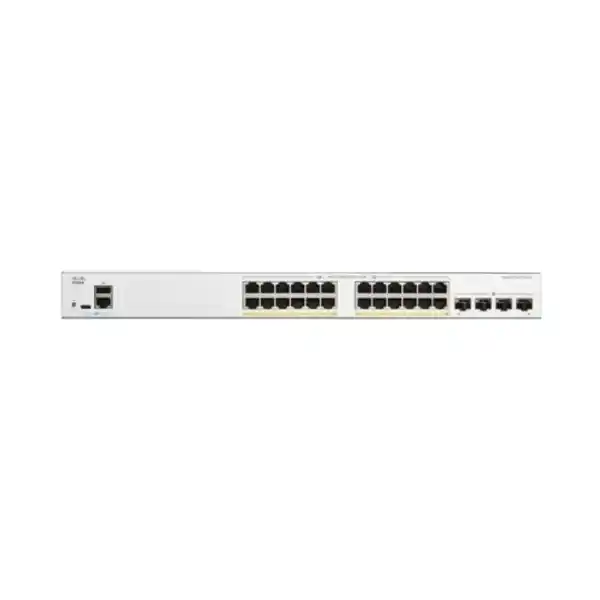
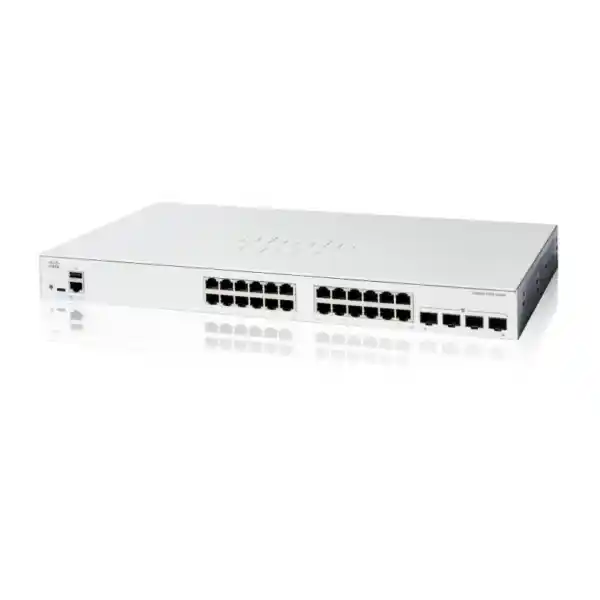
Cisco Catalyst C1200-24T-4X Network Switch Dubai UAE
A compact managed access switch for organisations that want twenty-four Gigabit copper device connections and significantly faster 10 Gigabit fibre or direct-attach uplinks, without paying for PoE hardware that the installation does not require.
Direct answer: what is the Cisco C1200-24T-4X?
The Cisco Catalyst C1200-24T-4X is a rack-mountable managed switch in the Catalyst 1200 Series. Its access side provides 24 copper 10/100/1000 Ethernet ports, while its uplink side provides four 10 Gigabit SFP+ interfaces. The model is data-only: the 24 copper ports do not provide PoE or PoE+, which is a central purchasing distinction between this model and the C1200-24P-4X or C1200-24FP-4X.
It is mainly used as an SMB access switch connecting computers, printers, servers, firewalls, network appliances and other Ethernet endpoints while providing higher-bandwidth 10G links toward an aggregation switch, server, storage environment or another compatible network device. Organisations should consider it when 24 Gigabit access ports are enough, PoE is unnecessary, and 1G uplinks would create an avoidable bottleneck.
The most important factor to confirm is not simply the number of ports. Confirm the complete uplink design: how many 10G links are required, whether they use short-range multimode fibre, long-range single-mode fibre or direct-attach copper, what transceivers are compatible at both ends, and whether link aggregation or redundancy is planned. FourTeck can help map those choices to the correct switch, optics, cabling, rack placement and implementation scope.
Where the C1200-24T-4X fits in a business network
The strongest reason to choose this exact model is the combination of a moderate access-port count and four 10GbE SFP+ uplinks. A 24-port switch with only Gigabit uplinks can be perfectly adequate in a light office, but it can also become the narrow point when several users simultaneously reach servers, network storage, cloud gateways, backup systems or high-throughput wireless infrastructure located elsewhere in the network. The C1200-24T-4X gives the access layer much more uplink headroom without requiring every edge port to run at 10 Gigabit.
That architecture is relevant to many Dubai offices, clinics, schools, retail operations, professional firms, branch locations and distributed business sites. User devices may still operate at 1GbE, which remains appropriate for a large number of normal desktop workloads, while one or more 10G uplinks carry aggregated traffic to the rest of the infrastructure. The four uplink interfaces can also give a designer more flexibility than a switch with only one or two faster links, especially when separate upstream paths, server connections or aggregated links are required.
The model should not be treated as a universal answer. If phones, access points, cameras, door controllers or other powered endpoints need electricity from the switch, a PoE-capable model normally makes more sense. If the site has more than 24 copper endpoints or expects substantial near-term growth, a 48-port model can reduce the need for an additional access switch. If the network requires sophisticated dynamic routing, large-scale campus resiliency or enterprise stacking, the design should be evaluated against higher-tier switching platforms rather than assuming a small-business static-routing switch will meet every requirement.
Verified C1200-24T-4X hardware specifications
| Specification | Cisco C1200-24T-4X | Buyer relevance |
|---|---|---|
| Copper access ports | 24 × 10/100/1000BASE-T | Designed for standard Gigabit Ethernet edge devices. |
| Uplinks | 4 × 10 Gigabit SFP+ | Supports much faster aggregation than 1G-only uplinks; optics or DAC selection must match the remote device. |
| PoE | No PoE budget | Do not select it for endpoints that must receive power over Ethernet. |
| Switching capacity | 128 Gbps | Provides nonblocking wire-speed switching capacity for the stated port mix. |
| Forwarding performance | 95.23 Mpps at 64-byte packets | Useful when comparing the model with lower- or higher-capacity access switches. |
| Packet buffer | 1.5 MB aggregate, dynamically shared | Relevant where bursty traffic patterns or oversubscription require closer design review. |
| Memory | 1 GB DDR4 DRAM, 512 MB flash | Current Cisco data-sheet hardware specification. |
| Processor | Dual-core ARM at 1.4 GHz | Supports local management and the switch software feature set. |
| Chassis | 445 × 240 × 44 mm | Standard rack-width form factor with compact depth. |
| Weight | 2.78 kg | Helpful for rack, shelf and shipment planning. |
| Cooling | Fanless | Reduces acoustic impact and removes a fan as a moving component. |
| Power input | Internal universal 100–240V, 50–60Hz | Suitable for normal UAE mains environments when the correct regional power cord and rack power design are used. |
| Worst-case system power | 23.1W at 110V; 23.0W at 220V | Useful for UPS and rack power planning; actual consumption varies with operation. |
| Operating temperature | -5°C to 50°C | The communications room still requires suitable environmental control and airflow around installed equipment. |
Why four 10G SFP+ uplinks matter
Aggregation headroom
Twenty-four active Gigabit ports can theoretically generate much more than one Gigabit of aggregate traffic. A 10G upstream path therefore gives the access switch substantially more room when multiple users reach centralized resources at the same time. This does not mean every office automatically needs 10G uplinks, but it removes a common access-to-core bottleneck where workloads are no longer light.
Link design flexibility
Four SFP+ interfaces can be allocated to different purposes: redundant upstream paths, aggregated trunks, a direct 10G server connection, or links to separate infrastructure zones. The exact configuration must be designed around spanning tree, LACP, VLAN topology and the capabilities of the devices on the other end rather than assuming that four physical ports automatically create a resilient forty-gigabit path.
Fibre or short DAC choices
Cisco lists supported 10G SR and LR optical modules as well as 1 m, 3 m and 5 m 10G direct-attach copper assemblies. The right medium depends on distance, fibre type, patching, remote port compatibility and the physical route. That choice should be specified in the quotation rather than leaving the switch purchase disconnected from the cabling design.
Selecting SFP+ optics and DAC cables for a Dubai deployment
The SFP+ ports are interfaces, not a complete physical link by themselves. A buyer needs to decide what media will bridge the C1200-24T-4X to the upstream switch, server or other endpoint. For a short connection within the same rack or between nearby rack positions, a compatible direct-attach copper cable can be simpler and avoids separate optical modules and fibre jumpers. Cisco lists SFP-H10GB-CU1M, SFP-H10GB-CU3M and SFP-H10GB-CU5M among supported 10G direct-attach options for the series.
For multimode fibre, Cisco lists SFP-10G-SR and SFP-10G-SR-S. The achievable distance depends on the fibre grade and installation. Cisco’s published range for the listed SR optics spans approximately 26 metres to 400 metres depending on the fibre environment. For longer single-mode links, SFP-10G-LR and SFP-10G-LR-S are listed with up to 10 km reach. These distances are module capabilities under appropriate optical conditions, not a promise that any existing fibre path will work without inspection.
A useful quotation therefore identifies both link ends. Confirm the upstream device model, its supported transceivers, fibre mode, connector and patch-panel arrangement, measured or documented distance, number of uplinks, and whether the links are independent or aggregated. Mixed-vendor transceiver policies can also matter, so compatibility should be verified rather than inferred from the fact that both sides use SFP+ slots.
For an existing UAE office, it is often worth documenting the current fibre plant before ordering. A switch replacement can expose old multimode cabling, unlabelled patching or unknown optics that worked at 1G but are not suitable for the intended 10G design. The switch itself may be straightforward; the physical layer is frequently where deployment risk appears.
Layer 2 switching features that affect real deployments
VLAN segmentation
The Catalyst 1200 Series supports up to 255 active VLANs simultaneously, including port-based and 802.1Q tagged VLANs. This lets a business separate users, servers, guest access, voice or management traffic according to its architecture. The limit is generous for typical SMB segmentation, but VLAN numbering alone does not create security; ACLs, routing policy, endpoint controls and firewall placement determine how segments may communicate.
Spanning Tree
The platform supports traditional STP, RSTP and MSTP, plus Cisco per-VLAN spanning-tree variants. These mechanisms help protect Layer 2 networks from forwarding loops. They are especially important when more than one physical path exists between switches. The correct root-bridge strategy, port roles and redundancy design should be planned before connecting parallel uplinks.
LACP link aggregation
IEEE 802.3ad LACP is supported, with up to four groups and up to eight ports per group. Aggregation can increase combined capacity and provide path resilience when the connected equipment is configured consistently. It should not be described as making every single traffic flow use the total aggregate bandwidth; hashing behaviour distributes flows across member links according to the platform configuration.
Multicast control
IGMP snooping versions 1, 2 and 3 are supported along with an IGMP querier. This matters when multicast applications would otherwise flood traffic across a Layer 2 domain. Video, signage or specialized discovery applications can benefit from controlled multicast forwarding, but the correct multicast architecture depends on the wider network and whether routing between subnets is required.
Jumbo frames
The switch supports frame sizes up to 9000 bytes. Jumbo frames may be useful in selected storage, virtualization or high-throughput workflows, but they only deliver value when the entire traffic path is configured compatibly. A mixed MTU path can create difficult troubleshooting symptoms, so enabling jumbo frames should be an end-to-end design decision rather than an isolated switch setting.
8,000 MAC addresses
The 8,000-entry MAC address table is appropriate for many small and medium access environments, but large Layer 2 domains with many endpoints, virtual machines or learned addresses should still be reviewed. A switch should be sized for the actual forwarding domain rather than merely the count of sockets on its front panel.
Static Layer 3 routing: useful, but understand the boundary
The Catalyst 1200 Series provides hardware-based IPv4 and IPv6 routing capabilities suitable for straightforward inter-VLAN and static-path requirements. Cisco specifies wire-speed IPv4 routing, up to 32 IPv4 static routes and up to 16 IP interfaces, with Layer 3 interfaces available on physical ports, LAGs, VLAN interfaces or a loopback interface. DHCP relay is also supported for forwarding DHCP requests across IP domains.
This makes the C1200-24T-4X more capable than a pure Layer 2 smart switch. For example, a small business may use switch virtual interfaces for several internal VLANs and route selected local traffic without sending every east-west flow through a separate router. That can simplify a modest design and reduce unnecessary hops.
The limit is equally important. Catalyst 1200 is positioned around static Layer 3 routing rather than the advanced dynamic-routing and large-scale campus features associated with higher switch families. If the planned topology relies on dynamic route exchange, sophisticated convergence, very large route tables, multi-site route policy or enterprise core functions, the design should be compared with a more advanced switching or routing platform.
For procurement, ask whether routing is actually needed on this switch. If the firewall or upstream Layer 3 switch will remain the default gateway for all VLANs, then the C1200-24T-4X may be used primarily as a managed Layer 2 access device. If inter-VLAN routing will occur locally, document the IP interfaces, static routes, DHCP relay requirement and security policy before deployment.
Security controls for the access layer
Access switches sit close to users and devices, so security configuration is not an optional afterthought. The C1200 platform includes 802.1X authentication in the authenticator role with RADIUS support, port security, storm control, denial-of-service prevention and access control lists. Cisco specifies support for up to 512 ACL rules, with matching criteria that can include MAC addresses, VLAN IDs, IPv4 or IPv6 addresses, protocols, TCP or UDP ports, DSCP values and other packet attributes.
For an office that uses network access control, 802.1X can help make switch ports part of the identity and authentication workflow instead of treating every physically connected device as trusted. Guest VLAN behaviour and multi-host or multi-session modes can be relevant when a port serves more complex endpoint arrangements. The RADIUS infrastructure, certificates or credential approach and failure behaviour need to be designed as a system; enabling 802.1X without operational planning can lock out legitimate devices just as effectively as it blocks unauthorized ones.
Port security can limit learned MAC addresses and bind access more tightly to expected devices. Storm control helps constrain broadcast, multicast and unknown-unicast traffic that might otherwise consume a Layer 2 segment. Loopback and spanning-tree protections reduce another class of availability risk caused by accidental cabling or inappropriate bridging.
These controls complement, rather than replace, a firewall. A switch ACL can restrict local traffic according to switch policy, while a next-generation firewall may provide application inspection, threat prevention, VPN, internet policy and more advanced segmentation enforcement. In a well-designed UAE business network, the roles are deliberately separated: edge switching provides controlled connectivity, while security platforms enforce the deeper inspection and policy functions that the organisation requires.
QoS for voice, video and business-critical traffic
The switch provides eight hardware queues and supports strict-priority and weighted round-robin scheduling, with classification options that include 802.1p class of service, DSCP, IP precedence and policy-based marking. Rate controls include ingress policing and egress shaping. These tools can help protect delay-sensitive or business-critical traffic when links experience contention.
The presence of QoS features does not automatically improve performance. A QoS policy needs a trustworthy classification model and a defined congestion point. If every application is marked high priority, no meaningful priority remains. If a 10G uplink has ample spare capacity, complex queue tuning may offer little benefit. Conversely, a WAN edge or heavily utilized inter-switch link can make clear traffic classes valuable.
Voice environments often use a dedicated voice VLAN and QoS markings, while video surveillance or backup traffic may need different treatment. The C1200-24T-4X itself does not provide PoE, so IP phones or cameras connected directly to it require another power method. That distinction is critical: the switching features can handle voice or video traffic, but the physical endpoint-power requirement may make a PoE variant the better hardware choice.
Management options and day-to-day operations
Modern web interface
The built-in browser interface supports configuration, wizards, a system dashboard, maintenance and monitoring. This is useful for administrators who prefer a graphical workflow over command-line configuration. Secure HTTPS management should be used where possible, and access should be restricted to appropriate management networks or administrator addresses.
Cisco Business Dashboard
The platform supports Cisco Business Dashboard, including an embedded probe capability. For organisations with several supported Cisco small-business devices, this can simplify discovery, monitoring and management without deploying a separate onsite probe appliance for every environment.
Cisco Business mobile app
Mobile management can help with initial setup and local operational tasks in supported environments. It is useful for smaller IT teams, but configuration governance should still define who can make changes, how credentials are protected and how configuration backups are maintained.
Network Plug and Play
Cisco Network Plug and Play support can streamline rollout and provisioning for supported deployment models. This is more valuable when a business or integrator is deploying repeatable switch configurations across branches than when a single standalone device is being installed manually.
CLI, SSH and SNMP
The switch supports command-line management, secure SSH access and SNMP versions 1, 2c and 3. SNMPv3 is generally the stronger choice where monitoring systems support it because it can provide authenticated and protected management messaging. Logging, monitoring and configuration ownership should be agreed before handover.
Important limitation: this is not a PoE switch
The letter “T” in this model selection corresponds to a data-only 24-port configuration. The C1200-24T-4X has no PoE power budget. That makes it attractive where every connected endpoint already has its own power source, but unsuitable when the switch is expected to power access points, VoIP phones, IP cameras or other powered devices through the Ethernet cable.
This is more than a feature checkbox. PoE changes electrical load, UPS sizing, heat, rack power distribution and the operational model of the site. A buyer who accidentally orders the T model for a camera or wireless rollout may face the cost and complexity of injectors, local power adapters or a replacement switch. Conversely, paying for a high PoE budget in a server or desktop-only environment can be unnecessary.
For the same 24-port and 4 × 10G SFP+ pattern, Cisco offers PoE alternatives in the family. The C1200-24P-4X provides a 195W PoE budget, while the C1200-24FP-4X provides a 375W PoE budget. Device count alone is not enough to choose between them: record each powered endpoint’s expected class or wattage and keep headroom for growth and startup conditions.
C1200-24T-4X compared with nearby Catalyst 1200 models
| Model | Copper ports | Uplinks | PoE | When to evaluate it |
|---|---|---|---|---|
| C1200-24T-4G | 24 × 1G | 4 × 1G SFP | No | Choose when 1G uplinks are sufficient and 10G aggregation is not required. |
| C1200-24T-4X | 24 × 1G | 4 × 10G SFP+ | No | Strong fit when 24 data ports are enough and faster uplinks are a priority. |
| C1200-24P-4X | 24 × 1G PoE+ | 4 × 10G SFP+ | 195W | Evaluate when moderate PoE demand must be supplied from the access switch. |
| C1200-24FP-4X | 24 × 1G PoE+ | 4 × 10G SFP+ | 375W | Evaluate for higher aggregate PoE demand across phones, cameras or wireless endpoints. |
| C1200-48T-4X | 48 × 1G | 4 × 10G SFP+ | No | Evaluate when the main issue is copper port capacity rather than endpoint power. |
Sizing the switch for actual endpoint growth
A 24-port switch rarely provides twenty-four usable endpoint positions forever. Some ports may be reserved for local infrastructure, testing, temporary devices, downstream connections or operational flexibility. Count the devices that must be connected on day one, then estimate realistic growth over the expected service life. If the site already needs twenty-two or twenty-three copper connections, the apparent spare capacity may disappear quickly.
Growth can come from unexpected categories: additional meeting-room devices, printers, building systems, network appliances, lab equipment, physical-security gateways or new desks. Even when wireless reduces the number of user laptops connected by cable, access points, controllers and other infrastructure still consume Ethernet ports somewhere in the design. Because this model is not PoE-capable, any future migration toward PoE-powered infrastructure also changes the suitability calculation.
There is also a topology choice between one 48-port switch and two 24-port switches. A single larger switch may be simpler and use fewer rack units, while two access switches can offer physical distribution flexibility and may avoid concentrating every endpoint on one chassis. Resilience is not automatic with two switches: dual-homed endpoints, uplink design, spanning tree, LACP and power arrangements determine whether a second switch actually improves availability.
For a quotation, provide the current wired-device count, expected growth, rack location, whether any endpoints need PoE, and whether the design prefers a single switch or multiple access switches. That information is more useful than simply asking for “a 24-port Cisco switch.”
Performance planning beyond the 128 Gbps headline
Cisco specifies 128 Gbps switching capacity and 95.23 Mpps forwarding for the C1200-24T-4X. Those are important platform figures, but application performance depends on more than the switch fabric. A slow server disk, oversubscribed firewall, constrained internet circuit, overloaded wireless access point or poor cabling can remain the limiting component even when the access switch forwards at wire speed.
The four 10G uplinks improve the design options for aggregated traffic, yet the usable bandwidth depends on topology. A single 10G server connection cannot exceed that interface rate. A two-port LAG provides combined bandwidth across flows but does not usually make one ordinary flow operate at 20 Gbps. Multiple downstream clients can benefit because different conversations may be distributed over different aggregate members.
Traffic patterns matter. Office productivity workloads are often bursty and moderate. Backup windows, virtualization hosts, media workflows or storage transfers may drive long high-volume sessions. The switch uses a 1.5 MB aggregate packet buffer that is dynamically shared across ports, so a design involving sustained many-to-one congestion deserves more attention than a simple user-access environment with lightly loaded uplinks.
The correct question is therefore whether the C1200-24T-4X removes the access-layer constraint for the intended traffic mix. Review the server and firewall interface speeds, upstream switching capability, internet bandwidth, expected east-west traffic, backup behaviour and growth. A fast uplink is valuable when the rest of the path can use it.
Cabling requirements and copper-port considerations
Cisco specifies Category 5e or better unshielded twisted-pair cabling for 1000BASE-T on the access ports. Existing structured cabling should still be inspected where there are reliability concerns, long runs, damaged patch leads or poorly terminated panels. Gigabit Ethernet may negotiate down or exhibit errors when the copper plant is marginal, and a switch upgrade cannot correct a physical cabling defect.
Because the C1200-24T-4X access ports are Gigabit rather than multigigabit, a device capable of 2.5GbE or 5GbE will operate according to mutually supported link speeds and should not be assumed to obtain its maximum interface rate from this model. This becomes particularly relevant for newer high-performance wireless access points or workstations where multigigabit copper connectivity is a stated requirement. In such cases, a different access-switch family or model may be a better fit.
Patch-cord discipline matters in dense racks. Label both ends, maintain sensible bend radius, separate copper and fibre routing where practical, and leave service loops without blocking airflow. For a fanless switch, passive cooling does not eliminate the need for sensible rack ventilation; surrounding devices may generate significant heat even if this switch does not use a fan.
A deployment scope can include testing existing copper links, replacing damaged patch cords, documenting port mappings and cleaning up the rack. These tasks often have more impact on operational reliability than simply unboxing and powering on the switch.
Rack, power and environmental planning
The C1200-24T-4X measures 445 mm wide, 240 mm deep and 44 mm high, with a listed unit weight of 2.78 kg. Cisco describes it as rack-mountable and includes a mounting kit in the package contents. The compact depth is convenient for many office network cabinets, but the cabinet should still be checked for usable rail spacing, door clearance, patch-panel position, cable bend radius and nearby power distribution.
The power supply is internal and accepts 100 to 240V AC at 50 to 60Hz. Cisco’s current data sheet lists worst-case system power around 23W and idle power around 5 to 6W depending on input voltage. Those figures are modest compared with high-budget PoE switches, but the switch should still be included in UPS runtime calculations. The UPS also needs to support the firewall, modem or router, upstream switches and any servers that must remain available during a power event.
Cisco specifies an operating range of -5°C to 50°C for this model family category. That published tolerance should not be interpreted as a recommendation to run an equipment room near the maximum temperature. UAE network closets benefit from stable cooling, controlled dust, clear airflow and monitoring, particularly where several appliances share a compact cabinet. Heat from adjacent PoE switches, UPS systems and firewalls can raise local temperatures above the room average.
The C1200-24T-4X is fanless, which helps in sound-sensitive environments and removes fan noise from the switch itself. Fanless does not mean ventilation-free. Avoid blocking chassis openings or placing heat-generating devices in a way that traps hot air around the unit.
Migration from an existing switch
Inventory the current configuration
Record VLANs, tagged and untagged ports, management IP settings, trunks, LAGs, spanning-tree behaviour, ACLs, QoS policies, static routes, DHCP relay, SNMP, syslog and authentication settings. A switch replacement is safest when the existing intent is documented before changes begin.
Validate physical links
Confirm copper cabling, fibre type, optics, remote interface speeds and rack connections. If the migration introduces 10G uplinks where the old switch used 1G, verify every component in the new optical or DAC path rather than reusing unknown hardware by assumption.
Build and test the target configuration
Create the management, VLAN and uplink configuration in a controlled sequence. Check administrator access, routing and name-resolution dependencies before moving user devices. Keep a rollback path if the existing switch must be restored.
Move endpoints methodically
Transfer ports in labelled groups and validate gateway, DNS, DHCP, server and internet access. Critical printers, security appliances or application servers should be tested explicitly rather than assuming that a link light means the service is fully working.
Monitor and document
Review port errors, utilization, spanning-tree status, LAG membership, logs and uplink behaviour after cutover. Save the final configuration and update the network diagram, port schedule and support records while the deployment details are still fresh.
Management network and monitoring design
A managed switch creates an operational responsibility: somebody must own its configuration, credentials, firmware lifecycle, backups and monitoring. Place the management interface in a deliberately chosen VLAN or network rather than leaving administration exposed to every user segment. Restrict HTTPS, SSH and SNMP access according to the organisation’s policy, and use strong administrator credentials.
SNMP can provide health and interface information to a monitoring platform. Cisco supports SNMPv1, v2c and v3, with v3 offering stronger security capabilities. Syslog can centralize event records, while time synchronization helps make logs useful during troubleshooting. Without consistent time, comparing events across a firewall, switch and server becomes unnecessarily difficult.
Monitoring should focus on signals that lead to action: uplink utilization, interface errors, flapping links, unexpected spanning-tree changes, authentication failures, temperature or hardware alerts and repeated broadcast storms. Polling every available metric without operational ownership often creates noise rather than insight.
For a managed-services or multi-site environment, review whether Cisco Business Dashboard fits the administration model. FourTeck’s IT Services UAE resource is also relevant when the requirement extends beyond hardware supply into ongoing infrastructure support, maintenance or managed operations.
Common deployment scenarios for the C1200-24T-4X
Business office access layer
Connect desktops, printers and local appliances on 1G copper while using one or more 10G uplinks to an aggregation or firewall environment. This fits offices where wired endpoint density is moderate and PoE devices are handled by another switch or local power.
Server-room access switching
Use Gigabit ports for management interfaces, appliances or lower-speed servers, with 10G SFP+ links for upstream connectivity. Check whether primary servers require 10G directly; if many do, a platform with more high-speed downlink ports may be a better design.
Branch network refresh
Replace an older managed Gigabit switch while retaining familiar VLAN, QoS and access-security functions and gaining faster uplinks. Migration planning should compare feature behaviour and configuration syntax rather than treating the new platform as a drop-in clone.
Quiet office or lab
The fanless chassis is useful where acoustic noise matters and the environmental conditions remain within specification. It can suit a small lab, classroom support area or open-office cabinet when physical security, ventilation and cable management are properly addressed.
Segmented SMB network
Use VLANs, ACLs, 802.1X, static routing and QoS to create more controlled traffic domains than an unmanaged switch allows. The exact security policy should remain aligned with the firewall, identity system, DHCP and monitoring architecture.
High-speed uplink edge
Sites with mainly 1G clients but a busy centralized data path can use 10G uplinks to reduce congestion. This is a practical middle ground when multigigabit access ports are unnecessary but 1G aggregation would be too restrictive.
When the C1200-24T-4X may be the wrong choice
Do not choose this model simply because the Cisco brand and port count look familiar. It may be the wrong fit if the project needs PoE, more than 24 copper endpoints, multigigabit downlinks, large-scale dynamic routing, switch stacking, very high route scale or a different resiliency architecture. Those requirements point toward another Catalyst 1200 model or a more advanced switch family.
It can also be oversized. If the office has a handful of low-bandwidth users and a single 1G internet or server path, four 10G SFP+ uplinks may not provide practical value. The C1200-24T-4G offers the same 24 Gigabit access-port count with four 1G SFP uplinks and may be worth comparing where cost efficiency matters more than faster aggregation.
A design that expects the switch to replace a firewall should also be reconsidered. Static routing and ACLs are useful, but they do not make the access switch equivalent to a next-generation firewall with deep inspection, threat prevention, VPN and internet-security policy. For network-security architecture and firewall integration in the UAE, the Firewall Dubai by FourTeck specialist site provides a more relevant security context.
Balanced product selection means accepting that a smaller, PoE-capable, 48-port, multigigabit or more advanced Layer 3 platform can be the better answer depending on the project. The quotation should be based on those requirements rather than forcing the C1200-24T-4X into every 24-port request.
Availability, ordering and quotation considerations in the UAE
For UAE procurement, the model identity should appear clearly as C1200-24T-4X. Similar names in the Catalyst 1200 family differ in uplink speed, PoE capability and port count, so an informal description such as “Cisco 24-port switch” is not precise enough. Confirm the exact SKU on the quotation, the quantity, warranty terms, delivery requirements and any services included.
Cisco lists the switch, power cord, mounting kit and pointer card as package contents for the series. Do not assume that the required SFP+ transceivers, fibre jumpers or DAC assemblies are included simply because the switch has SFP+ slots. Ask for them as explicit line items when the project needs uplinks on day one. The same applies to additional patch cables, rack PDUs, UPS capacity, cable-management accessories and installation labour.
Regional power-cord suitability should be confirmed at ordering. The internal supply accepts 100–240V, but the physical cord must match the installation. For a rack replacement, it is also useful to confirm the existing PDU outlet type and whether power must remain redundant through separate UPS paths.
Stock position and lead time can change, so availability should be checked at quotation rather than written into the page as a permanent promise. Buyers who need supply, deployment or broader network guidance can use FourTeck for the wider company resource while the UAE site covers local commercial engagement.
A strong request for quotation includes the exact model, quantity, desired optics or DAC lengths, deployment location, rack requirement, configuration scope, migration requirement, after-hours cutover constraints and support expectations. This makes comparison between quotations much more accurate than comparing only the switch unit price.
Warranty and lifecycle planning
Cisco lists a limited lifetime warranty for the Catalyst 1200 Series and complimentary one-year access to its Small Business Support Center. Warranty wording, replacement process and region-specific entitlement should be confirmed against the purchase documentation for the supplied unit. Support planning should distinguish between hardware warranty, vendor technical support and any local installation or managed-service agreement.
Lifecycle planning goes beyond warranty duration. Keep switch software current according to the organisation’s change process, review Cisco release notes before upgrades, maintain configuration backups and record the serial number and deployment location. A small access switch can still become operationally critical if it connects an entire department or branch.
Firmware changes should be tested where the environment is sensitive to features such as 802.1X, LACP, spanning tree or specific optics. Schedule upgrades with a rollback plan and verify management access after reboot. The C1200-24T-4X is fanless, so routine hardware maintenance is simpler than on fan-cooled equipment, but ports, cabling and environmental conditions still need inspection.
When the business expects rapid growth, record a replacement trigger in advance: port utilization above an agreed threshold, requirement for PoE, multigigabit endpoints, dynamic routing or a topology that needs stacking. Planning those triggers is more efficient than discovering the limitation during an urgent expansion.
Buyer questions about the Cisco C1200-24T-4X
Does it provide PoE?
No. The C1200-24T-4X is data-only. Choose a PoE model if phones, access points, cameras or other powered devices must receive power from the switch.
Are the four uplinks 10 Gigabit?
Yes. This exact 4X model provides four SFP+ uplinks rated for 10 Gigabit Ethernet. The physical modules or DAC cables must be selected for the intended link.
Can it route between VLANs?
It supports Layer 3 interfaces and static IPv4/IPv6 routing features. Cisco specifies up to 32 IPv4 static routes and up to 16 IP interfaces. More advanced dynamic-routing requirements should be evaluated separately.
Is it fanless?
Yes. Cisco’s current data sheet lists the C1200-24T-4X as fanless. Rack ventilation and room cooling remain important because neighbouring equipment can still generate heat.
Can I use it with a firewall?
Yes, when interface speeds, VLAN tagging and routing roles are designed consistently. The firewall can remain the gateway while this switch provides Layer 2 access, or selected routing can occur on the switch depending on policy.
Does it support 802.1X?
Yes. Cisco specifies 802.1X in the authenticator role with RADIUS support, including guest VLAN and multiple host or session options. The identity infrastructure must be configured to match.
How many VLANs are supported?
Up to 255 active VLANs simultaneously are supported. That is normally sufficient for SMB segmentation, but the security and routing design matters more than the number alone.
Can it aggregate uplinks?
Yes. LACP is supported with up to four groups and up to eight ports per group. The connected equipment must use a compatible aggregation configuration.
What to include in a deployment statement of work
Hardware supply is only one part of a successful switch project. A deployment statement of work can define rack installation, patching, management IP assignment, VLAN creation, trunk configuration, LACP, static routing, ACLs, QoS, SNMP, syslog, NTP or SNTP, administrator credentials, configuration backup and handover documentation. If the switch replaces an existing device, the scope should also state who is responsible for translating the old configuration and validating the final service.
Cutover timing matters in offices where the switch connects most wired users. Decide whether work occurs during business hours, after hours or in a formal maintenance window. Identify services that must be tested immediately after migration: internet access, DHCP, DNS, line-of-business applications, printers, IP telephony where externally powered, management systems and upstream firewall connectivity.
The statement should also identify exclusions. Fibre certification, new structured cabling, rack replacement, UPS upgrades, firewall changes or endpoint troubleshooting may not be part of a basic switch installation unless explicitly included. Clear boundaries prevent a simple product order from turning into an undefined infrastructure project.
For multi-site work, standardize naming, VLAN IDs, management addressing, monitoring and configuration templates where business requirements allow. Consistency improves support efficiency and reduces troubleshooting time long after the initial installation.
How to evaluate redundancy with this switch
Four uplinks create options for resilient topology, but the switch itself remains a single chassis with a single internal power input. Redundant upstream links can protect against a cable, optic or upstream-interface failure; they do not protect against failure of the access switch itself. If the business cannot tolerate loss of all devices attached to one switch, the architecture should consider distributing critical endpoints across separate switches or using a different platform strategy.
At Layer 2, spanning tree can block redundant paths and rapidly change forwarding roles when topology changes. LACP can combine multiple physical links into a logical bundle when both ends support matching aggregation. The right method depends on the upstream design and whether paths terminate on one device or on a system that supports multi-chassis aggregation. Do not configure parallel links until the loop-prevention and aggregation behaviour is understood.
Power resilience is separate again. A UPS can maintain the switch through short utility interruptions, but a single UPS remains a dependency unless the wider system is designed differently. Because the C1200-24T-4X does not power endpoints, the power continuity of connected devices must also be considered. A workstation on normal mains will go offline during an outage even if the switch remains powered.
For most SMB buyers, this model offers strong link flexibility rather than full chassis-level high availability. That is often sufficient, but the availability target should be defined before selecting the topology.
Operational troubleshooting features
Cisco’s administration tools include port and CPU utilization views, interface statistics, ACL statistics, hardware-resource information, SPAN configuration, copper testing, optical-module status, onboard packet capture, RMON functions and log viewing. These capabilities can reduce the time required to distinguish a switch problem from a cabling, endpoint or upstream issue.
Optical-module status is particularly useful on a switch whose defining feature is four SFP+ uplinks. Administrators can correlate link state with the physical module and remote connection. For intermittent fibre problems, check receive and transmit optical conditions where supported, clean connectors appropriately, verify patching and compare both sides of the link.
SPAN can mirror selected traffic to an analysis port, while packet capture can help investigate protocol or connectivity issues. These tools should be used carefully in production so troubleshooting does not itself overload the device or expose sensitive traffic. Access to captures and diagnostic data should follow the organisation’s security policy.
Good troubleshooting starts with baselines. Record normal uplink utilization, error counters, CPU behaviour and expected spanning-tree state after installation. When an incident occurs, comparing current conditions with a known-good baseline is much faster than interpreting isolated counters with no context.
Procurement risks to remove before purchase
Wrong power model
The most common model-fit risk is expecting PoE from a data-only T model. Verify every powered endpoint before ordering.
Missing uplink components
SFP+ ports still need compatible optics or DACs. Specify media, distance, quantity and remote-device compatibility as separate requirements.
Insufficient port growth
A switch that is almost full on installation day may force an early second purchase. Include realistic spare capacity.
Routing assumptions
Static Layer 3 capability is not the same as a full dynamic-routing campus platform. Confirm routing scale and protocol needs.
Unverified cabinet fit
Check rack depth, PDU position, patching and door clearance even with a compact 240 mm-deep chassis.
Undefined migration scope
Decide who translates VLANs, ACLs, LAGs, monitoring and management configuration, and who validates applications after cutover.
Why the fanless design can matter
Cisco lists the C1200-24T-4X as fanless. In a dedicated equipment room this may seem minor, but in small offices the switch is sometimes installed in a wall cabinet or communications area close to occupied space. Removing fan noise makes the device easier to place in those environments, and the lack of a fan removes one moving part that can accumulate dust or fail mechanically.
The benefit should not be confused with permission to ignore temperature. Passive cooling relies on heat moving through the chassis and surrounding air. Keep ventilation openings clear, avoid tightly packing hot devices around the switch and monitor the cabinet environment where air conditioning is intermittent. UAE summer conditions make poorly ventilated closets particularly risky when building cooling is reduced after working hours.
Fanless operation is also one reason the data-only 24-port model can be attractive compared with higher-power PoE variants. Powering many endpoints creates more heat and often requires active cooling. If silence and low local heat are important and PoE is not needed, the C1200-24T-4X aligns naturally with that requirement.
Network documentation to create with the deployment
A switch configuration is easier to support when the physical and logical design is documented together. Maintain a port schedule that lists each interface, connected device, VLAN, description and any special setting. Document the four SFP+ uplinks with optic or DAC type, remote device, remote port, link speed, LAG membership and fibre path where applicable.
A logical diagram should show VLANs, default gateways, static routes, firewall zones and inter-switch trunks. If the C1200-24T-4X performs local routing, identify its Layer 3 interfaces and the upstream routes required for return traffic. If the firewall performs all routing, make that clear so future administrators do not accidentally create competing gateways.
Security documentation should identify 802.1X policy, RADIUS servers, ACL intent, management-access restrictions and SNMP credentials or profiles. Keep secrets out of normal diagrams, but record where protected credentials are stored and who owns them. For monitored environments, list the switch’s management IP, hostname, site name and alerting destination.
Finally, store a known-good configuration backup after acceptance testing. The value of a managed switch is not only its feature set; it is the ability to reproduce a controlled configuration after replacement, rollback or disaster recovery.
Support for IPv6 and dual-stack environments
The Catalyst 1200 Series includes IPv6 host and routing capabilities, IPv6 ACL support, IPv6 QoS and common IPv6 management applications. This matters even for organisations that currently use IPv4 internally because modern operating systems and cloud-connected services increasingly operate in dual-stack environments. Ignoring IPv6 does not necessarily mean IPv6 traffic is absent.
A deliberate design should decide whether IPv6 is enabled, routed, filtered and monitored. If it is in use, security policy should be equivalent in intent to the IPv4 policy rather than leaving an unreviewed parallel path. IPv6 ACLs, neighbor discovery behaviour, router advertisements and management access need consideration according to the wider network architecture.
For small sites, the switch can support straightforward IPv6 segmentation and static routing, but complex dynamic IPv6 routing requirements again point toward more advanced Layer 3 platforms. The right decision depends on the business network roadmap rather than whether IPv6 is an immediate purchasing keyword.
A migration project is a good opportunity to document the current IPv6 state. Identify active prefixes, router advertisements, DHCPv6 behaviour if used, DNS records and firewall policy. This avoids a situation where the new switch preserves IPv4 connectivity while unintentionally changing IPv6 reachability.
Integration with firewalls, servers and upstream switches
The C1200-24T-4X commonly sits between endpoints and other infrastructure, so compatibility is a system question. With a firewall, confirm whether the connection is copper Gigabit or SFP+ 10 Gigabit, which device performs VLAN routing, whether the firewall expects an 802.1Q trunk, and how redundant paths are handled. The switch’s 10G uplinks are especially useful when a compatible firewall has 10G interfaces and the aggregate internal traffic justifies the bandwidth.
With servers, determine whether a direct 10G SFP+ link is required or whether the server remains on a 1G access port. A server with dual 10G interfaces may use bonding or teaming, but switch-side LACP and server-side settings must match. Storage or virtualization traffic should be reviewed for MTU, VLAN isolation and oversubscription rather than treating the link rate as the only design variable.
With an upstream switch, verify SFP+ transceiver compatibility, VLAN tagging, native or untagged VLAN handling, spanning-tree mode and LACP. Interoperability between vendors is common when standards are used, yet operational defaults can differ. A documented test plan reduces surprises during cutover.
The best switch purchase therefore includes the interfaces around it. Provide FourTeck with the firewall model, upstream switch model, server interfaces and existing fibre information when requesting a configuration recommendation. That context can change the choice of optics, cables and even the switch model itself.
Configuration governance for growing businesses
A switch that is easy to configure can also be easy to change accidentally. Establish a simple governance process: named administrator accounts, restricted management access, configuration backups before and after changes, a record of major modifications and a standard naming convention. Even small environments benefit from change discipline when the switch carries the connectivity for an entire office.
Use descriptions on ports and logical interfaces so a future engineer can understand their purpose without tracing every cable. Reserve a consistent management VLAN, define trunk-port standards and document which VLANs are allowed on each uplink. Keep unused ports in an appropriate disabled or restricted state according to policy rather than leaving every socket open by default.
Administrator access should use secure protocols. HTTPS and SSH are preferable to unprotected alternatives, and SNMPv3 is worth evaluating where monitoring software supports it. Remote management should be reachable only from trusted administrative networks or through secure remote-access infrastructure.
These practices turn the C1200-24T-4X from a box of Ethernet ports into a maintainable infrastructure component. The operational model matters especially when staff changes, an external support provider becomes involved, or the business opens additional sites.
Cost evaluation: compare the complete installed solution
Switch price alone can be misleading. A complete installed cost may include SFP+ optics, DACs, fibre patch cords, copper patch leads, rack accessories, UPS capacity, installation labour, configuration, after-hours migration and support. A cheaper unit that requires extra adapters or an early replacement because it lacks PoE or port headroom can cost more over the project lifecycle.
The C1200-24T-4X can be cost-efficient when the requirement is exactly 24 data ports plus 10G uplinks. It avoids buying a PoE power subsystem that the site does not use while retaining the faster uplink capability. In a desktop-heavy office with externally powered network devices, that is a rational hardware match.
The comparison changes if the site expects to add wireless access points or IP cameras. Choosing a PoE version up front may simplify power distribution and reduce the need for injectors, even if the initial device count is small. Likewise, choosing 48 ports can be financially sensible when another 24-port switch would otherwise be needed soon.
Ask suppliers to quote comparable scopes. One quotation may include optics and configuration while another lists only the switch. Normalizing the bill of materials and services provides a more meaningful decision than comparing a single line-item price.
Regional deployment considerations for Dubai and the UAE
Dubai businesses often place access switches in compact communications rooms, wall cabinets or shared server racks. The C1200-24T-4X’s fanless, 240 mm-deep chassis can be convenient in those environments, but cabinet ventilation, dust control and reliable cooling remain important. Building air conditioning schedules should be considered where network rooms are not separately cooled after office hours.
Power quality and continuity also deserve attention. The switch’s internal supply accepts the local voltage range, but the business may depend on UPS coverage during utility interruptions. Calculate UPS load from the whole network path, not just this low-power switch. A firewall, ISP device, server and upstream switch must also remain powered if continued connectivity is the goal.
For fibre links between rooms or floors, confirm whether the installed plant is multimode or single-mode, its condition and the path distance. Older buildings may contain mixed fibre generations or undocumented patching. A pre-installation survey can prevent an urgent optics change during the migration window.
For UAE sourcing and infrastructure planning, FourTeck UAE provides the local company channel. Commercial scope can combine product supply with installation, switch configuration and wider network work where requested.
A practical acceptance checklist after installation
Confirm rack mounting, power, labels, cable strain relief, clean fibre connections, link LEDs and unobstructed chassis ventilation.
Verify hostname, management IP, administrator access, secure protocols, time synchronization, configuration backup and monitoring reachability.
Check VLAN membership, trunks, LAGs, spanning-tree state, port speeds, error counters and expected MAC learning.
Where routing is used, test each switch interface, static route, DHCP relay path, gateway reachability and required return routes.
Validate ACL intent, 802.1X or RADIUS behaviour, restricted management access, unused-port policy and expected logging.
Test real services such as internet, servers, printers, business applications and remote connectivity rather than relying only on ping tests.
Decision recap: is the C1200-24T-4X the right fit?
Strong fit
You need around 24 Gigabit copper access ports, do not need PoE, want 10G SFP+ aggregation, and require managed VLAN, QoS, ACL, 802.1X and static-routing capabilities in an SMB-focused platform.
Compare another model
You need PoE, more than 24 access ports, multigigabit copper, more advanced Layer 3 functions, stacking or a different resiliency model. Those requirements can materially change the shortlist.
Confirm before ordering
Verify optics or DACs, uplink count, fibre type and distance, rack fit, current endpoint count, growth, VLAN and routing roles, migration scope and whether external devices need switch-supplied power.
What FourTeck needs from the buyer for an accurate quotation
Confirm C1200-24T-4X or state that an alternative may be recommended.
Number of switches and sites, including any desired spare units.
Current wired devices and realistic growth over the expected lifecycle.
State clearly whether phones, cameras or access points need switch power.
Number of 10G links, remote device model, fibre type, distance or desired DAC length.
VLANs, trunks, LAGs, static routing, ACL, 802.1X, QoS and monitoring needs.
Dubai/UAE site, rack or cabinet details, working hours and access constraints.
Existing switch model, whether configuration migration and after-hours cutover are required.
Plan the Cisco C1200-24T-4X as a complete network component
For the right environment, the C1200-24T-4X is a well-balanced 24-port access switch: Gigabit copper for endpoints, four 10G SFP+ uplinks, static Layer 3 functions, managed security controls and quiet fanless operation. The purchasing decision becomes reliable when port growth, PoE, optics, cabling, routing and migration are confirmed together.

Reviews
There are no reviews yet.