
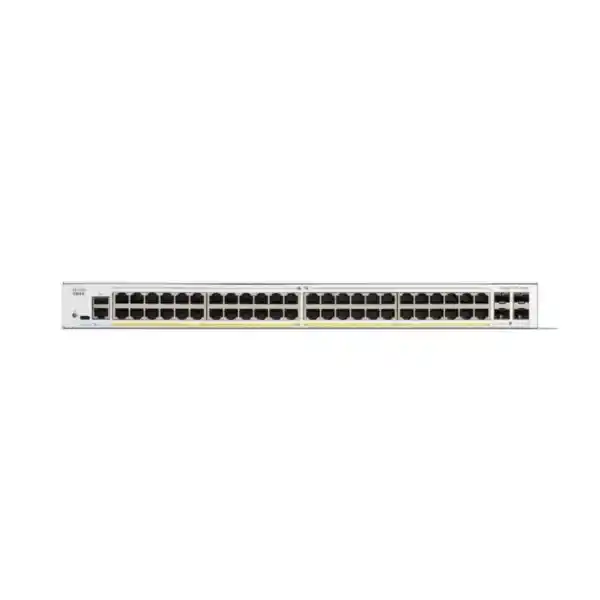
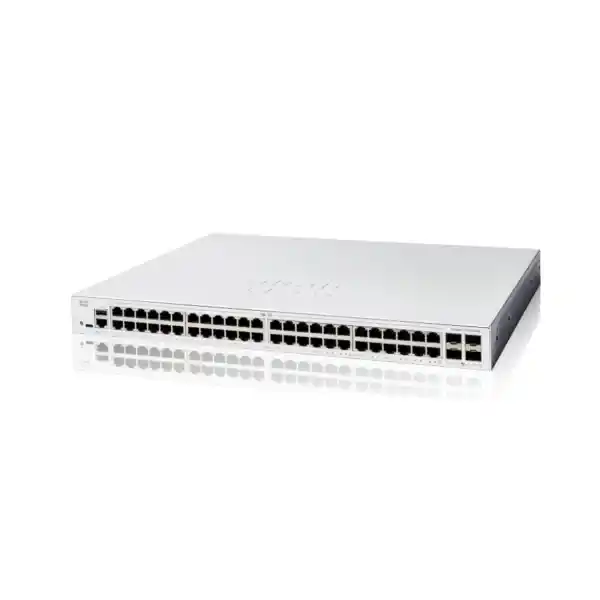
Managed 48-Port Gigabit Access Switch for UAE Business Networks
Cisco Catalyst C1200-48T-4G Network Switch Dubai
The Cisco Catalyst C1200-48T-4G gives businesses forty-eight Gigabit Ethernet access ports and four 1G SFP uplinks in a rack-mountable managed switch. It is designed for organisations that need dense wired connectivity, practical Layer 2 controls, static Layer 3 routing, access security, traffic prioritisation and centralised management without paying for PoE hardware they do not need.
Direct answer: what is the Cisco C1200-48T-4G?
The Cisco Catalyst C1200-48T-4G is a managed, rack-mountable access switch in Cisco’s Catalyst 1200 family. Its exact hardware identity matters: this model has 48 copper 10/100/1000 data ports and four Gigabit SFP uplink interfaces. It does not provide Power over Ethernet on the forty-eight RJ45 ports. Cisco specifies 104 Gbps of switching capacity and a 77.38 million packets-per-second forwarding rate for this model.
It is mainly used to connect a large number of wired endpoints such as desktop computers, printers, servers, storage devices, security appliances, controllers and other independently powered equipment. It suits small and medium businesses, branch offices, education environments, retail networks, hospitality back offices and enterprise edge deployments that need a high port count with business-class segmentation and management features.
The most important factor to confirm before ordering is the uplink and power design. A buyer should not choose the C1200-48T-4G merely because forty-eight access ports are required. The network must also be comfortable with four 1G SFP uplinks and with a non-PoE access layer. If the design will connect many Wi-Fi access points, IP phones, cameras or other PoE-powered devices, a PoE sibling may be more suitable. If the aggregation layer expects 10 Gigabit Ethernet uplinks, the C1200-48T-4X deserves comparison.
FourTeck can help determine whether this exact model is correctly sized, which uplink optics are needed, whether the installation should use fibre or copper between racks, whether PoE is required, and whether a 1G- or 10G-uplink member of the Catalyst 1200 family is the better purchase for the planned UAE network.
Why this exact 48-port model has a clear place in the Catalyst 1200 family
Cisco’s Catalyst 1200 range includes compact 8-port and 16-port models, 24-port switches, 48-port switches, PoE and non-PoE variants, and models with either Gigabit or 10 Gigabit uplinks. The C1200-48T-4G sits in a very specific position: it is the high-density, non-PoE, Gigabit-uplink choice. That combination can be commercially attractive when a rack serves many ordinary wired endpoints and the buyer does not want the cost, heat and power budget associated with PoE delivery.
The letter and number pattern is therefore more than a model code. The “48T” portion indicates a forty-eight-port data-focused access model rather than a PoE model, while “4G” identifies four Gigabit SFP uplinks rather than 10G SFP+ uplinks. In practical purchasing terms, the C1200-48T-4G is not interchangeable with the C1200-48P-4G or C1200-48T-4X. Those neighbouring models solve different problems. The PoE version is intended where endpoint power must travel over the Ethernet cable. The 4X model is designed for environments where the uplink requirement is materially higher.
This family position is one reason the C1200-48T-4G can be a sensible access switch for office floors, labs, operational networks, structured-cabling consolidation points and branch locations where the primary workload is user and device access at 1 Gigabit Ethernet. It is also the reason buyers should not select it for a new design that is already expected to push several gigabits of sustained traffic through a single aggregation path. The access-port count may be generous, but uplink architecture remains the governing design decision.
Cisco C1200-48T-4G key specifications
| Specification | Cisco Catalyst C1200-48T-4G |
|---|---|
| Access ports | 48 x 10/100/1000BASE-T RJ45 data ports |
| Uplink ports | 4 x Gigabit Ethernet SFP |
| Total system ports | 52 Gigabit Ethernet interfaces across access and uplink ports |
| PoE | No PoE output on this model |
| Switching capacity | 104 Gbps |
| Forwarding rate | 77.38 Mpps for 64-byte packets |
| Packet buffer | 3 MB aggregate dynamically shared buffer |
| VLAN scale | Up to 255 active VLANs simultaneously |
| Static routing | IPv4 and IPv6 static routing; Cisco specifies up to 32 IPv4 static routes and up to 16 IP interfaces |
| Link aggregation | IEEE 802.3ad LACP; up to 4 groups and up to 8 ports per group |
| ACLs | Up to 512 ACL rules with MAC, IPv4 and IPv6 matching capabilities |
| QoS | 8 hardware queues, strict priority and WRR scheduling, classification and rate-control functions |
| Dimensions | 445 x 288 x 44 mm (W x D x H) |
| Weight | 3.95 kg |
| Power input | Internal universal 100 to 240V AC, 50 to 60 Hz |
| Cooling / acoustics | One fan; Cisco lists 29.7 dBA at 25°C |
| Warranty | Cisco limited lifetime warranty, subject to Cisco terms and regional support conditions |
Specifications should be matched to the exact product ID on the quotation. Optics, patch leads, fibre type, rack accessories, support options and site services may be separate items depending on the project scope.
What the 48 Gigabit access ports mean in a real network
Office access layer
Forty-eight copper ports allow one switch to serve a substantial number of desks, printers, workstations and independently powered devices. In a structured-cabling environment, that port density can simplify a rack by reducing the number of access switches needed. Port count alone should not be equated with user count, however. Spare capacity for growth, redundant links, servers, uplinks to local appliances and isolated operational devices should be reserved during design.
Server and appliance connectivity
The C1200-48T-4G can connect servers, NAS appliances, firewall inside interfaces, controllers and other Gigabit devices where 1GbE is sufficient. It should not be mistaken for a data-centre top-of-rack switch. If servers require multiple 10GbE links, high-throughput east-west traffic or low-latency storage fabrics, a different switching class should be evaluated.
Operational and back-office networks
Retail, hospitality, education and branch sites often have many low-to-moderate bandwidth wired endpoints. The model can consolidate those endpoints while retaining VLAN separation, ACL control, spanning-tree protection and QoS. Where cameras, access points or phones require power from the switch, the non-PoE nature of this exact model becomes a decisive limitation rather than a minor specification difference.
Expansion and spare-port planning
A forty-eight-port switch is often purchased because twenty-four ports are already close to the limit. Good design still avoids consuming every port on day one. Leaving capacity for new employees, meeting-room equipment, temporary devices, migration overlap and replacement links reduces the chance that a small expansion forces an unplanned second switch purchase.
Independently powered endpoints
The strongest economic fit is a deployment where most connected devices already have their own power supplies. Desktop PCs, printers, certain servers, storage units and appliances fit this pattern. In these environments, choosing a non-PoE switch avoids buying a power budget that will sit unused while preserving the managed switching functions the network still needs.
Uplink planning: the most important design question for this model
The four SFP interfaces are Gigabit Ethernet uplinks. This is often enough for a conventional access switch when user traffic is distributed, internet bandwidth is below the uplink ceiling and internal applications do not generate sustained multi-gigabit flows. The presence of four uplink ports also gives the designer options for link aggregation, separate paths to different network zones, fibre runs to an aggregation switch, or a combination of production and management connectivity depending on the architecture.
The important limitation is that these are not 10G SFP+ uplinks. A switch can have forty-eight 1G access ports without every endpoint transmitting at full rate simultaneously, but the aggregation design must still account for oversubscription. If a large group of users frequently transfers data to central servers, backs up to network storage, uses high-bitrate media workflows, or accesses local virtualisation infrastructure, a single 1G upstream connection may become the bottleneck long before access ports are exhausted.
Link aggregation can increase aggregate capacity and resilience when the upstream equipment supports a compatible design. It does not make one individual traffic flow exceed the speed of a single member link, because traffic distribution is normally based on hashing. That distinction matters when the concern is one very large session rather than the combined traffic of many users. Buyers should therefore describe their expected traffic pattern, not simply ask whether “four uplinks” are enough.
For new deployments where higher upstream bandwidth is already expected, the Cisco C1200-48T-4X is the natural family comparison because it keeps forty-eight 1G access ports while moving to four 10 Gigabit Ethernet SFP+ uplinks. Paying for 10G capability can be unnecessary in a basic office, but under-buying the uplink layer can create a performance ceiling that is expensive to correct after cabling, optics and aggregation design are complete.
Switching performance and what the numbers tell a buyer
Cisco specifies the C1200-48T-4G as a wire-speed, nonblocking switch with 104 Gbps switching capacity and 77.38 Mpps forwarding capacity for 64-byte packets. The 104 Gbps figure corresponds to the bidirectional aggregate capacity associated with the model’s Gigabit interfaces. In practical terms, the switch fabric is designed so that internal forwarding is not intentionally constrained below the port set’s aggregate line-rate requirement.
That does not mean every deployment will experience “104 Gbps” between users and applications. Real application performance also depends on endpoint network adapters, server interfaces, uplink design, cable quality, routing paths, storage performance, firewall throughput, WAN bandwidth, protocol overhead, packet size and traffic patterns. The switch can remove one class of internal bottleneck, but it cannot compensate for an undersized server, congested uplink or slow internet circuit.
The forwarding-rate figure is useful because small packets are demanding for packet-processing systems. A high packet rate consistent with line-rate forwarding gives confidence that the platform is intended for business access switching rather than a severely oversubscribed internal design. Still, procurement should be based on architecture rather than one headline number. The right question is whether this performance envelope, combined with 1G access and 1G SFP uplinks, matches the actual traffic path that users depend on.
The model also has a 3 MB aggregate packet buffer that is dynamically shared across ports. Buffering can absorb short traffic bursts, but no access switch should be chosen on the assumption that buffers will permanently solve oversubscription. Sustained congestion requires capacity planning, QoS, traffic engineering or a higher-bandwidth uplink design.
Layer 2 control for segmented and resilient access networks
VLAN segmentation
Cisco specifies support for up to 255 active VLANs simultaneously, with port-based and 802.1Q-tagged VLANs. VLANs allow one physical switch to carry logically separate networks for departments, guests, voice systems, operational devices, printers, servers or management traffic. Proper VLAN design reduces broadcast scope and helps enforce security policy, but VLANs are not a security policy by themselves. Routing and access rules must still be designed deliberately.
Spanning Tree protection
The platform supports standard STP, Rapid STP and Multiple STP, as well as Cisco-oriented per-VLAN spanning-tree modes listed in the product documentation. These mechanisms are important where redundant Layer 2 paths exist because accidental loops can consume network capacity extremely quickly. A resilient design should use spanning-tree policy intentionally rather than relying only on default behaviour.
LACP link aggregation
IEEE 802.3ad Link Aggregation Control Protocol can combine compatible physical links into a logical group. Cisco lists up to four LAG groups and up to eight ports per group for the Catalyst 1200 family. LACP can provide aggregate throughput across multiple flows and can preserve connectivity when one member link fails, provided the upstream design is built correctly.
Multicast control
IGMP snooping and related multicast functions help prevent multicast traffic from being flooded needlessly to every port. This can matter for video distribution, discovery-heavy applications and other multicast-dependent systems. Multicast design should still be validated end to end because the switch is only one part of the path.
These Layer 2 capabilities make the C1200-48T-4G much more than an unmanaged forty-eight-port fan-out device. The value is the ability to shape how endpoints are grouped, how redundant paths behave, how broadcast and multicast traffic is constrained, and how access traffic is handed to the routing and security layers. For a business network, these controls are often the difference between merely having enough sockets and having an access layer that can be operated predictably.
Static Layer 3 routing: useful, but understand the role
The Catalyst 1200 family supports IPv4 and IPv6 static routing, and Cisco lists up to 32 IPv4 static routes and up to 16 IP interfaces. This allows the switch to route between locally defined networks or VLAN interfaces without forcing every internal packet through an external router. In a small or moderately segmented site, that can reduce unnecessary traffic on the firewall or edge router and can make local communication more efficient.
Static routing should not be confused with the feature depth of a larger enterprise Layer 3 campus platform running extensive dynamic routing, policy, telemetry and high-availability functions. The C1200-48T-4G is fundamentally an access-oriented business switch with useful Layer 3 capability. It can perform inter-VLAN routing in a straightforward topology, but its selection should not be based on the assumption that it replaces every routing function in a sophisticated enterprise core.
A practical example is a branch office with separate user, printer, server and management VLANs. The switch can provide Layer 3 interfaces and static routes for local communication, while the firewall remains responsible for internet access, threat protection, VPN, advanced inspection and security policy at the perimeter. Whether inter-VLAN traffic should be routed on the switch or forced through a firewall depends on the organisation’s security model. Some businesses deliberately route sensitive VLANs through the firewall so inspection and logging remain centralised.
For that reason, FourTeck treats static routing as an architectural tool rather than a checkbox. The design should identify which networks may communicate directly, which flows require firewall inspection, how default routes are handled, what happens during a gateway failure, and whether future growth will require a more capable routed core.
Access security, authentication and traffic control
A managed access switch is often the first point at which a device enters the wired network, so access-layer security matters. Cisco documents support for IEEE 802.1X authentication, RADIUS-based functions, port security, MAC, IPv4 and IPv6 access control lists, storm control, secure management through HTTPS and SSH, and protections intended to reduce the impact of loops and denial-of-service conditions. The C1200 platform can therefore participate in a more disciplined access-control design than an unmanaged switch.
Cisco lists support for up to 512 ACL rules. ACLs can match traffic characteristics such as source and destination addresses, protocol details, VLAN identifiers and port information. They can be used to permit, deny or rate-limit flows according to the supported rule model. This is useful for simple segmentation policy, management-plane restriction, device isolation and traffic classification, but buyers should distinguish switch ACLs from a next-generation firewall. ACLs enforce defined packet-filtering logic; they do not provide the application inspection, malware prevention, web filtering or threat intelligence associated with a security appliance.
Port security can limit learned MAC addresses and help reduce casual misuse of access ports. 802.1X can take access control further by authenticating users or devices through a RADIUS-backed environment. These capabilities are most effective when the surrounding identity, RADIUS and endpoint policies are designed as one system. Merely enabling a feature without understanding fallback behaviour, guest access, unauthorised-device handling and operational support can create outages or policy gaps.
For UAE customers planning a broader security refresh, the switching layer should be considered alongside firewall policy, wireless authentication and endpoint identity. The specialist resources at Firewall Dubai by FourTeck can help frame the security perimeter, while the switch remains focused on reliable, segmented access and policy enforcement at the port level.
Quality of Service for voice, video and business applications
The Catalyst 1200 Series provides QoS functions including eight hardware queues, strict-priority and Weighted Round-Robin scheduling, classification based on common Layer 2 and Layer 3 markings, ingress policing and egress shaping functions. These tools help the switch treat time-sensitive traffic differently from bulk traffic when congestion occurs. For IP telephony, meetings, media traffic and critical line-of-business applications, that can improve predictability when network links are busy.
QoS does not create bandwidth. If a branch has a 1G uplink and sustained demand exceeds 1G, prioritisation can decide which traffic receives better treatment, but some traffic still waits or drops. This is why QoS and capacity planning must be used together. A design that permanently depends on aggressive prioritisation to compensate for an undersized uplink will eventually become difficult to operate as traffic patterns change.
Voice VLAN functions can help classify and separate voice traffic, but the C1200-48T-4G does not supply PoE to the phones. If IP handsets receive power from local adapters or another power architecture, the switch can still carry their Ethernet traffic and apply voice-oriented network policy. If the project expects the access switch itself to power the handsets, the C1200-48P-4G or another PoE model is more appropriate.
For video conferencing and cloud applications, the path beyond the switch also matters. WAN latency, ISP congestion, firewall processing and cloud-service conditions can dominate user experience. QoS on the access switch should therefore fit into an end-to-end policy rather than being treated as a local performance cure.
Management options for day-to-day operation
The Catalyst 1200 family can be managed through the on-device interface and Cisco Business Dashboard. Cisco Business Dashboard is designed to discover supported network devices, present topology and inventory information, centralise configuration tasks, monitor device state and assist with lifecycle activities such as firmware awareness. For organisations with multiple small sites, centralised visibility can reduce the operational burden of logging into devices individually.
Local web management remains important for direct configuration and troubleshooting. Secure administrative access should be planned from the beginning: use dedicated management addressing where appropriate, restrict which networks can reach the management interface, choose strong credentials, prefer encrypted protocols, keep firmware under change control and retain configuration backups. An access switch can be technically capable yet operationally fragile if nobody owns its configuration, monitoring and recovery procedure.
SNMP and logging functions can support monitoring platforms, while port mirroring can assist packet analysis during troubleshooting. These features become more valuable as the number of connected devices grows. A forty-eight-port switch can affect a large portion of an office, so fault visibility, configuration records and change history should be part of the purchase plan rather than an afterthought.
Businesses that want assistance with configuration standards, monitoring, upgrades, rack work or network maintenance can review FourTeck IT Services UAE. The objective should be an operable network with documented ownership, not simply a switch that was powered on successfully.
Fibre uplinks, SFP selection and cabling decisions
The four uplink slots accept Gigabit SFP connectivity appropriate to the supported Cisco design. The correct optic depends on the physical medium, link distance, connector type and the optic supported at both ends of the link. Multi-mode fibre is common for shorter in-building links, while single-mode fibre is often used for longer distances or where existing infrastructure is single-mode. Copper 1G SFP options may also be relevant in specific designs.
An SFP slot is not a promise that any third-party transceiver will work. Compatibility policy, firmware behaviour, support expectations and the optics used by the upstream switch should be checked before ordering. Buyers should provide the fibre type, estimated distance, connector presentation and remote switch model when requesting a quotation. Without those details, an “SFP required” note is not enough to specify the correct component.
For copper access links, Cisco lists Category 5e or better for 1000BASE-T. Existing building cabling should still be tested if it is old, poorly documented or has been re-terminated repeatedly. Gigabit Ethernet depends on all four copper pairs, so faults that did not prevent 100 Mbps operation can become visible when an older endpoint or cable path is upgraded to 1GbE.
Patch-panel design also affects a forty-eight-port installation. Port labels, horizontal and vertical cable management, patch-cord lengths, rack-unit planning and service loops all determine whether the result is maintainable. Dense switching saves rack space only when the cabling is organised well enough that technicians can identify and move links without disturbing neighbouring ports.
When fibre is used between floors or buildings, the network team should document path diversity, termination points and whether redundant links share the same physical route. Two logical uplinks routed through the same vulnerable conduit do not provide the same resilience as genuinely diverse paths.
Rack, power, cooling and environmental planning in the UAE
The C1200-48T-4G is rack-mountable and measures 445 x 288 x 44 mm, approximately one rack unit high, with a listed unit weight of 3.95 kg. Cisco uses an internal universal 100 to 240V AC, 50 to 60 Hz power supply for this model. In most equipment rooms, those characteristics make installation straightforward, but the surrounding rack environment still deserves attention.
The switch has one fan, and Cisco lists 29.7 dBA acoustic noise at 25°C. It is not a fanless design. That may be insignificant in a dedicated server room but worth considering if the rack is installed in an occupied office, reception area or small back room. Equipment noise accumulates when switches, firewalls, UPS units and servers share a cabinet.
Cisco lists an operating temperature range up to 50°C for the relevant Catalyst 1200 models, but that does not justify poor room cooling. In Dubai and the wider UAE, equipment-room temperature can rise quickly if air-conditioning fails or if a rack has weak ventilation. Good practice is to keep the room well within the normal environmental envelope, preserve front-to-back airflow where applicable, avoid blocking vents and monitor temperature rather than relying on the maximum rating as a normal operating target.
Power design should include the switch, upstream devices, firewall, WAN equipment and any local servers that must remain available during an outage. A UPS should be sized for the total protected load and the required runtime, not selected only from the switch’s consumption figure. The non-PoE model has a much smaller power burden than a switch feeding hundreds of watts to endpoints, which can simplify UPS and heat planning when PoE is genuinely unnecessary.
Rack depth, available power sockets, earthing, patch-panel location and service access should be checked during site planning. A switch that physically fits the nominal rack width can still be awkward to maintain if rear clearance, power-cable routing or patch-cord density has not been considered.
Where the C1200-48T-4G fits well
Business office floors
A floor with many wired desks, printers and meeting-room devices can use the high copper port count efficiently. VLANs can separate departments or device classes, while fibre uplinks connect the floor switch to the main rack. The design is strongest when Wi-Fi and phones use separate PoE infrastructure or local power.
Branch offices
A branch that needs one dense access switch can consolidate user and operational devices while retaining central management, VLAN segmentation, static routing and QoS. The four SFP uplinks provide flexibility for the branch distribution design, though the upstream capacity must be matched to server and WAN traffic.
Retail and hospitality back office
Back-office PCs, point-of-sale support systems, management workstations, printers and controllers can be separated into appropriate VLANs. The exact power design must be checked because many cameras, phones and access points in these sectors are normally PoE devices and may require a different access switch.
Education and training networks
Computer labs and administrative areas can consume many wired ports while generating predictable traffic patterns. Port security, VLANs, ACLs and QoS provide useful controls. If a deployment includes dense wireless access points, PoE access switching should be designed separately or a PoE variant selected.
Server-room utility switching
The model can provide management, appliance and general-purpose 1GbE connectivity in a server room. It is appropriate for utility and access traffic where Gigabit speeds are sufficient, but it should not be substituted for a high-speed data-centre switching platform when workloads depend on 10G, 25G or faster server links.
Structured-cabling consolidation
A single forty-eight-port switch can map neatly to a forty-eight-port patch-panel arrangement. This simplifies documentation and moves when the rack is labelled consistently. Spare ports and future uplink requirements should still be reserved rather than filling the switch completely during initial installation.
When this exact model may be the wrong choice
The C1200-48T-4G should not be recommended automatically just because a buyer asks for “a Cisco 48-port switch.” The first reason to reject it is PoE. If the access layer will power IP phones, wireless access points, cameras, door controllers or other IEEE PoE devices, this model does not supply that endpoint power. External injectors can solve isolated cases, but using dozens of injectors around a non-PoE switch is usually less clean than selecting a correctly sized PoE switch.
The second reason is uplink capacity. Four 1G SFP ports are appropriate for many conventional access networks, but a new high-density office with centralised storage, heavy local applications or high-speed Wi-Fi may justify 10G uplinks from the start. The C1200-48T-4X is the closest like-for-like family alternative when forty-eight non-PoE access ports are still desired but the aggregation requirement is higher.
The third reason is port-count efficiency. If a site needs only ten or fifteen wired ports and has no credible growth path toward forty-eight, a smaller Catalyst 1200 can reduce cost, rack use and unnecessary capacity. Conversely, if the site is likely to exceed forty-eight ports very soon, a two-switch design may be more sensible from the beginning so uplinks, rack space and redundancy are planned rather than added reactively.
The fourth reason is architecture class. Organisations requiring chassis-style redundancy, extensive dynamic routing, advanced enterprise campus automation, high-speed stacking, multi-gigabit access or data-centre capabilities should evaluate a different Cisco switching family. The Catalyst 1200 is positioned as an affordable business switch platform, not as a universal replacement for every enterprise switching tier.
Balanced selection reduces total cost better than choosing the lowest initial hardware price. The switch should be judged against endpoint power needs, uplink bandwidth, management standards, topology resilience, lifecycle policy and expected growth.
Comparison with nearby Cisco Catalyst 1200 models
| Model | Access ports | Uplinks | Best comparison reason |
|---|---|---|---|
| C1200-24T-4G | 24 x 1G data | 4 x 1G SFP | Choose when twenty-four access ports plus sensible growth headroom are enough. |
| C1200-48T-4G | 48 x 1G data | 4 x 1G SFP | Balanced for dense non-PoE access where 1G uplinks meet the design. |
| C1200-48P-4G | 48 x 1G PoE+ | 4 x 1G SFP | Compare when access points, phones, cameras or other powered devices must receive PoE from the switch. |
| C1200-48T-4X | 48 x 1G data | 4 x 10G SFP+ | Compare when access-port density is right but 1G uplinks are too restrictive. |
This comparison illustrates why the model suffix must be included on a quotation. A generic “Catalyst 1200 48-port switch” description leaves critical PoE and uplink differences unresolved. For procurement accuracy, the exact product ID C1200-48T-4G should appear alongside any required optics, rack accessories and services.
Migration from an older switch
Replacing an old forty-eight-port switch is not simply a matter of moving patch cords from left to right. The existing configuration should be inventoried first: VLAN assignments, tagged uplinks, access VLANs, trunks, LAGs, spanning-tree settings, management addressing, static routes, ACLs, QoS, monitoring, port descriptions and any authentication dependencies. The new switch should be built and reviewed against that inventory before production endpoints are moved.
Port mapping is particularly important in dense racks. A spreadsheet or documented patch plan should identify old switch port, patch-panel position, device or outlet, VLAN, new switch port and any special setting. This prevents accidental moves of printers, servers or building systems into the wrong network. It also provides a rollback reference if the migration is interrupted.
The uplink transition deserves its own test plan. Fibre optics should be installed and verified before the full endpoint migration where possible. VLAN tagging and LACP behaviour need confirmation at both ends. If a spanning-tree root or bridge priority changes unexpectedly during the move, the effect can extend beyond the switch being replaced. The maintenance window should therefore include validation of the wider topology, not just a check that the new device is pingable.
Management access and monitoring should be validated before the old switch is removed from service. Confirm that configuration backup works, administrators can reach the device through the intended network, syslog or SNMP monitoring is active if required, and credentials are stored according to company policy. Firmware should be checked against the approved release policy rather than upgraded casually during a time-sensitive cutover without testing.
A well-run migration ends with verification of business services, not only port LEDs. Test representative user access, printers, server paths, internet connectivity, voice or video services where present, management visibility and any device that depends on a special VLAN or ACL. Retain the old switch until the agreed rollback period has passed if operational policy allows.
Deployment journey for a clean UAE installation
Count current wired endpoints, planned growth, spare ports, server links and special devices. Separate ordinary data endpoints from PoE endpoints so the non-PoE model is chosen deliberately.
Define where the switch connects, required aggregate bandwidth, fibre or copper medium, redundancy, LACP needs and whether 1G SFP is sufficient for the expected traffic pattern.
Match transceivers to fibre type, distance, connectors and the remote device. Check copper patching, cable category, patch-panel labels and rack cable management.
Create VLANs, trunks, access ports, management addressing, static routes, ACLs, QoS, spanning-tree policy, LAGs and monitoring settings according to the approved network design.
Validate management access, uplinks, VLAN tagging, routing, authentication, monitoring and representative endpoint traffic before migrating all forty-eight potential connections.
Record port mappings, IP addresses, VLANs, uplinks, optics, firmware, backups and administrative ownership so future troubleshooting does not depend on individual memory.
Licensing, subscriptions and ongoing ownership
A buyer evaluating the C1200-48T-4G should distinguish the switch’s built-in feature set from optional support, management services or broader network subscriptions. Core switching functions described for the Catalyst 1200 family are part of the platform, while support arrangements, remote management architecture and any surrounding security or cloud services may have separate commercial terms. The quotation should make those boundaries clear.
Cisco lists a limited lifetime warranty for the Catalyst 1200 Series, and its current product information describes support provisions associated with the family. Warranty is not the same as an on-site replacement SLA or a managed-service commitment. A business that requires a defined restoration time should specify that requirement so the proposal can include appropriate spares, support contracts, service coverage or operational procedures.
Firmware management is part of ownership even when no recurring software subscription is required for basic switching. New firmware can contain security fixes, stability improvements and feature changes. Organisations should decide who reviews releases, how updates are tested, when maintenance windows occur and how configuration is backed up before changes. That process is especially important for a dense access switch because a failed or misconfigured update can affect many users at once.
The network owner should also retain purchase records and exact serial information for warranty and lifecycle tracking. Cisco Business Dashboard can help with inventory and lifecycle visibility in supported environments, but asset governance remains an organisational responsibility.
Procurement details that improve quotation accuracy
The cleanest quotation starts with the exact model C1200-48T-4G and the required quantity. From there, the supplier needs to know what connects above and below the switch. Endpoint type reveals whether non-PoE access is appropriate. Uplink distance and medium determine whether SFP optics are required and which type should be selected. Rack and site conditions determine whether installation, patching or power work belongs in the scope.
A request that says only “Cisco 48-port switch” leaves too many decisions unresolved. It could refer to a PoE or non-PoE model, a Gigabit- or 10G-uplink variant, or a different Cisco family entirely. Including the product ID prevents accidental substitution. If equivalent alternatives are acceptable, that should be stated separately rather than allowing model ambiguity in the base request.
Optics should be line items when they are required. The same applies to fibre patch leads, copper patch cords, rack accessories beyond the included mounting kit, UPS equipment, installation labour, configuration, migration and support. A hardware-only price can appear attractive but still understate the actual project if these dependencies are discovered after purchase.
For supply and deployment discussions across the UAE, buyers can use FourTeck for broader company information and FourTeck UAE for regional technology requirements. A network-switch quotation is most useful when it reflects the complete deployment rather than only the chassis.
Buyer questions about the Cisco Catalyst C1200-48T-4G
Does the C1200-48T-4G provide PoE?
No. This exact model provides forty-eight 1G RJ45 data ports without PoE output. That makes it well suited to independently powered endpoints, but it should not be selected when the switch must power a large population of IP phones, wireless access points, cameras or access-control devices. A PoE-capable Catalyst 1200 variant should be compared for those projects.
Are the four SFP uplinks 10 Gigabit?
No. The “4G” variant has four Gigabit Ethernet SFP uplinks. If 10G uplinks are required, compare the C1200-48T-4X, which uses SFP+ 10 Gigabit uplinks. This distinction is important because access-port count can look identical while upstream bandwidth differs substantially.
Can it route between VLANs?
Yes. The Catalyst 1200 family supports IPv4 and IPv6 static routing and Layer 3 interfaces. Cisco lists up to 32 IPv4 static routes and up to 16 IP interfaces. Whether routing should occur on the switch or through a firewall depends on security and architecture requirements, especially where inter-VLAN traffic needs inspection or central policy enforcement.
Can the switch be centrally managed?
Cisco Business Dashboard is designed to manage supported Catalyst 1200 and 1300 devices along with other supported Cisco business networking products. It can assist with discovery, topology, inventory, monitoring, configuration and lifecycle operations. Local on-device management remains available for direct administration.
Is forty-eight ports enough for forty-eight users?
Not always. A user may need more than one wired device, and switch ports may also be consumed by printers, servers, controllers, uplinks, management appliances and temporary connections. Good capacity planning leaves spare ports for growth and maintenance. If all forty-eight ports are needed immediately, a second switch or larger access-layer design may already be justified.
Can I aggregate the uplinks?
The Catalyst 1200 family supports IEEE 802.3ad LACP link aggregation. Aggregation can increase combined capacity across multiple flows and provide resilience if correctly supported by the upstream design. It does not make a single flow run faster than one member link, and both ends must be configured compatibly.
What SFP module should I order?
The answer depends on fibre type, distance, connector presentation and the remote device. A buyer should specify whether the link is multi-mode fibre, single-mode fibre or copper, the approximate distance, and the model at the far end. Optic compatibility should be checked rather than assuming any physically fitting module is suitable.
Is the C1200-48T-4G fanless?
No. Cisco lists one fan for this model and an acoustic noise figure of 29.7 dBA at 25°C. That is usually acceptable in a network room, but buyers planning an open-office or noise-sensitive installation should take the fan into account.
Does it support network access security?
Yes. Cisco documents 802.1X, RADIUS client functions, port security, MAC/IPv4/IPv6 ACLs, storm control, HTTPS and SSH management security, among other capabilities. These features support access control but do not replace a firewall or endpoint-security system. Effective security depends on policy, identity services and operational configuration.
Is it suitable for a server room?
It can be suitable for general 1GbE server, appliance and management connectivity. It is not a high-speed data-centre switch. If storage, virtualisation or server workloads require 10G or faster host connectivity, a platform designed for those speeds should be evaluated instead of relying on the C1200-48T-4G for that traffic.
What should be tested after installation?
Test management access, uplink redundancy, VLAN tagging, trunk settings, representative access ports, inter-VLAN routing where used, ACL behaviour, QoS for critical applications, monitoring, configuration backup and business-service connectivity. A successful ping to the switch is only the first validation step.
What is the most common buying mistake with this model?
The most common mistake is treating “48-port managed Cisco switch” as a complete specification. Buyers can overlook the absence of PoE or the fact that the four uplinks are 1G rather than 10G. Confirming endpoint power and upstream bandwidth before ordering prevents most model-selection errors.
Lifecycle, support and operational resilience
Cisco currently lists the Catalyst 1200 Series as available to order and continues to publish updated administration and product documentation for the family. Lifecycle status should still be checked at the time of a major procurement because availability, firmware support and replacement policy change over the life of any network platform. A project that will standardise dozens of switches should consider lifecycle horizon more carefully than a one-off branch replacement.
Operational resilience depends on more than the hardware warranty. If one C1200-48T-4G serves an entire office floor, its failure can disconnect a large number of users. The business should decide whether it can wait for replacement, keep a compatible spare, split users across multiple switches, or purchase a support arrangement with an appropriate response objective. The correct answer depends on downtime cost and the site’s role.
Configuration resilience is equally important. Maintain backups, document the firmware release, record uplink and VLAN design, and ensure more than one authorised administrator knows how to restore the switch. For organisations with multiple sites, consistent templates reduce troubleshooting time and configuration drift. Central management can help, but policy and documentation remain essential.
Physical resilience includes UPS coverage, clean rack power, cooling and cable protection. An access switch often sits at the intersection of many dependencies, so small infrastructure details can have a disproportionately large effect on user availability.
Decision recap: is the C1200-48T-4G the right shortlist candidate?
Model fit
Choose it when forty-eight 1G data ports are genuinely useful and most endpoints have their own power. Do not choose it as a default answer to every forty-eight-port requirement.
Uplink capacity
Confirm that four 1G SFP uplinks match the traffic model. Compare the C1200-48T-4X when 10G aggregation is a better long-term fit.
PoE requirement
This model does not power endpoints. If the switch must feed phones, access points or cameras, compare a properly sized PoE model and calculate the total PoE budget.
Optics and cabling
Specify fibre type, distance, connectors and remote equipment before choosing SFPs. Treat optics and patching as engineered components, not generic accessories.
Operations
Plan VLANs, management access, backups, firmware, monitoring and support ownership so the switch can be maintained consistently after installation.
Resilience
Decide whether one switch can be a single point of failure for the site, and align spares, redundant uplinks, UPS runtime and support response with the business impact.
What FourTeck needs from the buyer for an accurate quote
A short set of project details is usually enough to turn a generic hardware request into an accurate Cisco switching quotation. Providing these inputs also helps identify whether the C1200-48T-4G is genuinely the right model or whether another family member reduces risk.
Confirm C1200-48T-4G and the number of switches required, including any spare units.
List PCs, printers, servers, phones, access points, cameras and other devices so PoE and port capacity are clear.
State the remote switch or firewall model, expected bandwidth, redundancy requirement and number of uplinks.
Provide multi-mode or single-mode fibre type, estimated distance and connector presentation so SFP selection is accurate.
Identify VLANs, routing, ACL, QoS, LACP, monitoring, migration and documentation tasks expected from the deployment team.
Share the UAE location, rack readiness, maintenance window, installation requirement, support objective and any need for a spare.
Plan the Cisco C1200-48T-4G around your real access and uplink needs
The Cisco Catalyst C1200-48T-4G is a capable high-density Gigabit access switch when forty-eight non-PoE ports, four 1G SFP uplinks and practical managed switching features match the site. A correct quotation should also account for optics, cabling, rack conditions, configuration, migration and the support level required by the business. If PoE or 10G uplinks are part of the design, comparing the neighbouring Catalyst 1200 variants before purchase can avoid an expensive model change later.
For wider regional capability and technology sourcing, visit FourTeck’s approved company resources shown throughout this page. Product availability, lead time and final pricing should be confirmed at quotation stage.


Reviews
There are no reviews yet.