
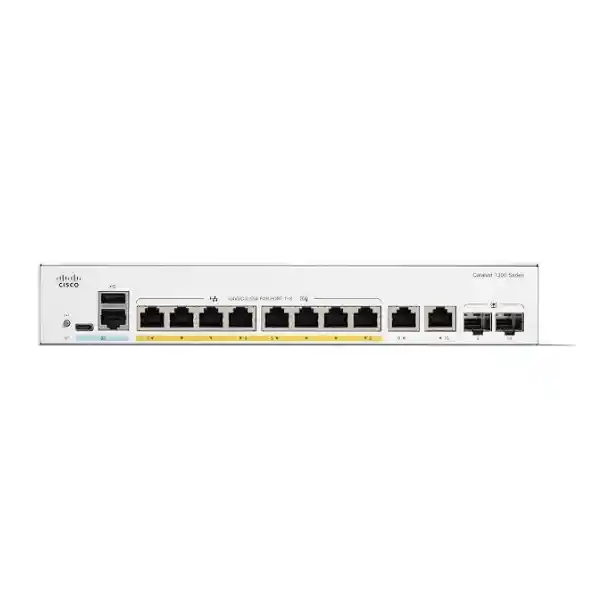
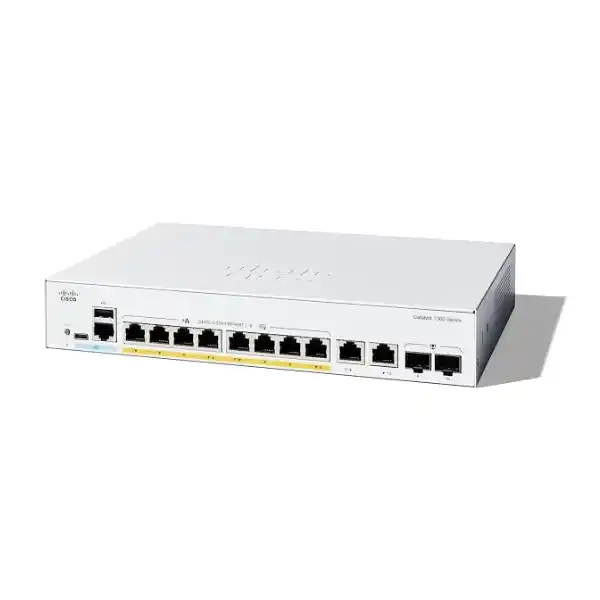
Cisco Catalyst C1200-8FP-2G Network Switch
A compact managed Gigabit switch built for business networks that need eight PoE+ edge ports, a stronger 120W PoE power pool, two flexible copper/SFP combo uplinks, and practical Layer 2 plus static Layer 3 controls without moving to a larger access-switch footprint.
Direct answer: what is the C1200-8FP-2G and who is it for?
The Cisco Catalyst C1200-8FP-2G is an eight-port, managed Gigabit Ethernet access switch in the Catalyst 1200 Series. Its defining feature is not simply the eight copper network ports; it is the combination of eight 10/100/1000 ports with IEEE 802.3af/802.3at Power over Ethernet support and a 120W shared PoE budget. That makes it particularly relevant where a compact switch must both connect and power IP phones, wireless access points, surveillance cameras, door controllers, thin clients, or other standards-based PoE devices.
It is mainly used at the edge of a small or midsize business network: a branch office, retail site, reception or front-office zone, meeting-room cluster, CCTV cabinet, small warehouse area, classroom, clinic, hospitality back-office segment, or another location where eight powered endpoints are enough. Two additional 1 Gigabit copper/SFP combo interfaces provide uplink flexibility. Each combo interface offers an RJ45 copper connection and an SFP slot that represent the same logical port, so a buyer can choose copper or fibre for that uplink but cannot use both sides of the same combo pair simultaneously as two independent interfaces.
The most important factor to confirm is the complete design rather than the port count alone. Eight endpoints may fit physically yet exceed the 120W PoE budget, or they may fit the PoE budget while producing more aggregate traffic than a pair of 1 Gigabit uplinks is comfortable carrying. The chosen SFP optics, VLAN plan, management method, rack or cabinet location, cable quality, expected growth, and resiliency design also influence whether this exact model is the correct fit.
FourTeck can help translate the endpoint list into a PoE budget, confirm whether copper or fibre uplinks are appropriate, identify compatible optics and cabling requirements, check whether the eight-port format leaves enough expansion room, and compare the C1200-8FP-2G with larger Catalyst 1200 alternatives before quotation.
Where this exact model sits in the Catalyst 1200 family
The model code matters because several Catalyst 1200 switches have similar names but materially different PoE budgets, port counts, and uplink choices. The C1200-8FP-2G is the higher-PoE eight-port option: Cisco specifies eight Gigabit PoE+ access ports with 120W dedicated to PoE and two Gigabit copper/SFP combo ports. The nearby C1200-8P-E-2G keeps the same basic eight-port access layout and two combo uplinks but has a lower 67W PoE budget. Moving up to the C1200-16P-2G increases the access-port count to sixteen while retaining a 120W total PoE budget, which changes the average power available per connected device. Larger 24- and 48-port models offer more access capacity, and selected “4X” models introduce 10 Gigabit SFP+ uplinks for sites with heavier aggregation needs.
Choose C1200-8FP-2G when
Eight access ports are enough, several connected devices need PoE+, and a 67W shared budget would be restrictive. This is often the strongest fit for a compact powered edge where endpoint count is modest but individual devices can draw meaningful power.
Consider C1200-8P-E-2G when
The same eight-port form factor and two combo uplinks are suitable but the powered-device inventory is light enough to stay comfortably within 67W. A lower PoE requirement can make the full-PoE model unnecessary.
Move to a larger model when
You need more than eight local access ports, expect near-term growth, want more uplink interfaces, or require 10 Gigabit aggregation. Buying exactly eight ports for an eight-device requirement can leave no practical allowance for expansion, test connections, or replacement equipment.
Verified C1200-8FP-2G hardware and performance profile
Cisco’s current Catalyst 1200 data sheet identifies the following specifications for this model. The table concentrates on values that materially affect design, purchasing, installation, and capacity planning.
| Item | C1200-8FP-2G value | Why it matters to the buyer |
|---|---|---|
| Access ports | 8 × 10/100/1000 Gigabit Ethernet PoE+ RJ45 | Provides eight local wired device connections with both data and standards-based power delivery. |
| Uplink interfaces | 2 × 1G RJ45/SFP combo | Allows copper or fibre media on each combo uplink. Copper and SFP sides of one combo port are alternatives, not additional simultaneous ports. |
| PoE standards | IEEE 802.3af PoE and 802.3at PoE+ | Supports many business phones, APs, cameras and other compliant powered devices. |
| PoE budget | 120W total across 8 PoE ports | The sum of device power demands must remain within the switch budget. Cisco specifies a maximum of 30W to a Gigabit port until the overall budget is reached. |
| Switching capacity | 20 Gbps | Matches the model’s ten logical Gigabit interfaces at full duplex and supports wire-speed, nonblocking switching as specified by Cisco. |
| Forwarding rate | 14.88 million packets per second for 64-byte packets | Useful when comparing switching performance within the family; it should not be confused with uplink bandwidth. |
| MAC address table | 8,000 addresses | More than enough for many small-site edge deployments, while still a useful scale point for unusual aggregation designs. |
| Packet buffer | 1.5 MB aggregate, dynamically shared | Relevant where bursts or oversubscription occur; QoS and sound traffic design still matter. |
| CPU / memory | Dual-core ARM 1.4 GHz, 1 GB DDR4 DRAM, 512 MB flash | Management-plane resources for the switch software and supported control functions. |
| Jumbo frames | Up to 9000 bytes; default MTU 2000 bytes | Any jumbo-frame design should be made end to end; enabling a larger frame size on one segment alone does not guarantee application benefit. |
| Dimensions | 268 × 185 × 44 mm (W × D × H) | Compact 1U-height chassis dimensions are helpful in shallow cabinets and smaller wiring areas; still confirm rack depth and cable bend clearance. |
| Weight | 1.53 kg | Useful for cabinet, shelf and mounting planning. |
| Cooling | Fanless | No fan noise, but the installation still needs appropriate ambient temperature and ventilation. |
| Input power | 100–240V AC, 50–60Hz, internal universal power supply | Suitable for standard UAE mains environments when the correct local power cord and installation practices are used. |
| Operating temperature | -5°C to 50°C | Especially important in UAE closets, kiosks and cabinets. Room temperature does not guarantee cabinet temperature; local heat accumulation should be considered. |
PoE planning: why the 120W budget is the key buying reason
The C1200-8FP-2G earns its place in the eight-port range primarily through PoE headroom. Cisco specifies up to 30W of PoE+ output on an individual Gigabit Ethernet port, but the switch does not provide eight times 30W simultaneously because the total budget is 120W. The correct sizing method is therefore to add the realistic maximum power requirement of every powered device, allow sensible margin, and compare that total with the switch budget. Counting ports without counting watts can result in a design that connects correctly but cannot power every endpoint under peak conditions.
Consider an office with six ordinary IP phones and two modest wireless access points. That combination may fall well within 120W, depending on the exact models. By contrast, a camera deployment using several PTZ devices, heaters, infrared illuminators, or high-performance access points can consume substantially more. The fact that a device is described as “PoE+” only tells you the supported standard class; it does not mean every PoE+ device draws the same amount of power. Manufacturer power specifications for the actual endpoint model must be checked.
Power budgeting also has a resilience implication. A design that uses almost the entire 120W budget can operate normally but leave little flexibility for replacing an endpoint with a more demanding model, adding a temporary test device, or accepting a higher negotiated draw after a firmware or feature change. A small engineering margin is usually more useful than theoretical maximum utilisation. Where the device list approaches the budget, moving to a switch with a larger PoE pool may be safer even if only eight ports are initially required.
Cisco also supports time-based PoE on the series, allowing administrators to schedule power availability, and perpetual PoE so connected powered devices can continue receiving power while the switch itself reboots. These features can be operationally useful, but they do not increase the physical 120W budget. Scheduling can reduce unnecessary energy use for devices that do not need power around the clock; perpetual PoE can help avoid restarting phones, cameras, or other endpoints during a switch software reboot where supported operation applies.
Step 1: list endpoints
Record the exact phone, camera, access point, controller, sensor, or other powered-device model for every planned port. “Eight PoE devices” is not enough information for a reliable design.
Step 2: total worst-case draw
Use the endpoint vendor’s maximum or design power figures, not only an average observed reading. Include devices that may increase power use when radios, motors, heaters, displays, or USB accessories become active.
Step 3: preserve margin
Avoid designing to exactly 120W unless the operational constraints are well understood. Spare capacity provides room for replacement devices, temporary changes and modest growth.
Understanding the two Gigabit combo uplinks
The “2G” portion of the model name refers to two 1 Gigabit uplink interfaces. On the C1200-8FP-2G, each is a copper/SFP combo port. A combo interface gives the installer a choice of media: the RJ45 side can be used for standard copper Ethernet, or the SFP cage can accept an appropriate Gigabit transceiver for fibre or another supported SFP medium. The important limitation is that the copper and SFP connector in a given combo pair map to one logical interface. They are not four independent uplink ports.
That flexibility is useful in Dubai and UAE sites where the same switch may be deployed in different physical environments. A short copper run to a nearby firewall, router, or distribution switch may be perfectly adequate in one office. Another site may need fibre because the uplink crosses floors, buildings, electrical-noise zones, or distances that make copper inappropriate. The switch can accommodate either design without changing the entire model, provided the correct supported SFP optic is selected.
Do not choose the optic by connector type alone. Fibre mode, wavelength, link distance, connector and patching, remote-side transceiver compatibility, and the actual Cisco support list all matter. Cisco lists Gigabit SFP options such as multimode 1000BASE-SX and single-mode 1000BASE-LX/LH-class choices for the series; the correct part should be confirmed against the current compatibility information and the installed fibre plant.
Uplink capacity warning
The switching fabric is 20 Gbps, but that does not make each uplink faster than 1 Gbps. If several access ports simultaneously send heavy traffic toward servers, storage, internet gateways, or another VLAN through an upstream device, a single 1G uplink can become the practical bottleneck.
Link aggregation can help when both ends support the required design and traffic is distributed across multiple flows, but aggregation does not turn one individual flow into a 2 Gbps connection. It also consumes both uplink interfaces if both are placed in the same bundle.
For sites with high-density wireless, large backup transfers, video production, significant surveillance aggregation, or server traffic, compare a Catalyst 1200 model with 10 Gigabit SFP+ uplinks rather than assuming the compact 1G-uplink model will scale indefinitely.
Layer 2 switching capabilities for a structured business edge
The C1200-8FP-2G is not an unmanaged plug-and-forget switch. The Catalyst 1200 platform provides the controls needed to separate traffic, manage loops, prioritize applications, monitor links, and establish a more disciplined access layer. Cisco specifies support for up to 255 active VLANs simultaneously, with port-based and IEEE 802.1Q tagged VLANs. For a small business, that enables practical separation of corporate data, voice, guest access, surveillance, building systems, printers, management, or other device groups without requiring a different physical switch for every purpose.
Voice VLAN functions are particularly relevant where the eight PoE ports feed desk phones. LLDP-MED and Cisco Discovery Protocol can help identify connected devices and communicate capabilities, while voice-specific handling can simplify deployment and QoS treatment. Auto Surveillance VLAN features can also be relevant to IP camera networks. These mechanisms are useful conveniences, but the final VLAN design should still be intentional: define which devices belong together, what inter-VLAN communication is permitted, where DHCP services live, which VLAN is used for management, and how traffic reaches the firewall or router.
Spanning Tree Protocol support includes classic STP as well as Rapid STP, Multiple STP and Cisco-oriented per-VLAN variants according to the Catalyst 1200 feature set. This matters whenever redundant physical paths are introduced. Without loop prevention, an accidental Layer 2 loop can cause broadcast storms and severe network disruption. Small networks are not exempt; a single patch cable connecting two access ports can create a damaging loop. The switch also includes loopback detection that operates independently of STP for additional protection in applicable scenarios.
LACP-based link aggregation is supported, with Cisco specifying up to four groups and up to eight ports in a group subject to platform limits. On this eight-access-port model, practical aggregation choices must consider how many physical interfaces remain available for endpoint connections and uplinks. Using multiple ports to one server or upstream device can increase aggregate capacity and resiliency for multiple flows, but it reduces the number of ports available for other devices and requires matching configuration on the far end.
Multicast features such as IGMP snooping and an IGMP querier can help contain multicast traffic so it is delivered only where required instead of flooding every port. This is relevant to certain video, discovery, AV, and specialized application environments. As with VLANs, the value is not the checkbox itself; it is the ability to keep a small network predictable as more applications share the same physical switching infrastructure.
Static Layer 3 routing: useful, but understand the boundary
Catalyst 1200 switches support Layer 3 static routing, and Cisco specifies wire-speed IPv4 and IPv6 routing with up to 32 static routes and up to 16 IP interfaces. For a small site, that can let the switch route between local VLANs rather than sending every internal inter-VLAN packet through a separate router. A workstation VLAN can communicate with a printer VLAN or server VLAN through the switch when the required interfaces and routes are configured, while the firewall or router continues to handle internet access and security policy at the network perimeter.
This capability can reduce unnecessary traffic through an external gateway, but it should not be mistaken for a full enterprise dynamic-routing platform or a next-generation firewall. Static routing is best where the topology is simple and predictable. If the design needs advanced dynamic routing, sophisticated policy-based routing, stateful security inspection, SD-WAN, application control, or large routing tables, those functions belong on a more appropriate routing, switching, or security platform.
The security implication is also important. If traffic is routed locally on the switch, that traffic may not traverse a firewall where more detailed application inspection and security rules are enforced. Network architects should decide deliberately which VLAN pairs can route locally and which must pass through the security gateway. An internal CCTV or IoT segment, for example, may warrant stricter control than a simple workstation-to-printer path.
For an eight-port branch switch, static routing is therefore best viewed as a practical tool for efficient segmentation, not as a reason to collapse all routing and security functions into one small access device. The required control point should be selected according to the risk and traffic pattern of each VLAN relationship.
Access security and control features
The C1200 family includes security functions designed to make an access network more controlled than a basic unmanaged switch. IEEE 802.1X can authenticate devices or users at the port edge using RADIUS-backed access control. Cisco documents guest VLAN support and single or multiple host/session modes in the 802.1X feature set. In a properly designed environment, this can help prevent an arbitrary device from obtaining the same network access simply because it is plugged into an available wall outlet.
Access Control Lists provide another layer of policy. The platform supports classification based on Layer 2 through Layer 4 information and can apply ACLs on ingress and egress, including time-based controls. ACLs on a switch are useful for well-defined restrictions, but they should not be treated as a substitute for stateful firewall inspection. A switch ACL evaluates traffic against configured match conditions; it does not provide the same context, threat prevention, application identification, malware inspection, or internet-security controls as a dedicated firewall.
The platform also includes protections and management-security capabilities such as Secure Shell access, HTTPS management, SNMPv3, secure file transfer, port security-related controls, denial-of-service protection functions, and features designed to protect the management/control plane. Cisco also describes Secure Sensitive Data handling for credentials and keys plus boot-integrity visibility and chip-guard mechanisms on the series. These features help establish a more trustworthy management baseline when they are configured and maintained correctly.
Security still depends heavily on deployment practice. Change default credentials, use encrypted management methods, restrict the management VLAN, control which source networks can reach the switch, synchronize time, forward logs to a suitable collector, back up configurations, and maintain supported firmware. Disable unused ports or place them in an appropriately restricted state. Where 802.1X is used, plan fallback behavior for phones, cameras, printers, and devices that do not participate in authentication in the same way as ordinary user computers.
For UAE businesses with compliance or cyber-risk requirements, the switch should sit inside a broader architecture that includes a correctly sized firewall, secure wireless, endpoint controls, identity management, logging, backups, and documented operational procedures. For security-gateway planning and complementary products, buyers can also review Firewall Dubai by FourTeck.
Voice
Eight PoE+ ports can support a compact IP telephony edge while voice VLAN, LLDP-MED, discovery and QoS functions help classify and prioritize delay-sensitive traffic. Confirm each phone’s power requirement and whether a PC is daisy-chained through the phone, because that affects port usage and traffic design.
Wireless
PoE+ can power many business access points without local adapters. However, high-performance APs can consume significant power and may generate aggregate traffic that challenges 1G uplinks. Confirm both the AP power class and its real wired-throughput requirement.
Video surveillance
The switch can connect and power IP cameras while VLAN and multicast controls help isolate the surveillance segment. PTZ cameras, IR functions and environmental accessories can raise PoE draw, and camera bitrates must be added when checking uplink utilisation toward the NVR or recording platform.
QoS for converged voice, wireless and surveillance traffic
Cisco specifies eight hardware queues for quality of service, with strict-priority and weighted round-robin scheduling plus classification based on port, 802.1p class of service, IP precedence, DSCP and other fields. The switch also supports ingress policing, egress shaping and rate controls at several levels. These capabilities matter when multiple applications share the same uplink and some traffic—especially real-time voice—needs predictable treatment during congestion.
QoS does not create bandwidth. If every camera, AP and workstation tries to send more traffic upstream than a 1G link can carry, packets still have to queue or be dropped. QoS determines which traffic receives preferred treatment, which can protect call quality or critical control traffic, but sustained oversubscription is a capacity problem rather than a marking problem. The right solution may be a better traffic path, an additional link, aggregation, local traffic containment, or a switch model with faster uplinks.
A useful deployment process is to identify the applications that are genuinely latency sensitive, adopt a consistent DSCP or class-of-service policy, trust markings only from appropriate devices, and verify the policy across the entire path. Prioritizing packets on one access switch does not help if the upstream switch, router, WAN edge, or service provider discards or ignores the same markings.
Management options for day-to-day operation
The Catalyst 1200 platform offers several management paths, which is useful for businesses with different levels of network expertise. A built-in web interface supports browser-based configuration, monitoring, wizards and maintenance. Cisco Business Dashboard integration can simplify visibility across supported Cisco business devices, and the switch can run an embedded probe so a separate on-site probe appliance or virtual machine is not necessarily required for that function. Cisco also supports its Business mobile application for compatible switch and wireless workflows.
For administrators who prefer scripted or command-oriented management, Cisco documents a full and menu-based CLI with privilege levels, secure SSH access and text-editable configuration files. SNMP versions 1, 2c and 3 are supported, including SNMPv3 user-based security. Syslog, SNTP, ping, traceroute, port mirroring, VLAN mirroring, cable diagnostics, RMON, SCP, TFTP-based operations and dual firmware images all contribute to practical troubleshooting and lifecycle management.
The most suitable method depends on the operational model. A single branch managed by an office administrator may rely primarily on the secure web interface. A managed-service provider responsible for many sites may standardize configurations, monitor centrally, collect SNMP and syslog data, and use consistent templates. A technical team may prefer CLI configuration for repeatability. The switch supports several paths, but an organisation should choose a primary operating method rather than allowing ad hoc changes from every interface without documentation.
Configuration backup is especially important before firmware upgrades or major VLAN changes. Dual-image support improves upgrade resilience, but it does not replace a saved configuration or a tested rollback plan. Record the management IP, VLAN, administrator accounts, uplink settings, PoE policies, VLAN memberships, trunks, LAGs, ACLs and QoS rules. For remote sites, confirm that a configuration change cannot accidentally remove the only management path back to the switch.
Businesses that want installation, monitoring, documentation, maintenance or broader infrastructure support can review FourTeck IT Services UAE alongside the hardware quotation.
Dubai and UAE deployment considerations
A switch specification can be correct on paper and still fail in practice if the cabinet environment is poor. Cisco specifies an operating range of -5°C to 50°C for this model and relative operating humidity of 10% to 90% noncondensing. In the UAE, the critical issue is usually not the published outdoor temperature but the actual temperature inside the wiring enclosure. A fanless switch generates no fan noise and removes a mechanical cooling component, yet it still produces heat and depends on the installation environment to remain within limits.
Small wall cabinets, reception cupboards, retail back rooms, gatehouses and security closets can become much hotter than the conditioned room around them, particularly when they also contain a firewall, NVR, UPS, power supplies, patch panels and other PoE equipment. Avoid blocking ventilation openings, stacking heat-producing equipment directly against the switch, or treating a closed decorative cabinet as an automatically safe location. Where a cabinet is exposed to dust or intermittent air-conditioning, the environmental plan should be reviewed before deployment.
Power quality is another design point. The C1200-8FP-2G uses an internal universal 100–240V AC, 50–60Hz power supply. In a business installation, a suitably sized UPS can help keep the switch and its powered endpoints online through short power interruptions. UPS sizing should include the switch’s own consumption plus the PoE load and any other equipment sharing the UPS. Cisco’s data sheet lists worst-case switch power figures with PoE well above the bare system consumption, so sizing a UPS only from the non-PoE switch wattage can substantially understate the load.
Cabling quality determines whether Gigabit Ethernet and PoE behave reliably. Cisco specifies Category 5e or better for 1000BASE-T. In new UAE installations, use structured cabling appropriate to the environment, certify permanent links where required, respect cable-length limits, and avoid low-quality patch leads. PoE voltage drop becomes more important on long or marginal copper runs, especially for higher-power devices. For outdoor cameras or access points, use the correct external cabling architecture, surge-protection strategy and building-entry practices rather than extending ordinary indoor patch cables through uncontrolled outdoor routes.
Rack planning should account for the 268 × 185 × 44 mm chassis dimensions, cable bend radius, patch-panel layout and access to power. The unit is rack-mountable and Cisco lists a mounting kit in the package contents, but the exact cabinet arrangement should still be checked. A compact chassis can simplify small-site deployment, yet a cramped cabinet with poor cable management can make future troubleshooting unnecessarily difficult.
Energy, acoustics and continuous operation
Cisco identifies the C1200-8FP-2G as fanless, which is valuable where the network switch is installed close to people rather than in a dedicated equipment room. Reception areas, meeting spaces, clinic counters, classrooms, retail service desks and compact branch offices can benefit from eliminating fan noise. Fanless does not mean heat-free: the switch’s heat must still dissipate through the chassis and surrounding air, so ventilation and cabinet spacing remain part of the installation design.
The Catalyst 1200 platform also supports IEEE 802.3az Energy Efficient Ethernet on copper Gigabit ports, link-down energy detection, cable-length-based signal adjustment, LED control and scheduled port operation. These functions can reduce unnecessary energy consumption without changing the core network design. Time-based PoE can be useful in locations where certain phones, access points, displays or cameras are intentionally powered down outside operating hours, although the operational and security consequences of powering a device off must be considered first.
Cisco’s current data sheet lists approximately 14.59W system power consumption at 110V and 14.33W at 220V for the C1200-8FP-2G, while worst-case consumption with PoE rises to approximately 145.44W at 110V and 141.80W at 220V. Idle power is listed around 9.75W at 110V and 9.59W at 220V. These manufacturer figures demonstrate why the connected PoE load dominates power planning. Real usage varies with connected devices and traffic, but electrical and UPS sizing should account for realistic peak conditions rather than the bare-switch idle figure.
Cisco also lists a limited lifetime warranty for the series and a mean time between failures figure of 1,706,649 hours at 25°C for this model. MTBF is a statistical reliability metric, not a promise that an individual switch will operate for that length of time. Operational resilience still depends on good power, temperature control, configuration backup, spare strategy, support coverage and an appropriate replacement process.
Optics, accessories and items that may be separate from the switch
A common procurement error is to treat the switch model as the complete installation bill of materials. The C1200-8FP-2G includes the switching hardware, a power cord, mounting kit and pointer card according to Cisco’s package information, but the exact network design may require additional components. Fibre uplinks need compatible SFP transceivers and the correct fibre patch leads. Copper uplinks need suitable Ethernet patching. The rack may need cable managers, patch panels, shelves or power distribution. The environment may need a UPS, surge protection, grounding work, cabinet ventilation or structured-cabling remediation.
When fibre is planned, specify both ends of the link. “Need SFP” is not enough. The quotation should identify whether the fibre is multimode or single-mode, the approximate distance, existing connector type and patch panel, desired wavelength or standard where known, and the model of the remote switch, router or firewall. Cisco lists several Gigabit transceiver options for the series, including multimode and single-mode choices. The exact supported optic should be selected from current Cisco compatibility information rather than assumed from appearance.
For PoE endpoints, decide whether local power adapters are unnecessary, optional backups, or still needed for special devices. The advantage of PoE is centralized power and simpler cabling, especially when the switch itself is protected by UPS. However, not every powered device uses standard 802.3af/at in the same way, and passive or proprietary-power devices must be checked carefully before connection. Do not assume that an RJ45 power input automatically means standards-based PoE compatibility.
If the switch is replacing an older unit, document the existing VLANs, trunks, native VLAN behavior, spanning-tree settings, link aggregations, IP management address, DHCP relay or static-routing configuration, ACLs, QoS policies, PoE priorities and monitoring integration. A physical replacement that ignores the logical configuration can create an outage even when the cabling is correct. Migration time should include testing rather than only rack mounting.
For multi-site or international purchasing coordination, FourTeck also maintains its broader company presence through FourTeck. UAE buyers can keep the local requirement, delivery, installation and support scope aligned with the site-specific quotation.
Model comparison for better shortlisting
The correct alternative depends on which constraint is driving the purchase. Comparing only price can hide important differences in PoE budget, port expansion and uplink speed. The following matrix explains how nearby Catalyst 1200 options change the design decision.
| Model | Access / PoE position | Uplink position | When to evaluate it |
|---|---|---|---|
| C1200-8P-E-2G | 8 × 1G PoE+, 67W budget | 2 × 1G RJ45/SFP combo | Best comparison when eight ports are enough and endpoint power is low enough that 120W would be unnecessary. |
| C1200-8FP-2G | 8 × 1G PoE+, 120W budget | 2 × 1G RJ45/SFP combo | Strong fit for a compact edge with a modest port count but higher aggregate PoE demand. |
| C1200-16P-2G | 16 × 1G PoE+, 120W budget | 2 × 1G SFP | Consider when port growth matters more than per-port average PoE headroom and fibre uplinks are acceptable. |
| C1200-24P-4G | 24 × 1G PoE+, 195W budget | 4 × 1G SFP | Useful for larger access layers needing more endpoints, more PoE budget and more Gigabit uplink flexibility. |
| C1200-24P-4X | 24 × 1G PoE+, 195W budget | 4 × 10G SFP+ | Evaluate where the access layer needs materially more uplink bandwidth for wireless, servers, video, storage or aggregation. |
The eight-port full-PoE model is therefore not automatically “better” than the sixteen-port or 24-port switches. It is optimized for a specific balance: compact access-port count, comparatively strong 120W PoE budget, and flexible 1G copper/fibre combo uplinks. If your primary problem is port density or 10G aggregation, a larger model solves a different constraint more effectively.
Practical use cases in UAE business networks
Small branch office
A branch with several desk phones, one or two access points, a printer and a local workstation cluster can use the switch as a managed edge. VLANs separate voice, users and guest wireless while PoE centralizes endpoint power. Confirm whether the eight access ports leave enough room for growth and whether one or both combo uplinks are required.
CCTV access cabinet
Eight cameras can be connected at the edge, with the 120W PoE pool providing more headroom than the 67W eight-port option. Calculate camera maximum draw, especially for PTZ or infrared models, and total the camera bitrates to check the uplink toward the NVR or recording network.
Retail or hospitality zone
The fanless design suits customer-facing or staff areas where noise is undesirable. PoE can support phones, APs, cameras or controllers, while VLANs keep payment, guest, staff and surveillance traffic logically separated. A larger model may be preferable if tills, printers and back-office devices consume the available ports.
Meeting and collaboration room cluster
A compact switch can serve room endpoints that need both data and PoE, with a fibre or copper uplink back to the main network. The actual collaboration equipment should be checked for port count, PoE draw, VLAN policy and any vendor-specific network requirements before the design is finalized.
Small wireless edge
Several business APs can be powered from the switch where their requirements fit 802.3af/at and the 120W budget. Modern high-throughput APs may still justify multigigabit access or 10G uplinks on another switch family or model, so radio capability should be matched to the wired network rather than judged by PoE alone.
Clinic, school or professional office
The switch can provide quiet, segmented connectivity for phones, APs, cameras and user devices in a small zone. Security requirements may call for 802.1X, management restrictions, logging and firewall controls. The compact access switch becomes one component in a broader policy rather than the entire security solution.
When the C1200-8FP-2G may be the wrong switch
A balanced product page should explain the limits as clearly as the strengths. The most obvious limit is port count. Eight access ports can be ideal for a compact edge, but an eight-device design consumes every access interface from day one. That leaves no spare for growth, troubleshooting, a temporary device or a replacement endpoint that must overlap during migration. If the site is likely to grow, a sixteen-port model can be more economical than adding a second switch later, even if several ports are initially unused.
The second limit is uplink speed. Two 1G combo uplinks are flexible but not equivalent to 10G aggregation. Sites with several high-throughput Wi-Fi access points, centralized backups, large file transfers, busy surveillance recording, virtualization traffic, high-volume imaging, or local servers may benefit from a switch with 10G SFP+ uplinks. If one 1G uplink routinely operates near saturation, QoS can protect important traffic but cannot eliminate the underlying capacity constraint.
The third limit is PoE scale. A 120W budget is generous for an eight-port compact switch, but it is still finite and individual ports are limited to the PoE+ class described by Cisco. Equipment requiring higher-power PoE standards or a total draw beyond 120W needs another design. Always check actual endpoint requirements rather than assuming a device works because both product pages mention “PoE.”
The fourth limit is architectural role. This is a business access switch with static Layer 3 routing and security controls, not a replacement for a next-generation firewall, high-end campus core, data-center leaf, SD-WAN appliance or large dynamic-routing platform. Choosing it for the right edge role produces a clean, cost-conscious design; stretching it into a role it was not intended to fill creates operational compromises.
Finally, consider management standardization. If an organization already operates a different switching platform with established automation, controller, monitoring and support processes, introducing a single Catalyst 1200 switch may add a new operational toolset. Feature fit is only one part of total lifecycle cost; support skills and configuration consistency also matter.
A deployment journey that reduces avoidable rework
Inventory devices
List every endpoint, its port speed, PoE requirement, VLAN, expected traffic level and physical location. Identify which devices are current and which are planned within the next one to three years.
Validate power
Add endpoint maximum PoE draw, compare it with 120W, and leave operational headroom. Confirm that each device uses a supported PoE standard and that no endpoint requires more than the switch can deliver per port.
Design uplinks
Choose copper or fibre for each combo uplink, specify transceivers and patch leads, and estimate aggregate traffic. Decide whether redundancy or link aggregation is needed and supported on the upstream device.
Prepare configuration
Define management addressing, VLANs, trunks, access ports, spanning tree, LACP, routing, ACLs, QoS, PoE policy, logging, SNMP and administrator access before the installation window where possible.
Install and test
Mount the switch, verify cabinet temperature and power, patch one service at a time, confirm PoE negotiation and VLAN placement, and test uplink throughput, gateway reachability, voice quality or camera streams as relevant.
Document and monitor
Save the final configuration, record port labels and optic types, capture firmware version, back up credentials securely, enable required monitoring, and establish an upgrade and support process.
Procurement details that improve quotation accuracy
For the C1200-8FP-2G, an accurate quotation should start with the exact product identifier rather than a broad request for an “8-port Cisco PoE switch.” Cisco has multiple eight-port models with different power and physical characteristics. The exact C1200-8FP-2G identity should be preserved on the quotation, purchase order and installation documents so it is not confused with the lower-power C1200-8P-E-2G or a data-only variant.
Quantity is the next requirement, but site context is equally important. Ten switches for ten separate branches may need ten independent uplink-optics combinations, different cabinet accessories and separate delivery planning. Ten switches in one building may instead require a standardized fibre plan, common rack accessories and a central staging process. Staging requirements can include firmware review, configuration templates, asset labels, management IP allocation and pre-shipment testing.
If fibre is included, provide the fibre type and distance for every uplink. If copper is used, state whether patch cabling already exists and whether certification or new structured cabling is required. If PoE endpoints are already purchased, provide their exact part numbers so the total power requirement can be checked. If endpoints are part of the same project, designing the switch and devices together is usually more reliable than treating them as unrelated orders.
Support expectations should also be explicit. Hardware warranty, vendor support, local installation labour, remote configuration, after-hours migration, configuration backup, monitoring and managed support are separate concepts. The desired service level determines what should be included in the commercial scope. A business-critical site may value a spare switch or rapid replacement plan more than a noncritical temporary location.
For UAE procurement and infrastructure projects, FourTeck UAE can align the switch, optics, cabling, installation and support scope around the actual site requirement rather than quoting the chassis in isolation.
Buyer questions and detailed answers
Does the C1200-8FP-2G have eight PoE+ ports?
Yes. Cisco specifies eight 10/100/1000 RJ45 ports with 802.3af and 802.3at power delivery. The total dedicated PoE budget is 120W, and Cisco specifies up to 30W to an individual Gigabit port until the switch budget is reached.
Can all eight ports provide 30W at once?
No. Eight times 30W would require 240W. This model has a 120W total PoE budget, so the aggregate negotiated load must fit inside that figure even though an individual port can deliver up to the PoE+ maximum supported by the switch.
Are the two combo uplinks four ports?
No. There are two logical combo interfaces. Each provides an RJ45 copper connector and an SFP slot as alternate media choices. Only one side of a given combo interface is active for that logical port at a time.
Does it support fibre uplinks?
Yes, through the SFP side of the two combo interfaces using compatible Gigabit SFP transceivers. The correct optic depends on fibre type, distance, connector infrastructure and the remote device. Optics are a separate design and procurement item unless explicitly included in the quotation.
Does it have 10 Gigabit uplinks?
No. The C1200-8FP-2G uses two 1 Gigabit combo uplinks. Catalyst 1200 models with “4X” in the designation provide 10 Gigabit SFP+ uplinks and should be evaluated when higher aggregation speed is required.
Is this a managed switch?
Yes. The Catalyst 1200 platform supports a browser-based management interface, CLI, SNMP, Cisco Business Dashboard integration, monitoring and configuration tools. It provides VLAN, QoS, security and static-routing features that go beyond an unmanaged switch.
Can it route between VLANs?
Yes. Cisco specifies Layer 3 static routing with wire-speed IPv4 and IPv6 forwarding, up to 32 static routes and up to 16 IP interfaces. Use this for simple internal routing, not as a substitute for a firewall or a large dynamic-routing platform.
How many VLANs does the platform support?
Cisco specifies support for up to 255 active VLANs simultaneously, along with port-based and 802.1Q tagged VLANs, management VLAN, guest VLAN and specialized voice and surveillance VLAN functions.
Is it fanless?
Yes. Cisco lists the C1200-8FP-2G as fanless. That helps in noise-sensitive locations, but the switch still needs suitable ventilation and an operating environment within its temperature and humidity limits.
Can it power Wi-Fi access points?
It can power standards-compatible 802.3af/at access points whose per-port and total requirements fit the switch. Check the AP’s maximum draw and wired interface speed. Some modern high-performance APs may need more power or faster-than-1G Ethernet.
Can it power IP cameras?
Yes, where the camera is compatible with the supported PoE standard and budget. Add the maximum draw of all cameras, including any infrared, heater or PTZ functions. Also calculate total camera bitrate toward the NVR so uplink capacity is verified separately from power capacity.
Can it power Cisco IP phones?
The series supports standard PoE/PoE+ and Cisco prestandard legacy PoE according to Cisco’s data sheet. Exact phone compatibility and power requirements should still be confirmed by phone model, especially for video phones or phones with expansion modules.
Does it support 802.1X?
Yes. Cisco documents IEEE 802.1X in the authenticator role with RADIUS authentication, guest VLAN and multiple host/session options. A complete network-access-control design still requires an appropriate authentication service and endpoint policy.
What is the switching capacity?
Cisco lists 20 Gbps switching capacity and 14.88 mpps forwarding for 64-byte packets on the C1200-8FP-2G. Those figures describe the internal switching platform; the individual uplink interfaces remain 1 Gigabit each.
Does it support link aggregation?
Yes. The series supports IEEE 802.3ad LACP. Aggregation requires compatible configuration on both ends and spreads multiple traffic flows across member links; it does not make a single flow exceed the speed of one physical link.
Does it support jumbo frames?
Yes. Cisco specifies frame sizes up to 9000 bytes, with a default MTU of 2000 bytes. Jumbo frames should only be used where the complete traffic path supports the selected MTU and there is a clear application requirement.
What are the physical dimensions?
Cisco lists 268 mm wide, 185 mm deep and 44 mm high, with a weight of about 1.53 kg. The switch is rack-mountable, but cabinet depth, patching clearance and ventilation should be checked as part of the site survey.
What input power does it use?
The model uses an internal universal 100–240V AC, 50–60Hz power supply. For UAE projects, confirm the correct local power cord, UPS capacity, cabinet power distribution and grounding arrangement.
What temperature range should be planned?
Cisco specifies -5°C to 50°C operating temperature for this model and 10% to 90% noncondensing operating humidity. Measure or estimate the actual cabinet environment, not only the room temperature.
Is an SFP transceiver included?
The standard switch package information does not mean that a project-specific fibre transceiver is automatically included. If fibre uplinks are required, the quotation should explicitly list the selected compatible SFP modules and patch leads.
Is the switch suitable for every eight-device site?
No. It is a good fit when the power, port and uplink requirements align. A larger switch may be better if growth is expected; a 10G-uplink model may be better for heavy traffic; a lower-PoE model may be sufficient for light powered-device loads.
How to evaluate uplink traffic instead of guessing
An eight-port access switch rarely has all eight endpoints transmitting at full Gigabit speed at the same moment, which is why a 1G uplink can be entirely adequate for many offices. Ordinary desk phones consume little bandwidth, many cameras use modest sustained bitrates, and user traffic is bursty. Yet this practical observation should not be turned into a universal assumption. The correct design starts with traffic direction and concurrency.
If the switch serves eight IP phones whose calls leave through the same router, the uplink traffic is usually tiny relative to 1 Gbps. If it serves eight cameras recording continuously to a central NVR, the traffic is sustained and easy to estimate from configured camera bitrates. If it serves multiple Wi-Fi access points, peak demand can be bursty and much higher, especially when users perform cloud backups, software updates, media transfers or large downloads. If local servers or storage devices are attached, traffic may move laterally between access ports without using the uplink at all, or it may traverse the uplink depending on VLAN and topology.
A useful calculation is to estimate sustained and peak traffic from every endpoint that needs to cross a particular uplink, then consider whether one link failure would place the remaining path under unacceptable load. Link aggregation can increase aggregate capacity for multiple sessions if both uplinks connect to a compatible upstream design, but it can also consume the only independent spare path. Network resilience and throughput are related but not identical objectives.
When sustained upstream demand is expected to exceed a comfortable fraction of 1 Gbps, review the architecture before purchase. A larger Catalyst 1200 model with 10G SFP+ uplinks may cost more at the switch level but avoid a bottleneck that is otherwise impossible to fix without replacing hardware later.
Migration from an existing 8-port or unmanaged switch
Replacing an unmanaged switch with the C1200-8FP-2G creates an opportunity to improve segmentation and monitoring, but it also introduces configuration decisions that did not exist before. The physical task is simple: rack or mount the device, connect power, patch endpoints and connect an uplink. The operational task deserves more care because VLANs, security, PoE controls and management addressing can affect whether every device remains reachable after cutover.
Before disconnecting the old switch, record which cable serves which device. Photograph patching, label cables and note any link speed or power behavior. If phones contain downstream PC ports, one switch port may actually carry both voice and user VLAN traffic. If an access point transports several SSIDs, its switch port may be a tagged trunk rather than a simple access port. If a camera network is isolated, a default flat VLAN on the new switch could accidentally expose traffic that was previously separated elsewhere.
When replacing a managed switch, export or document the old configuration first. Translate settings deliberately rather than blindly copying syntax from a different platform. Confirm VLAN IDs, tagging behavior, native VLAN expectations, LACP settings, spanning-tree roles, static routes, ACL logic, QoS trust boundaries, SNMP community or user settings, syslog destinations and management gateways. A change window should include testing of both ordinary user connectivity and device-specific services such as calls, wireless authentication, camera recording and remote management.
A staged migration can reduce risk. Configure the C1200-8FP-2G offline, connect an uplink during a controlled period, move one endpoint type at a time, and validate before continuing. Save a backup after final verification. For remote branches, preserve a fallback access method because a single trunk or management-VLAN mistake can otherwise require an on-site visit.
Lifecycle and support planning
Switches often remain in service longer than many endpoint devices, so lifecycle planning should begin at purchase. Record serial numbers, asset ownership, installation location, firmware baseline, administrator contacts and the configuration-backup location. A small branch switch can be operationally critical if it powers every phone or camera at the site, even though its hardware cost is modest compared with a core switch.
Firmware maintenance should follow a controlled process. Review current Cisco release information, assess security and stability fixes, back up the configuration, confirm remote access, schedule an appropriate maintenance window and test important services afterward. Dual-image support can improve upgrade resilience, but it does not eliminate the need for preparation. In a PoE environment, consider what connected devices will experience during the operation and whether perpetual PoE behavior supports the intended maintenance procedure.
Monitoring should focus on actionable signals: uplink utilization, port errors, flaps, spanning-tree changes, PoE consumption, environmental events, authentication failures and availability. SNMP, RMON, syslog and port mirroring provide several ways to obtain operational visibility. The monitoring design should avoid collecting large volumes of data with no alerting or ownership. Define who receives alarms and what action is expected when a port, power budget or uplink approaches a problem threshold.
A spare strategy depends on business impact. A retail location with one switch supporting payment terminals, access points and phones may justify a locally stored spare or rapid replacement commitment. A noncritical lab can tolerate longer replacement time. Cisco lists a limited lifetime warranty and one year of access to the Small Business Support Center for the series, but warranty terms and support entitlements should be confirmed for the exact regional purchase and current Cisco program at the time of ordering.
Support scope can also include configuration ownership. Decide whether the internal IT team, an MSP or the installer is responsible for changes. Shared responsibility without change records is a common source of configuration drift. One documented operating model is more valuable than several unused management interfaces.
Decision recap: model fit
Select this exact model when eight access ports are enough, the powered devices fit a 120W aggregate budget, and two flexible 1G combo uplinks match the traffic design. Do not choose it simply because “eight ports” appears in the requirement.
Decision recap: capacity
Check both watts and bandwidth. The 120W PoE pool and 1G uplinks are separate limits. A design can pass one test and fail the other. Include growth rather than sizing only for today’s endpoint list.
Decision recap: installation
Confirm the rack or cabinet, real enclosure temperature, UPS capacity, copper certification, fibre type, SFP selection and remote-side compatibility. Good installation practice protects the value of the switch features.
What FourTeck needs for an accurate C1200-8FP-2G quotation
Confirm C1200-8FP-2G and the number of units required.
Provide exact phone, AP, camera or other PoE endpoint models and quantities.
State copper or fibre, fibre type, distance, connector and remote-device model.
Estimate additional ports or devices expected during the intended service life.
Share VLAN, routing, LACP, security, voice, wireless and surveillance requirements.
Identify Dubai/UAE site, cabinet type, available rack space, power and environmental conditions.
Explain whether this is a new installation or replacement of an existing managed/unmanaged switch.
Specify supply only, staging, installation, configuration, support, monitoring or managed service.
Confirm the C1200-8FP-2G against your real PoE and uplink requirements
For many compact business edges, the Cisco Catalyst C1200-8FP-2G offers an attractive combination of eight managed Gigabit PoE+ ports, a 120W shared power budget, quiet fanless operation and copper-or-fibre uplink flexibility. The right purchase decision depends on the endpoint power total, expected traffic, growth, optics, cabinet environment and how the switch fits into the wider firewall, wireless, voice and surveillance architecture.
Send the device list and site details for a model-fit check before ordering. If the eight-port design is too small, the PoE requirement is lower, or 10G uplinks are justified, the comparison can be adjusted before hardware is committed.

Reviews
There are no reviews yet.