
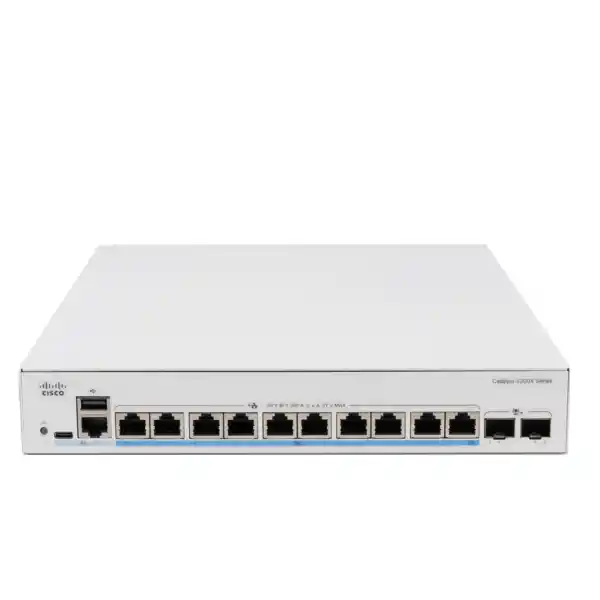
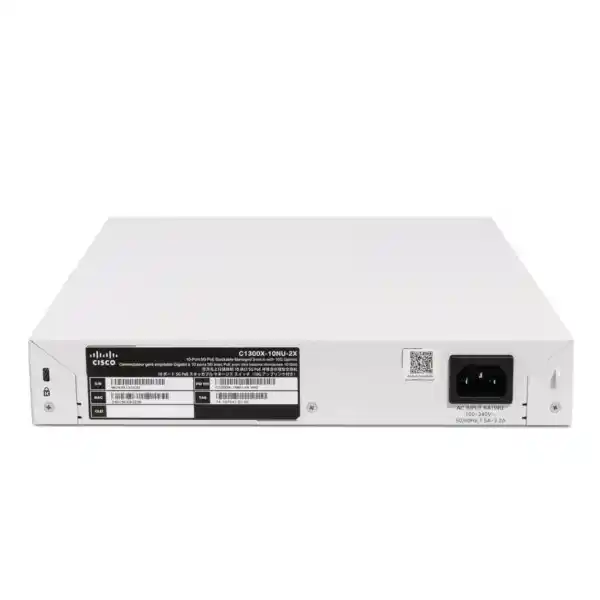
Cisco Catalyst C1300X-10NU-2X Network Switch in UAE
The Cisco Catalyst C1300X-10NU-2X is a compact, stackable multigigabit managed switch designed for access networks that have outgrown traditional 1GbE. Its ten copper access ports support up to 5Gbps and up to 60W PoE++ per port, while two SFP28 interfaces provide 10Gbps uplink connectivity and can operate at 25Gbps when used for switch stacking. With a 385W PoE power budget, 140Gbps switching capacity, 104.16 million packets per second forwarding performance, Layer 2 controls, IPv4 and IPv6 routing, OSPF for C1300X, access security, QoS, multicast controls, and centralized stack operation, it is particularly well matched to high-density wireless, IP video, collaboration and smart-building edge deployments across Dubai and the wider UAE.
FourTeck supplies and supports Cisco switching projects for offices, warehouses, hospitality properties, education campuses, retail sites, healthcare environments, managed service deployments and distributed branches. The objective is not simply to install a faster switch, but to build an access layer with enough bandwidth, PoE headroom, segmentation, routing control and uplink resilience for the endpoints an organization expects to operate over the next several refresh cycles.
Direct answer: what the C1300X-10NU-2X is built to solve
Many access networks encounter the same bottleneck: the wireless layer, camera layer or collaboration layer becomes faster and more power-hungry while the switching edge remains limited to 1Gbps and modest PoE. A modern Wi-Fi access point may have a 2.5GbE or 5GbE Ethernet interface and can draw substantially more power than older 802.3af devices. High-resolution cameras, local analytics appliances, room systems and specialized IoT gateways can also raise both port bandwidth and power requirements. The C1300X-10NU-2X addresses that mismatch with ten multigigabit ports capable of 5Gbps access speeds and PoE++ delivery, concentrating high-performance edge devices into a small managed switch without forcing every endpoint into a large 24- or 48-port chassis.
Its two SFP28 interfaces give the design a clean path upstream. In ordinary network uplink use, Cisco specifies these interfaces for 10G. For stacking, the same SFP28 interfaces can operate at 25G, creating a higher-bandwidth inter-switch fabric. This distinction matters in planning: a project should not assume that the port is a general-purpose 25GbE server or core uplink simply because the physical interface is SFP28. FourTeck designs the physical and logical topology around the supported operating mode so that optics, DAC cables, switch peers and expected throughput are aligned before procurement.
The switch is also a Layer 3-capable platform rather than a basic unmanaged PoE injector. It supports wire-speed IPv4 and IPv6 routing, routed interfaces, static and dynamic routes, policy-based routing, RIP v2, and OSPF v2/v3 on C1300X. This makes it suitable for access-layer VLAN gateways, routed branch designs, inter-VLAN traffic handling and compact collapsed network roles when the routing scale and feature requirements fit the platform. The right design still depends on the site: a small branch may use the switch for local Layer 3 boundaries, while a larger campus may keep default gateways on a distribution or firewall layer and use the C1300X primarily as a secure multigigabit access switch.
Core hardware profile
10 × 5G multigigabit access
Ten RJ-45 ports provide multigigabit access up to 5Gbps. This is the defining advantage for Wi-Fi access points and other endpoints whose network interfaces exceed Gigabit Ethernet. The ports let organizations reuse suitable twisted-pair horizontal cabling while introducing higher access speeds where link qualification and cable condition permit.
60W PoE++ capability
Each access port is designed for up to 60W PoE++ capability, with a 385W total PoE budget for the switch. This allows a mixture of high-power wireless access points, cameras, collaboration endpoints and edge devices, but the aggregate power plan must remain within the total budget and include engineering headroom.
2 × SFP28 interfaces
Two SFP28 interfaces operate as 10G network uplinks and support 25G when used for stacking. This supports fiber or appropriate direct-attach interconnection choices depending on distance, rack layout, upstream switch support and stack design.
140Gbps nonblocking fabric
Cisco rates the model at 140Gbps switching capacity and 104.16mpps forwarding for 64-byte packets. That gives the hardware sufficient internal fabric to forward traffic across its port mix at wire speed rather than forcing all active ports through a constrained shared backplane.
Detailed technical specifications for UAE design teams
Why 5GbE matters for Wi-Fi 6, Wi-Fi 6E and Wi-Fi 7 access
Wireless refreshes are one of the strongest reasons to move from conventional 1GbE access switching to multigigabit Ethernet. Modern access points can aggregate traffic from many client devices across multiple radios, and the wired Ethernet interface can become the bottleneck even when radio capacity remains available. A 2.5GbE or 5GbE wired connection gives the access point more room to translate wireless capacity into real application throughput, especially in dense meeting spaces, classrooms, hospitality venues, training centers and office floors where many users are active simultaneously. The C1300X-10NU-2X gives every copper access port the ability to reach 5Gbps, so a designer does not have to reserve a small subset of special ports for premium access points.
The benefit is not simply headline speed. Multigigabit Ethernet can support intermediate rates over suitable existing copper infrastructure, which can reduce the need for wholesale recabling when an organization upgrades wireless. In a UAE office tower, for example, existing horizontal cable routes may be difficult or costly to replace because pathways cross occupied tenant areas, raised floors, ceiling services or fire-rated zones. A cabling audit can determine whether the installed Category 5e, Category 6 or Category 6A links can reliably support the intended rate over their actual lengths and terminations. FourTeck therefore treats the switch, access point and cabling system as one performance chain rather than assuming that a 5G-capable port alone guarantees 5Gbps service.
PoE power must be assessed at the same time. Newer access points may use additional radios, higher spatial-stream counts, USB peripherals, IoT functions or integrated security capabilities that increase their power requirement. The C1300X-10NU-2X can provide up to 60W PoE++ per access port, offering considerably more headroom than a legacy PoE-only edge switch. However, the switch’s 385W aggregate budget still governs the total. Ten theoretical 60W loads would exceed the available budget, so the design must calculate actual maximum device draw, expected operational draw, startup behavior, future spare ports and a safety margin.
For dense Wi-Fi deployments, uplink sizing is equally important. Ten endpoints each connected at multigigabit rates can generate more aggregate traffic than a single 10G uplink can carry. Real networks rarely drive every edge port at line rate simultaneously, but oversubscription must be intentional. A deployment can use both 10G uplinks in a link aggregation or redundant design when the upstream architecture supports it, or distribute access points across multiple C1300X switches and upstream paths. The correct answer depends on radio count, client concurrency, internet bandwidth, local server traffic, east-west application flows, backup windows and whether the access switch also carries video, voice or other high-throughput endpoints.
PoE++ engineering: turn the 385W budget into a reliable endpoint plan
Budget by worst-case draw
Start with each powered device’s maximum required power rather than its casual desktop reading. Sum the planned devices, include startup or feature-state requirements, and leave spare capacity for an additional access point, camera or room endpoint. The goal is to prevent a future change from turning a stable network into a power-allocation problem.
Prioritize critical loads
Where supported by the operating configuration, critical devices should be treated deliberately. Wireless APs serving emergency communications, security cameras, access-control components and IP phones can have different business importance. Power allocation and port configuration should reflect service criticality rather than simply the order in which devices were connected.
Account for UPS runtime
A switch with a large PoE load becomes a major UPS consumer. The UPS must support switch electronics plus the expected PoE draw and upstream devices. Runtime calculations should use the complete rack load, battery age assumptions and the organization’s target duration during mains interruptions.
Validate thermal conditions
PoE conversion and dense endpoint activity add heat to telecommunications rooms. UAE deployments should verify rack airflow, cabinet ventilation, air-conditioning continuity and cable organization. Thermal margin is especially important in small IDFs, guard rooms, warehouses and remote facilities that may not have data-center-grade environmental controls.
Consider a practical example. A site plans six high-performance access points at a design allocation of 35W each, two PTZ cameras at 30W each and one collaboration endpoint at 40W. The modeled requirement is 310W, leaving 75W of the 385W budget before considering engineering margin and any spare powered port. That may be acceptable if measured device requirements and deployment policy support it, but adding two additional 35W access points would exceed the switch budget. The correct response is not to hope that average power remains low; it is to redesign the distribution, add another PoE switch, select a different access model or reassess actual endpoint power classes. This disciplined approach prevents intermittent failures that appear only after a firmware upgrade, radio feature enablement or increased endpoint load.
Uplink and stacking architecture
The two SFP28 interfaces are versatile but must be interpreted correctly. For ordinary upstream network connectivity, Cisco specifies 10G operation. The 25G capability is available for stacking. This means a design using the C1300X-10NU-2X should select optics, DACs and peer interfaces based on the intended role rather than on connector appearance. A 10G SR optic over multimode fiber, a 10G LR optic over single-mode fiber, or a compatible short-reach direct-attach solution may be appropriate for uplink use depending on distance and compatibility. Stack connections require their own supported interconnect plan.
Stacking is valuable when several access switches must operate as a coordinated system. Cisco lists the C1300X family as stackable up to eight units. A stack can simplify administrative operations, expansion and logical consistency, especially when a building has several adjacent access switches in the same equipment room. It can also provide design options that are cleaner than treating every device as a completely independent island. However, stacking should not be viewed as a substitute for upstream redundancy. A resilient topology still considers multiple uplink paths, upstream switch availability, spanning tree or link aggregation design, maintenance domains, power diversity and failure scenarios.
For a single-switch branch, one 10G uplink may be sufficient if the site internet connection is modest and most traffic leaves through a firewall. The second uplink can be reserved for redundancy, a server segment, a second distribution switch or future use. In a media-heavy office or wireless aggregation point, dual 10G uplinks may be preferable. In a stack, architects should understand how user traffic, stack traffic and upstream traffic distribute across the available physical paths. Oversubscription is not inherently bad; it becomes a problem when it is accidental and inconsistent with application behavior.
FourTeck’s UAE project approach maps each access port to an endpoint class, estimates sustained and burst bandwidth, identifies north-south versus local east-west traffic, and then sizes uplinks accordingly. This avoids a common mistake in which multigigabit edge ports are installed without upgrading the aggregation path. The result would technically connect endpoints at 2.5G or 5G while the shared upstream remains constrained, shifting rather than removing the bottleneck.
Layer 2 switching controls for predictable access networks
The C1300X-10NU-2X includes the Layer 2 mechanisms expected in a managed business access switch. Spanning Tree support includes traditional 802.1D behavior, Rapid Spanning Tree based on 802.1w and Multiple Spanning Tree based on 802.1s. Cisco also documents PVST+ and Rapid PVST+ support in the series. These protocols are central to controlling Layer 2 loops when redundant physical paths exist. The engineering goal is to define the topology intentionally, select root bridge placement, set port roles and edge behavior, and avoid a network in which the spanning tree outcome is left to default bridge identifiers.
Link aggregation can combine multiple physical links where the connected devices and topology support it. This is useful for uplink resilience and additional aggregate bandwidth, but link aggregation design needs consistency at both ends. VLAN membership, native VLAN behavior, allowed VLAN lists, LACP settings and spanning tree expectations must align. In multi-vendor environments, relying on standards-based configuration and documenting every trunk is particularly important.
Multicast control is also relevant to video distribution, IPTV, collaboration and discovery-heavy networks. Cisco specifies IGMP snooping for versions 1, 2 and 3, with up to 4,000 multicast groups on C1300X, along with IGMP querier and IGMP proxy functions. Without snooping, multicast may flood widely across a VLAN and consume bandwidth on ports that do not need the stream. With appropriate snooping and querier behavior, multicast delivery can be limited to interested receivers. This is useful in hotels, schools, digital signage systems and video networks, but multicast design must be tested end-to-end because application discovery and group membership behavior varies by platform.
Additional protections such as UDLD and loopback detection can help identify one-way physical failures or local loops before they create broader disruption. The value of these features increases when the switch is installed outside a central data room, for example in a retail back office, warehouse IDF, branch cabinet or remote operational site. A compact switch may serve only a small number of devices, but an accidental loop on those devices can still affect a much larger VLAN or upstream network if protection is weak.
Layer 3 routing: where the C1300X can reduce dependency on upstream gateways
Cisco positions the C1300X with meaningful Layer 3 capability. IPv4 and IPv6 packets can be routed at wire speed. Layer 3 interfaces can be created on physical interfaces, link aggregation groups, VLAN interfaces and loopback interfaces. Static routes are suitable for straightforward branch or access designs, while RIP v2 is available where that protocol remains part of the environment. Policy-Based Routing can make next-hop decisions based on IPv4 or IPv6 ACL conditions, giving architects a mechanism to steer selected traffic differently from the normal routing table.
C1300X models add OSPF v2 and OSPF v3 support. OSPF is useful where a site has multiple routed paths, multiple VLAN interfaces or a need to exchange routes dynamically with adjacent routers and switches. OSPF v2 addresses IPv4 routing, while OSPF v3 supports IPv6. In practice, enabling a dynamic routing protocol should follow a documented area design, route summarization plan, passive-interface policy, authentication strategy where applicable, and clear ownership of default-route advertisement. The presence of OSPF does not mean the switch should automatically become the core router; it means the platform can participate in a more structured routed design when scale and operational requirements justify it.
Cisco specifies up to 7,168 combined dynamic and static IPv4 routes and up to 256 IP interfaces for C1300X and the higher-end C1300 10G models. This is substantial for an SMB and branch-oriented switching platform, but routing scale should still be compared with expected site growth. Large campus cores, service provider edge roles, complex VRF requirements or very large routing tables may call for a different Catalyst family. The C1300X-10NU-2X is strongest when routing supports the access design rather than when the switch is forced into a role intended for a higher-tier campus core.
A common UAE branch pattern is to place user, voice, wireless, camera and building-management devices in separate VLANs, then decide which inter-VLAN flows should remain local and which should be inspected by a firewall. The C1300X can route locally, but not every flow should bypass security inspection. FourTeck can design the gateway location according to security policy: high-volume trusted east-west traffic may benefit from local Layer 3 switching, while sensitive inter-zone traffic may be sent to the firewall for policy enforcement, logging and threat inspection.
Access security and first-hop protection
DHCP snooping
DHCP snooping distinguishes trusted from untrusted DHCP paths and helps prevent unauthorized devices from behaving as rogue DHCP servers. It also creates binding information that can support additional access-layer protections.
Dynamic ARP Inspection
DAI checks ARP behavior against trusted bindings and can reduce the risk of ARP spoofing and man-in-the-middle attacks inside an access VLAN. Correct DHCP snooping trust configuration is essential to avoid blocking legitimate hosts.
IP Source Guard
IP Source Guard can filter traffic whose source addressing does not match allowed static or dynamically learned bindings. It is valuable for limiting address spoofing from endpoint-facing ports in controlled access networks.
IPv6 first-hop security
Cisco documents IPv6 RA Guard, ND inspection, DHCPv6 Guard, neighbor binding tables and integrity checks. These functions help protect dual-stack environments where IPv6 may otherwise create an unmanaged first-hop attack path.
Security at the access layer is most effective when it is designed as a sequence. DHCP snooping establishes knowledge of legitimate address assignment, Dynamic ARP Inspection uses binding information to validate ARP, and IP Source Guard constrains source addressing on user-facing ports. ACLs can then limit which protocols or subnets are reachable. 802.1X-based access control and RADIUS-backed identity policies can be incorporated when the organization requires authenticated network access. Port security, management-plane controls and secure administrative protocols further reduce exposure. Each mechanism solves a different problem; deploying one feature does not replace the others.
For UAE organizations operating guest wireless, payment environments, healthcare devices, CCTV, access control or smart-building systems, segmentation is often more important than raw port count. A ten-port switch can sit at a strategically sensitive edge location. If every endpoint shares one flat VLAN, compromise of a low-trust IoT device can expose more valuable systems. A better design assigns VLANs and ACLs by function, controls DHCP and ARP behavior, restricts management access to trusted administration networks and sends cross-zone traffic through the appropriate policy enforcement point.
QoS for voice, video and business-critical applications
Bandwidth alone does not guarantee application quality. A 5GbE access link can still experience momentary queue pressure when multiple flows converge on a slower uplink or when bursts occur. Quality of Service is therefore important for delay-sensitive voice, interactive video, virtual desktop traffic and business applications. The C1300X family includes hardware-based QoS capabilities that can classify, mark, queue and prioritize traffic according to policy. A good policy begins with a small number of clearly defined traffic classes rather than dozens of overlapping rules.
In an IP telephony environment, voice media typically needs low latency and low jitter, while call signaling has different bandwidth characteristics. Video conferencing may need substantial bandwidth but should not necessarily starve transactional applications. Backup traffic can tolerate more delay. Guest internet traffic may be rate-limited to protect enterprise capacity. The switch can participate in this end-to-end policy, but QoS markings should be trusted only at appropriate network boundaries. A user device should not automatically be allowed to mark all of its traffic as highest priority.
FourTeck can align switch QoS with firewalls, wireless controllers or cloud-managed access points, WAN routers and upstream switches so that classification remains consistent across the path. This is particularly relevant to hybrid work environments in Dubai where Microsoft Teams, Zoom, Webex, hosted voice and cloud ERP traffic often share the same WAN circuit with backups, guest access and software distribution. The purpose of QoS is not to manufacture bandwidth; it is to decide which traffic receives better treatment when contention actually occurs.
Management model: web interface, CLI, SNMP and operational discipline
The C1300X is intended to be manageable without requiring a heavyweight controller for every task. Cisco provides web-based administration as well as CLI access, and the platform supports common operational protocols such as SNMP, syslog, DNS, SNTP, SSH and related management functions. The front-panel USB Type-C interface can assist with console access and file or image management. This gives small IT teams a practical path to deployment while preserving the command-line control experienced network engineers expect.
Management simplicity should not be confused with informal administration. A production switch should have a documented management IP, restricted management VLAN, role-based or centralized administrative authentication where appropriate, secure protocols, synchronized time and remote logging. Configuration backups should be captured after commissioning and after significant changes. Firmware versions should be tracked as part of a maintenance policy rather than upgraded ad hoc during incidents. The organization should also retain port maps showing device, outlet, VLAN, PoE requirement, negotiated speed and business owner.
Monitoring should include more than reachability. Useful operational indicators include interface utilization, errors, discards, speed and duplex negotiation, PoE allocation, CPU and memory trends, temperature where exposed, stack state, spanning tree changes, link aggregation state and authentication failures. Baseline measurements collected when a site is healthy make later troubleshooting much faster. For a high-density wireless switch, for example, rising uplink utilization may indicate that an access-point refresh succeeded in moving the bottleneck from the radio edge to the wired aggregation layer.
Organizations that want broader infrastructure assistance can combine switching procurement with FourTeck’s UAE IT services for design, implementation and support. This can include VLAN migration, addressing plans, rack cleanup, fiber testing, wireless integration, firewall coordination and post-change verification instead of treating the switch as an isolated box.
Deployment topology 1: high-density wireless access layer
A common design uses the C1300X-10NU-2X as a dedicated access-point switch. Ten 5G ports connect wireless APs across a floor or zone, each receiving PoE from the switch. Separate VLANs can carry management, corporate WLAN, guest WLAN, voice-over-Wi-Fi and IoT traffic depending on the wireless architecture. The switch then uplinks at 10G to a distribution switch or firewall. This topology is compact and easy to understand, making it suitable for executive floors, branch offices, event spaces, hotels, schools and clinics with a moderate number of high-performance APs.
The design challenge is balancing three capacities: copper access bandwidth, PoE budget and upstream bandwidth. Ten 5G access ports represent 50Gbps of nominal edge bandwidth in one direction, but wireless usage is statistical, and most APs will not sustain their maximum Ethernet rate simultaneously. A single 10G uplink may be acceptable for many branches, while larger or more demanding environments may use both uplinks or distribute APs across several switches. The decision should be based on expected concurrency and application traffic, not simply on the sum of physical port speeds.
Cabling also needs validation. A multigigabit switch cannot compensate for poor terminations, damaged pairs, excessive length, EMI exposure or substandard patch leads. In older buildings, structured cabling may have been installed for 100Mbps or 1Gbps expectations and later extended or repatched several times. Certification testing before rollout can identify links that will not reliably operate at the targeted rate. This is often more cost-effective than diagnosing intermittent renegotiation after the wireless upgrade goes live.
Finally, wireless management and switching policy must agree. VLAN tagging, native VLAN, DHCP relay, multicast handling, RADIUS reachability and QoS markings should be validated as one system. A switch that passes ordinary internet traffic can still produce poor wireless behavior if control-plane or discovery protocols are blocked incorrectly. FourTeck’s UAE technology team can coordinate the wired, wireless and security components under a single deployment plan.
Deployment topology 2: IP surveillance and intelligent building edge
The C1300X-10NU-2X is also useful where a small number of demanding powered endpoints must be aggregated close to the edge. Examples include PTZ cameras, multi-sensor cameras, video intercoms, access-control gateways, environmental sensors, building automation controllers and local analytics appliances. Many cameras do not require 5Gbps individually, but PoE++ headroom and the ability to mix device classes can make the switch attractive in security closets or smart-building zones. The multigigabit ports also create capacity for local devices that may evolve toward higher bitrates or integrated analytics.
Video networks create a different traffic pattern from ordinary user networks. Camera traffic can be continuous, and multiple streams may converge on a recorder or video-management system. A designer should calculate camera codec, resolution, frame rate and configured bit rate rather than assuming a generic bandwidth per camera. Recording traffic, live-view traffic and analytics traffic may all differ. If the recorder is elsewhere in the campus, the uplink becomes the key aggregation point. If the recorder is local, the switch may need to support a high-throughput east-west path as well.
Security segmentation is critical. Cameras and building devices should rarely share an unrestricted VLAN with user laptops. ACLs can limit which management stations, recorders and servers can reach those endpoints. DHCP snooping, DAI and IP Source Guard can reduce common first-hop risks. For static-address camera deployments, bindings and policy require more planning, but the principle remains the same: endpoint identity and permitted communication should be explicit.
PoE power planning must include environmental conditions and device accessories. A camera’s worst-case power can increase when heaters, IR illuminators, pan-tilt-zoom motors or analytics functions are active. This is why FourTeck bases the PoE schedule on manufacturer maximums and operating scenarios rather than average lab values. The result is a design that remains stable at night, in high heat, during cold-start or when all camera features are active simultaneously.
Deployment topology 3: compact routed branch or specialist workgroup
Not every site needs 24 or 48 access ports. A design studio, media team, engineering pod, executive suite, lab, temporary project office or small branch may have only six to ten high-performance endpoints but still require robust switching. In these environments, the C1300X-10NU-2X offers a useful concentration point because each copper port can operate at multigigabit speeds and supply PoE++ power. The compact physical format is easier to place than a large access switch, though rack mounting and airflow still need to be engineered properly.
Layer 3 capability lets the switch terminate local VLAN interfaces and route between them when that architecture is appropriate. For example, a branch might separate corporate users, voice devices, cameras and building systems. The switch can handle local routing while using a default route toward the security firewall. Alternatively, all inter-VLAN traffic can be sent to the firewall if inspection requirements dominate. OSPF can be used when the branch has redundant routed links or participates in a dynamic campus routing domain, but protocol design should remain simple enough for the local support model.
A specialist workgroup may use the switch differently. High-speed desktop systems or lab devices can use 2.5G or 5G copper links, while one 10G SFP28 uplink connects to a shared storage or aggregation layer. In that case, PoE may be less important than bandwidth. The same model can still be attractive because it provides a high density of 5G copper ports in a compact footprint. It is important, however, to distinguish access switching from storage switching; workloads requiring sustained multi-host 10G or 25G server connectivity may be better served by a switch designed specifically for high-speed server access.
For server-side planning, FourTeck can coordinate the access network with server and infrastructure solutions in Dubai, ensuring that NIC speeds, bonding modes, VLAN trunks, storage traffic and uplink capacity are compatible across both sides of the network.
How to size the C1300X-10NU-2X correctly
Start with port count, but do not stop there. The model has ten copper access ports. A design that needs nine ports today technically fits, but it leaves only one spare. If two additional endpoints are likely within the next year, the switch could become undersized immediately. Spare capacity has value because network closets evolve. FourTeck normally recommends identifying committed ports, near-term planned ports, operational spares and ports reserved for troubleshooting or temporary devices. The right spare percentage varies by site, but a design with zero growth capacity should be a deliberate exception.
Next calculate link-speed requirements. Not every endpoint needs 5GbE. An IP phone may negotiate at 1GbE, a camera may use far less than 1Gbps, while a Wi-Fi 7 AP or high-performance workstation can justify multigigabit access. The value of the C1300X-10NU-2X is that a mixed estate can share the same managed platform without confining higher-speed devices to only one or two special ports. If almost every device is 1GbE and low power, a simpler Catalyst model may be more economical. If several devices genuinely need 5GbE and PoE++, the C1300X becomes much more compelling.
Then calculate PoE. Build a table listing endpoint model, quantity, maximum power, total power and criticality. Compare the total with 385W and reserve headroom. Consider whether any device may move from PoE+ to PoE++ after a firmware update or feature enablement. Confirm cable gauge and bundle conditions where high-power PoE is used because power delivery creates heat in cabling, especially in large bundles and warm ceiling spaces. UAE climate conditions increase the importance of keeping telecommunications spaces controlled even when the office itself is air-conditioned.
Finally calculate uplink utilization. Estimate peak aggregate throughput rather than simply summing every access port’s line rate. Include internet traffic, local server traffic, backup flows, video recording, cloud synchronization and large file transfers. If one 10G uplink is sufficient under the target oversubscription ratio, the second can provide redundancy. If the design expects sustained traffic near or above 10Gbps, use both uplinks appropriately or revise the topology. Where several C1300X switches are stacked, consider both stack bandwidth and upstream path design.
This sizing method is deliberately conservative because the cost of a second site visit, emergency switch replacement or unplanned network redesign often exceeds the difference between models selected correctly during procurement. Capacity should be purchased where a credible workload requires it, not as an abstract specification, but under-sizing a switch at the design stage creates operational friction that remains for years.
UAE installation considerations that affect real-world performance
A product datasheet describes capability under defined operating conditions. Site conditions determine whether the network achieves that capability consistently. UAE projects frequently combine modern equipment with mixed-age cabling, compact telecom closets and fast-moving office fit-outs. The C1300X-10NU-2X should therefore be deployed with attention to power, cooling, grounding, fiber cleanliness, rack layout, copper certification and labeling. These are not cosmetic details. A poorly terminated patch panel can force multigigabit links to renegotiate; a congested cabinet can elevate temperature; an undersized UPS can fail to support PoE endpoints during a utility interruption.
Power planning should identify the supply circuit, UPS capacity and expected full PoE draw. A switch with a 385W PoE budget can represent a significant rack load even if current endpoints use less. The UPS should be selected using actual load curves and required runtime, not only VA rating. Where the site includes redundant switches, consider whether the power path is truly redundant or whether both switches rely on one UPS, one distribution board or one cooling unit. Business continuity depends on the whole dependency chain.
Thermal management is especially important in wall cabinets and small IDFs. Cisco lists one fan for this model and approximately 38.9dBA at 25°C. A fan indicates active airflow is part of the thermal design, so cabinet ventilation should not be obstructed. Do not pack cable slack against exhaust paths or mount heat-producing devices directly against one another without airflow. In warehouses or industrial areas, dust control and ambient-temperature monitoring may be needed. In open-plan offices, acoustic placement should be considered because even a moderately quiet fan can be noticeable in a silent room.
Fiber uplinks require their own installation discipline. Select the optic or cable type for distance, fiber plant and peer compatibility. Clean every connector before insertion, inspect where proper tools are available, respect bend radius and document fiber cores end-to-end. A 10G uplink that accumulates optical errors can create intermittent application problems that look like switching or software faults. Baseline receive and transmit optical levels after installation where the platform and optic expose those values.
For security-sensitive network edges, coordinate switch deployment with the firewall architecture. FourTeck’s Firewall Dubai specialists can align VLANs, routed links, access policies, DHCP services and logging so that high-speed switching does not accidentally create a path around inspection or segmentation controls.
Migration from a legacy 1GbE PoE switch
Replacing an older switch should be treated as a controlled migration rather than a simple cable move. Begin by exporting the current configuration and building a port inventory. Record VLAN membership, trunk status, voice VLANs, PoE usage, LACP groups, spanning tree roles, authentication, DHCP snooping trust, static MAC entries, ACLs, QoS policies, management addressing and upstream dependencies. Compare those functions with the target C1300X configuration. This reveals hidden dependencies before the maintenance window.
Next verify endpoint negotiation expectations. A multigigabit port will usually interoperate with lower-speed Ethernet devices, but every critical endpoint should still be tested. Some older devices or intermediate cabling components may behave differently during auto-negotiation. Wireless APs should be checked for intended 2.5G or 5G negotiation, and any cable that falls back to 1G should be investigated rather than ignored. A fallback may be acceptable for a low-bandwidth endpoint but could defeat the purpose of the upgrade for a high-capacity AP.
PoE migration needs particular care. Note current power classes and actual device demand, then map them against the 385W budget. If the old switch had a larger aggregate PoE budget, the new switch must still be able to power the selected subset. Conversely, if the old switch could not provide enough power for modern APs, validate that the C1300X port supplies the required class and that the horizontal cabling is suitable for the higher power level. Do not assume a powered device that boots successfully is receiving the optimum power needed for all features.
During cutover, preconfigure management access, VLANs, trunks, routing and security controls before moving user ports. Test the uplink first, then move endpoints in logical groups so that problems are easier to isolate. Confirm DHCP, DNS, gateway reachability, authentication, application access, voice registration and wireless controller communication. For a stack migration, validate stack formation and software consistency before connecting production endpoints.
After migration, capture a new baseline. Record negotiated speeds, error counters, PoE draw, uplink utilization, spanning tree status and route adjacencies. Compare user experience and wireless throughput with the previous environment. The point of the project is not that every port light turns green; it is that the network achieves the intended capacity, resilience and security improvements under real workload.
Performance engineering and oversubscription methodology
The switch’s 140Gbps switching capacity and 104.16mpps forwarding figure establish that the platform itself is designed for wire-speed nonblocking operation across its port mix. Network performance problems can still occur outside the switching fabric. The most common are oversubscribed uplinks, congested WAN circuits, poorly performing endpoints, cable errors, firewall throughput limits, storage bottlenecks and application constraints. Troubleshooting should therefore begin with evidence instead of assuming the switch is at fault because it sits in the middle.
Oversubscription should be modeled by traffic class. Ten access points connected at 5G do not necessarily create 50Gbps of simultaneous upstream traffic. Wireless airtime, client count, radio protocol overhead, application behavior and internet bandwidth all reduce actual utilization. By contrast, ten workstations transferring large local files to high-speed storage may create a much higher sustained load. Camera traffic may be predictable but constant. Backup jobs can create sharp peaks. A branch internet gateway may never exceed 1Gbps even when every access port is multigigabit. The switch model can serve all of these cases, but the ideal uplink design differs.
FourTeck uses a simple planning framework: measure existing peak traffic where possible, estimate growth, identify new workloads introduced by the upgrade, select an acceptable uplink utilization target, and leave recovery capacity for device failure or maintenance. If two uplinks are used in an aggregated design, do not assume every single flow can use both links at once. Hashing normally distributes flows across members, so one large flow may still be limited to one member’s speed. Application test plans should reflect flow behavior rather than only aggregate interface statistics.
Packet size also affects forwarding calculations. Vendors commonly publish forwarding rates at small packet sizes because that is a demanding packet-per-second scenario. Most enterprise traffic includes a mix of packet sizes. The 104.16mpps figure confirms substantial forwarding capability, while the 140Gbps switching capacity indicates aggregate bandwidth. For most business deployments, uplink and endpoint behavior will become the practical limit before the internal switching fabric does.
Reliability, supportability and lifecycle planning
A switch purchase should be evaluated across its operating life. Cisco lists a limited lifetime warranty with return-to-factory replacement for the Catalyst 1300/1300X family, together with support resources. Warranty terms should always be validated against the exact region, reseller channel and purchase documentation at the time of order. More importantly, organizations should decide what happens during a failure. A return-to-factory entitlement does not automatically equal same-day site restoration. Critical locations may require an onsite spare, support contract, redundant switch or alternative service arrangement.
Firmware lifecycle is another operational factor. The C1300X has its own software train and Cisco publishes release notes, administration guides and CLI documentation. A production organization should standardize approved firmware versions and test updates before widespread deployment. New releases can address defects or security issues and may add capability, but changes can also affect feature behavior. A controlled process includes configuration backup, release-note review, maintenance-window planning, rollback preparation and post-upgrade validation.
Stacked deployments require additional lifecycle discipline because units should be maintained as a coordinated system. Hardware additions, replacement units and software upgrades should be planned to preserve compatibility. Document stack member roles, serial numbers, physical positions and uplink connections. Label both ends of stack and uplink cables. If a stack is installed in a remote branch, keep enough documentation that a local technician can identify a failed member without guessing which cable to move.
FourTeck can support broader lifecycle requirements through its global technology services, useful for organizations operating UAE headquarters with international branches. Standardized switch templates, naming conventions, VLAN assignments, firmware policies and monitoring practices reduce variation across sites and make remote troubleshooting more predictable.
When this model is the right choice—and when it is not
Strong fit
Choose the C1300X-10NU-2X when the site needs several 2.5G or 5G copper endpoints, meaningful PoE++ power, compact physical size, 10G uplinks, stackability and advanced managed switching. It is especially attractive for high-performance wireless zones, specialist workgroups, branch offices, small hospitality or education zones, security edge locations and distributed building networks that need more capability than a basic 1G PoE switch.
Consider another model
Choose a different switch if the site needs more than ten copper access ports immediately, requires a PoE budget well above 385W, needs multiple general-purpose 25G or faster uplinks, demands larger campus-core routing scale, requires specialized enterprise features not offered by the C1300X family, or would be better served by a simpler 1G access switch because none of the endpoints benefit from multigigabit connectivity.
This distinction prevents specification-driven overspending. A switch should be selected because its port mix and software align with the site, not because higher numbers appear more future-proof. For example, ten 5G ports are valuable when several APs genuinely negotiate above 1G. They offer little return when every endpoint is a 100Mbps sensor. Likewise, OSPF support is useful in a routed branch but irrelevant if the switch remains purely Layer 2. FourTeck’s design process maps requirements to features so the procurement decision can be justified operationally.
C1300X-10NU-2X versus common alternatives in the same access strategy
Within the broader Catalyst 1300X family, model selection is largely a question of port density, copper speed and PoE profile. A 24- or 48-port Gigabit PoE model may be better for conventional desks, phones and cameras where 1GbE is sufficient. The C1300X-24MU-4X provides a larger set of 2.5G multigigabit ports and four 10G uplink interfaces, which can suit denser floor deployments. The C1300X-24NGU-4X and 48NGU-4X mix Gigabit and 5G access ports, providing a practical compromise when only a subset of endpoints needs multigigabit speed. The 10NU-2X is distinctive because all ten access ports can reach 5G and can deliver up to 60W PoE++ while the chassis stays compact.
The decision therefore begins with endpoint concentration. Suppose a floor has eight premium APs and only two other devices. A ten-port all-5G model can be efficient. If the same floor has eight premium APs plus twenty user desks and phones, a mixed 24- or 48-port model may reduce device count and simplify cabling. If the network already has a separate 1G access layer, the 10NU-2X can be deployed as a specialist multigigabit overlay dedicated to the APs, leaving ordinary endpoints on the existing switches.
Uplink count also differs. Two 10G uplink interfaces give the 10NU-2X enough flexibility for a compact edge design, but larger models with four uplinks may provide more options for multi-switch aggregation and redundancy. When the switch is stacked, the SFP28 interfaces also serve the stacking role, so designers need to account for physical port usage. A topology should be drawn before ordering, showing stack interconnects and upstream links for every member.
If an organization is comparing Catalyst 1300X with higher enterprise Catalyst families, the key question is operational requirement rather than raw throughput. Larger campus platforms may offer deeper automation, policy, telemetry, redundancy and enterprise feature sets. C1300X targets managed business networks that need strong switching and routing features without the cost and complexity of a high-end campus architecture. FourTeck can recommend the family boundary based on the scale of the deployment, automation model, segmentation requirements, lifecycle policy and integration with the rest of the Cisco environment.
Procurement guidance for Dubai and the UAE
Enterprise switch procurement should validate more than the product identifier. Confirm the exact C1300X-10NU-2X SKU, power-cord option, included accessories, mounting requirements, optics or DAC cables, support coverage and delivery scope. Cisco’s package information indicates that mounting accessories differ across models, and the compact 10-port chassis does not follow the same packaging assumptions as 24- and 48-port switches. If the switch will be installed in a 19-inch rack, confirm the required mounting approach and any accessory kit before the engineer arrives onsite.
Optics should be quoted explicitly rather than assumed to be included. The choice depends on uplink distance and fiber type. A short equipment-row connection may use an appropriate DAC where supported, while building risers may use multimode or single-mode optical transceivers. Both ends must support the selected optic and speed. If the SFP28 interfaces will be used for stacking, the stack interconnect choice is different from an ordinary 10G uplink design. A correct bill of materials should state which ports are used for stack links and which remain available for the network.
For PoE projects, include the endpoint list in the quotation request. A switch name alone does not prove that the power budget is sufficient. Listing each AP, camera or room device allows the supplier to validate the total and identify whether a larger PoE model is needed. It also allows UPS and rack power requirements to be estimated. For multigigabit projects, include cable category and approximate link length if known. This may uncover a cabling test or upgrade requirement before equipment is delivered.
Organizations procuring across several countries can also standardize the same architecture through FourTeck’s regional operations. For UAE deployments, the immediate focus remains local availability, correct accessory selection, installation planning and post-deployment support. The goal is a complete deployable kit, not a switch carton that still requires unplanned optics, rack hardware or power adjustments before it can go live.
Commissioning checklist for network engineers
Before the switch enters production, confirm the physical installation. Verify rack or shelf stability, airflow clearance, power source, UPS capacity, grounding as required, copper patch quality and fiber cleanliness. Label every cable at both ends. Confirm that access ports negotiate at expected speeds, especially 2.5G or 5G AP links. Record any interface that falls back to 1G and test the associated cabling. Check PoE allocation and ensure the aggregate budget leaves the planned reserve.
Then validate Layer 2 behavior. Confirm VLAN definitions, tagged and untagged membership, trunk allowed lists, spanning tree root placement, edge-port configuration and link aggregation state. Test a redundant link failure if the architecture depends on it. Ensure loop-protection features do not block legitimate topology. For multicast deployments, verify IGMP snooping and querier behavior with the actual application, not only with ping tests.
Next validate Layer 3 services. Confirm VLAN-interface addressing, routing table, default route, static routes, OSPF neighbors where configured, route advertisement, DHCP relay or server functions, and IPv6 behavior. Test inter-VLAN paths according to the intended security design. If some VLANs must reach a firewall for inspection, verify that local routing does not bypass the policy path. Use traceroute and packet capture where appropriate to confirm actual forwarding.
Security controls should be tested carefully. Enable DHCP snooping trust only on legitimate server or upstream paths. Verify DAI and IP Source Guard with real clients before broad rollout. Test 802.1X or RADIUS authentication failure modes so that an identity-service outage does not produce an unexpected site-wide lockout. Restrict management protocols and source networks. Confirm administrator authentication, SSH access, web-management policy, logging, NTP or SNTP time synchronization and configuration backup.
Finally establish a performance baseline. Measure uplink utilization during a representative busy period, capture interface error counters, record negotiated speeds and confirm that voice and video quality meet expectations. If the switch serves wireless APs, run tests from multiple APs concurrently rather than testing only one. If it serves cameras, confirm simultaneous recording and live-view behavior. A documented baseline turns future troubleshooting into comparison rather than guesswork.
Frequently asked technical questions
Does the C1300X-10NU-2X have ten 5GbE ports?
Yes. Cisco specifies ten RJ-45 multigigabit access ports supporting up to 5Gbps. This makes the switch particularly suitable for high-performance wireless APs and other endpoints that can negotiate above 1Gbps.
Can every access port provide 60W PoE++ at the same time?
Each access port is capable of up to 60W PoE++, but the switch has a 385W total PoE budget. Therefore ten simultaneous 60W loads would exceed the aggregate budget. The deployment must size endpoint power against the total available budget and preserve appropriate headroom.
Are the two SFP28 ports normal 25GbE uplinks?
No. Cisco’s current specification describes them as 10G uplinks, with 25G available for stacking only. A bill of materials should therefore use supported 10G optics or cables for ordinary upstream network connectivity and the appropriate supported 25G arrangement for stack links.
Is the switch stackable?
Yes. Cisco lists the C1300X family as stackable up to eight units. Stacking can simplify operation and growth, but upstream redundancy, stack cabling and failure-domain design should still be planned explicitly.
Does it support OSPF?
Yes. C1300X models support OSPF v2 for IPv4 and OSPF v3 for IPv6. Cisco also documents static routing, RIP v2 and policy-based routing. These capabilities make the switch useful in routed access and branch designs when its routing scale matches the requirement.
Can it protect against rogue DHCP and ARP spoofing?
The series supports DHCP snooping, Dynamic ARP Inspection and IP Source Guard. These features can work together to reduce rogue DHCP, address spoofing and ARP manipulation risks. Correct trust boundaries and binding design are essential for safe deployment.
Can it route IPv6?
Yes. Cisco specifies wire-speed IPv6 routing and a broad IPv6 feature set, including IPv6 ACLs, DHCPv6 functions, multicast listener discovery and first-hop security. C1300X additionally supports OSPFv3.
Is it suitable for Wi-Fi 7?
It can be a strong fit for Wi-Fi 7 access points that use 2.5GbE or 5GbE and require higher PoE power. Exact compatibility should be checked against the access point’s Ethernet speed, PoE requirement and network architecture. Some AP designs may require faster wired interfaces or different power profiles, so model-by-model validation remains necessary.
Does it need a controller?
The switch can be managed through its own supported management interfaces, including web and CLI methods, so a large external controller is not mandatory for ordinary operation. Organizations may still integrate it into broader monitoring and management systems using supported protocols and operational tooling.
What cabling should be used for 5GbE?
The answer depends on installed cable category, link length, bundle conditions and termination quality. Existing cabling may support multigigabit rates, but a professional cable certification test is recommended when the upgrade depends on sustained 2.5G or 5G operation. Category 6A is often preferred for new high-performance installations because it provides greater margin, but the complete channel and project standard should guide the final choice.
Operational troubleshooting framework
When a user reports slow performance on a C1300X-connected device, begin at the physical edge. Check negotiated link speed, duplex, interface errors, cable test results and PoE status. A 5G-capable AP connected at 1G may still appear online and healthy, but it can never deliver the intended wired throughput. Incrementing CRC errors often point to cabling, optics or physical interference rather than congestion. For fiber links, verify optic type, received power and connector cleanliness.
If the physical layer is clean, inspect utilization and queue behavior. Determine whether the access port is busy, whether the uplink is saturated, and whether the problem affects one flow or many. A single 10G uplink can be heavily utilized even when no individual 5G access port is full. Review QoS policies for unintended rate limits or classification. If two links are aggregated, remember that a single large flow may hash to one member. Aggregate capacity and per-flow capacity are not identical.
For reachability problems, work through VLAN, MAC, ARP or neighbor discovery and routing tables in order. Confirm that the endpoint is in the expected VLAN, that its MAC address is learned on the correct port, that the gateway has the expected ARP or IPv6 neighbor entry and that the route table contains the destination. If OSPF is used, check adjacency state, area configuration, advertised prefixes and route selection. If policy-based routing is configured, confirm that an ACL is not steering traffic unexpectedly.
Security features can create intentional drops that resemble faults. DHCP snooping may block replies from an untrusted uplink, DAI may discard ARP packets with inconsistent bindings, IP Source Guard may reject a statically addressed device, and an ACL may silently deny a required application port. Troubleshooting should check counters and logs before disabling controls. Removing security features globally may restore connectivity but create a larger risk and obscure the real configuration error.
Finally inspect the broader path. The firewall, WAN circuit, wireless RF environment, cloud service or application server may be the limiting component. A switch upgrade is most valuable when it is accompanied by end-to-end measurement. FourTeck can test the entire flow from endpoint through access switching and firewall to local or cloud destinations, allowing the remediation to target the actual bottleneck rather than the nearest visible device.
Design notes for hospitality, education, retail and healthcare
Hospitality networks often combine guest Wi-Fi, staff devices, IPTV, cameras, access control and building systems. A compact multigigabit switch can be useful in a floor distribution point or specialist zone where several high-capacity APs need PoE++. Segmentation should separate guest, operations and security traffic, while multicast design may be relevant to IPTV. Maintenance windows can be difficult in occupied hotels, so stack design, spare hardware and documented rollback plans deserve attention.
Education sites have dense wireless concurrency, especially during online assessments, digital learning sessions and software distribution. Access-point uplinks can become a real constraint as client density rises. The C1300X-10NU-2X can serve a classroom cluster, library zone, lab or administrative area. Policy should prioritize learning systems and communications without allowing student or guest traffic to dominate uplinks. DHCP and first-hop protections are valuable because user devices change frequently.
Retail deployments may use the switch for APs, cameras, digital signage, back-office systems and IoT gateways. Payment systems should be segmented according to the organization’s security and compliance architecture. A small branch may not need a large chassis, but it still benefits from managed VLANs, ACLs, secure administration and centralized monitoring. UPS runtime is important because a switch power failure can simultaneously remove connectivity and power from multiple critical endpoints.
Healthcare and clinic networks need careful device separation and change control. Wireless clinical endpoints, patient guest access, voice, cameras and building systems should not automatically share trust. The switch’s routing and access security features can participate in the segmentation model, but policy requirements may dictate that traffic crosses a dedicated firewall. In all sectors, the design should start with business service dependencies and then map switch capabilities to those dependencies.
What to include in a professional network documentation pack
A production switch should leave behind more than a working configuration. The documentation pack should include a physical topology diagram, logical VLAN and routing diagram, IP addressing table, switch management details, port schedule, stack membership, uplink mapping, PoE endpoint schedule, optic and fiber-core mapping, firmware version, backup configuration and support information. If OSPF is used, document process IDs, router IDs, areas, passive interfaces and advertised prefixes. If policy-based routing is used, document the ACL match and next-hop behavior.
The port schedule should identify the wall outlet or endpoint, switch port, configured VLAN, expected speed, PoE requirement and any special policy such as voice VLAN or authentication. This makes later moves and changes safer. It also exposes mismatches: an AP expected to run at 5G but recorded at 1G can be investigated immediately. A camera drawing more power than planned can be spotted before the switch approaches its budget.
Change records should capture why a configuration was modified, who approved it and how it was validated. In smaller businesses, this can be a simple ticket or maintenance log. The important point is reproducibility. If a switch must be replaced, an engineer should be able to reconstruct its intended state without relying on memory. A current configuration backup is necessary, but human-readable design context is equally important because a configuration file shows what exists, not always why it exists.
For multi-site organizations, standard templates provide additional value. Use consistent naming, management VLANs, logging destinations, NTP sources, admin access policy, SNMP settings, spanning tree conventions and port descriptions. Site-specific exceptions should be documented explicitly. Standardization turns the C1300X from an isolated appliance into a repeatable network building block.
Decision recap: key reasons to shortlist the C1300X-10NU-2X
The model makes the most sense when high-speed access and higher-power PoE are concentrated into a relatively small number of endpoints. It can remove the 1GbE bottleneck for modern wireless, provide enough PoE headroom for demanding devices, and participate in a structured Layer 3 topology. Its compact chassis is an advantage in small equipment spaces, while stacking offers a path to grow. The principal design constraints are equally clear: only ten copper ports, a 385W total PoE budget, and 25G operation reserved for stacking rather than normal uplink traffic. A successful deployment sizes around those boundaries instead of discovering them after installation.
Quotation input checklist
For an accurate Cisco Catalyst C1300X-10NU-2X quotation in the UAE, provide the project details below. Supplying these inputs allows FourTeck to validate the complete bill of materials rather than pricing only the switch chassis.
Number of switches, Dubai/Abu Dhabi/Sharjah or other emirate, and whether equipment will be centralized or spread across several IDFs.
AP, camera, phone, room-system and specialist endpoint models, including expected quantity on each switch.
Maximum power requirement per powered device and any planned future PoE endpoints, so the 385W budget can be validated.
Required uplink speed, approximate distance, multimode or single-mode fiber type, and upstream switch model for optic compatibility.
Whether the switch will operate alone or in a stack, expected member count, and intended stack physical layout.
Supply only, rack installation, configuration, migration, cabling certification, firewall integration, monitoring or ongoing support.
Final consultation panel: build the switch around the network, not the other way around
The Cisco Catalyst C1300X-10NU-2X is a highly capable compact access platform when its specific strengths match the site: ten 5G multigigabit ports, up to 60W PoE++ per port, a 385W aggregate PoE budget, two 10G SFP28 uplinks with 25G available for stacking, wire-speed 140Gbps switching, advanced Layer 2 control, IPv4 and IPv6 routing, OSPF on C1300X and a practical security feature set for business edge networks. Those capabilities make it an excellent candidate for modern wireless access, specialist high-speed workgroups, intelligent buildings, surveillance zones and routed branches.
The purchase decision should still be validated against the complete environment. Count current and future ports, calculate actual PoE demand, verify copper cable quality, size uplink oversubscription, choose correct optics, decide whether stacking is required, map VLAN and routing boundaries, and define which traffic must traverse the firewall. Confirm UPS capacity and equipment-room cooling. Establish a firmware and configuration-backup policy. These steps turn good hardware into a dependable production network.
FourTeck can provide a UAE deployment scope ranging from product supply to complete implementation, including rack planning, optics selection, switching configuration, VLAN migration, Layer 3 integration, wireless uplink design, PoE validation, security policy coordination, testing and documentation. For projects that span switching, firewall and server infrastructure, the architecture can be reviewed as one system so that the highest-speed link in one layer is not undermined by a bottleneck somewhere else.
For organizations evaluating multiple models, share the endpoint count, AP models, PoE requirements, uplink distances and desired redundancy. FourTeck can compare the C1300X-10NU-2X with larger or simpler Catalyst alternatives and produce a bill of materials that reflects the actual network. This avoids overbuying where 1GbE is enough and underbuying where 5GbE, PoE++ or additional uplink capacity is required.
Cisco Catalyst switching for UAE projects
FourTeck supports specification review, supply, deployment and integration for Cisco access switching across UAE business environments. Submit your device count, PoE schedule, uplink requirements and site details for a project-ready recommendation.


Reviews
There are no reviews yet.