
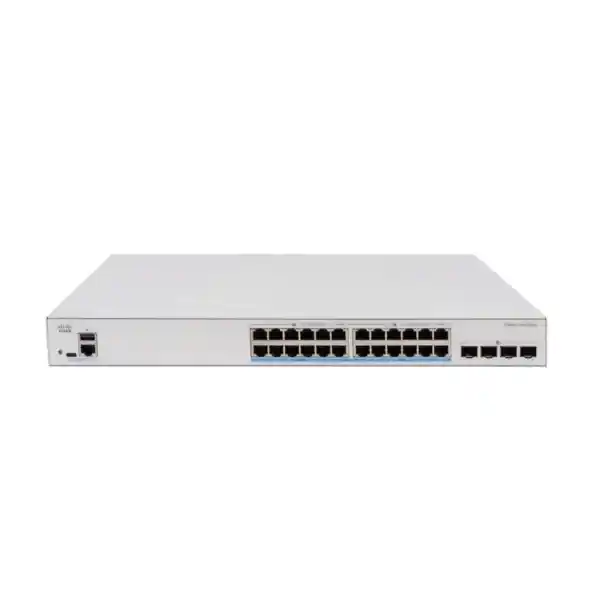
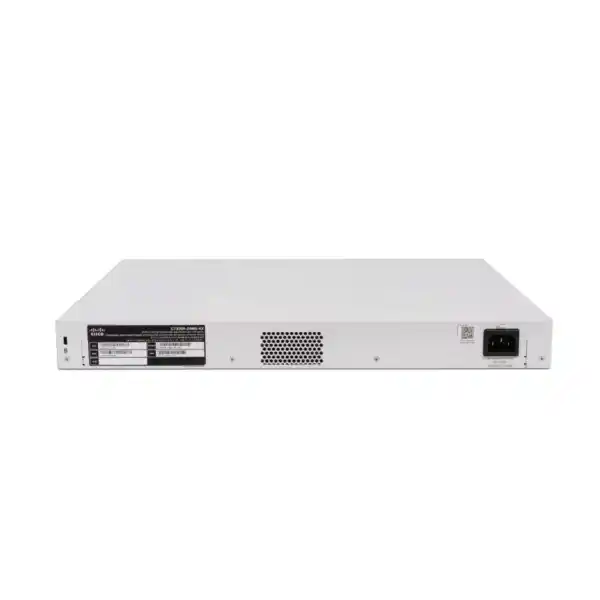
Cisco Catalyst C1300X-24MU-4X Network Switch UAE
The Cisco Catalyst C1300X-24MU-4X is designed for organizations that have outgrown basic 1 Gigabit access switching and need a stronger edge for high-throughput wireless, IP video, unified communications, connected building systems, and bandwidth-intensive user devices. It combines twenty-four 2.5 Gigabit multigigabit copper access ports with a large 740W PoE budget, four SFP28 interfaces that operate at 10 Gigabit for uplinks and support 25 Gigabit operation for stacking, plus the Layer 2 and Layer 3 capabilities expected in a managed business-class access platform.
Why the C1300X-24MU-4X matters for modern UAE networks
The access layer is changing. For years, a 1 Gigabit Ethernet switch was sufficient for desktops, printers, traditional Wi-Fi access points, phones, and light video surveillance. That assumption is increasingly weak in offices, schools, clinics, hospitality environments, retail sites, warehouses, managed buildings, and growing branch networks. Wi-Fi 6 and Wi-Fi 6E access points can aggregate more than 1 Gbps of client traffic, higher-resolution cameras generate sustained traffic, workstation docks increasingly include 2.5G interfaces, and collaborative video platforms place simultaneous demands on switching capacity, quality of service, and power delivery. A network that keeps 1G at every edge port can become the limiting element even when the WAN, server, and wireless layers have already been upgraded.
The Cisco Catalyst C1300X-24MU-4X addresses that bottleneck with 24 copper interfaces capable of 2.5 Gigabit Ethernet. That gives network architects a practical middle path between conventional 1G access and a costlier all-10G copper edge. Existing structured cabling can often continue to serve multigigabit endpoints when the cabling quality, channel length, termination, and installation practices are appropriate, making 2.5G an attractive upgrade strategy for sites that want more bandwidth without immediately recabling every work area.
For UAE deployments, the combination of multigigabit data and high-power PoE is particularly valuable because many projects centralize power delivery for wireless access points, surveillance cameras, VoIP devices, IoT gateways, door controllers, digital signage, and conferencing hardware. The switch provides sixteen 2.5G ports with up to 30W PoE+ and eight 2.5G ports with up to 60W PoE++. The 740W aggregate PoE budget offers substantial room for mixed endpoint populations and lets designers reserve the 60W-capable interfaces for the devices that truly need them rather than oversizing every connection.
Verified hardware profile
| Copper access interfaces | 24 × 2.5 Gigabit multigigabit Ethernet |
| PoE distribution | 16 × 30W PoE+ ports and 8 × 60W PoE++ ports |
| Total PoE power budget | 740W |
| SFP28 interfaces | 4 × SFP28; 10G for uplinks, 25G available for stacking |
| Switching capacity | 200 Gbps, wire-speed and nonblocking architecture |
| Forwarding performance | 148.80 Mpps for 64-byte packets |
| Packet buffer | 3 MB dynamically shared aggregate buffer |
| Memory | 2 GB DDR4 DRAM; 1 GB SLC flash for the C1300X platform |
| MAC scale | Up to 32,000 MAC table rules on Catalyst 1300X |
| Form factor | Rack-mountable, approximately 444.3 × 270 × 43.94 mm |
| Unit weight | Approximately 4.28 kg |
2.5 Gigabit multigigabit access: more throughput without making 10G mandatory at every desk
The most important architectural feature of the C1300X-24MU-4X is not simply that it has twenty-four copper ports; it is that every one of those access interfaces is designed for 2.5 Gigabit multigigabit connectivity. That distinction changes how a network can be sized. A high-density wireless floor, for example, may have multiple access points whose aggregate client capacity can exceed 1 Gbps. Connecting those access points to traditional 1G ports creates a wired bottleneck at precisely the point where the wireless investment is expected to improve user experience. With 2.5G interfaces, the switch gives each capable AP more headroom while preserving the familiar RJ45 access model.
The same reasoning applies to creative workstations, engineering laptops through multigigabit docks, local NAS access, media systems, and data-heavy operational devices. Not every endpoint needs 10G, and 10G copper can add cost, heat, and cabling requirements that are unnecessary for many edge roles. 2.5G is therefore a useful access-tier speed because it represents a significant increase over 1G while retaining straightforward copper deployment characteristics.
Network planners should still treat cabling as an engineered component. Actual supported speed depends on cable category, channel quality, termination, interference environment, patching, and length. In an existing UAE office, a survey should validate the installed horizontal cabling before assuming every legacy run will deliver the desired multigigabit rate. For new projects, specifying suitable structured cabling from the beginning reduces troubleshooting and gives the switch a cleaner path to deliver its intended performance.
When procuring through FourTeck UAE, the switch can be positioned as part of an end-to-end access design rather than as a standalone box. That means mapping actual endpoint speeds, uplink ratios, power requirements, VLAN design, transceiver selection, and future growth before finalizing quantities.
PoE architecture: 740W budget with 30W and 60W endpoint classes
Power over Ethernet is often where an access-switch design succeeds or fails. Port count alone does not tell you whether a switch can power the real endpoint mix. The C1300X-24MU-4X offers a 740W aggregate PoE budget, with sixteen ports supporting up to 30W PoE+ and eight ports supporting up to 60W PoE++. This allows the switch to serve ordinary powered endpoints and higher-demand devices from one chassis while keeping power planning explicit.
Typical 30W-class devices include many IP phones, conventional indoor access points, fixed cameras, compact IoT gateways, and some access-control endpoints. The 60W PoE++ interfaces are more useful for equipment that requires additional power, such as advanced wireless access points with multiple radios, pan-tilt-zoom cameras, video endpoints, compact displays, building automation appliances, or devices with downstream USB or peripheral power. The actual requirement must always be verified against the powered device specification, including its IEEE class, maximum draw, and whether it expects specific power negotiation behavior.
A useful PoE design does not simply add the maximum rating of every endpoint. It creates a realistic budget based on device classes, expected simultaneous load, startup behavior, expansion reserve, and operating policy. For example, a floor may use eight high-power wireless access points on the 60W-capable interfaces and the remaining sixteen ports for lower-power phones, cameras, and user devices. If high-power cameras or room systems are also planned, port assignment becomes important because only eight interfaces provide the 60W ceiling. A detailed schedule avoids discovering during commissioning that a device has been patched to a 30W-only port.
The 740W budget also has thermal and UPS implications. A fully loaded PoE switch can draw far more power than its idle system consumption, so cabinet cooling, UPS sizing, PDU rating, and circuit planning should be based on the intended PoE load rather than on an idle measurement. In critical UAE deployments, the network cabinet should be designed as an electrical and thermal system, not merely as a place to mount Ethernet equipment.
Four SFP28 interfaces: 10G uplinks and 25G stacking
The four front-panel SFP28 interfaces are central to the switch’s aggregation strategy. Cisco specifies these ports for 10 Gigabit uplink operation, while 25 Gigabit capability is available for stacking. This distinction is important during design: a 25G-capable SFP28 cage does not automatically mean the switch should be treated as offering arbitrary 25G production uplinks. For this model, 25G is specifically associated with the stacking function, while uplinks operate at 10G.
For a standalone access switch, the four 10G uplinks provide several design options. Two may be bundled as a resilient link aggregation group toward a distribution pair, while the remaining interfaces can serve a secondary path, local server, network appliance, or future expansion depending on the topology and supported optics. In a stack, front-panel ports can be assigned to stack interconnects, reducing the number available for normal uplink use. This is why a bill of materials should identify whether the intended deployment is standalone, stacked, ring-stacked, or chain-stacked before optics are ordered.
A 24-port edge at 2.5G creates a theoretical access-side aggregate far above a single 10G uplink. That is not automatically a problem because user traffic is bursty and oversubscription is normal in access networks. However, the uplink ratio should be intentional. A high-density Wi-Fi deployment with heavy local data movement may justify multiple 10G uplinks, whereas a branch office whose users primarily access a 1–2 Gbps WAN may not. The switch’s 200 Gbps internal switching capacity ensures the chassis is not inherently constrained at the forwarding plane, but actual application performance still depends on uplink architecture and traffic distribution.
For fiber selection, planners should match distance, fiber type, connector standards, and Cisco-supported transceiver choices to the installed plant. Mixing optics based only on form factor can create compatibility and support issues. In data-room projects, FourTeck can align the switch with related rack, server, and connectivity planning through Server Dubai infrastructure services.
Hardware stacking for simpler operations and resilient growth
The Catalyst 1300X family supports hardware stacking of up to eight switches, allowing multiple physical units to operate as one logical system for management and forwarding. In a growing organization, this is more than an administrative convenience. A properly designed stack can simplify configuration, reduce the number of independent management targets, support cross-stack features, and provide a cleaner expansion model when additional access ports are required.
Cisco’s stacking design supports active and standby control behavior, fast failover, cross-stack link aggregation, VLANs, quality of service, and port mirroring. Those capabilities matter when the access layer needs both continuity and operational simplicity. Instead of building separate standalone switches with isolated trunks, engineers can create a stack and distribute uplinks or endpoint connections across members. A dual-homed device or downstream switch can then use a link aggregation group whose member links terminate on different physical stack units, reducing dependence on any single member.
The C1300X platform’s SFP28 interfaces add a useful improvement: they can operate at 25G for stack connectivity. That higher-speed interconnect is valuable when multiple multigigabit access switches are combined because the stack fabric must carry traffic between members as well as toward uplinks. Ring topology is normally preferable where cabling and port availability permit, because it provides an alternate path if one stack link fails. Chain topology may be used where physical constraints exist, but it should be evaluated against the desired failure behavior.
Stack design should be documented before installation: member numbering, stack ports, ring direction, master/standby expectations, uplink placement, management address, firmware consistency, and replacement procedure should all be defined. A stack is most valuable when it reduces complexity; undocumented cabling and inconsistent software can create the opposite outcome.
Layer 2 switching capabilities for segmented enterprise access
At the access layer, segmentation is foundational. The C1300X platform supports VLAN-based network separation so organizations can isolate users, voice, surveillance, wireless infrastructure, guest access, building systems, servers, and management traffic. VLAN design reduces broadcast scope and supports policy enforcement at routing or security boundaries. For UAE offices with mixed tenants, departments, or operational technology, this separation is important both for performance and for risk control.
Link aggregation can combine multiple physical interfaces into a logical connection for greater bandwidth and resiliency. This is especially useful for uplinks toward distribution switches, firewalls, servers, or storage systems that support compatible aggregation. Spanning Tree mechanisms remain important even in environments that use link aggregation because accidental loops, redundant paths, and unmanaged downstream devices can otherwise cause severe broadcast storms. Engineers should select an STP design that matches the topology and ensure root bridge placement is intentional rather than left to chance.
The platform also supports jumbo frames up to 9000 bytes, with a default MTU noted by Cisco as 2000 bytes. Jumbo frames can be useful for selected storage, virtualization, and data-transfer applications, but they should not be enabled casually. Every device in the path must be assessed for compatible MTU behavior; otherwise fragmentation, drops, or hard-to-diagnose application issues can result. In mixed networks, it is usually better to change MTU only where a specific application requirement justifies it.
The 32K MAC scale available on Catalyst 1300X provides ample forwarding-table room for typical SMB and midmarket access deployments, but the value is not merely the number. The combination of MAC scale, VLAN segmentation, multigigabit ports, stackability, and resilient uplinks makes the C1300X-24MU-4X suitable for environments that want a more capable managed access layer without moving to a much larger campus-switching platform.
Routing at the access layer
Catalyst 1300X supports Layer 3 functions that let the switch participate in routed designs instead of serving only as a pure Layer 2 edge. Static routing can simplify small sites, while dynamic routing can support resilient topologies where route exchange is required. The platform supports OSPFv2 for IPv4 and OSPFv3 for IPv6, allowing engineers to create areas, control interface participation, tune costs, configure passive behavior, and integrate the access switch into a standards-based routed environment. This can reduce dependence on a single router-on-a-stick architecture and allow selected inter-VLAN or infrastructure routes to remain local when the security design permits.
IPv6 readiness
The C1300X family provides IPv6 routing capabilities alongside IPv4 features. OSPFv3 support is especially relevant for organizations that are building dual-stack networks or preparing for greater IPv6 adoption. IPv6 should not be enabled as a checkbox exercise; address planning, router advertisements, DHCPv6 behavior, ACL policy, management access, logging, and monitoring should be incorporated into the deployment plan. Treating IPv6 as a first-class design element avoids the common security mistake of filtering IPv4 thoroughly while leaving IPv6 paths less controlled.
Security controls at the wired edge
A managed access switch sits at a sensitive boundary because it is the first infrastructure device connected to many users and endpoints. Security should therefore begin at the port. The Catalyst 1300X platform includes access control list capabilities for IPv4, IPv6, and MAC-based policy. ACLs can be used to restrict management access, control inter-segment communication, constrain infrastructure protocols, or reduce exposure of operational devices. Effective ACL design is specific: broad permit statements followed by implicit assumptions are rarely enough for a segmented enterprise.
Port security and authentication features can help prevent unauthorized devices from gaining unrestricted access. In deployments using 802.1X, the switch can participate in an identity-aware access design where endpoint authentication determines whether a port becomes authorized and what policy is applied. For environments with phones plus PCs, cameras, printers, and non-802.1X IoT devices, the practical design may combine authentication mechanisms with fallback methods. The exact policy should be validated against the organization’s RADIUS infrastructure and endpoint capabilities.
Management-plane protection is equally important. Administrators should use secure protocols such as SSH and HTTPS, place switch management on a dedicated VLAN or out-of-band path where practical, restrict management source addresses, synchronize time with trusted NTP sources, and send logs to a central collector. Default credentials must be changed during commissioning, and inactive services should be disabled. Configuration backups should be taken after significant changes and stored securely so a replacement unit can be restored quickly.
Cisco also documents chip guard behavior intended to detect tampering attempts during boot. This adds a hardware-oriented protection layer, but no single mechanism replaces operational controls. Firmware maintenance, administrator privilege separation, controlled physical access, and configuration review remain essential. For organizations integrating the switch behind a perimeter security platform, Firewall Dubai provides a relevant path for coordinated switching and firewall architecture.
Quality of service for voice, video, wireless and critical applications
Bandwidth alone does not guarantee predictable application quality. A 2.5G access port can still experience congestion when multiple traffic classes compete for the same uplink or when bursts converge on a smaller egress path. Quality of service therefore remains relevant even on a high-capacity access switch. Voice, interactive video, wireless control traffic, surveillance streams, backups, software distribution, and ordinary web traffic have different latency and loss characteristics. A sensible QoS design identifies these classes and applies marking, trust, scheduling, and rate policies consistently.
One common mistake is to trust endpoint DSCP markings indiscriminately. User-controlled devices can mark traffic incorrectly or applications may not follow the intended policy. A stronger approach defines where trust begins, usually at managed infrastructure such as phones or access points, and remarks traffic where needed. On uplinks, queuing should match the enterprise’s application priorities and the capacity of downstream devices. When the switch is stacked, cross-stack QoS capability helps maintain policy consistency across members.
Video surveillance deserves particular attention. A camera may produce sustained rather than bursty traffic, so dozens of high-resolution streams can consume uplink capacity continuously. Wireless traffic is the opposite in many offices: it can be highly bursty, with peaks when users synchronize data, join meetings, or download large files. QoS planning should account for both patterns. Network monitoring is useful after go-live because real traffic data reveals whether planned classes and uplink ratios match actual usage.
The C1300X-24MU-4X is therefore best viewed as a platform that provides the port speed and policy tools required for controlled application delivery. The engineering value comes from configuring those tools according to business priorities rather than leaving the switch at generic defaults.
Performance architecture: 200 Gbps switching and 148.8 Mpps forwarding
Cisco specifies the C1300X-24MU-4X at 200 Gbps switching capacity and 148.8 million packets per second forwarding performance for 64-byte frames, with wire-speed nonblocking operation. These figures are important because they indicate that the switch fabric is designed to handle simultaneous traffic across the access and uplink interfaces without introducing an internal oversubscription bottleneck at the chassis level.
The 200 Gbps capacity can be understood by considering full-duplex bandwidth. Twenty-four 2.5G access ports account for 60 Gbps in one direction and 120 Gbps when both transmit and receive directions are counted. Four 10G uplinks contribute a further 40 Gbps one way, or 80 Gbps full duplex. Combined, the theoretical full-duplex port bandwidth reaches 200 Gbps, matching the stated switching capacity. This alignment is what administrators expect from a nonblocking access switch.
The packet-rate figure matters for workloads composed of small frames, where a switch can hit packet-processing limits before exhausting raw bit rate. In most office applications, frame sizes vary and traffic is not uniformly worst case, but a high Mpps rating provides confidence that the platform can handle mixed endpoint populations without being designed around only large-frame throughput.
The 3 MB aggregate packet buffer is dynamically shared across ports. Buffering is useful for absorbing microbursts when multiple ingress flows converge on a constrained egress interface, but it should not be mistaken for a substitute for adequate uplink capacity. Persistent congestion eventually fills any finite buffer and increases latency or causes drops. Good network design therefore combines sufficient uplink bandwidth, QoS, and traffic visibility rather than relying on buffers to mask sustained oversubscription.
Management options for small and mid-sized IT teams
Catalyst 1300X is positioned as a managed business switch, so it provides both graphical and command-line administration paths. The web interface is useful for teams that prefer guided configuration for VLANs, ports, PoE, security, routing, and monitoring. The CLI provides deeper control and is especially valuable for repeatable configurations, advanced troubleshooting, scripted workflows, and engineers who are already comfortable with Cisco-style commands. Cisco also provides documentation and migration assistance for administrators moving from other CLI environments.
Operational consistency matters more than interface preference. A network should have a documented management standard: device naming, management IP convention, SNMP or telemetry policy, NTP, syslog, administrator accounts, backup schedule, firmware window, and monitoring thresholds. If some switches are configured manually through the GUI and others through the CLI without change control, configuration drift becomes likely. A baseline template helps keep access ports, trunks, security settings, QoS, and logging consistent across a site.
The switch includes a standard RJ45 console interface and a USB Type-C port that can be used for console and file/image management functions. Physical console access remains important when remote management is unavailable or a configuration error blocks network access. Rack documentation should therefore note console location and provide a practical access method rather than burying the switch behind unmanaged cabling.
For organizations without a dedicated network engineering team, outsourced monitoring and configuration support can reduce operational risk. FourTeck IT Services UAE can be incorporated into a broader support model that covers switch commissioning, VLAN changes, Wi-Fi integration, firewall coordination, troubleshooting, and lifecycle maintenance.
Thermal, power and rack design for UAE conditions
UAE network rooms often operate in environments where thermal design deserves more attention than the equipment’s nominal temperature range suggests. Cisco specifies an operating range of approximately -5°C to 50°C for this switch, with a minimum 0°C ambient temperature for cold start, and 10% to 90% noncondensing operating humidity. These limits define the supported envelope; they are not a recommendation to run a production switch continuously near the upper boundary. Lower, stable rack temperatures generally improve reliability and give cooling systems margin during high ambient conditions or partial HVAC failure.
The C1300X-24MU-4X uses a fan and Cisco lists acoustic output around 47.9 dBA at 25°C. That makes it more appropriate for a proper communications room, data cabinet, or equipment area than for a silent desk-side environment. The fan is expected because a 740W PoE design can dissipate substantial heat when heavily loaded. Cisco lists worst-case power with PoE near the high hundreds of watts and heat dissipation approaching 3000 BTU/hr under maximum conditions. Cabinet ventilation and room cooling should therefore be sized for the switch’s expected powered load, not only for its idle consumption.
Power input is universal 100–240V AC, 50–60 Hz. In UAE installations using 230V nominal power, the electrical path should include appropriate PDU rating, cable management, circuit protection, and UPS capacity. The UPS should be sized according to desired runtime and realistic PoE demand. If the switch powers critical cameras, access points, door controllers, or phones, a small UPS sized only for the base switch electronics may provide much less runtime than expected once hundreds of watts of PoE load are included.
Rack depth is also straightforward but should be checked: the chassis measures approximately 444.3 mm wide, 270 mm deep, and 43.94 mm high, corresponding to a 1U rack profile. At roughly 4.28 kg, it is manageable for standard rack installation, but rear cable bend radius, fiber routing, power connectors, and airflow should be considered before finalizing the enclosure.
Deployment scenario 1: Wi-Fi 6 / Wi-Fi 6E access switching
A strong use case for the C1300X-24MU-4X is a floor or branch where next-generation wireless access points are the primary traffic source. Modern APs can exceed 1 Gigabit of aggregate traffic, especially when serving many clients across multiple radios. Connecting a high-capacity AP to a 1G switch can make the wired uplink the narrowest point in the chain. A 2.5G access port gives the AP more headroom and allows the wireless investment to deliver more of its potential throughput.
Power is equally important. Some high-performance APs can operate with reduced features when insufficient PoE is available, while others may require 802.3bt-class power for full radio or USB functionality. The eight 60W PoE++ ports are well suited to the highest-demand APs, while the sixteen 30W PoE+ ports can support units whose requirements fit that envelope. A site with more than eight high-power APs per switch should be checked carefully because the total 740W budget may be sufficient, but the number of 60W-capable physical ports is still limited to eight.
In a typical design, AP management, corporate users, guests, voice devices, and IoT services may map to separate VLANs. The switch trunk to each AP must carry the required tagged networks, and the uplink toward the firewall or core must have enough capacity to aggregate wireless traffic. Two or more 10G uplinks can be considered where traffic warrants it. For stacked deployments, APs can be distributed across members so a single switch failure affects only a subset of the floor.
Wireless performance troubleshooting should include both radio and wired metrics. A fast AP does not guarantee fast clients if the switch port negotiates below 2.5G, cabling errors cause retransmissions, the uplink is congested, or QoS is misconfigured. Monitoring the wired side is therefore an essential part of a high-performance WLAN deployment.
Deployment scenario 2: IP surveillance and smart-building edge
Surveillance and smart-building projects can consume significant switch power and sustained bandwidth. High-resolution IP cameras, especially multi-sensor or PTZ models, may require more power than simple fixed cameras. Access controllers, intercoms, sensors, gateways, and building management devices add further endpoint diversity. The C1300X-24MU-4X provides a useful platform because its PoE budget is high, its 60W ports accommodate demanding devices, and its 2.5G interfaces offer headroom for equipment whose network requirements exceed traditional Fast Ethernet or 1G assumptions.
A surveillance designer should start with camera bit rates, recording profiles, frame rates, codecs, retention policy, and NVR placement. If all camera traffic crosses a single 10G uplink to a central recorder, sustained utilization can be calculated more reliably than with office-user traffic because video streams are relatively continuous. Allowance should also be made for live viewing, analytics, firmware updates, and camera failover. When recording servers are local to the same rack, one or more 10G interfaces may be allocated appropriately, subject to the switch’s supported uplink design.
Segmentation is critical. Cameras should generally not share the same broadcast domain and unrestricted policy as ordinary user endpoints. Separate VLANs, ACLs, firewall controls, and restricted management access reduce the consequences of a compromised IoT or camera device. Switch port descriptions and cable labels should identify each endpoint clearly so technicians can isolate faults without unplugging the wrong device.
PoE scheduling and persistent PoE behavior can also matter. Cisco documents persistent PoE capability that can maintain power during switch reboot scenarios, helping avoid unnecessary endpoint restarts in supported configurations. This should be tested with the specific endpoint mix during commissioning so the operational behavior is understood before the network enters production.
Deployment scenario 3: converged office access for users, phones and collaboration rooms
In a converged business network, the same access switch may serve employee computers, IP phones, meeting-room systems, wireless APs, printers, cameras, and management devices. The C1300X-24MU-4X suits this model because it combines data performance and PoE flexibility in one 24-port chassis. User devices that support 2.5G can gain immediate bandwidth, while ordinary 1G endpoints can connect without requiring a separate switch class.
Voice traffic should normally be separated from general user traffic through a voice VLAN and prioritized with QoS. Meeting-room systems may need both additional bandwidth and PoE power depending on the endpoint design. Wireless APs can use dedicated trunks carrying multiple SSIDs/VLANs. Cameras and IoT devices can be isolated behind stricter ACLs or routed security boundaries. This lets the switch support a physically converged infrastructure while preserving logical separation.
For office moves and changes, consistent port templates reduce errors. A port intended for a phone-plus-PC combination may need voice and access VLAN behavior, while an AP port may be a trunk and a camera port may be an access port with restricted policy. Assigning all ports identically for convenience creates unnecessary exposure and makes troubleshooting harder. Templates also simplify replacement when the switch is part of a stack because configuration can be tied to logical port roles rather than ad hoc technician memory.
The result is an access layer that can support present-day business endpoints while preserving enough performance for future device refreshes. An organization can introduce multigigabit workstations or higher-performance access points incrementally without replacing the switch each time a subset of endpoints outgrows 1G.
Sizing methodology: how many C1300X-24MU-4X switches do you need?
Correct sizing begins with the endpoint schedule, not the number of desks. Count every copper-connected device: access points, cameras, phones, workstations, printers, room systems, access-control devices, IoT gateways, management interfaces, and spare growth ports. Then classify each endpoint by required data rate and PoE class. A switch may have enough physical ports but still be unsuitable if too many endpoints require 60W PoE++ or if the cumulative PoE demand exceeds the intended operating budget.
For this model, there are twenty-four 2.5G ports, of which eight can provide up to 60W and sixteen provide up to 30W. Suppose a site needs eight high-power APs, eight ordinary IP phones, four cameras, and four spare ports. That is a natural fit from a port-role perspective. By contrast, a site with twelve endpoints requiring 60W cannot satisfy the requirement from a single C1300X-24MU-4X even if total wattage appears below 740W, because only eight ports have the 60W ceiling. Port capability and aggregate budget must be checked separately.
Growth reserve should be explicit. In a stable branch, 15–20 percent spare capacity may be adequate; in a rapidly expanding office, a larger reserve or an initial two-switch stack may be more sensible. Stacking allows capacity to grow while keeping management consolidated. Uplink sizing should then follow traffic estimates. For user-heavy networks, oversubscription is normal; for surveillance, storage, or high-throughput wireless, more conservative ratios may be appropriate.
Finally, size the supporting infrastructure: UPS VA and watt capacity, runtime, PDU outlets, rack units, cooling, fiber pairs, optics, patch panels, and cable management. Treating the switch as one line item without these dependencies is a common cause of project delays. A complete quotation should therefore include both active hardware and the passive/operational components required to make the switch usable.
Uplink and oversubscription planning
A 24-port 2.5G switch can theoretically receive 60 Gbps from the access side in one direction, while each ordinary uplink is 10G. This means every real deployment has an oversubscription decision. The objective is not necessarily to eliminate oversubscription; doing so would be expensive and unnecessary for many office workloads. The objective is to choose a ratio that fits application behavior and then monitor it.
A branch office with a 1 Gbps internet circuit may need only a pair of 10G uplinks for redundancy because the WAN, not the access switch, is the dominant traffic constraint. A design with local virtualization hosts, NAS systems, high-density Wi-Fi, or centralized camera recording can create far more east-west or north-south traffic inside the LAN. In those environments, aggregating multiple 10G links toward the distribution layer can improve resilience and capacity, provided the upstream equipment supports the same link aggregation design.
When stacking is used, some SFP28 interfaces may be allocated to 25G stack links. This consumes ports that otherwise could be used as 10G uplinks, so stacking and uplink design must be considered together. A ring stack typically needs two stack connections per member, and the available front-panel interfaces should be mapped carefully. The correct topology depends on stack size, uplink redundancy, and the physical distribution of equipment.
Capacity planning should include peak utilization rather than daily averages. A link that averages 20 percent may still saturate during backups, VDI login storms, large software deployments, or simultaneous video meetings. SNMP monitoring, interface counters, and traffic telemetry should be reviewed after deployment so the original assumptions can be validated and uplinks expanded if required.
Cabling, optics and physical layer considerations
Multigigabit Ethernet makes cabling quality more visible. An old cable run may appear perfectly reliable at 1G yet fail to negotiate or remain stable at 2.5G due to insertion loss, crosstalk, termination quality, or patching problems. Before a large rollout, test representative and worst-case horizontal links with appropriate certification equipment. Correct labeling also matters because technicians need to map switch ports to outlets without tracing cables repeatedly.
For fiber uplinks, choose optics according to media type and distance. Multimode and single-mode transceivers are not interchangeable merely because the connector fits, and supported reach depends on the optical standard and installed fiber grade. Verify SFP/SFP+ compatibility and approved module choices for the specific software release. Where redundant uplinks are used, route fiber paths separately when possible so a single physical incident does not cut both links.
Patch-cord management is particularly important on a 24-port PoE switch because the front panel can become crowded quickly. Short, appropriately rated patch leads, vertical/horizontal organizers, clear labels, and separation between copper and fiber paths improve serviceability. Avoid tight bends and excessive strain on fiber transceivers. Maintain enough slack for equipment replacement without leaving large loops that obstruct airflow.
In new UAE installations, structured cabling should be specified together with the intended multigigabit speeds and PoE classes. High-power PoE can increase cable-bundle heating, so pathway density, cable category, conductor size, ambient temperature, and bundling practices should follow the cabling system vendor’s engineering guidance. This is especially important in ceiling spaces and hot service areas where ambient conditions already reduce thermal margin.
Firmware, lifecycle and change-control planning
Cisco introduced the Catalyst 1300X family as a newer stackable managed-switch line, and software maintenance should be treated as part of the lifecycle from day one. The C1300X-24MU-4X requires an appropriate 4.10-series software baseline, with Cisco release notes identifying supported versions for the model. Before commissioning, engineers should verify the recommended firmware against Cisco’s current support documentation rather than assuming that factory-shipped software is the best target.
A good change-control process records the current firmware, target release, configuration backup, rollback procedure, outage expectation, and validation tests. In a stack, version consistency among members is particularly important. Upgrades should be scheduled during a maintenance window with console access available, especially when the device carries critical APs, phones, cameras, or building systems. After upgrade, verify stack status, uplinks, PoE delivery, VLANs, routing adjacencies, ACL behavior, and monitoring.
Configuration backups should not be treated as optional. Store a known-good version after initial acceptance and after every significant change. Document the relationship between physical ports and business services so a replacement switch can be configured quickly. If the switch uses many specialized port roles, a configuration backup alone may not tell a field engineer which cable belongs where; rack elevation diagrams and port schedules fill that gap.
Lifecycle planning also includes spares. A site with several identical switches may justify holding one spare chassis and a small stock of commonly used optics. Critical remote branches may need local spares to reduce restoration time. FourTeck can help align switching procurement, configuration services, and support planning so the bill of materials includes not only the primary equipment but also the operational items required to maintain service.
UAE procurement considerations
Enterprise switching procurement in the UAE should verify more than model number and headline port count. The first check is that the ordered PID exactly matches C1300X-24MU-4X and not a visually similar 1G or mixed-port variant. The Catalyst 1300X family contains multiple 24-port models with different combinations of 1G, 2.5G, 5G, PoE, and PoE++ capabilities. Substituting another SKU can materially change the endpoint plan, especially where eight 60W PoE++ ports are required.
The quotation should list optics separately because the switch chassis may not include the exact SFP/SFP+ modules required for the planned uplinks. The same applies to patch leads, stacking connectivity, rack accessories, UPS capacity, and any transceiver spares. For a multi-switch stack, document the stack topology and count the required 25G stack connections before ordering. For long fiber paths between telecom rooms, confirm single-mode or multimode requirements based on the installed fiber plant.
Warranty and support expectations should also be clarified. Organizations may require different response times, advance replacement arrangements, or vendor support levels depending on whether the switch serves a critical branch, a classroom, a warehouse, or an office floor. Procurement teams should align those expectations with operational risk rather than choosing support solely on purchase price.
Finally, availability and lead time can change, especially for project quantities. Confirm stock, regional logistics, and delivery schedule close to the purchase date. For broader corporate IT procurement and deployment coordination, FourTeck’s UAE team can combine network switching with complementary infrastructure and professional services rather than treating each item as an isolated purchase.
When to choose this model—and when another switch may be better
Choose the C1300X-24MU-4X when the edge genuinely benefits from 2.5G on many ports, when up to eight devices require 60W PoE++, when the overall powered-device load can justify a 740W budget, and when stackability or 10G fiber uplinks are part of the design. It is particularly strong for high-density wireless, converged smart-building networks, surveillance, and offices that want to move beyond 1G without purchasing 10G copper for every endpoint.
A lower-cost 1G model may be more appropriate when nearly all endpoints are phones, printers, basic cameras, or desktops that cannot use more than 1G and are unlikely to change during the switch lifecycle. Paying for 24 multigigabit ports is unnecessary if the application never exceeds 1G. Similarly, if a site needs more than eight 60W endpoints per 24 ports, another port mix or multiple switches may be required even though this model’s total PoE budget is high.
If the design requires native 25G production uplinks rather than 25G stacking, this model should not be selected under the assumption that its SFP28 cages provide general-purpose 25G uplinks. Cisco specifies 10G for uplink use and 25G for stacking. A different switching platform may be more appropriate for true 25G distribution connectivity.
The best selection process therefore compares requirements rather than model names: number of ports, per-port speed, PoE class count, total PoE budget, uplink speed, stacking needs, Layer 3 protocols, management model, noise, power, rack depth, support policy, and growth. This avoids both underbuying and unnecessary overspecification.
Implementation workflow for a clean deployment
Inventory endpoints, required speeds, PoE classes, VLANs, fiber paths, uplink capacity, rack space, UPS capacity, and growth. Identify devices that require the eight 60W interfaces so port assignment is deliberate.
Create logical and physical diagrams covering access VLANs, routed interfaces, stack topology, uplinks, STP roles, LAGs, QoS, ACLs, management, monitoring, and addressing. Validate transceiver and cabling compatibility.
Upgrade to the approved firmware, apply the baseline configuration, change default credentials, configure management security, test stacking, label members, and save a known-good configuration before site installation.
Verify port negotiation, PoE draw, trunks, VLAN assignment, routing neighbors, ACL policy, QoS, uplink redundancy, stack failover, NTP, syslog, monitoring, and endpoint reachability under real traffic conditions.
Troubleshooting framework for C1300X access networks
A structured troubleshooting process starts at the physical layer. If an endpoint is slow or unstable, confirm link state, negotiated speed, duplex behavior, error counters, cable quality, and PoE delivery. A device expected to run at 2.5G may fall back to a lower speed if the cabling path is marginal. CRC errors, link flaps, or repeated power negotiation events point toward a physical or electrical issue rather than a routing problem.
Next verify Layer 2 state: correct VLAN, trunk tagging, MAC learning, spanning-tree status, and link aggregation. A port in the wrong VLAN can look like an IP problem even though the switch is forwarding exactly as configured. For aggregated uplinks, verify both ends use compatible LAG settings and that member links are active. In a stack, confirm member health and stack interconnect status before chasing application symptoms.
At Layer 3, verify SVI or routed-interface addressing, routing-table entries, OSPF adjacency, default routes, and ACL rules. For IPv6, check router advertisements, neighbor discovery, OSPFv3 state, and IPv6-specific ACLs independently of IPv4. If only one application class is affected, inspect QoS policy and queue statistics as well as upstream firewall rules.
PoE troubleshooting deserves its own sequence: identify the port’s maximum power capability, the powered device requirement, actual negotiated draw, total switch PoE usage, and any port-level power settings. Remember that a 60W-capable endpoint connected to one of the sixteen 30W interfaces may fail or operate in a degraded mode even when the switch still has hundreds of watts of aggregate budget available.
Technical FAQ
Are all 24 ports 2.5G?
Yes. The model provides 24 multigigabit copper access ports rated for 2.5 Gigabit Ethernet. Endpoint and cabling capability still determine the actual negotiated speed.
Do all ports provide 60W PoE++?
No. Eight ports support up to 60W PoE++, while sixteen ports support up to 30W PoE+. This split must be mapped to endpoint requirements during design.
What is the total PoE budget?
The switch provides a 740W aggregate PoE budget. Actual available power and operating draw should be checked against the endpoint schedule and electrical design.
Are the SFP28 ports 25G uplinks?
Cisco specifies 10G operation for normal uplinks and 25G operation for stacking. Do not size the design as though it offers arbitrary 25G production uplinks.
Can it be stacked?
Yes. Catalyst 1300X supports hardware stacks of up to eight switches with unified management and stack-aware capabilities such as cross-stack LAG.
Does it support OSPF?
Yes. The C1300X platform supports OSPFv2 for IPv4 and OSPFv3 for IPv6, allowing dynamic routing in suitable access or branch designs.
Is it suitable for Wi-Fi 6/6E?
Yes, particularly where APs benefit from more than 1G wired throughput and higher PoE classes. Confirm the exact AP data and power requirements before assigning ports.
Is the switch fanless?
No. This high-PoE model uses a fan. Cisco lists acoustic noise around 47.9 dBA at 25°C, so a communications room or rack area is preferable to desk-side placement.
Decision recap: where the C1300X-24MU-4X fits best
The C1300X-24MU-4X is a strong fit when a network needs a high-capacity access edge but does not require 10G copper on every endpoint. It provides a balanced architecture: twenty-four 2.5G ports for modern wireless and user devices, eight 60W PoE++ ports for demanding endpoints, sixteen 30W PoE+ ports for the broader powered-device population, a 740W total PoE budget, and four SFP28 interfaces that provide 10G uplinks plus 25G stack connectivity. Internal switching performance of 200 Gbps and 148.8 Mpps aligns with the full-duplex bandwidth of the port layout, while stacking up to eight units provides a practical route for expansion.
The model is not universally necessary. If a site needs only low-power 1G ports, a simpler switch may deliver better value. If the site requires more than eight 60W endpoints per chassis, the port-power mix needs adjustment. If the design requires native 25G uplinks into the core, another platform should be considered. The right decision depends on endpoint speed, PoE class, growth, uplink ratios, routing needs, stack architecture, rack conditions, and support requirements.
For UAE organizations that do match the profile, the switch can provide several years of access-layer headroom. It supports a transition from 1G devices to 2.5G endpoints without replacing the entire switch immediately, while its PoE capacity supports increasingly power-hungry wireless, video, and collaboration hardware.
Quotation input checklist
To receive an accurate project quotation rather than a chassis-only price, prepare the information below. This allows the switch, optics, stack accessories, cabling, and services to be aligned in one design.
Plan the complete Cisco access layer, not just the switch SKU
FourTeck can help UAE customers validate the C1300X-24MU-4X against endpoint speed, PoE loading, uplink optics, stacking design, VLAN architecture, firewall integration, rack power, and support requirements. This reduces the risk of ordering the correct chassis but the wrong surrounding components.
For wider infrastructure planning, explore FourTeck UAE, security integration through Firewall Dubai, operational support via IT Services UAE, and rack/server infrastructure through Server Dubai.
Final technical summary
The Cisco Catalyst C1300X-24MU-4X is a 1U rack-mountable, stackable multigigabit access switch designed for organizations that need more bandwidth and power at the network edge. Its twenty-four 2.5G copper ports give modern Wi-Fi access points and multigigabit endpoints meaningful headroom over conventional 1G switching. Sixteen ports support up to 30W PoE+, eight ports support up to 60W PoE++, and the aggregate PoE budget is 740W. Four SFP28 interfaces provide 10G uplinks and can operate at 25G for stacking, making the platform suitable for resilient standalone designs and multi-switch hardware stacks.
Cisco rates the model at 200 Gbps switching capacity and 148.8 Mpps forwarding performance, with a 3 MB shared packet buffer, 2 GB DDR4 memory on the C1300X platform, and MAC scale up to 32K rules. The switch supports sophisticated Layer 2 segmentation, QoS, security controls, and Layer 3 routing, including OSPFv2 for IPv4 and OSPFv3 for IPv6. Hardware stacking can combine up to eight units into one operational system, helping growing sites scale access capacity while preserving centralized management and cross-stack functions.
From a deployment perspective, its strength is the combination of capabilities rather than any single specification. The switch can support high-performance wireless, surveillance, collaboration, smart-building, and office endpoints in one chassis, but only when port-power assignments, cabling, uplinks, cooling, UPS capacity, and logical segmentation are engineered together. The 60W port count, 740W total budget, and 10G-uplink/25G-stacking distinction should be explicitly verified during design.
For UAE projects, the most effective procurement process starts with a port and power schedule, then maps optics, stacking, rack infrastructure, configuration, and support around the switch. With that approach, the C1300X-24MU-4X can serve as a high-value access platform for organizations moving beyond 1 Gigabit edge networking while retaining the operational simplicity of a managed Cisco business switch.

Reviews
There are no reviews yet.