
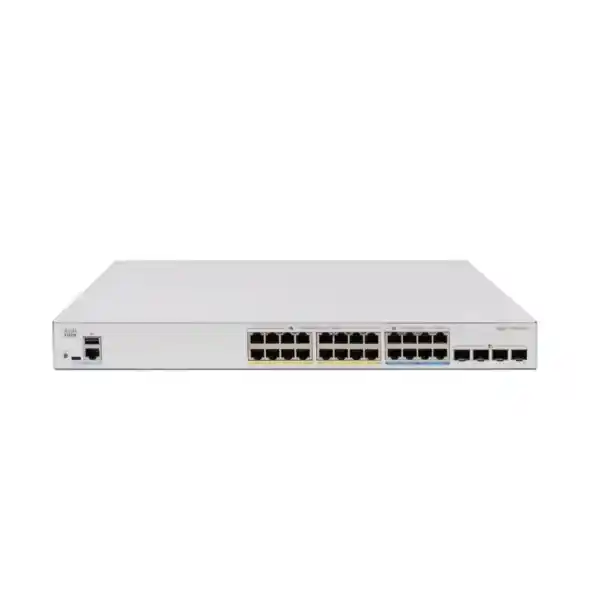
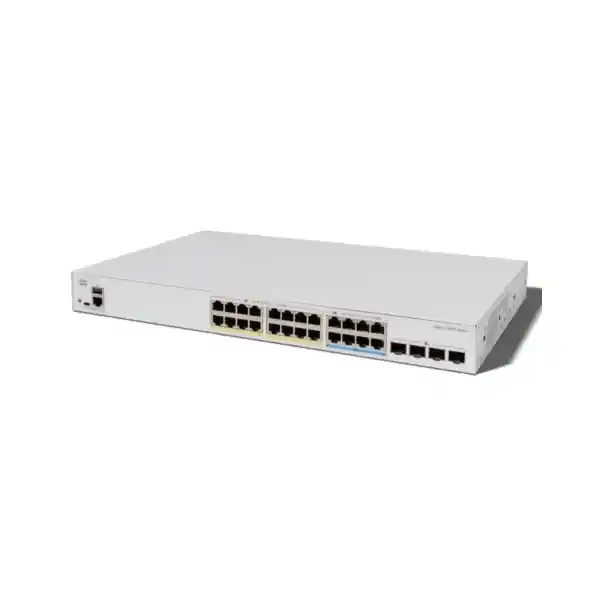
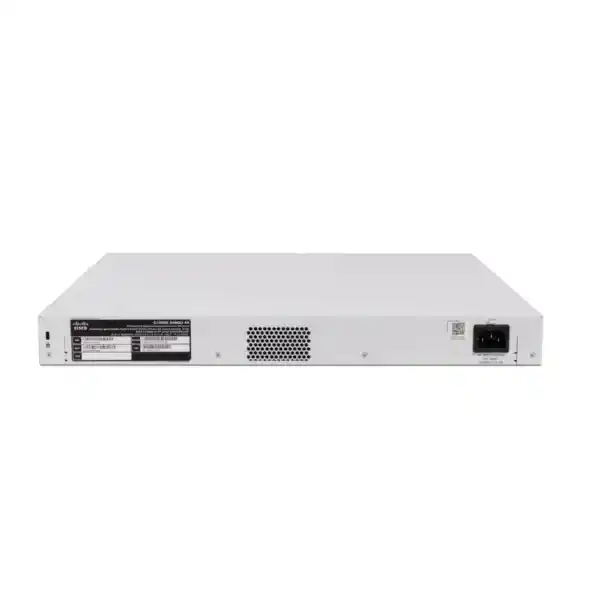
Cisco Catalyst C1300X-24NGU-4X Network Switch
A high-density 24-port managed access switch that combines sixteen 1 Gigabit PoE+ edge ports, eight 5 Gigabit multigigabit PoE++ ports, four 10 Gigabit SFP28 uplinks, 740 watts of PoE power and advanced Layer 3 routing. It is designed for businesses that want to modernize wireless, voice, video, surveillance and IoT access networks while retaining familiar copper Ethernet and straightforward Cisco management.
Choose this model when a site needs a mix of standard 1G endpoints and a smaller group of bandwidth- and power-intensive devices such as Wi-Fi 7 access points, high-performance cameras, building controllers or collaboration endpoints.
What the C1300X-24NGU-4X is designed to solve
Many access networks in the UAE are reaching a transition point. Conventional Gigabit Ethernet remains perfectly adequate for desktop computers, IP phones, printers, standard cameras and a large portion of business IoT equipment, but modern wireless access points increasingly need more than 1 Gbps of wired throughput and more than 30 watts of power. Replacing every copper port with multigigabit Ethernet can raise project cost unnecessarily. The Cisco Catalyst C1300X-24NGU-4X addresses that mismatch by combining two access-port classes in one chassis: sixteen 1G PoE+ ports for mainstream endpoints and eight 5G multigigabit PoE++ ports for the devices that genuinely benefit from extra throughput and power.
That mixed-port architecture is especially useful in offices, hotels, schools, clinics, retail environments and branch sites where an upgrade is driven by Wi-Fi 6E or Wi-Fi 7 rather than a wholesale replacement of every edge device. A floor may have eight high-performance access points while the remaining drops serve phones, cameras, printers and workstations. With this switch, the high-demand devices can occupy the 5G/60W ports and conventional clients can remain on the 1G/30W ports. The result is a more proportionate bill of materials and a cleaner power design than forcing all devices onto identical high-end ports.
The four SFP28 interfaces provide 10 Gigabit uplink connectivity for links toward distribution switches, server-room aggregation, firewalls or fiber backbones. Cisco specifies that 25 Gigabit operation on these interfaces is available for stacking rather than ordinary 25G uplink service, an important distinction when sizing optics and upstream capacity. For most small and midsize enterprise access layers, four 10G paths provide useful flexibility for redundant uplinks, aggregated links, separate service paths or stack interconnect planning.
Port architecture: why the 16 + 8 mix matters
The sixteen Gigabit Ethernet access ports support 10/100/1000 Mbps operation and deliver up to 30 watts of PoE+ power per port. These are the natural home for desk phones, standard fixed cameras, thin clients, printers, door controllers, conventional wireless access points and other equipment that does not need multigigabit throughput. Retaining these ports avoids paying a multigigabit premium where it creates no practical benefit.
The eight 5G multigigabit ports provide a different performance envelope and support up to 60 watts of PoE++ power. In real projects, these ports are typically reserved for high-capacity wireless access points, multi-sensor cameras, advanced collaboration devices, compact edge computing appliances or IoT gateways that need both higher bandwidth and a larger power allocation. This design makes the switch particularly relevant to modern wireless refresh projects where one or two access points per zone may need several gigabits of wired headroom.
The practical sizing rule is to count endpoint classes, not just cable drops. If a 24-drop floor has six Wi-Fi 7 APs, two high-power cameras and sixteen ordinary devices, this port mix is almost purpose-built for the requirement. If all 24 devices need 5G, a different model should be selected. If none needs above 1G or 30W, the C1300X-24NGU-4X may be more capable than necessary. Correct sizing therefore starts with the device inventory and power profile rather than the switch model.
A simple endpoint allocation example
740W PoE budget: how to size it correctly
The switch provides a total PoE budget of 740 watts across its twenty-four powered ports. This is not the same as saying every port can draw its maximum rating simultaneously. The sixteen PoE+ ports can each support up to 30 watts, while the eight PoE++ ports can each support up to 60 watts, but the shared switch budget remains 740 watts. A theoretical maximum obtained by multiplying every per-port ceiling would exceed the available pool, so project design must use actual endpoint power requirements rather than headline port limits.
A good engineering method is to build a PoE worksheet with four columns: endpoint type, quantity, negotiated or maximum power requirement, and design allowance. For example, eight access points drawing 45 watts each consume 360 watts. Eight IP phones at 12 watts consume another 96 watts. Four cameras at 18 watts add 72 watts, and four access-control or IoT devices at 10 watts add 40 watts. That example totals 568 watts, leaving 172 watts of headroom. The remaining margin can absorb model changes, transient demand, future endpoints or devices that negotiate a higher class after firmware upgrades.
For critical sites, do not size PoE at 100 percent of the published budget unless the connected loads are tightly controlled. A margin is useful because field installations evolve. Cameras gain heaters or IR illumination, access points activate additional radios, conference devices add USB peripherals, and tenants introduce new powered equipment. A design that appears exact on day one can become constrained later. The C1300X-24NGU-4X has a healthy 740W pool, but the power calculation still needs to be done.
Cisco also supports persistent PoE and time-based PoE capabilities in this switch family. Persistent PoE is useful where supported operation needs endpoint power to remain available while the switch itself reboots, reducing disruption to powered devices. Time-based PoE can be used to turn power on or off according to a schedule, which may be relevant for lighting controllers, selected access points or noncritical devices outside business hours. In UAE deployments, where cooling and energy consumption are part of operating cost, these controls can contribute to more disciplined power management.
Verified hardware and performance specifications
| Specification | Cisco Catalyst C1300X-24NGU-4X |
|---|---|
| Copper access ports | 16 × 10/100/1000 Ethernet with up to 30W PoE+ |
| Multigigabit ports | 8 × 5G multigigabit with up to 60W PoE++ |
| Fiber / stacking interfaces | 4 × SFP28; 10G for uplinks, 25G available for stacking only |
| PoE budget | 740W total |
| Switching capacity | 192 Gbps |
| Forwarding performance | 142.85 million packets per second for 64-byte packets |
| Packet buffer | 3 MB aggregate, dynamically shared |
| Processor / memory | ARM dual-core 1.5 GHz, 2 GB DDR4, 1 GB SLC flash |
| MAC table | Up to 32,000 entries for Catalyst 1300X SKUs |
| Jumbo frame support | Frame sizes up to 9000 bytes; default MTU 2000 bytes |
| Stacking | Up to 8 compatible C1300X switches in one stack; same-family stacking requirement |
| Layer 3 scale | Up to 7,168 dynamic + static IPv4 routes and up to 256 IP interfaces for C1300X SKUs |
| Dynamic routing | RIP v2 plus OSPF v2 and OSPF v3 on Catalyst 1300X |
| Dimensions | 444.3 × 270 × 43.94 mm |
| Weight | 4.23 kg |
| Power input | 100–240V AC, 50–60 Hz, internal universal power supply |
| Operating temperature | -5°C to 50°C; minimum ambient temperature for cold start is 0°C |
| Acoustic / MTBF | 1 fan, 49.5 dBA at 25°C; MTBF 343,272 hours at 25°C |
| Warranty | Cisco limited lifetime warranty with return-to-factory replacement |
192 Gbps switching capacity and 142.85 Mpps forwarding performance
Cisco rates the C1300X-24NGU-4X at 192 Gbps of switching capacity and 142.85 million packets per second using 64-byte packets. The platform is specified as wire-speed and nonblocking. In an access-layer context, this matters because uplink oversubscription should be a deliberate architecture choice rather than a limitation imposed by the switching fabric. The internal fabric is designed to move traffic among the switch ports at the published aggregate rate while the administrator controls where congestion is allowed to occur.
The forwarding-rate number is important for small-packet workloads such as voice control traffic, telemetry, transactional applications and packets generated by large device populations. A switch can have substantial gigabit bandwidth yet still struggle if its packet-processing ceiling is low. The 142.85 Mpps rating indicates that Cisco has sized the platform for the mixed workloads expected from modern enterprise access networks, not just large sequential file transfers.
The 3 MB dynamically shared packet buffer should be interpreted in context. This is an access switch rather than a deep-buffer data-center platform. Buffers absorb temporary bursts, but sustained congestion must still be addressed through capacity planning, QoS, link aggregation and appropriate uplink sizing. If many 5G ports simultaneously send toward a single 10G uplink, no buffer can eliminate long-term oversubscription. The engineering solution is to distribute traffic, use multiple uplinks or create LAGs where the upstream design supports them.
Jumbo frames up to 9000 bytes can be useful for selected server, storage or virtualization traffic paths. The default MTU is 2000 bytes, so jumbo operation should be enabled only when the end-to-end path is validated. Inconsistent MTU settings can produce hard-to-diagnose application behavior, especially where routed interfaces, firewalls, VPNs and WAN links are involved. For ordinary user-access VLANs, the default MTU is usually sufficient unless there is a specific application requirement.
Nonblocking access design
The published switching fabric is designed for wire-speed forwarding. Treat the four 10G uplinks as the place where you intentionally define oversubscription. For office traffic this may be entirely acceptable; for heavy backup, video or local-server traffic, use aggregated uplinks and distribute workloads.
32K MAC scale
Catalyst 1300X platforms support up to 32,000 MAC table entries. This creates useful headroom for segmented branch environments, virtualization, large Wi-Fi populations and stacked deployments where the switch may learn far more endpoints than the physical port count suggests.
Eight hardware queues
Eight hardware queues, strict priority and weighted round-robin scheduling allow voice, video, control traffic and business applications to be differentiated when links become busy. QoS is most effective when classification and marking are consistent from endpoint to access switch to WAN edge.
Flow visibility
sFlow export, port mirroring, VLAN mirroring and RSPAN provide practical tools for traffic analysis. These capabilities help operations teams isolate congestion, identify unusual flows and feed external collectors without installing dedicated taps at every branch.
Layer 3 routing: more than a basic access switch
The C1300X family supports wire-speed IPv4 routing, IPv6 routing, routed interfaces on physical ports, link aggregation groups, VLAN interfaces and loopback interfaces. For C1300X SKUs, Cisco specifies up to 7,168 combined dynamic and static IPv4 routes and up to 256 IP interfaces. That scale is significant for a switch positioned in small and midsize enterprise networks because it enables the access or distribution layer to perform substantial local routing rather than hairpinning every VLAN-to-VLAN flow through a firewall.
RIP v2 is available for simpler dynamic-routing environments, and the 1300X adds OSPF v2 for IPv4 and OSPF v3 for IPv6. OSPF is particularly useful where several switches or branches require dynamically learned paths and faster adaptation than manual static routes. A campus with several buildings can advertise local VLAN subnets toward a core, while each access/distribution node learns available paths automatically. This can reduce static-route administration and improve convergence when redundant links are used.
Policy-based routing adds another level of control by allowing traffic to be directed to a different next hop according to IPv4 or IPv6 ACL matching. In practice, PBR can be used to steer selected departments, services or application flows toward a specific firewall, WAN circuit or service appliance. It should be implemented carefully because policy routing can complicate troubleshooting if the forwarding logic is not documented. For larger environments, use clear route maps, change control and a network diagram that shows where policy forwarding differs from the ordinary routing table.
The switch can also operate as an IPv4 DHCP server for multiple pools or scopes and supports Layer 3 DHCP relay. In small branches, local DHCP service may simplify deployment; in larger organizations, relay toward centralized DHCP servers usually provides stronger governance. The key advantage is flexibility: the same platform can remain a pure Layer 2 access switch, perform inter-VLAN routing locally, or participate in a dynamic routed design according to the organization’s architecture.
For firewall policy design, remember that moving inter-VLAN routing from a security appliance to the switch changes the traffic path. If user-to-server traffic must be inspected by a next-generation firewall, local switch routing may bypass that control unless the topology is deliberately designed around it. FourTeck can align the switch design with firewall segmentation and security policy through its Firewall Dubai engineering resources, ensuring routing convenience does not unintentionally weaken inspection boundaries.
VLANs, spanning tree and link aggregation for resilient LAN design
Cisco supports up to 4094 VLANs on the Catalyst 1300/X family, with VLAN IDs 4078 through 4094 reserved for internal use. The platform supports standard port-based and 802.1Q tagged VLANs as well as MAC-based, protocol-based and IP-subnet-based VLAN methods. Management VLANs, private VLANs, protected ports, guest VLANs and dynamic VLAN assignment through RADIUS provide enough segmentation tools for a wide range of commercial networks.
Voice VLAN operation is particularly relevant for converged branches. The switch can identify and treat voice traffic with appropriate QoS, while LLDP-MED and Cisco Discovery Protocol help discover connected phones and other media endpoints. A common topology uses one physical desk drop for an IP phone with a workstation connected through the phone’s pass-through port. Voice traffic receives its own VLAN and priority while the workstation remains in the user data VLAN. This keeps the cabling footprint efficient while retaining logical separation.
For loop prevention and redundancy, the switch supports classic 802.1D Spanning Tree, Rapid Spanning Tree and Multiple Spanning Tree. Cisco also specifies PVST+ and Rapid PVST+ support, with 126 instances, while MSTP supports 16 instances. The correct mode depends on the broader network. In a Cisco-oriented campus, Rapid PVST+ can offer familiar per-VLAN control; in a standards-focused or larger VLAN environment, MSTP can reduce instance count by mapping groups of VLANs to a smaller set of spanning-tree instances.
Link Aggregation Control Protocol is supported with up to eight groups and up to eight active ports per group, with candidate-port flexibility for dynamic aggregation. LAGs are useful for increasing aggregate bandwidth and resiliency to distribution switches, servers or other infrastructure. They do not make one individual flow exceed the speed of a member link, because traffic is typically distributed according to a hashing algorithm. Their value comes from serving many simultaneous conversations and continuing operation when a member link fails.
Private VLANs and protected-port functions are useful in hospitality, managed office and shared-service environments where endpoints in the same broader subnet should not freely communicate. Guest devices, tenant equipment or public-facing terminals can be isolated at Layer 2 while retaining access to a gateway. For designs that combine network switching with broader IT operations, FourTeck’s UAE IT services team can help map VLANs, IP addressing, DHCP scopes and firewall rules into one documented deployment plan.
Security controls at the access layer
802.1X and RADIUS
IEEE 802.1X allows the switch to authenticate users or devices before granting normal network access. Dynamic VLAN assignment can place authenticated endpoints into the correct segment, while guest or unauthenticated VLAN options support controlled fallback behavior. This is useful for corporate offices, schools and healthcare environments where endpoint identity should influence network access.
DHCP Snooping
DHCP snooping distinguishes trusted DHCP sources from access-facing ports and builds a binding database that can support additional protection mechanisms. It helps prevent unauthorized DHCP servers from issuing incorrect gateways or DNS information to clients, a common source of accidental or malicious disruption on flat networks.
Dynamic ARP Inspection
Dynamic ARP Inspection checks ARP traffic against valid IP/MAC information and can discard inconsistent messages. When combined with DHCP snooping, it strengthens protection against common local man-in-the-middle techniques that attempt to poison ARP caches and redirect traffic within a VLAN.
IP Source Guard
IP Source Guard can restrict traffic according to trusted source addressing information, reducing the ability of an endpoint to impersonate another device. Cisco groups DHCP snooping, IP Source Guard and Dynamic ARP Inspection into an IP/MAC/port binding approach that reinforces first-hop access security.
IPv6 First Hop Security
Neighbor Discovery inspection, Router Advertisement Guard, DHCPv6 Guard and related IPv6 protections help reduce spoofing and unauthorized-router risks in dual-stack environments. IPv6 security is easy to overlook when a network is primarily operated as IPv4, even though endpoints may still have IPv6 enabled.
Secure management
SSH, HTTPS, SNMPv3, SCP, RADIUS and TACACS+ options allow administrators to avoid weak management practices. A production design should place management interfaces in a dedicated VLAN, restrict access with ACLs, use centralized authentication where practical and disable unused services.
ACLs and traffic policy
Catalyst 1300X platforms support up to 3072 ACL rules according to Cisco’s family specification. Rules can match a broad set of Layer 2 through Layer 4 attributes, including source and destination MAC addresses, VLAN ID, IPv4 or IPv6 addresses, protocol, DSCP or IP precedence, TCP/UDP ports, 802.1p priority, Ethernet type, ICMP, IGMP and TCP flags. ACLs can be applied on ingress and egress, and time-based ACLs are supported.
That flexibility lets the switch enforce simple east-west boundaries without sending every packet through a firewall. Examples include preventing guest VLANs from reaching management subnets, blocking cameras from initiating connections toward user networks, restricting building-management controllers to approved servers, or allowing only DNS, NTP and application-specific ports from an IoT segment. These switch-level controls are valuable, but they should complement—not replace—stateful firewall inspection where deeper security policy is required.
ACL design becomes easier to operate when rules are organized around business intent rather than individual IP addresses. Define objects or documented address blocks for users, servers, voice, cameras, building systems and management. Then align VLAN addressing so that a concise prefix represents each security zone. Even when the switch syntax does not provide high-level object groups like a firewall, disciplined subnet planning reduces rule count and troubleshooting complexity.
For projects with strict audit requirements, retain a version-controlled configuration backup and an ACL matrix that records source, destination, service and business justification. The switch supports text-editable configuration files and secure file transfer, which helps operations teams maintain repeatable templates across branches. A clean configuration process is as important as the feature list because most production incidents arise from inconsistency, undocumented exceptions or rushed changes rather than a lack of technical capability.
QoS for voice, video and business applications
The switch provides eight hardware queues, strict-priority scheduling and Weighted Round-Robin scheduling. Classification can be based on port, 802.1p CoS, IPv4/IPv6 precedence, Type of Service, DSCP and ACL criteria. Ingress policing and egress shaping can control bandwidth by port, VLAN and flow. This is enough to build a disciplined branch QoS policy that protects latency-sensitive voice and collaboration traffic without starving ordinary applications.
The first design question is where markings can be trusted. An enterprise IP phone may correctly mark voice packets, while an unmanaged endpoint could set high-priority DSCP values inappropriately. Use a trust boundary that begins at managed devices or at the switch port when endpoint behavior is known. Otherwise, remark traffic according to ACLs and policy. Consistent DSCP handling across the switch, firewall, router and WAN service is necessary; prioritizing packets on the LAN has limited benefit if the WAN provider or edge device treats all traffic identically.
Strict priority is normally reserved for traffic that is sensitive to delay and jitter, such as real-time voice. Because strict-priority queues can dominate bandwidth if uncontrolled, pair them with accurate classification and reasonable policers. Weighted Round-Robin queues are useful for important but less delay-sensitive classes such as business applications, video distribution and management traffic. Background replication, guest internet and bulk updates can receive lower relative weight.
The switch also supports iSCSI traffic optimization. That does not turn an access switch into a dedicated storage fabric, but it can help prioritize storage traffic where a branch or small virtualization environment shares Ethernet infrastructure. If storage traffic is business-critical, validate end-to-end redundancy, MTU consistency, host NIC configuration and aggregate uplink bandwidth before relying on QoS as the primary safeguard.
Front-panel stacking for growth and resilience
Cisco Catalyst 1300X supports front-panel hardware stacking of up to eight compatible switches. Cisco specifies that stack members must come from the same family; cross-stacking between the separate 1300 families is not supported. The stack presents a unified control, data and management plane, allowing the member switches to be configured and managed as one logical system. Cisco states that up to 400 ports can be managed as a single system across supported stack combinations.
The C1300X-24NGU-4X uses its SFP28 interfaces for stacking, with 25G operation available for stack links. This is why the datasheet distinguishes ordinary 10G uplink use from 25G stacking. When planning a stack, reserve enough interfaces for the desired stack topology before allocating every SFP28 slot to uplinks. Ring stacking generally provides stronger resiliency because traffic has an alternate stack path if one interconnect fails; chain stacking can be useful in some physical layouts but has different failure behavior.
Stacking is particularly attractive in a wiring closet where one logical access layer needs more than 24 ports but where an enterprise chassis would be excessive. It can reduce the number of management IP addresses, simplify VLAN propagation and support cross-stack features such as QoS, LAG and port mirroring. A cross-stack LAG can place member links on different physical switches so that an uplink or server connection survives the failure of one stack member, provided the upstream system is configured appropriately.
Stack capacity should still be designed rather than assumed. High-bandwidth 5G access ports can generate substantial aggregate traffic. If several members are populated heavily with multigigabit endpoints, evaluate stack-link utilization, uplink distribution and traffic locality. Wherever practical, connect high-throughput local resources or upstream links so that traffic does not unnecessarily cross multiple stack hops.
Operationally, document stack member numbering, physical rack position, stack-link port mapping and uplink ownership. Cisco supports active/standby stack control, automatic numbering, hot swap of units and hardware failover. These features reduce operational complexity, but clear labeling remains essential during onsite maintenance. In a busy UAE office tower or hotel MDF/IDF environment, technicians should be able to identify the correct member and cable without relying solely on a remote console.
Management, automation and troubleshooting
Web UI and CLI
Cisco provides a built-in browser configuration utility with simple and advanced modes, dashboards, wizards, monitoring and maintenance functions. Engineers who prefer text-based administration can use the CLI. This dual approach is useful for organizations where day-to-day operations may be handled by generalist IT staff while complex changes are performed by network specialists.
Cisco Business Dashboard
The Catalyst 1300/X family can be managed through Cisco Business Dashboard and supports an embedded probe, reducing the need for a separate onsite probe appliance or virtual machine in supported deployments. This can help multisite businesses centralize inventory, configuration and monitoring while retaining local switch management.
SNMP and sFlow
SNMP v1, v2c and v3 support integrates the switch with network management platforms, while sFlow can export traffic samples to external collectors. Use SNMPv3 where possible so authentication and privacy can be applied. Flow records can reveal heavy talkers, unexpected protocols and traffic shifts that simple interface counters may not explain.
Mirroring and RSPAN
Port mirroring, VLAN mirroring and RSPAN help engineers send selected traffic to a protocol analyzer. Up to eight source ports can be mirrored to a destination port, and up to eight source VLANs can be mirrored in the corresponding VLAN-mirroring function. These tools are valuable when diagnosing packet loss, application latency or protocol negotiation.
Firmware can be upgraded through browser methods, TFTP or SCP over SSH, and Cisco supports dual images for resilient upgrade workflows. Before a production upgrade, export the current configuration, confirm the target release supports the exact C1300X-24NGU-4X SKU, read Cisco’s release notes, record the rollback procedure and schedule the change around business operations. For branch fleets, standardize software versions so troubleshooting does not become a model-by-model exercise.
Physical deployment in UAE racks and telecom rooms
The C1300X-24NGU-4X measures 444.3 × 270 × 43.94 mm and weighs approximately 4.23 kg. Its 43.94 mm height corresponds to a standard 1RU-class rack profile, and the 24-port model includes 19-inch mounting brackets. The relatively shallow depth can be useful in branch cabinets, wall-mounted racks and distributed IDF rooms where full-depth enterprise chassis are impractical. Even with a compact switch, confirm rear clearance for power cables, airflow and patch leads before finalizing the cabinet.
This model uses active cooling with one fan and is rated at 49.5 dBA at 25°C. It is therefore better suited to a communications room, rack or controlled equipment area than to a silent executive office. Cisco specifies an operating temperature range from -5°C to 50°C, with cold start at 0°C minimum, and relative humidity of 10% to 90% noncondensing. Those limits are broad, but UAE installations still require dependable cooling because telecom closets can heat rapidly when loaded with PoE switches, UPS systems and firewalls.
The switch accepts 100–240V AC at 50–60 Hz through an internal universal power supply. Cisco lists worst-case system consumption around 104.2W at 110V and 103.9W at 220V before PoE load, while worst-case consumption with PoE can approach approximately 909.8W at 110V or 870.8W at 220V in the published test values. UPS sizing therefore needs to account for the PoE load, not just the switch electronics. A 740W PoE design can materially affect UPS capacity and runtime.
For UPS planning, calculate total watts for the switch plus other rack equipment, then consider the UPS power factor, desired runtime, battery aging and expected growth. A common error is to size the UPS to the switch’s idle draw while ignoring powered endpoints. If the business expects cameras, phones and wireless APs to continue running through an outage, the UPS must carry those PoE loads as well. Decide which devices are truly critical; nonessential PoE loads can be placed on schedules or separate switches if extended runtime is required.
Rack airflow is another operational issue. Avoid packing high-power PoE switches between heat-generating equipment without ventilation. Keep patch management tidy so front ventilation paths are not obstructed, and monitor room temperature rather than assuming building air-conditioning reaches the cabinet effectively. FourTeck’s Server Dubai infrastructure practice can align rack layout, UPS sizing, server-room power and switching requirements when the project includes a broader IT-room build.
Uplink design: four 10G interfaces, not four general-purpose 25G uplinks
The C1300X-24NGU-4X uses SFP28 physical interfaces, but Cisco specifies them as 10G uplinks with 25G available for stacking only. Procurement teams should not assume that an SFP28 cage automatically means a 25G server or distribution uplink. This distinction affects transceiver selection, upstream switch compatibility and project expectations. Standard network uplinks should be designed at 10 Gigabit Ethernet unless Cisco documentation for a specific release states otherwise.
Four 10G uplinks still provide strong flexibility. Two can form an LACP bundle toward a distribution pair or logical upstream system, while others can be reserved for redundancy, a secondary path or stack design. In a single-switch branch, a 2 × 10G LAG gives 20 Gbps of aggregate member capacity across multiple flows and link resilience. In a stack, uplinks can be spread across different members so the failure of one switch does not remove every upstream path.
Optics must match fiber type and reach. Short-range multimode links inside a building typically use one transceiver class, while single-mode campus or inter-building links require another. Verify the exact Cisco-supported module, fiber connector, wavelength and upstream port capability before ordering. For copper DAC or other direct-attach options, confirm both endpoints support the chosen cable and distance.
If a network genuinely requires 25G production uplinks for servers, storage or aggregation, this model should not be selected merely because its cages are marked SFP28. Choose an upstream or access platform explicitly rated for general 25G data links. The C1300X-24NGU-4X is best understood as a 1G/5G PoE access switch with 10G data uplinks and higher-speed front-panel stack connectivity.
Deployment scenario 1: Wi-Fi 7 office floor
A modern office floor may have six to eight high-performance wireless access points, several meeting-room systems, IP phones, printers and a set of wired user devices. The C1300X-24NGU-4X aligns neatly with this pattern. The eight 5G PoE++ ports can be reserved for Wi-Fi access points that need more than 1G Ethernet and higher power. The sixteen 1G PoE+ ports then serve phones, cameras, room schedulers and wired endpoints. A pair of 10G uplinks can connect the switch to the distribution layer, leaving additional SFP28 interfaces available for redundancy or stack functions.
For wireless, confirm the AP’s actual Ethernet interface requirement. Some models may support 2.5G rather than 5G, while others may include multiple radios and need a 5G uplink to avoid a wired bottleneck. Power requirements can also vary based on enabled radios, USB modules, IoT interfaces or environmental features. A 60W-capable port provides useful headroom, but the engineer should still check the AP datasheet and cable category.
The LAN design should separate corporate wireless, guest wireless, voice, building systems and management into appropriate VLANs. Guest traffic can be isolated with VLAN policy and directed to a firewall for internet-only access. Corporate SSIDs can use 802.1X authentication and dynamic VLAN assignment if the identity platform supports it. AP management addresses should be separated from client VLANs and restricted with ACLs.
For a greenfield office, Cat6A is a sensible cabling choice where multigigabit performance and future flexibility are priorities, even though lower categories may support certain rates over appropriate distances. The switch should be considered part of an end-to-end channel: patch panel, horizontal cable, outlet, patch lead and endpoint NIC all influence negotiated speed. Certification testing is worth doing before blaming the switch for a link that drops from 5G to a lower rate.
Deployment scenario 2: hospitality, education and healthcare edge
Hospitality networks often combine access points, IP phones, cameras, guest-room systems, digital signage, access control and back-office devices. Education adds classroom APs, cameras, interactive systems and lab equipment. Healthcare environments may include staff wireless, guest networks, phones, cameras and nonclinical IoT. These sectors share a common requirement: many endpoint types must coexist on the same physical access layer without sharing the same security policy.
The C1300X-24NGU-4X supports that architecture through VLAN segmentation, private VLAN options, ACLs, 802.1X, DHCP snooping, Dynamic ARP Inspection, IP Source Guard and IPv6 first-hop controls. A hotel can isolate guests from back-office systems. A school can separate students, staff, cameras and building controls. A clinic can keep guest access distinct from administrative systems. The switch is not a substitute for a next-generation firewall, but it provides the access-layer enforcement needed to keep unsuitable traffic from moving freely between local endpoints.
PoE density is equally important. Cameras and APs are often placed where electrical outlets would be inconvenient, so centralized PoE simplifies deployment and allows UPS-backed operation. In hospitality and education, a wiring closet may need to power nearly every connected device. The 740W pool is therefore a meaningful asset, but the project should still total every load and verify that devices requiring more than 30W are assigned to the eight 60W ports.
Acoustic placement deserves attention in these environments. At 49.5 dBA at 25°C, the switch should not be hidden above a ceiling in a quiet classroom or patient room simply because it is compact. A ventilated, serviceable telecom cabinet is the right location. Network equipment should remain accessible for maintenance, protected from dust and accidental contact, and connected to a correctly sized UPS and grounding system.
Deployment scenario 3: branch office with local routing
A branch office may use the C1300X-24NGU-4X as both the primary access switch and the local Layer 3 gateway for several VLANs. User, voice, camera, guest and management networks can terminate on switched virtual interfaces, with a routed transit network toward the branch firewall. This keeps local east-west traffic on the switch and reduces unnecessary firewall load, while internet and WAN traffic still crosses the security edge.
Whether this is desirable depends on policy. If user-to-server or user-to-camera traffic must be inspected, do not route those flows locally unless an alternate security enforcement design exists. A branch can instead use the switch as Layer 2 access and place the VLAN gateways on the firewall. The C1300X provides both options; the architecture should be selected according to security requirements, not solely performance.
OSPF can be useful where the branch has redundant routed links or multiple switches. The switch can advertise local subnets and learn reachability dynamically, reducing the maintenance burden of static routes. A default route can still point toward the firewall or WAN edge. Use passive interfaces on access VLANs where appropriate so OSPF adjacencies form only on intended routed links.
Management should be restricted to a dedicated subnet and trusted administrators. Use SSH or HTTPS rather than insecure methods, centralize authentication through RADIUS or TACACS+ where practical, configure SNMPv3 for monitoring, forward syslog to a collector and synchronize time with reliable NTP/SNTP sources. These operational controls make incident review and troubleshooting significantly easier than relying on local logs alone.
UAE procurement and project planning considerations
Switch procurement is not only about ordering the base chassis. A complete bill of materials may include optical transceivers or DAC cables, patch leads, rack accessories, console cable, fiber patching, UPS capacity, rack power distribution and possibly spare optics. The C1300X-24NGU-4X ships as a rack-mountable 24-port model, but project teams should confirm local power-cord selection, accessory availability and the specific transceivers validated for the planned upstream equipment.
Lead time matters when a project requires multiple identical switches. Standardizing on one access model is operationally convenient, but it can create a schedule risk if the SKU is temporarily constrained. For larger rollouts, align quantities and delivery phases early. Keep a controlled spare pool when downtime is expensive. Cisco provides a limited lifetime warranty with return-to-factory replacement, but onsite recovery time still depends on logistics, configuration backups and local spare strategy.
For UAE projects, heat and power planning are particularly important. Equipment rooms should remain within the specified operating temperature, and UPS systems need enough wattage to support the potential PoE load. A switch with 740W available to endpoints can draw far more than a conventional non-PoE access switch. Coordinate with facilities teams so rack circuits, UPS output and cooling are based on the final active load rather than the chassis count.
Cabling certification should be included whenever multigigabit rates are part of the business case. Existing copper cabling may have been acceptable for 1G but reveal issues at higher signaling rates. Check pair integrity, length, termination quality, patch cords and electromagnetic environment. A switch refresh cannot compensate for poor structured cabling.
FourTeck supports enterprise network projects across the UAE through its main UAE technology platform, helping customers align Cisco switching with wireless, firewall, server, rack and support requirements. The objective should be a complete operating design—not simply a delivered box—so the switch enters service with correct firmware, VLANs, security, QoS, monitoring and documentation.
How to decide whether this model is the right size
A strong fit when…
You need around 24 powered copper ports, only a subset require multigigabit speed, eight 60W PoE++ ports are sufficient, the 740W shared budget covers the actual endpoints, and 10G upstream links are appropriate for the access-layer traffic profile.
Check carefully when…
More than eight devices need above 1G, several devices approach the maximum 60W power class, or a large percentage of the 5G ports may transmit simultaneously toward a single uplink. These conditions do not automatically rule out the switch, but they require more detailed capacity modeling.
Choose another platform when…
All or most access ports require 5G, general-purpose 25G data uplinks are mandatory, deeper data-center buffering is required, or the feature set must match a larger Catalyst enterprise family with a different operating model and ecosystem.
Stack when…
You need more access ports in one closet while retaining a single logical management plane, cross-stack resiliency and common VLAN/QoS configuration. Reserve SFP28 interfaces for stack links and model the stack/uplink bandwidth before deployment.
Sizing methodology for a production deployment
Start with a port schedule. List every device and mark whether it requires 1G, 2.5G, 5G or another interface speed. Then record PoE class or worst-case watts. This immediately shows whether the sixteen standard ports and eight multigigabit ports align with the actual device population. Do not allocate multigigabit ports by convenience during installation; reserve them for endpoints that need the capability.
Next, calculate the PoE total. Use device maximums where operational continuity matters, then add a growth margin. If a device has optional radios, USB modules, heaters or accessories, use the higher expected configuration. Compare the result with 740W. If the calculation is close to the limit, either reduce loads, split endpoints across switches or select a platform with a larger effective budget for the desired port mix.
Then model traffic. User web browsing is bursty and rarely drives every port at line rate, while backups, surveillance recording and high-density Wi-Fi can create more sustained throughput. Identify heavy flows and where they terminate. If most traffic exits toward a firewall, size uplinks for aggregate internet and WAN demand. If local servers exist, account for east-west flows that may remain inside the LAN. Use two or more 10G uplinks where redundancy or higher aggregate capacity is justified.
Determine the failure model. A single switch may be acceptable for a small branch, but business-critical floors may require stacked switches, dual uplinks, redundant upstream devices and UPS backup. Stacking simplifies the logical design, yet it does not make every component redundant. Power feeds, upstream switches, optical paths and rack cooling still need independent consideration.
Finally, define operations. Decide who manages the switch, which monitoring system collects SNMP and sFlow, where logs are sent, how configuration backups are stored, how software updates are approved and what replacement process is used. A network is only as resilient as its operating procedure. The C1300X feature set supports robust operations, but organizations need to configure and maintain those capabilities consistently.
For projects where the switching layer will connect virtualization hosts, storage or server infrastructure, review the broader topology through the FourTeck server and infrastructure team. The goal is to avoid solving access bandwidth in isolation while leaving upstream server NICs, firewalls or storage paths undersized.
Configuration blueprint for a clean rollout
A repeatable rollout begins with a baseline template. Set hostname and site code, management VLAN and IP address, default route or routing protocol, administrator authentication, NTP/SNTP, syslog, SNMPv3, DNS and approved management services. Disable unused access methods. Configure a login banner and local emergency account according to organizational policy. Save a golden configuration before endpoint-specific changes are added.
Create VLANs according to the IP plan and apply consistent names. Examples might include CORP-USERS, VOICE, AP-MGMT, CORP-WLAN, GUEST, CCTV, BMS, SERVERS and NET-MGMT. Configure trunks only where tagged VLANs are required and avoid carrying every VLAN everywhere by default. On access ports, define the expected mode and use descriptions that identify room, outlet and endpoint class.
Apply first-hop protection in stages. Enable DHCP snooping with correct trusted uplink ports, validate bindings, then add Dynamic ARP Inspection and IP Source Guard where appropriate. Incorrect trust settings can block legitimate traffic, so roll changes during a controlled window. For IPv6, decide whether the network intentionally uses it. If yes, configure IPv6 first-hop protections; if not, do not assume unused IPv6 traffic is harmless.
Implement QoS after traffic classes are understood. Define trust boundaries, classify voice and critical applications, map DSCP values to queues, and test under congestion. Do not simply mark every business application as high priority. Effective QoS protects scarce bandwidth by making deliberate tradeoffs, and those tradeoffs should match business importance.
For PoE, label which ports are assigned to high-power devices. If the organization uses scheduled power, document the schedule and exceptions. When installing Wi-Fi APs, verify the negotiated Ethernet speed and PoE state from the switch rather than assuming the cable and endpoint reached their intended mode.
After commissioning, capture a final configuration, interface status, spanning-tree state, routing table, PoE utilization, stack status if applicable and baseline traffic counters. That snapshot becomes the comparison point for future troubleshooting. It also proves that the network was operating as designed at handover.
Frequently asked technical questions
Does every port support 5 Gigabit?
No. Sixteen access ports are standard 10/100/1000 Gigabit Ethernet PoE+ ports. Eight access ports are 5G multigigabit PoE++ ports. This mixed design is one of the model’s defining characteristics.
Can all eight 5G ports deliver 60W?
Each of the eight multigigabit ports supports up to 60W PoE++, but all powered ports share a total 740W budget. Actual simultaneous power therefore depends on the complete set of connected endpoint loads.
Are the four SFP28 ports normal 25G uplinks?
No. Cisco specifies these interfaces as 10G uplinks, with 25G available for stacking only. Design general network uplinks at 10G unless later Cisco documentation explicitly changes that support model.
Does it support OSPF?
Yes. Catalyst 1300X supports OSPF v2 and OSPF v3 in addition to other Layer 3 capabilities. This allows the switch to participate in dynamic routed branch or campus designs.
How many switches can be stacked?
Cisco supports up to eight switches in a compatible hardware stack, with same-family requirements. C1300X models must be planned according to Cisco’s supported family combinations and software release.
Is it suitable for a quiet office?
The model uses one fan and Cisco lists 49.5 dBA at 25°C. It is best placed in a telecom room, rack or equipment area rather than immediately beside desks in a quiet workspace.
Can it power Wi-Fi 7 access points?
The eight 60W PoE++ ports are specifically suitable for higher-power devices such as advanced access points, provided the AP’s exact power and Ethernet requirements fall within the port and total switch limits.
Does it support centralized monitoring?
Yes. Cisco Business Dashboard integration, SNMP, sFlow, syslog, port mirroring and RSPAN provide multiple options for centralized management, monitoring and troubleshooting.
Warranty, software and lifecycle considerations
Cisco lists a limited lifetime warranty with return-to-factory replacement for this switch family, along with one year of complimentary access to the Small Business Support Center. Warranty terms should still be reviewed against the exact region, procurement channel and date of purchase because local procedures, return logistics and support entitlements can affect the practical replacement experience.
Cisco continues to publish release notes for the C1300X platform. The exact C1300X-24NGU-4X SKU should be checked against the minimum supported software version before upgrades or recovery. Production networks should avoid loading firmware simply because it is newer. Read release notes for fixed issues, open caveats, behavior changes and upgrade requirements, then test where the environment is sensitive.
The switch supports dual images, which is useful for resilient software maintenance, and secure file transfer through SCP. Maintain configuration backups off the device. A replacement switch is only quickly useful when the organization can restore the intended VLANs, routing, security policy, PoE settings and monitoring configuration without rebuilding them manually from memory.
Lifecycle planning should also include optics, spare units and configuration standards. If the business deploys the same model across many branches, a controlled spare and a common template can reduce mean time to recovery. FourTeck can incorporate these operational requirements into broader UAE support arrangements rather than treating warranty as the sole resilience plan.
Why FourTeck for Cisco switching in the UAE
A successful switch deployment needs more than model selection. Port speeds must match endpoint NICs, PoE budgets must match real device loads, optics must match fiber and upstream platforms, VLANs must match firewall policy, and the UPS must support both the switch and its powered devices. FourTeck approaches switching as part of the complete network rather than as an isolated product.
For organizations comparing access-switch options, FourTeck can review the endpoint schedule, Wi-Fi generation, camera count, voice requirements, uplink topology, routing model, firewall placement and expected growth. That design process often identifies whether the C1300X-24NGU-4X is exactly right, unnecessarily powerful or not powerful enough. Selecting the correct switch early avoids later workarounds such as external PoE injectors, underperforming 1G AP links or overloaded uplinks.
Customers can also reference FourTeck’s UAE technology site for broader infrastructure requirements and the IT Services UAE platform for deployment, migration and operational support. Where the switch sits behind a next-generation security gateway, the Firewall Dubai practice can help align LAN routing and segmentation with security policy.
Decision recap: when to specify C1300X-24NGU-4X
Specify it when sixteen 1G PoE+ ports plus eight 5G/60W PoE++ ports closely match the actual endpoint mix. It is particularly efficient where only a subset of devices need multigigabit service.
Confirm the real endpoint total stays comfortably within 740W. Maintain practical headroom for access-point feature changes, camera accessories and later growth.
Use the platform where four 10G uplink interfaces are sufficient for upstream traffic. Remember that 25G operation on these SFP28 interfaces is intended for stacking.
Take advantage of OSPF, RIP, IPv4/IPv6 routing and PBR when the access/distribution layer should participate in a routed design rather than functioning only as Layer 2.
Use Cisco Business Dashboard, SNMPv3, sFlow, syslog, secure configuration transfer and mirroring tools to build a supportable operating model from the first day of deployment.
Use front-panel stacking when the wiring closet needs additional C1300X members and a unified logical system, while reserving stack bandwidth and uplinks according to the intended topology.
Quotation input checklist
Providing these details allows FourTeck to quote the switch with the correct optics, rack accessories and implementation assumptions instead of supplying a generic chassis-only estimate.
Plan the C1300X-24NGU-4X as part of the complete access network
For an accurate UAE quotation, share your endpoint list, PoE requirements, fiber distances, upstream switch/firewall model and whether the deployment is standalone or stacked. FourTeck can validate port allocation, PoE headroom, 10G uplink design, optics, VLAN/routing architecture, UPS sizing and implementation scope before hardware is ordered.
• Calculate PoE watts
• Confirm optics and fiber
• Decide Layer 2 vs Layer 3
• Reserve stack interfaces
• Size UPS and cooling

Reviews
There are no reviews yet.