
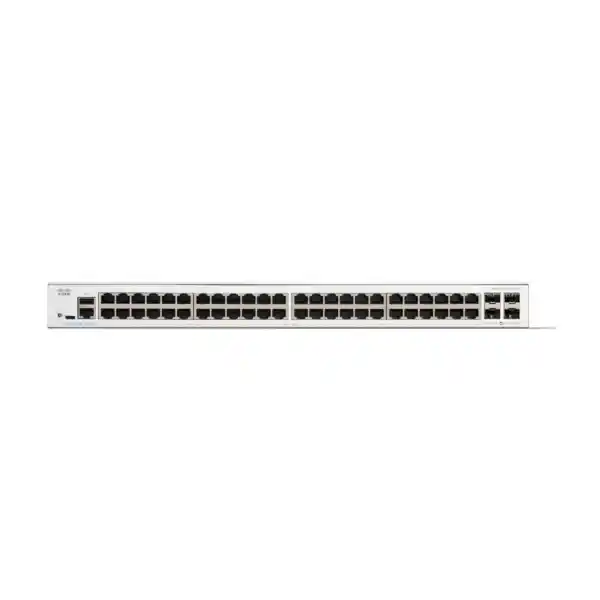
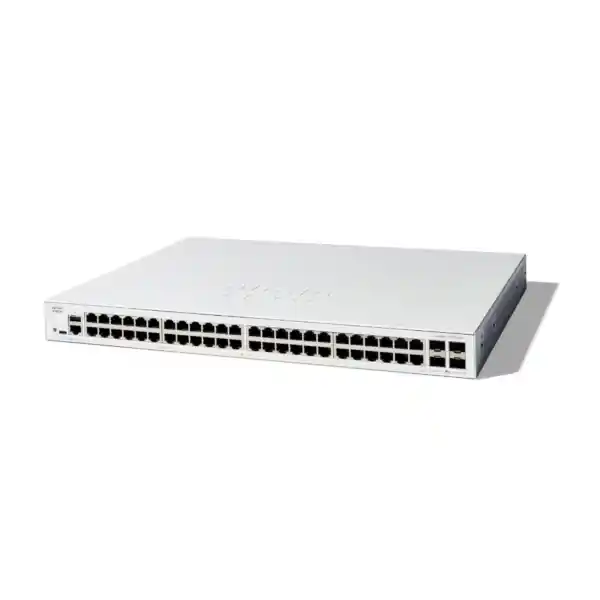
Cisco Catalyst C1300X-48T-4X Network Switch
The Cisco Catalyst C1300X-48T-4X is a 48-port managed Gigabit Ethernet switch built for organizations that want a practical combination of dense copper access, four high-speed SFP28 interfaces, advanced Layer 2 and Layer 3 services, integrated security controls, and true hardware stacking. For a Dubai office, branch campus, distribution room, server-access zone, school, clinic, retail headquarters, professional services company, or multi-floor commercial facility, the model fits environments where endpoints still predominantly connect at 1 Gigabit while uplinks, aggregation paths, and inter-switch links require considerably more bandwidth and resilience.
Its access side provides 48 10/100/1000BASE-T RJ-45 ports. The four SFP28 interfaces operate as 10 Gigabit Ethernet uplinks and can use 25 Gigabit capability for stacking. Cisco rates the platform at 176 Gbps switching capacity and 130.95 million packets per second with 64-byte packets, and the switching fabric is specified as wire-speed and nonblocking. This makes the C1300X-48T-4X especially useful where a business wants to consolidate many user, printer, desktop, appliance, camera-NVR, server-management, IP-telephony, and infrastructure connections while preserving fast northbound connectivity toward a firewall, router, server aggregation layer, or another Catalyst switch.
Direct answer: who should buy it?
Choose the C1300X-48T-4X when you need forty-eight non-PoE Gigabit access ports, multiple 10G fiber or DAC uplinks, dynamic Layer 3 routing, and stack-based operational simplicity without moving to a larger enterprise campus platform.
Do not choose this exact T-model if the same switch must directly power access points, IP phones, cameras, or IoT endpoints. Those requirements call for a PoE-capable variant or separate injectors. Correct model selection at quotation stage is therefore important.
Technical architecture and why the C1300X platform matters
The important distinction between a basic 48-port smart switch and the Cisco Catalyst C1300X-48T-4X is not simply port count. The real value is the combination of forwarding scale, routing features, topology control, security enforcement, management tooling, and stacking behavior. The switch uses an ARM dual-core processor running at 1.5 GHz for the control plane, 2 GB of DDR4 memory on the C1300X platform, 1 GB of SLC flash, and a dynamically shared 3 MB packet buffer. Those resources support a feature set intended to handle far more than straightforward endpoint connectivity.
A switching capacity of 176 Gbps is significant because it aligns with the aggregate full-duplex bandwidth represented by forty-eight 1 Gigabit interfaces plus four 10 Gigabit interfaces. In practical terms, the fabric is designed so that access-port traffic does not have to be artificially oversubscribed inside the switch. Real networks may still experience oversubscription on individual uplinks, firewall paths, server NICs, WAN circuits, or storage links, but the internal switch fabric itself is sized for wire-speed forwarding. That distinction is valuable when users simultaneously access file servers, SaaS applications, VoIP systems, local databases, backups, surveillance recorders, printing services, and virtualized workloads.
The 130.95 Mpps forwarding figure describes packet-processing capacity under a demanding 64-byte-packet condition. Smaller packets create more packets per second for the same line rate and therefore represent a useful stress point for switching performance. In a typical UAE office, most production traffic contains a mix of packet sizes, but understanding Mpps capacity helps network designers avoid treating a switch as a simple sum of Ethernet sockets. A device must be able to learn MAC addresses, process VLAN tags, apply access control policies, evaluate Quality of Service rules, update counters, forward routed traffic, maintain control-plane protocols, and protect itself from abnormal traffic while keeping latency predictable.
The C1300X family supports a MAC table of up to 32,000 entries and jumbo frames up to 9000 bytes. A larger MAC scale is useful for networks with virtualization, dense device populations, downstream access switches, segmented tenant environments, labs, and mixed user/server deployments. Jumbo-frame support can be relevant to selected storage, backup, virtualization, or high-throughput server workflows, although end-to-end MTU consistency must be designed carefully. Enabling large frames on one switch alone does not solve an MTU problem; every participating interface, VLAN path, routed boundary, server NIC, and appliance must be reviewed.
From a design perspective, FourTeck positions this model as a high-density managed access switch or compact aggregation option rather than an indiscriminate replacement for every switching layer. A successful design begins with endpoint type, expected port utilization, uplink demand, routing boundaries, PoE requirements, resiliency objectives, fiber type, optic reach, rack conditions, and growth horizon. Organizations evaluating a wider Cisco deployment can coordinate switch selection and associated infrastructure through FourTeck UAE, keeping the switching bill of materials aligned with firewall, structured cabling, server, UPS, and implementation requirements.
Port map, uplink strategy, and SFP28 design
On the access side, the switch exposes 48 Gigabit Ethernet RJ-45 ports supporting 10, 100, and 1000 Mbps operation. Category 5e or better cabling is suitable for 1000BASE-T within the normal copper Ethernet distance envelope. In a new commercial fit-out, however, cable category should be selected against the broader lifecycle of the building rather than this switch alone. Many UAE projects choose higher-category structured cabling because future access switches may introduce multigigabit speeds even if the present C1300X-48T-4X terminates endpoints at 1 Gigabit.
The four SFP28 cages are the most important part of the uplink architecture. Cisco specifies them as 10 Gigabit Ethernet uplinks, with 25 Gigabit operation available for stacking. This point should be preserved in procurement documentation because an SFP28 connector does not automatically mean every ordinary data uplink can be configured as a 25G routed or switched link. For this model, the 25G capability has a specific stacking role. Standard northbound production links should therefore be engineered as 10G unless Cisco documentation for a later software release explicitly changes the supported use case.
For short rack-to-rack or same-rack connections, supported direct-attach copper options can provide a simple low-latency 10G path without optical transceivers. For building backbone links, multimode 10G SR optics may be appropriate when fiber type and distance fit, while 10G LR can support longer single-mode paths. The optical bill of materials must be matched to installed fiber, connector type, patching losses, distance, and the optics supported by the platform. A common deployment error is purchasing switches first and leaving transceiver selection until installation day. That approach increases the chance of wrong wavelength, fiber-mode mismatch, insufficient quantity, or incompatible patch leads.
When all four 10G interfaces are available, they can be allocated according to failure-domain priorities. For example, two may be bundled as an LACP port-channel to an upstream pair or logical core, while the remaining interfaces support server aggregation, another distribution path, or stack design. Whether link aggregation is appropriate depends on the upstream architecture. LACP increases aggregate bandwidth and resilience across parallel links, but it does not make a single flow exceed the speed of one member link because traffic is distributed using a hashing algorithm. Capacity planning should focus on the mix of concurrent flows rather than marketing arithmetic.
Recommended uplink design checks
- Confirm whether each link is ordinary 10G traffic or dedicated stack connectivity.
- Document single-mode versus multimode fiber and installed core count.
- Confirm optic type, reach, wavelength, connector, and patch lead specification.
- Calculate northbound oversubscription using real endpoint and server traffic patterns.
- Define LACP, STP, routed-uplink, or stack topology before patching.
- Keep spare optics or DACs for critical links where restoration time matters.
Hardware stacking: scaling beyond a single 48-port chassis
Cisco documents hardware stacking across the C1300 and C1300X families, with support for up to eight switches in a stack and up to 400 ports managed as one system with hardware failover. For the C1300X models, the SFP28 interfaces can use 25 Gigabit operation for stack links. This is a major reason to select the C1300X-48T-4X over a simpler standalone smart switch when the organization expects to add access ports, needs a consistent operational model across multiple rack units, or wants failover behavior that is easier to manage than a collection of unrelated standalone switches.
Stacking does more than reduce the number of management IP addresses. A properly designed stack presents a more unified switching system, centralizes configuration and monitoring, and allows links to be distributed across physical members. In a multi-switch access layer, this can reduce operational complexity and provide greater flexibility when connecting upstream devices. However, stacking must still be treated as part of a larger availability design. A stack can protect against some member failures, but it does not replace dual power feeds, UPS planning, redundant upstream paths, diverse fiber routes, spare hardware strategy, backup configuration, or good change management.
Port-count planning should reserve capacity before purchase. A nominal requirement of 44 live endpoints may appear to fit one 48-port switch, yet the same rack may need ports for firewalls, hypervisors, access points through external PoE infrastructure, door controllers, building-management gateways, printers, NVR interfaces, PBX systems, out-of-band devices, test equipment, and temporary migration connections. Good practice is to distinguish active ports, immediately planned ports, reserved infrastructure ports, and growth reserve. If the calculation regularly exceeds roughly four-fifths of the available access ports, a second switch or stack strategy is often operationally cleaner than running the first unit at permanent saturation.
Stack-link placement also deserves attention. The physical cable path should avoid unnecessary tension, keep bend radius within specification, and maintain access for field replacement. In racks where stack members are separated by patch panels or other equipment, the selected stack cable length must be validated. Documentation should identify member numbering, cable direction, uplink ownership, rack-unit positions, power-feed source, and which ports connect to upstream devices. This matters during after-hours maintenance because a diagram that simply says “switch stack” is not enough for a technician working under time pressure.
For organizations with several communications rooms across Dubai, stacking is most useful within a local rack or local switching block; it should not be confused with extending a single logical stack over arbitrary campus distances. Building-to-building and floor-to-floor resiliency should instead be designed around appropriate fiber topology, Layer 2 or Layer 3 boundaries, and the failure behavior the business can tolerate. FourTeck can integrate the switch with firewall and branch-security designs through Firewall Dubai solutions, allowing uplink, routing, VLAN, and security-zone decisions to be coordinated rather than implemented as isolated tasks.
Layer 2 switching: VLANs, spanning tree, link aggregation, and multicast control
A managed switch becomes useful when the Ethernet fabric can be segmented and controlled predictably. The C1300X platform supports up to 4094 VLAN IDs, with a reserved internal range noted by Cisco, and provides port-based and 802.1Q tagged VLAN operation as well as MAC-based, protocol-based, and IP-subnet-based VLAN capabilities. It also supports management VLANs, private VLAN behavior, protected-port concepts, guest or unauthenticated VLANs, dynamic VLAN assignment through RADIUS with 802.1X, and specialized mechanisms for voice and surveillance environments. These functions allow a network designer to separate users, servers, voice systems, cameras, guest devices, printers, management interfaces, building systems, and test equipment even when they share the same physical switch.
Segmentation must be purposeful. Creating dozens of VLANs without a routing and policy model simply moves complexity into the switch configuration. A sound design begins with trust zones and operational ownership. For example, corporate users may require access to internal applications and the internet; guest devices may require internet-only connectivity; CCTV cameras may communicate only with NVRs and management stations; IP phones may need signaling and media paths; infrastructure management interfaces may be reachable only from administrator subnets; and public-facing appliances may sit behind dedicated firewall zones. VLAN IDs, IP subnets, DHCP scopes, gateway locations, ACLs, and firewall policy should all be documented together.
For loop prevention and topology stability, the platform supports traditional 802.1D Spanning Tree, Rapid Spanning Tree under 802.1w, Multiple Spanning Tree under 802.1s, and Cisco-oriented PVST+ and Rapid PVST+ modes. MSTP supports multiple instances, while PVST-family operation can maintain per-VLAN topology instances. The correct choice depends on the surrounding network. Mixing spanning-tree modes without a plan can create unexpected root placement or blocked links, so an engineer should explicitly define root bridges, secondary roots, edge-port behavior, BPDU protection, and trunk expectations.
Link aggregation is supported with IEEE 802.3ad LACP. The platform supports multiple aggregation groups and multiple ports per group, allowing parallel physical links to function as a logical bundle. LACP is commonly used between access and distribution switches, between a switch and a server with teamed interfaces, or between switching layers where extra bandwidth and link resilience are required. The design still needs consistency on both ends: VLAN membership, native VLAN behavior, speed, duplex, LACP mode, allowed VLAN list, and spanning-tree assumptions must match. A partially configured port-channel is a common cause of loops, traffic black holes, or asymmetric behavior.
Multicast handling is another practical strength. IGMP snooping versions 1, 2, and 3 help restrict multicast traffic to interested receivers instead of flooding it through the entire VLAN. Cisco documents support for thousands of multicast groups on C1300X models, along with an IGMP querier and IGMP proxy functionality. These capabilities are useful for IPTV-like traffic, certain surveillance and media applications, discovery systems, and specialist business platforms. Multicast is often overlooked until an application begins flooding endpoints; enabling the right control mechanisms early can preserve bandwidth and reduce endpoint load.
Additional Layer 2 tools such as UDLD, loopback detection, DHCP relay at Layer 2, VLAN translation, Q-in-Q, selective Q-in-Q, and multicast VLAN registration extend the switch into service-provider-like or multi-tenant edge scenarios. These features should not be enabled merely because they exist. They are best used when a defined topology requires them, with configuration templates, rollback plans, monitoring, and diagrams that clearly show where customer, service, or tenant tags are inserted and removed.
Layer 3 routing: using the C1300X-48T-4X beyond pure access switching
The C1300X-48T-4X supports wire-speed IPv4 and IPv6 routing, giving it a meaningful role in designs where inter-VLAN forwarding should occur at the switch rather than forcing every local packet through a firewall or external router. Cisco specifies up to 7,168 combined dynamic and static IPv4 routes and up to 256 IP interfaces for C1300X models. Layer 3 interfaces can be implemented on physical ports, link aggregations, VLAN interfaces, or loopback interfaces. The platform also supports CIDR, RIP version 2, policy-based routing, DHCP server functions, Layer 3 DHCP relay, UDP relay, and—specifically on C1300X—OSPF version 2 and OSPF version 3.
OSPF support is especially useful when the switch operates in a routed access or compact distribution role. A branch with several VLANs can advertise local networks upstream without maintaining a large set of manually configured static routes. In a multi-switch environment, dynamic routing can accelerate convergence and make path selection more deterministic. Yet OSPF is not a substitute for thoughtful design. Area structure, router IDs, passive interfaces, authentication where supported and appropriate, default-route origination, summarization strategy, and adjacency scope should be documented. The simplest stable design is often preferable to an unnecessarily elaborate routing hierarchy.
A common decision is whether the default gateway for user VLANs should reside on the C1300X switch or on a next-generation firewall. Keeping gateways on the switch can improve local east-west throughput and reduce firewall load, because traffic between internal VLANs can be routed at wire speed. Keeping gateways on the firewall can simplify security policy enforcement when every inter-zone flow must be inspected. There is no universal answer. The right design depends on trust boundaries, application sensitivity, traffic volume, inspection needs, high-availability topology, logging requirements, and whether the firewall has enough interfaces and throughput for the intended segmentation model.
Hybrid designs are also common. High-volume trusted server and user VLANs may route on the switch with ACL controls, while higher-risk zones such as guest, IoT, CCTV, external-facing systems, and sensitive administrative segments use the firewall as their Layer 3 boundary. Policy-based routing can steer selected traffic toward a different next hop based on ACL matching, but PBR should be used with discipline because it overrides normal routing decisions and can complicate troubleshooting. Every PBR policy should have a clear business reason, monitoring approach, and failover behavior.
For DHCP, the switch can either host IPv4 pools directly or relay client requests to a central DHCP server across routed boundaries. Central DHCP typically simplifies address governance for larger organizations, while local scopes can be useful in smaller branches or during isolated operation. Regardless of location, DHCP relay, Option 82 use, snooping, gateway addressing, DNS settings, and IP address management should be treated as one coordinated service. Routing errors often manifest as “DHCP problems” even when the actual issue is a missing VLAN, incorrect helper target, ACL, trunk mismatch, or absent return route.
Access security and control-plane protection
Identity and admission
The switch supports 802.1X-based access control, RADIUS integration, TACACS+ for administrative authentication, web-based authentication, dynamic VLAN assignment, and multiple CLI privilege levels. In a mature network, these tools reduce reliance on “physical port equals trusted user” assumptions. A user or device can be placed into the correct authorization context according to identity and policy rather than simply because a cable is connected.
Layer 2 attack resistance
DHCP snooping helps block unauthorized DHCP behavior. IP Source Guard can filter packets whose source addresses do not match trusted or learned bindings. Dynamic ARP Inspection validates ARP behavior against known bindings to reduce spoofing risk. Used together, these mechanisms form a stronger access-edge posture than basic VLAN segmentation alone.
Topology protection
BPDU Guard, Root Guard, loopback protection, UDLD, storm control, port security, private VLAN features, and protected ports reduce the chance that an accidental or malicious edge connection destabilizes the switching topology. Edge ports should be hardened deliberately rather than receiving the same trust level as switch-to-switch trunks.
ACL enforcement
Cisco specifies up to 3,072 ACL rules on C1300X models. Rules can match a broad range of Layer 2 through Layer 4 fields and can be applied in ingress and egress directions. This is useful for local containment, infrastructure protection, management filtering, and limiting unnecessary east-west reachability.
Security architecture should use these mechanisms in layers. A switch ACL is not a replacement for next-generation firewall inspection, endpoint protection, identity services, secure DNS, patch management, or monitoring. It is a local enforcement tool that reduces attack surface and limits the blast radius of mistakes. For example, a camera VLAN may be allowed to reach only NVR addresses, NTP, and required management services. A printer VLAN may be prevented from initiating sessions toward user subnets. Infrastructure-management addresses may accept SSH or HTTPS only from an administrator network. Guest VLANs can be isolated from private resources before they ever reach the wider campus.
Administrative security matters equally. Management access should prefer secure protocols such as HTTPS and SSH, with centralized RADIUS or TACACS+ where operationally justified. Default credentials must never survive commissioning. Management interfaces should be reachable only from trusted subnets, and configuration backups should be protected as sensitive material because they contain topology, addressing, VLAN, and policy information. Syslog, SNMP, authentication logs, and time synchronization should be configured so events can be reconstructed after an outage or security incident.
Cisco also describes Secure Core Technology, Secure Sensitive Data mechanisms, runtime defenses, chip guard, and boot-integrity visibility within the family. These protections strengthen the platform itself, but operational discipline remains essential. Firmware maintenance, controlled change windows, tested backups, role-based administration, and a documented incident path determine whether security features translate into a resilient production environment.
Quality of Service, voice, video, and business-critical traffic
The C1300X platform provides eight hardware queues and supports strict-priority and Weighted Round-Robin scheduling. Classification can use port, 802.1p priority, IPv4 or IPv6 precedence, ToS, DSCP, DiffServ, and ACL-based criteria. These capabilities matter when a shared switching fabric carries latency-sensitive voice, interactive video, transactional applications, backups, bulk file transfers, surveillance streams, and ordinary web traffic at the same time.
QoS design should start with an end-to-end trust policy. Marking packets on a switch does not create additional bandwidth; it decides how contention is handled when a link becomes busy. If an IP phone marks voice correctly, the access switch may trust or remark that traffic according to policy. If an untrusted endpoint marks every packet as high priority, the switch should not automatically reward it. The network team must decide where trust begins, which DSCP classes are permitted, how queues are mapped, and which traffic can be policed or rate-limited.
Voice VLAN features can automatically place voice devices into a dedicated VLAN and apply suitable treatment. LLDP-MED and Cisco Discovery Protocol can help connected devices understand network characteristics, while Voice Services Discovery Protocol can simplify Cisco-oriented voice deployments. This is particularly useful when a business has many desk phones and wants repeatable access-port configuration. The C1300X-48T-4X itself does not provide PoE, so phones connected directly to this model require an alternate power source. In greenfield voice projects, that power requirement often shifts the selection toward a PoE-capable C1300X variant.
For surveillance and multicast-heavy applications, IGMP snooping and multicast controls help keep streams from reaching ports that did not request them. This can reduce unnecessary load on user workstations and access links. Where CCTV is business-critical, the switching plan should also account for sustained camera bitrate, NVR ingestion bandwidth, retention architecture, recording server NIC capacity, uplink redundancy, and failure behavior. Port count alone is not an adequate sizing metric for video networks.
Management, monitoring, automation, and lifecycle operations
The operational value of a managed switch appears after deployment. The Catalyst 1300X family supports web-based management, command-line administration, secure remote access, SNMP-oriented monitoring, syslog, port mirroring, TFTP-based image or file operations, ping, traceroute, cable diagnostics, time synchronization, and discovery protocols. The front panel includes a Cisco-standard RJ-45 console connection and USB Type-C capability that can be used for console access and file or image management. These options give administrators several ways to commission, recover, monitor, and troubleshoot the switch.
A practical operating model should define one authoritative configuration method. Smaller teams may prefer a web interface for day-to-day tasks, while experienced network engineers often use the CLI for repeatability, speed, and precise change review. Mixed use is possible, but every production change should be traceable. If multiple administrators edit the device through different interfaces without change records, configuration drift becomes difficult to diagnose. Store dated backups, document intended VLAN and uplink structure, and maintain a rollback path for high-impact changes.
Monitoring should cover more than simple ping reachability. Interface utilization, errors, discards, link-state changes, spanning-tree events, CPU and memory indicators, temperature, authentication failures, DHCP snooping events, stack-member state, and uplink saturation all provide useful context. A switch can answer ping while an uplink drops packets or a trunk loses a VLAN. Centralized monitoring helps identify trends before users report slowness. For example, persistent 10G uplink utilization near saturation during backup windows may justify link aggregation, schedule changes, or a different aggregation design.
Cable diagnostics can shorten troubleshooting for copper endpoints by helping isolate certain physical-layer faults, but they should complement rather than replace structured cabling certification. New office projects should be tested with proper certification equipment and labeled at both ends. A structured naming scheme that maps switch port, patch-panel position, outlet ID, rack, room, VLAN, and endpoint owner saves significant time during moves and fault resolution. In larger sites, the quality of documentation can matter as much as the feature list of the switch itself.
Firmware lifecycle planning is similarly important. Network switches are long-lived infrastructure, but software should not be treated as immutable. Review Cisco release notes, security advisories, feature changes, and recommended maintenance practices before upgrades. Test changes where possible, back up the current configuration, verify image integrity, confirm console access, and avoid performing untested upgrades during a critical business period. In stacked environments, understand how the upgrade process affects members and traffic before scheduling the window.
Organizations that prefer an outsourced implementation or managed support model can combine the switching project with deployment, migration, structured network troubleshooting, and ongoing administration through FourTeck IT Services UAE. This is particularly useful when internal teams want the configuration handed over with diagrams, port schedules, backups, and a documented baseline rather than receiving only hardware.
Physical specifications, power, acoustics, and UAE installation planning
The C1300X-48T-4X is a rack-mountable 1RU-class switch measuring approximately 444.3 mm wide, 270 mm deep, and 43.94 mm high, with a listed weight of about 3.6 kg. The internal universal power supply accepts 100 to 240 VAC at 50 to 60 Hz. Cisco specifies an operating temperature range of -5°C to 50°C, with cold start at 0°C, and relative operating humidity of 10% to 90% noncondensing. The model uses one fan, with Cisco listing acoustic noise of 21.6 dBA at 25°C and an MTBF figure of 324,549 hours at 25°C.
For Dubai installations, the published maximum operating temperature should not be interpreted as permission to run a communications rack in an unconditioned room. Outdoor ambient conditions can exceed the comfort range of IT equipment, and a closed cabinet accumulates heat from switches, firewalls, UPS systems, servers, optical equipment, and PoE power supplies. Proper room cooling, cabinet ventilation, clean airflow, dust management, and environmental monitoring are part of the network design. Stable temperature improves the reliability of every device in the rack, not just the switch.
Cisco lists worst-case system consumption for this non-PoE model at roughly 66.7 W on 110 V and 72.1 W on 220 V, with idle values around 18.5 W and 20 W respectively. These numbers are useful for UPS and heat-load planning. A rack-level UPS should be sized for the combined real power of all network devices plus runtime targets and expansion reserve. Designers should also check UPS output type, available sockets or PDUs, maintenance bypass requirements, and whether critical switches need independent circuits or redundant upstream power infrastructure.
Energy Efficient Ethernet under IEEE 802.3az is supported on the copper Gigabit interfaces, and the platform can reduce power on inactive links or adjust signal strength according to cable length. These measures are useful at scale but should not distract from larger efficiency decisions such as right-sizing PoE budgets, retiring unused hardware, consolidating obsolete switches, and maintaining good cooling. The lowest-cost switch at purchase can become more expensive if its deployment forces additional rack units, cooling, or support complexity.
Rack preparation should verify free RU space, rail or shelf requirements, front and rear clearance, power-cable path, patch-panel proximity, fiber management, labeling, grounding practice, and service access. Short patch cords reduce clutter but must still allow safe movement. Fiber jumpers require appropriate bend-radius control and dust caps during work. If server connectivity is part of the same project, infrastructure planning can be coordinated with FourTeck Server Dubai so switch uplinks, NIC speeds, transceivers, rack placement, and redundancy are engineered together.
Deployment topologies for Dubai offices, branches, campuses, and server rooms
Single-switch office core/access
A smaller business can terminate up to forty-eight wired endpoints on one C1300X-48T-4X and use one or more 10G uplinks toward a firewall, server, or NAS environment. VLANs separate departments and device classes, while Layer 3 gateways can sit on the switch or firewall according to security policy. This design is straightforward, but port reserve and uplink redundancy must be considered before all 48 ports are allocated.
Stacked access layer
Two or more C1300X switches can form a hardware stack for higher port density and simplified administration. User access is spread across members while upstream connections are placed on separate physical units where the design allows. This improves maintainability and reduces dependence on any single access chassis, though power and upstream path diversity still require separate planning.
Routed branch distribution
A branch with multiple VLANs can use switch virtual interfaces and OSPF to advertise internal networks toward a router or firewall. Local trusted traffic is routed at the access/distribution layer, while internet-bound or security-sensitive flows follow a controlled path to the security gateway. This topology reduces dependence on large static route tables and can provide deterministic convergence.
Server-access aggregation
The 48 Gigabit ports can terminate management interfaces, appliances, storage-management links, backup devices, and legacy servers, while the 10G SFP28 interfaces connect to higher-speed server or core infrastructure. Because access ports remain 1G, this model is best when most attached workloads do not require multigigabit or 10G host connectivity.
A typical multi-floor commercial building may place a switch stack in each telecommunications room and connect those rooms to a central core or firewall block using fiber. Whether the inter-floor links are Layer 2 trunks or Layer 3 routed links depends on the scale and desired fault isolation. Extending the same VLAN across many floors can simplify some endpoint moves, but it also enlarges the broadcast and spanning-tree domain. Routed access creates smaller failure domains and often makes convergence easier to reason about, but it requires a stronger IP addressing and routing design.
Retail, hospitality, education, and clinic networks frequently combine user devices with operational technology. Point-of-sale terminals, printers, biometric readers, digital signage, access control, medical peripherals, guest services, CCTV, voice, and administrative workstations may all share the same structured cabling plant. The network should not treat them as one trust zone. The C1300X feature set allows the physical infrastructure to remain consolidated while logical segmentation, ACLs, DHCP protections, and controlled routing reduce unnecessary communication between device classes.
For a server-room design, understand that the C1300X-48T-4X is not a replacement for a high-density 10G/25G top-of-rack switch when servers require those speeds directly. Its forty-eight host-facing ports are Gigabit Ethernet. The four SFP28 cages offer 10G data uplinks and 25G stacking capability, so the model is ideal when server-side 1G access remains acceptable or when it supports management and appliance networks. Selecting it for 10G server workloads merely because “SFP28” appears in the model specifications would be an architectural mismatch.
Sizing methodology: determine whether 48 ports and four 10G uplinks are enough
Switch sizing should begin with a port schedule rather than an approximate headcount. Count every permanent wired endpoint, not just employees. Include desktops, printers, IP phones, wireless access points, cameras, access-control devices, NVRs, PBX appliances, conference systems, digital signage, environmental sensors, building-management interfaces, server management ports, firewalls, WAN routers, LTE gateways, monitoring appliances, test ports, and spare capacity. Then separate endpoints that need PoE from those that have independent power. Because the C1300X-48T-4X is non-PoE, a high count of powered endpoints may make a PoE sibling a better economic choice.
Next, calculate expected bandwidth by traffic class. User office traffic is usually bursty, while backups, replication, CCTV, media workflows, and storage can be sustained. Forty-eight 1G access ports theoretically represent far more aggregate demand than one 10G uplink, but most offices never drive every port simultaneously. Oversubscription is normal when it reflects actual usage. The goal is not a mathematically zero-oversubscription network at every layer; the goal is to ensure that bottlenecks do not affect business-critical workloads during realistic busy periods.
A useful process is to identify the busiest concurrency window. If backups start at 8 p.m. while user traffic is low, they may safely share uplinks with daytime applications. If surveillance recording is constant and a large local file workload also runs during office hours, those loads must be added together. Measure existing utilization where possible instead of relying only on estimates. Peak 95th-percentile data, interface counters, and flow information can expose whether current uplinks are congested or whether user complaints originate elsewhere.
Resilience adds another sizing question: what happens after one uplink fails? Two 10G links may provide 20G aggregate bandwidth under normal conditions, but if the design requires the remaining link to carry the entire load after a failure, the steady-state utilization should leave enough headroom. The same principle applies to stacked members. If a switch fails, are there spare ports on remaining members for emergency reconnection? Are server NIC teams connected across different members? Are critical upstream links physically diverse? Capacity planning and availability planning are inseparable.
Finally, size for the business lifecycle. A switch may remain in service for several years. Staff growth, new SaaS platforms, added cameras, higher-resolution video conferencing, increased Wi-Fi backhaul, more local virtualization, and new compliance controls can change traffic patterns. The C1300X-48T-4X is attractive when 1G access will remain suitable but the organization needs stronger uplink, routing, and stacking capability. If endpoint requirements are moving toward 2.5G, 5G, PoE++, or direct 10G access, another C1300X variant or a different switching family should be considered from the start.
C1300X-48T-4X versus common alternative requirements
| Requirement | C1300X-48T-4X fit | Design implication |
|---|---|---|
| 48 powered IP phones or cameras | Poor fit | Use a PoE-capable switch model or external power design. |
| 48 ordinary 1G wired endpoints | Strong fit | Reserve ports for infrastructure and future growth. |
| 10G fiber uplinks to core/firewall | Strong fit | Four SFP28 interfaces can serve as 10G data uplinks. |
| 25G normal server uplinks | Not the intended fit | Cisco specifies 25G on these interfaces for stacking. |
| OSPF-based branch routing | Strong fit | C1300X supports OSPFv2 and OSPFv3. |
| 2.5G/5G access for Wi-Fi 7 | Poor fit | Select a multigigabit C1300X model with suitable PoE capability. |
The T designation is important because it identifies a non-PoE copper access model. Buyers sometimes compare only port count and overlook endpoint power. If a network has desk phones with local adapters, desktops, printers, appliances, or other independently powered devices, the T-model can be efficient because the organization does not pay for a large PoE power supply it will not use. If dozens of powered endpoints are expected, a PoE variant may reduce the number of injectors, simplify cabling, centralize UPS protection, and improve remote power-cycle operations.
Multigigabit access is another selection boundary. The C1300X family includes models with 2.5G or 5G access ports for high-performance wireless and specialized endpoints. If the organization is installing modern access points whose wired backhaul regularly exceeds 1G, those variants deserve attention. Conversely, paying for multigigabit on every port may not be necessary in an office where most devices are desktops, printers, terminals, and appliances with 1G NICs. FourTeck’s role during quotation is to match the model to actual device mix rather than simply recommend the highest specification.
Migration planning from legacy switches
Replacing an existing switch should be treated as a migration project rather than a hardware swap. Before the change window, export the old configuration, collect interface descriptions, VLAN membership, trunks, port-channels, spanning-tree settings, routing tables, static routes, DHCP relay addresses, ACLs, QoS policy, authentication settings, SNMP configuration, syslog targets, NTP servers, management addresses, and connected-device inventory. If documentation is incomplete, capture MAC-address tables and LLDP or CDP neighbors while the old network is still operating.
Build the new configuration from an approved template and map old ports to new ports in advance. Use clear interface descriptions that identify outlet, endpoint, VLAN, and purpose. Pre-stage firmware and management access before the production cutover. Where possible, test trunks, routing adjacencies, and monitoring on a temporary link. The objective is to move business traffic during the change window, not to discover the entire network architecture while users are offline.
During cutover, move structured cabling in controlled groups and verify each group before continuing. Critical systems such as firewalls, WAN routers, servers, voice gateways, access-control systems, and NVRs should have specific validation steps. A successful ping to the default gateway is not sufficient. Test DNS, DHCP, internet access, internal applications, voice registration, camera recording, management reachability, and any site-to-site VPN dependencies. Confirm that trunks carry all intended VLANs and that STP root behavior remains correct.
After migration, compare interface error counters, uplink utilization, logs, route tables, OSPF neighbors, stack state, VLAN membership, and endpoint reachability with the expected baseline. Remove temporary configuration, shut unused ports, apply port security where appropriate, and archive the final configuration. Update rack diagrams and port schedules immediately while the changes are still fresh. Delaying documentation until “later” usually means the next engineer inherits an inaccurate map.
A rollback plan is mandatory for critical sites. Keep the previous switch configuration, label old patching, preserve access to the original hardware if practical, and define the point at which the team stops troubleshooting and restores service. The best migration is not the one with the most ambitious change list; it is the one that makes risk visible, limits the number of unknowns, and gives the business a predictable recovery path.
Procurement guidance for UAE projects
A complete Cisco switch quotation should identify more than the base chassis. The bill of materials may require 10G optics, stack cabling or 25G-compatible stack components, fiber patch cords, rack accessories, power cords, UPS capacity, patch panels, copper patch leads, labeling, installation labor, configuration, testing, and support. If the project connects to existing fiber, the quotation should record fiber type and approximate distance so the correct optical modules are selected. If the switch joins a live network, migration and after-hours implementation effort should be included rather than assumed.
Warranty and support requirements vary by organization. Some businesses can tolerate next-business-day replacement for an access switch, while a hospital, financial office, call center, or logistics operation may require faster restoration or onsite spares. Hardware redundancy is often more reliable than depending on an urgent shipment after a failure. For critical racks, consider whether a spare switch, spare optics, spare DACs, and documented configuration backups should be held locally. The cost of a spare is easy to compare with the cost of a site outage.
Procurement should also distinguish original Cisco product identification from reseller-generated SKU conventions. This page uses a FourTeck regional SKU for WooCommerce catalog management, but project documentation should retain the Cisco model C1300X-48T-4X clearly. Maintaining model clarity avoids confusion with the C1300-48T-4X, C1300X-48P-4X, and multigigabit variants, which differ in hardware capability. A single missing “X” or “P” can materially change the expected feature and power profile.
For UAE deployments, request the exact quantity, delivery location, desired implementation date, and whether the requirement is supply-only or supply-and-configure. If the site is occupied, include access-window restrictions, parking or loading constraints, permit requirements, rack location, and any security approval needed for technicians. Commercial projects in towers and managed facilities often require access coordination that can affect installation planning even when the networking task itself is straightforward.
A network purchase is most successful when the quotation reflects the final topology. Send the current switch list, floor plan or rack diagram, approximate endpoint count, VLAN requirements, firewall model, uplink type, fiber distance, server NIC speeds, and power requirements. That information allows the equipment list to be validated before ordering and reduces the risk of arriving onsite without a required optic or with the wrong PoE profile.
Frequently asked technical questions
Does the C1300X-48T-4X provide PoE?
No. This T-model provides forty-eight Gigabit Ethernet data ports without a PoE budget. If phones, cameras, access points, or other powered devices must receive power from the switch, use an appropriate PoE-capable variant or a separate power method.
Can the SFP28 ports run 25G normal uplinks?
Cisco identifies the four interfaces as 10G uplinks and specifies 25G capability for stacking. Design ordinary production uplinks at 10G unless current Cisco documentation explicitly supports another data-uplink mode for the exact firmware and model.
Can it route between VLANs?
Yes. The platform supports IPv4 and IPv6 routing, Layer 3 interfaces on VLANs and other interface types, static and dynamic routing functions, and OSPFv2/v3 on C1300X models.
How many switches can be stacked?
Cisco documents support for up to eight C1300/C1300X switches in a hardware stack, with up to 400 ports managed as a single system depending on the member combination and supported stacking design.
Is it suitable for a server room?
Yes when the connected devices need 1G access and the design benefits from 10G uplinks, routing, segmentation, or stacking. It is not the ideal top-of-rack choice for servers that require multiple direct 10G or 25G host interfaces.
What is the practical role of the 3 MB packet buffer?
The buffer is dynamically shared across ports and helps absorb short bursts when traffic temporarily arrives faster than an egress interface can transmit it. Buffering cannot compensate for sustained congestion, so uplink sizing and QoS still matter.
Decision recap: when the Cisco C1300X-48T-4X is the right choice
The C1300X-48T-4X is a strong fit when an organization needs a dense set of 1 Gigabit copper access ports and wants significantly more operational and routing capability than a basic Layer 2 switch. Its combination of forty-eight RJ-45 interfaces, four 10G SFP28 uplinks, 176 Gbps switching capacity, 130.95 Mpps forwarding, hardware stacking, OSPF, extensive VLAN options, robust access-security mechanisms, and mature management features makes it suitable for many SMB, branch, education, healthcare, professional-services, retail, and mixed-use commercial networks.
The most important buying questions are not about the brand name. First, do the endpoints need PoE? If yes, this T-model may be wrong. Second, do users and access points need multigigabit speeds? If yes, a 2.5G or 5G model should be evaluated. Third, is 10G sufficient for northbound data uplinks? For this model, the answer should be yes, because 25G capability is reserved for stacking. Fourth, does the design benefit from OSPF, switch-based inter-VLAN routing, advanced ACLs, or a stack? If none of those are required, a simpler model may meet the need at lower cost.
For many Dubai businesses, the model occupies a useful middle ground. It is substantially more capable than an unmanaged or entry smart switch, yet it remains approachable for teams that do not need the operational overhead of a large modular campus architecture. It can anchor a single-office network, form part of a stacked access layer, serve as a routed branch distribution point, or provide reliable 1G server and appliance access with multiple 10G uplinks. The design flexibility is broad, but it should still be applied with clear boundaries.
Quotation input checklist for a technically correct BOM
To receive an accurate quotation, provide enough information to validate the chassis, optics, cabling, support, and implementation requirements. The following checklist turns a generic “48-port Cisco switch” request into an engineering-ready bill of materials.
List desktops, printers, phones, access points, cameras, servers, appliances, IoT devices, and planned spare ports. Mark which devices need switch-supplied power.
State whether the upstream device is a firewall, router, core switch, server, or another access switch, and identify the desired 10G link count.
Provide multimode or single-mode fiber type, approximate distance, connector format, available cores, and whether patch panels already exist.
Confirm current switch quantity, future growth, rack positions, and whether hardware stacking and 25G stack links are required.
Share the VLAN list, subnet plan, gateway location, static routes, OSPF requirement, DHCP relay targets, and any inter-VLAN security restrictions.
Identify 802.1X, RADIUS, TACACS+, ACL, DHCP snooping, DAI, management-VLAN, and logging requirements.
Provide rack location, available RU, PDU type, UPS details, cooling conditions, and whether critical devices use separate power feeds.
Specify Dubai/UAE delivery location, target date, supply-only versus installation, after-hours window, migration scope, documentation, and support expectations.
Final consultation panel: turn the model number into a deployable network
A correct C1300X-48T-4X deployment combines switching hardware with a clear Layer 2 and Layer 3 design, validated optics, rack and UPS planning, security controls, monitoring, configuration backup, and migration procedure. FourTeck can review the required switch quantity, uplink architecture, stacking design, VLAN plan, routing boundary, transceiver reach, and integration with the existing firewall or server environment before the hardware is ordered.
For an existing site, share photos of the rack and patch panels together with the current switch models and firewall model. For a new office, provide floor count, estimated wired endpoints, wireless access-point count, IP phone and camera count, MDF/IDF locations, and approximate fiber distances. Those details allow the design to reserve sufficient ports, choose the correct PoE or non-PoE mix, and prevent avoidable changes after installation.
The C1300X-48T-4X is especially compelling when 1G access remains the right endpoint speed but the organization wants stronger uplinks, dynamic routing, high feature scale, and stack-based growth. Properly designed, it can support a clean and maintainable switching layer for years rather than becoming another unmanaged collection of ports.
Before requesting the quote
- Confirm non-PoE is intentional.
- Count present and future access ports.
- Identify required 10G uplinks.
- Confirm stacking requirement and member count.
- Record fiber type and distance.
- Define gateway, VLAN, ACL, and OSPF needs.
- Check rack, cooling, UPS, and PDU capacity.
- State delivery, installation, migration, and support scope.
Cisco Catalyst C1300X-48T-4X Dubai – engineering summary
For UAE buyers, the central engineering message is simple: this is a high-density, non-PoE, 1G access switch with four 10G data uplinks and 25G capability dedicated to stacking, not a 25G general-purpose data switch. It combines a nonblocking 176 Gbps switching fabric, 130.95 Mpps forwarding, 3 MB shared buffering, 2 GB DDR4 memory, advanced VLAN and spanning-tree features, OSPFv2/v3, security enforcement, eight hardware QoS queues, and hardware stacking for up to eight supported switches.
When those capabilities match the project, the C1300X-48T-4X can provide a very strong access and compact distribution foundation. When the project requires PoE, multigigabit access, or high-density 10G/25G server connectivity, another model should be selected before procurement. The fastest route to a stable deployment is therefore a short technical design review before the purchase order is finalized.


Reviews
There are no reviews yet.