
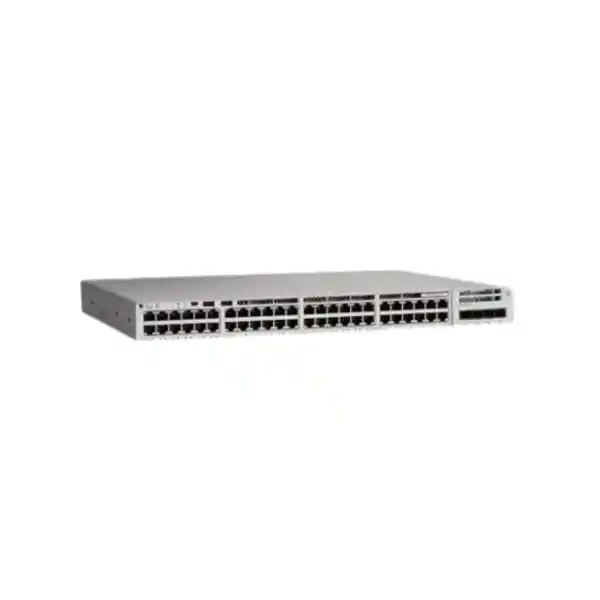
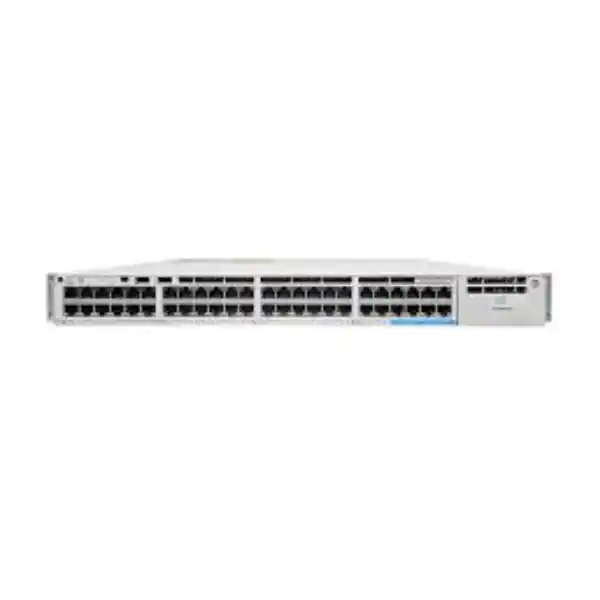
Cisco Catalyst C9200-48PXG Network Switch
The Cisco Catalyst C9200-48PXG is a modular-uplink, full-PoE+ enterprise access switch created for environments where conventional 1 Gigabit access is no longer enough for every endpoint. It combines forty 10/100/1000 copper access ports with eight multigigabit copper ports that can operate at 100 Mbps, 1 Gbps, 2.5 Gbps, 5 Gbps or 10 Gbps, providing an efficient way to introduce higher-speed Wi-Fi 6 and Wi-Fi 6E access points, high-performance workstations and bandwidth-intensive edge appliances while retaining a large 1G port base for phones, cameras, printers and standard office endpoints.
For Dubai and wider UAE deployments, the model is particularly useful when the access layer must support dense PoE endpoints, resilient stacking and faster aggregation links without moving every user port to an unnecessarily expensive 10G architecture. FourTeck can help size the switch, uplink module, power supplies, optics, stacking accessories and licensing as one coordinated bill of materials.
Direct answer: who should deploy the C9200-48PXG?
Choose the Cisco Catalyst C9200-48PXG when your access layer still has many 1G devices but a meaningful subset of ports needs more than 1 Gbps, especially for modern wireless access points. The switch is designed around this mixed-speed reality. Forty ports cover mainstream Ethernet endpoints while eight multigigabit ports let network teams deliver 2.5G, 5G or 10G over compatible copper cabling and endpoints. This avoids forcing an all-10G edge refresh merely to support a smaller number of high-bandwidth devices.
It is also a strong fit when resilience matters. Unlike fixed-uplink C9200L models, the C9200-48PXG belongs to the modular C9200 family. It supports field-replaceable uplink modules, field-replaceable fans, dual power-supply slots and StackWise-160. Up to eight compatible C9200 stack members can operate as a logical system when the stack members use the same license level. That architecture can simplify management and link design while providing a clearer maintenance path for enterprise closets where access-switch availability affects hundreds of users, phones, cameras and wireless clients.
The switch is especially relevant for UAE offices, schools, hospitality facilities, clinics, government branches, retail headquarters, warehouses and mixed-use buildings where high-density PoE endpoints and Wi-Fi capacity are growing faster than the structured-cabling plant can be replaced. Multigigabit Ethernet is valuable because compatible 2.5G and 5G links can frequently reuse existing copper that may not be suitable for 10G at the desired channel length, while 10GBASE-T on the multigigabit ports should be planned with suitable Category 6A or better cabling where full-distance performance is required.
Model-specific specification snapshot
Specifications should be checked against the exact Cisco ordering SKU, software release, power-supply combination, uplink module and license tier in the quotation. Optics, stack kit and secondary power supply are separate line items unless explicitly included.
48-port access design: 40 Gigabit ports plus 8 multigigabit ports
The defining feature of the C9200-48PXG is not simply its forty-eight-port count; it is the distribution of those ports. Most enterprise access closets still contain a large population of endpoints that gain no operational benefit from a 2.5G or 10G connection. Desk phones, badge readers, many cameras, printers, environmental sensors, building-control gateways and typical office PCs often remain comfortably within 1G. Assigning forty 1G copper ports to this population keeps the design cost-efficient and familiar while reserving eight multigigabit interfaces for devices that can genuinely use extra bandwidth.
The eight mGig interfaces are particularly important for high-capacity wireless. Modern access points can aggregate traffic from many radio clients, and a single 1G Ethernet uplink can become a design bottleneck even when the radio platform itself supports much higher aggregate throughput. A 2.5G or 5G Ethernet connection can therefore remove an artificial wired-side ceiling without demanding 10G on every access point. Where the access point, cabling and deployment model justify it, the same C9200-48PXG mGig ports can scale to 10GBASE-T. This makes the switch an effective bridge between existing copper access and newer high-throughput wireless generations.
For network architects, port placement should be intentional. Do not consume the mGig interfaces with low-bandwidth devices simply because they are physically available. During design, identify the AP locations, workstation clusters, media endpoints or edge appliances that require more than 1G and reserve the multigigabit ports for those endpoints. If the projected number of high-speed edge devices will exceed eight per switch, consider whether another PXG switch, a different access-platform density, or a revised wiring-closet split provides better economics and operational simplicity.
Cabling is part of that decision. 1G is forgiving on installed Category 5e or better structured cabling, while 10G copper has stricter channel requirements. Cisco recommends Category 6A or better when using the mGig ports for 10G. UAE projects with older copper should therefore be surveyed before promising a particular access speed. A qualified design can validate cable category, channel length, patching, termination condition and electromagnetic environment, then select 1G, 2.5G, 5G or 10G per endpoint rather than treating multigigabit as a single fixed operating mode.
PoE+ architecture and realistic power budgeting
Full PoE+ support means every access port is capable of participating in a powered-edge design, but the total wattage available to all endpoints is governed by the installed power supplies. With the commonly specified 1000W AC power supply, Cisco lists up to 740W of available PoE power on the C9200-48PXG. Adding a second 1000W AC supply raises the available PoE budget to as much as 1440W. That distinction matters: “48 ports of PoE+” describes port capability, while the PSU configuration determines how much aggregate powered-device demand can actually be supported at once.
A correct bill of materials therefore starts with a device-level power budget, not just a port count. List every AP, phone, camera, door controller, thin client and other powered device; record the expected and maximum draw; then add engineering headroom. If the switch is expected to operate during a power-supply failure without shedding critical PoE loads, size the surviving supply and priority configuration accordingly. Network teams can use PoE priority policies so business-critical devices retain power during constrained conditions.
Redundant power is more than extra wattage
The C9200-48PXG has two power-supply slots, and this allows designers to choose whether the secondary supply is primarily for additional PoE capacity, power resiliency, or both. A dual-PSU switch can be connected to separate rack PDUs and, where the site permits, separate UPS-backed electrical paths. That design reduces the risk that a single PSU or PDU failure removes the entire access switch and every PoE endpoint attached to it.
For UAE branches that host telephony, Wi-Fi and security cameras on the same switch, this consideration is operationally significant. Losing one access switch can simultaneously interrupt voice, wireless connectivity, CCTV transport and user data. Dual power supplies, dual upstream links, stacking, UPS runtime and clearly separated electrical feeds should therefore be evaluated together as parts of one availability architecture rather than as isolated accessories.
Uplink modules: choose 10G, 25G or 40G based on the actual aggregation layer
The modular uplink bay is one of the most important differences between the C9200-48PXG and fixed-uplink access switches. Cisco supports the C9200-NM-4X module for four 1G/10G uplink interfaces, the C9200-NM-2Y for two 25G interfaces, and the C9200-NM-2Q for two 40G interfaces on the PXG models. The older four-port 1G module is not supported on the C9200-48PXG. This means a deployment can begin with 10G aggregation and later adopt 25G or 40G uplinks without replacing the entire access chassis, provided the target distribution platform, optics and software design support the chosen speeds.
Choosing the fastest possible uplink is not automatically the best engineering decision. A single 48-port access switch may have modest real-world simultaneous utilization, even if several mGig APs are present. Two or four 10G uplinks can be entirely appropriate for many office floors, particularly when links are bundled using EtherChannel and distributed across redundant aggregation switches. Conversely, a high-density wireless environment, a media-production office, a large training center or an access stack carrying traffic from several switches may justify 25G or 40G to prevent the uplink layer from becoming the next bottleneck.
The aggregation switch determines what is practical. Before selecting C9200-NM-2Y or C9200-NM-2Q, verify that the upstream platform supports the same speed, optic type, breakout behavior if applicable, and physical media. The fiber plant must also match the transceiver choice. Multimode short-reach optics, single-mode long-reach optics and direct-attach options each solve different rack and campus distances. Procurement should therefore specify the exact switch module and both ends of every optic link rather than ordering the access switch alone and deciding connectivity later.
For greenfield UAE campuses, a useful approach is to size uplinks for the expected five-year endpoint mix instead of the first-day traffic profile. Wi-Fi density, cloud application usage, video collaboration, backup patterns and east-west traffic can increase faster than port count. Modular uplinks let the C9200-48PXG preserve access-switch investment as the distribution layer evolves, but only when the initial rack, fiber and power design leaves enough room for that evolution.
StackWise-160: building one logical access system from multiple switches
Cisco StackWise-160 allows compatible modular Catalyst 9200 switches to be interconnected with up to 160 Gbps of stacking bandwidth. A stack can contain as many as eight supported C9200 members, subject to Cisco’s model and license-level compatibility rules. From an operational perspective, stacking can reduce the number of independently managed access devices and creates a logical switching system in which links and ports can be distributed across physical members.
This matters for redundancy. An uplink EtherChannel can place member links on different physical switches in the stack, avoiding dependence on a single access chassis for upstream connectivity. Endpoints that have dual Ethernet interfaces can likewise be connected across different stack members when their software and topology support it. During maintenance, a carefully designed stack can make it easier to retain connectivity while one physical member is serviced, though network teams must still understand software-upgrade behavior, stack-master roles and the failure domain created by a common stack control plane.
The stack kit is a separate hardware consideration. C9200 modular switches use the C9200-STACK-KIT family with supported StackWise cables in appropriate lengths. Cable routing should be designed to create the intended ring topology rather than an incomplete daisy chain. In crowded UAE telecom rooms, stack-cable length and rear clearance can be as important as data-sheet compatibility because tight cabinets, deep UPS units and cable managers may constrain routing behind the switch.
Stacking should not be treated as a substitute for sound layer-2 and layer-3 design. It simplifies access operations, but it also concentrates multiple switches into one logical administrative entity. For critical environments, evaluate whether one large stack, two smaller stacks or independent routed access blocks best match the availability and change-control model. FourTeck can help map stack size, uplink diversity, power distribution and maintenance boundaries before hardware is ordered.
UADP 2.0 Mini architecture and why it matters at the access layer
Cisco’s architecture documentation identifies the C9200-48PXG as a platform using two UADP 2.0 Mini ASICs. UADP, Cisco’s Unified Access Data Plane family, is designed to provide hardware-based forwarding and policy capabilities across Catalyst platforms. For customers, the practical value is that the switch is not simply a collection of Ethernet ports driven by software. Core forwarding, classification and switching functions are implemented in purpose-built silicon, helping the platform maintain predictable packet processing under enterprise access workloads.
The C9200-48PXG is rated for 400 Gbps of switching capacity and 297.61 million packets per second of forwarding in the standalone configuration. Cisco lists 580 Gbps switching capacity and 431 Mpps when stacking capacity is included. These are platform-scale figures, not a guarantee that every application flow will experience a particular throughput, because real network performance still depends on packet size, protocol behavior, uplink design, congestion, endpoint capability, QoS and policy configuration. They nevertheless show that the switch is engineered for far more than a basic office edge.
The dual-ASIC layout also informs port mapping. Cisco architecture material maps different front-panel ports and uplink resources to the two ASIC cores. Network engineers working with unusually high oversubscription, demanding uplink patterns or specialized traffic designs may therefore consider physical port distribution rather than assuming every port shares an identical internal path. For normal enterprise access deployments, the platform abstracts most of this complexity, but detailed design teams can use Cisco’s architecture documentation when validating edge cases.
For procurement purposes, the main takeaway is that the PXG variant carries materially greater switching capacity than ordinary 48-port 1G C9200 models because it must accommodate eight access interfaces that can each operate at multigigabit rates. When a project genuinely needs those faster ports, choosing a standard 48P and adding more switches later may create unnecessary complexity and consume more rack space, power and uplink resources.
Cisco IOS XE operations: a familiar enterprise control plane with modern automation options
The Catalyst 9200 family runs Cisco IOS XE, which brings the operating model expected by enterprise Cisco teams while supporting newer programmability and management workflows. Organizations can continue to use structured CLI configuration and established operational practices, but they can also integrate the access layer into controller-based management, telemetry and automation systems according to software version and license entitlements. This is valuable for UAE organizations that have accumulated years of Cisco operational knowledge and want to modernize without discarding their existing standards.
Configuration consistency is one of the biggest operational gains available in a campus refresh. A 48-port switch can host several endpoint classes at once: corporate users, guest access points, phones, cameras, printers, building-management devices and administrative interfaces. Each class may require a different VLAN, QoS policy, authentication method, access-control posture and monitoring profile. Manual port-by-port configuration works in small environments but becomes risky as closet count increases. Template-driven management and validated automation help reduce configuration drift.
The network team should define a standard before deployment. That standard normally includes hostname conventions, management VRF or management VLAN, AAA and administrator access, NTP, DNS, SNMP or telemetry, syslog targets, spanning-tree policy, DHCP snooping, Dynamic ARP Inspection where appropriate, endpoint authentication behavior, storm control, QoS, unused-port shutdown, uplink-channel configuration and backup procedures. IOS XE provides the platform foundation, but the security and stability outcome depends on how consistently those features are applied.
Software release selection should be deliberate. “Latest” is not automatically synonymous with “best for production.” Enterprises should align with a Cisco-supported release train that matches their controller, feature requirements, security policy and maintenance lifecycle. Before a deployment or major upgrade, validate release notes for the exact C9200-48PXG SKU, network module, optics, authentication features and stacking environment. Lab testing is particularly worthwhile when the switch participates in a large stack or serves critical PoE infrastructure.
Network Essentials
Network Essentials is generally positioned for mainstream enterprise access requirements. It supports the core capabilities expected for switching, segmentation, resilient access and common routing functions at the entry enterprise tier. For many branch offices and conventional campus access closets, this license level can be sufficient when advanced routing and segmentation features are not required.
Do not select the license solely because it is the lower-cost option. Confirm the intended routing design, controller workflow, software feature set, telemetry requirements and future migration plan. Changing licensing later may be possible, but an accurate day-one bill of materials avoids commercial surprises and prevents an implementation team from discovering a missing entitlement during commissioning.
Network Advantage
Network Advantage is intended for environments that need the richer feature tier, including more advanced routing and segmentation capabilities supported by the platform and current software. It can be appropriate when the access layer participates more actively in the routed campus, when policy architecture is more sophisticated, or when the design depends on features that are outside the Essentials entitlement.
Cisco ordering also involves applicable subscription licensing. The exact term, feature set and commercial bundle should be confirmed at quotation time because Cisco licensing policy can evolve. FourTeck can prepare the hardware and license lines together so procurement can compare complete system cost rather than comparing bare chassis prices that exclude mandatory or design-critical software entitlements.
Security at the access layer: controlling devices before traffic reaches the firewall
A perimeter firewall remains essential, but enterprise security increasingly depends on what happens at the first Ethernet hop. The access switch sees endpoints as they join the network, so it is an important enforcement and visibility point. With an appropriate Cisco design, the C9200-48PXG can participate in identity-based access, VLAN segmentation, access control, DHCP protection, ARP protection, port security, control-plane protection and telemetry workflows. The goal is to reduce the chance that an unauthorized or compromised endpoint receives unrestricted lateral access simply because it is physically connected inside the building.
802.1X and MAB are commonly used to classify endpoints, but successful network access control requires more than enabling authentication commands. The project must account for phones with attached PCs, printers that lack supplicant software, cameras, IoT devices, recovery procedures and authentication-server outages. A good design defines failure modes, remediation VLANs, profiling behavior and help-desk workflows before enforcement becomes mandatory. Port templates can then apply the correct behavior consistently.
Layer-2 security controls are equally important. DHCP snooping can help establish trusted DHCP behavior; Dynamic ARP Inspection can use that trust information to reduce ARP spoofing risk; IP Source Guard and related features may further restrict illegitimate source behavior where appropriate. BPDU Guard and carefully defined spanning-tree roles can reduce the chance that an accidental loop or unauthorized switch destabilizes the access layer. Storm-control policies can prevent certain broadcast or multicast faults from consuming all available access bandwidth.
For organizations designing the complete security edge, FourTeck’s Firewall Dubai practice can be considered alongside the switching project so VLAN boundaries, routed interfaces, firewall zones, guest access and Internet egress are designed as one architecture. The access switch and firewall solve different problems, but their policies must agree on addressing, segmentation and trust boundaries.
Wi-Fi 6 and Wi-Fi 6E access: where the PXG model earns its place
The C9200-48PXG is explicitly positioned by Cisco for converged wired and wireless access with higher-bandwidth branches, and the eight multigigabit ports explain why. A modern enterprise AP can have multiple radio chains, serve many clients and move substantially more traffic than earlier generations. If that AP is connected to a 1G switch port, the wired link can become the bottleneck even though the wireless system and RF design are capable of more.
Multigigabit Ethernet provides intermediate rates that better match real deployment economics. An AP may use 2.5G or 5G rather than requiring 10G. This can preserve existing horizontal cabling and reduce the cost of a wireless refresh. The access switch can auto-negotiate a supported speed with a compatible endpoint, allowing network teams to upgrade the device population gradually instead of replacing all access wiring and switching at once.
PoE planning must accompany bandwidth planning. High-performance access points can have greater power requirements than older APs, and some platforms reduce radio features if insufficient PoE is available. Although the C9200-48PXG supports PoE+ rather than higher-power UPOE+ classes, many enterprise AP deployments fit within PoE+ budgets; the exact AP model must still be checked. If the selected AP requires more than the switch can provide on a port, choose a different powering design or access-switch platform instead of assuming nominal “PoE” compatibility.
Wireless design is ultimately about more than switch ports. AP count, channel plan, RF attenuation, client density, roaming, controller architecture, cabling, PoE and upstream Internet capacity all interact. The PXG switch solves the wired-access bottleneck for a useful subset of ports, but a proper project should size those ports against the actual AP placement. Reserving eight mGig ports per switch is effective only if the physical patching and closet topology align with where those AP cables terminate.
Voice, video surveillance, IoT and converged edge deployments
A modern access switch rarely serves a single application. Forty-eight ports can easily include desk phones, video conferencing systems, cameras, access points, door controllers, printers, desktops and management interfaces. The C9200-48PXG is well suited to this converged edge because it combines high port density, PoE+ and policy controls in one rack unit. However, convergence increases the importance of QoS, power design and segmentation because a fault in one switching domain can affect several business services at the same time.
Voice traffic needs low delay and predictable queuing more than raw bandwidth. IP phones should therefore be placed in a clearly defined voice policy with the correct trust boundary, VLAN behavior and QoS marking strategy. Video surveillance is different: many camera streams are continuous and can create substantial aggregate throughput toward recording servers. A 48-camera deployment can look modest per endpoint yet still generate significant sustained uplink traffic. Calculate codec, resolution, frame rate, scene complexity and retention architecture before assuming that a generic 10G uplink profile is sufficient.
IoT and building-management devices often have low bandwidth but higher security concerns because they may run embedded software with long patch cycles. Put these endpoints in restricted segments, prevent unnecessary east-west communication and limit their permitted services toward management platforms. If the network integrates access control, lighting or environmental sensors, document their power-failure behavior and dependencies so a switch maintenance window does not create an unexpected facilities incident.
For projects that combine switching with compute or recording infrastructure, the FourTeck Server Dubai portfolio can help align server NIC speeds, storage traffic and switch uplinks. This is particularly useful for CCTV recording, virtualization clusters and application servers where an access-switch refresh exposes bottlenecks further upstream.
Routing, segmentation and campus topology choices
The C9200-48PXG can be deployed as a traditional Layer-2 access switch with routing concentrated at the distribution layer, or it can participate in a more routed access design according to software features and licensing. The correct choice depends on campus scale, operational maturity, failure-domain objectives and how much policy the organization wants to place at the edge. There is no universal rule that every modern access switch should route or that every access switch should remain Layer 2.
Traditional Layer-2 access remains easy to understand. User, voice, camera and AP VLANs are extended to the distribution pair, where default gateways and inter-VLAN policy can be applied. Spanning Tree and first-hop redundancy must be designed carefully, and VLAN scope should be constrained to avoid unnecessary broadcast domains. In smaller UAE branches, this model may be entirely appropriate because it keeps routing and security concentrated in fewer devices.
Routed access can reduce Layer-2 failure domains and create deterministic equal-cost paths when the surrounding architecture supports it. The access switch may terminate VLANs locally and route toward the distribution layer, making the switch more active in the IP topology. This can improve convergence and simplify some campus designs, but it requires suitable routing features, address planning, policy design and operational knowledge. Network Advantage may be relevant when advanced routing requirements exceed the Essentials feature tier.
Segmentation should be application-driven. Separate users, guest devices, voice, cameras, IoT and management traffic where there is a clear operational or security reason. Avoid creating dozens of VLANs simply because the switch supports them. Each segment introduces addressing, routing, firewall, DHCP, monitoring and troubleshooting responsibilities. The strongest campus designs use segmentation to enforce an intentional trust model and document how every segment reaches required services.
QoS design for multigigabit access and oversubscribed uplinks
Access ports becoming faster does not eliminate congestion; it moves the likely congestion point. Eight mGig devices and forty 1G devices can collectively offer far more traffic than a pair of 10G uplinks can carry if many endpoints transmit at once. Enterprise networks rely on statistical multiplexing because users do not normally saturate every access port simultaneously, but important applications still need a policy for the moments when offered load exceeds available capacity.
QoS starts with classification and trust. Phones may mark voice traffic correctly, while ordinary PCs should not automatically be trusted to claim high-priority DSCP values. Wireless traffic may arrive with markings based on WLAN policy, and cameras may need predictable treatment without being placed in the same strict-priority queue as real-time voice. A design should map application categories to classes, define where markings are trusted or rewritten, and ensure the distribution and WAN layers interpret those classes consistently.
The C9200 platform provides enterprise QoS capabilities according to software release and license, but configuration should be validated against the actual traffic model. Overly aggressive policing can create packet loss that is difficult to diagnose, while excessive priority allocation can starve ordinary traffic. Monitor queue drops and interface utilization after deployment. Capacity planning should remain the first tool; QoS is a mechanism for controlling contention, not a way to manufacture bandwidth.
In branches with constrained WAN or Internet circuits, the campus uplink may not be the narrowest link. A 25G switch uplink does not improve an application whose traffic exits over a 500 Mbps WAN. End-to-end design should therefore examine access, aggregation, firewall throughput, WAN service, Internet breakout and application hosting together. FourTeck’s IT Services UAE team can support implementation planning where switching is one component of a broader infrastructure refresh.
UAE environmental, rack and electrical planning
Enterprise switches belong in controlled telecom spaces, and UAE deployments deserve particular attention to cooling and dust management. The external climate can be extremely hot, but the switch should operate inside a room maintained within the equipment’s supported environmental envelope. Do not use the switch’s published operating-temperature limit as the target room temperature. Higher inlet temperature increases fan demand and leaves less margin during an HVAC fault. A well-managed rack should maintain predictable front-to-back airflow, unobstructed intake and exhaust paths, and sufficient clearance for field-replaceable fans and power supplies.
Rack depth must include more than the switch chassis. Cisco lists the C9200-48PXG at approximately 35 cm chassis depth, increasing when rear power supplies are considered. Add space for power leads, stack cables, cable-management bends and PDU access. In shallow wall-mounted cabinets, the rear protrusion and bend radius can become the real constraint. A site survey should measure usable internal depth, not just the cabinet’s advertised external dimension.
Power design is equally important. A 1KW switch power supply does not mean the switch constantly consumes 1KW, but the branch electrical design must accommodate the installed PSUs and the expected PoE load. UPS sizing should be based on measured or engineered load, desired runtime, battery aging and other devices sharing the UPS. If two switch PSUs are installed for redundancy, connect them to independent protected power paths where possible; plugging both into the same single PDU preserves PSU redundancy but not PDU or upstream-circuit redundancy.
Telecom rooms should also include proper grounding, labeling and patch management. PoE access switches often have almost every port occupied, and unmanaged patch cords can obstruct airflow or make replacement difficult. Use horizontal and vertical cable managers, preserve service loops without creating large cable masses, and label both ends of every critical connection. These basic physical practices often have more impact on restoration time than sophisticated software features.
Performance sizing: how to decide whether 10G, 25G or 40G uplinks are justified
A practical sizing exercise begins by dividing endpoints into traffic classes. Standard office users generally create bursty traffic. Voice is low bandwidth but latency-sensitive. Cameras create sustained flows. Access points can be bursty or sustained depending on the environment. Local servers or high-end workstations may create large east-west transfers. Estimate the realistic busy-hour load for each class, then add growth headroom. Do not sum every port at line rate unless the application genuinely has that behavior; doing so would overstate required uplink bandwidth for most campus networks.
For a conventional office floor with forty user ports, a few phones and six multigigabit APs, a resilient 2 x 10G port-channel can often provide ample capacity. If the switch is one member of a larger StackWise system, however, traffic from multiple members may converge onto the same uplink bundle. In that case, the aggregation design should be sized at the stack level rather than per physical chassis. A four-member stack can serve nearly two hundred copper endpoints, changing the oversubscription calculation substantially.
Twenty-five-gigabit uplinks are attractive because they increase capacity without the four-lane optics historically associated with 40G. They can fit modern distribution architectures that already expose SFP28 interfaces. Forty-gigabit uplinks remain useful where the upstream switch and installed optics are designed around QSFP+. The best choice is the speed that aligns with the distribution platform’s port economics and the site’s real traffic, not the largest number in the module list.
Collect telemetry after deployment. Interface utilization, peak percentiles, queue drops, errors, discards and application performance reveal whether the design assumptions were accurate. When growth eventually pushes the link toward sustained congestion, the modular C9200-48PXG gives the organization options. It can add or change uplink capacity without replacing all forty-eight access ports, which is one of the main lifecycle arguments for choosing the modular model.
High availability beyond stacking
Availability is the product of several independent design decisions. StackWise-160 addresses switch-member coordination and interconnection, but a resilient access layer also needs redundant power, redundant uplinks, appropriately redundant upstream distribution, stable routing or spanning-tree design, and tested operational procedures. If every stack uplink terminates on one distribution switch, the access stack still has a single upstream failure point. If both switch power supplies connect to one non-redundant UPS, the electrical design has a single failure point as well.
Distribution architecture should therefore be considered with the access switch. A dual-homed port-channel or routed design can spread uplinks across redundant distribution devices where supported by the upstream topology. Link diversity is valuable only when the fibers take appropriately diverse paths and the distribution switches do not share avoidable dependencies. In multi-floor buildings, consider whether both uplinks follow the same riser, patch panel or fiber tray and whether a single maintenance event could interrupt both.
Software maintenance is another availability factor. Stacked environments simplify management but can make an upgrade affect many ports at once. Define maintenance windows, pre-checks, configuration backups, rollback procedures and console access before production changes. Keep spare optics, stack cables and potentially a compatible switch or PSU according to business criticality and lead time. A spare that is stored without the correct software image, license understanding or configuration process may not restore service as quickly as expected.
Monitoring closes the loop. Alert on power-supply state, fan state, temperature, stack health, uplink loss, interface errors and abnormal PoE conditions. Detecting a failed redundant component while service is still running gives the operations team a chance to replace it before the next failure converts redundancy into downtime. High availability is therefore an operational discipline, not merely a list of redundant components.
C9200-48PXG compared with standard C9200-48P and fixed-uplink C9200L choices
A common purchasing mistake is to compare switches only by port count. The C9200-48P and C9200-48PXG both provide forty-eight copper access ports and full PoE+ capability, but the PXG model dedicates eight ports to multigigabit operation up to 10G. It also supports the PXG-specific higher-speed modular uplink options of 25G and 40G. Its standalone switching capacity is correspondingly higher at 400 Gbps, compared with the lower capacity of standard 48-port 1G models. If the project expects multiple Wi-Fi 6/6E APs or other faster copper endpoints, the PXG premium buys a capability that the 48P cannot add later through software.
The C9200L family takes a different approach. C9200L models use fixed uplinks and StackWise-80 rather than the modular C9200’s StackWise-160. Fixed uplinks can reduce cost and simplify ordering when the required uplink speed is known and unlikely to change. Modular C9200 models make more sense where infrastructure flexibility, field-replaceable fans, faster stacking or replaceable uplink modules justify the investment.
The C9200-48PXG should not be chosen merely because it is “higher specification.” If every endpoint is 1G and the distribution layer only needs modest uplinks, a conventional C9200-48P may be more economical. If the network requires many more than eight mGig ports per 48-port switch, a different Catalyst model may be more suitable. If endpoint devices require power classes above PoE+, verify that requirement before committing to the 9200 platform.
A strong procurement decision starts with endpoint and uplink requirements, then chooses the least complex platform that meets them with reasonable growth margin. FourTeck can compare the model families at the bill-of-materials level, including power supplies, modules, optics, licenses and stack components, rather than comparing bare switch chassis alone.
Detailed bill-of-materials planning for a complete deployment
A Cisco access switch quotation should be complete enough that the implementation team does not discover missing parts on installation day. Start with the exact C9200-48PXG ordering SKU and required base license level. Confirm the relevant Cisco subscription entitlement and term. Add the selected uplink network module, because a modular chassis ordered without the intended network module cannot provide the planned fiber uplinks. Then specify transceivers or direct-attach cables for each uplink, matching both the access and distribution platforms.
Next, calculate power. The C9200-48PXG commonly uses the PWR-C6-1KWAC. Decide whether one or two supplies are required and whether the purpose is PoE budget, power redundancy or both. When high PoE demand is expected, list the endpoints and their maximum draw so the PoE budget is defensible. Verify plug type and rack PDU compatibility. If UPS runtime is part of the scope, size the UPS against the actual connected equipment rather than the PSU nameplate alone.
For stacked deployments, add the C9200 stack kit and select stacking cables that physically fit the rack layout. A six-switch stack in adjacent rack units may use different practical cable lengths from a split-rack or high-density configuration. Document the intended ring and cable order. Spare stack cables can be inexpensive insurance for critical environments, especially where replacement lead time is uncertain.
Fiber connectivity is another frequent source of omissions. Count uplinks, identify single-mode versus multimode plant, confirm connector type and distance, and order compatible optics for both ends. If structured cabling or fiber patching must be added, include patch panels, jumpers, labeling and testing. For copper mGig links, confirm the cable category and certify questionable channels before go-live.
Finally, include services: staging, software standardization, configuration, rack installation, patching, migration, testing and documentation. FourTeck UAE can combine switching with wider infrastructure through FourTeck UAE, allowing the switch purchase to be coordinated with firewall, server, wireless and implementation requirements rather than handled as an isolated box shipment.
Deployment workflow: from survey to production handover
A predictable deployment begins with discovery. Record current switch models, port utilization, VLANs, uplinks, spanning-tree roles, routing, authentication, PoE usage, AP models, camera counts, rack dimensions and power availability. Export configurations and interface statistics from the existing network. This data reveals hidden dependencies such as static trunks, unusual VLANs, legacy phones or devices that require manual speed and duplex settings.
The design phase converts that inventory into a target standard. Assign endpoint groups to VLANs and policies, choose the uplink speed and module, define stack membership, select power-supply quantity, determine management addressing and establish the IOS XE software baseline. Create switch templates with explicit placeholders for site-specific values. Document the rollback method before touching production equipment.
Staging should happen before site migration when possible. Upgrade or align software, install licenses and network modules, validate stack formation, test management access and load the baseline configuration. A bench test can catch incompatible optics, wrong stack cables, licensing assumptions and configuration errors in a controlled environment. It also reduces the time engineers spend working inside a busy telecom room.
During migration, move endpoints in logical groups and verify each service. Check DHCP, DNS, authentication, voice registration, AP controller connectivity, camera streams and user access. Confirm that PoE devices negotiate expected power and that uplink port-channels are forwarding correctly. Watch logs and interface counters for errors. Avoid moving every cable before performing any testing; phased validation makes it easier to isolate faults.
Handover should include as-built diagrams, switch serial numbers, license records, management IPs, stack membership, uplink maps, power-feed information and configuration backups. Operations teams should know how to identify a failed stack member, replace a power supply, access the console and escalate software issues. A technically successful cutover is not complete until the support team can operate the environment after the project engineers leave.
Monitoring, telemetry and lifecycle operations
The operational value of a modern switch comes from what the network team can see and automate after installation. At minimum, collect device reachability, interface state, bandwidth utilization, error counters, PoE status, stack state, temperature, fan health, power-supply health and software version. Add syslog or event telemetry for topology changes, authentication failures and environmental alarms. This baseline turns many outages from reactive troubleshooting into early intervention.
Capacity dashboards should distinguish sustained usage from short bursts. A 10G uplink that reaches 8 Gbps for a few seconds during backups may be healthy, while an uplink that sits above 80 percent for hours can signal chronic congestion. Monitor queue drops as well as average utilization because microbursts can affect applications even when five-minute averages look low. For PoE, track both total budget and endpoint draw so future AP or camera additions do not unexpectedly exhaust available power.
Configuration management is another lifecycle requirement. Store backups after every approved change, keep templates under version control where practical, and compare running configuration against the standard. If controller-based management is used, define how emergency CLI changes are reconciled. Untracked changes are a major source of drift and inconsistent troubleshooting.
Software lifecycle must be planned before the current image reaches an end-of-maintenance point. Review Cisco security advisories and release guidance, test planned upgrades and schedule maintenance. A stack may require a different upgrade procedure from an individual switch, so confirm behavior for the selected release and feature set. Keep console access and rollback images available for critical sites.
Organizations with sites outside the UAE can apply the same standards while accounting for local logistics. FourTeck’s Africa infrastructure practice can support organizations that need a consistent Cisco access design across UAE headquarters and African branches, with regional procurement considerations handled as part of the rollout plan.
Troubleshooting framework for C9200-48PXG deployments
Troubleshooting is fastest when engineers separate physical, link, control-plane and application symptoms. For a dead endpoint, begin with the physical layer: link state, cable certification, patching and interface errors. For a PoE endpoint, verify that the switch recognizes the powered device, that sufficient budget remains and that the negotiated power level meets the device requirement. A device can have Ethernet link yet fail because it receives insufficient power for full operation.
Multigigabit links deserve special attention. If an AP expected to run at 5G negotiates only 1G, check the endpoint capability, cable category, channel quality and autonegotiation. Do not force a higher speed on questionable cabling as a shortcut. A stable 1G link is operationally better than an error-prone 5G link. Certified testing can identify split pairs, excessive insertion loss, poor termination or other faults that ordinary continuity checks miss.
For uplink problems, verify optic compatibility, light levels where supported, fiber polarity, interface speed and port-channel parameters. If the access stack uses multiple uplinks across physical members, confirm every member link is bundled and forwarding as intended. Watch for asymmetric routing or spanning-tree blocks that differ from the design. A link that is electrically or optically up can still be logically inactive because of channel or VLAN mismatch.
Stack faults should be diagnosed with both topology and member-state information. Confirm stack cables, adapters, ring completeness, member priorities and software compatibility. Label stack ports and cables during installation so engineers can trace the ring without dismantling the rack. If a member is replaced, follow documented procedures for software alignment and provisioning to avoid unexpected member numbering or configuration assignment.
Finally, maintain a known-good baseline. Save interface counters, stack state, power data and routing or spanning-tree status after commissioning. During an incident, comparison with a healthy snapshot can be more useful than staring at current output without context. Good documentation turns a sophisticated switch from a black box into an observable system.
Procurement considerations for Dubai and the wider UAE
Enterprise network procurement is more complex than finding the lowest chassis price. Cisco switches are ordered with specific hardware and licensing combinations, and a quote that appears inexpensive may omit the network module, optics, subscription, secondary power supply or stack kit required by the architecture. Compare quotations on an equal bill of materials. Ask each supplier to state exactly what is included and identify any required components that are priced separately.
Lead time can influence design. If a particular 25G module or optic is not locally available, a project may decide to deploy 10G initially and upgrade later, but that should be an intentional architecture decision. For critical spares, local availability may be more valuable than a small purchase-price difference. Consider holding at least the components whose failure would otherwise create extended downtime: compatible PSU, optics, stack cable and possibly a spare switch for large sites.
Warranty and support entitlement should be recorded against serial numbers. Operations teams need to know who is authorized to open support cases, where device details are stored and what response level has been purchased. Imported grey-market equipment can create uncertainty around provenance, licensing and support eligibility, so enterprise buyers should prioritize traceable sourcing and clear commercial documentation.
VAT, delivery location, installation scope and site-access restrictions should also be explicit in the quotation. A Dubai office tower may require loading-bay booking and access permits; a remote UAE warehouse may need travel, after-hours work or lift equipment. If rack installation is included, define whether the scope covers old-switch removal, patch migration, labeling, configuration, testing and disposal of packaging.
FourTeck can provide a UAE-focused quotation that links hardware procurement to the technical design. The aim is to avoid a “box-only” purchase when the real requirement is a complete access-switching outcome with appropriate uplinks, power, optics, stacking and implementation support.
Typical UAE deployment scenarios
Corporate office floor
Forty 1G ports serve user desks, phones and printers while six to eight mGig ports support high-capacity wireless APs. Two 10G uplinks connect to redundant distribution switches. Dual PSUs protect voice and Wi-Fi from a single power-supply failure. This is the classic use case for the PXG mix.
Education and training center
Dense wireless usage makes AP uplink speed important even though many wired classroom devices remain 1G. The mGig ports connect APs while the standard ports handle AV devices, phones and administration endpoints. A 25G or 40G uplink can be considered if several access switches are stacked and busy-hour wireless traffic is high.
Hospitality or mixed-use building
A single closet may support APs, IP phones, cameras and building devices. PoE budget and service segmentation become as important as bandwidth. The C9200-48PXG can consolidate those endpoint types, but high availability should include dual power paths and redundant uplinks because one switch may support several operational systems.
Warehouse and logistics site
Standard ports connect cameras, printers, handheld-device docks and controllers, while mGig ports can serve high-throughput APs covering large operational zones. Environmental conditions, UPS runtime and cabling routes deserve close attention because telecom rooms can be more exposed to heat and dust than office facilities.
Designing for a five-to-seven-year lifecycle
Access switches are often retained longer than the endpoint devices they serve. During one switch lifecycle, an organization may replace its wireless APs twice, refresh laptops and phones, add cameras and adopt new cloud applications. The C9200-48PXG is attractive because it reserves eight ports for bandwidth growth while keeping forty ports economical for ordinary devices. Modular uplinks provide another upgrade path as aggregation requirements evolve.
Future-proofing should be disciplined, however. Buying capabilities with no plausible use increases cost without reducing risk. Forecast AP density, office occupancy, camera expansion, IoT growth and distribution-switch roadmap. If no device is expected to need more than 1G and the building will be vacated in three years, PXG may be unnecessary. If the next wireless refresh is already expected to use 5G Ethernet and the access switches are planned for seven years, PXG can prevent an avoidable switch replacement.
Cabling is often the limiting asset. A multigigabit switch cannot compensate for damaged or poorly terminated copper. Include structured-cabling testing in the lifecycle plan and document which runs support which speeds. For new construction, specifying Category 6A for high-bandwidth AP and workstation drops can preserve the option for 10GBASE-T. For existing buildings, 2.5G and 5G can provide valuable intermediate steps where full cable replacement is impractical.
Power growth matters too. A network that starts with thirty phones and six APs may later add cameras and access-control devices. Dual 1KW supplies can raise the PoE budget substantially, but rack UPS and electrical capacity must support that growth. Designing the switch without considering the room’s power and cooling budget simply moves the future constraint elsewhere.
Lifecycle planning therefore ties together ports, uplinks, cabling, power, software support and operations. A C9200-48PXG purchase is strongest when each of those areas has a documented reason for the selected configuration.
Migration from legacy Catalyst access switches
Organizations replacing older Catalyst access platforms should resist the temptation to copy the legacy configuration line for line. A migration is a chance to remove obsolete VLANs, insecure management protocols, unused trunks, stale port descriptions and exception commands that accumulated over years. Begin by documenting the intent behind the old configuration, then reproduce only the functions still required on IOS XE.
Port mapping deserves special attention. If users are moved from a legacy 48-port switch to the C9200-48PXG, identify which eight physical cables should land on mGig interfaces. Wireless APs are usually the priority. Patch-panel labeling can make this straightforward; poor labeling can force engineers to trace cables during the maintenance window. Prepare a port-to-port migration sheet in advance so each cable has a destination and policy.
Uplink design may also change. An older switch might use 1G fiber links, while the new C9200-48PXG is better served by 10G or faster aggregation. Verify that the distribution switch has available ports, compatible optics and sufficient capacity. If legacy fiber is multimode, confirm that the selected transceiver and distance are appropriate. Do not assume an existing SFP can simply be moved into a newer high-speed module.
Authentication and spanning-tree behavior should be tested because defaults and recommended practices may differ from very old Catalyst generations. If the site uses phones with PCs behind them, validate the exact 802.1X or MAB workflow. If the site relies on static trunk settings or special native VLAN behavior, document it explicitly. The migration should leave the network cleaner and more standardized, not merely newer.
After cutover, keep the old switch available until validation is complete and rollback is no longer required. Capture a new baseline, update diagrams and close the project with an as-built configuration. This operational discipline reduces risk more effectively than rushing to use every advanced feature on day one.
Frequently asked technical questions
Does the C9200-48PXG provide forty-eight 10G ports?
No. It provides forty standard copper ports up to 1G and eight multigigabit copper ports that can operate up to 10G. This mixed port map is designed to concentrate higher-speed access where it is needed rather than raising the cost of every port.
Are uplink ports built into the chassis?
The C9200-48PXG uses a modular uplink architecture. Select a compatible network module such as C9200-NM-4X, C9200-NM-2Y or C9200-NM-2Q according to the required 10G, 25G or 40G design. Include the module in the bill of materials.
Can it stack with C9200L?
No. Cisco states that mixed stacking between modular C9200 and fixed C9200L models is not supported. The C9200-48PXG belongs to the modular StackWise-160 family and should be stacked with compatible C9200 members using the supported stack kit and license-level rules.
How much PoE power is available?
Cisco lists up to 740W of available PoE with one PWR-C6-1KWAC supply and up to 1440W with a second 1KW AC supply. Real design should budget each powered endpoint and preserve headroom rather than assuming every port can simultaneously draw its maximum.
Is 10G copper guaranteed on existing cabling?
No. Endpoint compatibility and cabling quality determine the negotiated speed. Cisco recommends Category 6A or better for 10G on these mGig ports. Existing channels should be tested, especially in older buildings or long cable runs.
Which license should I order?
Use Network Essentials for mainstream access requirements when its feature set is sufficient, or Network Advantage when the design needs richer routing or segmentation features. Confirm the exact Cisco subscription entitlement and term with the final architecture and current ordering rules.
Decision recap: when the C9200-48PXG is the right purchase
Strong fit
- You need a 48-port enterprise access switch with full PoE+ support.
- Several Wi-Fi APs or edge devices need 2.5G, 5G or 10G copper.
- You want field-replaceable uplink modules and the option for 10G, 25G or 40G aggregation.
- StackWise-160 and up to eight compatible stack members support your resiliency model.
- Dual power-supply slots and a PoE budget up to 1440W with dual 1KW AC supplies match endpoint power requirements.
Reconsider or compare alternatives
- All access devices are 1G and there is no credible mGig requirement during the switch lifecycle.
- More than eight edge ports per switch must operate above 1G.
- Endpoints require power classes above PoE+.
- A fixed-uplink model already meets the bandwidth, redundancy and lifecycle requirements at lower total cost.
- Your design expects stacking with C9200L or a different Catalyst family, which is not supported by this StackWise domain.
The C9200-48PXG is most valuable when a network genuinely has a mixed 1G and multigigabit edge. Its 40-plus-8 port architecture, modular uplinks, StackWise-160 and PoE capacity create a balanced access platform for organizations upgrading wireless and converged edge services without making every access port 10G. The purchasing decision should still be based on endpoint inventory, cabling, uplink oversubscription, power and license requirements rather than on headline specifications alone.
Quotation input checklist for an accurate Cisco C9200-48PXG BOM
Providing the following details allows FourTeck to quote the complete system rather than a bare chassis that may be missing deployment-critical accessories.
FourTeck consultation for Cisco Catalyst C9200-48PXG in UAE
A reliable C9200-48PXG deployment depends on the complete system: switch SKU, license, network module, optics, stacking, power supplies, cabling, upstream capacity and implementation standards. FourTeck can help translate the endpoint requirement into a complete bill of materials and rollout plan for Dubai and wider UAE sites.
For organizations building a broader infrastructure stack, FourTeck can coordinate access switching with firewalls, servers, Wi-Fi, structured cabling and network services. This avoids incompatible assumptions between separate hardware purchases and produces a clearer handover to the operations team. The goal is not simply to deliver a switch; it is to ensure that the access layer has the bandwidth, resilience, power and policy required by the business applications that depend on it.
Product capabilities, licensing and compatibility can change with Cisco software and commercial policy. Final quotations should be validated against the exact ordering SKU and current Cisco documentation.


Reviews
There are no reviews yet.