
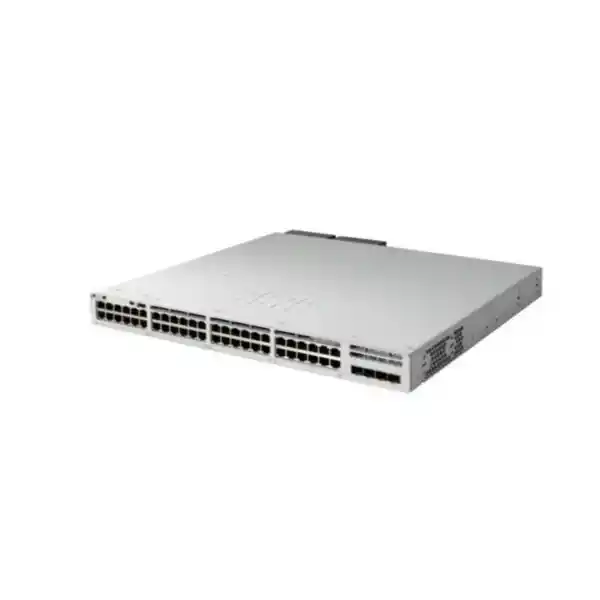
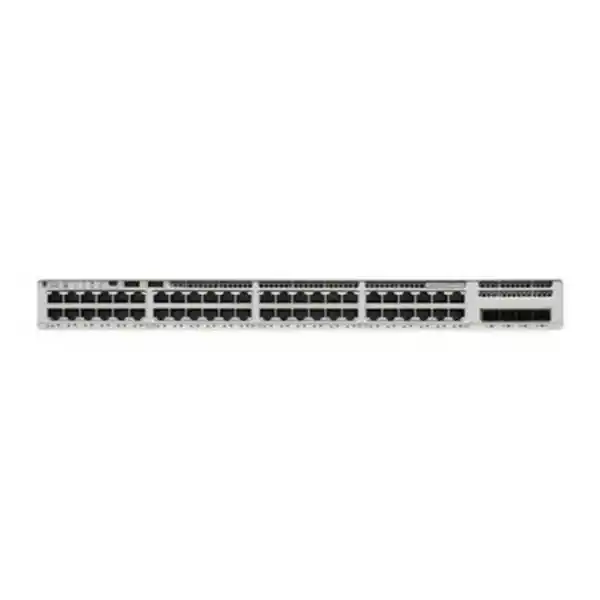
Cisco Catalyst C9200L-48PL-4X Network Switch
A 48-port Gigabit Ethernet access platform with partial PoE+, four fixed 1/10GbE SFP+ uplinks, StackWise-80 capability, Cisco IOS XE and resilient power architecture for modern branch, campus and distributed enterprise networks.
Copper access ports for users, phones, cameras, printers, access points and IoT endpoints.
Fixed SFP/SFP+ uplinks for resilient fiber or high-speed aggregation connectivity.
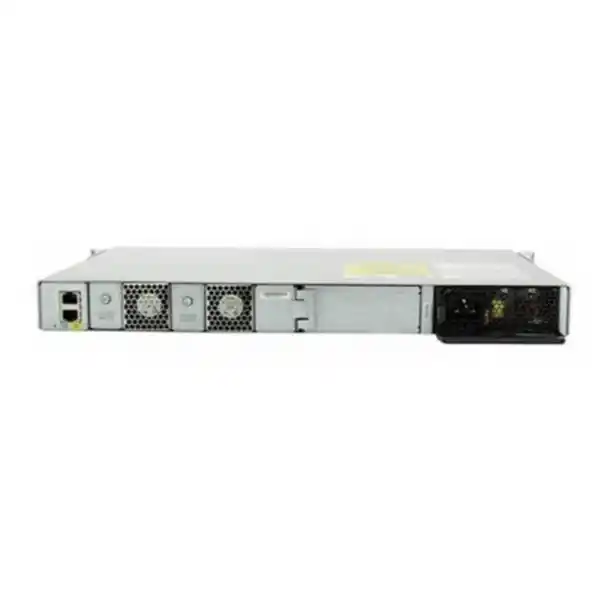
With the standard 600W AC power supply; additional power supply can raise available PoE.
Optional StackWise-80 architecture for a unified, resilient access stack of compatible C9200L units.
Direct answer: what is the C9200L-48PL-4X designed to do?
The Cisco Catalyst C9200L-48PL-4X is designed to be an enterprise access-layer switch where a site needs forty-eight copper Gigabit Ethernet ports, a practical but not maximum PoE+ budget, fast 10 Gigabit uplinks and the operational familiarity of Cisco IOS XE. It is particularly well suited to offices where only a portion of the connected endpoints require power from the switch. Typical examples include a floor with desktop PCs and printers mixed with IP phones, video surveillance cameras, wireless access points, badge readers and other powered edge devices. The partial-PoE design allows an organization to purchase the switching density it needs without automatically paying for the larger power subsystem associated with a full-PoE 48-port model.
The model sits in Cisco’s Catalyst 9200L family, where the “L” fixed-uplink architecture is optimized for cost-effective enterprise access. In this SKU, the “48” identifies forty-eight access ports, “PL” identifies the partial-PoE+ configuration, and “4X” identifies four fixed uplink interfaces capable of 1 or 10 Gigabit Ethernet operation. The base hardware is commonly ordered as either C9200L-48PL-4X-E with Network Essentials or C9200L-48PL-4X-A with Network Advantage. That distinction matters during quotation because the unsuffixed hardware name describes the physical platform, while the -E or -A suffix defines the perpetual network software tier and influences the subscription option selected at purchase.
For UAE organizations, this design is attractive because it can standardize access switching across Dubai, Abu Dhabi, Sharjah and other branch locations while supporting fiber-based aggregation, resilient stacking and centralized operations. A common deployment uses two or more units in a StackWise-80 stack, dual uplink paths toward redundant distribution or core switches, separate VLANs for users, voice, wireless, CCTV and building systems, and a PoE allocation matched to the actual endpoint power draw. FourTeck can support this architecture through its UAE technology portfolio, including switch supply, optics, rack integration and implementation planning.
Hardware architecture and access-layer role
Enterprise access switching is not only about port count. The access layer is where endpoint density, power delivery, identity enforcement, broadcast segmentation, application quality and physical resilience converge. The C9200L-48PL-4X is engineered for that role rather than for data-center leaf switching or high-capacity campus core routing. Its forty-eight 10/100/1000BASE-T interfaces provide a familiar edge connection model, while the four fixed SFP/SFP+ uplinks create enough upstream bandwidth for most office floors, branch sites, schools, clinics, hospitality back-office networks and distributed enterprise facilities.
The platform provides 176 Gbps of standalone switching capacity and a forwarding rate of up to 130.95 million packets per second. Those figures align with the physical port architecture: forty-eight Gigabit access ports can theoretically contribute 48 Gbps in each direction, while four 10 Gigabit uplinks add up to 40 Gbps in each direction. For normal enterprise traffic, the switch is therefore capable of forwarding at wire-speed characteristics across its designed port mix, subject to packet size, feature configuration and actual traffic behavior. When StackWise-80 is deployed, Cisco lists switch capacity with stacking at 256 Gbps and a forwarding rate with stacking of approximately 190 Mpps, reflecting the additional stack fabric available for inter-member forwarding.
The C9200L line uses fixed uplink ports rather than modular uplink network modules. This makes hardware selection straightforward: the 4X version is chosen when 10 Gigabit uplinks are required, whereas 4G variants target environments where 1 Gigabit uplinks are sufficient. Because the uplink hardware is fixed, buyers should size future aggregation requirements before procurement. If a site might later need 25 Gigabit uplinks, modular uplinks or multigigabit downlinks for high-throughput Wi-Fi, a different Catalyst 9200 or 9200L multigigabit SKU may be more appropriate. The 48PL-4X is strongest when the desired long-term design is forty-eight Gigabit copper ports plus up to four 10 Gigabit uplinks.
The hardware incorporates a field-replaceable power supply design with support for a second power supply, providing a practical resilience model for edge closets. The standard AC supply for the C9200L-48PL-4X is a 600W unit. With one standard 600W AC supply Cisco specifies 370W of available PoE power; with an additional matching supply the available PoE budget can reach 740W. A supported 715W DC supply option can provide a different power envelope in applicable designs. This distinction between switch electrical input rating and endpoint PoE budget is important: the power supply must energize the switch electronics as well as connected powered devices, so the full PSU rating is not available as PoE output.
Physical planning is equally straightforward. The C9200L-48PL-4X is a 1RU-class rack switch measuring approximately 1.73 inches high by 17.5 inches wide, with Cisco listing chassis depth around 11.3 inches and an increased overall depth when power-supply projection is included. The published weight is approximately 10.58 lb or 4.80 kg. This relatively shallow footprint helps in branch cabinets and telecommunications rooms where rack depth is constrained, although designers should still reserve rear clearance for power cables, airflow, stacking cables and service access.
Port map, endpoint density and cabling strategy
48 copper access interfaces
Use for PCs, phones, printers, cameras, access-control devices, conventional Wi-Fi access points, thin clients, meeting-room systems and other 10/100/1000BASE-T endpoints.
4 fixed SFP/SFP+ uplinks
Operate at 1 or 10 Gigabit Ethernet depending on transceiver and design, enabling fiber or supported direct-attach connectivity toward aggregation, core or server-side infrastructure.
Forty-eight access ports create useful density, but effective port planning should leave operational headroom. A floor with forty-five currently connected users may appear to fit, yet phones, access points, cameras and spare outlets can quickly consume the remaining interfaces. Good design practice is to count active endpoints, expected growth, redundant infrastructure links, local service devices and temporary ports before finalizing switch quantity. In a multi-floor building, it is usually preferable to maintain predictable per-floor switch stacks rather than overfill a single unit and later add an unmatched device under pressure.
Copper cabling quality directly influences performance. Category 5e can support Gigabit Ethernet over standard horizontal cabling distances when installed correctly, while Category 6 or better is generally preferred in new UAE projects for improved margin, pathway longevity and readiness for future access technologies. Because the C9200L-48PL-4X is a 1 Gigabit downlink model rather than a multigigabit switch, installing Category 6A does not make an individual access port faster than 1 Gbps, but it can protect the structured cabling investment if future access switches are upgraded to 2.5, 5 or 10 Gigabit Ethernet.
The four uplink interfaces are one of the strongest reasons to select the 4X variant. A single 10GbE fiber uplink can aggregate substantial branch traffic, while two or more uplinks can be combined or distributed across redundant upstream devices depending on topology. Designers can use Ethernet channel technologies, appropriate spanning-tree architecture or routed uplinks according to the campus design. The availability of four physical uplink ports also permits separate paths for production aggregation, resilient dual-homing, dedicated services or migration staging. The correct design depends on whether the switch operates standalone or as a stack and on the capabilities of the distribution layer.
Optics must be selected to match media type, wavelength, fiber class, link distance and the upstream interface. Short-reach multimode links within a building may use different transceivers than single-mode links between buildings. Patch-panel connector type and polarity should be confirmed before dispatch. FourTeck’s UAE IT services team can align switch ports, rack elevation, fiber paths, optics, patching and labeling so the delivered hardware corresponds to the actual site design instead of being treated as an isolated line item.
Partial PoE+ engineering: how to size the 370W budget correctly
PoE sizing is the most important design decision for the C9200L-48PL-4X. The switch supports IEEE 802.3at PoE+, with supported powered endpoints able to receive up to 30W per port where the device class and switch power policy permit. However, “48-port partial PoE+” does not mean all forty-eight ports can simultaneously consume the maximum 30W from the standard power configuration. With the standard PWR-C5-600WAC supply, Cisco specifies 370W available for PoE. The task is therefore to sum realistic endpoint requirements and retain engineering margin.
Consider a branch with twenty-four IP phones averaging roughly 7W each, eight fixed cameras requiring around 10W each and four wireless access points budgeted at 20W each. The nominal planning load is approximately 328W. That fits within 370W, but the margin is only about 42W before considering device-class reservation behavior, model changes or additional powered endpoints. In such a case, adding a redundant power supply can provide both resilience and a larger PoE envelope, or a full-PoE model may be preferable if the number of powered devices is expected to increase. Conversely, a floor with thirty PCs, twelve phones, four printers and two access points might use much less than 200W and is an excellent fit for the partial-PoE design.
PoE planning should distinguish maximum device rating from normal consumption. Many IP phones or cameras rarely draw the theoretical maximum of their IEEE class, but switch power allocation can be based on classification, LLDP negotiation or configured limits. Conservative design uses manufacturer maximum or negotiated values for critical devices rather than assuming average runtime draw. This is particularly relevant in environments with cameras that activate infrared illuminators at night, access points that increase radio activity, door controllers with attached locks, or devices that draw higher power during startup.
Cisco also supports operational PoE functions that improve service continuity. Perpetual PoE is intended to maintain endpoint power during certain switch reload scenarios, reducing disruption to powered devices. Fast PoE is designed to restore endpoint power after switch power returns without waiting for the network operating system to complete the full boot process. These functions can matter in voice, surveillance and building-management environments because an endpoint may take additional minutes to boot after power is restored. Keeping power stable or returning it quickly reduces the total service-recovery window.
A second power supply should not be considered only a way to increase PoE watts. In a branch closet serving phones, wireless and security cameras, a single PSU can become a physical point of failure. Dual supplies can be connected to independent UPS circuits where the site electrical design supports it. That architecture allows the switch to tolerate a PSU failure or one upstream electrical feed event more gracefully. The exact redundancy behavior and available PoE after a power-source failure should be checked against the installed PSU combination and configured power mode so that critical endpoints remain within the surviving power budget.
UAE facilities should also account for cabinet temperature and UPS runtime. A switch that feeds hundreds of watts to endpoints transfers that load through the electrical infrastructure, and the UPS must support not only the switch electronics but also the powered endpoints indirectly. If a 370W PoE load is combined with switch consumption and other rack devices, a small UPS can deliver much shorter autonomy than expected. UPS sizing should therefore use measured or planned watts, desired runtime, power factor and battery-aging margin rather than simply counting rack units.
The C9200L-48PL-4X is ideal when the endpoint mix is known and the partial power budget is intentional. It is less suitable when nearly every port will power a 20–30W device. In that scenario, the C9200L-48P-4X full-PoE model or another higher-power Catalyst platform can be the more economical lifecycle choice even if its initial hardware price is higher, because it avoids power-budget restrictions, emergency PSU additions and unplanned switch expansion.
10 Gigabit uplinks and oversubscription methodology
A 48-port Gigabit access switch can theoretically receive 48 Gbps of aggregate traffic from its downlink ports in one direction. In real office networks, every user rarely transmits at 1 Gbps simultaneously, so access layers are intentionally oversubscribed. The correct uplink design is based on actual traffic patterns rather than simply matching the sum of access-port line rates. Four 10GbE-capable uplinks give the C9200L-48PL-4X flexibility to support one, two or several 10GbE links according to required capacity and resilience.
For a typical knowledge-worker floor, a pair of 10GbE uplinks often provides substantial headroom because user traffic is bursty and much of the access layer does not run at sustained line rate. For content-production, engineering, imaging, surveillance aggregation or environments with large local file transfers, designers should estimate peak northbound traffic and not rely on generic office assumptions. A camera deployment deserves special attention because dozens of continuous video streams create a more predictable sustained load than desktop users. Similarly, backup windows or software distribution can create temporary high utilization even when daytime traffic is moderate.
Resilience is usually more important than simply consuming all four uplinks. Two links can be placed into an EtherChannel toward a logical upstream system when the architecture supports it; alternatively, uplinks can be split across redundant distribution switches using the campus redundancy model. When multiple C9200L units form a StackWise-80 stack, uplinks distributed across different members can reduce dependence on a single physical chassis. The exact design should account for stack-member failure, uplink transceiver failure, fiber break, upstream maintenance and spanning-tree or routing convergence behavior.
The four uplink ports support 1GbE as well as 10GbE, which is useful during staged migrations. A branch may initially connect to an older 1GbE aggregation switch and later move to 10GbE without replacing the access hardware. However, the uplink port speed is only one part of migration planning; the optical transceivers, fiber plant and upstream switch ports must support the chosen rate. Existing multimode fiber should be assessed for type and distance, especially in older buildings where the installed fiber grade may constrain 10GbE reach.
For very small branches, a single 10GbE uplink may be adequate from a bandwidth perspective, but business continuity may justify a second physical path. For larger campus blocks, using the C9200L at the edge with dual 10GbE uplinks into a resilient distribution pair is a common architectural pattern. The 4X model therefore provides a useful balance between cost, access density and upstream flexibility without requiring modular uplink hardware.
StackWise-80: scale, operations and failure-domain design
Cisco lists StackWise-80 support for C9200L models, with up to 80 Gbps of stack bandwidth and support for as many as eight compatible C9200L members at the same license level. Stacking is optional and requires the appropriate C9200L stack hardware kit and stack cables. In practical terms, a stack allows multiple physical switches to operate as a single logical switching system for many management and forwarding functions. This can simplify configuration, reduce management addresses, centralize operational status and allow uplinks to be distributed across members.
An eight-member stack can provide very high access-port density, but maximum technical scale is not always the best operational scale. Architects should decide how many users and services they are willing to place within one stack failure domain. A stack of two to four switches may be simpler to cable, troubleshoot and maintain than a full eight-member stack, especially in branch sites where rack access is limited. Large stacks also require careful physical cable routing so that stack-ring continuity is maintained and individual members can be serviced without unnecessarily disturbing adjacent equipment.
Stacking improves resilience when paired with intelligent uplink placement and redundant power. If all upstream links terminate on only one stack member, that member remains disproportionately important even though the access switches are stacked. A stronger design distributes uplinks across separate members and connects critical PoE devices across different switches where practical. This approach reduces the impact of an individual chassis, PSU or patching issue. The same principle applies to power: if every stack member connects to one UPS or one rack PDU, electrical diversity is limited regardless of network redundancy.
The 80 Gbps stack fabric should also be understood in relation to traffic flow. Local traffic between endpoints on the same member can often be switched locally, while traffic between members traverses the stack. Uplink selection and topology influence how much traffic crosses the stack ring. Designers should avoid creating unnecessary inter-member hairpin paths for high-volume local services. In video-surveillance deployments, for example, placing camera endpoints and uplinks without considering the recorder or aggregation path can concentrate substantial traffic across the stack fabric even when individual access links are modest.
Stack-member compatibility and license alignment should be checked before expansion. Cisco specifies C9200L members stacking with other compatible C9200L models at the same license level. A branch intending to add units later should therefore document the installed license tier, stack hardware, IOS XE release strategy and cable type. Buying an arbitrary C9200L years later without checking these factors can create avoidable migration work.
For organizations with multiple UAE offices, standardized two- or three-member stacks can simplify support because the configuration template, spare strategy and monitoring model are consistent. FourTeck can combine switching with broader enterprise infrastructure sourcing so that stack kits, optics, console accessories and power components are included in the bill of materials rather than discovered during installation.
Performance and scalability figures that matter in real networks
| Metric | C9200L platform value | Design relevance |
|---|---|---|
| Switching capacity | 176 Gbps for C9200L-48PL-4X | Supports the intended 48 × 1G access plus 4 × 10G uplink architecture. |
| Forwarding rate | 130.95 Mpps standalone | Packet-forwarding scale for enterprise access traffic. |
| MAC addresses | 16,000 | Ample endpoint learning scale for branch and access-layer designs. |
| IPv4 total routes | Up to 11,000 total entries | Supports routed access and branch routing use cases within platform limits. |
| IPv4 routing entries | 3,000 | Relevant when dynamic routing or larger routed edge tables are required. |
| IPv6 routing entries | 1,500 | Supports dual-stack migration at branch and campus access. |
| VLAN IDs | 4,094 | Broad segmentation namespace, subject to actual configured feature scale. |
| SVIs | 512 | Enables many routed VLAN interfaces where the design requires them. |
| Packet buffer | 6 MB on Gigabit C9200L models | Useful context for burst handling; traffic engineering and QoS remain important. |
| Flexible NetFlow | Up to 16,000 flows on Gigabit models | Provides traffic visibility for operations, capacity planning and incident investigation. |
| Memory | 2 GB DRAM / 4 GB flash | Platform resource baseline for IOS XE, configuration and operational data. |
| Jumbo frame | Up to 9,198 bytes | Useful for selected storage, virtualization or transport use cases when end-to-end MTU is aligned. |
Scale tables should not be read as a promise that every maximum can be reached simultaneously. Networking platforms allocate hardware resources across forwarding tables, ACLs, QoS, routing and other features. Real configurations can impose profile-dependent limits, and software release support must be checked for advanced functions. The practical question is whether the intended configuration is comfortably inside the platform envelope. For a normal branch with tens of VLANs, hundreds or low thousands of endpoints and a modest routed topology, the C9200L provides significant headroom.
The 16,000 MAC address scale is substantially larger than the directly attached port count because the switch also learns devices reached through trunks, access points, downstream switches or virtualized segments. Similarly, 4,094 VLAN IDs describe the available VLAN identifier space, not a recommendation to build thousands of VLANs on one access stack. Operational simplicity usually favors purposeful segmentation with consistent naming, addressing and policy rather than maximizing every theoretical scale parameter.
The platform also supports 1,500 ACL scale entries on C9200L and 1,000 QoS scale entries, which is important when policy is enforced at the access layer. However, ACL design should be driven by security zones and identity strategy rather than by creating large sets of manually maintained permit/deny statements. Central policy tools and reusable templates can reduce drift across distributed sites.
Layer 2 design: VLANs, spanning tree, EtherChannel and edge stability
At the access layer, Layer 2 behavior has a direct impact on user experience and fault containment. The C9200L supports standard enterprise VLAN and spanning-tree functions expected in Catalyst campus environments. A well-designed deployment separates traffic into logical segments such as corporate users, voice, wireless infrastructure, guest access, CCTV, access control, building management and network management. VLAN separation by itself is not a security policy, but it provides the boundaries on which routing, firewalling, identity controls and access policies can be applied.
Cisco lists support for 4,094 VLAN IDs, 128 PVST instances and 13,000 spanning-tree virtual ports for both PVST and MST calculations. In production, the network should use a deliberately chosen spanning-tree architecture with clearly controlled root placement. Access switches should not accidentally become spanning-tree roots for critical VLANs because of default priorities. Where the distribution architecture uses Layer 2 trunks, root primary and root secondary roles should be anchored at the appropriate aggregation layer and verified after commissioning.
Edge protections are equally important. User-facing ports can be configured with edge or PortFast behavior where appropriate, while BPDU-related protections help prevent accidental loops caused by unmanaged switches or incorrect patching. Storm-control policies can limit broadcast, multicast or unknown-unicast storms. DHCP snooping, Dynamic ARP Inspection and IP Source Guard can form a layered access security strategy when correctly planned. These features require consistent trust boundaries: uplink ports and legitimate DHCP server paths are treated differently from ordinary access interfaces.
EtherChannel can combine multiple physical links into one logical channel for bandwidth and resilience. It can be useful for upstream connectivity or attached infrastructure that supports link aggregation. The design should use a consistent negotiation method and avoid mismatched channel configuration. When the C9200L is stacked, uplink members can potentially be distributed across physical stack members, improving chassis-level diversity. Traffic hashing still determines how individual flows are mapped, so two 10GbE links do not make a single TCP session run at 20Gbps; the benefit is aggregate bandwidth across multiple flows and physical redundancy.
Layer 2 stability is often determined more by configuration discipline than by switch performance. Clear port descriptions, unused-port shutdown, standardized native VLAN strategy, trunk allow-lists, DHCP trust definitions, spanning-tree safeguards and documented exception handling reduce the probability of a local patching mistake becoming a site-wide outage. These practices are especially valuable when multiple contractors or local support teams touch branch cabinets over the life of the installation.
Layer 3 routing and branch segmentation
The Catalyst 9200 family is not limited to simple Layer 2 access. Depending on license tier, IOS XE release and feature requirements, the switch supports Layer 3 functions that allow routed access, inter-VLAN routing and dynamic routing use cases. Cisco publishes C9200L scale figures of up to 11,000 total IPv4 routes, including direct and learned routes, with 3,000 IPv4 routing entries and 1,500 IPv6 routing entries. These capacities are well suited to branch and access-layer routing but should not be confused with the role of a high-scale campus core or Internet edge router.
A routed access design can reduce spanning-tree dependence by placing Layer 3 boundaries closer to the edge. In such architectures, uplinks operate as routed interfaces and endpoint VLANs are localized. This can simplify failure domains and convergence, but it changes how services such as first-hop redundancy, DHCP relay, multicast and policy enforcement are designed. Traditional Layer 2 access with centralized SVIs at distribution is still common and can be entirely appropriate. The correct approach depends on campus size, operational skills, controller strategy and the need for consistent segmentation.
The switch supports up to 512 switched virtual interfaces, giving ample SVI capacity for branch segmentation. Yet a branch rarely benefits from hundreds of routed VLANs. Each additional segment introduces addressing, DHCP, security policy, monitoring and troubleshooting overhead. A cleaner design may use a small set of role-based networks with access control at a firewall or policy layer. For larger campus environments, segmentation can become more sophisticated through VRF or software-defined access functions where the selected license and platform capabilities support the desired architecture.
IPv6 should be considered during new deployments even when the current enterprise is primarily IPv4. Dual-stack readiness affects address plans, ACLs, RA guard, DHCPv6 behavior, monitoring and upstream routing. Ignoring IPv6 on an access switch does not guarantee that endpoints will not use IPv6; many operating systems enable link-local and other IPv6 functions automatically. Security policy should therefore account for both protocols rather than treating IPv6 as nonexistent.
For branches that connect to firewalls, SD-WAN appliances or routers, a common design keeps WAN and Internet security at the edge appliance while the C9200L provides user access and local VLAN routing as needed. FourTeck’s Firewall Dubai solutions can be integrated with the access switching design so that VLAN gateways, firewall zones, DHCP relay paths and uplink addressing are coordinated instead of configured independently.
Access security: identity, policy and attack-surface reduction
An enterprise access switch sits directly beside users and devices, so security must start at the port. The C9200L can participate in a layered security architecture that combines authenticated access, device profiling, segmentation, control-plane protections and traffic visibility. The exact capabilities available depend on the software tier and controller ecosystem, but the design principle is consistent: do not treat every connected Ethernet jack as implicitly trusted merely because it is physically inside an office.
IEEE 802.1X provides a foundation for identity-based access when used with a RADIUS policy system such as Cisco Identity Services Engine. Endpoints can authenticate with user, machine or certificate credentials and receive an authorization policy. Devices that cannot perform 802.1X, such as some printers, cameras or embedded systems, may use alternative onboarding methods under controlled policy. Dynamic policy is more scalable than assigning security solely by physical switch port because users and devices can move without requiring manual VLAN changes at every closet.
At Layer 2, DHCP snooping can help establish trusted DHCP server paths and build binding information. Dynamic ARP Inspection can use trusted binding data to reduce certain ARP spoofing attacks. IP Source Guard can restrict source addressing based on learned bindings. Port security can limit or control MAC behavior in selected designs. These features are powerful but must be implemented carefully, especially in environments with static IP devices, voice phones with attached PCs, virtualization hosts or unusual DHCP relays. Aggressive controls deployed without endpoint inventory can create outages that look like random connectivity faults.
Control-plane protection is also essential. Network infrastructure should use dedicated management access, secure administrative protocols, AAA, role-based privileges, logging and time synchronization. Telnet and insecure legacy management practices should be avoided. SNMPv3 is preferable where SNMP is required. Configuration backups should be encrypted or access-controlled, because switch configuration can reveal IP addressing, authentication server details, community strings or other operational information. Administrative access should originate from restricted management networks rather than arbitrary user subnets.
Segmentation limits lateral movement. A guest Wi-Fi VLAN should not have the same access as a finance workstation network. CCTV cameras usually require connectivity to recorders, management systems, DNS and time services, not unrestricted access to user servers. Printers, badge readers and building systems can be placed into constrained zones with explicitly permitted services. The access switch supplies the Layer 2 or Layer 3 segmentation constructs, while firewalls, identity policy and routing controls enforce the desired communication paths.
Cisco’s Catalyst software ecosystem also supports advanced segmentation and policy functions at higher licensing levels. Network Advantage and related subscription capabilities can unlock more sophisticated routing, segmentation, automation and assurance. Organizations considering software-defined access should verify the specific C9200L capability and virtual-network scale against the proposed design. Cisco identifies C9200L as having more limited SD-Access virtual-network scale than modular C9200 models, which can be completely acceptable for branch deployments but relevant for large segmentation projects.
Security architecture should therefore be selected from the business requirement backward. If the requirement is simply “separate voice, CCTV and users,” conventional VLANs plus firewall policy may be sufficient. If the requirement is dynamic identity policy across thousands of endpoints and many sites, a controller and ISE-driven design may deliver better operational consistency. The C9200L-48PL-4X can serve both simple and sophisticated branches, provided the chosen software tier and management architecture match the intended controls.
QoS for voice, video, collaboration and business applications
Quality of Service becomes important when access links carry mixed application types with different latency and loss sensitivity. Voice and interactive video require predictable delay and low packet loss, while backups or large downloads can tolerate more delay. The C9200 family supports classification, marking, queueing and scheduling mechanisms used to implement enterprise QoS policy. Cisco lists eight egress queues per port along with support for 802.1p CoS and DSCP classification, among other policy functions.
The first design decision is the trust boundary. An IP phone may be trusted to mark voice traffic correctly, while a general-purpose PC should not necessarily be allowed to mark arbitrary traffic as high priority. Access policies can classify traffic based on port role, device identity, VLAN, protocol or other criteria, then remark packets before they traverse constrained links. Consistent DSCP policy from access to WAN is especially important in branches where Internet, SD-WAN or MPLS bandwidth is lower than the campus switching capacity.
QoS does not create bandwidth; it determines how contention is handled. A 10GbE uplink that is never congested may show little practical difference between QoS classes, while a 100 Mbps WAN circuit behind the switch can become a severe bottleneck. End-to-end policy must therefore consider the narrowest links in the path. Over-prioritizing too much traffic can also defeat the purpose of QoS. Voice queues should contain genuinely latency-sensitive traffic, not broad categories of ordinary business data.
For CCTV, traffic behavior differs from voice. Many cameras generate continuous streams that are throughput-sensitive but can often tolerate more latency than interactive audio. Designers should measure aggregate camera bitrate, recorder placement and uplink utilization. If all cameras on a 48-port switch send to a remote recorder across one uplink, that uplink may carry a sustained workload. Video QoS and bandwidth planning should therefore be coordinated rather than assuming that high priority alone solves capacity issues.
Application performance is best supported by combining correct uplink sizing, low-error cabling, proper duplex and speed negotiation, clean queue policy and monitoring. The switch can report interface counters, drops and flow information that help engineers identify whether a complaint originates at the access port, uplink, WAN or server path.
Telemetry, NetFlow and operational visibility
Modern network operations require more than ping and interface-up status. Cisco lists Flexible NetFlow support of up to 16,000 flows on C9200L Gigabit models, allowing network teams to observe conversation patterns, source and destination behavior, application indicators and traffic volumes according to the configured flow records and exporters. Flow telemetry can help identify unexpected bandwidth consumers, abnormal east-west communication, backup peaks or devices talking to unapproved networks.
Traditional SNMP monitoring remains useful for interface counters, errors, environmental status, CPU and memory trends, while syslog provides event detail. Streaming telemetry and controller-based monitoring can add more frequent or structured data collection. The correct toolset depends on the organization’s NMS platform, security operations workflow and licensing. Regardless of platform, time synchronization is fundamental: logs from switches, firewalls, servers and identity systems are far easier to correlate when every device uses consistent NTP sources and timezone handling.
Operational baselining should start immediately after commissioning. Engineers can record normal uplink utilization, PoE consumption, top talkers, error counters and stack health before the site reaches full load. Later, when users report slowness, the team can compare current behavior with the baseline rather than relying on guesswork. PoE monitoring is particularly useful on the partial-PoE model because it reveals remaining budget and can warn when expansion approaches the available power envelope.
Configuration compliance is another major operational benefit of standardized Catalyst access. Templates can define hostname, management VRF or VLAN, AAA, NTP, logging, SNMP, spanning-tree root protections, DHCP snooping, access port policy, voice VLAN behavior and uplink configuration. Drift detection then identifies switches that deviate from the standard. Distributed UAE enterprises benefit because branch support can become repeatable instead of relying on one engineer’s memory of each site.
Monitoring should also include optics. Digital optical monitoring data, where supported by the transceiver and platform, can reveal receive power degradation before a link fails completely. Dirty connectors, fiber bends or mismatched optics can produce intermittent errors that users perceive as random application issues. A commissioning checklist should therefore capture optical levels and not only confirm that the link LED is green.
Cisco IOS XE, Network Essentials, Network Advantage and subscription planning
Licensing should be finalized before a purchase order because the C9200L-48PL-4X hardware is commonly ordered with a software suffix. The -E version corresponds to Network Essentials, while the -A version corresponds to Network Advantage. Cisco treats the Network Stack license as a perpetual base entitlement associated with the hardware tier, while Catalyst or Cisco DNA software subscriptions are term based. Current ordering guidance identifies three-, five- or seven-year subscription terms and requires new orders to align the subscription tier with the network license tier.
Network Essentials provides the foundational enterprise access feature set. Network Advantage adds more advanced routing, segmentation, multicast, automation, security and related capabilities. The correct choice should be based on required features, not on the assumption that Advantage is always necessary. A straightforward branch using VLANs, static or basic routing, QoS, access security and standard management may be well served by Essentials. A campus pursuing advanced segmentation, richer routing or policy architectures may justify Advantage.
The subscription layer adds management, automation, assurance and other software capabilities depending on tier and current Cisco packaging. Cisco’s licensing model has evolved over time, so organizations should quote against the current ordering guide rather than relying on a license description copied from an older deployment. Smart Account planning is also important: Cisco uses Smart Accounts to organize software entitlements, and the correct customer account, virtual account and partner visibility should be prepared before activation. Incorrect entitlement ownership can create unnecessary administration later even when the hardware is technically functioning.
Software lifecycle planning includes the IOS XE release, not only the license. Enterprises should select a supported release train aligned with Cisco guidance, feature requirements and internal maintenance policy. Upgrades should be tested against stack behavior, optics, authentication, monitoring and other integrated systems. A new switch does not automatically need the newest image available on the day of installation; it needs a release that is appropriate for the production design and support strategy.
Subscription expiration should be understood before procurement. Base Network Essentials or Network Advantage is perpetual, while add-on subscription capabilities have a defined term. Organizations should document which operational features depend on the subscription so renewal decisions are informed. A branch should not discover at renewal time that an important automation or assurance workflow was never included in budgeting.
When requesting a UAE quotation, specify whether C9200L-48PL-4X-E or C9200L-48PL-4X-A is required and the preferred subscription term. If the required feature set is not known, provide the intended routing, segmentation, automation and controller requirements so the licensing tier can be validated before the order is placed.
Deployment topology 1: corporate office floor
A common corporate-office design places one or two C9200L-48PL-4X switches in each telecommunications room. User PCs connect to access ports, IP phones use PoE+, and selected wireless access points receive PoE from the same switches. Voice and user data are separated logically, with the phone acting as a pass-through for the desktop where appropriate. Printers and meeting-room systems may be placed into dedicated VLANs depending on policy.
Two 10GbE uplinks can connect the access stack to a redundant distribution layer, ideally using physically diverse fiber paths where the building allows it. If two switches form a stack, one uplink can originate from each member. The PoE budget is calculated from the number and model of phones and access points. If forty-eight desk positions use phones that each consume around 7W, the theoretical device load alone is roughly 336W, leaving little margin on the standard 370W budget. That office would benefit from an additional PSU or a full-PoE model, especially if access points or cameras are also connected.
This topology is strong when workstation traffic is primarily northbound toward data centers, cloud services and the Internet. The four 10GbE uplink ports offer enough flexibility for resilient aggregation while avoiding a more expensive high-speed downlink platform that the desktops cannot use.
Deployment topology 2: CCTV, access control and converged building systems
Security and building networks are a natural use case for PoE access switching, but their traffic and power characteristics differ from office desktops. Cameras transmit continuously, and some models increase power draw when infrared illumination, heaters, PTZ motors or analytics are active. Door controllers and intercoms may be low bandwidth but operationally critical. A converged C9200L deployment should therefore separate these systems into dedicated VLANs or policy groups, prioritize management access and size both PoE and uplink capacity for worst-case operating conditions.
Suppose a site connects twenty 12W cameras, eight 8W access-control devices and four 18W intercom or wireless devices. The planned load is approximately 376W, already beyond the standard 370W PoE budget before margin. This does not mean the switch cannot serve the application; it means the power architecture must change. A second PSU can raise available power, or the endpoint distribution can be split across two switches. The choice should also reflect resilience: distributing cameras across two switches can reduce the impact of a single chassis outage, while a dual-PSU configuration protects against one power-supply failure.
Video recorder placement drives bandwidth. If NVRs are attached upstream, camera streams traverse the 10GbE uplinks continuously. Forty cameras at 8 Mbps each consume about 320 Mbps before overhead, which is modest for 10GbE, but higher-resolution or multi-stream analytics can increase traffic significantly. The network should be sized from actual codec, resolution, frame rate and retention architecture rather than port count alone. Multicast viewing or video walls can also change traffic patterns.
Access-control and CCTV segments often require strict firewall rules because embedded devices may have long lifecycle and limited endpoint security. The switch supplies VLAN and port controls, while upstream firewalls restrict access to recorders, management servers, DNS, NTP and approved cloud services. This layered model is more robust than placing all physical-security devices into the general user network.
Deployment topology 3: branch office with local firewall or SD-WAN
In a branch, the C9200L-48PL-4X often sits behind a next-generation firewall, router or SD-WAN appliance. The switch provides local user and device connectivity, while the edge appliance handles Internet security, VPN, WAN path selection and often DHCP or inter-VLAN policy. Depending on the design, the C9200L uplink to the edge can be a Layer 2 trunk carrying several VLANs or a routed interface with routing performed on the switch.
A trunk-to-firewall model centralizes inter-VLAN inspection: users, guest Wi-Fi, CCTV and servers each use separate VLAN interfaces on the firewall. This creates clear security policy at the cost of routing all inter-zone traffic through the firewall. A routed-access design can keep high-volume trusted inter-VLAN traffic on the switch while sending Internet and controlled flows to the firewall. The right approach depends on security requirements and firewall capacity.
For resilience, a larger branch can use two edge appliances and a two-switch C9200L stack. Uplinks can be distributed across stack members, and WAN devices can connect to separate switches. If the branch is small and budget constrained, one switch with one firewall may be acceptable, but the single-device failure impact should be recognized. Spare strategy can sometimes provide faster practical recovery than purchasing full redundancy at every small site.
Branch templates should standardize VLAN IDs, IP addressing conventions, AAA, DNS, NTP, logging and monitoring. This is particularly useful for organizations opening new UAE locations because a proven switch configuration can be adapted rather than designed from scratch each time.
Sizing the model for UAE offices: a practical engineering method
Start with endpoint inventory rather than switch count. Build a table listing every user workstation, phone, access point, camera, printer, access-control device, meeting-room endpoint, server-management interface and spare outlet expected to be active. Identify whether each device needs PoE, its maximum power requirement, its expected data rate and whether it is business critical. This prevents a common procurement mistake: buying a 48-port switch because there are “about 40 users” and discovering later that phones, access points and cameras push the actual requirement beyond 48 ports.
Next calculate PoE. Sum the maximum or conservatively negotiated wattage of all powered devices. Add a margin for future devices and for model changes. If the result remains comfortably below 370W, the standard C9200L-48PL-4X configuration is a strong fit. If it approaches 370W, evaluate a second power supply, split the load across switches or select a full-PoE model. Do not assume that because only twenty ports are powered the budget is automatically safe; twenty high-power devices can consume more than thirty low-power phones.
Then size uplinks. Estimate typical and peak northbound traffic, including Internet usage, cloud backups, file transfers, cameras and wireless. A 10GbE uplink generally provides substantial branch capacity, but redundancy may require two links even when one has enough bandwidth. If the distribution layer only supports 1GbE today, the 4X switch can still be used at 1GbE and later migrated to 10GbE, provided the optical path supports the upgrade.
Assess stacking. A site with 70–90 access ports naturally points toward two switches. Stacking can simplify management and provide flexible uplink distribution. A site with only 30 endpoints may not need a stack, but a second switch can still be justified for critical-device separation. At very large sites, multiple smaller stacks may be operationally better than one maximum-size stack because they limit failure domains and simplify maintenance windows.
Review license needs. List routing protocols, segmentation requirements, controller integration, advanced assurance and automation functions. Map those requirements to Network Essentials or Network Advantage and the current subscription tier. Avoid overbuying license capability that will never be used, but also avoid choosing Essentials solely on price if the project specification clearly requires Advantage-only features.
Finally, check physical infrastructure. Confirm rack depth, available RU space, cable-management position, power socket type, UPS capacity, PDU diversity, room temperature, grounding and fiber termination. Cisco specifies normal operating conditions up to 45°C at lower altitudes and reduced temperature limits at higher altitude, with short-term exceptional limits under defined conditions. UAE telecommunications rooms should be designed for continuous conditioned operation rather than using the platform’s short-term limits as a target. Dust control and clean airflow matter in hot climates because blocked vents raise internal temperatures and accelerate fan and power-supply stress.
A complete bill of materials should therefore include the switch, correct software tier, subscription term, second PSU if required, stack kit and cables if stacking, SFP/SFP+ optics or DACs, rack hardware, console requirements, patch leads and support coverage. FourTeck can quote the system as a deployable solution rather than as a bare chassis, reducing the risk of installation-day component gaps.
Environmental and rack considerations for Dubai and the wider UAE
The switch is designed for enterprise equipment-room use, not uncontrolled outdoor deployment. Cisco lists a normal operating range that reaches up to 45°C at elevations up to 1,500 meters, with additional altitude-related limits and short-duration exceptional operating conditions. Storage temperature is broader, but storage ratings should never be confused with powered operating conditions. In UAE installations, the primary objective should be to maintain a clean, air-conditioned telecommunications space with stable temperature and humidity.
Cabinet airflow can be more important than room temperature alone. A room may be set to 23°C while a densely packed wall cabinet develops hot spots because cable bundles or blanking arrangements restrict air movement. The C9200L uses fixed fan assemblies rather than field-replaceable fan modules, so maintaining unobstructed airflow is important for platform longevity. Leave enough service clearance to replace power supplies and connect stacking cables without removing unrelated equipment.
Dust is a persistent concern in many regional facilities. Fine dust accumulation can reduce heatsink efficiency, obstruct vents and contaminate optical connectors. Equipment rooms should use appropriate filtration and positive environmental control where possible. Routine maintenance can include cabinet inspection, temperature review and cleaning procedures that do not force dust deeper into electronic equipment. Fiber connectors should be capped when unused and cleaned with proper optical tools before insertion.
Power quality also deserves attention. A quality UPS protects against short outages and allows graceful continuation of voice, Wi-Fi and security endpoints powered by the switch. Dual power supplies deliver the greatest resilience when connected to independent protected feeds rather than to adjacent sockets on the same unprotected power strip. Surge protection and proper earthing should follow site electrical standards. The network design team should coordinate with facilities engineers because every watt delivered over PoE ultimately originates in the building electrical system.
The switch’s compact depth is useful in many branch cabinets, but optics, cable bends and rear power connectors increase effective installation depth. Minimum fiber bend radius must be respected, and patch cords should not be crushed by cabinet doors. Front cable management should preserve access to LEDs and ports, while labels should remain readable after all patch leads are installed.
For critical locations, environmental sensors can monitor cabinet temperature, humidity and door status. Network operations can then correlate environmental alarms with switch events. This is especially valuable in distributed branches where nobody is physically present in the network room every day.
Installation and commissioning workflow
A controlled commissioning process starts before the switch reaches the rack. Record serial numbers, hardware SKU, license tier, purchased support and software subscription details. Associate the device with the correct Smart Account and virtual account where required. Confirm the intended IOS XE release and configuration standard. Pre-stage basic management configuration in a lab or secure staging area when project timelines permit.
During rack installation, verify mounting security, airflow direction, power-feed labels and cable clearance. If a second PSU is installed, connect it according to the redundancy plan and validate both feeds independently. For a stack, power down or follow the approved stack-install procedure before connecting stack hardware, then verify ring topology and stack-member numbering. Physical member numbers should match rack labels to simplify future support.
After boot, validate hardware inventory, power supplies, fans, stack state, license status and software version. Configure management addressing, SSH, AAA, NTP, DNS as required, logging and SNMP or telemetry. Apply standard Layer 2 protections before connecting user access ports. Configure uplinks and verify trunk or routed-interface parameters on both ends. For fiber, check link speed, error counters and optical power where supported.
PoE commissioning should confirm both total budget and individual device behavior. Connect representative phones, cameras and access points, verify negotiated power, and confirm the switch reports expected consumption. If the design relies on Fast PoE or Perpetual PoE behavior, test those functions in a controlled maintenance window rather than assuming default behavior meets the requirement.
Functional testing should include DHCP, DNS, default gateway reachability, inter-VLAN policy, Internet access, voice registration, Wi-Fi client onboarding, camera recording and management access. Redundancy testing should simulate uplink failure and, if approved, PSU or stack-member events. A network is not truly redundant until failover has been observed under realistic conditions.
Finish by exporting the running configuration, recording interface descriptions, updating rack diagrams and monitoring inventory. Provide the support team with console-access instructions, escalation contacts and the approved change procedure. These operational deliverables often create more long-term value than a simple “installation completed” note.
C9200L-48PL-4X versus nearby Catalyst 9200L choices
| Model type | Downlinks | Uplinks | Best fit |
|---|---|---|---|
| C9200L-48T-4X | 48 data ports, no PoE | 4 × 1/10G fixed | Desktop-heavy floors with externally powered endpoints. |
| C9200L-48PL-4X | 48 partial-PoE+ ports | 4 × 1/10G fixed | Mixed desktops and powered endpoints where standard 370W PoE is adequate. |
| C9200L-48P-4X | 48 full-PoE+ ports | 4 × 1/10G fixed | High powered-device density and larger PoE requirement. |
| C9200L multigigabit variants | Mix of 1G and mGig | 10G or selected 25G fixed options | High-throughput Wi-Fi and endpoints needing more than 1GbE access. |
Choose the 48PL-4X when three conditions are true: you need forty-eight Gigabit copper ports, you want 10 Gigabit uplinks, and the powered-device requirement is moderate rather than near the maximum possible on every access port. If no endpoints need PoE, the 48T-4X can reduce cost and power-system complexity. If most ports will run phones, high-power cameras or access points, the 48P-4X is usually a safer fit because it provides a higher standard PoE budget.
Multigigabit alternatives should be considered when Wi-Fi access points or specialized workstations require more than 1Gbps. Modern high-end wireless APs can exceed a single Gigabit Ethernet uplink under aggregate load. A C9200L-48PL-4X can power and connect many conventional AP deployments, but its copper ports remain limited to 1GbE. Buying Category 6A cabling does not change that physical switch limit.
Uplink requirements can also drive selection. The 4X suffix is appropriate for 10GbE aggregation. Organizations planning 25GbE uplinks should evaluate the relevant 2Y models or another Catalyst platform. Selecting the correct uplink architecture at the beginning is generally more cost-effective than replacing access switches later because the aggregation design changed.
Lifecycle operations, maintenance and spare strategy
Enterprise switching should be purchased with a lifecycle plan. The hardware may remain in service for many years, during which software vulnerabilities, feature requirements and support policies evolve. Maintain an inventory of serial numbers, Smart Account entitlements, support contracts, software versions, optics and stack accessories. Review Cisco security advisories and recommended software guidance as part of regular operations rather than waiting for an outage or audit.
Configuration backups should be automated. A current text backup can dramatically reduce recovery time if a switch must be replaced. For stacks, also record member numbering, priority and physical port mapping. If switch 2 fails and is replaced, the engineer should know which rack cables correspond to its interfaces and how the replacement member joins the stack. Port descriptions tied to patch-panel labels create an invaluable bridge between logical and physical documentation.
Spare strategy depends on business impact and fleet size. An organization with twenty identical C9200L-48PL-4X units across the UAE may justify keeping one or two cold spares with compatible software and stack hardware. A single small branch may prefer vendor support coverage instead. Spares should include the components most likely to delay recovery, such as the correct PSU, stack adapters, stack cable and optics. A spare chassis without the required licensing or physical accessories may not restore service as quickly as expected.
Maintenance windows should include health checks before and after changes. Capture stack state, routing neighbors, spanning-tree status, uplink utilization, error counters and PoE load. After an upgrade or hardware replacement, compare the same indicators. This makes it easier to identify subtle regressions such as one stack link down, an optic negotiating at the wrong speed or a camera failing to reclaim PoE power.
Periodic capacity reviews are also valuable. An access switch that began at 40% port utilization can approach full density as teams grow. PoE usage can increase after phone replacements or new cameras. Uplink utilization can change after cloud migrations. Capacity thresholds should trigger planned upgrades before users experience congestion or installation teams discover there are no spare ports.
FourTeck can support ongoing procurement and expansion planning in addition to initial supply, allowing organizations to maintain consistent switch models and accessories across sites where practical. Standardization reduces training effort and simplifies spare management, although it should not override legitimate technical differences between site requirements.
Procurement guidance for UAE buyers
A complete quotation should identify the exact hardware and license variant. “C9200L-48PL-4X” is useful as the platform name, but a commercial order normally requires the -E or -A SKU, subscription selection and power choices. Ask the supplier to state the included power supply, power cord, software tier, subscription term and support coverage. If stacking is planned, the stack kit and correct cable length should be included. If fiber uplinks are planned, specify each transceiver by speed, fiber type and distance.
Avoid treating optics as interchangeable accessories. A 10GbE multimode optic selected for an in-building OM3 link is not automatically the right choice for a single-mode inter-building path. Likewise, third-party transceiver policies, warranty implications and software support should be agreed before purchase. Patch-panel connector type should be verified so appropriate fiber patch leads are ordered.
Lead time can influence architecture. If a project requires ten identical switches but only six are immediately available, mixing models may complicate stack compatibility, licensing and spare strategy. Procurement teams should involve the network architect before accepting substitutions. A seemingly similar switch with different uplink speed, PoE budget or license tier can create site-specific exceptions that persist for years.
For imported enterprise equipment, confirm genuine product provenance, serial-number eligibility, regional support conditions and warranty status. The lowest price is not always the lowest lifecycle cost if the hardware cannot be registered, supported or licensed as expected. Enterprise network infrastructure is especially sensitive because replacement during an outage can be expensive and disruptive.
FourTeck’s UAE team can prepare a model-specific bill of materials that combines the C9200L-48PL-4X with optics, power, stacking and implementation services. This gives purchasing teams a single technical scope to compare across vendors and helps prevent omissions that only become visible when engineers arrive at the rack.
Frequently asked technical questions
Does every port support PoE+?
The hardware is a partial-PoE+ model. PoE+ capability is available on access ports, but total simultaneous power is constrained by the switch PoE budget. With the standard 600W AC PSU, Cisco specifies 370W available for PoE. Endpoint count therefore depends on each device’s power requirement.
Can the uplinks run at 10Gbps?
Yes. The 4X version provides four fixed uplink interfaces that support 1 or 10 Gigabit Ethernet with appropriate supported transceivers and cabling.
Can the switch be stacked?
Yes. C9200L models support optional StackWise-80, using the C9200L stack kit and compatible cables. Cisco lists up to eight compatible members at the same license level.
Is the power supply redundant?
The platform supports a secondary field-replaceable power supply. Redundancy depends on the installed PSU configuration and power-mode design, so a quotation should explicitly include the second PSU if required.
What is the difference between -E and -A?
-E denotes the Network Essentials base tier, while -A denotes Network Advantage. Subscription selection should align with the chosen network tier and current Cisco ordering policy.
Is this a multigigabit access switch?
No. The standard copper access ports on the C9200L-48PL-4X are Gigabit Ethernet. Choose a multigigabit C9200L variant if 2.5G, 5G or 10G copper downlinks are required.
Decision recap: when the C9200L-48PL-4X is the right switch
Select this model when your access layer needs forty-eight standard Gigabit copper ports, a moderate PoE+ budget and multiple 10GbE uplink options in a cost-conscious enterprise platform. It is especially compelling where approximately a quarter to half of the ports power phones, cameras or access points while the remaining ports serve desktops and other non-PoE endpoints. The 370W standard PoE budget can be expanded with a secondary supply, while StackWise-80 provides a path to multi-switch logical operation.
The model is also a strong fit when operational consistency matters. Cisco IOS XE, Catalyst-style CLI, enterprise Layer 2 and Layer 3 services, access security, QoS and telemetry allow the switch to integrate into standardized campus and branch practices. Four 1/10GbE uplinks support resilient aggregation without forcing the buyer into a modular uplink chassis.
Choose another model if nearly all forty-eight endpoints require high PoE power, if the access layer needs multigigabit copper, if uplinks must exceed 10GbE, or if the segmentation scale and advanced feature requirements exceed the C9200L envelope. Those are not shortcomings; they are architecture boundaries that help distinguish the correct Catalyst model.
For a UAE project, the most reliable purchase decision comes from validating four items together: endpoint count, PoE watts, uplink topology and license tier. Once those are known, the C9200L-48PL-4X can be evaluated objectively against alternatives rather than selected only because it has forty-eight ports.
Quotation input checklist
Plan the switch as part of the complete access architecture
A production-ready quotation should include the correct -E or -A license tier, PoE power design, redundant power requirements, StackWise-80 accessories, uplink optics, structured cabling assumptions and implementation scope. FourTeck can align these components with your branch or campus topology so the switch arrives ready for the intended role.
For wider network, server, firewall and managed infrastructure requirements, FourTeck can coordinate the access switch with the rest of the site bill of materials and deployment plan.
• Current and target uplink speed
• Rack and UPS information
• Required redundancy level
• Essentials or Advantage features
• Installation location in UAE

Reviews
There are no reviews yet.