
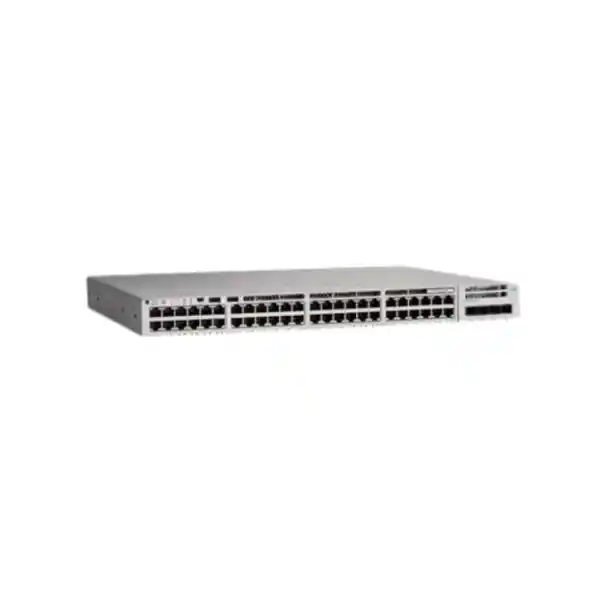
Cisco Catalyst C9200L-48PXG-4X Network Switch
A 48-port PoE+ access-layer platform combining 12 multigigabit copper interfaces, 36 Gigabit copper interfaces, four fixed 1/10G uplinks, resilient power design and StackWise-80 capability for modern wired and wireless edge deployments.
Multigigabit ports: 12 up to 10G
Gigabit ports: 36 up to 1G
Uplinks: 4 × 1/10G SFP+
Stacking: StackWise-80 option
Form factor: 1RU fixed configuration
Direct answer: where the C9200L-48PXG-4X fits
The Cisco Catalyst C9200L-48PXG-4X is designed for enterprise access networks that need more than simple 1Gbps switching but do not want to make every copper edge port a 10Gbps interface. Its defining characteristic is the mixed access-port architecture: thirty-six RJ-45 ports serve conventional 10/100/1000Mbps endpoints, while twelve multigigabit RJ-45 ports can negotiate higher Ethernet rates up to 10Gbps where supported by the connected device and cabling. All forty-eight access ports provide PoE+ capability. Four fixed SFP+ uplinks provide 1Gbps or 10Gbps optical or direct-attach uplink choices. This makes the platform especially relevant when an organization is upgrading wireless infrastructure, adding high-performance Wi-Fi access points, improving uplink headroom, or standardizing on a Cisco IOS XE access layer while preserving a large base of existing Gigabit endpoints.
For UAE procurement teams, the model is commonly evaluated for headquarters floors, branch aggregation closets, education campuses, clinics, hospitality properties, warehouses, professional services offices and mixed-user environments. It can support IP phones, cameras, printers, desktops, building systems, wireless access points and specialized edge devices from the same switch. The practical design question is therefore not simply whether forty-eight ports are required. The better sizing method considers multigigabit port demand, PoE draw, uplink bandwidth, stack topology, redundancy objectives, transceiver types, cable quality, license tier, software policy and growth over the expected lifecycle. FourTeck can align this platform with wider UAE switching, wireless, security and structured network requirements through FourTeck UAE.
A full forty-eight-port access configuration for powered and non-powered Ethernet endpoints.
Copper interfaces capable of negotiating 100M, 1G, 2.5G, 5G and 10G operation as supported.
Four SFP+ uplinks support 1Gbps or 10Gbps connectivity toward distribution or core switching.
C9200L models support StackWise-80 when the required stacking hardware is installed.
Hardware architecture and switching performance
The C9200L-48PXG-4X belongs to the fixed-uplink Catalyst 9200L family and is engineered for access-layer switching rather than data-center leaf or high-capacity core duties. Cisco rates the model for 392 Gbps of switching capacity and 291.66 million packets per second of forwarding performance in standalone operation. When stacking is included in the published capacity calculation, the corresponding figures rise because stack bandwidth becomes part of the aggregate switching path. These numbers matter because the model has twelve multigigabit interfaces capable of operating well above 1Gbps. A lower-end access switch can become oversubscribed quickly if multiple high-rate wireless access points or workstation-class endpoints are pushed simultaneously. The 9200L-48PXG-4X is designed to provide more local forwarding headroom for those mixed-speed access scenarios.
Cisco’s architecture documentation identifies multigigabit C9200L platforms as using UADP 2.0 Mini ASIC technology. The hardware forwarding architecture gives the access layer deterministic packet handling for common Layer 2 and Layer 3 services while Cisco IOS XE provides the operating environment. ASIC-based forwarding is important because enterprise access switching must maintain predictable throughput under policy enforcement, VLAN segmentation, QoS classification, security controls and routing functions. It also allows the switch to process traffic locally without relying on a general-purpose CPU for every forwarded packet.
For design teams, performance should be interpreted in context. A 392 Gbps switching-capacity figure does not mean every user will continuously receive that rate, nor should it be treated as an internet-throughput number. The access switch sits between endpoints and upstream networks. Real performance depends on negotiated port rates, traffic patterns, uplink configuration, EtherChannel design, stack topology, oversubscription ratios and the capacity of upstream firewalls, WAN circuits, wireless controllers or distribution switches. Proper design therefore maps endpoint demand to both the switch fabric and the northbound path. In a UAE branch where internet bandwidth is only a few gigabits, the multigigabit ports may still be valuable because local application, wireless, storage or east-west traffic can exceed WAN rates.
Port map: 36 Gigabit + 12 multigigabit access ports
| Interface group | Quantity | Supported role | Typical endpoints |
|---|---|---|---|
| RJ-45 Gigabit access | 36 | 10/100/1000Mbps Ethernet with PoE+ | Phones, cameras, desktops, printers, IoT and building systems |
| RJ-45 multigigabit access | 12 | 100M/1G/2.5G/5G/10G Ethernet with PoE+ | High-performance Wi-Fi access points, specialist workstations and mGig devices |
| SFP+ uplinks | 4 | 1G or 10G uplink connectivity | Distribution switches, core switches, aggregation links and cross-floor connectivity |
The mixed-speed port plan is one of the strongest reasons to select this model instead of a conventional forty-eight-port Gigabit switch. Most enterprise endpoints still operate efficiently at 1Gbps, so making every port multigigabit can increase acquisition cost without providing a proportional benefit. The C9200L-48PXG-4X concentrates higher-speed copper capability where it is usually needed: wireless access points, demanding user stations, selected servers or edge appliances. This allocation can fit the practical density of a floor or branch while preserving thirty-six ports for standard devices.
Why multigigabit Ethernet matters in modern Wi-Fi deployments
A major use case for the C9200L-48PXG-4X is the wired connection behind high-performance enterprise wireless access points. As wireless standards have advanced, aggregate radio capacity can exceed the practical throughput of a single 1Gbps wired link. Multigigabit Ethernet addresses that bottleneck by allowing 2.5Gbps, 5Gbps or 10Gbps operation over supported copper cabling and endpoint interfaces. The switch therefore provides an upgrade path for wireless without forcing a wholesale replacement of every access-layer cable or every edge port.
The exact speed that can be achieved depends on both endpoint support and cabling characteristics. For 10Gbps copper operation, high-quality Category 6A or better structured cabling is generally the safer enterprise design target, particularly for full-distance horizontal links. Lower multigigabit rates may be possible on existing cabling under appropriate conditions, but qualification should be part of the project rather than assumed. Cable length, termination quality, patch-panel condition, electromagnetic environment, bundle density and historical installation practices can all affect reliable negotiation. UAE sites with older office cabling often benefit from a sample qualification survey before a large Wi-Fi refresh is committed.
Port planning should also account for access-point growth. If a floor has six high-performance APs today and a redesign could raise that to ten, allocating ten of the twelve multigigabit ports to wireless leaves two higher-speed ports for special devices. That may be an efficient use of the model. If a design requires twenty or more mGig ports per access switch, however, another model may be a better architectural fit. Selecting the switch by total port count alone can result in a technically functional deployment that lacks the right distribution of port speeds.
Wireless projects also need adequate power, VLAN design, quality of service and uplink capacity. A multigigabit downlink does not help if the AP is underpowered, if the 10G uplinks are mis-sized, or if the upstream security path is constrained. The C9200L-48PXG-4X should therefore be evaluated as part of an end-to-end access design rather than as an isolated piece of hardware.
PoE+ budget and powered-device planning
All forty-eight access interfaces provide PoE+ capability, enabling the switch to deliver data and electrical power to supported devices over the same copper Ethernet connection. This is valuable for IP phones, security cameras, wireless access points, badge readers, sensors and other edge systems because it reduces the need for local power adapters and simplifies central UPS-backed resilience.
With a single 1000W AC power supply, Cisco publishes a 740W PoE budget for this model. With the supported redundant power configuration populated appropriately, the maximum available PoE budget can rise to 1440W. Those values must be treated as system budgets, not as a promise that every connected device will continuously draw the same amount. Real requirements should be calculated from the expected powered-device classes, typical consumption, boot behavior, growth and redundancy policy.
A conservative design leaves operational margin. For example, forty cameras, phones and access points might fit numerically within 740W on paper, yet the organization may still choose a redundant-power configuration so that power-supply maintenance or failure does not unexpectedly force the switch into a reduced PoE state. Critical UAE sites should define what remains powered during a supply fault before hardware is ordered.
Power-supply resilience
The C9200L-48PXG-4X uses Cisco’s fixed redundant power-supply design for the platform. Redundancy is most effective when both electrical and switch-level design are considered. Two power supplies connected to the same failed PDU do not provide meaningful facility resilience. Where rack power architecture permits, each supply can be connected to a separate UPS-backed PDU or electrical path to reduce a common failure domain.
For PoE-heavy deployments, the second power supply can serve two roles: fault tolerance and additional available PoE capacity. The required operating mode should be chosen according to whether the priority is maintaining the existing load after a failure, increasing the load that can be supported, or balancing both objectives. The quotation should therefore state the desired PoE budget and redundancy outcome, not merely “dual PSU.”
In the UAE, thermal management and rack airflow also deserve attention. The switch should be installed in a properly ventilated rack with environmental conditions maintained within vendor specifications. UPS sizing should include switch base draw, expected PoE load, upstream devices and required battery runtime rather than using only the switch’s unloaded consumption.
Four 1/10G SFP+ uplinks: designing the northbound path
The four fixed SFP+ uplink interfaces are an important distinction of the C9200L-48PXG-4X. Each uplink can operate at 1Gbps or 10Gbps with supported optics or cabling. In a typical enterprise design, two or more links may be used toward a distribution layer, either as physically diverse paths, an EtherChannel, or as members of a resilient topology governed by the selected Layer 2 or Layer 3 design. The four-port count gives the designer flexibility for redundant uplinks, migration, cross-connects or separate upstream roles.
Uplink sizing should be based on concurrency rather than the sum of every access-port line rate. Forty-eight users rarely transmit at full speed simultaneously, but Wi-Fi aggregation, imaging, backups, large application transfers and video can create concentrated bursts. If multiple mGig APs are connected, dual 10G uplinks are often a sensible starting point for resilient aggregation, while larger designs may use additional links where topology and upstream hardware support it. The upstream distribution switch must have compatible interfaces, optics, link aggregation and routing policy.
Transceiver selection is part of the engineering task. Short-range multimode fiber, long-range single-mode fiber, direct-attach copper and other supported media options have different reach, cost and cabling requirements. The correct choice depends on rack placement, pathway distance, fiber plant, connector type and future migration. A branch closet connected to a distribution rack in the same room may use a very different uplink medium from a campus building hundreds of meters away.
For cross-building links, optical budgets, fiber type, pathway redundancy and surge isolation should be considered. For same-rack links, direct-attach options can simplify deployment where supported. A FourTeck quotation can include compatible uplink accessories and deployment services through FourTeck IT Services UAE, allowing the switch, optics, structured connectivity and implementation scope to be planned together.
StackWise-80: turning individual C9200L switches into a resilient stack
C9200L models support Cisco StackWise-80 through the appropriate C9200L stacking hardware, providing up to 80Gbps of stack bandwidth. Cisco supports up to eight members in a compatible C9200L stack and specifies that fixed C9200L models are not mixed in the same stack with modular C9200 models or unrelated Catalyst families. This is important during migration: a legacy switch cannot simply be inserted into the same stack because it has compatible Ethernet ports. The stack must be planned as a supported Catalyst 9200L system.
Stacking can simplify operations by presenting multiple physical switches as a coordinated logical system for many administrative functions. It can also improve access-layer resilience by distributing endpoints and uplinks across members. A common design places redundant upstream links on different stack members so that failure of one member does not remove every northbound connection. Similarly, high-priority endpoints can be distributed across separate stack members when physical cabling permits.
The stack kit is an optional hardware element and should be explicitly included when stacking is required. Cable length must suit rack placement. Cisco lists stack cable options including short and longer lengths, so vertical rack layout should be finalized before ordering. Excessively long stack cabling adds clutter, while cables that are too short can force poor equipment placement. Stacked switches should generally be located so that stack links can form the intended ring or resilient topology without crossing service loops unnecessarily.
An eight-member maximum does not mean every site should build an eight-switch stack. Failure-domain size, maintenance windows, software-upgrade strategy, power capacity, cooling and uplink design all influence the optimal stack size. Some enterprises prefer smaller stacks to limit the impact of a software or operational event. Others prioritize centralized management and port density. The right answer depends on service criticality and operational process rather than the stack-member limit alone.
Cisco IOS XE operational model
The Catalyst 9200 family runs Cisco IOS XE, giving network teams a familiar enterprise switching environment with programmatic interfaces, mature operational tooling and a broad set of Layer 2, Layer 3, QoS, security and management capabilities determined by software release and license entitlement. For organizations already operating Catalyst infrastructure, this consistency can reduce the training burden compared with introducing an unrelated access-switch operating model.
Day-to-day administration may include VLAN creation, trunking, spanning-tree policy, EtherChannel, access-control lists, DHCP snooping, endpoint security controls, telemetry, syslog, SNMP, software lifecycle management and routing configuration. Larger organizations may integrate the switch with Cisco management platforms and automation workflows. Smaller environments can operate it using conventional CLI and supported management methods. The best approach depends on scale, staffing, compliance requirements and the desired level of centralized policy.
Configuration governance is especially important in mixed wired and wireless deployments. A multigigabit port used for an access point may carry multiple logical networks, trust boundaries and quality-of-service markings. A phone-and-PC access port may require voice VLAN handling and endpoint authentication policy. A camera port may require strict segmentation and limited east-west access. IOS XE provides the mechanisms, but the security value comes from building a consistent policy model and validating it across all edge ports.
Software versions and feature support should be checked against the organization’s approved release train before deployment. A new switch should not automatically be placed into production with whatever image happens to be factory-installed. Enterprises should define a tested software baseline, validate compatibility with management systems and authentication services, stage the configuration, back up the running state, and document a rollback method before a maintenance window.
Layer 2 segmentation, spanning tree and edge control
At the access layer, the switch is often the first managed infrastructure device that separates user, voice, wireless, camera, guest, building-management and administrative traffic. VLAN design should therefore reflect security and operational boundaries rather than merely physical departments. A forty-eight-port switch can host endpoints from many trust zones, so each port profile should be aligned with a defined service type. This reduces ad hoc configuration and simplifies audits.
Spanning-tree design remains relevant wherever Layer 2 redundancy exists. Enterprises should choose a predictable root-bridge location, use edge-port protection features appropriately, and avoid accidental loops caused by unmanaged switches or incorrect patching. Access ports connected to end devices typically use edge behavior, while inter-switch trunks require deliberate spanning-tree policy. Loop protection and BPDU-related controls can limit the impact of common wiring errors, but they must be configured in a way that matches the network topology.
EtherChannel can aggregate multiple links between compatible devices, increasing logical bandwidth and providing link-level resilience. When used for 10G uplinks, it can create a higher-capacity path from the access stack to distribution. The design still requires both sides to agree on channel parameters and on the Layer 2 or Layer 3 role of the bundle. Operators should document physical member links so that maintenance activity does not inadvertently remove all members at once.
Security controls such as DHCP snooping, dynamic address validation mechanisms, port-security approaches, access control lists and endpoint authentication can help contain unauthorized activity at the edge. The specific feature set and scale depend on license and software release, so policy should be validated against the ordered SKU. The objective is to convert the access port from an open transport point into an enforced network boundary appropriate to the endpoint type.
Layer 3 routing at the access edge
Many Catalyst deployments use the access switch primarily for Layer 2 switching, with default gateways and routing located at distribution or core. Other designs move routing closer to the edge to reduce broadcast domains, improve convergence or support routed access architecture. The C9200L platform can participate in Layer 3 designs, with exact routing capabilities governed by software and licensing. This flexibility lets organizations choose a topology that fits their operational maturity and campus scale.
A routed access design can reduce dependence on spanning tree across the campus by using routed uplinks from access toward distribution. However, it also changes IP addressing, gateway location, first-hop services and troubleshooting practices. Before migration, network teams should assess whether endpoint mobility, voice, wireless tunneling, multicast, network access control and shared services depend on existing Layer 2 adjacency. The technical capability to route is only one part of the architecture decision.
SVI-based routing within an access stack may be useful for localized segmentation, but default-gateway redundancy and failure behavior need to be modeled carefully. In a stack, the logical system can simplify gateway placement, while physical stack-member failures still affect directly connected endpoints. Northbound routing should preserve connectivity when one physical link or member fails. Route summarization, first-hop design, dynamic routing choice and firewall policy should all be consistent with the wider enterprise blueprint.
For UAE organizations with multiple branches, the access switch is also part of a broader WAN and security architecture. User VLANs may route toward SD-WAN appliances, firewalls, cloud security services or MPLS circuits. The access design should avoid overlapping address space and should support consistent segmentation across sites. Where network and security projects are being planned together, Firewall Dubai by FourTeck can be used as a related resource for edge-security planning.
QoS for voice, video and high-density wireless
Quality of Service is a key access-layer requirement because not all traffic reacts to congestion in the same way. Voice, interactive video and control traffic can be sensitive to latency, jitter or loss, while software downloads and backup traffic can usually tolerate delay. The switch can classify, mark, queue and police traffic according to a defined enterprise policy. The goal is not to create bandwidth, but to control which traffic receives preferential treatment when a link is busy.
Trust boundaries should be explicit. A network should not automatically trust every marking received from any endpoint, because an unmanaged device could claim high priority. IP phones and enterprise access points may be treated differently from user workstations. Where a phone provides a downstream PC connection, the access port may need to recognize voice and data traffic separately. Similarly, wireless AP uplinks can carry multiple SSIDs and application classes over a single high-speed wired interface.
The twelve multigigabit ports can increase the amount of traffic that reaches the uplinks, so QoS design should be consistent from access to distribution, firewall and WAN edge. A beautifully configured access queue cannot preserve voice quality if the upstream WAN discards traffic indiscriminately. End-to-end markings, bandwidth guarantees and congestion behavior should be validated across the path.
Operational monitoring should include interface utilization, queue drops, errors and latency symptoms. High utilization alone is not necessarily a fault; microbursts and queue drops can affect application quality even when five-minute averages appear normal. Telemetry and historical graphs help identify whether uplink capacity, policy or endpoint behavior is responsible before a costly hardware change is made.
Endpoint authentication
In networks using centralized identity, switch ports can participate in 802.1X or other network-access-control methods according to the organization’s architecture. Authentication can help distinguish managed users, phones, printers, cameras and unmanaged devices before full network access is granted. Policy should include fallback behavior for non-802.1X devices and clear handling for authentication-service outages.
Access control
ACLs and segmentation policies can constrain traffic between network zones. At the edge, access controls are useful for limiting devices that should communicate only with specific application servers or management platforms. Policies should be tested for return traffic, DNS, DHCP, monitoring and software-update dependencies so that security controls do not unintentionally break operational services.
Rogue infrastructure protection
DHCP-related protections, spanning-tree edge controls and source-validation features can help reduce the impact of unauthorized or misconnected equipment. These mechanisms are most effective when port roles are standardized and exceptions are documented. A network that leaves every edge port as a generic trunk creates a much larger attack and error surface than one built from controlled profiles.
Management-plane protection
Administrative access should use secure protocols, restricted source networks, strong authentication and centralized logging. Management interfaces should not be exposed broadly to user VLANs. Configuration backups, AAA policy, NTP, syslog and role-based access should be part of the deployment baseline so operational activity can be audited and recovered.
Memory, buffers and scale characteristics
Cisco publishes platform scale values that help engineers determine whether a switch fits the intended access design. The C9200L family is not positioned as a massive campus-core routing platform; its tables, memory and buffers are sized for enterprise access. Multigigabit C9200L models use a larger packet-buffer allocation than basic Gigabit-only variants, reflecting the burst characteristics of higher-speed access ports. Cisco’s current platform tables identify 12MB packet buffering for the 24- and 48-port multigigabit models.
The C9200L platform specification lists 2GB of DRAM and 4GB of flash for fixed C9200L models. Operationally, memory capacity supports the system software, control-plane processes, routing and management functions. Flash supports software images and related storage requirements. Engineers should maintain sufficient free storage for the organization’s upgrade process and verify image requirements before remote maintenance, especially where rollback images need to be retained.
Cisco also publishes VLAN, SVI, spanning-tree and flow-monitoring scale figures. These are upper platform limits, not design targets. A healthy network leaves headroom for growth, operational events and software changes. If a proposed design approaches a table maximum, it is usually better to reconsider architecture than to assume production will remain stable at the theoretical limit under every feature combination.
Buffering deserves particular attention in networks with speed transitions. Traffic arriving from a 10Gbps mGig port may need to exit through a slower destination or a congested uplink. Buffers absorb short bursts, while sustained congestion still requires queuing and capacity planning. Monitoring drops and application behavior gives a more useful picture than relying on nominal port speeds alone.
Physical installation and rack planning
The C9200L-48PXG-4X is a 1RU switch. Cisco publishes chassis dimensions of approximately 1.73 × 17.5 × 13.8 inches, or 4.4 × 44.5 × 35.0 centimeters, with greater depth when front-to-back service elements such as power and fan components are included in the measurement. Published weight is approximately 12.6 lb, or 5.71 kg. These figures help determine rack clearance, rail positioning, rear access and support requirements.
A rack elevation should reserve sufficient space for cable management rather than squeezing forty-eight copper patch leads directly across neighboring equipment. Horizontal managers above or below the switch can improve serviceability. Fiber uplinks should use appropriate bend radius, labeling and protective routing. Power cords should be routed separately enough that they do not obstruct fan exhaust or create strain on connectors.
The switch should be mounted in a secure communications rack with environmental control appropriate to enterprise equipment. In UAE facilities, cooling failure can become a significant risk because ambient building temperatures can rise rapidly. Rack temperature monitoring, clean airflow and properly maintained HVAC are practical availability controls. Dust management also matters in warehouses, construction-adjacent sites and industrial locations; communications rooms should not be treated as general storage areas.
Rack design should include UPS capacity for the complete load, not merely the network switch chassis. A PoE-heavy switch transfers significant electrical power to connected endpoints, so battery-runtime calculations must include the powered-device draw. If the objective is to keep phones, cameras and Wi-Fi operational during a power outage, both the switch and the upstream firewall, router, wireless infrastructure and ISP termination equipment need protected power.
Cabling strategy for 1G, 2.5G, 5G and 10G copper
The twelve mGig ports are most valuable when the structured cabling plant can support the desired rates. For 10GBASE-T design, Category 6A is the common enterprise baseline because it is intended to support 10Gbps Ethernet over a full horizontal channel. Existing Category 5e or Category 6 cabling may support lower multigigabit rates or, in some scenarios, higher rates over shorter distances, but this should be verified rather than assumed. The switch can negotiate different speeds, which allows a staged upgrade where cabling and endpoints evolve over time.
A cable qualification process should inspect labeling, patch-panel terminations, pair integrity, length, alien crosstalk risk and patch-lead quality. An AP that negotiates at 1Gbps on a supposed mGig link may indicate endpoint limitations, cabling conditions, port configuration or physical defects. Capturing the negotiated speed during commissioning provides a clear acceptance criterion. For a large UAE office, documenting each AP outlet’s certified capability can prevent repeated troubleshooting after the wireless system goes live.
Cable bundles carrying high PoE loads can also create heat. Structured-cabling standards and local installation practices should guide bundle size, pathway fill and cable selection. In ceiling spaces, fire rating and building-code requirements are just as important as Ethernet performance. A network switch cannot correct an under-specified or poorly installed cabling plant.
For uplinks, the fiber type should match distance and transceiver. Multimode fiber is often efficient for short building links, while single-mode fiber can provide longer reach and future flexibility. Existing fiber should be checked for core type, connector condition, polarity and available strands before optics are purchased.
Licensing: Network Essentials versus Network Advantage
Cisco offers the C9200L-48PXG-4X in license-specific ordering variants, including Network Essentials and Network Advantage base options. The hardware platform remains the same class of switch, but feature entitlement and operational possibilities differ. Procurement teams should therefore avoid ordering solely by the common model string. The complete SKU suffix and associated Cisco subscription or software entitlement should be aligned with the required capabilities.
Network Essentials is generally positioned for common enterprise access requirements, while Network Advantage provides a broader feature set for organizations that need more advanced networking capabilities. The exact feature mapping can change across software releases and licensing programs, so a current Cisco feature matrix should be consulted during quotation. A design that depends on a specific routing, segmentation, automation or policy feature should verify entitlement before purchase rather than assuming it is available because another Catalyst model supports it.
Licensing also affects lifecycle planning. Enterprises should record device serial numbers, support coverage, subscription terms and portal ownership in a central asset system. If a switch is procured for a branch but the licensing account belongs to an individual employee, future renewals and support cases can become difficult. The organization should define who owns Cisco account administration, who receives renewal notifications and how license changes are approved.
For multi-site rollouts, standardizing one or two approved license profiles reduces configuration drift. A branch template can then be associated with a known feature set, improving staging and support. Exceptions should be deliberate and documented rather than discovered during troubleshooting.
UAE deployment scenarios
In a corporate headquarters floor, one C9200L-48PXG-4X can serve a mix of desktops, IP phones, meeting-room systems, cameras and access points. The twelve mGig ports can be reserved for wireless APs and selected high-throughput endpoints, while thirty-six Gigabit ports handle ordinary users and devices. Dual 10G uplinks can connect to redundant distribution infrastructure, and a second power supply can be specified where access availability is critical.
In education, the switch can support classroom access points, teacher workstations, cameras, phones and lab systems. High-density Wi-Fi areas benefit from mGig, but the network should also consider multicast behavior, content-filtering throughput, identity services and the upstream internet edge. In hospitality, PoE+ simplifies access-point, phone and camera connectivity across floors, while stack design can reduce the number of individually managed switches. In healthcare and clinic environments, segmentation between clinical, administrative, guest, voice and building systems becomes a priority.
Warehouses and logistics sites can use the platform for scanners, APs, cameras and workstation zones, but environmental enclosure, dust, cable pathways and surge conditions may dictate additional infrastructure. A standard office switch should be installed in a suitable communications environment rather than exposed directly to harsh industrial conditions. In retail, branch density may be lower, so the model makes sense when PoE, mGig or forty-eight-port consolidation justifies the capacity.
Organizations coordinating UAE and African operations can also use the platform as part of a standardized access blueprint, while adapting support, logistics and power planning by country. For broader regional infrastructure requirements, FourTeck Africa provides a related regional technology channel.
Sizing methodology: how many C9200L-48PXG-4X switches are actually required?
The simplest formula divides total copper endpoints by forty-eight and rounds up, but that method is not sufficient for a professional design. Start by classifying every endpoint by speed, power and service type. Separate standard 1Gbps devices from multigigabit devices. Record which endpoints need PoE+, estimated power draw, expected growth and whether any ports must remain spare for moves and changes. Then compare the required mGig count to the twelve available higher-speed interfaces per switch.
Consider a floor with eighty desks, ten access points, twelve cameras, sixteen phones that are not daisy-chained through PCs, four meeting-room devices and eight spare ports. The raw count is 130 endpoints, which suggests three forty-eight-port switches. But if all ten APs require mGig, one switch could host them while the other two might have unused mGig capability. Depending on rack layout and cable runs, it may still be operationally cleaner to distribute APs across all three switches for resilience. The physical patch-panel layout can therefore influence port allocation.
PoE sizing is the second dimension. Multiply expected powered-device consumption, apply realistic diversity rather than nameplate maximums where appropriate, and leave reserve. If the result is close to the single-supply PoE budget, specify dual supplies or redistribute endpoints. The design should define failure behavior: after loss of one PSU, must every AP and camera remain powered, or can noncritical loads shed? That answer affects both switch and UPS sizing.
Third, evaluate uplink concurrency. A floor with ten mGig APs may warrant two or more 10G uplinks depending on traffic patterns and upstream architecture. Finally, consider stack size, rack power, cooling, maintenance domains and software standardization. The result is a switch count based on service requirements rather than port arithmetic alone.
Growth planning should be explicit. If the office is expected to add twenty percent more users within two years, filling every port on day one creates avoidable disruption. Spare capacity can be distributed across switches so endpoint growth does not require an urgent hardware purchase or a disruptive rack redesign.
High-availability design beyond the switch itself
Redundant power and stacking improve availability, but they do not create end-to-end resilience by themselves. A network access design should trace every dependency from the endpoint to the application. If both switch uplinks terminate on the same distribution device, that device is still a single point of failure. If both power supplies connect to one UPS, the UPS remains a common failure domain. If the stack is the only path to a building and both fiber uplinks share one physical conduit, a cable cut can defeat logical redundancy.
For higher-criticality sites, uplinks can be distributed across redundant upstream devices, power feeds can use separate protected circuits, and fiber pathways can be physically diverse. The network design should also consider authentication servers, DHCP, DNS, firewalls, controllers and monitoring. A perfectly resilient switch stack cannot serve users if centralized network services are unreachable.
Maintenance architecture is another form of resilience. Configuration backups, spare optics, documented cabling, replacement procedures and software-testing processes can reduce recovery time. Organizations with many identical switches can keep a staged spare or an agreed rapid-replacement process. Asset records should contain rack location, serial number, license level, software version, power configuration, uplink mapping and stack membership.
Change control should account for stack-wide effects. Certain software operations may affect all members, so maintenance windows must be planned around business tolerance. Where an environment cannot accept a stack-wide outage, the architecture may require additional physical separation or redundant access blocks rather than relying only on a single stack.
Monitoring, telemetry and troubleshooting
A production switch should enter service with monitoring enabled. At minimum, operations teams should be able to track device reachability, interface state, uplink utilization, errors, temperature, power-supply state, PoE consumption, stack status, CPU, memory and important system messages. Historical data is more useful than a one-time snapshot because many network faults are intermittent or load-dependent.
For mGig ports, negotiated speed is an important metric. If an access point expected to run at 5Gbps repeatedly negotiates at 1Gbps, the investigation should compare endpoint capability, cable qualification, switch-port statistics and software logs. CRC errors, link flaps and physical-layer events can indicate cabling or transceiver problems. A port that is merely “up” is not necessarily healthy.
PoE monitoring should track both total budget and individual endpoint draw. Unexpected increases can indicate a changed endpoint, a device fault or a design that is losing reserve. When a redundant power supply fails, the resulting available PoE budget should be understood so critical devices remain powered. Alerts should distinguish a failed redundant component from a total service outage, allowing maintenance to be scheduled before a second failure occurs.
Syslog, SNMP, streaming telemetry or Cisco management tools can provide centralized visibility according to the organization’s standards. NTP should be configured so event timestamps are consistent across the network. Without synchronized time, correlating switch events with firewall, server and wireless logs becomes difficult during incident response.
Migration from legacy Catalyst access switching
Replacing an older access switch is more than moving forty-eight patch leads. A disciplined migration begins with an inventory of the existing configuration and connected endpoints. Capture VLAN assignments, trunks, EtherChannels, voice settings, PoE devices, port descriptions, authentication policy, spanning-tree settings, ACLs, static routes where used, management addresses and monitoring configuration. Compare these functions with the target IOS XE release and license entitlement.
Port mapping should be prepared before the maintenance window. Label old and new port numbers, identify uplinks separately, and reserve mGig interfaces for endpoints that can use them. If the new switch introduces a different interface numbering convention, configuration templates should be validated in staging. A migration worksheet can show each old port, endpoint, VLAN, PoE need, new port and acceptance test.
When upgrading wireless at the same time, avoid changing too many variables without a rollback plan. Switching, cabling, AP hardware, controller software and security policy can all interact. A staged approach might migrate the switch first, verify existing AP operation, then enable higher mGig rates and new wireless hardware. Alternatively, a well-tested cutover can combine the changes if downtime is limited. The correct choice depends on business impact and engineering resources.
After cutover, validate more than ping. Check endpoint authentication, DHCP, DNS, voice registration, camera streams, wireless SSIDs, printer reachability, internet access, internal applications, uplink redundancy, stack health and monitoring. Document final software version, configuration backup and rack labeling. Decommissioned switches should be removed from management, monitoring and authentication systems so stale devices do not create operational confusion.
A successful migration leaves the new environment easier to operate than the old one. Standardized port profiles, consistent descriptions, documented uplinks and centralized monitoring create long-term value beyond the hardware upgrade itself.
Security architecture at the wired edge
The access switch is often the first enforcement point between a physical device and the enterprise network. That makes configuration hygiene a security requirement. Unused ports should be administratively controlled according to policy, trunks should be limited to required VLANs, management access should be restricted, and default configurations should be reviewed rather than accepted blindly. Port descriptions and asset records can help identify unauthorized changes.
Identity-based access can provide stronger control than static VLAN assignment alone. A managed workstation, an IP phone and an unknown device may connect through similar RJ-45 interfaces but should receive different treatment. Where an organization uses 802.1X, MAC-based fallback or centralized policy platforms, the switch can participate in that access-control architecture. Authentication design should include certificate lifecycle, guest or remediation behavior, high availability of AAA services and procedures for devices that cannot perform modern authentication.
Segmentation reduces lateral movement. Cameras, building systems, printers and IoT devices often have weaker security posture than managed user endpoints. Placing them in dedicated networks with constrained communication paths can limit exposure. The access switch enforces the initial separation, while upstream firewalls or policy systems control inter-segment communication. Consistent naming and IP addressing make those policies easier to audit.
Operational security also includes software lifecycle. Network devices should be kept on supported, organization-approved releases, with vulnerability advisories reviewed and upgrades tested. Administrative credentials should be unique or centrally managed, insecure management protocols disabled, and configuration backups protected. Logs should be retained long enough to support incident investigation.
Physical security is part of the same model. A locked communications room, controlled rack access and protected console ports prevent an attacker or accidental user from bypassing logical controls. In shared building environments, patch panels and intermediate distribution rooms should be included in the access-control plan.
Procurement considerations for UAE organizations
A technically correct switch can still become a difficult project if procurement does not include the surrounding components. The base switch SKU should be matched with the required license level, power supplies, stacking kit if needed, stacking cables of suitable length, SFP or SFP+ transceivers, fiber or direct-attach cables, rack accessories and support coverage. Quotation line items should clearly identify whether an accessory is included or optional.
UAE organizations should also define delivery location, installation scope, rack readiness, cabling responsibility, configuration responsibility and acceptance criteria. A hardware-only quote is appropriate when the customer has an internal network team and existing standards. A deployment quote may be more useful when the project includes rack installation, patching, software alignment, configuration, migration, testing and documentation. Combining these scopes without clearly defining ownership can create gaps during cutover.
Support requirements vary by business. A noncritical branch may rely on standard replacement processes, while a hospital, hotel or headquarters may require faster hardware replacement and formal support escalation. The selected Cisco support entitlement should match the operational impact of a failure. Spare strategy can also reduce downtime, especially for organizations with many sites using the same standardized model.
Lead time should be checked for the exact license and power variant rather than the generic model family. Transceivers and stack kits can have different availability from the switch chassis. Ordering all required accessories together prevents a situation where switches arrive but cannot be stacked or connected to the distribution layer.
For projects that include switching alongside routing, Wi-Fi, telephony, servers or cybersecurity, the bill of materials should be reviewed as an integrated architecture. This reduces duplicate optics, mismatched interface types and undersized power or rack infrastructure.
Comparison logic: when this model is the right choice, and when it is not
Choose the C9200L-48PXG-4X when a forty-eight-port access switch needs a meaningful number of multigigabit ports but not forty-eight mGig interfaces. The twelve higher-speed ports are well suited to AP-heavy floors, mixed workspaces and upgrade projects where most endpoints remain 1Gbps. Four 10G-capable uplinks provide sufficient flexibility for many access-to-distribution designs, and StackWise-80 supports multi-switch access blocks where centralized operations are desired.
A simpler Gigabit-only Catalyst 9200L model may be more economical when every endpoint is expected to remain at 1Gbps and there is no foreseeable high-speed wireless requirement. Conversely, if the design needs a larger number of 2.5G, 5G or 10G copper ports, a different access platform with greater mGig density may be more suitable. If 25G uplinks are mandatory, another 9200L variant or a higher platform may fit better because the -4X model uses four 1/10G uplinks.
The Catalyst 9200L family is also distinct from the modular Catalyst 9200 family. Fixed 9200L models use fixed uplink arrangements and StackWise-80, while modular 9200 models support different uplink-module choices and StackWise-160. They cannot be mixed in the same stack. Procurement should therefore decide whether fixed-uplink simplicity or modular-uplink flexibility is more important.
For very high-scale campus cores, data-center fabrics or specialized low-latency environments, the C9200L is not the intended platform. It is an enterprise access switch. Matching the device to the correct layer of the network protects both budget and performance.
Common design mistakes to avoid
Using total port count as the only sizing metric. Forty-eight ports do not help if a floor needs twenty multigigabit interfaces. Count endpoints by speed and power class before selecting the model.
Assuming every existing cable will support the desired mGig rate. Qualify legacy copper, especially before promising 5Gbps or 10Gbps AP uplinks.
Ignoring PoE failure behavior. A design may have enough PoE during normal operation but shed critical devices after one PSU fails. Model both normal and degraded states.
Buying stack hardware after installation. If stacking is part of the architecture, include the C9200L stack kit and correct cable lengths in the original bill of materials.
Under-sizing uplinks. Multiple mGig APs can create more access capacity than a single 10G uplink should carry under heavy concurrency. Build the northbound path using realistic traffic assumptions.
Ordering the wrong license variant. Verify required features against Network Essentials or Network Advantage and the intended IOS XE release.
Treating power and cooling as facilities afterthoughts. A PoE-dense switch can place substantial load on UPS systems and communications-room cooling. Include infrastructure capacity in the network design.
Commissioning checklist for production deployment
Before installation, confirm the exact SKU, license, power-supply configuration, stack kit, optics, cable type and rack location. Verify that the target IOS XE release is approved by the organization and that configuration templates have been reviewed. Reserve management IP addresses, DNS names, NTP sources, AAA servers and monitoring parameters. If the switch will join a stack, document member numbering and physical stack-cable layout.
During physical installation, confirm rack grounding and environmental conditions, connect redundant power to the intended circuits, label uplinks and stack links, and route copper and fiber without obstructing airflow. Validate transceiver recognition and optical levels where appropriate. For copper mGig links, confirm negotiated rates after endpoint connection.
Configuration validation should include VLANs, trunks, EtherChannels, spanning-tree state, routing, DHCP relay where used, QoS, access policies, PoE, management access, logging and monitoring. Test uplink failover and power redundancy where the maintenance window allows. For stacks, verify that all members are healthy, software versions match and the topology is complete.
Application testing should cover representative user workflows. Verify voice quality, wireless association, camera streaming, authentication, internet access, internal application reachability and printing. Check port errors and queue drops after traffic begins. Confirm that monitoring tools receive device status and that alerts are meaningful rather than noisy.
Finally, save configuration backups, export relevant diagnostics, update network diagrams and record serial numbers, support contracts and software versions. A deployment is not complete until another engineer can understand the installed state without relying on undocumented knowledge.
Lifecycle operations and future growth
Enterprise switching is a lifecycle commitment rather than a one-time purchase. The C9200L-48PXG-4X should be incorporated into the organization’s patching cadence, asset management, configuration backup, monitoring and capacity-review processes. Regular review of Cisco software advisories and lifecycle notices helps the network team plan upgrades before urgent security or support events arise.
Capacity reviews should track three areas: access-port occupancy, mGig-port occupancy and PoE reserve. A switch may appear to have ten free ports, but if every mGig interface is already used, it may still be full from the perspective of a wireless expansion. Similarly, if PoE budget is nearly exhausted, adding a camera can require power redesign even when a copper port is available. Dashboards should therefore expose functional capacity, not just link state.
Uplink utilization is another growth indicator. When sustained peaks approach design thresholds or queue drops become frequent, the network can add EtherChannel members, redistribute traffic, upgrade upstream capacity or reconsider topology. Because the switch provides four 10G-capable uplinks, many organizations have room to grow before replacing the access chassis, provided the distribution layer has matching capacity.
Documentation should evolve with the network. When an AP moves, a VLAN changes or a stack member is replaced, update diagrams and inventory. Accurate records shorten outages and make future refresh projects easier to scope. The most valuable access network is not merely fast; it is predictable, supportable and well understood.
Frequently asked technical questions
Does every copper port support 10Gbps?
No. Twelve copper access ports are multigigabit interfaces capable of rates up to 10Gbps. The remaining thirty-six copper access ports are Gigabit Ethernet interfaces. This mixed design is intentional and should be mapped to endpoint requirements.
Are the uplinks modular?
No. The C9200L-48PXG-4X has four fixed 1/10G SFP+ uplinks. If modular uplink selection is a requirement, compare the modular Catalyst 9200 family or another suitable platform.
Can it stack with a modular C9200?
No. Cisco specifies that fixed C9200L switches use StackWise-80 and stack with compatible C9200L members at the same license level. They are not mixed with modular C9200 models in one stack.
What is the PoE budget?
Cisco publishes 740W with a single 1000W AC power supply and up to 1440W with an appropriate dual-supply configuration. Actual design should retain reserve and account for failure-state requirements.
Is it suitable for Wi-Fi 6/6E access points?
It is well suited to enterprise APs that benefit from multigigabit Ethernet and PoE+, provided the AP’s specific power and interface requirements are compatible. Wireless design should also verify cabling, controller and uplink capacity.
Can it be used as a core switch?
It is primarily an enterprise access-layer switch. Small environments may use it for collapsed functions, but larger core or data-center roles normally require platforms designed for greater scale, uplink density and redundancy.
Technical specification summary
| Product | Cisco Catalyst C9200L-48PXG-4X Network Switch |
| Access ports | 48 copper PoE+ ports total |
| Multigigabit access | 12 × 100M/1G/2.5G/5G/10G RJ-45 |
| Gigabit access | 36 × 10/100/1000 RJ-45 |
| Fixed uplinks | 4 × 1/10G SFP+ |
| Switching capacity | 392 Gbps standalone |
| Forwarding rate | 291.66 Mpps standalone |
| Stacking | StackWise-80 with optional C9200L stack hardware, up to 8 compatible members |
| PoE budget | 740W with one 1000W AC PSU; up to 1440W with an appropriate second 1000W AC PSU configuration |
| Packet buffer | 12 MB for 48-port multigigabit model class |
| Memory | 2 GB DRAM, 4 GB flash for C9200L platform |
| Chassis | 1RU fixed form factor |
| Approximate chassis dimensions | 4.4 × 44.5 × 35.0 cm (H × W × D), excluding added rear service depth |
| Approximate weight | 5.71 kg |
| Operating system | Cisco IOS XE |
Specifications should be validated against the exact ordered license SKU, Cisco software release, supported optics and current product documentation before final procurement.
Operational value for IT teams
The strongest value of the C9200L-48PXG-4X is not a single headline feature but the balance of capabilities it provides at the enterprise edge. Forty-eight PoE+ ports reduce the number of separate access devices, twelve mGig interfaces support bandwidth-intensive edge growth, and four 10G uplinks give useful northbound flexibility. StackWise-80 provides an option for coordinated multi-switch deployments, while Cisco IOS XE keeps the operational model consistent with modern Catalyst networks.
For network administrators, consistency can be more valuable than raw specifications. Standardized templates, predictable troubleshooting commands, shared monitoring methods and common security policies reduce operational effort across many branches or floors. A switch that fits the existing tooling and skills can lower lifecycle risk even if another platform has similar port speeds on paper.
The model also creates a gradual migration path. Organizations do not need to replace every 1Gbps device to gain mGig capability. They can upgrade wireless APs and selected endpoints first, use existing Gigabit ports for the rest, and increase uplink utilization as demand grows. This staged approach can align network modernization with budget cycles.
The main caveat is that this flexibility requires careful planning. The twelve mGig ports, PoE budget, stack architecture and license tier must match the deployment. When those elements are engineered correctly, the platform can provide a durable access layer for years of endpoint and wireless evolution.
Decision recap: is the C9200L-48PXG-4X right for your site?
Strong fit when
You need forty-eight PoE+ access ports, roughly a dozen higher-speed copper connections, 10G uplinks, Cisco IOS XE operations and an option to stack compatible C9200L switches. Typical examples include AP-rich office floors, education blocks, hospitality floors, healthcare environments and enterprise branches with a mix of conventional and high-performance endpoints.
Reconsider when
You need substantially more than twelve mGig ports per switch, mandatory 25G uplinks, modular uplink bays, data-center switching characteristics or a core platform with much larger routing and policy scale. Also reconsider if the site has very low endpoint density and would never use PoE or multigigabit access.
The best procurement decision comes from matching endpoint density, mGig demand, PoE reserve, uplink topology, license features and lifecycle support to the actual site. That approach avoids both overbuying and creating bottlenecks that become expensive to correct later.
Quotation input checklist
Provide the following details for a more accurate UAE quotation and deployment scope. These inputs allow the bill of materials to include the correct switch variant, power, optics, stacking and service requirements without unnecessary accessories.
Plan the switch as part of the complete access architecture
For a reliable deployment, FourTeck can help map the C9200L-48PXG-4X to endpoint counts, PoE load, wireless requirements, stack design, uplink optics, rack power, cabling and the surrounding security architecture. This is particularly useful for UAE organizations refreshing older Catalyst access layers, moving to higher-capacity wireless, consolidating voice and camera networks, or building standardized multi-site infrastructure.
Share the site bill of materials or even a simple endpoint count and rack diagram. The resulting scope can separate mandatory hardware from optional resilience components, clarify the required license tier and identify any upstream bottleneck before procurement. A complete design is usually more cost-effective than adding missing stack kits, optics, licenses or power components after the installation window has been booked.
• AP and PoE device count
• Desired mGig speeds
• Stack member count
• Uplink distance and fiber type
• Redundant PSU requirement
• License preference
• Installation and migration scope

Reviews
There are no reviews yet.