
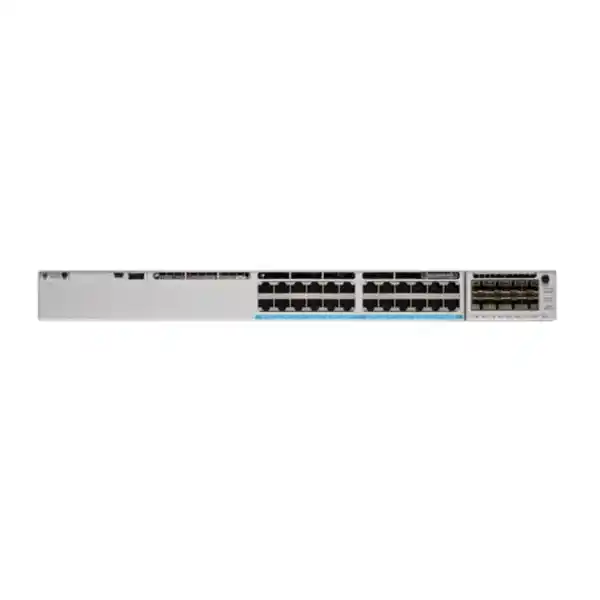
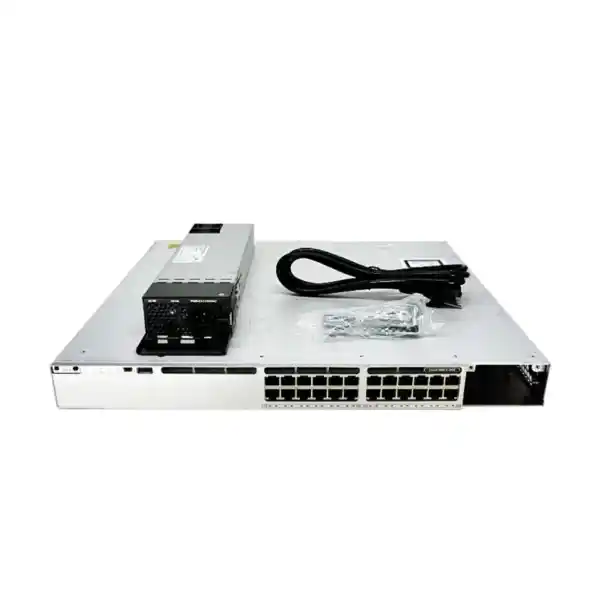
Cisco Catalyst C9300-24U Network Switch
The Cisco Catalyst C9300-24U is a 24-port, 1 Gigabit Ethernet, Cisco UPOE-capable enterprise access switch built for organizations that need high powered-edge density, resilient stacking, modular uplinks, advanced Layer 2 and Layer 3 services, and modern Cisco IOS XE operations. In a UAE campus, office tower, hotel, school, hospital, retail estate, government environment, or industrial facility, the platform is designed to consolidate user access, wireless infrastructure, voice, video, surveillance, and intelligent-building endpoints onto a managed switching foundation with strong operational controls.
What the C9300-24U is designed to solve
The most important reason to choose the C9300-24U is not simply that it has twenty-four Ethernet ports. Its value appears when the access layer must carry multiple endpoint classes, deliver substantial power over copper cabling, preserve predictable forwarding under policy, and remain operable as the network grows. Traditional access switches can become limiting when a wiring closet has to support a mix of phones, cameras, wireless access points, badge readers, displays, thin clients, room systems, IoT controllers, building gateways, printers, and conventional workstations. The C9300-24U is intended for exactly this mixed enterprise edge, where port availability, PoE engineering, uplink design, segmentation, telemetry, and failure recovery all matter together.
For organizations in Dubai, Abu Dhabi, Sharjah, Ajman, Ras Al Khaimah, Fujairah, and other UAE locations, the design question is usually broader than the switch itself. Engineers must account for rack depth, UPS capacity, power redundancy, cooling, fiber reach, transceiver selection, access-point power classes, camera requirements, VLAN and routing scale, authentication, software entitlement, and the operational model used by the IT team. The C9300-24U gives architects a modular foundation for that planning rather than forcing a fixed-uplink, fixed-power design.
FourTeck can position the C9300-24U as part of a complete campus access solution that includes switch configuration, network segmentation, firewall integration, Wi-Fi uplinks, IP telephony, surveillance connectivity, rack deployment, structured cabling coordination, and support. Organizations evaluating a broader UAE networking refresh can also review FourTeck UAE solutions for related infrastructure and integration requirements.
Verified hardware profile and forwarding characteristics
Access and forwarding
The C9300-24U provides twenty-four 10/100/1000BASE-T copper access ports. These are standard 1 Gigabit Ethernet user-facing ports rather than multigigabit ports, which is an important distinction during wireless refresh planning. The platform delivers a listed standalone switching capacity of 208 Gbps and a forwarding rate of 154.76 million packets per second using 64-byte IPv4 packets. Cisco also lists 688 Gbps switching capacity and 511.90 Mpps forwarding when stacking bandwidth is included in the platform figures.
These specifications make the switch appropriate for a wiring-closet role where line-rate Layer 2 or Layer 3 forwarding, policy, QoS, and telemetry are expected to coexist. Because the access ports are 1G, architects should map endpoint demand carefully: conventional clients, phones, cameras, printers, controllers, and many IoT devices fit naturally, while high-throughput Wi-Fi access points that require 2.5G, 5G, or 10G copper should be matched to a multigigabit Catalyst variant instead.
Memory, buffers, and platform scale
The non-XL C9300 Gigabit Ethernet models use 8 GB of DRAM and 16 GB of flash. Cisco specifies a 16 MB packet buffer for 24- and 48-port Gigabit Ethernet C9300 models, while platform resource profiles determine how hardware tables are allocated for routes, MAC addresses, ACLs, multicast entries, and related functions. The system supports 4,094 VLAN IDs, up to 1,000 switched virtual interfaces, jumbo frames up to 9,198 bytes, and large spanning-tree scale suitable for enterprise campus designs.
These numbers should be considered in the context of the actual configuration. A design dominated by simple Layer 2 access has different hardware-resource requirements from a distributed access architecture using many SVIs, policy entries, routing adjacencies, NetFlow records, and security classifications. FourTeck sizing should therefore begin with endpoint counts, VLANs, routes, access-control policy, telemetry requirements, and growth expectations rather than relying on port count alone.
UADP 2.0 architecture: why the data plane matters
The C9300-24U is built around Cisco Unified Access Data Plane 2.0 technology. In practical terms, this means the switch is not simply forwarding Ethernet frames through a generic merchant-silicon design. The UADP architecture is engineered so that switching, routing, access-control enforcement, QoS, NetFlow, segmentation functions, and other campus services can be implemented in hardware with predictable performance. This is central to the Catalyst 9000 design philosophy: advanced access features should not automatically force traffic into a slow software path.
UADP 2.0 is paired with an x86 control-plane architecture and Cisco IOS XE. The separation between a programmable management and control environment and a purpose-built forwarding ASIC gives the platform flexibility without giving up deterministic packet handling. Administrators can use model-driven APIs and telemetry while the hardware data plane continues to process production traffic. For enterprise networks that must maintain policy consistency across thousands of endpoints, this architecture is more valuable than raw port density because it supports the operational functions that keep the campus secure and manageable.
The C9300-24U uses a single UADP 2.0 ASIC. Cisco’s architecture documentation describes UADP 2.0 as a system-on-chip design with dedicated functions for forwarding and flow visibility. The exact feature scale available to a deployment depends on the configured SDM or hardware resource profile, software release, and licensing. This is why route, ACL, multicast, and flow requirements should be documented before migration. A branch that uses a few routed SVIs is easy to accommodate; a large campus fabric border or policy-heavy distribution role needs more detailed validation.
For buyers, the practical takeaway is that the C9300-24U is an enterprise switching platform rather than an unmanaged power injector with networking features added around it. Its hardware and software were designed together for campus access, which makes it suitable where network services, security policy, observability, and automation are operational requirements rather than optional extras.
Modular uplinks and the correct way to choose them
The front access ports of the C9300-24U are fixed at 1 Gigabit Ethernet, but the uplink side is deliberately modular. The base switch does not include an uplink network module by default, so the network module must be selected as part of the bill of materials. This is a major procurement detail: ordering only the chassis can leave a project without the fiber or high-speed copper connectivity expected for the distribution layer.
C9300-NM-4G and C9300-NM-8X
The C9300-NM-4G provides four 1G uplink interfaces and is appropriate for environments where Gigabit fiber is sufficient or where legacy distribution equipment does not yet support faster links. The C9300-NM-8X provides eight 1G/10G interfaces and is usually the more flexible enterprise choice when multiple 10G uplinks, diverse fiber paths, port channels, server-facing links, or redundant distribution connectivity are required.
C9300-NM-2Y and C9300-NM-2Q
The C9300-NM-2Y provides two ports supporting 1G, 10G, or 25G operation, giving a clean path to 25G distribution where the optics, fiber plant, and upstream switch support it. The C9300-NM-2Q provides two 40G interfaces for higher-bandwidth uplink designs. Selection should be based on upstream port type, transceiver compatibility, fiber distance, redundancy model, and the amount of oversubscription acceptable for the access block.
There is also a C9300-NM-4M multigigabit network module option in the supported C9300 module family. Its use should be validated against the intended topology and software release rather than assumed to replace a conventional fiber distribution design. In most campus closets, the uplink choice is driven by a simple engineering question: how much aggregate traffic can twenty-four access ports generate during the busy hour, and how much headroom is required for east-west traffic, wireless services, cameras, voice, backups, software distribution, and future growth?
A common and resilient design uses two uplinks in a port channel toward a pair of distribution switches or a logical distribution system. The modular uplink slot lets the same access-switch chassis remain useful when the distribution layer is upgraded. That flexibility can reduce forklift replacement and makes the C9300-24U attractive for phased modernization projects across multi-building UAE estates.
Cisco UPOE power design: calculate watts before ports
The “U” in C9300-24U identifies a Cisco UPOE model. Universal Power over Ethernet extends the power available to compatible powered devices beyond conventional PoE and PoE+ levels, enabling the switch to support endpoints with higher power requirements. That matters for advanced wireless access points, pan-tilt-zoom cameras, video endpoints, building systems, thin clients, and other devices that may require more than 30 watts. However, UPOE capability at the port does not mean an unlimited switch-wide power budget. The power supply configuration must be sized for the total connected load.
Cisco lists the C9300-24U with a PWR-C1-1100WAC-P power supply as the default configuration and approximately 830 watts of available PoE with that primary supply. With additional or higher-capacity power supplies, the available PoE pool can increase, subject to the physical maximum imposed by twenty-four UPOE ports. Cisco’s data sheet identifies 1,440 watts as the maximum for the 24-port UPOE model because twenty-four ports at 60 watts each equal 1,440 watts. This is a useful design ceiling, but a real project should use measured or vendor-declared endpoint draw, startup behavior, redundancy policy, and growth margin rather than simply multiplying maximum nameplate values.
A good PoE worksheet lists every endpoint class, the number of ports, negotiated power level, worst-case draw, expected average draw, and whether the device is business-critical. For example, twenty IP phones at 8 watts behave very differently from twenty high-power cameras or access points. Add at least an engineering reserve for replacements and future models. Then decide whether the design requires full power redundancy. A switch with enough power in normal operation can still become undersized after a power-supply failure if the remaining supply cannot support the active load.
This is especially relevant in UAE deployments where access switches may power security, hospitality, smart-building, or guest-service endpoints around the clock. The network team should coordinate the switch power budget with UPS sizing, PDU capacity, generator policy, rack thermal design, and facilities electrical circuits. PoE is not only a switch feature; it is an end-to-end power-delivery architecture.
Dual power supplies, StackPower, fans, and physical resilience
The Catalyst 9300 platform supports dual redundant power supplies. Cisco ships the switch with one power supply by default, and a second supply can be added at purchase or later. For high-availability environments, the second power supply should be treated as part of the production design rather than an accessory. A redundant switch stack connected to a single power source does not provide true service resilience; the power architecture has to be redundant as well.
Cisco StackPower adds another layer of flexibility by allowing power resources to be pooled between supported modular-uplink Catalyst 9300 switches. Up to four switches can form a StackPower domain using the dedicated power-stack connections, and larger arrangements are possible with the appropriate external power system. The design can be used for power-sharing or redundancy objectives. This allows an architect to distribute power supplies across stack members and make capacity available where it is needed, but it also increases the importance of correct cable mapping, power-mode configuration, and failure testing.
Cooling and serviceability
The switch uses field-replaceable fans and a front/side intake to rear exhaust airflow pattern. Rack layouts should preserve cold-air access at the port side and unrestricted exhaust at the rear. Dense racks with firewalls, servers, UPS equipment, and multiple PoE switches can create significant thermal load, so the closet should be assessed as a system rather than device by device.
Rack depth and weight
The C9300-24U chassis is 1RU high and approximately 4.4 × 44.5 × 40.9 cm without the power-supply depth included. With its default power supply, Cisco lists a depth of about 48.8 cm and a weight of roughly 7.54 kg. Engineers should allow additional rear clearance for power cords, StackWise cables, StackPower cables, and bend radius.
StackWise-480: one logical access system across multiple switches
One of the defining characteristics of the modular-uplink C9300 family is StackWise-480. Up to eight compatible Catalyst 9300 switches can be connected using the rear stack ports and dedicated StackWise cables to operate as a single logical switching system. For operations teams, the benefit is not merely bandwidth. A stack creates a shared control and management plane, allowing multiple physical switches in a closet to be administered as one system while maintaining distributed forwarding across the members.
Cisco describes StackWise-480 as a 480 Gbps stacking architecture for the C9300 modular-uplink models. In a full ring, traffic can use the counter-rotating paths and spatial reuse behavior of the stack fabric. The architecture elects an active switch and a hot-standby switch for control-plane resilience, while each member continues to use local forwarding hardware. If a stack link fails, the ring can reconverge through the remaining path. If the active control-plane member fails, the standby is designed to assume the control function. Correct software versions, stack priorities, cable topology, and redundancy testing remain important operational tasks.
Stacking can simplify access-layer uplinks because EtherChannels can be built across different physical members. A distribution port channel can therefore terminate on separate stack members, reducing the effect of a single access-switch failure. The same approach can be used for dual-homed downstream systems where appropriate. Engineers should still consider the failure domain: a large stack offers operational simplicity and high port density, but software maintenance or stack-wide control events can affect many ports. Some sites prefer smaller stacks for blast-radius control even when the platform supports more members.
For multi-floor buildings in Dubai or Abu Dhabi, each telecommunications room can be designed as a local stack with redundant uplinks to the building distribution layer. This keeps copper runs within structured-cabling limits, localizes access failures, and preserves a consistent management model across the estate.
Cisco IOS XE and programmable operations
The C9300-24U runs Cisco IOS XE, which is central to how modern Catalyst infrastructure is deployed and operated. IOS XE preserves the familiar Cisco CLI while adding a modular software architecture and standards-based automation interfaces. For organizations transitioning from manual switch-by-switch management, this is a significant change because network configuration can be represented, validated, pushed, and monitored through APIs and automation frameworks rather than only through interactive command-line sessions.
Cisco IOS XE supports model-driven interfaces such as NETCONF, RESTCONF, and gNMI, alongside telemetry mechanisms that can stream operational state to monitoring platforms. These capabilities are useful for configuration compliance, inventory, interface statistics, environmental monitoring, policy verification, and troubleshooting. A team can build workflows that compare intended configuration with deployed state, alert when critical values drift, or collect high-frequency performance information without continuously scraping CLI output.
Zero-touch provisioning can reduce the amount of staging required before a switch reaches a remote site. In a controlled deployment, a new device can receive the correct image, configuration, certificates, and management parameters based on an automated onboarding workflow. The precise workflow depends on the customer’s controller, software release, security process, and internet or management connectivity. Organizations should therefore design ZTP as a governed operational process with device identity and authorization controls rather than as an uncontrolled bootstrap shortcut.
For customers that need broader implementation services, FourTeck IT Services UAE can be used as the natural integration point for switch staging, configuration standards, migration planning, monitoring integration, and post-deployment support around the Catalyst access layer.
Layer 2 access control, segmentation, and campus security
Enterprise access switching is a security boundary. The C9300-24U can participate in identity-aware and policy-driven access designs where the network classifies a device or user and assigns the correct authorization. The exact feature set depends on software and licensing, but the platform supports the Layer 2 and security functions expected from the Catalyst 9000 access family: VLAN segmentation, 802.1X-based access control, MAC-based fallback mechanisms, access control lists, DHCP snooping, Dynamic ARP Inspection, IP source validation, port security, control-plane protection, and integration with Cisco identity and campus management systems.
Segmentation should be designed around risk and business function rather than merely around departments. Corporate users, guests, cameras, access-control panels, building-management systems, phones, printers, IoT devices, payment systems, lab equipment, and contractor devices can all require different trust levels. VLANs remain useful, but larger organizations may use policy constructs and software-defined campus segmentation to avoid a proliferation of static network boundaries. The C9300 family is commonly used as the access foundation for Cisco Software-Defined Access, where fabric mechanisms and group-based policy can provide consistent segmentation across wired and wireless clients.
A secure deployment also protects the management plane. Separate management networks, AAA integration, SSH, SNMPv3, role-based administrative access, configuration logging, NTP authentication where appropriate, certificate lifecycle management, and restricted API access should be part of the deployment standard. Default credentials, unused services, weak communities, and broad management ACLs should be eliminated during staging.
The access switch does not replace the perimeter or internal firewall. Instead, it enforces policy close to the endpoint and forwards selected traffic toward security controls. Customers designing network segmentation around next-generation firewalls can review FourTeck Firewall Dubai for complementary firewall architecture and integration requirements.
Layer 3 routing and distribution use cases
Although the C9300-24U is most often deployed at the access layer, it is a capable Layer 3 platform. Cisco Express Forwarding hardware acceleration allows routed interfaces and switched virtual interfaces to forward traffic at platform speed. Network Essentials licensing supports foundational routing functions for smaller and conventional access-routing scenarios, while Network Advantage expands the advanced routing feature set. Exact protocol availability and scale should always be confirmed against the ordered license and IOS XE release.
Common routed-access designs use an SVI for each local VLAN and dynamic routing toward the distribution layer. This can reduce Layer 2 failure domains and improve convergence compared with stretching VLANs widely across a campus. In other environments, the default gateway remains at distribution and the C9300 operates primarily as a Layer 2 access device. Both are valid patterns; the right choice depends on operational maturity, redundancy requirements, multicast services, wireless architecture, segmentation strategy, and the amount of Layer 2 mobility required.
For advanced deployments, the Catalyst 9300 family can participate in OSPF, EIGRP, BGP, IS-IS, IPv6 routing, and multicast functions when the appropriate software entitlements are present. Engineers should avoid selecting Network Advantage solely because an advanced protocol appears in a feature matrix. The business requirement should be defined first: route scale, convergence, policy, VRF requirements, multicast, fabric role, and controller integration. Licensing can then be mapped to that requirement.
The C9300-24U can also be useful in small aggregation roles where high PoE density is required, but it should not be mistaken for a core switch. Its 24 × 1G access profile and modular uplinks make it primarily an access platform. Large east-west traffic volumes, high-density server aggregation, very large route tables, or 100G backbone requirements are better served by distribution or core platforms designed for those functions.
QoS for voice, video, cameras, and real-time services
A modern access switch carries traffic with very different sensitivity to latency, jitter, loss, and burst behavior. Voice calls can be damaged by congestion that ordinary web traffic never notices. Interactive video and room systems may require predictable queueing. Surveillance cameras can produce sustained upstream flows. Software deployment and backup traffic can create large bursts. The C9300-24U provides hardware QoS capabilities that let network architects classify, mark, police, queue, and schedule traffic according to business policy.
The design begins with a trust boundary. An IP phone may be allowed to mark voice traffic, while an unmanaged workstation should not automatically be trusted to assign itself high priority. Access policies can use port roles, device identity, DSCP markings, class maps, and queue configurations to preserve critical applications. The goal is not to make every important application “priority”; it is to protect the small amount of traffic that truly needs strict treatment while ensuring fair service for the rest.
For camera networks, bandwidth planning should be based on codec, resolution, frame rate, scene complexity, retention architecture, and whether streams cross the uplink continuously. Twenty-four cameras at 8 Mbps each are modest for a Gigabit access layer, but high-resolution or multi-stream analytics cameras can consume considerably more. Wireless access points can also create bursty traffic patterns. The uplink and buffering design should therefore be calculated using application behavior rather than simple port-speed multiplication.
QoS is only effective when policy is consistent end to end. Access-switch markings should align with the distribution layer, WAN, firewalls, SD-WAN edge, and service-provider treatment. A FourTeck deployment can include a QoS policy review so that the C9300-24U does not become an isolated island of classification rules that are discarded at the next hop.
Wireless access-point connectivity: where C9300-24U fits and where it does not
The C9300-24U can power many enterprise wireless access points, and Cisco UPOE is useful when an AP requires more than standard PoE+. However, power capability and data-rate capability are separate. Every access port on this model is limited to 1 Gigabit Ethernet. If a Wi-Fi 6, Wi-Fi 6E, or newer access point can drive more than 1 Gbps of wired throughput and supports a 2.5G, 5G, or 10G Ethernet interface, connecting it to a C9300-24U will constrain the wired side to 1G.
This does not automatically make the switch unsuitable for wireless. Many environments have AP traffic levels well below 1 Gbps during normal operation, and a 1G edge may be economically appropriate. The correct decision requires measured or modeled client density, radio configuration, application mix, peak throughput, channel plan, and expected growth. High-density conference venues, universities, airports, large hospitality properties, and premium office campuses are more likely to benefit from multigigabit access switching.
When a mixed estate exists, an architect can deploy C9300-24U switches for cameras, phones, workstations, and lower-throughput APs while using C9300 multigigabit variants where wireless demand justifies them. This approach avoids paying for multigigabit ports everywhere while still providing the correct connectivity in high-demand zones. Standardization should be balanced against actual requirements; two or three validated switch profiles are often easier to support than a single model forced into every use case.
The modular uplink architecture also matters for wireless. A closet with many active APs can create substantial aggregate traffic even if each AP uses only a fraction of a 1G access link. Dual 10G or 25G uplinks may therefore be appropriate even when the edge ports themselves are 1G.
IP telephony, video endpoints, and collaboration edge
IP phones are one of the classic access-layer workloads for the C9300-24U. A phone can receive power from the switch, advertise or learn the voice VLAN, apply endpoint authentication, and pass a workstation connection through its integrated PC port where supported. The switching design can use separate voice and data policy while maintaining a single physical outlet. Because most desk phones use modest bandwidth and power, a 24-port UPOE switch usually has substantial headroom for this workload.
Room systems and video collaboration endpoints may draw more power and generate more traffic. Some room devices have dedicated codecs, touch panels, cameras, and auxiliary components that are powered separately; others rely on PoE or PoE+ for components. The correct switch-port policy depends on endpoint vendor guidance. LLDP and CDP can assist with device discovery and power negotiation, but the network design should not assume all collaboration endpoints behave like conventional handsets.
Voice resilience also depends on the rest of the architecture. Redundant call-control services, survivability, WAN failover, DHCP options, DNS, time synchronization, QoS, and power backup must all be considered. A dual-powered switch connected to a sufficiently sized UPS can keep phones online during short utility interruptions, but only if the upstream network, call-control platform, and WAN path are equally resilient.
The C9300-24U therefore works best as one component in a complete communications architecture. Port templates, voice VLANs, QoS markings, access authentication, DHCP safeguards, and monitoring should be standardized before large-scale handset migration.
Surveillance, physical security, and smart-building networks
The high-power edge capability of the C9300-24U makes it a strong candidate for IP surveillance and physical-security networks, particularly where cameras, intercoms, door controllers, environmental sensors, and analytics devices share a wiring closet. UPOE provides additional power headroom for high-end cameras with heaters, infrared illuminators, pan-tilt-zoom motors, or onboard analytics, while the enterprise switching feature set gives the network team better policy and observability than a simple PoE access switch.
Security systems should be segmented from ordinary user networks. Camera VLANs, access-control VLANs, management networks, and recording infrastructure can be separated with routed boundaries and firewall policy. DHCP snooping, source validation, port security, authentication, and ACLs can reduce the risk of an unauthorized device being connected to an exposed camera drop. For cameras that use static addressing, the design must preserve operational visibility and prevent address conflicts without relying on DHCP-only controls.
Power redundancy is especially important for surveillance. If a single switch powers twenty-four security cameras, the power supply and UPS become part of the security availability design. Dual power supplies can reduce the impact of PSU failure, while UPS runtime should be calculated from the actual PoE draw plus the switch’s own consumption. The recording servers, storage, firewalls, and uplink distribution equipment need equivalent resilience, otherwise keeping cameras powered does not guarantee recorded video remains available.
For smart buildings, the same principle applies to IoT controllers and operational-technology gateways. The switch can provide connectivity and power, but network architects should define trust zones, permitted communications, management ownership, patching responsibilities, and monitoring before converging building systems onto the corporate access layer.
Telemetry, NetFlow, troubleshooting, and service assurance
Operational visibility is one of the strongest reasons to use an enterprise switch. The Catalyst 9300 platform supports Flexible NetFlow and model-driven telemetry so that administrators can understand who is communicating, how much traffic is moving, which interfaces are congested, whether errors are increasing, and how the switch itself is behaving. This is especially valuable in mixed networks where users, cameras, access points, phones, and IoT devices all share the same physical infrastructure.
A well-designed monitoring system collects interface utilization, drops, errors, PoE status, temperature, fan state, power-supply state, CPU and memory usage, routing neighbor status, stack health, authentication events, and selected flow records. High-frequency telemetry can reveal short bursts that a five-minute polling interval misses. However, telemetry itself consumes processing, storage, and collector resources, so the collection policy should focus on metrics that support real operational decisions.
Flexible NetFlow can help identify unexpected traffic patterns, top talkers, application flows, or lateral movement indicators. Flow export should be designed with privacy, retention, and collector capacity in mind. The switch can provide raw visibility, but correlation platforms and security analytics are often required to convert that visibility into actionable alerts. Similarly, packet captures and SPAN sessions remain useful tools for deep troubleshooting, but they should be used deliberately to avoid unnecessary load or accidental exposure of sensitive traffic.
Cisco has also integrated service-assurance capabilities across the Catalyst platform ecosystem, with options that can extend visibility toward application and internet paths when the correct subscriptions are present. Customers should map those capabilities to actual monitoring objectives rather than assuming every subscription is necessary. The best observability design is one that operators understand and use during incidents.
Network Essentials, Network Advantage, and subscription planning
The C9300-24U is commonly ordered as C9300-24U-E with Network Essentials or C9300-24U-A with Network Advantage. The choice influences the permanent network feature entitlement and should be made according to the intended routing, segmentation, policy, and campus architecture. A procurement team should not treat “-E” and “-A” as interchangeable suffixes because the software capabilities available to the deployed switch can differ materially.
Network Essentials is appropriate for many conventional enterprise access designs that need robust Layer 2 functions and foundational Layer 3 routing. Network Advantage is selected when the architecture requires broader advanced routing, policy, segmentation, or fabric capabilities. The exact feature matrix changes by IOS XE release and licensing generation, so FourTeck should validate the required protocols and controller functions against Cisco’s current licensing documentation at quotation time.
Cisco’s campus portfolio also uses term-based subscription entitlements for management, automation, assurance, and advanced services. The subscription term, license tier, renewal strategy, and controller deployment should be documented in the commercial proposal. Customers sometimes focus entirely on the hardware price and discover later that the desired automation or assurance function requires a particular subscription. A complete bill of materials should make both hardware and software obligations visible before purchase.
Licensing should be tied to operational outcomes. If the network will be managed by CLI and an existing third-party monitoring platform, a premium management entitlement may not deliver enough value to justify the cost. If the customer plans centralized campus automation, identity policy, fabric segmentation, and assurance, the controller and subscription can become core components of the solution. The switch model is only one part of that decision.
Sizing methodology for a 24-port C9300-24U access block
Port count is the first sizing input but not the last. Begin with active endpoints, planned endpoints, spare capacity, and special-purpose ports. If a closet has eighteen current devices and six expected additions, a 24-port switch leaves no operational spare for moves, temporary equipment, failed patching, or growth. A second switch or 48-port design may be more appropriate even when today’s device count technically fits. Many enterprise standards reserve 15 to 25 percent of access ports for growth.
Next calculate PoE. Create endpoint classes and assign an engineering power figure to each class. Multiply by quantity, add future devices, then add reserve. Compare the result with the switch’s available PoE under normal and failed-power-supply conditions. If full power redundancy is required, the remaining PSU arrangement after one supply failure must still support critical endpoint load. This can influence whether a second 1100W or another supported PSU is needed.
Then size uplinks. Add expected busy-hour traffic from wired users, cameras, APs, and local services. Consider whether traffic is north-south toward a data center or internet edge, east-west between local VLANs, or hairpinned through firewalls. A dual 10G port channel often offers ample headroom for a 24 × 1G access switch, but some designs need 25G or 40G because of heavy wireless, storage, imaging, or video workloads. The uplink is also a resilience path, so physical diversity may matter as much as bandwidth.
Finally size software resources. Document VLANs, SVIs, routes, MAC addresses, multicast groups, ACL entries, authenticated sessions, NetFlow requirements, and spanning-tree instances. Most ordinary access deployments are comfortably within platform limits, but designs with extensive policy or routed segmentation should be reviewed. Hardware resources are finite, and a platform that looks oversized by port count can still be constrained by an unusually large policy table.
This four-part method—ports, power, uplinks, and software scale—produces a defensible equipment decision. It also prevents a common procurement mistake: selecting a switch because its front panel appears to match the number of cables in the rack.
Recommended deployment topologies
Two-switch resilient access stack
Two C9300-24U switches can form a StackWise-480 ring for up to forty-eight access ports. Deploy uplink members from different physical switches into a cross-stack EtherChannel toward redundant distribution. Install redundant power supplies and, where appropriate, StackPower. This topology balances resilience and operational simplicity without creating an excessively large failure domain.
It works well for medium telecommunications rooms, office floors, hotel areas, and schools where both user ports and powered endpoints are present. Keep access VLANs local where possible and use routed uplinks if the campus architecture supports routed access.
Dedicated security / IoT access block
A C9300-24U can be dedicated to cameras, access-control systems, building controllers, intercoms, or IoT devices. Segment the endpoint classes with VLANs or policy, restrict management, apply DHCP and source-validation controls where compatible, and route the security zones through appropriate firewall policy.
This topology can simplify troubleshooting and power management because the switch’s PoE budget is reserved for security or building endpoints. It also makes maintenance windows easier to coordinate with the operational owner of those systems.
Branch office collapsed access
In a branch, the C9300-24U can provide user access, phones, AP connectivity, and local inter-VLAN routing, with uplinks toward a firewall or SD-WAN edge. This can reduce device count while preserving enterprise controls. The routing feature set and redundancy approach should match branch criticality.
For small branches, a single switch with dual power supplies may be sufficient. For business-critical branches, a two-switch stack, redundant WAN edge, and dual UPS feeds provide a stronger availability model.
Campus fabric access
In Cisco SD-Access environments, Catalyst 9300 switches can operate as fabric-capable access platforms under centralized policy and automation. This allows identity and segmentation to be applied consistently to wired endpoints, while the fabric abstracts many traditional VLAN-extension tasks.
Fabric designs require controller, identity, licensing, routing, and underlay planning. The switch should be selected as part of the full architecture rather than purchased first and integrated later.
Migration from older Catalyst access switches
Many C9300-24U projects replace older Catalyst 2960, 3560, 3750, 3850, or similar access platforms. Migration should begin with a configuration and dependency audit rather than a line-by-line copy. Old configurations often contain obsolete commands, historical VLANs, unused trunks, permissive ACLs, weak SNMP communities, legacy spanning-tree assumptions, and interface descriptions that no longer match the physical estate. Moving these items unchanged to IOS XE can preserve technical debt and create unpredictable behavior.
Build a clean target template for the C9300. Define management addressing, AAA, logging, NTP, DNS, SNMP or telemetry, interface defaults, access security, voice policies, QoS, spanning-tree, uplink EtherChannels, routing, DHCP safeguards, storm control, PoE policy, and shutdown behavior for unused ports. Validate the template in a lab or pilot closet with representative endpoints before broad deployment.
The physical migration plan should map every patch-panel port to the destination switch port. Labeling, photos, cable-management checks, and prebuilt interface descriptions reduce cutover risk. For PoE endpoints, confirm that devices boot correctly and negotiate expected power. For phones and APs, verify VLAN assignment and authentication. For cameras, confirm recording and time synchronization. For user ports, verify DHCP, DNS, identity policy, and application reachability.
Post-cutover validation should include stack status, uplink redundancy, routing neighbors, spanning-tree topology, interface errors, PoE utilization, CPU and memory, environmental state, logging, and monitoring visibility. The migration is complete only when the new access block is both passing traffic and integrated into the operational toolchain.
UAE environmental, rack, and electrical planning
Enterprise switches are normally installed in conditioned telecommunications rooms, but UAE projects frequently involve challenging building environments. Closets near plant rooms, warehouses, parking structures, retail back-of-house areas, temporary facilities, and industrial zones can experience elevated temperatures, dust, or restricted ventilation. The C9300-24U should be installed within Cisco’s specified environmental limits with adequate airflow and service clearance. The room design, not only the switch, determines thermal reliability.
Power planning should consider 230V AC distribution, UPS topology, PDU outlets, circuit loading, earthing, and generator behavior. A UPOE switch can draw much more power when its endpoint load is high than a data-only access switch. If several high-power PoE switches share one rack, the UPS and electrical circuit should be calculated using worst-case or engineered maximum load rather than average office consumption. Redundant PSUs should ideally be connected to independent protected feeds when the facility provides them.
Rack depth deserves attention because the C9300-24U extends beyond the bare chassis once power supplies and rear cables are installed. StackWise and StackPower cables need bend space, and fiber patch cords require controlled routing. A shallow wall cabinet that comfortably held an older compact switch may not be suitable. Four-post racks are preferable for dense access stacks, especially when UPS equipment or heavy cable bundles are present.
Structured cabling should also be validated. The switch supports conventional 1G copper access, so Category 5e or better cabling is generally sufficient for Gigabit Ethernet within standards-based channel limits, but PoE performance depends on cable quality, bundle heating, terminations, and conductor size. High-power PoE deployments should use cabling practices appropriate for the planned current and ambient temperature.
Procurement checklist: chassis, license, uplink, optics, stack, and power
A correct C9300-24U quotation should identify the exact base SKU, licensing level, subscription term where applicable, network module, transceivers, fiber patch cords, stacking hardware, power supplies, power cords, support coverage, and any required SSD or accessory. The chassis alone is not a complete deployment. Missing uplink modules or optics are among the most common causes of installation delay because the switch may arrive without the interfaces needed to connect it to distribution.
Core bill-of-material items
Confirm C9300-24U-E or C9300-24U-A, the desired term subscription, selected network module, compatible SFP/SFP+/SFP28/QSFP optics as required by that module, StackWise cables for stacking, StackPower cables if power pooling is used, and a second power supply when redundancy is required. Verify regional power cords and rack hardware.
Commercial and lifecycle items
Confirm hardware support level, software entitlement, subscription renewal dates, spare strategy, lead time, approved transceiver policy, and whether professional services include staging, migration, testing, documentation, and handover. If the switch is part of a multi-site rollout, standardize the BOM to reduce operational variance.
For cross-border or group-standard procurement, customers can reference FourTeck Global alongside the UAE deployment plan. Procurement teams should request a quotation that explicitly separates mandatory components from optional resilience or expansion items so the technical design remains understandable during commercial review.
The safest quotation process is design-led: define the target topology first, then build the SKU list. Buying a switch and deciding later how it will connect, stack, power endpoints, or be licensed usually produces avoidable change orders.
C9300-24U versus nearby Catalyst 9300 options
The C9300-24U is ideal when the requirement is twenty-four 1G copper access ports with Cisco UPOE and modular uplinks. If power demand is lower, the C9300-24P provides PoE+ rather than UPOE and may be a more economical fit. If no PoE is required, the C9300-24T is the data-only alternative. These models share the modular-uplink Catalyst 9300 architecture but target different powered-edge requirements.
If the access layer must support 2.5G, 5G, or 10G copper for high-performance wireless or specialized endpoints, the C9300-24UX is more appropriate because it is a multigigabit model. If the requirement is UPOE+ with still higher per-port power capability, the C9300-24H belongs in the comparison. The C9300X family moves further toward higher-performance uplinks, encryption capabilities, and StackWise-1T designs.
A higher-end switch is not automatically better. Multigigabit and UPOE+ capabilities increase cost and can increase power and thermal requirements. If a site consists of 1G users, IP phones, conventional cameras, and modest AP demand, the C9300-24U can provide a strong balance of high-power PoE capability and enterprise switching without paying for 10G copper on every access port.
Conversely, selecting the C9300-24U for a new high-density Wi-Fi deployment solely because it can power the APs can create a data bottleneck. The endpoint’s Ethernet rate and the switch’s access-port rate must be matched. FourTeck should therefore compare user bandwidth, AP uplink requirements, power class, and growth before finalizing the model.
Operational standards for stable long-term service
A Catalyst 9300 deployment becomes easier to support when every switch follows a common operational standard. Interface descriptions should identify patch-panel and endpoint context. Uplinks should use standardized port-channel numbering and descriptions. Management addresses should come from a documented allocation. AAA, NTP, DNS, logging, telemetry, SNMPv3, and backup policies should be consistent. Unused ports should be administratively disabled and placed in a controlled state. Configuration archives should be automated.
Software lifecycle management is equally important. IOS XE releases should be selected according to Cisco support guidance, feature requirements, security advisories, and compatibility with controllers or management platforms. An enterprise should maintain a tested standard release rather than allowing every closet to drift to a different version. Upgrade procedures should include prechecks, image verification, stack redundancy review, maintenance-window planning, postchecks, and rollback criteria.
For stacks, operators should monitor active and standby roles, stack-ring state, member priorities, version consistency, and cable health. Replacement procedures should document how a new member is provisioned, numbered, and synchronized. Spare switches should be stored with compatible software and tested power supplies so they can be introduced without creating avoidable version conflicts during an outage.
Documentation should include rack elevation, stack membership, serial numbers, PSU layout, uplink module, optics, fiber destinations, power feeds, VLANs, routed interfaces, management addresses, support contract, and subscription dates. This documentation often provides more operational value during an incident than any single advanced feature.
Frequently evaluated technical questions
Does the C9300-24U have multigigabit access ports?
No. The C9300-24U provides twenty-four 10/100/1000 copper access ports. If 2.5G, 5G, or 10G copper is required for access points or endpoints, select an appropriate Catalyst multigigabit model such as the C9300-24UX after validating power and uplink requirements.
Is an uplink module included?
The modular-uplink C9300 chassis is ordered with a separate network-module choice. The BOM should include the required module and matching optics. Available C9300 module families include 1G, 10G, 25G, and 40G uplink options depending on the selected network module.
How many switches can be stacked?
Up to eight compatible modular-uplink Catalyst 9300 switches can operate in a StackWise-480 stack. The production design should use a complete ring, correct stack cables, planned active/standby roles, and uplink diversity across members.
What is the default PoE budget?
Cisco lists about 830W of available PoE for the C9300-24U with the default 1100W AC power supply. Additional power-supply configurations can raise the available budget, with the physical 24-port UPOE ceiling reaching 1,440W.
Can it route between VLANs?
Yes. The platform supports routed interfaces, SVIs, hardware forwarding, IPv4 and IPv6 features, and dynamic routing functions according to license level and software release. The selected Network Essentials or Network Advantage entitlement should match the target design.
Is it suitable for Wi-Fi 6 or newer APs?
It can power many such APs, but the 1G access-port speed may limit high-throughput models. Evaluate each AP’s Ethernet interface, expected client throughput, power class, and density. Use a multigigabit switch where more than 1G wired capacity is required.
Pre-deployment configuration and acceptance testing
Before installation, the switch should be staged with an approved IOS XE release and baseline configuration. Validate boot variables, licensing state, hostname, management interface, gateway or routing, AAA, SSH, time synchronization, DNS, logging, monitoring, interface templates, spanning-tree mode, uplink port channels, and security defaults. For stacks, assemble the members in the intended order and confirm stack numbering and roles before the equipment reaches the site.
Test uplink optics and fiber using the actual module family planned for production. Confirm DOM readings where supported, interface speed, duplex, port-channel state, and redundancy behavior. Pull one uplink and confirm traffic reconverges. Reconnect it and ensure the bundle recovers cleanly. If Layer 3 routing is used, test adjacency failure and convergence. If first-hop redundancy lives upstream, verify gateway continuity from representative access VLANs.
PoE testing should include at least one representative device from each endpoint class. Confirm the switch recognizes the device, negotiates power, and reports expected consumption. For high-power endpoints, validate that they remain fully functional rather than booting in a reduced-feature mode. Test the planned power-supply failure scenario and confirm critical loads remain powered if redundancy was specified.
Security acceptance should test 802.1X or MAB behavior where used, guest or remediation paths, DHCP snooping, ACLs, management access, and logging. Monitoring systems should receive environmental and interface telemetry. Configuration backups should complete successfully. A deployment is not production-ready until the operations team can see and manage the switch from the tools they use every day.
The handover pack should capture test results, stack and PSU layout, software release, configuration backup, serial numbers, optics, cable destinations, management IPs, license details, and support contacts. This creates a repeatable template for future UAE sites and reduces dependence on individual engineer knowledge.
Why C9300-24U remains a strong enterprise access choice
The C9300-24U occupies a useful position in the Catalyst portfolio. It combines the operational maturity of the Catalyst 9300 platform with twenty-four conventional 1G access ports and a substantial UPOE power capability. For many corporate users, cameras, phones, security devices, room systems, and IoT endpoints, 1G remains more than sufficient. In these environments, spending for multigigabit access on every port may not provide a measurable benefit.
At the same time, the switch does not lock the uplink layer to 1G. Modular network modules give architects a path to 10G, 25G, or 40G distribution connectivity. StackWise-480 allows multiple switches to operate as one logical system, while dual power supplies and StackPower help address access-layer availability. IOS XE adds automation and telemetry options that are valuable when the estate grows beyond a few manually managed switches.
The key is to deploy it for the right workload. Choose the C9300-24U when endpoints need high PoE capability but their data interfaces fit within 1G. Choose a multigigabit Catalyst model when access-point or workstation bandwidth regularly exceeds 1G. Choose a larger port-density model when closet growth makes 24 ports inefficient. Choose a higher-scale or core-oriented platform when routing tables, backbone bandwidth, or aggregation functions move beyond an access-switch role.
When those boundaries are respected, the C9300-24U can provide a long-lived, supportable access layer with the performance, power, resiliency, and operational controls expected in enterprise UAE networks.
Decision recap: when to specify the Cisco Catalyst C9300-24U
Strong fit
Specify the C9300-24U when a site needs up to twenty-four 1G copper access ports, Cisco UPOE for higher-power endpoints, enterprise Layer 2/Layer 3 capabilities, modular high-speed uplinks, StackWise-480, redundant power options, and IOS XE operations. Typical strong-fit workloads include IP phones, cameras, access control, building systems, general office users, moderate-throughput APs, and branch or campus access.
Re-evaluate the model
Choose another Catalyst variant when access devices require 2.5G, 5G, or 10G copper, when more than twenty-four access ports are needed in the closet, when UPOE+ power levels are required, or when the switch will serve as high-capacity core or data-center aggregation. Also re-evaluate if a fixed-uplink model better matches budget and lifecycle requirements.
For most procurement teams, the decisive inputs are endpoint count, endpoint power, access-port speed, uplink bandwidth, stacking policy, routing and segmentation requirements, software entitlement, and support model. If those inputs are documented, the C9300-24U decision becomes straightforward and defensible.
Quotation input checklist for FourTeck UAE
To receive an accurate technical quotation, provide the information below. These inputs let FourTeck size the switch, power supplies, uplink module, optics, stacking accessories, licensing, and deployment services without relying on assumptions.
Network and endpoint inputs
- Current and three-year endpoint count per closet
- Number and model of APs, phones, cameras, and high-power devices
- Required copper speed: 1G versus multigigabit
- VLAN, SVI, routing, multicast, and policy requirements
- Expected uplink bandwidth and upstream switch model
Resilience and commercial inputs
- Single switch or StackWise-480 design
- Dual PSU and StackPower requirements
- Fiber type, distance, and optic standard
- Network Essentials or Network Advantage requirements
- Support term, installation, migration, and documentation scope
FourTeck consultation and deployment scope
FourTeck can supply the Cisco Catalyst C9300-24U as a complete UAE access-layer package rather than a standalone chassis. A project can include requirements review, BOM validation, licensing guidance, uplink-module selection, optics, rack planning, redundant power design, StackWise configuration, VLAN and Layer 3 design, access security, QoS, migration, endpoint testing, documentation, and support handover.
For multi-site organizations, the same engineering template can be standardized across branches and campus closets while allowing site-level variation in port count, PoE load, uplink speed, and redundancy. Standardization lowers configuration drift, simplifies spares, and makes remote troubleshooting more predictable. FourTeck can also align the switch design with firewalls, wireless infrastructure, voice, surveillance, servers, and structured network services so the access layer is engineered as part of the full system.
Provide the site count, endpoint inventory, existing switch model, uplink media, desired redundancy, and software requirements to start the design. A technically complete quotation should show the exact C9300-24U license SKU, network module, optics, stacking accessories, power supplies, support, and professional services needed for deployment in the UAE.


Reviews
There are no reviews yet.