
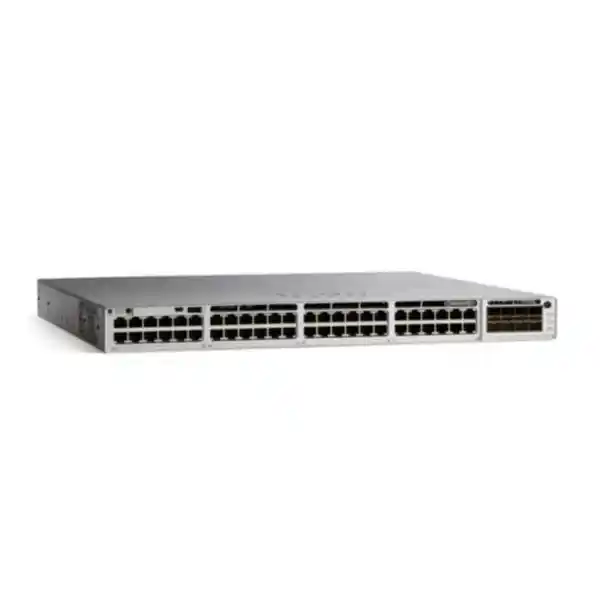
Cisco Catalyst C9300-48T Network Switch for Dubai & UAE
The Cisco Catalyst C9300-48T is a 48-port, data-only Gigabit Ethernet access switch with modular uplinks, StackWise-480, StackPower support, dual power-supply bays and Cisco IOS XE. It is engineered for organizations that need a resilient, programmable and security-focused wired access layer without allocating PoE budget to endpoints that do not require inline power.
Direct answer
Choose the C9300-48T when your access layer needs forty-eight 10/100/1000 copper data ports, enterprise Layer 2/Layer 3 features, high-speed modular uplink choices and stack-based resiliency, but does not need PoE on the downlink ports.
For UAE projects, the most important ordering decisions are the software tier, uplink network module, secondary power supply, stacking accessories, optics and support entitlement. FourTeck can align those components to the actual topology rather than treating the switch as a stand-alone box.
C9300-48T at a glance
What the Cisco Catalyst C9300-48T is designed to do
The C9300-48T sits naturally at the enterprise access layer: the point where users, workstations, thin clients, printers, locally powered IP devices, building systems, test equipment and many other Ethernet endpoints enter the campus network. Its role is not simply to provide forty-eight copper ports. In a well-designed campus, an access switch enforces segmentation, authenticates endpoints, applies quality-of-service policy, participates in routing or routed-access designs, exports telemetry, integrates with automation systems and maintains predictable forwarding behavior during link or device failures. The Catalyst 9300 family was built around that broader operational role, which is why the C9300-48T is commonly considered for refresh projects where older access switches no longer meet current requirements for automation, security visibility or stack resiliency.
The “48T” designation is especially important. The forty-eight downlink interfaces are standard copper data interfaces rather than PoE-capable access ports. This makes the model appropriate when endpoint power is supplied separately or when the switch connects mainly to devices that do not need power from the network. It also avoids paying for a large PoE power subsystem that the project may never use. Conversely, if the cabinet must power wireless access points, IP phones, cameras or other powered devices directly, the C9300-48P, UPOE-capable variants or newer PoE-focused models may be more appropriate. Correct model selection therefore begins with an endpoint power survey, not only a port-count calculation.
FourTeck can place the C9300-48T inside a broader wired, security and services architecture rather than treating it in isolation. Organizations planning a campus refresh can review enterprise networking options on FourTeck UAE, while environments that need switch deployment, configuration, migration or ongoing operational support can align those requirements with FourTeck IT Services UAE.
Hardware architecture and performance envelope
Cisco publishes a switching capacity of 256 Gbps and a forwarding rate of 190.47 million packets per second for the C9300-48T in stand-alone operation. With stacking included in the platform bandwidth calculation, the published figures rise to 736 Gbps switching capacity and 547.62 Mpps forwarding. Those numbers are useful because they show that the platform is designed to forward traffic at wire speed rather than behaving like a lightly specified SMB switch whose uplink, fabric or CPU can become an unexpected bottleneck under enterprise traffic patterns. Cisco states that Catalyst 9300 models provide wire-speed nonblocking performance for both IPv4 and IPv6.
The C9300 modular-uplink family uses 8 GB of DRAM and 16 GB of flash. For the 24- and 48-port Gigabit Ethernet models in this family, Cisco lists a 16 MB packet buffer and 64,000 Flexible NetFlow entries. The switching database scale published for this class includes 32,000 MAC addresses, 32,000 IPv4 routes when the platform is configured within the applicable scale profile, 16,000 IPv6 routing entries, 8,000 multicast routing entries, 5,120 QoS scale entries and 5,120 ACL scale entries. It also supports up to 4,094 VLAN IDs, 1,000 switched virtual interfaces and jumbo frames up to 9,198 bytes. These are platform-scale figures rather than a promise that every feature can simultaneously consume its maximum table allocation; real designs should account for template selection, software release, license and the interaction between forwarding resources.
The practical interpretation for an enterprise architect is straightforward: the C9300-48T has enough forwarding and control-plane scale for substantial access-layer deployments, but it should still be sized against actual MAC, ARP, route, multicast, ACL, policy and telemetry requirements. Large collapsed-core roles, unusually large routing tables, high-density multigigabit access, 100G uplink requirements or applications needing much deeper buffers may justify a higher-scale Catalyst 9300 variant, Catalyst 9300X, or a different campus platform. FourTeck therefore evaluates the C9300-48T as part of a topology and traffic model, not as a generic “48-port switch.”
Forty-eight data ports: where the 48T model fits best
Office user access
A floor distribution cabinet serving desktops, docking stations, locally powered phones, printers and meeting-room controllers can use the C9300-48T as a dense wired access switch. VLAN assignment, 802.1X authentication, endpoint profiling through the wider Cisco ecosystem and QoS classification can be applied without carrying a PoE budget that may not be required.
Server and appliance connectivity
The switch can connect 1G management ports, security appliances, building systems, console servers, storage management interfaces and other fixed Ethernet devices. Because uplinks are modular, the access block can connect northbound using faster fiber or copper options chosen for distance, redundancy and oversubscription targets.
Non-PoE secure zones
Some regulated environments intentionally separate powered endpoints from general data switching. A data-only access switch can simplify electrical planning and reduce unnecessary PoE capacity while still providing enterprise authentication, segmentation, routing, telemetry and encrypted-link options where licensed and configured.
Refresh of legacy Gigabit access
Organizations replacing older Catalyst generations can retain familiar 1G copper edge connectivity while moving to IOS XE, modern automation interfaces, stronger security capabilities and contemporary management integrations. This is often less disruptive than replacing endpoints at the same time as the switching layer.
A recurring design mistake is to select a non-PoE switch because the current endpoint inventory does not use PoE, then discover that a wireless refresh, IP telephony migration or surveillance project will introduce powered devices within the same cabinet. The opposite mistake is to buy PoE everywhere without checking whether the electrical budget, UPS runtime and capital expenditure justify it. A port-by-port endpoint matrix should therefore identify speed, duplex expectations, VLAN, authentication method, PoE requirement, cable category, criticality and likely growth for every access block.
Modular uplinks: one of the C9300-48T’s strongest design advantages
The C9300-48T does not ship with a fixed uplink personality. Cisco’s default chassis configuration does not include a network module, so the correct uplink module must be selected as part of the bill of materials. This modularity is valuable for organizations that want to standardize on one access-switch chassis while choosing different aggregation speeds by building, floor or project phase. It also reduces the risk of replacing an entire access switch only because the upstream topology moves from 1G to 10G, or from 10G toward 25G or 40G.
| Module | Published interface type | Typical design use |
|---|---|---|
| C9300-NM-4G | 4 × 1G | Legacy or low-bandwidth uplinks, management-oriented networks, small sites and phased migrations. |
| C9300-NM-4M | 4 × multigigabit | Flexible copper/fiber uplink scenarios where multigigabit capability is useful. |
| C9300-NM-8X | 8 × 10G/1G | Dense 10G uplink designs, dual-homing, resilient EtherChannel and higher aggregate access bandwidth. |
| C9300-NM-2Y | 2 × 25G/10G/1G | Migration toward 25G distribution where link count is modest but per-link capacity is high. |
| C9300-NM-2Q | 2 × 40G | High-throughput aggregation into distribution or core systems that support 40G connectivity. |
Uplink sizing should consider more than raw port speed. For a 48-port access switch, a pair of 10G uplinks may be completely adequate in many user-access environments because endpoint traffic is bursty and rarely drives all forty-eight 1G links at line rate simultaneously. A specialized lab, high-throughput content environment or access block with concentrated server traffic may need substantially more headroom. The right oversubscription ratio is therefore an application question. Engineers should inspect expected east-west traffic, internet-bound traffic, local server access, backup behavior, real-time applications and failure-state utilization before selecting the network module.
Optics and cabling must also match the chosen module and distance. Short in-rack connections may use direct-attach solutions where supported, while building risers, campus links and longer paths generally require appropriate fiber transceivers and fiber type. The Bill of Materials should state the exact module, transceiver on both ends, fiber patch type, connector, wavelength/distance requirement and spare strategy. Leaving optics as an afterthought is a common cause of project delays.
StackWise-480 and access-layer resiliency
For C9300 modular-uplink models, Cisco specifies StackWise-480 with 480 Gbps stack bandwidth and support for up to eight members when the stack is built within Cisco’s compatibility and license-level rules. Stacking allows multiple physical switches to operate through a unified control and management model. In access-layer engineering, that can simplify configuration, reduce the number of individually managed logical devices and enable resilient uplink designs that span physical members. Cisco also publishes a platform switching capacity of 736 Gbps and forwarding rate of 547.62 Mpps for the C9300-48T when stack bandwidth is included in the specification.
A stack is not simply a method of increasing port count. It is a resiliency architecture that must be cabled and positioned deliberately. The stack ring should be closed, stacking cables should be selected for rack position and physical routing, stack member priorities should be planned, and uplinks should be distributed across separate physical members so that the failure of one chassis, one uplink transceiver or one power circuit does not isolate the entire access block. Cisco offers StackWise cable lengths of 0.5 m, 1 m and 3 m for modular-uplink C9300/C9300X designs, which gives rack designers flexibility but also makes cable planning a bill-of-materials requirement.
Up to eight stack members can provide a large number of access interfaces under one logical control plane, but the maximum feasible stack size should not be used automatically. Four two-member stacks can sometimes create cleaner failure domains than one eight-member stack. The decision should account for cabinet size, maintenance windows, uplink capacity, risk concentration, blast radius and operational practices. In regulated networks, smaller stacks may be desirable because a software defect, configuration error or control-plane event then affects fewer endpoints at once. In other environments, a larger stack simplifies administration and provides excellent physical port density.
Mixed stacking has specific platform rules. Cisco documents mixed stacking between C9300X and standard C9300 models at StackWise-480 speeds when applicable requirements are met, while higher-scale C9300 variants have additional restrictions. Fixed-uplink C9300L models are a separate stacking family and are not simply interchangeable with modular-uplink C9300 switches. For this reason, expansion plans should be checked before procurement rather than assuming that any switch carrying the “9300” name can be added to an existing stack without qualification.
Power, cooling and physical design for UAE equipment rooms
Power redundancy
The C9300-48T ships with a 350 W AC supply by default and provides two power-supply bays. A second supported power supply can be added so that loss of one PSU does not require the switch to go offline. Redundant PSUs should ideally terminate on independent power distribution paths where the site infrastructure permits.
Cooling redundancy
Cisco specifies three field-replaceable fans with N+1 fan redundancy for the Catalyst 9300 modular-uplink family. Rack airflow, blanking panels, dust control, cabinet depth and ambient temperature still matter; redundancy cannot compensate for sustained poor thermal conditions.
Rack dimensions
The C9300-48T chassis is approximately 1.73 × 17.5 × 16.1 inches without the power supply. With the default supply installed, Cisco lists a depth of about 17.7 inches. Cable bend radius and rear service clearance should be added to the cabinet-depth calculation.
UAE operating conditions
Normal equipment-room temperature should be maintained within Cisco’s published environmental limits. In Dubai and other hot-climate deployments, the practical design priority is reliable HVAC, filtered airflow, controlled humidity and monitoring rather than relying on short-term high-temperature tolerance as a normal operating mode.
Because the C9300-48T has no downlink PoE load, its electrical planning is generally simpler than a 48-port PoE access switch. Even so, UPS autonomy should be calculated using measured or design power rather than only the power-supply nameplate. Cisco publishes measured energy figures under different loading conditions, but a project UPS study should include the complete cabinet: access switches, uplink optics, firewalls, routers, console servers, environmental sensors and any auxiliary devices. The objective is to preserve the required service duration during utility interruption, not merely to size the UPS large enough to start.
Security architecture: access control, segmentation and encrypted links
A modern access switch is an enforcement point. The C9300 platform supports 802.1X-based access control, first-hop security capabilities, control-plane protection, secure management and MACsec features, with exact functionality determined by software licensing and configuration. In a campus design integrated with identity services, a user or device can be authenticated before normal network access is granted, then placed into an appropriate authorization policy. This changes the security model from “anything plugged into the correct wall socket is trusted” to one in which identity, device posture and policy can influence the network treatment of each session.
Cisco documents MACsec support across the Catalyst 9300 family, including AES-128 and AES-256 capabilities, with MACsec-256 associated with the appropriate advanced license tier. MACsec is particularly relevant where sensitive traffic traverses inter-switch Ethernet links that an organization wants to encrypt at Layer 2. It is not a substitute for endpoint encryption, application-layer security or WAN VPN architecture, but it can reduce exposure on campus links and support defense-in-depth requirements. The final design should validate transceiver, interface, software-release and peer-device compatibility before an encryption requirement is committed in a statement of work.
Cisco’s Trust Anchor, Secure Boot and signed-image mechanisms strengthen platform integrity by helping verify hardware and software authenticity during the boot process. This matters in enterprise procurement because network infrastructure is a long-lived trust anchor of its own. Secure deployment should still include administrative AAA, role-based access, SSH, secure SNMP configuration where SNMP is required, management-plane ACLs, centralized logging, NTP authentication where appropriate, configuration backup, image lifecycle control and change management. Hardware trust is most effective when it is paired with disciplined operations.
For organizations combining campus switching with perimeter or segmentation firewalls, FourTeck can align the access design with the security architecture described on Firewall Dubai. That planning is especially useful when switch VLANs, routed interfaces, VRFs or security-group policy must map cleanly into firewall zones, data-center segments or internet-edge controls.
Layer 2, routed access and advanced routing choices
At the simplest level, the C9300-48T can operate as a conventional Layer 2 access switch: endpoint-facing access ports are assigned to VLANs, uplinks carry selected VLANs through 802.1Q trunks, Spanning Tree controls Layer 2 loops and the default gateway resides on an upstream distribution pair. This architecture remains valid for many offices because it is familiar, deterministic and easy to integrate with existing networks. The switch supports a large VLAN scale, multiple Spanning Tree modes, private VLAN capabilities and enterprise QoS features suitable for voice, video, transactional and general business traffic.
Routed-access designs move the Layer 3 boundary toward the access layer. Instead of extending user VLANs across multiple closets, the access switch terminates local IP interfaces and forms routed adjacencies toward distribution. This can reduce dependence on spanning-tree topology and make convergence behavior more deterministic. The right approach depends on operational maturity, segmentation requirements, IP addressing, high-availability design and the features used in the rest of the campus. Network Essentials includes core switching fundamentals and limited routed-access capabilities; Network Advantage adds more advanced routing protocols and scale, including BGP, advanced OSPF/EIGRP capabilities, HSRP and IS-IS according to Cisco’s current packaging.
The C9300 platform also supports advanced segmentation and fabric-related capabilities in the appropriate software tier, including VRF, VXLAN, LISP, Cisco TrustSec and security group tagging. These features become relevant in larger campuses where segmentation must follow identity or business intent instead of relying exclusively on static VLAN boundaries. They also create a stronger dependency on design discipline. A project should define route leaking, shared services, DHCP/DNS reachability, policy enforcement, management access, monitoring and failure behavior before implementing dozens of VRFs or fabric segments.
Cisco documents open standards-based VXLAN with BGP EVPN control-plane capabilities on the Catalyst 9300 platform, but the fact that a switch supports a protocol does not automatically make it the correct role for every design. Feature support, scale, license, controller architecture and lifecycle should be validated against the exact target release. For most enterprise access projects, the starting question should be business segmentation and resiliency requirements, followed by protocol selection—not the reverse.
Cisco IOS XE, automation and operational telemetry
The C9300-48T runs Cisco IOS XE, which is central to its value in modern enterprise operations. IOS XE provides a programmable network operating environment rather than only a command-line interface. Cisco documents API-driven configuration using NETCONF, RESTCONF, gNMI and YANG-based data models, together with model-driven telemetry and zero-touch provisioning options. For engineering teams that manage tens or hundreds of access switches, these capabilities can reduce repetitive manual configuration, improve consistency and make state validation easier to automate.
Automation should start with standards, not scripts. Organizations should define an approved interface template, management VRF, AAA settings, logging destinations, NTP, SNMP or telemetry policy, spanning-tree parameters, VLAN conventions, routed-interface conventions, QoS treatment, authentication policy and configuration archive procedure. Once the intended state is explicit, tools can render and verify configurations consistently. Without that baseline, automation merely applies inconsistency faster. A mature rollout also separates day-zero provisioning from day-one configuration and day-two assurance, because each phase has different controls and rollback requirements.
Telemetry can improve fault isolation by providing structured data about interfaces, routing state, environment, clients and other operational variables. Cisco’s platform supports model-driven telemetry and NetFlow capabilities, with advanced visibility functions dependent on software packaging. Streaming telemetry is useful in large networks because operators do not have to rely solely on periodic CLI polling. However, telemetry volume should be engineered: collection intervals, retention, data destinations and alert thresholds affect both network and monitoring-platform load.
Cisco Catalyst Center integration can add discovery, inventory, topology, image management, configuration management, assurance and automation workflows. Advanced tiers extend capabilities such as SD-Access policy automation and deeper assurance. A customer does not need to deploy every controller feature on day one. The C9300-48T can be adopted incrementally, beginning with familiar switch operations and later adding controller-based automation as the organization’s operating model evolves.
Network Essentials, Network Advantage and ordering discipline
The C9300-48T is commonly ordered through license-specific product variants such as C9300-48T-E for Network Essentials and C9300-48T-A for Network Advantage; Cisco also offers Meraki-mode variants in the broader family. The physical access-port count is the same, but the software entitlement materially changes what the platform can do. This is why a quotation should never state only “C9300-48T” without making the intended license and subscription context explicit.
Network Essentials covers enterprise switching fundamentals, including Layer 2 functionality, routed-access capabilities within the published feature set, QoS, first-hop security, 802.1X, basic MACsec and key resiliency functions. Network Advantage adds advanced routing protocols and scale, segmentation capabilities such as VRF/VXLAN/LISP/TrustSec, advanced automation interfaces, higher-order resiliency features and MACsec-256. Cisco Catalyst/DNA subscription packaging further affects controller, assurance, telemetry, analytics and advanced security functions. Because Cisco licensing evolves over time, the final order should be validated against the current Cisco Commerce configuration and the software release planned for deployment.
A practical rule is to buy the license required by the target-state architecture, not by today’s simplest use case. If the switch will remain a conventional Layer 2 edge with standard enterprise access controls, Essentials may be sufficient. If the roadmap includes BGP, full-featured OSPF/EIGRP, VRF-based segmentation, SD-Access, advanced automation or MACsec-256, Advantage may be the correct choice. Buying too little can force an unplanned license uplift later; buying more than the organization will operationalize can waste budget. The solution architect should therefore map every required feature to the license tier before the purchase order is released.
Support coverage is equally important. Hardware replacement, software-download entitlement and access to vendor technical support should match the business criticality of the access layer. A high-availability stack loses much of its operational value if failed components cannot be replaced inside the organization’s acceptable service-restoration window. FourTeck can structure the switch, uplinks, redundancy options and service requirements as a single deployable bill of materials.
Deployment topology 1: resilient enterprise floor access
A common UAE campus design places two C9300-48T switches in each floor telecommunications room and forms them into a StackWise-480 pair. Endpoint connections are spread across both members. The uplink network module is selected for at least two high-speed links, and those links are distributed so that each physical member has a northbound path to the distribution layer. When the distribution architecture supports cross-stack EtherChannel or an equivalent resilient design, the access stack can retain connectivity through a single uplink, transceiver or member failure.
This topology is attractive because it creates a clear failure domain: one floor or one access zone. A two-member stack provides up to ninety-six data ports before reserving capacity for growth or special-purpose connectivity. Engineers normally avoid designing every port to 100 percent occupancy. Leaving spare ports makes future moves and additions easier and reduces the chance that a small office expansion forces an emergency switch purchase. A design target of roughly 70–85 percent initial occupancy can be sensible, but the correct reserve depends on building tenancy, project horizon and budget.
Uplink oversubscription can be calculated using both theoretical and observed demand. Ninety-six 1G access interfaces behind two 10G uplinks have a high theoretical oversubscription ratio, yet this is often acceptable for normal office traffic because all endpoints rarely transmit at line rate concurrently. If users perform large media transfers, VDI workloads, engineering datasets or local backup jobs, dual 25G uplinks may provide a better growth path. The modular uplink architecture allows this decision to be made without changing the forty-eight-port access chassis.
The pair should be connected to independent UPS-backed power feeds where possible. A second switch PSU can further isolate failures inside the rack. Operationally, the stack should be documented with member numbering, serial numbers, stack priorities, uplink mapping, power-circuit mapping, software version and rack elevation. These details turn a resilient topology into one that support engineers can actually troubleshoot under pressure.
Deployment topology 2: routed branch or campus access
In a routed-access design, the C9300-48T can terminate local Layer 3 interfaces and exchange routes with an upstream distribution or core layer. This reduces Layer 2 extension and can produce clean convergence behavior, especially when each access block has multiple routed uplinks. The design is particularly useful for campuses where broadcast domains should remain localized and where the network team is comfortable operating dynamic routing at the edge.
The implementation begins with addressing and routing policy. Each user or service VLAN needs a defined gateway location, summarization strategy and reachability model. The network team should decide whether DHCP relay occurs on the access switch, where first-hop redundancy is required, how routing authentication is handled, which prefixes may be advertised and how default routes are distributed. If Network Advantage features are needed for the selected routing protocol or scale, that requirement belongs in the procurement stage.
Routed access can simplify spanning-tree domains, but it does not eliminate the need for Layer 2 engineering. Endpoint ports still require loop protection, BPDU policy, storm control where appropriate, port-security or identity controls and careful VLAN handling. The switch also needs a secure out-of-band or in-band management design. Management traffic should be separated logically from user data, restricted to authorized administration sources and integrated with centralized AAA and logging.
A branch using the C9300-48T may also connect to a firewall or SD-WAN edge. In that case, the demarcation between switching, routing, NAT, security inspection and WAN policy must be explicit. Avoid placing default gateways and routing adjacencies in multiple devices without a deliberate failover design. The cleanest architecture is the one where each function has a documented owner and traffic path, including during failover.
Deployment topology 3: segmented enterprise and regulated environments
Government, financial, healthcare, industrial and large commercial networks often need stronger segmentation than a simple office LAN. The C9300 platform can participate in VLAN, VRF, TrustSec and fabric-based segmentation models depending on the selected license and management architecture. The design objective should be to reduce unnecessary lateral movement while keeping shared services, authentication, DNS, DHCP, monitoring and management reachable through controlled policy.
Traditional segmentation uses separate VLANs routed through a firewall or Layer 3 distribution layer. It is simple to understand but can become operationally heavy when many user groups and device types are introduced. VRF-based segmentation creates multiple logical routing tables and can isolate departments, tenants or security zones more cleanly. TrustSec adds identity-oriented security group policy so that access decisions can follow the role of a user or device rather than only an IP subnet. SD-Access can automate portions of that intent across a larger campus. Each step adds capability, but also requires stronger governance and troubleshooting skills.
For a segmented design, the quotation process should identify the number of security zones, endpoint authentication method, identity source, guest/BYOD requirements, shared-service access, multicast needs, east-west firewalling requirements and monitoring system. Engineers should also decide whether link encryption is required between access and distribution switches. If MACsec is part of the specification, the exact license, peer interfaces, transceivers and software versions must be validated.
Security policy should remain understandable during outages. A highly automated fabric that only one engineer understands can become a business risk. FourTeck’s design approach is to match segmentation depth to the organization’s operating capability, then document the intended traffic flows, policy ownership and rollback plan.
Sizing methodology: how many C9300-48T switches does a project need?
Port count is the first input, not the final answer. Begin by counting every wired endpoint that will terminate in the cabinet: user workstations, docking stations, printers, conference devices, building-management controllers, security appliances, out-of-band interfaces, local servers, AV equipment and reserved patch-panel positions. Identify which of those endpoints need PoE. If a meaningful percentage requires inline power, mixing C9300-48T and PoE-capable Catalyst models may be more economical than forcing one switch type everywhere.
Next apply a growth factor. A new office may open with 70 active wired ports but grow rapidly as teams move in. A mature branch may have stable density. Port reserve should therefore be based on a credible three-to-five-year business plan. If 82 non-PoE ports are required on day one, two C9300-48T units provide 96 access ports, leaving 14 spare. That may be sufficient for a stable site but too tight for a growing floor. Three switches provide much more reserve but also increase cost, rack space, power and software entitlement. The right answer balances growth against the cost of stranded capacity.
Then calculate uplink demand. Instead of multiplying 48 ports by 1 Gbps and assuming the uplink must equal 48 Gbps, estimate realistic concurrent throughput. Knowledge workers may average relatively low utilization with short bursts, while media production, software build farms, local backups or specialized scientific workloads can sustain much higher rates. Measure existing traffic where possible. Consider failure state too: if two 10G uplinks normally carry traffic, can one surviving 10G link support the site during maintenance without unacceptable congestion?
Control-plane scale also matters. Count MAC addresses, IPv4/IPv6 routes, multicast groups, access-control entries, security policies, VRFs and telemetry flows. Standard user access rarely approaches platform limits, but large converged environments can. The C9300-48T’s published scale is generous for access switching, yet architects should compare the design to the selected SDM or feature profile and validate any unusual combination against the intended IOS XE release.
Finally size resiliency. Decide whether the business needs a single switch, a two-member stack, a larger stack, redundant uplinks, redundant PSUs, dual UPS circuits and spare hardware on site. An office that can tolerate a four-hour access outage has different requirements from a hospital department, trading floor or production facility. High availability is a chain: redundant switch hardware is not enough if both uplinks terminate on the same distribution chassis, both PSUs share one power strip, or the only spare optic is stored in another country.
FourTeck can convert these inputs into a per-site switch schedule that lists active ports, spare ports, PoE split, uplink speed, stack size, optics, PSU redundancy, support level and migration sequence. This creates a procurement document that engineering, purchasing and implementation teams can all use.
Uplink oversubscription and traffic engineering in practical terms
Oversubscription is not inherently a design flaw. Access networks are intentionally statistical because most users do not transmit at maximum interface speed continuously. The goal is to select an uplink capacity that supports business traffic under normal peaks and credible failure scenarios. For example, a 48-port C9300-48T with two active 10G uplinks may have a theoretical access-to-uplink ratio greater than 2:1 if all ports transmitted simultaneously, but real office utilization can be far lower. The same design may be unsuitable for a lab where many devices stream large datasets continuously.
A useful engineering process divides traffic into classes: internet/SaaS, data-center applications, local east-west traffic, voice/video, backup, software distribution and management. Estimate peak throughput and critical latency sensitivity for each. Real-time voice usually consumes little bandwidth but is sensitive to loss and jitter; backups can consume enormous bandwidth but may tolerate shaping or scheduling. QoS policy should therefore prioritize business-critical real-time and transactional flows without pretending that QoS creates bandwidth that does not exist.
The modular network options allow an access block to grow. A site can begin with 10G uplinks and move to 25G if application patterns change, provided the upstream platform, transceivers and cabling support the new design. When planning that migration, check fiber type and distance early. Upgrading a network module is straightforward compared with replacing an unsupported building fiber plant.
Engineers should also consider microbursts. Average monitoring can show low utilization while short bursts overflow buffers and create packet loss. The C9300-48T provides enterprise buffering appropriate to its access role, but workloads with sustained high fan-in, storage traffic or data-center characteristics may belong on a platform with deeper buffers or a different architecture. Matching switch role to traffic behavior is more important than headline throughput alone.
Quality of Service for voice, video and business applications
Even though the C9300-48T does not provide PoE to phones or access points, it may still carry real-time traffic from locally powered endpoints, downstream devices or adjacent systems. Quality of Service should therefore be part of the design. The switch can classify, mark, police and queue traffic according to enterprise policy. The objective is to protect latency-sensitive traffic during congestion while preventing bulk applications from starving interactive services.
A trustworthy QoS design defines where markings are accepted and where they are rewritten. User PCs should not automatically be trusted to mark traffic as highest priority. IP phones or managed endpoints may participate in a trust model, while other ports classify traffic by application, VLAN, ACL or other attributes. The uplink queueing policy must align with the WAN, firewall and distribution layers so that traffic receives consistent treatment end to end.
Capacity remains the first line of defense. QoS is most effective during temporary contention; it cannot solve a permanently undersized uplink. If monitoring shows recurring high utilization and packet drops, adding bandwidth or changing traffic engineering is generally preferable to continually refining queue percentages. The C9300’s modular uplinks make that capacity adjustment easier because a new network module can provide a higher-speed path without replacing the entire access switch.
During deployment, QoS policy should be tested with representative traffic. Confirm classification counters, queue drops, DSCP preservation and failover behavior. Document the intended markings so application, voice and network teams share the same model. This prevents future troubleshooting from becoming a debate about which device changed a packet marking.
High availability beyond stacking
Stacking is only one layer of high availability. A resilient access design also protects uplinks, power, upstream routing, software lifecycle and operational access. Uplinks should terminate on independent upstream hardware when the campus topology supports it. Link aggregation can provide active bandwidth and fast recovery, but engineers must test how the distribution layer behaves when one member or line card fails. Where routed access is used, equal-cost paths and dynamic routing convergence can provide a different resiliency model.
Power design should avoid common-mode failure. Two PSUs connected to the same UPS socket do not provide end-to-end electrical redundancy. Ideally, each supply is connected through a separate PDU and, where business requirements justify it, separate UPS or feed. The stack itself should be cabled as a ring and physically inspected after changes. A partially connected stack may continue working until a second fault occurs, at which point the hidden weakness becomes an outage.
Software maintenance is another availability factor. Standardizing IOS XE versions across a stack, maintaining supported upgrade paths and testing compatibility with network modules, optics, authentication systems and controllers reduces maintenance risk. Cisco provides software upgrade and patching capabilities within the Catalyst platform, but change windows should still include configuration backup, rollback steps, console access and post-change validation.
Finally, operational visibility must survive incidents. Syslog, SNMP or telemetry, AAA and NTP services should remain reachable through the management design during common failures. If the monitoring platform depends on the same failed link it is supposed to diagnose, troubleshooting becomes slower. Resiliency is strongest when observability is included in the architecture from the start.
Migration from legacy Catalyst access switches
A C9300-48T refresh often replaces older Catalyst access layers. The safest migration starts with discovery. Export current interface descriptions, VLAN assignments, trunks, EtherChannels, spanning-tree settings, routing, ACLs, QoS, authentication configuration, DHCP snooping, IP source guard, port security, monitoring destinations and management access. Then classify the configuration into three groups: features that should be reproduced, obsolete settings that should be retired and policies that should be redesigned for the new platform.
Do not perform a blind line-by-line configuration copy. Syntax and recommended practices evolve between software generations, and the refresh is an opportunity to remove years of accumulated exceptions. Create a clean standard template, map each old port to a new interface and validate that the endpoint’s speed, VLAN, authentication and special requirements are correct. For large buildings, a spreadsheet or database-driven port map is more reliable than handwritten patching notes.
Before the cutover, stage the switch with the intended IOS XE release, license state, hostname, management addressing, AAA, NTP, logging, telemetry and uplink configuration. Build and test the StackWise topology if multiple members are used. Verify optics and fiber polarity. If 802.1X or MAB is enabled, test representative endpoint classes against the production identity infrastructure. If the switch participates in routing, verify adjacencies and route policy in a controlled environment where possible.
During migration, move endpoints in logical groups rather than random patch-panel order. This simplifies validation and rollback. Check interface status, errors, authentication state, VLAN, DHCP, DNS, default gateway reachability and application access. Critical devices should have explicit owner sign-off. After cutover, monitor error counters, CPU/memory, stack status, environmental sensors, uplink utilization, spanning-tree changes, route adjacencies and authentication failures.
The old switch should not be decommissioned immediately if business continuity requires fast rollback. Keep it powered or available until the agreed stabilization period is complete. Once acceptance is signed, sanitize or dispose of replaced hardware according to organizational policy. FourTeck’s implementation services can cover staging, configuration conversion, rack work, patching coordination, migration and post-cutover verification.
UAE procurement considerations: what should be included in the quotation?
A production-ready C9300-48T quotation should be complete enough that the installer can build the intended topology without discovering missing components on site. At minimum, confirm the exact base part number and license tier, uplink network module, optic types and quantities, StackWise cables if stacking is required, secondary power supplies if redundancy is required, rack accessories, power cords, software/subscription requirements and support coverage. If the access layer connects to a new distribution switch, include the peer-side optics and any fiber patch leads or adapters needed.
Country and site conditions matter. Dubai deployments can range from climate-controlled enterprise data rooms to edge cabinets in warehouses, workshops or semi-industrial environments. The network switch should be installed within Cisco’s environmental specifications, and cabinet cooling should be engineered for local ambient conditions. Dust ingress, blocked filters, insufficient front-to-back airflow and overloaded UPS systems are more common causes of instability than the nominal switch specification itself. For remote UAE sites, local spare optics, power supplies or even a spare access switch may be justified depending on response-time requirements.
Lead time and lifecycle should be considered early. Network projects often fail schedule because the main chassis is available but a specific uplink module, optic or license item is delayed. Procurement teams should treat the bill of materials as a dependency set. Equivalent substitutions should be reviewed by engineering rather than accepted automatically, because different optics, modules or software tiers can alter supported distances, speeds and features.
Warranty and support terms should match the operational SLA. A switch serving a noncritical training room may tolerate next-business-day replacement. A production site may require faster support or on-site sparing. Remote support is also more effective when configuration backups, topology drawings and serial-number records are maintained. FourTeck can help standardize those records across multiple locations.
Organizations operating beyond the UAE can use a common technical standard while localizing logistics and support. For multi-country projects, FourTeck’s Africa technology operations can be coordinated with the UAE architecture so that model selection, software policy and documentation remain consistent across regional sites.
Operational hardening checklist for the C9300-48T
Identity and administration
Use centralized AAA where practical, restrict administrative source networks, prefer secure management protocols, define privilege roles, disable unused services and maintain an emergency local-access procedure that is protected and audited.
Access-port controls
Apply 802.1X or an approved alternative, disable unused ports, place inactive interfaces in a nonproduction state, enable appropriate first-hop protections, use BPDU guard on edge ports where design permits and document exceptions.
Management visibility
Centralize logging, time synchronization, telemetry or SNMP, configuration backup and alerting. Monitor fan, temperature, PSU, stack, uplink, interface-error, authentication and route-neighbor states.
Software lifecycle
Standardize approved IOS XE releases, verify image integrity, review security advisories, test upgrade procedures, maintain rollback images and document dependencies on controllers, identity services and automation tooling.
Hardening should be driven by the organization’s policy and threat model. A generic internet checklist can create outages when features are enabled without understanding dependencies. For example, DHCP snooping, dynamic ARP inspection, IP source guard and 802.1X can provide strong access-layer protection, but they must align with DHCP topology, trusted ports, endpoint behavior and failover plans. The goal is a controlled, tested baseline that every access switch can implement consistently.
Monitoring and troubleshooting strategy
A well-operated C9300-48T should make faults visible before users open tickets. Interface monitoring should track link state, input/output errors, CRC errors, discards, speed/duplex anomalies and utilization. Stack monitoring should verify member presence, stack-ring health, role transitions and software consistency. Environmental monitoring should watch temperature, fans and power supplies. Routing deployments should monitor neighbor state and route count. Identity-enabled networks should track authentication failures and policy-assignment errors.
Telemetry and NetFlow can answer different questions. Interface counters tell engineers where congestion or errors occur. Flow records show which conversations are consuming bandwidth. Model-driven telemetry can stream structured state at useful intervals. Packet captures may be needed for protocol-level issues. The toolset should be layered so that engineers can move from alert to interface, from interface to flow and from flow to packet evidence without guessing.
Baseline data is essential. An uplink at 70 percent utilization may be healthy during a known backup window but abnormal at 03:00 when no scheduled traffic should exist. CPU or memory usage is meaningful only relative to normal behavior and software release characteristics. Collecting at least several weeks of baseline after deployment makes future incident analysis much faster.
Troubleshooting documentation should include topology diagrams, interface descriptions, patch-panel mappings, IP addressing, VLAN/VRF tables, routing neighbors, stack-member serial numbers, software version, uplink optics and support contacts. The best operational documentation is concise enough to use during an outage and detailed enough that an engineer who did not build the network can understand the intended state.
Common C9300-48T design questions
Does the C9300-48T provide PoE?
No. The 48T is a data-only model. If endpoints need power over Ethernet, select an appropriate PoE+/UPOE/UPOE+ Catalyst model after calculating the required wattage and redundancy.
Are uplink ports built in?
The C9300-48T uses a modular uplink slot. Cisco’s base configuration does not include the network module, so the required C9300 uplink module must be ordered separately.
Can it be stacked?
Yes. Standard C9300 modular-uplink models support StackWise-480. Cisco specifies up to eight compatible members, subject to model and license-level stacking rules.
Can it do Layer 3 routing?
Yes. IOS XE supports routed-access and advanced routing features, with the available protocols and scale depending on the software license. Network Advantage is required for several advanced routing and segmentation capabilities.
Is 10G uplink capacity enough?
Often yes for normal office access, but not always. Measure or estimate concurrency, application traffic and single-link failure state. The modular uplink design allows higher-speed options when required.
Which license should I order?
Map the required routing, segmentation, security, automation and assurance features to the current Cisco license matrix. Essentials fits many standard access designs; Advantage is appropriate when advanced capabilities are part of the target architecture.
C9300-48T versus nearby Catalyst choices
The C9300-48T is not automatically the best Catalyst 9300 model just because a project needs forty-eight ports. It is the best fit when those ports are standard 1G copper data interfaces and PoE is not required. The C9300-48P adds PoE+ for powered edge devices. UPOE-capable models support larger per-port power use cases. Multigigabit variants are designed for endpoints such as high-performance wireless access points that can exceed 1G over copper. C9300X models extend performance and uplink capabilities for higher-demand environments.
The C9300L family uses fixed uplinks rather than the modular uplink system of the C9300-48T and uses StackWise-320. A fixed-uplink model can reduce bill-of-material complexity and may fit a stable design, but modular uplinks provide stronger migration flexibility. The choice therefore depends on whether the organization values a known fixed uplink personality or wants the ability to change uplink capacity over the switch lifecycle.
Selection should also consider lifecycle standardization. If a customer already has a large installed base of C9300 modular-uplink switches, using the same family can simplify sparing, modules, stacking practices and engineer familiarity. If a new campus is being built from scratch and requires high-density multigigabit or very high-speed uplinks, a different model may provide a better long-term fit even if its initial cost is higher.
Technical specification summary
| Model | Cisco Catalyst C9300-48T |
|---|---|
| Access interfaces | 48 × 10/100/1000 Ethernet copper data ports |
| PoE | No downlink PoE on the 48T model |
| Uplinks | Modular; compatible C9300 network-module options include 4×1G, 4×multigigabit, 8×10G/1G, 2×25G/10G/1G and 2×40G |
| Switching capacity | 256 Gbps standalone; Cisco publishes 736 Gbps when stack bandwidth is included |
| Forwarding rate | 190.47 Mpps standalone; 547.62 Mpps with stacking included in the published figure |
| Stacking | StackWise-480, up to eight compatible C9300 members subject to Cisco stacking rules |
| Memory | 8 GB DRAM, 16 GB flash for Catalyst 9300 modular-uplink models |
| Packet buffer | 16 MB for standard 24/48-port Gigabit Ethernet C9300 modular-uplink models |
| Default PSU | 350 W AC |
| Power-supply bays | Two; supports redundant power-supply design |
| Fans | Three field-replaceable fans with N+1 redundancy |
| Chassis size | Approx. 1.73 × 17.5 × 16.1 in (4.4 × 44.5 × 40.9 cm) chassis only |
| Operating system | Cisco IOS XE |
| License families | Network Essentials / Network Advantage; subscription and management options depend on ordering model and current Cisco packaging |
Specifications should be validated against the final Cisco configuration, chosen IOS XE release, license tier, uplink module and ordered accessories before project sign-off.
Why buy the Cisco Catalyst C9300-48T through FourTeck UAE?
Enterprise switching projects need more than hardware availability. A correct order must pair the base switch with the right software tier, uplink module, optics, stacking hardware, power redundancy and support level. FourTeck approaches the C9300-48T as part of a deployable network design. That is useful for customers who want a bill of materials that reflects actual rack topology, endpoint density, uplink distances and failover requirements rather than a generic SKU list.
For multi-floor offices, FourTeck can create a switch schedule showing active and spare ports per telecommunications room, stack membership, uplink type, fiber route, PSU requirement and support priority. For refresh projects, the same schedule can include legacy switch mapping and migration batches. For greenfield sites, it can coordinate with structured cabling, firewall, server and wireless design so the access layer is neither undersized nor overbuilt.
Local project coordination also helps with staging. Switches can be prepared with approved IOS XE software, management configuration, VLANs, routing, AAA, logging and baseline hardening before the site cutover. That reduces time spent entering repetitive configuration in the equipment room and gives stakeholders a clearer acceptance process.
The commercial goal is simple: supply the C9300-48T as a complete solution component with clear technical assumptions. Customers can use FourTeck for the hardware transaction alone or extend the engagement into configuration, migration, monitoring and managed support.
Implementation workflow for a production rollout
Inventory endpoints, existing VLANs, current switch models, rack power, fiber uplinks, optics, authentication dependencies, route design and support constraints.
Choose stack size, license tier, uplink module, link speed, optic type, PSU redundancy, routing model, segmentation, management and monitoring architecture.
Validate hardware, update to the approved software release, form the stack, load standardized configuration, test uplinks and verify licensing and telemetry.
Move endpoint groups according to a documented patch map, validate authentication and services, monitor errors and preserve a rollback path during the agreed window.
Capture post-cutover baselines, verify stack and environmental health, monitor uplink utilization, review logs and confirm business application access.
Maintain software lifecycle, configuration backups, support entitlement, spare strategy, monitoring thresholds, capacity reviews and documented change control.
This workflow scales from one switch to a multi-building refresh. The difference is the depth of documentation and automation. A single branch may use a simple runbook; a campus deployment should use standardized templates, version-controlled configurations and a formal test plan. In both cases, the network is easier to support when expected behavior is documented before the first cable is moved.
Capacity planning over the switch lifecycle
Enterprise access switches often remain in service for many years, so day-one capacity is only part of the decision. Wired port demand may fall in some offices as Wi-Fi usage grows, while uplink demand rises because applications move to cloud and multimedia becomes richer. In other environments, IoT devices increase the number of wired connections even as user laptops become wireless. The C9300-48T’s forty-eight 1G ports and modular uplink slot give architects a way to separate those two trends: endpoint speed can remain stable while uplink capacity evolves.
Monitor three growth curves independently: port occupancy, average/peak uplink throughput and control-plane scale. Port occupancy tells you when another access switch is needed. Uplink throughput tells you when a 10G path should move to 25G or when additional links are required. Control-plane scale shows whether routing, segmentation or policy complexity is approaching the platform profile. These metrics should be reviewed quarterly or at least annually for critical sites.
Power and cooling capacity should also be revisited when the rack changes. The C9300-48T itself has a predictable non-PoE power profile, but adding PoE switches, servers or security appliances to the same cabinet can alter thermal load dramatically. UPS batteries age, HVAC filters clog and rack airflow changes as equipment is added. Infrastructure health is therefore part of network lifecycle management.
A good lifecycle plan defines triggers instead of relying on surprise. For example: add another access switch when sustained port occupancy exceeds a chosen threshold; upgrade uplinks when 95th-percentile utilization or packet-drop metrics exceed policy; replace UPS batteries based on tested capacity; review IOS XE releases on a regular security cadence; and renew support before entitlement gaps appear. The result is a planned network rather than a reactive one.
Designing for wireless, voice and IoT even though the 48T is non-PoE
A non-PoE switch can still be part of a converged campus. The important point is to place powered endpoints on the right access hardware. For example, a telecommunications room may use one C9300-48T for desktops, printers and locally powered equipment, alongside one PoE-capable Catalyst switch for wireless access points, IP phones and cameras. Both can participate in the same logical access architecture where stacking compatibility and license requirements are satisfied, or they can be operated as separate stacks if that creates a cleaner failure domain.
This mixed approach can improve cost and energy efficiency because PoE capacity is purchased only where needed. It also lets the network team size UPS runtime more accurately. A 48-port PoE switch at high power draw can materially reduce backup time compared with a data-only switch. Separating power-hungry endpoint classes may help facilities teams understand which services remain available during prolonged utility failure.
Wireless architecture should influence uplink planning even if APs are connected to another switch. Wi-Fi 6/6E/7 deployments can concentrate significant client traffic in the access layer, and multigigabit AP interfaces may require different switch models. If the C9300-48T sits in the same access stack or shares northbound bandwidth with those switches, aggregation capacity should account for wireless traffic. The switch family choice should therefore be made at the closet level, not one SKU at a time.
IoT creates a similar issue. Some sensors are low bandwidth but high count; cameras are higher bandwidth and often PoE; building controllers may be locally powered and 1G or lower. Segmenting these device classes, authenticating them and controlling their east-west access can matter more than raw throughput. The C9300 platform provides the policy and telemetry foundation for those designs when the appropriate software capabilities are selected.
Risk controls for a successful C9300-48T project
Risk 1: wrong model. The 48T does not supply PoE. Validate endpoint power before ordering. If the site has future AP, phone or camera growth, reserve PoE-capable capacity elsewhere in the design.
Risk 2: missing uplink module or optics. The chassis uses modular uplinks and the base configuration does not include the module. Include module, optics, peer optics and patching in the BOM.
Risk 3: undersized uplinks. Measure current traffic, include growth and model failure state. Design for application behavior rather than assuming that all access ports are equal or that historical averages will remain constant.
Risk 4: license mismatch. Advanced routing, segmentation, automation and security capabilities can require Network Advantage or related subscriptions. Map features to entitlements before purchase.
Risk 5: common-mode power failure. Dual PSUs do not help if both connect to the same failed power path. Use independent feeds where the site SLA requires them.
Risk 6: unmanaged software drift. Mixed or unsupported IOS XE versions can complicate stack operations and troubleshooting. Maintain an approved release policy and test changes.
Risk 7: poor documentation. A technically resilient network can still experience long outages if support teams cannot identify stack members, uplinks, circuits, optics or endpoint mappings. Make documentation part of acceptance criteria.
Decision recap: when the C9300-48T is the right switch
Choose it when
You need 48 enterprise 1G copper data ports, no downlink PoE, modular high-speed uplinks, StackWise-480, IOS XE programmability, robust Layer 2/Layer 3 functions and long-term campus standardization.
Choose another model when
You need PoE/UPOE, high-density multigigabit access, 100G-class uplinks, exceptionally deep buffers, a fixed-uplink budget model or a different stack architecture. Model selection should follow endpoint and topology requirements.
For many Dubai enterprise access projects, the C9300-48T is a strong fit because it combines a familiar 48-port Gigabit edge with modern software, modular uplinks and stack resiliency. Its greatest value appears when the surrounding design is equally disciplined: correct licensing, diverse uplinks, redundant power where required, secure management, monitored operations and a clear migration plan.
Quotation input checklist
To prepare an accurate Cisco Catalyst C9300-48T quotation for Dubai or another UAE site, provide the technical inputs below. Exact answers are not required for every field; where data is unavailable, FourTeck can size the design from the site topology and expected workload.
Final consultation panel
For a C9300-48T purchase, the fastest route to a correct bill of materials is to provide your site count, approximate number of wired users, PoE requirement, preferred uplink speed, existing distribution/core model and whether the switches must be stacked. FourTeck can then determine the required base part number, license tier, uplink module, optics, stacking accessories, redundant power and services.
If you are refreshing an existing network, include the current switch model and a sample configuration if available. That allows the migration scope to identify feature dependencies and potential license changes before cutover. For new offices, a floor plan or rack schedule can be used to estimate port density and fiber paths.
The objective is a production-ready access design with no missing modules, no surprise PoE gap, no unsupported stacking assumption and no licensing mismatch. FourTeck can supply the hardware only or deliver staging, migration and post-deployment support as part of the same project.



Reviews
There are no reviews yet.