
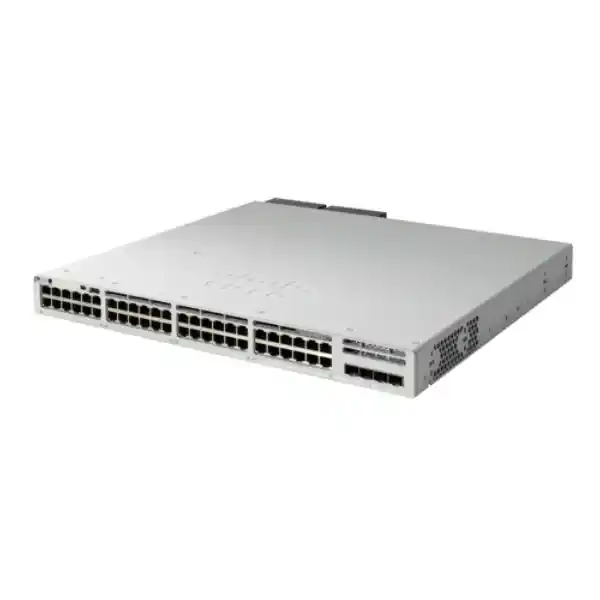
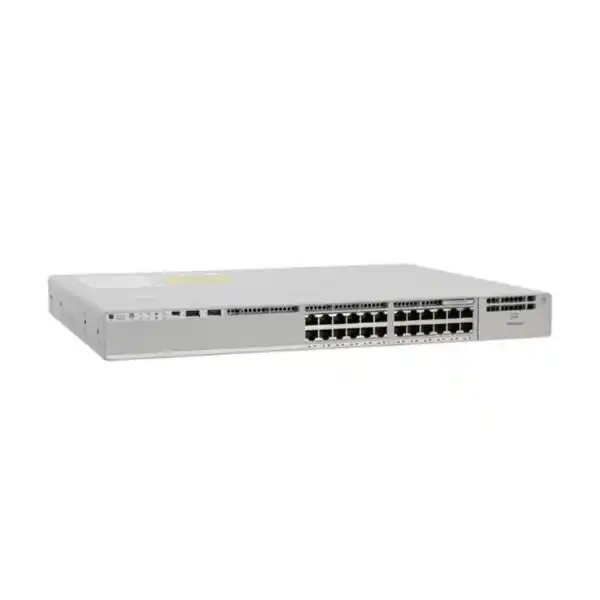
Cisco Catalyst C9300L-24T-4X Network Switch
The Cisco Catalyst C9300L-24T-4X is a fixed-uplink enterprise access switch engineered for organizations that want twenty-four 1 Gigabit copper data interfaces, four 10 Gigabit or 1 Gigabit SFP+ uplinks, Cisco IOS XE software, resilient stacking and a mature operational model for campus, branch, commercial, education, government and distributed enterprise environments. For UAE deployments it is particularly well suited to access-layer closets where high PoE budgets are not required but predictable wired performance, redundant uplinks, policy control, scalable management and long-term Cisco ecosystem compatibility are priorities.
Direct answer: what is the Cisco C9300L-24T-4X and who should deploy it?
The Cisco Catalyst C9300L-24T-4X is the 24-port, data-only, fixed-10G-uplink member of Cisco’s Catalyst 9300L access-switch family. Its front-panel access interfaces are intended for standard Ethernet devices such as desktop workstations, servers with 1G connectivity, printers, building systems, security appliances, storage management ports, video encoders, non-PoE wireless devices, industrial endpoints and other networked equipment that does not need power delivered from the switch. The four SFP+ uplink slots can operate at 10G or 1G depending on the supported transceiver and network design, giving the switch a practical path to redundant aggregation, collapsed-core or distribution connectivity without consuming access ports.
This model is a strong fit when the design requirement is conventional enterprise Gigabit access with substantially faster uplinks. A twenty-four-port edge switch can theoretically place substantial traffic pressure on upstream links, especially when client systems transfer backups, virtual-machine images, media, CAD files or large data sets. Four 10G uplinks allow the designer to split traffic across redundant upstream devices, build EtherChannel links where appropriate, reserve interfaces for different services or maintain operational headroom. Compared with a switch restricted to 1G uplinks, the C9300L-24T-4X provides a more realistic foundation for modern access-layer traffic patterns and for growth over the useful life of the installation.
For organizations in Dubai, Abu Dhabi, Sharjah and other UAE locations, the product also fits a common operational requirement: standardized Cisco switching across multiple offices while retaining local autonomy. A branch can use the same IOS XE conventions, templates, monitoring tooling, identity policies and troubleshooting methods as headquarters. FourTeck can integrate the switch within broader LAN, firewall, server and IT-service projects through FourTeck UAE, allowing network hardware procurement to be aligned with cabling, optics, rack design, IP addressing, segmentation and migration planning instead of treated as an isolated purchase.
Hardware architecture and verified platform characteristics
The C9300L-24T-4X should be understood as a purpose-built access switch rather than a small core switch with arbitrary ports. Cisco’s Catalyst 9300 architecture combines switching hardware, IOS XE, security functions, telemetry, programmable interfaces and stacking into a platform intended for the enterprise wiring closet. This matters because the switch must handle much more than basic MAC-address forwarding. In a production LAN it is expected to enforce VLAN boundaries, apply access control, participate in routed designs, maintain neighbor and endpoint state, provide quality-of-service treatment, support spanning-tree protections, export operational telemetry, respond to identity information and continue service during planned or unplanned changes.
The 128 Gbps standalone switching capacity is appropriate to the port mix. Twenty-four 1G access ports represent 24 Gbps of one-direction access bandwidth, while four 10G uplinks represent up to 40 Gbps of one-direction uplink bandwidth. Ethernet switching-capacity conventions count bidirectional capacity, so the published number provides room for the physical interface mix and internal switching operations. The 95.23 Mpps forwarding figure is especially useful when comparing models because packet rate, not only bandwidth, determines how a platform behaves under streams of small Ethernet frames. Networks with voice signalling, transactional applications, monitoring traffic, DNS, authentication exchanges and dense east-west flows can generate significant packet counts even when their megabit-per-second utilization looks modest.
The fixed-uplink design is also operationally important. It removes the need to select a separate uplink network module and reduces one source of ordering complexity. In exchange, the uplink format is predetermined. Buyers should therefore confirm that four 10G/1G SFP+ ports match the intended aggregation architecture before purchasing. Organizations expecting 25G, 40G or more specialized modular uplink choices should evaluate other Catalyst 9300-family models rather than assuming the C9300L fixed-uplink chassis can be upgraded later by replacing an uplink module.
Port map, uplink design and transceiver planning
The port map is straightforward but should still be designed deliberately. The twenty-four copper interfaces are ideal for endpoint access VLANs, infrastructure management connections and low-speed server or appliance links. At the access layer, each port can be configured with the required Layer 2 controls, edge protections, authentication policy and QoS classification. Designers should avoid treating ports as interchangeable unmanaged sockets. A production configuration normally defines the expected endpoint role, allowed VLAN or policy, spanning-tree behavior, storm-control approach, security posture and monitoring parameters for each interface category.
The four 10G/1G SFP+ uplinks create multiple practical topology choices. A single switch can use two uplinks to one distribution pair and retain two interfaces for additional redundancy, service links or future expansion. Alternatively, multiple physical uplinks can be bundled into logical EtherChannels when the upstream architecture supports the chosen aggregation method. In stack designs, uplink members can be spread across separate physical stack members so a single chassis or uplink-port failure does not remove all paths. The exact implementation depends on the upstream platform, whether it supports multi-chassis EtherChannel or an equivalent architecture, and how the organization wants spanning tree or routed access to operate.
Optics are a frequent source of deployment errors. The switch chassis and the transceiver are separate engineering decisions. A 10G SFP+ uplink can be populated with an appropriate supported optic or supported direct-attach solution according to link distance, fiber type, connector plant and remote interface. Multi-mode and single-mode fiber should never be selected merely by distance guesswork; the installed cabling standard, patch-panel path, connector cleanliness, optical budget and transceiver compatibility all matter. For cross-rack or same-room connections, supported direct-attach cabling may simplify deployment where physical distance and equipment placement permit. For building or campus links, fiber is usually preferred for reach and electrical isolation.
The fixed uplinks can also operate at 1G, which is useful during staged migrations. A site replacing older switches may initially connect to an existing 1G distribution layer, then move the same access switch to 10G when the aggregation layer is refreshed. That protects the access-switch investment and lets the migration proceed by layer. Nevertheless, a project should confirm the exact supported optic matrix and software requirements at ordering time because support lists evolve across IOS XE releases and hardware revisions.
FourTeck can pair the C9300L-24T-4X with server and rack infrastructure planning through Server Dubai. This is useful where switch uplinks terminate near virtualization hosts, backup appliances or storage systems and where rack elevation, cable reach, transceiver type, patching and redundant power design must be coordinated as one physical-layer plan.
StackWise-320: how stacking changes resilience and operations
Catalyst 9300L switches support Cisco StackWise-320, providing 320 Gbps of stack bandwidth and allowing up to eight compatible C9300L or C9300LM switches to operate in a stack when the required stack hardware and compatible license levels are used. Stacking is not simply a way to increase port count. Its larger operational value is the ability to manage multiple physical switches as a coordinated logical system, create resilient cross-member link aggregation, simplify configuration consistency and design around the failure of an individual member.
A stack can be particularly useful in UAE office towers, campuses and multi-floor facilities where access ports are concentrated in one main distribution frame or a large intermediate distribution frame. Rather than operating several independent switches with unrelated uplink states, administrators can build a stack and distribute critical uplinks across members. If a host or downstream device supports link aggregation, its physical links can also terminate on different members, reducing dependence on one chassis. The exact resiliency outcome still depends on configuration, upstream design, power redundancy and cabling. A stack does not automatically eliminate every single point of failure.
The C9300L family uses optional stack kits and dedicated rear stacking interfaces. Stack cabling therefore needs to be included in the bill of materials rather than assumed to be part of every base chassis. Cable length should match the physical rack arrangement. In a conventional single-rack stack, short stack cables can reduce clutter. In more complex rack layouts, longer supported cables may be needed, but stacking should not be treated as a substitute for proper distribution design across physically separated rooms. Access stacks are normally best kept within a controlled, supportable equipment location where the stack ring can be inspected and maintained.
License compatibility matters as well. Cisco’s current data sheet states that C9300L and C9300LM members stack with models in those families at the same license level. Procurement teams should therefore standardize the intended Network Essentials or Network Advantage level before mixing members. A mismatch discovered after equipment arrival can complicate staging and delay commissioning.
Operational procedures for a stack should cover member numbering, priority, version alignment, image management, spare strategy, power feeds, change windows and replacement workflows. A well-designed stack can reduce routine administration, but a poorly documented one can create uncertainty during a failure. FourTeck network engineers can stage member numbering and standard configurations before site installation, reducing the amount of disruptive work required in the live wiring closet.
Cisco IOS XE and the operating model
The C9300L-24T-4X runs Cisco IOS XE, the software foundation used across modern Catalyst enterprise switching. For experienced Cisco administrators, this provides familiar CLI workflows while also supporting APIs, structured telemetry, model-driven automation and centralized management options. That combination is important because enterprises rarely operate switches in only one way. A network team may use the CLI for detailed diagnostics, automation frameworks for repetitive configuration, a management platform for inventory and assurance, and external monitoring systems for alarms and performance data.
IOS XE also changes how lifecycle management should be planned. Software releases should not be selected only because they are newest. A production organization normally chooses an appropriate Cisco-recommended or internally validated train, verifies feature support, tests configurations, reviews security advisories, schedules upgrades and preserves rollback options. Stacks require additional discipline because members must converge on a compatible software state. Image distribution, boot variables, available flash space and maintenance-window sequencing should be part of the operating runbook.
Configuration standardization is one of the most valuable capabilities in large deployments. Instead of creating every access switch manually, teams can maintain approved building blocks for management VRFs or VLANs, AAA, NTP, DNS, SNMP or streaming telemetry, syslog, TACACS or RADIUS, spanning-tree protections, DHCP snooping, port-security policy, interface templates and routing. The C9300L then becomes a repeatable platform rather than a collection of custom boxes. This is especially relevant to organizations operating several UAE branches where local cabling and endpoint counts vary but governance requirements remain consistent.
The software platform supports extensive visibility into interfaces, environmental state, neighbors, forwarding tables, authentication events and network protocols. Monitoring should be designed to identify degradation before a user opens a support ticket. Useful signals include uplink errors, discards, optics health, interface flaps, CPU or memory anomalies, stack events, spanning-tree changes, authentication failures, duplicate addressing patterns and environmental alarms. Alert thresholds should be tuned to the environment; indiscriminately collecting every counter can create noise rather than observability.
Organizations that need ongoing operational assistance can combine the hardware project with FourTeck IT Services UAE for implementation planning, managed support, monitoring integration, configuration review and incident troubleshooting across the wider network stack.
Layer 2 design: VLANs, trunks, spanning tree and edge hardening
At Layer 2, the C9300L-24T-4X can serve as a disciplined policy edge. VLAN design should follow business and security requirements rather than historical port groupings. Corporate users, guest services, building management systems, CCTV infrastructure, printers, lab equipment, servers, voice systems and operational technology often deserve different trust zones. The switch can place endpoints into the appropriate Layer 2 segment while upstream routing and security policy determine how those zones communicate.
Trunk ports should use explicit allowed-VLAN lists wherever practical. Allowing every VLAN across every trunk increases the broadcast domain footprint and makes troubleshooting less deterministic. Access ports should be assigned intentionally and unused interfaces should be administratively disabled or placed into a controlled state according to organizational policy. Native VLAN use should be standardized and reviewed for consistency. A migration project should also map legacy VLAN IDs and spanning-tree roles before changing hardware so replacement does not accidentally alter topology.
Spanning Tree Protocol remains important even in networks where the desired forwarding topology appears loop-free. Cabling mistakes, unmanaged switches, accidental patching and redundant links can create loops quickly. Edge protections such as PortFast and BPDU Guard should be applied according to Cisco design guidance and endpoint behavior. Root-bridge placement should be deliberate at the distribution or core layer. Features intended to protect against unexpected topology behavior should be tested before broad deployment, especially where third-party devices participate in bridging.
DHCP snooping, Dynamic ARP Inspection, IP source protections and related first-hop security mechanisms can significantly improve campus security when deployed correctly. These controls rely on a consistent understanding of trusted and untrusted interfaces, DHCP paths, static addressing and VLAN topology. Enabling them globally without preparing binding behavior can interrupt legitimate traffic. A staged rollout with monitoring is therefore preferable to a one-command security change across all access switches.
The same principle applies to storm control and MAC-security mechanisms. Thresholds must reflect the application mix. A video system or backup appliance can generate traffic patterns unlike an office PC, while virtualized systems can legitimately present several MAC addresses behind one physical interface. FourTeck designs these controls around endpoint classes so the security policy reduces risk without creating unnecessary operational incidents.
Layer 3 capabilities and routed-access considerations
Catalyst 9300L is not limited to transparent Layer 2 access. Depending on the selected software license and design, it can participate in routed enterprise networks, provide switched virtual interfaces, static routes and dynamic routing functions supported by the relevant Cisco licensing tier. This flexibility allows organizations to choose between traditional Layer 2 access with distribution-layer gateways and more routed access patterns that reduce failure domains and constrain spanning tree.
The correct design is determined by operational maturity and application requirements. Layer 2 access remains simple and familiar, particularly where mobility within a VLAN or centralized gateway policy is required. Routed access can improve convergence and reduce Layer 2 extension, but it requires a well-defined IP addressing plan, routing policy, first-hop design and operational tooling. Enterprises should not adopt routed access merely because the switch supports routing; it should be part of a campus architecture with clear fault-domain and policy objectives.
Where switched virtual interfaces are placed on the access stack, gateway redundancy and stack resiliency become closely linked. The network must define how endpoints retain reachability when a member, uplink or upstream device fails. Equal-cost routing, first-hop protocols, port channels and distribution design can each affect recovery behavior. Testing should include loss of one uplink, loss of one stack member, power failure, reboot, upstream maintenance and routing adjacency changes. A resilient design is one whose failure modes have been intentionally observed before production depends on them.
Route summarization and address planning are also strategic considerations. A campus that allocates networks consistently by site, building or floor can advertise compact prefixes and make troubleshooting easier. Random historical subnet assignments produce oversized route tables and ambiguous documentation. A switch refresh is often a good opportunity to normalize IP allocation, but renumbering should be separated from hardware replacement when risk is high. Combining too many changes into one maintenance window makes fault isolation harder.
For WAN-connected branches, the C9300L-24T-4X can operate behind enterprise firewalls and SD-WAN edges while maintaining local segmentation. FourTeck can coordinate access switching with security designs through Firewall Dubai, helping align VLAN boundaries, routed interfaces, trunking, access-control policy and high-availability links between switching and security platforms.
Security, identity and segmentation at the access edge
The access switch is the first managed infrastructure point for many wired endpoints, making it a valuable enforcement location. The C9300L platform can participate in enterprise identity and segmentation strategies using capabilities available within the selected Cisco software package. A mature design connects switch-port behavior with AAA services so the network can distinguish users, devices or endpoint classes instead of trusting every cable equally.
IEEE 802.1X-based authentication is commonly used for managed user and device access, often with MAC Authentication Bypass for equipment that cannot perform 802.1X. These mechanisms depend on a resilient RADIUS or identity-service design. Authentication timers, fallback behavior, critical authorization, guest treatment and remediation workflows must be considered before deployment. If authentication infrastructure becomes unreachable, the business needs a known outcome rather than a surprise outage. The switch configuration therefore belongs to a wider identity architecture, not an isolated security feature.
Role-based segmentation can reduce dependence on static VLAN assignment. In Cisco architectures, scalable policy mechanisms can classify traffic based on identity or security-group information, helping organizations control east-west access across campus networks. Feature availability depends on the relevant software level and supporting controller or policy infrastructure, so procurement must match the intended security design. Buying the hardware first and deciding the policy platform later can create licensing gaps.
Traditional protections remain essential even in identity-aware networks. Secure management protocols, centralized AAA, protected management-plane access, strong SNMP configurations, syslog integrity, NTP consistency and restricted administrative paths should be treated as baseline controls. Telnet and unsecured management services should not be retained merely for convenience. Administrative source networks can be isolated so end-user VLANs cannot directly reach switch management interfaces.
Physical security is also relevant. Wiring closets should be access controlled, rack doors secured where appropriate and console ports protected. An attacker with unrestricted physical access can bypass many logical assumptions. In UAE multi-tenant offices, hotel environments, retail locations and remote branches, telecom rooms may be shared with contractors or building staff. The project should document who can access racks and how emergency maintenance is authorized.
Finally, configuration backups and change accountability are security controls. The organization should know what changed, who approved it and how to restore the previous known-good state. Automated configuration archives, version control and centralized logging make incident investigation substantially easier than relying on individual administrator memory.
Quality of service for converged enterprise traffic
Even though the C9300L-24T-4X is a non-PoE model, it may carry latency-sensitive application traffic generated by endpoints powered independently from the switch. Examples include IP telephony through external injectors or downstream devices, video-conferencing endpoints, trading applications, industrial controls, real-time collaboration, surveillance streams and interactive remote-desktop sessions. QoS policy ensures congestion affects traffic according to business priority rather than packet arrival order alone.
A good QoS design begins with classification and trust boundaries. The switch should not blindly trust arbitrary DSCP markings from every endpoint because users or applications can mark traffic incorrectly. Trusted device classes can be permitted to retain known markings, while other traffic is classified according to VLAN, protocol, policy or network architecture. The switch then applies queueing and congestion-management behavior aligned with the end-to-end policy.
Uplinks are the most likely congestion point in an access switch, especially during microbursts. A 10G uplink dramatically reduces oversubscription compared with a 1G uplink, but congestion can still occur when many access ports transmit simultaneously or when traffic converges on a lower-capacity WAN link further upstream. QoS therefore needs end-to-end consistency. Marking traffic correctly on the access switch has limited value if the firewall, WAN router or service-provider edge ignores or rewrites the same markings without a coordinated policy.
Operational teams should validate QoS using actual counters rather than assuming configuration text proves behavior. Queue drops, interface drops, buffer events and application experience can reveal whether the policy is appropriate. Over-prioritization is a common mistake: if too much traffic is placed into priority treatment, genuine real-time applications can lose the protection intended for them. Business-critical does not automatically mean strict priority; different application classes require different latency, loss and bandwidth guarantees.
During deployment, FourTeck can map business applications to traffic classes and align access-switch configuration with upstream network devices. This is particularly useful for mixed environments where Microsoft Teams, cloud ERP, VoIP, security video, backup and internet access share the same physical campus infrastructure.
Network Essentials, Network Advantage and subscription planning
Cisco currently offers the Catalyst 9300 family with perpetual network licenses and term-based Cisco Catalyst or Cisco DNA subscription options. For C9300L-24T-4X, ordering commonly distinguishes Network Essentials and Network Advantage hardware/software bundles, while Cisco also documents Meraki-managed ordering variants for portions of the portfolio. The perpetual network license remains associated with the hardware, while subscription capabilities are purchased for a defined term. Licensing should be treated as an architecture decision, not a paperwork item added after selecting the chassis.
Network Essentials targets organizations that need core enterprise switching functions and the corresponding Cisco software feature set. Network Advantage adds more advanced networking capabilities. The correct choice depends on routing, segmentation, policy, automation and controller requirements. Teams should build a feature matrix before requesting quotations: list the protocols and functions required now, identify functions likely to be used during the planned service life, then map those requirements to Cisco’s current licensing documentation. Choosing solely on lowest acquisition price can lead to costly upgrades when an advanced feature becomes necessary after deployment.
Cisco’s subscription packaging can provide capabilities used with Cisco Catalyst Center and related software functionality. Subscription terms need to be recorded in the asset lifecycle system alongside hardware warranty and support. Renewal dates should be visible well before expiry so the organization can decide whether to renew, change the subscription level or continue with the perpetual base capabilities available under its licensing position. Network teams and procurement teams should share this information; a renewal owned only by finance can be missed technically, while a renewal owned only by engineering can be missed commercially.
Smart Licensing Using Policy is part of the modern Cisco licensing model for supported IOS XE releases. Organizations should define how switches communicate licensing information, whether through direct cloud connectivity, a proxy or an approved on-premises workflow depending on security policy. Closed environments require special planning. Licensing transport should never be improvised during commissioning if the site’s outbound connectivity is restricted.
Support entitlement is separate from merely owning a network license. Cisco documents support options for hardware and software service. Enterprises should decide the required response level based on business impact, spare inventory and operational coverage. A switch serving a low-impact lab may tolerate next-business-day replacement, while a headquarters access stack may justify stronger support and on-site spare strategy.
When requesting a FourTeck quotation, specify the intended license level, subscription term, support requirement, stack-kit requirement and optics. This prevents an apparently low switch quote from omitting components necessary to create the actual production solution.
Power, rack, cooling and physical deployment in UAE facilities
The C9300L-24T-4X is a one-rack-unit class enterprise switch and is typically installed in a standard network rack or cabinet. Cisco lists a chassis height of approximately 1.73 inches and width of approximately 17.5 inches, with depth varying according to power-supply configuration. The base unit with the 350W power supply is roughly 16.1 inches deep, while larger supply configurations increase overall depth. Rack planning must therefore consider more than nominal 1U height: rear clearance, stack cables, power cords, front patch leads and vertical cable managers all consume space.
The standard C9300L-24T-4X uses a 350W AC power supply and does not provide PoE output. This makes its electrical profile simpler than a PoE access switch because there is no endpoint power budget to calculate. Nevertheless, resilient power design remains important. If the configuration includes redundant power supplies, each supply should ideally connect to an independent protected power source or independent PDU path when facility design supports it. Connecting both supplies to the same unprotected extension strip creates the appearance of redundancy without meaningful fault isolation.
UAE installations must account for elevated ambient temperatures outside controlled rooms, dust and the quality of small telecom spaces. Enterprise switches should operate in appropriately conditioned environments within Cisco’s published environmental limits. A cabinet placed in an unventilated store room, ceiling void or utility area can experience temperatures far above office air-conditioning set points. Dust accumulation can restrict airflow and shorten component life. The correct solution is environmental engineering, not simply increasing fan speed or accepting alarms.
Airflow path must remain unobstructed. Patch cords should be routed through horizontal or vertical managers rather than hanging across ventilation areas. Empty rack units can use blanking panels where the wider cabinet airflow strategy benefits from them. Power cords should be restrained without excessive bending, and stack cables must retain suitable bend radius. Fiber jumpers require even more care: sharp bends and dirty connectors can create intermittent optical faults that are difficult to diagnose from configuration alone.
UPS sizing should consider the complete rack load, desired runtime and redundancy model. The switch’s maximum supply rating is not necessarily its continuous power draw, so site surveys should use measured or documented consumption together with future equipment. Firewall appliances, routers, fiber converters, console servers and small servers often share the same communications UPS. Runtime targets should reflect generator-start behavior and business continuity requirements.
Physical labeling should identify switch hostname, rack unit, stack member, power feeds, uplink destinations and patch-panel relationships. Good labels shorten incident response and reduce the probability that a technician disconnects the wrong cable during urgent maintenance.
Availability design: redundant uplinks, power and failure domains
Availability is achieved by eliminating single points of failure in proportion to business need. The C9300L-24T-4X provides the building blocks—multiple uplinks, optional stacking and enterprise control-plane features—but the final availability level depends on topology. A switch with four uplinks connected to one upstream chassis through one fiber path still depends on that chassis and path. Likewise, a two-member stack powered from one PDU remains dependent on a single electrical source.
A robust access design commonly uses two upstream distribution devices. Uplinks from different access-stack members can terminate across those devices using a supported multi-chassis aggregation architecture or routed links, depending on platform and design. Fiber paths can be separated physically where the building supports diverse risers. In critical environments, each stack member can have redundant power connected to independent PDUs. The goal is not to make every component duplicated; it is to understand each failure domain and decide whether the application can tolerate it.
Stacking alters the failure model. It simplifies management and permits cross-member port channels, but it creates shared logical dependencies. Stack cables must be installed as a ring according to Cisco guidance, member roles should be understood and software changes can affect the logical stack. Organizations that require very strong fault isolation may compare stacking with independent-switch architectures. Neither is automatically superior; operational simplicity, convergence and failure containment should be weighed together.
Maintenance is another availability event. Networks often focus on hardware failure but overlook planned upgrades. A topology should permit software maintenance, optic replacement and upstream changes with controlled impact. If every access switch has only one active upstream path, routine maintenance becomes an outage. Dual-homing or routed redundancy can turn the same activity into a low-impact change, provided failover has been tested.
Testing must use realistic failure simulations. Administrators should remove one uplink, power off one upstream device, isolate one stack member, interrupt an authentication server and observe application behavior. Monitoring systems should generate the expected alarms, routing or spanning-tree convergence should occur within design expectations and users should retain the intended services. Results should be documented before go-live.
For remote UAE branches, a local spare strategy can be more valuable than an expensive support contract if travel time dominates restoration. For central Dubai or Abu Dhabi sites, rapid vendor logistics may change that calculation. FourTeck can help determine the appropriate combination of support coverage, cold spares, pre-staged configuration and replacement procedures.
Sizing methodology: when 24 ports and four 10G uplinks are the right fit
Port count should be sized from a physical endpoint inventory, not from the number of desks alone. Count user devices, printers, access-control controllers, cameras, building gateways, test systems, conference equipment, servers, appliances and reserved growth ports. Then distinguish devices that require PoE from devices that do not. The C9300L-24T-4X is data-only, so any endpoint needing switch-supplied power should either be attached to a PoE-capable switch or use an approved alternative power method. In most enterprise projects, mixing many external injectors into a wiring closet is less manageable than selecting the correct PoE switch model.
A 24-port switch is well suited to smaller access zones where a 48-port chassis would leave excessive unused capacity, or to racks where endpoints are separated by function. It can also be used in stacks to create 48, 72, 96 or larger port groups while retaining the operational advantages of a common stack. Growth capacity should usually be reserved. Filling all twenty-four ports on day one leaves no local expansion and may force unplanned changes when a new device is installed.
Uplink sizing should use traffic patterns rather than simplistic oversubscription ratios. Office PCs often generate bursty traffic and may be lightly utilized most of the time, while backup stations, media workflows or local file servers can produce sustained high throughput. Four 10G ports give substantial design flexibility, but the useful bandwidth depends on the number of active uplinks, port-channel configuration and upstream capacity. If two 10G uplinks are used, the aggregate logical capacity may be 20G under suitable traffic distribution, but a single flow normally remains limited by one member link unless higher-layer mechanisms create multiple flows.
The forwarding rate of 95.23 Mpps should be considered when comparing alternatives for packet-heavy environments. Most ordinary office access networks will operate far below this figure, but security monitoring, service-provider handoffs, dense IoT or testing environments can behave differently. Published performance figures describe platform capability under defined conditions; they do not substitute for end-to-end application sizing.
Stack sizing should also account for failure scenarios. If an eight-member stack loses one member, endpoints on that chassis are offline even though the stack survives. If a stack loses an uplink member carrying disproportionate upstream capacity, remaining paths may become congested. Distribute critical resources and uplinks so one failure does not create an unexpected bottleneck.
Finally, count switch ports used for infrastructure services. Uplinks use dedicated SFP+ interfaces, but console servers, firewalls, wireless controllers, out-of-band equipment and management appliances may consume copper access ports. The bill of materials should include those connections rather than assuming all twenty-four ports are available to users.
Migration from legacy Cisco Catalyst switching
Replacing older Catalyst access switches with C9300L is an opportunity to modernize operations, but migrations should preserve business continuity. The safest process begins with discovery. Export current running configurations, interface descriptions, VLAN databases, spanning-tree state, EtherChannels, routing, DHCP relay settings, ACLs, QoS policy, AAA configuration, SNMP, logging, NTP and inventory information. Compare configuration intent with actual cabling; old switch files often contain ports that no longer exist or descriptions that were never updated.
Configuration syntax should not be copied blindly from legacy IOS releases. IOS XE supports many familiar commands, but defaults, deprecated features and recommended security practices evolve. The new configuration should be rebuilt against current design standards and then validated feature by feature. This prevents years of accumulated technical debt from being transferred to the new hardware unchanged.
Port migration maps reduce cutover risk. Each old physical port should be mapped to the target C9300L interface, endpoint type, VLAN, expected speed, authentication method and patch-panel location. Trunks and uplinks deserve separate validation. If the legacy switch used 1G SFP uplinks and the new design introduces 10G SFP+, confirm remote compatibility and fiber plant before the change window. Optics should be tested in advance rather than opened for the first time during production downtime.
A staged migration can separate control-plane preparation from cable movement. The C9300L can be configured, licensed, upgraded and tested off-network. Management connectivity can be validated through an isolated staging network. On cutover day, technicians then focus on physical patching and live validation. For larger sites, move one access block at a time rather than every floor simultaneously unless the outage window requires a single event.
Post-cutover checks should include endpoint reachability, DHCP, DNS, authentication, voice or collaboration, printing, application access, monitoring visibility, uplink errors and redundant-path testing. Baseline CPU, memory and interface utilization after migration so future incidents can be compared with a known-good state. Retain the old switch configuration and hardware until the agreed rollback window has closed.
Where older switches are being retired because of lifecycle or support concerns, asset records should be updated immediately. Serial numbers, rack locations, software versions, support entitlements and disposal status are important for audit and security. Storage media or configuration data should be handled according to organizational policy before equipment leaves controlled premises.
Monitoring, telemetry and troubleshooting strategy
An enterprise switch should be observable from the first day of service. The C9300L-24T-4X can provide traditional monitoring through SNMP and syslog as well as modern telemetry approaches supported by IOS XE. The organization should decide which system is authoritative for inventory, configuration state, performance alarms and event retention. Multiple tools can coexist, but duplicate alerting without ownership often creates confusion.
Interface monitoring should track utilization, errors, discards, link state and speed or duplex negotiation. CRC errors may indicate cabling, optic or physical-layer problems. Output drops can point to congestion or burst behavior. Frequent link transitions may indicate failing patch leads, endpoint power problems or unstable optics. Counters should be interpreted over time; a small historical error count is different from a counter increasing rapidly during an incident.
For SFP+ uplinks, optical diagnostics can provide transmit and receive levels for supported modules. These readings help identify marginal fiber links before they fail completely. A receive level drifting toward the transceiver threshold can be caused by connector contamination, excessive loss, bend radius problems or component aging. Cleaning and inspection practices should follow fiber standards rather than ad-hoc wiping. When troubleshooting, technicians should record readings on both ends and compare them with the optic specification.
Stack monitoring should cover member state, stack-port condition, role changes and version consistency. A stack that is operational but has lost one side of its ring may be running with reduced resilience. Alarm systems should distinguish this degraded condition from a complete outage. Similarly, redundant power supplies should be monitored independently so loss of one feed creates a maintenance ticket before the second feed is also lost.
Control-plane monitoring includes routing adjacencies, spanning-tree changes, MAC movement, authentication failures and excessive broadcast or multicast activity. Correlation is valuable. If a user reports a disconnect at the same moment an uplink flapped and spanning-tree recalculated, the network event is more likely than an application problem. Accurate NTP across switches, firewalls, servers and monitoring platforms is essential for that correlation.
Troubleshooting documentation should define a minimum data set to collect before rebooting equipment. Logs, show-command outputs, crash information, interface counters and environmental state can disappear or change after restart. Rebooting may restore service temporarily while destroying evidence needed to identify the underlying issue. A support runbook helps frontline teams preserve diagnostic information and escalate effectively.
For organizations standardizing monitoring across several countries, FourTeck’s broader engineering capability through FourTeck Global can support common templates and lifecycle practices across regional networks while local UAE delivery handles site-specific implementation.
Typical UAE deployment scenarios
Corporate office access
A 24-port C9300L-24T-4X can serve wired desktops, printers, conference systems and infrastructure devices in a floor closet where Wi-Fi access points and phones are powered by a separate PoE platform. Dual 10G uplinks to the distribution layer provide headroom for cloud collaboration, ERP and file services while remaining uplinks are reserved for resiliency or future growth.
Data-room management network
The data-only port format is useful for management interfaces on servers, storage, hypervisors, UPS systems, PDUs and security appliances. In this role, careful segmentation separates management traffic from production services. SFP+ uplinks connect the management access layer to a secure aggregation pair without requiring PoE capacity that would remain unused.
Branch-office standard
Organizations with many UAE branches can standardize on a C9300L configuration template for sites needing up to 24 wired data ports. Branches inherit consistent AAA, VLAN, telemetry and security policy, while 10G uplinks provide capacity for local server resources or a compact distribution design. Spare inventory and replacement procedures become simpler when hardware is standardized.
Secure building systems
Building-management controllers, access-control gateways and non-PoE operational systems can be isolated on dedicated VLANs and security zones. The switch provides enterprise monitoring and policy instead of relying on unmanaged industrial-style Ethernet. Designers must still verify environmental conditions if the closet is outside normal office cooling.
Education and training labs
Universities and training centers can use the switch for student systems, lab workstations and technical equipment while separating administrative networks. High-speed SFP+ uplinks reduce bottlenecks during software imaging or large content distribution. StackWise-320 supports larger lab access blocks when one chassis is not enough.
Retail and hospitality back office
The C9300L can aggregate back-office PCs, POS infrastructure components, management appliances and local servers where endpoints are independently powered. Network segmentation can keep corporate administration separate from guest, payment, security and building systems, with uplinks connected to a redundant security and WAN architecture.
Procurement engineering: build the complete bill of materials
A production-ready quotation should include more than the chassis line item. First confirm the exact base ordering variant and license level. C9300L-24T-4X-E identifies the Network Essentials bundle, while C9300L-24T-4X-A identifies the Network Advantage bundle in Cisco’s current ordering documentation. If the project uses a different management model, confirm the applicable Cisco SKU and licensing terms rather than substituting by description. The requested switch name alone is not sufficient to guarantee the correct software entitlement.
Second, define the required subscription term and support. Cisco subscription options are term based, while perpetual Network Essentials or Network Advantage licensing is associated with the hardware. The organization should select a support service aligned with replacement and TAC requirements. For critical sites, budget for a local spare where business impact and restoration objectives justify it.
Third, specify every uplink transceiver or cable. Record the remote device, required speed, fiber type, connector, distance and quantity. Include spare optics if the site cannot tolerate extended downtime. Where existing fiber is reused, perform loss testing or at minimum validate continuity, connector condition and end-to-end type before commissioning. Do not assume an LC patch lead proves the installed path is suitable for the selected optic.
Fourth, include StackWise hardware if stacking is planned. A C9300L stack requires the appropriate stack kit and cables. Confirm cable lengths from the rack layout and ensure all intended members are compatible. If the stack may grow later, consider how new members will be licensed, powered and cabled so the original topology does not make expansion awkward.
Fifth, review power redundancy. The default 350W supply may be sufficient for a non-PoE chassis from a capacity perspective, but business continuity may call for a second supply and independent PDU feeds. Rack power sockets, plug type, UPS capacity and circuit diversity should be verified during site survey.
Sixth, include installation materials: rack mounting hardware, cage nuts where required, patch cords, labels, fiber organizers, console connectivity and any out-of-band management accessories. These inexpensive items often cause disproportionate delays when missing on installation day.
Finally, record delivery location and staging requirements. UAE projects may involve free-zone facilities, high-rise buildings, data centers with access procedures or remote sites that require pre-registration. Equipment staging, serial-number capture, software preparation and configuration can be completed before dispatch so on-site time is focused on controlled physical migration and validation.
Why choose the C9300L-24T-4X instead of a PoE or modular-uplink model?
The strongest reason to choose the C9300L-24T-4X is precision. It provides twenty-four standard copper data ports and four fixed high-speed uplinks without charging the design with an access-port PoE budget that may never be used. If the endpoints are desktops, servers, printers and appliances with their own power, a data-only switch can be the cleaner engineering choice. It reduces power-supply complexity and avoids selecting a larger supply simply to support PoE loads that do not exist.
A PoE-capable C9300L model is better when phones, cameras, wireless access points or IoT devices require power from the switch. Buying the non-PoE T model and then adding many midspan injectors is usually poor lifecycle engineering. Injectors create additional power adapters, cable complexity, failure points and inventory. Therefore the endpoint inventory should decide between T and P/U-class variants before the purchase order is issued.
A modular-uplink Catalyst 9300 model is preferable when uplink flexibility is a strategic requirement. The C9300L-24T-4X fixes the uplink format at four 10G/1G SFP+ interfaces. That is excellent for a large number of access deployments, but it does not become a modular 25G or 40G platform later through a network-module swap. Organizations expecting rapid core-speed evolution, specialized uplink combinations or unusually high east-west traffic should compare the wider Catalyst 9300 portfolio.
Conversely, the fixed-uplink design can improve procurement clarity. There is no need to select a separate uplink module, and the chassis arrives with the intended SFP+ interfaces built in. Standardized branches benefit from this predictability: every site can use the same port map, spares, documentation and uplink template. For many enterprises, operational consistency delivers more value than theoretical modularity.
The 24-port form factor is also a deliberate choice. A 48-port switch may reduce chassis count in dense floors, but a 24-port switch can better match smaller closets, dedicated functional zones or environments where failures should affect fewer endpoints. Port utilization reports from the current network can guide the decision. If most 48-port switches use fewer than 20 ports, moving to 24-port models may improve capacity alignment. If every closet is already near 40 active ports, 48-port models are likely more efficient.
FourTeck can compare C9300L variants during presales so the selected model reflects endpoint power, uplink speed, license, redundancy, rack and growth requirements rather than simply matching a familiar model number.
Implementation workflow from survey to handover
A structured implementation begins with requirements. FourTeck records endpoint count, PoE needs, VLANs, authentication policy, uplink destinations, current switch models, fiber paths, routing design, management systems, maintenance constraints and support expectations. Photographs and rack elevations help identify physical issues that configuration files cannot reveal. Existing interface statistics show whether uplinks are congested and whether error rates indicate cabling problems that should be corrected during the refresh.
The design phase converts those inputs into a bill of materials and logical plan. Engineers confirm C9300L-24T-4X suitability, select license level, identify stack kits and optics, map uplinks, define addressing, specify VLAN or routed-access architecture and document redundancy. Security controls are matched to the identity and firewall design. Monitoring integrations and software-version standards are agreed before hardware staging.
Staging then reduces site risk. The switch can be inspected, inventoried, upgraded to the approved IOS XE release, assigned hostname and management parameters, configured with AAA and monitoring, and validated against a test environment. Stack members can be numbered and cabled. Optics can be inserted and recognized. Configuration backups can be stored in the project repository. Any licensing or software issue found in staging is far easier to resolve than during a midnight cutover.
On installation day, engineers mount the switch, connect protected power, build stack connections if applicable and verify environmental status before moving production endpoints. Uplinks are connected and tested first so the access layer has a stable path. Endpoint patches are migrated according to the approved port map. Each group is validated for link status, VLAN, addressing, authentication and application reachability. Unexpected connections are documented rather than moved blindly.
Acceptance testing covers both normal operation and failure behavior. Engineers verify redundant uplinks, stack health, routing or spanning-tree state, management reachability, monitoring alarms, AAA, time synchronization and configuration backup. Interface counters are checked for errors. If the design includes multiple power feeds, each path is tested according to safe site procedures. The objective is to prove the design, not merely show that link LEDs are green.
Handover includes as-built documentation: hostnames, management addresses, serial numbers, rack positions, stack membership, uplink maps, optic details, software version, licensing, support information and final configurations. Operations teams should receive a short runbook describing routine checks, upgrade ownership, backup process and escalation contacts.
This lifecycle approach turns a switch purchase into an operationally supportable network asset. It is especially valuable for regulated enterprises and multi-site customers where undocumented one-off configurations create long-term risk.
Technical FAQ for Cisco Catalyst C9300L-24T-4X buyers
Does the C9300L-24T-4X provide PoE?
No. The T designation is the data-only configuration. It provides 24 copper data interfaces but does not supply PoE to endpoints. Choose an appropriate P, U or other PoE-capable Catalyst variant when switch-delivered power is required.
How many 10G uplinks are built in?
Four fixed SFP+ uplinks are integrated. They support 10G/1G operation with supported transceivers or cabling. Because these uplinks are fixed, there is no separate field-replaceable network module to change their format.
What is the standalone switching capacity?
Cisco lists 128 Gbps switching capacity and 95.23 Mpps forwarding for the C9300L-24T-4X in standalone mode. Published stack-inclusive capacity values differ because StackWise bandwidth is added to the platform calculation.
Can it be stacked?
Yes. C9300L supports StackWise-320 with optional stack hardware. Cisco documents up to eight compatible C9300L/C9300LM members in a stack, subject to model and license-level compatibility.
Which power supply is standard?
Cisco lists the PWR-C1-350WAC-P 350W AC supply as the default for this model. Because the switch is non-PoE, the supply is used for switch operation rather than endpoint power delivery.
Should I order Network Essentials or Network Advantage?
Select the license by feature requirement. Network Advantage provides more advanced capabilities than Network Essentials. Routing, segmentation, automation and policy objectives should be mapped to Cisco’s current feature matrix before ordering.
Can I use existing 1G fiber uplinks first?
The fixed uplinks support 10G/1G operation, so staged migration from 1G can be possible with supported optics and software. Always verify the exact transceiver support matrix and remote-interface compatibility for the intended IOS XE release.
Is this switch suitable for a network core?
It is primarily positioned as an enterprise access switch. Small sites may use it in compact aggregation roles, but core selection should be based on routing scale, uplink speed, redundancy, services and future bandwidth rather than chassis availability.
Decision recap: when this exact switch is a strong choice
Twenty-four independently powered Ethernet endpoints, enterprise IOS XE operations, 10G aggregation, StackWise-320 capability, consistent Cisco policy and a compact access-layer footprint.
Endpoints require PoE, access links need multigigabit speeds, fixed four-port 10G uplinks are insufficient, or the design requires higher-speed modular uplink options for future expansion.
License level, subscription term, support, stack kit, optics, secondary power supply, rack accessories, UPS capacity, fiber path validation, management design and migration services.
The C9300L-24T-4X is most compelling when an organization wants mainstream Gigabit copper access without PoE, but does not want the uplink bottleneck and limited operations associated with lower-tier switching. Its combination of 24 data ports, four 10G/1G SFP+ uplinks, 128 Gbps standalone switching capacity, 95.23 Mpps forwarding and StackWise-320 makes it a balanced enterprise access platform. The value is greatest when it is deployed as part of an intentional architecture with standardized configuration, monitored uplinks, documented security policy and tested resiliency.
Quotation input checklist for a complete UAE proposal
Provide the following information with your enquiry so FourTeck can quote the correct C9300L-24T-4X configuration rather than only the bare switch. Complete inputs reduce revision cycles and help ensure the hardware delivered to site matches the intended design.
Plan the C9300L-24T-4X as a complete access-layer solution
FourTeck can supply, stage and integrate Cisco Catalyst C9300L-24T-4X switches for UAE enterprise networks. The engagement can cover model validation, license selection, SFP/SFP+ optics, StackWise-320 kits, redundant power, VLAN and routing design, authentication, firewall integration, configuration migration, site installation, acceptance testing and as-built documentation.
For best results, share your current switch configuration, endpoint count, uplink diagram, rack location and target maintenance window. FourTeck can then convert those inputs into a specific bill of materials and deployment approach, minimizing missing accessories and reducing production risk.


Reviews
There are no reviews yet.