
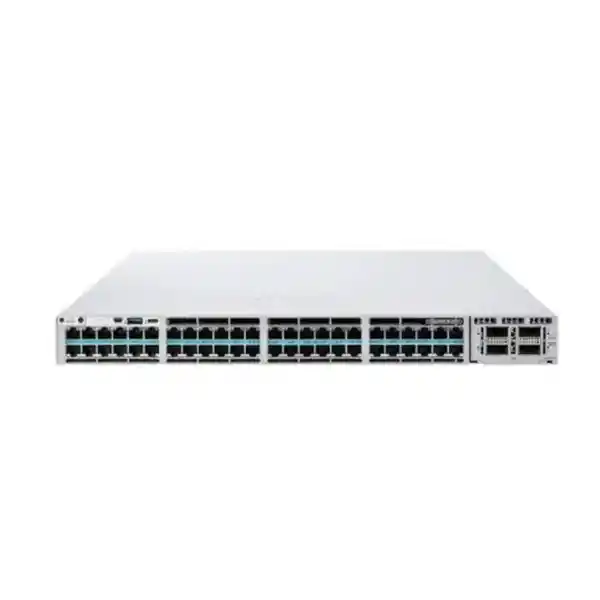
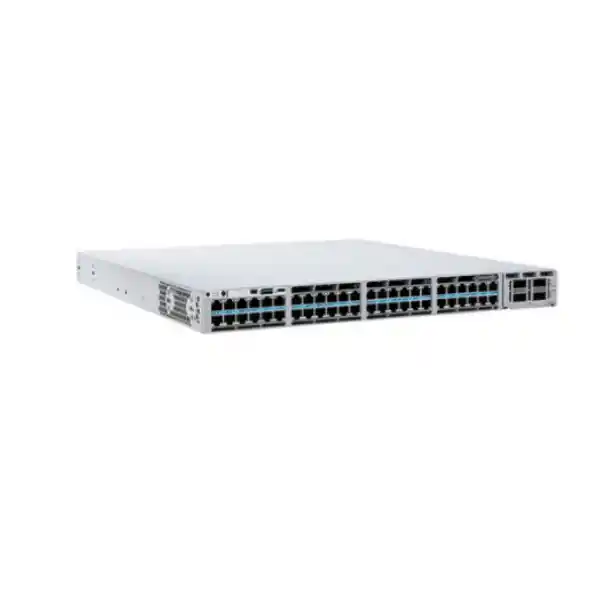
Cisco Catalyst C9300X-48HX Network Switch
A high-density 48-port 10G multigigabit Cisco UPOE+ platform for demanding campus access, Wi-Fi 6/6E, smart-building, secure branch and aggregation designs. The C9300X-48HX combines multigigabit copper, modular high-speed uplinks, StackWise-1T, high forwarding capacity and hardware-assisted security in a stackable 1RU enterprise chassis.
Choose the C9300X-48HX when the access layer must deliver more than 1Gbps to many copper endpoints, power high-draw devices, preserve an upgrade path to 25G/40G/100G uplinks, and operate as a resilient Cisco enterprise stack rather than as a basic fixed-port switch.
Each copper access port supports 100M, 1G, 2.5G, 5G and 10G operation for mixed endpoint estates.
Supports high-power endpoints with up to 90W UPOE+ capability, subject to installed power supplies and total PoE budget.
Dedicated rear stacking enables a high-bandwidth logical system across compatible Catalyst 9300X members.
The platform ships with an 1100W AC power-supply class in standard configurations, with redundancy and higher PoE budgets configurable.
What the C9300X-48HX is designed to solve
Modern enterprise access networks are increasingly constrained not by the number of Ethernet ports but by the amount of bandwidth, power and policy each port must deliver. A conventional 1G PoE switch can remain suitable for ordinary desk phones, printers and low-throughput users, yet it becomes a bottleneck when the same access layer must connect Wi-Fi 6/6E access points, high-resolution video systems, building controllers, intelligent cameras, engineering workstations, edge appliances and other devices that can consume multiple gigabits or more than traditional PoE power levels. The Cisco Catalyst C9300X-48HX is aimed directly at that problem. It provides forty-eight copper ports capable of negotiating 100 Mbps, 1 Gbps, 2.5 Gbps, 5 Gbps or 10 Gbps, allowing one chassis to accommodate legacy endpoints and high-speed devices without forcing every connected device to operate at the same rate.
The platform is especially relevant when a UAE organization wants to build an access layer that can remain useful through several generations of endpoint refreshes. A cable run that currently serves a 1G desktop can later support a 2.5G or 5G wireless access point, while selected Cat6A runs can be used for full 10GBASE-T where distance, cabling quality and endpoint capability permit. This multi-rate behavior reduces pressure to create separate switch blocks for every device class. It also allows the network team to plan capacity around actual traffic and power demand rather than around a one-speed-fits-all access architecture.
The C9300X-48HX should therefore be evaluated as a high-performance access and lean aggregation building block rather than as a commodity 48-port switch. Its value appears when port density, 10G copper capability, modular high-speed uplinks, stacking bandwidth, resilient power and policy enforcement are considered together. For procurement teams comparing alternatives, the key question is not simply how many RJ45 interfaces are included. The important design question is how much bandwidth and power must be delivered at the edge today, what growth is expected over the planned life of the network, and how the access layer will connect upstream without moving the bottleneck from the user port to the uplink.
48-port multigigabit access architecture
All forty-eight front-panel copper access ports on the C9300X-48HX are designed for multigigabit Ethernet operation, supporting 100M, 1G, 2.5G, 5G and 10G rates. That is materially different from platforms where only a subset of ports provide the highest multigigabit speed. For dense wireless floors or mixed high-performance user zones, the consistent port capability simplifies rack planning because any access port can be allocated to a high-bandwidth endpoint without reserving a small premium port group.
This capability is particularly useful for organizations deploying Wi-Fi 6E and planning for higher wireless aggregate throughput. A modern access point can present more traffic to the wired network than a single 1G link can carry. A 2.5G or 5G negotiated link can remove that bottleneck while preserving familiar twisted-pair structured cabling. Full 10G can then be used selectively for endpoints that truly need it, helping the design team balance switch capacity, cable quality, thermal load and endpoint cost.
UPOE+ and high-power edge devices
The HX designation matters because the C9300X-48HX combines high-speed multigigabit data with Cisco UPOE+ power delivery. Individual capable ports can support up to 90W-class power, while the chassis-wide available PoE budget depends on the installed power-supply combination. Cisco specifies 590W available PoE with the default 1100W AC supply and substantially higher total budgets when additional or higher-capacity supplies are fitted.
That distinction is critical during sizing. Forty-eight ports capable of 90W does not mean a default single power supply can deliver 90W to all forty-eight simultaneously. A correct bill of materials must total the real endpoint draw, include growth headroom, account for power-supply redundancy policy, and verify whether StackPower+ will be used. FourTeck can help translate a device schedule containing access points, cameras, signage, thin clients, sensors and building devices into a practical per-switch PoE design.
Why full 10G multigigabit density changes access-layer design
Many access switches advertise multigigabit support but provide only a limited number of 2.5G, 5G or 10G ports. That architecture can be adequate when only a handful of wireless access points require greater-than-gigabit throughput. It becomes restrictive when an entire floor or specialized department may progressively adopt higher-speed endpoints. The C9300X-48HX avoids that port-allocation constraint because every copper access interface supports the full multigigabit range through 10G. Network operations teams can therefore move devices between switchports without worrying that a relocated high-speed endpoint has landed on a 1G-only interface.
The practical benefit extends beyond headline speed. Multigigabit Ethernet provides an incremental migration path. A port can begin at 1G, later negotiate at 2.5G after an access-point refresh, and potentially move to 5G or 10G as endpoint and cabling capabilities evolve. This is useful in Dubai offices, hospitality sites, campuses and mixed-use developments where structured cabling is expected to remain in place longer than active switching hardware. By selecting a switch that can exploit multiple link rates, organizations can preserve more value from existing cabling while avoiding an all-or-nothing migration strategy.
However, 10GBASE-T access must still be engineered carefully. Cable category, permanent-link quality, channel length, patching, bundle temperature and electromagnetic environment influence achievable performance. Cat6A is generally preferred for predictable 10G operation over standard horizontal distances, while shorter or validated Cat6 links may support 10G in some circumstances. The switch does not remove physical-layer constraints. FourTeck can help identify where multigigabit rates offer the best return and where a cabling remediation plan should accompany the switching upgrade.
Wi-Fi 6 and Wi-Fi 6E access
High-performance wireless access points can aggregate more than 1Gbps of user traffic and may require power beyond standard PoE+. The C9300X-48HX supplies both multigigabit data and high-power UPOE+ capability, making it well suited to dense wireless floors. The design should still include realistic radio utilization, AP uplink negotiation, controller architecture, VLAN policy, authentication, QoS and PoE load rather than sizing solely from theoretical wireless PHY rates.
Smart buildings and OT
Lighting gateways, building controllers, surveillance systems, digital signage, sensors and converged operational technology can create a dense mix of power and segmentation requirements. UPOE+ supports higher-draw devices while IOS XE capabilities allow segmentation and policy to be applied close to the endpoint. OT deployments should be designed with lifecycle support, device authentication, broadcast containment, management isolation and failure-domain boundaries in mind.
High-performance user zones
Engineering workstations, media-production devices, virtualization endpoints, test benches and local data-transfer workflows can benefit from 5G or 10G copper connectivity without requiring fiber to every desk. A C9300X-48HX block can offer these users higher edge bandwidth while remaining part of the same Catalyst operational model used for standard office access.
Lean branch aggregation
In smaller sites, the switch can consolidate high-speed access and local aggregation roles, especially when paired with appropriate 25G, 40G or 100G uplink modules. This can reduce layer count, but the design must verify route scale, redundancy, WAN handoff, security boundaries, maintenance windows and failure impact before collapsing traditional access and distribution functions.
Modular uplinks: size the northbound capacity, not just the access ports
A 48-port switch with full multigigabit access can produce far more aggregate traffic than a legacy pair of 10G uplinks is designed to carry. For this reason, the modular uplink architecture is one of the most important characteristics of the C9300X-48HX. Cisco offers Catalyst 9300X network modules spanning several speed classes, including multigigabit/10G, 25G and 40G/100G options. The correct module should be chosen from the intended oversubscription ratio, number of upstream devices, optic type, fiber plant and resiliency design rather than from the maximum speed available in the product family.
For a typical access-layer design, two diverse uplinks may be terminated on separate upstream switches or logical chassis. If each downlink endpoint is lightly utilized, dual 25G uplinks can be a rational balance. A wireless-heavy or high-throughput floor may justify 40G or 100G northbound capacity. In a compact aggregation role, the switch may use multiple high-speed uplink interfaces to connect distribution, core, firewall or server resources. The uplink decision should therefore be made after modeling expected concurrent traffic, not after the switch has already been ordered.
Fiber choice is equally important. Short-reach multimode optics, longer-reach single-mode optics and direct-attach options each have different distance, patching, power, density and maintenance implications. Existing fiber should be audited for connector type, strand count, optical budget and supported wavelength before optics are selected. Where the C9300X-48HX is part of a new UAE building deployment, the uplink fiber design should consider future migration as well as immediate speed, because replacing backbone fiber after occupancy is often more disruptive than installing additional strands during construction.
FourTeck can prepare a bill of materials that treats the uplink module, optics, patch leads and upstream compatibility as a single design decision. For broader UAE infrastructure projects, the FourTeck UAE team can align switching, structured connectivity and deployment scope so the access layer is not procured in isolation from the rest of the network.
StackWise-1T: building one logical switching system
Catalyst 9300X modular-uplink models support StackWise-1T, providing up to 1 Tbps of dedicated stacking bandwidth across compatible C9300X members. Up to eight switches can participate in a stack. Operationally, stacking can simplify management because multiple physical chassis operate as a coordinated system with a common control and management context. Architecturally, the high-bandwidth stack also allows traffic to move between members without forcing every east-west flow through external uplinks.
A stack should not be treated as an excuse to ignore physical resilience. Stack cables must be installed in the supported ring topology, cable lengths must suit rack placement, stack member numbering should be documented, software release planning should be standardized, and power should be distributed intelligently across PDUs and circuits. Where dual power supplies are installed, feeds should ideally be separated so one electrical failure does not remove both supplies from the same chassis. If StackPower+ is used, the power topology and mode should be documented with the same discipline as the data stack.
Mixed stacking also requires care. Cisco documents backward-compatible stacking scenarios between selected Catalyst 9300X and Catalyst 9300 platforms, but the stack operates at the applicable shared stack bandwidth and requires compatible licensing levels. A design that mixes generations can be useful during phased migration, yet a greenfield high-performance deployment may be cleaner when all members use the same platform family, software baseline, power model and uplink strategy.
Capacity planning should include stack failure conditions. If a member or stack link fails, traffic may take a different internal path and uplink utilization may change. A resilient design therefore tests not just steady-state bandwidth but also the surviving path after one power supply, one stack link, one member or one upstream connection is lost. This is particularly important in high-density wireless deployments where hundreds of clients can be indirectly affected by the loss of a single switch member.
Power architecture and realistic PoE budgeting
Power planning is one of the most frequently underestimated parts of a UPOE+ deployment. Cisco lists an 1100W AC supply as the default for the C9300X-48HX, with approximately 590W of available PoE under that single-supply configuration. An optional 1900W power supply can raise the available PoE budget, and installing a second supply can further increase total deliverable power while providing redundancy depending on the selected power mode. The exact combination should be chosen from endpoint load, redundancy policy, branch circuit capacity and thermal design.
A good PoE calculation starts with the connected-device schedule. For every endpoint, record IEEE/Cisco power class, typical draw, worst-case draw and whether a reboot or firmware update can temporarily increase consumption. Group endpoints by switch and then apply realistic growth headroom. Wireless access points and cameras should not be assigned a generic wattage without checking the installed model because radios, USB peripherals, heaters, IR illuminators, pan-tilt-zoom motors and expansion modules can materially change consumption.
Redundancy must then be tested. If the switch is intended to remain fully functional after one PSU failure, the surviving supply configuration must support the required chassis load and endpoint PoE load. A system that has enough power during normal operation but sheds critical powered devices after a supply failure does not meet true power-resiliency objectives. The same principle applies to StackPower+: pooled power can provide flexibility, but the failure scenarios and cable topology must be validated rather than assumed.
Facilities teams should also verify rack PDUs, breaker ratings, input-voltage conditions, UPS runtime and cooling. High-density PoE is ultimately an electrical and thermal workload. When a rack contains several 48-port UPOE+ switches, the UPS and room cooling plan may become as important as the Ethernet design. FourTeck’s IT services team in the UAE can coordinate implementation tasks such as rack readiness, installation planning, configuration, migration and validation where a project requires more than hardware supply.
UADP 2.0sec forwarding
Catalyst 9300X uses Cisco’s UADP 2.0sec ASIC architecture. The programmable data plane handles high-speed forwarding and policy functions while adding hardware crypto capabilities compared with earlier access designs. This matters when the switch is expected to enforce segmentation, QoS and security policies at line rate rather than merely bridge frames.
Cisco also positions the platform for hardware-based IPsec capabilities up to 100G, subject to the necessary software feature set and ordering requirements. That allows designs where secure tunnels are terminated closer to the campus or branch edge, but crypto deployment should be validated against the exact IOS XE release, HSEC requirements, licensing and intended topology.
Control-plane and application resources
Cisco documents 16 GB of memory for Catalyst 9300X models, 16 GB of flash, USB support and an optional external SSD path for application hosting. These resources allow the platform to support richer operational functions than a simple fixed-function access switch. Application-hosting use cases should still be treated as part of the network architecture, with resource consumption, software compatibility, support boundaries and lifecycle management documented.
The presence of general-purpose compute resources does not change the primary role of the device: it remains an enterprise network switch. When containers or monitoring applications are hosted locally, they should serve a clear operational purpose and be governed with the same change control and security discipline as other infrastructure workloads.
Performance and scale for enterprise access
Cisco lists 1,760 Gbps switching capacity and 1,309 Mpps forwarding performance for the C9300X-48HX in standalone operation, with higher aggregate figures when stacking is considered. These numbers provide substantial headroom for a 48-port access switch, but performance planning should focus on the traffic pattern rather than only on theoretical chassis capacity. A wireless access switch may carry many small flows from hundreds of clients, while a workstation or media environment may contain fewer but much larger sustained transfers. Voice and collaboration workloads introduce latency and QoS requirements that differ from bulk data movement.
Scale is also relevant. Cisco’s Catalyst 9300X modular-uplink performance tables list up to 32,000 MAC addresses, 39,000 IPv4 route entries across direct and indirect route categories, 19,500 IPv6 routing entries, 8,000 multicast routing entries, 4,000 QoS scale entries and 8,000 ACL scale entries for the platform class. These values are generous for typical access deployments, yet networks using large segmentation constructs, extensive policy, dense multicast or access-layer routing should still compare planned scale against platform templates and the exact software release.
The programmable UADP architecture lets resources be allocated to different forwarding functions through supported templates. That flexibility is useful, but it also means engineers should not assume that every maximum scale value can be achieved simultaneously. A deployment needing unusually large route, ACL or QoS tables should be validated using the selected SDM template, IOS XE release notes and feature combination before hardware is committed.
In everyday campus use, the C9300X-48HX has enough performance to prevent the access switch from being the obvious choke point. The more common design risk is insufficient uplink capacity or poor oversubscription planning. A floor with dozens of multigigabit devices can easily outgrow a legacy 10G northbound architecture even though the local switch fabric remains comfortable. That is why port-speed planning and uplink planning must be performed together.
Security and segmentation at the access layer
Enterprise access switches are policy-enforcement points. The C9300X-48HX can participate in a layered security architecture using capabilities such as 802.1X-based authentication, MAC Authentication Bypass for devices that cannot run supplicants, downloadable or local access policies, DHCP snooping, Dynamic ARP Inspection, IP Source Guard, port security, control-plane protection, private VLAN techniques and routed or VLAN-based segmentation. The exact combination should follow the organization’s identity, NAC, segmentation and threat model rather than being enabled as a generic checklist.
In a campus environment, the switch can be integrated with Cisco identity and policy systems so user and device access decisions are applied consistently at the edge. This is particularly valuable when the same physical network supports employees, contractors, guests, IoT devices, cameras and operational technology. Strong segmentation limits lateral movement and reduces the impact of a compromised endpoint. However, a segmentation strategy is only effective when naming, address planning, authentication fallback, exception handling and monitoring are designed before deployment.
The UADP 2.0sec architecture adds line-rate hardware crypto capabilities to Catalyst 9300X. Cisco documents hardware-based IPsec performance up to 100G for supported designs and notes the use of AES-256 secure tunnels. This can be useful for secure site-to-site connectivity or protected paths to cloud and security services. It should not be interpreted as a substitute for a dedicated firewall where stateful inspection, advanced threat prevention, application control or internet-edge security is required. The switch and firewall serve different control objectives and often work together.
For customers building segmented enterprise networks in Dubai, FourTeck can also coordinate switching with dedicated perimeter and internal security platforms through the Firewall Dubai practice. This allows routing, VLANs, trunks, access policy and firewall zones to be planned as one end-to-end design rather than as separate hardware purchases.
Network Essentials, Network Advantage and management choices
The C9300X-48HX is available in Cisco ordering variants aligned with Network Essentials and Network Advantage feature levels, and Cisco also offers Meraki-managed variants under corresponding -M product numbers. The correct choice depends on the operating model and required features. Organizations that rely on Cisco IOS XE, traditional CLI workflows, on-premises automation, enterprise routing and policy integration may select the Catalyst management experience. Organizations standardizing on Meraki cloud operations may evaluate the Meraki mode where supported.
Licensing should be treated as an architectural dependency, not as an administrative afterthought. Features such as advanced routing, automation, assurance, telemetry, ThousandEyes entitlements and some security capabilities can depend on the selected software tier and subscription. Cisco packaging and subscription naming can change over product life, so the bill of materials should be checked against the current Cisco ordering guide at quotation time. It is safer to define the required capabilities first and map them to licenses second than to choose a license based only on the lowest initial cost.
Software lifecycle also matters. A production network should standardize on an appropriate IOS XE train, verify support for the selected network module and optics, confirm interoperability with NAC, monitoring and automation tools, and establish a patching process. Stack members should generally run a common validated release. Before a major upgrade, the organization should review release notes, open caveats, ROMMON requirements, feature behavior and available maintenance windows.
For larger estates, centralized management can reduce configuration drift and improve visibility. Whether management is implemented through Cisco enterprise controllers, cloud-based tooling, automation frameworks or established CLI templates, the goal is consistent configuration, controlled change, auditable policy and rapid fault isolation. The C9300X-48HX provides the platform capabilities, but operating discipline determines whether those capabilities translate into a stable production network.
Network Essentials fit
Best considered where the required routing, switching and operational feature set is covered by the Essentials tier and the organization does not need functions reserved for the higher license. The exact feature matrix should be validated against current Cisco documentation because software capabilities evolve across IOS XE releases and commercial bundles.
Network Advantage fit
Typically evaluated when more advanced enterprise capabilities, broader routing features or higher-level automation and assurance integrations are required. It can be appropriate for routed-access, segmentation-intensive and sophisticated campus designs, but the project should map each required function to the current license entitlement before ordering.
Meraki-managed option
Cisco lists C9300X-48HX-M variants for Meraki management. This is a different operating and licensing model from a conventional Catalyst IOS XE purchase. Customers should decide the management architecture first, because migration, feature parity, operational workflow and licensing differ between the two experiences.
Subscription validation
At quote stage, confirm software tier, subscription term, support coverage, required crypto entitlement, management platform, telemetry features and any application licenses. This prevents a hardware-complete installation from being delayed by a missing entitlement or a mismatch between design assumptions and purchased software.
High availability beyond the stack
Resilience is built from several independent layers. StackWise-1T protects against the operational impact of individual chassis boundaries, but the broader design should include redundant power, redundant fans, diverse uplinks, upstream device redundancy and a tested first-hop routing architecture. Cisco Catalyst 9300 Series switches use field-replaceable fan modules and support redundant power-supply configurations, allowing failed components to be serviced without replacing the entire chassis.
Uplink diversity should be physical as well as logical. Two links connected to the same upstream switch, routed through the same fiber tray and powered from the same rack may provide protocol redundancy without meaningful site resilience. Where the business requires high availability, uplinks should be separated across upstream devices, line cards where applicable, fiber paths and patching infrastructure. Port-channel or routed-uplink design can then be selected to match the campus architecture.
Software redundancy also deserves attention. Maintenance strategies should consider whether a stack can be upgraded with acceptable service interruption, whether redundant paths remain active during image activation, and how access-point, phone or endpoint reconvergence will behave. High availability is not a single feature; it is the combined result of topology, power, software, configuration and operational procedure.
For critical sites, FourTeck recommends documenting failure tests during commissioning. Typical tests include removal of one uplink, shutdown of one upstream device, loss of one power supply, stack-link interruption and controlled reboot of a stack member. Monitoring should confirm that alarms are generated and that user-facing traffic follows the expected backup path. A design that is never tested under failure conditions has only theoretical resilience.
Cabling, copper reach and multigigabit readiness
The C9300X-48HX can only deliver the negotiated speed that the cabling channel and endpoint can reliably support. For new 10G copper access deployments, Cat6A is the conventional structured-cabling choice because it is engineered for 10GBASE-T across full channel distances when installed correctly. Existing Cat6 may support 10G over shorter validated runs, while 2.5G and 5G multigigabit Ethernet were specifically developed to provide higher throughput over many installed cabling environments. Actual results depend on cable construction, alien crosstalk, patching quality, channel length and installation conditions.
UPOE+ adds another consideration: current flowing through cable bundles creates heat. High-density powered deployments should follow cabling manufacturer guidance, applicable standards and local electrical practices for conductor gauge, bundle size and ambient conditions. This is particularly relevant in warm environments and crowded pathways. A network upgrade that increases both data rate and delivered power can expose weaknesses that were not visible when the same cabling carried only 1G and low-power PoE.
Before replacing a large access layer, sample testing is often worthwhile. Certify representative cable runs, identify marginal links, verify patch-panel labeling and check that outlet locations match the endpoint schedule. For wireless projects, confirm that each access-point location has the expected cable category and that two-cable designs are understood where older AP architectures used link aggregation. Modern multigigabit APs may achieve required throughput over a single multi-rate interface, but the exact AP model and design should determine the cabling plan.
The switch supports auto-negotiation across multiple data rates, which makes phased migration practical. A legacy endpoint can remain at 1G while a new AP negotiates at 5G and a high-performance workstation uses 10G on another port. This flexibility is one of the strongest reasons to consider the C9300X-48HX for long-lived enterprise buildings where endpoint refresh cycles are not synchronized.
QoS for voice, video, wireless and critical applications
Multigigabit capacity does not eliminate the need for Quality of Service. Congestion can still occur on oversubscribed uplinks, during failure conditions or when multiple traffic classes compete for the same egress queue. A well-designed C9300X-48HX deployment therefore defines trust boundaries, classification, marking, queuing and policing according to business applications rather than assuming that additional bandwidth makes prioritization unnecessary.
Voice traffic normally requires predictable latency and jitter. Interactive video and collaboration applications are sensitive to loss and burst congestion. Wireless access points may carry multiple SSIDs and application classes over a single wired interface, meaning the switch must preserve or remark QoS information consistently with the wireless policy. Backup, imaging, large file transfer and surveillance traffic can consume significant bandwidth and should be prevented from overwhelming interactive services during peak periods.
The Catalyst 9300X platform provides substantial QoS scale, but policy design should remain understandable. Excessively complex class maps and queue policies are harder to troubleshoot and may deliver little practical benefit. FourTeck typically recommends a documented end-to-end QoS model that aligns endpoint markings, access-switch trust, WAN policy and upstream treatment. The goal is not to create the most sophisticated configuration; it is to preserve application intent consistently through the network.
During acceptance testing, QoS should be validated under load. Generate representative traffic, verify DSCP markings, inspect queue counters and confirm that high-priority applications remain stable when lower-priority flows consume available bandwidth. This is more meaningful than simply checking that a configuration is present in the running configuration.
Layer 2, Layer 3 and routed-access design
The C9300X-48HX can operate in classic Layer 2 access designs or participate in routed-access architectures depending on licensing and network standards. In a traditional campus, user and device VLANs extend from the access layer to distribution, with first-hop gateway functions located upstream. This model is familiar and can simplify certain services, but large Layer 2 domains increase spanning-tree dependencies and failure scope.
Routed access places Layer 3 boundaries closer to the edge, reducing the amount of Layer 2 extension and improving deterministic path control. It can be attractive for modern campus fabrics and large buildings, particularly when combined with automation and segmentation. The trade-off is greater routing-policy complexity at the access layer and stronger dependence on consistent IP addressing, routing protocols and operational tooling.
Hybrid designs are common. Some VLANs may remain locally switched while infrastructure or special-purpose networks use routed interfaces. The right architecture depends on application discovery, mobility requirements, multicast, gateway location, firewall insertion, NAC behavior and operational maturity. The switch supports a broad set of enterprise functions, but capability alone should not dictate topology.
When refreshing an existing Catalyst environment, migration sequencing deserves as much attention as the target architecture. VLAN numbers, trunk allowed lists, spanning-tree root placement, HSRP or equivalent gateway design, routing adjacencies, DHCP relay, multicast behavior and access-control policy should all be documented before cutover. A C9300X upgrade is an opportunity to remove legacy configuration debt rather than simply copy old configuration line for line.
Enterprise campus floors
Deploy in IDF closets where dozens of high-speed APs, phones, cameras and user devices converge. Use dual high-speed fiber uplinks to distribution, redundant PSUs where business criticality justifies them, and stack members sized around port and PoE growth. This is the most natural C9300X-48HX use case.
Hospitality and mixed-use sites
Hotels and developments combine guest wireless, CCTV, IPTV, telephony, building systems and back-office users. High PoE density and segmentation can consolidate these services while preserving logical isolation. The project should coordinate switch power budgets with the actual room, corridor and public-area device schedule.
Education and training campuses
Dense wireless, lecture capture, digital signage, lab systems and high client counts can push access switches beyond 1G assumptions. Multigigabit ports allow a campus to scale wireless and specialist endpoints while maintaining standardized Catalyst operations across teaching and administrative spaces.
Healthcare and clinics
Clinical environments require careful segmentation, availability and change control. The C9300X-48HX can support medical endpoints, wireless, cameras and collaboration devices, but implementation must follow site-specific compliance, biomedical-device, maintenance and isolation requirements rather than a generic office template.
Choosing the right C9300X uplink network module
Cisco’s modular uplink strategy is designed to let the access switch evolve with the backbone. For the C9300X-48HX, supported C9300X network-module families include options that provide multiple 10G/1G multigigabit interfaces, multiple 25G/10G/1G interfaces, and 40G/100G interfaces. The exact port count and supported transceivers depend on the selected module. This flexibility is valuable because an access switch purchased for a 25G distribution design can later be repurposed or upgraded toward higher-speed aggregation without replacing the entire chassis.
Module choice should begin with topology. If the switch will connect to a pair of distribution switches, determine whether two high-speed links are enough or whether additional ports are required for diverse paths, service connections or local aggregation. Next, determine the desired link rate under both normal and failure conditions. A pair of 25G uplinks may provide 50G aggregate capacity, but after one link fails the surviving path must carry critical traffic without unacceptable congestion. The same reasoning applies to 40G and 100G designs.
Optical compatibility must be checked at both ends. Do not assume that matching nominal speed guarantees interoperability. Transceiver family, wavelength, reach, connector, fiber type, FEC requirements and software support all matter. When using breakout arrangements or dual-rate optics, verify that both the network module and upstream interface support the intended operating mode. Cisco’s transceiver compatibility matrix and current release notes should be consulted during final design.
For procurement efficiency, FourTeck recommends ordering the network module, optics, stack accessories, power supplies and required licenses as one validated package. This reduces the risk of receiving the main chassis without the components required to place it into service. It also provides a single design checkpoint where cable distances, uplink speed, redundancy and PoE budgets can be reviewed together.
Thermal, rack-depth and UAE facilities considerations
The C9300X-48HX is a 1RU enterprise switch, but high-performance copper and high-power PoE make rack planning more demanding than for a basic access device. Cisco lists the chassis at approximately 4.4 cm high, 44.5 cm wide and 48.3 cm deep, with installed power-supply depth extending the overall requirement to roughly 56 cm in the default 1100W configuration. Rack usable depth must therefore account for the chassis, rear power connectors, stack cables, cable bend radius and service access.
Cooling should be calculated from the actual switch and PoE load. Power delivered to endpoints originates at the switch and UPS, so a high-density powered access closet can have substantial electrical demand even if each endpoint is physically located elsewhere. Verify ambient temperature, airflow direction, rack perforation, front-to-back clearance and room cooling. In UAE facilities, cooling resilience is especially important because telecom and IDF rooms may experience greater ambient stress if building HVAC is reduced outside normal occupied hours.
Power feeds should be coordinated with facilities teams. Dual power supplies are most valuable when they are connected to independent protected circuits or PDUs where the site architecture supports it. The UPS should be sized for switch chassis consumption plus PoE load, not just the nominal switch electronics. Required runtime should be based on business continuity objectives: a five-minute ride-through for generator start is very different from a one-hour communications target.
Cable management also affects reliability. Forty-eight copper links plus high-speed fiber uplinks, stack cables and dual power feeds can create a dense rear and front workspace. Use horizontal and vertical managers that preserve bend radius and allow a failed switch or PSU to be serviced without disturbing neighboring patching. Good labeling and documented port mapping reduce migration time and future fault isolation effort.
Migration from Catalyst 3850, 9300 or older access switches
A C9300X-48HX refresh is often triggered by wireless upgrades, growing PoE demand or the need for higher uplink capacity. Migration should begin with a detailed inventory of the existing environment. Record switch models, software releases, licenses, uplink optics, stack topology, power supplies, PoE utilization, VLANs, routing, ACLs, QoS, spanning-tree settings, monitoring configuration and physically connected endpoints. Historical port utilization can reveal whether all forty-eight ports are truly needed or whether spare capacity should be distributed differently.
Configuration should then be rationalized. Legacy switches often contain unused VLANs, abandoned trunks, old SNMP communities, obsolete QoS policies and security exceptions that have accumulated over years. Copying this configuration verbatim into a new platform carries technical debt forward. Instead, classify each element as required, obsolete or needing redesign. This creates a cleaner baseline and reduces the number of unknown behaviors during cutover.
The physical migration sequence should minimize endpoint disruption. Pre-stage software, stack member priorities, uplink modules, optics, licenses and management configuration before the maintenance window. Label existing patch leads and map them to target ports. Validate that new PoE budgets are sufficient before transferring high-draw devices. Where possible, migrate one logical area at a time and verify authentication, DHCP, DNS, routing, voice registration and application reachability before continuing.
Mixed-stack capability can provide a phased path in some Catalyst 9300 environments, but it is not automatically the best migration method. Mixed stacks may operate at lower common stack bandwidth and introduce different hardware generations into one operational unit. For critical sites, a parallel build with controlled cutover can be easier to validate and roll back. The correct approach depends on rack space, available uplinks, maintenance windows and business tolerance for change.
Post-migration validation should include both user services and infrastructure health. Check interface errors, negotiated speeds, PoE draw, stack state, routing neighbors, spanning-tree topology, multicast, ACL counters, CPU/memory, telemetry and log messages. A migration is complete only when monitoring is clean and the as-built documentation reflects the final physical and logical state.
Wireless-first design methodology
When the C9300X-48HX is purchased primarily to support high-performance wireless, begin with the wireless design rather than the switch. Determine AP count, AP model, radio configuration, expected client density, uplink capability, power requirement, SSIDs, VLAN or fabric segmentation, controller architecture and roaming design. Then map those requirements to switch ports, PoE budgets and uplinks. This prevents overbuying switch capacity in one area while underestimating power or backbone capacity in another.
Not every AP requires a 10G wired link. Many deployments operate effectively at 2.5G or 5G depending on radio load and client behavior. The benefit of the C9300X-48HX is that the port can negotiate to the appropriate rate without forcing a separate switch model. This makes it possible to deploy a standard high-capability access platform across a building while allowing each AP to use the speed that its real traffic justifies.
PoE sizing should use the AP’s maximum supported draw when planning for full functionality. Some access points reduce radio capability, USB support or other functions when connected to a lower power class. Verify that the selected port and switch budget allow the AP to operate in the intended mode during both normal and redundant-power conditions. If the site uses a dense 6GHz design, this step is especially important because power and wired throughput requirements may be higher than in older Wi-Fi generations.
Finally, examine the uplinks. Forty-eight APs with multigigabit links can create a large theoretical access capacity, but actual concurrent traffic may be lower. Use controller analytics, expected user counts and application profiles to estimate realistic peak traffic. Select 25G, 40G or 100G northbound capacity with a documented oversubscription ratio and a clear failure-state target.
Server, appliance and local high-speed connectivity
Although the C9300X-48HX is primarily an enterprise access switch, its 10GBASE-T capability makes it useful in environments where selected local servers, appliances or edge-compute systems need copper 10G connectivity. This can be attractive in branch sites, labs and distributed facilities where a full data-center switching platform would be excessive. However, server connectivity should be evaluated for buffering, storage traffic, latency, redundancy and interface type before the access switch is used in that role.
Many modern servers use SFP+ or higher-speed fiber/DAC interfaces rather than 10GBASE-T. In those cases, a dedicated data-center or top-of-rack platform may be more appropriate. The C9300X-48HX should not be selected merely because it can physically connect a server. The selection should follow traffic pattern and availability requirements. High-volume east-west storage or virtualization traffic may need architectures optimized for data-center workloads.
For branch-local appliances, the platform can be a good fit because the same stack can connect users, wireless, security appliances and local compute while maintaining enterprise policy. Uplink modules then provide high-speed paths toward the core or data center. Where a project includes new compute infrastructure, FourTeck’s Server Dubai portfolio can be considered alongside the switching design so interface types, redundancy and rack power are coordinated before procurement.
A consistent design review should verify NIC speeds, transceiver or copper media, bonding or teaming mode, VLAN requirements, MTU, LACP behavior, server-side redundancy and upstream routing. This avoids a common situation where network and server hardware are individually capable but use incompatible media or failover assumptions.
Use C9300X-48HX when
You need many ports above 1G, high-density UPOE+, modular high-speed uplinks, enterprise stacking, advanced Catalyst policy, long access-layer lifecycle and room to support newer wireless or powered endpoints without replacing the switching block.
Consider a lower platform when
Most endpoints will remain 1G for the full lifecycle, PoE requirements are modest, uplinks are fixed at low speed, advanced stacking is unnecessary and budget efficiency is more important than high-density multigigabit growth capacity.
Consider C9300X-48TX when
You need the same broad 48-port 10G multigigabit data capability but do not need PoE. The data-only TX variant can be more appropriate for copper high-speed endpoints powered independently.
Consider fiber models when
The access or aggregation requirement is predominantly 1G/10G/25G fiber, distances exceed copper limits, electromagnetic isolation is important, or endpoint interfaces are already optical. C9300X fiber variants can be a better architectural match.
Monitoring, telemetry and operational visibility
A high-performance switch should be monitored as a service-delivery platform, not merely checked for up/down state. Useful operational telemetry includes interface utilization, errors, discards, negotiated speed, PoE draw, optical levels on uplinks, stack health, CPU, memory, temperature, fan state, power-supply state, routing adjacencies, spanning-tree changes and authentication failures. Baselines make these metrics more valuable because operators can distinguish normal peak behavior from a developing fault.
Streaming telemetry and modern network-assurance tools can provide faster visibility than periodic polling alone. The Catalyst platform integrates with Cisco management and assurance ecosystems, and selected licensing can include ThousandEyes capabilities for path visibility toward cloud and application destinations. Whether an organization uses Cisco tools or a third-party NMS, the monitoring design should map device telemetry to actionable thresholds and ownership.
PoE deserves dedicated monitoring. Sudden increases in draw can indicate endpoint changes, while repeated power-denied events may reveal an undersized budget. Track available and consumed power per chassis and per stack. If redundant PSUs are installed, monitoring should alert on the loss of one supply even when endpoints remain operational; otherwise the network may run for weeks without redundancy until a second event causes an outage.
Configuration backups and change tracking are equally important. Store regular device configuration snapshots, record approved changes and ensure console or out-of-band access is available for recovery. A sophisticated switch can still suffer extended downtime if the organization lacks a current backup, tested credentials or a documented recovery procedure.
UAE procurement and project planning
Enterprise switching procurement in the UAE should start from a validated bill of materials rather than a chassis part number alone. For the C9300X-48HX, the complete requirement can include the switch license variant, uplink network module, optical transceivers or DACs, stack cables, stack adapters where applicable, secondary or upgraded power supplies, power cords, SSD options, support coverage and software subscriptions. Omitting one accessory can delay commissioning even when the main switch is already on site.
Lead time should be checked for the exact configuration. Different power supplies, modules and optics can have different availability. For projects tied to office handover or construction schedules, procurement should be aligned with rack readiness, ISP delivery, fiber testing and change windows. Hardware arriving early is useful only if storage and asset-control procedures are in place; arriving late can hold up an entire floor commissioning sequence.
Warranty and support requirements should reflect operational criticality. A spare strategy may be appropriate for large standardized estates, while smaller critical sites may rely more heavily on vendor support and rapid replacement. Organizations should also record serial numbers, contract coverage and site allocation in an asset-management system before deployment. This makes future support cases and refresh planning faster.
Regional deployment standards should be consistent across branches. Create a reference configuration covering management addressing, AAA, NTP, DNS, syslog, SNMP or telemetry, VLAN conventions, QoS, security controls, interface templates and naming. Then adapt only site-specific details. Standardization reduces troubleshooting time and makes it easier to audit the estate.
FourTeck can support hardware supply and deployment planning for UAE organizations that need a complete Catalyst switch package rather than a standalone chassis. The design stage should capture port counts, cable categories, AP models, PoE requirements, uplink distances, core interfaces, stack size, licensing expectations and support terms before the final quotation is issued.
Example topology 1: high-density wireless floor
Consider an enterprise floor with thirty high-performance wireless access points, twelve desk or collaboration endpoints and several cameras. The access points negotiate at 2.5G or 5G depending on model, while user devices run at 1G and selected workstations use 10G. A two-switch C9300X-48HX stack provides ninety-six physical ports and enough spare capacity for growth. The key design task becomes power and uplink sizing rather than port count.
If each AP can draw up to approximately 40–60W and cameras or collaboration endpoints add further PoE load, a single default PSU per switch may not provide the desired failure-state budget. Dual supplies should be evaluated so the floor remains functional after a PSU failure. Power feeds can be split across independent UPS-backed PDUs where available. StackPower+ can be considered if the design team wants power sharing between members, but the pooled budget and failure policy must be explicitly calculated.
For uplinks, dual 25G may be sufficient in many office environments because user traffic is bursty and not all APs run at line rate simultaneously. A dense engineering or event space could justify 40G or 100G paths. The decision should be based on measured or modeled peak usage. Each uplink should terminate on a resilient upstream architecture, and the surviving link must carry acceptable traffic after one path fails.
This example illustrates why the C9300X-48HX is not merely a faster port-count replacement. Its strength is the ability to combine multigigabit access, large PoE capability, modular uplinks and high-bandwidth stacking so the switch block can be tailored to the floor rather than forcing the floor into the constraints of a fixed 1G access platform.
Example topology 2: smart-building converged network
A smart-building design may place wireless access points, surveillance cameras, digital signage, environmental sensors, access-control devices and building automation gateways on the same physical switching platform while separating them logically. The C9300X-48HX provides the port speed and power density to support this convergence, but successful implementation depends on segmentation and operational ownership.
Create separate network segments or policy groups for corporate users, guests, cameras, building controllers and other OT classes. Use authentication where endpoints support it and controlled fallback mechanisms where they do not. Restrict east-west communication to the minimum necessary flows. Critical building devices may need tightly defined access to controllers or management servers while being blocked from general enterprise resources. Central firewall policy can complement access-layer controls for traffic that must cross trust boundaries.
Power calculations should reflect worst-case device draw. PTZ cameras, heaters, USB-powered accessories and signage endpoints can consume materially more than small sensors. If devices are life-safety related, involve the appropriate facilities and compliance stakeholders; a general-purpose data switch design must not be assumed to satisfy specialized regulatory requirements without review.
Operational monitoring should make device class visible. If a camera fails, the security team needs an actionable alert; if an AP loses PoE, the network team needs to know whether the cause is the port, switch budget or endpoint. Converged infrastructure saves hardware and cabling, but it also concentrates dependencies. Documentation and ownership are therefore essential components of the architecture.
Example topology 3: lean branch core and access
In a smaller branch, a pair or stack of C9300X-48HX switches can potentially perform both high-speed access and local aggregation. User devices, APs, cameras and appliances connect directly to the multigigabit ports, while 25G, 40G or 100G uplinks connect a firewall, WAN edge, server block or metro Ethernet service. This approach reduces the number of switching tiers and can simplify the rack.
The trade-off is that one platform now carries more responsibility. A stack failure can affect both access and aggregation, so dual power, diverse uplinks and clear recovery procedures become more important. Routed links may be preferred between the switching block and firewall or WAN edge to limit Layer 2 fault domains. Where local servers are attached, redundancy should avoid placing both server NICs on the same physical switch member unless there is a deliberate reason.
The branch’s internet and WAN bandwidth may be much lower than local switch capacity, so quality-of-service and traffic policy remain necessary. A backup job moving data to a local server should not interfere with real-time voice or a critical cloud application simply because the access ports are 10G capable. Policy should reflect the real bottleneck, which may be the WAN rather than the switch.
A lean branch topology is most successful when requirements are stable and operational teams are comfortable with the chosen failure domain. Larger campuses usually benefit from a distinct distribution layer, whereas smaller sites can reduce complexity by consolidating roles onto a robust stack.
Configuration principles for production deployment
A production C9300X-48HX should be built from a hardened baseline. Management access should use secure protocols, centralized AAA and role-based administration where available. Legacy insecure services should be disabled unless a documented dependency requires them. NTP, DNS, logging and monitoring should point to resilient enterprise services. Device banners, naming conventions and interface descriptions should be standardized to make troubleshooting faster.
Access interfaces should use templates based on endpoint class. A user port may apply 802.1X, voice VLAN, QoS and port security settings. An AP port may be a trunk or policy-controlled access connection depending on architecture and may require a higher PoE allocation. Camera or OT ports may need MAB, restricted VLAN access and storm-control. Templates reduce configuration drift and make security reviews easier.
Trunks and uplinks should explicitly permit only required VLANs where feasible. Spanning-tree behavior should be intentional, with root placement controlled upstream and edge protections enabled appropriately. Routed uplinks should use authenticated routing protocols where the design calls for them. IP addressing and routing policy should be documented so a replacement switch can be rebuilt without reverse-engineering the live network.
Software image management should include a tested golden release and rollback plan. New releases should be evaluated in a lab or low-risk site when possible before broad rollout. Automation can accelerate upgrades and configuration changes, but it also scales mistakes. Use staged deployment, pre-checks, post-checks and configuration backups for all automated changes.
Finally, the configuration should match the purchased license. Avoid relying on a feature that is unavailable under the selected entitlement or that requires a subscription not included in the bill of materials. Architecture, licensing and configuration are interdependent and should be reviewed together before handover.
Commissioning and acceptance test plan
Commissioning should prove that the installed switch block meets the design, not simply that all LEDs are green. Begin with hardware verification: record serial numbers, model numbers, power-supply types, fan status, network module, optics, stack cables and software version. Confirm the stack member order and that the stack ring is complete. Check that redundant power feeds are connected as documented and that no unexpected alarms are present.
Next validate access ports. Connect representative 1G, 2.5G, 5G and 10G endpoints where available and confirm negotiated speed and error-free operation. Test high-power PoE devices and verify actual draw. If a device can operate at reduced capability under lower power, confirm it receives the intended power level. Inspect interface counters after traffic tests to identify cabling errors or duplex/negotiation anomalies.
Validate uplinks under both normal and failure conditions. Test port-channel or routed-neighbor state, measure expected throughput where practical, and disconnect one path to confirm convergence. Check that traffic does not unexpectedly hairpin or become blocked by spanning-tree or routing policy. Repeat the test with the alternate path restored.
Authentication and policy should be tested with several device classes: valid user, invalid user, phone, AP, camera, unmanaged IoT and guest workflow where applicable. Confirm VLAN or policy assignment, DHCP, DNS, application reachability and denied traffic. A security configuration is complete only when both allowed and blocked flows behave as designed.
Finish with monitoring and documentation. Confirm NMS discovery, telemetry, syslog, SNMP traps or streaming data, configuration backup and alert routing. Update rack diagrams, port schedules, IP address records and bill-of-material documents. Obtain stakeholder acceptance only after the operational team has the credentials, backups and procedures required to support the system.
Lifecycle, support and spare strategy
Enterprise switching is a multi-year infrastructure investment. The C9300X-48HX should therefore be purchased with a lifecycle plan covering software maintenance, hardware support, configuration backup, spare components and eventual refresh. Keep an inventory of power supplies, fans, uplink modules, optics and stack cables. Some failures can be repaired with a field-replaceable component, reducing the need to replace the entire switch.
For large estates, holding standardized spares can reduce restoration time. A spare chassis can be pre-staged with a known software version and baseline configuration, while optics and power supplies can be stocked according to failure impact. The economic decision depends on number of deployed units, support SLA, site criticality and logistics. A small non-critical office may rely on vendor replacement, while a hospital, airport support function or 24×7 operation may require local spares.
Software support should include periodic review of security advisories and recommended releases. Avoid leaving access switches on an unmaintained image simply because they appear stable. At the same time, do not upgrade production stacks impulsively. Evaluate release notes, caveats and interoperability, then schedule controlled changes with backups and rollback plans.
Capacity should also be revisited annually. Monitor port utilization, PoE growth, uplink peaks and error trends. If wireless density or IoT adoption grows faster than expected, the modular uplink and stacking architecture provides room to adapt. Planned expansion is cheaper and less disruptive than emergency upgrades after users begin experiencing congestion.
Frequently asked technical questions
Are all 48 ports capable of 10G?
Yes. Cisco specifies forty-eight multigigabit copper downlinks supporting 100M, 1G, 2.5G, 5G and 10G on the C9300X-48HX. Endpoint capability and cabling quality still determine the negotiated rate.
Can every port deliver 90W at the same time?
Port capability and total chassis budget are different. The ports support UPOE+ up to 90W, but simultaneous delivery depends on installed power supplies. The default single 1100W supply provides a much lower total PoE budget than forty-eight times 90W.
Does it support 100G uplinks?
Yes, with a compatible C9300X high-speed network module and supported optics. The exact module, port count and transceiver combination must be validated for the selected IOS XE release and upstream equipment.
How many switches can be stacked?
Cisco supports up to eight compatible members in a StackWise-1T stack. Mixed stacking with selected C9300 models is possible under supported conditions but can reduce the common stack bandwidth.
Is it suitable for Wi-Fi 6E?
Yes. Full multigigabit access and high-power UPOE+ are strong matches for high-performance wireless APs. Final sizing should use the exact AP’s uplink and power specifications plus expected traffic density.
Can it replace a distribution switch?
In some lean branch or small-site designs it can perform aggregation functions, but large campuses may still benefit from a dedicated distribution platform. Route scale, uplink density, redundancy and failure-domain requirements should drive the decision.
What is the default power supply?
Cisco lists an 1100W AC power supply as the default class for C9300X-48HX. Additional and higher-capacity power supplies can be selected to improve redundancy and expand available PoE power.
Which license should we order?
Choose from the current Cisco software tiers based on required routing, security, automation and assurance features. Validate the active ordering guide because Cisco subscription packaging can change over the product lifecycle.
Technical comparison logic before purchase
When comparing the C9300X-48HX with another switch, normalize the comparison around architecture rather than list price. First compare the number and maximum speed of multigigabit ports. A model with only eight or twelve mGig interfaces may be cheaper but require additional chassis as wireless density grows. Second compare PoE class and total budget. A switch that advertises 90W ports but has a smaller power-supply architecture may not support the planned endpoint mix without upgrades.
Third compare uplink flexibility. Fixed 10G uplinks can be adequate now but may limit a high-density multigigabit access layer later. The C9300X modular slot allows the uplink strategy to scale. Fourth compare stacking bandwidth and member count. High-speed local stacking is important when user traffic crosses members or when a stack is expected to act as one resilient block.
Fifth compare software and operational fit. If the organization already uses Cisco identity, management, automation, templates and support processes, platform consistency can have substantial operational value. Conversely, an organization committed to a different ecosystem should evaluate integration overhead rather than selecting hardware purely from specifications.
Finally compare lifecycle cost: optics, licenses, support, spare strategy, power consumption, rack density, training and migration effort. The lowest chassis price is not necessarily the lowest project cost. A technically matched switch reduces redesign, additional hardware and troubleshooting throughout the deployment life.
Deployment documentation FourTeck recommends
A completed C9300X-48HX deployment should leave behind more than a running configuration. Maintain a rack elevation showing switch member numbers, PSU feeds and uplink module placement. Keep a port schedule mapping every interface to outlet, endpoint type, VLAN or policy group, expected speed and PoE class. Record fiber uplink source/destination, strand identifiers, optic type and patch-panel positions. Document stack cable sequence and lengths.
Logical documentation should include management IPs, default gateways or routing neighbors, VLANs, VRFs where used, DHCP relay, spanning-tree topology, port channels, routing protocols, authentication architecture, ACLs and QoS policy. Sensitive credentials should not be stored in diagrams, but the authentication and break-glass procedure should be documented securely.
Include software and licensing details: IOS XE version, boot variables, license tier, subscription term, support contract, serial number and installation date. Capture the final PoE budget and actual measured draw after commissioning. If StackPower+ is configured, document the power stack topology and behavior expected after a supply or cable failure.
Good documentation directly reduces mean time to repair. A future engineer should be able to replace a failed member, identify its uplinks, restore configuration and reconnect patching without relying on memory. This is especially important in outsourced or multi-site environments where the person responding to an incident may not have participated in the original installation.
What to include in the quotation request
To quote the Cisco Catalyst C9300X-48HX accurately, provide the number of switches, required software tier, desired management model, number and speed of uplinks, fiber type and distance, stack size, PoE endpoint count, estimated PoE watts, redundancy requirement and preferred support term. If these details are unknown, provide the connected-device list and a simple network diagram; FourTeck can help convert that information into a bill of materials.
For wireless projects, include AP model and quantity per closet. For camera projects, provide camera model, maximum power and recording/network architecture. For smart-building projects, list controllers, signage, sensors and other powered devices. For user-access networks, identify how many ports truly require 2.5G, 5G or 10G. This avoids paying for unnecessary capacity while ensuring growth ports remain available.
For uplinks, specify the upstream switch or firewall model and available interfaces. State whether the existing backbone is multimode or single-mode and provide approximate distance. If the site is new, provide the planned fiber specification. These details determine the network module and optics and are essential to avoid compatibility issues.
Finally, include the installation location within the UAE, required delivery timeline and whether deployment services are needed. Configuration, migration, rack installation, patching coordination and testing can then be scoped separately from hardware supply where required.
Decision recap: is the C9300X-48HX the right switch?
The Cisco Catalyst C9300X-48HX is a strong choice when a network needs forty-eight copper access ports with the flexibility to run from 100 Mbps through 10 Gbps, deliver high-power UPOE+ to demanding endpoints, scale northbound bandwidth through modular uplinks and operate as part of a high-bandwidth StackWise-1T system. It is particularly compelling for Wi-Fi 6/6E, smart buildings, high-density enterprise access and branch designs where a conventional 1G PoE switch would become a bottleneck during the expected lifecycle.
Its capabilities also mean that sizing discipline is important. The default power supply does not deliver the maximum possible 90W simultaneously to all ports. The uplink module must match actual backbone requirements. Cabling must support the negotiated multigigabit speed. Licensing must cover the required routing, security and management functions. Rack power and cooling must support the expected PoE workload. When these elements are designed together, the C9300X-48HX can provide a long-lived, flexible access platform rather than an oversized switch with unused features.
For organizations already standardized on Cisco Catalyst operations, the platform offers a familiar IOS XE ecosystem with modern performance and security enhancements. For new builds, it provides a foundation that can scale from ordinary 1G devices to high-speed wireless and 10G edge endpoints without fragmenting the access layer into multiple switch classes.
Quotation input checklist
- Required quantity of C9300X-48HX switches
- Network Essentials, Network Advantage or Meraki management requirement
- Stack size and rack distribution
- PoE endpoint models and maximum wattage
- Desired PSU redundancy and UPS design
- Required uplink speed: 10G, 25G, 40G or 100G
- Upstream device model and port type
- Fiber type, connector and approximate distance
- Stack cables, optics and accessories required
- Delivery location, target date and installation scope
Pre-order engineering checks
- Confirm existing cabling supports planned mGig rates
- Calculate normal and failure-state PoE budget
- Select network module from traffic and resiliency targets
- Validate transceiver compatibility at both ends
- Check rack depth and rear service clearance
- Verify PDU outlets, breakers and UPS capacity
- Confirm software feature and subscription requirements
- Plan stack and uplink failure tests
- Prepare migration and rollback sequence
- Document monitoring, backup and support ownership
Build the C9300X-48HX bill of materials around your actual network
A correct order normally includes more than the switch chassis. Share your endpoint count, wireless model, PoE requirement, uplink distance, stack size and upstream interface details so FourTeck can help identify the appropriate switch license, network module, optics, power supplies, stack accessories and implementation scope.
For multi-site or cross-region projects, FourTeck can also coordinate broader infrastructure requirements through its approved regional technology channels while keeping the UAE network design as the technical reference point.
AP / powered-device list
Uplink speed and fiber type
Stack member count
Software tier
UAE delivery location

Reviews
There are no reviews yet.