
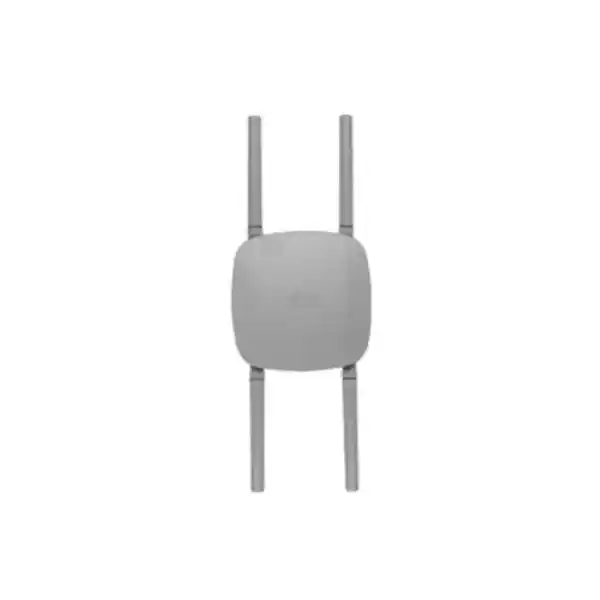
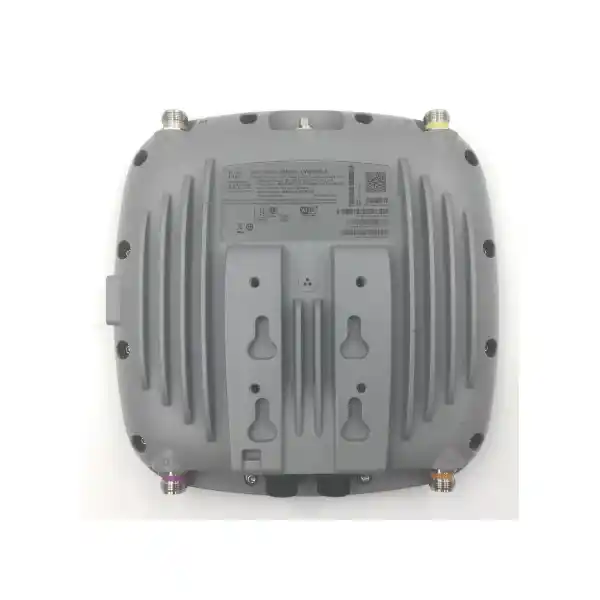
Cisco Catalyst CW9163E Outdoor Wi-Fi 6E Access Point
The Cisco Catalyst CW9163E is engineered to take enterprise-grade Wi-Fi 6E beyond the building envelope. It brings tri-band 802.11ax service, external antenna flexibility, multigigabit Ethernet, outdoor environmental protection and dual management choices to campuses, logistics facilities, hospitality estates, transport environments, public spaces and industrial-adjacent outdoor zones across the UAE.
3 × 2×2 client radios
Up to 3.9 Gbps PHY
1 × 2.5GbE
IP67
Direct answer
Choose the CW9163E when an outdoor WLAN needs contemporary Wi-Fi 6E capacity, external antennas for purposeful RF shaping, rugged weather protection and enterprise security without forcing the organization into a single management model.
For UAE projects, treat 6 GHz outdoor activation as a regulatory design item. Cisco states that 6 GHz operation depends on local approval, and standard-power outdoor operation relies on AFC where supported. Validate the exact regulatory domain, software release and permitted operating mode before procurement and commissioning.
What the Cisco Catalyst CW9163E is designed to solve
Outdoor wireless design is rarely an indoor access-point problem with a weatherproof box added around it. The RF environment changes, cable paths are longer, lightning and grounding considerations become important, solar load affects equipment temperature, antenna orientation directly controls service boundaries, and the uplink and power architecture must be planned before a lift or access platform arrives on site. The CW9163E is purpose-built for this class of work. Cisco positions it as an outdoor enterprise-class 802.11ax access point with Wi-Fi 6E support, three 2×2 client-serving radios for the 2.4 GHz, 5 GHz and 6 GHz bands, a dedicated tri-band scanning radio and an integrated IoT radio. That separation is valuable because client capacity and RF visibility can coexist without requiring the production radios to spend all their time performing background tasks.
The platform is particularly relevant where the network has outgrown basic outdoor coverage and now needs predictable application performance. Examples include handheld terminals in logistics yards, voice and collaboration devices around large campuses, tablets used by field teams, guest Wi-Fi across hospitality grounds, engineering devices in maintenance areas, digital operations around airport and transport facilities, and public-facing connectivity in large open spaces. Wi-Fi 6 and Wi-Fi 6E mechanisms such as OFDMA, MU-MIMO, BSS coloring and Target Wake Time are intended to improve efficiency when many devices compete for airtime, while wider 6 GHz channels can create additional capacity for compatible clients when local rules permit the required operating mode.
FourTeck approaches the CW9163E as part of a complete outdoor wireless system rather than an isolated hardware purchase. The access point must be matched to antennas, mounting method, PoE budget, switch uplink, cable type, grounding method, WLAN policy, authentication design, management mode and regulatory profile. A well-designed deployment starts from those dependencies and then determines access-point quantity and placement.
Core technical specifications at a glance
| Design area | CW9163E capability | Engineering implication |
|---|---|---|
| Wireless standard | 802.11ax / Wi-Fi 6E with backward support for established Wi-Fi generations | Supports mixed client estates while creating a path for 6 GHz-capable devices. |
| Client radios | 2×2 with two spatial streams on 2.4 GHz, 5 GHz and 6 GHz | Capacity planning should be based on real client mix and airtime rather than aggregate PHY rate alone. |
| Maximum aggregate PHY rate | Up to 3.9 Gbps across the three client bands | Use as a radio capability reference, not an application throughput guarantee. |
| Channel widths | 20 MHz on 2.4 GHz; 20/40/80 MHz on 5 GHz; 20/40/80/160 MHz on 6 GHz | Select width by density, interference, client support and spectrum availability; widest is not always best. |
| Ethernet | 1 × 100M/1G/2.5G Multigigabit Ethernet | Prefer a multigigabit access-switch port when full radio capability is required. |
| Power | 802.3at PoE+ or 802.3af PoE; Cisco also documents supported injectors | PoE+ enables full 2×2 radios and 2.5GbE; 802.3af invokes reduced 1×1 radio operation and 1GbE. |
| Maximum PoE draw | 25.5 W on 802.3at; 14 W on 802.3af | Switch power budget needs headroom for all outdoor APs on the stack or chassis. |
| Antenna interfaces | 4 × N-Type Wi-Fi antenna connectors plus GPS/GNSS connection | External antennas are a deliberate RF design component and are not simply cosmetic accessories. |
| Environmental protection | IP67; operating range down to -40°C and up to 65°C without solar derating, up to 55°C with solar derating | Good fit for demanding outdoor conditions, but site-specific heat, solar exposure and installation practices still matter. |
| Dimensions / weight | 245 × 245 × 63.5 mm; approximately 1.5 kg without bracket | Mount structure, brackets and service access should be verified before installation. |
| Management choices | Catalyst 9800 on-premises/virtual controller or Meraki cloud management, depending on ordered mode and licensing | Architecture can follow existing operational standards rather than forcing a parallel management platform. |
Tri-band radio architecture: why three client-serving bands matter
The CW9163E serves clients simultaneously in 2.4 GHz, 5 GHz and 6 GHz, with each client radio operating as 2×2 MIMO with two spatial streams when the AP receives the intended PoE+ power. This gives an outdoor design team three distinct spectrum resources rather than treating the WLAN as one large pool. In practical networks, 2.4 GHz remains useful for legacy devices, IoT endpoints and long-range low-bandwidth clients, but its small number of non-overlapping channels makes it a poor place to concentrate high-throughput users. The 5 GHz band normally carries the largest installed base of enterprise clients and offers a better channel plan. The 6 GHz band introduces cleaner spectrum and wider channel possibilities for compatible Wi-Fi 6E devices, subject to local regulatory approval and deployment mode.
Cisco specifies 20 MHz channels on 2.4 GHz, up to 80 MHz on 5 GHz and up to 160 MHz on 6 GHz. That does not mean every deployment should run the maximum width. In a dense outdoor venue, using narrower channels can increase the number of reusable cells and reduce contention between adjacent access points. Conversely, a targeted directional 6 GHz cell serving modern high-throughput endpoints may justify a wider channel where the spectrum plan allows it. The correct answer comes from a predictive design followed by validation measurements, not from a universal channel-width template.
The dedicated scanning radio is equally important. RF visibility supports interference analysis and security monitoring without continuously sacrificing the same client-serving airtime that users depend on. Cisco CleanAir Pro extends interference detection and classification across 2.4 GHz, 5 GHz and 6 GHz. For outdoor deployments where neighboring networks, temporary event equipment, wireless cameras, point-to-point links or uncontrolled client devices can appear without notice, continuous spectrum intelligence helps operations teams distinguish a capacity problem from an interference problem.
Wi-Fi 6 efficiency for busy outdoor cells
Outdoor coverage often looks spacious while behaving like a high-density WLAN. Hundreds of devices may converge at gates, loading bays, gathering areas, event zones, pool decks, campus walkways or transport queues. The challenge is not simply signal level; it is airtime efficiency. The CW9163E supports uplink and downlink OFDMA, which divides a channel into resource units so multiple compatible devices can be scheduled more efficiently. This can reduce overhead when many endpoints need relatively small but frequent exchanges instead of each device competing for an entire channel opportunity.
MU-MIMO allows the AP to use spatial resources for multiple clients, while BSS coloring helps compatible devices distinguish overlapping basic service sets and improve spatial reuse. Target Wake Time can reduce unnecessary wake cycles for battery-powered clients by coordinating when devices exchange traffic. These mechanisms are especially useful when the network must carry a mixture of handheld terminals, phones, tablets, sensors and operational devices rather than a homogeneous fleet.
The engineering objective is predictable user experience, not headline throughput. FourTeck therefore sizes outdoor cells around device count, application type, minimum data-rate policy, roaming behaviour, acceptable latency, expected concurrent usage and available spectrum. A CW9163E can be a powerful building block, but AP count should never be calculated by dividing a theoretical aggregate PHY figure by an assumed user bandwidth.
6 GHz and AFC: design it as a regulated service
Wi-Fi 6E extends 802.11ax operation into the 6 GHz band. The value is additional spectrum, less legacy-client contention and support for wide channels that can improve capacity for compatible clients. For outdoor deployments, however, 6 GHz cannot be treated as an automatic feature merely because the radio exists. Cisco states that 6 GHz operation depends on local regulatory approval, and the use of standard-power outdoor operation is associated with Automated Frequency Coordination, or AFC, where approved and supported.
The CW9163E includes location capabilities that support AFC workflows, including a built-in GPS antenna and support for an optional external active GPS/GNSS antenna. AFC systems use location and other deployment information to determine permitted channels and power levels so Wi-Fi devices can protect incumbent spectrum users. For a UAE project, the correct procurement process is to validate the exact Cisco regulatory domain, software feature support and current local authorization before assuming 6 GHz outdoor service will be available in the planned mode.
FourTeck designs the WLAN so the project still has a coherent 2.4 GHz and 5 GHz service strategy while 6 GHz eligibility is checked. This prevents the business case from depending on a regulatory assumption. Where outdoor 6 GHz operation is permitted, the 6 GHz plan can then be optimized for compatible clients, channel reuse and antenna pattern rather than simply enabled with default settings.
External antennas: turn the RF design into a controlled coverage pattern
A defining advantage of the CW9163E is its external antenna architecture. Cisco documents four N-Type Wi-Fi antenna connectors and supports self-identifying antenna options. The CW-ANT-O1-NS-00 is a tri-band omnidirectional antenna with published peak gains of 4 dBi at 2.4 GHz and 8 dBi at both 5 GHz and 6 GHz. The CW-ANT-D1-NS-00 is a tri-band wide-beam directional patch antenna with higher directional gain: 8 dBi at 2.4 GHz and 9 dBi at 5 GHz and 6 GHz. Antennas are not included with the access point, so they must be part of the bill of materials from the start.
Omnidirectional antennas are appropriate when users surround the mounting point and the design calls for broad azimuth coverage. Typical examples include a pole in the center of a courtyard, open yard or campus area. Directional antennas are better when the service area is primarily on one side of the mounting location, such as along a loading lane, toward a gate complex, across a seating area, down a long walkway or from a building edge toward an outdoor work zone. Directionality can improve the useful link budget in the intended direction while reducing unnecessary RF spill behind the antenna.
Self-identifying antenna support simplifies configuration by allowing the access point to read supported antenna information and populate antenna gain values. That reduces the risk of manual mismatch, but it does not remove the need for correct physical installation. Antenna orientation, cable routing, connector weather sealing, mounting height and line-of-sight obstructions still influence performance. Cisco installation guidance recommends aligning omnidirectional antennas vertically to the ground and aiming directional antennas so the main beam is parallel to or tilted down toward the service area.
FourTeck includes antenna selection in the RF design rather than offering the same antenna for every site. The objective is to create coverage where clients actually operate, maintain a usable receive path from low-power mobile devices, support roaming boundaries and limit co-channel contention. Outdoor WLAN quality depends as much on antenna pattern and mounting geometry as it does on access-point radio specifications.
2.5 Gigabit Ethernet uplink: avoid making the wired edge the bottleneck
The CW9163E provides one 100 Mbps / 1 Gbps / 2.5 Gbps multigigabit Ethernet interface. That matters because a tri-band Wi-Fi 6E AP can create more aggregate radio capacity than a conventional 1 Gigabit access link comfortably carries under peak conditions. Cisco’s PoE+ operating profile pairs the full 2×2 radio configuration with a 2.5 Gbps link speed, making a multigigabit switch port the preferred design point when the deployment expects to use the access point at full capability.
A proper switch design goes beyond the access port. The upstream switch stack or chassis must have adequate uplink bandwidth, PoE budget, resilient power and VLAN design for all outdoor APs in the zone. If ten outdoor access points each connect at 2.5 Gbps, that does not mean the distribution layer will see 25 Gbps of sustained traffic, but it does mean the aggregation design should not be based on a single congested 1 Gigabit uplink. Application mix, oversubscription policy and traffic path all need review.
Cable selection is another part of the multigigabit design. Cisco installation guidance calls for shielded, outdoor-rated Category 6 or better cabling to the AP and provides a weather-resistant gland assembly for the Ethernet connection. Long outdoor pathways should be checked for length, pathway type, lightning protection requirements, segregation from power cabling and local electrical practices. Where copper distance or exposure makes Ethernet unsuitable, an outdoor-rated intermediate architecture using fiber to a protected access switch may be more appropriate.
FourTeck can align the wireless deployment with switching and structured cabling through its broader IT services in the UAE, helping ensure the AP, switch, PoE and physical layer are engineered as one system instead of procured by separate teams with incompatible assumptions.
PoE sizing: full performance requires the right power source
Power is one of the most important CW9163E design checks because the access point deliberately changes capability depending on available PoE. With 802.3at PoE+, Cisco specifies all three client-serving radios operating as 2×2, the Ethernet link capable of 2.5 Gbps and maximum PoE consumption of 25.5 W. With 802.3af PoE, the AP operates each client radio as 1×1, the link is limited to 1 Gbps and the maximum PoE figure is 14 W. The access point can therefore boot and provide service on lower power, but that should not be confused with a full-performance deployment.
When replacing older outdoor APs, engineers should not assume existing PoE capacity is sufficient merely because the old access point used the same Ethernet cable. The switch model, per-port PoE standard, available shared power budget and redundant power-supply design must be checked. A stack may advertise many PoE-capable ports but still lack enough total wattage to run every CW9163E at full capability simultaneously. Reserve headroom for future APs, phone or camera loads on the same switching infrastructure, and power-supply failover states where one PSU may have to carry the surviving load.
Cisco recommends enabling LLDP or CDP to support proper power negotiation. This is especially relevant in mixed-vendor or older switching estates where a port might not grant the expected power class. During commissioning, FourTeck validates the negotiated power level, Ethernet speed and radio state rather than assuming configuration intent equals actual operation.
Power injectors can be useful when the access switch cannot provide the required PoE, but they introduce additional hardware, power outlets and environmental considerations. For a large deployment, upgrading to appropriate multigigabit PoE+ switching is usually cleaner operationally. The final choice should be based on site topology, available rack power, cable routes, resilience and lifecycle support.
Outdoor hardening for UAE conditions
IP67 enclosure
IP67 protection provides a strong environmental baseline against dust and water ingress. In the UAE, this is valuable for roof lines, external walls, yards, campuses and exposed infrastructure where blowing dust and occasional heavy rain can challenge indoor-rated equipment. Protection still depends on correct cable glands, connectors and installation practices.
High-temperature operation
Cisco lists operating temperatures up to 65°C without solar derating and up to 55°C with solar derating. For direct-sun locations, engineers should evaluate actual solar exposure, mounting surface temperature, airflow and orientation rather than relying only on ambient weather data.
Wind and corrosion resilience
Cisco specifies resistance to sustained winds up to 100 mph and gusts up to 165 mph, along with corrosion testing and solar-radiation testing. The mount, pole, anchors and antenna hardware remain part of the structural system and must be selected for the local installation environment.
Grounding and surge planning
Cisco requires outdoor grounding before power is connected. A complete UAE installation should also review bonding, surge protection, cable entrance points and local electrical requirements, especially when APs are mounted on poles, rooftops or other exposed structures.
Environmental ratings reduce risk, but they do not make installation quality optional. Water often enters outdoor systems through poorly terminated Ethernet glands or loose antenna connectors rather than through the equipment chassis. Dust accumulation and solar heating can worsen thermal conditions, while metallic structures can alter RF patterns. FourTeck commissioning therefore includes physical inspection as well as network testing. Correct torque, cable drip loops where appropriate, accessible service orientation, corrosion protection and grounding are treated as operational reliability requirements, not cosmetic finishing items.
Security foundation: protect the outdoor edge as part of the enterprise LAN
An outdoor access point sits beyond the physically controlled office perimeter, which makes platform integrity and access policy particularly important. Cisco positions the CW9163E on a trustworthy hardware foundation that includes image signing, Secure Boot and a Trust Anchor module. These mechanisms are intended to establish authenticity and protect the boot and software chain against unauthorized modification. They do not replace network policy, but they provide a stronger base on which WLAN controls can operate.
At the WLAN layer, Cisco documents support for WPA2 and WPA3 modes, including enterprise authentication with 802.1X, WPA3-Personal, WPA3-Enterprise and Enhanced Open. Enterprise deployments should normally integrate wireless identity with the organization’s authentication and authorization architecture so staff, contractors, guests and operational devices do not all share the same network policy. Cisco Identity Services Engine can be part of that design for deployments using the broader Cisco ecosystem, enabling role-aware segmentation and access decisions.
Segmentation should extend from the SSID through the wired network. Guest internet access, corporate devices, scanners, building systems, IoT endpoints and vendor equipment may all have different security requirements. A good outdoor WLAN design minimizes unnecessary broadcast domains, applies firewall policy at appropriate enforcement points and avoids giving an externally reachable RF cell more internal access than its users require. FourTeck can align wireless segmentation with the customer’s security perimeter and firewall architecture in Dubai and the UAE.
RF security monitoring also matters. The dedicated scanning architecture and Cisco security features can help identify rogue activity and anomalous conditions, but operational value depends on alert handling. Teams should define who receives wireless security events, what constitutes an incident and how logs are retained. Outdoor Wi-Fi should be incorporated into the same monitoring and response processes as switching, firewalls and identity services.
Catalyst 9800 management
Organizations standardized on Cisco enterprise wireless can operate the CW9163E with Catalyst 9800 Series wireless controllers, physical or virtual, using supported IOS XE software. This model is appropriate where the network team already manages campus WLAN policy, RF profiles, authentication, segmentation, assurance and software lifecycle through the Catalyst architecture.
Controller-based design can support centralized policy across indoor and outdoor APs, which is valuable for campuses where users roam between buildings and external areas. Existing integrations with Cisco Identity Services Engine, Cisco Spaces and Catalyst Center can remain part of the operating model. The key planning tasks are controller compatibility, software release, licensing entitlement, redundancy, WAN path where controllers are remote, and the AP join process.
For migrations, FourTeck maps the old WLAN configuration to the target Catalyst design rather than cloning legacy settings indiscriminately. Minimum data rates, SSID count, channel width, RF profiles and security methods often deserve review when moving from older Wi-Fi generations to Wi-Fi 6E.
Meraki cloud management
The CW9163E can also be deployed in a Meraki cloud-managed model. This approach is attractive to distributed organizations that want browser-based operations, centralized configuration and visibility across many sites without maintaining an on-premises wireless controller footprint. The Meraki dashboard can simplify staged deployment, policy consistency and remote troubleshooting for geographically separated facilities.
Cloud management still requires architecture decisions. Internet reachability, licensing, template strategy, administrator roles, identity integration, firmware scheduling and change-control processes should be defined before rollout. For multi-site UAE organizations, the operating model should also address what happens during WAN interruptions and how local services behave when dashboard connectivity is temporarily unavailable.
The CW9163E platform’s management flexibility protects procurement choices from being tied permanently to a single operational model. Cisco allows the hardware family to align with Catalyst or Meraki workflows, subject to supported conversion paths, software and licensing. FourTeck can help determine which management model best matches the customer’s existing skills and governance.
CleanAir Pro, client steering and operational intelligence
A high-performance outdoor WLAN needs mechanisms to keep the RF environment usable after deployment. Cisco CleanAir Pro performs interference detection and classification across all three Wi-Fi bands. This can help engineers separate true Wi-Fi contention from non-Wi-Fi energy or other environmental sources that disrupt service. In an outdoor setting, sources may appear seasonally or temporarily: event systems, construction equipment, third-party wireless links or new tenant networks can change the spectrum after the original survey.
Client steering is another useful capability because an AP cannot deliver the benefits of 6 GHz if capable clients remain unnecessarily attached to 5 GHz. Cisco’s steering behavior is designed to encourage Wi-Fi 6E-capable clients toward the 6 GHz radio, freeing older bands for devices that actually need them. The effect is both a client-experience improvement and a spectrum-efficiency strategy. It should nevertheless be validated against the organization’s endpoint estate, because client drivers and roaming implementations vary.
Intelligent Capture and assurance features in the broader Cisco stack can provide deeper packet and anomaly visibility, helping operations teams diagnose problems without dispatching engineers to every pole or rooftop. That is especially valuable in the UAE where some AP locations may require access permits, lifts, escorts or work during restricted hours. Remote diagnostics cannot fix a damaged cable, but they can reduce unnecessary site visits by narrowing the problem before field work begins.
FourTeck recommends defining operational baselines at handover: AP power state, negotiated Ethernet speed, radio status, expected channel plan, normal client counts, controller or dashboard health, authentication success and typical application latency. A baseline turns future troubleshooting from guesswork into comparison.
UAE deployment scenarios that fit the CW9163E
Enterprise campuses
Extend employee, guest and operational WLANs across walkways, courtyards, parking areas and inter-building spaces while keeping policy aligned with indoor Catalyst or Meraki networks.
Warehousing and logistics yards
Support scanners, tablets, vehicle-mounted devices and operational applications where staff move between indoor loading areas and large external yards. Directional antennas can shape coverage along lanes and gates.
Hospitality and resorts
Provide managed Wi-Fi across pool areas, gardens, outdoor dining, beach approaches and event spaces while separating guest, staff and operational traffic through appropriate policy.
Transport and aviation facilities
Use rugged outdoor APs for selected apron-adjacent, hangar, terminal-exterior or service areas where the design requires controlled coverage, mobility and centralized management. Site safety and spectrum rules remain essential.
Education and large institutions
Carry secure campus wireless beyond classrooms to sports grounds, common areas, outdoor study zones and facility-management areas without creating a separate unmanaged outdoor WLAN.
Public and municipal spaces
Build controlled public-access or operational Wi-Fi where ruggedness, external antenna choices and centralized visibility are more important than the simplicity of consumer-grade outdoor extenders.
In every scenario, the actual number of APs depends on much more than square metres. Outdoor RF propagation can travel far, which sounds beneficial but can create excessive contention and poor roaming if cells are too large. Structures, vehicles, landscaping, glass facades, metal fences and crowds also change signal behavior. The right design deliberately limits and overlaps cells to achieve the required application performance rather than maximizing how far one AP can be heard.
How FourTeck sizes a CW9163E outdoor wireless deployment
A professional sizing exercise begins with requirements. FourTeck documents the service area, expected number of concurrent devices, device types, application mix, authentication method, roaming expectations, minimum throughput, acceptable latency, availability target and any areas where RF must intentionally not extend. Those inputs are more useful than a generic coverage radius because Wi-Fi is a two-way link. A high-gain AP antenna may transmit far, but a handheld client with a small antenna and limited power still has to send frames back successfully.
Next comes spectrum and cell planning. The design identifies which client groups need 2.4 GHz, which can use 5 GHz and which are eligible for 6 GHz. Channel width is selected according to density and reuse. In a large low-density yard, 80 MHz may be reasonable on selected bands; in a busy campus or venue with many adjacent cells, narrower channels may produce more consistent total capacity. The plan also determines whether omnidirectional or directional antennas better match each service zone.
Mounting height is then modeled. Higher is not automatically better. Excessive height can increase cell size, worsen interference, create poor down-tilt geometry and make maintenance harder. Lower mounting may improve client link budgets and RF containment but can expose the AP to vehicles or vandalism. The optimal height balances coverage, line of sight, physical security and serviceability.
Capacity is evaluated separately from coverage. A predictive model may show acceptable signal across a large courtyard with two APs, but the expected client count and application load might justify four APs to create enough airtime. Conversely, placing too many outdoor APs without a disciplined channel plan can make the network worse. The final design targets a controlled reuse pattern and validates assumptions through post-installation measurements.
This methodology also considers the wired dependency: every AP location needs an appropriate cable path, PoE source, switch port, VLAN configuration and management reachability. By validating those dependencies before hardware is mounted, the project avoids expensive rework after civil or access work has been completed.
Recommended network topology
A typical enterprise topology places each CW9163E on a dedicated multigigabit PoE+ access-switch port. The switch carries the required management and WLAN VLANs toward the distribution or core layer, where traffic reaches security gateways, identity services, application networks and internet egress. In a Catalyst 9800 architecture, the AP joins the designated wireless controller according to the selected deployment model. In a Meraki architecture, the AP establishes the required cloud-management connectivity while forwarding user traffic according to the configured design.
↘ identity / DHCP / DNS / monitoring
Management path: Catalyst 9800 controller OR Meraki cloud, according to selected operating model
Redundancy should be planned at the system level. An outdoor AP with excellent radio design still becomes unavailable if its access switch loses power or a single fiber uplink fails. Critical sites can use resilient switch stacks, redundant uplinks, protected power and controller high availability. The appropriate level depends on business impact. A guest garden WLAN may accept a different recovery target from a logistics yard that supports real-time warehouse operations.
VLAN and policy design should minimize unnecessary complexity at the AP edge. Too many SSIDs consume airtime and create management burden. Consolidate services where identity-based policy can separate users logically, and keep SSID count aligned with actual business requirements. For guest services, determine where captive portal, NAT and security inspection occur. For corporate WLANs, define 802.1X and certificate behavior. For IoT, confirm whether devices support modern enterprise authentication or require a separate onboarding approach.
FourTeck can also align compute, identity and infrastructure dependencies with existing data-centre services through server and infrastructure solutions in Dubai, particularly where wireless controllers, DHCP, RADIUS or monitoring platforms are hosted on local virtual infrastructure.
Installation engineering: mounting, cable sealing and grounding
Cisco’s hardware guide supports both wall and pole mounting. The supplied Meraki-style mounting plate can be used for appropriate wall or pole installations, and Cisco documents additional mounting options for specific orientations. Pole diameter compatibility and bracket selection must be checked against the chosen kit. The structure itself must be capable of supporting the equipment and the mechanical loads associated with wind. Access for future maintenance is also important; antenna ports, console access and cabling should not be trapped behind inaccessible surfaces.
Outdoor Ethernet termination is a reliability-critical step. Cisco’s gland assembly supports shielded Category 6 or Category 6A cable within the specified diameter range and is intended to create a weather-resistant seal around the RJ45 connection. Installers must preserve the sealing surfaces, terminate the connector correctly and tighten components to the documented torque. Cisco also recommends dielectric grease at the RJ45 pins as an additional moisture barrier. Improvised indoor patch leads routed through loosely fitted glands can undermine the environmental rating of the entire installation.
Grounding is mandatory before power is applied. Cisco specifies use of the provided ground lug with appropriate copper grounding conductor and compliance with local and national electrical codes. In practical UAE deployments, the grounding path should be designed with the building or site electrical system rather than created as an isolated wireless-team detail. Bonding, surge protection, earthing points and cable entry protection should be reviewed together.
Antenna installation follows the RF design. N-Type connectors must be fully seated and weather protected according to the installation method. Omnidirectional antennas should remain correctly vertical, while directional antennas should be aimed according to the modeled azimuth and elevation. If an external GPS/GNSS antenna is required for location accuracy or the planned regulatory operating mode, its mounting position should have suitable sky visibility.
Commissioning should not end when the AP appears online. FourTeck verifies negotiated PoE, Ethernet speed, AP software state, regulatory domain, radio enablement, antenna recognition, channel assignment, transmit power, client association, authentication, roaming and application traffic. A post-installation survey confirms that the physical installation delivers the RF design that was approved on paper.
UAE regulatory and procurement considerations
The CW9163E uses a regulatory-domain part-number model, and Cisco makes customers responsible for verifying that the specific domain is approved for the intended country. This is particularly important for a Wi-Fi 6E outdoor product because available frequencies, transmit-power limits and 6 GHz operating modes can differ by jurisdiction and can change as regulators update policy. A UAE quotation should therefore identify the exact orderable part number rather than using a generic CW9163E label alone.
Six-gigahertz planning should be conditional until the current UAE authorization and Cisco software support are confirmed for the exact deployment. The access point is capable of 6 GHz operation, and Cisco supports AFC-related standard-power workflows where allowed, but capability is not the same as legal authorization. FourTeck treats this as a design checkpoint before purchase. If the required outdoor 6 GHz mode is not currently authorized, the project can still be designed around 2.4 GHz and 5 GHz with a future migration path rather than enabling an unsupported configuration.
Procurement also needs to include the items that are easy to omit: antennas, mounting accessories if the standard kit is not suitable, supported power injectors where PoE switching is unavailable, software or cloud licensing, support coverage, outdoor-rated cable, surge and grounding components, switch capacity and any lift or access costs. Antennas are specifically not included with the AP, so the required antenna set must be selected by RF design.
For multi-site UAE organizations, standardizing a bill of materials improves support but should not override site differences. A warehouse yard may need directional antennas and pole mounts, while a resort may need omnidirectional coverage from landscaped structures. The AP model can remain common while antenna and mounting kits vary by zone. Serial-number and MAC-address capture should be included in handover so the final documentation maps each physical location to the deployed hardware.
FourTeck’s UAE technology team can coordinate product selection, wireless design and deployment planning so regulatory, RF and infrastructure details are resolved before the installation window.
Migration from older outdoor Wi-Fi: do not copy legacy settings blindly
Replacing an older 802.11n, 802.11ac or first-generation Wi-Fi 6 outdoor AP with a CW9163E creates an opportunity to improve the WLAN rather than simply swap hardware. Legacy designs often use broad cells, low minimum data rates and wide 2.4 GHz coverage because older clients depended on it. Modern endpoint estates may support more 5 GHz and 6 GHz operation, stronger security and better roaming behavior. Keeping old settings unchanged can preserve the very problems the upgrade was intended to solve.
The first migration step is client discovery. Identify which device families remain 2.4 GHz-only, which support 5 GHz and which are Wi-Fi 6E-capable. Operational devices such as scanners, specialized tablets or IoT equipment often have longer replacement cycles than employee phones and laptops. The RF plan should accommodate those devices without allowing a small legacy population to dictate the design of every band.
The second step is security review. WPA3 can improve security for compatible clients, but older devices may need transition or separate policy. Certificate deployment, RADIUS capacity, guest onboarding and IoT authentication should be tested before the outdoor cutover. A technically successful AP installation can still fail operationally if critical handhelds cannot authenticate.
The third step is switch validation. Older APs may have used 1 Gigabit 802.3af ports. The CW9163E reaches its intended full 2×2 and 2.5GbE operating profile with PoE+. Upgrade switch ports or injectors where necessary before the cutover. Otherwise the new AP may function in reduced mode and create the false impression that the wireless upgrade delivered little benefit.
Finally, perform staged migration and validation. Move one representative zone, compare RF coverage, roaming, client distribution, authentication and application performance, then apply lessons to the remaining sites. This reduces risk and produces a deployment standard based on measured results rather than assumptions.
Licensing, software and lifecycle planning
The CW9163E is not a hardware-only decision. The operational model determines the required software, management platform and licensing. Cisco documents support for Catalyst 9800 Series wireless controllers and also offers a Meraki cloud-managed version. Current Cisco licensing options include unified wireless subscription models as well as Cisco DNA licensing paths, with exact entitlements depending on the management architecture, subscription tier, software release and purchasing agreement. Meraki deployments similarly require the appropriate cloud licensing for the selected term and feature set.
A quotation should therefore state the intended management mode and license term. Buying AP hardware without deciding the operating model can delay deployment or create unplanned subscription costs. Organizations with existing Cisco Enterprise Agreements or networking subscriptions may be able to align new wireless licenses with established renewal dates, while other customers may prefer a fresh subscription aligned to project go-live.
Software compatibility should also be checked before installation. Cisco’s current datasheet identifies IOS XE release requirements for Catalyst-managed operation, but production design should use the currently recommended supported release for the customer’s controller, access-point fleet and feature requirements. Upgrading a controller can affect every AP on the platform, so a CW9163E project may require a broader wireless software change window rather than a single-device update.
Lifecycle planning includes support coverage, spare strategy and configuration backup. Outdoor APs may be installed in places that require lifts or permits, so replacing failed hardware can cost more in access logistics than in engineering time. Maintaining a small quantity of pre-approved spares for a critical multi-site deployment can reduce recovery time. Handover documentation should include part numbers, serial numbers, MAC addresses, antenna type, mounting location, cable ID, switch port, controller or dashboard assignment and license association.
FourTeck confirms licensing and support scope during quotation so commercial terms match the technical design. This is also the right point to decide whether the customer wants supply only, installation, controller configuration, RF validation, ongoing managed support or a complete lifecycle package.
Operational tuning after go-live
A successful CW9163E deployment is tuned with real client behavior after launch. Predictive design establishes the starting point, but actual devices reveal roaming choices, transmit-power asymmetry, channel utilization and application demand. FourTeck reviews band distribution, retries, client signal quality, authentication failures, roaming events, channel utilization and interference indicators. The objective is not to force every metric to an arbitrary target; it is to find conditions that correlate with user complaints or capacity risk.
Transmit power deserves careful control. Excessively high AP power can create one-way cells where clients hear the AP but cannot respond reliably, and it can expand co-channel interference into neighboring outdoor zones. Lowering power can improve reuse and roaming when AP density is sufficient. Conversely, directional outdoor cells may legitimately require higher power within regulatory limits to reach a defined service boundary. Automatic RF management can assist, but design intent should still guide profile limits.
Channel width is another tuning lever. A 160 MHz 6 GHz channel offers high peak PHY capability for compatible clients but consumes a large block of spectrum. In a dense network with many CW9163E units, multiple narrower channels can sometimes deliver greater total capacity and more predictable reuse. Similar logic applies to 80 versus 40 MHz on 5 GHz. FourTeck tunes width based on client demand and neighboring-cell geometry rather than using the largest available setting by default.
Roaming should be tested with the actual operational application. A speed test at a fixed point does not validate a warehouse voice handset moving between yard sectors or a tablet crossing a campus. Walk tests and vehicle-speed tests where safe and relevant can expose sticky-client behavior, authentication delays or coverage gaps that stationary measurements miss.
Finally, establish a review cycle. Outdoor environments change as buildings are modified, temporary structures appear, vegetation grows or neighboring networks change. Periodic health reviews allow the WLAN to evolve without waiting for a major outage.
Troubleshooting framework for the CW9163E
When an outdoor AP underperforms, troubleshoot from the physical layer upward. First confirm power. Check whether the switch actually granted PoE+ or whether the AP is running in the reduced 802.3af profile. Verify the negotiated Ethernet speed and review errors on the copper port. A damaged outdoor cable, moisture at an RJ45 connector or poor termination can create intermittent performance that looks like RF instability.
Second, verify management health. Confirm the AP is joined to the intended Catalyst controller or Meraki network, has the expected software and regulatory domain, receives correct VLAN and IP settings, and can reach required DNS, DHCP, authentication and management services. If the AP repeatedly disconnects, compare controller logs with switch-interface events to identify whether the fault is network transport, power or software.
Third, inspect radio state. Confirm 2.4 GHz, 5 GHz and eligible 6 GHz radios are enabled as expected, antenna types are detected correctly, transmit power and channel assignments are sensible, and no regulatory condition has disabled a band. Use CleanAir and scanning data to identify persistent interference. Compare channel utilization and retry rates with nearby APs.
Fourth, isolate client-specific issues. If only one device model fails, review its Wi-Fi driver, supported bands, authentication method and roaming implementation. A WLAN can be healthy while an old scanner driver behaves poorly on a modern security policy. Conversely, if many client types fail in one physical zone, investigate RF coverage, cable or AP hardware first.
Finally, inspect the physical installation when remote evidence points to the site. Check antenna connectors, orientation, mounting movement, cable glands, grounding and signs of water ingress or damage. FourTeck’s support process uses remote evidence to make field visits targeted and efficient, reducing time spent replacing healthy components.
Why enterprises choose CW9163E instead of consumer outdoor extenders
Consumer outdoor products can be appropriate for simple residential coverage, but enterprise environments need a different operating model. The CW9163E is designed to participate in centralized policy, identity, RF management, security monitoring and lifecycle operations. The value is not only that the enclosure is rugged. It is that an outdoor radio becomes part of the same managed network architecture as the rest of the business.
External antenna options allow deliberate RF shaping. Multigigabit Ethernet avoids forcing a modern tri-band AP through a permanently fixed 1 Gigabit edge. PoE simplifies remote powering while preserving central UPS options at the network closet. Controller or cloud management provides fleet-level visibility. WPA3 and enterprise authentication integrate with security policy. Dedicated scanning and CleanAir Pro provide visibility into interference that a basic extender cannot offer. Environmental ratings support exposed deployment, while documented grounding and installation procedures create a repeatable engineering standard.
The enterprise approach also improves change management. When a company adds a new SSID, changes authentication policy or updates firmware, the process can be applied consistently across an outdoor fleet. Logging and alerts are centralized, and access points can be associated with sites and templates. This matters more as the deployment grows from two units at one office to dozens across warehouses, hotels, campuses or branches.
FourTeck positions the CW9163E for organizations that need accountable, supportable outdoor connectivity. For broader network modernization, customers can also review FourTeck’s global networking portfolio through FourTeck global solutions. The design goal is a WLAN that operations teams can monitor, secure, document and maintain over its full lifecycle.
CW9163E bill-of-material guidance
A complete order is usually more than the AP SKU. Start with the correct CW9163E regulatory-domain part number or the appropriate Meraki-managed variant for the intended management architecture. Then select the antenna set based on the RF plan. Cisco’s supported CW-ANT-O1-NS-00 omnidirectional option and CW-ANT-D1-NS-00 directional option serve different coverage objectives. Where the deployment needs enhanced GPS/GNSS reception for supported location or AFC workflows, include the compatible external antenna and its mounting requirements.
Confirm the mounting kit for each location. The standard bracket may be suitable for many wall and pole installations, but structural conditions, pole diameter and desired antenna orientation can justify other approved accessories. Include corrosion-resistant fasteners and site-specific mounting materials as required. Do not assume the civil contractor will provide compatible hardware unless it is listed in the scope.
For connectivity, specify shielded outdoor-rated Category 6 or Category 6A cable, termination hardware and weatherproofing components. Confirm whether copper distance stays within Ethernet limits. If not, redesign the access layer instead of stretching the cable specification. Add surge protection and grounding materials according to the site’s electrical and lightning-protection design.
For power, prefer PoE+ from a multigigabit switch port when the AP is expected to use full 2×2 radio capability and 2.5GbE. If an injector is needed, use a supported model and include protected AC power at the injector location. For licensing, specify the required Cisco wireless subscription, DNA entitlement or Meraki license according to the chosen management model and desired term. Add Cisco support services or project support as required.
Finally, include professional services in the bill of materials where responsibility needs to be explicit: predictive survey, site survey, configuration, controller or dashboard integration, installation, grounding, testing, post-deployment validation, documentation and administrator handover. A complete scope avoids the common situation where hardware arrives but no party owns the final working service.
Decision recap: when the CW9163E is the right choice
Choose it for
Outdoor enterprise coverage where tri-band Wi-Fi 6E, 2.5GbE, IP67 protection, external antennas, centralized security and Catalyst-or-Meraki management flexibility are valuable.
Plan carefully around
6 GHz regulatory status, AFC requirements, antenna choice, PoE+ availability, multigigabit switching, grounding, outdoor cable sealing, mounting height and the actual client estate.
Do not size by
Square metres, theoretical range or the 3.9 Gbps aggregate PHY figure alone. Size by applications, concurrent clients, airtime, channel reuse, antenna pattern and validated service requirements.
Best operational fit
Organizations that already value centralized network operations and want outdoor Wi-Fi to follow the same identity, segmentation, monitoring, change-control and support model as the enterprise LAN.
The CW9163E is not simply an outdoor access point with a newer radio. Its value comes from combining Wi-Fi 6E spectrum options, a dedicated monitoring architecture, self-identifying external antennas, rugged construction, multigigabit wired connectivity and a choice of enterprise management platforms. When those elements are designed as a single system, the AP can support demanding UAE outdoor environments while remaining manageable over the full network lifecycle.
Quotation input checklist
For an accurate FourTeck quotation and design recommendation, provide the following project information. Complete data lets the engineering team identify the correct AP regulatory domain, antenna type, mounting accessories, switch requirements and licensing instead of quoting an incomplete hardware line.
FourTeck consultation for Cisco CW9163E projects in the UAE
FourTeck supports organizations that need the CW9163E to become a working outdoor WLAN rather than a box delivered to site. Engagement can start with product supply, but the highest-value projects usually include requirements review, RF design, antenna selection, switch and PoE validation, management-platform integration, security policy, installation guidance, commissioning and post-deployment verification.
For an existing Cisco estate, provide controller models, current software release, license position, switch inventory and a sample WLAN configuration. For a new deployment, provide site drawings, client quantities, application requirements and coverage areas. FourTeck will use those inputs to define whether CW9163E is the appropriate model, where directional or omnidirectional antennas should be used, how many APs are justified and what supporting infrastructure is required.
The resulting quotation can separate hardware, licensing, professional services and optional support so procurement teams understand exactly what is included. This approach reduces hidden dependencies and gives the IT team a deployable architecture with clear ownership from RF design through handover.
Before requesting price, confirm
- Target emirate and site type
- Catalyst or Meraki management
- Existing PoE+ / mGig switch capability
- Preferred antenna coverage pattern
- Approximate AP quantity or site drawings
- Required license and support term
- Installation and survey scope
- Required delivery and project schedule


Reviews
There are no reviews yet.