
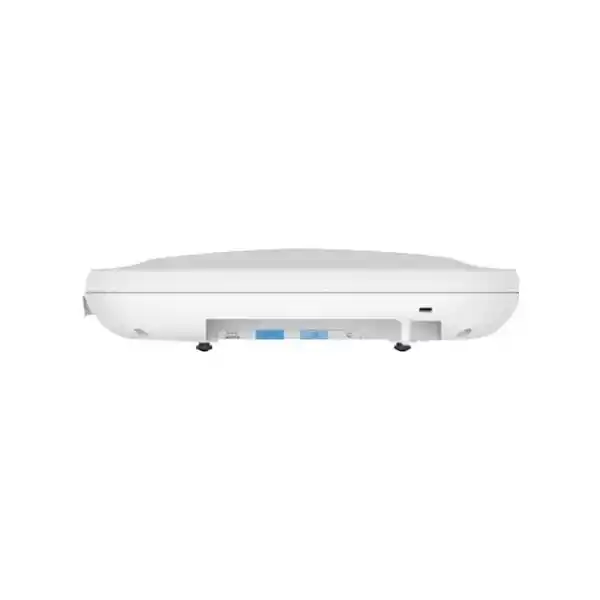
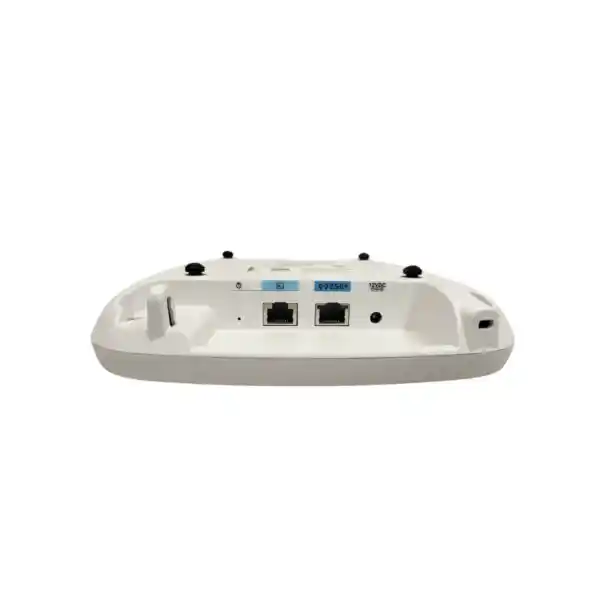
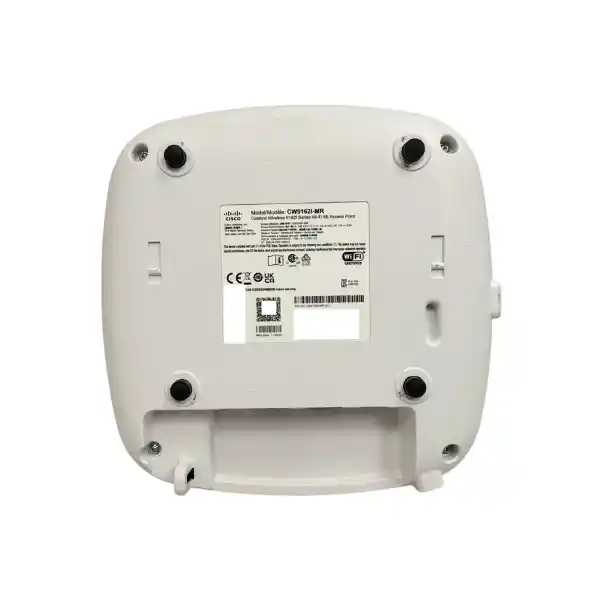
Cisco Meraki CW9162I-MR Wi-Fi 6E Access Point
A practical cloud-managed Wi-Fi 6E access point for offices, branches, classrooms, clinics, retail environments and other indoor enterprise networks that need tri-band wireless, centralized Meraki operations and a 2.5 GbE-ready wired edge.
2×2:2 MU-MIMO
Up to ~3.9 Gbps aggregate radio rate
1 x 2.5G mGig
Meraki Dashboard managed
Direct answer for buyers
What exactly is it? The Cisco Meraki CW9162I-MR is the Meraki cloud-managed version of the Cisco Catalyst 9162 indoor access point. It is a Wi-Fi 6E platform with integrated antennas and 2×2:2 client radios in the 2.4 GHz, 5 GHz and 6 GHz bands.
What is it mainly used for? It is intended for general-purpose enterprise wireless networks where organizations want modern tri-band Wi-Fi, cloud-based administration, integrated wireless security monitoring and straightforward multi-site operations.
Who should consider it? UAE organizations refreshing older Wi-Fi 5 or Wi-Fi 6 access layers, opening new branches, standardizing on Meraki Dashboard, or preparing for 6 GHz-capable client fleets should evaluate it when 2×2 radio capacity is appropriate for the site.
What is the most important factor to confirm? The access point cannot be selected in isolation. The project needs the correct Meraki license, sufficient 802.3at PoE, appropriate switching and cabling, realistic RF coverage planning, compatible client devices and confirmation of the regulatory settings applicable to the UAE deployment.
What can FourTeck help determine? FourTeck can help map access-point quantity, switch port and PoE requirements, Meraki licensing term, mounting, cabling, migration scope, wireless design assumptions and the commercial bill of materials needed for a Dubai or wider UAE deployment.
Understanding the exact CW9162I-MR model
The model code matters. CW9162I-MR identifies a Cisco Catalyst 9162 access point supplied for Meraki management. Cisco describes the CW9162 family as a general-purpose Wi-Fi 6E indoor platform rather than a maximum-density flagship. That position is useful for many business networks because it gives buyers tri-band access to 2.4 GHz, 5 GHz and 6 GHz without automatically paying for the higher radio-chain capacity of larger models. The internal-antenna design also suits conventional ceiling or wall deployments where a clean appearance and predictable omnidirectional coverage are preferred over specialized external or directional antennas.
The CW9162I-MR uses 2×2:2 radios for client access in each of the three Wi-Fi bands. Cisco states a combined tri-radio aggregate frame rate of approximately 3.9 Gbps. That number is a radio-side theoretical aggregate and should not be interpreted as guaranteed application throughput for one user, one device or even the entire access point. Real performance depends on channel width, interference, client capabilities, protocol overhead, distance, wall materials, airtime utilization, upstream bandwidth, security policy and how many devices are active at the same time.
The access point also includes a dedicated scanning function for wireless intrusion detection and prevention, spectrum analysis and location analytics, together with a Bluetooth Low Energy radio. These supporting radios are important in enterprise deployments because they separate monitoring tasks from the primary client-service role. Wireless teams gain ongoing RF visibility and security monitoring without treating the access point as merely a radio bridge to Ethernet.
For procurement teams, the suffix is equally important. The -MR version is intended for Meraki Dashboard operation and requires a Meraki access point license. Cisco documentation for 9160-series units shipped in Meraki Management Mode specifically notes the licensing requirement. A quotation therefore needs to include both the hardware and the correct licensing term unless the customer already owns valid licensing that can be assigned to the deployment.
Core specifications that affect a buying decision
| Area | CW9162I-MR detail | Buyer relevance |
|---|---|---|
| Wireless generation | Wi-Fi 6E / 802.11ax compatible | Adds 6 GHz capability alongside 2.4 and 5 GHz for compatible clients. |
| Client radios | 2.4 GHz 2×2:2, 5 GHz 2×2:2 and 6 GHz 2×2:2 | A good fit for mainstream enterprise density; compare larger models for heavier concurrency or capacity needs. |
| Aggregate radio rate | Up to approximately 3.9 Gbps across the tri-radio design | Planning figure, not an end-user throughput guarantee. |
| Ethernet | 1 x 100/1000/2.5G BASE-T RJ45 | A multigigabit switch port can remove the 1 GbE edge bottleneck where traffic patterns justify it. |
| Power | 802.3at PoE, maximum consumption up to 30 W; 12 V DC option | Switch PoE budgets must be checked across the full AP quantity, not just per port. |
| USB | USB 2.0 Type A host interface with 4.5 W budget when correctly powered | Relevant only where supported USB use cases are part of the architecture. |
| Antennas | Integrated omnidirectional antennas; peak gain listed as 4 dBi at 2.4 GHz and 5 dBi at 5/6 GHz | Simplifies typical indoor ceiling deployment but is not a substitute for directional antenna designs in specialized spaces. |
| Security monitoring | Dedicated tri-band scanning for WIDS/WIPS, spectrum analysis and location analytics | Supports continuous wireless visibility while client radios serve production traffic. |
| Environment | Indoor; operating temperature 0°C to 50°C; 10% to 90% non-condensing humidity | Use in controlled indoor spaces; outdoor or extreme-temperature locations require a different platform. |
| Size and weight | Approximately 200 x 200 x 44.45 mm; 0.93 kg | Relevant to ceiling load, mounting position, access above ceilings and visual planning. |
| Mounting | Cisco standard mounting support; AIR-AP-BRACKET-2 is listed as included | Confirm the actual ceiling or wall construction and any site-specific accessories. |
| License | Meraki access point license required | License duration and organization strategy should be confirmed before the commercial order is finalized. |
Why Wi-Fi 6E matters in a UAE indoor network
Wi-Fi 6E extends Wi-Fi 6 operation into the 6 GHz band. For a business buyer, the important point is not simply that a new frequency band exists. The practical value is additional clean spectrum for compatible devices, which can reduce dependence on crowded 2.4 GHz and 5 GHz channels in environments where those bands are already heavily used. Newer notebooks, phones and specialist endpoints that support 6 GHz can be placed on channels that do not have to coexist with older Wi-Fi generations in the same way as legacy bands.
The UAE has made 5925–6425 MHz available for indoor Wi-Fi under local regulatory conditions. That creates a strong technical reason to consider Wi-Fi 6E during refresh projects, especially when the useful life of the wireless infrastructure will extend across several client-device generations. However, a buyer should still treat regulation as a deployment constraint rather than a marketing footnote. Cisco advises customers to verify approval for use in the country where the access point will operate, and the configured country or regulatory settings determine which channels and power levels are actually permitted.
Six-gigahertz coverage also behaves differently from lower frequencies. Higher frequencies generally experience greater path loss, and walls, doors, partitions, shelving and glass treatments can change the real service area. A design that was acceptable for 2.4 GHz-only or 5 GHz-first coverage should not be copied blindly for 6 GHz. If the objective is dependable 6 GHz service at desks, meeting rooms and collaboration spaces, the access-point count and placement need to be checked against the building layout and client capabilities.
This is why CW9162I-MR is best purchased as part of a wireless design decision. A modern AP can provide the radios, but channel planning, mounting, power, Ethernet, roaming policy, authentication and the client fleet ultimately determine whether the 6 GHz investment produces measurable user benefit.
Radio architecture: what the 2×2 design means
2.4 GHz client radio
Useful for compatibility, longer-range behavior and many IoT-style or legacy endpoints. In a modern enterprise design, 2.4 GHz usually requires careful channel reuse because the band offers far less clean spectrum than 5 GHz or 6 GHz.
5 GHz client radio
The main production band for many existing enterprise clients. It balances mature device support with wider channel options than 2.4 GHz, although local interference and channel reuse still need to be managed.
6 GHz client radio
Provides Wi-Fi 6E capacity for compatible devices. It is attractive for modern workspaces, but coverage expectations, client support and UAE regulatory settings should be validated during design.
Dedicated scanning
The access point includes a radio role dedicated to security and RF visibility, supporting Air Marshal WIDS/WIPS, spectrum analysis and location analytics rather than consuming the primary client-service radios for those tasks.
Bluetooth Low Energy
BLE functionality supports beaconing and scanning use cases that can be relevant to location and IoT strategies. Buyers should confirm the exact application integration instead of assuming every BLE workflow is automatically included.
A 2×2:2 architecture means each client band uses two transmit and two receive chains with two spatial streams. For normal office and branch networks, that can be a sensible balance of capability and cost. It does not make the CW9162 a substitute for a 4×4 platform in every scenario. High-concurrency lecture halls, busy event spaces, unusually demanding collaboration zones or locations with a very high concentration of modern clients may benefit from comparing the CW9164, CW9166 or other higher-capacity models. The correct decision should be based on airtime and user demand, not simply floor area.
The wired edge: 2.5 GbE and PoE planning
A wireless refresh can expose limitations in the wired network. The CW9162I-MR includes one 100/1000/2.5G BASE-T Ethernet interface. Connecting it to an existing 1 GbE port can still be valid, but the wired edge may become a constraint in higher-throughput situations. If the project is intended to take advantage of modern tri-band capacity, a multigigabit-capable access switch is often worth evaluating as part of the bill of materials.
Power is equally important. Cisco lists 802.3at PoE and a maximum consumption of up to 30 W for the CW9162. The common mistake is to check only whether a switch port can negotiate PoE+. The entire switch has a power budget, and a large access-point rollout can exceed that budget even when every individual port supports the required standard. The quotation should therefore include the number of APs per switch, other powered devices such as IP phones and cameras, the switch power-supply configuration and any resilience requirement.
Cabling also deserves attention. Existing Category 5e or better cabling may be capable of multigigabit operation depending on distance and condition, but an enterprise project should not assume every installed horizontal cable will deliver 2.5 GbE cleanly. Certification results, patch-panel quality, damaged terminations and older patch leads can change the outcome. When the access layer is being modernized anyway, cable testing gives the network team a clear boundary between RF problems and wired physical-layer problems.
Cisco lists compatible power accessories separately, including Meraki and Cisco injectors as well as a DC adapter option. Those are useful where a suitable PoE switch is unavailable, but large deployments are generally cleaner when access points are powered centrally from managed switching with adequate UPS and PoE budget. The right approach depends on the site, the number of APs and the resilience design.
Meraki Dashboard management and the licensing decision
The reason to buy the -MR version is not only the access-point hardware. It is the operating model around Meraki Dashboard. The platform is designed for centralized cloud management, which can simplify provisioning, configuration, visibility, firmware lifecycle and troubleshooting across one site or many sites. For organizations with branches around Dubai, Abu Dhabi, Sharjah or other UAE locations, a common dashboard can reduce the need to manage every access point as an isolated device.
Meraki management is especially useful when wireless operations need repeatable policy. SSIDs, VLAN mapping, authentication settings, RF profiles, traffic shaping and security controls can be managed with consistent administrative workflows. This makes the product attractive to lean IT teams, MSP-style operations and enterprises that want centralized monitoring without deploying a separate on-premises wireless controller specifically for the Meraki network.
The commercial dependency is the license. A Meraki access point license is required for operation in the Meraki management model. Buyers should confirm the license term, co-termination or subscription strategy used by their organization, renewal ownership and whether the proposed order is new, expansion or replacement. A hardware-only quotation that omits required licensing can appear cheaper while failing to represent the usable system cost.
Organizations that already run Cisco Catalyst wireless should also be precise about management architecture. The wider Catalyst 9160 family has flexible management options across Cisco ecosystems, but the CW9162I-MR specifically identifies the Meraki-managed ordering route. If a business is standardizing on Catalyst 9800 wireless controllers rather than Meraki Dashboard, the procurement discussion should examine the appropriate mode and SKU rather than assuming the -MR suffix is interchangeable with every Catalyst deployment.
For support planning, document who controls the Meraki organization, which administrators have access, how multi-factor authentication is handled, who approves firmware windows and how network changes are governed. Cloud management is operationally simple when ownership is clear; it becomes risky when licensing, administrative credentials and change control are left ambiguous.
Security capabilities and what they do not replace
The CW9162I-MR supports enterprise wireless security features that include WPA2 and WPA3 modes, 802.1X-related enterprise authentication workflows, guest access controls, VLAN tagging, traffic visibility and Air Marshal wireless intrusion detection and prevention. These capabilities help build a controlled wireless access layer, but they should be integrated into the wider security architecture rather than treated as a complete security perimeter by themselves.
For corporate SSIDs, the strongest design usually starts with identity. An organization may use RADIUS, directory services or Cisco ISE depending on its architecture. The important decision is whether access is authenticated per user, per device, by certificate or by another policy model, and how that identity maps to network permissions. A modern access point can enforce the resulting wireless policy, but it cannot correct weak certificate lifecycle, shared credentials or poorly defined network segmentation.
Air Marshal adds value because rogue AP detection, WIDS/WIPS and wireless monitoring are continuously relevant in offices where unauthorized hotspots, misconfigured access points or neighboring networks can affect security and RF performance. The dedicated scanning function also supports spectrum analytics, helping administrators distinguish ordinary Wi-Fi contention from non-Wi-Fi interference. That visibility can shorten troubleshooting when users report intermittent wireless problems.
Layer 7 traffic identification and shaping can help prioritize business applications and control recreational or bandwidth-heavy traffic. It is useful for improving the behavior of a constrained branch link, but it does not create bandwidth that does not exist. If a site has an undersized internet circuit, overloaded WAN path or congested switching fabric, wireless traffic policy should be combined with capacity planning at the rest of the network.
When the wireless network carries sensitive corporate workloads, pair the AP design with firewall policy, secure DNS strategy, endpoint posture, network access control and logging requirements. Buyers looking for integrated UAE network security services can also review Firewall Dubai by FourTeck as part of a wider edge-security discussion.
RF planning: coverage, capacity and channel width
The most expensive wireless mistake is treating access-point quantity as a simple square-meter calculation. Coverage is only one design variable. A site also has capacity requirements, roaming behavior, interference, application sensitivity, device mix and physical construction. A warehouse with high ceilings and scanners, a clinic with mobile carts, an office with glass meeting rooms and a training centre with many laptops can have similar floor areas but require very different AP placement.
The CW9162 supports channel widths up to 160 MHz in 802.11ax-capable bands where regulations and configuration permit. Wider channels can increase peak rates for compatible clients, but they consume more spectrum and can reduce channel reuse. In a dense enterprise, 20 MHz or 40 MHz channels may provide a more stable capacity pattern than chasing maximum headline throughput. In less crowded 6 GHz environments, wider channels can be attractive, but the design still needs to consider how many APs share the band and what the client fleet supports.
Transmit power is another area where more is not always better. If APs transmit far more strongly than client devices can return, users may see a strong signal indicator while experiencing poor uplink behavior. Excessive power can also expand cell overlap and increase contention. Automated RF optimization is useful, but it performs best when AP locations, floor plans and minimum design assumptions are sound.
For voice and real-time collaboration, roaming quality matters. Cisco lists fast Layer 2 roaming support including 802.11r-related capability. The user experience still depends on the client device, authentication design, SSID configuration and RF overlap. Wireless phones and collaboration devices should be tested with the intended security policy rather than judged only from general laptop browsing.
A predictive survey is often enough for early budgeting, while a validation survey after installation helps confirm that walls, furniture, glass, neighboring networks and real device behavior match the assumptions. High-impact sites may benefit from an active survey or application-specific testing before final acceptance.
Where the CW9162I-MR fits well
Corporate offices
A strong fit for normal desk areas, meeting rooms and shared workspaces where 2×2 capacity is sufficient and the organization wants cloud-managed operations with a path to 6 GHz clients.
Branch networks
Useful where a central IT team needs repeatable configuration, remote visibility and easy expansion across many modest-sized sites without installing a local wireless controller at each branch.
Education spaces
Suitable for many classrooms and administration areas when client counts are moderate. High-density lecture theatres should be sized separately and may justify a higher-capacity AP.
Clinics and professional sites
Can provide controlled wireless for staff, guest and operational devices, with segmentation and identity policy designed around the organization’s security and compliance requirements.
Retail and service locations
Meraki cloud management is convenient for distributed locations, while guest access, traffic shaping and centralized visibility can support consistent operational standards across branches.
Technology refresh projects
A practical option when replacing older MR or non-Meraki access points and the business wants Wi-Fi 6E readiness, 2.5 GbE edge connectivity and a modern cloud operations model.
When a different model should be evaluated
The CW9162I-MR is not automatically the right choice for every indoor Wi-Fi 6E project. Cisco positions the CW9162 as a general-purpose model. The CW9164 and CW9166 families offer higher radio capability and are worth comparing when client density, aggregate airtime demand or application behavior makes 2×2 radios a limiting factor. A high-density training venue, event space or busy engineering floor may justify extra radio chains even if the floor area is not large.
A different form factor may also be necessary. The CW9162I-MR uses internal omnidirectional antennas. Long aisles, high-bay warehouses, auditoriums, outdoor areas and spaces needing focused coverage may benefit from directional or externally connected antenna designs rather than conventional ceiling APs. Indoor environmental limits should also rule out using this model in outdoor, dusty, wet or temperature-extreme locations that require a hardened access point.
Existing switching can influence the decision as well. If a site is committed to 1 GbE switching with restricted PoE budget and no near-term upgrade plan, the organization should decide whether the benefits of Wi-Fi 6E justify a broader access-layer refresh. The AP will not magically bypass a constrained wired edge. Conversely, if a new multigigabit PoE+ switch deployment is already planned, the CW9162 can align well with the new architecture.
The best shortlist comes from defining the service requirement first: number and type of users, expected concurrent devices, applications, target bands, roaming needs, security architecture, cabling, power, switch design and lifecycle. The product then follows from the requirement, rather than the requirement being forced to fit the product.
Installation and mounting considerations
Cisco lists the CW9162 for desktop, ceiling and wall mounting, with standard Cisco mounting hardware support and the AIR-AP-BRACKET-2 included in the published ordering information. The physical ability to mount the AP does not determine the best RF position. In most office environments, ceiling locations with clear propagation and reasonable access for maintenance are preferable to hiding access points above metal ceiling structures, inside cupboards or behind building services.
Before installation, confirm the ceiling type, tile rail, concrete surface or wall construction. A secure mounting method protects both safety and alignment. Sites with suspended ceilings may also have fire-code, cable-management or containment requirements that affect how the network cable reaches the AP. Where access points are visible in premium interiors, coordinate locations with lighting, cameras, sprinklers and interior design so that RF performance is not sacrificed by late aesthetic changes.
The published operating range is 0°C to 50°C with 10% to 90% non-condensing humidity. This is suitable for normal indoor controlled environments, but buyers in the UAE should pay particular attention to spaces near roof voids, loading zones, partially conditioned warehouses or areas exposed to heat when HVAC is shut down. Ambient conditions around the ceiling can differ significantly from the occupied zone below.
The Ethernet cable should be labeled at both ends and mapped to the exact switch port. This simple practice makes future troubleshooting far faster, especially when multiple access points share a floor. For larger networks, record serial numbers, switch ports, patch-panel positions, AP names, floor-plan coordinates and license assignment as part of the handover documentation.
A well-installed AP should be easy to identify, power-cycle from the switch if permitted by policy, replace under warranty and correlate with its Meraki Dashboard entry. Physical discipline is part of wireless reliability, even though the day-to-day management interface is cloud based.
Migration from older wireless infrastructure
A refresh to CW9162I-MR should not begin with a one-for-one replacement assumption. Older Wi-Fi designs may have been created around different radio behavior, fewer clients, 2.4 GHz-heavy coverage or different applications. Reusing the same ceiling locations can be convenient, but the new design should first ask whether those locations still serve the current business requirement, especially when 6 GHz coverage is part of the objective.
If the existing network already uses Meraki APs, migration can be operationally straightforward because administrators are familiar with Dashboard. Even so, RF profiles, SSID settings, VLANs, authentication, splash pages, traffic shaping and firmware strategy should be reviewed rather than simply copied. A configuration that made sense years ago may preserve old compromises or insecure practices.
If the current WLAN uses another vendor or on-premises controller, inventory the full dependency chain: RADIUS servers, certificates, DHCP scopes, DNS, VLAN trunks, firewall rules, captive portals, guest workflows, NAC, monitoring, syslog, API integrations and help-desk procedures. The wireless access point is only one component. Many failed migrations are actually caused by identity, IP addressing or policy dependencies that were not documented before the cutover.
Plan coexistence during phased migrations. Adjacent old and new APs can influence channel allocation and roaming. If users move between buildings or floors during the change, SSID names, authentication and VLAN behavior should be consistent enough to avoid unnecessary disruption. For mission-critical sites, define rollback steps and test representative devices before a broad production window.
A wireless refresh is also a good time to review switch uplinks and PoE. Replacing APs while leaving aging edge switching untouched may limit the value of the project. The migration plan should therefore compare the cost of AP-only replacement with a coordinated wired-and-wireless refresh, including UPS capacity and switch redundancy where required.
Performance expectations without marketing shortcuts
Cisco’s approximate 3.9 Gbps tri-radio aggregate frame rate is useful for understanding the class of hardware, but real application throughput is substantially more complex. Wi-Fi is a shared half-duplex medium. Management frames, acknowledgements, retransmissions, encryption overhead and contention all consume airtime. Client devices may support fewer spatial streams, narrower channels or lower modulation rates than the AP. A typical phone or notebook does not necessarily use every capability the access point can offer.
Distance and signal quality also affect the modulation rate. A user close to the AP with a modern 6 GHz client can experience very different results from a user behind several walls at the edge of the cell. This is why a throughput promise in Mbps should be tied to test conditions. If the business needs a specific minimum performance for an application, define that target in the acceptance criteria and test at representative locations with representative devices.
The uplink path matters too. A 2.5 GbE AP port is valuable only if the access switch, cabling, switch uplink, firewall, WAN and server path can support the resulting traffic. Internet speed tests can be especially misleading because the bottleneck may be the internet circuit or remote test server rather than the WLAN. Local iPerf-style testing and application-level measurements can provide a better view of wireless performance when used correctly.
Capacity design should focus on airtime demand. A hundred idle phones are very different from a hundred laptops joining a video conference. High-definition video, large software downloads, cloud backups and real-time collaboration can create bursts that influence AP selection and channel reuse. The CW9162 is well suited to general-purpose demand, but buyers with known high-concurrency workloads should quantify them before deciding that a 2×2 design is sufficient.
A stable wireless network is rarely the one with the highest single speed-test number. Predictable latency, clean roaming, low retransmission, sensible channel use, adequate upstream bandwidth and consistent coverage usually matter more to business productivity.
Compatibility checklist before ordering
Switching and PoE
Confirm 802.3at capability, available switch power budget, port count, multigigabit support where required, uplink capacity, VLAN trunking and any switch redundancy expectation. Include every other PoE device sharing the same power budget.
Client devices
Inventory Wi-Fi generations, 6 GHz support, driver quality, security mode support and roaming behavior. The business value of Wi-Fi 6E grows as more client endpoints can actually use the 6 GHz band.
Identity and authentication
Confirm RADIUS or identity services, certificates, 802.1X policy, guest authentication, device onboarding and how failures are supported. Authentication design can be a larger migration dependency than the access-point hardware.
IP and security architecture
Validate VLANs, DHCP, DNS, firewall policy, guest isolation, routing, QoS and monitoring. New SSIDs should map to clearly defined network and security outcomes rather than being added without policy ownership.
Licensing and Dashboard
Confirm the Meraki organization, network assignment, license term, renewal responsibility, administrative ownership and whether the project expands an existing co-termination or subscription model.
UAE and Dubai deployment considerations
For a UAE project, the wireless design should recognize both local regulation and local building conditions. TDRA has authorized part of the 6 GHz band for indoor Wi-Fi, but actual equipment operation remains subject to applicable country settings, certification and regulatory behavior. Cisco documentation also tells customers to verify country approval. This is especially important in enterprise procurement because firmware, country selection and AP mode can determine the channels and power levels available in production.
Dubai buildings can present varied RF environments. Modern towers may use treated glass, metalized materials and dense partitions; warehouses may have high ceilings and moving stock; villas converted to offices may have thick concrete walls; retail spaces may face heavy neighboring Wi-Fi. The AP quantity should therefore be based on the actual floor plan rather than a generic area-per-AP number.
Power and cooling should also be reviewed at telecom rooms. A new set of PoE+ access switches can materially increase power draw and heat output compared with an older wireless network. UPS sizing, rack ventilation and switch power-supply redundancy should be included in the infrastructure check, especially at sites where wireless connectivity supports voice, POS, clinical systems or other operational workflows.
For organizations that want a broader deployment partner rather than hardware-only supply, FourTeck IT Services UAE can be considered for infrastructure planning, installation and support coordination. Projects that span multiple technology areas can also reference FourTeck for the wider portfolio.
The most useful quotation is one that separates confirmed items from assumptions. If floor plans, cable test results or client counts are not available yet, state that clearly and identify what will be validated during survey or implementation. This reduces commercial surprises and makes acceptance criteria easier to agree before deployment.
Comparing CW9162 with higher-capacity Wi-Fi 6E options
Within the Meraki Wi-Fi 6E indoor range, Cisco positions the CW9162 as general purpose, while higher models provide more radio capacity. The decision is less about choosing the most powerful access point and more about matching radio capability to the site. Buying a higher model everywhere can raise project cost without creating a measurable benefit in low-demand areas; buying the smallest model everywhere can create avoidable airtime constraints in dense zones.
| Model family | Published positioning | Radio profile | When to evaluate |
|---|---|---|---|
| CW9162 | General-purpose Wi-Fi 6E AP | 2×2:2 across 2.4, 5 and 6 GHz | Mainstream offices, branches and similar indoor deployments. |
| CW9164 | High-performance Wi-Fi 6E AP | Higher radio capacity in 5 and 6 GHz than CW9162 | Denser user areas or heavier airtime demand where additional spatial streams can be useful. |
| CW9166 | Ultra-high-performance Wi-Fi 6E AP | 4×4-class radio capability across the tri-band design | High-capacity enterprise locations that justify the increased hardware capability. |
A mixed design can be more efficient than a single-model standard. An organization might use CW9162 in normal office zones while using higher-capacity models in conference centres, large training rooms or other dense spaces. Standardization has operational benefits, but the wireless bill of materials should still reflect actual capacity and antenna requirements.
Procurement details that prevent order errors
The first procurement check is the exact part number: CW9162I-MR. The -MR suffix identifies the Meraki-managed version, and the internal antenna is part of the model identity. Avoid accepting a quotation that shortens the line item to “Cisco Wi-Fi 6E AP” without the full code, because nearby Catalyst 9160 variants can differ in management mode, radio capacity or antenna design.
The second check is licensing. Confirm the Meraki license quantity and term, whether the customer is extending an existing organization, and how renewal will be handled. If a partner quotes hardware only, the business should understand whether licensing is being sourced separately. A usable deployment requires the management subscription appropriate to the access points.
Third, confirm the power method. If the customer has suitable 802.3at switches with enough budget, separate injectors may be unnecessary. If power injectors or DC adapters are required, include the correct accessory and any country-specific power cord. Cisco documentation notes that certain adapters and injectors are sold separately. This is a common source of incomplete small-site orders.
Fourth, confirm mounting. The standard bracket may cover many ceiling installations, but the site could require alternative brackets, surface hardware, conduit adaptation or special access arrangements. High ceilings may need lifts or after-hours work; sensitive areas may require escort or permits. These are implementation costs rather than AP specifications, but they directly influence the project quotation.
Fifth, separate stock availability from technical suitability. Wireless products can have changing lead times, regional availability and lifecycle status. A supplier should confirm current availability at the time of quotation rather than publishing a permanent stock claim. The technical page can explain what the product is; the commercial proposal should state the actual supply status, validity period and delivery conditions.
Finally, record whether configuration and installation are included. Supply-only, preconfiguration, remote onboarding, on-site installation, survey, migration and post-deployment validation are different service scopes. A clear order should state exactly which are included so that the customer does not assume implementation is bundled with hardware.
Operational support and lifecycle planning
Cisco Meraki’s cloud model reduces some operational complexity, but enterprise wireless still needs ownership. Define who receives alerts, who investigates RF problems, who authorizes firmware changes and who manages licenses. A network with excellent hardware can become difficult to support when the dashboard is shared across unclear administrative roles or when no one owns renewals.
Firmware management is a major benefit of a cloud-managed platform, but updates should still align with business risk. Offices may have flexible maintenance windows, while hotels, clinics, contact centres or retail environments can require careful scheduling. Maintain a small validation process for critical device types if the site includes specialized scanners, printers, voice endpoints or older embedded clients.
The Meraki documentation lists a lifetime hardware warranty with advanced replacement for indoor access points, subject to the terms that apply to the product and support relationship. Buyers should still distinguish warranty replacement from an on-site support SLA. Receiving replacement hardware is different from having an engineer attend, remove the failed unit, install the replacement, test coverage and update documentation.
Lifecycle planning should also look beyond failure. Client devices will evolve, security standards will change, 6 GHz adoption will increase and switch infrastructure may be refreshed. Keep a record of installation dates, licenses, AP models and location maps so that the next refresh can be planned as a controlled program rather than rediscovered site by site.
For multisite businesses, use consistent naming, network templates where appropriate, documentation and change procedures. Meraki’s central management can make a large estate easier to operate, but consistency comes from governance as much as from the platform.
Practical design questions for different business environments
Office floors
Start with user density, meeting-room concentration and partition materials. Collaboration rooms may create short periods of very high airtime use when many participants join video calls at once. Open offices can have high device counts but relatively moderate simultaneous traffic. A survey should ensure that 6 GHz-capable clients receive useful coverage where the business expects them to operate, not only next to the AP.
Retail branches
Separate staff, POS, operational devices and guest access according to security needs. The cloud model can make multi-branch policy easier, but internet dependence, WAN failover and local service continuity should be understood. Confirm whether critical applications communicate locally or rely entirely on remote services.
Education
Classrooms can create synchronized traffic when all students start an online assessment, download content or join video simultaneously. Count active devices per room and consider how many are likely to use 5 GHz versus 6 GHz. Large lecture theatres should be treated as high-density venues and may require higher-capacity APs or a more specialized design.
Healthcare and clinics
Roaming, authentication and device certification can matter more than raw speed. Identify critical mobile devices, confirm their supported security modes and test roaming behavior. Guest Wi-Fi should be isolated from clinical or administrative networks. Maintenance windows may need to avoid patient-facing hours.
Warehouses
The internal omnidirectional antenna and indoor environmental rating should be reviewed carefully against ceiling height, rack geometry, moving stock and temperature. Handheld scanners may use older Wi-Fi capabilities and require continuous roaming coverage rather than 6 GHz. A specialized antenna or rugged AP could be more suitable in some warehouse zones.
Frequently asked buyer questions
Is CW9162I-MR a Wi-Fi 6E access point?
Yes. It supports 802.11ax-compatible client access across 2.4 GHz, 5 GHz and 6 GHz, making it part of Cisco’s Wi-Fi 6E indoor portfolio.
Does it require a Meraki license?
Yes. Cisco’s ordering guidance for 9160-series units shipped in Meraki Management Mode states that a Meraki license is required for Dashboard operation. The license term should be included or explicitly accounted for in the commercial proposal.
Can it connect to a 1 GbE switch port?
Its Ethernet port supports 100/1000/2.5G BASE-T, so 1 GbE connectivity is part of the supported interface range. However, a 1 GbE uplink can limit available wired throughput compared with a 2.5 GbE connection in demanding scenarios.
What PoE standard should the switch provide?
Cisco lists 802.3at PoE for the CW9162 and a maximum power consumption of up to 30 W. Verify both per-port capability and the total switch PoE budget for the planned AP count.
Does every device benefit from 6 GHz?
No. Only compatible Wi-Fi 6E or later clients can use 6 GHz. Older devices remain on supported 2.4 GHz or 5 GHz bands, so client inventory is important when estimating the immediate benefit of the upgrade.
Can one AP cover an entire office?
There is no reliable universal answer. Coverage depends on floor plan, wall materials, target bands, client capabilities, interference, mounting height and capacity. A proper design can result in several APs even when basic signal from one unit reaches most of the space.
Is the CW9162 suitable outdoors?
It is an indoor access point. Outdoor, exposed, dusty or weather-sensitive locations should use a platform designed and rated for those environmental conditions.
Should we choose CW9162 or CW9164?
CW9162 is positioned for general-purpose Wi-Fi 6E, while CW9164 provides higher radio capability in the 5 GHz and 6 GHz bands. Choose based on client density and airtime demand rather than assuming the higher model is always necessary.
Can we reuse existing access-point locations?
Possibly, but they should be validated. A location designed around older Wi-Fi may not deliver the intended 6 GHz coverage or capacity. Reuse is an implementation convenience, not a design rule.
What information is needed for an accurate quotation?
At minimum, provide quantity or floor plans, user and device counts, required coverage areas, existing switch models, PoE capability, cable status, Meraki licensing context, installation locations, migration scope and any support requirement. That information allows hardware, licenses, switching and services to be separated clearly.
How to build a complete CW9162I-MR bill of materials
A complete bill of materials starts with the access-point quantity, but it should not end there. Each AP requires an appropriate Meraki license. Each installation position needs power, normally from an 802.3at-capable switch port, and an Ethernet path that supports the intended speed. If the switch does not provide the needed PoE, the design may require an injector or another power option. Mounting hardware must match the ceiling or wall, and the cabling path must be available.
At the switching layer, calculate both ports and power. If 24 access points share one switch with phones, cameras or other PoE devices, the total power budget can be more important than nominal port count. If 2.5 GbE is required, confirm how many switch ports support multigigabit operation simultaneously and at what PoE class. Also confirm the switch uplink, because many multigigabit edge ports feeding a narrow uplink can simply move the bottleneck upstream.
For larger projects, spare strategy should be explicit. Some organizations hold one or more preconfigured spare APs on site for rapid replacement, while others rely on vendor replacement processes. The appropriate choice depends on business criticality and support coverage. If a spare is stocked, record how it will be licensed and onboarded when used.
Services can be itemized separately: RF design, predictive survey, on-site survey, configuration, staging, mounting, cabling, switch installation, migration, validation, documentation and post-cutover support. This is better than hiding all work inside a vague “installation” line because it allows the buyer to see which assumptions affect price.
For UAE buyers comparing supply options, FourTeck UAE can be used as a central reference point for network and infrastructure procurement. The final commercial bill should still list exact SKUs, quantities, license terms and service scope.
Implementation sequence for a controlled deployment
Requirements and inventory
Record floor plans, users, device types, applications, existing APs, switching, cabling, VLANs, authentication services, internet capacity and expected growth. This establishes the design inputs before hardware is ordered.
Wireless and wired design
Choose AP locations, radio assumptions, switch ports, PoE budget and uplink capacity. Identify any higher-density areas that should use a different AP model.
Licensing and configuration
Prepare the Meraki organization and network, assign licenses, create SSIDs and RF profiles, define identity, VLAN, guest and traffic policy, and confirm administrative ownership.
Pilot and validation
Test representative clients, authentication, internet access, internal applications, roaming, guest behavior and monitoring. Use the pilot to resolve policy or compatibility issues before full rollout.
Production installation
Mount APs securely, label cabling, verify switch negotiation and PoE, check Dashboard connectivity and follow the planned cutover sequence. Avoid last-minute location changes without RF review.
Post-deployment review
Validate coverage, event logs, channel use, client distribution and application behavior. Update floor plans, switch-port records and operational documentation so the environment is supportable after the project team leaves.
Commercial and technical risks to resolve before purchase
Licensing omitted from the quote: the -MR model requires Meraki licensing. Confirm quantity, term and renewal ownership.
Insufficient PoE: an access switch may support PoE+ on paper but lack enough total budget for all attached devices. Calculate the full load with margin.
One-for-one replacement assumptions: old AP positions may not provide the intended 6 GHz service or capacity. Validate the design rather than relying only on legacy locations.
Client mismatch: older devices do not use 6 GHz. If most endpoints are still Wi-Fi 5, the immediate 6 GHz benefit may be limited even though the infrastructure is future-ready.
Wired bottlenecks: the AP offers 2.5 GbE, but switch ports, cabling, uplinks, firewall capacity or internet service may still cap performance.
Regulatory assumptions: UAE 6 GHz use is governed by local rules, and Cisco requires country approval to be confirmed. Do not copy channel or power settings from another country deployment.
Wrong model for density: CW9162 is general purpose. Compare higher-capacity models where many active clients share the same RF cell or where high-throughput application demand is concentrated.
Unclear service scope: hardware supply, license activation, configuration, cabling, mounting, survey and support should be separately identified in the commercial offer.
What a good acceptance test should verify
Acceptance should be based on the business requirement rather than a single speed test under ideal conditions. Confirm that access points are online in Dashboard, connected at the expected Ethernet rate, receiving the correct PoE, using the intended RF profile and advertising the expected SSIDs. Verify that VLAN assignment, DHCP, DNS and firewall policy behave correctly for each user group.
Test representative client categories. Include older 2.4 GHz-only or 5 GHz devices where they remain operationally important, normal corporate laptops, current mobile devices and 6 GHz-capable endpoints. Validate authentication, roaming and application access. If voice is part of the requirement, test calls while moving through realistic roaming paths rather than only while standing near one AP.
Review Dashboard health and RF information after the network has real clients. Look for persistent interference, unusually high utilization, channel imbalance or areas where clients cling to distant APs. Initial automatic settings can often be refined after observing the production environment.
If the project has defined coverage targets, conduct a post-installation survey in the intended bands. A 6 GHz design should be validated with suitable 6 GHz-capable test equipment, because 5 GHz results cannot be assumed to represent the higher band. Where the business has performance SLAs, document the test method, location, device type and upstream path so that results are repeatable.
Finally, confirm operational handover: administrator access, license visibility, AP naming, floor plans, switch port records, backup documentation, escalation contacts and the agreed support process. The network is not complete until the customer can operate and troubleshoot it.
Decision recap: is the CW9162I-MR right for the project?
Model fit
Choose it for general-purpose indoor Wi-Fi 6E where 2×2 radio capacity is appropriate. Compare higher models for dense or unusually demanding zones.
Licensing
Meraki licensing is required. Confirm term, organization model and renewal responsibility before the order is approved.
Wired readiness
Check 802.3at PoE, total switch power, 2.5 GbE requirements, cabling condition and uplink capacity.
RF design
Do not size only by floor area. Account for 6 GHz coverage, walls, client density, channel reuse, roaming and interference.
Deployment scope
Clarify whether quotation includes hardware only or also licenses, configuration, survey, mounting, cabling, migration and support.
UAE compliance
Use the correct country/regulatory behavior and validate applicable UAE requirements for 6 GHz operation.
What FourTeck needs from the buyer
An accurate quotation becomes much easier when the technical assumptions are visible. The most useful inputs are:
If those details are incomplete, FourTeck can still prepare a budgetary direction, but the quotation should identify which quantities or services remain provisional until survey or validation.
Plan the CW9162I-MR as a complete wireless system
The Cisco Meraki CW9162I-MR is a capable general-purpose Wi-Fi 6E access point, but the strongest deployment comes from matching the hardware with the correct license, PoE and switching, validated RF placement, secure identity policy and a realistic migration plan. For Dubai and UAE projects, FourTeck can structure the quotation around exact quantities, licensing, access switching, installation and support rather than treating the AP as an isolated line item.
For broader company information and multi-country technology sourcing, visit FourTeck.

Reviews
There are no reviews yet.