
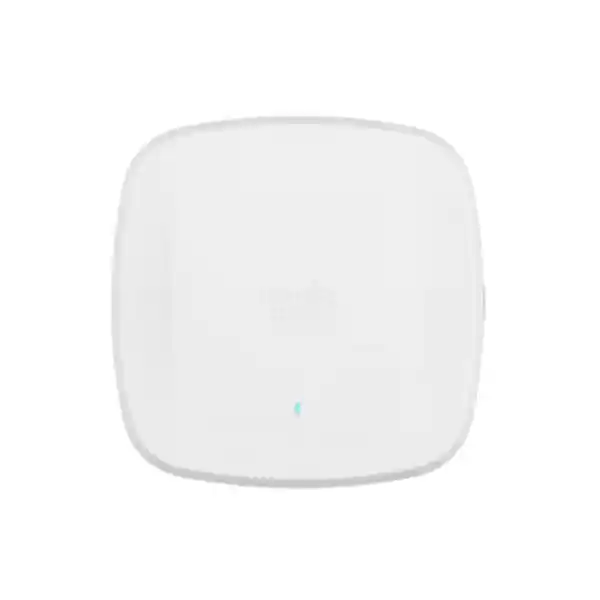
Cisco Meraki CW9166D1-MR Wi-Fi 6E Directional Access Point Dubai
The CW9166D1-MR is the Meraki Dashboard-managed version of Cisco’s Catalyst 9166D1 platform, combining tri-band Wi-Fi 6E capability with an integrated directional antenna. It is intended for business environments where coverage must be deliberately aimed into a defined seating zone, corridor, hall, training area, warehouse aisle, high-density room or other bounded service area rather than radiated evenly in every direction.
Direct answer: what is the Cisco Meraki CW9166D1-MR?
What exactly is it?
A high-performance indoor Wi-Fi 6E access point using Cisco’s Catalyst 9166D1 hardware platform with Meraki Dashboard cloud management and an integrated directional antenna system.
What is it mainly used for?
Providing intentionally shaped wireless coverage and high capacity in enterprise areas where a directional RF pattern is preferable to the 360-degree style coverage of an omnidirectional indoor AP.
Who should consider it?
Organizations with high client density, challenging room geometry, long or focused coverage zones, Wi-Fi 6E-capable clients, multigigabit switching, or a need to reduce RF spill outside a targeted service area.
What must be confirmed first?
The antenna orientation and RF design, regulatory availability of 6 GHz, switching and PoE capability, Meraki licensing model, and whether the flex radio will operate in 6 GHz or as a second 5 GHz radio.
What can FourTeck determine?
FourTeck can help translate floor plans, user counts, device mix, existing network equipment and coverage objectives into a practical AP quantity, switch-port, PoE, licensing, mounting and deployment scope for a Dubai or UAE project.
Why the CW9166D1-MR is different from a normal indoor access point
The defining characteristic of the Cisco Meraki CW9166D1-MR is not simply that it supports Wi-Fi 6E. Many enterprise access points support 2.4 GHz, 5 GHz and 6 GHz. The more important distinction is that the CW9166D1 integrates a directional antenna system into the same enclosure as the access point. That changes the way the product should be selected, mounted and evaluated. An omnidirectional ceiling AP is normally positioned to radiate around itself and serve an approximately circular or cell-like area. A directional AP is chosen when the installer wants the strongest useful energy to be projected toward a particular area, with less emphasis on the space behind or beside the antenna pattern.
Cisco specifies 6 dBi peak antenna gain for the CW9166D1 on 2.4 GHz and the primary 5 GHz radio with an approximately 70-by-70-degree directional pattern. The flex 5 GHz radio and 6 GHz operation are specified with 8 dBi peak gain and an approximately 60-by-60-degree directional pattern. Those numbers are valuable because they show why the unit can serve focused spaces, but they should not be converted directly into a promised coverage distance. Real usable coverage depends on transmit-power limits, client transmit power, channel width, required modulation rate, interference, ceiling height, wall materials, shelving, glass, people, furniture, attenuation at 6 GHz and the orientation of the AP itself.
The CW9166D1-MR therefore belongs in a wireless design rather than a simple product-count exercise. A project that says “we have 600 square metres, so we need three access points” is not enough information. A directional AP can be excellent in a lecture theatre or a long high-density collaboration zone, but the same antenna pattern may be a poor match for a square open-plan office where coverage is needed evenly in all directions. The correct question is not whether the CW9166D1 is powerful; it is whether its RF geometry aligns with the area that needs service.
The “-MR” suffix matters as well. Cisco lists CW9166D1-MR as the Meraki cloud-managed version. That means configuration, monitoring, firmware workflows, analytics and policy are managed through the Meraki Dashboard rather than treating the product as a standalone access point. A buyer replacing an existing Meraki MR deployment may find that operational model familiar. A buyer using Catalyst 9800 controller-managed wireless should verify whether the intended SKU and management mode match the target architecture, rather than assuming every CW9166D1 order is interchangeable.
Core technical specifications that matter to a buyer
| Specification | CW9166D1-MR detail | Buyer relevance |
|---|---|---|
| Wireless generation | 802.11ax / Wi-Fi 6E, with backward support for relevant 802.11ac and 802.11n capabilities. | Enables 6 GHz operation for compatible clients while continuing to serve legacy-capable devices on 2.4 and 5 GHz. |
| Client-serving radios | 4×4:4 on 2.4 GHz, 5 GHz and the flex 5/6 GHz radio. | Useful for dense enterprise networks, but actual client throughput depends on endpoint capabilities, airtime use and channel conditions. |
| Aggregate PHY rate | Up to approximately 7.78 Gbps across the tri-radio configuration. | This is an aggregate radio figure, not a single-client or guaranteed application throughput figure. |
| Integrated antenna | Directional: 6 dBi on 2.4 GHz and primary 5 GHz, with 8 dBi on the flex 5 GHz / 6 GHz path. | Mounting angle and AP placement become central design decisions because the strongest service area is intentionally shaped. |
| Ethernet uplink | 1 x 100M/1G/2.5G/5G Multigigabit Ethernet RJ-45. | A 5 Gbps-capable switch port gives the AP more wired headroom than a 1 Gbps uplink, especially in high-capacity designs. |
| Power | 802.3at PoE+ or 802.3bt; DC input is also supported. Cisco lists 802.3af only for staging with radios disabled. | Existing switches must be checked for per-port PoE capability and total PoE budget, not just port count. |
| Scanning / security radio | Dedicated tri-band Air Marshal WIDS/WIPS, spectrum-analysis and location-related radio functions. | Dedicated monitoring supports RF visibility and wireless security without relying only on the client-serving radios. |
| BLE / IoT | 2.4 GHz Bluetooth Low Energy radio with beacon and scanning support. | Relevant where organizations use location, sensor or BLE-enabled operational workflows. |
| Dimensions | Approximately 241.3 x 241.3 x 57.9 mm. | Ceiling, wall and arm-mount clearances should be checked, particularly where the antenna must be aimed. |
| Weight | Approximately 1.59 kg. | Mounting substrate and bracket selection need to support the hardware securely. |
| Operating environment | Cisco lists -20°C to 50°C operating temperature and non-condensing humidity limits in its CW9166D1 documentation. | The product is an indoor AP; UAE projects must still consider ceiling void heat, dust exposure and actual installation conditions. |
Specification figures are useful for screening a product, but they do not replace a site-specific wireless design. A 4×4 radio can communicate with 2×2 clients, but the client will not suddenly become 4×4. A 5 Gbps uplink can provide wired headroom, but it does not mean each associated device receives multi-gigabit application throughput. The value of the CW9166D1 comes from how its radio architecture, antenna pattern, switching, licensing and RF plan work together.
Directional antenna planning: the most important reason to choose or reject this model
For many buyers, “directional antenna” sounds like a stronger version of a normal access point. That is not the right way to evaluate the CW9166D1. Directionality changes where energy is concentrated. Imagine illuminating a room with a floodlight rather than a bare bulb. Both can be bright, but the floodlight is deliberately aimed. In Wi-Fi, that can help concentrate useful RF energy into seating blocks, training rooms, warehouse aisles, long collaboration spaces and other defined zones. It can also reduce unnecessary coverage behind the AP compared with a more uniform antenna pattern.
The CW9166D1’s specified beamwidth is narrower on the flex 5/6 GHz path than on the 2.4/primary-5 GHz paths. That means coverage geometry can differ by band. A client at the edge of the intended service area may see a different signal experience on 6 GHz than it does on 2.4 GHz, even before considering the naturally higher path loss of the 6 GHz band. For a serious Wi-Fi 6E deployment, the design should therefore be driven by the higher-frequency service requirement rather than assuming that adequate 2.4 GHz coverage proves adequate 6 GHz coverage.
Orientation is equally important. A directional AP installed flat on a ceiling may not serve the same area as one mounted on a wall or articulating arm. Cisco supports multiple mounting approaches and lists an optional articulating arm for the platform. The installer should know where the antenna boresight points, what the intended half-power coverage zone is, and whether the chosen angle aligns with user locations. A small change in angle can move the strongest part of the pattern away from desks or seating, especially over long distances or from high ceilings.
Directional coverage can also help with channel reuse, but only when the wider RF plan supports it. Reducing RF spill into adjacent areas may make it easier to reuse channels, yet walls, reflections, adjacent APs, nearby tenants and client behaviour still affect interference. A directional AP is not a substitute for channel planning, transmit-power management or spectrum analysis. Meraki’s RF-management features can help automate parts of the process, but the physical placement determines the starting conditions that software must work with.
A useful pre-sales test is to sketch the desired service zone on a floor plan and draw the approximate direction in which the access point would face. If the target area naturally resembles a wedge or bounded rectangle extending away from the mounting point, the CW9166D1 may be a strong candidate. If users surround the AP in every direction, an omnidirectional model such as the CW9166I can be more natural. That comparison prevents a buyer from selecting the D1 variant simply because the antenna gain number is higher.
The flex radio decision: 6 GHz or dual 5 GHz
One of the most important CW9166D1 deployment facts is that the third client-serving radio is flexible. Cisco documents that it can operate in 6 GHz or as an additional 5 GHz radio. In the Meraki installation guidance, the out-of-box configuration is described as dual-5-GHz mode, and administrators can enable 6 GHz through the RF profile configuration in the Meraki Dashboard. That creates a meaningful design choice rather than a simple “Wi-Fi 6E on or off” checkbox.
When 6 GHz is attractive
Use the 6 GHz option when the client population includes enough 6 GHz-capable devices to benefit from additional spectrum, cleaner channels and Wi-Fi 6E operation. This can be valuable for modern laptops, selected phones and high-performance enterprise endpoints in dense environments. The design still needs to account for shorter practical coverage at higher frequencies, regulatory availability, compatible security settings and the fact that legacy clients cannot use the 6 GHz band.
When dual 5 GHz can make sense
If most client devices are 5 GHz-capable but not 6 GHz-capable, a second 5 GHz radio can provide additional airtime capacity without depending on a 6 GHz client refresh. Cisco notes channel partitioning in dual-5-GHz operation, which helps the two radios avoid operating over the same 5 GHz channel set. This mode can be practical for organizations with a large installed base of Wi-Fi 5 and Wi-Fi 6 clients.
The right choice can vary by site and even by RF profile. A new executive training centre with current-generation laptops may justify 6 GHz from day one, while a production floor with older handheld devices may get more immediate value from dual 5 GHz. The decision should follow the actual device inventory, application requirements and spectrum environment.
Capacity, clients and the difference between maximums and design targets
Cisco’s deployment documentation lists a scale figure of up to 1,200 clients total, with 400 clients per radio. That is a platform capability figure, not a sensible target for every real-world WLAN. Wireless capacity is constrained by airtime, client behaviour, packet sizes, application mix, retransmissions, minimum data rates, channel width and the slowest clients that consume disproportionate airtime. An access point can technically maintain many associations while delivering an experience that users consider poor if too many active devices compete for the same channel.
For sizing, active users matter more than simply counting every device that could associate. A 300-seat auditorium in which each attendee carries a phone and laptop can have 600 associated devices, but the application demand depends on what they are doing. A presentation with light web browsing is different from 300 simultaneous video calls. A warehouse may have fewer users but more latency-sensitive scanning traffic and roaming requirements. A design for a training room may prioritize consistent high modulation rates and low contention rather than maximum association count.
Channel width also changes the calculation. Wide 80 or 160 MHz channels can deliver high peak PHY rates to compatible clients, but they consume more spectrum and reduce the number of non-overlapping channels available for reuse. In dense deployments, narrower channels can often provide better aggregate capacity because more APs can operate on separate channels. The presence of 6 GHz spectrum changes that trade-off positively because more clean spectrum is available, but it does not make wide channels automatically correct for every environment.
The 4×4:4 radio design should similarly be treated as infrastructure capability rather than a guarantee of 4-stream clients. Many business laptops and phones use 2×2 radios. The AP can still benefit from 4×4 architecture through diversity and multi-user capabilities, but the link to an individual 2×2 client is constrained by that client’s radio. When a quotation is intended for a premium high-density environment, listing the major client device types helps determine whether the CW9166D1’s capabilities will translate into measurable user benefits.
A practical capacity plan therefore asks five questions: how many devices will be associated, how many will be active at the same time, what applications they will run, which bands and Wi-Fi generations they support, and what minimum user experience is required. Those answers are much more useful than quoting the theoretical 7.78 Gbps aggregate figure by itself.
Wired uplink and PoE: check the switch before buying the AP
5 Gbps multigigabit Ethernet
The CW9166D1 has a single RJ-45 uplink that negotiates at 100 Mbps, 1 Gbps, 2.5 Gbps or 5 Gbps. Connecting it to a 1 Gbps switch does not stop the access point from functioning, but it can place a lower wired ceiling beneath a radio platform designed for much higher aggregate capacity. For new high-density installations, a 2.5 or 5 Gbps access switch is worth evaluating so the wired edge is not the obvious bottleneck.
802.3at versus 802.3bt
Cisco supports 802.3at PoE+ and 802.3bt. The deployment guide lists full radio operation at 802.3at and 802.3bt, with USB disabled under 802.3at and available with a 4.5 W allocation under 802.3bt. Where USB functionality matters, or where the organization wants the highest supported power mode, 802.3bt should be considered. LLDP should be enabled for proper power negotiation where applicable.
Total PoE budget matters
A switch can advertise enough PoE-capable ports yet still have an insufficient total power budget for a full AP rollout. For example, a 48-port switch populated with many high-power APs can hit its chassis power limit before all ports are energized at the desired class. The quotation should therefore include switch model, power-supply configuration, number of APs and any other PoE devices sharing the switch.
Cabling needs verification
A 5 Gbps mGig link is only useful when the installed cabling, patch panels, terminations and switch port support it reliably. Existing structured cabling should be assessed, particularly in older buildings or long cable runs. A project can otherwise pay for a multigigabit AP and switch while negotiating at a lower speed because the physical layer cannot sustain the intended rate.
Cisco lists MA-INJ-6 and compatible Cisco power injectors as options, plus DC power support. Injectors can solve individual-port power issues, but they add devices, cabling and maintenance points. For larger deployments, a correctly sized multigigabit PoE switch is usually cleaner operationally. The right answer depends on whether the project is refreshing switching or adding a small number of access points to an existing network.
Meraki licensing is part of the product decision, not an afterthought
The CW9166D1-MR is designed around Meraki cloud management, so licensing must be included in procurement planning. Cisco Meraki currently supports Subscription Licensing and Co-Termination for organizations, while Per-Device Licensing remains relevant only to existing organizations that already use that legacy model. The exact license SKU and commercial term should therefore be selected according to the customer’s existing Meraki organization, desired feature tier and renewal strategy rather than adding a generic “one-year license” line by assumption.
For co-termination environments, Meraki MR licenses are model-agnostic. Cisco documents MR Enterprise, MR Advanced and MR Upgrade options, with the organization operating under a consistent MR product edition. MR Upgrade is not a standalone AP license; it is used to move an existing MR Enterprise environment toward the advanced feature set. This matters when a customer has an established Meraki estate. Buying a CW9166D1 without checking the current organization edition can create an avoidable mismatch in the order.
Subscription Licensing uses a different framework, with wireless tiers such as Essential and Advantage. Cisco states that licensing model mixing is not supported within a single organization. A buyer moving from co-term to subscription should treat that as an organization-level lifecycle decision, not a per-access-point tweak. The right quotation should therefore capture the current dashboard organization, current license model, renewal date or subscription status, number of existing MR devices and the desired feature tier.
Licensing also changes the operational value received from the hardware. Standard Meraki capabilities include centralized management, firmware workflows, policy, monitoring and security features, while advanced tiers add selected capabilities depending on the licensing model. Feature entitlements change over time, so the project should verify the current Cisco Meraki license guide when a specific advanced feature is mandatory. The purchase decision should not depend on a historical feature matrix copied from an old quote.
Cloud management, RF intelligence and wireless security
A major reason to buy the CW9166D1-MR instead of selecting hardware only on radio specifications is the Meraki operating model. The access point is configured and monitored through the Meraki Dashboard, allowing administrators to manage SSIDs, RF settings, policy, firmware, client visibility and network health across sites. For distributed UAE businesses, this can reduce the need to manage each access point locally. It also makes standardized templates and organization-wide visibility practical when multiple branches use the same Meraki platform.
The platform includes a dedicated scanning radio used for functions such as Air Marshal wireless intrusion detection and prevention, RF spectrum analysis and location analytics. That separation is useful because security and RF monitoring do not need to depend solely on temporarily taking client-serving radios away from normal service. In a high-density environment, maintaining visibility into interference and rogue activity while preserving service capacity is operationally valuable.
Cisco also highlights Layer 7 traffic shaping, which can classify application traffic and apply per-application limits or priorities. That does not replace WAN capacity planning or a full security architecture, but it gives wireless administrators a way to enforce user-experience policy closer to the access layer. In training centres, guest environments or shared offices, limiting recreational traffic while protecting business applications can help maintain predictable performance.
Enterprise authentication options and WPA3 support should be aligned with the client estate. In a 6 GHz deployment, Protected Management Frames are part of the security requirements of the band. Legacy devices that cannot support the required security model will continue using 2.4 or 5 GHz rather than 6 GHz. This is another reason to inventory client capabilities before enabling a tri-band RF profile across a site.
Meraki management simplifies many operational tasks, but it does not remove the need for architecture. VLAN design, DHCP, DNS, identity integration, firewall policy, switching, WAN resiliency and upstream routing still determine whether a wireless user actually reaches business services. A successful CW9166D1 deployment therefore treats the AP as part of an end-to-end network, not as an isolated radio.
Deployment workflow for a Dubai or UAE business site
A structured deployment reduces the risk of discovering RF, power or licensing issues after the access points have been mounted. The following sequence is deliberately practical: it starts with the service requirement, then works backward through RF, switching, licensing and installation.
Define the user experience
Document the number of users and devices, important applications, required roaming behaviour, target locations and service expectations. A high-density classroom, warehouse aisle and executive meeting suite may all use Wi-Fi, but they require different capacity and coverage decisions.
Map the directional service zone
Mark where the AP can be mounted and where users need the strongest coverage. Confirm ceiling height, wall material, aisles, obstructions and whether the antenna can physically point toward the intended zone. If users surround the proposed mounting point, reconsider whether a directional model is appropriate.
Review client capabilities
List representative laptops, phones, scanners, tablets and IoT devices. Identify Wi-Fi 6E support, maximum spatial streams, 5 GHz capability, WPA3 support and any devices restricted to 2.4 GHz. This determines whether 6 GHz delivers immediate value.
Choose the flex-radio strategy
Decide whether the site benefits more from 6 GHz or dual 5 GHz. The answer can depend on device refresh cycles, spectrum congestion and the physical coverage objective. Do not enable 6 GHz simply because the hardware supports it.
Validate mGig and PoE
Confirm the access switch model, port speed, PoE standard, available PoE budget and structured cabling. If the switch can only supply 1 Gbps and limited PoE+, document that constraint before the AP order is placed.
Confirm licensing and Dashboard ownership
Record the Meraki organization, current licensing model and desired tier. For a new environment, decide how the organization will be licensed. For an existing environment, align the new AP with the established model.
Mount, aim and commission
Install the AP with the correct bracket or articulating mount, verify link speed and power negotiation, claim it to the intended Dashboard network, apply the RF profile, allow firmware processes to complete and confirm SSID/VLAN behaviour.
Validate with real clients
Check coverage, roaming, channel use, client band selection, packet loss and application experience at the edges of the intended zone. Directional coverage should be validated where users actually work, not only beneath the AP.
Dubai installation considerations that can change the design
Dubai sites vary widely: modern office towers, warehouses, retail units, hospitality spaces, training centres and industrial buildings can place very different demands on indoor wireless. The CW9166D1 is an indoor access point, so a project should not treat its broad operating-temperature range as permission to install it in exposed outdoor locations. If an AP is near loading bays, dusty areas, non-conditioned spaces or ceiling voids with elevated temperature, the installation environment should be checked against the product’s stated conditions and the building’s actual thermal behaviour.
Ceiling height matters because directionality magnifies geometry. An AP mounted at a normal office ceiling height and aimed down a meeting area creates a different coverage footprint from the same unit mounted many metres above a warehouse floor. In high-bay environments, the antenna angle, mounting arm and expected client height need to be part of the RF plan. Handheld scanners near the floor or on forklifts may experience coverage differently from laptops on desks.
Building materials matter as well. Reinforced concrete, metalized glass, lift cores, dense shelving, storage racks and partition systems can absorb or reflect RF. At 6 GHz, penetration through obstacles is generally less forgiving than at lower frequencies. A design that depends on a directional AP covering through several rooms or behind dense obstructions should be challenged early. It is usually better to place access points where the required band has a clear and predictable path to the client zone.
Finally, regulatory operation is country-specific. The availability and permissible use of 6 GHz channels should be verified for the UAE at deployment time, particularly for projects with strict channel or transmit-power expectations. Hardware capability alone does not override local spectrum rules. FourTeck can align the proposed BOM with the intended UAE deployment and can coordinate broader infrastructure requirements through FourTeck IT Services UAE when installation, cabling or network integration is part of the scope.
Where the CW9166D1-MR fits well
Training and lecture rooms
A defined seating area can align naturally with a directional pattern. High client counts and modern laptops can also benefit from 4×4 infrastructure, Wi-Fi 6E spectrum and multigigabit switching. Capacity should still be designed for simultaneous activity rather than seat count alone.
Warehouse aisles
When users or devices are concentrated along defined aisles, directional placement can be more efficient than throwing RF into racking or adjacent zones. Client roaming, mounting height, obstructions and 2.4/5 GHz device capabilities must be considered carefully.
Long collaboration zones
A long meeting, event or collaboration space can benefit when the AP can be mounted at one side and aimed toward the user area. The designer should validate edge coverage and avoid assuming that a high gain figure guarantees uniform performance along the full length.
High-density business areas
The 4×4 radio architecture, dedicated scanning radio and Meraki RF management make the platform suitable for demanding enterprise WLANs. Directionality can help contain cells, but channel width and AP spacing should be optimized for aggregate airtime capacity.
Focused guest coverage
Reception areas, event zones or tenant spaces sometimes need strong Wi-Fi in a bounded area without maximizing signal behind the AP. A directional design can be useful, while Meraki policy and Layer 7 controls provide an operational framework for guest access.
When another access point may be a better choice
The CW9166D1-MR should not be selected automatically because it is high-end. In a conventional open-plan office where users surround a ceiling-mounted AP, the omnidirectional CW9166I can fit the physical coverage requirement more naturally. The radio platform remains similar, but the antenna design changes how the cell is formed. If the requirement is simply broad indoor coverage rather than focused coverage, paying attention to antenna geometry is more important than choosing the model with the higher directional gain.
A smaller Wi-Fi 6E access point can also make sense where density is moderate and the site has many rooms. In that environment, more lower-cost APs placed close to users may outperform fewer high-capacity APs transmitting through walls. Products in the CW9162 or CW9164 class can be appropriate comparison points when the design does not require the CW9166D1’s particular combination of 4×4 radios and integrated directional antenna.
Conversely, a new project with a long lifecycle and a client refresh roadmap centred on Wi-Fi 7 may justify evaluating newer Cisco Meraki Wi-Fi 7 access points. That does not make the CW9166D1 obsolete for every requirement; Wi-Fi 6E remains capable and widely relevant. It simply means the buyer should align the hardware generation with the planned service life, client upgrade cycle, switch capabilities and budget.
Outdoor or semi-exposed requirements should use an access point designed for that environment. An indoor CW9166D1 should not be repurposed merely because a directional pattern is desired. Environmental sealing, mounting, temperature and regulatory characteristics are product-design issues, not optional accessories.
CW9166D1-MR versus nearby Meraki Wi-Fi 6E options
| Model family | General position | Antenna approach | When to compare it |
|---|---|---|---|
| CW9162 | General-purpose Wi-Fi 6E | Integrated omnidirectional indoor design | Compare when the site has moderate density and the cost/capacity balance matters more than maximum radio capability. |
| CW9164 | High-performance Wi-Fi 6E | Integrated omnidirectional indoor design | Compare for business environments that need more capability than entry Wi-Fi 6E but do not require directional coverage. |
| CW9166I | Ultra-high-performance Wi-Fi 6E | Integrated omnidirectional antennas | Compare when the radio performance class is right but users are distributed around the AP rather than concentrated in one direction. |
| CW9166D1 | Ultra-high-performance Wi-Fi 6E | Integrated directional antennas | Choose when focused RF coverage is a deliberate part of the design and the site can use the 4×4 radio and mGig capabilities. |
| MR57 | Ultra-high-performance Wi-Fi 6E in the Meraki MR family | Integrated indoor antenna approach | Compare when the customer is standardizing around established MR-family hardware and wants similar high-end Wi-Fi 6E positioning without the D1 directional pattern. |
Model selection should follow the RF survey, client population and infrastructure plan. The best wireless design is often not the one with the most expensive AP. It is the one that places appropriate radios and antenna patterns close enough to users, on appropriate channels, with enough wired and PoE capacity behind them.
What affects an accurate CW9166D1-MR quotation
A useful quotation should represent the deployable system, not only the AP part number. The following inputs change hardware quantity, licensing, accessories, switching or implementation effort.
AP volume affects licensing count, PoE budget, switching, staging and installation logistics.
Directional AP quantity cannot be estimated responsibly without understanding room geometry and where the units can be aimed.
Wi-Fi 6E adoption, device density and application demand influence AP count and the 6 GHz versus dual-5-GHz choice.
Port speed, PoE class, PSU capacity and available ports determine whether access switching must be upgraded.
Subscription, co-term or legacy PDL status changes the applicable license path and renewal handling.
Standard brackets, articulating arms, injectors or DC adapters should be included only when the installation requires them.
Survey, cabling, mounting, configuration, migration, testing and documentation can be quoted separately from hardware.
Business-hours versus managed support, change control and multi-site operational needs can affect the service package.
Migration considerations for existing wireless networks
Replacing older access points with CW9166D1-MR units should not be treated as a one-for-one physical swap unless the antenna pattern and coverage design are intentionally equivalent. A directional AP placed where an omnidirectional AP used to sit can shift the cell in ways that create new weak areas or excessive overlap. Migration is an opportunity to revisit AP location, orientation and channel plan rather than simply reproducing the old layout.
Switching is another common migration dependency. Older APs may have used 1 Gbps uplinks and lower PoE requirements. The CW9166D1 can use a 5 Gbps mGig link and higher power classes, so the existing access layer should be checked before rollout. If a switch refresh is required, cabling certification and uplink capacity from the access switch to the distribution/core layer should be reviewed at the same time. Moving a bottleneck one hop upstream does not improve the end-to-end user experience.
SSID and security migration also needs care. New 6 GHz service can require a more modern security posture than legacy clients support. Rather than weakening the new WLAN to accommodate old devices, many organizations keep legacy equipment on 2.4/5 GHz while enabling 6 GHz for compatible endpoints. The exact SSID design, band steering, minimum data rates and authentication approach should be tested with representative devices before broad deployment.
For existing Meraki customers, templates and Dashboard settings can accelerate deployment, but copying an old RF profile unchanged can also carry forward assumptions from a previous AP generation. Channel widths, transmit power ranges and flex-radio settings should be revisited for Wi-Fi 6E. A new access point platform deserves a fresh RF decision even when the operational platform remains Meraki.
For customers migrating from another vendor or from controller-based wireless, the project should include inventory, SSID/VLAN mapping, authentication dependencies, guest access, firewall rules, monitoring integrations and rollback planning. Staging a small pilot area allows the team to validate directional coverage and client behaviour before committing to a full-site mounting plan.
Operational planning after installation
Wireless networks change after deployment because client populations, neighbouring RF sources, application demand and office layouts change. The CW9166D1-MR provides Dashboard visibility that helps administrators monitor clients, RF conditions and performance, but useful operations still depend on having thresholds and review processes. High retry rates, frequent channel changes, clients stuck on 2.4 GHz or unexpected wired-link negotiation can reveal issues that are not obvious from a simple “AP online” status.
Firmware should be managed as an operational lifecycle, not ignored after commissioning. Meraki cloud management simplifies scheduling and provides centralized firmware workflows, yet organizations with critical sites should still define maintenance windows and understand application sensitivity. Pilot networks can be used to observe new firmware before broader adoption when change-management requirements are strict.
Directional access points also deserve a physical check after office changes. If partitions are moved, shelving is added or the purpose of a room changes, the antenna may still be pointing at the old target zone. A network health review should therefore consider both Dashboard metrics and the physical environment. Software cannot correct a fundamentally misdirected antenna.
Organizations that want ongoing network assistance can use Firewall Dubai by FourTeck for broader network-security context or coordinate managed infrastructure requirements with the UAE team. Wireless performance and security are tightly connected to the upstream network, so support ownership should be clear before faults occur.
Frequently asked buyer questions
Is the CW9166D1-MR a Wi-Fi 6E access point?
Yes. It supports 802.11ax operation across 2.4 GHz and 5 GHz, with a flex radio that can be configured for 6 GHz Wi-Fi 6E operation. In Meraki’s documented default mode, the third radio can operate as a second 5 GHz radio; 6 GHz can be enabled through the appropriate RF profile. That flexibility lets the deployment follow the actual client mix.
What does D1 mean in practical terms?
The D1 variant uses an integrated directional antenna rather than the omnidirectional antenna approach of the CW9166I. The key implication is coverage shape. It should be aimed at a target service area. Buyers should select it because directional RF geometry solves a design problem, not simply because its antenna-gain number is higher.
Does it require a Meraki license?
The -MR model is intended for Meraki cloud management, so the applicable Meraki licensing or subscription entitlement is part of a proper deployment. The exact SKU depends on the organization’s licensing model and tier. Existing Meraki customers should provide their current organization licensing model before the order is finalized.
Can I power it with ordinary 802.3af PoE?
Cisco documents 802.3af for staging with the radios off rather than normal full operation. For production service, plan for 802.3at PoE+ or 802.3bt. If USB functionality is required, check the power mode because Cisco notes that USB is disabled under 802.3at and available with power allocation under 802.3bt.
Do I need a 5 Gbps switch port?
The AP can negotiate down to 2.5 Gbps, 1 Gbps or 100 Mbps, so 5 Gbps is not an absolute requirement for basic connectivity. However, a high-density deployment can benefit from mGig switching because a 1 Gbps uplink can become a more obvious bottleneck. The switch recommendation should be based on expected aggregate traffic and the broader access-layer design.
Will every user get multi-gigabit Wi-Fi?
No. The 7.78 Gbps figure is a theoretical aggregate PHY capability across the radio configuration. A user’s real throughput is affected by client radio capability, signal quality, channel width, protocol overhead, airtime contention, interference, wired path, internet connection and application server performance. Product selection should be based on capacity and user-experience goals, not the top aggregate number alone.
Is 6 GHz always better than using the second 5 GHz radio?
No. 6 GHz is attractive when enough clients support it and the site benefits from additional clean spectrum. Dual 5 GHz can provide more immediate capacity to a large installed base of Wi-Fi 5 and Wi-Fi 6 clients. The flex-radio choice should follow endpoint capabilities and spectrum demand. A staged deployment can use different profiles as the client estate evolves.
How many users can one CW9166D1 handle?
Cisco lists a platform scale of up to 1,200 clients total, but a professional design should use application demand, active-user count and airtime capacity rather than treating 1,200 as a recommended production target. Hundreds of idle associations are different from hundreds of simultaneous video, voice or data-intensive sessions. High-density spaces typically use several cells designed for channel reuse and service quality.
Can the CW9166D1 be mounted on a wall?
Cisco documentation supports wall, ceiling, desktop and pole-related mounting approaches and lists an optional articulating arm. The mounting method should be selected to orient the directional pattern correctly. The key requirement is not merely whether the bracket fits; it is whether the final angle points the useful RF energy toward the client zone.
Is it suitable for outdoor use in Dubai?
It should be treated as an indoor access point. A broad operating-temperature range does not provide the environmental sealing of an outdoor AP. For exposed areas, covered loading zones or high-dust environments, use a model designed and rated for the intended conditions rather than adapting an indoor unit around the problem.
Does the CW9166D1 replace a wireless survey?
No. Directionality makes survey and placement decisions more important, not less. Predictive design can establish an initial plan, while post-install validation confirms actual coverage, interference and roaming. For complex venues, validation with representative clients in the intended service zones is strongly recommended.
What should I provide to get a useful quote?
Provide the exact model request, quantity, site location, floor plan, expected user/device count, key applications, existing switch model, desired 6 GHz use, current Meraki licensing model, required license term or subscription preference, mounting constraints and whether survey, cabling, installation, configuration or migration services are needed. That allows the BOM to address the complete deployment rather than hardware alone.
UAE procurement and availability guidance
For UAE procurement, the exact Cisco part number, regulatory availability, lead time, licensing and accessories should be confirmed at quotation time. Cisco notes that regulatory approvals vary by domain, so a generic international listing should not be assumed to represent the exact UAE orderable configuration. The requested hardware here is CW9166D1-MR, which Cisco identifies as the Meraki cloud-managed variant.
A complete BOM can include the AP, applicable license or subscription, mounting hardware where the standard bracket is not sufficient, optional articulating arm, appropriate power source where switch PoE is unavailable, and any access-switch or cabling upgrade required to use multigigabit Ethernet. Installation and survey services should be kept visible as service lines so the buyer can distinguish product cost from deployment effort.
For broader company information, buyers can review FourTeck. Dubai/UAE customers can use the regional team to coordinate networking, switching, security and deployment requirements rather than sourcing the access point in isolation.
Decision recap: is the CW9166D1-MR right for this project?
Model fit
Strong candidate when a defined directional coverage zone and high-performance Wi-Fi 6E are both relevant. Compare CW9166I if broad omnidirectional indoor coverage is the better physical match.
Capacity
Size by active devices, applications, channel plan and required service level. Do not design to the 1,200-client platform maximum or 7.78 Gbps aggregate figure alone.
Licensing
Confirm whether the Meraki organization uses subscription, co-term or an existing legacy PDL model, then select the correct wireless tier and term.
Infrastructure
Validate mGig switch speed, PoE class, total PoE budget and cabling. A high-end AP can be constrained by an old 1 Gbps/low-power access layer.
RF profile
Choose 6 GHz or dual 5 GHz based on the real client population and spectrum strategy. Wi-Fi 6E capability is valuable only where compatible clients and regulation allow it to be used.
Installation
Aim the directional antenna deliberately and validate the completed cell with real clients. Mounting angle is part of the RF design, not a cosmetic installation choice.
What FourTeck needs from the buyer
For an accurate CW9166D1-MR quotation and deployment recommendation, the following information is the most useful. Not every project needs a full survey before budget pricing, but the more of these inputs are available, the less the BOM has to rely on assumptions.
Confirm CW9166D1-MR and whether alternatives may be considered.
Number of APs, buildings, floors and UAE site locations.
Room dimensions, ceiling heights and available mounting points.
Peak concurrent users plus representative laptops, phones, scanners and IoT devices.
Voice, video, collaboration, guest access, scanning or other latency/capacity-sensitive workloads.
Switch make/model, free ports, PoE budget and current cabling category.
Subscription, co-term or existing PDL, plus current tier and renewal position where known.
Supply only, predictive design, survey, installation, cabling, migration, testing or ongoing support.
Plan the Cisco Meraki CW9166D1-MR around the coverage zone, not just the part number
The CW9166D1-MR can be an excellent fit for a demanding Dubai or UAE wireless project when its directional pattern, 4×4 Wi-Fi 6E radios, multigigabit uplink and Meraki cloud model align with the actual site. The buying risk comes from ordering it as a generic high-end AP without checking antenna direction, flex-radio strategy, PoE, switching, licensing and client capabilities. A short design review before procurement is usually more valuable than correcting those dependencies after installation.

Reviews
There are no reviews yet.