
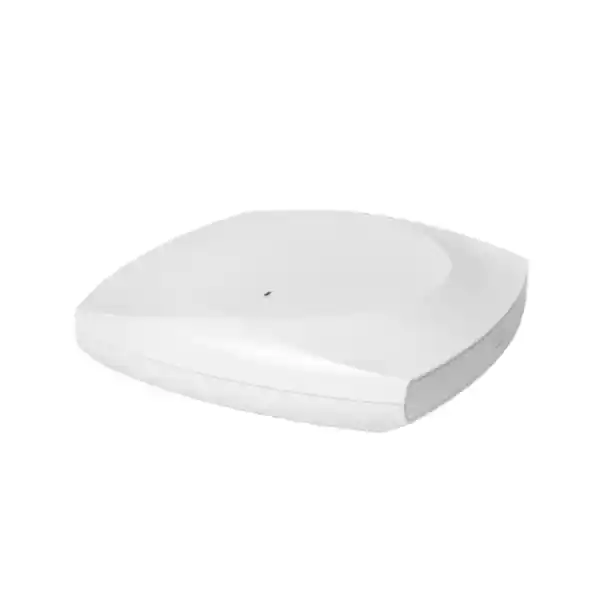
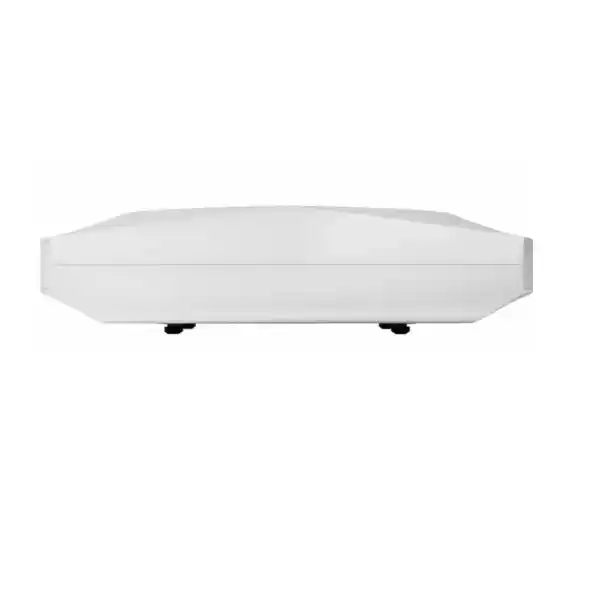
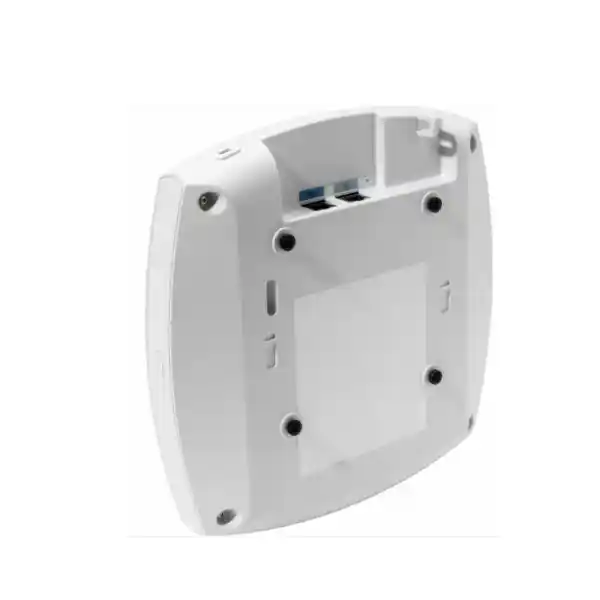
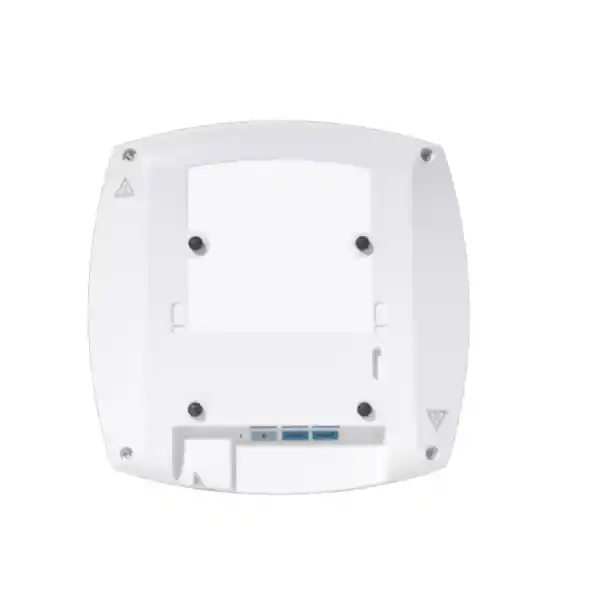
Cisco Meraki CW9178I Wi-Fi 7 Access Point Dubai
The Cisco Meraki CW9178I is designed for organizations that need very high wireless capacity, modern 6 GHz access, strong RF visibility and a migration-friendly management model. It is an indoor omnidirectional Wi-Fi 7 platform with four client-serving radios available in quad-radio mode, dedicated wireless security and spectrum scanning, BLE capability, built-in positioning features, dual 10GbE multigigabit ports and support for either Meraki cloud management or Cisco Catalyst controller-based operation.
Direct answer: what is the Cisco Meraki CW9178I?
The Cisco Meraki CW9178I is an indoor, omnidirectional, enterprise Wi-Fi 7 access point built for high-density and performance-sensitive wireless environments. It can serve clients across the 2.4 GHz, 5 GHz and 6 GHz bands, and it can operate with a dual-5-GHz quad-radio configuration where deployment requirements justify the additional radio capacity. The platform is intended for offices, education, healthcare, retail, hospitality, large collaboration spaces and other environments in which client density, application responsiveness and spectrum visibility matter.
Organizations should consider it when ordinary Wi-Fi 6 or Wi-Fi 6E access points are approaching their capacity ceiling, when a new site is being designed around Wi-Fi 7 clients, when 6 GHz is part of the wireless strategy, or when a business wants a common hardware platform that can be managed in the Meraki cloud or through a supported Cisco Catalyst 9800 architecture.
The most important factor to confirm is not simply the access point model. The surrounding design has to support the AP. Full operation can require 802.3bt power, multigigabit switching and cabling, the correct wireless subscription, suitable switch port capacity, regulatory permission for the intended bands, and a channel plan based on a current RF survey. A powerful AP connected to an undersized PoE port or a 1Gbps access switch can still work in a constrained state, but the resulting network may not deliver the performance that justified buying the higher-end model.
FourTeck can help determine whether CW9178I is the right tier for the site, how many units are appropriate, whether quad-radio mode is beneficial, what switching and PoE changes may be required, which licensing tier fits the management features, and whether a lower or different Cisco wireless model would be a more economical choice for some areas.
Where CW9178I sits in an enterprise wireless design
CW9178I is not a generic ceiling access point whose main value is merely adding another Wi-Fi signal. It sits toward the high end of Cisco’s current indoor Wi-Fi 7 portfolio and is intended to handle scenarios where radio capacity, wired uplink headroom, spectrum intelligence and client growth justify a more capable platform. Its 4×4 radio architecture across the available client bands, combined with an optional second 5 GHz client radio, makes it relevant where a single full-band 5 GHz radio would become a bottleneck before coverage itself becomes the problem.
That distinction matters in Dubai offices, event spaces, campuses and customer-facing environments because wireless design is usually driven by both coverage and capacity. A room can have excellent signal strength and still provide poor user experience when too many active clients contend for airtime, when wide channels are overused, when upstream switching is limited, or when the AP is power-constrained. CW9178I provides more tools and more radio resources to address those issues, but those resources need a coherent design around them.
For buyers planning a refresh from older Meraki MR or Cisco Catalyst access points, the key question is therefore not “is Wi-Fi 7 faster?” but “which parts of our environment can actually benefit from Wi-Fi 7 and higher radio density?” Some spaces may justify CW9178I, while corridors, small meeting rooms, storage areas or modest branch locations may be better served by a lower model in the same generation. A mixed model strategy can reduce cost while preserving performance where it matters most.
Core capabilities that affect real deployments
Quad-radio capacity
The platform can use 2.4 GHz, two 5 GHz radios and 6 GHz concurrently in quad-radio mode. In environments with many capable clients, splitting 5 GHz service across two radios can increase channel reuse and reduce contention. The value depends on local channel availability, cell size and neighboring AP placement, so it should be enabled as part of a deliberate RF plan rather than treated as a universal default.
6 GHz Wi-Fi 7 operation
The 6 GHz radio gives modern clients access to cleaner spectrum and very wide channels where local rules permit. Wi-Fi 7 adds features such as 4096-QAM, multi-link operation and 320 MHz channel support in 6 GHz. Real throughput depends on client support, channel planning, signal quality, regulatory limits and the wired path; advertised PHY rates are not equivalent to application throughput.
Dual 10GbE multigigabit
Two RJ-45 Ethernet ports can negotiate from 100 Mbps through 10 Gbps, subject to the selected power mode and infrastructure. This provides more uplink headroom and supports link-resilience designs. Buyers should verify switch port capability, PoE class, cabling quality and the intended redundancy topology before assuming both interfaces will operate at their maximum rate.
Dedicated RF and security scanning
A dedicated tri-band scanning radio supports spectrum analysis, location functions and continuous wireless security monitoring. This allows the AP to inspect the RF environment without consuming the client-serving radios for routine scanning. Some threat-containment behavior differs in 6 GHz because protected management frames are mandatory, so security expectations should be aligned with band-specific behavior.
Unified management choice
CW9178I is a global-use unified platform. Organizations can operate it with Meraki cloud management or with supported Cisco Catalyst 9800 wireless controllers and Cisco management tooling. This is especially useful for enterprises that want hardware continuity while their operational model changes, but migration planning still needs to account for configuration, feature and licensing differences between the environments.
IoT and location foundation
The access point includes BLE capability, built-in GNSS/GPS and ultra-wideband-related platform functionality, giving organizations a foundation for location-aware and IoT use cases in addition to ordinary WLAN access. The presence of these radios does not by itself deliver a complete location solution; applications, platform services, licensing and deployment geometry determine what outcomes are available.
Cisco Meraki CW9178I technical specifications
The table below focuses on specifications that commonly influence selection, switch design, installation and lifecycle planning. Country-specific wireless operation can vary, so final channel and power availability should be validated for the UAE deployment at the time of implementation.
| Specification area | CW9178I details |
|---|---|
| Product identity | Cisco Wireless 9178I / CW9178I, indoor access point with internal omnidirectional antennas; global-use hardware platform. |
| Wireless generation | 802.11be Wi-Fi 7 with backward support for relevant earlier 802.11 generations on the respective bands. |
| Client bands | 2.4 GHz, 5 GHz and 6 GHz. Quad-radio mode adds a second 5 GHz client-serving radio. |
| Spatial streams | 4×4:4 architecture across client radios; up to 16 spatial streams in quad-radio operation. |
| Maximum aggregate PHY rate | Up to 24 Gbps in quad-radio mode. This is an aggregate radio PHY figure, not an expected single-client application throughput measurement. |
| Wi-Fi 7 capabilities | 4096-QAM, multi-link operation, preamble puncturing, uplink/downlink OFDMA, target wake time, BSS coloring and channel widths up to 320 MHz in 6 GHz where supported. |
| Ethernet interfaces | 2 × RJ-45 multigigabit ports supporting 100M/1G/2.5G/5G/10G BASE-T. |
| Power | 802.3bt, 802.3at and 802.3af are supported with different feature and radio constraints. 802.3bt is required for the full operating profile. |
| Maximum PoE draw | Cisco documents up to 47 W in the 802.3bt Class 6 operating profile; power reservation can be higher depending on negotiation. Design switch budgets with margin. |
| Additional interfaces | RJ-45 management console and USB 2.0 host interface with up to a 9 W power budget when the required AP power profile is available. |
| Integrated radios and positioning | Dedicated RF/security scanning radio, BLE radio, built-in GPS/GNSS and integrated location-oriented platform capabilities. |
| Antenna gain | Internal omnidirectional antennas; published peak gain is 4 dBi at 2.4 GHz, 5 dBi at 5 GHz and 6 dBi at 6 GHz. |
| Dimensions and weight | Approximately 250 × 250 × 51 mm; about 1.87 kg. |
| Operating environment | Indoor operating temperature 0°C to 50°C and 10% to 90% non-condensing humidity. |
| Management modes | Meraki cloud management or supported Cisco Catalyst 9800 controller-based management. Controller deployments require compatible software releases and architecture. |
| Licensing | A Cisco Wireless subscription is required for full functionality. Essentials and Advantage tiers provide different feature entitlements. |
Understanding the 24 Gbps figure
The quoted 24 Gbps figure is useful for comparing the radio platform, but it needs to be interpreted correctly. It represents the aggregate theoretical PHY capability across the client-serving radios when the AP is operating in its quad-radio configuration. It does not mean that one laptop will transfer files at 24 Gbps, nor does it mean that the AP will sustain 24 Gbps of application throughput under real office conditions.
Actual performance is shaped by client radio capability, spatial streams, modulation, distance, obstacles, interference, channel width, packet overhead, retransmissions, airtime contention, switch uplink speed, upstream network capacity and application behavior. Many client devices use two spatial streams rather than four. Some devices will remain on 5 GHz or 2.4 GHz. Others may support 6 GHz but not the complete Wi-Fi 7 feature set. A mixed-client environment therefore behaves differently from a laboratory benchmark.
For a Dubai enterprise considering CW9178I because of high user density, the more meaningful question is how the additional radio resources improve aggregate user experience. The second 5 GHz radio can reduce the number of clients competing on one channel when the RF design has enough clean channels to support that arrangement. The 6 GHz radio can move compatible clients into additional spectrum. Multi-link operation can improve how supported Wi-Fi 7 devices use more than one link, depending on client implementation and software support.
This is why a high-capacity AP should be evaluated with a site survey and a capacity model. If a floor contains mostly low-traffic endpoints and ordinary laptops, a lower model may produce essentially the same business result. If a lecture hall, operations floor or event space has hundreds of active clients and demanding real-time traffic, the CW9178I’s extra radio capacity can be far more relevant.
Power is a design decision, not a footnote
CW9178I supports multiple PoE standards, but the available radio configuration, Ethernet speed and USB capability change with the supplied power. The full 4×4 quad-radio operating profile is associated with 802.3bt Class 6 power. In that mode, Cisco documents both 10GbE interfaces as available and USB operation supported.
With 802.3at PoE+, the access point can operate in a reduced profile. Depending on tri-radio or quad-radio configuration, radio spatial streams and Ethernet speed are restricted. Cisco’s current documentation also notes software-dependent behavior around these restrictions, so the precise firmware release should be checked during design and commissioning.
With 802.3af PoE, the platform is heavily constrained and should not be treated as a normal production power target for a high-performance Wi-Fi 7 deployment. If an existing switch cannot deliver the required power, options include replacing or augmenting the switch, using an appropriate 802.3bt injector, or reconsidering whether this access point tier is necessary in that location.
PoE checklist for a quotation
- Confirm whether the access switch supports 802.3bt on the intended ports.
- Check the switch’s total PoE budget, not only per-port capability.
- Include power headroom for all APs and other powered devices on the same switch.
- Verify LLDP/CDP power negotiation is available and correctly configured.
- If using injectors, confirm injector model, local power cord and mounting/placement requirements.
- Validate cabling for both PoE delivery and the desired multigigabit link rate.
- Plan UPS runtime based on the complete switch PoE load rather than a nominal switch figure.
- Document any locations intentionally running in a reduced-power mode so later troubleshooting does not mistake the restriction for a wireless fault.
Wired infrastructure requirements: the AP is only one part of the upgrade
Wi-Fi 7 refresh projects often uncover limitations in the wired access layer. CW9178I has two multigigabit RJ-45 ports that can run up to 10 Gbps, but an installed switch estate may have only 1Gbps or 2.5Gbps PoE ports. Even when a 1Gbps uplink is sufficient for average traffic today, buying a high-end Wi-Fi 7 AP and connecting it permanently to a low-speed port can reduce the practical benefit of the investment.
Cabling should be assessed at the same time. Legacy horizontal cabling, poor terminations, long runs, patch-panel condition and intermediate couplers can prevent stable multigigabit operation even if the AP and switch are capable. A migration plan should identify which AP locations can support the target link rate and which require remediation. For brownfield offices, testing the installed cable plant before a large hardware purchase can prevent deployment-day surprises.
The second Ethernet port also changes design possibilities. Dual uplinks may be useful for resilience or capacity architecture, but they are not automatically valuable in every site. The switching design must support the intended redundancy behavior, VLANs, spanning or aggregation requirements where applicable, and failure-domain objectives. If the network is not designed to use the second link, the existence of two ports should not be treated as a reason by itself to select the model.
Upstream capacity deserves equal attention. A floor of high-performance APs can easily expose bottlenecks in switch uplinks, distribution links, internet circuits, security appliances, authentication services or application infrastructure. Wireless refresh planning should therefore review the full traffic path from client to application rather than stopping at the access point.
Meraki cloud or Cisco Catalyst management?
One of the most important characteristics of CW9178I is that the hardware is not locked to a single management philosophy. It can be deployed as a Meraki cloud-managed access point or in a supported Catalyst controller environment. That flexibility can protect the hardware investment when an organization is standardizing, merging networks, or changing operations over time. The two modes should still be treated as different operational choices rather than interchangeable user interfaces.
Choose Meraki cloud management when
The IT team values browser-based centralized management, simple remote provisioning, fleet-wide visibility, automated firmware workflows and a consistent operational model across distributed sites. Cloud management can be particularly attractive for multi-branch organizations, retail estates, hotels, education groups and businesses with a lean networking team.
The architecture still requires proper network planning, identity integration, security policy design and licensing. “Cloud managed” simplifies many operational tasks, but it does not remove the need for RF engineering or change management.
Choose Catalyst controller management when
The enterprise already operates Cisco Catalyst 9800 wireless controllers, has established IOS XE wireless processes, requires integration with existing campus architecture, or prefers controller-based management for operational or policy reasons. The minimum supported software release and feature dependencies should be checked against the exact controller and deployment design.
Controller capacity, redundancy, software lifecycle, feature parity and migration sequencing become part of the project. The access point can support this mode, but the surrounding controller architecture must be sized and maintained accordingly.
Licensing: Essentials versus Advantage should be decided before purchase
Cisco’s current Wi-Fi 7 licensing model uses Cisco Wireless subscriptions, with Essentials and Advantage tiers. An active license is required for full functionality. For Meraki-managed Wi-Fi 7 hardware, subscription documentation identifies CW9178I within the LIC-CW family. The licensing decision should be part of the original bill of materials because it affects both cost and the management features available to the organization.
Essentials includes the core capabilities expected for centralized management, zero-touch software maintenance, APIs and enterprise support. Advantage adds selected advanced capabilities, including features such as Adaptive Policy and AI-assisted radio resource management in supported environments. Exact entitlements can change across software releases and management modes, so a quotation should be matched to the buyer’s required feature list rather than chosen only by license name.
Subscription term is also a commercial planning issue. Cisco’s subscription framework supports multi-year terms, and organizations often want wireless renewal dates aligned with broader network or budget cycles. A project that includes dozens or hundreds of access points should define the intended term, support level, subscription ownership and Smart Account or Meraki organization structure before delivery. That avoids a situation where hardware arrives but cannot be brought into the intended production management environment cleanly.
If the organization is mixing Wi-Fi 7 with earlier Meraki or Catalyst access points, licensing should be reviewed as an estate-wide topic. Existing licensing models, renewal dates and management architecture may influence the cleanest migration path. A small proof-of-concept can be useful before committing a large campus to a new subscription model.
Wi-Fi 7 features and what they mean to users
Multi-Link Operation
MLO is one of Wi-Fi 7’s most important architectural changes because a compatible device can use more than one link across bands. Depending on client implementation, this can improve throughput, reduce latency or improve resilience. It is not a magic acceleration switch for every endpoint: both AP and client must support the relevant behavior, and the network design still controls available spectrum and contention.
320 MHz channels in 6 GHz
A 320 MHz channel can provide enormous PHY capacity to compatible clients, but it consumes a large amount of spectrum. In dense enterprise networks, narrower channels may deliver better overall capacity because they create more reusable channels. The correct width depends on the number of APs, local 6 GHz rules, interference, floor geometry and client behavior. Wide-channel capability should therefore be treated as an option, not a universal configuration target.
4096-QAM
Higher-order modulation can increase data carried in each transmission when signal quality is excellent. The benefit is strongest at high signal-to-noise ratios, usually closer to the AP and in relatively clean RF conditions. It should not be used to justify unrealistic coverage-cell sizes. As users move farther from the AP or encounter interference, the client automatically falls back to more robust modulation levels.
OFDMA and MU-MIMO
Uplink and downlink OFDMA, along with multi-user MIMO, improve how airtime is shared across multiple compatible devices. These technologies are especially relevant in dense enterprise networks because efficiency often matters more than peak rate. Client mix, traffic pattern and scheduling behavior determine the practical gain, and older clients still participate according to the capabilities they support.
6 GHz planning in the UAE: verify current regulatory conditions
CW9178I is a global-use access point, which simplifies hardware ordering because the same product ID can be used across multiple regulatory environments where the platform is certified. Global-use hardware does not mean every band, channel, channel width or transmit-power level is available identically in every country. The AP obtains and applies country-specific regulatory settings through the supported deployment mechanisms.
For a Dubai or wider UAE deployment, the implementation team should verify the current local regulatory rules for 6 GHz before finalizing the channel plan. This is particularly important because Wi-Fi 7’s headline features are frequently associated with 6 GHz operation and wide channels. A design based on assumptions from another country can lead to incorrect channel counts, power expectations or coverage predictions.
A professional survey should therefore model the actual allowed spectrum and the real client estate. If most endpoints do not yet support 6 GHz, the 5 GHz design remains critical. If a major device refresh is planned, the network can be designed with a growth path that moves an increasing portion of capable clients to 6 GHz over time.
Security and segmentation considerations
Enterprise wireless security is broader than the encryption mode configured on an SSID. CW9178I supports modern WPA3 options, 802.1X enterprise authentication, guest isolation, VLAN tagging, policy integration and real-time wireless intrusion detection and prevention functions. In a Meraki-managed deployment, the dedicated scanning radio feeds RF and security information into the management platform so the WLAN can monitor the air continuously without forcing the client-serving radios to spend their time on background scanning.
For corporate access, identity-based authentication is usually preferable to shared passwords because it supports individual accountability, stronger revocation and policy segmentation. Cisco ISE integration can be relevant when the organization already uses ISE for wired and wireless identity services. Guest networks should be designed separately from internal corporate access, with clear internet-only policy where appropriate and explicit decisions about captive portal, sponsor workflow, retention and compliance.
6 GHz introduces additional security behavior. Protected management frames are mandatory in the band, and some traditional rogue-containment mechanisms do not operate exactly as they do on 2.4 or 5 GHz. Security teams should therefore review the monitoring and containment model rather than assuming identical behavior across all bands. The result can still be a strong security posture, but operational playbooks should reflect the technology.
The access point’s Layer 7 visibility and traffic controls can help classify applications and apply policy, but those features should be coordinated with upstream firewalls, secure web gateways, SD-WAN policy and identity systems. Duplicating or conflicting controls at multiple layers can complicate troubleshooting. A clean design specifies which platform owns each enforcement decision.
High-density design: where CW9178I is most compelling
The strongest case for CW9178I is usually capacity, not raw coverage distance. In high-density rooms, many devices may be within excellent signal range of one AP, yet the available airtime on a single radio is insufficient. Typical examples include training centers, university lecture spaces, large meeting suites, hotel conference areas, event venues, trading or operations floors, busy clinic waiting areas, and open offices with dense seating plus multiple devices per employee.
Capacity planning starts with how many devices are active at the same time and what they are doing. A hundred phones receiving occasional notifications create a very different load from a hundred laptops in simultaneous video meetings. Voice, interactive collaboration, VDI, cloud desktop, high-definition video, software distribution and large file transfers all have different latency and throughput characteristics. The design should also estimate growth, because wireless hardware is normally expected to remain in service for several years.
The optional second 5 GHz radio can be useful when the local channel plan allows two appropriately sized 5 GHz cells from one physical AP location. However, adding radios without reducing cell size, managing transmit power and considering neighboring access points can increase contention rather than solve it. The RF design should model channel reuse across the floor rather than evaluating one access point in isolation.
Cisco documentation cites a high maximum client capacity per AP, but maximum association count is not the same as recommended design density. Business design should be based on acceptable per-user service levels, not the largest number of devices that can technically associate. A network can be “connected” while still being unusable for real work.
Practical use cases in Dubai and the UAE
Large corporate offices
Suitable for dense collaboration floors where employees carry laptops and phones, meeting rooms run continuous video calls, and the organization wants 6 GHz capacity for newer devices. CW9178I is most valuable in zones with genuine demand; lower-density areas may not require the same model.
Education and training
Lecture rooms and training halls can create sharp concurrency peaks when many students connect at once, stream content, run browser-based tools or submit assessments. Capacity modeling should use active-device counts and application behavior rather than floor area alone.
Healthcare facilities
Hospitals and clinics combine staff mobility, voice, tablets, medical applications, guest access and IoT. Wireless design must emphasize predictable roaming, segmentation, application priority and change control. Device certification and clinical-system compatibility should be checked separately.
Hotels and conference venues
Guest device counts can change rapidly and conference spaces may host far more active clients than ordinary guest rooms. A mixed AP design lets the higher-capacity CW9178I serve event zones while other models cover rooms and low-density spaces economically.
Retail and customer environments
Large retail sites may combine POS, handheld scanners, staff devices, digital signage, guest Wi-Fi and analytics. The AP’s security and location-oriented capabilities can be useful, but checkout and operational traffic should be isolated from guest and high-bandwidth consumer usage.
Technology and media teams
Teams moving large content files, using low-latency collaboration or adopting new Wi-Fi 7 workstations can benefit earlier than ordinary office users. The wired switching and application infrastructure must be able to absorb the higher traffic or the WLAN improvement will simply move the bottleneck elsewhere.
Site survey and AP placement
A Wi-Fi 7 upgrade should not be designed by replacing every old AP with a new AP in exactly the same location. That approach can work in some buildings, but it can also preserve weaknesses in the old design. The 6 GHz band has different propagation characteristics from 2.4 and 5 GHz, client capabilities change over time, and the new AP may support a different radio strategy. A survey provides evidence for placement rather than relying on historic mounting points.
Predictive design is useful for early planning because floor plans can estimate attenuation through walls, glass, doors and open areas. It should be calibrated with real measurements where possible. Post-install validation is equally important: the final network should be tested for coverage, signal-to-noise ratio, roaming, channel overlap, uplink performance and application experience after furniture, partitions and actual user devices are present.
Ceiling mounting is common for an internal-antenna omnidirectional AP, but physical placement should avoid unnecessary obstructions, metalwork and locations that create poor cell geometry. The CW9178I supports standard mounting options for ceiling, wall or desktop installation, but choosing a mechanically possible location is not the same as choosing an RF-optimal location.
High-density areas may need more APs running at lower transmit power rather than a few APs transmitting at maximum power. The goal is balanced two-way communication with clients, not simply a strong beacon signal. Client devices usually transmit at lower power than infrastructure radios, so excessively strong AP transmit power can create asymmetric links and poor roaming behavior.
Migration from older Meraki MR or Cisco wireless platforms
A refresh to CW9178I can be handled as a staged migration rather than a one-day replacement. The preferred method depends on the existing platform, licensing model, switch capability and building access constraints. In many organizations, the first step is a pilot area chosen to represent the most demanding client mix. That pilot can validate Wi-Fi 7 client behavior, authentication, roaming, PoE, uplink speed, firmware and monitoring before broader rollout.
When migrating from Meraki MR hardware, administrators should review organization licensing, network templates, SSID configuration, RF profiles, identity integration and monitoring workflows. Existing policy can often be reused conceptually, but a new generation is an opportunity to revisit channel widths, minimum bitrates, legacy band support and client steering. Keeping every old radio setting can prevent the new hardware from delivering its intended benefit.
When migrating from Catalyst-managed access points, controller software compatibility is a key gating item. CW9178I requires supported IOS XE code, and the controller platform must have sufficient scale and redundancy for the new AP count. Organizations should also plan how APs discover their intended management mode, how country configuration is established for global-use hardware, and how staged sites are tested before production cutover.
A mixed-generation WLAN is normal during phased migration. The design should account for roaming behavior across old and new APs, differences in supported bands and feature sets, and whether older clients require 2.4 GHz or legacy authentication methods. The objective is a controlled transition, not simply maximum feature enablement on day one.
When CW9178I may be more than you need
CW9178I is a high-capability access point, and that makes it easy to over-specify. A small office with thirty users, ordinary web applications and 1Gbps switching may gain little from dual 10GbE ports and a second 5 GHz radio. In such a case, a lower Wi-Fi 7 model can provide the same generation of client connectivity with lower hardware, switching and power requirements.
The same is true in spaces where coverage, not capacity, is the dominant requirement. Warehouses, long corridors, outdoor areas and challenging industrial spaces may need different antenna patterns or ruggedized hardware rather than a high-density indoor omnidirectional AP. CW9178I’s integrated antennas make it straightforward for many indoor ceiling deployments, but they do not replace the need for directional or external-antenna designs where geometry requires them.
Organizations should also consider the cost of the infrastructure needed to use the platform fully. If a Wi-Fi refresh forces simultaneous replacement of every access switch to obtain 802.3bt and 10GbE mGig, the total project cost may rise substantially. That can still be justified in strategic high-density zones, while lower-demand areas remain on existing switching or use a different AP tier.
A balanced bill of materials frequently uses more than one access point model. The CW9178I should be selected where its additional radios, spatial streams, uplink capability and high-density design solve a real problem. Elsewhere, a lower model may improve total cost without degrading user experience.
CW9178I compared with nearby Cisco Wi-Fi 7 choices
| Decision | CW9178I | Lower / different model may be better when |
|---|---|---|
| Radio density | You need the option for dual 5 GHz radios plus 2.4 and 6 GHz, providing up to 16 client spatial streams. | A three-radio design already meets capacity needs and there is little value in operating a second 5 GHz cell from the same AP location. |
| Wired uplink | Dual 10GbE mGig interfaces support high-capacity and resilience-oriented designs. | The access layer is limited to lower multigigabit rates and traffic demand will remain far below those limits. |
| Power availability | Best suited to 802.3bt-capable switching when full radio and interface functionality is required. | The site cannot economically provide the necessary PoE budget and a lower-power AP already satisfies wireless requirements. |
| Environment | Strong fit for demanding indoor omnidirectional deployments. | Outdoor, industrial or directional coverage requires a different enclosure or antenna strategy. |
| Budget efficiency | Appropriate when density, critical applications and growth justify the higher platform tier. | Most spaces have moderate density and the project can place higher-end APs only in hotspots. |
Within Cisco’s Wi-Fi 7 indoor portfolio, the CW9176I is a natural comparison for many buyers. It is also a high-performance tri-band Wi-Fi 7 access point but is positioned below the CW9178I in radio density and wired interface design. The CW9178I’s additional 5 GHz radio and dual 10GbE interfaces make it more suitable for the most demanding capacity zones. The best choice should follow measured requirements, not a preference for the largest model number.
Installation and commissioning considerations
Physical installation is only one stage of deploying CW9178I. Standard mounting hardware supports common ceiling, wall and desktop scenarios, and Cisco documentation includes compatible brackets and ceiling-rail options. The installer should confirm mounting surface, cable entry, bracket type, security requirements and service access before site work. At roughly 1.87 kg, the AP is substantially heavier than many small office access points, so mounting integrity matters.
Commissioning should verify power negotiation, Ethernet link speed, management registration, firmware, country setting, radio mode, SSIDs, VLAN reachability, authentication and DNS/DHCP services. If the AP negotiates a lower PoE class than intended, the team should identify that immediately rather than discovering later that radios or interfaces are constrained. Switch telemetry can help confirm what power and link characteristics were actually negotiated.
Wireless validation should include more than a basic ping test. Test representative client types on each intended band, including older endpoints that do not support Wi-Fi 7. Confirm roaming between neighboring APs, voice or collaboration performance, guest access, 802.1X behavior, DHCP timing, DNS response and application reachability. When 6 GHz is in use, confirm that capable clients are actually joining that band under the expected conditions.
A final post-install survey should compare the deployed network with the design. Any unexpected interference, weak spots, oversized cells or high channel utilization can then be corrected through placement, power, channel width, channel assignment or AP count before the site is handed over.
Operations, monitoring and lifecycle
The long-term value of a wireless platform depends on how quickly the operations team can detect and isolate user problems. With Meraki management, CW9178I participates in cloud-based monitoring, RF optimization, health analytics and remote troubleshooting workflows. In a Catalyst environment, the AP integrates with the Cisco controller and management ecosystem for telemetry, assurance and policy operations. The choice should align with the skills and processes already present in the IT team.
Firmware governance remains important even when upgrades are automated or centrally scheduled. New releases can introduce security fixes, support for additional Wi-Fi 7 features, client interoperability improvements and behavior changes. Enterprises should maintain a testing window and deployment policy for critical sites. A small validation group can expose client-driver or application issues before software is rolled across the full estate.
Capacity monitoring should focus on trends rather than waiting for complaints. Channel utilization, client count, retry rates, latency, DNS/DHCP performance, authentication failures and application experience can indicate that a site is outgrowing its original assumptions. Wi-Fi 7 does not eliminate the need for operations discipline; it gives the network more capacity and telemetry with which to manage demand.
Support and hardware replacement terms should be included in procurement planning. Cisco positions the product with enterprise support options through its subscription ecosystem, while Meraki documentation also identifies a lifetime hardware warranty for indoor access points. The exact commercial support package on the quotation should be checked so the buyer understands response, replacement and escalation expectations.
Procurement checklist for Cisco Meraki CW9178I Dubai
A precise quotation should include more than the access point quantity. The list below captures the details that most often change project cost, compatibility or deployment effort.
Buyer questions about CW9178I
Does CW9178I require 10GbE switching?
No, the Ethernet interfaces can negotiate lower rates, but the available rate can also depend on the power profile. The better question is whether lower-speed switching would create a bottleneck in the intended high-capacity deployment. If the project is purchasing CW9178I specifically for heavy aggregate traffic, multigigabit switching should normally be part of the design review.
Can it run on PoE+?
Yes, 802.3at operation is supported, but the AP runs with restrictions compared with the full 802.3bt profile. Radio spatial streams, Ethernet link speed and USB availability can be affected. A planned production deployment should specify the intended PoE class rather than relying on whatever the existing switch happens to provide.
Is a Meraki license required?
The Wi-Fi 7 platform requires an active Cisco Wireless subscription for full functionality. For Meraki-managed operation, current subscription documentation places CW9178I in the unified Wi-Fi 7 licensing family and offers Essentials and Advantage tiers. The required tier should be selected from the actual feature requirement.
Can the same hardware move from Meraki to Catalyst management?
The platform is designed as unified hardware that supports either management model, and Cisco specifically positions management-mode flexibility as an investment-protection feature. A real migration still needs planning for software compatibility, configuration, licensing, discovery and operational procedures.
Will every device use Wi-Fi 7?
No. Clients connect according to their own radio, operating-system and driver capabilities. A Wi-Fi 6 laptop remains a Wi-Fi 6 client, and an older 5 GHz device will not suddenly gain 6 GHz support. Network value comes from supporting the current mixed estate while creating capacity for newer devices as adoption grows.
Should every AP in a building be CW9178I?
Not necessarily. High-density and high-performance areas may justify CW9178I, while lower-demand areas can often use a smaller model. A mixed design can reduce hardware, PoE and switching cost while preserving user experience. Survey and capacity data should decide the model placement.
Frequently asked questions
What bands does the CW9178I support?
It supports 2.4 GHz, 5 GHz and 6 GHz client service. In quad-radio mode it can operate two separate 5 GHz client radios in addition to 2.4 and 6 GHz, subject to the available channel plan and regional rules.
What is the maximum wireless rate?
Cisco specifies an aggregate PHY frame rate of up to 24 Gbps in quad-radio mode. This is a combined theoretical radio figure. Real application throughput is lower and depends on clients, spectrum, interference, channel width, wired uplink and protocol overhead.
Does it include internal antennas?
Yes. CW9178I uses internal omnidirectional antennas and is aimed at indoor deployments where that radiation pattern fits the room geometry. Specialized directional or external-antenna requirements should be addressed with a different hardware option.
Does the AP support WPA3?
Yes. The published security capabilities include WPA3 Personal, WPA3 Enterprise and WPA3 Enhanced Open, alongside enterprise authentication and earlier supported WPA2 modes. The selected security method must also be supported by the client estate.
Is an injector included?
PoE injectors are separate accessories. Cisco lists the CW-INJ-8 as a recommended 802.3bt injector and documents other supported injectors. The required local power cord for an injector may also be a separate SKU, so it should be included explicitly in the quotation.
Can it be wall mounted?
Yes, Cisco documentation supports ceiling, wall and desktop mounting options. RF performance depends on orientation and placement, so wall mounting should follow survey recommendations rather than being chosen only for convenience.
Does it support Bluetooth?
Yes. It includes a dedicated BLE radio for scanning and beacon-related functions. Organizations considering location or IoT applications should also check the required software services and application integration.
What controller software is required?
Cisco documents IOS XE 17.15.2 or later for CW9178I in Catalyst deployments. Feature dependencies can vary by release, so the exact controller code should be validated against current Cisco guidance before rollout.
Can 6 GHz replace 5 GHz?
Not for most current enterprises. Client estates are mixed, and many devices still depend on 5 GHz. 6 GHz adds valuable spectrum for compatible clients, but a strong 5 GHz design remains essential during the transition to newer hardware.
Is 320 MHz always the best channel width?
No. Very wide channels can maximize peak throughput for a small number of nearby clients but consume more spectrum. Dense enterprise deployments often prefer narrower channels to improve reuse and total system capacity.
Can it support guest Wi-Fi?
Yes. The platform supports guest-access functions and traffic isolation as part of the management solution. Guest design should still define authentication, internet access policy, bandwidth controls and separation from corporate resources.
Is CW9178I suitable for outdoor use?
It is an indoor access point. Outdoor or harsh-environment deployments should use hardware designed for those conditions and should be surveyed for appropriate antenna pattern, weather protection and mounting.
A practical design sequence for CW9178I projects
- Define business applications and service levels. Identify the critical traffic, peak concurrency, latency sensitivity, voice/video requirements and future device growth.
- Assess the client estate. Record how many endpoints support 6 GHz or Wi-Fi 7 today, which devices are scheduled for refresh and which legacy devices must remain supported.
- Survey the RF environment. Build a predictive design and validate it with site measurements so 2.4, 5 and 6 GHz cells are based on the real building.
- Choose AP tiers by zone. Use CW9178I where high density, dual 5 GHz radio capacity or dual 10GbE materially improves the design; use lower tiers where appropriate.
- Validate switching, PoE and cabling. Confirm 802.3bt, mGig rates, uplink capacity, cable quality, PoE budget and UPS capacity.
- Select management and licensing. Decide Meraki cloud or Catalyst controller architecture, then map Essentials or Advantage licensing to required features and term.
- Pilot before mass deployment. Test representative users, client types, authentication, roaming, 6 GHz behavior, performance and monitoring in a controlled zone.
- Validate after installation. Perform a post-deployment survey and application tests, then document the final RF, switching and management configuration for operations.
Why application behavior matters more than a speed test
Speed tests are easy to understand, but they can give a misleading picture of enterprise wireless quality. A single device close to a CW9178I may show an impressive result while users elsewhere still experience poor roaming, authentication delays, voice jitter or application timeouts. The network should therefore be evaluated against the applications the business actually uses.
For collaboration platforms, latency, jitter and packet loss can matter more than maximum throughput. For VDI and remote desktops, consistent response time is critical. For large design files or media uploads, throughput becomes more important. For point-of-sale and handheld terminals, reliability and fast roaming can dominate. IoT devices may use very little bandwidth but require long-term compatibility and segmentation.
CW9178I provides a strong platform for all of these traffic types, but the configuration needs to reflect them. Quality-of-service markings should be preserved through the wired network. Minimum bitrate, channel width, transmit power and roaming policy should match the environment. Application-aware controls should be used carefully so important traffic is prioritized without introducing unnecessary complexity.
A useful acceptance plan measures user experience in several representative locations and under realistic load. This provides a much better basis for sign-off than a single peak speed result under an empty network.
Location, BLE and IoT opportunities
CW9178I is more than a client data radio. It includes BLE capability and integrated positioning-oriented features such as GNSS/GPS and ultra-wideband-related functionality. In the right solution, these technologies can support location analytics, asset visibility, proximity applications and richer environmental context. Their business value depends on what the organization wants to track and which application platform consumes the data.
Retailers may be interested in visitor analytics or asset location. Healthcare organizations may want visibility into mobile equipment. Enterprises may explore workspace utilization, meeting-room patterns or Bluetooth beacon applications. These projects require privacy, security and governance review as well as technical design. It is important to distinguish between what the AP hardware can sense and what a complete location solution can operationally deliver.
The USB interface provides another path for selected external IoT devices, with a published 9 W power budget when the AP is running in the required power profile. Any USB-connected accessory should be checked for compatibility and should be included in PoE planning because the access point itself must have enough power available to supply the port.
Organizations that do not need these capabilities today can still value them as part of a long lifecycle, but they should not pay for a high-end AP solely because the feature list is long. The decision should remain anchored to the site’s networking and operational requirements.
What to test in a CW9178I pilot
Budgeting beyond the access point price
The hardware unit price is only one component of a CW9178I project. Buyers should account for wireless subscriptions, access switching, PoE upgrades, optics or uplink modules where needed, cabling remediation, injectors, power cords, mounting accessories, controller capacity, survey services, configuration, installation, testing, documentation and support. In larger projects, these surrounding items can represent a significant portion of the total investment.
A useful procurement approach separates mandatory dependencies from optional enhancements. For example, an 802.3bt-capable mGig port may be mandatory to use the full AP profile, while a secondary Ethernet link may be optional if the resilience architecture does not require it. A site survey may be essential in a dense or complex building, while a full redesign may be unnecessary in a small, well-documented branch.
Licensing term affects cash flow and renewal planning. Support tier affects operational risk. Switch replacement timing can be phased if some AP zones can temporarily run at lower link rates without undermining business objectives. The goal is to avoid both under-building and over-building the network.
For quotation accuracy, it is helpful to provide the current switch model and port inventory, expected AP quantity, floor plans, existing wireless model, management preference, subscription term, installation scope and desired project timeline. That information enables a bill of materials based on the deployment rather than a hardware-only price.
UAE availability and delivery planning
For UAE projects, availability should be checked against the required quantity, licensing term and accessory list rather than assuming a single-line hardware order. The CW9178I uses a global-use hardware approach, but local regulatory activation and country settings still apply during deployment.
Large rollouts may benefit from staged delivery so switching, cabling and site readiness are completed before each batch of APs is installed. For new construction or office fit-out, wireless survey outputs should reach the cabling contractor early enough to place outlets at the final AP locations.
For wider infrastructure procurement and local technology support, buyers can also review FourTeck IT Services UAE for related deployment and infrastructure capabilities.
Regional and multi-country projects
The global-use hardware model is useful for organizations that operate offices in several countries, because it reduces the number of regulatory-domain hardware variants that procurement teams need to manage. Deployment still remains subject to certification and local wireless rules in each country.
A multi-country standard should define approved AP tiers, switch requirements, subscription ownership, configuration templates, survey standards and acceptance tests. Central standards can then be adapted to each site’s spectrum rules and building conditions without redesigning the entire platform.
Organizations coordinating broader infrastructure standards can reference the FourTeck global site for group-level engagement.
Decision recap: is CW9178I the right access point?
Strong fit
High-density indoor areas, heavy collaboration, many active clients, growing 6 GHz adoption, requirement for advanced RF visibility, and an infrastructure plan that can provide 802.3bt power and multigigabit uplinks.
Confirm first
UAE 6 GHz regulatory conditions, AP quantity, survey results, switch PoE budget, cabling quality, management mode, license tier, client mix, controller software and whether the second 5 GHz radio adds capacity in the planned channel design.
Consider another model
Low-density spaces, sites limited to basic PoE and 1Gbps switching, outdoor or directional coverage requirements, or projects where the cost of supporting the high-end platform exceeds the measurable performance benefit.
What FourTeck needs from you for an accurate CW9178I quotation
Providing the details below makes it easier to quote the correct hardware, subscription, power and implementation scope without unnecessary items or missing dependencies.
Estimated AP count and whether the project is one site or multiple locations.
Current drawings, ceiling details and any known high-density zones.
Existing AP models, controller or Meraki organization and known performance problems.
Access switch models, available mGig ports, PoE class and uplink capacity.
Peak active devices per area and expected growth over the hardware lifecycle.
Meraki cloud management or Catalyst controller architecture.
Essentials or Advantage requirements and preferred subscription duration.
Supply only, survey, installation, configuration, migration, testing or ongoing support.
For local company information and broader UAE portfolio details, visit FourTeck UAE. This site link is provided as a general resource; the final bill of materials should still be based on the exact project requirements.
Plan the Cisco Meraki CW9178I around your real wireless demand
CW9178I can be an excellent choice for demanding indoor Wi-Fi 7 deployments, but the best result comes from matching radio capacity, 6 GHz strategy, switching, PoE, licensing and management architecture as one system. Share your floor plan, user density, switch details and preferred management model so the quotation reflects what the site actually needs.


Reviews
There are no reviews yet.