
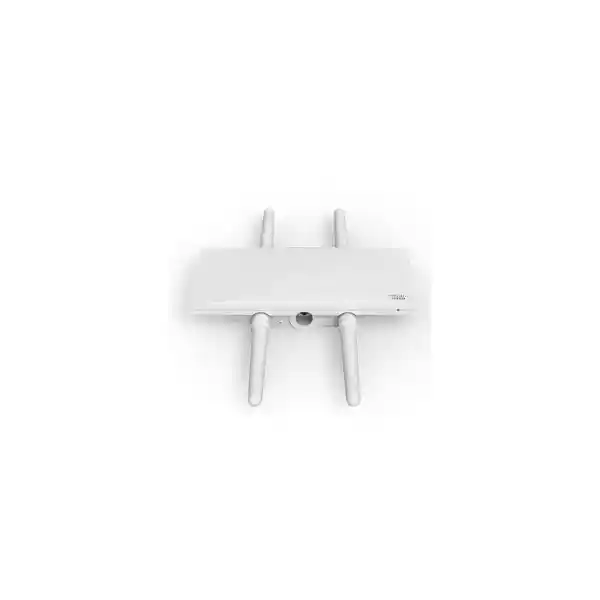
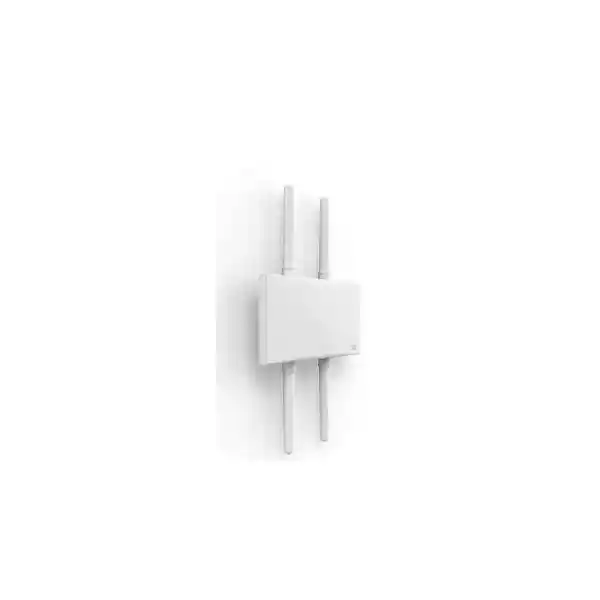
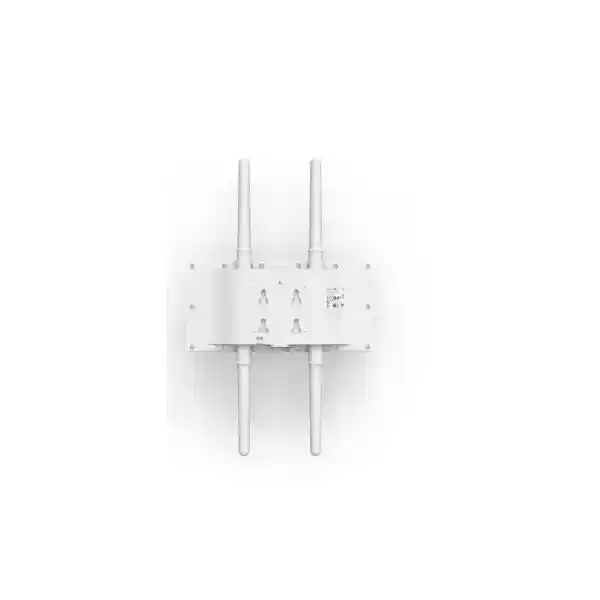
Cisco Meraki MR76 Dubai
A rugged Cisco Meraki outdoor access point for UAE organizations that want Wi‑Fi 6, external antenna flexibility, dedicated wireless security monitoring and centralized Meraki Dashboard operations in a weather-resistant form factor.
Direct answer: what is the Cisco Meraki MR76?
The Cisco Meraki MR76 is a cloud-managed outdoor Wi‑Fi 6 access point built for business and institutional wireless networks that need coverage in exposed or industrial environments. Its client radios operate on 2.4 GHz and 5 GHz with 2×2:2 MIMO, while a separate dual-band radio is dedicated to wireless intrusion detection and prevention, spectrum analysis and location-related functions. A Bluetooth Low Energy radio is also integrated. The unit uses external antennas rather than a fixed integrated antenna design, which makes antenna choice a central part of the deployment.
It is mainly used to extend managed enterprise wireless service into outdoor campuses, warehouses, yards, loading areas, hospitality grounds, education sites, healthcare estates, public-facing exterior spaces and other places where an indoor access point is not an appropriate physical choice. Organizations should consider it when they value Meraki Dashboard operations, Wi‑Fi 6 efficiency, dedicated wireless security monitoring and the flexibility to choose omnidirectional, sector or patch antennas.
The most important item to confirm is not simply the access-point model. The buyer must validate the full design: antenna type and quantity, coverage objective, mounting location, PoE source, Ethernet path, client density, licensing model and license term. FourTeck can help translate those inputs into an MR76 hardware, antenna, licensing and deployment quotation rather than treating the access point as a standalone box.
Why buyers shortlist MR76 for outdoor wireless
Outdoor Wi‑Fi projects usually fail for reasons that have little to do with a headline wireless speed. The harder questions are whether the enclosure is appropriate for exposure, whether the antenna pattern matches the site geometry, whether cable paths and PoE are practical, whether roaming and security policies remain consistent with the indoor network, and whether the management platform can operate many remote locations without creating a large administrative burden. The MR76 is attractive because its design addresses several of these concerns at the platform level while still leaving antenna selection open to the network designer.
External antenna flexibility
MR76 provides four external N-type antenna connectors. Cisco lists compatible MA-ANT-20, MA-ANT-21, MA-ANT-23, MA-ANT-25 and MA-ANT-27 options. Antennas are not included with the access point, so the designer can choose a coverage pattern suited to the area instead of accepting one integrated pattern for every site.
Dedicated RF security visibility
A separate dual-band radio supports WIDS/WIPS, spectrum analysis and related RF monitoring while the client-serving radios continue their normal role. This matters for enterprises that want wireless security and RF awareness to be part of routine operations rather than something performed only during periodic surveys.
Meraki cloud operations
Configuration, monitoring, firmware delivery, alerting and troubleshooting are handled through the Meraki cloud platform. This is especially useful for organizations with branch, campus or distributed outdoor networks because the access point does not have to be managed as an isolated appliance at each physical site.
Outdoor environmental rating
The enclosure carries an IP67 environmental rating and is specified for operation and storage from -40°C to 55°C. That does not eliminate the need for correct installation, grounding, cable sealing, surge planning and site assessment, but it places the product in the rugged outdoor class rather than the indoor ceiling-AP category.
Wi‑Fi 6 efficiency
The 802.11ax radios support technologies such as OFDMA, MU-MIMO and up to 1024-QAM. These features are intended to improve spectrum efficiency and multi-client behavior, but real throughput depends on channel plan, client capability, signal quality, interference, airtime demand and the wired uplink.
MR76 technical profile at a glance
The values below are the details most likely to affect product selection, switch planning, antenna ordering and deployment. Country-specific frequency restrictions and regulatory requirements still apply, so a UAE quotation should not assume that every global radio option or accessory is automatically appropriate for the final site.
| Specification | Cisco Meraki MR76 | Buyer relevance |
|---|---|---|
| Wi‑Fi client radios | 2.4 GHz 802.11b/g/n/ax and 5 GHz 802.11a/n/ac/ax, 2×2:2 | Designed for dual-band Wi‑Fi 6 client access with two spatial streams. |
| Dedicated security/RF radio | Dual-band WIDS/WIPS, spectrum analysis and location analytics radio | Adds continuous RF visibility without using the normal client radio as the sole monitoring resource. |
| Bluetooth | 2.4 GHz BLE radio with beacon and scanning support | Useful where compatible BLE-based location or IoT workflows form part of the design. |
| Ethernet interface | 1x 10/100/1000BASE-T RJ45 | The wired side is Gigabit Ethernet, an important constraint when comparing with higher-end multigigabit outdoor APs. |
| PoE | 802.3af compatible, up to 15 W specified | Existing switches may be able to power the AP, but PoE budget, cable length and switch capability must be checked. |
| Antenna interfaces | 4x external N-type connectors; antennas sold separately | Antenna selection is part of the bill of materials, not an optional detail to resolve after installation. |
| Environmental rating | IP67; 5–95% non-condensing humidity | Appropriate for exposed environments when installation practices are also suitable for the site. |
| Temperature | -40°C to 55°C operating and storage | Useful for UAE outdoor planning, while solar loading, enclosure placement and site exposure still require engineering judgment. |
| Dimensions | 30.0 x 15.3 x 5.5 cm, excluding cable gland, mounts and antennas | Helps with wall/pole clearance, bracket positioning and service access. |
| Weight | 1.34 kg | Mounting structure and installation hardware should be suitable for the device plus antennas and cabling. |
| Warranty | Cisco lists a one-year hardware warranty with advanced replacement for this outdoor AP | Support expectations should be aligned with the chosen Meraki licensing and local service arrangement. |
Understanding MR76 performance without relying on a headline number
Cisco’s current MR76 product material describes an 802.11ax outdoor platform with a dual-radio aggregate frame rate in the roughly 1.5 to 1.7 Gbps class, while older and family documents may show slightly different aggregate figures depending on the radio capability and documentation revision. For a buyer, that distinction is less important than understanding what the number represents: it is an aggregate over-the-air PHY capability across the wireless radios, not a promise that one user will receive that speed as application throughput.
Actual user performance is shaped by channel width, signal-to-noise ratio, interference, client radio capability, distance, antenna pattern, contention, retry rate, protocol overhead and application behavior. The MR76 supports 20, 40 and 80 MHz operation in the 5 GHz band. Wider channels can provide more peak capacity to suitable clients, but they also consume more spectrum and can reduce channel reuse in dense deployments. In an outdoor campus with multiple APs, a disciplined channel plan can be more valuable than configuring every radio for the widest possible channel.
The wired interface is another practical boundary. MR76 has one Gigabit Ethernet port. For many outdoor enterprise deployments, that is entirely appropriate because the real objective is stable service over a broad area rather than driving multi-gigabit throughput from a single AP. However, a project expecting very high aggregate client demand, many modern devices, or sustained bandwidth-heavy applications should compare the MR76 with higher-performance outdoor models that provide more spatial streams and multigigabit Ethernet. This is one reason the MR86 may belong on the shortlist when density and capacity are more important than keeping power and switching requirements modest.
The right sizing method therefore starts with users, devices, applications and physical geometry. A loading yard with scanners, tablets and voice handsets creates a different design from a resort pool area filled with personal devices, and both differ from an outdoor point-to-point or directional coverage requirement. The AP model is one component of that RF design, not a substitute for it.
External antennas: the decision that defines the coverage shape
Unlike an outdoor access point with a fixed internal antenna, MR76 is designed around external antennas. Cisco lists MA-ANT-20, MA-ANT-21, MA-ANT-23, MA-ANT-25 and MA-ANT-27 as compatible antenna families in its MR76 documentation. These options represent different radiation patterns and band arrangements, which allows the access point to serve different physical spaces but also means the quotation must include a deliberate antenna decision.
An omnidirectional antenna can be appropriate where clients surround the mounting point and the design needs broad area coverage. Sector antennas concentrate energy into a defined horizontal region, which can be useful along yards, open corridors or campus edges where transmitting behind the AP provides little value. Patch or directional patterns can make sense where the designer wants to focus coverage toward a particular building face, courtyard, loading zone, pathway or remote area. The correct answer depends on the mounting height, orientation, client elevation, obstruction profile and intended service boundary.
Antenna gain should not be treated as a simple “more is better” number. Higher gain changes the pattern and can narrow coverage in dimensions that matter to nearby clients. Regulatory limits on effective radiated power also have to be respected. In addition, an antenna chosen only from a catalog may perform poorly if metal structures, glass, machinery, containers, vegetation or neighboring buildings shape the RF environment differently than expected.
For projects with business-critical coverage, the sensible workflow is to define the target area, identify client types, assess mounting points, select the likely antenna pattern and validate with a survey or post-installation measurement. That approach creates a repeatable engineering basis for the bill of materials rather than using the same antenna SKU on every outdoor AP by default.
PoE, Ethernet and cabling considerations
MR76 is compatible with IEEE 802.3af Power over Ethernet and Cisco specifies maximum power consumption at 15 W. This can simplify upgrades where an existing access switch already provides standards-based PoE, but there are several practical checks that should happen before a purchase order is finalized. First, confirm that the switch has enough remaining PoE budget for the number of APs being added. A switch may have PoE-capable ports but insufficient total power to support every attached endpoint under the intended configuration.
Second, consider the full copper path. Outdoor APs are often farther from the switch than indoor ceiling APs. Cable length, pathway quality, connector weather protection and intermediate patching all affect reliability. Standard Ethernet distance rules still matter. If the desired mounting location cannot be reached reliably with copper from the available switching point, the network design may need a different cabinet location, fiber extension with an appropriate downstream PoE device, or another architecture. The AP’s IP67 rating does not make an exposed RJ45 path immune to poor cable sealing or unsuitable installation practice.
Third, think about surge and grounding requirements according to the building and site design. Outdoor network equipment can be exposed to electrical events and potential differences that are not present in an indoor ceiling run. The appropriate protection method depends on local electrical standards, cable routing, mounting structures and the broader grounding system. This is an installation-engineering issue rather than a property of the AP alone.
Finally, remember that the Ethernet port is Gigabit rather than multigigabit. In many MR76 use cases, this is a sensible match to the radio platform. If the wireless plan requires more than a Gigabit wired uplink from each outdoor AP, compare higher-tier alternatives before committing to switch ports and cabling. A well-designed network aligns the AP, switch, PoE budget and uplink capacity as one system.
Cisco Meraki cloud management and operational model
The MR76 is not intended to be administered as a traditional standalone access point with a local management workflow. It belongs to the Meraki cloud-managed architecture. Devices are claimed into an organization, assigned to networks and configured through the Meraki Dashboard. That operating model is one of the product’s biggest advantages for teams that want centralized visibility across many locations, but it also means the buyer should evaluate the Meraki management and licensing approach as part of the product decision.
For a distributed company, cloud management can reduce the need for specialized local administration at every site. Configuration templates, dashboard visibility, alerts, remote troubleshooting and firmware management can be coordinated centrally. When an outdoor AP is installed at a branch yard or remote facility, the networking team can monitor it within the same management environment used for other Meraki wireless infrastructure. That helps standardize SSIDs, access policies, RF settings and operational processes.
The same centralization does not remove the need for careful change management. Outdoor RF conditions can be very site-specific, and automatic radio management still benefits from sensible design boundaries. SSID count, minimum data rates, channel widths, power levels, VLAN assignments, authentication methods and guest policies should reflect the intended users rather than simply being copied from an indoor network. A policy that is appropriate for dense indoor office floors may create unnecessary roaming or coverage behavior in a large outdoor area.
Organizations that already operate Meraki switching, security appliances, sensors or wireless networks may value the consistency of a shared dashboard experience. Organizations that are new to Meraki should evaluate not just hardware cost but also the licensing model, administrative ownership, support workflow and long-term renewal plan. The management platform is integral to the MR76 experience, so it belongs in the architecture discussion from the beginning.
Meraki licensing: what must be included with MR76
Cisco Meraki documentation states that MR access points require valid licensing to operate. That means an MR76 quotation should never be judged only by the hardware line item. The license term and the organization’s licensing model affect the real commercial commitment and the operational continuity of the wireless network. Cisco currently documents subscription licensing and co-termination licensing as major options, while legacy per-device licensing remains relevant to certain existing organizations but is not the normal path for new conversions.
In a co-termination organization, licenses are pooled into an organization-wide expiration model. Adding access points and license time changes the weighted co-term date. This can be convenient for organizations that want one renewal milestone, but buyers should understand how an expansion affects the existing date rather than assuming that each new AP will simply have an isolated term. In subscription licensing, entitlements and compliance are structured differently and can provide more granular subscription handling. The correct purchase depends on how the customer’s Meraki organization is already licensed.
MR licensing is also feature-oriented. Cisco describes standard MR Enterprise capabilities and an MR Advanced tier for organizations requiring additional functions. A buyer should confirm which feature level is necessary rather than buying the longest or most expensive term without mapping features to policy requirements. Existing Meraki organizations should be checked for their current license model, edition and renewal strategy so that the new APs do not introduce an avoidable mismatch.
For procurement, provide the quantity of MR76 units, desired license duration, existing Meraki organization status and any requirement for advanced security or integration features. That information allows the quotation to align hardware and licensing instead of creating a second purchasing cycle after the APs arrive.
Wireless security, guest access and network policy
MR76 combines wireless access with security and policy capabilities delivered through the Meraki platform. Cisco documentation lists WPA2 and WPA3 options, 802.1X enterprise authentication, guest access features, VLAN tagging, Layer 7 application visibility and traffic shaping, WIDS/WIPS through Air Marshal, and integration options with enterprise identity and policy systems. These functions make the access point relevant to organizations that want outdoor wireless to follow the same governance principles as the rest of the corporate network.
The key design decision is to separate the physical outdoor requirement from the logical access policy. A warehouse yard may need corporate handhelds, contractors and visitor devices to share the same physical AP infrastructure but use different SSIDs, authentication methods and VLANs. A university campus may need staff, student and guest access with distinct controls. A hotel or resort may need guest service plus operational connectivity for staff devices. The MR76 can participate in those segmented designs, but the surrounding switching, DHCP, firewall and authentication services must support the same policy boundaries.
Wireless intrusion detection and prevention is especially relevant outdoors because the RF environment extends beyond walls. The dedicated scanning radio can help detect neighboring and potentially unauthorized wireless activity while providing spectrum visibility. That capability should be considered part of an ongoing monitoring program, not a guarantee that the radio environment is automatically safe. Security still depends on authentication design, credential management, segmentation, firewall policy, software maintenance and incident response.
For deployments that integrate Cisco ISE, directory services, RADIUS, captive portals or other identity platforms, compatibility and workflow should be tested with the intended client types. Outdoor endpoints often include rugged scanners, phones, tablets, handheld terminals and IoT devices that may have different supplicant behavior from modern laptops. A small pilot can expose authentication or roaming issues before a large site is converted.
Roaming, voice and mobile-device use cases
Outdoor Wi‑Fi is often expected to support moving users rather than stationary users. Warehouse personnel travel between aisles and yards, hospital or campus staff move between buildings, resort employees cross indoor and outdoor areas, and voice users may maintain active sessions while walking. MR76 supports common enterprise roaming mechanisms including 802.11r fast Layer 2 roaming along with other mobility features documented for the Meraki MR platform. The important point is that roaming quality is a network design result, not a single-AP feature.
Clients decide when to roam. If adjacent AP cells overlap too much, some devices may remain attached to a weaker AP longer than desired. If cells do not overlap enough, sessions may drop between coverage areas. Transmit power, minimum bit rates, antenna patterns and AP placement all influence those decisions. An outdoor design can be particularly sensitive because open space may allow signals to travel farther than expected, while metal structures or walls can create sharp local changes.
Voice and real-time applications also benefit from predictable latency, low retry rates and sensible quality-of-service handling. Cisco lists WMM, DSCP and 802.1p-related QoS support within the MR platform. Those mechanisms work best when the wired network and WAN policies preserve the intended markings and when the wireless design maintains adequate signal quality. It is not enough to enable a voice SSID if the AP is mounted too far from the actual user path or the client device cannot roam effectively.
For mobility-heavy deployments, include representative client models in the acceptance test. Walk the real routes, monitor signal and roaming behavior, test authentication transitions and verify application continuity. This turns a theoretical coverage design into evidence that the intended operational workflow works in practice.
Where MR76 fits in the Meraki outdoor family
| Decision point | MR78 | MR76 | MR86 |
|---|---|---|---|
| General positioning | Entry-level outdoor Wi‑Fi 6 | Outdoor Wi‑Fi 6 with external antenna flexibility and dedicated security/RF radio | Higher-performance outdoor Wi‑Fi 6 for more demanding density/capacity |
| Client radio class | 2×2:2 | 2×2:2 | 4×4:4 |
| Antenna approach | Integrated omnidirectional antenna | External N-type antenna connectors; antennas separate | External antenna options for higher-performance designs |
| Wired uplink | 1 Gigabit Ethernet | 1 Gigabit Ethernet | 2.5 Gigabit Ethernet capable |
| PoE class | 802.3af | 802.3af | 802.3at |
| When to evaluate | Basic outdoor coverage where integrated antenna simplicity is preferred | Flexible antenna design, dedicated RF security monitoring and moderate Wi‑Fi 6 capacity | Higher density, higher throughput, more spatial streams or multigigabit uplink requirements |
This comparison is not a ranking. MR78 can be the cleaner choice where an integrated antenna and entry-level outdoor footprint satisfy the project. MR76 is stronger when antenna directionality and a dedicated WIDS/WIPS radio are important without moving to the higher radio and PoE requirements of MR86. MR86 deserves consideration when capacity, client density and multigigabit wired access justify the additional platform capability. A current Cisco outdoor portfolio review may also identify newer Wi‑Fi 6E or Wi‑Fi 7 choices for projects with a longer refresh horizon, so the final shortlist should reflect both present requirements and expected lifecycle.
Practical MR76 use cases in Dubai and the UAE
The MR76 is most useful where outdoor coverage has a defined operational purpose. The following examples illustrate how the product’s features relate to real deployment decisions. They are not blanket recommendations; every site still requires its own RF, power, licensing and environmental assessment.
Warehouses and logistics yards
Outdoor loading zones may need handheld scanners, tablets, voice devices and operational applications to remain connected as staff move between indoor staging areas and exterior yards. External sector or directional antenna choices can help shape coverage around vehicle lanes and work zones while Meraki Dashboard keeps policy consistent with the wider wireless estate.
Hospitality and resort grounds
Pool areas, walkways, landscaped zones and service areas may need guest and staff connectivity outside the building envelope. Antenna pattern, mounting aesthetics, client density and guest-policy integration are more important than raw radio speed alone, particularly when many personal devices share the same outdoor cells.
Education and campus networks
Courtyards, sports areas, pathways and spaces between buildings can be brought under the same cloud-managed wireless policy as classrooms and offices. The dedicated RF security radio adds value where IT teams want continuous visibility into the open-air RF environment across a larger campus.
Industrial and utility sites
Rugged environmental design and external antennas can fit facilities where network users operate around yards, service areas or industrial structures. The RF plan should account for metal surfaces, machinery and unusual propagation conditions rather than assuming an open-space coverage radius from a generic planning tool.
Healthcare and large estates
Outdoor staff routes, service roads and campus spaces may need managed connectivity for approved devices. Identity, roaming and security requirements should be validated with the actual clinical or operational endpoints because dependable mobility often matters more than casual guest browsing.
Distributed branch exteriors
Retail, service and branch locations may need coverage at entrances, pickup zones, external work areas or adjacent spaces. The Meraki cloud model can help central teams deploy and monitor those APs consistently without creating a separate local management system for each site.
Dubai outdoor installation realities
An IP67 rating is important, but a successful Dubai installation still depends on the way the AP is mounted and cabled. High ambient temperature, direct sunlight, dust, wind, coastal air in some locations, building-facade restrictions and long outdoor cable paths can all influence the engineering choice. Cisco specifies the MR76 for temperatures up to 55°C, yet the exact placement can experience conditions that differ from an ordinary shaded ambient reading. A site survey should consider solar exposure, airflow and nearby heat sources when selecting the mounting position.
Dust resistance does not remove the need to install cable glands, connectors and antenna interfaces correctly. Every penetration and connection is part of the final environmental system. Poorly sealed cable entry can undermine the reliability expected from a rugged AP. The same applies to mechanical stability: wall or pole mounting should account for device weight, antennas, wind loading, access for maintenance and the integrity of the supporting structure.
RF behavior can also change significantly between a low-rise warehouse district, a dense commercial campus and a landscaped hospitality site. Glass facades, metal cladding, vehicles and neighboring networks all affect propagation and interference. UAE regulatory constraints determine which channels and transmit powers are lawful, so the final radio plan should follow the country profile and current Cisco regulatory support rather than copying settings from another market.
Where the network is business-critical, treat commissioning as an engineering stage. Validate coverage from real user positions, confirm roaming paths, check retry and channel-utilization metrics, inspect Ethernet and PoE stability, and document the installed antenna orientation. This creates a baseline that operations teams can compare against when the environment or business usage changes later.
Deployment journey: from requirement to operational Wi‑Fi
Define the service objective
List the outdoor areas, user groups, device types and applications that need service. Distinguish between “signal should exist here” and “this workflow must perform reliably here.” The second statement leads to measurable design targets.
Survey mounting and cable options
Identify walls, poles, cabinets, pathways and switch locations. Confirm whether the candidate AP positions can be reached with compliant Ethernet and PoE while keeping the equipment serviceable and mechanically secure.
Select antenna patterns
Use the physical geometry to choose omnidirectional, sector or patch/directional behavior. Model or survey the likely coverage rather than selecting the antenna only from gain figures or catalog familiarity.
Confirm switching and licensing
Check 802.3af power budget, VLANs, uplinks, firewall reachability and the organization’s Meraki license model. Order the correct MR license duration and edition with the hardware.
Stage the configuration
Claim devices, place them in the correct network, prepare SSIDs, authentication, VLAN mapping, RF profiles and policy settings. Staging reduces field time and helps expose licensing or dashboard issues early.
Install and validate
Mount the AP, orient antennas, verify weather protection, test PoE and Ethernet, and then measure coverage and application behavior using representative clients along the intended user routes.
Migration from older outdoor Wi‑Fi
Replacing an older outdoor access point with MR76 should not be treated as a one-for-one hardware swap until the antenna interfaces, mounting position, power method and RF design have been checked. Older systems may use different antenna connectors, different numbers of spatial streams, different supported channels or a different management architecture. Reusing an existing antenna simply because it can be physically adapted may create a regulatory or performance problem if the antenna characteristics are not supported for the new AP.
If the existing network is already Meraki, the migration may be operationally simpler because the new AP can be introduced into the existing Dashboard organization and policy framework. Even then, verify the firmware target, RF profile, licensing entitlement and switch power budget. If the old AP used a higher-power PoE standard, the switch may still be compatible; if it used a proprietary injector or a nonstandard power arrangement, plan a clean standards-based power path for the MR76.
A migration from another wireless vendor introduces additional policy work. SSID names can be recreated, but authentication behavior, VLAN mapping, guest portals, roaming, QoS and RF algorithms may differ. It is usually safer to build the Meraki configuration, pilot a small area and test representative clients before changing an entire campus. For voice or operational handhelds, pay particular attention to roaming timing and authentication because those devices may be less forgiving than laptops and phones used for casual data access.
The migration plan should also define rollback. Outdoor wireless often supports business activity that cannot pause while settings are tuned. Document the old configuration, cable paths, antenna orientation and switch ports before removal, then keep enough information to restore service if the new design needs adjustment. A controlled migration provides better evidence than replacing hardware across many sites in one step and troubleshooting after users report failures.
When MR76 may not be the best choice
A strong product page should also explain when another model deserves attention. MR76 is capable and flexible, but several requirements can point elsewhere.
You want integrated antennas
If the project needs a simple, compact outdoor AP with an integrated omnidirectional antenna and does not require the MR76’s external antenna flexibility or dedicated RF security radio, MR78 may be easier to specify and install.
You need higher radio capacity
MR86 moves to 4×4:4 radios and a higher aggregate radio class. High-density outdoor venues or bandwidth-heavy applications may justify that step, especially when client counts and airtime demand exceed what a 2×2:2 platform should carry comfortably.
You require multigigabit Ethernet
The MR76 wired port is Gigabit Ethernet. If the architecture specifically requires a 2.5 GbE uplink to prevent the wired interface becoming a design constraint, evaluate a higher-tier or newer outdoor access point.
You need 6 GHz or a newer Wi‑Fi generation
MR76 is a dual-band 2.4/5 GHz Wi‑Fi 6 product. New designs that specifically require 6 GHz operation, Wi‑Fi 6E or a newer platform should compare current Cisco outdoor models and local 6 GHz regulatory support before standardizing on MR76.
You do not want cloud licensing
Meraki licensing and cloud management are integral to the product. Organizations whose architecture or policy specifically requires fully local standalone management should evaluate whether the Meraki operating model matches their requirements before buying the hardware.
Procurement checklist for a correct MR76 quotation
The most common purchasing mistake is ordering the AP first and resolving the system dependencies later. A useful quotation should capture the full deployment context.
Frequently asked buyer questions about Cisco Meraki MR76
Is the MR76 an outdoor access point?
Yes. Cisco positions MR76 for outdoor and industrial Wi‑Fi 6 use and lists an IP67 environmental rating. Standard mounting hardware is included for wall and vertical-pole mounting. Correct outdoor cabling, connector sealing, grounding, surge protection where required, and mechanically sound installation remain essential.
Are antennas included with MR76?
No. Cisco’s MR76 datasheet states that antennas are not included. Compatible antenna families include MA-ANT-20, MA-ANT-21, MA-ANT-23, MA-ANT-25 and MA-ANT-27. The correct model depends on the required coverage pattern and deployment geometry.
Does MR76 require a Meraki license?
Yes. Meraki MR access points require valid licensing for operation and cloud management. The quotation should identify the required license term, feature tier and the customer’s existing licensing model so the new hardware aligns correctly with the Meraki organization.
Can MR76 run from 802.3af PoE?
Yes. Cisco specifies 802.3af compatibility and up to 15 W maximum power consumption. The switch still needs adequate total PoE budget, and outdoor cable distance and installation conditions must be checked.
Does MR76 have a multigigabit Ethernet port?
No. MR76 has one 10/100/1000BASE-T Gigabit Ethernet port. If the project requires 2.5 GbE on the AP uplink, compare a higher-performance outdoor model such as MR86 or a current-generation Cisco alternative that matches the desired radio and wired capacity.
Can MR76 be used for guest Wi‑Fi?
Yes. The Meraki MR platform supports guest-access options, device isolation and policy controls. The actual guest design should include authentication or captive-portal requirements, VLAN segmentation, internet policy, bandwidth limits, privacy expectations and integration with the existing firewall and switching environment.
Is MR76 suitable for high-density outdoor events?
It can serve outdoor users, but very high-density venues should be sized from airtime and client demand rather than enclosure type alone. MR76 is a 2×2:2 platform with a Gigabit uplink. For dense crowds or sustained high throughput, evaluate whether a higher-tier AP with more spatial streams and multigigabit Ethernet is a better fit.
Can MR76 be centrally managed with indoor Meraki APs?
Yes. MR76 participates in the Meraki cloud-managed wireless environment, so organizations can manage outdoor and indoor MR access points through the same Dashboard organization and network structure. RF and policy settings should still be tailored to the outdoor environment rather than copied blindly from indoor profiles.
What should be surveyed before installation?
At minimum, survey intended coverage boundaries, mounting points, cable distance, switch and PoE availability, obstructions, interference, neighboring networks, antenna orientation, client types and roaming paths. Business-critical projects should also define measurable acceptance criteria for signal, application performance and mobility.
Support, lifecycle and operational planning
Enterprise buyers should evaluate the MR76 within the life of the wireless estate, not only at the moment of purchase. Cisco Meraki’s cloud model provides firmware management, monitoring and support workflows through an active license, which can simplify ongoing operations. At the same time, every deployment should have a documented owner for license renewal, Dashboard administration, firmware policy and incident response. Cloud-managed infrastructure is easiest to run when those responsibilities are explicit.
The hardware warranty for the outdoor MR76 is listed by Cisco as one year with advanced replacement. Buyers with strict service-level objectives should determine whether that manufacturer coverage alone is sufficient or whether they need local spare units, rapid replacement stock, managed support or an enhanced operational arrangement. A remote site with one AP and no redundancy may need a different support strategy from a campus with many overlapping APs.
Firmware lifecycle matters as well. Meraki cloud management normally handles software delivery centrally, which reduces manual patching effort. Organizations should still use appropriate change windows for critical environments, understand the target release behavior for their network and monitor post-upgrade health. Outdoor APs can support operational workflows where a poorly timed change is disruptive even if the firmware process itself is automated.
For new projects in 2026 and beyond, lifecycle planning should also include a portfolio comparison. MR76 remains a capable Wi‑Fi 6 option, but Cisco continues to develop newer wireless platforms. If the intended deployment will remain in service for many years, compare current outdoor models, supported wireless generations, radio bands, uplink requirements and licensing direction before standardizing. The best purchase may be MR76 for a compatible installed base, or it may be a newer platform where longer-term architectural requirements justify it.
UAE sourcing and deployment resources
For UAE buyers, hardware sourcing is only one part of the project. A complete deployment may also involve site assessment, switch and PoE review, VLAN/firewall coordination, Meraki licensing, installation and post-installation validation. FourTeck can combine those items into a scope that fits a single site or a distributed rollout.
Visit FourTeck IT Services UAE for broader infrastructure and implementation support, or review Firewall Dubai by FourTeck when the wireless project also involves network security, segmentation or firewall changes.
Organizations planning multi-country standards can also reference FourTeck for broader technology sourcing and project coordination.
What to include in your RF brief
- Site drawings or a marked plan of the required outdoor coverage area
- Approximate mounting points and heights
- Expected device count and device types
- Business applications and roaming expectations
- Existing switch models and available PoE ports
- Current Meraki organization and license details, if applicable
- Any restrictions on poles, wall penetrations, cable routes or visible antennas
Decision recap: is MR76 the right outdoor access point?
Model fit
Choose MR76 when a rugged Wi‑Fi 6 platform with 2×2:2 radios, external antenna flexibility and a dedicated RF security/scanning radio matches the coverage and capacity requirement.
Capacity
Do not equate aggregate radio rate with application throughput. Size from concurrent clients, airtime demand, channel reuse, applications and the one-Gigabit wired uplink.
Licensing
Include a valid Meraki MR license and make sure the term, tier and licensing model align with the customer’s organization and renewal strategy.
Antenna compatibility
Antennas are separate. Select a supported antenna pattern that matches the site geometry, mounting position, regulatory limits and intended client area.
Installation
Validate 802.3af power, cable path, weather sealing, mounting hardware, mechanical stability, environmental exposure and commissioning tests.
Alternative check
Compare MR78 for simpler integrated-antenna outdoor coverage and MR86 or newer models when higher density, more spatial streams, multigigabit uplinks or newer radio bands are required.
What FourTeck needs from you for an accurate MR76 quote
A useful quotation can often be prepared from a short technical brief. Provide as many of the following points as possible; missing items can be clarified during the consultation.
Plan your Cisco Meraki MR76 deployment around the site, not just the access point
For a dependable Dubai outdoor Wi‑Fi project, the MR76 hardware, antenna pattern, Meraki license, PoE source, mounting location and RF design should be quoted as one coordinated solution. Share your coverage area, quantity, client profile and current network details so the bill of materials reflects the real deployment.


Reviews
There are no reviews yet.