
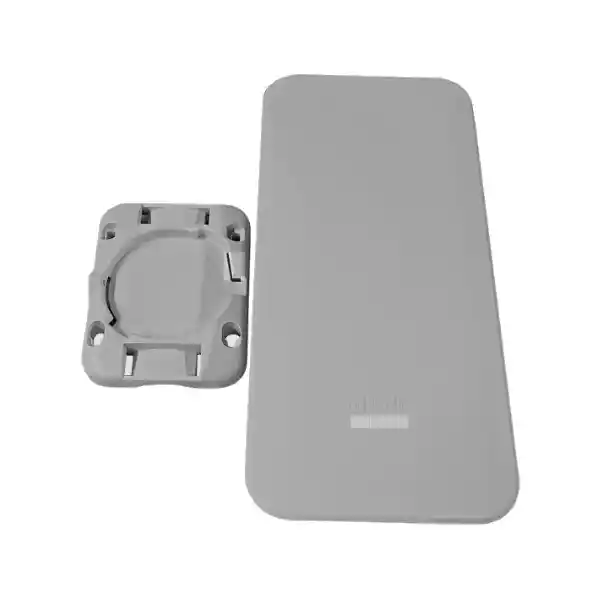
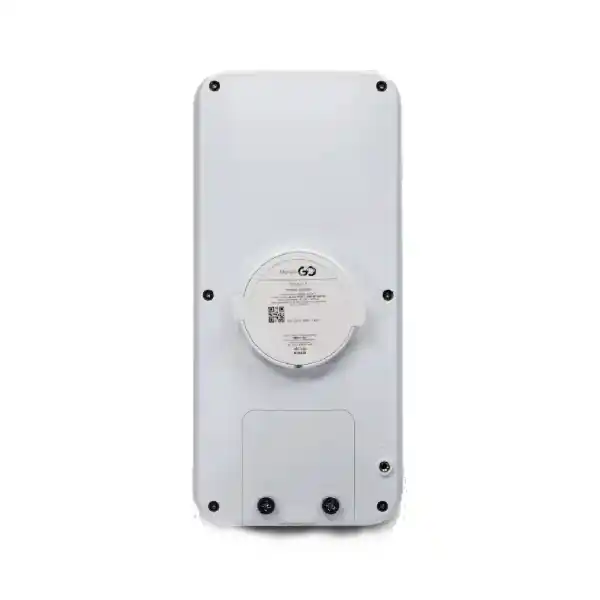
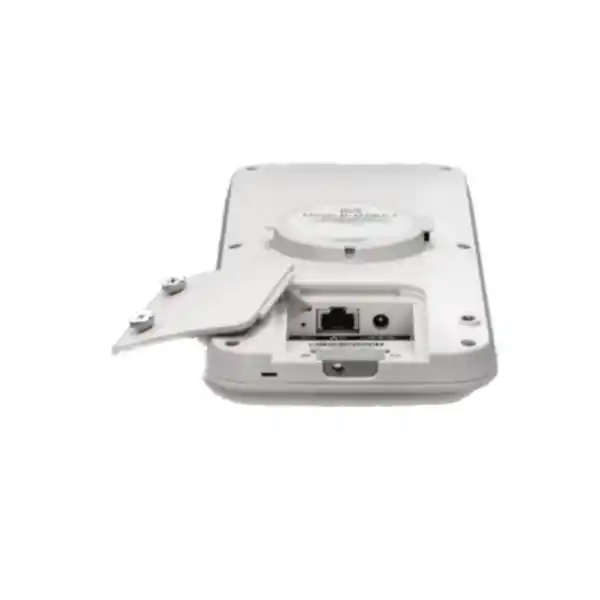
Cisco Meraki MR78 Dubai
A practical outdoor Wi-Fi 6 access point for organisations that need centrally managed wireless coverage in courtyards, loading areas, school grounds, hospitality spaces, small campuses, outdoor work zones and other basic to medium-density environments.
Up to 1.5 Gbps aggregate frame rate
1× Gigabit Ethernet
802.3af PoE
IP67 enclosure
Direct answer: what is the Cisco Meraki MR78?
Where the MR78 fits in an outdoor wireless design
The Cisco Meraki MR78 is best understood as a cost-conscious entry point into Meraki outdoor Wi-Fi 6 rather than as a universal outdoor access point for every campus or industrial problem. Cisco positions it for basic and medium-density outdoor deployments. That positioning matters because outdoor Wi-Fi projects can range from a small café terrace serving a few dozen guests to a large logistics yard, education campus or hospitality estate with hundreds of simultaneously active devices. The MR78 can be an excellent fit in the first group and may still participate in larger designs, but those designs should be based on a site survey and capacity plan rather than on enclosure rating alone.
Its two client radios operate concurrently: one for 2.4 GHz and one for 5 GHz. Each is a 2×2:2 design, and Cisco specifies a maximum aggregate frame rate of 1.5 Gbps, made up of up to 1,201 Mbps on 5 GHz and 286 Mbps on 2.4 GHz. Those values are radio-layer maximums, not a promise of application throughput. Real user performance is lower because Wi-Fi is a shared medium and because protocol overhead, signal quality, channel width, interference, client capability, airtime contention and the Gigabit Ethernet uplink all influence delivered throughput.
The MR78 includes integrated omnidirectional antennas, which simplifies purchasing and deployment because there is no separate antenna selection process for ordinary coverage. The internal antennas are specified at 5.4 dBi gain on 2.4 GHz and 6 dBi gain on 5 GHz. This is useful for general-purpose outdoor cells where a broad service area is wanted, but it is also a design constraint: if the project requires a narrow directional beam, a long point-to-point path, specialised sector coverage or custom antenna patterns, a model designed for external antennas should be evaluated instead.
The enclosure is rated IP67 and the published operating temperature range is -20°C to 55°C, with 5% to 95% non-condensing humidity. For a Dubai installation, the upper temperature limit needs genuine consideration. Ambient weather-station temperature is not always the same as the temperature experienced by electronics mounted on a sun-exposed wall, roof structure or metal pole. Direct solar loading, enclosure colour, reflected heat, nearby mechanical equipment and stagnant air can raise equipment temperature. Mount selection should therefore consider heat exposure as well as radio coverage, cable access and physical security.
The MR78 is managed through the Meraki Dashboard. This is one of its biggest practical advantages for organisations with multiple locations because configuration, monitoring, alerting, firmware delivery and troubleshooting can be handled centrally. It also creates a procurement dependency: Meraki MR access points require a valid cloud license to operate. A buyer should therefore treat the AP hardware, the chosen MR licensing model and the operational Dashboard organisation as parts of one solution rather than ordering the hardware in isolation.
Cisco Meraki MR78 key specifications
| Specification | MR78 detail | Buyer relevance |
|---|---|---|
| Wireless generation | 802.11ax Wi-Fi 6, backward compatibility with supported earlier Wi-Fi standards | Suitable for current Wi-Fi 6 client estates while still serving many older devices. |
| Client radios | 2.4 GHz 2×2:2 and 5 GHz 2×2:2 | Entry-level radio architecture for basic to medium-density outdoor service. |
| Aggregate frame rate | Up to 1.5 Gbps; up to 1,201 Mbps at 5 GHz and 286 Mbps at 2.4 GHz | A chipset/radio maximum, not expected application throughput. |
| Ethernet | 1× 10/100/1000BASE-T RJ45 | Check switch port availability, VLAN design, cabling and PoE budget. |
| Power | 802.3af PoE, 37–57 V; alternative 12 V DC input; maximum specified consumption 15 W | PoE injector or DC adapter may need to be ordered separately when a suitable PoE switch is unavailable. |
| Antennas | Integrated omnidirectional; 5.4 dBi at 2.4 GHz and 6 dBi at 5 GHz | Simplifies deployment, but does not support custom external antenna patterns. |
| Environmental rating | IP67; -20°C to 55°C; 5–95% non-condensing humidity | Appropriate for rugged outdoor placement when installation and cable sealing follow the required practices. |
| Dimensions and weight | 245 × 115 × 30 mm; approximately 0.45 kg | Compact enough for discreet wall or pole-oriented outdoor deployment subject to mounting plan. |
| Security | WPA2/WPA3 options, 802.1X support, guest controls, Layer 7 firewall functions, opportunistic Air Marshal on client radios | Authentication and segmentation still need to be designed around the organisation’s identity and security architecture. |
| Management | Cisco Meraki cloud management | Central operations are a core benefit, and a valid MR license is an operational requirement. |
| Hardware order code | MR78-HW | Use the exact hardware SKU and separately confirm licensing, injector needs and service scope. |
Wi-Fi 6 performance: what the numbers mean in practice
The MR78 supports core Wi-Fi 6 mechanisms including OFDMA, MU-MIMO, beamforming, BSS Coloring and up to 1024-QAM where the client, firmware, channel conditions and configuration support them. These technologies are useful because outdoor wireless performance is often constrained by airtime efficiency rather than by a simple shortage of raw link speed. OFDMA can improve the way airtime is divided among compatible clients, while MU-MIMO allows the access point to serve multiple compatible clients more efficiently. BSS Coloring is intended to improve spatial reuse in environments where neighbouring basic service sets overlap.
A buyer should not translate “1.5 Gbps aggregate frame rate” into “every user gets gigabit Wi-Fi.” The 1.5 Gbps figure combines the maximum nominal radio frame rates across both bands. A single 5 GHz client normally uses one band and is limited by its own spatial-stream count, signal quality, supported modulation, channel width and protocol overhead. In addition, the MR78 has a 1 Gbps Ethernet uplink, so the wired uplink itself places a practical ceiling on aggregate traffic moving between the AP and the LAN. That is normal for an entry-level 2×2 outdoor AP and should be considered in capacity planning.
Channel width is another important planning decision. The access point supports 20, 40 and 80 MHz operation on 5 GHz within regulatory and configuration constraints. Wider channels can increase peak link rates but consume more spectrum and may be counterproductive in a multi-AP design because there are fewer non-overlapping channels available. For a busy courtyard, school campus edge or shared outdoor commercial area, a disciplined channel plan can produce better experience than simply enabling the widest possible channels. In dense deployments, 20 or 40 MHz channels may offer more useful reuse and less co-channel contention; the correct choice depends on survey data, interference and capacity goals.
The 2.4 GHz band remains valuable for older devices, some IoT endpoints and longer-range connectivity, but it generally offers less clean spectrum and fewer non-overlapping channels than 5 GHz. A modern design therefore tends to encourage capable clients toward 5 GHz while keeping 2.4 GHz available where necessary. Meraki’s RF management and band-steering features can support that objective, but client behaviour still matters because Wi-Fi clients make many roaming and association decisions themselves.
Outdoor coverage predictions are especially sensitive to height, line of sight, building materials and the physical environment. A high mounting point may extend visibility but can also increase the cell size too far, causing clients to remain associated at weak data rates. Mounting an AP behind metal cladding, tinted glass, dense concrete, plant machinery or reflective architectural surfaces can distort the intended coverage. The integrated omnidirectional antennas remove the complexity of external antenna selection, but they do not eliminate RF engineering.
For projects where user experience matters, the useful performance target should be described in service terms: minimum signal level, expected application mix, simultaneous active clients, target throughput per active user, roaming behaviour and acceptable latency. Once these are defined, the MR78 can be evaluated against the actual requirement. This is more reliable than selecting an AP only from a maximum data-rate figure.
Outdoor enclosure and environmental planning
The IP67 rating is important because it indicates a high level of protection against dust and water ingress under the relevant test conditions. It does not mean that every installation detail is automatically weatherproof. The cable path, connectors, mounting orientation, wall penetrations, junction boxes and upstream cabling must also be suitable for outdoor service. Water following a poorly managed cable route can bypass an otherwise rugged AP enclosure and create problems elsewhere in the network.
In the UAE, thermal planning is equally important. The published 55°C maximum operating temperature should be treated as an engineering limit, not as a reason to install the AP on the hottest possible surface. Direct sunlight and radiant heat can push local equipment temperatures above ambient. A good survey considers sun path, shade, air flow, nearby HVAC exhaust, roof material, facade colour and access for future maintenance.
Dust, salt-laden air near coastal sites and maintenance practices also influence long-term reliability. The AP can be rugged while the connectors, copper cabling or mounting hardware become the weak point. Outdoor cabling should be selected and installed according to the environment and applicable standards, and exposed penetrations should be sealed using appropriate methods.
Integrated antenna: simplicity with a clear boundary
MR78’s integrated omnidirectional antennas make it straightforward for ordinary outdoor coverage. There is no separate antenna SKU to select, no external antenna cable loss to calculate and fewer field components to manage. That is a meaningful advantage for repeatable branch, school, property and hospitality deployments.
The same simplicity becomes a limitation when the project needs directional coverage. If the design calls for a narrow sector into a yard, a link between buildings, coverage down a long roadway, a high-gain antenna aimed at a defined area or specialised placement that benefits from remote antennas, a model with external antenna connectors should be considered.
This is one of the most important reasons not to choose solely on price. The correct antenna pattern can matter more than a modest difference in access-point cost because RF geometry determines where useful signal goes and where it does not.
Meraki cloud management and operational value
The MR78 is not a standalone autonomous access point in the traditional sense. Its operational model is based on the Meraki cloud platform. Administrators use a browser-based Dashboard to claim hardware, assign it to networks, create SSIDs, apply access policies, configure VLAN behaviour, review health data, monitor clients, inspect application usage and troubleshoot issues. This management model can reduce operational effort when an organisation has many sites or limited local IT staff because the same interface can be used across the estate.
Zero-touch style deployment is a practical advantage. An AP can be claimed in the Dashboard before it reaches site. When the device is installed with working power, addressing and internet connectivity, it can obtain its configuration from the cloud. This does not remove the need for good on-site preparation, but it means the technician does not need to build the entire wireless configuration locally on the AP.
Central monitoring is useful for outdoor APs because these devices may be mounted in hard-to-reach locations. Dashboard visibility can help identify whether an AP is online, which clients are connected, how RF conditions are changing and where application traffic is concentrated. Remote diagnostic tools can shorten the first phase of troubleshooting before someone is dispatched to a roof, pole or external wall.
Firmware management is also cloud coordinated. Meraki provides firmware releases and Dashboard-based upgrade scheduling rather than requiring administrators to manually download and load firmware onto each AP. Organisations should still follow change-management practices. A centrally managed upgrade can affect many sites at once, so maintenance windows, staged rollout and testing remain sensible for critical networks.
The cloud-management model introduces network dependencies that should be acknowledged in design. The AP needs appropriate upstream connectivity and outbound access to reach Meraki cloud services. If a firewall sits between the wireless infrastructure and the internet, the required cloud communication must be allowed. Meraki publishes current firewall information in the Dashboard and documentation; the correct destination and port requirements should be checked during deployment rather than relying on an old static rule set.
For a buyer comparing vendors, the management platform may be more important than a small difference in radio specifications. If the organisation already operates Meraki switching, security, cameras or wireless, the MR78 can fit naturally into the same operational workflow. If the organisation has a strong existing wireless controller architecture from another vendor, the operational cost and migration impact of adding a separate Meraki platform should be evaluated before purchase.
Licensing is mandatory: plan it with the hardware
All active Cisco Meraki MR access points require valid licensing to operate. This should be part of the purchase decision from the first quotation. Hardware and licensing are separate commercial items, and MR licensing is model-agnostic within the wireless product line. Meraki currently documents MR Enterprise, MR Advanced and upgrade options, with capabilities depending on the organisation’s licensing model and feature tier.
The standard Enterprise tier covers the core cloud-managed wireless experience, including Dashboard management, provisioning, firmware updates, support and the standard feature set supported by the hardware. Advanced licensing is relevant when the organisation needs features that are specifically assigned to that tier. The correct decision is not “buy the most expensive license”; it is to identify the wireless features required across the organisation and choose the tier that supports them cleanly.
Meraki organisations can use different licensing models, including co-termination and per-device approaches depending on the account. In co-termination, licenses contribute to a shared co-term date for the organisation. In per-device licensing, entitlement is associated differently. Procurement teams should confirm which model the existing Meraki organisation uses before adding new APs because the commercial and renewal workflow can differ.
If the MR78 is replacing another Meraki MR access point, the existing MR license may sometimes remain applicable because MR licenses are not hardware-model specific, provided the licensing state and term support the replacement. That can simplify upgrade projects, but it should be checked against the actual Dashboard organisation rather than assumed. License status, expiry, device counts and edition should be reviewed before the replacement window.
A quotation for MR78 should therefore state the hardware quantity, the required license type and term, and whether installation, configuration or migration assistance is included. This prevents a common purchasing problem in which the access points arrive but cannot be placed into production because the licensing plan was treated as an afterthought.
Security, guest access and network segmentation
The MR78 supports enterprise wireless security features such as WPA2 and WPA3 modes, 802.1X authentication options, guest-access controls, VLAN tagging and traffic policy functions. The hardware can participate in a strong wireless-security architecture, but the AP by itself does not define the security outcome. Identity services, RADIUS design, certificate management, VLAN architecture, firewall policies, guest onboarding and endpoint posture all influence the result.
For employee wireless, WPA2-Enterprise or WPA3-Enterprise with 802.1X is typically more appropriate than a single shared password because access can be tied to user or device identity. The correct EAP method depends on the organisation’s identity and certificate infrastructure. Certificate-based authentication can provide strong assurance but requires lifecycle management for certificates and supplicants. Password-based EAP methods can be simpler in some environments but need careful protection of credentials.
For guest access, the goal is usually to separate untrusted visitors from corporate systems while still providing controlled internet access. Device isolation, dedicated VLANs, firewall policy and suitable authentication or splash-page workflows can be used according to business requirements. Hotels, schools, retail venues and visitor centres may also need acceptable-use notices, bandwidth limits and different policies for staff, guests, contractors and operational devices.
The MR78 includes Layer 7 application identification and traffic-shaping capabilities supported through the Meraki platform. This can help identify broad categories of application traffic and apply policy. It should not be confused with a complete security gateway. Internet-edge threat prevention, advanced inspection, VPN termination and broader network-security controls usually belong on appropriate firewall or security platforms. Wireless application visibility complements those controls rather than replacing them.
Air Marshal capabilities for rogue access-point detection and wireless intrusion visibility are part of the Meraki feature set, but there is an important MR78-specific design detail: unlike higher models with a dedicated scanning/security radio, the MR78 performs WIDS/WIPS functions opportunistically on the client-serving radios. That architecture is reasonable for an entry-level AP, but environments that require continuous dedicated RF scanning or more advanced security-radio behaviour should compare the MR78 with models that include a dedicated radio for those functions.
Segmentation is also important for outdoor operational devices. CCTV support equipment, building-management devices, handheld scanners, guest devices and employee laptops should not automatically share the same trust zone simply because they use the same physical AP. SSID and VLAN design can provide logical separation, while upstream switches and firewalls enforce the associated policy. A well-designed MR78 deployment therefore begins with network architecture as well as RF coverage.
Installation journey for a Dubai MR78 project
Meraki’s installation workflow allows the MR78 to be added to the Dashboard using its order or serial number and an appropriate license. The AP then needs a routable IP configuration and access to the cloud. DHCP is convenient for many projects, while static addressing may be selected where the network standard requires it. If a firewall restricts outbound communications, confirm the current Meraki cloud-management requirements before commissioning.
For exterior mounting, coordinate the network work with facilities and health-and-safety requirements. Access to a high facade, lighting pole or roof edge can involve lifting equipment, permits, fall protection and restricted working hours. Cable routes may pass through waterproof membranes or fire-rated building elements that require approved sealing. These practical site dependencies often affect project cost more than the AP mounting time itself.
PoE, switching and cabling decisions
The MR78 uses one Gigabit Ethernet interface and supports 802.3af PoE with a maximum published power consumption of 15 W. That makes it relatively easy to power from many existing enterprise PoE switches, but the switch’s total PoE budget still needs to be checked. A 48-port switch may support PoE on every port electrically while lacking enough aggregate power to run every connected device at its maximum demand. Cameras, phones, access-control equipment and other APs may compete for the same power budget.
Where a suitable PoE switch is not available, Meraki lists injector options, including the MA-INJ-4 802.3at injector and MA-INJ-6 multigigabit 802.3bt injector. The MR78 itself does not need those higher PoE standards for its published maximum consumption, so an injector should be selected based on compatibility, procurement policy and the wider installation plan rather than on an assumption that “more powerful” automatically improves the AP. Power cords may be separate depending on the injector SKU and market.
Copper cabling outdoors needs special attention. The permanent link must satisfy Ethernet distance and performance requirements while also surviving the environment. UV exposure, heat, moisture and mechanical damage can degrade unsuitable cable. In some sites, outdoor-rated cable, conduit and appropriately protected junction points are necessary. Lightning and surge risk should be assessed according to the building and local engineering requirements, particularly for exposed external runs between structures or to poles.
The single Gigabit Ethernet uplink is appropriate for the MR78’s entry-level radio design. It also means there is no multigigabit wired interface to exploit. Buyers planning a high-density outdoor environment with heavy aggregate traffic may therefore want to compare higher-end access points not only for radio count but for wired interface capability and dedicated RF functions. The right comparison should consider the whole traffic path from wireless client to switch, distribution layer, firewall and WAN.
VLAN and switch-port configuration should be planned before installation. The AP management network, SSID-to-VLAN mappings, native VLAN behaviour and trunk/access mode need to align with the broader LAN. Misconfigured native VLANs or blocked DHCP/DNS paths can make an otherwise correctly mounted AP appear faulty. Pre-staging the switch port and Dashboard network helps keep the site visit focused on installation rather than basic configuration recovery.
Practical MR78 use cases
Hospitality terraces and pool-adjacent public areas
Suitable where a hotel, restaurant or club wants managed guest Wi-Fi in an outdoor area and an omnidirectional pattern fits the layout. The survey should consider guest density, roaming from indoor APs, channel reuse and the physical separation needed from water-service infrastructure.
School courtyards and campus edges
Can extend managed Wi-Fi to gathering areas, walkways and outdoor teaching spaces. Capacity planning should account for the fact that student device counts can spike quickly during breaks and events, even if average utilisation is modest.
Warehouse yards and loading areas
Useful for handheld scanners, tablets and staff devices in outdoor operational zones where APs need rugged protection. Metal trailers, racking, vehicles and changing inventory can significantly alter RF propagation, so validation should include real operational conditions.
Retail forecourts and customer waiting zones
A compact option for businesses extending guest or operational Wi-Fi outside the main building. Segmentation is important when payment, staff, IoT and guest traffic coexist on the same physical infrastructure.
Small business compounds and villas used as offices
Can provide managed outdoor wireless around entrances, gardens, parking areas or detached workspaces when the buyer values Meraki cloud administration and does not need a directional external-antenna solution.
How to size an MR78 deployment without oversimplifying it
There is no reliable universal rule such as “one MR78 covers X square metres.” Coverage depends on transmit power, antenna pattern, mounting height, allowed channels, local interference, obstructions, client transmit capability and the minimum data rate that the application can tolerate. A phone at the edge of a courtyard may hear the AP while being unable to transmit back to it at the same quality. For that reason, coverage should be considered bidirectional.
Start with the service boundary. Identify where users actually need wireless and where they do not. An AP mounted high on a central structure may illuminate a broad area, but excessive cell size can create sticky-client behaviour and co-channel contention when more APs are added. In many business deployments, smaller controlled cells at appropriate height produce better capacity and roaming than a small number of APs transmitting as far as possible.
Next, estimate concurrency rather than total registered devices. A site may have 500 devices in inventory but only 40 simultaneously active in one outdoor zone. Conversely, an event space may normally have 20 users but experience bursts of 200 people during functions. The MR78’s entry-level 2×2 architecture can suit moderate loads, but high concurrency and high per-user throughput requirements may justify a denser AP design or a higher-class model.
Application mix matters. Barcode scanning and messaging use far less bandwidth than large file transfers, cloud backup or high-resolution video. Voice and real-time collaboration are sensitive to latency, jitter and roaming behaviour even when their bandwidth consumption is modest. A design for warehouse handhelds therefore has different priorities from a design for an outdoor media-production area.
Client capabilities also affect the result. Many handhelds and IoT devices use only one spatial stream, may support limited channel widths and can have smaller antennas than laptops. The network must be designed around the least capable devices that still require reliable service, not only around modern premium phones used during a survey. When older 2.4 GHz-only devices are business critical, channel planning and minimum data-rate policy need to account for them.
Interference should be measured or at least assessed. Outdoor areas can see signals from neighbouring buildings, carrier Wi-Fi, personal hotspots, other business APs and non-Wi-Fi sources. The 5 GHz spectrum generally provides more planning flexibility than 2.4 GHz, but local regulatory rules and DFS behaviour can affect channel availability. Country-specific restrictions apply, so the actual Dubai/UAE configuration should be based on the regulatory domain presented by the platform rather than copied from a deployment in another country.
Roaming is another reason to avoid sizing by raw coverage radius. If users move between indoor and outdoor spaces, the overlap between cells should support reliable transitions without leaving such strong overlap that clients remain attached to a distant AP. The MR78 supports fast-roaming mechanisms such as 802.11r in appropriate configurations, but client support and security design must also be considered. Roaming quality is a system behaviour, not an AP-only feature.
The most dependable process is therefore: define requirements, model or survey the site, choose tentative AP locations, deploy a pilot or perform an active survey where practical, and validate with representative clients. That process may produce fewer APs than a conservative guess or more APs than a coverage-only calculation. Either outcome is better than purchasing quantities based on an arbitrary area figure.
MR78 versus MR76: when should you compare them?
Within Meraki’s outdoor Wi-Fi 6 portfolio, the MR76 is a useful comparison because it shares the broad 2×2:2 Wi-Fi 6 class and the same 1.5 Gbps maximum aggregate frame-rate figure, yet is built for a different style of deployment. The MR76 provides external N-type antenna connectors and includes a dedicated radio for WIDS/WIPS and RF management. The MR78 uses integrated antennas and performs Air Marshal functions opportunistically on its client radios.
| Decision point | MR78 | MR76 |
|---|---|---|
| Outdoor positioning | Entry-level, basic to medium-density outdoor deployments | Higher-performance outdoor deployments, including scenarios needing specialised antennas |
| Antenna approach | Integrated omnidirectional antennas | Four external N-type antenna connectors; antennas selected separately |
| Security/RF scanning radio | No dedicated WIDS/WIPS radio; opportunistic best-effort scanning on client radios | Dedicated third radio for WIDS/WIPS and RF management |
| Radio rate class | 2×2:2, up to 1.5 Gbps aggregate frame rate | 2×2:2, up to 1.5 Gbps aggregate frame rate |
| Best reason to choose | Simpler integrated-antenna deployment where cost and straightforward coverage matter | External antenna flexibility and dedicated RF/security scanning are required |
The MR78 is therefore not automatically “better value” merely because its purchase price may be lower. If a site needs directional antennas, using the wrong integrated-antenna model can create coverage problems that cost more to fix than the initial hardware difference. Conversely, buying external-antenna capability when the project only needs a simple omnidirectional cell adds procurement and design complexity with little benefit.
For very high-density outdoor environments, newer Wi-Fi generations, multigigabit uplinks or more sophisticated radio architectures may also be worth evaluating beyond the MR76 comparison. The key is to compare against the requirement rather than against the nearest model number.
Buyer risks to resolve before ordering
Ordering hardware without licensing: the MR78 depends on valid Meraki licensing for operation. The quote should show the license type and term or clearly state that an existing valid entitlement will be used.
Assuming outdoor means heat-proof in every location: IP67 addresses ingress protection, not unlimited temperature. The published operating ceiling is 55°C. Direct solar heating and reflective surfaces should be considered during mounting design.
Using an omnidirectional AP for a directional problem: the integrated antennas are convenient, but they cannot be replaced with a sector or directional antenna. Long narrow yards, point-to-point links and specialised coverage shapes may require a different model.
Counting only total users: capacity depends on simultaneous activity and application type. A 200-device estate with 20 active users can have a lighter load than a 60-user event where nearly everyone streams or uploads at once.
Ignoring the wired network: Wi-Fi performance depends on the switch, uplinks, VLANs, firewall and WAN. A congested internet circuit or misconfigured switch port can make the AP appear to underperform.
Choosing AP count from a generic coverage radius: outdoor RF changes with mounting height, obstructions, interference and client transmit power. Use a site-specific design where service quality matters.
Neglecting cable protection and maintenance access: outdoor cabling, glands, conduit and mounting hardware are part of the system. Design the installation so technicians can safely reach the AP later without creating avoidable downtime or building damage.
Dubai and UAE deployment considerations
The MR78 can be attractive in the UAE because it combines an outdoor-rated enclosure with central cloud management, but regional deployment requires more than choosing an IP67 access point. The first consideration is environment. Dubai sites can experience high ambient temperatures, strong solar exposure, dust and coastal conditions. The physical location should keep the AP within its published operating range and should use suitable cable, mounting and weather-sealing practices.
The second consideration is regulatory domain. Wi-Fi frequency availability and allowed operation are country specific. Meraki documentation explicitly notes country-specific restrictions. The correct configuration for the UAE should therefore be obtained through the supported regulatory settings and current Cisco guidance rather than by copying a US, European or another regional channel plan. This is particularly important for 5 GHz channels that may have DFS or other restrictions.
The third consideration is building and site access. Commercial towers, hotels, schools, warehouses and residential compounds can have different rules for roof work, facade mounting, cable penetrations and contractor access. A technically suitable AP location may be impractical if it requires unapproved drilling or cannot be reached safely for maintenance. Surveying facilities constraints at the same time as RF conditions prevents redesign later.
The fourth consideration is integration with the existing network. A UAE organisation that already uses Meraki Dashboard may be able to add the MR78 with relatively little operational change. A site using another vendor’s controller-based WLAN needs to account for separate management, licensing, monitoring processes and staff familiarity. If the MR78 is part of a wider refresh, switch PoE budgets, firewall policies, WAN capacity and identity services should be reviewed together.
FourTeck can support procurement and deployment planning for UAE organisations. Buyers can also explore FourTeck IT Services UAE for broader infrastructure and implementation requirements, or Firewall Dubai by FourTeck when the wireless project must be coordinated with security-gateway, segmentation or internet-edge policy work.
For multi-country organisations, hardware availability, regulatory configuration, licensing ownership and support processes should be documented per region. The broader FourTeck global site can be useful when procurement or rollout extends beyond the UAE.
Procurement checklist for an accurate MR78 quotation
A useful quotation should identify more than the AP part number. The following inputs help convert a basic price request into a deployable bill of materials and a realistic installation scope.
Frequently asked questions about Cisco Meraki MR78
Is the Cisco Meraki MR78 an outdoor access point?
Yes. Cisco positions the MR78 as an outdoor Wi-Fi 6 access point and specifies an IP67-rated rugged enclosure. Outdoor suitability still depends on correct mounting, cable protection, connector handling and keeping the device within its published environmental limits. The AP should not be treated as permission to ignore weatherproofing of the surrounding installation.
Does the MR78 support Wi-Fi 6?
Yes. The MR78 uses 802.11ax on both client bands and supports Wi-Fi 6 features including OFDMA, MU-MIMO, beamforming, BSS Coloring and up to 1024-QAM where supported. It also supports earlier compatible Wi-Fi standards for mixed client environments.
What is the maximum wireless rate of the MR78?
Cisco specifies up to 1.5 Gbps aggregate frame rate across its 2.4 GHz and 5 GHz radios, with up to 1,201 Mbps on 5 GHz and 286 Mbps on 2.4 GHz. These are radio-layer maximums and should not be interpreted as guaranteed end-user throughput. The AP also has a single Gigabit Ethernet uplink.
Does MR78 require a Meraki license?
Yes. Active Meraki MR access points require a valid cloud license. The license enables the operational Dashboard experience and associated support and software entitlements according to the selected edition. Hardware and licensing should be quoted together unless the buyer has confirmed that an existing valid license can cover the new AP.
Can MR78 be powered by a PoE switch?
Yes. The AP supports 802.3af PoE and Cisco lists a maximum power consumption of 15 W. The switch port and total PoE budget should be checked, especially when many APs, cameras, phones and other powered devices share the same switch. An injector may be used when a suitable PoE switch is not available.
Does MR78 have external antenna connectors?
No. The MR78 uses integrated omnidirectional antennas. That makes standard deployment simpler but means the antenna pattern cannot be changed by installing a directional or sector antenna. Projects that need external antenna flexibility should compare a suitable Meraki outdoor model such as the MR76 or another current model matched to the requirement.
Is the MR78 suitable for very high-density outdoor events?
It may participate in a design, but it is positioned as an entry-level AP for basic to medium-density outdoor deployments. Very high-density events require careful capacity modelling, channel reuse and often a more specialised AP and antenna strategy. The correct answer depends on active users, application mix, mounting possibilities and interference, not on a simple device-count threshold.
Can I use MR78 for a point-to-point wireless link?
The integrated omnidirectional antenna design is not the obvious first choice for a purpose-built point-to-point link. A directional antenna arrangement is usually preferred where energy needs to be concentrated between two defined locations. A model with appropriate external antenna support or a dedicated bridge solution should be evaluated for that requirement.
Does MR78 provide a dedicated security scanning radio?
No. The MR78 has 2.4 GHz and 5 GHz client radios plus a Bluetooth Low Energy radio. Air Marshal WIDS/WIPS activity is performed opportunistically on the client-serving radios. If continuous dedicated RF monitoring is an important requirement, compare with an outdoor Meraki model that includes a dedicated scanning/security radio.
What temperature can the MR78 operate in?
Cisco publishes an operating range of -20°C to 55°C. In Dubai, location planning should account for direct solar gain and heat reflected from walls, roofs or metal structures. A site can have an acceptable reported air temperature while an exposed enclosure experiences substantially hotter local conditions.
How many users can one MR78 support?
A single defensible number would be misleading. User experience depends on how many clients are active at the same time, which band they use, application demand, signal quality, client capability, channel plan and interference. A design for low-bandwidth scanners may support a different concurrency level from a design for video-heavy guest use. Capacity should therefore be sized from traffic and RF requirements.
Can the MR78 be managed without the Meraki cloud?
Its intended management architecture is the Meraki cloud Dashboard, and valid licensing is part of the operational model. Buyers who require a fully autonomous locally managed AP architecture should consider whether Meraki’s cloud-management approach matches their governance and operational requirements before selecting the MR78.
Does the MR78 support guest Wi-Fi?
Yes. Meraki wireless supports guest-access capabilities, device isolation and policy options. A proper guest design should still define how visitors authenticate, which VLAN or network they use, what bandwidth limits apply, whether terms are displayed and how corporate resources are isolated.
What should be supplied to get an accurate Dubai quotation?
Provide the required quantity, site location, floor or site plan, outdoor coverage areas, expected concurrent users, application mix, existing switch and PoE details, Meraki organisation/licensing status, preferred license term, mounting conditions and whether installation or migration is required. Photos of the proposed outdoor locations are also useful.
Decision recap: is MR78 the right outdoor AP?
What FourTeck needs from the buyer
For a useful quotation and deployment recommendation, send the information that changes the engineering or commercial outcome. The most valuable inputs are the exact site, number of outdoor zones, rough dimensions or drawings, expected active-client count, key applications, existing switching and PoE capacity, Meraki licensing status, preferred license term, mounting height, cable route, environmental exposure and whether installation, configuration or migration is included. If existing wireless coverage is being replaced, include the current AP models and the main complaints users experience today.
These details allow the conversation to move beyond “price for one MR78” toward a solution that can actually be installed and operated. For some sites the result may still be one MR78. For others, the correct recommendation may be several units, a different outdoor Meraki model, changes to PoE switching, a revised antenna approach or a more complete survey before hardware is finalised.
Plan your Cisco Meraki MR78 deployment in Dubai
Use the MR78 where its integrated antennas, 2×2 Wi-Fi 6 radios, IP67 enclosure and Meraki cloud operations match the actual outdoor requirement. A short review of coverage, client density, licensing, PoE and mounting conditions can prevent the most common specification mistakes before equipment is ordered.


Reviews
There are no reviews yet.