
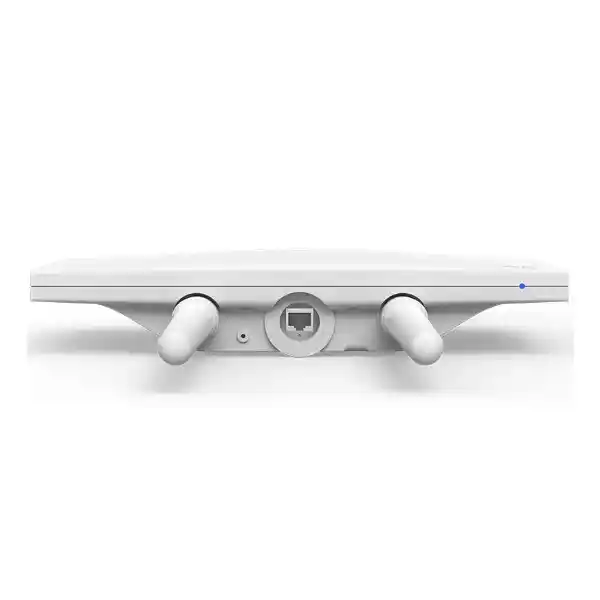
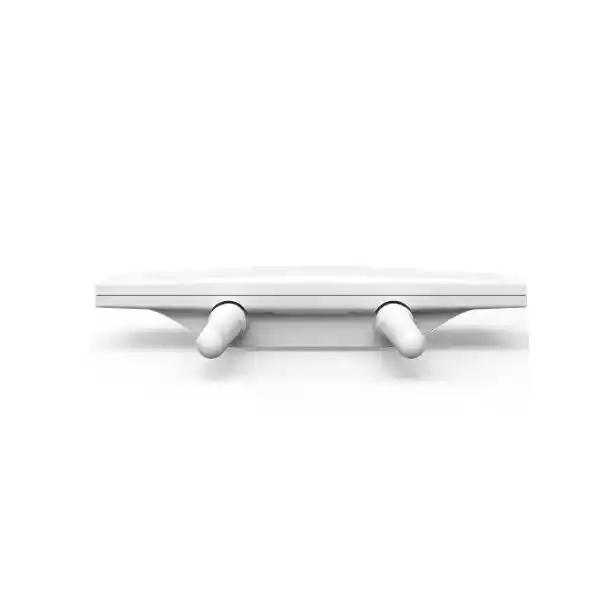
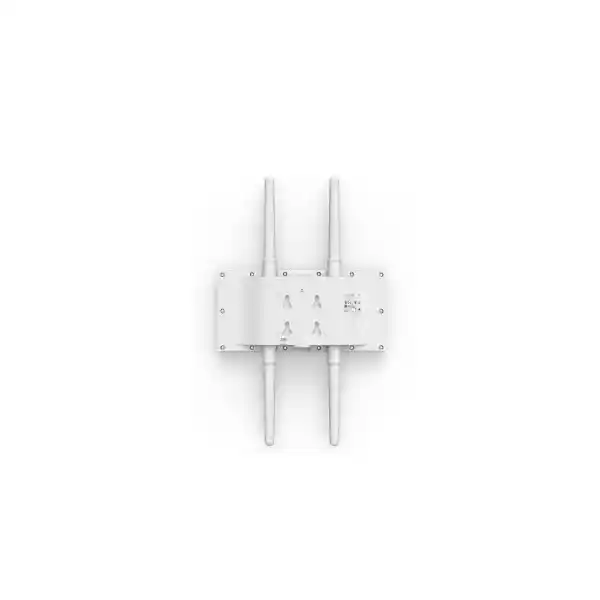
Cisco Meraki MR86 UAE
A weather-resistant 4×4:4 Wi-Fi 6 access point for organizations that need centrally managed wireless coverage in outdoor areas, logistics environments, campuses, yards, hospitality spaces and other locations where antenna choice and physical installation matter as much as the access point itself.
Direct answer: what the Cisco Meraki MR86 is and when it fits
Why the MR86 is different from a typical indoor access point
The Cisco Meraki MR86 is not simply an indoor access point placed inside a weatherproof shell. Its design decisions are oriented around exposed installations and deliberate RF planning. The hardware carries an IP67 environmental rating, operates across a published temperature range of -40°C to 55°C, and uses four external N-type female antenna connectors rather than relying on a single fixed internal radiation pattern. That combination gives a network designer more control over where wireless energy is directed, but it also means the access point should be purchased as part of an RF system rather than as an isolated box.
On the radio side, the MR86 runs concurrent 2.4 GHz and 5 GHz client-serving radios, each with 4×4 multiple-input multiple-output capability and four spatial streams. Cisco Meraki states a dual-radio aggregate frame rate of up to 3.0 Gbps, based on up to 2,402 Mbps on 5 GHz and 574 Mbps on 2.4 GHz under Meraki’s supported enterprise channel approach. The chipset itself is capable of a higher 2.4 GHz PHY rate when 40 MHz channels are used, but Meraki does not enable that 40 MHz 2.4 GHz mode because it is generally unsuitable for real enterprise deployments. That distinction is important because headline chipset numbers are not the same thing as a practical configured wireless design.
The client radios support technologies associated with 802.11ax such as OFDMA, MU-MIMO, BSS coloring, target wake time and 1024-QAM where supported by the software and client environment. These features can improve efficiency when many compatible devices are active, but they do not remove the need for correct capacity planning. Outdoor coverage often produces a larger visible cell than an indoor AP, and a large RF footprint can attract more clients than a single radio should serve efficiently. Good design therefore balances signal coverage with airtime capacity, channel reuse, interference, roaming behavior and the wired network behind the access point.
A separate scanning and security radio is one of the reasons Meraki deployments can monitor the wireless environment without relying solely on the client-serving radios. The MR86 can provide WIDS/WIPS functions, spectrum analysis and location-related visibility while the main radios continue serving clients. Meraki’s Air Marshal capabilities can identify rogue access points and provide security monitoring in the context of the Dashboard-managed network. For organizations operating public-facing outdoor Wi-Fi, branch estates or distributed facilities, centralized visibility can be as important as raw radio performance because troubleshooting often has to occur without an engineer standing beside the access point.
The MR86 also includes a Bluetooth Low Energy radio for beaconing and scanning use cases. Buyers should treat BLE as an additional platform capability rather than assuming a specific business application is automatically enabled by the access point alone. The value depends on the wider Meraki configuration, supported workflows and the organization’s actual location or asset-related requirements. The same principle applies across the MR86: the hardware provides a capable outdoor wireless platform, while the final business outcome depends on licensing, Dashboard configuration, RF design, wired connectivity and correct installation.
Cisco Meraki MR86 key specifications
The table below focuses on specification points that influence design, procurement and installation. Exact regional radio operation remains subject to country-specific regulatory rules and the configuration applied to the device.
| Specification area | MR86 detail and buyer relevance |
|---|---|
| Client radios | 2.4 GHz 802.11b/g/n/ax and 5 GHz 802.11a/n/ac/ax client access radios, both designed around 4×4 MIMO with four spatial streams. |
| Aggregate frame rate | Up to 3.0 Gbps combined dual-radio frame rate as specified by Cisco Meraki, with up to 2,402 Mbps on 5 GHz and 574 Mbps on 2.4 GHz under the supported channel approach. |
| Dedicated monitoring radio | Dual-band WIDS/WIPS, spectrum analysis and location analytics radio supports continuous environmental and security visibility without assigning all monitoring work to the client-serving radios. |
| Bluetooth | 2.4 GHz Bluetooth Low Energy radio with beacon and BLE scanning support. |
| Ethernet | One 100/1000/2.5G BASE-T RJ45 interface. The switching infrastructure should be checked if the design expects to use the multigigabit uplink capability. |
| PoE | 42.5–57 V PoE, 802.3at compatible, with up to 30 W power consumption. A suitable injector can be ordered separately if the access switch cannot provide the required PoE. |
| Antenna interfaces | Four external N-type female connectors. Antennas are not included with the access point and must be selected for the intended coverage geometry and regulatory conditions. |
| Compatible Meraki antenna families | Cisco Meraki lists MA-ANT-20, MA-ANT-25 and MA-ANT-27 among compatible choices, with AIR-ANT2513P4M-N= also listed for applicable designs. The correct type depends on whether coverage should be omnidirectional, patch-focused or sector-focused. |
| Environmental rating | IP67, with published operating/storage temperature of -40°C to 55°C and 5% to 95% non-condensing humidity. |
| Dimensions | Approximately 30.0 × 15.3 × 5.5 cm, excluding cable gland, mounts and antennas. |
| Weight | Approximately 1.5 kg. |
| Hardware ordering reference | MR86-HW is the Cisco Meraki hardware ordering reference stated in the product documentation. Licensing and antenna requirements should be quoted separately according to the deployment. |
Antenna selection is a core MR86 design decision
One of the most important differences between the MR86 and many indoor access points is that the antennas are external and are not included. This is not a minor accessory detail. The antenna determines how RF energy is distributed through the intended service area, which in turn affects coverage boundaries, client signal level, interference, roaming, channel reuse and the number of access points required. A quotation that lists only MR86 hardware without addressing antenna type may be technically incomplete even if the access point quantity appears correct.
Omnidirectional approach
An omnidirectional antenna is appropriate when coverage is needed around the mounting point, such as certain pole-mounted outdoor areas or mesh-oriented layouts. It can simplify broad-area coverage but should not be assumed to be the best answer everywhere. A broad RF footprint may spill signal into spaces that do not need service, increase contention with neighboring cells or create association behavior that is less predictable than a more focused antenna design.
Patch approach
A patch antenna concentrates service into a more controlled direction and is useful when the access point is mounted at the edge of the target area, high above a defined coverage zone or in warehouse-style environments where a broad omnidirectional pattern would waste energy. Patch selection should be tied to mounting height, orientation, client locations and expected obstructions rather than chosen only because a long range is desired.
Sector approach
A sector antenna is useful when coverage needs to be projected over a defined angular region, for example from the side of a building toward an outdoor service area. Sector designs can reduce energy sent behind the access point and help create more deliberate cell boundaries, but they require accurate aiming and should be coordinated with neighboring AP channels and mounting positions.
The MR86 has four N-type antenna ports, and the 2.4 GHz and 5 GHz client radios are diplexed onto those ports. Cisco’s installation guidance notes that the connected antennas should have overlapping coverage areas and, when directional antennas are used, should be aimed appropriately toward the intended network area. This means the four connectors are not an invitation to point different antennas in unrelated directions. The antenna system should behave as one coherent design for the client-serving radios.
Antenna gain and regulatory limits also matter. Higher gain is not automatically better because regulatory limits can affect maximum transmit power, and Cisco Meraki Dashboard antenna selection influences the permitted transmit settings. Third-party antennas may be technically possible, but responsibility for regulatory compliance becomes a serious consideration. For business deployments in the UAE, the safer procurement path is to confirm the certified antenna choice, local radio requirements and installation design rather than substituting an antenna simply because its connector fits.
The antenna decision should therefore start with a drawing or clear description of the coverage area. Useful inputs include the dimensions of the space, mounting height, whether the AP will be wall- or pole-mounted, the direction from the mounting point to the users, major metal structures, walls or racks, expected client density, traffic type, neighboring Wi-Fi and whether roaming to adjacent indoor or outdoor cells is required. Those inputs make the antenna recommendation defensible and reduce the risk of purchasing hardware that later needs to be repositioned or replaced.
Power, Ethernet and physical installation planning
The MR86 uses its Ethernet interface both for network connectivity and Power over Ethernet. Cisco specifies 802.3at compatibility and up to 30 W maximum power consumption. A buyer should therefore confirm the exact access-switch model, available PoE budget and cable path before assuming an existing switch can power a new group of MR86 units. A switch may support PoE in general but still lack sufficient per-port power, total chassis budget or multigigabit capability for the design. If a suitable PoE switch is not available, a compatible injector can be included in the bill of materials, subject to the required power cord and installation arrangement.
The wired uplink is a single 100/1000/2.5G BASE-T RJ45 port. A 2.5GbE-capable switch port can prevent the wired uplink from becoming an unnecessary ceiling where the wireless traffic pattern justifies more than one gigabit of aggregate wired capacity. However, installing a multigigabit switch does not automatically produce 2.5 Gbps of user throughput. Real application performance is affected by RF conditions, client capabilities, channel width, contention, WAN capacity, security policy, traffic shaping and the number of simultaneous users. The 2.5GbE interface should be understood as an uplink capability that supports a well-designed deployment rather than as a guaranteed speed per user.
Cisco’s installation guide states a maximum Ethernet cable length of 100 metres for the PoE connection. Outdoor cable routes should be planned around that limit, termination quality, environmental exposure and the location of the upstream switching equipment. Where the physical distance exceeds the copper design or where electrical separation is desirable, the network architecture may need to change rather than stretching a copper run beyond good practice. The AP itself does not provide a fibre uplink, so any fibre extension has to terminate at suitable network equipment before the final copper/PoE segment to the MR86.
Grounding deserves particular attention on outdoor installations. The MR86 mounting system provides a grounding point, and Cisco’s outdoor access point guidance emphasizes correct grounding to reduce the risk of damage from static buildup, electrical surges and adverse outdoor electrical events. Grounding requirements should be implemented according to local electrical rules and site safety practice. The presence of an IP67 rating does not remove the need for grounding, surge planning or good cable-entry workmanship.
The mount location influences both RF performance and serviceability. Cisco recommends an unobstructed line of sight to the intended coverage area where possible and sufficient clearance for the selected antennas. Pole mounting, wall mounting and directional antenna aiming should be planned before drilling or fixing hardware. The access point has to remain physically accessible enough for safe maintenance without placing it where users can easily tamper with it. Physical security features such as the concealed mount plate and security screws help, but correct placement is still the first layer of protection.
UAE outdoor environments can combine heat, dust, reflected solar load and long exposed cable runs. The published 55°C upper operating temperature is an important reference, but designers should think about the actual micro-environment around the access point rather than relying only on the forecast air temperature. Direct solar exposure, heat reflected from walls or roofs, enclosed mounting cavities and poor airflow can all change equipment temperature. A technically sound installation considers shade, orientation, cable gland sealing, drainage, grounding, service access and the behavior of the entire mounting location over the full day.
Meraki cloud management and what it changes operationally
The MR86 is designed to be managed through the Cisco Meraki Dashboard rather than as a traditional standalone access point configured independently at each location. This cloud-managed architecture is often one of the strongest reasons to deploy Meraki across distributed business sites. Access points can be claimed into an organization, associated with networks, configured through policy and monitored remotely. Firmware is managed through the Meraki cloud, and administrators can use centralized monitoring and diagnostic tools without maintaining a separate on-premises wireless controller for the MR86.
For a single outdoor AP, cloud management may appear to be an operational convenience. Across ten, fifty or hundreds of access points, it changes the management model. SSID configuration, authentication rules, VLAN behavior, traffic policies, RF settings, security visibility and alerts can be handled with organization-wide consistency. That can reduce configuration drift between sites and simplify support when a branch or remote outdoor area has no resident network engineer. The value is greatest when the organization already has a Meraki operational model or wants to standardize on one.
The Dashboard does not eliminate architectural decisions. The network still needs working IP addressing, DNS and connectivity to the Meraki cloud. VLAN tagging, firewall policy, upstream routing, DHCP, authentication servers and any integration with Cisco ISE or other identity systems must be designed as part of the network. If the wireless clients need corporate resources, internet access and segmented guest access, those flows should be documented before configuration begins. A well-managed cloud access point still depends on a well-designed wired and security environment.
Meraki’s integrated Layer 7 traffic identification and shaping can help administrators prioritize or constrain application categories, while wireless quality-of-service features support voice and video-oriented traffic handling. These controls are useful for shared outdoor networks where guest traffic, operational handhelds, voice endpoints and business applications may compete for airtime. They should be used as part of a policy rather than as a substitute for capacity. If an event area suddenly holds many times its normal population, no traffic-shaping rule can create additional spectrum. Capacity planning remains a radio-design task.
Security features include WIDS/WIPS capabilities, rogue AP monitoring through Air Marshal, guest isolation options, VLAN tagging, secure enterprise authentication methods and support for modern WPA3 modes where enabled and compatible. The practical security posture depends on configuration and on the capabilities of client devices. Older clients may force compatibility choices that are different from a new greenfield deployment. Before a WPA3-only policy is selected, the actual client estate should be checked, especially in operational environments where scanners, handheld terminals, specialty devices or legacy IoT endpoints may remain in service for many years.
Remote diagnostics can reduce site visits, but physical faults still need physical remedies. A damaged antenna, water-compromised cable, loose mount, failed upstream switch port or incorrectly aimed sector antenna cannot be repaired from Dashboard. Operational planning should combine cloud visibility with a clear field-service process, accurate site records and labeling. For larger UAE deployments, documenting AP serials, switch ports, cable IDs, antenna types, aiming direction and mounting positions can save significant time when troubleshooting months or years after commissioning.
Meraki licensing: include it in the buying decision, not as an afterthought
A Cisco Meraki MR access point requires an appropriate Meraki license for managed operation. The hardware price therefore should not be evaluated in isolation. Cisco documents MR licensing across multiple licensing models, including subscription and co-termination, while per-device licensing remains relevant mainly to organizations already using that model. The correct commercial path depends on the customer’s existing Meraki organization, current license architecture and desired term. Mixing licensing models within one organization is not a normal option, so the organization-level context should be checked before license SKUs are added to a quotation.
For co-termination organizations, MR licenses are model-agnostic and the organization maintains a common co-term relationship rather than requiring a license SKU unique to the MR86 hardware model. Cisco documents MR Enterprise and MR Advanced editions plus upgrade licensing for applicable organizations. A new MR86 purchase should therefore be checked against the organization’s existing edition and license count. Adding hardware without aligning the license position can create a compliance issue even when the access point itself is correctly installed.
Subscription licensing changes the commercial structure by using subscription terms and hardware-family coverage rather than treating every hardware refresh as a completely new licensing exercise. The decision between available models is not simply a price comparison; it can affect renewal timing, lifecycle planning and how the organization handles future growth. Existing Meraki customers should provide their organization licensing model or a screenshot/export of the relevant license status when requesting a renewal or expansion quote, subject to their internal security policy.
License term should be matched to the intended service life and procurement policy. A short term can reduce initial commitment but increases renewal frequency. A longer term can simplify budgeting and reduce the operational risk of frequent renewal events, but it should be aligned with the organization’s technology roadmap and licensing model. Buyers planning a broad wireless refresh should consider the entire AP estate rather than licensing the outdoor units separately without understanding the effect on the organization.
For a clean MR86 quotation, FourTeck should know whether the requirement is for new Meraki deployment, expansion of an existing Dashboard organization, replacement of existing MR hardware or a site migration from another wireless platform. That single distinction changes the questions that need to be asked about licensing, configuration reuse, SSIDs, authentication, switch ports, VLANs and rollout sequence. It also helps prevent the common procurement error of receiving correct hardware with an incomplete or incompatible license plan.
Security, segmentation and guest-access considerations
Outdoor wireless networks often serve a more diverse client population than office-only Wi-Fi. A campus courtyard may need employee access and visitor access. A logistics yard may support handheld terminals, tablets, cameras or operational devices while contractors also need connectivity. A hotel outdoor area may carry guest traffic, staff devices and point-of-service workflows. The MR86 provides the wireless platform for these use cases, but the network should be segmented according to trust level and business purpose rather than putting every outdoor device on one shared network.
The MR86 supports VLAN tagging and can participate in Meraki wireless designs that separate SSIDs or policies into different network segments. Upstream switches, routers and firewalls must have matching VLAN, routing, DHCP and security policies. If the AP is connected to a trunk port, the allowed VLAN list and native VLAN behavior should be documented. A mismatch between the Dashboard SSID configuration and the wired switch port can create an installation that appears healthy in Dashboard but fails for specific client networks.
For corporate access, enterprise authentication using 802.1X and supported EAP methods can provide identity-based security stronger than a shared passphrase. That design requires a compatible RADIUS or identity platform, certificate planning where applicable and client support. Cisco ISE integration can be relevant for organizations already using Cisco identity and policy services. The presence of an integration feature should not be mistaken for a zero-effort implementation; authentication design, certificate lifecycle, redundancy and troubleshooting ownership should all be defined before rollout.
Guest access requires its own decisions. Device isolation can reduce direct client-to-client exposure, while firewall and traffic policies can limit what guest users reach. Captive portal or sponsored-access workflows, if used, should be tested on the actual client mix and with the organization’s DNS and internet policies. Outdoor guest networks are often used by transient devices with private MAC addressing, so analytics and identity expectations should be realistic. A policy designed around stable device identifiers may not behave the way an administrator expects when modern phones rotate addresses for privacy.
Wireless intrusion monitoring is another useful layer. The dedicated MR86 radio can support Air Marshal security functions without depending entirely on the client-serving radios for scanning. Rogue AP alerts should be tied to an operational process: who receives them, which detections are actionable and what containment policy is permitted. Automatic containment should be configured carefully because wireless environments can include neighboring networks that belong to other organizations. The goal is controlled security visibility, not indiscriminate interference.
Finally, security has a physical dimension outdoors. Protect the mount, cable path, switch cabinet and network room as carefully as the wireless policy. If an exposed Ethernet cable can be unplugged or redirected, logical controls alone may not be sufficient. Use appropriate physical routing, locked enclosures where needed and upstream security controls such as switch-port policy and network access control. The MR86’s security screws and concealed mount arrangement are useful, but the whole installation should be considered part of the security boundary.
Performance planning: what 3.0 Gbps does and does not mean
Cisco Meraki specifies an aggregate dual-radio frame rate of up to 3.0 Gbps for the MR86. That figure is useful for understanding the radio class, but it should not be presented as a guaranteed application throughput figure. Wi-Fi is a shared medium. Actual throughput depends on channel width, client radio capability, distance, signal-to-noise ratio, interference, retransmissions, protocol overhead, airtime contention and the traffic mix. A two-stream mobile phone at the edge of an outdoor cell will not experience the same rate as a four-stream test client close to the AP.
The 5 GHz radio is typically the primary band for high-performance enterprise traffic because it provides more channel choices and supports up to 80 MHz channels on the MR86. Wider channels can increase peak throughput but consume more spectrum. In a high-density deployment, multiple narrower channels can deliver better aggregate capacity through reuse than a small number of very wide channels. The correct channel plan depends on the number of APs, neighboring interference, coverage overlap and the types of applications being served.
The 2.4 GHz band remains important for compatibility and longer-range client behavior, but it has limited non-overlapping spectrum. Cisco’s published MR86 aggregate figure uses up to 574 Mbps for the 2.4 GHz side under the supported enterprise configuration. Meraki specifically does not enable 40 MHz 2.4 GHz channels even though the chipset could support a higher PHY rate with them. That is a useful example of why practical enterprise Wi-Fi design prioritizes spectrum efficiency and coexistence over the highest possible lab number.
Capacity planning should begin with users and applications. Voice devices need consistent latency, roaming and airtime access. Video raises sustained throughput requirements. Handheld scanners may use little bandwidth but require stable roaming and reliable authentication. Guest networks can create bursts of high traffic when many personal devices arrive simultaneously. Cameras or fixed IoT devices may be better served by a wired connection depending on placement and application criticality. The AP count should reflect these behaviors, not only a coverage heatmap.
Client capability is often the hidden limit. A 4×4 access point can serve many clients efficiently, but many phones and tablets use fewer spatial streams. Older 802.11n or 802.11ac devices may not benefit from every Wi-Fi 6 efficiency feature. A mixed client estate can still work well, but network expectations should be based on the actual devices in service. For operational deployments, capture model information for representative clients and test them under realistic traffic and roaming conditions before assuming a new AP will resolve every wireless issue.
The 2.5GbE uplink provides useful headroom, but the upstream path must match. If the AP connects at 1GbE because the switch port is limited to 1GbE, the wireless network can still provide strong service, but the wired link becomes a defined ceiling. If many MR86 units are connected to the same access switch, the switch uplinks and power budget should be reviewed together. A wireless refresh can expose bottlenecks that were invisible when older APs and lower-bandwidth clients were in use.
The right design target is therefore not “maximum speed.” It is predictable user experience at the busiest expected time, with enough RF capacity, wired capacity, PoE budget, internet bandwidth and policy headroom to support growth. That approach produces a more reliable bill of materials and makes it easier to explain why a given number of access points, antenna types and switch ports are being recommended.
Where the MR86 can fit well
Warehouse yards and logistics areas
The external-antenna design can be useful for yards, loading areas and perimeter workspaces where coverage needs to be projected from a wall or pole. The design should account for metal vehicles, containers, racks and changing obstruction patterns. Operational handhelds may prioritize roaming and reliability over peak throughput, so testing with the actual device type is valuable.
Campus outdoor spaces
Schools, universities, healthcare estates and enterprise campuses can use outdoor APs to extend managed wireless into courtyards, walkways and common areas. Roaming behavior between indoor and outdoor cells should be designed deliberately, particularly when voice, collaboration or mobility applications need sessions to remain stable across building boundaries.
Hospitality and public outdoor zones
Hotels, resorts and event-oriented facilities may need guest and operational wireless around pools, terraces, entrances or outdoor venues. Capacity changes dramatically between quiet and busy periods, making client-count estimates and guest policy essential. Directional antennas can help shape cells where neighboring buildings or guest areas would otherwise overlap too broadly.
Retail and mixed indoor/outdoor compounds
Retail compounds, service centers and multi-building sites may need wireless in customer-facing external spaces, drive-up areas or inter-building zones. The MR86 can fit when the Meraki Dashboard is already used for indoor networks and the outdoor estate should be managed through the same operating model.
Temporary or event deployments
The MR86 can also be evaluated for controlled temporary deployments where suitable mounting, power, cabling and secure access are available. Temporary does not mean design-free: event density can be much higher than normal enterprise density, and rapid installation increases the risk of poor aiming, overloaded channels or insecure cabling. A temporary design should still define antenna pattern, client count, uplink bandwidth, PoE source, physical security and decommissioning steps.
When the MR86 may not be the best choice
The MR86 is a capable outdoor Wi-Fi 6 access point, but it should not be selected automatically for every wireless requirement. If the project is entirely indoors and a fixed internal antenna pattern is appropriate, an indoor access point may be simpler to mount, less visually intrusive and easier to specify. If the buyer does not need external antennas, paying for that flexibility can add installation decisions without delivering proportional value.
A current-generation alternative should also be evaluated when the project is a new long-term build and the customer’s roadmap is moving toward newer Wi-Fi standards. The MR86 is an 802.11ax platform, not a Wi-Fi 7 access point. Wi-Fi 6 remains suitable for many enterprise client estates, but a procurement team planning a long refresh cycle should compare expected device evolution, switch upgrades, licensing and vendor roadmap before standardizing on a model. The newest standard is not automatically required, yet lifecycle alignment matters for large deployments.
The MR86 may also be a poor fit where no suitable wired Ethernet and PoE path can be provided. Mesh can be useful in specific designs, but relying on wireless backhaul to solve a difficult cabling problem can reduce effective capacity and complicate RF planning. Cisco’s installation guidance recommends line of sight to at least two other Meraki devices when used in a mesh deployment. If the target site cannot provide stable topology, power and appropriate mounting, another architecture may be more reliable.
Very high-density venues need dedicated design rather than simple AP replacement. Stadium-style or major event environments can require narrow coverage sectors, careful channel reuse, specialized mounting and detailed client-capacity modeling. The MR86 can participate in directional high-density designs, but the correct AP count and antenna solution cannot be chosen from square metres alone. A site survey and RF plan are more important than choosing the access point first.
Finally, organizations that do not want cloud-managed licensing and Dashboard operations should evaluate whether Meraki aligns with their management strategy. The MR86’s benefits are closely tied to the Meraki ecosystem. Buyers who require a different controller architecture, a different licensing model or a completely isolated management environment may prefer another platform. A balanced procurement decision compares the complete operating model, not only radio specifications.
Deployment journey for a UAE MR86 project
Start with a plan of the space, user zones, mounting surfaces, likely obstructions and areas where coverage is not required. Include client count and application type. This turns a product request into a network requirement and provides the information needed to choose between omni, patch and sector antenna patterns.
Identify the switch, port speed, PoE standard, total PoE budget, VLAN design and uplink capacity. Confirm the copper distance to the AP location. If a new outdoor cabinet, switch or injector is required, include it before the AP quantity is approved.
Determine whether the APs will join an existing Meraki organization or a new one, and identify the licensing model and edition. This prevents a hardware-only order from becoming a licensing problem after installation.
Choose the certified antenna based on coverage geometry, then confirm mounting height, direction, pole or wall arrangement, clearance, grounding path and weather exposure. Directional antennas should have a documented aiming plan.
Claim devices into Dashboard, assign them to the appropriate network, confirm firmware, SSIDs, authentication, VLANs, RF profile, firewall rules and switch-port configuration. Pre-staging reduces time spent at exposed outdoor mounting points.
Mount the AP securely, attach and aim antennas, connect the protected Ethernet path, ground according to the design and verify Dashboard connectivity. Then test client association, roaming, application traffic and coverage from the actual user locations.
Migration and expansion considerations
An MR86 project may be a greenfield outdoor deployment, an expansion of an existing Meraki network or a replacement for another wireless platform. Those scenarios need different planning. Greenfield deployments have the freedom to redesign SSIDs, authentication and VLANs but require the full Meraki organization and licensing setup. Existing Meraki expansions can reuse operating standards but must account for license capacity, RF interaction with current APs and switch-port availability. Migrations from another vendor require particular care around client behavior, policy translation and cutover sequencing.
During a migration, avoid assuming that an SSID with the same name is functionally the same network. Authentication methods, VLAN assignments, captive portal behavior, roaming features, rate limits, multicast handling and firewall policies can differ between platforms. Document the current service first, then decide which behavior should be preserved and which should be improved. A wireless refresh is often the right time to retire unnecessary SSIDs, modernize security and simplify VLAN design, but changes should be deliberate because they can affect operational devices.
Outdoor deployments are especially sensitive to physical reuse assumptions. Existing poles and cable runs may look convenient but may not match the antenna direction or PoE design of the MR86. Inspect cable condition, grounding, weather seals and route length before reusing legacy infrastructure. An old outdoor cable can pass a basic connectivity test yet still create intermittent errors under temperature, moisture or mechanical stress. Replacement cabling may cost less than repeated troubleshooting visits.
If older Meraki APs are being replaced, the RF plan should still be reviewed. Newer radio capabilities, different antenna patterns and changed user density can alter the ideal power and channel settings. A one-for-one hardware swap is operationally simple but may preserve an old design problem. The best migration projects use the refresh to validate mounting position, overlap, roaming boundaries and client demand rather than assuming the old AP count is permanently correct.
For phased rollouts, maintain a site-by-site record showing old hardware, new MR86 serial, switch port, antenna type, license status, installation date and test result. This becomes the operational handover document and simplifies future support. It is particularly useful when several contractors or regional teams are involved because it creates one source of truth for the physical and Dashboard deployment.
Common MR86 purchasing mistakes to avoid
Ordering hardware without antennas
The MR86 does not include the external antennas required for normal radio operation. The antenna type should be selected from the deployment geometry, not added as a generic accessory after the hardware arrives.
Assuming every PoE switch is sufficient
The AP requires 802.3at-compatible power and can draw up to 30 W. Confirm the per-port standard and total switch PoE budget, especially when multiple APs are added to an existing access switch.
Ignoring the Meraki license model
Meraki licensing is part of the operating platform. Quote the correct license path for the customer’s organization rather than treating licensing as an optional post-installation purchase.
Using square metres as the only sizing input
Coverage area alone does not reveal client density, antenna direction, obstructions, roaming needs or application load. A capacity-driven design can require more APs than a simple coverage estimate.
Treating IP67 as the entire outdoor installation specification
IP67 is an environmental rating for the access point, not a guarantee that every cable termination, mounting method or electrical condition is safe. Outdoor design still requires proper gland sealing, grounding, surge awareness, secure mounting, suitable cable and attention to direct heat exposure.
Procurement details that improve quotation accuracy
A useful MR86 quotation should be specific enough that procurement can understand what is included and engineering can understand what assumptions were made. At minimum, the request should state quantity, deployment location, whether the requirement is supply only or includes installation, and whether the APs will join an existing Meraki organization. From there, the technical scope can be refined with antenna, PoE, cabling and license details.
For antenna selection, provide a plan, photos or a concise description of the mounting point and target area. Include approximate dimensions and mounting height. State whether the AP will be on a wall, pole or other structure and whether users are mostly in one direction or around the mounting point. If the project requires coverage across roads, yards, warehouse aisles or courtyards, mark the boundaries where service is actually needed. That information is more useful than a request for “maximum range.”
For power, identify the switch model and available port if known. A switch configuration export or port-level information can confirm PoE and link-speed capability without guessing. If there is no existing switch, state the number of APs and other PoE devices that will share the switch so the total budget can be sized. If an injector is preferred, confirm the local power arrangement and installation location.
For licensing, state whether the organization uses Meraki co-termination or subscription licensing, or whether this is a new Meraki deployment. Existing customers should also state the preferred renewal alignment or license term. This helps avoid a quote that is technically valid as a standalone license but commercially awkward for the existing organization.
For installation, define who supplies cable, containment, poles or brackets, grounding materials, access equipment and civil work. Outdoor installations may require ladders, lifts, roof access, working-at-height controls or coordination with facility management. These items can materially change an installation quote and should be separated from the AP hardware line so the buyer can see exactly what is being priced.
Finally, include the expected timeline and whether the project is a replacement of a failed unit, an expansion or a planned new site. Urgent replacement projects prioritize compatibility and service restoration, while planned rollouts allow more time for survey and design. Clear intent helps the supplier propose the right level of engineering rather than over- or under-scoping the work.
UAE sourcing, implementation and related FourTeck resources
For UAE buyers, the MR86 should be sourced with attention to the exact hardware reference, compatible antenna requirement, Meraki license position and installation environment. FourTeck can provide a supply-focused quotation or help scope the wider network requirement where switching, cabling, installation and security policy need to be coordinated. Product availability, lead time and commercial terms should be confirmed at quotation stage rather than assumed from a generic product listing.
Customers evaluating a broader infrastructure project can review FourTeck UAE for regional technology sourcing and project support. Where the MR86 forms part of an installation, migration or managed infrastructure requirement, FourTeck IT Services UAE is relevant for wider implementation and operational assistance.
Outdoor Wi-Fi is often connected to a wider security design. Buyers coordinating firewall policy, VLAN segmentation or branch security can also review Firewall Dubai by FourTeck. For international procurement or multi-country business requirements, FourTeck provides a broader corporate reference point.
The objective is to keep the wireless design coherent. An MR86 purchase should fit the switching, PoE, VLAN, security, licensing and support environment that will operate it. Treating those elements as one deployment reduces commissioning delays and makes the final quotation more useful to both procurement and the technical team.
Cisco Meraki MR86 buyer questions
Is the MR86 an outdoor access point?
Yes. Cisco Meraki specifies the MR86 with an IP67 environmental rating and an operating temperature range extending from -40°C to 55°C. Outdoor suitability still depends on correct mounting, cable sealing, grounding, power and site conditions.
Does the MR86 include antennas?
No. The access point uses four external N-type antenna connectors and antennas are selected separately. The antenna should be chosen according to the coverage pattern, mounting location and regulatory requirements.
What antenna types can be used?
Cisco Meraki lists compatible omni, patch and sector options including MA-ANT-20, MA-ANT-25 and MA-ANT-27 families, with another Cisco directional option listed for applicable designs. The best choice depends on the RF geometry rather than on gain alone.
Does it support 2.5GbE?
Yes. The MR86 has one 100/1000/2.5G BASE-T Ethernet interface. To use a 2.5GbE link, the upstream switch port and cabling must also support the required Ethernet rate.
What PoE standard is required?
Cisco specifies 802.3at-compatible PoE and up to 30 W maximum power consumption. A suitable Meraki injector can be used where the switch cannot provide the required PoE.
Does the MR86 need a license?
Yes. Meraki MR access points require appropriate Meraki licensing. The exact license path should match the organization’s licensing model, edition and desired term.
Can it be used for high-density Wi-Fi?
It can be part of a high-density design because it supports 4×4:4 Wi-Fi 6 features and external directional antenna options. High-density success still depends on AP quantity, antenna pattern, channel reuse, client capability and upstream capacity.
Can the MR86 be mesh-connected?
Meraki supports mesh operation in appropriate designs. Cisco’s installation guidance recommends line of sight to at least two other Meraki devices when using the MR86 in mesh. Wired backhaul remains preferable where practical for predictable capacity.
What should be included in an MR86 quote?
A complete quote may include MR86-HW units, selected antennas, required Meraki licenses, PoE injectors or compatible switching where needed, mounting/cabling scope, installation services and commissioning. The exact bill depends on the site.
Is 3.0 Gbps the speed one user will receive?
No. The 3.0 Gbps figure is the published aggregate frame rate across the two client radios. User throughput is lower and varies with client radios, signal quality, channel width, interference, airtime contention and wired/internet capacity.
Decision recap before ordering the MR86
What FourTeck needs for an accurate MR86 quotation
Number of MR86 units and the UAE deployment location.
Area dimensions, user zones, mounting points and expected obstructions.
Normal and peak concurrent devices plus representative client types.
Guest internet, voice, video, scanners, operational devices or other critical traffic.
Existing switch model, available port speed and PoE budget.
New organization or existing org, licensing model, edition and desired term.
If known, specify omni, patch or sector; otherwise provide the layout for selection.
Supply only, configuration, cabling, mounting, grounding, testing or full rollout.
Build the Cisco Meraki MR86 quote around the real site, not just the AP quantity
Send the coverage area, quantity, existing switch details and Meraki licensing context. FourTeck can use those inputs to identify the hardware, antenna, PoE, licensing and installation items that should be included in a practical UAE quotation.

Reviews
There are no reviews yet.