
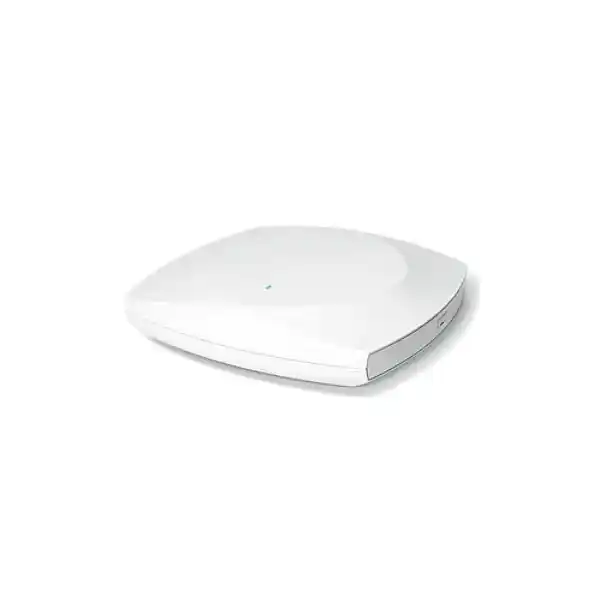
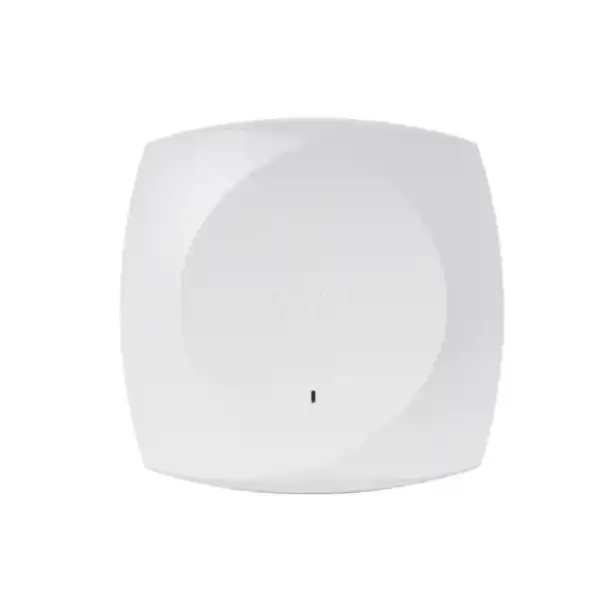
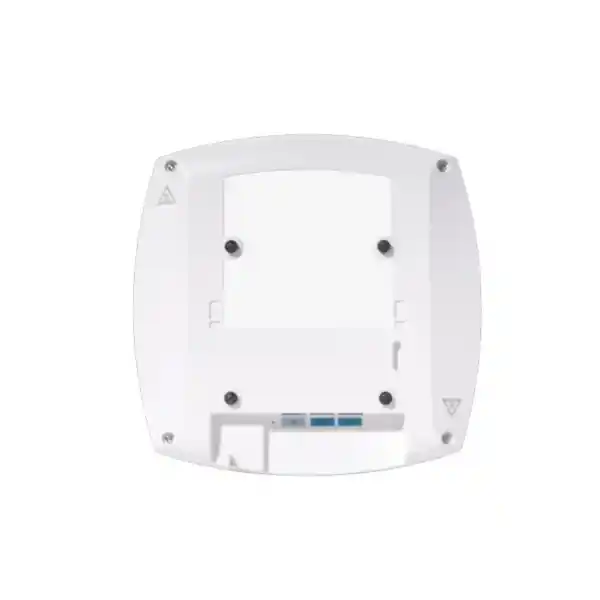
Cisco Wireless CW9171I Wi-Fi 7 Access Point
The Cisco Wireless CW9171I is a compact, energy-conscious indoor Wi-Fi 7 access point for organizations that need enterprise-grade wireless capability without the radio scale, port density, power draw or physical footprint of a high-density flagship platform. It is designed for lower to moderate-density locations including UAE branch offices, retail units, clinics, boutique hotels, education spaces, student accommodation, logistics offices, remote-work hubs and distributed business facilities.
Its defining design choice is important for correct sizing: the CW9171I is a dual-concurrent-radio platform built around a fixed 2.4 GHz client-serving radio and a second client-serving radio that operates in either 5 GHz or 6 GHz mode. It is therefore not a three-client-band simultaneous 2.4/5/6 GHz access point. That distinction helps architects match the product to the right site profile and prevents unrealistic assumptions about aggregate airtime capacity.
CW9171I at a glance
Direct answer: who should buy the Cisco CW9171I?
Choose the Cisco CW9171I when the requirement is a modern indoor Wi-Fi 7 access layer for sites where user density and concurrent traffic are moderate, ceiling or wall space favors a compact internal-antenna AP, the wired edge can provide at least PoE+ for full intended functionality, and the organization values Cisco-class security, controller integration or cloud management. The CW9171I is especially attractive when a customer is refreshing older branch-class access points and wants a practical path into Wi-Fi 7 without moving every location to 4×4 radios, 10-gigabit uplinks or the power envelope of a high-density platform.
It is not the first choice for stadiums, auditoriums, convention floors, very large lecture spaces, extremely dense open-plan campuses or sites where many hundreds of active devices must share one cell. It is also not the right model when the design explicitly requires simultaneous 2.4 GHz, 5 GHz and 6 GHz client service from the same AP. In those cases, a higher-tier Cisco Wi-Fi 7 model with more spatial streams and a different radio architecture may be a better fit. Correct product selection should be based on RF survey data, active-client concurrency, application mix, roaming behavior, channel reuse, PoE budget, switching capacity and controller architecture rather than headline PHY rate alone.
For UAE procurement, FourTeck can position the CW9171I as part of a complete access-layer solution rather than as an isolated hardware item. A useful bill of materials normally considers the access point, compatible mounting, multigigabit PoE switching, controller or cloud-management path, licensing, VLAN and AAA requirements, cabling quality, internet/WAN dependency, branch resiliency, guest policy, monitoring and post-deployment validation. For wider enterprise infrastructure support, customers can also review FourTeck UAE for integrated networking requirements.
Core architecture and radio behavior
2.4 GHz foundation
The 2.4 GHz client-serving radio uses a 2×2:2 architecture. This band remains operationally important for legacy endpoints, barcode scanners, basic IoT clients and devices that prioritize range over peak throughput. In enterprise design, 2.4 GHz should usually be treated as a constrained airtime resource because the band offers fewer non-overlapping channels and is more exposed to interference from non-Wi-Fi equipment. A CW9171I deployment should therefore use intentional power and channel planning instead of assuming that stronger 2.4 GHz coverage is automatically better.
5 GHz or 6 GHz service
The second client-serving radio is also 2×2:2 and can be configured for 5 GHz or 6 GHz operation. This allows the AP to support a conventional 2.4+5 GHz branch design or a 2.4+6 GHz architecture where the environment, client population, controller software and local regulatory profile make 6 GHz appropriate. Because 5 GHz and 6 GHz are not simultaneously client-serving on this model, RF design should be based on the chosen operating mode at each site.
Dedicated scan and IoT functions
In addition to client-serving radios, Cisco specifies a dedicated scan/auxiliary capability and an IoT radio supporting Bluetooth Low Energy, with the platform designed for BLE evolution and 802.15.4-oriented smart-space use cases. Separating monitoring and IoT responsibilities from primary client traffic can improve operational visibility because scanning, telemetry and location-oriented tasks do not need to consume the same role as the serving radio in the same way as a simple two-radio consumer AP.
Internal omnidirectional antennas
The CW9171I uses integrated omnidirectional antennas, simplifying indoor installation and reducing the risk of mismatched external antennas. Cisco lists peak gains of approximately 4 dBi at 2.4 GHz, 5.5 dBi at 5 GHz and 6 dBi at 6 GHz, with an IoT antenna around 2 dBi. Actual cell shape depends on mounting orientation, building materials, ceiling structure, neighboring RF energy and regulatory transmit-power limits.
What Wi-Fi 7 changes on the CW9171I
Wi-Fi 7, formally IEEE 802.11be, extends the efficiency and scheduling concepts introduced in Wi-Fi 6 and Wi-Fi 6E. On the CW9171I, Cisco documents support for 4096-QAM, Multi-Link Operation capabilities, preamble puncturing, uplink and downlink OFDMA, Target Wake Time, BSS coloring and advanced channel widths including up to 320 MHz in the 6 GHz band. These features should be understood as tools that improve spectral efficiency, latency behavior and available PHY capacity when the client, regulatory domain, channel plan and surrounding RF conditions allow them.
4096-QAM can carry more bits per modulation symbol than 1024-QAM, but it requires strong signal quality and low error conditions. It is therefore most relevant close to the access point in a clean RF environment. It should not be used as a blanket range claim. Likewise, 320 MHz channel operation can create very high peak PHY rates in 6 GHz, but consuming extremely wide channels reduces the number of reusable channels available across a multi-AP deployment. A branch with a handful of APs may benefit from wider channels more easily than a multi-floor enterprise where channel reuse and co-channel contention dominate performance.
Preamble puncturing is operationally useful because it can allow portions of a wide channel to remain usable when interference affects part of that spectrum. OFDMA improves scheduling by dividing channels into smaller resource units so that multiple clients can be served more efficiently. BSS coloring helps clients distinguish overlapping basic service sets, which can improve spatial reuse under appropriate conditions. Target Wake Time can reduce power consumption for compatible endpoints by allowing more predictable sleep and wake behavior.
Cisco publishes an aggregate PHY figure around 6.12 Gbps for the platform under its supported radio assumptions, with up to approximately 6.0 Gbps cited for Wi-Fi 7 PHY operation depending on band and channel configuration. These are physical-layer rates, not expected application throughput. Real TCP or UDP performance is lower because of protocol overhead, contention, signal quality, client capability, channel utilization, encryption, retransmissions and the 2.5GbE wired uplink. For capacity planning, application experience and airtime utilization are more important than multiplying marketing PHY numbers.
Detailed wireless standards and backward compatibility
The CW9171I supports Wi-Fi 7 while remaining compatible with earlier enterprise Wi-Fi generations. Cisco lists IEEE 802.11a/b/g/n/ac/ax/be families in the product standards profile, allowing mixed estates to continue supporting older clients during a staged refresh. This matters in real networks because endpoint replacement is rarely synchronized with infrastructure replacement. A clinic may have new Wi-Fi 7 laptops alongside older medical devices; a retail site may have modern handhelds mixed with legacy printers; a branch may contain Wi-Fi 6 phones, Wi-Fi 5 conference endpoints and IoT devices that operate only in 2.4 GHz.
For 802.11ax operation, Cisco documents 2×2 with two spatial streams on the serving bands, uplink/downlink OFDMA, 1024-QAM, Target Wake Time, BSS coloring, maximal ratio combining, beamforming and channel widths up to 160 MHz in 5 GHz and 6 GHz. For 802.11ac, the AP supports two spatial streams and channel widths through 160 MHz on applicable 5 GHz operation. For 802.11n and earlier generations, the radio can fall back to narrower channel widths and legacy modulation behavior as needed.
Backward compatibility does not mean every legacy client should remain enabled without policy. Very old data rates can consume disproportionate airtime because low-rate frames occupy the medium for longer. In a managed enterprise WLAN, disabling unnecessary legacy rates, setting sensible minimum basic rates, tuning transmit power and using appropriate band-steering behavior can materially improve capacity. These changes should be validated against the actual client estate because specialized scanners, industrial endpoints or older voice devices may have stricter requirements than modern laptops.
The same principle applies to Wi-Fi 7 features. A network does not become faster simply because the AP supports a newer standard. The benefit appears when client capabilities, channel design, RF quality, wired backhaul, authentication architecture, roaming, QoS and application traffic are all aligned. For this reason FourTeck recommends treating the CW9171I as one component of an engineered WLAN rather than a drop-in consumer radio upgrade.
Port map, power options and cabling design
2.5GbE multigigabit uplink
The primary wired interface is one RJ-45 Multigigabit Ethernet port supporting 100 Mbps, 1 Gbps and 2.5 Gbps link rates. A 2.5GbE uplink is a sensible match for a compact 2×2 Wi-Fi 7 AP because it removes the 1GbE ceiling without requiring a 5GbE or 10GbE switching port at every location. Cisco indicates Cat5e, Cat6 or Cat6A cabling as appropriate for multigigabit connectivity, subject to installed cabling quality and distance.
Console, USB and DC
Cisco specifies an RJ-45 management console port with a default speed of 115200 bps, a USB 2.0 interface with up to 4.5 W allocation and a 54 V DC power jack. The USB interface gives the platform room for supported modules or application-hosting scenarios, while the DC input provides deployment flexibility where PoE is not available or where a site design deliberately separates data and power.
PoE+ for intended full service
With 802.3at PoE+, Cisco lists 2×2 operation on the 2.4 GHz radio and 2×2 operation on the 5 GHz or 6 GHz radio, with USB available and 2.5GbE uplink capability. This is the preferred design target for normal enterprise deployment. Cisco lists a maximum power requirement of 30 W, while measured typical consumption in its stated dual-radio test profile is much lower.
Degraded 802.3af mode
If only 802.3af PoE is available, the product can operate in a reduced mode. Cisco documents 1×1 service on 2.4 GHz, with the second client-serving radio and USB unavailable and wired link speed reduced to 1GbE. This makes legacy PoE useful for transitional or emergency operation, but it is not equivalent to a properly powered Wi-Fi 7 deployment.
Power budget must be calculated at the switch, not only per access point. A 24-AP branch floor connected to a PoE switch can exceed the switch’s total power budget even when each port individually supports PoE+. The design should account for switch PSU capacity, redundancy mode, PoE allocation policy, power injectors where used, cable losses, future AP additions and whether other powered devices such as IP phones or cameras share the same switch. FourTeck’s UAE IT services practice can help validate switching, structured cabling and wireless dependencies as one deployment plan.
Power consumption and energy-aware operations
Cisco positions the CW9171I as an energy-efficient Wi-Fi 7 platform and publishes a maximum power requirement of 30 W. In Cisco’s specified dual-radio PoE+ test conditions, idle consumption is listed at roughly 9.8 W with a tolerance and typical traffic consumption at roughly 11.4 W with a tolerance. Actual consumption changes with traffic load, radio configuration, temperature, Ethernet speed, USB use and software behavior, so procurement teams should use the maximum input requirement for hard PoE budget planning while using realistic measured or vendor-profile consumption for energy forecasting.
The platform also participates in access-point power optimization concepts. In managed environments, radios or features can be reduced during off-hours according to supported policy, allowing enterprises to save energy without physically disconnecting infrastructure. This is particularly relevant to distributed estates such as retail chains, training centers or branch networks where many sites are unoccupied overnight. Energy savings become significant at fleet scale even when the difference per AP appears small.
For UAE organizations with sustainability reporting goals, the operational model should include more than the AP’s wattage. Consider switch PSU efficiency, cooling overhead, the number of active radios, controller infrastructure, branch UPS runtime and whether outdated access points force unnecessarily dense designs. A newer AP with improved spectral efficiency and energy-management functions may support both experience and power objectives, but the final outcome depends on the RF plan and the number of radios actually deployed.
Cisco also supports reuse-oriented mounting and lifecycle programs across portions of its enterprise wireless portfolio. The CW9171I is compatible with AIR-AP-BRACKET-1 and AIR-AP-BRACKET-2 mounting approaches, which can simplify some refresh projects where existing Cisco mounting hardware is suitable and securely installed. Site verification is still necessary because ceiling type, T-rail dimensions, mounting orientation, plenum requirements and local safety standards determine the correct installation method.
Security, authentication and encrypted wireless access
The CW9171I supports modern enterprise WLAN security rather than relying on a single pre-shared password model. Cisco lists WPA2 and WPA3 capability, 802.1X including SHA-256-oriented mechanisms, Enhanced Open/OWE, and strong AES-based encryption suites including GCMP128, GCMP256 and CCMP256 subject to software and configuration support. This provides a foundation for enterprise identity-based access, encrypted guest networks and transition strategies for mixed endpoint populations.
Cisco’s documented EAP support includes common enterprise methods such as EAP-TLS, EAP-TTLS with MSCHAPv2, PEAP with EAP-MSCHAPv2, EAP-FAST, PEAP with token-based methods and EAP-SIM. In a well-designed UAE enterprise deployment, EAP-TLS is often attractive for managed corporate devices because certificate-based authentication can reduce reliance on reusable passwords. The final method should align with identity infrastructure, endpoint management, PKI maturity, guest requirements and compatibility with specialized devices.
Wireless security must also be designed beyond the air interface. The AP should attach to correctly segmented switch ports, management interfaces should be restricted, controller administrative access should use strong authentication, AP-to-controller trust should be maintained, firmware should follow a controlled lifecycle and guest traffic should be isolated from internal services. WLANs can then map users or device classes to appropriate VLANs, policies and security controls rather than placing every wireless endpoint into one flat network.
6 GHz operation introduces additional security expectations because modern Wi-Fi standards eliminate some legacy security combinations in that band. Enterprises planning 6 GHz should validate WPA3 capability across the client population and confirm that onboarding workflows, certificates, supplicants and guest methods are compatible. A pilot is recommended before a broad move from 5 GHz to 6 GHz on a dual-radio platform like the CW9171I because older clients that cannot use 6 GHz would otherwise depend entirely on the 2.4 GHz radio at that AP.
Security also depends on visibility. Dedicated scan capabilities can support RF monitoring and operational analytics, while centralized platforms provide event correlation, client troubleshooting and policy oversight. These functions are not substitutes for firewalls, NAC or endpoint security, but they improve the ability of the network team to detect abnormal behavior and resolve client-impacting issues quickly.
Catalyst and Meraki management flexibility
Controller-based enterprise mode
Cisco documents the CW9171I for integration with Cisco Catalyst 9800 Series Wireless Controllers, including physical and virtual controller options, and with supported Catalyst architectures. For controller-based operation, Cisco IOS XE 17.18.2 is the first supporting release for the CW9171I. That minimum should be treated as a compatibility floor, not a universal recommendation for production. Network teams should select a release based on Cisco’s current recommended software guidance, controller model support, feature requirements, known caveats and change-management policy.
The controller approach is appropriate for enterprises that already operate Catalyst wireless, require deep campus integration, use centralized RF policy and want operational consistency across multiple branches or buildings. Controller high availability, CAPWAP reachability, DHCP/DNS dependencies, firewall rules and WAN resilience should all be included in the design.
Cloud-oriented management
Cisco also positions the converged Wi-Fi 7 hardware family for Meraki cloud-oriented management. This is useful for organizations that value simplified centralized operations across many distributed sites, dashboard-driven configuration, cloud telemetry and reduced on-premises controller footprint. The exact subscription and management mode must be selected during solution design because licensing, feature behavior and operational workflows differ between cloud-managed and controller-managed approaches.
The management decision should be made before procurement rather than after installation. For a five-branch business, cloud management may reduce operational complexity. For an enterprise with established Catalyst 9800 controllers, integrated campus policy and a mature Cisco IOS XE operational model, controller-based deployment may be more natural. The hardware can support flexible lifecycle strategy, but the organization still needs a deliberate management architecture.
Licensing and subscription planning
Cisco’s current wireless portfolio uses the Cisco Networking Subscription framework for supported Wi-Fi 7 access points, with Essentials and Advantage-oriented feature tiers. Licensing is not simply a procurement line item; it influences what management functions, assurance capabilities and advanced network features are available. The correct license should be determined from the deployment architecture, controller or cloud platform, desired telemetry, automation and support model.
A bill of materials should therefore separate physical AP quantity from subscriptions, support, controller requirements, switch ports, power injectors, mounting accessories and optional USB modules. In a refresh project, existing subscriptions or enterprise agreements may affect the most economical route. In a new deployment, the license term should be aligned with budgeting cycles and the expected service life of the site.
FourTeck recommends avoiding quotes that list only an AP part number and a unit price. That approach can produce a low initial number but leave gaps at deployment: no suitable controller software, insufficient PoE budget, missing mounts, incorrect management mode or absent subscription entitlements. A technically complete quotation reduces change orders and accelerates acceptance testing.
For organizations comparing broader network security and branch connectivity options alongside wireless, Firewall Dubai by FourTeck can be used as a related infrastructure reference while keeping the WLAN design tied to the customer’s segmentation and secure-access requirements.
Sizing methodology: how many CW9171I access points are required?
Access-point quantity should not be calculated from floor area alone. A square-meter rule can produce a rough budget, but professional sizing combines coverage, capacity and application requirements. The first step is to identify usable areas, wall construction, ceiling height, attenuation sources, expected client categories, active concurrency and critical application behavior. A branch with 80 employees using laptops and collaboration software is fundamentally different from a warehouse of the same area using handheld scanners and voice devices.
Cisco’s deployment documentation lists a scale of up to 256 clients per radio for the CW9171 family. That is a platform scale figure, not a recommended design target for simultaneous active users. Wireless experience degrades long before the absolute association limit is reached if too many clients are contending for airtime. Practical design should instead estimate active clients per cell, expected throughput per application, airtime consumption, retry rate, channel utilization and roaming overhead. Voice, real-time video and interactive cloud applications require more conservative sizing than background telemetry.
For 5 GHz operation, planners should select channel width based on environment density. A single small office may use 80 MHz or 160 MHz when spectrum is clean and neighboring interference is limited. A multi-floor building with many APs may perform better with narrower channels because this creates more reusable channels and reduces co-channel contention. The widest channel is not automatically the fastest network. The same concept applies even more strongly to 320 MHz in 6 GHz: peak rate can be exceptional, but only where spectrum and client support justify the width.
Coverage thresholds should be set by application. General office data may tolerate weaker signal than voice or location-sensitive services. Designers should also define minimum signal-to-noise ratio, maximum channel utilization and expected roaming overlap. Stairwells, lifts, glass partitions, dense shelving, reinforced concrete, metallic ceilings and server-room boundaries all distort theoretical coverage.
A predictive RF design should be validated with onsite measurements. In new construction, this may involve an AP-on-a-stick survey before final mounting. In an existing building, current spectrum conditions should be measured because neighboring tenants, microwave sources, wireless video and consumer APs can change the RF environment. Post-installation validation should confirm coverage, SNR, retries, throughput, roaming and client onboarding rather than stopping when every AP shows as online.
5 GHz versus 6 GHz on a dual-concurrent-radio AP
When 2.4 + 5 GHz is the better choice
Use 5 GHz when the client estate includes a meaningful percentage of devices that do not support 6 GHz, when broad compatibility is more important than access to new 6 GHz spectrum, or when the site relies on established 5 GHz roaming behavior. This is the safest default for mixed branch populations because nearly all modern enterprise clients support 5 GHz while specialized or older devices may not support 6 GHz.
5 GHz also has mature coverage expectations and can deliver excellent performance with 80 or 160 MHz channels where appropriate. In high interference environments, disciplined channel reuse and transmit-power control remain essential.
When 2.4 + 6 GHz can be compelling
Use 6 GHz when the organization has enough Wi-Fi 6E or Wi-Fi 7 clients to benefit, the UAE regulatory profile and Cisco software release enable the required channels and power levels, and the design wants cleaner spectrum with wider channel opportunities. 6 GHz can materially improve experience for compatible endpoints because it is not burdened by many legacy Wi-Fi generations.
The tradeoff is client compatibility and propagation. 6 GHz generally experiences greater attenuation through building materials than lower frequencies. Because the CW9171I cannot simultaneously serve 5 GHz and 6 GHz clients on its second radio, architects should verify that moving that radio to 6 GHz will not strand important 5 GHz-only devices.
The United Arab Emirates is included in Cisco’s broader 6 GHz country-support framework, but individual AP support remains dependent on current Cisco regulatory tables, product approvals, software release and allowed transmit power. For procurement, treat regulatory status as a live design input. Do not assume that a channel or power level available in another country will be identical in the UAE.
Physical specifications and installation planning
The CW9171I measures approximately 20 x 20 x 5.3 cm without its mounting bracket and weighs about 874 g. This compact form suits drop ceilings, wall locations and discreet branch deployments. The integrated antenna design reduces installation complexity because there are no external RF connectors to match, no separate antenna SKUs to select and no external antenna orientation errors to troubleshoot.
Mounting orientation still matters. Omnidirectional in azimuth does not mean spherical coverage in every direction. An AP mounted flat on a ceiling produces a different vertical pattern than the same unit mounted on a wall. The installation should follow Cisco’s hardware guidance and the RF design’s intended orientation. Mounting above metal ceiling structures, behind ducts or inside cabinets can severely distort performance and should be avoided unless specifically engineered.
Cisco lists operating temperature from 0°C to 50°C, with radio operation derating at higher operating temperatures in the 40°C to 50°C range. Operating humidity is specified from 0% to 95% noncondensing. The AP is an indoor product, so UAE deployments in warehouses, loading zones or semi-outdoor areas need environmental review. A space that feels indoor to users can still expose equipment to heat, dust, condensation or direct solar loading beyond intended conditions.
The installation survey should verify ceiling type, available cable pathways, cable category, cable length, PoE source, grounding practices, controller reachability, DHCP behavior and whether the AP will be visible or concealed. Access for future replacement is also important. Mounting an AP above a hard ceiling with no service hatch may reduce aesthetics but increase maintenance cost.
For multi-site projects, standardize mounting and labeling. AP labels should map to floor plans, switch ports and controller inventory. A consistent naming convention such as site-floor-zone-AP number simplifies troubleshooting. Record switch hostname, port number, cable test results and physical coordinates at handover. Those operational details usually save more time over the life of the deployment than a small difference in installation speed on day one.
Branch, retail, clinic, hospitality and education use cases
Branch offices
A branch office with tens of employees, meeting rooms, printers, phones and visitor devices is a natural fit. The 2.5GbE uplink avoids a legacy gigabit bottleneck, while centralized management helps the enterprise apply consistent SSIDs, security and monitoring across distributed UAE sites.
Retail
Retail sites can use the AP for employee handhelds, point-of-sale connectivity where wireless is appropriate, customer Wi-Fi and IoT telemetry. Design should prioritize roaming and reliability around shelves, storage zones and checkout areas rather than chasing maximum benchmark throughput.
Healthcare clinics
Clinics often combine laptops, tablets, voice, patient services and specialized medical devices. Segmentation and 802.1X policy are important, while RF planning should account for room partitions and equipment. Device validation is essential before changing bands or removing older data rates.
Boutique hospitality
Smaller hotels and serviced spaces can benefit from compact aesthetics, centralized operations and modern capacity. Guest isolation, captive portal behavior, roaming between corridors and rooms, and attenuation through bathroom and fire-rated walls should be tested.
Student housing
Student accommodation can have high device counts per room even when the physical area is small. Capacity planning should therefore be based on active clients and airtime. If density becomes high, the CW9171I may need more cells or a higher-tier AP rather than simply increasing transmit power.
Logistics offices
Administrative and packing-office areas in logistics facilities can suit the platform well. Large warehouse aisles, outdoor yards or very high ceilings may need purpose-built antenna patterns or outdoor-rated APs instead of a compact internal-antenna indoor model.
IoT, BLE and smart-space readiness
The CW9171I includes integrated Bluetooth Low Energy capability and support for 802.15.4-oriented IoT functions, allowing the access point to contribute to smart-space and location-based architectures rather than operating only as a Wi-Fi bridge. Cisco describes BLE use cases such as asset tracking, wayfinding and analytics. The platform’s IoT radio design can support future expansion while avoiding a separate overlay AP for every low-power wireless use case.
However, buying an AP with a BLE radio does not automatically create an asset-tracking solution. A full location service typically needs compatible tags or beacons, software, floor maps, calibration, analytics and application integration. Accuracy depends on AP placement and building geometry. For high-value operational use cases, the IoT design should be specified independently from ordinary Wi-Fi coverage because the best locations for client throughput are not always the best geometry for location analytics.
USB application hosting can also support edge-oriented scenarios. Cisco positions application hosting as a method to simplify IoT deployments by running supported containerized applications or hardware modules close to the network edge. This can reduce the need for separate overlay appliances in some architectures. Any such use should be validated against Cisco’s supported application framework, power requirements and lifecycle management tools rather than treating the USB port as a general-purpose consumer interface.
For smart-retail, clinic and office projects, the recommended process is to define the business outcome first. If the objective is occupancy analytics, asset visibility or sensor integration, identify data sources, retention, privacy, APIs and operational ownership before finalizing AP placement. Wireless infrastructure is then engineered to serve both connectivity and smart-space goals without compromising either.
Performance engineering beyond the headline PHY rate
Enterprise WLAN performance is a shared-medium problem. Every client in a channel contention domain competes for airtime, and slower clients can consume more time to move the same amount of data. A 6 Gbps-class PHY figure therefore cannot be interpreted as 6 Gbps of business application throughput. The CW9171I has a 2.5GbE uplink, so the wired port alone establishes a practical ceiling below the aggregate headline wireless PHY number. Protocol overhead, encryption and radio contention reduce application throughput further.
A better design metric is airtime efficiency. Consider how many active clients transmit during the busiest five-minute interval, what percentage of traffic is uplink versus downlink, how many real-time flows exist, and whether clients support modern modulation and channel widths. Video conferencing is bursty but latency-sensitive. Cloud file synchronization can be throughput-heavy. Voice uses little bandwidth but is sensitive to delay and retries. Scanners may send small packets frequently. These profiles interact differently with the same AP.
Channel utilization should be observed after deployment. Consistently high utilization with strong RSSI may indicate excessive client load or co-channel interference rather than poor coverage. High retry percentages can indicate hidden nodes, interference, weak SNR or rate-control problems. Client health should be analyzed by band and device class because one problematic driver can create a poor experience that appears to be an AP issue.
The 2.5GbE uplink should connect to a switch port that actually negotiates at 2.5 Gbps. If the switch supports only 1GbE, the AP will still function but the wired edge may become the limit. Cabling should be tested, because marginal Cat5e installations can negotiate down or exhibit errors even when the cable appears physically intact. Switch counters, AP Ethernet statistics and controller telemetry should be reviewed during acceptance.
QoS design matters for voice and collaboration. Wireless Multimedia access categories, DSCP handling, wired trust boundaries and WAN policy should form one end-to-end model. Prioritizing traffic over the WLAN alone cannot fix congestion elsewhere. For branches, internet breakout and SD-WAN behavior may have a larger effect on application experience than the local radio once the WLAN is properly engineered.
Controller compatibility and software lifecycle
Cisco identifies Cisco IOS XE 17.18.2 as the first controller software release supporting the CW9171I in Catalyst mode. The supported controller family includes physical and virtual Catalyst 9800 platforms. Engineers should verify the exact controller model, redundancy design and release compatibility before scheduling installation. An AP that cannot join the controller because of software mismatch creates avoidable deployment delay.
Software selection should be conservative. The newest release is not always the best production release for every environment. Review Cisco’s recommended release guidance, feature dependencies, security advisories, resolved defects and open caveats. Lab-test upgrades where possible, especially when the WLAN supports voice, manufacturing, healthcare or other critical operations. Staged rollout by site or AP group can reduce risk.
Time synchronization and certificate validity are also basic but important. Cisco notes that controller time must be correct or AP certificate validation can fail. DHCP and DNS behavior, CAPWAP routing, MTU, NAT and firewall policy should also be checked in distributed deployments. For remote branches, consider what happens if the WAN to a centralized controller fails and whether the selected WLAN architecture provides the required local survivability.
Operational documentation should record controller version, AP image version, management mode, site tag, policy tag, RF tag, assigned country code and radio mode. That information turns troubleshooting from guesswork into a repeatable process and is especially valuable when multiple integrators or internal teams share responsibility.
UAE deployment and regulatory considerations
Wireless hardware is regulated by country. Cisco markets the CW9171I as a global-use access point, which simplifies product identity and logistics, but actual channel availability, transmit power and 6 GHz behavior still depend on the configured country, software support and product approvals. UAE networks should use the correct country configuration and current Cisco channel/power tables. Regulatory settings are not a performance tuning option and should never be changed to imitate another jurisdiction.
The UAE is included in Cisco’s 6 GHz country-support history, making 6 GHz a legitimate planning option when the specific AP and controller software support the required regulatory profile. Still, a project quote should not promise every 6 GHz channel or maximum power level without validating the current table for the selected software release. Regulatory databases and software behavior can change as approvals evolve.
UAE building conditions also influence design. Reinforced concrete, fire-rated doors, metallic cladding, tinted glass, lift cores and dense partitioning can create stronger attenuation than open-plan office assumptions. High ambient temperatures in ceiling voids or warehouses can approach the upper end of indoor equipment ratings even when occupied space is air-conditioned. AP placement should therefore consider actual ceiling temperature and airflow, not only room temperature at desk level.
Procurement should also account for lead time, warranty route, support entitlement, project staging and spare strategy. A nationwide deployment may benefit from keeping a small pool of pre-approved spare APs and mounting kits in the UAE to accelerate replacement. The required spare percentage depends on fleet size, site criticality and support SLA.
Organizations extending similar standards into East Africa or other regions should perform country-by-country regulatory validation rather than reusing UAE RF settings. FourTeck’s regional coverage can be explored through FourTeck Africa for broader multi-country infrastructure planning.
Migration from older Cisco branch access points
Cisco positions the CW9171I as a migration path for customers using platforms such as the Meraki MR36 or Cisco Catalyst 9105-class branch access points. A refresh can deliver Wi-Fi 7 capability, 6 GHz readiness, a 2.5GbE uplink and current management architecture while preserving the familiar compact internal-antenna form factor. Migration should nevertheless be treated as a new RF design rather than a one-for-one hardware swap.
A newer AP may have different antenna gain, radio sensitivity, transmit-power steps and supported channel widths. Reusing every old mounting location without validation can create holes or excessive overlap. The correct process is to import the existing floor plan, document current AP positions, review client trouble tickets and measured RF data, then model the CW9171I under realistic transmit power and channel assumptions.
Switching should be reviewed at the same time. Many older APs are connected to 1GbE 802.3af ports. The CW9171I can operate in a reduced 802.3af mode, but full intended radio capability and 2.5GbE use require a more capable edge. A staged migration can therefore include switch refresh where necessary, or temporarily operate at reduced capability until switching is upgraded. The business should understand that temporary degraded-power operation is a transition state, not the target architecture.
SSID and security migration also need planning. Modernizing the AP gives an opportunity to remove obsolete security modes, introduce WPA3 where client support allows, move managed devices toward certificate-based authentication, improve guest isolation and simplify SSID count. Too many SSIDs generate beacon overhead and complicate policy. A refresh project is an ideal time to retire unused WLANs.
Finally, monitor the network after migration. Compare baseline and post-change metrics such as retry rate, channel utilization, roaming failures, help-desk tickets, authentication time and average client throughput. A successful refresh should improve measurable user experience and operational simplicity, not merely replace model numbers.
Technical specifications summary
| Category | Cisco CW9171I specification | Design implication |
|---|---|---|
| Wi-Fi generation | Wi-Fi 7 / IEEE 802.11be | Supports next-generation modulation, MLO capability, puncturing and wider 6 GHz channels |
| Serving radios | 2.4 GHz plus 5 GHz or 6 GHz | Dual concurrent serving bands; not simultaneous 2.4/5/6 client service |
| Spatial streams | 2×2:2 on serving radios | Best suited to low-to-moderate density rather than flagship high-density cells |
| Uplink | 100M/1G/2.5G mGig RJ-45 | Use 2.5GbE switching where full wired headroom is required |
| USB | USB 2.0, up to 4.5 W allocation | Supports approved modules/application-hosting use cases |
| PoE | 802.3at preferred; 802.3af reduced mode supported | Full 2×2 dual-radio design should target PoE+ |
| Antennas | Integrated omnidirectional | Simple indoor mounting; no external antenna selection required |
| IoT | BLE plus 802.15.4-oriented capability | Useful for smart-space and asset-oriented architectures |
| Dimensions | Approx. 20 x 20 x 5.3 cm | Compact ceiling or wall deployment |
| Weight | Approx. 874 g | Compatible with specified Cisco mounting hardware |
About the chipset and forwarding architecture
Cisco’s public CW9171I data sheet focuses on functional capabilities rather than naming a specific customer-programmable forwarding ASIC or radio chipset. For a production product page, it is better to preserve that boundary than invent a silicon model. The important architectural facts that Cisco does publish are the 2×2:2 radio configuration, client-serving band choices, dedicated scan/aux radio, integrated IoT capability, multigigabit Ethernet, USB application-hosting support, supported encryption and controller/cloud management options.
At an engineering level, the AP must perform radio baseband processing, MAC scheduling, encryption, packet encapsulation, telemetry and management functions before traffic reaches the wired uplink, but the precise silicon implementation is vendor intellectual property unless publicly disclosed. Procurement teams should therefore avoid comparing access points using unsupported claims about CPU core counts or ASIC names from reseller listings. Verified functional scale, feature support and lifecycle compatibility are more meaningful.
For RFP responses that explicitly request processor or chipset identifiers, FourTeck can mark those fields as vendor-controlled or request formal clarification through the approved Cisco channel. This protects the customer from specifications that look precise but are not supported by the manufacturer.
Operational monitoring, troubleshooting and acceptance testing
A well-installed AP is only the beginning of reliable wireless. Acceptance testing should confirm that the CW9171I negotiates the intended Ethernet rate, receives the expected PoE class, joins the correct management platform, downloads the intended software image, receives correct tags or configuration profiles and activates the planned client-serving bands. The status LED can indicate boot, association and operational state, but centralized telemetry should be the main operational source.
Test each SSID for DHCP, DNS, authentication, policy enforcement, internet access and internal reachability according to role. Validate 802.1X with representative device types rather than one laptop. If certificate-based authentication is used, test renewal and expired-certificate behavior. For guest networks, verify client isolation, captive portal flow, session timeout and firewall segmentation.
RF validation should include RSSI, SNR, noise floor, channel utilization and retry percentage. Walk roaming paths while running a real-time application or controlled test. A client that remains associated to a distant AP can create poor experience even when coverage maps look acceptable. Roaming behavior depends on both infrastructure and client drivers, so problematic endpoint families should be identified early.
For performance tests, avoid measuring only internet speed because ISP bandwidth, WAN security inspection and remote test-server capacity can hide WLAN behavior. Use a local wired test endpoint where possible, compare multiple client generations and test at representative locations. A Wi-Fi 7 client near the AP can demonstrate peak capability, while a typical corporate Wi-Fi 6 client provides a more realistic user baseline.
Document results at handover. Record AP names, serial numbers, switch ports, cable IDs, negotiated rates, PoE status, controller assignment, radio mode and test outcomes. This creates an operational baseline and helps future teams distinguish a new fault from a condition that existed on day one.
Common design mistakes to avoid
Treating it as simultaneous tri-band
The CW9171I serves 2.4 GHz plus either 5 GHz or 6 GHz. Planning it as simultaneous 2.4/5/6 changes expected capacity and client compatibility.
Using only 802.3af and expecting full service
802.3af invokes a reduced operating profile. Design for 802.3at PoE+ when full radio and 2.5GbE capability are required.
Choosing maximum channel width everywhere
160 or 320 MHz channels can increase peak rate but reduce reuse. Dense multi-AP deployments may perform better with narrower channels.
Ignoring client capability
A Wi-Fi 7 AP cannot make a Wi-Fi 5 client behave like Wi-Fi 7. Client radio generation, stream count and driver quality remain major determinants of experience.
Assuming association scale equals design scale
The maximum clients per radio is not a target. Active airtime demand and application sensitivity should determine cell capacity.
Skipping post-install validation
Predictive designs need field verification. Cable, interference, building materials and client behavior can produce results that models did not anticipate.
Procurement guidance for UAE businesses
A technically correct Cisco CW9171I quotation should begin with site purpose and management architecture. Identify whether the deployment will be Catalyst controller-managed or Meraki cloud-managed, how many physical sites are involved, and whether those sites already have compatible controllers or subscriptions. Then confirm the available access switching: number of free ports, PoE standard, total PoE budget, support for 2.5GbE and uplink capacity from the access switch to the distribution layer.
Next validate RF and physical installation. Count expected active users and device types rather than relying on headcount alone. A user may carry a laptop, phone, tablet and wearable. Retail sites may include scanners, printers, sensors and guest devices. Confirm ceiling type, mounting height, cable pathways, indoor environmental conditions and whether any zones require a different AP model with directional or outdoor antennas.
For multi-branch purchases, standardization lowers cost. Use a repeatable site survey template, naming convention, VLAN and SSID standard, switch configuration template and acceptance checklist. Small differences between sites can still be handled through tags or profiles, but the baseline should be consistent enough that support teams can troubleshoot remotely without relearning each branch.
Warranty and lifecycle should be included in the decision. Cisco states a limited lifetime hardware warranty for this product family under its published terms, with advance replacement conditions defined by Cisco. Customers that need guaranteed response times, software support or proactive services should select the appropriate support contract rather than relying only on base warranty.
A complete FourTeck proposal can combine AP hardware, licensing, PoE switching, controller or cloud architecture, cabling checks, installation, configuration, RF validation and handover documentation. This approach produces a deployment-ready project instead of a hardware-only shipment.
Frequently asked technical questions
Does the CW9171I run 2.4, 5 and 6 GHz at the same time?
No. It is tri-band capable but dual-concurrent in client service: 2.4 GHz operates with either 5 GHz or 6 GHz. This is one of the most important model-selection points.
Is the uplink 10GbE?
No. The wired uplink supports up to 2.5GbE. This is appropriate for the AP’s branch-oriented performance tier and should be connected to a multigigabit switch port when full wired headroom is required.
Can it use standard PoE?
It can operate with 802.3af in a reduced mode, but the preferred full-service design uses 802.3at PoE+. Under 802.3af, Cisco documents reduced radio capability and 1GbE link behavior.
Does it support WPA3?
Yes. Cisco lists WPA3 and enterprise 802.1X security capabilities, along with modern AES cipher options. Exact policy depends on controller software and client compatibility.
Can it be Meraki managed?
Cisco positions the converged Wi-Fi 7 hardware platform for Meraki cloud and Catalyst controller management paths. The intended management mode and subscription should be selected before deployment.
Is it suitable for high-density venues?
It is primarily a low-to-moderate density product. High-density venues normally call for higher-tier APs with more spatial streams, more radios, different antennas or faster uplinks.
What controller software is required?
For Catalyst mode, Cisco lists IOS XE 17.18.2 as the first supporting controller release for the CW9171I. Production release selection should follow current Cisco guidance.
How many clients can one AP support?
Cisco documents up to 256 clients per radio as a scale figure, but practical design should use far lower active-client targets based on airtime demand, application mix and RF conditions.
Decision recap: where the CW9171I fits best
The Cisco Wireless CW9171I is strongest when the project needs modern enterprise Wi-Fi 7 at a practical branch scale. Its 2×2:2 design, 2.5GbE uplink, integrated omnidirectional antennas, BLE/IoT capability, dedicated scan functions and flexible management model create a balanced platform for distributed business sites. It gives organizations access to Wi-Fi 7 features without requiring the cost and power profile of a flagship 4×4 high-density AP.
The key tradeoff is radio concurrency. The product is not a simultaneous three-band serving AP. It runs 2.4 GHz with 5 GHz or 6 GHz. That is excellent for carefully planned lower-density environments but can be limiting where a single cell must simultaneously serve a large mixed population across all three bands. In those cases, a higher model should be evaluated.
PoE also deserves attention. The AP can remain operational on 802.3af, but full intended capability requires 802.3at PoE+. A switch refresh may therefore be part of a responsible Wi-Fi 7 migration. The 2.5GbE port provides useful headroom and makes multigigabit switching the preferred choice where cabling and budget permit.
For UAE buyers, the decision should include regulatory and lifecycle validation. Confirm the chosen operating band, country power table, controller software, management subscription and available support. A product that is technically well matched will usually deliver better long-term value than a higher-specification AP installed without an RF or operational plan.
Quotation input checklist
To prepare an accurate Cisco CW9171I proposal, provide the following information. Supplying these details allows the bill of materials to include the right AP quantity, PoE switching, management platform, subscriptions and deployment services without guesswork.
Final consultation panel
FourTeck can help UAE organizations determine whether the CW9171I is the correct access point for each site, not simply whether it is available to purchase. The consultation process can compare the CW9171I with higher-density Cisco Wi-Fi 7 models, validate 5 GHz versus 6 GHz strategy, check PoE and multigigabit switching, confirm controller software compatibility and build a subscription plan that matches the intended management model.
For a new site, the recommended deliverable is a design pack containing floor plans, predicted RF coverage, AP count and locations, cable and switch-port requirements, SSID and security architecture, PoE budget and acceptance criteria. For an existing site, include current AP inventory, controller version, known coverage complaints, channel utilization and user/device growth. This evidence-based approach reduces both overbuying and under-design.
For a branch refresh, FourTeck can also stage the migration so that older access points and switches are replaced in controlled phases. This is useful where the customer cannot upgrade every PoE switch at once. Temporary reduced operation can be documented, with a target-state design that restores full 2×2 radio capability and 2.5GbE connectivity after the switching phase is complete.
For multi-country organizations, standard architecture can be maintained while RF regulatory settings are adapted per country. Centralized templates, naming and security policy can remain consistent, but channel plans, transmit power and 6 GHz availability must follow local approvals. This separation of global standardization and local regulatory compliance is essential for scalable wireless operations.
The outcome should be a WLAN that is easier to operate, easier to troubleshoot and appropriate for the real client population. The Cisco CW9171I delivers a strong technical foundation for that goal when used in the deployment class for which it was designed.
Plan your Cisco CW9171I deployment with FourTeck UAE
Share your floor plans, existing switch models, expected active-client count and preferred management architecture. FourTeck can produce a deployment-focused recommendation covering AP quantity, radio mode, PoE, multigigabit switching, licensing, security and implementation scope.
For related enterprise infrastructure, browse FourTeck UAE, wireless-adjacent IT Services UAE, secure edge options at Firewall Dubai, or regional projects through FourTeck Africa.

Reviews
There are no reviews yet.