
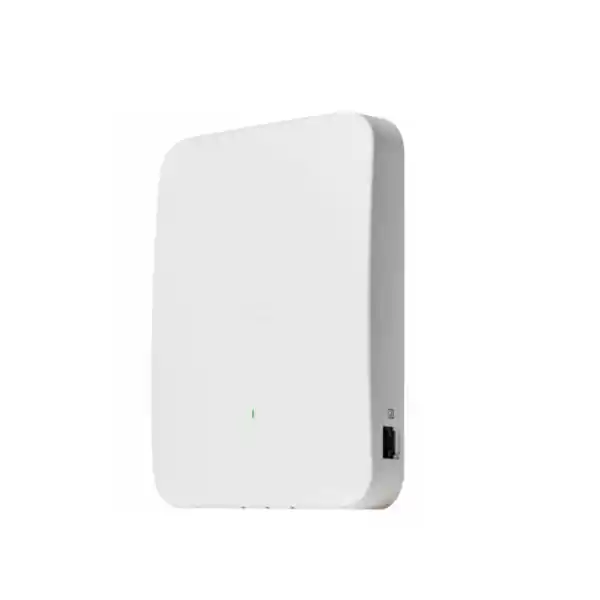
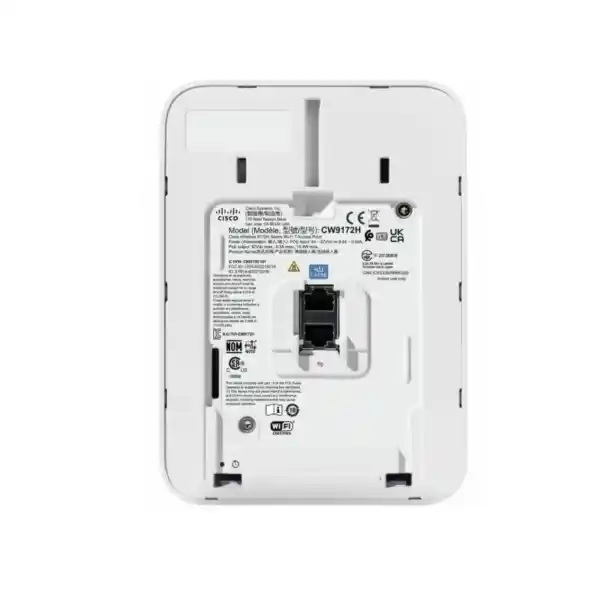
Cisco Wireless CW9172H Wi-Fi 7 Access Point UAE
A compact tri-band access point engineered to place Wi-Fi 7, wired room connectivity, IoT visibility and flexible Cisco cloud or controller management at the network edge. The CW9172H is particularly well suited to hotel rooms, residences, clinics, branches and any indoor environment where one wall location must serve both wireless users and several wired endpoints without adding a separate access switch in every room.
Choose the CW9172H when your design requires tri-concurrent 2.4, 5 and 6 GHz Wi-Fi 7 in a wall-plate form factor, plus a 2.5G uplink and three local Gigabit LAN ports. Use 802.3at PoE+ for full tri-radio wireless service, or 802.3bt Class 5 when you also need PoE output from the designated LAN port.
2×2:2 on 2.4 GHz, 5 GHz and 6 GHz with six spatial streams across three concurrently operating client radios.
Up to 9 Gbps under supported Wi-Fi 7 channel and modulation conditions; real user throughput varies with client capability, RF conditions and protocol overhead.
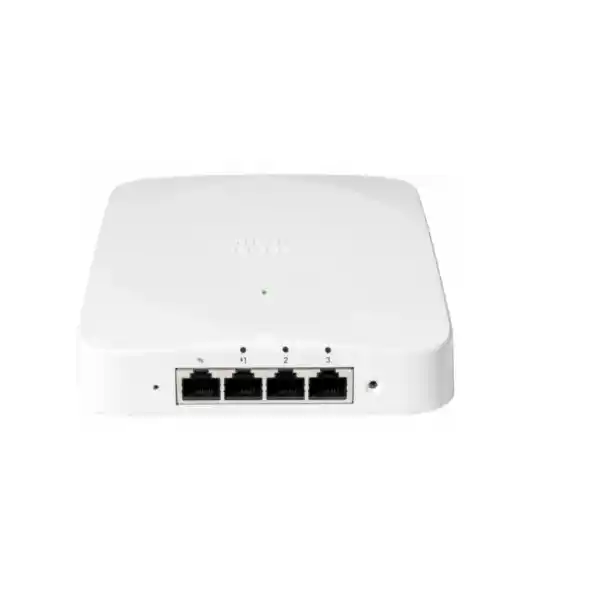
One 100M/1G/2.5G multigigabit uplink, three 100M/1G LAN ports, one passthrough Ethernet port and a console interface.
Tri-radio operation is supported on 802.3at PoE+. 802.3bt Class 5 unlocks PoE-out up to 15.4 W on the designated LAN port.
Global-use hardware can operate with Cisco Catalyst 9800 management or with the Meraki cloud management model, protecting deployment flexibility.
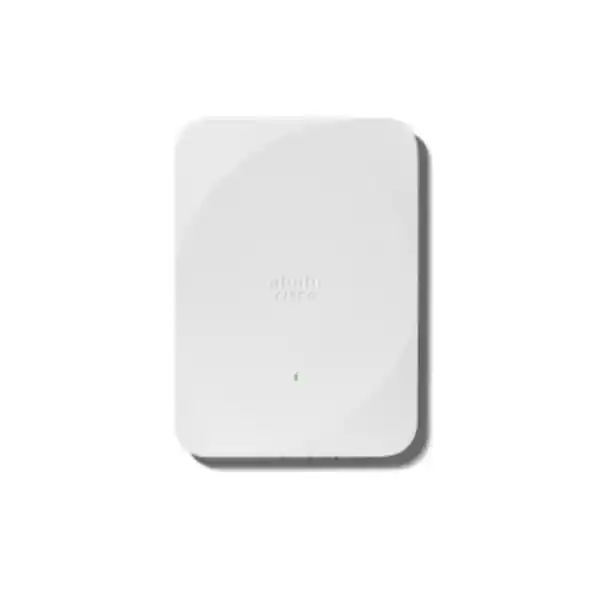
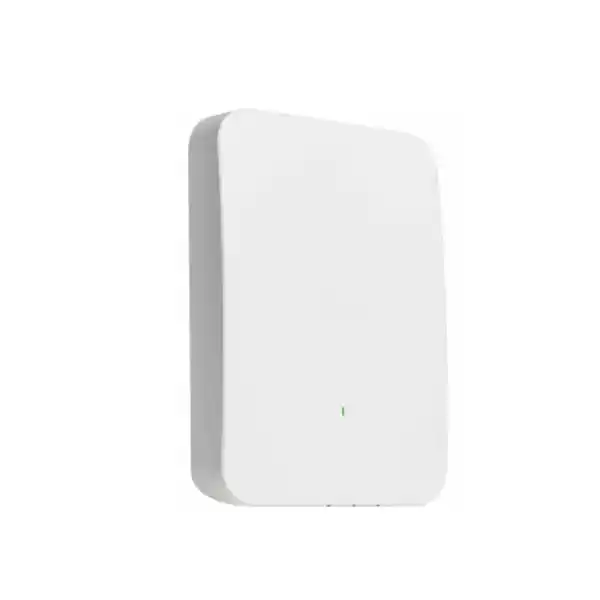
Approximately 13 x 18 x 2.6 cm without mounting brackets and about 572 g, making it practical for guest rooms and distributed spaces.
What the Cisco CW9172H is designed to solve
Many indoor WLAN designs have an awkward edge problem: the room needs strong wireless coverage, but it also contains televisions, IP phones, thin clients, point-of-sale devices, building controls, bedside systems or other equipment that still benefits from a physical Ethernet connection. Traditional ceiling access points can provide the wireless layer, yet the room may still require extra switching, additional cabling, more power supplies and more installation time. The CW9172H addresses that design pattern by combining a modern tri-band Wi-Fi 7 radio platform with a wall-plate footprint and multiple downstream Ethernet interfaces.
That combination is especially valuable in hospitality and multi-dwelling environments. A single structured cabling drop can feed the AP over a 2.5G-capable uplink. The AP can then serve local wireless clients while presenting three Gigabit LAN ports for room devices. Where the upstream switch supplies 802.3bt Class 5 power, the designated LAN interface can also provide PoE output, allowing an appropriately powered endpoint such as an IP phone to operate without a separate local power brick. For a hotel operator or managed residence, this can simplify both new construction and retrofit work because the same wall location becomes a converged connectivity point.
The value is not merely physical consolidation. The CW9172H brings Wi-Fi 7 functions, 6 GHz access, enterprise authentication, advanced encryption, dedicated scanning, IoT radios and centralized management into that compact edge device. This means architects can create a repeatable room design instead of treating Wi-Fi, wired access and IoT as separate projects. For UAE deployments, this model fits organizations that want a modern access layer while retaining the option to use Cisco Catalyst operational workflows, the Meraki cloud model, or a hybrid migration strategy across a broader estate.
Wi-Fi 7 architecture: what changes in practical terms
Wi-Fi 7, based on IEEE 802.11be, is not simply a faster version of Wi-Fi 6. Its engineering value comes from a group of mechanisms that can increase peak capacity, improve spectrum use and reduce latency when both access point and client support the relevant features. The CW9172H implements Wi-Fi 7 across its three client-serving radios. Each radio operates as 2×2 with two spatial streams, giving the platform six spatial streams in a tri-concurrent 2.4 GHz, 5 GHz and 6 GHz configuration. This makes it appropriate for low-to-moderate density spaces where the goal is a balanced per-room or per-zone architecture rather than the very high spatial-stream count used in stadium or auditorium access points.
One headline Wi-Fi 7 feature is 4096-QAM. Quadrature amplitude modulation encodes data into radio symbols; moving from the 1024-QAM used by Wi-Fi 6 to 4096-QAM can carry more bits per symbol under sufficiently strong signal-to-noise conditions. The qualification matters. Very high modulation requires excellent RF conditions, so it is most useful when clients are relatively close to the AP and interference is controlled. It should not be treated as a guarantee that every client in every room will experience the maximum modulation rate. Proper AP placement, transmit-power planning, wall attenuation and channel selection still determine the practical result.
The 6 GHz radio supports channels up to 320 MHz under Wi-Fi 7 where local regulation, software and client capabilities permit. Doubling channel width from 160 MHz to 320 MHz can dramatically increase PHY rate, but wide channels consume more spectrum and are therefore not always the right design choice in dense deployments. In a hotel tower with many adjacent rooms, an RF engineer may intentionally select narrower channels to create more reusable channel cells and reduce co-channel contention. In a low-density executive suite, remote work hub or isolated branch area, a wider channel may be viable for selected clients. The correct design therefore balances speed per client with total network capacity and reuse.
Cisco lists an aggregate PHY data rate up to 9 Gbps for the CW9172H when operating with supported Wi-Fi 7 capabilities. That figure is a radio-layer peak, not an application throughput promise. TCP or UDP throughput is lower because 802.11 framing, contention, acknowledgements, encryption, retransmissions, channel conditions, client radios and the 2.5G Ethernet uplink all influence usable capacity. A sound proposal should therefore avoid sizing an internet circuit, switch uplink or server simply by copying the 9 Gbps headline. Instead, size the network around real concurrent demand, client mix, room occupancy and application behavior.
Multi-Link Operation and preamble puncturing
Multi-Link Operation, commonly shortened to MLO, is one of the most important Wi-Fi 7 concepts. A compatible client can use more than one radio link as part of a coordinated connection, depending on the implementation and operating mode. The engineering objective is to improve how traffic uses available spectrum, potentially increasing throughput, reducing latency or improving resiliency when one band is congested. The benefit is client dependent; legacy Wi-Fi 5, Wi-Fi 6 and many Wi-Fi 6E clients continue to connect normally but do not gain full MLO behavior.
Preamble puncturing tackles a different problem. Wide channels can become inefficient when only a portion of the channel is affected by interference. Instead of abandoning the entire wide channel, a Wi-Fi 7 system can avoid the impaired portion while using the remaining spectrum, subject to protocol and regulatory rules. This can make wide-channel operation more resilient in environments where local interference would otherwise force a complete channel-width reduction.
OFDMA, TWT and BSS coloring remain important
Wi-Fi 7 retains efficiency techniques introduced by Wi-Fi 6. Uplink and downlink OFDMA let the access point divide channel resources among multiple users rather than treating every transmission as a full-channel event. In environments with many phones, tablets, sensors and low-bandwidth background sessions, that scheduling efficiency can be more valuable than raw peak speed.
Target Wake Time can reduce unnecessary client wake cycles when supported by endpoint and WLAN policy, improving power efficiency for compatible devices. BSS coloring helps devices distinguish overlapping basic service sets and can improve spatial reuse when neighboring cells share a channel. These mechanisms matter in hotels, residences and clinics because the RF environment is usually dominated by many modest traffic flows rather than a single laboratory-speed client.
For procurement teams, this is why the CW9172H should be evaluated as a capacity and operations platform, not only as a higher-numbered Wi-Fi standard. The radio architecture, wired ports and management mode have to match the physical and operational design.
Tri-band radio design: 2.4 GHz, 5 GHz and 6 GHz roles
The CW9172H operates three client-serving radios concurrently, one in each of the 2.4 GHz, 5 GHz and 6 GHz bands, with 2×2:2 operation on all three. The best WLAN designs assign a deliberate role to each band. The 2.4 GHz band provides broad device compatibility and useful penetration but has relatively little clean spectrum and is frequently affected by non-Wi-Fi interference. It is normally retained for legacy endpoints, selected IoT equipment and devices that do not support newer bands. In professionally managed deployments, avoiding unnecessarily wide 2.4 GHz channels and controlling transmit power helps reduce the oversized cells that can create sticky-client behavior.
The 5 GHz band remains the workhorse for most enterprise client fleets. It has more channels than 2.4 GHz, broad Wi-Fi 5/6/7 client support and a strong balance between propagation and capacity. For hotel rooms, branch offices and clinic spaces, most contemporary laptops and phones will often use 5 GHz unless they support and select 6 GHz. Channel width should be determined by density. An 80 or 160 MHz channel can provide high throughput in lower-density areas, while 20 or 40 MHz designs can create more independent cells in very dense room layouts.
The 6 GHz radio is the strategic advantage for Wi-Fi 6E and Wi-Fi 7 clients. The UAE was an early regional adopter of 6 GHz Wi-Fi spectrum for indoor use, and the cleaner spectrum can substantially reduce contention compared with heavily used legacy bands. However, actual permitted channels and transmit behavior depend on regulatory settings, product approval and the software image. Cisco global-use access points obtain country-specific regulatory behavior during onboarding, so the country configuration must be treated as part of the deployment process rather than an afterthought.
Because 6 GHz signals attenuate more quickly through walls than lower frequencies, the wall-plate form factor can be particularly useful in room-centric environments. Placing an AP inside or directly adjacent to the target room can provide a strong 6 GHz signal where a corridor-mounted ceiling AP might lose too much power through reinforced walls, bathroom cores, mirrors, doors or service shafts. This is a design advantage, not a substitute for a survey; construction materials in UAE hotels and towers vary significantly, so predictive modeling should be validated with physical measurements.
Integrated antennas and RF behavior
Integrated internal omnidirectional antennas with published peak gain around 4 dBi. Useful for compatibility and selected IoT traffic, but normally planned conservatively to avoid excessive cell overlap.
Integrated internal antennas with published peak gain around 7 dBi for the CW9172H. This band carries a large portion of mixed enterprise client traffic and needs careful channel reuse.
Integrated internal antennas with published peak gain around 6 dBi. The band offers new capacity for compatible clients but experiences greater wall attenuation than 2.4 or 5 GHz.
Dedicated IoT capability includes Bluetooth Low Energy and 802.15.4 support, enabling location, sensor and smart-space workflows when integrated with the relevant Cisco services and applications.
The word omnidirectional should not be interpreted as perfectly spherical coverage. Wall-plate APs have orientation-dependent radiation patterns, and nearby construction materials change propagation. Mounting height, wall composition, furniture, metallic headboards, bathroom fixtures, lift shafts and fire doors can all alter signal strength and multipath behavior. For this reason, AP placement should follow a room-type survey rather than a purely geometric spacing rule.
Port map and wired-edge design
The wired interface set is one of the principal reasons to select the CW9172H instead of a conventional ceiling AP. The hardware provides one 100 Mbps/1 Gbps/2.5 Gbps multigigabit Ethernet uplink, three 100 Mbps/1 Gbps LAN ports, one passthrough Ethernet port and an RJ-45 management console interface. One LAN port can provide PoE output when the AP itself receives sufficient 802.3bt Class 5 power. This enables several practical architectures.
In a hotel room, one LAN port may serve an IPTV endpoint, another a desk phone and another a wired guest or staff device. In a clinic, the wired ports can support a room terminal, printer or specialized appliance while the wireless radios handle tablets and mobile carts. The design must still respect VLAN segmentation and endpoint security; physical proximity does not imply that every LAN port should share the same broadcast domain or security policy.
Power design: PoE, PoE+ and 802.3bt Class 5
Power planning has a direct effect on CW9172H functionality. With 802.3at PoE+, Cisco specifies full 2×2 operation on the 2.4, 5 and 6 GHz radios and a 2.5G uplink, but PoE output is not available. The maximum PoE requirement at the powered device is listed as 25.5 W in this mode. That makes PoE+ an effective baseline for installations where the AP only needs to serve wireless traffic and unpowered wired endpoints.
With 802.3bt Class 5 input, the AP retains full tri-radio 2×2 operation and the 2.5G uplink while enabling up to 15.4 W of PoE output. Cisco lists the maximum powered-device requirement as 41 W in this mode. This is the preferred architecture when the room design needs the AP to power a downstream endpoint. The upstream switch must have enough total PoE budget not only per port but across the full switch. A 48-port access switch serving dozens of CW9172H units can become power-limited long before it becomes packet-limited if every AP is expected to provide downstream PoE.
Under basic 802.3af PoE, the platform operates in a severely reduced mode: Cisco documents only a 1×1 2.4 GHz radio, with 5 GHz and 6 GHz disabled, a 1G uplink and no PoE output. That degraded state may be useful for emergency operation or temporary staging, but it defeats most reasons to purchase a Wi-Fi 7 tri-band wall-plate AP. Therefore, replacing AP hardware without evaluating the existing switch PoE standard is a common migration error.
Cisco also publishes typical 802.3at operating consumption for the CW9172H around 12.8 W under its stated test conditions, with idle consumption around 10.7 W, subject to workload variation. Those figures help estimate energy use, but switch power budgets should be based on worst-case design requirements and enabled features rather than typical consumption alone.
Switching requirements and uplink architecture
Multigigabit access
To use the AP uplink at 2.5 Gbps, the access switch port must support multigigabit Ethernet at 2.5G over the installed copper cabling. Category 5e can support 2.5G in many standards-compliant deployments, but real cabling condition, distance, patch panels and terminations should be validated. A damaged legacy horizontal cable can force the link to 1 Gbps even when both endpoints are multigigabit capable.
PoE budget
Choose access switches according to per-port power class and chassis-wide available wattage. If PoE-out is required, design around 802.3bt Class 5 input and a 41 W maximum requirement per AP port. Include headroom for switch redundancy, power-supply failure scenarios and planned growth.
Upstream capacity
The access layer may have dozens of 2.5G edge ports, but upstream trunks should be sized around statistically concurrent traffic rather than a simple sum of port speeds. High-occupancy hospitality properties should model streaming, conference peaks, software updates and guest internet behavior before selecting 10G, 25G or larger distribution uplinks.
VLAN and policy design
Separate corporate, guest, voice, IoT and building-system traffic with appropriate VLANs, VRFs, firewall policies and identity controls. Wired room ports should be assigned intentionally and documented so a guest cannot move an IPTV cable into a port that bypasses the expected policy model.
Security capabilities for enterprise wireless
The CW9172H supports modern enterprise WLAN security mechanisms including WPA2, WPA3, 802.1X and Enhanced Open/OWE. Cisco lists AES-based cipher support including GCMP128, GCMP256 and CCMP256. The platform also supports common enterprise EAP methods such as EAP-TLS, PEAP, EAP-FAST, EAP-TTLS and related authentication options. From a security architecture perspective, the strongest design usually uses certificate-based enterprise authentication for managed devices, segmented guest access for unmanaged users and dedicated policies for IoT or room devices that cannot support the same identity controls.
WPA3 is particularly important for a Wi-Fi 7 refresh because the project should modernize security as well as radio speed. WPA3-Enterprise can strengthen authentication and encryption compared with older WLAN configurations, but migration planning must consider legacy client support. A property with old handheld scanners, room-control tablets or embedded devices may need a transitional SSID or a separate policy rather than forcing every endpoint onto the newest security mode overnight.
Cisco also positions the platform within its trustworthy systems architecture, including image signing, Secure Boot and Trust Anchor technologies. These capabilities help defend the integrity of the device software chain and reduce the risk of unauthorized code being accepted during the boot process. Hardware trust does not eliminate the need for disciplined operational security. Administrators should still enforce role-based access, secure management protocols, controlled firmware lifecycles, configuration backup, logging, AAA integration and network segmentation.
For organizations that want a broader security architecture around the wireless edge, FourTeck can align AP segmentation with firewall zones, secure remote access and policy enforcement. See our Firewall Dubai solutions for designs where guest, corporate, voice and IoT WLANs need controlled inter-zone access and centrally managed security policy.
Dedicated scanning and IoT radios
A client-serving radio spends most of its time transmitting and receiving production traffic. Security and RF optimization, however, often require the network to observe channels other than the one currently serving users. The CW9172H incorporates a dedicated scan or auxiliary radio so monitoring functions do not have to consume the same airtime as normal client service in the same way a single-radio design might. This is valuable for spectrum visibility, rogue detection, RF analytics and operational assurance, depending on the selected Cisco management stack and licensed feature set.
The AP also contains an IoT radio supporting Bluetooth Low Energy and 802.15.4. That opens the door to smart-space use cases such as asset visibility, sensor integration, occupancy workflows, environmental monitoring and room automation. The AP is not by itself a complete IoT application. Organizations still need compatible tags or sensors, the required management and location services, application integrations and a security architecture for data flows. The important design advantage is that the radio capability is integrated into the WLAN edge, reducing the need to install separate radio gateways for every supported use case.
In healthcare, for example, BLE can contribute to asset location workflows for mobile equipment. In hospitality, smart-room sensors can integrate with automation platforms. In retail, location telemetry can support operational analytics. The feasibility of each application depends on tag type, accuracy requirements, mounting geometry, software integration and local privacy policy, so those requirements should be captured during solution design rather than assumed from the presence of a BLE radio alone.
Catalyst, Meraki and global-use onboarding
The CW9172H is part of Cisco’s global-use access point strategy. Instead of requiring a different hardware SKU for every regulatory domain and management stack, the same hardware family can be onboarded for Cisco Catalyst 9800 controller operation or for Meraki cloud management where certified. On first boot or after a factory reset, the access point evaluates management discovery conditions. Cisco documents cloud discovery behavior for Meraki and offline/controller discovery options using mechanisms such as DHCP, DNS and Layer 2 discovery.
For Catalyst management, Cisco specifies IOS XE 17.17.1 or later as the minimum software level for the CW9172H, and the supported controller family includes Cisco Catalyst 9800 Series wireless controllers, physical or virtual. That version requirement is operationally important. A customer cannot assume that an older installed controller release will accept a new Wi-Fi 7 AP. The controller software, AP support matrix, feature requirements and maintenance policy should be checked as part of the bill of materials.
For Meraki management, the same physical access point can join the cloud-managed wireless stack according to the global-use onboarding workflow. This can be attractive for organizations with distributed branches, hotel portfolios or retail sites because cloud management reduces the need to operate a controller at each location. Catalyst management may be preferred where the organization already uses Catalyst Center, has established controller standards, requires specific campus integration or wants consistency with a large Cisco enterprise estate.
The key procurement lesson is that the hardware choice and the management choice are related but not identical. FourTeck can supply and design the AP around either operational model. For broader networking, switching and integration services in the UAE, visit FourTeck IT Services UAE to coordinate wireless, switching, structured cabling, migration and support as one deployment program.
Licensing and subscription planning
Cisco states that the 9172 Series requires a Cisco Networking Subscription, available in Wireless Essentials or Wireless Advantage tiers. Licensing should therefore be included in the commercial design from the start rather than treated as an optional post-purchase item. The correct tier depends on management mode, desired capabilities, analytics, assurance, policy and support entitlements. Organizations should evaluate the full lifecycle cost across the intended subscription term, not only the access point hardware price.
A multi-site buyer should also align renewal dates and ownership records so APs purchased in different phases do not create fragmented subscription administration. If a hotel group refreshes one property each quarter, licensing can become difficult to manage unless the procurement team uses consistent terms, account structures and renewal governance. The same applies to large residential or student accommodation projects delivered in multiple construction phases.
Support planning is equally important. A Wi-Fi 7 project usually touches access points, PoE switches, controllers or cloud management, DHCP, DNS, RADIUS or identity services, firewalls and internet uplinks. A fault may appear to be wireless even when the actual root cause is switch power negotiation, DHCP reachability, DNS, authentication infrastructure or upstream packet loss. A support contract should therefore define which team owns each layer and how incidents escalate across vendors.
FourTeck can structure supply and deployment as a complete UAE project covering access-point quantities, compatible switching, PoE budget, optics where required, software subscriptions, configuration, staging and post-install validation. Customers can also review our main UAE technology portfolio at FourTeck UAE.
Deployment topology 1: hotel guest room
The hotel guest room is the most natural CW9172H topology. A PoE-capable multigigabit access switch in the telecom room connects to the AP using the structured cabling serving each room. The wall-plate AP provides local wireless coverage, while the three LAN ports connect room endpoints. In a typical design, the television may use one port, an IP phone another and a room-control gateway or wired guest interface the third. The passthrough port can preserve a separate physical path where the cabling design calls for it.
The wireless side is then segmented according to business role. Guest access can use a dedicated SSID mapped to an internet-only policy with client isolation and captive portal requirements if desired. Staff devices can use an enterprise-authenticated SSID. Operational IoT may use a separate SSID or wired VLAN with tightly controlled access to building-management services. Voice devices can receive their own QoS and segmentation policy. The architecture should prevent the convenience of in-room ports from becoming an uncontrolled bridge between trust zones.
RF planning should account for room walls and corridor leakage. Installing one AP per room can create very high AP density, so transmit power and channel width often need to be lower than administrators initially expect. The goal is not to make every AP transmit at maximum power. The goal is to create small, controlled cells with enough overlap for mobility but not so much overlap that dozens of adjacent APs contend on the same channel. Because guests are mostly stationary inside rooms, smooth roaming is important in public areas but less critical inside the guest-room cell itself.
Where the in-room phone must be powered from the AP, specify 802.3bt Class 5 at the upstream switch and validate that the endpoint remains within the AP’s PoE-out budget. If downstream PoE is not needed, PoE+ can reduce switch power requirements while retaining full tri-radio operation.
Deployment topology 2: student housing and managed residences
Student accommodation and managed residences have a similar room-centric RF pattern but a different traffic profile. Residents may run game consoles, smart televisions, laptops, tablets, phones, streaming boxes and personal IoT devices simultaneously. The local LAN ports can reduce wireless contention for fixed devices such as gaming consoles or media endpoints, leaving more airtime for mobile equipment. Where tenant policies permit, a wired port can also provide predictable low-latency connectivity for study or gaming.
Identity and privacy design become central. Residents should not be placed on a single flat Layer 2 network where devices in different rooms can discover or attack one another. A modern residential WLAN often uses per-user or per-room segmentation, private pre-shared keys, identity policy, client isolation or routed overlays depending on the management architecture. Fixed LAN devices need equivalent isolation so connecting by cable does not bypass the privacy controls applied to Wi-Fi.
The 6 GHz radio can provide valuable capacity for newer laptops and phones, especially because many legacy consumer devices remain on 2.4 and 5 GHz. Moving capable clients into 6 GHz distributes demand across more spectrum. Designers should not disable 2.4 GHz simply because Wi-Fi 7 is available; many personal IoT products still require 2.4 GHz. Instead, use band steering, client policy and RF tuning to keep high-performance clients on the cleaner bands while preserving compatibility.
Operations teams should also plan for turnover. Student rooms change occupants frequently, so onboarding must be simple, support processes must be clear, and AP location should allow maintenance without major room disruption. The compact wall form factor supports this operational model when mounting positions and cable pathways are standardized across the property.
Deployment topology 3: healthcare clinics and consultation rooms
Healthcare clinics increasingly depend on mobile workstations, tablets, voice devices, medical carts, printers and connected room equipment. The CW9172H can act as a room-level convergence point where a wall location is more practical than a ceiling AP and several Ethernet connections are needed. The design should begin by classifying clinical, administrative, guest and medical-device traffic because each category may have different availability, security and latency requirements.
For managed clinical devices, 802.1X with certificate-based authentication is preferred where the endpoints support it. Guest Wi-Fi should be isolated from clinical services. Medical or embedded systems that cannot use modern authentication may require dedicated VLANs, network access control exceptions and firewall policies that restrict communication to known servers. The presence of multiple LAN ports makes physical connection easy, but policy must still be applied at the port and network layers.
BLE capabilities can contribute to asset-location and sensor workflows, although the required accuracy depends on AP placement, tag density, calibration and application platform. A clinic considering location services should define whether the goal is room-level presence, approximate zone location or precise real-time positioning. Those are very different technical requirements and should not be conflated.
RF surveys should account for lead-lined rooms, dense cabinetry, medical equipment and unusual wall construction that may attenuate or reflect signals. In regulated environments, change-control and firmware validation may also be stricter than in retail or hospitality. The operational plan should therefore include testing windows, rollback procedures and clear ownership between the healthcare IT team and the wireless integrator.
Deployment topology 4: retail, branch and distributed business sites
In a retail store or small branch, the CW9172H can combine staff Wi-Fi, guest Wi-Fi and local wired connectivity in a compact form. A wall-mounted location near a service desk may support a point-of-sale terminal, an IP phone and an operational device while serving wireless handhelds and tablets. This is useful in rented premises where adding a full local switch at every counter may be undesirable.
The global-use hardware model simplifies organizations that operate across multiple countries because the same AP family can adopt country-specific regulatory settings during onboarding where supported and certified. Procurement still needs to validate destination approval, local power and cabling standards, and the correct subscription. Hardware flexibility reduces SKU complexity, but it does not remove regulatory responsibility.
For geographically distributed sites, Meraki cloud management can reduce operational overhead by providing centralized visibility without deploying a controller in each branch. Organizations already standardized on Catalyst 9800 can instead use their existing controller and automation practices, provided the software release supports the CW9172H. The chosen model should align with the organization’s monitoring, change management, identity and support processes.
Branch resilience should also be considered. Determine what happens to local wireless service if the WAN link fails, how authentication behaves, which local applications must remain reachable and whether guest access should continue. Those questions are operational design topics rather than access-point specifications, but answering them is necessary before calling a branch WLAN production-ready.
UAE RF planning considerations
The UAE permits indoor Wi-Fi use in part of the 6 GHz spectrum, historically allocating 5925–6425 MHz under the relevant regulatory framework. For an enterprise deployment, the access point’s country setting, software support and certification determine which channels and power levels are actually enabled. Project teams should therefore avoid copying a US or European channel plan directly into a UAE design. A Cisco global-use AP obtains regulatory behavior through the supported country onboarding process, and the production WLAN should be configured using the channels made available for the correct country.
Construction has a major effect on wireless behavior in Dubai and other UAE cities. High-rise hotels and residences often contain reinforced concrete, foil-backed insulation, metal service risers, mirrored surfaces, marble bathrooms and thick fire-rated corridor doors. These materials can cause strong attenuation and reflections. The 6 GHz band is especially sensitive to wall losses, which means an access point in each room may outperform a corridor-only design even if the corridor AP appears close on a floor plan.
Heat is another regional factor, though the CW9172H is an indoor product. Cisco specifies an operating temperature range of 0 to 40 degrees Celsius for the model, with published environmental notes. Equipment should therefore be installed in conditioned indoor spaces, not in outdoor façades, hot service cupboards without ventilation, roof areas or other locations where ambient temperature can exceed the supported range. Telecom-room switches supplying PoE also need adequate cooling because high PoE loads create significant thermal output.
For projects with demanding coverage guarantees, combine predictive modeling with on-site validation. A pre-deployment survey identifies likely AP positions and channel plans, while a post-install survey confirms coverage, SNR, roaming boundaries, channel utilization and actual client behavior. This is more reliable than specifying a fixed square-meter coverage figure, which ignores walls, interference and user density.
A practical CW9172H sizing methodology
Access-point quantity should be based on four dimensions: coverage, capacity, client count and physical topology. In room-centric hospitality, physical topology often dominates because each room may benefit from its own AP and wired ports. In a clinic or branch, coverage and capacity may dominate. Start by mapping every room type, floor area, wall construction, expected devices and wired endpoint requirements. Do not assume that the same quantity rule applies to bedrooms, corridors, meeting rooms, lobbies and restaurants.
Next, estimate concurrent clients rather than registered devices. A 250-room hotel may have thousands of known devices over a month, but only a subset transmit at the same time. Model peak occupancy and realistic per-room behavior: perhaps multiple phones, a laptop, a tablet, an IPTV stream and room IoT. Separate steady traffic from burst traffic. Video streaming creates sustained demand, while software updates and cloud backups create short, high-rate bursts.
Then choose channel widths. Very wide 160 or 320 MHz channels maximize laboratory-style peak rates but reduce the number of independent channels available for reuse. In a one-AP-per-room design, narrower channels are often more efficient because the building contains many simultaneous AP cells. The best channel width is the one that maximizes total user experience across the floor, not the one that produces the largest single-client speed test.
Finally, validate switch port counts, PoE budgets and uplink capacity. Each CW9172H needs one powered Ethernet uplink. If downstream PoE is required, budget up to the appropriate 802.3bt requirement. Count access-switch ports by floor and telecom room, reserve spare ports for maintenance and expansion, and check UPS runtime under real PoE load. A wireless bill of materials that excludes the switching and power layer is incomplete.
For a formal design, FourTeck can build an AP and switch schedule from floor plans, room types, user density and service requirements. Our broader global networking capability is available through FourTeck Global for multi-country rollouts that need consistent architecture with local deployment coordination.
Migration from Wi-Fi 5, Wi-Fi 6 or earlier wall-plate APs
A successful Wi-Fi 7 migration begins with the constraints of the old infrastructure. Many existing wall-plate deployments use 1 Gbps uplinks and 802.3af or 802.3at power. Replacing the AP alone can leave the new hardware unable to use its intended wired speed or PoE-out capability. Audit every access-switch model, software version, multigigabit port capability, power-supply configuration and cable category before ordering the refresh.
The controller or management stack is the next dependency. CW9172H requires a supported Catalyst 9800 software release if used in controller mode, or the appropriate Meraki cloud workflow if operated under Meraki management. Existing Catalyst environments should check controller scale, AP support, high availability, licensing and feature compatibility. If the project changes management mode at the same time as it changes AP hardware, stage the migration in a lab because onboarding behavior, SSID policy, monitoring and operational procedures can all change.
Client readiness should be treated realistically. Wi-Fi 7 APs are backward compatible with older standards, but only Wi-Fi 7 clients can use Wi-Fi 7 functions such as 4096-QAM and MLO. Wi-Fi 6E clients can benefit from 6 GHz without becoming Wi-Fi 7 clients. Older Wi-Fi 5 and Wi-Fi 6 endpoints remain on supported legacy modes. This mixed-client reality means the business case should combine immediate benefits such as new 6 GHz capacity, improved switching integration and lifecycle refresh with longer-term benefits as the client fleet evolves.
A phased floor-by-floor migration is usually easier to control than replacing an entire property in one maintenance window. Stage APs, verify switch negotiation and power, migrate a representative floor, test guest and corporate authentication, validate wired room ports, measure RF behavior and only then scale to the rest of the site.
Channel width, power and roaming: common design mistakes
Mistake 1: using maximum channel width everywhere. A 320 MHz channel can support impressive peak rates, but dense properties need frequency reuse. If every AP occupies a very wide channel, neighboring cells may contend heavily and reduce total capacity. Start with the user-density problem, then choose the narrowest channel width that meets application requirements.
Mistake 2: transmitting at maximum power. Client devices generally transmit at lower power than enterprise APs. If the AP shouts farther than the client can answer, the WLAN becomes asymmetric. Excessive AP power also enlarges contention domains. Proper transmit-power control creates balanced cells and improves roaming decisions.
Mistake 3: assuming one coverage number. Marketing statements such as one AP covers a fixed number of square meters are unreliable for enterprise design. A reinforced-concrete hotel room and an open office with the same area have completely different propagation. Measure the actual environment.
Mistake 4: ignoring sticky clients. Roaming decisions are largely client controlled. If cells are oversized, a device can remain connected to a distant AP even when a better AP is nearby. Controlled cell boundaries, compatible roaming assistance and sensible minimum data-rate policies help improve mobility behavior.
Mistake 5: treating 6 GHz as a replacement for 5 GHz. 6 GHz is an additional capacity layer for compatible clients, not a universal replacement. Many devices still require 5 GHz, and some IoT endpoints remain 2.4 GHz only. Tri-band planning should distribute devices according to capability rather than forcing all bands into identical roles.
Performance expectations and the 9 Gbps figure
Cisco publishes a Wi-Fi 7 PHY data rate up to 9 Gbps for the CW9172H across its radio configuration under supported conditions. This is useful for comparing platform capability, but it is not the speed one laptop will copy a file at. The number represents radio-layer signaling across bands and channel configurations. Wi-Fi is half-duplex shared media, and every transmission carries MAC and PHY overhead. Clients also have their own radio limits, and many endpoints are 2×2 with narrower supported channels.
The wired uplink is 2.5 Gbps, which provides significantly more headroom than a legacy 1G AP connection but also shows why the 9 Gbps figure should not be interpreted as a single wired throughput path. In normal enterprise design, not every radio is saturated in the same direction at the same time. Wireless capacity is distributed among many devices, while the uplink carries the aggregate real traffic that survives protocol overhead and client demand.
Internet speed is another independent constraint. If a branch has a 500 Mbps WAN connection, clients cannot receive multi-gigabit internet speeds simply because the AP is Wi-Fi 7. Local traffic to an on-premises server may be faster, but the server NIC, switch fabric, VLAN routing and storage subsystem become part of the path. Performance testing should therefore identify whether the test is measuring RF, LAN, WAN or application behavior.
For hospitality, the better performance metric is often service quality during peak occupancy: acceptable latency, low retry rates, consistent streaming, rapid authentication and enough capacity when neighboring rooms are active. A properly designed Wi-Fi 7 network may deliver a better guest experience even when no individual speed test approaches the theoretical maximum.
QoS for voice, video and business applications
A wall-plate AP often sits close to latency-sensitive endpoints such as IP phones and video devices, so QoS design deserves explicit attention. Wireless QoS uses access categories to prioritize traffic classes, while the wired network relies on DSCP markings, queuing and congestion management. A consistent policy should preserve appropriate markings from the client or application through the WLAN, access switch, distribution layer and WAN edge where applicable.
Voice traffic is usually low bandwidth but sensitive to delay, jitter and packet loss. Video can consume much more bandwidth and may be either interactive or streaming. Guest traffic is often bursty and unpredictable. Without policy, large downloads or cloud backups can compete with critical traffic at constrained links such as branch WAN circuits. QoS cannot create bandwidth that does not exist, but it can protect essential flows during congestion.
On local LAN ports, trust boundaries must be defined. A guest device should not be allowed to mark every packet as high-priority voice traffic. Corporate phones or managed endpoints may be trusted based on authentication, device profiling or switch policy. The WLAN and wired ports should therefore follow a coherent identity model rather than independent configurations.
For hotel IPTV, multicast behavior may also require careful design depending on the delivery architecture. Determine whether channels are multicast, unicast or app-based streaming; then configure switching, routing and WLAN behavior accordingly. The fact that a television is connected to a Gigabit LAN port does not automatically solve multicast scaling or content-distribution design.
Environmental and physical installation planning
Cisco specifies the CW9172H as an indoor-rated wall-mounted access point. Published dimensions are approximately 5.1 x 7.0 x 1.0 inches, or 13 x 18 x 2.6 cm, without mounting brackets, and weight is approximately 1.26 lb or 572 g. The standard package includes the CW-MNT-H1 wall-plate bracket along with installation accessories, while Cisco lists additional mounting and security options for specialized deployments.
The published operating temperature range is 0 to 40 degrees Celsius, with 0 to 95 percent non-condensing operating humidity. Storage conditions extend beyond the operating range, but storage tolerance should not be confused with safe powered operation. In UAE buildings, install the AP inside conditioned areas and avoid unventilated electrical cupboards or positions exposed to direct solar heating through glass.
Wall mounting should preserve the intended antenna orientation. Installers should not rotate the AP simply to make cabling easier unless the deployment guide supports that orientation and the RF design has accounted for the change. Keep the AP away from large metal obstructions, electrical panels and dense equipment clusters where practical. In guest rooms, consider furniture plans so a future wardrobe or television bracket does not cover the AP.
Security hardware is important in public or semi-public locations. Use the supported locking or security-screw options and document AP serial numbers and room assignments. A good as-built record includes switch port, cable ID, AP identity, room number, mounting type, power class and management name. This dramatically reduces troubleshooting time after handover.
Operational monitoring and troubleshooting
When users report poor Wi-Fi, begin with evidence. Check whether the client is associated to 2.4, 5 or 6 GHz, which channel width it negotiated, its RSSI and SNR, retry rate, PHY rate, roaming history and authentication events. Compare that data with channel utilization and neighboring AP behavior. A speed complaint caused by weak 6 GHz signal needs a different remedy from one caused by WAN congestion or a RADIUS timeout.
On the wired side, verify that the AP uplink negotiated at the expected 2.5G speed and received the expected PoE class. If the AP is operating in a degraded 802.3af state, the missing 5 and 6 GHz radios are a power problem, not an RF tuning problem. If downstream PoE is unavailable, confirm that the upstream switch is actually supplying 802.3bt Class 5 and that the switch’s total power budget has not been exhausted.
For onboarding issues, verify DHCP, gateway reachability, DNS and the intended management discovery path. A global-use AP can make a management-mode decision during initial onboarding, so the network presented to a factory-reset AP should match the intended workflow. Catalyst deployments should confirm controller reachability and software support; Meraki deployments should confirm required cloud connectivity and device claiming.
For recurring user complaints, correlate WLAN telemetry with application and network data. A client may have an excellent radio link but still experience poor performance because of DNS delays, firewall inspection, ISP congestion, SaaS latency or endpoint CPU load. Effective operations avoid treating the AP as the default suspect for every application issue.
Energy efficiency and lifecycle considerations
At scale, access-point energy consumption becomes an operational cost. Cisco publishes typical CW9172H power consumption around 12.8 W under stated PoE+ test conditions and idle around 10.7 W, while the maximum powered-device requirement rises according to the selected PoE mode and downstream PoE use. A 500-room property therefore needs to consider not only access-switch PoE capacity but also continuous electrical consumption, UPS sizing, cooling and power-supply efficiency.
Using PoE also simplifies centralized resilience. If access switches are protected by UPS or generator power, the APs and any supported downstream PoE device can remain powered without maintaining hundreds of individual room adapters. This is valuable for voice, operational IoT and managed devices that should survive short utility disruptions. UPS runtime should be calculated with the actual switch PoE load, not only the switch chassis power draw.
Lifecycle planning should include expected client evolution. Wi-Fi 7 APs can serve older clients today while creating a path for new 6 GHz and Wi-Fi 7 endpoints over the coming years. That can extend the useful life of a WLAN refresh compared with installing an older radio generation at the start of a new building project. The business value is strongest when switching, cabling and management are upgraded to match, because a future-ready radio on a constrained legacy power and 1G access layer captures only part of the benefit.
Cisco also highlights reuse and sustainability initiatives across the 9172 family, including mount compatibility in portions of the portfolio and packaging improvements. For a real project, the most important sustainability gain often comes from accurate sizing: deploy the number of APs and switch capacity the RF and traffic model requires, avoiding both under-design and unnecessary hardware.
Detailed CW9172H technical specification summary
When the CW9172H is the right choice—and when it is not
Choose it when the room needs both high-quality wireless and several local wired ports, when the project benefits from a wall-plate form factor, when Wi-Fi 7 and 6 GHz are part of the lifecycle plan, and when Cisco Catalyst or Meraki management aligns with the organization’s operational model. It is particularly compelling when replacing older hospitality wall-plate APs because it can modernize the radio layer and the local wired edge at the same time.
Consider a ceiling AP instead when the space is an open office, lobby, hall or meeting area where one AP should cover a broad central zone and local wired room ports are not needed. Ceiling mounting can provide more symmetric room coverage and may simplify RF design in open areas. Cisco has other Wi-Fi 7 models optimized for those use cases.
Consider a higher-capacity AP when the environment has very high client density, large numbers of simultaneous high-throughput users or a requirement for more spatial streams. The CW9172H is engineered for room, branch and moderate-density use, not as a replacement for high-density venue hardware.
Do not select it without checking switching. If the existing switch provides only 802.3af, the AP will run in degraded mode. If you require PoE-out, 802.3bt Class 5 is essential. If you want a 2.5G uplink, the switch port and cabling path must also support multigigabit Ethernet.
Frequently asked technical questions
Does the CW9172H support 6 GHz?
Yes. It has a dedicated 6 GHz 2×2:2 client radio. Actual channels and power depend on country regulation, certification and software. UAE indoor 6 GHz use is supported under the national regulatory framework, subject to the AP’s country activation.
Is it tri-band?
Yes. The CW9172H can operate 2.4 GHz, 5 GHz and 6 GHz concurrently, each at 2×2 with two spatial streams, for six spatial streams in total.
What is the uplink speed?
The primary Ethernet uplink supports 100 Mbps, 1 Gbps and 2.5 Gbps. To negotiate 2.5G, the upstream switch port and cabling must support that rate.
How many LAN ports are included?
There are three 100M/1G LAN ports plus one passthrough Ethernet port. One LAN port can provide PoE output when the AP receives 802.3bt Class 5 input power.
Can PoE+ run all three radios?
Yes. Cisco specifies full 2×2 operation on 2.4, 5 and 6 GHz with a 2.5G uplink on 802.3at PoE+. Downstream PoE output is not enabled in that mode.
When is 802.3bt required?
Use 802.3bt Class 5 when the design requires the AP’s designated LAN port to provide up to 15.4 W PoE output while retaining full tri-radio operation.
What happens on basic 802.3af?
The AP enters a restricted mode with 1×1 operation on 2.4 GHz, 5 GHz and 6 GHz disabled, a 1G uplink and no downstream PoE. This should not be the target design for a Wi-Fi 7 deployment.
Does it support WPA3?
Yes. Cisco lists WPA3 support, enterprise 802.1X authentication, Enhanced Open/OWE and modern AES cipher options. Exact WLAN policy depends on management mode and software.
Can it be managed by Meraki?
Yes. The global-use CW9172H can onboard to the Meraki cloud stack. It can also operate with Cisco Catalyst 9800 management, giving customers deployment flexibility.
What Catalyst software is required?
Cisco documents IOS XE 17.17.1 or later as the minimum for CW9172H controller operation. Always validate the current support matrix before production rollout.
Is 9 Gbps real throughput?
It is the published aggregate Wi-Fi 7 PHY data-rate figure under supported radio conditions, not guaranteed application throughput. Real performance is lower and depends on clients, RF, protocol overhead and the wired path.
Is this model outdoor rated?
No. The CW9172H is an indoor wall-plate AP. Use a purpose-built outdoor Cisco model for exposed external areas, terraces or uncontrolled high-temperature locations.
Procurement checklist for UAE projects
A correct CW9172H quotation should contain more than an AP quantity. Confirm the exact number of rooms or zones, required mounting accessories, switching model, number of multigigabit ports, required PoE standard, total switch PoE budget, redundancy, uplink optics or DACs, controller or Meraki management model, Cisco Networking Subscription tier, license term, support level and implementation scope. If downstream PoE is required, identify which endpoint will be powered and its maximum demand.
Also capture existing infrastructure. Record the current AP model, wall bracket, cable category, switch platform, controller version, RADIUS or identity service, VLAN design, DHCP scope and firewall policy. This determines whether the migration can reuse existing hardware or requires coordinated upgrades. A low hardware price can become expensive if hidden dependencies are discovered after installation teams reach the site.
For new construction, coordinate AP placement with interior design and MEP drawings early. The wall plate should not be hidden behind fixed furniture, covered by decorative panels or placed inside a metal enclosure. Structured cabling should terminate cleanly at the intended AP position, and the telecom room must have sufficient switch rack space, power and cooling for the selected PoE architecture.
For retrofit work, perform a pilot room first. Validate bracket fit, cable reach, switch power negotiation, downstream ports, SSID behavior, IPTV or phone operation, and RF coverage before mass replacement. A single representative pilot can expose design issues that would otherwise repeat across hundreds of rooms.
Why buy Cisco CW9172H through FourTeck UAE
FourTeck approaches wireless projects as infrastructure systems rather than isolated access-point purchases. The CW9172H touches switching, PoE, identity, firewall policy, structured cabling, internet bandwidth, IoT integration and operational monitoring. A production-ready design therefore starts with the complete dependency map and produces a bill of materials that matches the actual building and business requirement.
For hospitality, residential and branch projects, we can help map room types to AP quantities, identify where downstream PoE is needed, determine whether existing access switches can supply PoE+ or 802.3bt Class 5, validate 2.5G capability and define a staged deployment plan. We can also coordinate SSID, VLAN and firewall policies so wired room ports and wireless users follow the same security model.
For enterprise migrations, the design process includes controller or Meraki management selection, software readiness, licensing, high availability, identity integration, migration windows and post-install verification. Where the customer operates more than one country, the global-use AP model can simplify hardware standardization while local activation and regulatory requirements are handled during deployment.
The result is a solution sized for the site rather than a generic access-point count. That matters with Wi-Fi 7 because the benefits of 6 GHz, multigigabit uplinks and modern radio features are strongest when the power, switching and RF layers are engineered together.
Decision recap
Hotels, student residences, clinics, branches, managed apartments and rooms that need both Wi-Fi 7 and local wired ports.
Use 802.3at PoE+ for full tri-radio operation; use 802.3bt Class 5 when downstream PoE output is required.
Provide a multigigabit switch port for the 2.5G uplink, plus adequate PoE budget, upstream capacity, VLAN segmentation and identity services.
Operate under Cisco Catalyst 9800 or Meraki cloud workflows according to organizational architecture, software compatibility and subscription requirements.
Do not maximize channel width and power by default. Size 2.4, 5 and 6 GHz cells for room construction, density, client mix and local regulatory settings.
Quote AP hardware together with switching, mounting, licenses, support, staging, installation and validation to avoid hidden migration costs.
Quotation input checklist
To receive an accurate Cisco CW9172H UAE quotation, prepare the following project information. Providing these details allows the wireless and switching bill of materials to be sized as one system.
Plan the CW9172H as a complete room-connectivity system
The Cisco Wireless CW9172H is most valuable when its Wi-Fi 7 radios, 2.5G uplink, LAN ports, PoE modes, security policy and management platform are designed together. For UAE hotels, residences, clinics and distributed businesses, FourTeck can translate room counts and floor plans into a deployable bill of materials with the required switching, licenses and implementation scope.
Share your floor plan, existing switch model, number of rooms and whether any in-room endpoint requires PoE. We can then determine whether PoE+ is sufficient or 802.3bt Class 5 is required, validate multigigabit readiness, define the Catalyst or Meraki onboarding path and structure a phased migration that minimizes disruption.
Provide quantity, site type, management preference and existing switch details so the quotation includes the correct power, licensing and deployment dependencies.


Reviews
There are no reviews yet.