
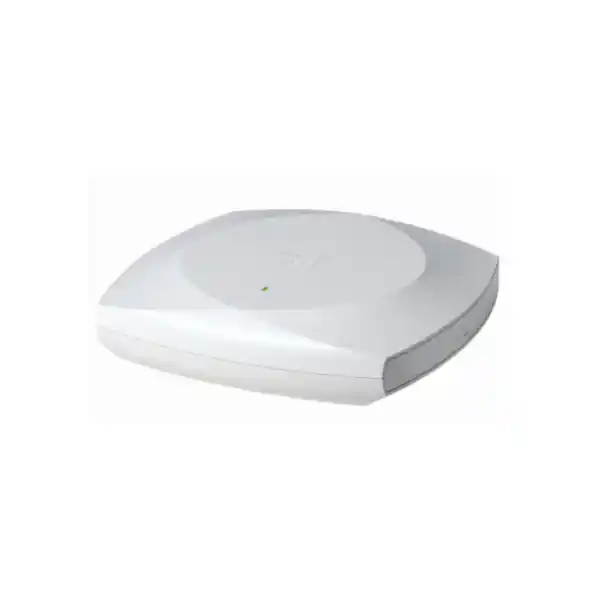
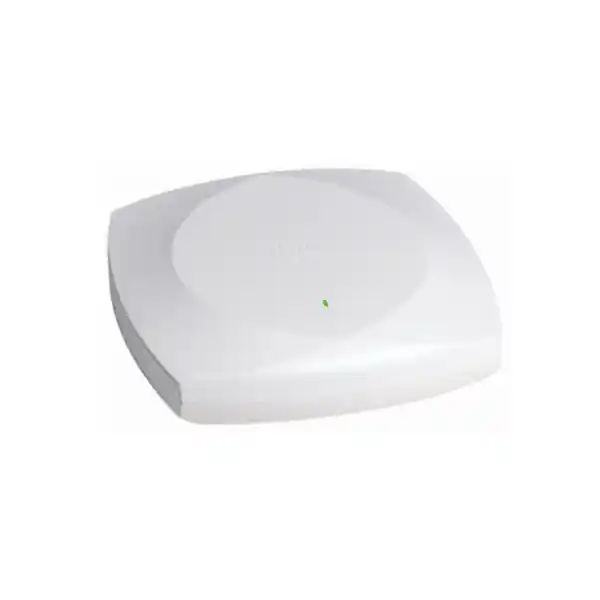
Cisco Wireless CW9172I Wi-Fi 7 Access Point
The Cisco Wireless CW9172I is a compact enterprise indoor access point designed to bring Wi-Fi 7 capabilities to branch offices, retail stores, healthcare environments, student housing, distributed workplaces and other low-to-moderate density locations. Its flexible radio architecture supports 2.4 GHz, 5 GHz and 6 GHz service, while Cisco management options allow organizations to standardize deployment through cloud-managed, on-premises or hybrid operational models. For businesses in Dubai and across the UAE, the result is a practical migration platform that combines new-generation wireless features with familiar enterprise switching, PoE and policy architectures.
Tri-band 2.4 / 5 / 6 GHz
Up to 320 MHz channel width in 6 GHz
Multi-Link Operation and 4096-QAM
2.5 Gigabit multigigabit Ethernet uplink
Integrated BLE / IoT and scan radio
WPA3 and enterprise authentication support
Direct answer: who should deploy the Cisco CW9172I?
The CW9172I is a strong fit for organizations that want an enterprise Wi-Fi 7 access point without stepping immediately into the largest high-density access point class. Cisco positions the 9172 family for spaces such as regional branches, logistics locations, boutique hospitality, retail, healthcare clinics and similar distributed environments. That positioning matters in real projects because a wireless design should not be based on the latest standard alone. The access point must match client density, application behavior, cabling, switching capacity, PoE budget, security policy, management platform and expected lifecycle.
For a Dubai branch with modern laptops, Wi-Fi 6E or Wi-Fi 7 clients, voice devices, barcode scanners, guest traffic and cloud applications, the CW9172I provides a balanced platform. In its default tri-radio mode it can serve 2.4 GHz, 5 GHz and 6 GHz simultaneously using 2×2:2 radio operation on each band. This makes it possible to retain broad compatibility for legacy and IoT clients, preserve the mature 5 GHz layer for most enterprise endpoints and introduce 6 GHz capacity for capable devices. In environments where 6 GHz is not required, not yet enabled for the local regulatory environment, or where a stronger 5 GHz service layer is preferred, the AP can instead use 2.4 GHz 2×2:2 plus 5 GHz 4×4:4. That flexibility gives network architects a useful choice between three-band coverage and a more concentrated 5 GHz radio configuration.
The CW9172I should therefore be viewed as an architectural component rather than a standalone speed upgrade. FourTeck can help customers align the access point with compatible Cisco switching, PoE delivery, controller or cloud management, structured cabling, authentication and RF design. Customers planning a wider UAE modernization can also coordinate campus, branch and infrastructure requirements through FourTeck UAE so wireless deployment is handled as part of the end-to-end network rather than as an isolated hardware purchase.
Wi-Fi 7 architecture: what changes with 802.11be
Multi-Link Operation
Multi-Link Operation, commonly shortened to MLO, is one of the defining capabilities of Wi-Fi 7. Instead of treating every radio link as an entirely separate connection, Wi-Fi 7 can coordinate links in a way that improves how capable clients use available spectrum. Real behavior depends on client support, software implementation, regulatory availability and network design, so MLO should not be interpreted as a guarantee that every device will simultaneously combine every band. In properly designed deployments, however, it provides a stronger foundation for reducing contention, improving resilience and making more intelligent use of multiple RF opportunities.
4096-QAM
The CW9172I supports 4096-QAM under 802.11be. Higher-order modulation increases the number of bits carried per symbol when radio conditions are sufficiently clean. This is a peak-efficiency capability rather than a universal operating state: a client near an access point with strong signal quality and low interference may benefit, while distant or obstructed clients will step down to more robust modulation rates. For UAE offices, the design implication is straightforward: access point placement, attenuation through glass and partition materials, transmit power planning and client capability remain as important as the headline Wi-Fi generation.
Preamble puncturing
Preamble puncturing allows a wider Wi-Fi channel to remain useful even when a portion of that channel is affected by interference or another protected transmission condition. Rather than abandoning the entire wide channel, compatible Wi-Fi 7 operation can work around the affected sub-channel. In dense commercial areas, where neighboring networks and changing RF activity are common, this can improve spectral efficiency. It does not eliminate the need for channel planning, but it gives the system another mechanism for using available spectrum more efficiently.
320 MHz in 6 GHz
Cisco specifies 20, 40, 80, 160 and 320 MHz channel support in 6 GHz for the 9172 Series, while 5 GHz supports up to 160 MHz and 2.4 GHz uses 20 MHz. A 320 MHz channel can provide very high PHY rates for capable Wi-Fi 7 clients, but it consumes substantial spectrum. Enterprise designs often choose narrower channels to increase channel reuse, especially across multi-AP floors. The correct width should therefore be selected through an RF plan rather than configured globally simply because the access point supports the maximum.
Radio modes and spatial streams
The CW9172I has an unusually useful radio choice for its deployment class. In tri-radio mode the serving radios operate as 2.4 GHz 2×2:2, 5 GHz 2×2:2 and 6 GHz 2×2:2. This produces six serving spatial streams across three frequency bands and gives capable organizations a clean way to introduce 6 GHz without abandoning the installed base of 2.4 GHz and 5 GHz clients. Cisco documentation describes tri-radio as the default operating mode.
The alternative is a dual-radio mode consisting of 2.4 GHz 2×2:2 and 5 GHz 4×4:4, with the 6 GHz radio not serving clients. This is valuable where a deployment has a high percentage of 5 GHz endpoints and little immediate 6 GHz demand. A four-spatial-stream 5 GHz radio can improve receive diversity and provide more radio resources for compatible multi-user operation, though actual client throughput is still bounded by endpoint radio design. Many business laptops and phones are 2×2 clients, so the goal is not to claim that every endpoint becomes 4×4; the benefit is that the AP side has additional capability for managing the cell.
Cisco lists a maximum aggregate PHY data rate of up to 9 Gbps for the CW9172I when operating the tri-band combination of 2×2 320 MHz on 6 GHz, 2×2 160 MHz on 5 GHz and 2×2 20 MHz on 2.4 GHz. In the alternative 2.4 GHz plus 4×4 5 GHz configuration, Cisco lists PHY data rates up to 6.0 Gbps. These are physical-layer figures, not guaranteed application throughput. Real TCP or UDP performance is lower because of protocol overhead, contention, retransmissions, client capability, channel width, RF quality, uplink capacity and the fact that wireless is a shared medium.
For sizing, FourTeck recommends focusing on concurrent active devices and application airtime rather than the raw maximum association count. Cisco’s deployment guidance lists 256 clients per radio, but a design should normally target a much lower active-client number when voice, video, point-of-sale, scanning, real-time collaboration or other latency-sensitive workloads are present. An AP that can technically associate hundreds of devices may still require additional cell density to meet business performance objectives.
Detailed Cisco CW9172I specifications
| Category | CW9172I detail | Design relevance |
|---|---|---|
| Wireless standard | IEEE 802.11be Wi-Fi 7 with backward support for prior Wi-Fi generations as documented by Cisco | Supports phased client migration rather than requiring an all-new endpoint estate. |
| Serving bands | 2.4 GHz, 5 GHz and 6 GHz in tri-radio mode | Separates legacy reach, mainstream enterprise capacity and clean-spectrum Wi-Fi 6E/7 clients. |
| Radio configuration | All three bands 2×2:2, or 2.4 GHz 2×2:2 plus 5 GHz 4×4:4 | Lets the design prioritize tri-band adoption or stronger 5 GHz operation. |
| Channel widths | Up to 320 MHz at 6 GHz; up to 160 MHz at 5 GHz; 20 MHz at 2.4 GHz | Allows both high peak rates and narrower enterprise channel reuse strategies. |
| Wi-Fi 7 functions | 4096-QAM, MLO, preamble puncturing, uplink/downlink OFDMA, TWT, BSS coloring, MRC | Improves efficiency, scheduling options and spectrum utilization with compatible clients. |
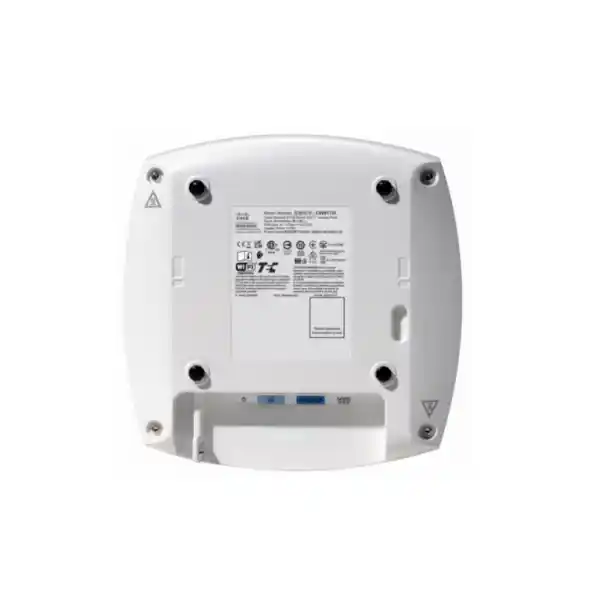
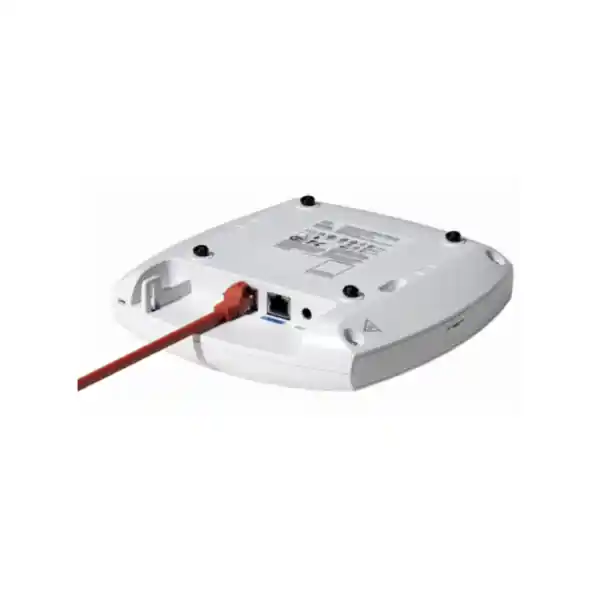
| Ethernet | 1 x 100M/1G/2.5G multigigabit RJ-45 uplink | Reduces wired bottleneck risk compared with a 1 GbE-only AP edge. |
| Console | RJ-45 management console, default 115200 bps | Useful for installation and advanced troubleshooting workflows. |
| USB | USB 2.0, up to 4.5 W when supported power is provided | Provides peripheral expansion without treating USB power as free in the PoE budget. |
| Integrated antennas | Internal omnidirectional; peak gain 4 dBi at 2.4 GHz, 5.5 dBi at 5 GHz, 6 dBi at 6 GHz | Designed for straightforward indoor ceiling or wall deployment without external antenna selection. |
| IoT / scanning | Dedicated scan/auxiliary radio plus integrated IoT radio including BLE capability | Supports continuous RF visibility and smart-space integration use cases. |
| Dimensions | Approximately 20 x 20 x 5.3 cm without mounting bracket | Compact indoor form factor for branch, retail and office installations. |
| Weight | Approximately 874 g | Supports practical ceiling mounting with appropriate bracket and substrate preparation. |
Power over Ethernet planning: a critical deployment detail
Power should be treated as part of the wireless design, not as a final installation detail. Cisco documents different CW9172I capabilities depending on the PoE class provided by the access switch. With 802.3at PoE+ the AP can operate its tri-radio 2×2 configuration and maintain the 2.5 GbE link, but USB is disabled. The same PoE+ class can also support the dual-radio option with 2.4 GHz 2×2 and 5 GHz 4×4 while maintaining 2.5 GbE. Cisco lists a maximum powered-device requirement of 25.5 W in these PoE+ modes.
With 802.3bt Class 5 / UPOE, the CW9172I can run the tri-band 2×2 configuration, maintain 2.5 GbE and enable the USB interface with up to 4.5 W for a connected peripheral. Cisco lists a maximum powered-device requirement of 32 W for this mode. By contrast, if the AP is limited to legacy 802.3af PoE, operation is degraded: Cisco documents a 1×1 2.4 GHz radio, no serving 5 GHz or 6 GHz radio, a 1 GbE link and no USB. That mode may be useful for temporary operation or troubleshooting but should not be considered the target for a production Wi-Fi 7 deployment.
This distinction is especially important in UAE refresh projects where a new access point is being connected to an older access switch. The switch port may physically provide power and bring the AP online, yet the available PoE class can prevent the hardware from delivering the intended radio configuration. A pre-deployment audit should therefore record the switch model, line-card capability, port-level PoE class, available system power budget, cable category, cabling distance and multigigabit support. Where the switch has adequate PoE but only 1 GbE data capability, the AP can still function, but peak aggregate wireless capacity may be constrained by the wired edge.
Cisco also publishes typical consumption examples that are significantly below the maximum PoE envelope under tested conditions: approximately 11.2 W typical for a dual-radio PoE+ profile and about 12.2 W typical for a tri-radio PoE+ profile, with stated tolerances and test assumptions. These figures are useful for energy estimation but should not replace the maximum power requirement when sizing a switch power budget. Design for the supported PoE class and worst-case requirements, then use measured consumption for operational analytics and sustainability reporting.
2.5 Gigabit Ethernet uplink and switching considerations
Why multigigabit matters
The CW9172I’s single RJ-45 uplink negotiates at 100 Mbps, 1 Gbps or 2.5 Gbps. With Wi-Fi 7, a 1 GbE access layer can become a practical ceiling in scenarios where several clients are simultaneously transferring data at high rates. A 2.5 GbE switch port provides additional headroom while still using copper Ethernet and familiar RJ-45 connectivity. This makes the AP attractive for branch upgrades where the organization wants to improve wireless throughput without redesigning the access layer around fiber-to-the-AP architectures.
Cabling validation
Existing structured cabling should be tested rather than assumed. Cable category, installation quality, patch leads, termination workmanship, pathway heat and run length all influence the stability of multigigabit Ethernet. A branch refresh may discover that a cable originally installed for 1 GbE passes basic connectivity but has errors or renegotiation when 2.5 GbE is enabled. Certification or qualification testing before mass AP replacement reduces troubleshooting effort after deployment.
Switch power budget
A switch can have multigigabit ports without enough PoE budget for every port to deliver the desired AP power level simultaneously. For a floor with dozens of CW9172I units, calculate aggregate PoE demand and preserve headroom for power-supply redundancy, phone endpoints, cameras and other powered devices. Where USB expansion is required, validate 802.3bt availability at the exact port, not merely at the switch-family marketing level.
Uplink and core capacity
Once access points have 2.5 GbE edge links, switch uplinks and WAN paths become the next potential constraint. A branch with four APs does not automatically require ten gigabits of internet bandwidth because client usage is not always simultaneous, but oversubscription ratios should be deliberate. Collaboration, cloud backup, software distribution, VDI, media and guest traffic all affect the correct uplink design. FourTeck can combine wireless sizing with LAN and WAN assessment through its UAE IT services practice.
6 GHz in the UAE: design for regulation, not assumptions
The CW9172I hardware supports a 6 GHz serving radio and Wi-Fi 7 channel widths up to 320 MHz in that band, but the availability of 6 GHz operation is jurisdiction-dependent. Cisco explicitly notes that in countries where 6 GHz is not allowed, or where software support and certification are not yet available, the 6 GHz radio is disabled. For a Dubai or UAE project, procurement should therefore confirm the current regulatory status, approved software release and applicable power/channel rules at the time of deployment. Regulatory conditions can change over a product lifecycle, so a design document should capture the rules used for the actual installation date.
Even when 6 GHz is fully available, it should be designed with realistic propagation expectations. Higher-frequency signals generally experience more attenuation through walls, glazing and other materials than 2.4 GHz. A 6 GHz cell is therefore often smaller than a legacy 2.4 GHz cell at equivalent design thresholds. This is not a disadvantage when the network is intentionally designed for capacity: smaller cells can improve spatial reuse and keep high-performance clients close to the AP. It does mean that an old Wi-Fi 5 floor plan cannot simply be reused while assuming every location will receive the same 6 GHz service.
Client readiness is the other major factor. Wi-Fi 7 access points deliver the most value when endpoints include Wi-Fi 6E and Wi-Fi 7 radios that can use 6 GHz. A mixed estate will continue to place substantial traffic on 5 GHz and some legacy or IoT devices on 2.4 GHz. For this reason, FourTeck typically recommends an inventory of endpoint capability by device class: corporate laptops, mobile devices, scanners, tablets, phones, printers, sensors, guest devices and specialized equipment. That inventory helps determine whether tri-radio mode should be enabled broadly, selectively or after a client refresh milestone.
Channel width should also be selected by deployment density. A single executive office or small branch may benefit from wider 6 GHz channels, whereas a multi-floor office with many APs may achieve more predictable aggregate capacity by using narrower channels and increasing reuse. The goal is not the largest channel on every AP; the goal is the lowest contention and highest useful airtime for the applications that matter.
Security architecture for enterprise WLANs
Cisco documents WPA2 and WPA3 support for the CW9172I, including WPA3-related Wi-Fi Alliance certifications, Enhanced Open / OWE and enterprise authentication capabilities. Supported security specifications include 802.11i, AES-based encryption modes and multiple Extensible Authentication Protocol methods. In practical UAE enterprise designs, the AP is typically one component in a broader identity and segmentation architecture involving RADIUS, directory or identity services, certificate infrastructure, VLAN or policy segmentation, firewall controls and centralized monitoring.
Corporate secure SSID
For managed corporate endpoints, 802.1X authentication with certificate-based EAP-TLS is often preferred because it reduces reliance on shared passwords and allows device or user identity to drive policy. The access point carries the secure wireless session, but resilient RADIUS reachability, certificate lifecycle management and correct authorization attributes remain essential. A network can have the latest WPA3-capable AP and still deliver a poor security outcome if identity governance is weak.
Guest access
Guest WLANs should be isolated from corporate services and should use a controlled onboarding model. Enhanced Open can improve encryption for suitable open-access scenarios, while captive portal and identity workflows can be selected according to the organization’s policy. Guest traffic should receive appropriate rate limits, DNS and internet controls, and should not inherit trusted lateral access merely because it is connected to an enterprise access point.
IoT segmentation
Many IoT devices cannot use the same enterprise authentication methods as managed laptops. Separate SSIDs, device profiling, private pre-shared key approaches where supported, network access control and firewall segmentation may be needed. The CW9172I’s integrated IoT radio expands smart-space possibilities, but production IoT security still depends on policy boundaries and inventory discipline.
Platform trust
Cisco describes Trust Anchor technologies for the 9172 family, including image signing, Secure Boot and a Cisco Trust Anchor module. These features establish a hardware and software authenticity foundation. They complement, rather than replace, operational controls such as approved software trains, change management, role-based administration, secure management access and monitoring for configuration drift.
For projects that include internet edge security, segmentation and secure branch design, FourTeck can coordinate wireless requirements with its Firewall Dubai solutions so SSID policy, VLAN design and firewall enforcement are planned together.
Cloud, on-premises and hybrid management options
A major advantage of the Cisco Wireless 9172 platform is management flexibility. Cisco describes the family as supporting cloud, on-premises or hybrid deployment models. The CW9172I hardware is designed to participate in Cisco’s unified approach, allowing organizations to align the access point with operational preferences rather than selecting completely different radio hardware for every management architecture. For enterprises with multiple branches, this can simplify global procurement and reduce the operational fragmentation that comes from mixing unrelated wireless platforms.
In Cisco Catalyst-managed environments, the CW9172I is supported with Cisco Catalyst 9800 Series Wireless Controllers. Cisco’s deployment guidance lists controller options including physical and virtual models in the 9800 family. This design is appropriate for customers that maintain a centralized enterprise wireless architecture, require detailed policy integration, and operate Catalyst-based campus or branch networks. Cisco documentation identifies IOS XE 17.15.2b or later for the CW9172I, while actual production releases should be selected using the current compatibility matrix and organization change policy.
For customers that prefer cloud-managed operations, the same access point family supports the Meraki cloud-based stack. Cloud management can be attractive for distributed retail, healthcare, logistics and branch environments where centralized visibility and simplified site operations are priorities. The choice between Meraki cloud and Catalyst controller management should be made early in the project because licensing, operational workflows, templates, telemetry and integration methods differ even when the radio hardware is shared.
A hybrid enterprise may have valid reasons to use more than one operational model across business units. For example, a central campus might remain on Catalyst 9800 control while acquired or remote sites use cloud management. The unified hardware direction can reduce procurement complexity, but governance remains important: device ownership, subscription assignment, migration procedure, monitoring responsibilities and support escalation paths should be documented before mass deployment.
Cisco states that the 9172 Series requires a Cisco Networking Subscription, with Wireless Essentials or Wireless Advantage licensing. Buyers should therefore budget software and support entitlement as part of the solution rather than treating the AP as a perpetual standalone appliance. FourTeck can assist with platform selection, subscription sizing, renewal alignment and staging so the hardware arrives ready for the chosen management model.
RF planning methodology for Dubai offices and branches
A Wi-Fi 7 project should begin with requirements, not access point quantity. The correct number of CW9172I units depends on usable floor area, wall construction, ceiling type, client count, application mix, roaming behavior, interference, expected 6 GHz adoption and minimum signal or SNR targets. Two sites with the same square footage can need very different AP counts if one is an open office and the other has dense meeting rooms, metal shelving, clinical equipment or high-attenuation partitions.
1. Define applications
Record real-time voice, Teams or Webex meetings, video, POS transactions, warehouse scanning, EMR access, cloud desktops, bulk file transfer, IoT and guest use. Latency-sensitive applications generally require more conservative RF design than occasional web browsing.
2. Profile clients
Count devices per user, radio generation, maximum spatial streams, supported bands and roaming behavior. A Wi-Fi 7 AP cannot make a 2.4 GHz-only scanner use 6 GHz, and a 1×1 client will not suddenly become a 2×2 or 4×4 endpoint.
3. Model attenuation
Import accurate floor plans, mark wall materials, lift cores, shafts, fire doors, glass, storage racks and other major obstructions. Predictive design should use realistic attenuation values and should be validated onsite for critical facilities.
4. Validate spectrum
Survey for neighboring WLANs, non-Wi-Fi interference, DFS implications and localized RF noise. A new 6 GHz layer may be cleaner than 5 GHz, but 2.4 GHz can remain congested in business districts and residential-adjacent environments.
After the predictive phase, the design should define channel width, transmit power range, minimum basic rates where appropriate, SSID count, expected cell overlap and roaming boundaries. Excessive transmit power is not a substitute for good placement. If an AP can transmit farther than the client can respond, the result is an asymmetric link. Likewise, too many SSIDs increase management overhead because beacons and other control traffic consume airtime on every enabled band.
For 6 GHz, a separate readiness assessment is advisable. Confirm that core application devices can use the band and identify areas where 6 GHz is business-critical. Conference rooms with modern laptops may justify dense 6 GHz coverage, while back-office areas dominated by 5 GHz clients may not. The CW9172I’s radio flexibility makes it possible to adapt to those differences, but the network should use a repeatable policy rather than ad hoc per-AP settings.
Deployment scenarios for the CW9172I
Branch offices
A branch with 30 to 150 staff can benefit from the CW9172I when employees use cloud productivity, collaboration, CRM and secure remote applications. The 2.5 GbE uplink provides headroom for modern traffic, while tri-band service supports a gradual migration to 6 GHz. In a standardized branch template, the AP can be paired with multigigabit PoE+ switching and either centralized Catalyst or cloud-based management. The important design point is to size by active devices and room usage rather than allocating one AP per fixed square-meter rule.
Retail stores
Retail WLANs commonly mix employee handhelds, POS tablets, scanners, digital displays, guest traffic and IoT devices. The CW9172I’s dedicated IoT capability and enterprise Wi-Fi radios make it suitable for this mix. Separate SSIDs or policy segments should protect payment and operational devices from guest access. RF planning must consider shelving, merchandise density and changing store layouts, because propagation can differ significantly between an empty commissioning phase and a fully stocked location.
Healthcare clinics
Clinics need consistent coverage for staff mobility, medical applications, voice, patient services and an expanding range of connected devices. The CW9172I is positioned by Cisco for healthcare clinic environments and can support secure segmented WLANs with modern WPA3 capabilities. A clinical deployment should include a detailed compatibility review for specialized devices, because regulatory or vendor-certified equipment may use older Wi-Fi standards and should not be disrupted by aggressive minimum-rate or band-steering policies.
Logistics and distributed operations
Regional logistics offices and support areas can use the CW9172I for staff, scanners, tablets and operational systems. Warehouses themselves may require specialized RF design because racks, inventory and open spaces create propagation conditions very different from offices. Where the radio environment is suitable for internal omnidirectional antennas, the CW9172I can be part of the design; where directional or rugged outdoor/industrial requirements dominate, a different Cisco AP model may be more appropriate.
Education and student housing
Device density in education can spike rapidly when classes start, students return to rooms or devices synchronize after idle periods. A CW9172I design should consider concurrent client load, streaming, learning applications and personal devices. The 6 GHz layer can provide valuable clean spectrum for newer endpoints, but older student and IoT devices will remain on 5 GHz or 2.4 GHz, so all-band capacity must be considered.
Boutique hospitality
Hospitality environments combine guest expectations, staff mobility, voice, smart-room systems and back-office connectivity. The internal omnidirectional antenna design is convenient for ceiling deployments in common spaces, while the CW9172I’s management flexibility supports standardized multi-site operations. Guest-facing performance targets should be defined explicitly, because a hotel can have modest average usage but very high evening concurrency.
Antenna design, mounting and physical installation
The CW9172I uses integrated omnidirectional antennas. Cisco lists peak antenna gain of approximately 4 dBi at 2.4 GHz, 5.5 dBi at 5 GHz and 6 dBi at 6 GHz. An integrated-antenna design simplifies procurement because the installer does not need to select external antennas, cable assemblies or connectors. It is well suited to conventional indoor ceilings and open office areas where a generally omnidirectional coverage pattern matches the intended cell geometry.
Physical mounting still affects RF behavior. An access point should be installed in the orientation for which its antenna patterns and thermal design are intended. Above-ceiling placement, metal obstructions, enclosed cabinets and decorative concealment can change signal behavior and thermal conditions. For high-quality deployments, the AP should remain exposed to the intended coverage area, away from major metal objects and with cabling strain relieved. If architectural requirements demand hidden equipment, the RF implications should be measured rather than assumed.
Cisco lists the CW9172I enclosure at approximately 20 x 20 x 5.3 cm without the mounting bracket, with a weight around 874 grams. Supported Cisco mounting options include AIR-AP-BRACKET-1 and AIR-AP-BRACKET-2. Cisco also highlights mount compatibility as a benefit for upgrades, which can reduce installation effort when an existing Cisco deployment uses compatible brackets. Reusing mounts should still include a physical inspection for damage, fastener integrity and substrate suitability.
Thermal conditions matter in the UAE. Cisco lists an operating range of 0°C to 50°C for the CW9172I, with radio performance derating from 40°C to 50°C. The product is an indoor access point; it should not be placed in unconditioned outdoor cabinets, roof spaces or areas that exceed its environmental specifications. In commercial buildings, above-ceiling temperatures can be higher than the occupied room below, so installers should verify actual conditions in the mounting zone.
Operating humidity is listed up to 95% non-condensing. This does not make the device suitable for wet or condensing environments. Kitchens, plant rooms, loading areas and outdoor-adjacent spaces may require a different access point class or environmental protection. A site survey should therefore include both RF and physical-environment checks.
Capacity planning: association limits are not design targets
Cisco deployment documentation lists support for up to 256 clients per radio on the CW9172 series. This number describes a platform scale boundary; it should not be treated as the recommended active-client design target. Wireless performance is determined by airtime. Every client shares the channel with other stations in the same contention domain, and slower clients can consume disproportionate airtime when transferring the same amount of data. Real-time traffic also requires low delay and jitter, so the usable client count per AP may be far below the maximum association count.
A practical capacity model starts with concurrency. If a 100-person office has two devices per user, that is roughly 200 potential endpoints, but perhaps only 120 are actively transmitting at the busiest period. If the floor has four APs and clients distribute evenly, the average may appear comfortable. Yet one meeting room could concentrate 40 active laptops on a single radio while the corridor AP remains underused. Room-level density and roaming behavior therefore matter more than building-wide averages.
Application throughput should be converted into airtime demand. A voice call may use modest bandwidth but needs predictable latency. Video meetings use more bandwidth and are sensitive to loss. Cloud file synchronization can create short high-rate bursts. Operating-system updates can saturate available capacity if many endpoints download simultaneously. Guest devices can add unpredictable streaming load. By classifying applications, an engineer can select channel widths and AP density that preserve airtime during peak periods.
Client radio capability also changes capacity. A modern 2×2 Wi-Fi 7 laptop operating in 6 GHz can complete a transfer quickly and release airtime, while a legacy 1×1 2.4 GHz endpoint may need more airtime for the same payload. This is one reason to retain careful 2.4 GHz design instead of simply enabling maximum transmit power: shrinking 2.4 GHz cells and steering capable clients toward 5 GHz or 6 GHz can preserve legacy support without allowing the oldest band to dominate network behavior.
For very high-density auditoriums, convention centers, stadium-style spaces or massive lecture halls, the CW9172I may not be the optimal Cisco model. The product is positioned for low-to-moderate density environments. Selecting a higher-tier AP or a directional design can be more appropriate when the requirement is extreme concurrency. FourTeck can compare CW9172I against other Cisco wireless models based on actual density rather than overspecifying every site.
IoT, BLE and dedicated scanning capabilities
Modern enterprise access points are increasingly expected to do more than serve Wi-Fi clients. The CW9172I includes a dedicated scan/auxiliary radio and an IoT radio with Bluetooth Low Energy capability. Cisco’s 9172 family materials also reference 802.15.4 support as part of smart-space and IoT use cases. This allows the access point infrastructure to participate in location, telemetry and device-integration strategies without using serving Wi-Fi radios for every monitoring task.
A dedicated scanning radio can improve operational visibility because the network can observe spectrum and neighboring radio activity without constantly taking a serving radio away from client traffic. The exact analytics and remediation available depend on the selected Cisco management platform and software subscription. For network operations teams, the architectural benefit is separation of service and observation functions: the AP can continue serving clients while maintaining a richer RF awareness role.
BLE can support location and proximity-oriented applications, but successful IoT deployment requires more than enabling a radio. Asset tags, sensors, application servers, APIs, location calibration, privacy requirements and operational ownership all form part of the solution. For example, a retailer considering BLE for customer analytics should define data retention and consent requirements, while a healthcare customer using location tags must validate accuracy, workflow integration and device battery life.
USB expansion adds another integration path. Cisco lists USB 2.0 with up to 4.5 W on the CW9172I when sufficient power is supplied. Because USB availability depends on the PoE mode, any peripheral design must validate upstream power. An accessory that works on one bench with 802.3bt may be disabled after installation on a PoE+ port. The access-point BOM should therefore include switch port requirements whenever USB is part of the solution.
Migration from Wi-Fi 5, Wi-Fi 6 or Wi-Fi 6E
A CW9172I upgrade is most effective when it solves a measured limitation. Organizations moving from Wi-Fi 5 may be dealing with congested 5 GHz cells, old 1 GbE access switching, limited visibility and an aging controller platform. Moving directly to Wi-Fi 7 can provide a longer hardware lifecycle, but the project should also update the dependencies that would otherwise constrain the new AP. This may include multigigabit switch ports, PoE+ or 802.3bt, controller capacity, software subscriptions and authentication infrastructure.
Organizations already using Wi-Fi 6 may not need an immediate full replacement unless client growth, 6 GHz adoption or hardware lifecycle creates a business case. A staged refresh can be more economical: high-value conference areas, executive floors, innovation teams or dense branch locations can move first, while stable Wi-Fi 6 areas remain in service. The CW9172I supports interoperability with leading 802.11ax clients, so endpoint replacement does not have to happen at the same time as infrastructure modernization.
Wi-Fi 6E environments already have 6 GHz experience, making Wi-Fi 7 planning more focused on MLO, 4096-QAM, channel-width strategy and lifecycle replacement. Existing 6 GHz site surveys remain useful, but AP antenna patterns, power levels and placement should be revalidated rather than copied mechanically. Wi-Fi 7’s ability to use 320 MHz channels does not imply that an existing 80 or 160 MHz enterprise design should be widened everywhere.
Mount reuse can reduce installation time. Cisco notes compatibility with established mounting brackets for the CW9172I, which can simplify physical replacement in suitable environments. The cabling and switch port behind that mount may still need upgrades. A mature migration plan therefore has three workstreams: RF and physical AP replacement, wired edge and PoE validation, and management/security migration.
For multi-country organizations, FourTeck can also coordinate procurement and rollout strategy through its global technology site, while the UAE deployment remains aligned with local requirements and onsite services.
Licensing and lifecycle planning
Cisco states that Wi-Fi 7 access points in the 9172 Series require a Cisco Networking Subscription, with Wireless Essentials or Wireless Advantage options. Subscription selection should be matched to the features and management architecture required by the organization. A procurement team should not compare only the AP hardware line item: the relevant subscription term, support entitlement and platform dependencies must be included in total cost of ownership.
A good bill of materials identifies access points, mounts, compatible switches or line cards, optics for switch uplinks where required, power supplies, software subscriptions, controller capacity, support coverage and professional services. If the organization already has Cisco enterprise agreements or subscription pools, the licensing team should verify whether the new units can be incorporated and how renewal dates are aligned. Cisco’s unified subscription direction can simplify management of hardware and software entitlements, but contractual structure still needs to be checked for the specific customer account.
Lifecycle planning should include software release governance. The CW9172I is a current-generation platform, and features may evolve through software. Organizations should define a validated release train, maintenance windows and rollback procedure. New releases can bring enhancements and security fixes, but immediate adoption of every new version is not always appropriate for critical networks. A lab or pilot site can validate client behavior before global rollout.
Supportability also includes spare strategy. A small branch estate may keep one or two spare APs centrally, while a large distributed organization may position spares regionally. Because Cisco’s global-use approach reduces regulatory-domain-specific hardware complexity, operational logistics can become easier, but the replacement process should still ensure correct subscription assignment and management onboarding.
FourTeck can prepare a quotation that separates mandatory components from optional enhancements. This helps the customer distinguish the minimum supported deployment from items such as 802.3bt switching for USB use, premium management features, survey services, advanced authentication integration or extended support.
Performance expectations: how to interpret the 9 Gbps headline
Cisco lists an aggregate PHY data rate up to 9 Gbps for the CW9172I’s tri-radio Wi-Fi 7 configuration. This number is useful for comparing the radio platform, but it is not a single-client application throughput promise and it is not the rate that should be entered into a WAN capacity model. PHY rates include modulation and coding conditions at the radio layer; useful application traffic is reduced by MAC overhead, contention, acknowledgements, retransmissions, encryption, protocol headers and the capabilities of the actual client.
The access point also has a 2.5 GbE wired uplink. That is an intentional architecture: not every radio reaches its maximum PHY rate simultaneously, and clients share airtime. In a real enterprise cell, a mixture of devices at different signal levels creates a dynamic aggregate workload. The 2.5 GbE link gives materially more headroom than 1 GbE without requiring a 10 GbE port for this AP class.
For performance testing, define what success means. If the goal is high single-client throughput, use a Wi-Fi 7 client with a comparable radio, place it in a clean RF environment and connect a sufficiently fast wired test server. If the goal is multi-client capacity, distribute representative devices and generate concurrent application traffic. If the goal is voice and collaboration quality, measure latency, jitter, roaming and packet loss. A single speed-test result cannot validate every requirement.
WAN-based speed tests are especially misleading because internet bandwidth, ISP peering, security inspection and remote test-server load may become the bottleneck. An AP could deliver excellent local wireless performance while an internet test remains limited by a 500 Mbps firewall or circuit. Conversely, a fast test near one AP does not prove good roaming or edge coverage elsewhere on the floor.
FourTeck therefore recommends acceptance criteria tied to the project: minimum RSSI or SNR in required areas, maximum acceptable channel utilization, successful authentication, roaming stability, application-level throughput ranges, voice quality where relevant and management visibility. This produces a network that is measurable against business requirements rather than against a marketing maximum.
Energy efficiency and operational sustainability
Energy use becomes significant when hundreds or thousands of access points are deployed. Cisco emphasizes the 9172 Series as an energy-efficient platform and documents typical CW9172I power consumption around 11.2 W in a tested dual-radio PoE+ condition and around 12.2 W in a tested tri-radio PoE+ condition, with specified tolerances and traffic assumptions. Maximum PoE requirements are higher, so switch power design must still use the appropriate supported envelope, but these typical figures help operations teams estimate likely day-to-day consumption.
At scale, a few watts per access point can affect annual electricity cost, UPS runtime, cooling and switch power-supply utilization. For a distributed retail or branch estate, power analytics can also highlight misconfigurations or unusual devices. Cisco references energy-management functions in its management ecosystem, including capabilities to monitor and optimize power use. Organizations with sustainability reporting goals can integrate wireless infrastructure into broader energy dashboards rather than treating network devices as an unmeasured load.
Power saving must be applied carefully. Disabling radios or reducing functionality outside business hours can reduce consumption, but 24-hour devices, security systems, overnight maintenance, cleaning staff and global working patterns may still depend on WLAN availability. Any schedule should be based on service requirements and tested for unintended impact.
Cisco also highlights mount reuse, packaging improvements and equipment takeback initiatives as part of sustainability strategy. Reusing compatible AP brackets can reduce waste and installation labor in refresh projects. From a practical procurement perspective, the most sustainable network is also one that is correctly sized: overspecifying AP quantity or deploying unnecessarily high-density hardware increases capital cost, power and material use without improving the user experience.
UAE procurement and deployment considerations
Enterprise wireless procurement in Dubai should account for more than model availability. The quotation should specify the exact CW9172I part, licensing term, mounting accessories, power requirements and management platform. For larger projects, country of use, import channel, warranty path and support entitlement should be clear. Cisco’s global-use hardware direction simplifies regulatory-domain procurement compared with older regional SKU models, but the device must still operate only according to the channels, power levels and software enablement permitted in the UAE.
Lead time matters when a rollout includes many branches. AP hardware may be only one component; multigigabit switches, power supplies and structured-cabling remediation can influence the critical path. A staged procurement plan can prioritize pilot sites, verify the design and then release remaining quantities. This reduces the risk of ordering large quantities before RF assumptions, software versions and licensing workflows are validated.
Onsite access can also shape installation cost. Retail branches may permit work only outside trading hours. Healthcare sites may require infection-control procedures or restricted access. Offices in towers may have ceiling-access rules, permit requirements or specific contractor induction. Warehouses can require elevated work platforms. These operational factors should be captured in the scope rather than discovered during installation.
For an existing Cisco estate, collect configuration backups and inventory controller, switch and licensing status before change. For a new deployment, define naming standards, management IP strategy, VLANs, DHCP, DNS, NTP, authentication, logging and monitoring in advance. Staging access points before dispatch can significantly shorten the onsite window.
FourTeck can support customers from product supply through RF design, LAN readiness, structured cabling coordination, subscription planning, installation, testing and handover. The focus is to deliver a supported end-to-end architecture rather than simply placing access points on a ceiling.
Common design mistakes to avoid
Replacing APs without checking PoE
An old switch may power the CW9172I but force degraded operation. Verify 802.3at or 802.3bt capability and total chassis power before installation.
Using maximum channel width everywhere
Wide channels increase peak rate but reduce the number of reusable channels. Dense enterprise networks often perform better with narrower widths and lower contention.
Assuming every client is Wi-Fi 7
Most organizations have mixed generations. Design 2.4 and 5 GHz properly while introducing 6 GHz for capable clients.
Counting associations instead of airtime
A radio can support many associated clients, but active throughput, latency and contention determine usable capacity.
Ignoring wired uplinks
Wi-Fi 7 can expose old switch and WAN bottlenecks. Validate 2.5 GbE access links, switch uplinks, firewall throughput and circuit capacity.
Skipping post-install validation
Predictive surveys are models. Validate coverage, roaming, authentication and representative application performance after installation.
Cisco CW9172I versus typical alternative deployment choices
The CW9172I occupies a useful middle ground. Compared with an older Wi-Fi 6 access point, it adds Wi-Fi 7 capabilities and a clear path to 6 GHz operation, while retaining support for earlier client generations. Compared with higher-tier Wi-Fi 7 APs, it is targeted at more moderate density and uses a 2.5 GbE uplink rather than requiring the largest switching interfaces. This can reduce infrastructure cost for branches where 5 or 10 GbE to every AP would be unnecessary.
| Requirement | CW9172I fit | When to consider another model |
|---|---|---|
| Moderate-density office or branch | Excellent: tri-band Wi-Fi 7, 2.5 GbE and flexible management | If density is extreme or external antennas are required |
| Hospitality room wall plate | CW9172I can serve common areas | CW9172H may be more appropriate where wall-plate LAN ports are required |
| Outdoor or harsh environment | Not intended for outdoor use | Use a Cisco outdoor-rated access point matched to environmental needs |
| Very high client density | Suitable when RF and capacity targets fit moderate-density design | Consider a higher-performance AP class for auditoriums and very dense venues |
| Need for external directional antennas | Internal omnidirectional antennas only | Select an external-antenna Cisco model where engineered patterns are necessary |
The correct comparison is therefore architectural. A more expensive AP is not automatically better if the site cannot use its additional spatial streams or uplink capacity, while a lower-tier model may create an earlier refresh if client density and 6 GHz adoption are growing rapidly. FourTeck can help customers select the smallest platform that meets the full lifecycle requirement with reasonable headroom.
Implementation workflow for a production deployment
A repeatable implementation process reduces risk and makes multi-site rollouts faster after the pilot. FourTeck’s recommended sequence is to complete discovery, validate architecture, stage equipment, deploy a limited pilot, measure results and only then scale the installation. Each phase should produce documentation that becomes the input to the next phase.
Discovery
Collect floor plans, user counts, client types, application requirements, switch inventory, PoE capability, controller or cloud preference, WAN bandwidth, security policy and growth forecasts. Identify critical zones such as meeting rooms, clinical areas, tills, dispatch stations and executive spaces.
RF design
Create a predictive model using building materials and target signal thresholds. Choose AP positions, expected band strategy, channel widths and transmit-power boundaries. Validate unusual materials or high-risk zones onsite.
Wired readiness
Confirm multigigabit ports, PoE class, available power budget, cabling quality, switch uplinks, VLANs, DHCP scopes, DNS and firewall routes. Remediate limitations before access point installation begins.
Staging
Register subscriptions, assign management mode, load approved software, apply naming conventions, prebuild WLAN and security policy, and record asset information. Staging turns onsite work into installation and validation rather than configuration from scratch.
Pilot
Deploy a representative area and test corporate, guest and IoT workflows. Verify 2.4, 5 and 6 GHz behavior, roaming, throughput, authentication, monitoring and PoE state. Capture client compatibility issues before broad rollout.
Rollout and handover
Install remaining APs, perform post-deployment validation, tune RF settings, confirm alarms and dashboards, update diagrams and asset records, and hand over operational procedures. Final acceptance should be based on agreed metrics, not simply on every AP showing an online status.
Frequently asked technical questions
Is the CW9172I a tri-band Wi-Fi 7 AP?
Yes. It can operate 2.4 GHz, 5 GHz and 6 GHz simultaneously using 2×2:2 serving radios on each band. It can alternatively operate 2.4 GHz 2×2:2 plus 5 GHz 4×4:4 with 6 GHz disabled.
Does it support 320 MHz channels?
Yes, Cisco specifies channel widths up to 320 MHz in 6 GHz. The 5 GHz radio supports up to 160 MHz. Enterprise designs may intentionally use narrower channels for improved reuse.
Does the CW9172I have 10 GbE?
No. The wired uplink supports 100 Mbps, 1 Gbps and 2.5 Gbps multigigabit Ethernet over RJ-45.
Can it run on PoE+?
Yes. Cisco documents full tri-radio 2×2 operation or the dual-radio 2.4 GHz plus 4×4 5 GHz mode on 802.3at PoE+, with USB disabled. USB use requires the higher supported power mode.
What happens on 802.3af PoE?
Operation is severely degraded: Cisco lists a 1×1 2.4 GHz serving radio, no 5 or 6 GHz serving radio, 1 GbE link and no USB. It should not be the target power source for production Wi-Fi 7 use.
Does it support WPA3?
Yes. Cisco documents WPA3 support and Wi-Fi Alliance certifications including WPA3-related capabilities and Enhanced Open security.
Can it be cloud-managed?
Yes. Cisco positions the 9172 family for cloud, on-premises or hybrid management and supports the Meraki cloud-based stack as well as Catalyst-based management options.
Is a Cisco subscription required?
Yes. Cisco states that the Wi-Fi 7 9172 Series requires a Cisco Networking Subscription using Wireless Essentials or Wireless Advantage licensing.
Decision recap: when the CW9172I is the right choice
Choose the Cisco CW9172I when the project needs a current enterprise Wi-Fi 7 indoor access point for low-to-moderate density, with internal omnidirectional antennas, tri-band 2.4/5/6 GHz capability, 2.5 GbE, modern security, integrated IoT support and flexible Cisco management. It is particularly compelling when the existing access layer can provide PoE+ and multigigabit Ethernet, or when a switch refresh is already planned.
Strong reasons to select it
You want Wi-Fi 7 features including MLO, 4096-QAM and preamble puncturing; you expect growing Wi-Fi 6E/7 client adoption; you need a practical 2.5 GbE edge rather than a larger 5/10 GbE requirement; you value a choice between tri-radio operation and a 4×4 5 GHz mode; and you want Cisco cloud, on-premises or hybrid management flexibility.
Reasons to reassess
The site is outdoor or environmentally harsh; external directional antennas are mandatory; client density is exceptionally high; the existing switch fabric can provide only 802.3af and cannot be upgraded; or the organization has no pathway for the required Cisco subscription and management model. In those cases, another access point or broader network redesign may be more appropriate.
Quotation input checklist for Cisco CW9172I projects
To prepare an accurate supply-and-deployment quotation, provide as many of the following details as possible. Missing information can be confirmed during discovery, but early answers help avoid assumptions around switch compatibility and AP quantity.
Dubai/UAE location, number of floors, approximate area, floor plans and ceiling type.
Peak users, devices per user, guest volume and important IoT or specialist endpoints.
Voice, Webex/Teams, VDI, POS, scanning, video, cloud apps, medical systems or other critical traffic.
Switch model, available multigigabit ports, PoE class, remaining power budget and uplink capacity.
Cable category, approximate age, patching layout and whether multigigabit certification is available.
Meraki cloud, Catalyst 9800, existing Cisco environment or a request for architecture recommendation.
802.1X/RADIUS, certificate use, guest portal, IoT segmentation, firewall policy and identity requirements.
Supply only, predictive survey, onsite survey, installation, configuration, migration, testing or managed support.
Plan a production-ready Wi-Fi 7 deployment with FourTeck
The Cisco CW9172I can provide a strong foundation for next-generation enterprise wireless, but its value depends on the surrounding design. FourTeck can help validate whether the AP is correctly sized for your users, verify UAE operating requirements, review 6 GHz readiness, confirm PoE and multigigabit switching, select the management architecture and build a deployment plan that includes RF, security and lifecycle requirements.
For broader networking, security and infrastructure sourcing, visit the FourTeck UAE website or engage the technical team with your floor plans, switch inventory and target user count. The objective is a wireless design that performs consistently under real business load and remains supportable through the next client refresh cycle.
Consultation outputs can include
• CW9172I quantity and placement recommendation
• Predictive or onsite RF survey scope
• 2.4 / 5 / 6 GHz radio strategy
• Switch, PoE and cabling readiness matrix
• Cisco subscription and management-platform guidance
• SSID, authentication and segmentation plan
• Installation, staging and migration runbook
• Post-deployment validation and handover documentation


Reviews
There are no reviews yet.