
DrayTek Vigor1220 in Dubai, UAE
A next-generation XGS-PON security router for organizations that need to turn 10-gigabit fiber access into a manageable, segmented and resilient business network. Vigor1220 combines high-speed fiber termination, multi-gigabit Ethernet, 10G SFP+, policy routing, VLAN segmentation, business VPN and DrayTek management capabilities in one platform designed for demanding SMB and branch environments.
What the DrayTek Vigor1220 is designed to do
The DrayTek Vigor1220 is a high-performance wired security router centered on XGS-PON access. It is intended for organizations whose internet edge is moving beyond conventional Gigabit Ethernet and whose network design must accommodate multi-gigabit broadband, 10G uplinks, segmented internal networks, site-to-site connectivity and multiple WAN paths. In practical terms, it is the point where an XGS-PON service can meet a business LAN without forcing the customer to treat the broadband handoff and the security router as completely separate design problems.
XGS-PON delivers nominal 10 Gbps downstream and 10 Gbps upstream capability at the passive optical network layer. A business deploying such service still needs routing, address translation, policy enforcement, VLANs, monitoring, DHCP, traffic steering and secure remote connectivity. Vigor1220 brings those functions into DrayTek’s DrayOS 5 platform while retaining flexible Ethernet handoffs for sites that use a conventional ONT, secondary ISP or mixed access strategy. The result is a router that can fit greenfield fiber deployments as well as phased migrations where existing Ethernet services remain active during the transition to XGS-PON.
For Dubai and UAE buyers, this matters because bandwidth upgrades often arrive before the rest of the network is ready. Replacing only the ISP service while leaving a 1GbE firewall, single-gigabit core or poorly segmented LAN can strand much of the new capacity. Vigor1220 gives the network designer multiple high-speed paths and enough policy functionality to plan the edge as part of the wider infrastructure. FourTeck can position it with switching, Wi-Fi, structured network services and security architecture through its UAE technology portfolio, rather than treating the router as an isolated appliance.
XGS-PON 10G/10G
Dedicated SC/APC XGS-PON connectivity allows the router to participate directly in supported next-generation passive optical access designs, subject to ISP provisioning and optical-network compatibility.
10GbE + 2.5GbE + SFP+
Multi-gigabit copper and 10G SFP+ interfaces support flexible handoff to WAN services, aggregation switches, servers or other high-capacity network segments.
100K NAT Sessions
The session scale is appropriate for busy SMB environments with many endpoints, cloud applications, SaaS sessions, guest networks, IP phones and connected devices.
Up to 50 VPN Tunnels
The platform supports common business VPN technologies including IPsec, OpenVPN and WireGuard for branch, partner and remote-access use cases.
Port architecture and physical connectivity
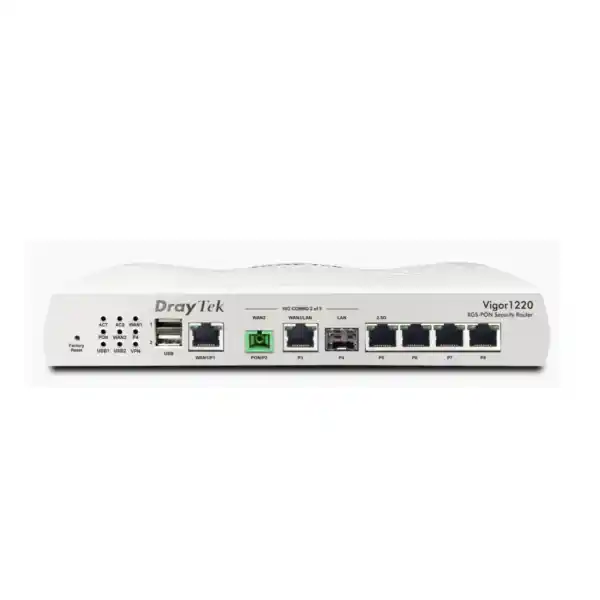
The most important reason to choose Vigor1220 over a conventional Gigabit router is its interface architecture. The wired Vigor1220 model provides a dedicated XGS-PON WAN interface using SC/APC fiber connectivity, a fixed Gigabit Ethernet WAN port, a 10GbE RJ-45 interface that can be assigned as WAN or LAN, a 2.5GbE RJ-45 interface that can also be used in a LAN/WAN role, a fixed 10G SFP+ LAN interface, and three fixed Gigabit Ethernet LAN ports. It also includes two USB 2.0 ports that DrayTek can use for supported functions such as USB WAN or peripheral applications depending on firmware and compatibility.
This mix is useful because not every network uses the same physical media. A modern office may receive XGS-PON directly from an optical distribution network, maintain a secondary broadband circuit on copper Ethernet, uplink to a 10G core switch over SFP+ fiber, and reserve 2.5GbE for an intermediate distribution switch or high-capacity local segment. A different site may use the 10GbE copper port as a WAN handoff from an external ONT and use SFP+ toward a core switch. Vigor1220 gives the designer options rather than forcing one rigid topology.
High-speed interfaces do have platform-specific activation rules. DrayTek notes that only two of the designated high-speed interfaces can be active at the same time, and the XGS-PON and 10GbE copper interfaces cannot both operate as WAN simultaneously. That limitation should be considered during design, especially where the customer expects to use XGS-PON plus 10GbE Ethernet as two simultaneous WANs while also depending on SFP+ for LAN aggregation. A proper port map should therefore be agreed before installation so the intended WAN/LAN role of each interface is confirmed against the selected topology and current firmware.
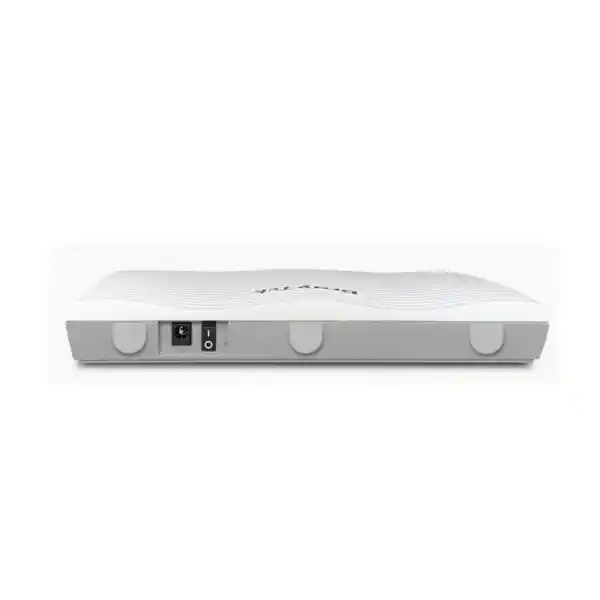
The physical platform measures approximately 241 × 165 × 43 mm for the wired model and uses a 12 V DC power input. Maximum power consumption is listed at 18 W. The specified operating range is 0 to 45°C with 10 to 90 percent non-condensing humidity. In UAE installations, those environmental numbers reinforce a basic rule: mount the router in a ventilated, temperature-controlled telecom or server area rather than a ceiling void, outdoor cabinet or poorly cooled utility space. Reliable routing starts with reliable power, cooling, earthing, clean fiber handling and sensible rack or shelf placement.
XGS-PON deployment considerations in the UAE
XGS-PON is not simply a fast Ethernet port presented on fiber. It is a passive optical network technology in which the customer-side optical network unit or integrated optical interface must be provisioned and authorized by the service provider’s access platform. That means a router with an XGS-PON interface cannot be assumed to replace every ISP-supplied ONT automatically. The optical wavelength plan, serial-number or ONU authentication method, service profile, VLAN requirements, OMCI behavior and provider policy all influence whether direct termination is possible. Procurement should therefore begin with confirmation from the relevant ISP or service integrator rather than with a generic assumption that any XGS-PON circuit will accept any customer-owned endpoint.
Where direct XGS-PON termination is supported, Vigor1220 can simplify the edge by reducing the number of active devices between the optical drop and the business LAN. Fewer devices can mean fewer power supplies, fewer copper interconnects and a cleaner troubleshooting path. Where the ISP requires its own ONT, Vigor1220 remains useful because its 10GbE or 2.5GbE Ethernet capability can accept a high-speed handoff from the provider equipment. The design decision is therefore not binary; the router can still be valuable even when the PON interface is not used on day one.
For projects in Dubai, Abu Dhabi, Sharjah and other UAE locations, FourTeck recommends documenting the service handoff in the bill of materials. Record whether the ISP service presents XGS-PON directly or Ethernet from an ONT, the required VLAN tags, PPPoE or IP assignment method, expected public IP addressing, gateway details, SLA options and whether a secondary link will be installed. This information determines which Vigor1220 interface should become the primary WAN and which should be preserved for failover, LAN aggregation or future capacity.
It is also worth planning optics and patching with the same care as the router. The built-in XGS-PON port is based on SC/APC connectivity, which uses angled-polish connectors intended to minimize back reflection. Fiber cleanliness is critical. Contaminated ferrules, incorrect connector types, excessive bends or poor patch management can turn an otherwise stable 10G access circuit into an intermittent operational problem. Keep fiber jumpers protected, labeled and within appropriate bend-radius limits, and avoid treating passive optical cabling like ordinary copper patch leads.
NAT throughput, session scale and real-world sizing
DrayTek publishes maximum NAT performance of approximately 9,260 Mbps and maximum PON performance of approximately 8,100 Mbps for Vigor1220 under its internal test conditions. Those figures are best understood as platform ceilings measured in controlled circumstances, not guaranteed application throughput for every deployment. Real business traffic has mixed packet sizes, multiple simultaneous flows, encryption overhead, policy processing and bidirectional patterns. Features enabled on the router also influence performance. A good sizing exercise therefore uses the published numbers as reference points and then considers the actual traffic profile, activated services and acceptable headroom.
The router supports up to 100,000 NAT sessions. Session count matters because user activity is no longer represented by one connection per device. A single laptop can maintain many simultaneous HTTPS sessions to cloud applications, update services, collaboration platforms, telemetry endpoints and content networks. Add mobile devices, CCTV, VoIP phones, smart building controllers, printers, POS terminals, guest clients and server workloads and the total state table can rise quickly even when aggregate bandwidth is moderate. The Vigor1220’s 100K session rating gives an SMB or branch office useful room for these modern connection patterns.
Sizing should not be reduced to an internet speed test. Consider peak concurrent users, number of devices per user, cloud backup windows, off-site replication, video conferencing, CCTV upload, SIP calling, software distribution, guest Wi-Fi behavior and the number of inter-site VPNs. Also identify whether the organization regularly transfers large datasets to cloud storage, uses hosted virtual desktops or depends on latency-sensitive business applications. These factors tell you whether the dominant requirement is raw throughput, session scale, deterministic QoS, WAN resilience or encrypted VPN capacity.
A sensible design target is to avoid operating any security edge continuously at its absolute laboratory maximum. Capacity headroom accommodates growth, firmware feature changes, traffic spikes and unplanned events such as endpoint patching or cloud synchronization. If a customer needs sustained multi-gigabit inspection with every security function enabled, or requires very high encrypted VPN throughput far beyond the Vigor1220 rating, a larger security platform may be appropriate. Vigor1220 is strongest when its routing, connectivity and business-management functions match the workload rather than when the network is forced to fit a headline number.
Multi-WAN resilience and traffic engineering
Primary high-speed access
Use XGS-PON or a multi-gigabit Ethernet handoff as the primary internet path. Policy rules can then prioritize business-critical traffic, preserve capacity for voice and collaboration, and steer selected subnets or applications according to operational requirements.
Secondary ISP failover
A separate Ethernet WAN can provide resilience if the primary service or optical access path fails. For meaningful redundancy, the secondary circuit should ideally use a different carrier path, access medium or upstream route rather than sharing the same physical dependency.
USB cellular backup
The platform supports cellular WAN through compatible USB modems. This can provide an emergency path for essential SaaS, VPN administration or limited business traffic when fixed circuits are unavailable, subject to modem and carrier compatibility.
Policy-based steering
Different traffic classes can be directed according to source, destination, application or service requirements. This allows organizations to separate backup jobs, guest traffic, voice, cloud applications or branch VPN flows instead of relying on one undifferentiated default route.
Failover design should include detection logic, not just a second cable. The router must decide whether a WAN is truly usable, which means testing reachability beyond the local provider handoff where possible. A circuit can remain electrically up while upstream internet access is impaired. DrayTek provides connection detection mechanisms such as ARP and ping-based checks, and the chosen targets should be stable, meaningful and unlikely to create false failover events. Where public services are hosted behind the router, DNS, inbound NAT and public addressing behavior during failover also need to be designed; outbound continuity is easier than seamless inbound service continuity.
VPN capabilities for branches, remote users and partners
Vigor1220 supports up to 50 concurrent VPN tunnels and DrayTek lists IPsec VPN throughput up to 500 Mbps. Supported VPN technologies include IPsec with IKEv1 and IKEv2, IKEv2-EAP, IPsec XAuth, OpenVPN and WireGuard. This gives network administrators multiple options for connecting branch offices, remote users, managed devices or external partners. The correct protocol should be selected according to endpoint support, security policy, identity requirements, expected throughput and operational simplicity.
Site-to-site IPsec remains useful for predictable branch connectivity. It can carry inter-office application traffic, directory services, management flows, VoIP signaling and access to centrally hosted systems. IKEv2 generally provides a modern and robust negotiation framework, while certificate-based authentication can strengthen trust compared with shared secrets when the organization has the required PKI discipline. Remote-access VPNs should be integrated with user identity policy, device security expectations and least-privilege routing so that connecting to the VPN does not automatically grant unrestricted access to every internal VLAN.
WireGuard can be attractive where a lightweight modern tunnel is desired and compatible endpoints are available. OpenVPN remains familiar in many mixed-client environments. The presence of multiple protocols should not lead to uncontrolled diversity, however. Standardize on a small number of approved profiles, define who owns certificate or key lifecycle, record emergency revocation steps and ensure remote administration itself is protected. VPN is a security control only when the identities, routes and endpoints behind it are managed responsibly.
The 500 Mbps IPsec figure should also be considered separately from the router’s multi-gigabit NAT performance. Encrypted VPN processing is computationally different from plain routing and NAT. If a UAE organization intends to back up several terabytes nightly between sites, mirror virtual-machine storage through an encrypted tunnel or carry multi-gigabit east-west traffic between data centers, the Vigor1220 should be assessed against that encrypted workload rather than against the 9.26 Gbps NAT number. For ordinary branch interconnection, remote access and moderate cloud-edge VPN use, the tunnel scale and protocol flexibility can be a strong fit.
VLAN segmentation and business LAN architecture
A 10G router should not be deployed as a flat gateway for every device in the building. Vigor1220 supports IEEE 802.1Q tag-based VLANs and up to eight VLANs, with multiple LAN subnets. That is sufficient for many SMB segmentation models: corporate users, voice, guest Wi-Fi, CCTV, servers, building systems, management and specialized operational devices can be placed into separate broadcast and security domains. Segmentation reduces unnecessary layer-2 exposure and creates clear points where policy can be enforced.
For example, IP phones can be separated from user workstations so voice QoS and DHCP options can be managed predictably. CCTV cameras can be placed in a dedicated VLAN with access permitted only to recording servers and management stations. Guest Wi-Fi can reach the internet without receiving routes to corporate services. Network-management interfaces can live in an administrator-only subnet. Servers can be isolated from user endpoints with explicit inter-VLAN policies instead of relying on the assumption that every authenticated employee should reach every internal system.
The router also supports DHCP services, IP-to-MAC binding capabilities, local DNS functions and conditional DNS forwarding. These features can simplify smaller sites where a separate DHCP appliance is unnecessary, or provide local survivability when centralized services are unreachable. In larger organizations, DHCP and DNS may remain on dedicated Windows, Linux or IPAM infrastructure while Vigor1220 acts primarily as the routed security boundary. Both models can work; the right choice depends on administration standards and the number of sites.
VLAN planning must extend through switches and wireless access points. Creating VLAN 30 on the router does not automatically place cameras into VLAN 30 unless switch trunks, access ports, SSIDs and management interfaces carry the same tagging design. FourTeck can align the router with broader UAE network implementation and IT services so IP addressing, switch configuration, Wi-Fi segmentation and edge policy are documented as one system rather than configured independently.
Routing, dynamic protocols and multi-site design
Vigor1220 is more than a NAT gateway. DrayTek lists support for IPv4 and IPv6 static routes, policy routes, inter-VLAN routing, RIP v1/v2, BGP and OSPF v2/v3. This makes the platform relevant to business networks where the edge needs to participate in a routed topology instead of owning one simple default route. Dynamic routing can be especially useful in multi-site or multi-WAN environments where reachability changes and the network should adapt without manually editing routes on every device.
OSPF is often appropriate for internal enterprise routing where multiple layer-3 devices exchange network reachability and need deterministic convergence. BGP can be relevant when a site exchanges routes with an upstream provider, SD-WAN design, data center or larger enterprise backbone. The mere availability of these protocols does not mean they should be enabled casually. Route filtering, administrative boundaries, authentication where applicable, prefix design and failure behavior all need to be planned. A small configuration error in a dynamic-routing protocol can affect far more traffic than a mistake in one static route.
IPv6 support is increasingly important as service providers and cloud platforms continue dual-stack adoption. Vigor1220 supports IPv6 addressing and tunnel mechanisms alongside IPv4. Organizations should avoid treating IPv6 as invisible traffic. If IPv6 is enabled by the ISP or endpoint operating systems, security policy, DNS, monitoring and network documentation should account for it. Otherwise, a network carefully segmented under IPv4 can accidentally expose alternate paths that administrators are not watching.
Policy routing adds another layer of control. Instead of selecting a route solely from the destination prefix, administrators can steer flows according to source subnet, service or other policy criteria. This is useful for sending guest traffic to a lower-cost WAN, forcing finance systems over a preferred business circuit, keeping voice traffic on the lowest-latency path, or routing backup traffic away from an interactive link. The policy set should remain understandable; a small number of explicit, documented rules is usually more operationally reliable than a large collection of overlapping exceptions.
Firewall policy, reputation controls and identity-aware administration
At the perimeter, routing performance is only one part of the job. Vigor1220 includes stateful firewall capabilities with filters based on IP, content and traffic criteria, plus anti-spoofing functions that can help reduce common local-network abuses such as IP or ARP spoofing. The platform can also use DrayTek’s VigorShield URL/IP reputation services where licensed and supported, helping block connections associated with malicious destinations or suspicious addresses. These controls add context to basic port-based firewalling, but they should be treated as one layer within a wider security program rather than a substitute for endpoint protection, email security or identity governance.
A practical firewall rulebase starts from business intent. Instead of creating rules around vague device names, define zones and services. Users may need outbound web, SaaS and printing. CCTV may need to reach only NVRs, NTP and carefully selected cloud endpoints. Guest clients should usually have internet access and no private-network reachability. Infrastructure management should be limited to administrator systems or management VPN pools. Server publishing should expose only required services and preferably place externally reachable systems behind additional application-level protection where appropriate.
The router supports local RADIUS, TACACS+ and TOTP-related authentication capabilities in its management feature set. Centralized administrator identity is valuable because network devices are high-impact systems. Shared administrator passwords make it difficult to attribute changes and harder to revoke access when staff roles change. Where the organization’s identity infrastructure supports it, central authentication plus strong role discipline provides a better operational model. Management access should also be limited by source network, protected with HTTPS or SSH where possible, and never left broadly exposed to the public internet without a compelling reason.
Logging is equally important. Firewall policies are much easier to troubleshoot when changes, blocked flows, WAN state and VPN events are retained in an accessible log system. Define what logs matter, where they are stored and how long they are kept. For regulated or security-conscious organizations, forwarding logs to a central collector or SIEM can improve incident investigation. For smaller businesses, even a disciplined routine of reviewing router events and preserving configuration backups is materially better than operating the edge as an unmonitored appliance.
Performance planning by workload
Cloud-first office
High numbers of HTTPS sessions, Microsoft 365 or Google Workspace, video meetings, CRM and cloud storage. Prioritize session capacity, stable WAN failover, QoS and low operational complexity. Multi-gigabit internet can be valuable when many users synchronize cloud data simultaneously.
Branch with central applications
VPN reliability, route policy and failover are often more important than headline internet speed. Confirm encrypted throughput, tunnel count, addressing, route exchange and whether local internet breakout is allowed.
CCTV and media upload
Large outbound flows can consume uplink capacity for long periods. XGS-PON’s symmetric potential is attractive, but QoS should prevent bulk upload from degrading voice, interactive SaaS or remote administration.
Managed services environment
Configuration backup, centralized monitoring, administrator authentication and repeatable templates become priorities. Standardized VLAN, VPN and WAN configurations reduce support time across multiple customer or branch sites.
Quality of Service and protecting interactive traffic
A fast WAN does not remove the need for traffic prioritization. Congestion can still occur on lower-speed backup links, remote-site VPNs, cloud-service paths, server interfaces or during large burst events. Voice calls, interactive video, remote desktop and transactional applications are sensitive to delay and packet loss, while backups and software downloads are usually tolerant of a modest slowdown. QoS lets the network express those differences.
The right approach begins with classification. Identify trusted traffic by subnet, protocol, application or endpoint group and avoid giving every device permission to mark itself as high priority. Reserve priority for flows where latency actually affects user experience or business operations. Large data transfers can be rate-limited or placed into lower-priority classes. Guest traffic can receive a defined maximum share so visitors cannot consume the entire WAN. If a secondary WAN is much slower than the primary, create a failover policy that assumes reduced capacity rather than carrying the primary link’s bandwidth expectations unchanged.
For VoIP, the complete path matters. Router QoS cannot fix congestion inside a poorly configured access switch, an oversubscribed Wi-Fi network or the service provider’s upstream infrastructure. Voice VLANs, switch QoS, Wi-Fi WMM, correct codec planning and SIP/NAT behavior all contribute. The Vigor1220 supports application and service policy features that can form the WAN edge of that design, but the LAN and wireless side should be engineered consistently.
Capacity reporting should also be tied to QoS. If traffic shaping is continuously active and high-priority queues are frequently congested, the issue may be insufficient bandwidth rather than poor policy. Conversely, if the circuit has abundant headroom but users still report poor application performance, investigate latency, DNS, Wi-Fi quality, endpoint health and upstream service behavior before assuming the router is the bottleneck.
Hotspot, access control and guest-network use
DrayTek includes hotspot web portal capabilities that can be useful in customer-facing offices, clinics, training centers, retail locations, hospitality-adjacent sites and other environments where guest access requires a controlled onboarding experience. Supported authentication models include click-through, social login, SMS PIN, RADIUS and external portal server options, depending on configuration and supporting services. These features allow the router to participate in a guest-access workflow without mixing visitor devices into the trusted corporate LAN.
Guest networking should be designed with strict isolation. The guest SSID or wired guest ports should map to a dedicated VLAN and subnet, receive separate DHCP scope settings, and have firewall rules that deny access to corporate networks. Only the internet and explicitly required services should be reachable. Client isolation at the wireless layer can add protection against lateral discovery between guest devices. Bandwidth limits or fair-use policies can preserve business capacity when visitor demand is high.
Authentication policy should match the business purpose. A simple click-through acknowledgement can be sufficient where the goal is merely to display terms. SMS or RADIUS authentication may be preferable where administrators need stronger attribution or integration with existing identity systems. External portals can provide customized branding or workflow, but they also add dependencies on DNS, certificates and application availability. The more complex the onboarding process, the more important it becomes to test failure modes before production use.
For regulated organizations, consult legal and compliance stakeholders on acceptable-use notices, data retention and privacy requirements. The router can provide technical controls, but policy obligations depend on the organization and jurisdiction. Technical implementation should support the approved policy rather than inventing one at the network edge.
Monitoring, logs and operational visibility
Vigor1220 exposes a broad set of monitoring views including WAN status, ARP table, routing table, DHCP table, IPv6 neighbor information, LLDP neighbors, DNS cache, XGS-PON information, SFP information, session table and running services. These are not just diagnostic curiosities. They provide a structured way to isolate faults by layer. When a user reports an outage, administrators can determine whether the WAN is down, a route is missing, an address lease failed, DNS resolution is incorrect, an SFP module is not behaving as expected or the session table is under pressure.
LLDP information is particularly useful in managed switching environments because it helps show which adjacent network devices are connected. SFP monitoring can assist when a 10G optical uplink is used. XGS-PON information is relevant when the router is directly involved in the optical access path. Combined with configuration backups and change records, these tools shorten the path from symptom to cause.
SNMP support, including SNMPv1, v2c and v3, enables integration with monitoring platforms. Where possible, SNMPv3 is preferred because it supports stronger security capabilities than community-string-only approaches. Monitoring should include interface utilization, device availability, WAN state, resource trends and relevant error counters. Alert thresholds should be meaningful; an alert system that generates hundreds of low-value notifications is less useful than a smaller set tied to real service impact.
For multi-site customers, centralized operations become increasingly valuable. DrayTek’s ecosystem includes VigorACS 3 for functions such as provisioning, monitoring and management across supported devices. The exact feature set depends on licenses, versions and model support, but the architectural benefit is clear: standardized templates, centralized backups and fleet visibility reduce the need to administer every router as a one-off installation. Customers building larger managed estates can discuss this approach with FourTeck’s Firewall Dubai networking team.
Security hardening checklist for Vigor1220
A production router should be hardened before it becomes the site’s default gateway. Start by changing factory credentials, creating named administrator accounts where the operating model supports them, limiting management protocols, and restricting management access to approved internal subnets or a dedicated VPN. Disable services that are not required. Prefer encrypted management protocols. Keep an offline record of recovery procedures and store configuration backups securely.
Firmware maintenance is critical. DrayTek continues to publish software for the Vigor1220 series, and administrators should track release notes for security fixes, stability changes and new capabilities. Updates should be tested against important functions such as WAN authentication, VPN, VLAN tagging, dynamic routing and management integrations before they are rolled into a sensitive production environment. The purpose of change control is not to avoid updates; it is to make updates predictable and recoverable.
Firewall policies should follow least privilege. Remove temporary rules after projects finish, document port forwards, and periodically review whether published services are still necessary. If inbound access can be replaced with VPN or zero-trust application access, that can reduce public exposure. Anti-spoofing and address-validation features should be enabled in ways consistent with the addressing design. Guest, CCTV and IoT networks should not have unnecessary access to management interfaces.
VPN keys, certificates and pre-shared secrets need lifecycle management. Record who owns them, when they expire and how they are revoked. Avoid reusing one shared secret across many unrelated partners or branches where compromise would have wide impact. Where centralized identity such as RADIUS or TACACS+ is used, ensure there is a controlled break-glass method in case the identity service becomes unreachable.
Finally, hardening includes physical controls. Place the router and fiber termination in a secure telecom room or locked cabinet with stable power and cooling. Protect patch leads from accidental disconnection. Label WAN and LAN connections. Use a UPS where business continuity justifies it. Network security is weakened when an otherwise hardened router can be unplugged, reset or bypassed by anyone with access to an open shelf.
Recommended deployment patterns
Pattern A: Direct XGS-PON edge
The provider optical service terminates directly on Vigor1220’s XGS-PON port, subject to carrier support and provisioning. The 10G SFP+ interface connects to a managed core or aggregation switch. VLAN gateways live on the router, with corporate, voice, guest and CCTV segments controlled by firewall policy.
Best for a clean design where the ISP explicitly supports customer equipment and the organization wants to minimize intermediate devices.
Pattern B: ISP ONT + multi-gig Ethernet
The carrier’s ONT remains in place and presents a high-speed Ethernet handoff. Vigor1220 uses its 10GbE or 2.5GbE interface as WAN. SFP+ or the remaining suitable ports serve the LAN according to the high-speed interface activation rules.
Best when provider policy requires the ISP ONT but the customer still needs a router capable of using more than 1 Gbps of service.
Pattern C: Dual-ISP business site
A high-speed primary circuit is paired with a separate Ethernet or supported USB-cellular backup. WAN detection and policy routing determine normal and failover behavior. Critical SaaS and VPN administration receive priority during degraded operation.
Best for organizations where connectivity loss directly affects sales, customer service or branch operations.
Pattern D: Routed branch gateway
Vigor1220 participates in a routed campus or enterprise topology using static routes, OSPF or BGP as required. VPN connects the branch to headquarters or cloud networks while local internet breakout carries selected SaaS traffic.
Best for branches that need more routing intelligence than a basic broadband appliance can provide.
10G LAN integration: avoiding hidden bottlenecks
Installing a 10G-capable router does not create a 10G network by itself. The next device in the path must also support sufficient throughput. If Vigor1220 feeds a 1GbE switch, aggregate traffic from the LAN to the router can still be limited by that single gigabit uplink. If Wi-Fi access points connect through 1GbE switch ports, wireless clients cannot collectively use more than the physical uplink allows. If servers have 1GbE interfaces, internet upgrades do not increase the maximum throughput of those servers beyond their local interface limits.
The 10G SFP+ interface is therefore valuable when connected to a suitable aggregation or core switch. SFP+ also provides flexibility for fiber runs across larger facilities or for direct-attach copper within a rack, subject to transceiver and cable compatibility. A 2.5GbE segment can be useful for modern access switches and wireless infrastructure where 1GbE is restrictive but a full 10G edge is unnecessary. The three Gigabit LAN ports remain practical for management, low-bandwidth infrastructure or direct connections that do not justify multi-gigabit capacity.
Cabling matters. 10GBASE-T performance depends on cable category, length, termination quality and electromagnetic conditions. Fiber links depend on the correct transceiver type, wavelength, fiber grade and connector cleanliness. Do not order optics solely because the connector fits. Confirm both ends of the link, supported module types and required distance. The same applies to DAC cables used for short rack connections.
A useful pre-installation exercise is to draw the traffic path from ISP to user and annotate the capacity of every hop: optical service, ONT if present, router WAN, router LAN, switch uplink, access port, wireless AP uplink and client interface. The slowest required hop is the practical bottleneck. This simple diagram often explains why an organization paying for multi-gigabit broadband still measures less than expected from individual endpoints.
DrayOS 5 administration and configuration discipline
Vigor1220 runs DrayOS 5, which brings the platform’s routing, security, VPN and management controls together in one interface. For experienced DrayTek administrators, the value is familiarity: WAN objects, LAN networks, routing policy, VPN definitions and management services follow the logic of the broader Vigor ecosystem. For new administrators, the important goal is not to learn every menu immediately but to create a documented baseline and change it deliberately.
Begin with naming and addressing standards. Define VLAN IDs, subnets, gateway addresses, DHCP scopes and DNS behavior before configuring the router. Name VPN profiles according to sites or purposes rather than generic labels. Record which physical port is assigned to each WAN and LAN role. If policy routing is used, document each rule in plain language so a future administrator understands the business reason behind it. Configuration clarity is a form of reliability.
Backups should be taken after the initial build and after major changes. Store them securely with version information and notes. If VigorACS or another centralized management system is deployed, align local backup practices with the central system rather than assuming one replaces the other. A recoverable configuration is especially valuable after hardware replacement, accidental policy deletion or a failed upgrade.
Administrative access should be separated from normal user traffic wherever possible. A dedicated management VLAN or VPN pool lets the firewall restrict device interfaces to trusted sources. Remote administration from the public internet should be minimized. When remote work is unavoidable, prefer a secure management VPN and strong identity controls. These practices are simple, but they prevent many avoidable edge-device exposures.
Where Vigor1220 fits—and where a different platform may be better
Vigor1220 is a strong fit for SMB and branch networks that need XGS-PON awareness, multi-gigabit routing, flexible WAN roles, VLAN segmentation and business VPN without moving immediately into a larger chassis or high-end security appliance. It is particularly compelling when the organization already uses DrayTek switches, access points or centralized management, because operational familiarity can reduce deployment friction.
It may also suit professional offices, engineering firms, clinics, schools, retail groups, warehouses and managed-service environments where 1Gbps internet is becoming a constraint but the network team still wants an approachable appliance. The 100K session scale supports busy client populations, and the combination of 10G, 2.5G, SFP+ and Gigabit ports supports gradual LAN modernization.
A different platform may be more appropriate if the requirement is full multi-gigabit next-generation firewall inspection with heavy IPS, SSL inspection and application security turned on at all times; if the site requires hundreds or thousands of simultaneous VPN tunnels; if there are many more than eight production VLANs; or if the WAN architecture requires more concurrent high-speed interfaces than the Vigor1220 hardware rules allow. Likewise, a very small office with a sub-gigabit connection and no advanced routing requirement may not benefit economically from a 10G-class edge.
The product decision should therefore follow a requirements matrix, not a brand preference. Define WAN type, bandwidth, number of users, session behavior, VLAN count, VPN throughput, high-availability expectations, LAN uplink speed, management model and security features. When those inputs align with Vigor1220, it can provide a technically clean upgrade path. When they do not, FourTeck can compare alternatives through its wider global infrastructure portfolio.
UAE procurement and project planning factors
Network hardware procurement should account for more than the router itself. Confirm the correct regional power adapter, warranty channel, firmware support, optical patching, rack or shelf hardware, compatible SFP+ modules, structured cabling, UPS capacity and installation labor. If the site is migrating from an existing router, include change-window planning and a rollback method. If the migration also changes ISP service, treat carrier activation and router cutover as separate dependencies so one delay does not leave the project without a fallback.
For XGS-PON, obtain provider confirmation early. The ISP should state whether customer-owned PON equipment is accepted, what identifiers are required, whether VLAN tagging is used, and whether a bridged ONT will remain mandatory. If a provider ONT is used, confirm its Ethernet handoff speed. A 10G router connected to a 1GbE ONT cannot overcome the ONT’s physical limitation. Likewise, if the ISP service is provisioned at 2Gbps but the handoff device supports only 1GbE, the service architecture must be corrected before router tuning can solve anything.
Business continuity requirements should influence the bill of materials. A second ISP may require an additional modem or ONT, separate cabling and a different demarcation point. USB cellular backup may require a compatible modem and appropriate carrier plan. A UPS should be sized for the router plus essential switching, ONT and access equipment; keeping only the router powered does not help if the upstream optical terminal or core switch has already shut down.
Support ownership is another procurement decision. Decide who will maintain firmware, monitor alerts, manage VPN users and approve firewall changes after handover. A technically excellent installation can degrade over time if no one owns lifecycle maintenance. FourTeck can provide project and support coordination for customers that need deployment assistance, documentation and post-installation guidance.
Technical specification summary
| Product | DrayTek Vigor1220 wired XGS-PON security router |
| XGS-PON | Dedicated XGS-PON WAN, SC/APC, nominal 10G/10G PON technology; published maximum PON throughput approximately 8,100 Mbps under vendor test conditions |
| NAT performance | Published maximum NAT throughput approximately 9,260 Mbps; actual results vary by traffic pattern and enabled functions |
| NAT sessions | Up to 100,000 sessions |
| Ethernet WAN/LAN | 1 × fixed Gigabit Ethernet WAN, 1 × 10GbE RJ-45 switchable WAN/LAN, 1 × 2.5GbE RJ-45 switchable LAN/WAN |
| LAN | 1 × fixed 10G SFP+ LAN plus 3 × fixed Gigabit Ethernet LAN ports, subject to high-speed interface activation rules |
| VPN | Up to 50 concurrent VPN tunnels; IPsec throughput up to 500 Mbps; supports IPsec, IKEv1/IKEv2, IKEv2-EAP, XAuth, OpenVPN and WireGuard |
| VLAN / LAN | 802.1Q tag-based VLANs, up to 8 VLANs and multiple LAN subnets |
| Routing | IPv4/IPv6 static routes, policy routing, inter-VLAN routing, RIP v1/v2, BGP, OSPF v2/v3 |
| USB | 2 × USB 2.0 for supported modem/peripheral functions |
| Power | DC 12V @ 1.5A; maximum listed power consumption 18 W |
| Dimensions | Approximately 241 × 165 × 43 mm |
| Environment | Operating 0 to 45°C; storage -25 to 70°C; operating humidity 10 to 90% non-condensing |
Published performance figures are maximum values derived from DrayTek internal testing under controlled conditions. Actual throughput depends on traffic, firmware, topology, security functions, VPN use and connected equipment.
Migration from a 1GbE router to Vigor1220
A successful migration starts with inventory. Export or document current WAN credentials, static public addresses, VLAN IDs, DHCP scopes, DNS settings, static routes, VPN peers, port forwards, firewall exceptions and administrator access. Identify any rules that have accumulated without a known owner. Migration is an opportunity to remove obsolete configuration rather than reproducing years of technical debt on a faster platform.
Next, define the new physical topology. Decide whether XGS-PON terminates directly on Vigor1220 or through an ISP ONT. Decide whether the LAN uplink will use 10G SFP+, 10GbE copper, 2.5GbE or another supported path. Confirm the high-speed interface activation combination before cabling. If the existing switch is only 1GbE, decide whether it will remain temporarily or be upgraded as part of the project.
Build and test the new configuration before the final cutover where practical. Validate DHCP on each VLAN, DNS resolution, outbound NAT, inter-VLAN policy, VPN establishment and management access. If public services are published, test them from an external connection. Verify that backup WAN failover actually carries the intended traffic and that the route returns to the primary path after recovery. Record baseline throughput and latency so later troubleshooting has a reference.
During the change window, retain a rollback path. Keep the old router configuration and cabling information available until the new edge has operated successfully. Change one dependency at a time when possible: carrier activation, router migration, switch upgrade and Wi-Fi redesign do not all need to occur in the same hour unless the project demands it. Controlled sequencing makes faults easier to isolate and reduces business risk.
Frequently asked technical questions
Is Vigor1220 a VDSL or ADSL modem router?
No. Vigor1220 is built around XGS-PON and Ethernet connectivity. It does not provide a built-in VDSL or ADSL interface. Sites using legacy copper DSL need an external modem or a different DrayTek model designed for xDSL.
Can it use a 10Gbps internet connection?
Its interface set and published NAT performance are designed for multi-gigabit service, including XGS-PON and 10GbE. Actual usable internet throughput depends on the ISP profile, handoff, traffic pattern, enabled security features, WAN protocol and LAN path. The published maximum NAT figure is about 9.26 Gbps, while maximum PON throughput is listed around 8.1 Gbps under vendor test conditions.
Does it include Wi-Fi?
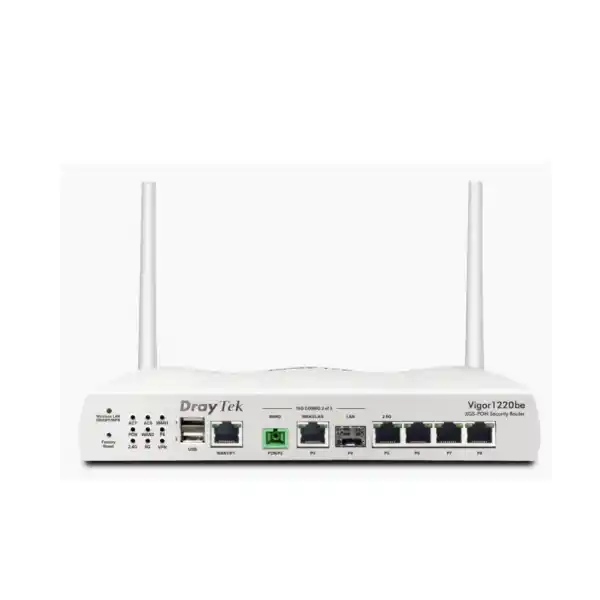
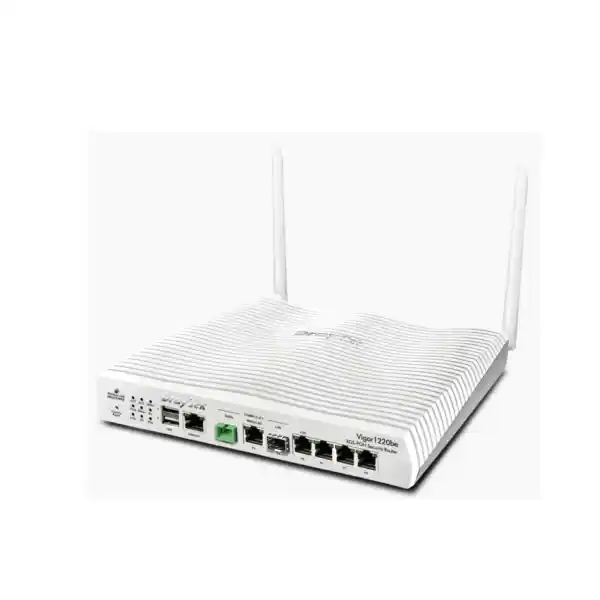
The standard Vigor1220 discussed on this page is the wired model and does not provide WLAN. DrayTek also lists a Vigor1220be variant with Wi-Fi 7 capabilities. For a wired Vigor1220 deployment, separate business access points are typically recommended so wireless coverage can be engineered for the building.
Can the router replace the ISP’s XGS-PON ONT?
Only when the service provider permits and provisions the router for direct participation in its XGS-PON network. PON service uses provider-side authentication and profiles; a physical SC/APC connection alone is not enough. If the provider requires its own ONT, Vigor1220 can still accept the Ethernet handoff.
How many VPNs can it handle?
DrayTek specifies up to 50 concurrent VPN tunnels and up to 500 Mbps IPsec throughput. Tunnel count and throughput are different limits, so size the device according to both the number of peers and the expected encrypted traffic volume.
Is it suitable for a flat network with no managed switch?
It can operate in a simple topology, but a 10G-class router delivers more value when paired with a managed switching design. VLAN segmentation, high-speed uplinks and policy controls are easier to use effectively when the LAN infrastructure supports them.
Decision recap: is DrayTek Vigor1220 right for your site?
Choose Vigor1220 when the project needs a business router that can work with XGS-PON and multi-gigabit Ethernet, route close to 10G-class speeds under suitable conditions, support a 10G SFP+ LAN path, maintain a large NAT session table, create up to 50 VPN tunnels, segment the LAN with VLANs and participate in more advanced routed topologies. It is particularly appropriate when the network is moving from a 1GbE edge toward a multi-gigabit access and switching architecture.
Do not choose it solely because the ISP sells a 10Gbps package. Confirm the complete traffic path and feature requirements. If your real need is heavy next-generation threat inspection at multi-gigabit speeds, extreme VPN throughput or a very large number of VLANs and routed interfaces, compare a larger security platform. If your site has only a few users and a 500 Mbps service, the platform may be more than necessary unless growth, VPN or network architecture justifies it.
Strong fit
XGS-PON or 2.5G/10G WAN, managed multi-gig LAN, several VLANs, branch VPN, dual-WAN resilience, SMB/branch scale and DrayTek-centric operations.
Review carefully
Very high encrypted throughput, full NGFW inspection at multi-gigabit rates, complex high-availability clusters, large campus routing tables or designs needing many more segmentation zones.
Quotation input checklist for Dubai & UAE
A precise quotation is faster when the technical inputs are clear. Provide the following information with your request so the router, optics, switching and support scope can be sized correctly.
Plan the Vigor1220 around the whole network, not just the WAN speed
FourTeck can help UAE customers validate the ISP handoff, choose the correct high-speed interface layout, map VLANs, size VPN requirements and align Vigor1220 with switching, Wi-Fi and operational support. This is especially useful when a site is moving from a legacy 1GbE router to XGS-PON or 10GbE and needs to avoid hidden bottlenecks in the LAN.
For organizations with regional operations beyond the UAE, FourTeck can also coordinate broader infrastructure requirements through its Africa technology network. The goal is a design that remains supportable after installation: clear port roles, documented addressing, tested failover, secure administration and measurable performance.
WAN/LAN port mapping
VLAN and IP plan
VPN and failover design
Switch/uplink requirements
Deployment scope


Reviews
There are no reviews yet.