
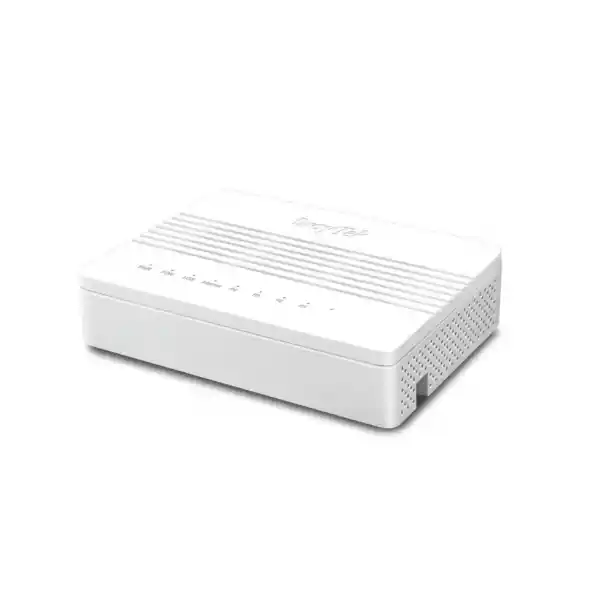
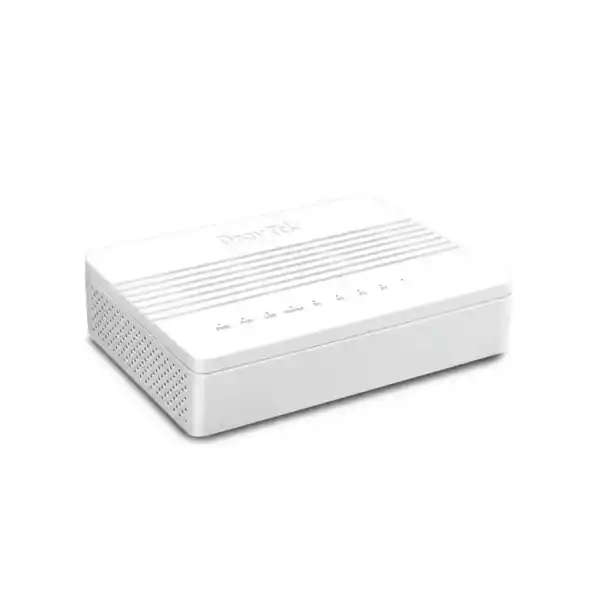
DrayTek Vigor180 10G XGS-PON Router and ONT for Dubai
The DrayTek Vigor180 is built for next-generation fiber-to-the-premises deployments where an organization needs a direct XGS-PON optical interface, a 10 Gigabit Ethernet handoff, and the flexibility to run either as a routed gateway or as a transparent bridge into an existing security edge. It is particularly relevant to offices, managed-service providers, labs, branch sites, high-performance home offices, production environments and technical teams in Dubai that are moving beyond 1 Gigabit internet access and want the WAN edge to stop being the bottleneck.
3 × 1GbE RJ-45 LAN
Up to 8.12 Gbps NAT throughput
Port-based bridge or routed gateway
Direct answer: what is the DrayTek Vigor180?
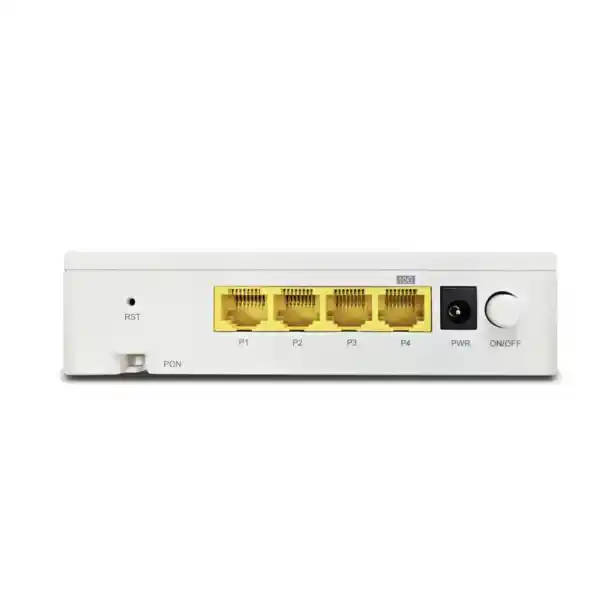
The Vigor180 is an XGS-PON fiber router and optical access device designed for FTTP networks. Unlike older products whose model numbers may be associated with DSL generations, the current Vigor180 is not a VDSL2 or G.fast copper modem. Its WAN side is an XGS-PON optical interface using an SC/APC connection, while its LAN side provides three Gigabit Ethernet ports and one 10 Gigabit Ethernet RJ-45 port. This makes it suitable for organizations that receive or plan to receive an XGS-PON service and need either a high-speed Ethernet handoff to another router or firewall, or an integrated routed edge capable of providing NAT and core IP services.
For a Dubai deployment, the most important design question is not simply whether the internet package is advertised as 10 Gigabit. The service provider must support the ONT or ONU registration method, optical parameters and provisioning model used on the specific PON network. XGS-PON services are controlled by an operator-side optical line terminal, and the customer-side equipment must be recognized and correctly provisioned. FourTeck can therefore position the Vigor180 as part of a complete edge design rather than treating it as a generic plug-and-play media converter. Teams planning broader network refreshes can also review the FourTeck UAE portfolio for switching, routing, structured network deployment and integration services.
Why the Vigor180 matters in a multi-gigabit network
Direct optical edge
The integrated XGS-PON interface removes the need to think of the WAN as a separate low-speed copper or 1GbE circuit. When the provider supports the device and provisioning method, the Vigor180 can sit directly at the optical edge and expose Ethernet to the customer network.
10GbE handoff
A 10GbE RJ-45 LAN port gives the network architect a practical multi-gigabit handoff into a next-generation firewall, core switch, server, virtualization host or other 10G-capable device. This is critical when the goal is to preserve more than 1 Gbps of usable throughput.
Bridge or route
The unit can be used as a routed gateway or with port-based bridging. That allows it to fit into different security models: either the Vigor180 performs the customer-edge routing role, or it transparently hands the service to a dedicated firewall that owns NAT, policy, VPN and segmentation.
Managed operations
The platform supports web and command-line management methods, SNMP, syslog, TR-069 and DrayTek management tooling. That makes it more operationally useful than an unmanaged optical converter, especially for service providers or IT teams supporting multiple sites.
XGS-PON architecture: understanding the WAN side
XGS-PON is a passive optical access technology designed for symmetric 10 Gigabit-class services. The Vigor180 is specified around ITU-T G.9807.x XGS-PON operation with 9.953 Gbps downstream and 9.953 Gbps upstream line rates. Those line rates describe the optical access technology; they should not be interpreted as a guarantee that every subscriber application will measure exactly 9.953 Gbps of IP payload. Real throughput is affected by protocol overhead, service profiles, OLT provisioning, traffic shaping, Ethernet handoff capacity, NAT processing, client hardware, cable quality and the performance of downstream security appliances.
In a PON architecture, multiple optical network terminals share an optical distribution network connected to an operator optical line terminal. The service is controlled through registration, provisioning and management procedures rather than behaving like a simple point-to-point dark-fiber link. This distinction is operationally important. Installing a compatible SC/APC patch lead and observing optical light is not sufficient to establish service. The provider typically needs the customer-side device identity and must permit it on the OLT. In practical procurement terms, FourTeck recommends confirming provider support for the intended ONT or routed-ONT mode before a migration window is scheduled.
XGS-PON is most valuable when the rest of the network is designed to carry the additional bandwidth. A 10G-capable edge feeding a 1GbE firewall simply relocates the bottleneck. For that reason, a Vigor180 project should be reviewed end to end: optical service, Ethernet handoff, firewall throughput, switch uplinks, server interfaces, Wi-Fi aggregation, storage access and the workloads that are expected to use the capacity.
OMCI and operator interoperability
The Vigor180 supports OMCI, the ONT Management and Control Interface defined by ITU-T G.988. OMCI is the management channel used between an OLT and customer-side optical network termination equipment. It allows the service provider to establish and manage service-related parameters on the access device. In enterprise planning, this is a key capability because a PON endpoint needs more than raw optics: it must participate correctly in the operator’s control and service model.
Interoperability should still be validated against the actual UAE service provider. Standards compliance improves the technical basis for compatibility, but provider acceptance policies, supported serial-number or registration methods, service templates, VLAN models, firmware requirements and operational processes can differ. Some operators supply and insist on their own ONT; others may permit approved third-party devices in defined scenarios. A purchasing decision should therefore be connected to an activation plan rather than made solely from port specifications.
For managed networks, this also changes how fault isolation should be performed. Engineers should separate optical-layer problems, OLT registration problems, service VLAN or PPP issues and customer LAN problems. That structured troubleshooting method reduces wasted time because a loss of public IP connectivity can originate from different layers even though the user experiences the same symptom: no internet access.
Physical interface map and design implications
| Interface | Specification | Deployment significance |
|---|---|---|
| WAN | 1 × XGS-PON, SC/APC | Direct connection to a compatible operator XGS-PON optical service. Provider provisioning remains essential. |
| High-speed LAN | 1 × 10GbE RJ-45 | Primary multi-gigabit handoff to a firewall, switch, server or routed core. Cabling and peer-device speed must support the intended data rate. |
| Standard LAN | 3 × 1GbE RJ-45 | Useful for management, auxiliary devices or lower-speed local connections without consuming the 10GbE port. |
| Reset | Factory reset button | Provides a controlled recovery path, but configuration backups should be maintained before changes or resets. |
| Power | DC 12V @ 1A | Maximum listed power consumption is 12 W, making UPS sizing straightforward for most network cabinets. |
The 10GbE copper interface deserves specific attention. Achieving stable 10 Gigabit Ethernet over twisted-pair cabling depends on cabling category, channel length, patch quality, termination quality, electromagnetic conditions and the capabilities of the connected interface. During an upgrade, it is good practice to certify or at minimum verify the short critical link between the Vigor180 and the downstream firewall or core switch rather than assuming that an existing patch lead will sustain 10GbE reliably.
Routed gateway mode versus bridge mode
The strongest architectural feature of the Vigor180 is that it does not force one edge model. In routed gateway operation, the device terminates the subscriber service and performs IP-layer functions such as address assignment, routing and NAT. This can reduce hardware count and can be appropriate where the Vigor180 itself is intended to be the main edge router. DrayTek specifies up to 8.12 Gbps maximum NAT throughput under its internal test conditions, which positions the device well above conventional Gigabit-class broadband routers.
Bridge mode is different. Here, the objective is to make the Vigor180 act primarily as the optical access handoff while another device becomes the policy and routing authority. A next-generation firewall can then receive the subscriber traffic, establish the WAN addressing or authentication needed by the service, and enforce application control, intrusion prevention, VPN, segmentation and security policy. This approach is often preferred in organizations that already standardize on a dedicated security platform.
Choosing between the two modes should be an intentional design decision. A small office may value the simplicity of using one device for routing. A larger business may prioritize centralized security and therefore use the Vigor180 as the XGS-PON access device feeding a firewall cluster. A managed-service provider may prefer a standardized model in which the optical device is kept operationally simple and all customer policy lives on the managed firewall. There is no universally correct choice; the correct model is the one that aligns responsibility, performance, monitoring and change control.
For organizations planning a dedicated security edge, FourTeck’s Firewall Dubai practice can align the Vigor180 optical handoff with an appropriately sized firewall so that inspection, VPN and threat-prevention throughput do not become the new bottleneck after the fiber upgrade.
Internet access protocols and IPv4/IPv6 readiness
On the routed side, the Vigor180 supports common internet connection methods including PPPoE, DHCP and static IPv4 addressing. For IPv6 it supports multiple assignment and transition approaches, including DHCPv6, static IPv6 and tunnel-related methods listed by DrayTek. The exact method used in Dubai depends on the provider and business circuit profile. Some services use simple DHCP, some use PPP authentication, and enterprise circuits may involve static addressing or provider-specific VLANs.
IPv6 should be treated as part of the production design rather than enabled casually. A dual-stack network needs equivalent security policy, logging, DNS behavior, monitoring and administrative controls on both protocol families. Teams that have a mature IPv4 firewall policy can still expose unmanaged paths if IPv6 is activated without parallel filtering and observability. The Vigor180 can participate in IPv6 connectivity, but the organization must determine whether routing and security are performed on the Vigor180 or delegated to a downstream firewall.
For migration projects, document the current WAN authentication, provider VLAN ID if any, IP addressing method, public subnet, DNS settings and any MAC or ONT-registration dependencies before the old edge is removed. That information turns a risky change into a repeatable migration plan and provides a clear rollback path if activation is delayed.
VLAN tagging and service separation
The Vigor180 supports IEEE 802.1p/q multi-VLAN tagging. This matters because broadband and enterprise access services frequently use VLAN tags to identify services or separate logical traffic classes. Depending on the service design, a VLAN may be required on the WAN side for internet access, voice, management or another provider-controlled service. In a bridge deployment, the network architect must decide whether tags are handled on the Vigor180, passed through to the downstream firewall, or terminated in another layer of the design.
VLAN awareness is also important on the LAN side when the Vigor180 is routing. The purpose of segmentation is not simply to create more subnets. Good segmentation reduces the blast radius of incidents, separates trust zones, keeps management traffic away from users, and creates policy boundaries that can be monitored. If the Vigor180 is not intended to be the security enforcement point, segmentation should be implemented on the firewall and switching infrastructure instead of duplicating policy in multiple places.
A clean design usually defines ownership. The optical edge handles optical service and any required access encapsulation; the firewall handles security zones and internet policy; the switching layer handles campus VLAN transport; servers and endpoints attach to their assigned segments. That separation of roles simplifies troubleshooting because each layer has a clear responsibility.
NAT throughput and what 8.12 Gbps means in practice
DrayTek publishes a maximum NAT throughput figure of 8.12 Gbps for the Vigor180 under internal test conditions. This is an important sizing reference, but network designers should distinguish a laboratory maximum from an application-level service guarantee. NAT performance is influenced by packet size, traffic direction, flow count, enabled features and the exact test methodology. End-to-end speed tests also include the limitations of the test client, operating system, browser or application, server-side capacity, path congestion and protocol overhead.
The figure also shows why the 10GbE LAN interface matters. Without a multi-gigabit Ethernet handoff, an XGS-PON optical link would be constrained to Gigabit Ethernet speeds before it could reach the customer network. A 10GbE port allows a single downstream device to receive several gigabits of routed or bridged traffic, subject to the Vigor180’s processing capabilities and the service profile.
When a firewall sits behind the Vigor180, the firewall must be sized for the actual security feature set. A device capable of 10 Gbps of raw firewall throughput may deliver less when TLS inspection, intrusion prevention, antivirus scanning, application control, IPsec VPN or logging are enabled. The WAN upgrade should therefore use inspected-throughput figures, not just interface speeds, when selecting the downstream security platform.
NAT services, inbound publishing and application handling
Port forwarding
DrayTek lists port-forwarding support, allowing selected inbound traffic to be mapped toward internal services when the Vigor180 is acting as the NAT gateway. In business environments, every forwarding rule should be justified, logged and reviewed because publishing internal services directly to the internet increases exposure.
DMZ host
A DMZ-host function is available, but production use requires caution. Forwarding broad inbound traffic to a host is not a substitute for a properly segmented DMZ network with controlled policy. A dedicated firewall is normally preferable for complex public-facing applications.
Port trigger and UPnP
Dynamic NAT-related features can help selected applications, but organizations with security and change-control requirements generally prefer explicit rules. UPnP in particular should be evaluated against policy because it permits applications to request mappings automatically.
ALG support
The platform lists application-layer gateway handling for protocols including SIP, RTSP, FTP and H.323. ALG behavior can help legacy protocols traverse NAT, although modern VoIP and collaboration platforms may work better when unnecessary ALG manipulation is disabled on the security edge.
Multicast and IPTV-oriented capabilities
The Vigor180 supports IGMP v2/v3, IGMP proxy and IGMP snooping functions. These capabilities are relevant where multicast traffic is part of the service design, such as IPTV or specific enterprise distribution applications. Multicast differs from ordinary unicast internet traffic because network devices need to manage group membership and forward streams only where they are requested. Without appropriate control, multicast can consume bandwidth unnecessarily or fail to reach the intended receivers.
In a provider environment that delivers multiple services over the same PON connection, multicast configuration may interact with provider VLANs and bridge behavior. Engineers should capture the existing service parameters before migration and test internet, voice and video services independently. A successful speed test proves only that one path works; it does not validate multicast joins, VLAN mapping or all application flows.
Management interfaces and operational visibility
The Vigor180 exposes a broad management set including HTTP, HTTPS, Telnet, SSH v2 and TR-069, with firmware upgrade mechanisms through the web user interface, TFTP and TR-069. It also supports configuration backup and restore, SNMP v2, v2c and v3, syslog and access-list controls. These capabilities allow an enterprise or managed-service provider to integrate the device into monitoring and lifecycle-management processes rather than manage it only when an outage occurs.
Secure management design remains essential. HTTPS and SSH should be preferred over plaintext management protocols. Telnet should not be exposed to untrusted networks. Remote-management access, when required, should be restricted to trusted source addresses or accessed through a secure management path. SNMPv3 is generally preferable where authentication and privacy are required. Syslog should be sent to a central collector so configuration events and operational warnings are retained independently of the device.
Monitoring is particularly valuable on a multi-gigabit edge because user complaints can be caused by different layers. An administrator should be able to distinguish PON status, WAN state, route state, DHCP behavior, session usage, ARP and neighbor tables, and downstream Ethernet issues. DrayTek lists monitoring functions for XGS-PON information, WAN state, route tables, DHCP tables, IPv6 neighbor information, PPPoE pass-through and session information among other operational views.
FourTeck can incorporate these devices into broader operational practices through IT Services UAE, including configuration standards, monitoring design, documentation, firmware-maintenance planning and escalation procedures.
VigorACS and centralized management considerations
DrayTek positions VigorACS as its centralized management platform for supported devices. In environments with multiple Vigor180 deployments, centralized visibility can reduce the operational cost of configuration, software lifecycle work and remote support. The business value is not simply that an administrator can see several devices on one screen. The value comes from consistency: common templates, controlled updates, clear inventory, configuration history and easier fault isolation across branches.
For a single site, local management may be perfectly adequate. For an MSP or a company with many offices, central management becomes more important because manual configuration introduces drift. Two routers that began with the same settings may evolve differently after emergency changes. Over time, undocumented differences create support risk. A managed platform combined with change-control records helps reduce that problem.
Central management should itself be secured. Administrator roles, strong authentication, access control, management-network isolation, logging and update governance remain necessary. The management plane should be designed with the same care as the data plane because access to the management system can affect many sites at once.
Sizing the Vigor180 for real business traffic
Sizing starts with the service profile but should not end there. A 10G XGS-PON line can be used by one workstation, by a server cluster, by hundreds of Wi-Fi users aggregated through a campus network, or by backup applications that generate large overnight transfers. Each workload creates a different pattern of flows, packet sizes and concurrency. DrayTek lists 10,000 NAT sessions for the Vigor180, and organizations should consider whether their client count and application mix fit that scale when using the unit as the primary NAT router.
A design for ten technically demanding users can consume more bandwidth than a design for one hundred light users. Video-production teams, off-site backup, cloud replication, development environments, large software repositories and high-resolution media workflows can use multi-gigabit capacity quickly. Conversely, many office productivity users may be limited by remote application servers or Wi-Fi rather than by the WAN. The correct metric is therefore not simply headcount. It is the combination of peak throughput, simultaneous sessions, latency sensitivity and the capabilities of downstream infrastructure.
Where the Vigor180 is used in bridge mode, its NAT session scale becomes less important because the firewall owns the sessions. In that architecture, the firewall session table, inspected throughput, VPN throughput and logging capacity are the more important sizing variables. Where the Vigor180 is the router, those roles move back to it. This illustrates why mode selection should precede detailed sizing.
FourTeck’s design process can map the target internet speed to the complete path: optical access, Vigor180 mode, firewall, 10GbE switch, Wi-Fi uplinks, server links and endpoint NICs. That prevents a common procurement error in which only the WAN device is upgraded while the rest of the network remains unable to exploit the new capacity.
Recommended deployment topology 1: Vigor180 as optical bridge to a firewall
This topology is a strong choice for organizations that already standardize on a dedicated next-generation firewall. The Vigor180 handles the XGS-PON optical access and provides the Ethernet handoff; the firewall owns internet addressing, NAT, policy, VPN and security inspection. The 10GbE port should connect directly to a firewall interface capable of negotiating and processing the required speed. From there, a 10GbE or faster connection to the core switch keeps the internal path aligned with the WAN capability.
Operationally, this design creates a clear boundary. Optical and service-registration problems are investigated at the Vigor180 and provider layer. Security policy and session issues are investigated on the firewall. Campus forwarding issues are investigated on the core and access switches. That division reduces configuration overlap and can make incident response faster.
The design also simplifies future firewall replacement. If the Vigor180 remains the supported optical endpoint, the organization can upgrade the firewall while preserving the PON handoff, provided the service parameters are correctly transferred. This modularity can be valuable when security appliances have shorter lifecycle or performance-refresh cycles than the access circuit.
Recommended deployment topology 2: Vigor180 as the routed edge
In routed mode, the Vigor180 becomes the customer internet gateway. This reduces the number of devices and can be appropriate for a compact office, technical lab or deployment where the required security model is modest and the router’s feature set fits the organization. The device supports PPPoE, DHCP and static IPv4 methods, IPv6 capabilities, NAT services, routing and management functions.
The main design question is whether the router should also be the security-policy boundary. A routed edge can provide connectivity efficiently, but organizations with compliance requirements, advanced threat inspection, large VPN estates, identity-based policy or detailed application controls may still prefer a dedicated firewall behind it. If another firewall is placed behind a routed Vigor180, double NAT can appear unless the design is adjusted. That may complicate inbound services, some VPNs, logging and troubleshooting.
For this reason, a routed Vigor180 design should define exactly where NAT occurs, where public IP addresses terminate, where inter-VLAN policy is enforced and which platform records security logs. Avoid a topology in which both devices perform overlapping functions without a clear operational reason.
10GbE switching, servers and storage behind the Vigor180
The usefulness of 10G internet access depends heavily on the LAN. A workstation connected through a 1GbE access port will still top out around Gigabit-class speeds regardless of the XGS-PON WAN. That is not necessarily a problem; most users do not need 10 Gbps individually. The advantage of a 10G uplink is often aggregate capacity. Many Gigabit or multi-gigabit clients can share a high-speed WAN without the edge uplink becoming the first bottleneck.
Servers and storage platforms are another common reason to deploy a multi-gigabit edge. Cloud backup, object storage, software distribution, data synchronization and hosted applications can benefit from a faster uplink when the remote service and local disks can sustain the transfer. If the project includes new rack servers or storage, FourTeck’s Server Dubai resources can support the compute and storage side of the design so interface speed, RAID or SSD performance and backup architecture are sized together.
For switch design, verify the uplink type and oversubscription ratio. A core switch with multiple 10G ports can connect the Vigor180 or firewall, servers, access-switch stacks and Wi-Fi controllers without forcing all high-bandwidth traffic through a single Gigabit uplink. Where 2.5GbE access is used for Wi-Fi 6/6E/7 access points, a 10G or faster core uplink becomes increasingly relevant because several APs can collectively exceed 1 Gbps.
Security architecture: what the Vigor180 should and should not be expected to do
The Vigor180 is best understood first as a high-speed XGS-PON access and routing platform. It provides routing, NAT and management capabilities needed at the network edge, but the security architecture should be selected based on the organization’s risk profile. A dedicated next-generation firewall may still be required for deep packet inspection, application-aware policy, advanced threat prevention, sandboxing, extensive VPN capability, centralized security reporting or identity-driven access controls.
When the Vigor180 is used in bridge mode, minimizing exposed management access is especially important. The device remains an infrastructure component even if it is not performing NAT. Management should be reachable only from a controlled network or through an approved remote-management path. Default credentials must be changed, unused services should be disabled, configuration backups should be protected, and firmware should be maintained according to a documented process.
When the Vigor180 is used as the routed edge, NAT should not be confused with a complete security strategy. NAT changes address mappings but does not replace access-control design, endpoint security, secure DNS, email security, segmentation, logging or vulnerability management. Inbound forwarding rules should be minimized, and administrative interfaces should not be exposed broadly to the internet.
A practical approach is to classify the site. A small low-risk technical workspace may accept a simpler routed design. A business hosting public services, carrying sensitive records or maintaining site-to-site connectivity will typically benefit from a dedicated firewall architecture. FourTeck can help select the model that aligns security controls with the throughput expected from XGS-PON.
Dubai and UAE deployment considerations
A UAE installation should begin with service-provider confirmation. XGS-PON is not the same as ordinary Ethernet. The optical endpoint participates in a provider-managed PON environment, and the operator must accept and provision the device. Before procurement, obtain the exact circuit type, intended bandwidth, existing ONT model, connector type, service VLAN details if available, IP addressing method and any authentication information. Ask whether customer-owned ONT equipment is permitted and whether a specific registration procedure is required.
The next consideration is the physical cabinet. Although the Vigor180 is compact at approximately 150 × 115 × 36 mm, it still needs proper ventilation and clean power. The published operating temperature is 0 to 40°C with 10 to 90 percent non-condensing humidity. Dubai outdoor temperatures can be far higher than this, so the device should be installed in a conditioned indoor communications space rather than an exposed enclosure unless environmental controls keep the equipment within specification.
Power resilience should also be considered. The unit uses 12V DC at 1A and has a listed maximum consumption of 12 W, which is a small load for a UPS. The wider edge stack matters more: ONT/router, firewall, core switch and any Wi-Fi controller or access switch that must remain active during a power interruption should all be included in the UPS runtime calculation. A fiber link that remains optically available is not useful if the local firewall or switch loses power.
For businesses operating across multiple emirates or countries, documentation standards become particularly valuable. Record serial information, port mapping, provider circuit IDs, VLANs, public IP allocations, management addresses, firmware level, backup location and support ownership. A standardized record shortens outage response because engineers do not need to rediscover the service configuration during an incident.
FourTeck can support deployment through the UAE while also aligning multi-country projects with its broader global network solutions practice when organizations need common standards across branch locations.
Provider activation checklist for XGS-PON
A successful installation starts before the change window. First, verify that the circuit is genuinely XGS-PON rather than GPON, active Ethernet or another access technology. Connector appearance alone is not enough. Next, confirm whether the provider permits the Vigor180 to act as the optical endpoint. The operator may need identifying information from the device and may apply a provisioning profile on the OLT.
Document the service encapsulation. If internet access requires a VLAN tag, record the VLAN ID and priority behavior. If PPPoE is used, confirm the credentials and whether the service binds to a device identity. If DHCP is used, determine whether the provider learns or restricts the customer MAC address. If static IP is used, record the address, prefix, gateway and DNS information. If IPv6 is included, record whether the provider uses DHCPv6, prefix delegation, static addressing or another model.
During activation, validate layers in order. Confirm optical status and registration first. Then confirm service-layer parameters. Then verify that the WAN interface receives or establishes the expected IP configuration. Then test route reachability and DNS. Finally, test application throughput and failover or rollback procedures if they are part of the design. This layered method prevents engineers from performing LAN changes when the real issue is PON registration.
After cutover, capture a baseline. Record optical status, WAN address, latency to selected destinations, achievable throughput from a capable wired 10GbE test client, CPU or session observations under load, and firewall throughput if a security appliance is present. The baseline becomes the reference used to investigate future performance complaints.
Optical patching and physical-layer discipline
The Vigor180 uses an SC/APC interface on the XGS-PON side. APC connectors use an angled physical contact polish and are commonly identified by green housings. Optical connectors must be kept clean. Dust or contamination can introduce loss or reflections and can create intermittent issues that are difficult to diagnose at higher optical rates. Technicians should use appropriate inspection and cleaning practices instead of wiping ferrules with clothing or unapproved materials.
Never look directly into an optical connector or fiber. PON systems use infrared wavelengths that may not be visible to the eye. Standard fiber-safety procedures should be followed during installation and troubleshooting. Patch leads should be routed with sensible bend radius, protected from crushing and clearly labeled at both ends.
An optical fault should be separated from a service-provisioning fault. A clean optical signal does not mean the OLT has accepted the ONT, and successful registration does not mean the customer service VLAN or IP configuration is correct. The troubleshooting workflow should keep these layers separate.
On the Ethernet side, the same discipline applies. Use cabling rated for the target 10GbE distance, avoid low-quality couplers and patch panels in the critical path, and verify link negotiation on both ends. A 10GbE-capable port falling back to a lower speed can make the WAN appear slow even when the optical service is healthy.
Environmental specifications and installation planning
Compact footprint for a desk, shelf or communications enclosure, subject to ventilation and cable-management requirements.
Maximum listed power consumption is 12 W. Include the complete edge stack when sizing UPS runtime.
Install in a temperature-controlled indoor environment and avoid sealed spaces with heat accumulation.
Specified as non-condensing. Keep the device away from moisture, dust ingress and poorly controlled utility areas.
Migration from an existing ONT or router
Replacing an existing provider ONT or router should be treated as a controlled network change. Begin by documenting the current topology and taking screenshots or configuration exports where permitted. Identify which device currently owns the public IP, which device performs NAT, where DNS is assigned, whether a provider VLAN exists, and whether the existing ONT is in bridge or routed mode.
Next, decide the target role of the Vigor180. If it will replace only the optical device, the downstream firewall should retain the current routing responsibilities. If the Vigor180 will become the router, WAN addressing, NAT, DHCP and routing responsibilities may move. Avoid changing optical endpoint, firewall policy, LAN addressing and switching at the same moment unless the project specifically requires a full redesign. Smaller change scopes are easier to troubleshoot and roll back.
Prepare a rollback plan before disconnecting the production edge. Keep the original equipment, patch leads and configuration information available until the new circuit has passed functional and performance testing. Define a decision time at which the team will restore the previous topology if provider registration or service activation cannot be completed within the approved window.
Once the Vigor180 is live, validate not just browsing but all business-critical paths: VPNs, inbound published applications, remote management, cloud backup, VoIP, video conferencing, DNS resolution, IPv6 where used, and any site-to-site connections. A change should be considered complete only when the business services dependent on the WAN are verified.
Performance testing methodology
Testing a multi-gigabit service requires more discipline than running a browser speed test over Wi-Fi. The test endpoint should have a 10GbE interface, sufficient CPU, correct drivers and storage that is not involved in the measurement path. The Ethernet link between the test client and network should negotiate at 10GbE, and intermediate switches or firewalls must be capable of the target rate.
Use multiple test methods. An internet speed test is useful for validating provider-side capacity to a nearby server, but an internal iPerf-style test can separately validate the LAN and firewall path. If the LAN reaches expected multi-gigabit speeds while internet performance is low, the focus shifts toward the WAN, provider path or test server. If the LAN itself is slow, troubleshoot cabling, NIC settings, switch ports or firewall processing before blaming the optical service.
Also test more than one flow. Some devices or services behave differently with a single TCP session than with multiple sessions. Observe CPU utilization, session counts and packet loss while testing. Latency under load is another important metric because a connection can deliver high throughput yet still provide poor interactive performance if queues become saturated.
Record the test conditions with the results. A statement such as “6.5 Gbps measured from a 10GbE wired workstation through the firewall with security profile X at 14:00” is far more useful than “internet is fast.” Repeatable evidence helps distinguish normal variation from genuine degradation later.
Troubleshooting framework
1. Optical layer: verify the correct XGS-PON service, clean SC/APC patching, acceptable optical state and physical integrity. Do not assume that link light alone means service has been provisioned.
2. Registration and OMCI layer: confirm the OLT recognizes the Vigor180 and that the provider has applied the intended service profile. Registration failures require provider-side validation as well as local checks.
3. Service encapsulation: verify required VLAN tags, PPPoE credentials, DHCP behavior or static addressing. A wrong VLAN can produce a perfectly healthy optical link with no usable internet session.
4. IP and routing: check the WAN address, prefix, default route, DNS and IPv6 state. Confirm reachability first by IP and then by name to separate routing from DNS issues.
5. Ethernet handoff: confirm the 10GbE port negotiated at the expected speed, error counters are clean, and the connected firewall or switch interface supports the intended rate.
6. Firewall and NAT: if a downstream firewall is present, review policy, NAT, session state and security inspection. Multi-gigabit throughput can drop when the firewall is undersized or overloaded.
7. Endpoint and application: test with a capable wired client and multiple destinations. A single slow laptop, Wi-Fi link or remote server is not sufficient evidence of a WAN problem.
Firmware and lifecycle management
Network-edge devices should have a defined software-maintenance policy. DrayTek continues to publish firmware and support resources for the Vigor180, and production sites should review release notes before upgrades rather than updating blindly. A good process includes checking security fixes, feature changes, interoperability notes and rollback considerations.
Before firmware changes, save a current configuration backup and document the running version. Schedule upgrades in a maintenance window appropriate to the business, especially when the Vigor180 is the only internet path. If the device is being managed centrally, test a new release on a representative unit before deploying it broadly across branches.
Firmware lifecycle is also part of procurement. Organizations should record purchase date, warranty details, deployed firmware, support ownership and replacement strategy. Edge equipment often remains in service for years; without lifecycle records, a site can reach end-of-support without anyone noticing until a security issue or hardware failure occurs.
Configuration backups should be stored in a controlled location with access restricted to authorized administrators. Backups may contain IP addresses, credentials or other operational information and should be protected as sensitive infrastructure data.
Who should consider the DrayTek Vigor180?
Businesses receiving XGS-PON
Organizations moving to symmetric multi-gigabit FTTP and needing a compact customer-side optical endpoint with 10GbE Ethernet handoff capability.
Firewall-centric networks
Sites that want the optical access device to bridge traffic into a dedicated security appliance while preserving a multi-gigabit path.
Managed service providers
MSPs that value remote management, monitoring, configuration backup and centralized lifecycle practices across multiple customer locations.
Technical and media teams
Workloads involving large cloud transfers, backup, content production, virtualization or software distribution where multi-gigabit WAN capacity has practical business value.
When the Vigor180 may not be the right choice
The Vigor180 should not be selected for a DSL circuit because its current design is based on XGS-PON, not VDSL or G.fast. It is also not a generic solution for every fiber service. Active Ethernet, GPON and provider-managed XGS-PON environments can have different technical and operational requirements. Always identify the access technology before purchasing.
It may also be unnecessary where the provider-supplied ONT already offers a stable 10GbE bridge and the customer has no need for alternative optical termination or DrayTek management. In that case, investing in the firewall, switching or Wi-Fi layers could provide more benefit. Conversely, a customer that requires advanced security features may need a dedicated next-generation firewall even when the Vigor180 is retained for optical access.
Finally, a 10G-capable WAN edge provides little value when the rest of the network is constrained by 1GbE infrastructure and the applications do not need more capacity. The right design is based on workload and bottleneck analysis, not the largest interface number on the product datasheet.
Frequently asked technical questions
Is the DrayTek Vigor180 a VDSL2 or G.fast modem?
No. The current Vigor180 introduced for next-generation FTTP is an XGS-PON product. Its WAN is an XGS-PON SC/APC optical interface, and the platform is designed around symmetric 10 Gigabit-class PON connectivity rather than copper DSL.
Can the Vigor180 deliver a full 10 Gbps of routed internet traffic?
DrayTek lists the XGS-PON line rate at 9.953 Gbps in each direction and a maximum NAT throughput figure of 8.12 Gbps under its internal testing. Actual internet throughput depends on service shaping, protocol overhead, packet characteristics, enabled functions, client capability and the rest of the path. The optical line rate should therefore not be treated as a guaranteed routed application rate.
Can it connect directly to a firewall?
Yes. Port-based bridging is one of the core deployment options. The 10GbE LAN port can provide a high-speed handoff to a compatible firewall. The provider’s service parameters and the firewall’s WAN configuration must be aligned with the chosen bridge design.
Does it support routing as well?
Yes. The product supports routed gateway operation with common WAN addressing methods, NAT and IP services. This can be useful where the Vigor180 itself is intended to be the primary router.
How many Ethernet ports are available?
There are four fixed LAN Ethernet ports: one 10GbE RJ-45 port and three 1GbE RJ-45 ports. The 10GbE interface is the natural choice for a multi-gigabit firewall or core-switch handoff.
Does it support VLAN tagging?
Yes. DrayTek lists 802.1p/q multi-VLAN tagging. The correct VLAN configuration depends on the ISP service and whether the Vigor180 or a downstream device terminates the service.
Can any XGS-PON connection use it?
Not automatically. XGS-PON endpoints are provisioned and controlled by the operator OLT. Standards support such as OMCI improves interoperability, but the provider must permit and provision the customer-side device. Confirm support before purchase or cutover.
Does the Vigor180 support IPv6?
Yes. It supports IPv6 connection and routing methods. The production design should apply appropriate IPv6 security controls and should match the addressing model provided by the ISP.
What management methods are available?
DrayTek lists HTTP, HTTPS, Telnet, SSH v2 and TR-069 management, plus SNMP and syslog capabilities. Secure production configurations should favor encrypted protocols, limit remote sources and disable services that are not required.
Can it be centrally managed?
DrayTek supports centralized management through its VigorACS platform for supported firmware and device versions. This is useful for multi-site environments where inventory, standardized configuration and lifecycle operations need to be coordinated.
What should I provide to FourTeck for a correct quotation?
Provide the ISP name, circuit technology, expected bandwidth, current ONT or router model, desired bridge or routed mode, public IP requirements, firewall model, switching uplink speeds, number of sites, installation location and whether configuration, onsite deployment, migration or post-installation support is required.
Procurement guidance for Dubai businesses
Procurement should verify more than the product model. Confirm that the supplied unit is the current XGS-PON Vigor180, includes the appropriate power adapter and intended regional package, and is sourced through a channel that supports warranty and technical escalation. Record serial numbers when equipment is received and link them to the site inventory before installation.
For project planning, separate hardware supply from activation dependencies. The physical Vigor180 may be available before the provider has approved the third-party ONT or completed the service profile. If a cutover date is important, treat provider acceptance as a project prerequisite and obtain written or ticketed confirmation where possible.
Also budget for the supporting path. A 10G service may require a new firewall, 10G switch port, Cat6A patching, SFP or copper transceivers elsewhere in the topology, UPS capacity or 10G NICs in key servers. The cost of the edge router is only one part of a successful multi-gigabit deployment.
Finally, define who owns configuration after handover. Some customers want only hardware supply, while others want a tested and documented implementation. A clear scope should state whether the quotation includes ISP coordination, optical cutover, bridge configuration, routed configuration, firewall changes, performance validation, monitoring setup and post-change support.
Decision recap: is the Vigor180 the right edge for your network?
Choose the DrayTek Vigor180 when the access circuit is confirmed as XGS-PON, the provider permits and provisions the device, and the design needs a 10GbE customer handoff or a multi-gigabit routed gateway. It is especially compelling where a dedicated firewall requires a high-speed optical bridge in front of it, or where a compact DrayTek-managed edge is preferred for routing and NAT.
Do not select it simply because the internet package is fast. Confirm the access technology and provider policy first. If the service is GPON, active Ethernet, VDSL or another medium, a different edge platform may be required. Likewise, if advanced security inspection is central to the requirement, plan for a dedicated firewall rather than assuming that optical termination and security policy should live on the same device.
Strong fit
Confirmed XGS-PON service, 10GbE downstream infrastructure, provider approval, need for bridge or routed flexibility, and a requirement for managed operational visibility.
Validate first
Unknown ONT policy, unclear service VLANs, mixed legacy network speeds, unverified 10GbE cabling, or a firewall whose inspected throughput is lower than the upgraded WAN.
Different solution likely
VDSL/G.fast access, GPON-only service without supported XGS-PON migration, or environments requiring capabilities that belong on a dedicated security or carrier-edge platform.
Quotation input checklist
Supplying the following information lets FourTeck size the solution and identify compatibility risks before a deployment window is booked.
Provider name, circuit ID if available, access technology, ordered bandwidth and current ONT/router model.
Whether customer-owned ONT equipment is allowed, registration requirements and any provider confirmation already received.
PPPoE, DHCP or static IP method; VLAN ID; public IPv4 block; IPv6 details; DNS and gateway information.
Vigor180 routed mode, bridge to firewall, firewall make/model, HA requirement and expected security services.
Core-switch model, available 10GbE ports, cabling type, server interfaces and high-bandwidth user groups.
Supply only, remote configuration, onsite Dubai installation, provider coordination, migration, testing, documentation and support.
Plan your DrayTek Vigor180 deployment with FourTeck
A high-speed XGS-PON project succeeds when optical compatibility, service provisioning, routing, firewall performance, 10GbE switching and operational management are designed together. FourTeck can help validate the role of the Vigor180, define bridge or routed mode, align the downstream firewall and switching path, and produce a deployment checklist for the Dubai site.
For a precise recommendation, share the provider, current ONT, target internet speed, firewall model and whether the Vigor180 should route traffic or hand it off transparently. This allows the quotation to reflect the real topology rather than treating the router as an isolated hardware item.
Bridge/routed design
10GbE path validation
Firewall alignment
Cutover planning
Documentation and support

Reviews
There are no reviews yet.