
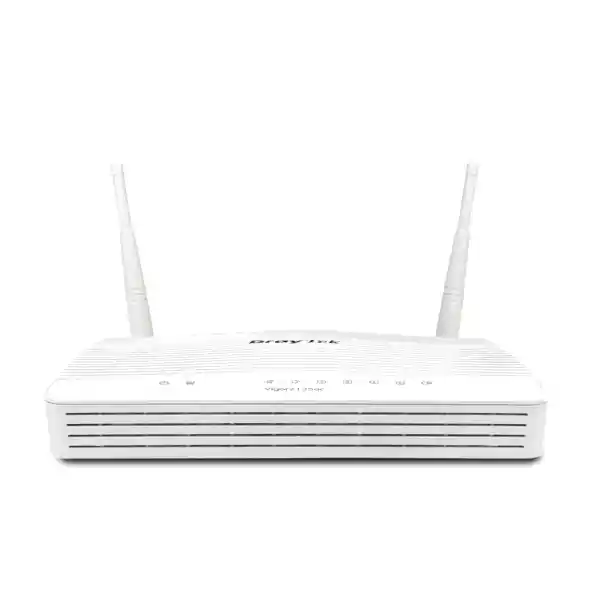
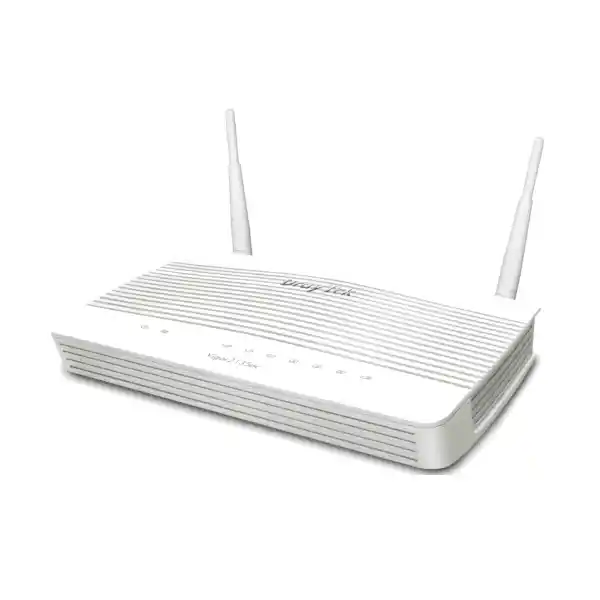
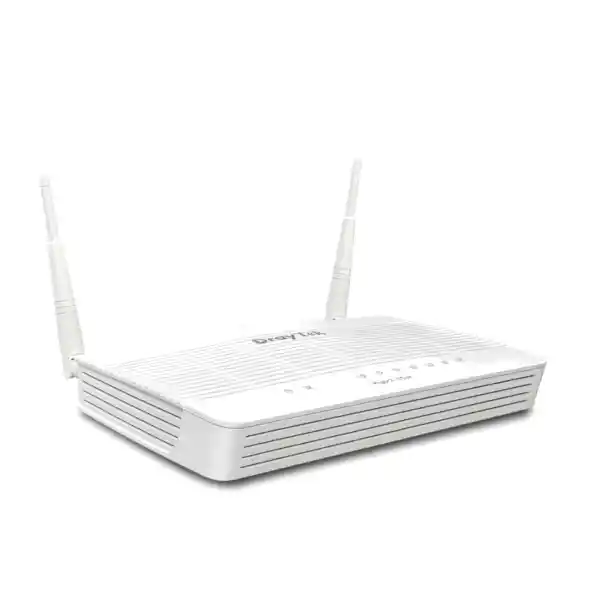
DrayTek Vigor2135ac in Dubai, UAE
The DrayTek Vigor2135ac combines Gigabit Ethernet routing, hardware-accelerated NAT, dual-band 802.11ac Wave 2 wireless networking, business VPN, VLAN segmentation, application-aware quality of service, content controls and professional network-management capabilities in a compact platform designed for demanding smart homes, SOHO environments and small office networks.
What is the DrayTek Vigor2135ac?
The DrayTek Vigor2135ac is a Gigabit broadband firewall and VPN router with integrated dual-band wireless networking. It is designed for users who need considerably more control than a typical consumer router provides but who do not necessarily need the scale, port density or licensing structure of a large enterprise security appliance. The platform is especially relevant to professional home offices, villas, executive residences, retail back offices, clinics, small professional practices, boutique hospitality sites, temporary project offices and branch locations where Internet reliability, local segmentation and secure access matter as much as raw WiFi coverage.
At the routing layer, the Vigor2135ac provides a Gigabit Ethernet WAN connection and four Gigabit Ethernet LAN interfaces. DrayTek specifies hardware-accelerated NAT performance up to 940 Mbps under optimal test conditions, making the platform well matched to high-speed broadband services where a router should be able to move traffic at or near Gigabit rates without abandoning business functions such as bandwidth management. Actual throughput in a deployed network depends on enabled services, packet sizes, traffic mix, encryption, client behavior, ISP conditions and configuration.
The wireless subsystem uses 802.11ac Wave 2 technology with 2×2 operation, dual-band service and external dual-band antennas. This makes the router useful where the same device is expected to provide perimeter routing and local wireless access. For larger UAE properties, multi-floor offices or environments with heavy RF competition, the Vigor2135ac can still serve as the gateway while separate access points are positioned for coverage and capacity. That separation of roles is often preferable when business continuity and predictable roaming are more important than relying on a single radio location.
DrayTek Vigor2135ac key specifications
WAN and routing
One Gigabit Ethernet RJ-45 WAN interface supporting common broadband addressing and authentication methods such as DHCP, static IP and PPPoE, with IPv6 capabilities and policy-routing options for controlled traffic forwarding.
LAN switching
Four Gigabit Ethernet LAN ports provide wired connectivity for switches, servers, IP phones, workstations, access points and other local infrastructure, with VLAN and subnet capabilities for separation of business traffic.
Wireless
Dual-band 802.11n/ac operation with 802.11ac Wave 2 2×2 MU-MIMO on 5 GHz, up to 867 Mbps 5 GHz link rate and up to 400 Mbps on 2.4 GHz depending on client capability, channel width and RF conditions.
VPN
Professional secure-tunnelling support includes IPsec, IKEv2, SSL VPN, L2TP, L2TP over IPsec, OpenVPN and WireGuard capabilities, with the platform positioned for branch and teleworker connectivity rather than large concentrator scale.
Firewall and filtering
Stateful firewall controls, protocol and address-based rules, application and URL filtering functions, NAT, port redirection, open-port rules, DMZ host options and traffic-management features provide granular control beyond standard home routing.
Management
Web interface, secure administration methods, SNMP, Syslog-oriented operational visibility, firmware management and VigorACS compatibility support local administration and centralized lifecycle workflows for multi-site deployments.
Hardware-accelerated routing for high-speed UAE broadband
Many broadband routers can advertise Gigabit ports while failing to sustain high forwarding rates once real firewall, shaping and management features are enabled. The Vigor2135 family addresses that problem with hardware-assisted packet forwarding. DrayTek publishes a maximum hardware-accelerated NAT figure of up to 940 Mbps for the series under its internal optimal test conditions. This distinction is important for Dubai and wider UAE deployments because fibre and high-speed Ethernet Internet services are common in both residential and business environments, and the gateway can become an avoidable bottleneck if its forwarding architecture is undersized.
Hardware acceleration should not be interpreted as a guaranteed application speed. Internet throughput is the result of an end-to-end path that includes the ISP access circuit, upstream contention, DNS performance, cloud application latency, packet size, simultaneous connections, WiFi airtime and any security processing performed by the router. VPN encryption, for example, has a very different processing profile from plain NAT. Content classification, traffic monitoring and highly granular policy functions can also influence real-world performance. Correct sizing therefore starts with the actual service profile rather than a single headline number.
For a typical professional office with a sub-Gigabit or Gigabit Internet service, the practical advantage is that the Vigor2135ac can be selected as a business gateway without immediately forcing a move to a much larger chassis. Where the requirement is multi-gigabit WAN, large numbers of concurrent encrypted tunnels, heavy UTM inspection or large-campus segmentation, a higher DrayTek or enterprise firewall class should be considered. FourTeck can help map throughput requirements to the correct appliance tier through its UAE IT services practice.
Port architecture and physical connectivity
The Vigor2135ac uses a straightforward Ethernet edge design: one Gigabit Ethernet WAN port for the primary Internet handoff and four Gigabit Ethernet LAN ports for the internal network. This structure is easy to integrate with UAE fibre termination equipment, carrier-supplied ONTs, managed Ethernet handoffs or upstream modems operating in bridge or pass-through modes. The best topology is normally to avoid unnecessary layers of NAT. Where the provider equipment cannot be bridged, the Vigor2135ac can still be deployed behind it, but inbound services and some VPN use cases may require careful handling of double NAT.
The four LAN ports should not be treated as the total client capacity of the router. In a structured office, one or more LAN ports typically connect to managed Gigabit switches, and those switches then fan out to desktops, printers, IP phones, wireless access points, surveillance recorders and servers. This approach lets the router focus on routing, security, VPN and policy while the switching layer handles access-port density. VLAN trunks can be used where the downstream switching design needs to carry multiple logical networks over a single physical uplink.
The unit also provides USB connectivity for supported auxiliary functions. USB capabilities should be planned according to the exact firmware and compatibility matrix rather than assuming every modem or storage device is supported. For production installations, FourTeck recommends documenting WAN handoff type, ISP authentication method, assigned static addresses, required VLAN tags, DNS settings and any public services before installation so that the edge transition can be completed without extended downtime.
Dual-band 802.11ac Wave 2 WiFi
The “ac” designation identifies the integrated 802.11ac wireless version of the Vigor2135 platform. On 5 GHz, the router supports 802.11ac Wave 2 with 2×2 operation and MU-MIMO capabilities, with a published maximum link rate of up to 867 Mbps. On 2.4 GHz, it supports 802.11b/g/n operation, with DrayTek listing link rates up to 400 Mbps for the ac model. These values are radio link rates rather than guaranteed application throughput. WiFi protocol overhead, interference, distance, walls, client radio design, channel utilization and network congestion reduce usable payload throughput.
The Vigor2135ac uses two external dual-band antennas, specified by DrayTek at 4 dBi for 5 GHz and 2 dBi for 2.4 GHz. External antennas provide useful placement flexibility, but antenna gain is only one part of RF design. The router should be installed away from metal enclosures, large electrical equipment, dense concrete barriers and other sources of attenuation. Positioning the gateway in a telecom cabinet at one end of a villa may be excellent for structured cabling but poor for WiFi. In those cases, separate ceiling or wall access points provide more consistent results.
The 2.4 GHz band offers longer reach and better wall penetration but generally has fewer non-overlapping channels and more interference from neighboring WLANs and non-WiFi devices. The 5 GHz band provides more spectrum and is usually preferable for modern laptops, phones and high-throughput applications within reasonable range. A professional configuration can use separate SSIDs or coordinated naming, controlled channel selection, client isolation where appropriate, WPA2/WPA3 security according to client support, and scheduling or guest controls based on business requirements.
For environments that need broader coverage, higher client density or newer WiFi 6 features, the router can be paired with dedicated access points while its internal radio is disabled or reserved for a local area. The network gateway does not need to be the primary wireless controller in every design. That flexibility is useful for phased upgrades in Dubai offices where the edge router is retained while the wireless layer evolves independently.
Business firewall controls without enterprise appliance complexity
The Vigor2135ac is more than a wireless Internet-sharing device. Its firewall functions allow administrators to control traffic by source, destination, protocol, port and policy context. This enables practical restrictions such as preventing an IoT VLAN from initiating connections to office computers, limiting a guest network to Internet-only access, allowing only selected remote-management sources, or publishing a specific internal service through a tightly defined forwarding rule.
NAT services include common functions such as port redirection, open-port configuration, port triggering, DMZ host options and UPnP. In business deployments, automatic exposure features should be used deliberately. UPnP may be convenient in home entertainment networks, but a professionally managed office often benefits from explicit inbound rules so that the security team can identify exactly which services are reachable from the Internet. A DMZ-host setting similarly forwards broad traffic to a selected internal host and should not be confused with a fully segmented enterprise DMZ network.
Firewall design should follow a default-deny philosophy for inter-segment and inbound traffic where practical. Rules can then be opened to meet documented application requirements. For example, a voice VLAN might need DNS, NTP, SIP signaling and RTP media paths to specific provider networks while remaining isolated from finance workstations. A CCTV segment might need NTP, remote-management and recorder traffic but not arbitrary lateral access to client PCs. The Vigor platform provides the building blocks for such segmentation; the quality of the result depends on disciplined policy design.
For customers that require broader security architecture, FourTeck also supports perimeter and branch security planning through Firewall Dubai, where the gateway can be evaluated against higher-capacity NGFW options when SSL inspection, sandbox integration, extensive threat intelligence or larger VPN concentration is required.
VPN architecture for teleworkers and branch connectivity
Secure remote connectivity is a central strength of the DrayTek business-router family. The Vigor2135ac supports multiple VPN technologies, including IPsec, IKEv2, SSL VPN, L2TP, L2TP over IPsec, OpenVPN and WireGuard capabilities. Protocol availability and exact behavior depend on the installed firmware, so production designs should be validated against the software release used for deployment. The platform is positioned for a small number of concurrent business tunnels rather than acting as a high-density enterprise VPN concentrator.
For site-to-site connectivity, IPsec remains a common choice because it interoperates with many firewalls and routers. A Dubai office can establish a tunnel to a branch, cloud edge or overseas location while policy routing determines which internal subnets use the encrypted path. Route design must avoid overlapping RFC1918 address spaces. Two offices both using the same default 192.168.1.0/24 network can create unnecessary migration work, so subnet planning should be completed before the tunnel is built.
IKEv2 and modern VPN options can improve resilience for mobile users or simplify specific interoperability cases. OpenVPN and WireGuard support increases flexibility for remote access and router-to-router scenarios. Security depends on credential quality, certificate handling where used, cryptographic settings and exposure policy. Legacy algorithms should not be selected merely because they are available for compatibility. Where certificates are deployed, administrators should document expiration dates and renewal ownership so that remote access does not fail unexpectedly.
DrayTek also provides features such as VPN Matcher to assist scenarios where routers are behind NAT and need help establishing connectivity. This can be valuable in small remote sites where the administrator cannot obtain a public address. However, architecture should still be evaluated for routing symmetry, upstream NAT behavior and the sensitivity of the transported traffic.
For performance planning, VPN throughput must be considered separately from NAT throughput. DrayTek lists IPsec performance for the family at a lower level than hardware-accelerated plain routing, which is normal because encryption and integrity processing consume additional resources. A site that expects hundreds of megabits of sustained encrypted replication traffic may need a larger platform even if its ordinary Internet browsing load is modest.
VLAN segmentation and multiple IP subnets
A major reason to choose a professional router such as the Vigor2135ac is the ability to divide one physical LAN into multiple logical networks. VLANs allow administrators to separate employees, guests, voice endpoints, cameras, smart-building devices, lab systems or management interfaces without purchasing a separate router for each group. DrayTek supports 802.1Q tag-based VLAN operation as well as port-based segmentation, and the router can work with managed switches and compatible wireless access points to extend those VLANs across the network.
A practical small-office design might allocate one subnet to corporate computers, a second to VoIP phones, a third to guest WiFi and a fourth to IoT or CCTV devices. Inter-VLAN routing can then be permitted only where operationally required. Guest users usually need DNS, DHCP and Internet access but no route to internal business subnets. Cameras may need access to an NVR, NTP service and selected management stations. Phones may need access to a PBX or SIP provider. This model reduces the blast radius of compromised devices and makes troubleshooting easier because traffic purpose is reflected in the addressing plan.
VLAN implementation is not only a router configuration task. Every trunk and access port in the switching path needs consistent tagging and PVID behavior. Wireless SSIDs must also map to the correct VLAN if guest or corporate segmentation extends over WiFi. A mismatch can create symptoms such as clients obtaining no DHCP address, devices landing in the wrong subnet or tagged frames being dropped. Documentation should include VLAN IDs, subnet ranges, gateway addresses, DHCP pools, DNS behavior and inter-VLAN rules.
When the Vigor2135ac is installed as an upgrade from a flat consumer network, segmentation can be introduced gradually. First stabilize the new WAN and corporate LAN, then migrate guest WiFi, cameras, voice and other device classes one at a time. This staged method reduces operational risk and provides clear rollback points.
Application-aware QoS and bandwidth management
Quality of Service is most useful when the network has a genuine contention point. If a small office has a fast Internet circuit but performs cloud backup, large software downloads, video meetings and voice calls simultaneously, unmanaged traffic can create latency and jitter even when average bandwidth looks adequate. The Vigor2135ac supports traffic classification and prioritization features that can help protect interactive applications from bulk transfers.
QoS policies can consider elements such as IP address, ports, DSCP markings, 802.1p values and application characteristics. A sensible design starts by measuring the actual WAN capacity and setting traffic-management values below the sustainable bottleneck rate so the router, rather than the carrier queue, controls contention. Voice and real-time collaboration can then receive priority while large downloads, updates or backup flows use remaining capacity. Over-classifying traffic as high priority defeats the purpose, because priority only works when some flows are allowed to wait.
Bandwidth limits can also be useful for guest networks or non-critical devices. For example, a guest SSID can be given a reasonable aggregate or per-client allowance so that visitors cannot monopolize the office circuit. IoT devices rarely need large Internet bandwidth and can be controlled accordingly. The goal is not to slow users arbitrarily but to preserve predictable service for business-critical applications during bursts.
QoS effectiveness should be validated using latency and packet-loss measurements during deliberate load tests, not only by running a speed test when the network is idle. For voice deployments, monitor call quality during simultaneous upstream and downstream utilization. For video meetings, look for jitter and retransmission behavior. This operational approach produces more reliable results than applying generic priority rules without understanding the traffic.
Web content controls, DNS and policy filtering
The Vigor2135ac includes web-content and URL-oriented control mechanisms that can be used to reduce access to inappropriate, unsafe or non-business destinations. Administrators can build rules around URL keywords, DNS keywords and web features, while category-based services may depend on subscription availability and current DrayTek service offerings. Because web traffic is increasingly encrypted, organizations should understand the difference between hostname or category controls and full content inspection.
Filtering is most effective when combined with network segmentation and endpoint policy. A router can block categories or destinations at the network edge, but it cannot replace endpoint protection, identity controls, patch management or user awareness. Mobile devices may also use encrypted DNS or alternate connectivity methods unless these are governed by device-management policy. For schools, clinics or regulated organizations, filtering requirements should be translated into a documented control matrix rather than relying on broad default categories.
DNS design has a major impact on both security and user experience. The router can forward or distribute DNS settings through DHCP, but the chosen resolver should be reliable and appropriate for the organization. Internal domain environments may require clients to use Active Directory or internal DNS servers rather than public resolvers. Split-DNS designs must be tested carefully over VPN so remote users resolve private services correctly without exposing internal names unnecessarily.
Policy routing can complement content controls by steering specific traffic toward selected next hops, tunnels or services. In a small branch this can support scenarios such as sending private ERP traffic over a VPN while allowing general Internet traffic to exit locally. Clear routing documentation is essential because complex policy rules can create asymmetric paths that are difficult to troubleshoot later.
Guest WiFi and hotspot portal capabilities
Guest wireless should be treated as a separate service, not simply as a second password on the corporate LAN. The Vigor2135ac supports hotspot and portal-oriented functions that can present a controlled onboarding experience while keeping visitor traffic separated from internal business resources. Depending on the required workflow, guest access can use click-through acceptance, authentication services, RADIUS integration, external portal mechanisms or other supported options.
A secure guest design places visitors in a dedicated VLAN and subnet, blocks access to all internal RFC1918 networks unless a specific service is required, applies appropriate bandwidth limits and logs the operational information needed by the organization. Client isolation can reduce direct device-to-device communication inside the guest WLAN. The captive portal should be kept simple enough that users can connect without support calls while still presenting the organization’s acceptable-use conditions where needed.
In hospitality and customer-facing environments, the portal can also provide branding or service information. The network team should nevertheless avoid making the router a substitute for a full marketing analytics platform where extensive identity management, social integration or campaign reporting is required. The Vigor2135ac is best viewed as a capable gateway with guest-access tools, suitable for professional small sites rather than very large public-access venues.
For multi-access-point deployments, guest VLAN tagging should remain consistent from the AP to the switch and through to the router. This makes the security boundary independent of which access point the visitor uses. When coverage grows, the edge policy does not need to be redesigned; only the wireless infrastructure expands.
Management, monitoring and VigorACS integration
The Vigor2135ac can be administered through its local web interface and supports professional management protocols and operational visibility features such as secure remote administration, SNMP and flow-oriented monitoring capabilities. Remote management should be restricted to trusted source addresses or accessed through VPN wherever possible. Exposing a management interface broadly to the public Internet is unnecessary risk, even when strong passwords are used.
For organizations managing multiple DrayTek devices, VigorACS provides centralized management capabilities such as provisioning, configuration oversight and monitoring. Central management is valuable because configuration drift becomes a real problem as soon as several branches are administered manually. Consistent templates, firmware policies and scheduled backups improve recoverability and reduce the time required to audit settings across locations.
SNMP can be integrated with a network monitoring system to observe interface status, traffic counters and device health. Modern deployments should prefer secure SNMP versions and restrict monitoring access to known management systems. NetFlow-style visibility can help identify which endpoints or applications are consuming bandwidth, particularly when users report intermittent slowdowns that do not correlate with the ISP circuit itself.
Configuration backups should be taken before and after major changes. A backup is most useful when its firmware dependency and restore procedure are documented. Administrators should also record WAN credentials, VPN pre-shared keys or certificate ownership, VLAN assignments, DHCP scopes and remote-management restrictions in a controlled internal repository. The objective is to make the network recoverable by an authorized engineer even if the original installer is unavailable.
FourTeck can incorporate the Vigor2135ac into broader managed infrastructure engagements through the FourTeck UAE team, including structured switching, wireless, IP telephony, endpoint and server dependencies where the router is one component of a complete office network.
IPv6 readiness and dual-stack planning
The Vigor2135 platform supports IPv6 features alongside conventional IPv4 routing. This matters because many networks continue to operate dual stack, and an edge firewall must apply security policy consistently across both protocol families. An administrator who carefully locks down IPv4 while ignoring IPv6 can accidentally create a less controlled path for capable clients.
IPv6 deployment starts with the ISP service. The provider may offer native IPv6 through DHCPv6, prefix delegation or another method. The router then advertises or distributes the delegated prefix to LAN segments according to the design. Unlike typical IPv4 networks, where NAT is often used by default, IPv6 hosts may receive globally routable addresses. The firewall therefore becomes the key boundary for unsolicited inbound traffic rather than address translation itself.
Organizations should document which VLANs receive IPv6, how DNS records are managed, whether VPN services support the required address family and how monitoring systems handle IPv6 logs. If the business is not ready to manage IPv6 securely, it may be preferable to disable unused client-side IPv6 services rather than allowing uncontrolled partial connectivity. Conversely, organizations adopting cloud-native services should avoid indefinitely postponing IPv6 planning simply because legacy applications remain IPv4-only.
Testing should include both internal and external name resolution, path MTU behavior, firewall rules, remote-access clients and any application that uses literal IP addresses. Dual-stack troubleshooting can be confusing when a client silently prefers IPv6 and the engineer checks only the IPv4 path, so monitoring and documentation should identify both.
Where the Vigor2135ac fits in a UAE network
Professional home office
Ideal when an executive or remote professional needs reliable Gigabit-class routing, segmented work and personal devices, secure VPN access, guest WiFi and better traffic control than a carrier-supplied residential gateway normally provides.
Small company branch
Useful for a branch with a moderate number of users that needs site-to-site VPN, policy routing, corporate and guest VLANs, centralized management and local Internet breakout without the cost or complexity of a large security appliance.
Retail or clinic back office
A strong fit where POS, office PCs, guest wireless, printers and IoT devices must be segmented while maintaining stable connectivity to cloud applications, payment services or remote support resources.
Temporary project site
Suitable for project offices and site cabins requiring a rapidly deployable gateway with business routing, VPN and local WiFi, provided the WAN service and environmental conditions are appropriate for indoor networking equipment.
Sizing by users, sessions and application behavior
Router sizing should not be based solely on employee headcount. Two offices with twenty users can impose completely different workloads. One may use email, browser-based ERP and light cloud storage, while another continuously synchronizes media assets, operates multiple HD video calls, maintains remote desktop sessions and sends camera traffic across VPN. The Vigor2135 series is marketed for small professional networks, and DrayTek positions the family around approximately thirty hosts as a general recommendation. Treat that as guidance rather than a hard limit.
Concurrent session count matters because modern applications open many parallel connections. Browsers, collaboration clients, phones, TVs and IoT devices can create thousands of state-table entries even when bandwidth is low. The platform supports a substantial NAT session table for its class, but security services, VPNs and management functions still share the same hardware resources. A network expected to grow quickly should be sized for the next meaningful stage rather than only for installation day.
The WAN service rate is another variable. For ordinary NAT traffic on a connection up to around Gigabit speed, the hardware-accelerated routing capability is a strong match. If the site purchases a multi-gigabit service, the Gigabit WAN interface itself becomes the limiting factor and a newer higher-speed model should be selected. Similarly, large encrypted backups between offices can hit VPN processing limits long before normal Internet browsing does.
Wireless sizing should be treated separately from routing. A single 2×2 access point can serve many light clients, but airtime becomes constrained when numerous devices transmit heavily at the same time. Conference rooms, dense staff seating or multi-floor villas should use distributed access points connected by Ethernet. The Vigor2135ac can continue to provide gateway services while the RF design scales independently.
FourTeck’s sizing process considers Internet speed, number of active devices, VPN requirements, public services, VLAN count, WiFi coverage, growth expectations and management model. This prevents both undersizing, which causes recurring performance complaints, and unnecessary oversizing, which increases project cost without operational benefit.
Recommended deployment topology for a small office
A clean small-office topology places the ISP handoff or bridged ONT upstream of the Vigor2135ac. The router terminates the public connection, performs firewall and NAT functions, and presents one or more VLANs toward a managed switch. The switch provides access ports for workstations, phones, printers and other devices while tagged uplinks connect wireless access points where multiple SSIDs must map to separate VLANs.
The corporate LAN should contain managed business endpoints. A voice VLAN can isolate IP phones and apply QoS policies. A guest VLAN should have Internet access only. CCTV and IoT systems can be placed in a restricted segment with only the routes they require. Management interfaces for switches, access points and servers can be limited to an administrator subnet. This structure creates a clear security model while remaining understandable for a small IT team.
If the integrated Vigor2135ac WiFi provides sufficient coverage, corporate and guest SSIDs can be served directly from the router and mapped to their intended networks. If coverage is insufficient, the internal radio can remain enabled for a nearby area or be disabled while dedicated APs take over. The router location should then be chosen for cabling, power and serviceability instead of RF coverage.
A UPS is recommended where brief power interruptions would disrupt business operations. The router, ONT and core switch should ideally be protected together so the entire network path stays alive. Surge protection, cable labeling and an accessible mounting location are simple measures that materially improve supportability over the life of the installation.
Internet circuit integration in Dubai and the UAE
UAE Internet connections may be delivered through fibre ONTs, carrier routers, managed Ethernet CPE or other access devices depending on the service and provider. Before installing the Vigor2135ac, the engineer should identify whether the handoff provides DHCP, PPPoE, a static address or another authentication method. If the service requires VLAN tagging or provider-specific parameters, these should be documented before migrating away from the existing gateway.
Static public IP services need careful handling because inbound NAT, remote management, VPN peers and DNS records may all depend on the current public address. During replacement, export the existing port-forward list and verify every published service. A missing rule for a PBX, remote desktop gateway or business application can appear as an application outage even though normal web browsing works correctly.
If the ISP insists on retaining its own router, the Vigor2135ac may be placed downstream. Where possible, use bridge, IP pass-through or a documented DMZ arrangement to reduce double-NAT complications. Some site-to-site VPN protocols and inbound applications are sensitive to upstream NAT behavior. Testing should include both outbound access and all externally initiated services before the change window is closed.
Public DNS records, mail security records and hosted services normally sit outside the router, but a gateway replacement can still affect them indirectly through public-address changes. Migration planning should therefore include an inventory of every service tied to the current WAN address. For business sites, FourTeck recommends completing the cutover during an approved maintenance period with the previous router configuration available for rollback.
Secure configuration baseline
A professional Vigor2135ac deployment should begin by changing all default administrative credentials and restricting management access. Use a unique high-entropy administrator password stored in an approved credential manager. Disable management protocols that are not required, prefer HTTPS and SSH over unencrypted alternatives, and restrict remote administration to trusted source addresses or VPN users.
Update the router to an appropriate supported firmware release after confirming configuration compatibility and change-control requirements. Firmware updates can contain security fixes, feature changes and interoperability improvements. In production environments, save a configuration backup before upgrading and review release notes for any settings that may behave differently. Do not perform unplanned firmware updates during busy operational periods merely because a newer version exists.
Create VLANs according to device trust levels rather than organizational convenience alone. Guest clients, unmanaged IoT products and cameras should not share unrestricted access with finance PCs or administration systems. Apply explicit inter-VLAN rules. Disable unused inbound NAT mappings. Review UPnP requirements carefully. Log important security events and configure notifications where the operational team can actually respond to them.
For WiFi, select the strongest security mode supported by the required clients, avoid weak shared credentials, separate guest access, and disable obsolete compatibility settings where they are not needed. If a shared PSK must be used, establish a rotation process when staff or contractors leave. Business environments with compatible infrastructure can consider 802.1X authentication to reduce reliance on one shared password.
Finally, test the policy rather than assuming it works. A guest device should be unable to reach corporate subnets. An IoT device should not browse management interfaces. Remote-management ports should be closed from arbitrary Internet sources. VPN users should reach only the networks required by their role. Verification turns configuration intent into demonstrable security control.
WiFi channel planning for Dubai offices and villas
High-density residential and commercial buildings in Dubai can contain dozens of neighboring wireless networks. Automatic channel selection is useful but should not replace observation of the RF environment. On 2.4 GHz, overlapping channels cause significant contention, so channel planning normally focuses on the standard non-overlapping set supported in the local regulatory domain. On 5 GHz, more channels are available, but DFS behavior and client compatibility must be considered.
Wide 80 MHz channels can deliver higher peak 802.11ac link rates when the spectrum is clean, but they consume more channel space. In a congested building, a narrower channel can produce better aggregate reliability because fewer neighboring networks overlap. The right choice depends on whether the priority is maximum single-client burst speed or stable service across many users. A professional survey evaluates channel utilization, signal strength and client distribution rather than relying on a single speed-test result.
Transmit power also deserves attention. Setting every radio to maximum power can create sticky-client behavior and excessive overlap in multi-AP networks. Client devices often transmit at lower power than the access point, so a phone may hear the AP while the AP struggles to hear the phone. Balanced cell sizes and wired backhaul are preferable to trying to cover a large property from one high-power location.
Where WiFi is business critical, place the router and APs on UPS power, use managed Ethernet backhaul and document SSID-to-VLAN mappings. If the integrated Vigor2135ac radio is used as one AP in a wider deployment, coordinate channels with the other access points to reduce self-interference.
Voice, video and unified communications readiness
Although the Vigor2135ac is not the voice-port variant of the platform, it is well suited to transporting IP telephony and unified communications traffic across its Ethernet and WiFi networks. A voice deployment typically places IP phones in a dedicated VLAN, assigns appropriate DHCP options if required by the phone system, and gives voice signaling and media sensible QoS treatment.
SIP services can be affected by NAT behavior, SIP ALG functions, provider requirements and firewall timers. There is no universal rule that an ALG should always be enabled or always be disabled; the correct setting depends on the PBX and service-provider design. Cloud PBX deployments often work best with standard outbound NAT and provider-recommended keepalives, while on-premises PBX systems may require explicit forwarding or VPN architecture. Test incoming and outgoing calls, hold, transfer, voicemail, DTMF and long-duration calls after router migration.
Video conferencing places different stress on the network. It uses sustained upstream and downstream bandwidth and is highly sensitive to packet loss and jitter. QoS can protect conference traffic when large uploads or cloud synchronization compete for the WAN. Stable Ethernet is preferable for fixed conference-room systems, while WiFi clients should be placed on well-designed 5 GHz coverage where practical.
FourTeck also supports integrated communications environments through its broader UAE infrastructure portfolio. For customers combining routing with IP telephony, switching and wireless projects, the gateway design can be coordinated with PBX, handset and LAN requirements rather than treating each component separately.
Remote branch design and policy routing
A small branch frequently needs two very different traffic paths: private access to headquarters or cloud resources and direct access to ordinary Internet services. The Vigor2135ac can use VPN and policy-routing functions to support this split model. Business application subnets or specific destinations can be directed into the encrypted tunnel while SaaS, web browsing and software updates use the local Internet circuit.
Local breakout reduces unnecessary backhaul and can improve cloud performance, but security policy must remain consistent. DNS should resolve private resources correctly, endpoint protection must not assume all Internet traffic traverses headquarters, and logging should identify which edge device handled the session. If the branch uses a centralized secure web gateway or SASE platform, policy routing can instead steer relevant traffic toward that service.
Static routes and inter-VLAN routes must be planned with return paths in mind. A packet that goes to headquarters through VPN but returns through another gateway may be dropped by stateful firewalls. Route tables at both ends should include all participating subnets. NAT should usually be avoided inside site-to-site private routes unless overlapping address spaces force a translation strategy.
For organizations with several branches, consistent addressing saves substantial operational time. Reserve a predictable subnet block for each site and a repeatable VLAN numbering scheme for corporate, voice, guest and IoT traffic. Central management can then apply similar templates while preserving site-specific WAN and VPN settings.
Migration from a consumer router or ISP gateway
Replacing a basic router with the Vigor2135ac is straightforward when the existing network is simple, but undocumented dependencies can create surprises. Before disconnecting anything, record the current WAN method, public IP information, DNS settings, LAN subnet, DHCP range, reservations, port forwards, WiFi SSIDs, passwords, VPN settings and any device using a manually configured gateway or DNS server.
If the old router uses 192.168.1.1 and dozens of devices have static addresses in that range, changing the LAN subnet during the same maintenance window can multiply risk. One option is to reproduce the existing subnet first, stabilize the new gateway, then introduce a cleaner segmented design later. Another is to migrate deliberately to new VLANs when the organization has enough time to readdress printers, servers, CCTV systems and specialist equipment.
DHCP reservations deserve special attention because printers, NAS devices and controllers are often referenced by IP address. Export or recreate these mappings. Check whether local applications depend on hairpin NAT, dynamic DNS or specific port forwards. Verify remote users can reconnect after the cutover and that any IP-restricted cloud service recognizes the new public address if it changes.
Wireless migration can be made transparent by reusing the same SSID and security key, but this also carries old security choices forward. Where practical, use the upgrade as an opportunity to improve WiFi security and separate guest devices. If many endpoints are difficult to reconfigure, a phased approach can retain one legacy SSID temporarily while managed devices move to the new policy.
Keep the previous gateway powered off but available until validation is complete. A documented rollback plan should define exactly when the team will restore the old router rather than troubleshooting indefinitely during the outage window.
Operational monitoring and troubleshooting methodology
When users report that “the Internet is slow,” an engineer should separate WAN, routing, DNS, wired LAN and WiFi variables. Start with a wired client connected through the normal LAN path. Measure latency and packet loss to the router, then to the ISP next hop and then to a stable external destination. Test DNS resolution separately from raw IP reachability. Only after the wired baseline is known should wireless performance be evaluated.
Interface counters can reveal errors, drops or unexpected utilization. Flow monitoring can identify a client consuming substantial bandwidth. DHCP tables show which endpoints are active. Firewall logs may expose repeated blocks, scans or misconfigured applications. VPN status pages can distinguish tunnel negotiation failures from routing problems after the tunnel is established.
For WiFi issues, compare signal strength, channel utilization and negotiated link rate. A client with a strong signal but low throughput may be experiencing channel contention. A client with a weak 5 GHz signal may perform better on 2.4 GHz at the edge of coverage, while a nearby modern client should generally benefit from 5 GHz. Roaming behavior is mostly client driven, so multi-AP designs should avoid excessive overlap and mismatched SSID security settings.
VPN troubleshooting should proceed in layers: confirm WAN reachability, verify peer addresses and credentials, check IKE negotiation, confirm security associations, inspect routes and then test firewall policy. A tunnel shown as “up” does not prove that the desired subnets are reachable. Overlapping LAN ranges and missing return routes are common causes of apparently connected but unusable VPNs.
Good troubleshooting records changes and observations. Avoid changing multiple unrelated settings at once, because the team then cannot identify which action resolved the problem. Configuration backups and clear timestamps make it possible to compare behavior before and after a change.
Security lifecycle and firmware governance
A router is a security boundary and should be included in the organization’s patch and vulnerability-management process. Firmware releases may contain security fixes, new capabilities, interoperability changes and bug corrections. Administrators should subscribe to vendor advisories or establish a periodic review process rather than leaving edge devices indefinitely on the factory software.
At the same time, firmware should be governed. A production router should not be upgraded blindly without configuration backup and compatibility review. Read release notes, confirm support for the deployed VPN methods and management integrations, and schedule the change when brief downtime is acceptable. For multi-site deployments, test a representative unit before rolling the same version to every branch.
Administrator accounts should be reviewed periodically. Remove access for departed staff and contractors. Rotate shared secrets where personnel changes create exposure. VPN certificates and pre-shared keys should have known owners and renewal procedures. Remote administration should be logged and restricted. If centralized management is used, secure the management platform itself because it has authority over multiple edge devices.
Backups should be stored securely, because router configurations may contain sensitive network topology and credentials. Label each backup with site, device, date and firmware version. Test recovery procedures before a real outage forces the team to learn them under pressure.
Lifecycle planning also includes eventual replacement. Hardware may continue working long after its security or performance requirements have changed. Review the gateway when Internet bandwidth is upgraded, user count increases substantially, new VPN needs emerge, stronger wireless standards become necessary or vendor support reaches an end stage.
Power, installation environment and physical placement
The Vigor2135ac is a compact indoor router. DrayTek lists dimensions of approximately 207 × 131 × 42 mm for the ac variant and an operating temperature range from 0 to 45°C with non-condensing humidity limits. In UAE installations, this reinforces an important rule: the router should be installed inside a conditioned indoor environment, not in an outdoor cabinet, rooftop enclosure or unventilated space exposed to extreme summer temperatures.
Power should be provided from the correct manufacturer-specified adapter, and the gateway should ideally share UPS protection with the fibre ONT and core switch. Keeping only the router powered while the upstream ONT or downstream switch shuts off does not preserve connectivity. A small line-interactive UPS can bridge short interruptions and provide a controlled buffer during power fluctuations.
Ventilation openings should remain unobstructed. Do not stack the unit directly on equipment that produces significant heat. Where the router is placed in a cabinet, allow enough space for the external antennas and cable bend radius. Label WAN, LAN trunk, management and critical service cables so an onsite technician can identify them quickly during support calls.
Physical security matters in public or shared locations. The reset button can restore or disrupt the configuration if accessible to unauthorized users. Network cabinets should be locked where practical, and spare power adapters or configuration information should not be left openly beside the device.
Why businesses choose a DrayTek gateway instead of an all-in-one ISP router
Carrier-supplied routers are designed primarily to activate the Internet service and support a broad consumer base with minimal configuration. They may be perfectly adequate for basic connectivity but often provide limited VLAN segmentation, VPN flexibility, policy routing, traffic visibility or centralized management. The Vigor2135ac is aimed at customers who want to control their own network edge in a more deliberate way.
Business features become valuable when requirements evolve. A new guest network may need isolation. A cloud PBX may require QoS. A remote accountant may need VPN access. A second office may require a site-to-site tunnel. A CCTV system may need to be separated from staff PCs. With a professional gateway, these changes can often be implemented as configuration rather than by replacing the entire network design.
Another advantage is administrative consistency. A business can standardize DrayTek gateways across smaller sites, use similar templates and manage them with common tools. Troubleshooting becomes easier because the interface, terminology and feature set are predictable. Documentation from one branch can serve as the foundation for another.
The tradeoff is that professional capability requires professional configuration. A sophisticated router can be less secure than a simple one if rules are poorly designed, remote management is exposed or firmware is neglected. FourTeck’s role is therefore not only to supply the hardware but also to align the configuration with the organization’s addressing, security, VPN and application requirements.
When to choose a larger router or firewall
The Vigor2135ac is a strong fit for professional small networks, but it is not the correct solution for every site. A larger platform should be evaluated when the Internet service exceeds Gigabit speed, when the office requires many simultaneous high-throughput VPN tunnels, when hundreds of users or devices create sustained session load, or when the organization needs advanced threat prevention such as large-scale SSL inspection, sandboxing and integrated endpoint telemetry.
High-availability designs may also require enterprise firewalls with state synchronization and redundant power or interfaces. The Vigor2135ac can be part of a resilient network when upstream and downstream components are designed carefully, but it is fundamentally a compact branch/SOHO appliance rather than a carrier or data-center firewall.
Wireless requirements can also drive an upgrade independently of routing. If a site expects large numbers of WiFi 6 or WiFi 6E clients, dense meeting spaces or managed roaming across many access points, dedicated enterprise wireless infrastructure may be more appropriate. The gateway can remain DrayTek while the wireless layer is upgraded, or both can move to a larger integrated architecture.
FourTeck can compare the Vigor2135ac with alternative firewall and router platforms through its global infrastructure portfolio, allowing customers to select based on actual throughput, security and lifecycle requirements rather than brand or model number alone.
Procurement considerations for Dubai and UAE projects
A router purchase should include more than the box price. Confirm the exact model suffix, wireless standard, power adapter, antenna set and regional firmware/support position. The Vigor2135 family contains non-wireless, 802.11ac, WiFi 6 and voice-capable variants, so procurement documents should state “Vigor2135ac” clearly rather than only “Vigor2135.” This avoids substitutions that change the wireless or voice feature set.
Ask whether the project requires installation, configuration, migration or only hardware supply. A fully configured rollout may include WAN setup, LAN addressing, VLAN design, DHCP reservations, guest WiFi, VPN, firewall rules, QoS, monitoring and documentation. For branch rollouts, pre-configuration can reduce onsite time if the ISP settings and addressing plan are known in advance.
Warranty and support expectations should be clarified at quotation stage. Some organizations only need replacement coverage, while others require remote troubleshooting, managed firmware updates or an onsite response option. The right support package depends on how critical the site is and whether internal IT staff can administer DrayTek equipment.
Stock status and exact lead time can vary. Projects with a fixed opening date should reserve equipment early and verify all dependent components such as managed switches, access points, patch leads, SFPs where relevant, UPS units and rack accessories. A router cannot complete the network if the switching or carrier handoff is not ready.
For multi-country organizations, FourTeck can also coordinate standards and sourcing across approved regional operations while maintaining consistent technical specifications. This is useful when the UAE office must match a broader branch template and central IT expects the same VLAN, VPN and management model across locations.
Installation checklist for a production Vigor2135ac
A successful installation should be treated as a controlled network change. Before arriving onsite, the engineer should have the ISP handoff details, current addressing plan, required VLANs, WiFi requirements, VPN peer information, public services and a list of devices that depend on static addresses. During the change, each layer should be validated before moving to the next.
Confirm link speed, public or private WAN address, gateway reachability, DNS resolution and expected Internet throughput from a wired test client.
Verify each subnet, DHCP scope, reservations, DNS assignment and default gateway. Check that critical static devices remain reachable.
Test access-port and trunk behavior, inter-VLAN restrictions, guest isolation and approved cross-segment services.
Validate SSIDs, authentication, channel selection, coverage, client isolation, VLAN mapping and representative application performance.
Bring up required tunnels, verify routed subnets, test remote users and confirm every documented port-forward or hosted service.
Save the final configuration, document credentials ownership, record firmware version and provide the client with the approved support path.
Designing for CCTV, IoT and smart-building devices
Smart devices create a security challenge because they are often numerous, rarely managed like employee computers and may remain in service for years. The Vigor2135ac can help by placing cameras, door controllers, TVs, smart displays and other IoT endpoints in a dedicated VLAN with restricted access to corporate systems.
A camera VLAN, for example, can be allowed to reach only the network video recorder, NTP and approved update services. Remote viewing should preferably terminate on the NVR or a secure VPN rather than exposing every camera directly to the Internet. Consumer smart devices that require cloud connectivity can be allowed outbound Internet access while being blocked from initiating sessions toward staff workstations.
Many IoT products use multicast or discovery protocols. Segmentation can affect these services because broadcast and multicast traffic does not automatically cross routed boundaries. Before isolating a device, identify how its controller discovers and manages it. In some cases a gateway feature, proxy or application-specific rule may be needed. Security should not be weakened globally simply to make one discovery protocol work.
Bandwidth controls can prevent camera uploads or cloud backups from dominating the WAN. At the same time, local video streams between cameras and an NVR normally remain on the LAN and should not traverse the Internet gateway unnecessarily. Switching architecture therefore matters as much as the router when surveillance traffic is substantial.
DNS, DHCP and address-management best practices
DHCP is often treated as a background service, but a clean address plan makes every other network function easier. Each VLAN should have a clearly defined subnet, gateway, DHCP pool and reservation range. Infrastructure such as switches, access points, servers, PBXs and printers should either use documented static addresses outside the dynamic pool or DHCP reservations that remain consistent after replacement.
Custom DHCP options may be required for IP phones, provisioning servers or specialized equipment. These options should be added only when their purpose is understood because incorrect values can redirect clients or prevent them from provisioning. In an Active Directory environment, clients normally use the domain DNS servers rather than arbitrary public resolvers so internal names and domain services function correctly.
Bind-IP-to-MAC or reservation features can improve predictability for known endpoints, but MAC addresses are not strong authentication. They are identifiers that can be spoofed. Security policy should rely on VLAN placement, firewall rules and stronger identity methods where required rather than assuming an address reservation proves device trust.
When troubleshooting DHCP, determine whether the client sent a request, whether the correct VLAN carried it to the router, whether a pool had available addresses and whether the response returned on the right tagged or untagged path. Many “DHCP server” problems are actually switch-port or VLAN mismatches.
Performance expectations: wired versus wireless
The Vigor2135ac’s wired and wireless performance figures describe different layers. A wired Gigabit Ethernet client can negotiate a 1 Gbps link, but application throughput is lower because of Ethernet, IP and transport overhead. Hardware-accelerated NAT can approach the published high hundreds of megabits under suitable conditions, but enabled services and traffic profiles affect the result.
A wireless client showing an 867 Mbps link rate is not receiving 867 Mbps of payload throughput. WiFi is half-duplex shared radio airtime with management frames, acknowledgments, retransmissions and contention. Real throughput depends on client stream count, channel width, modulation, signal quality and nearby activity. A 1×1 phone will not use the same physical rate as a 2×2 laptop even when both connect to the same SSID.
Speed testing should therefore use a wired baseline first. If the Internet service reaches expected performance over Ethernet but not over WiFi, the routing layer is probably not the bottleneck. Move the wireless client closer, check whether it is connected to 5 GHz, inspect channel congestion and confirm the client’s capabilities. Conversely, if wired and wireless clients both stop at the same unexpectedly low rate, investigate WAN negotiation, QoS limits, ISP service and router configuration.
For business applications, consistency is usually more important than the highest one-time speed-test number. Low packet loss, stable latency and predictable throughput during busy periods produce a better user experience for voice, video, remote desktop and cloud systems.
Supporting hybrid work and secure remote users
Hybrid work changes the edge-router role because the office network must serve both local staff and remote users. The Vigor2135ac can terminate secure remote-access VPNs, allowing authorized users to reach internal applications from home or travel locations. Access should be limited by business need. A remote user who only requires an accounting system does not necessarily need unrestricted access to every internal subnet.
Remote-access capacity planning includes both bandwidth and user behavior. A user opening a web-based internal application generates relatively modest traffic, while copying large files across VPN can consume significant WAN bandwidth and router encryption resources. The office’s upstream Internet rate is especially important because remote users download data from the office through that upstream path.
Authentication should use strong credentials and the strongest supported methods appropriate to the client environment. Certificates can improve security when managed correctly. User accounts should be disabled promptly when employment or contract status changes. VPN logs should be retained in line with the organization’s support and security requirements.
For larger remote workforces, identity-aware cloud access or a larger VPN concentrator may be a better long-term design. The Vigor2135ac is well suited to a small number of remote users and branch tunnels, but it should not be forced into a scale for which it was not intended.
Business continuity and backup connectivity planning
The Vigor2135ac has a single primary Gigabit Ethernet WAN interface, so organizations requiring full dual-fixed-WAN hardware redundancy should evaluate a platform designed for multiple simultaneous WAN links. However, business continuity planning can still include alternate upstream connectivity where supported by the deployed firmware and compatible external devices. Any backup method should be tested under controlled conditions rather than assumed to work when the primary circuit fails.
A true continuity plan considers power, carrier access, DNS, VPN peer behavior and public-address dependencies. If the backup connection uses a different public IP, inbound services and some site-to-site VPN peers may need dynamic handling. Cloud services restricted to a whitelist of source addresses may reject traffic from the backup circuit until the alternate address is approved.
For small businesses where complete carrier diversity is not economical, the priority may be to maintain email, cloud applications and voice service during an outage rather than every inbound service. Document which applications are critical, how much bandwidth they need and who decides to invoke backup procedures. A clear priority list makes failover design more practical.
Power continuity is often the easiest risk to address. A UPS for the router, ONT and core switch can prevent short local outages from becoming unnecessary network incidents. Where uptime is critical, monitor the UPS as well as the router so battery health is known before an actual failure.
Comparison: Vigor2135ac versus basic WiFi routers
A conventional home WiFi router may provide faster headline wireless rates or simpler setup, but the Vigor2135ac differentiates itself through routing and policy depth. Business users can create multiple subnets, apply firewall rules between them, establish professional VPNs, use policy routes, shape traffic, monitor usage and integrate the device into centralized management workflows.
The comparison is therefore less about whether both products can “provide WiFi” and more about operational control. A consumer router is usually optimized for plug-and-play access. A DrayTek business router is built for administrators who want to decide which networks may communicate, how applications share bandwidth, how remote users connect and how the device is maintained over time.
The Vigor2135ac’s 802.11ac radio is not the newest wireless generation, so customers buying primarily for cutting-edge WiFi should consider the WiFi 6 variants or separate access points. Customers buying for a balanced Gigabit edge with proven business features may find the ac model attractive, especially where existing client devices are predominantly WiFi 5 and wired Ethernet remains important.
The correct choice depends on the network role. If the router will sit in a cabinet and dedicated access points serve users, wireless specifications may be secondary. If the same device must cover an entire villa or office floor, RF requirements deserve equal weight with firewall and VPN functions.
Network documentation delivered with a professional deployment
A router configuration is easier to support when the design is documented. At minimum, the deployment record should identify the WAN service, public addressing, LAN and VLAN subnets, DHCP ranges, DNS servers, WiFi SSIDs, VPN peers, inbound NAT rules and remote-management policy. Complex passwords and private keys should be stored securely and referenced by ownership rather than printed into widely distributed diagrams.
A logical network diagram should show the ISP handoff, Vigor2135ac, managed switches, wireless access points and key servers or PBX systems. VLAN IDs and trunk links should be visible. For multi-site networks, a separate diagram can show VPN relationships and routed subnet ranges. Clear diagrams reduce troubleshooting time because engineers can understand the intended path before making changes.
Change records should note when firmware was upgraded, when firewall rules were added and why, and when VPN credentials were rotated. Without this history, administrators may be afraid to remove old rules because they do not know whether they are still required. Periodic cleanup is safer when every exception has an owner and purpose.
FourTeck can include configuration and handover documentation as part of a project scope. For organizations with internal IT, this supports future self-management. For managed-service customers, it provides an agreed baseline against which later changes and incidents can be assessed.
Frequently asked technical questions
Can the Vigor2135ac handle a 1 Gbps Internet connection?
DrayTek specifies hardware-accelerated NAT up to 940 Mbps under optimal internal test conditions. This makes it suitable for many Gigabit-class services, but real throughput varies with enabled features, packet profile, ISP conditions and traffic type. Encrypted VPN traffic should be sized separately.
Does it support WiFi 6?
No. The Vigor2135ac is the 802.11ac Wave 2 model. Customers requiring 802.11ax should consider the Vigor2135ax or a separate WiFi 6 access-point design while using an appropriate gateway.
How many Ethernet LAN ports are available?
The router provides four Gigabit Ethernet LAN ports. Larger networks normally connect one of these ports to a managed switch for additional endpoint capacity and VLAN distribution.
Can it create site-to-site VPNs?
Yes. The platform supports business VPN technologies including IPsec and IKEv2, along with other remote-access and tunnelling methods. The number and throughput of tunnels should be matched to the actual branch requirement.
Can guest WiFi be isolated from the office network?
Yes. A professional design uses a separate SSID, VLAN and subnet, then applies firewall policy to block guest access to internal networks while permitting controlled Internet access.
Is the Vigor2135ac suitable for a large enterprise campus?
It is primarily a professional smart-home, SOHO and small-branch platform. Large campuses normally require higher routing capacity, more VPN scale, redundancy and dedicated wireless infrastructure.
FourTeck UAE supply, configuration and support
FourTeck supplies business networking solutions for customers in Dubai and across the UAE, with the ability to combine the DrayTek Vigor2135ac with managed switching, wireless access points, IP telephony, structured cabling, server connectivity and security services. The objective is to deliver a functioning network rather than an isolated appliance.
For hardware-only orders, confirm model, quantity, delivery location and required timeline. For configured orders, provide the Internet service type, expected LAN subnet, number of users, VLAN requirements, VPN destination details and whether the router is replacing an existing gateway. For complete projects, provide a floor plan or site overview, switch and access-point quantities, voice requirements and any application dependencies.
Customers can use the FourTeck UAE website for broader infrastructure requirements, the Firewall Dubai specialist portal for edge-security planning, the FourTeck IT Services UAE portal for deployment and support services, and the FourTeck global site for wider enterprise technology solutions.
A pre-sales engineer can review whether the Vigor2135ac is the correct capacity class or whether a larger router, next-generation firewall or separate wireless design would provide a better lifecycle fit.
Decision recap: who should buy the Vigor2135ac?
Strong fit
Choose the Vigor2135ac when you need a compact professional gateway for a small office, branch, executive home office or smart property with Gigabit Ethernet WAN, four Gigabit LAN ports, 802.11ac Wave 2 WiFi, VLANs, policy routing, VPN, QoS and more granular firewall control than a basic consumer router.
Consider a larger platform
Move to a higher model when you require multi-gigabit WAN, very high VPN throughput, many simultaneous tunnels, large user populations, redundant firewalls, intensive next-generation threat inspection or dense modern WiFi that is better served by dedicated WiFi 6/6E infrastructure.
Quotation input checklist
Providing the following information with your enquiry helps FourTeck recommend the correct scope and avoids delays caused by assumptions about your ISP or network design.
Plan your DrayTek Vigor2135ac deployment with FourTeck
The DrayTek Vigor2135ac is a practical professional router for customers who need near-Gigabit hardware-accelerated Internet routing, business firewall functions, a manageable VPN feature set, VLAN segmentation and integrated 802.11ac Wave 2 wireless in one compact appliance. Its strongest value appears when the network is designed around clear segmentation, documented routing, disciplined remote access and realistic performance expectations.
For a quotation, include your expected Internet speed, user count, site type, WiFi coverage requirement, VPN needs and whether you require hardware supply only or a complete configured deployment. FourTeck can validate the gateway size, prepare the LAN and security policy, migrate existing services and provide a structured handover for your UAE network.


Reviews
There are no reviews yet.