
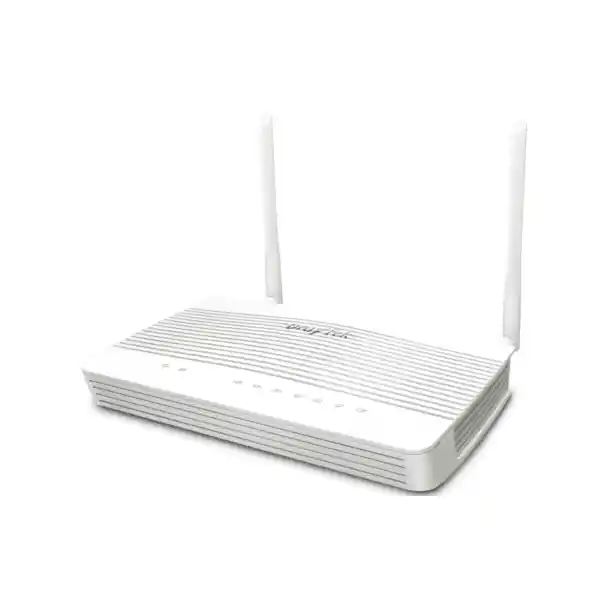
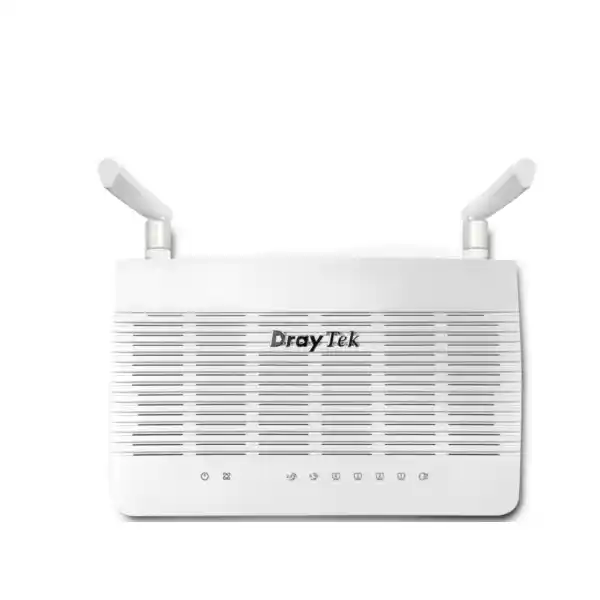
DrayTek Vigor2136 2.5G Dual-WAN VPN Router
The DrayTek Vigor2136 is a high-performance wired broadband router built for organizations that need beyond-Gigabit Internet access, resilient WAN design, structured network segmentation, business VPN connectivity, application-aware traffic control and centralized visibility without moving to an oversized enterprise firewall platform. For Dubai offices, UAE branch locations, retail sites, clinics, professional services firms, training centers and advanced SOHO environments, it delivers a practical step up from conventional Gigabit routers while preserving DrayTek’s policy-driven management model.
Direct Answer
Choose the Vigor2136 when your Internet service is moving beyond 1Gbps and you want a wired DrayTek router with dual-WAN capability, multiple VLANs, policy routing, strong QoS and up to 16 VPN tunnels.
Important: Vigor2136 is the wired model. If built-in Wi-Fi 6 is required, the separate Vigor2136ax variant should be specified instead.
Why the Vigor2136 Fits Modern UAE Branch Networks
Many business networks in Dubai no longer fit the assumptions of older Gigabit edge routers. Internet access is faster, cloud applications carry more business-critical traffic, video meetings are continuous, large files are synchronized to cloud storage, IP telephony is latency-sensitive, and guest or IoT devices often share the same premises as corporate endpoints. The Vigor2136 addresses this change with a 2.5GbE-oriented edge design while retaining the granular controls expected from a business router. DrayTek rates the platform for NAT throughput up to 2.3Gbps under its test conditions, allowing suitable broadband services to be used far more effectively than on a router whose forwarding ceiling is approximately one Gigabit.
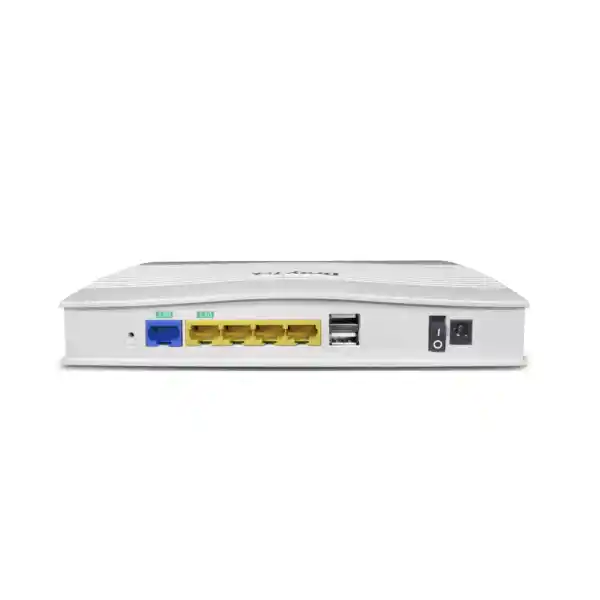
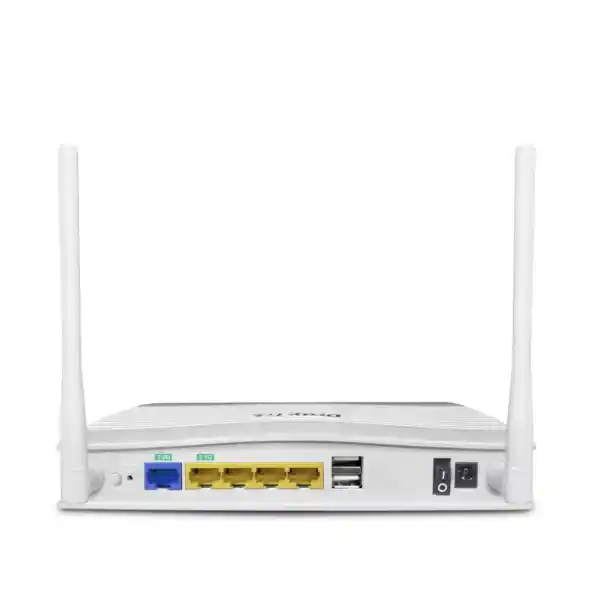
The routing platform combines a fixed 2.5GbE WAN interface with a second 2.5GbE interface that can be used as LAN or WAN, plus three fixed Gigabit LAN ports. That architecture is valuable for customers that want a multi-Gigabit handoff from an ISP and also need a faster local uplink to a capable switch, server segment or aggregation device. Alternatively, the switchable interface can become a second WAN path for resilience. This flexibility matters in the UAE, where businesses commonly combine primary fiber with a secondary Internet service or cellular backup strategy to reduce downtime caused by last-mile faults or maintenance events.
The router is best understood as a policy and connectivity platform rather than a simple Internet gateway. It supports 802.1Q VLANs, multiple LAN subnets, traffic shaping, IP-based bandwidth and session limits, application-aware QoS, static and dynamic routing capabilities, VPN services, firewall rules, reputation-based security features, remote management and centralized control of compatible DrayTek access points and switches. Organizations seeking implementation support can coordinate network design, VLAN planning, cutover and ongoing operations through FourTeck IT Services UAE.
Hardware and Interface Architecture
2.5GbE WAN
A dedicated 2.5GbE RJ-45 WAN port provides the primary high-speed Internet handoff. It is suited to broadband services above 1Gbps and reduces the risk that the router’s physical WAN interface becomes the immediate bottleneck when the service plan is upgraded.
Switchable 2.5GbE LAN/WAN
The second 2.5GbE RJ-45 interface can be assigned according to topology. Use it as a fast LAN uplink toward a multi-Gigabit switch or as an additional WAN connection when dual-provider availability is more important than a 2.5GbE internal uplink.
Three Gigabit LAN Ports
Three fixed 1GbE RJ-45 LAN ports support directly attached switches, management devices or local endpoints. In structured deployments, these ports can be aligned with VLAN and subnet policy rather than treated as one unmanaged flat network.
Two USB 2.0 Ports
USB interfaces expand operational options for supported applications such as USB WAN, external storage-related services, printer functions and supported sensors. Exact accessory support should always be checked against current firmware and local deployment requirements.
The physical platform measures approximately 207 x 131 x 42 mm and the wired Vigor2136 is specified with DC 12V power input and a maximum power consumption figure of approximately 10 watts. Its operating temperature range is listed as 0°C to 45°C, with 10% to 90% non-condensing operating humidity. These values make environmental planning straightforward, but the router should still be installed in a ventilated communications area away from heat buildup, dust concentration and unstable power. For business sites, pairing the router and upstream optical equipment with a suitably sized UPS can provide useful continuity during short power events and cleaner shutdown behavior during extended outages.
Performance Planning: What 2.3Gbps NAT Really Means
DrayTek publishes a maximum NAT performance figure of up to 2.3Gbps for the Vigor2136 Series under its internal test conditions. This figure is useful for platform sizing, but it should not be interpreted as a guaranteed application throughput under every firewall, QoS, VPN and traffic pattern. Real networks contain packet-size variation, concurrent sessions, encrypted tunnels, cloud traffic, filtering functions, routing decisions and multiple bidirectional flows. A correct design therefore separates three questions: the speed of the ISP service, the forwarding capability of the router for ordinary routed/NAT traffic, and the performance of specific security or VPN functions that may process packets differently.
For a Dubai office ordering a 2Gbps or 2.5Gbps Internet circuit, the Vigor2136’s 2.5GbE physical interface and 2.3Gbps class NAT capability can be a strong fit when the goal is high-speed Internet breakout with business routing controls. The LAN design must also support the desired aggregate traffic. If all clients sit behind a single 1GbE downstream path, they cannot collectively consume more than that bottleneck through that link. A better design may use the switchable 2.5GbE port as a trunk to a multi-Gigabit capable managed switch, then distribute access across several Gigabit or multi-Gigabit edge ports. If the switchable 2.5GbE interface is instead dedicated to secondary WAN, aggregate LAN capacity should be reviewed carefully using the remaining Gigabit interfaces and switch topology.
Performance sizing should also consider session behavior. DrayTek positions the Vigor2136 around a 50,000-session class and recommends it for networks around 30 hosts in its product guidance. Host count is not a rigid limit: a design with fewer extremely active users can be more demanding than one with more lightly used endpoints. Teams running cloud backup, synchronized engineering files, heavy SaaS workloads, IP cameras with off-site storage, guest access, multiple VPNs and constant video collaboration should be sized according to traffic characteristics, not simply employee headcount. FourTeck can help correlate circuit speed, expected concurrent users, VPN demand and switching architecture before purchase through the Firewall Dubai technical team.
Dual-WAN Resilience and Internet Failover Design
A significant advantage of the Vigor2136 is its ability to participate in a resilient WAN design. The second 2.5GbE interface is switchable and can be assigned to WAN operation, allowing two Ethernet-based Internet connections to be integrated at the router. Depending on the required configuration, administrators can use failover logic and route policies to determine which traffic should use which path. This is useful for organizations where Internet availability directly affects cloud ERP, Microsoft 365 or Google Workspace access, hosted voice, payment applications, remote support, security monitoring and browser-based line-of-business platforms.
A well-designed dual-WAN implementation starts with failure domains rather than simply purchasing two packages from the same carrier. For stronger resilience, businesses should ask whether the two services use independent access technologies, building entries, aggregation points or provider networks. A second link that shares the same physical duct and local infrastructure may not protect against a cable cut outside the building. Where fixed-line diversity is difficult, supported USB cellular WAN can provide a practical tertiary or temporary alternative, subject to modem compatibility, mobile coverage and data plan constraints. The router also supports WAN data-budget controls, which can help prevent an emergency cellular path from generating unexpected consumption.
Connection detection deserves careful configuration. A WAN interface can remain electrically up even when upstream Internet reachability has failed. The router should therefore be configured to test meaningful connectivity rather than relying solely on link state. Policy decisions must also account for services that depend on public IP addresses. Inbound NAT rules, site-to-site VPN peers, allowlists and externally published services can behave differently after failover because the secondary circuit presents another public address. Dynamic DNS, including DrayTek’s DrayDDNS capability, can simplify some remote-access scenarios, but business-critical systems should be tested during controlled failover before the design is accepted.
In organizations with two live circuits, policy routing can be used to reserve a preferred provider for specific systems or applications. Voice traffic may stay on the lower-latency link, guest browsing may use the secondary path, and management traffic may retain a predictable route. This avoids treating multi-WAN simply as an emergency mechanism and instead uses available connectivity strategically. The correct design balances resiliency, application stability, public addressing, VPN behavior and operational simplicity.
Firewall, Reputation Security and Access Control
The Vigor2136 is not only a high-speed NAT gateway. DrayOS 5 integrates stateful firewall functions with policy controls designed for professional networks. Administrators can build filters based on addressing, service and traffic characteristics, then combine those rules with content-oriented controls. DrayTek’s documented firewall workflow includes IP reputation filters, IP filters, content filters and default filtering behavior. This layered approach is useful when an organization wants basic network enforcement at the gateway without deploying a separate appliance for every branch.
URL and IP reputation capabilities add context beyond static allow and deny rules. Reputation services evaluate destinations or Internet hosts against threat intelligence classifications so administrators can apply policy to higher-risk categories. This can help reduce exposure to known malicious infrastructure, suspicious proxy services, malware distribution points, phishing-related systems and other destinations associated with harmful activity. Because cloud reputation features can depend on firmware level, service activation or licensing, the exact entitlement and renewal model should be confirmed for the UAE unit being quoted. Security projects should never assume that every cloud intelligence function is permanently included without checking the current commercial terms.
Port knocking is another useful control for reducing exposed management or service ports. Rather than leaving a remote-facing port continuously available for scanning, the router can keep the target service closed until the correct knocking sequence is received, open access for a limited interval and then return to the protected state. This is not a replacement for strong authentication, patched services or properly designed VPN access, but it can reduce unnecessary exposure in specific administration scenarios.
Defense controls for ARP spoofing and IP spoofing, MAC filtering profiles, IPv6 address security, brute-force protection for management access and role-based privilege are relevant to organizations that need tighter administrator governance. The strongest deployment is still one that minimizes Internet-exposed management, restricts administration to trusted subnets or VPN users, uses unique administrator credentials, enables multi-factor methods where supported by the chosen workflow, keeps firmware maintained and sends logs to an appropriate monitoring system. Gateway features are most effective when combined with endpoint protection, access control and a documented response process.
VPN Architecture for Branches and Remote Users
Site-to-Site VPN
Connect a Dubai office to another branch, data center or compatible cloud VPN endpoint. IPsec remains the normal choice when predictable routed connectivity between fixed networks is required.
Teleworker VPN
Provide authenticated access for authorized remote staff. EasyVPN is intended to reduce some of the configuration friction traditionally associated with keys, profiles and protocol setup.
Protocol Choice
The platform supports IPsec, L2TP over IPsec, IKE variants, OpenVPN and WireGuard. Protocol selection should match peer compatibility, security policy, client platform and expected throughput.
Authentication
Available authentication options include local methods and integrations such as RADIUS or TACACS+ depending on workflow, with certificate and pre-shared-key options for relevant VPN configurations.
DrayTek specifies up to 16 VPN tunnels for the Vigor2136 and publishes IPsec performance up to 390Mbps for AES-256 single-directional testing. WireGuard performance is published at a lower figure in the detailed specification set, so it is important not to assume that the router’s 2.3Gbps NAT throughput applies to encrypted VPN traffic. Encryption, encapsulation, packet sizes, peer performance, Internet latency and the number of concurrent tunnels all affect practical throughput. A branch requiring several hundred megabits of encrypted traffic should therefore be sized using VPN figures rather than plain routing numbers.
Site-to-site VPN design should also consider overlapping private address ranges. Two offices that both use the same default subnet create routing ambiguity after a tunnel is established. New deployments should use an intentional addressing plan from the beginning, ideally allocating distinct VLAN and site ranges. This also makes route summarization, firewall policy and troubleshooting easier. When connecting to a cloud environment, confirm whether the cloud VPN service supports the exact IKE, encryption and authentication parameters selected on the router.
For remote users, the security objective is to provide only the network access required for the user’s role. Rather than placing every VPN user into the same unrestricted network, administrators can combine authentication, routing and firewall policy so finance users, support engineers and external contractors receive different reachability. Organizations should also define whether Internet traffic is tunneled through the office or exits locally at the user’s location. That decision affects bandwidth use, inspection, user experience and privacy. EasyVPN can streamline setup, but access design remains a policy decision that should be documented and tested.
VLAN Segmentation and Multi-Subnet Design
The Vigor2136 supports 802.1Q tag-based VLAN operation and multiple LAN subnets, allowing a small or medium network to move beyond the insecure flat-LAN model. DrayTek’s specification lists four LAN subnets and up to eight VLANs. This is enough for many branch-office architectures, where segmentation is usually based on business function rather than an excessive number of tiny network zones. A practical UAE office could separate corporate workstations, voice endpoints, guest wireless, CCTV or building systems, management interfaces and selected servers while keeping the design understandable for support teams.
A VLAN only creates useful security when routing between segments is controlled. If every VLAN is allowed to reach every other VLAN without restriction, the organization has created logical separation but not meaningful containment. Firewall rules should state which source networks can reach which destinations and services. For example, guest devices should normally reach the Internet without access to corporate subnets; IP phones may need to communicate only with a call server, DNS, NTP and management systems; CCTV cameras may be limited to their recorder or cloud service; and infrastructure management interfaces should be accessible only from an administrator network.
DHCP planning is equally important. Each subnet should have a documented IP range, gateway, DNS settings and reservation strategy. Static assignments should be limited to devices that genuinely need predictable addresses, while DHCP reservations can simplify lifecycle management for printers, access points, controllers and network appliances. Bind-IP-to-MAC features can add administrative consistency, although they should not be treated as a strong identity mechanism on their own because MAC addresses can be changed or spoofed.
When VLANs extend across managed switches and access points, the router, switch trunks and SSID-to-VLAN mappings must agree on tag handling. A common deployment error is to configure the router correctly but leave a downstream switch port untagged or assign the wrong native VLAN, resulting in lost connectivity or traffic leakage. For projects that include new switching, wireless and edge routing, procurement can be coordinated through FourTeck UAE so the complete topology is sized as one system instead of as isolated components.
Application QoS, Bandwidth Control and Voice Prioritization
Bandwidth is not the same as application quality. A branch can have a multi-Gigabit Internet circuit and still experience poor calls if large transfers create latency or queue pressure at the wrong moment. The Vigor2136 includes QoS and bandwidth-management mechanisms intended to keep critical traffic responsive. DrayTek highlights application-based QoS, IP-based bandwidth limits, session limits, traffic shaping policy and voice prioritization. These controls allow an administrator to decide which traffic receives preference when demand approaches the actual capacity of a WAN connection.
The first step is to define the real bottleneck. If the router believes a WAN can transmit at 2.5Gbps but the ISP shapes the service to 1.5Gbps, queues may build upstream where the router has no control. QoS works best when configured against a realistic usable bandwidth value so the router becomes the deliberate point of congestion and can schedule traffic intelligently. For asymmetric circuits, upstream bandwidth often requires especially careful attention because cloud backup, large attachments and synchronized files can compete with outbound voice packets.
Application-aware rules should be used with operational judgment. Video conferencing, hosted voice and remote desktop typically benefit from low latency, while software updates, bulk backups and guest downloads can tolerate more delay. Hard bandwidth caps may be appropriate for guest traffic or nonessential devices, but excessively restrictive limits create support issues and waste available capacity during quiet periods. A better approach may combine priority, guaranteed bandwidth and maximum limits based on business impact.
Session limits can also protect stability when a single endpoint or application opens an abnormal number of connections. This can be useful with peer-to-peer software, malware behavior or poorly controlled guest networks. Administrators should establish a baseline before applying aggressive thresholds, because cloud applications and modern browsers can legitimately create many parallel sessions. Network policy should reduce risk without creating false positives that disrupt normal work.
Routing Capabilities for Advanced Branch Design
The Vigor2136 supports more than default-route Internet access. Its routing feature set includes IPv4 and IPv6 static routing, policy-based routing, RIP and support for dynamic routing protocols including BGP and OSPF variants according to DrayTek’s published specification. For many small offices these functions will never be used, but they can become valuable when the router sits at the edge of a more structured campus, participates in multiple provider paths or needs to exchange routes with an upstream or internal routing device.
Policy-based routing is often the most immediately useful advanced feature. Standard routing selects a path primarily from the destination network. Policy routing adds criteria such as source, service or other traffic properties, enabling different classes of traffic to prefer different WANs. A managed services provider might direct backup traffic over a secondary circuit while keeping interactive business applications on the primary link. A guest network can be forced onto a dedicated Internet service. Specific public services can remain bound to the circuit associated with their published DNS and firewall rules.
Dynamic routing should be introduced only when the topology justifies the operational complexity. OSPF can be helpful in a multi-router internal environment where network changes should propagate automatically. BGP is relevant in specialized environments, especially where the edge device must exchange policy-controlled routes with another routing domain. These protocols should not be enabled merely because the router supports them. Incorrect advertisements can create reachability loops or traffic black holes, and route filtering becomes an essential part of the design.
For straightforward branches, static routes are usually easier to audit. The design goal is not to activate every feature; it is to use the smallest set of controls that reliably produces the intended traffic path. FourTeck engineers can document route tables, WAN selection rules and failover behavior as part of a deployment plan so future administrators understand not only what was configured but why.
Centralized AP and Switch Management Without Built-In Wi-Fi
The base Vigor2136 does not include built-in wireless radios. This is often an advantage in professional deployments because Wi-Fi coverage can be designed independently using dedicated ceiling or wall-mounted access points positioned according to the floor plan. A router hidden in a communications cabinet is rarely the best radio location. Instead, the Vigor2136 can serve as the routing and security core while compatible DrayTek VigorAP devices provide wireless service where users actually work.
DrayTek’s Virtual Controller functionality allows the router to provide centralized management for supported network devices. The product guidance specifies AP management for up to 20 access points in the relevant management mode and switch management for up to five compatible switches. That is useful for smaller multi-AP environments that want a consistent administrative interface without requiring a separate controller appliance for basic orchestration. Administrators can monitor devices, push selected settings and maintain greater visibility into the access layer.
Wireless design still requires RF planning. An access point count based only on square meters may perform poorly in offices with dense meeting rooms, concrete walls, glass partitions, high client counts or neighboring Wi-Fi interference. The network should consider expected concurrency, device capabilities, channel planning, transmit power, roaming behavior and the backhaul speed available to each AP. Where Wi-Fi 6 access points use 2.5GbE uplinks, downstream switching should be chosen accordingly so the wired infrastructure does not unnecessarily constrain the radio system.
For larger or geographically distributed fleets, DrayTek’s VigorACS ecosystem can provide additional centralized operations such as provisioning, monitoring and configuration management on supported firmware and service plans. Organizations should confirm current platform compatibility, software versions and licensing before standardizing a rollout. The objective is to build an operating model that remains manageable after deployment, not merely to complete the initial installation.
Monitoring, Administration and Operational Visibility
Business routers need to explain what is happening when users report slowness, disconnects or application failures. The Vigor2136 provides operational views for clients, WAN state, ARP information, routes, DHCP leases, IPv6 neighbor information, DNS cache, session state and running services, along with log-oriented capabilities. SNMP support, including SNMPv3, can integrate the router with a network monitoring platform, while syslog can forward events to a central collector. These functions are important for managed environments because troubleshooting improves dramatically when historical evidence exists.
Administrative access should be designed with the same care as user traffic. The router supports services such as HTTPS and SSH for management, but remote exposure should be restricted. Prefer administration from a dedicated management VLAN or through VPN. Access lists can limit which source addresses can reach management services. Brute-force protection adds another layer, but it is better to make unnecessary services unreachable than to rely only on login defenses. Telnet or other clear-text legacy services should not be used across untrusted networks even if the platform offers compatibility for specific operational reasons.
Configuration backup is essential before firmware upgrades or major policy changes. A sound change process records the current firmware version, exports the configuration, documents the objective, defines a rollback plan and schedules the change during an appropriate maintenance window. Firmware should be sourced from the correct regional/model support channel and release notes should be reviewed for behavior changes. Where a router supports many features, skipping intermediate validation can produce unexpected interactions after a large upgrade.
Alerts should be actionable rather than noisy. Link changes, VPN failures, repeated authentication attempts and critical system events are candidates for notification, while routine informational events may be better retained in logs. If alerts are sent by email or SMS, confirm that the alerting method still functions during the type of outage it is intended to report. For example, an email alert about total Internet failure may not leave the site unless an alternate WAN remains active.
IPv6, DNS Security and Modern Internet Readiness
IPv6 adoption continues to expand, and business routers increasingly need to support dual-stack environments rather than treating IPv6 as an optional future feature. The Vigor2136 supports IPv6 addressing and routing options alongside IPv4. This enables organizations to prepare for providers, cloud platforms or partner networks that use IPv6. However, enabling IPv6 without a security plan can create blind spots because traffic may bypass assumptions built around IPv4-only firewall and monitoring rules.
A dual-stack design should apply equivalent segmentation and firewall intent to both protocol families. Administrators should know how IPv6 prefixes are delegated, how client addresses are assigned, which services are reachable and how DNS returns IPv4 versus IPv6 results. IPv6 address security controls can help enforce policy, but operational teams must also update monitoring and troubleshooting procedures. Ping, traceroute, neighbor discovery and route inspection behave differently enough that support staff should be familiar with them before production activation.
DNSSEC support adds the ability to validate signed DNS data in appropriate configurations, helping protect against certain forms of DNS tampering. DNS remains one of the most fundamental dependencies in modern application delivery: users often describe a DNS problem as “the Internet is down” because websites and cloud services fail to resolve while raw IP connectivity remains available. Local DNS, conditional forwarding and cache behavior should therefore be documented, especially in organizations using Active Directory, split DNS, site-to-site VPNs or private cloud zones.
The most maintainable approach is to decide deliberately which device performs DNS forwarding, which internal domains must resolve through private servers, which public resolvers are allowed and how failover behaves. Mixing ISP DNS, public DNS, domain-controller DNS and application-specific resolvers without a policy creates intermittent failures that are difficult to diagnose. The router can participate in a clean design, but it should fit into an organization-wide naming and security strategy.
Recommended UAE Deployment Topologies
Topology A: 2.5G Internet + 2.5G LAN Uplink
Use the fixed 2.5GbE WAN for the primary ISP and the switchable 2.5GbE port as a LAN trunk to a managed multi-Gigabit switch. This is the preferred architecture when high internal aggregate throughput matters more than a second Ethernet WAN.
Topology B: Dual Ethernet WAN
Use both 2.5GbE-capable interfaces for separate Internet circuits and connect the LAN through the fixed Gigabit ports to a managed switch. This prioritizes provider redundancy and is suitable where individual LAN uplinks at 1Gbps are sufficient.
Topology C: Primary Fiber + USB Cellular Backup
Keep the switchable 2.5GbE interface available for a fast LAN path while using supported USB cellular hardware for emergency WAN connectivity. Confirm modem compatibility and test failover under real carrier conditions.
Topology D: Routed Branch with Managed Access Layer
Place the Vigor2136 at the Internet edge, trunk VLANs to managed switching, attach dedicated VigorAP units for wireless coverage, and enforce inter-VLAN policy at the router. This gives a structured branch design without built-in Wi-Fi dependency.
Whichever topology is selected, physical port assignment should be documented before installation. Label WAN1, WAN2, trunk ports and management paths; record provider handoff settings such as DHCP, static IP or PPPoE; and define the expected state after a failure. A topology drawing should show not just the router but also ONT/modem devices, switches, access points, UPS connections, servers and any critical building systems. Clear documentation reduces recovery time when the original installer is unavailable.
Migration from an Existing Router
Replacing an older router is not simply a hardware swap because the existing unit often contains years of accumulated dependencies. Before installing the Vigor2136, inventory the current WAN settings, public IP information, PPPoE credentials, VLANs, DHCP scopes, static routes, port forwarding rules, VPNs, DNS behavior, dynamic DNS settings, QoS policies and management restrictions. Identify any legacy rules whose purpose is unknown. It is better to validate whether those rules are still required than to reproduce obsolete configuration blindly.
Next, build a migration map. Decide which settings transfer directly, which should be redesigned and which can be retired. If the previous router used one flat subnet but the new project introduces VLANs, endpoint addressing, switch configuration, wireless SSIDs and firewall policy all change together. This should be treated as a network redesign with staged testing rather than a like-for-like replacement. Critical systems such as PBX equipment, printers, cameras, access control panels and line-of-business servers may contain hard-coded gateway or DNS settings that must be updated manually.
A controlled cutover should include a rollback option. Keep the previous router and its cables labeled until the new environment has passed Internet, DNS, VPN, voice, inbound service and failover tests. Verify both wired and wireless client behavior even though the Vigor2136 itself is wired, because downstream AP VLAN mapping can be affected by routing changes. Test outbound Internet access from every important subnet, then verify access restrictions between subnets rather than checking only basic connectivity.
After acceptance, export a clean configuration backup and update the network diagram. Record firmware version, administrator access procedure, support contacts, ISP account references and renewal requirements for any subscription-based security services. This documentation becomes part of the production system and should be stored securely with other infrastructure records.
Sizing Methodology: Is the Vigor2136 the Right Router?
Start with Internet speed. If the organization has a service well below 1Gbps and expects no near-term upgrade, the Vigor2136 may provide more interface capacity than immediately required, although its management and security functions may still justify the platform. If the service is 1Gbps to roughly the 2Gbps class, its 2.5GbE connectivity becomes much more relevant. For a full 2.5Gbps service, remember that DrayTek’s published maximum NAT figure is 2.3Gbps, so practical throughput expectations should be set accordingly rather than assuming line-rate 2.5Gbps routing under every condition.
Next, evaluate VPN requirements. A user who sees 2.3Gbps NAT performance may incorrectly expect the same speed through an encrypted site-to-site tunnel. DrayTek’s published IPsec AES-256 single-direction figure is up to 390Mbps. If the organization needs multi-Gigabit encrypted connectivity between branches, the Vigor2136 is not the right performance class for that requirement. Conversely, many small and medium branches use VPN primarily for application access, remote administration or moderate replication traffic, where several hundred megabits can be entirely adequate.
Then evaluate topology. Decide whether the second 2.5GbE interface is more valuable as WAN2 or as a high-speed LAN uplink. If both requirements are mandatory simultaneously—two multi-Gigabit WANs plus a multi-Gigabit LAN trunk—the physical design may require a router with more dedicated high-speed interfaces. Similarly, if many local devices need direct connections, a managed switch should be considered part of the design rather than using the router as the primary access switch.
Security requirements are equally important. The Vigor2136 offers strong business-router firewalling, segmentation and reputation features, but organizations that require full next-generation firewall functions such as high-throughput TLS inspection, extensive intrusion prevention, sandboxing or highly granular application security may need a dedicated security appliance instead. The correct product category should be selected from the actual risk and compliance requirements, not from port speed alone.
Finally, assess lifecycle and administration. DrayTek is attractive where the IT team values detailed local control, structured networking features and the ability to manage compatible APs and switches from the edge platform. If the organization instead requires a fully cloud-native operational model across hundreds of sites, centralized platform architecture and licensing should be assessed before standardizing. For broader infrastructure integration, servers and related compute solutions can also be coordinated through Server Dubai by FourTeck.
Detailed Technical Specification Summary
| Product | DrayTek Vigor2136 wired business router |
| Maximum NAT performance | Up to 2.3Gbps under DrayTek test conditions |
| Primary WAN | 1 x 2.5GbE RJ-45 fixed WAN |
| Switchable interface | 1 x 2.5GbE RJ-45 configurable for LAN/WAN use |
| Fixed LAN | 3 x Gigabit Ethernet RJ-45 |
| USB | 2 x USB 2.0 for supported applications/accessories |
| VPN tunnels | Up to 16 |
| IPsec performance | Up to 390Mbps, AES-256 single-direction test figure |
| VPN protocols | IPsec, L2TP over IPsec, IKE variants, OpenVPN, WireGuard and supported associated modes |
| LAN segmentation | 802.1Q VLAN support, up to 8 VLANs and 4 LAN subnets in published specification |
| Routing | IPv4/IPv6 static routes, policy routing, RIP, OSPF and BGP support as listed by DrayTek |
| Security | Firewall filters, URL/IP reputation capability, threat protection functions, port knocking, anti-spoofing controls and IPv6 security features |
| Bandwidth management | QoS, app-based QoS, traffic shaping, IP bandwidth limits, session limits and VoIP prioritization |
| Device management | Virtual Controller, up to 20 APs in AP management mode and up to 5 compatible switches according to product guidance |
| Monitoring/management | HTTPS/SSH and other supported local services, SNMP v1/v2c/v3, syslog, alerts, config backup and remote management options |
| Wireless | No built-in Wi-Fi on Vigor2136. Wi-Fi 6 is provided by the separate Vigor2136ax variant or external access points. |
| Dimensions | Approx. 207 x 131 x 42 mm |
| Power | DC 12V input; wired model maximum power consumption listed around 10W |
| Environment | 0°C to 45°C operating temperature; 10% to 90% non-condensing operating humidity |
Published performance figures are maximum manufacturer test results under controlled conditions. Actual throughput depends on enabled services, packet characteristics, WAN conditions, VPN configuration, firmware, client behavior and network topology. Specifications and service entitlements can change with firmware or regional product updates and should be reconfirmed at quotation stage.
Security Hardening Checklist for Deployment
A new router should never be placed into production using only default assumptions. Change administrative credentials immediately and use a long, unique password stored in the organization’s approved credential manager. Restrict management interfaces to a dedicated VLAN or trusted source addresses. Disable any management protocol that is not required. Prefer encrypted HTTPS and SSH access, and avoid exposing router administration directly to the public Internet. If remote management is necessary, use a secure VPN workflow and narrowly scoped access rules.
Review the default firewall policy before connecting production networks. Create explicit inter-VLAN rules based on business need. Separate guest and IoT traffic from corporate systems. Limit inbound port forwarding to services that genuinely must be published and confirm that the destination servers are patched, monitored and protected. Where possible, replace direct service exposure with VPN access. If port knocking is used, treat it as an additional exposure-reduction measure rather than a substitute for authentication and patching.
Enable logging for events that support investigation, and send important logs to a central platform where retention survives a router failure or reset. Use SNMPv3 rather than older community-string methods when the monitoring system supports it. Back up the configuration after acceptance and again after significant changes. Record the exact firmware build and schedule periodic review of vendor advisories and updates.
Finally, test the controls. From the guest VLAN, attempt to reach corporate resources and verify that access is blocked. Trigger WAN failover and check that approved services recover. Establish VPN sessions from an external network. Confirm that management access is unavailable from unauthorized segments. Security exists in tested behavior, not merely in a configuration screen.
Procurement Considerations for Dubai and the UAE
When purchasing the DrayTek Vigor2136 in Dubai, specification accuracy matters because the Vigor2136 and Vigor2136ax are different products. The base Vigor2136 covered on this page is a wired router with no integrated Wi-Fi. If a quotation includes the ax model, the wireless specification, antenna hardware, power requirement and use case differ. Buyers should therefore verify the exact model code on the commercial offer, packing label and purchase order before deployment.
The quotation should also define what is included beyond the chassis: local power adapter type, warranty channel, delivery terms, installation scope, configuration, migration, after-sales support and any subscription-dependent security services. Cloud-backed URL/IP reputation or centralized management services may involve activation or licensing conditions that should be stated explicitly rather than assumed. If the router is part of a broader refresh, switches, access points, UPS equipment and cabling should be checked for 2.5GbE readiness so the faster WAN capability is not stranded behind a Gigabit bottleneck.
For branches outside Dubai, logistics and remote support should be considered. A pre-staged unit can be configured with VLANs, VPN parameters and WAN policies before shipment, reducing on-site work. However, sensitive credentials and public IP data should be handled using secure processes. Organizations with several UAE sites may benefit from standardized templates so every router uses consistent subnetting, naming, firewall structure and monitoring settings while retaining site-specific WAN and LAN details.
FourTeck can support product sourcing and solution coordination for UAE deployments. For international requirements, organizations can also review the broader portfolio through FourTeck Global. Confirm stock, lead time, support entitlement and final technical compatibility at the time of order because firmware, licensing and regional availability can change.
Common Questions About the DrayTek Vigor2136
Does the Vigor2136 have Wi-Fi?
No. The standard Vigor2136 is wired. The Vigor2136ax is the separate model with built-in Wi-Fi 6. Many offices intentionally choose the wired model and deploy dedicated managed access points for better placement and coverage.
Can it use a 2.5Gbps Internet connection?
It includes a 2.5GbE WAN interface and DrayTek rates maximum NAT throughput up to 2.3Gbps. A 2.5Gbps service can therefore connect physically, but practical routed throughput should be planned around the published router performance and enabled features.
Does it support dual WAN?
Yes. The second 2.5GbE interface is switchable for LAN or WAN use, allowing a second Ethernet WAN design. USB WAN options may also be available with supported cellular hardware.
How many VPN tunnels are supported?
DrayTek specifies up to 16 VPN tunnels. The platform supports common business protocols including IPsec, OpenVPN and WireGuard, with EasyVPN intended to simplify selected remote-access workflows.
Is VPN speed the same as NAT speed?
No. NAT throughput and encrypted VPN throughput are different measurements. DrayTek publishes up to 390Mbps for IPsec AES-256 in its stated single-direction test, so VPN sizing must use the relevant encrypted performance figure.
Can it manage VLANs?
Yes. It supports 802.1Q VLANs and multiple LAN subnets, enabling separation of corporate, guest, voice, camera, management and other traffic when combined with properly configured switches and firewall rules.
Can it prioritize VoIP?
Yes. QoS, application-aware traffic control, bandwidth limits and voice prioritization can protect latency-sensitive applications when WAN utilization rises. Correct WAN bandwidth values are important for effective queue management.
Is it suitable for around 30 users?
DrayTek positions the model around networks of approximately 30 hosts, but real sizing depends on session count, traffic intensity, VPN usage, filtering and application behavior. A smaller high-traffic office can require more capacity than a larger light-use site.
Does it support IPv6?
Yes. IPv6 routing and address-assignment capabilities are supported. Dual-stack deployments should apply the same security intent to IPv6 as to IPv4 so alternate protocol paths do not bypass segmentation or monitoring.
Can it manage DrayTek access points?
The Virtual Controller can centrally manage compatible DrayTek access points, with product guidance listing up to 20 APs in AP management mode. This is useful because the base router itself has no wireless radios.
Can it manage switches?
Yes, supported DrayTek switch management is part of the platform’s controller functionality, with guidance indicating management for up to five compatible switches from the router interface.
Should I use the second 2.5G port for LAN or WAN?
Choose based on priority. Use it as LAN when a fast uplink to a multi-Gigabit switch is essential. Use it as WAN when dual-provider resilience is the priority. The overall topology should be decided before purchase and cabling.
Operational Scenarios in Dubai Businesses
A professional services office with around twenty to thirty staff can use the Vigor2136 as a central routing platform for a high-speed fiber service. Corporate devices can sit on one VLAN, guest Wi-Fi on another and voice devices on a third. Dedicated access points provide wireless coverage, while QoS protects conferencing and voice during large cloud synchronization events. The switchable 2.5GbE interface can connect to a suitable managed switch so aggregate client traffic can exceed a single Gigabit uplink where the access layer supports it.
A retail or hospitality back-office environment can use segmentation to isolate point-of-sale, staff, guest and IoT systems. A secondary Internet circuit can be assigned to WAN2 so cloud payment or management services remain reachable during primary provider disruption. In this case, failover testing is particularly important because some payment or security systems may use public-IP allowlists. The network team should know which services continue automatically and which require provider-side changes.
A clinic or small healthcare administration site can separate business workstations from guest access and connected devices, then use VPN to reach another branch or centrally hosted application environment. The router’s firewall rules can limit lateral movement between segments, while logging provides evidence for troubleshooting. Security compliance still depends on the wider architecture, endpoint controls, access governance and data handling processes; a router alone does not create regulatory compliance.
A managed office or co-working environment may assign different tenant or service networks to VLANs, but the platform’s subnet and VLAN scale should be checked against the number of tenants. If the design requires dozens of isolated routing domains, a larger platform may be more appropriate. The Vigor2136 is strongest when the branch needs several well-defined segments rather than a very large multi-tenant routing table.
An advanced home office can also benefit when the user has a multi-Gigabit Internet service, separate work and personal networks, lab systems, cameras and remote-access requirements. In that environment, a wired router plus carefully placed access points often provides better coverage and upgrade flexibility than relying on one all-in-one wireless gateway. The same segmentation principles used in small business networks can reduce unnecessary trust between personal IoT equipment and business endpoints.
Licensing, Firmware and Feature Verification
Network products evolve through firmware. Functions visible in a current product page may require a minimum DrayOS version, while older stock can ship with an earlier build. Before deployment, verify the installed firmware, read the release notes and confirm whether an update is recommended. Do not interrupt power during firmware operations. For a production router, export the configuration first and retain a rollback plan in case a firmware change affects a specialized feature.
Cloud-assisted security capabilities such as URL or IP reputation can involve service activation, accounts or licensing conditions. The precise status should be checked at the time of quotation because vendors can change subscription packaging independently of the physical hardware. Procurement documentation should state whether a security service is included, trial-based, separately licensed or renewable, and how long the entitlement lasts. This avoids a situation where a feature is demonstrated during installation but later becomes inactive because a required service was not budgeted.
Centralized management platforms can have their own version and compatibility requirements. If VigorACS is part of the operating plan, confirm that the target firmware is supported, that the correct service tier is available and that remote management paths comply with the organization’s security policy. Similar checks apply to managed VigorAP and VigorSwitch models. “DrayTek compatible” should be validated against the exact model and firmware combination, not assumed from brand alone.
For this reason, a professional quote should identify the exact router model, hardware region where relevant, planned firmware family, optional subscriptions, required accessories and implementation scope. That information is more useful than a simple unit price because it defines the deployable solution the customer will actually receive.
Installation and Acceptance Test Plan
A successful installation begins before the router is mounted. Confirm power availability, UPS capacity, ventilation, ISP handoff type and cable category. For 2.5GbE operation, use cabling and switch ports capable of negotiating the intended speed. Label both ends of critical cables. Record the ISP’s WAN addressing method and any VLAN tagging required on the provider handoff. If the ISP uses PPPoE, confirm credentials before the maintenance window rather than attempting to recover them during an outage.
After basic connectivity is established, validate DNS and general Internet access from each LAN subnet. Confirm that DHCP clients receive the correct gateway, DNS servers and address range. Test inter-VLAN restrictions both positively and negatively: approved flows should work, and prohibited flows should fail. This negative testing is essential because an incorrectly permissive firewall can appear “successful” during a basic connectivity check.
Next, test QoS-sensitive services. Place an IP call or video conference while generating controlled background traffic and observe latency and quality. If the site uses a hosted PBX, verify registration and audio in both directions. If port forwarding is required, test the service from a genuinely external connection such as mobile data rather than from inside the LAN, where NAT loopback behavior can hide an external problem.
For dual-WAN installations, disconnect the primary path in a controlled manner and measure which applications recover. Confirm that DNS, outbound browsing, VPN, cloud services and monitoring behave as expected. Then restore the primary link and verify failback behavior. If policy routing is configured, test each policy using identifiable source devices or test traffic so there is evidence that the intended circuit is actually being used.
Finally, save the accepted configuration, take screenshots or exports of key settings, update network diagrams and obtain stakeholder confirmation. A router deployment should be considered complete only after configuration, testing and documentation are all finished.
Decision Recap: When to Choose the Vigor2136
Strong Fit
Choose it for wired branch networks needing beyond-Gigabit WAN access, dual-WAN flexibility, up to 16 VPN tunnels, structured VLAN segmentation, business QoS, policy routing, firewall controls and centralized DrayTek device management in a compact platform.
Review Carefully
Review the design if both 2.5GbE interfaces are needed simultaneously for dual WAN and a 2.5GbE LAN trunk, if encrypted VPN demand is far above the published 390Mbps IPsec figure, or if many more network segments are required.
Choose Another Class
Consider a larger firewall or router if the project requires multi-Gigabit encrypted inspection, extensive next-generation security services at very high throughput, very large route tables, high-density multi-tenant segmentation or substantially more high-speed physical interfaces.
Remember the Model
Vigor2136 is wired. Do not order it expecting integrated Wi-Fi. Select external managed access points for professional wireless design or specify the Vigor2136ax when the built-in Wi-Fi 6 variant is intentionally required.
Quotation Input Checklist
To receive an accurate Vigor2136 proposal, provide the information below. These inputs let the solution team verify whether the router, switching and wireless architecture match the required service rather than quoting hardware in isolation.
Plan the Vigor2136 as Part of the Whole Network
The strongest result comes from matching the router to the WAN service, managed switching, wireless coverage, VLAN plan, VPN demand and support model. FourTeck can help confirm whether the Vigor2136 is the correct edge platform, prepare a migration plan and identify the accessories or adjacent infrastructure required for a clean Dubai or UAE deployment.
Share your ISP speed, number of users, branch connectivity requirements and current network layout. The response can then be sized around real throughput, security and availability requirements rather than a generic router recommendation.
Before You Order
Confirm exact model, stock status, warranty, firmware, subscription-dependent services, installation scope and whether the second 2.5GbE interface will be assigned to LAN or WAN.

Reviews
There are no reviews yet.