
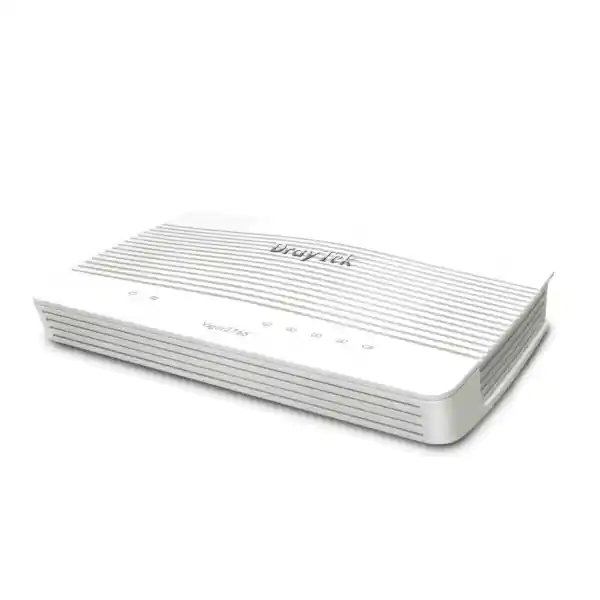
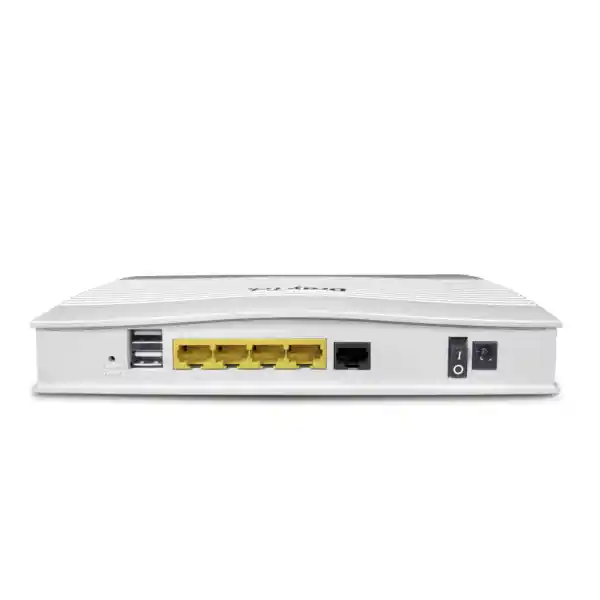
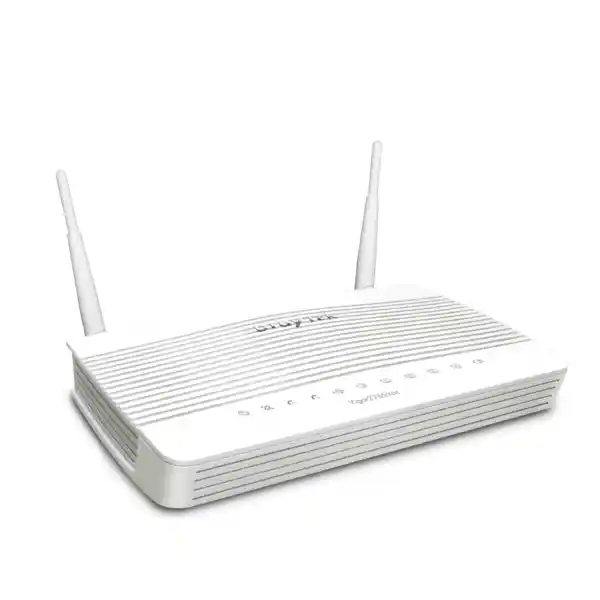
DrayTek Vigor2765 Business Router for Secure VDSL2 Connectivity in Dubai
The DrayTek Vigor2765 is built for small and midsize business networks that need dependable broadband routing, controllable segmentation, secure remote access and predictable day-to-day administration without the cost or complexity of a large enterprise edge platform. For Dubai offices, retail branches, clinics, workshops, warehouses, professional services teams and distributed businesses, the Vigor2765 provides a practical foundation for connecting users, IP phones, servers, printers, surveillance devices and cloud applications over a managed WAN edge.
Best suited to organisations that want a single managed router for VDSL2 access, Ethernet WAN options, VLAN policy, VPN connectivity, NAT, firewalling and branch-to-head-office communications.
What the DrayTek Vigor2765 Is Designed to Do
A business router should do more than translate addresses and provide Internet access. It should define how traffic enters and leaves the site, isolate devices that should not share the same trust level, prioritise time-sensitive applications, protect administrative access, establish encrypted connectivity to remote users or other branches, and provide enough visibility for troubleshooting. The Vigor2765 is positioned for exactly this type of role. Its strength is not a single headline feature; it is the combination of broadband termination, routing policy, firewall controls, virtual LAN design and secure connectivity in one compact device.
In many Dubai deployments, the router sits between the ISP handoff and the internal switching infrastructure. Where the service is delivered as supported VDSL2, the integrated DSL capability can simplify the WAN edge because a separate modem may not be necessary. Where an Ethernet handoff is preferred, supported deployment modes can be planned around the available WAN interfaces and firmware configuration. The design objective is to keep the edge simple: one policy point, clear addressing, documented VLANs and controlled paths to local and remote resources.
FourTeck approaches the Vigor2765 as an infrastructure component rather than a generic retail router. That means the recommendation should be based on circuit type, expected throughput, number of users, VPN requirements, VLAN count, voice traffic, guest access, security policy and growth. For broader UAE network design and procurement, customers can also use FourTeck UAE as a reference point for switching, wireless, server and communications infrastructure that may sit behind the router.
Core Technical Capabilities at a Glance
VDSL2 Broadband Edge
Designed around business VDSL2 access, including modern profile support appropriate for higher-speed copper broadband where the local provider and line conditions allow it. Actual line rate always depends on the ISP profile, loop length, copper quality and cabinet technology.
Gigabit LAN Routing
Provides a practical Ethernet foundation for connecting managed switches, access points, IP telephony systems and local servers. Gigabit LAN connectivity is well matched to branch and SME environments where the router is not intended to replace a high-density core switch.
VPN Connectivity
Supports encrypted remote-access and site-to-site networking through DrayTek firmware capabilities. Exact supported protocols, tunnel counts and performance depend on firmware release and operating mode, so project sizing should be confirmed against the intended encryption profile.
VLAN Segmentation
Useful for separating staff, voice, guest, IoT and infrastructure traffic. Combined with managed switches and access points, VLANs reduce unnecessary trust between endpoint groups and make firewall policy easier to understand and audit.
Traffic Policy
Policy routing, quality-of-service functions and bandwidth controls can help organisations guide business-critical applications toward the preferred WAN path and keep bulk transfers from degrading voice or interactive sessions.
Centralised Administration
The management interface is suited to administrators who need clear operational access to WAN status, addressing, routing, VPN, firewall, NAT and diagnostics. Configuration should still be backed up and documented before major firmware or topology changes.
VDSL2, Line Profiles and Broadband Reality in the UAE
DSL performance is often misunderstood because the modem or router specification describes a technical ceiling while the real service is governed by the provider profile and the physical access network. VDSL2 uses frequency bands over copper pairs to deliver far more capacity than legacy ADSL, but achievable throughput declines as line distance and noise increase. Modern VDSL2 profile support can take advantage of wider spectrum where the access network provides it. The Vigor2765 is therefore most useful when the exact access technology has been confirmed rather than assumed from an advertised package name.
For a Dubai or UAE installation, FourTeck recommends documenting the ISP service type before configuring the router. The key facts are whether the handoff is direct DSL, bridged modem, routed Ethernet, PPP-based authentication or an ISP-managed customer premises device. The implementation may require VLAN tagging, PPP credentials, static addressing, DHCP client behaviour or a specific MTU. These details matter because a router can be technically compatible with the physical line while still failing to establish service if the logical parameters are wrong.
Line stability is as important as headline throughput. A connection that synchronises aggressively but experiences retraining, high error rates or packet loss may provide a worse business experience than a slightly lower, stable rate. For that reason, network teams should record DSL status, line attenuation, signal-to-noise information and error counters when troubleshooting. If issues occur, compare the router statistics with the provider’s line test results before replacing hardware. Poor internal cabling, splitters, extension wiring and electrical interference can all reduce VDSL2 stability.
Where the business has moved to fibre or receives an Ethernet WAN handoff, the Vigor2765 can still be assessed as a routing and policy platform if the available Ethernet WAN configuration meets the design. The decision should not be based on the presence of a DSL port alone. A good procurement review starts with the circuit, the required security functions and the expected throughput, then confirms the router platform.
WAN Design: Primary Access, Backup Paths and Policy
The WAN edge should reflect the business impact of an outage. A small professional office may accept a single broadband circuit with a documented recovery procedure, while a retail store processing cloud transactions may require a secondary Internet path. The Vigor2765 family is useful in designs where administrators want to combine the integrated broadband interface with an Ethernet-based alternative or use policy controls to determine how traffic exits the site.
When two WAN paths are available, failover should be tested rather than simply configured. Administrators should verify detection intervals, DNS behaviour, active sessions, VPN renegotiation and application tolerance. Some SaaS platforms react to a public IP change; voice calls may drop; inbound NAT services may remain tied to the primary address. A resilient design therefore includes both router configuration and an application-level understanding of what happens when the path changes.
LAN Design: Keep the Router Focused on Layer 3 Policy
The router should not become a substitute for a properly designed access layer. Use managed switches where port density, PoE, uplink resilience or spanning-tree control is needed. Let the Vigor2765 provide gateway services, policy routing, NAT, firewalling and inter-segment controls while the switching infrastructure handles local endpoint aggregation efficiently.
For projects that include servers, storage or virtualisation hosts, the LAN should be designed around traffic patterns rather than convenience. East-west traffic between servers and clients may be better switched locally, while north-south Internet and VPN traffic passes through the router. FourTeck’s Server Dubai resources can help place compute infrastructure within a cleaner branch or SME topology.
VLAN Architecture for Staff, Voice, Guest, IoT and Infrastructure
A flat network is easy to build but difficult to secure. Every device shares the same broadcast domain, troubleshooting becomes noisy, guest users may sit too close to business systems, and compromised IoT devices can reach resources they never needed. VLANs improve this by grouping devices according to function and trust. The Vigor2765 can participate in this design as the routing and policy point between logical networks, while managed switches and access points carry the VLAN tags to the correct ports and wireless SSIDs.
A common small-business design uses separate networks for corporate users, IP voice, guest Wi-Fi, surveillance or IoT devices and network management. The corporate VLAN can access internal applications and approved Internet services. The voice VLAN can reach the PBX or SIP provider while being restricted from user endpoints. The guest VLAN should normally have Internet access only and no route to private business networks. IoT and camera networks can be limited to required controllers, NVRs, cloud services and DNS/NTP. The management VLAN should be accessible only to administrators or a secure support path.
Segmentation is effective only when firewall rules follow the principle of least privilege. Creating VLAN IDs without enforcing policy simply changes the addressing. Start by documenting which zone needs to initiate connections to which destination. Then permit those flows explicitly and deny unnecessary lateral access. For example, users may need to print to a specific printer segment, but printers rarely need to initiate connections to laptops. Cameras may send streams to an NVR, but should not browse the staff network.
Voice networks deserve particular care because SIP and RTP traffic are sensitive to packet loss, jitter and NAT behaviour. If the site includes an IP PBX or cloud telephony service, align VLAN, QoS and firewall rules with the voice platform. FourTeck’s IP PBX Dubai site provides a useful adjacent reference for UAE telephony planning.
Firewall Policy: Build from Business Flows, Not from Guesswork
The Vigor2765 provides a stateful policy platform suitable for controlling normal branch and SME traffic. The most important security improvement comes from how rules are designed. A common mistake is to accumulate broad allow rules until the firewall becomes permissive. A better approach is to define trust zones, management access and required application paths before creating policy. This gives administrators a smaller, more understandable rule base and reduces the chance that a temporary exception becomes permanent.
Outbound policy should distinguish between ordinary web access and traffic that needs special treatment. Servers may require limited update access, users may need general HTTPS, voice devices may require provider-specific destinations, and management systems may need vendor cloud services. Inbound access should be minimised. If an internal system must be exposed, use the narrowest possible port mapping, restrict source addresses where practical, keep the service patched and consider whether a VPN or reverse-proxy design would be safer.
Administrative access to the router itself deserves separate controls. Change default credentials, use strong unique passwords, restrict management from untrusted networks, prefer encrypted administration and document who is authorised to change the configuration. If remote support is required, use a secure access method rather than exposing the management interface broadly to the Internet. Back up the configuration after stable changes and store the backup where authorised staff can recover it.
Firmware lifecycle is part of firewall security. Router software contains the control plane, protocol implementations and web administration services. Security advisories and maintenance releases should be reviewed as part of normal IT operations. Before an upgrade, read the release notes, export the configuration, confirm the current version and plan a rollback path. Afterward, verify WAN connectivity, DNS, VPN, VLAN routing, NAT and business-critical services.
VPN Use Cases: Remote Staff, Branch Connectivity and Secure Administration
Encrypted VPN connectivity is one of the most valuable business functions of the Vigor2765. It allows traffic to cross an untrusted Internet connection while preserving confidentiality and integrity. In a remote-access scenario, an authorised employee can establish a secure tunnel to the office and reach approved internal resources. In a site-to-site scenario, two routers or gateways can form a persistent tunnel so that systems at different locations communicate using private addressing.
VPN design should start with identity and routing. Decide which users or sites are allowed to connect, which networks they can reach, whether traffic should be split between Internet and corporate destinations, and how DNS resolution works. Avoid granting a remote user access to an entire network when the role requires only a small set of resources. Use strong authentication and modern cryptographic settings supported by both ends of the tunnel. If a legacy client requires older methods, treat that as a compatibility exception and document the risk.
Performance depends on more than the ISP speed. Encryption places processing load on the router, and VPN throughput is typically lower than raw routing throughput. Packet size, cipher suite, tunnel type, latency and the number of simultaneous sessions all matter. For branches that continuously move large files between sites, back up data over VPN or carry many remote desktops, the expected encrypted workload should be part of the sizing process. A compact router may be ideal for moderate secure connectivity but should not be selected for a high-volume encrypted hub purely because the WAN circuit is fast.
Site-to-site routes must also be planned to avoid address overlap. If two branches both use the same private subnet, the tunnel can establish but routing becomes ambiguous. Before adding a new location, use a simple enterprise addressing plan that gives each site unique network ranges. This makes firewall objects, monitoring and troubleshooting far easier.
For managed IT environments, VPN logging should be retained long enough to answer operational questions such as when a user connected, why a tunnel failed and whether a branch experienced repeated negotiation events. Logs should be protected because they can contain IP addresses, usernames and system information. The goal is useful operational evidence without collecting more than is necessary.
Quality of Service and Bandwidth Management
Protect Voice and Interactive Traffic
VoIP, video meetings, remote desktops and transaction systems are sensitive to delay and jitter. QoS can classify or prioritise these flows so that a large download, cloud backup or software update does not consume the entire upstream path at the wrong moment.
Control Bulk Transfers
Bandwidth limits can be useful when one user or application is allowed to consume significant capacity but should not starve everyone else. Examples include offsite backup, CCTV cloud upload, OS distribution or non-critical large file transfers.
Measure Before Tuning
QoS works best when the real bottleneck rate is known. If the configured bandwidth is higher than the actual circuit, queues may build at the provider instead of the router, reducing the value of local prioritisation. Test both downstream and upstream behaviour.
Keep Rules Understandable
Do not create dozens of traffic classes unless there is a clear operational reason. A small number of well-defined priorities is easier to validate. Document how important applications are identified and what happens when the link is congested.
NAT, Port Forwarding and Published Services
Network Address Translation allows many private devices to share a public Internet connection. For ordinary client browsing, NAT works transparently, but inbound services require deliberate configuration. If a branch hosts an application, PBX, NVR, web service or remote-management system that must be reachable from outside, administrators may configure port forwarding or a more specific inbound mapping. This should be treated as a security change because it creates a path from the public network to an internal host.
Before publishing any service, verify whether it genuinely needs public exposure. Many applications can be accessed through a VPN instead. If public access is required, restrict the destination to the exact internal host, expose only necessary ports, use TLS or another encrypted protocol, maintain the server aggressively and monitor authentication events. If the ISP uses carrier-grade NAT or does not provide a usable public address, conventional inbound forwarding may not work even if the router configuration is correct.
Static public addresses simplify hosting and site-to-site relationships but should still be documented. Keep an address register with WAN IP, subnet, gateway, DNS information, NAT mappings and the business owner of each published service. This turns incident response from guesswork into a repeatable process.
DHCP and Addressing Strategy
A clean addressing plan should reserve predictable ranges for infrastructure while allowing dynamic allocation for user devices. Routers, switches, access points, servers, printers, PBXs and controllers are easier to support when their addresses are stable and documented. Client devices can normally use DHCP, with reservations where a stable address is required.
Avoid using one enormous subnet simply because private address space is available. Smaller, functional networks align better with VLAN policy, reduce broadcasts and make troubleshooting easier. Record DHCP scope, gateway, DNS servers, lease time and excluded infrastructure ranges for every VLAN.
DNS and Time Services
Many perceived Internet failures are actually DNS failures. Define which DNS resolvers the site should use and whether internal names are required. If a local directory or application environment depends on internal DNS, do not point those clients directly to arbitrary public resolvers without understanding the consequences.
Accurate time is equally important for logs, certificates, authentication and VPN troubleshooting. Ensure the router and critical systems use reliable NTP sources. When reviewing an incident, synchronised timestamps let administrators correlate WAN events, firewall logs, server events and endpoint activity.
Routing Policy for Multi-Service Business Networks
Routing determines where traffic goes after it leaves a local subnet. In a simple single-WAN office, the default route may be enough. In a more complex branch, the router may need static routes to internal networks, policy rules for specific applications, routes across VPN tunnels and special handling for backup circuits. The Vigor2765 provides a flexible enough framework for these common SME patterns when the design is kept disciplined.
Policy-based routing can send selected traffic through a chosen WAN or tunnel based on source, destination or service criteria. This is useful when a cloud service should use a stable public address, a voice platform performs better on one circuit, or a management subnet must reach head office through a VPN. The risk is complexity: as exceptions accumulate, troubleshooting becomes harder. Administrators should maintain a routing table diagram and note why each policy exists.
Static routes are common when another internal router, firewall or Layer 3 switch owns additional networks. In that design, each side must know the path to the other’s subnets. Missing return routes are a classic source of one-way communication. Always test from both directions and use traceroute, routing tables and packet counters to confirm the actual path rather than assuming traffic follows the intended diagram.
When multiple VPNs and WANs coexist, route precedence must be planned carefully. The most specific route normally wins, but policy rules and VPN selectors can influence behaviour. Before introducing a second path, document the current route flow and test failover with representative applications. This is particularly important for ERP, payment, voice and hosted line-of-business systems.
Sizing the DrayTek Vigor2765 Correctly
Router sizing should be based on real traffic rather than employee count alone. Ten engineers moving large project files over VPN can demand more from a router than forty users primarily using email and browser-based applications. Start with Internet circuit speed, then identify how much traffic will be encrypted, filtered, prioritised or sent between VLANs. Consider both average and peak load, because user experience is usually shaped by short periods of congestion.
For VPN-heavy environments, estimate the expected encrypted throughput and number of simultaneous tunnels. For voice-heavy sites, estimate concurrent calls and ensure adequate upstream capacity with QoS. For CCTV, understand whether cameras record locally, stream to the cloud or are viewed remotely. For guest networks, decide whether bandwidth should be capped. For cloud backup, determine when large uploads occur and whether they conflict with business hours.
The Vigor2765 is well suited to compact business edges, but every platform has performance limits. Features such as VPN encryption, content inspection, complex QoS and extensive logging can reduce throughput relative to basic routing. If the planned circuit, branch count or security workload approaches the capabilities of a small router, choose a larger platform rather than deploying with no headroom. Good network engineering leaves capacity for growth and failure conditions.
FourTeck can help compare the Vigor2765 with larger DrayTek platforms or a dedicated firewall when requirements move beyond straightforward SME routing. For businesses that need broader security architecture, managed network integration or multi-vendor infrastructure, FourTeck IT Services UAE provides an additional route for consultation.
Typical Dubai Deployment Scenarios
Professional Office
A law firm, consultancy, accounting office or design studio can use the router as the Internet gateway, with separate VLANs for employees, guests and voice. Remote staff connect through VPN, while QoS protects calls and conferencing from large file transfers.
Retail Branch
A store can separate point-of-sale, staff, guest Wi-Fi and surveillance traffic. The branch may establish a tunnel to head office for management or application access while keeping ordinary Internet browsing local.
Clinic or Small Healthcare Site
Administrative workstations, medical devices, guest wireless and voice systems can be placed in different logical segments. Policy should be based on approved flows, and sensitive systems should not share unrestricted access with visitor devices.
Warehouse or Workshop
The router can serve as the WAN edge while managed switches aggregate office endpoints, industrial devices, scanners, cameras and access points. IoT and operational equipment should be isolated from ordinary user traffic.
Remote Branch Office
The branch can use site-to-site VPN to reach head-office systems while keeping local Internet access efficient. Unique IP addressing, documented routes and central monitoring make support much easier as the number of sites grows.
Temporary Project Office
Construction, events and project teams often need a compact, manageable edge that can be deployed quickly. The Vigor2765 can fit such sites when the available WAN service, user load and security requirements remain within the platform’s intended scale.
Integration with Managed Switching and Wireless Networks
The router becomes more valuable when the LAN is designed as a system. Managed switches provide tagged and untagged VLAN interfaces, PoE for phones and access points, port security, loop protection and structured uplinks. Wireless access points map SSIDs to the correct VLANs and enforce radio policy. The Vigor2765 then acts as the gateway and policy layer, deciding which segments can communicate and how they reach the Internet.
For example, a corporate SSID can place authenticated staff on the user VLAN, while a guest SSID maps to an isolated guest network with Internet-only access. A voice VLAN can carry IP phones over PoE switches. Cameras can sit on a dedicated surveillance VLAN that reaches only the NVR and required cloud services. The router sees these as distinct IP networks and can apply rules accordingly.
Trunk ports between the router and switch must be configured consistently. A mismatch in tagged VLAN IDs, native VLAN expectations or PVID settings can create confusing symptoms such as one network working while another cannot obtain DHCP. Document the VLAN table before deployment: VLAN ID, subnet, DHCP range, gateway, DNS policy, switch ports, SSID mappings and allowed inter-VLAN flows.
If the site uses multiple access points, wireless roaming and capacity planning are separate from routing. The router cannot compensate for poor RF design, channel overlap or under-sized access point density. Treat wired switching, wireless coverage and WAN routing as connected but distinct engineering disciplines.
Operational Monitoring and Troubleshooting
A router should provide enough operational data to separate WAN problems from LAN problems. When a user reports that the Internet is slow, first determine whether the symptom affects one device, one VLAN, one application or the entire site. Check physical link state, DSL or WAN status, CPU load if available, interface counters, DHCP leases, routing and DNS. Use a consistent troubleshooting sequence so that changes do not introduce new variables.
For DSL circuits, capture synchronisation rate, margin and error statistics. For Ethernet WAN, verify negotiation, addressing and gateway reachability. For VPN, confirm whether the tunnel is established, whether routes exist and whether firewall policy permits the traffic. For NAT, verify that the correct internal host and port are mapped and that the ISP provides an address capable of receiving inbound connections.
Logs are most useful when timestamps are correct and events are interpreted in context. A rejected packet may be normal background Internet noise; repeated failed authentication against an exposed service may be significant. Store logs in a central syslog system if the organisation needs history beyond what the router retains locally. Keep logging levels practical so that critical events are not buried under excessive routine messages.
After any troubleshooting change, write down what changed and why. Unrecorded temporary fixes are a major source of long-term configuration drift. A small branch router benefits from the same disciplined change control used on larger infrastructure: baseline configuration, approved modification, validation and backup.
Security Hardening Checklist for Production Deployment
Lifecycle Management, Firmware and Change Control
Business routers often stay in service for years, which makes lifecycle management important. The network may change around the router as cloud applications grow, additional VLANs are introduced, security expectations increase and ISP services become faster. Review the router periodically to ensure that it still has enough performance headroom and that its software remains supported for the organisation’s risk profile.
Before a major configuration change, export the current settings and note the exact firmware version. Make one logical change at a time when possible. If the project involves a new WAN, new VLAN architecture and new VPN simultaneously, build a test plan with clear checkpoints. Confirm local routing first, then Internet access, then VPN, then application behaviour. This isolates failures and reduces downtime.
Configuration backups should be stored securely because they may contain network addresses, tunnel definitions and other sensitive information. Access should be limited to authorised administrators. When replacing the router, do not blindly import an old configuration if the topology or firmware has changed significantly. Use the old backup as a reference and validate every critical setting.
Decommissioning also matters. Remove obsolete VPN peers, revoke remote user access, change credentials that were shared with contractors and securely erase or reset hardware before disposal or reassignment. A retired router can still reveal useful information about the network if configuration data remains on the device.
How the Vigor2765 Fits into a Layered Security Model
No branch router should be treated as the entire security strategy. The Vigor2765 can enforce network boundaries, NAT, VPN and routing policy, but endpoint security, identity protection, software patching, email security, backups and user training remain essential. A compromised credential can bypass network controls; an unpatched server may be attacked through an allowed application port; a stolen laptop can expose data even if the office firewall is correctly configured.
Use the router to reduce attack surface and contain failures. Segmentation limits how far an attacker or malware can move. VPN avoids exposing internal services unnecessarily. Firewall policy blocks traffic that the business does not need. Logging creates operational evidence. These controls complement identity and endpoint protections rather than replacing them.
For organisations with compliance requirements or higher risk, consider whether a dedicated next-generation firewall is more appropriate. Such platforms may provide deeper application inspection, advanced threat prevention, sandboxing, security subscriptions and centralised reporting beyond the scope of a compact business router. The correct choice depends on risk, budget, staff capability and the sensitivity of the systems being protected.
FourTeck can integrate the Vigor2765 into a broader network where it makes sense, or propose a stronger edge security platform where the requirements demand it. The Firewall Dubai site provides adjacent information for customers comparing router-based edge security with dedicated firewall solutions.
Procurement Considerations for Dubai and UAE Customers
The correct purchase is not simply the router with the right model number. Confirm the exact hardware variant, power requirements, included accessories, regional support status and any feature dependencies before ordering. Some DrayTek model families have wireless and non-wireless variants or revisions that differ in radio capability and interface detail. The product name on the quotation should match the required deployment, especially when a standardised configuration will be rolled out across multiple branches.
Ask whether the router will be installed as a replacement for an existing ISP device, placed behind provider equipment, or used with a dedicated bridge. Each topology affects NAT, public addressing and troubleshooting. If the existing environment uses a static IP block, PPP credentials, VPN tunnels or inbound services, gather those settings before the change window. Replacing a router without a configuration inventory can turn a simple hardware upgrade into prolonged downtime.
Businesses should also plan for support ownership. Decide who is responsible for ISP escalation, router administration, password custody, firmware updates and emergency changes. If a managed service provider supports the device, ensure they have a secure remote-access method and that the business retains appropriate ownership of the configuration. A network edge should never depend on undocumented credentials held by one individual.
For multi-country organisations, procurement standards can reduce operational variation. Use consistent VLAN IDs, site addressing, VPN naming and configuration templates while still allowing local WAN differences. FourTeck’s global technology site can support broader planning when a UAE branch is part of a wider deployment.
Migration Plan from an Existing Router
A controlled migration begins with discovery. Export or document the current WAN parameters, LAN subnet, DHCP scope, DNS configuration, port forwards, static routes, VPN tunnels, VLANs, QoS settings and any device that depends on the existing router’s address. Record the public IP behaviour and take screenshots or configuration backups if permitted. Do not rely on memory for a production change.
Build the Vigor2765 configuration offline where possible. Start with management security and LAN addressing, then add WAN parameters, VLANs, DHCP, firewall rules, VPN and special routes. Keep the new router disconnected from the production LAN until duplicate DHCP or gateway addresses cannot cause conflict. If a maintenance window is required, agree on start time, test criteria and rollback conditions.
At cutover, replace the WAN connection and connect the LAN uplink. Validate in a specific order: router WAN status, gateway reachability, DNS resolution, web access, business applications, voice, VPN, published services and guest access. Check multiple VLANs rather than testing from one laptop. If the site has payment systems or cloud-managed devices, confirm that they re-establish sessions after the public IP or NAT state changes.
If the migration fails, rollback should be simple: reconnect the previous router and restore the original topology. That is possible only if the old device and cabling were preserved during testing. After a successful migration, monitor the site for at least one full business cycle and review logs for repeated WAN drops, VPN rekeying or blocked traffic that indicates a missing policy.
Finally, update the network diagram and configuration repository. A migration is complete only when the operational documentation matches the live network. Record the new router model, serial information, management address, firmware version, WAN details and support ownership.
Troubleshooting Common Deployment Problems
DSL does not synchronise: confirm that the circuit is actually VDSL2, verify cabling and splitters, connect at the primary termination point where practical, and review line statistics. If another modem synchronises on the same pair, compare profile compatibility and provider configuration. Do not assume the router is faulty until the physical and service layer are checked.
WAN is up but there is no Internet: verify IP address, gateway, authentication, VLAN tagging and DNS. Ping the provider gateway first, then a public IP, then a DNS name. This sequence quickly distinguishes routing from name resolution.
One VLAN has no connectivity: verify the VLAN ID on router, switch and access point; confirm the correct port is tagged or untagged; check DHCP scope; then test the gateway address. If local gateway access works but Internet does not, inspect firewall and NAT policy.
VPN connects but resources are unreachable: check route selectors, remote subnet definitions, local firewall policy and overlapping IP space. Confirm that the destination host’s own firewall permits the remote subnet. A tunnel status indicator alone does not prove end-to-end reachability.
VoIP quality is poor: measure packet loss and latency, especially on the upstream circuit. Check whether large uploads coincide with the problem. Validate QoS, codec bandwidth and SIP/NAT behaviour. If the issue appears only during failover, review the backup circuit’s latency and capacity.
Internet is intermittently slow: compare LAN and WAN tests, inspect link errors, identify large traffic sources and look for repeated DSL retraining. Test at different times to identify provider congestion. Avoid changing multiple settings simultaneously, because that removes the ability to identify the actual cause.
Technical Questions to Answer Before Quotation
Is the connection VDSL2, bridged DSL, fibre Ethernet or another handoff? What speed, authentication method and public IP arrangement are provided?
How many staff devices, phones, cameras, servers, printers, access points and IoT endpoints will use the site during peak periods?
How many remote users and branch tunnels are needed, what applications cross the tunnel, and what approximate encrypted throughput is expected?
Which VLANs are required for staff, voice, guest, CCTV, IoT, servers and management? Which inter-VLAN flows must be permitted?
Are any PBX, NVR, web, remote desktop or application services reachable from the Internet? Can they be replaced by VPN access?
Is a second WAN path required? Which applications must continue working during failover and which can tolerate a session restart?
Why Structured Configuration Matters More Than Feature Count
Two organisations can deploy the same router and achieve very different results. One may have a documented VLAN plan, restricted management, tested backups, clean VPN routes and a stable ISP configuration. The other may have a flat network, exposed administration, undocumented port forwards and overlapping subnets. Hardware capability matters, but configuration quality determines whether those capabilities produce a secure and supportable environment.
The Vigor2765 is attractive because it concentrates many common business-edge functions into a compact platform. That consolidation is useful only when responsibilities remain clear. The router is the WAN gateway and policy point; switches provide access-layer connectivity; wireless systems provide RF coverage; servers and endpoints enforce their own security; backups protect data; identity systems control users. A layered architecture avoids asking one device to solve every problem.
FourTeck recommends keeping a simple network standards document for each customer. It should include approved private address ranges, VLAN numbering, device naming, NTP and DNS standards, VPN conventions, configuration backup procedures and administrator access rules. Even a ten-user office benefits because changes become repeatable and future technicians can understand the network without reverse-engineering it.
The same principle applies to documentation supplied with a new router. Keep the quotation, serial number, purchase date, warranty information, firmware baseline and initial configuration notes together. If the router later needs replacement, this information reduces downtime and helps reproduce the intended service quickly.
Decision Recap: When the DrayTek Vigor2765 Is a Strong Fit
Choose the Vigor2765 when the site needs a business-oriented VDSL2 router with practical routing, firewall, VLAN, VPN and traffic-management capabilities, and when the expected Internet and encrypted traffic load sits comfortably within a compact SME platform. It is particularly relevant when an organisation wants more policy control than a typical ISP router provides but does not require the advanced security inspection or very high throughput of a larger enterprise firewall.
Good Match
SME office, remote branch, retail site, clinic, workshop or project office using VDSL2 or compatible Ethernet WAN design, with moderate VPN and segmentation needs.
Review Carefully
High-speed fibre circuits, heavy encrypted traffic, large numbers of concurrent VPNs, extensive east-west routing, advanced threat inspection or very high availability requirements.
Best Deployment Practice
Document the WAN, segment the LAN, restrict management, use least-privilege firewall policy, back up the configuration and validate failover or VPN behaviour before production handover.
Quotation Input Checklist for FourTeck Dubai
To prepare the right DrayTek Vigor2765 quotation and deployment recommendation, provide the information below. Supplying these details reduces back-and-forth and helps FourTeck determine whether the Vigor2765 is the correct model or whether another router or firewall would provide better headroom.
• Existing modem or router model
• Static public IP details if applicable
• Number of IP phones, cameras and access points
• Managed switch model if already installed
• Site-to-site VPN locations
• Remote-user VPN expectations
• Need for secondary WAN or failover
• Required installation and support scope
Plan the DrayTek Vigor2765 as Part of the Whole Network
A reliable router deployment begins with the circuit and ends with documented business services. FourTeck can help assess ISP handoff, VDSL2 suitability, Ethernet WAN options, VLAN design, VPN requirements, switching, voice integration, remote management and rollout planning for Dubai and UAE sites. The goal is not to add complexity; it is to create a network edge that is understandable, secure and easy to support.
For a quotation, share the current WAN details, approximate user and device count, required VPN connections, any public services and whether installation is needed. FourTeck can then map the requirements to the Vigor2765 or recommend a more suitable DrayTek or firewall platform if the workload requires additional capacity.

Reviews
There are no reviews yet.