
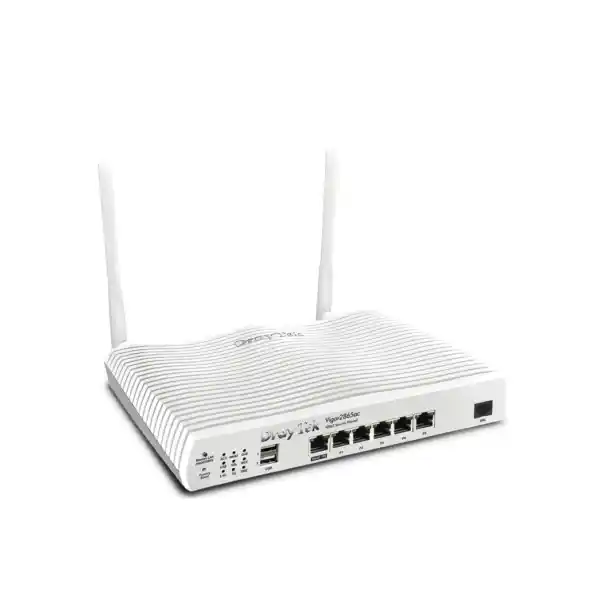
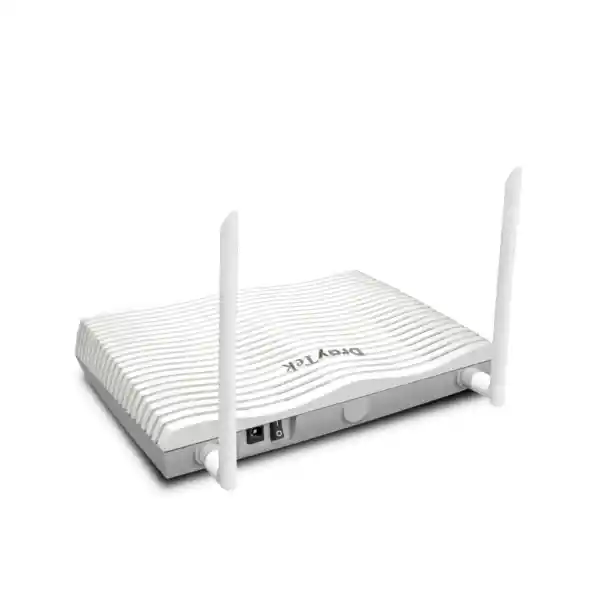
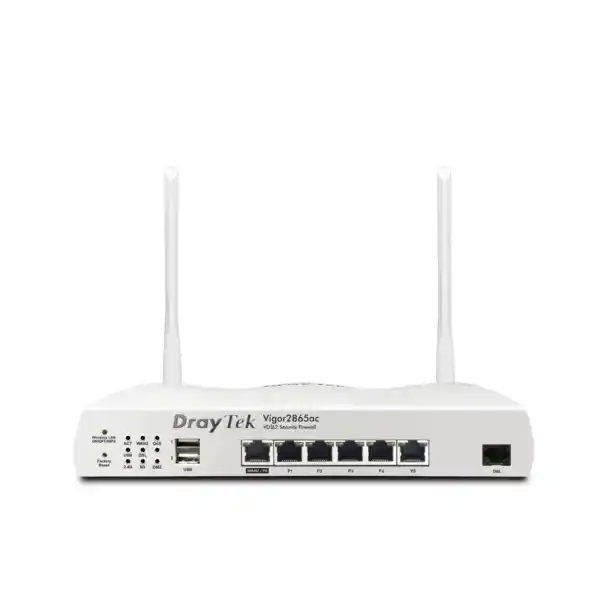
DrayTek Vigor2865 in Dubai, UAE
The DrayTek Vigor2865 is a wired SMB security router engineered for organizations that need an integrated VDSL2/ADSL2+ modem, Gigabit Ethernet WAN, resilient multi-WAN policies, secure VPN connectivity, granular VLAN segmentation, Quality of Service, firewall enforcement, and centralized management of compatible DrayTek infrastructure. It is especially useful in branch, retail, professional-services, warehouse, education, clinic, and distributed-office environments where a router must do more than provide basic Internet access.
Direct Answer
Choose the Vigor2865 when your site needs wired routing with VDSL2 35b or Gigabit Ethernet WAN, business VPNs, multiple isolated LANs, policy routing and strong traffic-control features without requiring integrated Wi-Fi. For Dubai and UAE fiber circuits delivered through an ISP ONT, the Gigabit Ethernet WAN can be the primary uplink; for supported DSL services, the integrated modem can terminate the line directly. Always confirm the exact regional hardware, firmware and DSL annex/profile requirements before deployment.
Integrated xDSL interface with VDSL2 profile 35b capability and ADSL2+ compatibility for supported operator lines.
Concurrent VPN tunnels for site-to-site, branch connectivity and supported remote-access designs.
Multiple LAN subnets with 802.1Q VLAN support for users, servers, voice, guest, CCTV and IoT separation.
Five dedicated Gigabit LAN ports plus one switchable Gigabit Ethernet WAN/LAN port.
What the DrayTek Vigor2865 is built to do
The Vigor2865 sits between a simple broadband router and a larger enterprise edge appliance. Its role is to consolidate WAN termination, routed connectivity, NAT, stateful security, user and network segmentation, site-to-site VPN, remote-access VPN, traffic prioritization, policy-based routing, monitoring and centralized control into a single SMB platform. That combination matters in UAE deployments because a branch often has limited rack space and limited on-site IT resources but still needs an edge design that resembles a larger corporate network: separate VLANs for business users, IP phones, guest Wi-Fi, CCTV or building systems; a primary Internet circuit and an alternate path; secure access to headquarters or cloud workloads; and reporting that helps administrators understand which clients and applications are consuming bandwidth.
The wired Vigor2865 includes an xDSL WAN interface for ADSL2+ and VDSL2, including VDSL2 profile 35b support, together with a Gigabit Ethernet WAN/LAN port. This means the device can be deployed directly on a compatible DSL line, behind a fiber ONT, behind a cable or metro-Ethernet handoff, or in a mixed design where the DSL interface and Ethernet WAN are both available. USB interfaces can also support compatible cellular modems, creating additional options for temporary backup connectivity. In a Dubai office where the primary service is fiber, the router typically receives Ethernet from the operator ONT; in a legacy or specialized site with supported copper broadband, the integrated DSL modem can eliminate the need for a separate bridge modem.
The design objective is operational control rather than consumer simplicity. Administrators can define firewall objects, segment networks, apply different security and QoS policies by subnet, choose WAN paths by source, destination, protocol or policy, build encrypted tunnels, monitor data flow, receive alerts, and centrally manage compatible DrayTek access points and switches. For organizations evaluating network refresh projects in Dubai, broader infrastructure planning can also be coordinated through FourTeck UAE, while specialized perimeter and secure-edge requirements can be reviewed through Firewall Dubai.
Hardware interface architecture and port planning
WAN1: integrated xDSL
WAN1 is the integrated RJ-11 xDSL interface. It supports ADSL families and VDSL2 operation, including profile 35b where the access network supports that profile. Profile 35b expands the usable VDSL spectrum and can raise attainable downstream rates on suitable short copper loops. In practice, DSL performance remains highly dependent on provider configuration, loop length, copper quality, crosstalk, cabinet technology and regional annex requirements. Procurement teams should therefore treat the router’s maximum DSL capability as an interface capability rather than a guaranteed service speed.
WAN2/LAN: switchable Gigabit Ethernet
A switchable Gigabit Ethernet port can be assigned as an Ethernet WAN or used as an additional LAN port. When configured as WAN, it is the natural interface for an ISP ONT, upstream modem or Ethernet handoff. When the DSL interface alone is used for Internet access, the port can expand the local wired port count. This flexibility is valuable for small branches because the same hardware can support different circuit types during migration without changing the core router.
Five dedicated Gigabit LAN ports
Five fixed Gigabit RJ-45 LAN ports provide direct connectivity for switches, servers, workstations, NVRs, voice systems or infrastructure devices. Most business installations will uplink at least one LAN port to a managed switch so VLANs can be extended to access ports across the premises. Direct device attachment is still useful for a management workstation, a local server, a small isolated segment or a resilient uplink to a second switch.
USB expansion
USB 2.0 interfaces can support selected cellular modems and certain peripheral functions depending on firmware and region. A compatible 4G modem can provide an additional failover path when fixed-line services are unavailable. For a UAE deployment, modem support, SIM behavior and carrier compatibility should be verified against the exact firmware and approved device list before the USB WAN is considered part of the production resilience plan.
Performance: interpreting the numbers correctly
Router throughput must be interpreted in the context of enabled services. Published performance figures for the Vigor2865 include Gigabit-class Ethernet WAN routing, hardware-accelerated forwarding modes, approximately 1.3 Gbps aggregate multi-WAN NAT under stated test conditions, up to 60,000 NAT sessions and VPN throughput figures that vary according to protocol, encryption, tunnel count, firmware and acceleration mode. The most important design rule is that a datasheet maximum is not the same as a guaranteed application throughput in a production office. Stateful inspection, QoS classification, content controls, VPN encryption, logging, traffic direction, packet size and concurrent flows all affect real performance.
For sizing, start with the actual Internet service speed and the traffic profile. A 300 Mbps branch used mainly for SaaS, video conferencing, ERP and normal web traffic creates a different load from a site sending continuous camera footage through a VPN or synchronizing multi-gigabyte datasets. Hardware acceleration helps the router process suitable traffic at higher rates, but some features or traffic types can take different processing paths. The correct approach is to size with margin, prioritize the business-critical flows and avoid assuming that every published maximum can be achieved simultaneously.
Session capacity is equally important. A modern endpoint can open many concurrent TCP and UDP sessions through browsers, cloud agents, collaboration tools, mobile applications and background services. The Vigor2865’s session scale is appropriate for an SMB edge when the endpoint count and application behavior remain within the platform’s intended range. If a site has hundreds of users, very high encrypted throughput, extensive threat-inspection requirements or multi-gigabit WAN links, a higher-capacity firewall platform may be more appropriate.
Multi-WAN resilience, load balancing and failover design
The Vigor2865 is designed to use more than one WAN path. A common pattern is WAN1 on VDSL2 with WAN2 on Ethernet, or WAN2 as the primary fiber circuit with a compatible USB cellular modem used for backup. Multi-WAN is not simply a matter of connecting two cables. A reliable design must define which services prefer each circuit, how link health is tested, whether existing sessions should be recreated after failover, what happens to inbound services, how VPN tunnels select their egress path, and whether the backup circuit has bandwidth or data-usage constraints.
Load balancing can distribute suitable outbound sessions across available links. IP-based and session-based approaches are useful in different situations. Session-based balancing can spread many independent flows, while source-based policies can keep a particular device, subnet or application on a consistent WAN when the service expects a stable public IP. Policy-based routing adds more deterministic control: administrators can direct a finance VLAN through the primary fiber connection, send guest traffic through a secondary circuit, force a cloud backup service to use a specific WAN, or route traffic through a VPN gateway based on protocol, source, destination or hostname criteria.
Failover depends on accurate connection detection. A physical Ethernet link can remain electrically up even when the upstream provider has lost Internet routing. Health checks such as PPP state, ARP or ping-based detection help determine whether the path is genuinely usable. The router can then activate an alternate WAN based on failure or policy. In business continuity planning, the alternate path should be tested regularly with the same applications that matter during an outage. DNS behavior, VPN re-establishment, SaaS authentication, SIP registration and public-IP allowlists may all react differently when the egress address changes.
For Dubai operations, an Ethernet fiber service plus an independent mobile or second fixed-line service can provide better resilience than two circuits that share the same last-mile dependency. The router can participate in that architecture, but the physical diversity of the providers and building entry paths must be evaluated separately. FourTeck’s UAE IT services team can align router policy, switching, cabling, Wi-Fi and operational testing as a single deployment rather than treating WAN failover as an isolated configuration task.
VPN architecture for branches and teleworkers
The Vigor2865 supports up to 32 concurrently active VPN tunnels, enabling multiple branch offices, home offices or remote users to connect securely to a central location. Supported VPN capabilities include IPsec with IKEv1 and IKEv2 families, L2TP/IPsec, DrayTek SSL VPN, OpenVPN for supported remote-access use, GRE-over-IPsec and additional compatibility modes. Authentication options can include local accounts as well as integration with RADIUS, LDAP, TACACS+ and one-time-password methods, depending on the VPN mode and firmware. This lets the router participate in both compact standalone deployments and networks where identity services are centralized.
For site-to-site connectivity, IPsec is generally the primary design choice. A branch can advertise or route one or more local subnets through an encrypted tunnel to headquarters, a data-center edge or another DrayTek router. Engineers should define interesting traffic, encryption proposals, tunnel lifetimes, dead-peer detection, NAT traversal and failover behavior explicitly. Overlapping private IP addressing is a frequent branch-integration problem, particularly after acquisitions or when third parties independently chose the same RFC1918 ranges. Virtual IP mapping and careful routing can help resolve conflicts, but the preferred long-term design is unique addressing across the organization.
Remote-access VPN requires a different threat model. A teleworker tunnel extends access from an external endpoint into internal resources, so identity, endpoint hygiene, least privilege and logging matter as much as encryption. Rather than giving every user full LAN reachability, administrators should place VPN clients into defined address pools and firewall policies that expose only required servers and ports. Where supported, stronger authentication should be enabled. Old or weak protocol choices should be avoided when modern alternatives are available and compatible with the client estate.
VPN performance is affected by cipher choice, acceleration, packet size and traffic direction. Published figures show high IPsec capability for this class of router, with standard IPsec figures around the hundreds of megabits per second and higher accelerated results under specific conditions. Size against the encrypted traffic you actually expect, not the sum of Internet circuit speeds. A branch with a 500 Mbps Internet circuit may only need 100 Mbps of sustained VPN traffic if most SaaS access exits locally.
Firewall policy and IPv4/IPv6 security controls
Stateful policy enforcement
The firewall tracks connection state and can apply policy by address objects, services, schedules, users and network context. A clean rule base normally starts with explicit business flows, followed by controlled Internet access, inter-VLAN restrictions and a default-deny posture for unsolicited inbound connections.
DoS and spoofing defenses
Built-in defenses can help detect or limit common denial-of-service and spoofing patterns. These controls improve edge robustness but should not be mistaken for upstream volumetric DDoS scrubbing. If an attack saturates the ISP circuit before packets reach the router, provider-level mitigation is required.
IPv4 and IPv6 dual stack
Security policy needs to cover IPv6 as deliberately as IPv4. Enabling IPv6 without equivalent filtering can create unexpected exposure. The Vigor2865 supports dual-stack networking so organizations can use IPv6 routing, firewalling, VLANs and QoS while maintaining established IPv4 services.
Content and application controls
URL controls, application enforcement and category-based filtering features can restrict unsuitable or risky destinations. Some category services may require subscriptions. Policy should be used to reinforce acceptable-use and risk controls, not as a substitute for endpoint protection, DNS security and user awareness.
A practical UAE SMB firewall policy often separates corporate users, voice devices, guest access, cameras, printers, building-control or IoT devices, servers and management interfaces. Inter-VLAN access should be allowed only where operationally required. For example, a guest VLAN should reach the Internet but not internal servers; IP phones may need call-control and DNS/NTP services but not user file shares; CCTV cameras may need the NVR and update destinations but no lateral access to office endpoints. Such segmentation limits the blast radius of compromised devices and makes troubleshooting more deterministic.
VLAN segmentation: turning one router into multiple controlled networks
The Vigor2865 can manage up to eight LAN subnets and supports 802.1Q VLAN tagging, enabling one physical infrastructure to carry several logically separated networks. This is one of the router’s most important business features because segmentation changes the design from a flat office LAN into controlled security zones. Each subnet can have its own addressing, DHCP scope, firewall rules, content policy, QoS settings and routing behavior. VLAN tags can be extended over managed-switch trunks so users and devices remain in the correct network regardless of where they are connected in the building.
A typical branch design might use VLAN 10 for corporate users, VLAN 20 for voice, VLAN 30 for guest Wi-Fi, VLAN 40 for CCTV, VLAN 50 for printers and IoT, VLAN 60 for servers, and VLAN 99 for infrastructure management. The numbers themselves are arbitrary; the value comes from consistent documentation and security policy. Inter-VLAN routing should pass through explicit rules. Corporate users might reach printers and approved servers, while cameras only reach the NVR and management station. Guest traffic should be Internet-only. Management access to switches, access points and the router should come from a restricted administrative subnet.
Port-based and tagged VLANs serve different edge cases. An access port presents a single untagged network to an endpoint that has no awareness of VLANs. A trunk carries multiple tagged networks between the router and a managed switch or compatible access point. Wireless infrastructure commonly maps separate SSIDs to different VLANs, allowing staff and guest traffic to use the same radio hardware while remaining isolated at Layer 2 and Layer 3. The Vigor2865 can then enforce differentiated firewall, bandwidth and routing policies for each wireless segment.
Segmentation also improves change management. When a new service is introduced, it can be placed in a dedicated subnet instead of being added to a flat production LAN. Troubleshooting becomes easier because address ranges indicate device function. Security events can be scoped more precisely, and QoS can prioritize the services that matter most. The result is a small-business network with many of the structural benefits of an enterprise design.
Quality of Service, bandwidth control and application priority
Bandwidth contention is often more disruptive than raw circuit speed suggests. A 200 Mbps link can provide excellent user experience when traffic is controlled, while a faster circuit can feel unstable when backups, large downloads or camera uploads consume queues at the wrong time. The Vigor2865 includes QoS classification, four priority queues, DSCP and 802.1p awareness, application-oriented QoS and per-client or per-group bandwidth controls. These features are intended to preserve service quality for latency-sensitive and business-critical traffic.
Voice and interactive video are classic QoS candidates. They use relatively modest bandwidth but react badly to latency, jitter and packet loss. ERP transactions, DNS and remote desktop sessions may also deserve preference over bulk software updates or personal streaming. Administrators can classify traffic using addresses, services and packet markings, then assign traffic to queues so the router transmits higher-priority classes first during congestion. If IP phones or switches mark voice traffic correctly, DSCP and 802.1p values can help preserve the classification across the LAN and WAN edge.
Bandwidth limits are equally important for fairness. A guest network can be capped so visitors cannot consume the full business circuit. Individual clients or groups can receive maximum rates. Session limits can prevent a single endpoint or application from exhausting state-table resources. Data quotas can be useful on metered backup connections. These controls are particularly valuable when failover moves traffic from a high-capacity fiber service to a lower-bandwidth mobile connection; the policy should protect core business applications rather than allowing nonessential traffic to saturate the backup path.
QoS should be validated with measured utilization. Over-classifying everything as high priority defeats the purpose. The best policy identifies a small number of genuinely critical classes, leaves normal traffic in a default queue, and constrains low-priority bulk flows. Monitoring before and after the change confirms whether the policy improves application performance.
Policy-based routing and advanced routing use cases
Traditional routing selects the next hop mainly from the destination address and routing table. Policy-based routing adds business context. The Vigor2865 can direct traffic according to source, destination, protocol, port, domain or other supported criteria so that different applications use different gateways, WAN links or VPN paths. This is useful when one ISP provides the preferred route to a cloud service, when a public-IP allowlist requires a specific egress address, when guest traffic should avoid the corporate tunnel, or when a branch uses local Internet breakout for SaaS while private application traffic traverses an IPsec VPN.
The router also supports static routing and dynamic-routing functions appropriate to its platform class, including RIP families and BGP capabilities in supported firmware. BGP at an SMB edge should be introduced only when there is a defined routing requirement and competent operational ownership. Most Vigor2865 installations do not need an elaborate dynamic-routing design; a smaller set of static routes and clear policy rules is easier to audit. Where the router connects to a larger routed enterprise network, route summarization, asymmetric-path risks and failover convergence should be reviewed before deployment.
Inter-VLAN routing is another important function. Routing between local subnets should remain explicit and observable. A common mistake is to create VLANs for organization but then allow unrestricted routing between them, which eliminates much of the security benefit. The Vigor2865 can combine routing and firewall logic so only approved application paths cross segment boundaries.
Central AP and switch management
The Vigor2865 can act as a local management point for compatible DrayTek VigorAP access points and VigorSwitch products. Published platform capabilities include management of up to 20 compatible access points and up to 10 switches, plus centralized VPN management features for supported DrayTek routers. This is useful for organizations that want a simplified operational model without deploying a separate controller appliance at every branch.
Central AP management can push profiles, standardize settings and accelerate replacement or expansion. In a multi-AP office, SSID, security and VLAN mapping should be designed consistently so roaming users stay on the correct network. The router is the policy point for the subnets, while the APs provide radio access. Keeping those layers coordinated reduces configuration drift. Auto-provisioning features can also reduce the time required to bring compatible new APs into service, although production rollout should still include validation of firmware, channel planning, power levels and VLAN assignments.
Central switch management provides a single view for compatible switch provisioning, VLAN settings, per-port rate controls, schedules, event logging and topology visibility. For small branches this can reduce administrative overhead, especially when the same support team manages many sites. It does not eliminate the need for documentation; port purpose, VLAN membership, uplink trunks, PoE requirements and reserved management addresses should remain recorded outside the device as part of the network build record.
Organizations with multiple Vigor routers can also use DrayTek’s VigorACS platform for broader centralized provisioning, monitoring, reporting, alarms, firmware management and configuration workflows. This changes the operational model from logging into each branch individually to managing a distributed estate through a central service. The benefit grows with branch count and geographic distribution.
High availability and business continuity considerations
The Vigor2865 platform supports high-availability modes for designs that use a pair of compatible routers. Router redundancy protects against an edge-device failure, but it addresses only one layer of continuity. A complete design also considers power, ISP diversity, switch uplinks, DHCP and DNS dependencies, VPN peer behavior, wireless controllers, cabling, environmental conditions and monitoring. Two routers connected to one failed power strip are not highly available in practical terms.
For a critical Dubai branch, the design might use a primary router and standby peer, independent power feeds or UPS support, dual WAN circuits with different access technologies, and managed switching with redundant uplinks where justified. The cost and complexity must match the business impact of downtime. A small sales office may accept a single router plus cellular failover, while a clinic, call center or revenue-critical retail environment may need hardware redundancy and tested recovery procedures.
Configuration backup is essential regardless of topology. Export configuration after approved changes and store it in a controlled repository. Record the firmware version, WAN credentials or handoff settings, VLAN IDs, DHCP ranges, static reservations, VPN peers, firewall objects and recovery steps. The router supports configuration export/import and firmware management methods that make restoration practical, but recovery speed depends on documentation and access to the correct credentials.
Monitoring, logs, alerts and operational visibility
A business router should be operated as an observable system. The Vigor2865 provides dashboard views, traffic monitoring, data-flow visibility, firewall diagnostics, syslog, SNMP support and alerting mechanisms. These tools help answer practical questions: Which WAN is active? Which endpoint is consuming bandwidth? Is a VPN down because the peer is unreachable or because negotiation failed? Are users hitting a firewall rule? Is traffic leaving through the intended policy route? Did a switch or access point disappear?
Syslog should be sent to a centralized collector when the organization has one. Local logs can be lost during device replacement or reboot and are difficult to correlate across systems. Central logging also supports longer retention and incident review. SNMP can expose device health and interface counters to monitoring platforms, while notification alerts can provide immediate awareness of selected connectivity or system events. For multi-site operations, VigorACS can add central alarms and estate-level visibility.
Monitoring thresholds should reflect the circuit. A constant 80 Mbps stream might be normal on a 500 Mbps fiber line but critical on a 100 Mbps backup circuit. WAN latency and loss are often more informative than utilization alone for application experience. VPN monitoring should include both tunnel state and reachability of an internal service across the tunnel. A tunnel can appear established while routing, firewall or remote-server issues still prevent the application from working.
Operational visibility is also a security control. Unexpected outbound traffic, sudden session spikes, repeated authentication failures or unusual WAN usage can indicate compromise or misconfiguration. The router is one data source among several, but its position at the edge makes it particularly valuable for understanding network behavior.
UAE deployment patterns for the Vigor2865
Professional office
A 20–50 user office can use Ethernet WAN from the ISP ONT, place employees, voice, guest and infrastructure on separate VLANs, prioritize Microsoft Teams or other collaboration traffic, and establish an IPsec tunnel to a head office or cloud-hosted network. The wired Vigor2865 pairs naturally with managed PoE switches and separate business access points.
Retail branch
A store can isolate POS terminals from guest Wi-Fi, CCTV and staff devices. Payment or ERP traffic can follow the primary WAN and receive high priority. A backup mobile path can sustain essential transactions during an ISP outage, while nonessential guest traffic is rate-limited or disabled on failover.
Warehouse or light industrial site
Scanner networks, office users, CCTV, printers and IoT endpoints can be separated into controlled subnets. Policy routing can keep cloud application traffic on the preferred circuit while site-to-site VPN reaches ERP or file services. Environmental placement remains important because the router’s stated operating temperature range must be respected.
Temporary or project office
A project site can use the Ethernet WAN when a fixed service becomes available and a supported mobile modem during early occupancy. The same VLAN and VPN structure can remain in place as the access technology changes, reducing reconfiguration during the project lifecycle.
Sizing the Vigor2865 for your user count and workload
A product should be sized by workload, not by user count alone. Fifty light office users browsing SaaS applications can be easier to support than fifteen users uploading large media files, operating multiple encrypted tunnels and sending continuous surveillance streams. Start with the peak WAN rate, then estimate the proportion of traffic that is encrypted, latency-sensitive, subject to content controls or likely to create high session counts. Add growth margin and consider what traffic will remain during failover to a slower circuit.
For a typical SMB branch, the Vigor2865’s 60,000-session class, Gigabit Ethernet interfaces and VPN scale provide substantial headroom. However, the presence of Gigabit ports does not mean every security function will process a full gigabit under every condition. A design that requires sustained gigabit encrypted throughput, extensive advanced threat inspection, hundreds of users, multiple high-speed WANs or complex enterprise segmentation should be evaluated against a more powerful firewall class.
Port count also affects sizing. Five dedicated LAN ports and one switchable WAN/LAN port are sufficient for direct attachment of a few devices, but most structured business networks should use a managed switch. The router then becomes the Layer-3 and policy edge while access switches provide port density, PoE and endpoint connectivity. This separation improves expansion: adding desks or cameras does not require replacing the router simply because physical port count increased.
VPN tunnel count should be considered separately from VPN throughput. A company may need twenty low-bandwidth branch tunnels or only two high-throughput tunnels. Each scenario stresses the system differently. Document each peer, expected traffic volume, encryption parameters, route set and business importance before deciding whether the platform is correctly sized.
Security hardening checklist for production deployment
A secure router is the result of secure configuration and maintenance. Change all default or deployment credentials, use a strong unique administrator password, restrict management access to trusted LAN or VPN sources, and disable unneeded management protocols. Prefer HTTPS and SSH where management access is required. Do not expose the management interface directly to the public Internet unless a specific architecture and protection model requires it. When remote administration is necessary, a management VPN or restricted source-IP policy is preferable.
Update the router to an approved current firmware after reviewing release notes and compatibility requirements. Back up the configuration before and after upgrades. Remove obsolete firewall rules, unused VPN profiles, abandoned port forwards and stale user accounts. Review the WAN exposure periodically because services that were justified during a temporary project often remain enabled after the project ends. Use object names and comments that describe business purpose so future administrators can understand why a rule exists.
Segment untrusted and low-trust devices. Guest endpoints should not reach business resources. Cameras, smart displays, building controllers and similar IoT equipment should normally reside in separate networks with constrained outbound access. Administrative interfaces for switches, APs, NVRs and the router should be reachable only from management devices or a dedicated IT VLAN. Use DNS filtering, application controls and category filtering where appropriate, but combine them with endpoint security, patch management, identity controls and backups.
Finally, test recovery. Confirm that the latest configuration backup can be restored, document how to factory-reset and re-adopt the router, store ISP details securely, and record which VPN peers or external systems depend on the public IP. Security and continuity are connected: the ability to recover quickly from hardware failure, configuration error or compromise is part of the security posture.
VDSL2 35b and DSL compatibility notes
VDSL2 profile 35b, often associated with supervectoring deployments, extends the frequency range beyond common 17a VDSL2 profiles and can support higher downstream rates on suitable loops. The Vigor2865 includes 35b capability, but an endpoint modem cannot create 35b service by itself. The carrier’s DSLAM or cabinet must support the profile, the line must meet distance and quality conditions, and the regional hardware must support the required annex and band plan. If the provider operates a different access technology, the Ethernet WAN should be used instead.
In the UAE, many business broadband deployments use fiber with an optical network terminal that presents Ethernet. In that architecture, the router’s integrated DSL modem may be unused; the Vigor2865 still provides value through Ethernet WAN, firewall, VPN, VLAN, QoS and multi-WAN functions. Organizations should not select the product solely because it has a DSL modem. The best reason to choose it is the combined edge feature set and the flexibility to handle more than one access method.
Before ordering, confirm the exact model and region. DrayTek produces different variants within the Vigor2865 family, including wired, wireless, cellular and voice-capable versions. The product on this page is the wired Vigor2865. Integrated Wi-Fi, integrated LTE/5G and FXS voice ports belong to other variants and should not be assumed to exist on this model.
Why the wired model can be preferable to an all-in-one wireless router
The wired Vigor2865 intentionally separates routing from Wi-Fi. In a business environment, this is often an advantage. The router can be located where WAN circuits, switches and patch panels terminate, while wireless access points are mounted where radio coverage is optimal. A communications cabinet is usually a poor place for Wi-Fi because metal, walls, equipment and building geometry attenuate RF signals. Separate APs can be distributed across floors or zones and upgraded independently from the router.
This architecture also improves lifecycle management. The useful life of a router can differ from the useful life of a wireless standard. An organization may want to move from Wi-Fi 6 to Wi-Fi 7 access points without changing the WAN router, or upgrade the router while retaining APs. Central AP management from the Vigor2865 preserves coordination for compatible DrayTek APs even though the router itself has no radios.
The same separation applies to PoE. Dedicated managed PoE switches can power IP phones, cameras and access points while the router focuses on Layer-3, VPN and security functions. This modular design is easier to scale and troubleshoot than a single box attempting to provide every function for a larger premises.
Technical specification summary
| Area | Vigor2865 capability | Design note |
|---|---|---|
| WAN1 | RJ-11 VDSL2 / VDSL2 35b / ADSL2+ | Confirm provider profile, annex and regional compatibility. |
| WAN2/LAN | 1 x switchable Gigabit Ethernet RJ-45 | Use for fiber ONT/modem handoff or additional LAN capacity. |
| LAN | 5 x dedicated Gigabit Ethernet RJ-45 | Uplink managed switches for larger port counts and VLAN access. |
| VPN | Up to 32 active tunnels; IPsec, SSL VPN, OpenVPN and additional supported modes | Throughput depends on protocol, acceleration, cipher and traffic pattern. |
| Segmentation | Up to 8 LAN subnets; 802.1Q and port-based VLAN support | Use dedicated VLANs for users, guests, voice, CCTV, IoT and management. |
| QoS | 4 priority queues, DSCP/802.1p classification, App QoS, bandwidth limits | Prioritize voice, video and critical business applications. |
| Routing | Static, inter-VLAN, policy-based routing; selected dynamic-routing features | Keep designs simple unless dynamic routing is operationally required. |
| Central management | Compatible VigorAP, VigorSwitch and VigorACS support | Useful for distributed branches and standardized configuration. |
| Physical | Approx. 241 x 165 x 44 mm class; external 12 VDC supply | Observe ventilation and operating-temperature limits. |
Important model and performance caveats
DrayTek publishes multiple regional pages and multiple Vigor2865-family variants. Performance values can differ by test method, firmware, hardware acceleration state and model. Wireless specifications from Vigor2865ac or Vigor2865ax, integrated cellular specifications from Vigor2865L variants, and voice ports from Vigor2865Vac do not apply to the wired Vigor2865 unless those features are explicitly present in the ordered unit. Always validate the exact part number, power supply, warranty terms, DSL annex and regional firmware before purchase.
Published throughput is measured under controlled conditions and should be treated as an engineering reference rather than a service-level guarantee. Real performance depends on packet size, concurrent sessions, QoS, VPN encryption, firewall policy, content features, logging and WAN conditions. FourTeck can help map the required workload to the correct router class before final quotation.
Deployment methodology for a clean UAE installation
A successful deployment begins with discovery rather than configuration. Record the current ISP handoff, service speed, public-IP method, PPPoE or DHCP requirements, VLAN tags expected by the carrier, DNS design, existing private address ranges, current port forwards, VPN peers and application dependencies. Inventory every network segment and note which devices require fixed addresses. Identify services that cannot tolerate a public-IP change and systems that are externally allowlisted.
Next, design the logical network. Choose VLAN IDs and IP ranges that do not overlap existing headquarters or cloud networks. Define DHCP scopes with reserved address space for infrastructure. Specify inter-VLAN flows using a matrix rather than ad-hoc firewall rules. Decide which WAN is primary, how the backup is detected, and what traffic remains active on failover. Design VPN routes and authentication. Define QoS only after identifying the applications that truly require priority.
During implementation, update firmware to the approved release, set strong administrator credentials, disable unneeded management services, create LANs and VLANs, configure WANs, add firewall rules, then build VPNs and QoS in controlled stages. Validate each stage before adding the next. This makes troubleshooting faster because a fault can be associated with the most recent change rather than with dozens of simultaneous settings.
Acceptance testing should include normal Internet access, DNS resolution, each VLAN’s permitted and denied paths, guest isolation, critical SaaS applications, voice quality under load, VPN reachability, WAN failover, restoration to the preferred WAN, inbound services if any, alert delivery and configuration backup. Test from real endpoints, not only from the router diagnostics. Record results and retain a final configuration snapshot.
For multi-site or standardized rollouts, establish a template. Common naming, VLAN structures, firewall-object conventions, monitoring destinations and VPN patterns reduce mistakes and make support scalable. Site-specific elements such as subnets, ISP credentials and public addresses can then be substituted into a controlled baseline.
How the Vigor2865 fits into a complete branch network
The router is only one component of a secure branch. A typical architecture starts with the ISP ONT or DSL circuit, then the Vigor2865 as the WAN edge, followed by managed switches and business access points. Servers, NAS devices, IP-PBX systems, NVRs and management stations connect to defined VLANs. Endpoints receive DHCP and DNS according to their segment. Inter-VLAN traffic is routed through the Vigor2865’s policy engine, while switch trunks preserve tags between infrastructure devices.
For voice, a dedicated VLAN can carry IP phones with QoS markings preserved across the LAN. For guest Wi-Fi, access points map a guest SSID into an isolated VLAN that receives only Internet access and a defined bandwidth cap. Cameras sit in a CCTV VLAN that reaches the NVR and perhaps vendor update destinations but cannot initiate arbitrary sessions to user devices. Printers and IoT equipment can be separated to reduce lateral movement. Network-management interfaces remain on a restricted administrative VLAN.
If headquarters hosts private applications, the router builds site-to-site VPNs and routes only the necessary subnets across them. SaaS traffic can exit locally through the UAE Internet connection rather than hairpinning through HQ, reducing latency and VPN bandwidth. Policy-based routing can send selected applications through a specific tunnel or WAN. A backup WAN can maintain core services when the primary path fails.
This layered design is often more important than any single feature. The Vigor2865 provides the control plane for routing, VPN and policy; managed switches provide scalable wired access; APs provide radio coverage; endpoint and identity systems provide device/user security; monitoring ties operations together. For broader infrastructure planning across locations, FourTeck global solutions can support standardized network designs beyond a single UAE site.
Procurement guidance for Dubai and UAE buyers
The first procurement question is the exact model. “Vigor2865” should not be treated as interchangeable with Vigor2865ac, Vigor2865ax, Vigor2865L or Vigor2865Vac. Confirm whether the requirement is wired-only, whether integrated Wi-Fi is needed, whether LTE/5G must be built in, and whether analogue voice ports are required. Buying the wrong family variant can create avoidable redesign or return issues.
The second question is the access circuit. For an Ethernet-delivered UAE fiber service, verify the ONT handoff speed, PPPoE or DHCP requirements, any provider VLAN tags, static-IP allocation and whether the operator locks service to a device or MAC address. For DSL, confirm line technology, annex and profile. For cellular backup, verify supported modem hardware, carrier bands, SIM/data plan and the availability of a public IP if inbound access is expected.
The third question is capacity. Provide the primary and backup Internet speeds, expected user count, estimated concurrent devices, number of VPN tunnels, peak VPN throughput, number of VLANs, expected managed AP/switch count and any applications that require port forwarding or public-IP allowlisting. This information is more useful than asking whether the router is “fast enough.” It allows the platform to be matched against actual traffic and security requirements.
Finally, include lifecycle requirements: desired warranty, configuration support, installation, firmware management, monitoring and replacement strategy. A network edge is a long-lived operational component, not a one-time hardware purchase. The quotation should reflect the complete outcome required at the site.
Frequently asked technical questions
Does the Vigor2865 include Wi-Fi?
The wired Vigor2865 does not include integrated Wi-Fi. Wireless is provided by separate APs or by choosing another Vigor2865-family variant such as an ac or ax model where available. Separate APs are often preferable in offices because they can be positioned for radio coverage rather than near the ISP handoff.
Can it work with UAE fiber?
Yes, when the provider or ONT presents a compatible Ethernet handoff. The switchable Gigabit Ethernet WAN is used for the Internet connection. Provider authentication, VLAN and IP settings must be configured as required by the service.
Can it run multiple VLANs?
Yes. It supports multiple LAN subnets and 802.1Q VLAN tagging, allowing separate corporate, guest, voice, CCTV, IoT and management networks with different firewall, routing and bandwidth policies.
How many VPN tunnels are supported?
The platform supports up to 32 active VPN tunnels. Actual throughput depends on tunnel type, encryption, hardware acceleration, firmware, packet sizes and concurrent workload.
Can it fail over to a second ISP?
Yes. Multi-WAN load balancing and failover can use the DSL and Ethernet WAN interfaces, with selected USB cellular options also available. Correct failover requires health checks, policy rules and application testing.
Is it suitable for very large enterprises?
It is positioned for SMB and branch use. Large campuses, multi-gigabit security workloads, very high user counts or advanced threat-inspection requirements may justify a higher-capacity enterprise firewall platform.
Migration from an older router
Replacing an existing edge router is a change-management exercise. Export the old configuration and separately document settings that may not translate directly: PPPoE credentials, static WAN addresses, public IP blocks, NAT rules, dynamic DNS, DHCP reservations, DNS overrides, VLAN trunks, VPN pre-shared keys, certificates, remote-access users, QoS rules, static routes, monitoring destinations and management ACLs. Do not assume an automated configuration import will correctly reproduce every security decision.
Use the migration to improve the design. Consolidate duplicate firewall objects, remove obsolete port forwards, create meaningful VLAN names, standardize address ranges and replace weak VPN settings. If the old network is flat, introduce segmentation in stages rather than trying to redesign every endpoint during the router cutover. A staged approach might first preserve existing user connectivity, then move guest and CCTV devices into dedicated VLANs, followed by voice and management networks.
Plan rollback. Keep the old router and a record of its cable connections until the new installation passes acceptance tests. If the ISP ties service to a MAC address or session state, account for that during the change. Schedule cutover when key users can test critical applications. Confirm remote-management access only after local connectivity and security policy are stable.
After migration, monitor session counts, WAN utilization, CPU load, VPN stability, firewall logs and user reports for several normal business cycles. A network can pass a short test yet reveal problems during backups, payroll processing, large meetings or other peak events.
Environmental and physical installation planning
The Vigor2865 is a compact appliance suited to shelf, wall or optional rack-oriented mounting arrangements depending on the accessory set. Physical installation should still follow data-room practices. Maintain ventilation, avoid stacking heat-generating equipment directly on the router, protect the power supply from accidental disconnection and keep patching labeled. The product’s published operating temperature range is suitable for normal conditioned IT spaces, not uncontrolled outdoor or high-heat locations.
In Dubai and other hot-climate environments, the surrounding room can be more important than the nominal outside temperature. Network equipment inside a small unventilated cabinet may experience much higher internal temperatures. Use an air-conditioned communications room or a properly ventilated enclosure where possible. A UPS can protect the router and ISP ONT from short power disturbances, but the UPS must be sized for all devices required to maintain connectivity, including switches, APs and any modem.
Cable management affects reliability and supportability. Label WAN1, WAN2, trunk links, management connections and console or recovery accessories. Use structured cabling for permanent runs and keep provider equipment clearly identified. A support engineer should be able to understand the physical topology without tracing every cable manually during an outage.
Operations and lifecycle management
Edge devices require ongoing maintenance. Establish a quarterly or defined review cycle for firmware, configuration backups, administrator accounts, VPN users, firewall rules, WAN usage and alerting. Security updates should be evaluated promptly, but production changes should follow a controlled process with backup and rollback. Maintain a known-good firmware and configuration baseline for each site.
Configuration drift becomes a major problem across multiple branches. Two routers installed from the same template can diverge over time as temporary rules, local troubleshooting changes and one-off VPNs accumulate. Central management and documented change control reduce this risk. Standardize object names, VLAN IDs, alert destinations and management policies where possible. Site-specific differences should be intentional and recorded.
User and VPN account reviews are particularly important. Disable accounts for departed staff and external contractors when access is no longer required. Rotate pre-shared keys according to policy, or use certificate-based authentication where appropriate. Review port forwards because externally reachable services are common attack targets. If a service can be reached through VPN instead of direct Internet exposure, that design is usually preferable.
Lifecycle planning should also include eventual replacement. Track end-of-life announcements, firmware-support status and spare availability. A router that still passes traffic may no longer meet the organization’s security, bandwidth or support requirements. Proactive replacement is less disruptive than emergency migration after a failure or newly disclosed vulnerability.
Decision recap: when the Vigor2865 is the right fit
Strong fit
Choose the Vigor2865 for a small or medium branch that needs a wired VDSL2 35b or Ethernet WAN edge, multiple VLANs, multi-WAN failover, business VPNs, QoS, policy routing, guest controls and centralized management of compatible DrayTek infrastructure.
Consider another variant
Choose a different Vigor2865-family model when integrated Wi-Fi, built-in cellular or analogue voice interfaces are mandatory. Verify the exact family suffix and regional part number rather than assuming all Vigor2865 variants have the same hardware.
Consider a larger firewall
Move to a higher-capacity security platform when the site needs multi-gigabit encrypted throughput, advanced threat inspection, very large user/session counts, extensive SSL inspection, larger interface density or enterprise-scale routing and HA features.
Best buying practice
Provide WAN details, user/device count, VPN requirements, VLAN plan, AP/switch count and application dependencies with the quotation request. This allows the correct model, accessories and implementation scope to be validated before supply.
Quotation input checklist
For an accurate DrayTek Vigor2865 Dubai quotation and deployment recommendation, provide the information below. Complete data prevents mismatched models, under-sized designs and delays during installation.
Primary and backup ISP, circuit type, contracted speed, ONT/modem handoff, PPPoE/DHCP/static IP, provider VLAN ID if applicable, and public-IP requirements.
Current user count, expected growth, PCs, phones, cameras, printers, servers, IoT devices, guest devices and approximate peak concurrent clients.
Number of branch tunnels, remote users, peer platforms, subnets, authentication method, expected encrypted throughput and whether connections are behind CG-NAT.
Required VLANs, IP ranges, DHCP scopes, inter-VLAN access rules, guest isolation, voice/CCTV/IoT requirements and management network.
ERP, POS, voice, video meetings, cloud services, remote desktop, backup flows, externally published services and systems with public-IP allowlists.
Number of compatible DrayTek APs and switches, monitoring platform, syslog/SNMP needs, VigorACS requirements, installation, migration and support expectations.
Plan your DrayTek Vigor2865 deployment with FourTeck UAE
FourTeck can help validate the Vigor2865 against your Dubai or UAE Internet circuit, VPN load, VLAN architecture, access-point and switch design, and business-continuity requirements. The objective is to supply the correct regional hardware and deliver a configuration that matches the real network rather than a generic router template.
Send the quotation checklist details with your request so the team can confirm model suitability, accessories, implementation scope and any migration dependencies before finalizing the solution.

Reviews
There are no reviews yet.