
DrayTek Vigor2865ac in UAE — VDSL2 35b Security Router with Dual-Band Wireless
The DrayTek Vigor2865ac is engineered for organizations that need a single edge platform to terminate modern VDSL2 lines, connect Gigabit Ethernet broadband, deliver dual-band Wi-Fi, segment users with VLANs, prioritize real-time applications, and maintain encrypted branch connectivity. For UAE offices that still rely on DSL at one site while using Ethernet, fiber handoff or mobile backup at another, the Vigor2865ac offers a practical transition architecture without forcing every branch into a different router family.
Direct answer: where the Vigor2865ac fits in a UAE network
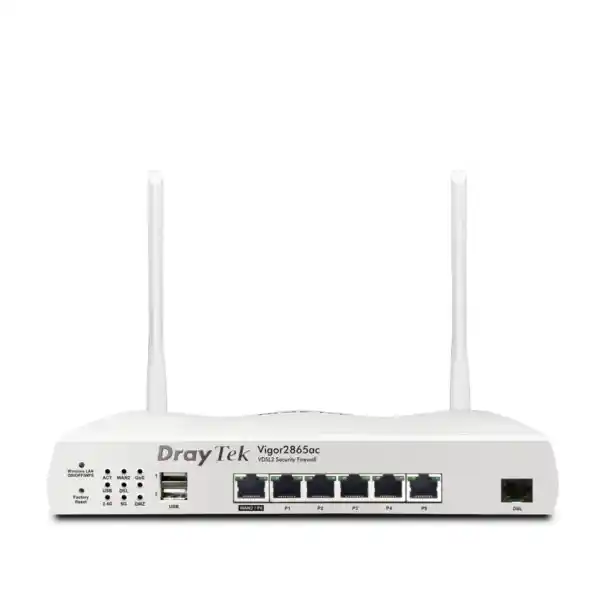
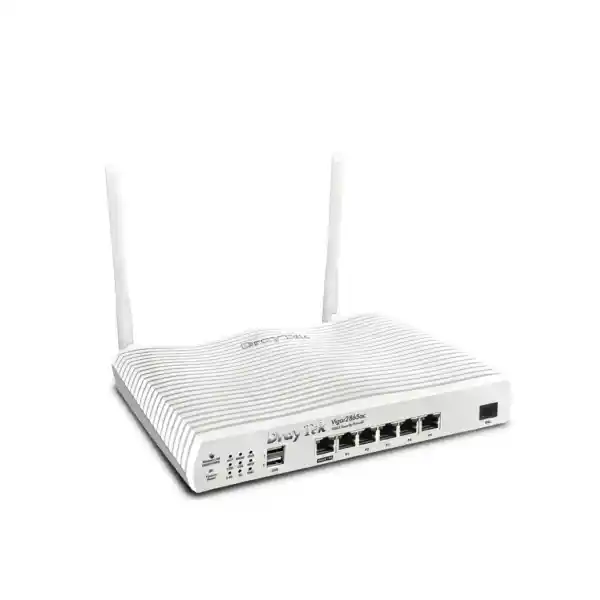
The Vigor2865ac is best suited to small and medium business sites that require more routing control than a basic ISP gateway can provide, but do not need the port density, high-availability clustering scale or multi-gigabit performance of a large enterprise firewall. It combines an integrated VDSL2/ADSL modem with a switchable Gigabit Ethernet WAN/LAN interface, five fixed Gigabit LAN ports, dual-band 802.11ac Wave 2 wireless, USB expansion, firewall policy, web filtering functions, VPN services, multiple subnets, VLANs, routing policy and traffic management. That combination makes it useful for a Dubai branch office, Abu Dhabi professional-services site, Sharjah warehouse, retail location, clinic, school administration block, hospitality back office or temporary project site where broadband options may differ from building to building.
DrayTek positions the Vigor2865 series around VDSL2 profile 35b, with a VDSL downstream link rate that can reach up to 300 Mbps under suitable line conditions. The platform also supports ADSL variants, giving organizations a useful degree of compatibility when an older line must remain operational during migration. Ethernet WAN can be used as the primary internet path or as a secondary path for resilience. On the ac model, wireless WAN can also be used, and supported USB cellular modems can provide another route to the internet. The important design point is not simply the number of WAN methods; it is the ability to use policy, failover behavior and load balancing so business traffic can continue when a preferred circuit is unavailable.
For procurement teams, the Vigor2865ac should be evaluated as an edge routing and secure connectivity appliance rather than as a replacement for every specialized security platform. Its strengths are WAN versatility, mature SMB routing features, VPN capability, segmentation and integrated Wi-Fi. Organizations requiring advanced threat sandboxing, very high inspection throughput, deep application security at multi-gigabit rates or large campus wireless capacity should size those functions separately. FourTeck can help map the router into a broader design alongside switching, firewalling, Wi-Fi, endpoint controls and managed IT services through FourTeck UAE.
Hardware architecture and physical interfaces
Integrated xDSL WAN
The dedicated DSL interface supports VDSL2 and ADSL families, including VDSL2 profile 35b supervectoring. This matters in buildings where the service provider presents broadband over copper pairs rather than Ethernet. Integrated DSL termination avoids an extra bridge modem, simplifies fault isolation, and exposes line status directly to the router. Profile 35b support is especially valuable where the access network and loop quality can sustain higher VDSL rates than older 17a deployments.
Gigabit Ethernet WAN/LAN
A switchable Gigabit Ethernet port can serve as WAN2 or an additional LAN interface depending on design. This allows the router to accept an Ethernet handoff from fiber CPE, a fixed wireless terminal, another modem, or a managed service provider. When used as WAN2 it can participate in failover and traffic distribution policies, giving administrators a clean migration path from DSL to Ethernet broadband while keeping the same LAN policy framework.
Five fixed Gigabit LAN ports
Five fixed Gigabit RJ-45 LAN ports provide direct connectivity for switches, servers, IP telephony gateways, access points or administrative endpoints. The device is not intended to replace a managed access switch in a larger office, but its built-in ports can support a compact site or provide clean uplinks into segmented switching. Port-based and 802.1Q VLAN designs can be used to separate user, voice, guest, IoT and management traffic.
USB expansion
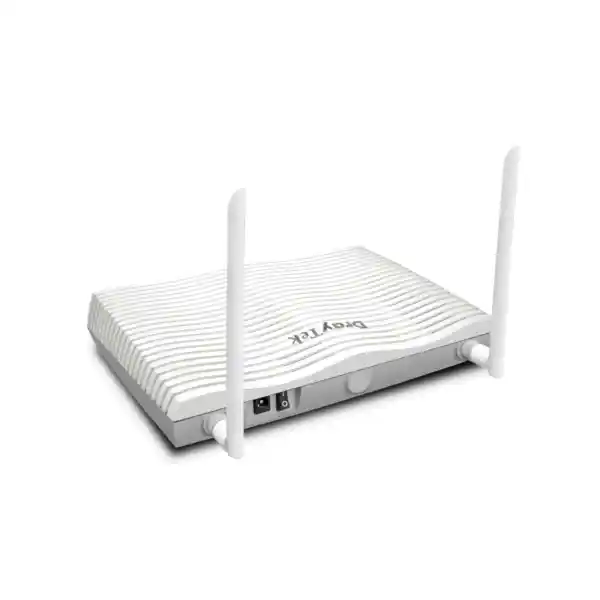
Two USB 2.0 interfaces on the non-LTE Vigor2865 platform broaden deployment options. Depending on firmware support and compatible peripherals, USB can be used for supported mobile broadband modems or storage-oriented services. For business continuity planning, a supported cellular modem can be particularly useful as an emergency path when wired access is disrupted, though cellular performance and compatibility should always be validated before deployment.
WAN strategy: DSL today, Ethernet tomorrow, backup when needed
A common edge-network problem is that the router becomes tightly coupled to the access method. An ISP-supplied DSL gateway may work for one circuit but becomes awkward when a second provider delivers Ethernet. Conversely, a pure Ethernet security appliance may require a separate DSL bridge in older sites. The Vigor2865ac addresses this mixed-access reality by incorporating DSL and a Gigabit Ethernet WAN option in one policy engine. In UAE deployments where branches occupy different building types, this flexibility can reduce variation in the standard operating model.
The integrated DSL interface supports VDSL2 standards including vectoring and profile 35b, as well as ADSL, ADSL2 and ADSL2+ variants. DrayTek states a VDSL2 downstream capability of up to 300 Mbps, but line rate is determined by provider configuration, copper length, noise conditions, crosstalk, profile availability and local network design. The router cannot make a poor copper loop behave like fiber; its value is that it supports the access technology cleanly and exposes the management controls needed for a business site.
The Ethernet WAN path is important for migration. A branch can begin on VDSL and later receive a fiber service terminated by an optical network device or managed CPE that provides Ethernet. Rather than replacing the router immediately, administrators can move the preferred route to WAN2 and keep DSL for fallback. Alternatively, both links can remain active and be managed through load-balancing policy. Traffic distribution should be designed with application behavior in mind. Stateful SaaS sessions, voice services, secure tunnels and banking portals may not tolerate arbitrary path changes, so session-based balancing, route policy or source-based rules are often preferable to a simplistic round-robin approach.
Connection detection is equally important. A WAN interface can be electrically up while the provider path beyond it is unavailable. Business designs therefore need health-check logic that reflects real reachability and failover expectations. The Vigor platform supports WAN failover and load-balancing functions that can be combined with routing policy. For critical branches, FourTeck recommends documenting the primary link, backup link, expected failover trigger, return-to-primary behavior, public IP dependency, VPN re-establishment behavior and any application that is pinned to one provider.
Wireless capability of the Vigor2865ac
The “ac” designation identifies the integrated dual-band wireless variant. DrayTek specifies 2.4 GHz operation using 802.11b/g/n and 5 GHz operation using 802.11a/n/ac. The platform uses 2×2 MIMO, with 802.11ac Wave 2 MU-MIMO on 5 GHz. Listed maximum wireless link rates are up to 400 Mbps on 2.4 GHz and up to 867 Mbps on 5 GHz, with up to 80 MHz channel width on the 5 GHz radio. These are PHY-layer link-rate figures rather than guaranteed application throughput; actual client performance depends on channel conditions, client capability, airtime utilization, interference, channel width, distance and protocol overhead.
For a small office, integrated wireless can be enough to provide staff and guest connectivity without separate access points. For a larger floor plate, reinforced concrete environment, dense hospitality deployment or multi-floor building, the router should instead be treated as the control and routing edge while dedicated access points are used to deliver coverage and capacity. Coverage planning should consider signal strength, SNR, channel reuse and client density rather than simply counting square meters.
The router can expose multiple SSIDs and bind them to different IP networks or VLAN policies. A practical design might place corporate laptops on an authenticated staff SSID, mobile guest devices on an isolated guest SSID, and low-trust smart devices on a dedicated IoT SSID with tightly restricted access to internal systems. This creates security boundaries that are understandable to administrators and auditable during troubleshooting.
Wireless planning checklist
- Use 5 GHz for capable clients where coverage and channel planning permit.
- Reserve 2.4 GHz for compatibility and longer-range low-throughput clients.
- Avoid unnecessarily wide channels in congested RF environments.
- Separate guest and IoT traffic from business systems.
- Use strong WPA2/WPA3-compatible security according to client support.
- Review SSID count, airtime use and roaming needs before scaling.
- For larger sites, pair the router with managed access points and a documented RF plan.
Firewall policy and segmentation
A business router should do more than translate private addresses to the internet. The Vigor2865ac supports stateful firewall policy, traffic filtering and address-based rules that can be used to enforce separation between business zones. The most important design improvement for many SMB networks is to stop treating every local device as equally trusted. Workstations, guest phones, CCTV recorders, cameras, access-control panels, printers, IP phones and management interfaces have different risk profiles and should not automatically share unrestricted layer-3 access.
The Vigor2865 platform supports multiple LAN subnets and up to 16 VLANs. This allows the edge to route between segmented networks while applying explicit policy. A typical professional office could use separate VLANs for corporate users, voice, servers, guest wireless, printers, IoT and network management. Inter-VLAN routing should then be limited according to business need. For example, guest clients generally need internet access and DNS but no connectivity to internal RFC1918 address space. IoT devices may need cloud access but not arbitrary access to accounting workstations. Administrative management interfaces should be reachable only from a restricted support subnet or VPN profile.
The router also supports policy-based routing, giving administrators the ability to make routing decisions using criteria such as protocol, IP address, port, domain or country-oriented policy controls supported by firmware. This is useful when certain traffic must always leave through a specified WAN, when voice signaling should use a stable circuit, when a partner network should be reached across a VPN, or when a backup circuit should be reserved for critical applications rather than ordinary browsing.
Segmentation is only effective if the switching and wireless layers carry VLAN tags consistently. When the Vigor2865ac is connected to a managed switch, trunk configuration, native VLAN behavior, port membership and DHCP scope assignment must be aligned across devices. FourTeck can integrate the router into broader firewall and switching projects through Firewall Dubai, including policy design, migration sequencing and operational handover.
VPN architecture for branch connectivity and remote access
DrayTek specifies support for up to 32 concurrent VPN tunnels on the Vigor2865 series, with IPsec VPN throughput up to 300 Mbps under vendor test conditions. The platform supports a broad set of VPN methods, including IPsec, IKEv2, SSL-based remote access options, L2TP over IPsec, OpenVPN, WireGuard, GRE and legacy protocols where required. The practical value is flexibility: the router can connect branches to a head office, establish site-to-site links to partner environments, and provide encrypted remote access for administrators or employees.
For site-to-site VPN, the design starts with address planning. Each branch should have non-overlapping LAN networks, because duplicate subnets create avoidable complexity and often require NAT workarounds. Administrators should define interesting traffic, encryption algorithms, authentication method, key lifecycle, dead-peer detection, route behavior and failover expectations. If a branch has dual WAN links, the VPN plan should state whether tunnels exist on both interfaces, whether a secondary tunnel is preconfigured, and how quickly dependent applications should recover after circuit failure.
IKEv2 and modern IPsec configurations are generally preferred where both peers support them because they provide robust negotiation and better alignment with current security practice. Pre-shared keys may be suitable for a small controlled deployment, while certificate-based authentication can offer stronger operational scaling when many sites are involved. Remote-user VPN should use unique identities and appropriate authentication controls rather than a shared credential. Where the business has an identity platform, RADIUS, LDAP or supported multi-factor workflows can strengthen access governance.
VPN throughput figures should always be treated as maximum laboratory values, not application guarantees. Real throughput depends on encryption suite, packet size, WAN latency, path MTU, encapsulation overhead, CPU load, concurrent services and the performance of the remote peer. A 300 Mbps IPsec figure does not mean every topology will deliver 300 Mbps of file-transfer throughput. For cloud-hosted workloads, latency and TCP behavior may become the bottleneck before encryption processing does.
For a UAE organization with branches across emirates or international offices, the Vigor2865ac can provide a cost-effective branch endpoint when tunnel counts and throughput fit the requirement. Larger SD-WAN, zero-trust or high-throughput deployments may require a different architecture, but the 2865ac remains useful for conventional encrypted branch interconnects and controlled remote administration.
NAT capacity, user sizing and realistic performance planning
Session capacity is often more meaningful than internet speed when sizing a router for modern offices. A single user may create hundreds of simultaneous connections through browsers, collaboration apps, cloud synchronization, endpoint security agents, operating-system services and mobile devices. A 60,000-session platform provides reasonable headroom for the SMB role for which the Vigor2865 series is designed. However, session count alone does not determine suitability. The administrator must also consider concurrent VPN load, firewall features, content filtering, wireless traffic, QoS policy and peak WAN utilization.
DrayTek publishes maximum NAT performance figures derived from internal testing under optimal conditions, with hardware acceleration enabled where applicable. For the Vigor2865ac, published data indicates a maximum NAT figure around 800 Mbps and a hardware-accelerated maximum around 1.3 Gbps. These values should be interpreted as platform benchmarks rather than guaranteed production throughput. Small packets, bidirectional traffic, inspection features, VPN encryption and complex policy can reduce observed rates.
A sensible sizing exercise begins with the actual circuit. If the site uses a 100 or 250 Mbps VDSL connection, the WAN is likely to be the primary throughput limit. If it uses a 1 Gbps Ethernet service, router processing and enabled services deserve closer attention. If the organization expects multi-gigabit broadband within the lifecycle of the purchase, a newer multi-gigabit router may be a better investment. The Vigor2865ac is strongest where DSL compatibility, Gigabit Ethernet, integrated AC wireless and mature SMB policy features are more important than very high future WAN speed.
The number of users also requires nuance. Fifty office users performing email, ERP access, web browsing and voice calls present a different workload from fifty developers moving large container images or a training center with hundreds of transient wireless clients. FourTeck therefore sizes branch routers based on traffic pattern, peak utilization, security policy, VPN concurrency, expected growth and business continuity requirements rather than user count alone.
Quality of Service for voice, meetings and cloud applications
Quality of Service is valuable when bandwidth is constrained or when different traffic classes compete on the same WAN. The Vigor2865ac supports bandwidth management, session controls and QoS mechanisms that can prioritize traffic using characteristics such as IP address, port, application classification, DSCP and 802.1p markings. The objective is not to create bandwidth that does not exist; it is to decide which applications should experience the least degradation when the circuit is busy.
Voice and interactive video are sensitive to latency, jitter and packet loss. A large cloud backup or software download can consume most of a DSL upstream channel and disrupt calls unless traffic is shaped. A well-designed policy reserves capacity for real-time traffic, prevents a single endpoint from monopolizing the link and gives business applications a predictable service level. For branches using Microsoft Teams, Zoom, Webex, SIP trunks, hosted PBX services or cloud contact-center platforms, this can materially improve user experience during congestion.
QoS should be implemented end to end where possible. Marking traffic on the LAN is useful only if the router recognizes it and the upstream service preserves or maps the class appropriately. On an ordinary internet circuit, the ISP may not honor enterprise DSCP values, so the most valuable control may be at the outbound bottleneck where the router can shape traffic before packets queue unpredictably in a modem or provider device. Inbound congestion is harder to control, though session policy and application design can still help.
For voice deployments, the router can also simplify NAT traversal through VoIP-aware behavior and targeted port-forwarding when necessary. However, modern hosted voice platforms generally benefit from avoiding broad manual port forwards. Firewall rules should follow the provider’s documented signaling and media requirements, and SIP ALG behavior should be tested because some providers prefer it disabled while others can work with it enabled.
VLAN, DHCP and multi-subnet design
The Vigor2865 platform supports multiple LAN subnets, 802.1Q tag-based VLANs and port-based VLAN assignments, with up to 16 VLANs. This makes it possible to build a structured branch network without placing all devices into a single broadcast and trust domain. The router can provide DHCP scopes for separate segments and can use address reservations or bind-IP-to-MAC features where stable device addressing is useful.
A clean branch template might define VLAN 10 for corporate users, VLAN 20 for voice, VLAN 30 for guest Wi-Fi, VLAN 40 for CCTV and IoT, VLAN 50 for servers or local appliances, and VLAN 99 for management. The exact numbers do not matter; consistency across sites does. Each VLAN should have an IP subnet, DHCP behavior, DNS policy, default gateway and documented access matrix. The corporate network may reach printers and selected servers. Guest traffic may reach only the internet. CCTV devices may reach the NVR and time services but not user endpoints. Management addresses may be accessible only from a support workstation or VPN.
DHCP design should include enough lease capacity for peak client count, especially on guest wireless. DNS forwarding can be centralized toward company resolvers or public recursive services according to policy. Conditional DNS forwarding can be useful in hybrid environments where internal domains must resolve across a VPN while public names use normal internet resolvers. Local DNS behavior can also simplify access to branch devices by name.
The router supports inter-VLAN routing, but routing should not be confused with trust. Every permitted path should have a reason. When a new device class is introduced, such as smart displays or building-management controllers, creating a dedicated segment with restricted egress is usually safer than adding it to the user LAN. This principle scales far better as the branch accumulates connected devices over time.
Routing features for advanced SMB deployments
Beyond default-route internet access, the Vigor2865ac supports static IPv4 and IPv6 routes, policy routes, inter-VLAN routing and dynamic routing functions such as RIP and BGP according to firmware capability. Most SMB sites will not use BGP, but its presence can be useful in specialized deployments. The more commonly valuable feature is policy-based routing, which allows traffic to be steered according to business intent rather than relying only on destination-prefix lookup.
A finance application may need to leave through a primary ISP because an upstream security whitelist expects a specific public address. Guest traffic can be pushed through a secondary broadband link so it does not compete with business VPN traffic. Cloud backup can be scheduled or routed through a lower-cost circuit. Traffic to a remote branch subnet can be sent through an IPsec tunnel. Certain administrative services can be restricted to a management VPN. These policies turn a dual-WAN router from a simple failover box into a controlled traffic-engineering platform.
For multicast applications, the platform includes IGMP features such as proxy, snooping and fast-leave functions. These can matter for IPTV-like services, digital signage or multicast distribution inside a controlled network. As with any multicast design, administrators should understand where layer-2 snooping occurs and where layer-3 forwarding is required, because uncontrolled multicast can consume bandwidth on segments that do not need it.
High-availability functions such as VRRP or DrayTek-specific availability mechanisms may appear in platform capability lists, but organizations needing true resilient edge pairs should validate the exact supported topology, state synchronization behavior and operational requirements for their firmware and model. Redundancy is not just a protocol checkbox: it also requires redundant power, WAN presentation, switching paths and documented failover testing.
Guest access and hotspot portal use cases
The Vigor2865 series includes hotspot web portal capability with multiple authentication approaches, including click-through access, social-login integrations where supported, SMS PIN, voucher PIN, RADIUS and external portal methods. This is useful for reception areas, small clinics, training facilities, cafés, salons, retail stores and customer waiting zones that need something more controlled than sharing the staff Wi-Fi password.
A guest portal should sit on an isolated network. The portal experience does not itself provide segmentation; the underlying VLAN, firewall and DHCP policy must prevent guest clients from reaching business systems. Client isolation can further reduce device-to-device visibility on the same wireless segment. Bandwidth limits can keep guest use from overwhelming the business circuit. Session limits and schedules can prevent long-lived unauthorized use after business hours.
For hospitality or customer-facing deployments, the portal can also display terms of use or a landing message. Any collection of personal information should be aligned with the organization’s legal and privacy obligations. The router provides network controls, but the business remains responsible for deciding what data is collected, how it is retained and who can access it.
Larger venues should use a scalable wireless platform rather than expecting an integrated router radio to handle high client density across a broad area. In that case, the Vigor2865ac can remain the WAN and routing device while managed access points distribute guest and staff WLANs over VLAN trunks.
Management, monitoring and operational control
A business router is judged not only by installation-day features but by how easily administrators can operate it for years. The Vigor2865 platform supports browser-based management and secure administrative access mechanisms, along with SNMP, Syslog-style logging, NetFlow/IPFIX-related telemetry capabilities and centralized management options in the wider DrayTek ecosystem. VigorACS can be used for centralized lifecycle visibility across supported DrayTek devices, while certain Vigor routers can also manage compatible VigorAP and VigorSwitch devices on the LAN.
Remote management should never be exposed casually to the public internet. Administrative access is safer through a VPN or a tightly restricted source policy. HTTPS should be preferred over unencrypted protocols. Unused services should be disabled. Default credentials must be changed, administrator accounts should be unique where possible, and configuration backups should be stored securely after every significant change.
Monitoring should capture more than uptime. Useful operational signals include WAN latency, packet loss, DSL synchronization statistics, interface errors, VPN tunnel state, DHCP pool utilization, high session counts, CPU or memory warnings where available, repeated authentication failures, wireless client load and configuration changes. Alerting should focus on conditions that require action rather than generating noise.
Configuration governance is equally important. A small branch network often becomes fragile because changes are made without documentation. Each deployed Vigor2865ac should have a record of firmware version, WAN parameters, VLAN map, DHCP scopes, administrator policy, VPN peers, routing rules, wireless SSIDs, backup method and support ownership. For organizations that want outsourced operations, FourTeck IT Services UAE can support deployment, monitoring, troubleshooting and lifecycle changes.
DrayTek’s resource center continues to publish firmware for the Vigor2865 series. As of September 11, 2026, the resource listing identifies firmware version 4.5.3.2 for the series. Firmware should never be upgraded solely because a newer file exists; administrators should review release notes, confirm the correct modem code or regional build, back up the configuration, schedule a maintenance window and validate DSL, VPN, Wi-Fi and routing behavior after the change.
Security hardening recommendations for deployment
Administrative plane
Change all default credentials, restrict management to trusted subnets or VPN, disable unused remote-management services, prefer HTTPS and SSH where needed, and keep access lists narrow. Administrative interfaces should never share the same trust level as guest or IoT clients.
Wireless security
Use strong encryption compatible with business clients, separate staff and guest SSIDs, disable obsolete options when practical, use unique credentials, and review connected-client lists. Do not expose management services from guest wireless networks.
Firewall policy
Adopt least privilege between VLANs, document every inbound port-forward rule, remove stale exceptions and avoid using DMZ-host exposure when a precise rule can solve the requirement. Treat IoT and surveillance devices as lower-trust categories.
VPN controls
Use current encryption, unique credentials, certificate-based methods where appropriate and multi-factor authentication where supported by the authentication workflow. Disable legacy VPN methods unless a documented dependency requires them.
Firmware lifecycle
Track vendor advisories and firmware releases, but test updates before broad deployment. Maintain a configuration backup, record the active version, and verify modem firmware compatibility when DSL behavior is business-critical.
Logging and response
Forward logs where feasible, monitor repeated failures, record change history, and maintain a support path. Security controls are far more useful when the organization can recognize abnormal behavior and respond quickly.
Deployment topology examples
1. VDSL branch office
The DSL port terminates a VDSL2 business line. LAN port 1 uplinks to a managed switch carrying staff, voice, guest and CCTV VLANs. The integrated wireless radios serve a small number of local staff and guest devices. An IPsec tunnel connects the branch to head office. QoS protects voice and ERP traffic when upstream bandwidth is constrained.
2. Ethernet primary with DSL backup
WAN2 connects to an Ethernet handoff from fiber CPE and carries normal internet traffic. DSL remains synchronized as a secondary circuit. Route policy keeps selected applications on the primary line, while failover activates the DSL path if the primary health check fails. VPN profiles are designed so branch connectivity can recover on the secondary path.
3. Retail store with guest Wi-Fi
Point-of-sale terminals occupy a restricted business VLAN, staff handhelds use a separate SSID, and customer guest access is isolated through a portal-enabled WLAN. CCTV and IoT devices sit on another subnet with only the services they require. A backup mobile broadband modem can provide limited emergency access for critical cloud transactions.
4. Professional services office
Dual WAN links are used for resilience. Corporate laptops authenticate to the secure staff wireless network, while meeting-room devices and visitors use segmented networks. Remote workers connect through VPN. DNS and routing policy directs internal application traffic across the site-to-site tunnel and normal web traffic directly to the internet.
How to compare the Vigor2865ac with newer router options
The Vigor2865ac remains relevant when VDSL2 profile 35b, integrated 802.11ac wireless and mature SMB routing functions match the requirement. However, procurement should compare the expected service life against newer access technologies. If the site is moving to multi-gigabit fiber, Wi-Fi 6 or Wi-Fi 7, high-density wireless, 2.5/10GbE switching or significantly heavier VPN workloads, a newer platform may offer better long-term value.
The key question is not whether a newer router has a higher specification sheet. It is whether those capabilities solve a real requirement during the planned lifecycle. A branch connected to a 200 Mbps VDSL circuit may gain little from a 10GbE WAN interface. Conversely, a new headquarters receiving a 2 Gbps business internet circuit should not be constrained by a router selected around DSL-era throughput. Procurement should align the edge platform with the access circuit, growth plan, wireless design, number of security zones, VPN load and support model.
Integrated Wi-Fi also deserves scrutiny. The Vigor2865ac supports 802.11ac rather than Wi-Fi 6. For a small office with ordinary laptops and mobile devices, this may be entirely adequate. For dense collaboration spaces, many concurrent clients or environments with newer Wi-Fi 6 devices, external modern access points can improve airtime efficiency and capacity. The router can still be used as the wired edge while wireless is delivered by a dedicated system.
FourTeck can compare the Vigor2865ac against alternative DrayTek models or other firewall/router architectures based on your actual circuit and application profile. For broader multi-country or technology procurement, see FourTeck Global.
Detailed feature interpretation for technical buyers
Specifications are useful only when translated into operational meaning. The Vigor2865ac provides a capable set of functions, but each one should be evaluated in context. Sixty thousand NAT sessions means the router can track a substantial number of simultaneous translations for its target market. It does not mean sixty thousand users. Thirty-two VPN tunnels describes concurrent tunnel capacity, not necessarily thirty-two full-rate 300 Mbps transfers. A 1.3 Gbps hardware-accelerated NAT maximum describes controlled testing, not guaranteed throughput with every firewall and traffic-management feature enabled. Wireless link rates of 400 and 867 Mbps describe radio PHY rates, not internet speed at a laptop.
The five fixed LAN ports are useful for compact deployments, but a business with more than a few wired endpoints should use a managed switch. The switch provides port density, Power over Ethernet for phones and access points where supported, and cleaner VLAN distribution. The Vigor2865ac then remains focused on routing, policy, VPN and WAN services. This separation of roles also makes troubleshooting easier: the router owns layer-3 boundaries, while the switch owns endpoint access and VLAN transport.
The two USB 2.0 ports should be seen as expansion interfaces rather than high-performance storage buses. A supported LTE/4G modem can be valuable for emergency connectivity, but cellular failover needs real testing. The SIM and modem ecosystem varies by region, and not every USB modem exposes the same control interface. Organizations should verify the exact modem against DrayTek compatibility information and the UAE mobile operator before relying on it for business continuity.
DNS security and web content filtering features can add policy value, but URL categorization or subscription-based filtering should not be confused with full endpoint protection or advanced threat prevention. Security works best as layers: secure DNS, firewall segmentation, endpoint security, patching, email protection, identity controls and user awareness all address different attack paths. The Vigor2865ac can enforce important network-layer boundaries within that stack.
The same principle applies to high availability. Features such as VRRP can support gateway resilience in some designs, but a resilient service requires redundant WAN delivery, power, switching and configuration. A pair of routers plugged into the same power strip and single ISP device is not true business continuity. FourTeck designs resilience according to failure domains, not feature labels.
UAE procurement and deployment considerations
Buying a router in the UAE should include more than confirming that the model powers on. The first step is to identify the broadband presentation. If the provider delivers VDSL directly, confirm the line type, Annex requirement, authentication method, VLAN tagging, PPPoE or DHCP behavior and whether the provider allows third-party CPE. If the provider supplies a managed modem or ONT with Ethernet output, the Vigor2865ac may connect behind it through WAN2. If the ISP device cannot operate in bridge mode, double NAT may result, which can affect inbound services and some VPN scenarios.
Power and environmental conditions matter as well. DrayTek lists a 12V DC 2A supply requirement for the Vigor2865 platform and an operating temperature range up to 45°C. The router should be installed indoors in a ventilated location, not above heat-producing equipment or inside an unventilated cabinet. UAE ambient temperatures can be high, but indoor IT equipment should operate in a controlled environment. A UPS is recommended where internet and VPN availability are business-critical.
For wireless deployments, local radio regulations and site RF conditions must be respected. Channel availability and transmit behavior are controlled by regional firmware and regulatory domain. Organizations should use the correct regional unit and supported firmware. Importing devices intended for another market can create support, compliance or radio-configuration problems.
Supportability is part of procurement. Ask whether the device will be supplied with current supported firmware, whether configuration assistance is included, who owns the administrator credentials, whether a configuration backup will be delivered, and how warranty cases are handled. If the router replaces an ISP device, record the old unit and credentials so rollback is possible during migration.
For projects that combine routers, switches, wireless, servers, IP telephony or managed support, FourTeck can coordinate the network edge with the wider infrastructure stack. This reduces the common problem of separate vendors blaming one another when a VLAN, SIP path or VPN route crosses multiple devices.
Migration methodology from an ISP router or older firewall
A controlled migration begins with discovery. Export or document the existing LAN addressing, DHCP reservations, DNS settings, port forwards, static routes, VPN peers, public IP information, wireless SSIDs, VLANs and any application that depends on the current router. A surprising number of outages occur because an undocumented copier uses a fixed address, an access-control panel points to a hard-coded gateway, or a partner has whitelisted the old public IP.
Build the Vigor2865ac configuration before the cutover where possible. Create WAN profiles, LAN subnets, VLAN interfaces, DHCP scopes and firewall rules. Configure Wi-Fi with the intended security policy. Build VPN tunnels and confirm peer settings. Save a baseline configuration. During the maintenance window, connect the WAN and validate physical link, addressing, DNS and internet reachability before introducing complex policies.
Next validate routing and segmentation. Test one endpoint from every VLAN, confirm DHCP assignment, verify permitted inter-VLAN traffic, and confirm that prohibited traffic is blocked. Test external DNS, business SaaS applications, printing, voice calls, video meetings and any inbound published service. If WAN failover is part of the design, physically or logically disable the primary circuit and confirm that the backup path works as expected. Then restore the primary and confirm stable recovery.
VPN validation should cover both connectivity and application behavior. Ping alone is not enough. Test file access, RDP or VDI where applicable, ERP transactions, VoIP signaling, DNS resolution and any cloud route that traverses the tunnel. Monitor MTU-related problems if large packets fail while small packets succeed. Where dual WAN is used, verify tunnel behavior during failover.
Finally, capture an as-built configuration and operational notes. Label WAN cables, record circuit IDs, store the configuration backup, note the firmware build, and document support contacts. A migration is complete only when the environment can be operated by someone other than the person who performed the cutover.
Troubleshooting framework
When connectivity fails, isolate the layer instead of changing multiple settings at once. For DSL, check whether the line synchronizes, which profile is negotiated, the attainable rate, SNR margin, errors and whether PPP authentication succeeds after synchronization. A DSL light that never stabilizes points toward cabling, splitter, provider or profile issues rather than DNS. If the line is synchronized but internet login fails, focus on authentication, VLAN tagging and provider configuration.
For Ethernet WAN, verify physical link speed, address assignment, gateway reachability and upstream CPE mode. If the router receives a private address from an ISP gateway, confirm whether double NAT is acceptable. If a static public block is used, confirm subnet mask, gateway and any provider VLAN requirements. Use controlled tests to separate DNS failure from routing failure by testing IP reachability and name resolution independently.
For Wi-Fi, separate RF issues from internet issues. First confirm that the client associates to the correct SSID and receives the expected VLAN and IP address. Then check gateway reachability. If only certain rooms have poor performance, investigate signal level and interference rather than WAN settings. If all wireless clients are slow but wired clients are fast, inspect channel width, channel utilization, band steering expectations and client capabilities.
For VPN, verify both peers agree on encryption parameters and identifiers. Confirm that the remote network does not overlap the local network. Inspect routes and firewall rules. If the tunnel establishes but traffic does not pass, check selectors, policy routes and return routing. If some applications fail while ping succeeds, investigate MTU, DNS, ports and application-layer dependencies.
For intermittent performance, capture evidence before rebooting. Record WAN status, CPU load, session count, packet loss, DSL errors and logs. A reboot can temporarily clear symptoms while destroying the information needed to identify the root cause. Repeatable troubleshooting produces durable fixes.
Frequently asked technical questions
Does the Vigor2865ac support VDSL2 profile 35b?
Yes. The Vigor2865 series supports VDSL2 including profile 35b and vectoring-related standards. Actual service speed depends on the ISP profile and copper line conditions.
Can it use an Ethernet internet connection?
Yes. The switchable Gigabit Ethernet WAN/LAN port can operate as WAN2, allowing Ethernet broadband to be used as a primary or secondary connection.
How many VPN tunnels can it support?
DrayTek specifies up to 32 concurrent VPN tunnels for the Vigor2865 series, with published IPsec throughput up to 300 Mbps under test conditions.
Is the built-in Wi-Fi Wi-Fi 6?
No. The Vigor2865ac is the 802.11ac variant. It supports 2.4 GHz 802.11n and 5 GHz 802.11ac Wave 2. The Vigor2865ax is the Wi-Fi 6 family variant.
Can I separate guest and business users?
Yes. Multiple subnets, VLANs, SSIDs, firewall policy and guest portal features can be combined to isolate guest traffic from internal resources.
Can it use mobile broadband for backup?
The platform supports compatible USB cellular modems. Compatibility should be checked for the exact modem and UAE operator before relying on it for automatic failover.
Is it suitable for 1 Gbps internet?
The platform publishes hardware-accelerated NAT performance above 1 Gbps under controlled conditions, but real throughput depends on enabled services and traffic patterns. For sustained gigabit service with heavy security inspection, sizing should be validated.
Does it replace a dedicated enterprise firewall?
It provides firewall, filtering, segmentation and VPN features for SMB use, but organizations requiring advanced threat prevention, sandboxing or very high inspection throughput may need a dedicated security platform.
Decision recap: when the DrayTek Vigor2865ac is a strong fit
Choose the Vigor2865ac when the network needs integrated VDSL2 35b compatibility, a second Gigabit Ethernet WAN path, dual-band 802.11ac wireless, business-class VLAN and routing controls, multi-WAN resilience and a VPN scale appropriate for an SMB branch. It is particularly attractive where different offices use different broadband technologies and the IT team wants one consistent operating approach.
Quotation input checklist
To quote and configure the correct Vigor2865ac deployment for a UAE site, provide the following information. Supplying these details allows the network design to address compatibility, capacity, security and failover before hardware is delivered.
Consultation panel: design the edge before you order
The Vigor2865ac can be a very effective branch router when its WAN, VPN and wireless capabilities align with the site. The most reliable projects start with architecture rather than a product box. FourTeck can review the ISP handoff, identify whether the DSL interface or Ethernet WAN should be primary, define failover behavior, build the VLAN and firewall policy, size VPN requirements and determine whether the built-in wireless radio is sufficient or should be complemented by external access points.
For a straightforward office, the design may be as simple as one VDSL line, staff Wi-Fi, a guest VLAN and a site-to-site IPsec tunnel. For a more complex branch, the design may include dual WAN, route policy, dedicated voice and CCTV VLANs, managed switches, centralized Wi-Fi, remote monitoring and backup connectivity. The same router can participate in both scenarios, but the configuration and supporting infrastructure are very different.
FourTeck’s engineering approach is to document the intended traffic paths first. Which users may reach which systems? Which WAN should carry each application? What happens when the primary link fails? Which devices require fixed addressing? Who is allowed to administer the router? How are logs retained? Which VPNs must recover automatically? Those answers become the configuration template and acceptance test.
If you are standardizing multiple UAE branches, request a reusable baseline that includes naming conventions, VLAN IDs, addressing rules, administrator policy, logging, VPN templates and backup procedures. Standardization reduces troubleshooting time and makes it easier to support sites consistently as the business grows.
Final technical recommendation
The DrayTek Vigor2865ac is a mature SMB edge platform for environments where DSL compatibility, Gigabit Ethernet WAN flexibility, integrated AC wireless, VPN and network segmentation must coexist in one manageable device. Its VDSL2 profile 35b support provides a strong fit for sites still using high-speed copper access, while WAN2 gives the organization a practical path to Ethernet broadband or a second provider. Five Gigabit LAN ports, VLAN support, multiple subnets and policy routing make it capable of serving as the layer-3 core of a small branch, especially when paired with a managed switch.
The dual-band 802.11ac wireless function is appropriate for modest client counts and compact offices. In larger or denser sites, external managed access points should provide RF coverage while the Vigor2865ac handles routing and security policy. The VPN subsystem is suitable for conventional branch-to-branch and remote-access requirements within the published 32-tunnel scale. QoS and bandwidth management are useful on DSL and other constrained links where voice and collaboration applications need priority.
The router should be chosen with a realistic view of its generation. Organizations planning multi-gigabit WAN services, very high wireless density or advanced security inspection may benefit from a newer architecture. Organizations that need a reliable, feature-rich VDSL2 and Gigabit edge with mature DrayTek management controls can still find the Vigor2865ac highly practical.
For supply, configuration, migration and support in the UAE, FourTeck can deliver the router as part of a complete branch networking package including switching, Wi-Fi, VPN policy, firewall review, documentation and post-deployment support.

Reviews
There are no reviews yet.