
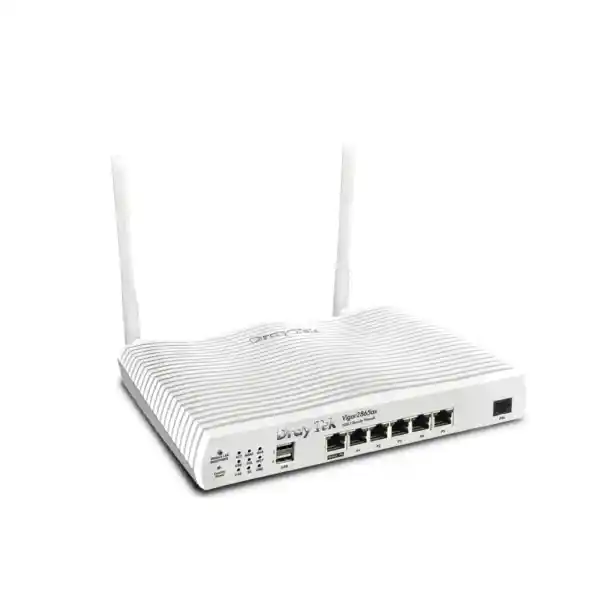
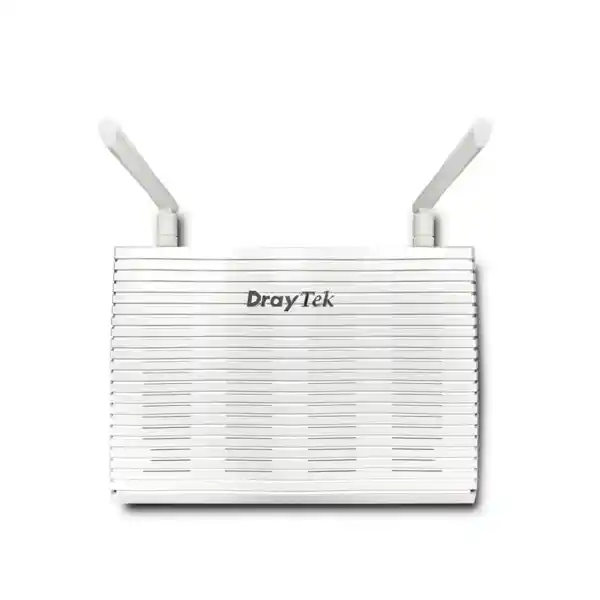
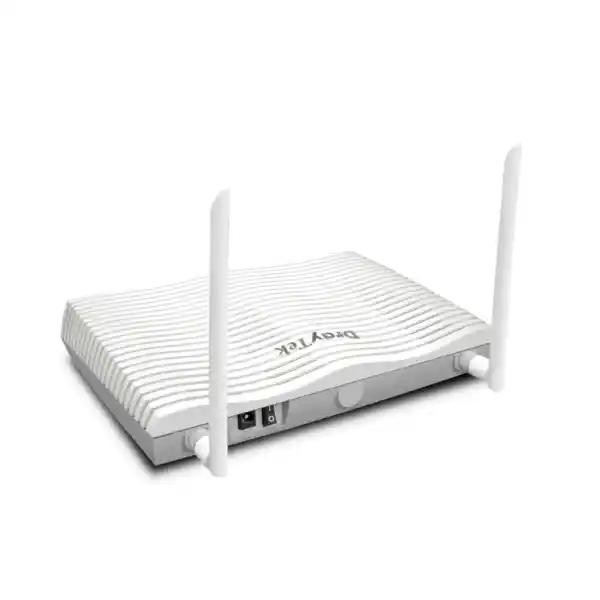
Business VDSL2 + Wi‑Fi 6 Security Router
DrayTek Vigor2865ax Dubai – AX3000 Wi‑Fi 6, VDSL2 35b, Multi‑WAN & VPN Router
The DrayTek Vigor2865ax is designed for small and mid-sized organisations that want a single edge appliance to terminate xDSL, accept a Gigabit Ethernet WAN, segment users with VLANs, provide secure remote access and site-to-site VPN, and deliver modern Wi‑Fi 6. For Dubai and wider UAE deployments, it is especially useful in offices and branches where the access circuit may change over time and the network must remain easy to manage without replacing the router every time the last-mile service changes.
Direct answer
Choose the Vigor2865ax when you need integrated VDSL2/ADSL, Gigabit Ethernet WAN, business VLANs, up to 32 VPN tunnels and AX3000-class Wi‑Fi 6 in one platform. It suits roughly small-to-mid-sized user populations when traffic, VPN encryption, filtering and wireless density are sized correctly for the site.
What the DrayTek Vigor2865ax is, and where it fits in a UAE network
The Vigor2865ax sits at the network edge. In practical terms, it can be the device between a service provider circuit and the internal switching, wireless and server environment. Unlike a basic consumer modem/router, it is built around business functions: multiple WAN methods, policy routing, VLANs, firewall control, VPN, quality of service, user authentication integrations, monitoring and central management. Its integrated VDSL2 modem means a business using an xDSL service does not need a separate modem in front of the router, while its Gigabit Ethernet WAN interface provides a straightforward migration route to fibre, fixed wireless, Ethernet handoff or another provider circuit.
That combination is useful in Dubai because business connectivity is rarely static across the complete life of an office. A company may move from a copper access circuit to fibre, add a second internet service for resilience, connect a temporary cellular path during a carrier outage, or repurpose the site as a branch that must build an encrypted tunnel back to headquarters. A router that can accommodate several of those scenarios reduces configuration churn and helps the network team keep consistent policies even while the physical WAN changes.
The Vigor2865ax also integrates Wi‑Fi 6. That matters where the router itself is expected to provide local wireless coverage rather than feeding a separate enterprise access-point estate. The radio design is dual band and supports modern 802.11ax functionality, while still accepting older Wi‑Fi generations for compatibility. The practical benefit is not simply a higher headline PHY rate. Wi‑Fi 6 adds more efficient airtime handling for mixed-client environments, especially where many phones, laptops, tablets, handheld scanners or other devices share the same radio environment. For a small office, clinic, showroom, training room or retail back office, the integrated WLAN can reduce equipment count while still supporting business segmentation and authentication choices.
For buyers comparing solutions, the best way to think about the Vigor2865ax is as a converged SMB edge router, not as a full next-generation firewall designed for intensive deep inspection of every flow. It offers stateful firewalling, content controls, application and URL policy functions, access lists, VPN, NAT and network segmentation, but final sizing should be based on the exact services enabled. If the site requires high-throughput TLS inspection, enterprise threat prevention, sandboxing or large-scale SD-WAN orchestration, a dedicated security platform may be more appropriate. FourTeck can help map those requirements through the Firewall Dubai portfolio while keeping the Vigor2865ax in consideration for sites where integrated routing, DSL, VPN and Wi‑Fi are the main goals.
WAN architecture: VDSL2, ADSL, Ethernet and failover options
The first defining capability of the Vigor2865ax is its integrated xDSL interface. DrayTek positions the 2865 family as a VDSL2 35b and ADSL2+ security router. VDSL2 profile 35b, often associated with supervectoring-capable services, increases the available spectrum compared with older VDSL profiles. The router also supports the established VDSL2 profile set including 8a, 8b, 8c, 8d, 12a, 12b, 17a and 30a. This breadth is valuable for integrators because the same appliance can be deployed against different DSL line profiles and service-provider configurations, subject to local carrier compatibility and approved modem code.
Older ADSL environments are also covered through ADSL, ADSL2 and ADSL2+ standards with common annex support. That does not mean every annex, DSLAM implementation or ISP authentication method should be assumed to work without validation. For UAE procurement, line type, provider handoff, annex requirement and authentication method should be confirmed before installation. Where the ISP supplies Ethernet from an ONT, media converter or upstream modem, the Gigabit Ethernet WAN port becomes the primary interface and the integrated DSL interface can remain unused or be retained for a secondary service.
Multi-WAN is more than simply having two sockets. The router can use load-balancing and failover logic so different WAN paths can be assigned to different sessions or can provide continuity if a preferred path fails. Connection detection can monitor path health rather than treating a physical link light as proof that the internet is actually reachable. Policy-based routing can then steer selected traffic through a specific WAN. For example, a business could keep latency-sensitive collaboration traffic on the lower-latency fixed circuit, send guest internet through a secondary path, or force a site-to-site tunnel to prefer one provider while reserving the other for failover.
The two USB 2.0 ports create another design option because supported 3G/4G/LTE USB modems can be attached. In a continuity plan this can be used as an emergency path when wired access is unavailable. USB cellular is best treated as a backup or special-purpose connection rather than assumed to equal the performance and public-address characteristics of a business fibre service. Mobile operators may use carrier-grade NAT, dynamic addressing, traffic shaping or plan-specific restrictions that affect inbound VPN, hosted services and long-running sessions. A proper failover test should therefore verify DNS resolution, VPN renegotiation, cloud applications, voice services and any inbound dependencies rather than only checking that a web page loads.
The router supports both IPv4 and IPv6 connectivity models. For organisations moving toward dual stack, this makes it possible to plan IPv6 address assignment and routing while retaining IPv4 NAT and familiar private addressing. IPv6 introduces different security considerations because hosts may have globally routable addresses without traditional NAT. The firewall policy should therefore explicitly cover IPv6 rather than assuming that an IPv4 rule set automatically protects both protocol families.
Published performance figures should always be read in the context of firmware, traffic profile and enabled services. DrayTek’s global product information lists standard NAT and hardware-accelerated NAT values for the family, while some regional materials publish different firewall and VPN benchmarks under their own test methodology. The correct engineering approach is to size the unit on the official regional datasheet applicable to the supplied hardware and firmware, then leave headroom for VPN encryption, QoS, filtering, logging and traffic growth. Headline throughput is a laboratory ceiling, not a capacity promise for every production configuration.
Hardware acceleration and packet-processing design
DrayTek publishes hardware-accelerated routing figures for the Vigor2865 family, which indicates that eligible forwarding flows can be processed through an accelerated path instead of relying entirely on software processing. From a network-design perspective, hardware acceleration matters because it can increase NAT and routing performance while reducing CPU load for established traffic. However, the acceleration path is not a magic multiplier for every service. Features that require deeper per-packet inspection, certain policy functions, tunnelling, complex queueing or extensive logging can move traffic back into software processing or otherwise change the achievable throughput.
The public product material does not provide a sufficiently detailed semiconductor block diagram to justify claims about a specific custom ASIC vendor, core count or proprietary forwarding-engine layout. For that reason, a responsible technical description should not invent an ASIC architecture. What can be stated is that the platform supports hardware acceleration for applicable routing/NAT work and should be tested with the exact feature combination that the customer intends to run. This distinction is important for procurement teams that compare a small-business router with appliances that publish dedicated firewall ASIC, NPU or security processor specifications.
In real deployments, CPU-intensive conditions include large numbers of short sessions, many concurrent VPN tunnels, strong encryption, verbose logging, content filtering, complex policy routes, heavy inter-VLAN traffic and management polling. A sustained 500 Mbps workload made of thousands of short encrypted transactions can be more demanding than a single large download at a similar average rate. The same is true for wireless: a 2.4 Gbps 5 GHz PHY link is not equivalent to 2.4 Gbps of routed internet throughput. Wi‑Fi uses shared spectrum, protocol overhead and half-duplex airtime, and end-device capabilities often become the limiting factor.
For FourTeck sizing, the sensible method is to list the expected WAN speed, the number of active users, typical application mix, number of VLANs, remote-access concurrency, site-to-site VPN bandwidth, logging requirements and expected growth. That creates an engineering baseline. The Vigor2865ax can then be selected because its feature set matches the requirement, not merely because one headline number is larger than the ISP plan.
AX3000 Wi‑Fi 6: what the wireless specification means in practice
The Vigor2865ax is the Wi‑Fi 6 member of the 2865 family. Its 2.4 GHz radio supports 802.11b/g/n/ax and is rated for a maximum link rate of 574 Mbps. The 5 GHz radio supports 802.11a/n/ac/ax and is rated for a maximum link rate of approximately 2.4 Gbps with compatible clients and channel conditions. Together, these figures place the product in the AX3000 class. The radio design is 2×2, and the platform supports Wi‑Fi 6 capabilities including OFDMA. Supported security options include WPA2 and WPA3, with 802.1X authentication available for enterprise-style access control.
The key design question is coverage and client density, not just speed. One centrally located router may cover a modest office with light partitioning, but reinforced concrete, metalised glass, storage racks, lift cores, server rooms and neighbouring WLANs can substantially alter the RF environment. In Dubai, office fit-outs can involve dense glass partitions and reflective surfaces, while villas and warehouses may require coverage over multiple floors or long aisles. A pre-installation survey or at least a floor-plan review helps determine whether the integrated radios are sufficient or whether dedicated access points should be added.
The Vigor2865ax can participate in DrayTek wireless management and mesh-related functions supported by the model. DrayTek lists management for multiple access points and mesh nodes within the platform’s management capabilities. This can be useful when the router begins as the primary wireless device and later becomes the controller or management point for additional DrayTek APs. For larger environments, the better architecture is generally to treat the router as the network edge and place purpose-built access points where RF design requires them.
Band steering and airtime fairness can improve client distribution and prevent slower devices from consuming disproportionate airtime. Wi‑Fi Multimedia and QoS-related controls help prioritise latency-sensitive application classes, although end-to-end quality depends on more than the access point. The LAN, WAN, provider path and remote service must all participate in an effective quality strategy. Voice or video can still degrade if the WAN is saturated, so wireless QoS should be paired with router-level bandwidth management.
For security, a business should avoid placing every wireless device in the same broadcast domain. Staff notebooks can use one SSID and VLAN, guests another, voice handsets another if required, and IoT or building-control devices a separate restricted network. The Vigor2865ax supports multiple SSIDs and VLAN mapping so this separation can be implemented without deploying a completely separate router for each user class. Where 802.1X is practical, it provides stronger identity-based control than a shared password because users or devices can authenticate against a RADIUS service.
A guest SSID should be configured with client isolation where appropriate, restricted access to internal RFC1918 address space, suitable DNS policy and an internet-only firewall rule set. Captive portal options can be used where the business wants guest acceptance, voucher, RADIUS or external portal workflows. These features can be useful in clinics, training centres, hospitality areas and customer waiting rooms, but they should be implemented with clear privacy and acceptable-use policies.
LAN switching, subnets and VLAN segmentation
The Vigor2865 platform provides multiple Gigabit Ethernet LAN ports and is designed to serve several internal subnets. The management model supports eight LAN subnets and up to sixteen VLANs, giving a small organisation enough logical separation for most common edge designs. An important implementation detail is the difference between a VLAN and a subnet. A VLAN is a Layer 2 segmentation mechanism identified by a VLAN tag or port membership. A subnet is a Layer 3 IP network. In a well-designed business network, each security zone generally maps to its own VLAN and subnet so routing between zones passes through explicit policy.
A typical Dubai office could use VLAN 10 for corporate users, VLAN 20 for voice, VLAN 30 for guest internet, VLAN 40 for CCTV, VLAN 50 for printers and IoT, and VLAN 99 for network management. The router can act as the default gateway for those networks. Firewall rules can then permit corporate users to reach printers, permit the CCTV management station to reach camera addresses, prevent cameras from initiating sessions toward staff devices, and block guest users from every internal subnet while still allowing DNS and internet access.
The router supports 802.1Q tagging, which is the standard method used to carry several VLANs over one Ethernet trunk. If a managed switch is connected to the router, the uplink can transport the selected VLANs, while edge switch ports are configured as access ports for the relevant device type. Wireless SSIDs can map into those same VLANs, creating one consistent segmentation model across wired and wireless endpoints. This is preferable to creating isolated ad-hoc networks that cannot be centrally documented.
DHCP can provide addresses to each internal network, and features such as custom DHCP options and IP-to-MAC binding can help with devices that need predictable addressing. Static IP reservations are generally easier to manage than hard-coding IP information on every endpoint. Local DNS and conditional forwarding features can help direct internal queries to private services while public names continue to resolve through external DNS. In Microsoft Active Directory environments, clients should normally use the domain DNS design required by Active Directory rather than arbitrary public resolvers.
Inter-VLAN routing must be treated as a security control, not only a connectivity function. The safest approach is to start from the business workflows that actually require communication and then open the minimum ports and directions. For example, a print server may require access to printers, but printers usually do not need to initiate arbitrary connections to user laptops. An NVR may need to receive camera streams, while cameras may require only DNS, NTP and vendor cloud services. A guest device should not reach management interfaces at all.
For larger campus-style networks, routing may be moved to a Layer 3 core switch while the Vigor2865ax remains the internet edge. Whether that is appropriate depends on east-west traffic volumes and security policy. If large file transfers, virtualisation, storage and backup traffic frequently cross VLAN boundaries, routing them through an edge appliance can create an unnecessary bottleneck. FourTeck’s IT Services UAE team can design the switching and routing boundary so local traffic stays efficient while internet and policy-sensitive traffic crosses the correct control point.
Firewall, NAT and application control
At the internet edge, the Vigor2865ax provides stateful firewall capabilities that track connection state and apply policy to traffic flows. This is more sophisticated than a simple packet filter because return traffic can be associated with an established session. Access policies can reference IP address, protocol and port criteria, and the router also provides application, URL, keyword, DNS-keyword and web-feature filtering functions. Some web-category functions may depend on subscription services, so licensing should be checked during quotation rather than assumed to be permanently included.
NAT is used in most IPv4 deployments to translate private internal addresses to one or more public addresses. The router supports common inbound publishing methods such as port redirection, open ports and DMZ-host style configuration. For business networks, direct exposure should be used sparingly. Publishing remote desktop, device management or web administration directly to the internet can create unnecessary risk. A VPN is usually the safer administrative entry point, followed by controlled access to the required internal service.
Port knocking can be used as an additional control for selected local services, and management access should be restricted to trusted networks wherever possible. WAN-side management should be disabled unless there is a clear operational reason to keep it. If remote management is required, restrict it by source addresses, use encrypted protocols, change default credentials, enforce strong unique passwords and consider management only through VPN. Legacy protocols such as Telnet or FTP should not be enabled merely because the platform supports them.
The router can also participate in DNSSEC-related security and supports local DNS functions. DNS policy has become an important part of branch security because many attacks and unwanted applications depend on domain resolution. DNS filtering is not a replacement for endpoint protection or a secure web gateway, but it can add another control layer and simplify policies for guest or IoT networks.
Logging must be designed at installation time. The Vigor2865ax supports syslog, SNMP and flow-export mechanisms including NetFlow versions and IPFIX. Sending logs to a central collector provides better retention and troubleshooting than relying only on the router’s local interface. NetFlow/IPFIX data can reveal which hosts and applications are consuming bandwidth, while SNMP can expose device health and interface metrics to a monitoring platform. For a managed service environment, these tools help move troubleshooting from guesswork to evidence.
Security policy should also account for firmware. DrayTek continues to publish firmware for the Vigor2865 family, so the device should be placed under a documented patching process. Firmware updates can include security fixes, modem-code changes, feature improvements and compatibility updates. Production upgrades should be backed by configuration exports, release-note review and a rollback plan. On important sites, upgrade windows should avoid business-critical periods and confirm WAN, VPN, VLAN, wireless and management functions after reboot.
VPN design for branch offices, remote staff and administrators
VPN capability is one of the strongest reasons to use a business router instead of a consumer gateway. The Vigor2865ax supports up to 32 concurrent VPN tunnels across its supported VPN types, with a smaller subset available for SSL or OpenVPN depending on the mode and firmware. Supported technologies listed for the platform include IPsec, IKEv2, SSL VPN, OpenVPN, WireGuard, L2TP-related modes, GRE and other established methods. This gives network teams flexibility to match different clients and site-to-site requirements.
For a branch-to-headquarters deployment, IPsec is a common choice because it can create an always-on encrypted tunnel between routed networks. A Dubai branch might route its ERP, file services, Active Directory, voice signalling or internal web traffic through the tunnel while sending general internet traffic directly to the local ISP. Alternatively, a full-tunnel design can send internet traffic through headquarters for central security inspection, but this increases WAN and VPN bandwidth requirements at both locations.
Remote users may use SSL, OpenVPN, WireGuard or IPsec-based methods depending on corporate standards and client support. The correct choice should consider authentication, device management, split tunnelling, MFA strategy and user experience. The router supports integration methods such as local RADIUS, LDAP, TACACS+ and one-time-password functions in relevant management or authentication contexts. An organisation with a central identity platform should avoid creating unmanaged local user accounts for every employee if a supported central method can be implemented securely.
VPN throughput is not the same as firewall throughput. Encryption and encapsulation consume processing resources, and performance depends on algorithm, packet size, tunnel count and hardware/firmware acceleration. DrayTek’s global specification for the 2865 family provides an IPsec performance figure, while some regional pages publish higher results under different conditions. For engineering, use the number from the datasheet supplied with the specific regional unit and size below the maximum. If a site expects hundreds of megabits of sustained encrypted traffic, test with realistic traffic before committing to production.
VPN high availability also requires thought. When dual WAN links are present, tunnel profiles should be configured to recover predictably if the preferred WAN fails. DNS-based peers, dynamic IP addresses, NAT at the cellular provider and asymmetric routing can all affect recovery. The failover procedure should be rehearsed: disconnect the primary circuit, verify tunnel re-establishment, test key applications, restore the circuit and confirm that routing returns to the intended state.
Administrators should document encryption proposals, peer addresses, local and remote subnets, routing rules, authentication secrets or certificates, lifetime values and failover behaviour. A VPN that was created from memory can become difficult to support months later. A concise tunnel register makes troubleshooting faster and reduces the risk of overlapping subnets when a new branch is added.
Quality of Service, bandwidth control and application experience
Business users notice application delay long before they notice the router’s feature list. A 300 Mbps internet service can still feel poor if one backup job fills the upstream path and causes interactive traffic to queue behind large transfers. The Vigor2865ax includes quality-of-service and bandwidth-management functions that can classify traffic using factors such as DSCP, 802.1p, IP address, port and application information. These controls can protect real-time or business-critical applications when the WAN is congested.
QoS should be designed around the actual bottleneck. On asymmetric DSL, upstream bandwidth may be far lower than downstream capacity, so upload saturation often causes the most visible problem. Cloud backups, camera uploads, file synchronisation and large email attachments can fill the upstream queue and increase latency for voice or remote desktop. Setting the router’s traffic management to a realistic rate slightly below the provider’s achievable line speed can give the router enough control to schedule packets before the ISP queue becomes the bottleneck.
Voice traffic can be prioritised by source network, DSCP marking or application criteria. Video conferencing may need a high-priority class but should still be bounded so a single device cannot monopolise the link. Guest traffic can be placed into a lower-priority class or given per-client bandwidth limits. CCTV cloud uploads can be scheduled or capped if they compete with business applications. The goal is controlled contention, not artificially making every packet ‘high priority’.
Load balancing across two WAN links can increase aggregate capacity, but one individual session generally follows one path. Two 200 Mbps links do not automatically create a single 400 Mbps TCP connection. The benefit is that different users or sessions can be distributed across both links. Policy can also keep sensitive traffic on one provider and bulk traffic on another. Session persistence must be considered for applications that react poorly when source public IP addresses change between requests.
The design should include monitoring so policies can be tuned after deployment. Flow statistics, interface graphs and user bandwidth views can reveal whether a specific backup server, cloud sync client or guest device is responsible for congestion. QoS works best as an iterative operational process: classify, monitor, adjust and document.
Routing, high availability and business continuity
The Vigor2865ax supports static routing for IPv4 and IPv6, policy-based routing and dynamic-routing capabilities listed by DrayTek for the family, including RIP and BGP. In small office deployments, static and policy routes are usually sufficient. Dynamic routing becomes more relevant where the router connects to multiple routed sites, service-provider networks or a more complex internal topology. BGP should not be enabled simply because it is present; it requires deliberate prefix control, filtering and operational understanding.
DrayTek High Availability and VRRP-related functions provide options for designs where router redundancy is important. A true HA design requires more than purchasing two devices. Both routers need appropriate WAN and LAN connectivity, compatible configuration, virtual addressing and tested failure scenarios. Switch topology, DHCP ownership, state synchronisation expectations and upstream provider constraints should all be documented. For small sites, dual-WAN on one router may provide sufficient resilience; for higher-value locations, dual routers and dual access circuits may be justified.
Business continuity should be built as layers. Layer one is power: the router, switches, ONT/modem and access points need UPS support if the site expects internet during short utility interruptions. Layer two is access: a second ISP or cellular path reduces dependence on one last-mile circuit. Layer three is routing and VPN failover. Layer four is service architecture: cloud applications and on-premises services must remain reachable through the alternate path. Layer five is monitoring and escalation so the operations team actually knows that the network has failed over.
A failover that is never tested is only a theory. During commissioning, simulate loss of the primary WAN and record the time required for internet sessions, DNS and VPN to recover. Verify that critical SaaS applications reconnect. If SIP services are used, place test calls. If remote monitoring depends on a source IP allowlist, confirm the secondary WAN’s public IP is permitted. Then restore the preferred path and ensure the router returns to the expected policy without leaving stale sessions or asymmetric routes.
For organisations with several UAE branches, standardisation adds resilience. Use consistent VLAN numbering, DHCP scopes, naming, syslog targets, monitoring templates and VPN conventions. A standard branch template means the support engineer can understand a new site quickly. FourTeck can align router standards with broader UAE network infrastructure through FourTeck UAE, covering switching, wireless, servers and support services around the edge router.
Management, monitoring and VigorACS operations
The Vigor2865ax can be managed locally through standard administrative services and can also participate in centralised DrayTek management. For a single site, the web interface may be adequate. For multiple branches, repeated manual configuration quickly becomes inefficient. Central management through VigorACS can help with inventory, configuration, monitoring and firmware workflows, depending on the deployed VigorACS version and licensing model.
The router supports SNMP, including modern SNMPv3, which is preferable where supported because it adds authentication and encryption compared with older community-string models. A monitoring platform can use SNMP to graph interface utilisation, availability and device status. Syslog should be directed to a central server where events can be retained beyond local storage limits. Flow export using NetFlow or IPFIX is particularly helpful for identifying bandwidth consumers and understanding traffic patterns.
Management access should be segmented. Place network-device interfaces in a management VLAN that normal guest and IoT endpoints cannot reach. Allow administration only from authorised IT subnets or through a VPN. Where branch support is outsourced, create a controlled support workflow rather than exposing the web interface to the entire internet. Configuration backups should be taken after commissioning and after significant changes, and copies should be stored securely outside the router itself.
Change management matters even for a small router. A firewall rule, VLAN change or WAN failover policy can affect an entire office. Record the reason, previous state, new state, implementation time and validation result. Before a firmware update, export the configuration and review release notes. After the update, verify WAN sync, internet access, VPN, wireless, DHCP, DNS, VLAN routing, port forwarding, monitoring and any remote-management functions.
For managed-service providers, templates can reduce configuration drift. Standard names, local administrator policies, NTP, DNS, syslog, SNMP, VLAN numbering, wireless security and VPN parameters can be built into a baseline. Site-specific items such as public IPs, ISP credentials and DHCP ranges are then added separately. This makes large-scale deployment more reliable and easier to audit.
Practical deployment scenarios in Dubai and the UAE
Professional office
A legal, accounting, consulting or engineering office can use the Ethernet WAN as primary access, retain DSL as secondary, separate staff and guest networks, prioritise Teams or Zoom traffic, and provide secure VPN for administrators and selected remote staff. Integrated Wi‑Fi may be sufficient for a modest floor area, while additional managed APs can be added if coverage expands.
Retail or showroom
Point-of-sale terminals, staff devices, guest Wi‑Fi and CCTV should not share one unrestricted subnet. VLANs can isolate each function. Dual WAN or cellular backup can keep card terminals and cloud applications online during a provider outage. Guest bandwidth limits prevent customer traffic from interfering with POS or inventory systems.
Clinic or medical office
Administrative workstations, guest access, medical devices and CCTV can be segmented with firewall rules between them. Remote support can be placed behind VPN instead of public port forwarding. Central logging and configuration backups help maintain a more controlled operational environment.
Branch office
An IPsec tunnel can link the UAE branch to headquarters or a data-centre firewall. Policy routing can send corporate prefixes into the tunnel while local internet breaks out directly. Dual WAN improves resilience, and central monitoring can notify IT when a site has failed over.
Warehouse or service centre
The router can be the WAN edge while dedicated access points provide coverage across a large RF area. Handheld scanners, office systems, CCTV and guest devices remain separated. QoS can protect ERP and voice even when cloud backup or camera traffic is busy.
Villa or executive residence
For a high-end residential network with business needs, the device can separate work devices, family clients, smart-home equipment, CCTV and guests. Dedicated access points are usually preferable for multi-floor coverage, while VPN provides secure access to office resources.
Sizing methodology: how to decide whether the Vigor2865ax is the right router
Router sizing should begin with workloads rather than headcount. DrayTek positions the 2865 family for small and medium business use and references around fifty hosts as a guideline for the platform. Fifty light office users browsing and using cloud email are very different from fifty developers moving large repositories, fifty call-centre agents using real-time voice, or fifty video editors synchronising multi-gigabyte files. The host count should therefore be treated as a planning reference, not a hard technical boundary.
Start with the WAN service. Record the committed and burst rates, whether the service is symmetric, and whether a second link is present. Then identify the percentage of traffic likely to use VPN. If the site has a 1 Gbps internet service but every important application is reached through an encrypted headquarters tunnel, VPN capacity may become the relevant limit. If most applications are SaaS and only management traffic uses VPN, routed internet throughput may matter more.
Next, count concurrent sessions rather than devices alone. A modern browser can open many connections, endpoint security software contacts cloud services, phones sync messaging, and operating systems download updates. The 2865 family is specified for tens of thousands of NAT sessions, providing substantially more concurrency than a basic home router. Even so, malware, misconfigured applications or large peer-to-peer workloads can create abnormal session rates. Monitoring should be used to detect those behaviours.
Wireless sizing requires floor area, construction type, neighbouring RF activity, client count, client capabilities and application use. A single 2×2 Wi‑Fi 6 router is not automatically the correct choice for a 1,000-square-metre office, regardless of the AX3000 label. If the site needs many access points, design the wireless layer independently and use the router primarily for WAN, firewall and VPN. This separation creates better roaming and more predictable coverage.
Security features also affect capacity. If the customer requires web-category subscriptions, extensive application rules, VPN encryption and continuous logging, size with more headroom. If they need full next-generation firewall inspection or enterprise threat prevention at hundreds of megabits per second, evaluate a dedicated security appliance. A converged SMB router should not be stretched into a role for which a larger firewall platform is better suited.
Finally, plan for growth. Internet plans tend to increase, more devices appear, cloud applications expand and video usage rises. A design that runs near its practical maximum on day one has little room for the next two years. FourTeck typically recommends headroom at both WAN and security layers so ordinary peaks do not become incidents. Customers operating across multiple countries can also reference broader infrastructure options at FourTeck Global when standardising network equipment beyond the UAE.
A useful sizing worksheet therefore includes: primary and backup WAN types; measured circuit speed; expected user and device counts; current and future VLANs; VPN tunnel count; peak encrypted throughput; Wi‑Fi coverage area; number of SSIDs; voice/video usage; cloud backup windows; public inbound services; monitoring requirements; support-hours requirement; and expected three-year growth. With those inputs, the Vigor2865ax can be evaluated on engineering fit instead of brand familiarity alone.
Port planning and physical installation
The appliance is compact enough for a desk, shelf or structured wiring area, but placement should consider cabling, airflow, RF coverage and power. DrayTek lists dimensions around 241 × 166 × 46 mm for the series, and the Vigor2865ax uses an external DC power supply. The published operating range extends to typical indoor business temperatures, but network equipment should not be placed in sealed ceiling voids, direct sunlight or poorly ventilated cabinets where temperatures can exceed specification.
Because the device includes Wi‑Fi, antenna placement matters if the integrated radios will be used. Avoid hiding the router behind metal cabinets, UPS batteries or dense cable bundles. If the router must be installed inside a communications rack or metal enclosure, the integrated WLAN may not provide acceptable coverage. In that case, disable or de-emphasise the onboard Wi‑Fi and deploy ceiling or wall-mounted access points connected to the LAN switch.
Label the WAN, trunk and access ports. If a LAN port carries multiple VLANs to a managed switch, mark it as a trunk and document the permitted VLAN IDs. Do not assume a future technician will remember which cable goes where. Patch-panel labels and a simple port map can save substantial outage time. Where the DSL port is active, record the provider circuit identifier and the demarcation point. Where Ethernet WAN is delivered from an ONT, record ONT port, VLAN tag and authentication details if applicable.
Put the router and upstream modem/ONT on UPS power. If the switch or access points are not backed up, users may still lose service even while the router remains powered. The backup design should therefore include all equipment needed for the intended minimum service. For voice continuity, that may include the PoE switch, IP PBX or cloud voice gateway, handsets and provider termination equipment.
During installation, preserve access to the router’s reset and management options but protect it from unauthorised physical access. A branch router in a public reception area is easier to tamper with than one in a locked communications space. Physical security is part of network security.
Configuration blueprint for a secure first deployment
A reliable deployment begins with a baseline configuration rather than immediately opening services. Change administrator credentials, set the correct time zone and NTP, update to an approved stable firmware release, back up the starting configuration and document the device serial number. Confirm whether remote administration is required. If it is not required, keep it off on the WAN. If it is required, restrict it to VPN or known management sources.
Build the WAN configuration next. Confirm DSL annex/profile or Ethernet handoff requirements, authentication, static or dynamic addressing, ISP VLAN tagging and DNS. Test primary access before adding failover. Then configure the secondary WAN and set explicit detection targets. Avoid overly aggressive health checks that cause unnecessary flapping during brief packet loss.
Create LAN subnets and VLANs according to the approved design. Assign DHCP scopes with appropriate lease times and DNS servers. Reserve addresses for infrastructure devices. Configure the switch trunk and verify one VLAN at a time. Once Layer 2 and addressing are stable, create inter-VLAN firewall rules using least privilege. Start with explicit business flows, then add exceptions only when required.
Configure wireless SSIDs with WPA2/WPA3 or enterprise authentication as appropriate. Use separate credentials for staff and guest networks if pre-shared keys are used. Map each SSID to the correct VLAN, enable client isolation for guest networks where appropriate, and disable obsolete security modes that are not needed for legacy equipment. Confirm 2.4 GHz and 5 GHz channel plans rather than leaving every nearby AP to compete on default settings.
Configure VPN after local routing is stable. Site-to-site tunnels should use non-overlapping subnets. Remote access should use strong authentication and narrowly scoped permissions. Do not grant a remote contractor access to every internal VLAN if only one application server is required. For certificate-based deployments, document certificate expiry and renewal ownership.
Then add QoS and bandwidth policies. Measure actual WAN throughput so shaping values reflect reality. Prioritise voice, interactive remote sessions and core business applications only where congestion exists. Cap guest traffic and bulk backup if necessary. Monitor results before making policies overly complex.
Finally, configure monitoring. Send syslog to the chosen collector, add SNMPv3 credentials to the monitoring system, enable flow export if used, and set email or alerting destinations. Record a configuration backup after final validation. Keep a simple handover document showing WAN settings, VLANs, DHCP scopes, SSIDs, VPN peers, monitoring destinations and support contacts.
A disciplined commissioning process turns the router from an isolated appliance into a supportable part of the IT environment. It also makes future upgrades easier because the business has a known-good configuration and a documented reason for each major policy.
Licensing, subscriptions and lifecycle considerations
Many core routing, VLAN, firewall and VPN functions are part of the platform, but some content or web-category filtering services may depend on subscriptions. The exact bundle can vary by market and time, so quotations should state which security services, support plans or cloud-management licenses are included and their renewal terms. Customers should not assume that every feature shown in a menu remains active indefinitely without subscription.
DrayTek also offers support and care options in some regions. The availability, name and entitlement of those services can differ by distributor. For UAE procurement, confirm warranty, replacement process, firmware support expectations and local stock before the purchase order. A business-critical branch may require spare-unit strategy even when the product itself is covered by warranty because warranty replacement time and acceptable outage time are different questions.
Lifecycle planning should include firmware cadence and end-of-support status. A router can continue forwarding packets for years, but unsupported firmware eventually becomes a security and compatibility risk. Track the model in an asset register with purchase date, serial number, firmware version, warranty status and planned review date. Review edge routers at least annually for software, capacity and security posture.
When the business upgrades its internet service, revalidate router sizing. A unit purchased for a 100 Mbps DSL service may still work after moving to faster Ethernet, but VPN, filtering and Wi‑Fi expectations may change. The presence of a Gigabit WAN port does not by itself prove that every enabled security feature will process traffic at full gigabit speed. The same principle applies to future Wi‑Fi clients and increased camera or cloud workloads.
For procurement, request a complete bill of materials rather than only the router SKU. Include the correct power supply, required patch leads, rack shelf if needed, UPS capacity, managed switch, access points, support services, installation, configuration, documentation and any filtering subscriptions. A complete BOM reduces surprises during deployment.
Technical specification summary
Performance, feature availability and modem behaviour can vary by firmware, region, test methodology and enabled services. Confirm the supplied regional datasheet and firmware release before final capacity commitment.
Common design mistakes to avoid
Using headline Wi‑Fi speed as internet throughput: AX3000 is an aggregate wireless class based on PHY link rates. Real application throughput is lower because of protocol overhead, signal quality, interference, client radio capability and shared airtime. The WAN and router feature path also have independent limits.
Putting every device on one LAN: A flat network is easy to configure but hard to secure. Separate staff, guest, CCTV, voice and IoT devices with VLANs and explicit inter-zone policy.
Publishing management ports to the internet: Remote administration is safer through VPN and trusted management sources. Avoid direct exposure of the router UI, RDP, cameras and other sensitive services unless there is a controlled and justified design.
Assuming failover without testing it: Link status is not enough. Validate actual application recovery, VPN re-establishment, DNS and public-IP dependencies by physically or logically failing the preferred WAN during commissioning.
Ignoring upstream bandwidth: DSL and some wireless services can have much lower upload capacity than download capacity. Cloud backup, video upload and file synchronisation can saturate the upstream path and make the whole connection appear unstable unless QoS is configured.
Leaving firmware unmanaged: Treat the router as an operating system at the network perimeter. Review firmware advisories, schedule updates, retain backups and verify services after upgrades.
Buying only the router: A successful branch deployment often also needs managed switching, UPS, correct cabling, access-point placement, monitoring, documentation and support. Budget for the complete design.
When to choose the Vigor2865ax — and when to choose something else
Choose the Vigor2865ax when the site benefits from an integrated DSL modem, needs a Gigabit Ethernet WAN for migration or failover, wants business-grade segmentation, and can use the integrated AX3000-class Wi‑Fi 6 radios. It is also a strong fit where site-to-site VPN, remote access, multiple LANs, guest networking and central management are required without deploying several separate appliances.
It is particularly attractive for branch environments because the same product can cover DSL-based and Ethernet-based access models. A standard configuration template can be used across several branches, while each site receives its own ISP credentials, IP plan and VPN peer details. For small IT teams, consistency can be more valuable than theoretical maximum performance.
Choose a dedicated firewall instead when security inspection is the primary requirement: high-throughput IPS, malware inspection, TLS decryption, advanced threat intelligence, sandboxing, complex identity policy or large numbers of security zones. Choose a higher-capacity router when WAN speeds, VPN throughput or session rates exceed the practical comfort range of the Vigor2865ax. Choose a dedicated WLAN architecture when the site needs many APs, high client density, location analytics or enterprise roaming features across a large floor plan.
The objective is not to make one appliance perform every possible role. It is to select the smallest architecture that securely meets the business requirement with sensible growth headroom. FourTeck can combine the Vigor2865ax with managed switches, access points, firewalls, servers and support as needed rather than forcing the router to carry workloads better handled by dedicated infrastructure.
Decision recap for UAE buyers
Quotation input checklist
For an accurate DrayTek Vigor2865ax quotation and deployment scope in Dubai or elsewhere in the UAE, provide the information below. These inputs allow the router, switching, wireless and support components to be sized together instead of quoting the appliance in isolation.
Primary ISP, circuit type, expected speed, Ethernet or DSL handoff, static IP requirement, provider VLAN ID and whether a secondary ISP or cellular backup is required.
Approximate staff count, concurrent devices, phones, printers, cameras, IoT endpoints, guest clients and expected growth over the next two to three years.
Number of branches, remote users, required tunnel type, headquarters firewall/router model, expected encrypted throughput and whether failover must preserve the tunnel.
Required VLANs such as staff, guest, CCTV, voice, servers, IoT and management, together with any services that must communicate across those boundaries.
Floor plan, approximate area, number of floors, wall materials, expected wireless client count, SSIDs, outdoor requirements and whether dedicated access points are planned.
Monitoring platform, syslog or SNMP needs, central management, support hours, desired warranty/spare strategy and whether FourTeck should install and document the complete solution.
FourTeck consultation and deployment support
FourTeck can supply the DrayTek Vigor2865ax as part of a complete UAE branch or office network, including WAN design, VLAN planning, managed switching, wireless access points, VPN integration, firewall policy, QoS, monitoring, documentation and post-installation support. The aim is to deliver a configuration that is supportable after handover, not only to make the first internet test pass.
Before finalising the model, share the circuit speed, user count, VPN requirement and wireless coverage area. FourTeck can validate whether the Vigor2865ax has enough performance headroom or whether a higher-capacity DrayTek router or dedicated security appliance is more appropriate. That sizing step is especially important for gigabit-class internet, intensive VPN usage, multi-site networks and environments where advanced threat inspection is mandatory.
If the Vigor2865ax is selected, commissioning can include firmware preparation, WAN setup, ISP failover, VLAN and DHCP configuration, SSID mapping, guest isolation, VPN tunnels, management hardening, monitoring export and final configuration backup. A structured handover can document the final port map, subnet plan, Wi‑Fi settings, failover behaviour and support procedures.
For broader architecture questions, review FourTeck’s UAE infrastructure portfolio at FourTeck UAE, security options at Firewall Dubai, managed deployment capabilities through IT Services UAE, and international coverage through FourTeck Global. These four internal resources cover the most relevant paths for procurement, security design, deployment and multi-country standardisation without overloading the page with unrelated links.
Frequently asked technical questions
Does the Vigor2865ax support Wi‑Fi 6?
Yes. The Vigor2865ax is the 802.11ax model in the Vigor2865 family. It provides dual-band 2×2 Wi‑Fi 6 with published maximum PHY link rates of 574 Mbps on 2.4 GHz and about 2.4 Gbps on 5 GHz under compatible conditions. Real application throughput will be lower and depends on client capability, channel width, interference, signal quality and router workload.
Can it use fibre internet?
Yes, provided the fibre service is presented as Ethernet through an ONT, media converter or provider device compatible with the router’s Gigabit Ethernet WAN. The integrated DSL modem is not required when the ISP hands off Ethernet. Confirm any ISP VLAN tagging, PPPoE or static-address configuration before deployment.
Can DSL and Ethernet WAN work together?
Yes. Multi-WAN functions can use the available WAN methods for load distribution or failover. The exact policy should define which traffic prefers each link and how the router detects an upstream failure. Business-critical services should be tested on both paths.
How many VPN tunnels does it support?
The Vigor2865 family is specified for up to 32 concurrent VPN tunnels across supported tunnel types. Sub-limits can apply to SSL VPN, OpenVPN or other modes. Throughput and concurrency should be verified against the regional datasheet and the exact encryption method used.
Is it suitable for around fifty users?
It can be, and DrayTek positions the family around an SMB environment of that order, but user count alone is not enough for sizing. Fifty light office users can be easy, while fewer users performing heavy VPN, video, backup or large cloud workloads can be more demanding. Size from peak traffic, sessions, VPN and security functions.
Does it replace a next-generation firewall?
Not in every environment. It provides business firewall, NAT, filtering, VPN and segmentation functions, but organisations requiring intensive IPS, sandboxing, large-scale TLS inspection or advanced threat services should evaluate a dedicated NGFW platform. The right architecture depends on the security policy and throughput requirement.
Can it manage additional DrayTek access points?
The platform includes AP management functions and supports DrayTek wireless management capabilities. This can simplify a small multi-AP deployment, although larger wireless environments should still be designed with proper RF planning, capacity targets and placement surveys.
Does it support VLANs for guest Wi‑Fi and CCTV?
Yes. VLAN and subnet functions are one of its core business features. Guest, staff, CCTV, voice, IoT and management networks can be separated and controlled with inter-VLAN firewall rules. This is strongly recommended over a flat LAN where all devices can freely communicate.
Can a USB cellular modem provide backup internet?
Supported USB cellular modems can be used for 3G/4G/LTE connectivity, subject to modem, firmware and carrier compatibility. The backup path should be tested for public-IP behaviour, VPN recovery, DNS, voice and any inbound service requirements because mobile networks often behave differently from fixed broadband.
What should be included in a professional installation?
At minimum: firmware validation, secure administration, WAN setup, failover test, VLAN and DHCP plan, firewall policy, wireless configuration, VPN setup if required, QoS where needed, central logging/monitoring, configuration backup, port labels and a written handover. For business-critical sites, UPS and spare strategy should also be included.


Reviews
There are no reviews yet.