
DrayTek Vigor2867 Multi-WAN VPN Router for UAE Networks
A high-capacity xDSL and Ethernet edge router designed for organizations that need resilient WAN architecture, policy control, secure VPN connectivity, segmentation and a practical path toward multi-gigabit access without abandoning existing VDSL2 or ADSL circuits.
WAN: Integrated VDSL2 35b/ADSL plus Ethernet and multi-gigabit options
Scale: Up to 100,000 NAT sessions
VPN: Up to 50 concurrent tunnels
Use: Branch, SMB, retail, clinic, campus edge and hybrid WAN
Why the Vigor2867 matters for modern UAE branch connectivity
The DrayTek Vigor2867 is positioned for businesses that cannot afford to design their network around a single access technology. Across the UAE, an office may inherit an existing copper service, receive an Ethernet handoff from an ISP, migrate to fiber, add a secondary broadband circuit, or require a cellular path for resilience. A router that supports only one of these patterns can force a premature rip-and-replace project. The Vigor2867 takes a more pragmatic approach: it combines an integrated DSL modem with multiple Ethernet-class interfaces, multi-WAN policy features, VPN termination, traffic management and LAN segmentation in one platform. That combination is useful when an organization needs continuity today while preparing for faster uplinks tomorrow.
For procurement teams, the practical advantage is consolidation. The platform can reduce the need for a separate DSL modem, standalone VPN appliance, small-business router and basic edge policy device. For network administrators, it creates one configuration point for WAN health checks, failover, load balancing, VLANs, firewall rules, route policies, DHCP, DNS handling, user management and remote-access services. For branch users, this translates to fewer visible outages when a primary circuit fails and more predictable application performance when the WAN is busy.
The Vigor2867 is not the wireless Vigor2867be variant. The base Vigor2867 is the wired model, which is often the preferred design choice in professional deployments because wireless coverage can then be engineered separately with purpose-built access points. This separation allows an IT team to place the router in a secure rack or communications room while positioning Wi-Fi access points according to RF coverage, capacity and roaming requirements. FourTeck can pair this approach with broader UAE networking and infrastructure planning through FourTeck UAE.
Session capacity suitable for busy SMB and branch environments with many concurrent client connections and cloud applications.
Supports site-to-site and remote-access designs with multiple VPN technologies for branch and hybrid-work requirements.
Integrated Super Vectoring VDSL2 support with backward compatibility for common ADSL standards.
Multi-gigabit copper and SFP+ connectivity provides room for faster WAN or LAN handoffs as site bandwidth grows.
WAN architecture: built for migration, resilience and choice
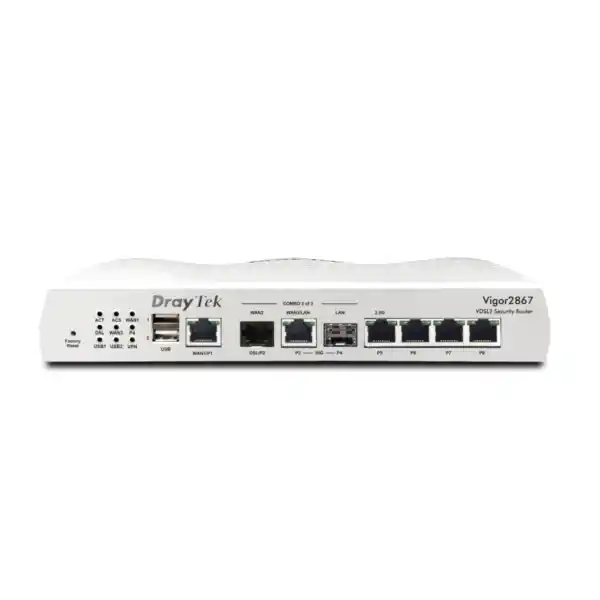
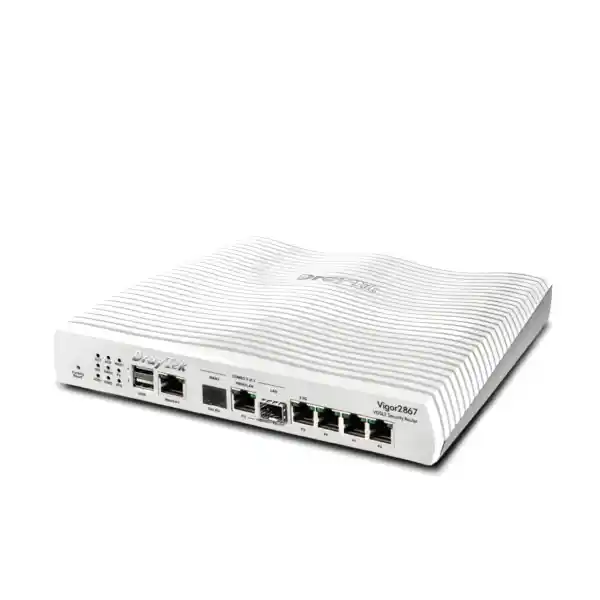
The strongest reason to select the Vigor2867 is its flexible WAN design. The platform supports an integrated xDSL interface for VDSL2 and ADSL services, a fixed Gigabit Ethernet WAN interface, a 10GbE RJ-45 interface that can be used according to the supported WAN/LAN role configuration, and a 2.5GbE RJ-45 interface with switchable LAN/WAN capability. A 10G SFP+ interface is also available for high-speed fiber or LAN integration according to configuration. This port mix gives engineers several ways to connect the router to carrier CPE, an ONT, a metro-Ethernet NID, an upstream firewall segment, a local core switch or an xDSL line.
The embedded VDSL2 modem supports profile 35b Super Vectoring, which is significant for sites where copper remains operational but higher line rates are available. DrayTek specifies VDSL2 compatibility across profiles including 8a, 8b, 8c, 8d, 12a, 12b, 17a, 30a and 35b. The device also supports standard ADSL families including ADSL, ADSL2 and ADSL2+. This breadth matters in brownfield deployments because a branch can retain an existing copper service while IT moves application traffic, backups or selected users onto a newer Ethernet or fiber circuit.
Multi-WAN is more than having multiple physical ports. The Vigor2867 provides load balancing and failover logic so active circuits can be used intentionally instead of leaving the secondary link idle. An administrator can distribute traffic according to sessions or policy, define preferred paths for selected applications, and configure connection-detection methods that determine whether a WAN should remain in service. When the primary path fails, the router can direct new traffic toward an available alternate link. When the primary path is restored, the routing policy can return to the desired state.
For UAE businesses with critical cloud dependencies, this resilience can be applied to Microsoft 365, ERP access, VoIP, payment systems, remote desktop, cloud cameras, SaaS platforms and inter-branch traffic. The correct policy depends on the application. Real-time voice may need a preferred low-latency path. Large backups may be placed on a secondary circuit. Guest traffic can be moved away from business-critical bandwidth. Site-to-site VPN traffic may be bound to one WAN with failover to another. The router provides the framework; good deployment engineering defines the policies.
USB connectivity can also support compatible cellular modems for an additional backup path. This is useful where the organization wants physical path diversity. A fixed-line outage caused by local cabling, carrier maintenance or last-mile failure may affect more than one wired service if they share infrastructure. A cellular backup can provide a different transport path for essential traffic. It should still be sized realistically: LTE or 5G performance depends on the connected modem, coverage, signal quality, carrier policy and data plan.
High-speed LAN and uplink design
Modern branch routers increasingly become bottlenecks not because the firewall policy is complicated but because LAN and WAN interface speeds have outgrown traditional Gigabit-only hardware. The Vigor2867 addresses this by combining standard Gigabit LAN ports with multi-gigabit interfaces and a 10G SFP+ option. In practical design terms, this allows the router to connect upstream to a capable switch without immediately constraining faster internal traffic patterns or high-speed Internet services.
A multi-gigabit uplink is particularly useful when many users share cloud storage, video conferencing, hosted desktops, backup replication and web applications. Even when no single endpoint exceeds 1Gbps, aggregate traffic from dozens of users can saturate a one-gigabit router uplink. A 2.5GbE or 10GbE path between the router and switching layer gives the site more headroom. It also supports phased modernization: edge switches and access points can be upgraded independently without replacing the routing platform solely because of interface constraints.
The 10G SFP+ interface can be valuable in racks where fiber is preferred for distance, electrical isolation or compatibility with existing aggregation switches. Selection of the transceiver, DAC or optical module should match both ends of the link and the supported interface requirements. In a structured deployment, the router can sit near the ISP demarcation while fiber carries the LAN handoff to another room or floor. This is often cleaner than extending copper through electrically noisy or physically difficult pathways.
Port-role planning should be documented before installation. Some high-speed ports are switchable between WAN and LAN roles, and the product architecture includes constraints on which interfaces can operate simultaneously in specific WAN combinations. A deployment engineer should map the intended carrier handoffs, LAN uplinks and failover paths before cabling. This avoids treating every physical interface as if it were independently available for every role at the same time.
VPN architecture for branches, remote users and partner connectivity
The Vigor2867 supports up to 50 concurrent VPN tunnels and is designed to accommodate several VPN technologies, including IPsec with IKEv1 and IKEv2, OpenVPN and WireGuard. This gives a network team flexibility to select a tunnel type based on device support, security policy, interoperability and operational simplicity. Site-to-site IPsec remains common for connecting offices, warehouses and partner networks. WireGuard can be attractive for modern remote-access use cases because of its lean protocol design. OpenVPN remains useful where client compatibility and established deployment practices are important.
DrayTek lists IPsec throughput up to approximately 540Mbps under its test conditions. This figure should be treated as a laboratory maximum rather than a guaranteed application rate. Real-world VPN throughput varies with encryption settings, packet size, number of simultaneous tunnels, policy complexity, WAN conditions and other active services. When sizing for a branch, the useful calculation is not simply Internet speed. The engineer should estimate how much traffic is expected to be encrypted at peak time and whether that traffic consists of large sequential transfers, interactive sessions or many small packets.
For a typical UAE branch, a sensible topology is to create an always-on site-to-site tunnel to headquarters or a cloud gateway, then apply route or policy controls to send corporate subnets through that tunnel while allowing general Internet traffic to break out locally. This reduces unnecessary backhaul. More restrictive organizations may route all traffic through a central security stack. Either approach can be implemented when routing policy, DNS, identity and security requirements are defined clearly.
Remote-access design should include authentication policy, user lifecycle management and device security. The router supports local authentication capabilities and can integrate with authentication mechanisms such as RADIUS and TACACS+ depending on the feature being configured. Strong credentials, certificate-based options where appropriate, and multi-factor methods should be considered as part of the complete remote-access architecture. The VPN tunnel itself protects transit; it does not replace endpoint security, identity governance or application authorization.
Organizations connecting multiple offices should also consider route summarization and IP address planning before deploying tunnels. Overlapping RFC1918 address ranges are a common source of difficulty during mergers, branch rollouts and partner connections. A clean site addressing plan makes VPN policies easier to understand and reduces the need for NAT workarounds inside encrypted tunnels. FourTeck can coordinate router deployment with wider infrastructure and support services through FourTeck IT Services UAE.
Firewall policy, session scale and threat-control fundamentals
A router deployed at the network edge must do more than forward packets. The Vigor2867 provides stateful firewall functions, rule-based traffic control, content and URL filtering features, attack-defense mechanisms and application-oriented controls designed for business use. The platform supports a large NAT session table—up to 100,000 sessions—which is relevant because modern client devices open many simultaneous connections even when users are not consciously running many applications. Web browsers, collaboration clients, operating systems, cloud storage sync tools, mobile devices and SaaS applications can each create multiple parallel sessions.
Session capacity should not be confused with user count. A 50-user office can generate tens of thousands of sessions if users work heavily with browser applications, video, cloud storage and multiple devices. Conversely, a larger environment with tightly controlled applications may use fewer. DrayTek positions the series around approximately 50 hosts as a recommended network size, but actual suitability depends on traffic pattern, feature load and performance expectations. The correct approach is to consider peak sessions, WAN bandwidth, VPN usage, filtering requirements, and administrative complexity together.
Firewall policy should be designed around least privilege. Instead of one broad LAN-to-Internet rule and unrestricted inter-VLAN routing, administrators can define which subnets may reach which destinations and services. A voice VLAN may need SIP and provisioning access but no direct route to finance endpoints. Guest users should reach the Internet without visibility into internal systems. CCTV devices may be restricted to the video recorder, time services and approved update destinations. Administrative interfaces should be reachable only from trusted management networks.
The VigorShield and filtering capabilities can add another layer of policy enforcement, but filtering should be considered part of a layered security strategy. DNS security, endpoint detection, secure email, patch management, identity controls and application-level protections remain important. No branch router can substitute for these controls. Its role is to enforce network boundaries, route traffic predictably, block unwanted flows and provide visibility at the edge.
Remote management deserves special attention. Management access should be limited to trusted source addresses or VPN networks wherever possible. HTTPS and SSH are preferable to unencrypted protocols. Default credentials should never remain in service. Configuration backups should be protected because they may contain addressing, VPN and authentication information. Logging should be sent to an appropriate monitoring platform if centralized visibility is required.
VLAN segmentation
The Vigor2867 supports 802.1Q VLAN design, allowing business traffic to be separated by function, risk or service class. Typical UAE branch deployments may create dedicated VLANs for staff, voice, servers, CCTV, guest access, building systems and management. Segmentation reduces broadcast scope and, when paired with firewall policy, limits lateral movement between trust zones.
Multiple LAN subnets
Multiple IP subnets and DHCP scopes can be used to support structured address plans. DHCP options, static assignments and Bind-IP-to-MAC functions help administrators maintain predictable device addressing for printers, phones, controllers, cameras and appliances that benefit from stable network identity.
Policy routing
Policy routes can send selected traffic over chosen WAN or VPN interfaces based on addressing, protocol or service requirements. This is useful for separating business-critical traffic from bulk Internet use, keeping voice on a preferred circuit, or directing cloud workloads over the path that gives the best operational result.
Dynamic routing
Support for routing technologies including RIP, OSPF and BGP gives the platform capabilities beyond a basic small-office router. Whether these protocols are needed depends on network scale. They can be useful where the branch participates in a larger routed architecture or exchanges routes dynamically with upstream systems.
Quality of Service for voice, video and cloud applications
Bandwidth alone does not guarantee a good user experience. A branch may have a fast broadband connection and still suffer from poor voice quality or sluggish interactive applications when large downloads, backups or software updates fill the WAN queue. Quality of Service helps control this by classifying traffic and allocating bandwidth or priority according to policy. The Vigor2867 provides QoS functions that can be aligned with business priorities rather than treating all packets equally.
For IP telephony, the objective is usually to protect latency-sensitive RTP media and call-control traffic from congestion. In a well-designed network, phone traffic is separated into a voice VLAN, marked appropriately and given predictable egress treatment. This does not mean assigning unlimited priority. A small amount of correctly reserved bandwidth can be more effective than a broad rule that starves other applications. The engineer should estimate the codec bandwidth, concurrent call count and WAN overhead before setting limits.
Video conferencing has different characteristics because modern platforms adapt bitrate dynamically and may use a combination of UDP and TCP flows. A policy can prioritize interactive collaboration while preventing one user’s large file transfer from monopolizing upstream bandwidth. Cloud backups, operating-system updates and bulk replication can be rate-limited or scheduled to reduce competition during business hours.
Multi-WAN and QoS should be designed together. A rule that prioritizes voice on one link is ineffective if failover moves the traffic to a secondary circuit with significantly lower capacity and no corresponding QoS profile. During deployment, both primary and backup operating states should be tested. Voice calls, VPN sessions and critical applications should be observed while intentionally disabling each WAN path in turn.
Integrated management of DrayTek access points and switches
The Vigor2867 can act as a management point for compatible DrayTek VigorAP access points and VigorSwitch products. This virtual controller capability is valuable in small and mid-size sites that want coordinated network administration without deploying a separate on-premises controller appliance. Administrators can maintain a more unified view of router, switch and wireless configuration while keeping the routing platform at the center of the branch network.
For access points, centralized management can simplify configuration consistency. SSIDs, security settings and related wireless policies can be maintained more systematically than configuring each AP independently. In the base Vigor2867 model, this is especially relevant because the router itself does not provide integrated Wi-Fi. That is an advantage when the building needs multiple ceiling-mounted access points, higher client capacity or carefully planned roaming. Dedicated AP placement gives more control over coverage than relying on a router installed inside a cabinet.
For switches, management functions can assist with port profiles, VLAN provisioning and routine maintenance. A repeatable port profile can reduce configuration mistakes when many edge ports need the same voice, access, trunk or QoS settings. The exact switch features available depend on the connected VigorSwitch model, so project design should confirm compatibility before promising a specific centralized function.
Larger or distributed environments can use DrayTek VigorACS for centralized lifecycle management, monitoring and provisioning. This is useful when an organization has many branches and needs standardized configuration templates, remote diagnostics, firmware coordination and service visibility. The router can therefore serve a standalone SMB site or participate in a managed multi-site DrayTek estate.
Detailed interface planning and port-role strategy
A successful Vigor2867 installation starts with an interface map. The router includes a fixed DSL WAN interface for VDSL2 and ADSL, a fixed Gigabit Ethernet WAN, multiple Gigabit LAN interfaces, multi-gigabit copper connectivity and 10G SFP+ capability. Some interfaces are switchable between WAN and LAN roles. This flexibility is a strength, but it also means the installer should define the intended function of each port before physically connecting equipment.
Consider a branch with a primary fiber Internet service, a secondary DSL circuit and a 10G-capable access switch. The fiber carrier may present service through an Ethernet ONT, while the DSL line terminates directly on the router’s DSL interface. The SFP+ interface can then be used as a high-speed LAN uplink to the switching layer. In another site, a carrier may hand off service over a high-speed copper port, and the SFP+ interface may instead be used toward an aggregation switch. The point is not that one layout is universally correct, but that the chassis can accommodate several common branch architectures.
When two WAN services are active, the administrator should decide whether the second link is purely standby or participates in load balancing. Standby simplifies path behavior because sessions normally use the primary circuit until failure. Load balancing improves aggregate utilization but requires more careful handling of applications that are sensitive to source IP changes, asymmetric routing or persistent sessions. Banking portals, remote desktop gateways, hosted ERP and some security services may behave better when traffic from a given session remains on one WAN.
Connection detection should be configured to identify real service failure rather than only physical link state. An Ethernet port can remain electrically up even when the ISP is unreachable upstream. The router supports mechanisms such as ping and ARP-based checks. Good monitoring targets should be stable and chosen with care. If the only target is one remote host and that host fails, the router could incorrectly declare an otherwise healthy Internet circuit down.
For high-speed interfaces, cabling matters. 10GbE over copper has stricter distance and cable-quality requirements than ordinary Gigabit Ethernet. SFP+ links require compatible optics or direct-attach cabling. Structured cabling, patch panels and switch capabilities should be reviewed as part of the deployment, especially when upgrading an older site that was designed only for 100Mbps or 1Gbps service.
Sizing the Vigor2867 correctly
Router sizing should start with traffic and services, not only the number of employees. DrayTek lists up to 100,000 NAT sessions and positions the Vigor2867 for approximately 50 hosts in typical use. That is a useful reference point, but an office with 35 users running heavy VPN, cloud backup and real-time collaboration may place more sustained demand on the router than a 70-user site with light web and email traffic. Similarly, a retail location with many IoT devices may generate large session counts even when only a few staff members are present.
Start by documenting Internet service speed in both directions. Upstream bandwidth is often the limiting factor for VPN, cloud backup, video calls and off-site replication. Then estimate how much of the traffic will require VPN encryption. Determine whether advanced filtering, QoS, hotspot features or extensive logging will run concurrently. These services use processing resources and can influence practical throughput.
Next, count network segments rather than just users. A branch may need separate VLANs for corporate workstations, phones, guest Wi-Fi, CCTV, printers, servers, building management and network administration. Confirm that the VLAN and subnet model fits within the platform’s supported capabilities. Identify whether dynamic routing is required, whether the site peers with more than one VPN gateway, and whether remote users will terminate directly on the router.
Finally, look at growth. A router deployed for a three-year or five-year lifecycle should not be sized only for today’s ISP circuit. If a 500Mbps circuit is likely to become multi-gigabit, the Vigor2867’s higher-speed interface options may protect the investment. If the organization expects thousands of users, very high VPN throughput, full next-generation firewall inspection or large data-center workloads, a different class of security gateway may be more appropriate. Matching the product to the operational requirement is more important than selecting the biggest specification number.
For deployments that also require dedicated security platforms or broader firewall product selection, FourTeck’s specialist catalog at Firewall Dubai can be used to align the edge-router role with the rest of the security architecture.
UAE deployment scenarios
Professional office with dual ISP: A law firm, consultancy, engineering office or financial-services branch can use Ethernet or fiber as the primary WAN and a second fixed-line or DSL circuit for failover. Corporate devices can operate on segmented VLANs, while guest users use a separate subnet with Internet-only access. Site-to-site VPN can connect the office to headquarters. QoS protects voice and video conferencing.
Retail or hospitality branch: Point-of-sale terminals, staff devices, CCTV, guest Wi-Fi and digital signage can be separated by VLAN. Policy rules can restrict POS devices to approved services and prevent guest traffic from reaching internal systems. A backup WAN path helps maintain access to cloud applications or payment services during a primary circuit issue.
Clinic or healthcare office: Administrative PCs, medical devices, guest wireless, IP phones and surveillance systems can be segmented by function. VPN connectivity can protect inter-site communication. Firewall policies can reduce unnecessary lateral access. Network design should be aligned with the organization’s data protection and healthcare-system requirements; the router is an infrastructure component, not a compliance solution by itself.
Warehouse or logistics site: Handheld terminals, office PCs, cameras, label printers and warehouse systems can share one routed platform while remaining logically separated. If the facility has multiple access points, the wired Vigor2867 can be installed in the network cabinet and compatible APs placed where coverage is required. A cellular USB modem can be used as an additional backup mechanism where supported.
Temporary project office: Construction and project sites often begin with whatever connectivity is available and later migrate to fixed fiber. The Vigor2867 can support this transition more smoothly than a single-purpose router because the WAN architecture can evolve. Initial DSL or Ethernet service can later become backup when a higher-speed circuit arrives.
Regional branch connected to headquarters: The router can terminate a site-to-site VPN, advertise or route branch subnets, and apply local Internet breakout policies. For regional organizations sourcing equipment beyond the UAE, FourTeck also operates international infrastructure channels through FourTeck Global.
Routing, IPv6 and service-provider interoperability
The Vigor2867 supports common IPv4 WAN methods such as PPPoE, PPPoA, DHCP, static IP and MPoA, along with IPv6 capabilities including DHCPv6, static IPv6 and tunneling mechanisms. This is useful in mixed carrier environments because service providers do not all deliver connectivity the same way. One circuit may use a tagged PPPoE session, another may hand off a public address through DHCP, and a business service may provide a routed static block.
VLAN tagging on the WAN can be essential when the service provider requires a specific 802.1Q tag. Engineers should obtain the ISP’s exact settings before deployment, including VLAN ID, authentication credentials, addressing, MTU requirements and any special voice or IPTV considerations. Guessing these settings wastes installation time and can lead to unnecessary support escalation.
IPv6 planning should be treated as a first-class design task. Enabling IPv6 without corresponding firewall policy can create a security gap because administrators sometimes secure IPv4 carefully while leaving IPv6 behavior less controlled. Address assignment, prefix delegation, DNS, VPN support and monitoring should all be reviewed. If the organization does not intend to use IPv6, that decision should be explicit rather than accidental.
Dynamic routing capabilities can help in more advanced environments. OSPF is useful for exchanging internal routes within an enterprise, while BGP may be relevant in specialized WAN or upstream designs. Most small offices will not need these protocols, and static or policy routing may be simpler. Their presence nevertheless gives the Vigor2867 room to operate in networks that are more structured than a conventional single-subnet SMB deployment.
Multicast features such as IGMP proxy and snooping support can also be relevant where the network carries multicast services. As with dynamic routing, these functions should be enabled only when there is a clear requirement. Unnecessary protocol complexity makes troubleshooting harder and increases the chance of configuration drift.
Hotspot and identity features
The Vigor2867 includes hotspot portal capabilities that can support controlled guest access. Depending on the deployment, guest users may authenticate through click-through acceptance, external portal mechanisms, social login, RADIUS or PIN-based methods. This can be useful in reception areas, retail locations, training centers and customer-facing facilities where guest Wi-Fi must be separated from business systems.
A guest portal should be paired with network segmentation. The portal controls how users gain access, while VLAN and firewall policy control what they can reach after authentication. Guest networks should generally be isolated from corporate subnets, network-management interfaces and sensitive devices. Client isolation may also be appropriate where guests should not communicate with one another.
Identity and access-management features at the router can help apply user-oriented policies, but organizations with centralized identity platforms should decide how the router fits into the wider authentication model. RADIUS is commonly used to centralize authentication decisions. TACACS+ is often used for administrative control. Time-based one-time password methods can strengthen selected authentication workflows. The exact design should be documented so local accounts do not quietly become unmanaged exceptions.
For public-facing Wi-Fi, organizations should also define acceptable-use terms, data-retention policy and legal requirements appropriate to their business and jurisdiction. The router provides technical tools; the organization remains responsible for how guest data and access records are handled.
Operational management, monitoring and maintenance
Day-two operations are where business routers prove their value. The Vigor2867 supports web-based management and remote administration features, SNMP monitoring and centralized management options. A good installation should include a management plan from the beginning rather than treating monitoring as an afterthought. At minimum, administrators should know how to back up configuration, review WAN status, inspect VPN state, identify high bandwidth use and restore service after an ISP change.
SNMP can feed interface counters, system status and other supported metrics into a monitoring platform. This helps identify recurring congestion, flapping links or unusual traffic levels. E-mail or other alerting mechanisms can notify administrators when selected events occur. Logging should be timestamped accurately, so NTP configuration is important for troubleshooting and security review.
Firmware maintenance should follow a controlled process. Updates can contain security fixes, interoperability improvements and feature changes. Before an update, export the current configuration, review release notes and confirm that the target firmware is appropriate for the specific model and deployment. For business-critical sites, perform the update during a maintenance window and verify WAN, VPN, VLAN, DHCP and remote management functions afterward.
Configuration backups should be versioned. A single latest backup is less useful if an unnoticed misconfiguration has already been saved. Keeping known-good versions allows the administrator to return to a stable state. Documentation should record WAN credentials, circuit identifiers, support contacts, interface roles, VLAN IDs, IP ranges, VPN peers and any policy-routing exceptions.
For organizations running multiple DrayTek sites, VigorACS can provide centralized provisioning and visibility. Standard templates can reduce configuration drift between branches. Zero-touch deployment concepts can also reduce the amount of specialist work required on-site when opening a new office, provided the staging and security process is planned correctly.
Performance interpretation: what the numbers mean in real deployments
Manufacturer throughput values are useful for comparing platforms, but they are not promises of application performance. DrayTek’s published figures are measured under controlled conditions and may use hardware acceleration where available. Real deployments introduce packet-size variation, policy rules, VPN encryption, QoS, logging, multiple WANs, client behavior and ISP conditions. A branch should therefore be sized with headroom rather than assuming every quoted maximum can be sustained simultaneously.
The 100,000-session figure indicates that the router can maintain a substantial connection table for its class. This is relevant for cloud-heavy offices because browser tabs, sync applications and mobile devices create many connections. Session count does not indicate throughput directly. A router can have thousands of mostly idle sessions while carrying little traffic, or a smaller number of sessions moving large amounts of data.
The published IPsec throughput of up to roughly 540Mbps is also workload dependent. A site that requires close to gigabit encrypted throughput at all times should perform a more detailed platform comparison. A branch that has a 300Mbps Internet service and encrypts only part of its traffic may have ample capacity. Packet-per-second performance matters for workloads dominated by small packets, while bulk throughput dominates large file transfers.
Hardware acceleration can improve forwarding performance, but some features or traffic paths may not be accelerated in the same way. When advanced services are enabled, the resulting throughput can differ from simple NAT forwarding. This is normal for integrated network appliances. The design objective should be predictable performance under the intended feature set, not a laboratory maximum under a different configuration.
Where performance is mission critical, test the target configuration before broad rollout. Generate representative traffic, establish VPN tunnels, enable QoS and policy routing, then measure latency, loss and throughput. This approach is especially valuable for organizations standardizing the router across many sites because a small amount of lab validation can prevent repeated field issues.
Best fit
SMB offices, branch sites, retail locations, clinics, professional practices and distributed organizations that want multi-WAN resilience, integrated xDSL support, strong routing controls and business VPN without adding several separate appliances.
Consider another class when
The site requires multi-gigabit encrypted throughput, thousands of users, very high inspection capacity, extensive application-layer threat prevention, or enterprise-scale security services that exceed the role of an advanced SMB/branch router.
Wireless strategy
The base Vigor2867 has no integrated Wi-Fi. Pair it with appropriately placed business access points. This is often a better design for multi-room offices because RF coverage and routing hardware can be optimized independently.
Migration advantage
Organizations can keep DSL during a transition to Ethernet or fiber, then repurpose the legacy line as a backup path. This makes the router particularly practical for phased upgrades and branch standardization.
Security architecture recommendations for a Vigor2867 deployment
A secure deployment begins before the router is connected to the production network. Change administrative credentials, verify firmware, define management source restrictions and document the approved remote-management method. If remote administration is needed, placing management access behind VPN is generally preferable to exposing the interface broadly to the Internet. Where direct management exposure is unavoidable, limit source addresses and use strong authentication.
Segment devices according to trust. Corporate workstations, servers, phones, cameras, guest clients and building systems should not automatically share unrestricted Layer 3 access. VLANs create the boundaries; firewall policies enforce them. A rule set should explicitly permit required flows and deny unnecessary cross-segment communication. This makes later troubleshooting easier because permitted dependencies are documented.
Control outbound access for infrastructure devices. Network switches, cameras, printers and IoT devices often need only limited services such as DNS, NTP, vendor update endpoints or a management server. Broad outbound access increases risk if a device is compromised. Policy can be tightened gradually based on observed behavior and documented vendor requirements.
Use secure DNS strategy and endpoint protection alongside the router. URL filtering at the gateway can help, but modern encrypted web traffic and roaming users require controls beyond the branch perimeter. Laptops may leave the office, and SaaS access may occur directly from remote locations. Network security should therefore complement identity security, endpoint detection and cloud policy.
Review logs and configuration changes periodically. A router that is configured securely on day one can become exposed after months of ad-hoc troubleshooting if temporary rules are not removed. Change management does not need to be bureaucratic for an SMB; even a simple log of who changed what, why and when provides operational value.
Voice, unified communications and branch application design
IP telephony is one of the workloads that benefits most from careful router configuration. The Vigor2867 can segment voice endpoints, prioritize real-time media and direct SIP-related traffic according to policy. The recommended design is to create a dedicated voice VLAN, assign IP phones through the switching infrastructure, provide the required DHCP options if the handset platform needs them, and permit only the necessary communication between voice devices and call-control systems.
Where the phone system is hosted in the cloud, WAN resilience becomes especially important. A second circuit can keep phones operational if the primary Internet service fails. The backup link must still have enough upstream and downstream capacity for the expected call volume. Testing should include failover during an active call where possible because some sessions may not survive a public-IP change even though new calls succeed after failover.
If the organization uses an on-premises IP PBX, the router may need port-forwarding or VPN policy depending on the architecture. Exposing SIP services directly to the Internet should be done only with a clear security design. VPN connectivity, provider-specific restrictions and access-control lists can reduce unnecessary exposure. FourTeck’s dedicated communications resources at IP PBX Dubai can support projects where branch routing and unified communications are being designed together.
Other latency-sensitive applications, including hosted desktops, ERP sessions and video collaboration, can also benefit from policy routing and QoS. The goal is not to assign priority to every business application. If everything is marked high priority, nothing is prioritized. A good design identifies the few services that are genuinely sensitive to delay and protects them from bulk traffic.
Procurement considerations in the UAE
When sourcing the DrayTek Vigor2867 in the UAE, the router model is only one part of the bill of materials. Confirm the required power supply, rack placement or shelf arrangement, patch leads, DSL cabling, Ethernet category, SFP+ transceivers or DAC cables, and any USB cellular modem intended for backup. If the device will connect to an existing switch at 10G, confirm that both ends support a compatible media type and speed.
ISP details should be collected before installation. For each circuit, record the service type, credentials, VLAN tagging, public addressing, gateway details, DNS requirements and support contact. If the ISP provides a managed router, clarify whether it can operate in bridge mode or whether the Vigor2867 will receive a private address behind carrier CPE. Double NAT can work for simple Internet access but may complicate inbound services and some VPN designs.
Organizations should also clarify support ownership. If FourTeck supplies and configures the router but a different provider manages the LAN switching, Wi-Fi or ISP circuit, responsibilities should be documented. Many network incidents cross these boundaries. A Wi-Fi complaint may actually be caused by WAN loss, DNS failure, switch congestion or authentication. Clear support roles speed resolution.
For multi-site projects, standardized configuration is more valuable than small differences in hardware cost. A repeatable template for WAN naming, VLAN IDs, subnets, VPN policy, DHCP, DNS and management access can reduce deployment time and troubleshooting effort. The Vigor2867 is well suited to this model because it combines multiple branch functions while supporting central management options.
Stock status, warranty terms, regional firmware support and lead time should be confirmed at quotation stage. Product revisions and firmware evolve, so the final supplied unit and supported software version should be verified against the deployment plan rather than relying on an old specification sheet.
Implementation methodology
1. Discovery: Document users, applications, existing circuits, IP ranges, VLAN requirements, VPN peers, voice systems, wireless design and operational constraints. Identify which services are business critical and how long the site can tolerate an outage.
2. Logical design: Define WAN priorities, failover policy, load-balancing rules, LAN subnets, VLAN IDs, DHCP scopes, inter-VLAN firewall policy, DNS handling and management networks. Decide whether Internet traffic exits locally or traverses site-to-site VPN.
3. Staging: Upgrade to the approved firmware, change administrative credentials, load the base configuration, label ports and validate the intended WAN modes. Create configuration backups before and after staging.
4. Installation: Connect WAN services one at a time, verify addressing and DNS, then attach the LAN uplink. Confirm that switch trunks and access ports match the VLAN design. Test local routing before adding VPN complexity.
5. Security validation: Confirm that guest, voice, CCTV and management segments have only the required access. Check that remote administration is restricted. Verify VPN authentication and remove temporary troubleshooting rules.
6. Failover testing: Disconnect the primary WAN and observe how quickly the router identifies failure. Test DNS, browsing, VPN, voice and key applications on the backup path. Reconnect the primary service and verify recovery behavior.
7. Handover: Provide configuration backup, addressing diagram, circuit details, admin procedure, firmware baseline and support contacts. A well-documented handover reduces dependence on the original installer.
Frequently asked technical questions
Does the DrayTek Vigor2867 include Wi-Fi?
The base Vigor2867 is a wired router and does not include integrated wireless LAN. This makes it suitable for deployments that use dedicated access points. The Vigor2867be is a different model variant that adds Wi-Fi 7 capabilities.
Can it replace a separate VDSL modem?
Yes, where the ISP service is compatible with the router’s integrated VDSL2/ADSL modem and required annex/profile settings. The Vigor2867 supports VDSL2 profile 35b along with common VDSL and ADSL standards. ISP authentication and VLAN requirements must still be configured correctly.
Can it use fiber Internet?
Yes, typically through an Ethernet handoff from an ONT or carrier device, or through an appropriate high-speed interface depending on the service design. The router includes multi-gigabit copper and SFP+ connectivity, but compatibility with a provider’s specific optical service must be confirmed.
How many VPN tunnels does it support?
DrayTek specifies up to 50 concurrent VPN tunnels for the Vigor2867 series. Supported technologies include IPsec, OpenVPN and WireGuard. Actual performance depends on encryption, traffic profile, WAN speed and enabled features.
Is the 10G interface useful if my Internet service is only 500Mbps?
It can still be useful for LAN headroom and future upgrades. A high-speed uplink can prevent the router-to-switch link from becoming a bottleneck as site traffic grows, while allowing the current Internet circuit to operate at its own speed.
Can I use two Internet links at once?
Yes. The Vigor2867 supports multi-WAN load balancing and failover. Policy should be designed carefully for applications that expect a consistent source IP or long-lived session.
Does it support VLANs?
Yes. It supports 802.1Q VLAN-based segmentation and multiple LAN subnets. VLANs are commonly used to separate staff, voice, guest, CCTV and management traffic.
Can it manage DrayTek switches and access points?
The Vigor2867 series includes virtual controller capabilities for compatible VigorSwitch and VigorAP products. Feature availability should be confirmed against the specific switch or AP model used in the project.
Is it suitable for a 50-user office?
That is within DrayTek’s typical positioning for the platform, but user count alone is not enough to size a router. Consider Internet speed, VPN use, session count, filtering, QoS and growth requirements.
What should be tested before handover?
Test both WAN circuits, deliberate failover, DNS, VPN, VLAN isolation, DHCP, voice quality, Internet access, management restrictions and configuration backup/restore procedures. The backup path should be tested under realistic load, not merely confirmed as link-up.
Decision recap: when the Vigor2867 is the right edge platform
Choose the DrayTek Vigor2867 when the site needs a serious business router that can bridge old and new access technologies. Its integrated VDSL2 35b/ADSL capability makes it practical for locations with existing copper service, while multi-gigabit copper and 10G SFP+ connectivity provide a migration path for faster Ethernet and fiber-based designs. The combination is especially useful in branch standardization projects because the same platform can be configured differently depending on what each local carrier delivers.
The platform is strongest when resilience and control matter: multiple WANs, policy routing, VPN, VLAN segmentation, QoS, hotspot functions, centralized DrayTek management and a substantial NAT session table. It can consolidate several functions that would otherwise require separate appliances in a smaller office. Its wired-only design also suits structured Wi-Fi deployments using dedicated access points.
Do not select it solely because of the largest interface speed printed on the specification sheet. The correct decision depends on encrypted throughput, active security services, user behavior and expected growth. For high-scale or deep-inspection requirements, evaluate a dedicated enterprise firewall class. For a feature-rich SMB or branch router with flexible xDSL and modern uplink options, the Vigor2867 is a well-aligned candidate.
Quotation input checklist
To prepare an accurate UAE quotation and deployment scope, provide:
- Primary and backup ISP type and speed
- Number of users and network devices
- Required VLANs and IP subnets
- Number and type of VPN connections
- Existing switch and Wi-Fi models
- Need for 10G copper, SFP+ or fiber uplink
- Voice, CCTV, guest Wi-Fi and server requirements
- Desired installation, configuration and support coverage
Pre-deployment validation
Before the final configuration is approved, verify:
- Exact ISP handoff and authentication method
- WAN VLAN tagging and MTU requirements
- Port-role assignment for switchable interfaces
- SFP+ module or DAC compatibility
- Failover monitoring targets
- VPN peer addressing and authentication
- Management access restrictions
- Firmware baseline and configuration backup plan
Plan the Vigor2867 around your actual circuits and traffic
FourTeck can scope the router, interfaces, WAN failover, VPN design, VLAN structure, switching uplinks and deployment services as one branch-network package. Provide the ISP handoff details and target network layout so the quotation reflects the required transceivers, cabling, configuration and support rather than only the router hardware.
Technical planning notes for UAE IT teams
The Vigor2867 should be treated as a configurable network platform rather than a plug-and-play consumer router. Its value comes from designing the WAN roles, segmentation, VPN and policy framework around the business. A minimally configured device can provide Internet access, but it will not deliver the resilience and control that justify selecting this class of hardware. The implementation should therefore include staging, documentation, testing and handover.
For a new office, build the VLAN and addressing plan before installing switches and access points. For an existing office, audit the current subnet, DHCP, static devices and port forwards so the migration does not break printers, CCTV, phones or line-of-business systems. If the site uses an old all-in-one ISP router, export or record any credentials and special service settings before replacing it.
For multi-site organizations, use consistent naming and numbering. For example, reserve the same VLAN number for voice at every branch and a predictable address range for management. This makes policies and support procedures easier to understand. Consistency also helps when centralized monitoring or VigorACS is introduced later.
Finally, test failure conditions deliberately. Production networks fail in combinations that are difficult to reproduce under pressure. Disconnect the primary circuit, reboot the ONT, disable a VPN peer, remove DNS reachability and verify that the documented recovery path works. A resilient design is one that has been tested, not merely one that contains a second cable.

Reviews
There are no reviews yet.