
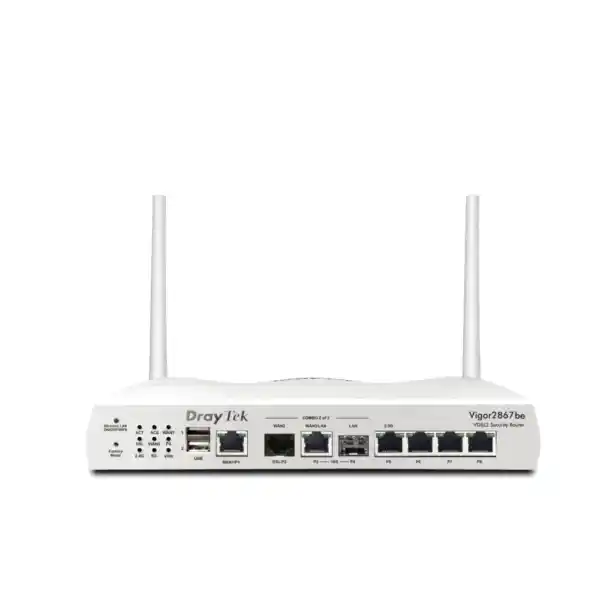
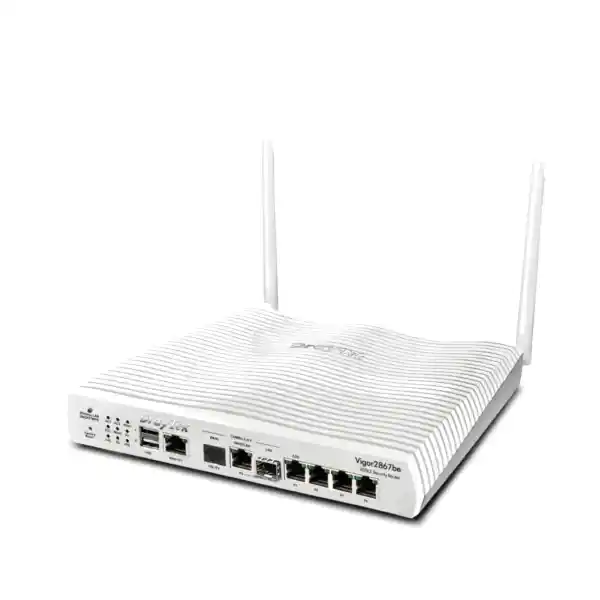
DrayTek Vigor2867Lax – Multi-WAN VDSL VPN Router for Dubai Business Networks
The DrayTek Vigor2867Lax is specified here as a business routing platform for organizations that need resilient internet access, encrypted site connectivity, traffic control, network segmentation and operational visibility at the edge. The current DrayTek Vigor2867 family combines an integrated xDSL interface with Ethernet WAN options, enterprise routing functions, VPN, quality of service, security controls and centralized management features. Because the exact “Lax” regional suffix is not listed in DrayTek’s current public Vigor2867 model matrix, FourTeck verifies the precise radio, cellular, antenna, modem and power-bundle specification on the commercial quotation before dispatch. This protects UAE buyers from relying on a suffix convention that may differ by distribution region or product revision.
Suitable for professional offices, distributed branches, retail sites, managed service deployments and networks where DSL and Ethernet services may coexist during migration or act as diverse WAN paths.
The Vigor2867 family supports VDSL2 including Profile 35b Super Vectoring as well as ADSL-family access for sites that still depend on copper broadband.
WAN failover, load balancing and policy-based path selection allow IT teams to build more resilient access than a single-carrier edge design.
The current Vigor2867 platform supports modern site-to-site and remote-access VPN technologies with centralized policy and authentication options.
Current Vigor2867 family documentation includes 10GbE and 10G SFP+ connectivity on listed variants, enabling high-speed edge and aggregation designs where supported.
What is the DrayTek Vigor2867Lax?
In practical network-design terms, the DrayTek Vigor2867Lax should be approached as a member of DrayTek’s business Vigor2867 routing family rather than as a basic consumer Wi-Fi router. The platform is designed to sit at the boundary between one or more internet services and a segmented business LAN. From that position it can terminate ISP access, select or balance WAN paths, enforce routing policy, maintain stateful firewall rules, establish encrypted tunnels, prioritize important applications, provide DHCP and local routing services, and coordinate other DrayTek infrastructure.
The current Vigor2867 family is documented by DrayTek as a multi-WAN VPN router with an integrated VDSL2/ADSL modem. The family supports VDSL2 Profile 35b, which is important for businesses in locations where a copper pair remains part of the access architecture. At the same time, Ethernet WAN capability allows the router to connect to an ONT, carrier CPE, fiber handoff appliance, microwave termination device or other upstream gateway. That combination is valuable during broadband transitions because a site can retain an older DSL line for backup while moving primary traffic to faster Ethernet-delivered service.
The exact “Lax” suffix supplied into Dubai must be confirmed against the distributor SKU. DrayTek has historically used suffixes such as “L” and “ax” on other Vigor generations for cellular and Wi-Fi configurations, but a technical procurement page should not transfer that convention to a different model family without an official model-specific datasheet. FourTeck therefore validates whether a quoted unit includes integrated wireless, cellular interfaces, SIM capability, antenna kits or region-specific radio support before the purchase order is finalized.
Why UAE organizations deploy this class of router
Branch resiliency
A branch edge should not depend on one physical path when business operations rely on cloud ERP, VoIP, Microsoft 365, remote support, payment applications or site-to-site access. Multi-WAN functions let network administrators define a primary service and one or more alternates, then use health checks and routing logic to move traffic when the preferred path is unavailable. This is useful in Dubai office towers, warehouses, shops and industrial areas where separate services may terminate through different technologies or providers. The objective is not merely more bandwidth; it is controlled continuity. The best configuration defines what must fail over, what may stay pinned to a particular public IP, and which traffic should stop rather than shift to an expensive or constrained backup service.
Network segmentation
Business networks increasingly need separate trust zones for corporate endpoints, guest access, IP phones, CCTV, printers, building systems, POS devices, servers and administrative management. VLAN-capable routing allows these logical networks to share physical switching infrastructure while maintaining separate IP subnets and policy boundaries. The router can then control inter-VLAN communication explicitly. A CCTV subnet, for example, may be allowed to reach an NVR and time source but not user laptops. A guest network may be allowed internet access while being denied access to internal RFC1918 address ranges. This architecture reduces unnecessary lateral reach and gives IT teams a cleaner basis for auditing and troubleshooting.
Secure site connectivity
VPN capability is central to distributed organizations. A branch in Dubai may need persistent encrypted tunnels to a headquarters site, cloud edge, data center, disaster-recovery location or regional office. Route-based or policy-based design can be paired with resilient WAN routing so a tunnel can recover when the underlying internet path changes. Remote-access VPN can also provide controlled connectivity for administrators and users who need access from outside the office. The engineering task is to size not only tunnel count but also expected encrypted throughput, cipher selection, concurrent traffic patterns and failover behavior under production load.
Centralized operations
DrayTek’s ecosystem can reduce the number of separate interfaces an administrator must visit. The Vigor2867 family can participate in management workflows for Vigor access points and switches, and DrayTek’s VigorACS platform provides centralized provisioning, monitoring and operational visibility for supported devices. This matters when a business grows from one site to ten or fifty. Configuration consistency, firmware governance, remote diagnostics and standardized templates become more important than the convenience of any individual local web interface. A managed deployment should define administrator roles, backup policy, configuration retention, monitoring destinations and a controlled firmware-change process from the beginning.
WAN architecture: DSL, Ethernet and resilient path design
The strongest reason to select a Vigor2867-class platform is its flexibility at the WAN edge. DrayTek documents the family with integrated xDSL plus Ethernet connectivity, allowing the same router to serve locations with different carrier handoffs. For VDSL-based sites, Profile 35b support can take advantage of compatible Super Vectoring services. For fiber-based internet, the Ethernet WAN interface connects downstream of an ONT or carrier router. On current Vigor2867 variants, additional high-speed Ethernet and SFP+ connectivity can support faster internal or WAN designs, subject to the exact model and port-role restrictions stated in the official datasheet.
A resilient WAN plan begins by identifying failure domains. Two internet subscriptions that share the same building riser, street duct, upstream aggregation node or carrier may not provide the diversity the business expects. The router can switch paths only when an alternate path actually survives the incident. FourTeck therefore recommends documenting provider, circuit ID, physical entry path where known, demarcation location, handoff type, public addressing method, VLAN tags, PPPoE credentials if used, DNS policy and any inbound services that depend on a fixed source or destination address.
Load balancing should also be designed around application behavior. Session-based distribution can increase aggregate utilization, but it does not combine multiple circuits into a single faster TCP flow. Applications that bind sessions to source IP, security portals that react to IP changes, voice services with strict path expectations or partner systems using public-IP allowlists may need policy routing. Critical traffic can be pinned to the most stable circuit while general browsing and software updates use a broader pool. If one path has materially higher latency, jitter or packet loss, simply balancing sessions by volume can worsen user experience.
Health checks should be configured to detect the failure that matters. Link-up status alone may remain healthy even when the upstream provider has lost internet reachability. Multi-target probes and sensible timers can distinguish a short transient event from an actual outage. At the same time, timers should not be so aggressive that minor packet loss causes route flapping. For critical locations, failback behavior deserves the same care as failover: a circuit that returns intermittently can destabilize sessions if the router immediately moves production traffic back to it.
Routing, policy and application steering
Modern branch routing is not limited to a default route toward the ISP. Different traffic classes may need different next hops. Policy routing gives administrators a way to make forwarding decisions using attributes such as source subnet, destination, protocol, service or application context. In a segmented business environment, this can be used to steer guest browsing to a low-cost broadband link, send corporate SaaS traffic through the preferred low-latency circuit, force administrative management traffic through a secure tunnel, or retain a specialist application on an ISP address that a third party has allowlisted.
Static routes remain useful for deterministic local and upstream paths, while dynamic routing becomes important when the branch participates in a larger routed topology. Current Vigor family software includes business routing capabilities that can support more sophisticated deployments than a flat small-office NAT gateway. The exact protocol set and software release should be checked against the final supplied firmware, especially where the router is expected to exchange routes with firewalls, SD-WAN appliances, MPLS CPE, data-center routers or cloud network virtual appliances.
Inter-VLAN routing should be treated as a security function as much as a reachability function. When the router is the Layer-3 gateway for multiple VLANs, access rules can limit which subnets may initiate connections to one another. This is preferable to creating a single large flat subnet that mixes workstations, printers, cameras and building devices. The segmentation plan should start with business roles, not arbitrary VLAN numbers. Each zone should have a named purpose, subnet, DHCP scope, DNS policy, gateway, permitted services and ownership. That documentation makes later incident response and troubleshooting much faster.
For organizations using upstream cloud security or another firewall, the Vigor router can still provide WAN termination and route control without duplicating every security function. The topology may place the downstream firewall in a DMZ or routed segment, or use pass-through/bridge functions where supported and appropriate. The correct architecture depends on whether public IP addresses must terminate on the downstream appliance, whether the ISP uses PPPoE, how failover should be signaled and whether the Vigor device remains responsible for NAT. These decisions should be made before installation because they affect routing, troubleshooting ownership and monitoring.
VPN engineering for headquarters, branches and remote users
DrayTek positions the current Vigor2867 family as a VPN router and publishes support for multiple contemporary VPN methods, including IPsec and other remote-access technologies. For a buyer, the most important number is not simply the maximum tunnel count. A useful VPN design evaluates encrypted throughput under the chosen cipher, simultaneous branch traffic, internet traffic competing for the same CPU and interfaces, packet size, latency to the peer, rekey behavior and the effect of security features running at the same time. Vendor performance figures are normally measured in controlled conditions and should be treated as sizing references rather than guaranteed application throughput.
Site-to-site IPsec remains common because it is interoperable and can connect DrayTek branches to many third-party firewall platforms. IKEv2 is generally preferred in new designs when both endpoints support it because it provides modern negotiation and resilience features. Authentication may use pre-shared keys for smaller deployments or certificates for stronger lifecycle control. Certificate-based designs reduce the operational risk of a single shared secret being copied across many branches, but they introduce certificate issuance, renewal and revocation processes that must be managed.
A dual-WAN branch should define what happens to each VPN when WAN1 fails. Some remote peers accept a second public IP automatically through multiple tunnel definitions, while other environments require a dynamic DNS name, active/passive tunnel design or routing protocol over the tunnels. NAT traversal may be necessary when the router is behind carrier equipment. If the upstream service uses CGNAT, inbound VPN initiation can be restricted; in that situation the branch may need to initiate the tunnel outward or use a service with a routable public address.
Remote-access policy should be separated from site-to-site policy. Administrators may require access to infrastructure management networks that normal remote users should never reach. MFA or token-based authentication should be considered wherever supported by the chosen workflow. Split tunneling can reduce WAN load by allowing internet traffic to exit locally, but a full-tunnel design may provide more consistent security inspection and source-address control. The correct choice depends on risk, compliance and user experience rather than on a universal rule.
Logging is essential. Tunnel establishment, authentication failures, renegotiations and routing changes should be visible to the team responsible for support. When a user reports that “the VPN is down,” an engineer should be able to distinguish internet reachability failure, DNS failure, authentication failure, phase-one negotiation failure, phase-two selector mismatch, routing problems and application-layer issues without physically visiting the site.
Firewall, filtering and threat-control considerations
A business router at the internet edge must enforce a deliberate inbound and outbound policy. Stateful firewalling blocks unsolicited traffic unless a rule, port mapping or established session permits it. That baseline should be strengthened by removing unnecessary exposure. Remote administration interfaces should not be open broadly to the internet, UPnP should be disabled when the business does not require it, and port forwards should be documented with an owner, purpose and review date. Where external access is required, source restrictions or VPN access are generally preferable to exposing management or application services to every internet address.
DrayTek’s current platforms include content and reputation-oriented controls under features such as VigorShield. These can add policy enforcement for URL or IP reputation and threat categories, depending on model, firmware and subscription status. Buyers should distinguish built-in routing/firewall functions from subscription-backed intelligence services. A procurement quote should state which security subscriptions are included, their duration, renewal requirements and what behavior remains after expiry. That prevents a common operational gap where a team assumes a filtering category will remain active indefinitely because the configuration menu still exists.
DNS policy is another practical control point. Internal clients should use approved resolvers, and guest networks may use a different resolver policy from corporate endpoints. Conditional DNS forwarding can support hybrid environments where certain internal names must resolve through a headquarters or Active Directory DNS service while public names use local or cloud resolvers. Misconfigured DNS often looks like an internet outage to users, so monitoring should test both IP reachability and name resolution.
Security architecture should also account for device management. Router administrator accounts must be unique, default credentials must be replaced, privileged access should be limited by source network, and configuration backups should be stored securely. Firmware should be reviewed on a planned cadence rather than updated impulsively during business hours. Release notes can contain security corrections, interoperability changes or feature behavior changes. A managed change window with a saved configuration and rollback plan is the safest approach for production branches.
VLAN design for corporate, voice, CCTV, guest and IoT networks
VLANs are one of the highest-value features in a business edge router because they turn a single physical switching environment into multiple logical security zones. A typical Dubai office might create a corporate-user VLAN, an IP-telephony VLAN, a surveillance VLAN, a guest-wireless VLAN, a printer/IoT VLAN and a dedicated management VLAN. Each VLAN receives its own subnet and DHCP policy. The router or Layer-3 switch then controls communication between them.
The design should start with trust relationships. Corporate workstations might need access to file services, printers and selected server applications. IP phones may need DNS, NTP, SIP services and access to a hosted PBX but no reason to initiate connections to user laptops. Cameras may need to reach the NVR and management server but not the finance subnet. Guest clients should generally reach only the internet and perhaps a captive portal. Network switches and access points should be managed only from the management network. These rules create a smaller attack surface and reduce the blast radius of a compromised endpoint.
802.1Q tagging connects the router to managed switches and access points using trunks that carry multiple VLANs. Edge switch ports are then assigned as untagged/access members of the appropriate VLAN, while AP uplinks can carry multiple SSIDs mapped to different VLAN tags. Documentation must stay synchronized across the router, switches and access points; a single mismatched native VLAN or tagging rule can cause DHCP failures that are difficult to diagnose remotely.
Address planning should leave room for growth without making every subnet unnecessarily large. Smaller subnets can reduce broadcast scope and make policy easier to understand. DHCP reservations can be used for infrastructure devices when static addressing is not desired, while true static addresses should be tracked in an IP address plan. If IPv6 is enabled, equivalent segmentation and firewall policy must be considered; disabling IPv4 controls does not automatically secure IPv6 paths.
For more complex UAE deployments, FourTeck can align the router configuration with managed switches, access points and voice systems. Explore broader integration services through FourTeck IT Services UAE, where routing can be coordinated with switching, wireless, server and endpoint requirements rather than configured in isolation.
QoS and bandwidth management for voice and cloud applications
Bandwidth problems are often not caused by an undersized circuit but by uncontrolled contention. A software update, cloud backup, large file synchronization or CCTV upload can consume capacity at the same moment a voice call, remote desktop session or transaction application needs predictable latency. Quality of Service lets administrators classify important traffic and reserve or prioritize resources so interactive applications remain usable during congestion.
QoS should be applied where a real bottleneck exists. If a branch has a 500 Mbps internet circuit but the upstream router believes it has 1 Gbps of available bandwidth, packets may queue in the carrier network where the branch has no control. Shaping slightly below the practical circuit rate can move the congestion point back to the managed router, allowing priority policies to take effect. Upload capacity is especially important because many business access services are asymmetric.
Voice traffic commonly uses DSCP markings, but an administrator should not trust every endpoint marking automatically. The policy can classify known voice subnets, PBX destinations or SIP/RTP patterns and then assign appropriate priority. Video conferencing is sensitive to packet loss and jitter, while interactive remote support may be more sensitive to latency than raw bandwidth. Bulk transfers can be assigned lower priority without being blocked.
A good QoS policy is measurable. Baseline the circuit, observe utilization at busy periods, define the applications that matter, apply a small number of clear classes and then verify performance. Too many overlapping rules create ambiguity and make troubleshooting harder. For multi-WAN deployments, remember that each path may have a different upload and download rate, so the traffic-control profile should reflect the capacity of the selected egress path.
High-speed interfaces and LAN-side architecture
DrayTek’s present Vigor2867 family documentation includes high-speed interfaces beyond traditional Gigabit Ethernet, including 2.5GbE, 10GbE and 10G SFP+ on listed family variants. This matters because edge-router performance is increasingly constrained by LAN-side interface speed when businesses adopt multi-gigabit internet, fast NAS systems, Wi-Fi 6/7 access points and high-throughput local services. The exact Vigor2867Lax port map must be confirmed before design because switchable WAN/LAN roles and simultaneous-port restrictions can vary by model.
A 10G interface does not automatically mean every security function can forward at 10 Gbps. Port speed describes the physical link rate, while routed/NAT/VPN/security throughput depends on processing architecture, packet size and enabled services. DrayTek publishes performance figures under controlled test conditions; real applications may differ. A professional sizing exercise therefore separates interface capacity from expected routed throughput and encrypted throughput.
For a branch with managed switching, the fastest interface may be best used as a LAN uplink to a core or aggregation switch, particularly if multiple VLANs and local east-west traffic must traverse the router. In other scenarios the high-speed port may be used for a multi-gigabit WAN handoff. If the router supports a switchable role on that port, the final topology should be documented so a future engineer knows why the port was assigned as WAN or LAN and which other interfaces are affected by that selection.
SFP+ connectivity can be useful when the switch stack or upstream device is fiber-based or when electrical isolation and longer runs are required. Optics and DAC cables must match speed, fiber type, wavelength and connector requirements. Procurement should include the transceiver compatibility question instead of assuming any generic SFP+ module will operate identically.
Wireless and cellular variant verification for “Lax” procurement
The product string supplied for this page is “DrayTek Vigor2867Lax.” DrayTek’s current publicly indexed Vigor2867 family material lists models such as Vigor2867 and Vigor2867be, while the exact Vigor2867Lax suffix is not currently shown in that public matrix. DrayTek has used “Lax” on other Vigor generations for configurations that combine cellular capability with 802.11ax Wi-Fi, but that historical naming pattern is not sufficient evidence to claim identical hardware on a different generation. FourTeck therefore treats wireless and cellular features as quotation-controlled attributes for this exact SKU.
If the required deployment needs built-in Wi-Fi, the quotation should state the supported IEEE standard, radio bands, spatial streams, antenna type, maximum channel width, SSID capacity, WPA security modes, roaming features and whether wireless WAN is available. If the deployment needs cellular resilience, it should state modem generation, SIM-slot count, supported LTE/5G bands, antenna connectors, carrier compatibility and whether the cellular interface supports bridge mode or only routed WAN operation.
Cellular band support is especially important in the UAE because a modem can be technically compatible with 4G or 5G standards but still omit a band used by a particular carrier or location. Actual performance also depends on signal quality, tower loading, spectrum allocation, antenna position and indoor attenuation. A site survey or live SIM test is more reliable than a theoretical peak-rate figure. Where the router is installed in a rack or communications room with poor RF conditions, external antennas may be required if the model supports them.
This verification step is not a limitation of the platform; it is disciplined procurement. Model suffixes, regional bundles and firmware branches can change over a product lifecycle. A written bill of materials protects the buyer and gives the installer an authoritative reference for the hardware that will actually arrive on site.
Centralized AP and switch management
The Vigor2867 family can operate as more than an internet gateway. DrayTek documents virtual-controller functions for supported Vigor access points and switches. For smaller environments, this can consolidate visibility and configuration tasks without requiring a separate controller appliance. Administrators can manage supported network components from a unified DrayTek workflow, monitor status and standardize selected settings.
AP management is valuable when multiple access points need consistent SSIDs, VLAN mapping, security settings and radio policy. A branch may have one SSID for corporate devices mapped to the corporate VLAN and another for visitors mapped to an isolated guest VLAN. Central management reduces the risk that one access point is left with an old password or incorrect network mapping. Mesh functions on supported wireless models can also assist in locations where cabling every AP is impractical, although wired backhaul is generally preferable where performance and predictability are priorities.
Switch management supports a similar operational model. Port profiles can help standardize VLAN, QoS and, on compatible switches, PoE behaviors. This is useful when new phones, access points or cameras are added regularly. Rather than treating each switch as an unrelated island, the network team can apply repeatable configuration patterns and monitor device state.
For larger fleets, VigorACS provides a broader centralized management platform. It can support zero-touch provisioning, configuration control, monitoring and other operational functions for supported devices. Organizations should plan management connectivity carefully: remote management traffic should be protected, administrator access should be role-based, and device inventory should include serial numbers, site names, firmware versions and warranty/support information.
Deployment scenario 1: professional office with dual internet
Consider a Dubai professional-services office with 40 to 60 staff, cloud productivity applications, hosted voice, IP cameras and a small server environment. The primary circuit is delivered over fiber Ethernet, while a separate DSL service remains available. The router connects the Ethernet service as the preferred WAN and the integrated DSL interface as backup. WAN health checks monitor upstream reachability rather than only physical link state.
The LAN is divided into corporate, voice, CCTV, guest and management VLANs. Corporate devices can access approved servers and printers. The voice VLAN receives QoS priority and reaches the hosted PBX service. Cameras can reach the NVR and time service but cannot initiate connections to the corporate subnet. Guest clients receive internet access only. Switch and AP management interfaces are accessible exclusively from the management VLAN.
The headquarters firewall or cloud gateway terminates an IPsec tunnel from the branch. The VPN policy includes corporate and management subnets but excludes guest traffic. If the primary fiber circuit fails, the router moves the VPN to the backup WAN using a secondary peer definition or dynamic endpoint method supported by the remote side. General browsing also fails over, while large backup jobs can be restricted during backup-WAN operation to conserve the lower-bandwidth circuit.
This topology shows why a business router is different from a simple broadband gateway. The value comes from coordinated behavior: WAN monitoring, routing policy, VLAN security, QoS and VPN failover all work together. The design should be documented so support staff can determine whether an incident is caused by the ISP, tunnel, local switching, DHCP, DNS or an application.
Deployment scenario 2: retail or hospitality branch
Retail and hospitality sites often have a wider mix of device types than offices. POS terminals, receipt printers, staff tablets, guest Wi-Fi, digital signage, cameras, access-control systems and back-office PCs may share the same physical location but should not share the same trust zone. The Vigor2867 platform can provide local segmentation and WAN policy while supporting encrypted connectivity back to central services.
Payment-related devices can be placed in a dedicated VLAN with tightly restricted destinations. Guest traffic can be isolated and rate-limited so customer usage does not affect business transactions. Cameras can use a surveillance VLAN with access to the NVR or cloud video service. Staff devices can reach the business SaaS platform and corporate VPN while remaining separate from building systems.
WAN resilience matters because an outage can stop card processing, online ordering, reservations, inventory synchronization or support access. A secondary circuit—whether DSL, Ethernet or a validated cellular option on the exact supplied variant—can maintain essential traffic. The router’s policy can prioritize transaction systems during degraded operation. Guest Wi-Fi may be disabled or heavily limited when the site is running on a metered backup path.
For multisite operators, standardization is crucial. Every branch should use the same VLAN numbers where practical, the same naming convention, the same monitoring rules and the same baseline firewall policy. Site-specific differences should be documented explicitly. Centralized management through the DrayTek ecosystem can help apply that template consistently and reduce configuration drift as the estate grows.
Deployment scenario 3: warehouse, logistics and light industrial site
Warehouses and logistics environments require reliable edge connectivity but may present difficult cabling, RF and physical-layout conditions. Business systems can include barcode scanners, handheld terminals, warehouse management platforms, CCTV, access control, time attendance, VoIP and remote support. The network should separate operational technology and facility devices from normal office endpoints wherever possible.
A managed-switch architecture can extend tagged VLANs from the router to different areas of the facility. Corporate and warehouse terminals receive only the services they require. CCTV and access-control devices remain isolated. Wireless access points map SSIDs to the appropriate VLANs. QoS can prioritize voice and transaction traffic over bulk software downloads or video uploads during busy periods.
WAN diversity may be achieved with two fixed-line providers or a fixed service plus a validated cellular backup. The physical diversity question is critical in industrial areas where multiple carriers may share common ducts. If both fixed lines are cut by the same construction incident, logical multi-WAN configuration offers no benefit. A radio-based backup can reduce that shared-risk exposure if local coverage and antenna placement are suitable.
Remote management reduces the number of site visits. Central logging, configuration backup and monitoring can give support teams enough information to diagnose failed links, unstable tunnels or local infrastructure problems. However, remote management should never become an unrestricted internet exposure. Access should be constrained by VPN, trusted source addresses or a secure management platform, with strong authentication and documented administrative ownership.
Sizing the Vigor2867Lax correctly
Router sizing is often reduced to the ISP headline speed, but that is only one variable. A correct design considers concurrent sessions, NAT throughput, encrypted VPN traffic, number of VLANs, number of firewall rules, QoS policy, content-security functions, logging volume, managed AP and switch count, expected growth and the performance of the slowest critical feature. A router that can pass a high-speed NAT test may deliver a lower figure when VPN encryption or advanced inspection is enabled.
Start by measuring real traffic. Review current WAN utilization, busy-hour peaks, upload consumption, application mix and latency-sensitive workloads. If replacing an older router, collect CPU and session-table data during normal and peak periods. Determine whether the internet circuit is expected to grow during the router’s service life. A branch on 300 Mbps today may move to 1 Gbps or more when a fiber service becomes available.
VPN sizing should estimate how much traffic crosses encrypted tunnels, not just how many tunnels exist. Twenty mostly idle tunnels can consume less processing than one active tunnel carrying a large backup stream. Remote-user traffic also varies: administrators using SSH and web management have different requirements from designers transferring multi-gigabyte files. If the router will terminate both site-to-site and remote-access VPN concurrently, size for the combined expected workload.
Session count becomes important in environments with many users, guest devices, IoT endpoints or applications that open many short-lived connections. The Vigor2867 family is designed for business use and DrayTek publishes substantial session capacity, but the final specification should be checked against the exact supplied model and firmware. Monitoring the session table can also help diagnose malware, misbehaving devices or applications creating abnormal connection volumes.
Finally, consider operational headroom. A router running at the edge of its capacity during ordinary business hours has little margin for a failover event, software update, traffic spike or future service. Selecting a platform with reasonable reserve generally improves stability and service life.
Installation methodology for a production UAE site
A controlled installation begins before the router is connected. Record the existing topology, WAN addressing, PPP credentials, VLAN tags, DNS settings, public services, VPN peers and any third-party allowlists. Export the existing router configuration if possible. Identify a rollback method. For offices that cannot tolerate an extended outage, pre-stage the new router on a bench or isolated network and configure as much as possible before the change window.
Update firmware only after reviewing the appropriate release notes for the exact model. Apply strong administrator credentials, restrict management services, set the correct time zone and NTP sources, configure logging and create a backup of the baseline configuration. WAN interfaces should be added one at a time and tested independently before load balancing or failover is enabled. Confirm public IP behavior, DNS resolution, MTU/PPPoE requirements and any ISP VLAN tagging.
Next, create LAN subnets and VLANs. Test DHCP, default gateway, DNS and inter-VLAN rules from a client in each segment. Add managed switches and APs only after the routing foundation is stable. Then configure VPNs and verify traffic in both directions. A tunnel being “up” does not prove every required subnet is reachable; test real applications and review route tables.
Failover testing should be deliberate. Disconnect or administratively disable the primary WAN and observe how quickly the router detects the event, how existing sessions behave and whether critical services recover. Test failback as well. If a secondary link uses a different public IP, verify cloud allowlists, SIP providers, remote peers and monitoring systems. Record the result and any expected limitations.
After the change, save the final configuration, network diagram and port/VLAN mapping. The value of good documentation appears months later when another engineer must diagnose the site without relying on the memory of the original installer.
Monitoring, logging and lifecycle management
A router should be treated as managed infrastructure, not as a device that is configured once and forgotten. WAN availability, latency, packet loss, VPN state, interface utilization, CPU, memory, session counts and device health should be reviewed through the management capabilities available in the environment. SNMP and centralized tools can provide trend data, while syslog-style event collection helps reconstruct incidents.
Configuration backups should be taken after every meaningful change and stored somewhere other than the router itself. The backup should be labeled with site, date, firmware version and change reference. When multiple branches exist, a central repository with access control prevents engineers from relying on unknown local copies. Sensitive configuration exports may contain credentials or keys, so they should be protected accordingly.
Firmware governance needs a balance between security and stability. A newly published release may address vulnerabilities or add important fixes, but production rollout should still follow a controlled process. Review release notes, test on a representative device when feasible, back up the configuration, schedule a maintenance window and confirm recovery access. Large estates can use staged deployment groups rather than updating every branch simultaneously.
Certificates and VPN credentials have their own lifecycle. Expiring certificates can cause sudden outages if nobody owns renewal. Pre-shared keys should be rotated when administrators change or when compromise is suspected. Remote-access accounts should be disabled promptly when staff or contractors no longer require access. Administrative logs should make privileged changes traceable to named accounts rather than a shared generic login.
FourTeck can incorporate the router into a wider managed-network plan. For information about business networking and infrastructure sourcing in the UAE, visit the FourTeck UAE main site. Organizations with wider regional operations can also reference FourTeck Africa for cross-region infrastructure requirements.
Security hardening checklist for the router itself
The first hardening action is identity. Replace default credentials immediately and use named administrator accounts where the platform permits. Limit privileged access to trusted management subnets or a VPN. Disable administrative protocols that are not required. Prefer encrypted management such as HTTPS and SSH over plaintext alternatives. If a remote-management service must be reachable from outside, restrict source addresses and consider moving administration behind a dedicated tunnel.
The second action is exposure review. Audit every port forward, DMZ host, UPnP rule, remote-access service and inbound firewall exception. Remove legacy rules that no longer have a business owner. Avoid broad “any-to-any” rules simply because they solve a short-term connectivity problem. If a server must be published, document the destination, service ports, source restrictions and the security controls on the server itself.
The third action is segmentation. Place management interfaces, infrastructure devices and sensitive systems in dedicated VLANs with restrictive inter-zone policy. A compromised guest client should not be able to browse the switch management page. A camera should not have general access to accounting workstations. These boundaries are easier to enforce when they are designed before endpoints are deployed.
The fourth action is monitoring. Enable useful logs without creating so much noise that important events disappear. Forward security and authentication events to a central system where practical. Alert on repeated administrative login failures, WAN state changes and VPN instability. Review failed connections in context; a public internet interface will often receive unsolicited scans, so the operational goal is to identify meaningful changes rather than react to every blocked packet.
The fifth action is recovery. Maintain a known-good configuration backup and know how to perform local recovery if remote access fails. Label the device, power supply, WAN circuits and critical cables. In a branch with no resident IT staff, simple physical documentation can save significant support time during an outage.
ISP and carrier handoff considerations in Dubai and the UAE
The router sits between business policy and carrier service, so the handoff details matter. An ISP may provide dynamic IP, static IP, PPPoE, VLAN-tagged Ethernet or a managed CPE that performs routing before the customer router. The installation team must know whether the public address terminates directly on the Vigor router or on an upstream device. Double NAT can be acceptable for simple outbound browsing but can complicate inbound VPN, port forwarding, SIP and some cloud applications.
Where the ISP provides an ONT and an Ethernet presentation, the router can usually be configured as the customer edge if the provider supplies the required authentication and tagging information. If the carrier insists on a managed gateway, options include routed public blocks, DMZ mode, bridge mode where supported, or a design that accepts private addressing between the devices. Each option has different implications for fault isolation and inbound services.
For DSL, line quality affects attainable rate. Profile 35b support does not guarantee a particular download speed because copper length, noise, vectoring support and provider configuration determine the actual synchronization rate. The router’s DSL statistics can help diagnose errors, retrains and margin issues. When DSL is retained as backup rather than primary connectivity, it should still be tested periodically; a backup circuit that has silently failed provides no resilience.
Carrier diversity should be verified at the physical and upstream levels when continuity is critical. Two subscriptions from different brands can still share common infrastructure. Ask providers about building entry paths and last-mile technology where that information is available. For essential sites, combining fixed and radio-based access may provide better failure-domain diversity than two services that use the same underground route.
For firewall-focused design assistance, product sourcing and deployment discussions in Dubai, see FourTeck Firewall Dubai. The correct quotation should include the exact DrayTek hardware revision, accessories, support expectations and any required transceivers or antennas.
Procurement considerations: what should be written on the quote?
A technically complete quote should do more than list “Vigor2867Lax.” It should identify the manufacturer part number, regional version, power adapter type, included antennas if any, integrated modem capabilities if any, wireless standard if any, port configuration, warranty terms and included subscriptions. If the design depends on a feature such as cellular failover or Wi-Fi, that feature must be explicit rather than inferred from the product name.
Where SFP or SFP+ connectivity is planned, include the required optics or DAC cables and confirm compatibility. Where the unit will be rack-mounted, include the correct shelf or bracket if the router is not supplied in a native rack chassis. Where a cellular modem is included, identify the antenna kit and any extension cables needed for the installation location. If the router will connect to an RJ11 DSL service, confirm that the correct regional line cable is available.
Licensing and subscriptions should be itemized. Some filtering or reputation features may depend on active subscriptions. Centralized management can have separate licensing depending on the platform and scale. Buyers should know what is perpetual, what is subscription-based, what renewal costs may apply and which core routing functions remain available without renewal.
Support expectations should also be clear. Decide whether the requirement is hardware supply only, pre-configuration, remote commissioning, on-site installation, migration from an existing router, VPN integration, VLAN redesign, managed monitoring or a combination. A branch cutover becomes much smoother when responsibilities for ISP coordination, firewall policy, switch configuration and endpoint testing are defined in advance.
Finally, confirm availability and lifecycle. Network infrastructure often remains in service for several years, so procurement should consider replacement units, firmware support and compatibility with the rest of the DrayTek estate. A standardized branch platform can reduce support complexity compared with a collection of unrelated routers purchased ad hoc.
Migration from an existing router
Replacing an edge router can affect almost every network service, even when the physical cabling appears simple. The old router may be providing DHCP options, static routes, DNS forwarding, NAT rules, VPNs, VLAN gateways, QoS, dynamic DNS and remote-management access. A successful migration inventories all of those functions before the change. Screenshots are useful, but a written table of subnets, services and rule intent is better because it reveals configuration that may no longer be needed.
The new Vigor router can be staged with the same LAN addressing to reduce endpoint changes, or the migration can be used as an opportunity to redesign a flat network into VLANs. The second approach provides better long-term architecture but requires coordinated switch, AP and endpoint work. If printers or servers use static gateway and DNS settings, they must be included in the cutover plan.
Public-facing services require special attention. A change of ISP or public IP may require DNS updates, partner allowlist changes, SIP provider updates and new VPN peer definitions. DNS TTL values can be lowered before a planned migration where appropriate. If the old and new routers can coexist temporarily on separate circuits, services can be moved in stages rather than all at once.
VPN migration should verify encryption proposals, selectors, authentication methods and routes. Third-party firewalls may have old configurations that only support legacy algorithms. The migration is an opportunity to modernize settings, but both sides must be changed in coordination. Never assume that matching subnet lists alone are enough; phase-one and phase-two parameters, lifetimes, NAT traversal and peer identification all matter.
After cutover, compare the live environment against the migration checklist. Test every VLAN, business-critical application, inbound service, VPN and failover path. A router replacement should not be considered complete merely because users can browse the internet.
Troubleshooting approach for Vigor2867 deployments
Structured troubleshooting starts at the layer where the symptom exists. If all users lose internet access, check WAN physical state, IP assignment, routing and DNS. If one VLAN is affected, compare its gateway, DHCP scope and firewall policy with a working VLAN. If only one application fails, verify destination resolution, routing path, port reachability and any policy-based routing rules that apply to that traffic.
For multi-WAN issues, confirm which path the router actually selected. A session may be working through a backup circuit while the operator assumes it is using the primary path. Review health-check state, route policy and load-balance rules. If a cloud service is rejecting connections, compare the public source IP seen on each WAN. Some services use IP-based security and may reject a backup address until it is allowlisted.
For VPN problems, separate tunnel establishment from routed connectivity. If IKE negotiation fails, investigate reachability, credentials, proposals, NAT and peer identification. If the tunnel is established but traffic does not pass, check subnet selectors, route tables, firewall rules and overlapping addresses. Packet captures or diagnostic tools on both endpoints can reveal whether packets enter the tunnel and whether replies return.
For intermittent DSL issues, review synchronization statistics and error counters. Physical copper faults, internal wiring and noise can cause retrains that look like router instability. For Ethernet WAN issues, verify speed/duplex negotiation, upstream gateway reachability and any VLAN tags. For cellular options, if present on the supplied variant, inspect signal metrics, band selection and antenna connections before blaming routing policy.
Good monitoring shortens troubleshooting because it provides a timeline. If WAN1 dropped at 10:14, the VPN re-established on WAN2 at 10:15 and users reported a brief interruption, the system may have behaved as designed. Without logs, the same event can appear as an unexplained random outage.
Frequently asked technical questions
Does the Vigor2867 family support VDSL2 35b?
Yes. DrayTek’s current Vigor2867 documentation identifies integrated VDSL2 support including Profile 35b Super Vectoring, along with ADSL compatibility. Actual line rate depends on the provider, loop conditions and service profile.
Can it use more than one WAN?
The Vigor2867 platform is designed for multi-WAN operation with failover, load balancing and policy routing. Exact available interfaces and simultaneous-role limitations must be confirmed on the supplied hardware variant.
Can it connect branches by VPN?
Yes. DrayTek positions the family as a VPN router and supports site-to-site and remote-access methods. The design should confirm tunnel count, encrypted throughput, peer compatibility and authentication requirements.
Can it separate guest Wi-Fi from the business LAN?
Yes, with VLAN-based segmentation and appropriate firewall policy. The router, managed switches and access points must use consistent VLAN tagging and subnet assignments.
Does Vigor2867Lax definitely include LTE and Wi-Fi 6?
The exact suffix is not present in DrayTek’s current public Vigor2867 model matrix, so FourTeck does not assume those features. The quotation will confirm cellular and wireless hardware explicitly before order placement.
Can it manage DrayTek APs and switches?
The Vigor2867 family includes centralized management capabilities for supported VigorAP and VigorSwitch devices, with wider fleet management available through DrayTek’s management ecosystem.
Important model-verification note for Dubai buyers
This page intentionally preserves the requested product name “DrayTek Vigor2867Lax,” but it does not invent cellular or Wi-Fi specifications that are not present in the manufacturer’s currently indexed Vigor2867 model list. The Vigor2867 family itself is a current DrayTek multi-WAN VPN platform with xDSL and high-speed Ethernet options. Exact suffix-specific capabilities must be matched to the manufacturer part number delivered into the UAE.
Before purchase, request written confirmation of the wireless standard, cellular generation and bands, SIM configuration, antenna package, WAN/LAN port roles, power adapter, firmware branch and warranty. This verification is particularly important when a project depends on mobile failover or a specific radio standard rather than merely on the router’s wired business features.
Why integrate the router into a complete branch design?
The edge router is only one component of a reliable site. Its VLAN design must match the switches. Its wireless policy must match the access points. Its QoS plan must consider voice endpoints and PBX architecture. Its VPNs must match remote firewalls. Its monitoring must integrate with the support workflow. Treating these components as a single system produces a more predictable result than configuring each device independently.
For example, a router can define a voice VLAN, but the phones will not use it correctly unless switch ports and DHCP options are configured appropriately. A router can isolate a guest VLAN, but the AP must tag that SSID with the matching VLAN ID. A router can reserve bandwidth for voice, but the WAN capacity values must match the real carrier throughput. A router can build a VPN, but the remote side must advertise or route the required subnets.
This systems perspective also improves security. Management interfaces can be placed in one protected zone, logs can be forwarded consistently, administrator access can use one documented path, and firmware can be governed across the network. When the organization adds a new branch, the design becomes a repeatable template instead of a fresh set of ad hoc decisions.
FourTeck’s approach is to map the router to the actual business requirement: users, applications, sites, carriers, VPN peers, switch ports, access points, voice services and recovery objectives. That makes the final bill of materials and configuration easier to defend technically and commercially.
Decision recap: where the Vigor2867 platform fits
Strong fit
Sites that need business routing, integrated DSL capability, Ethernet WAN, multi-WAN resilience, VPN, segmentation, QoS and DrayTek ecosystem management in one edge platform.
Design carefully
Sites using multi-gigabit service, heavy VPN encryption, complex security inspection or large numbers of managed devices should validate throughput and capacity for the exact enabled feature set.
Verify before purchase
The exact Vigor2867Lax regional suffix, wireless radio, cellular modem, SIM slots, antenna kit and port-role details must appear on the quotation rather than being inferred from naming conventions.
Plan for operations
Define configuration backup, firmware lifecycle, monitoring, administrator access, failover testing, circuit documentation and escalation ownership from day one.
Quotation input checklist
To receive an accurate DrayTek Vigor2867Lax quotation and deployment recommendation for Dubai or another UAE location, provide as many of the following details as possible. These inputs let the engineering team verify the exact model rather than selecting a router only from an ISP speed figure.
Consult FourTeck for the exact DrayTek Vigor2867Lax UAE configuration
For a production deployment, the best next step is to match the router to the actual topology rather than to the model name alone. FourTeck can review WAN handoffs, branch size, VLAN requirements, VPN peers, high-speed uplinks, wireless architecture and backup-path requirements, then confirm the exact distributor SKU and accessories for the UAE.
This is particularly important for the Vigor2867Lax naming requested here because the manufacturer’s current public Vigor2867 matrix does not expose that exact suffix. A quote that explicitly states every required radio, modem and port feature gives the buyer a clear acceptance criterion and avoids ambiguity at installation time.
Confirm exact MPN, WAN/LAN port map, Wi-Fi option, cellular option, supported bands, antennas, power adapter, firmware, subscriptions, optics and support scope.
Product capabilities and performance vary by hardware variant, firmware, enabled services and network conditions. Final technical acceptance should be based on the exact manufacturer part number stated on the FourTeck quotation.

Reviews
There are no reviews yet.