
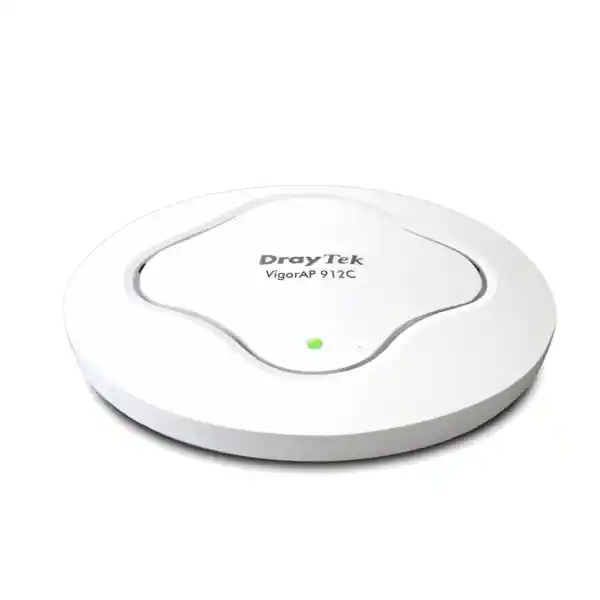
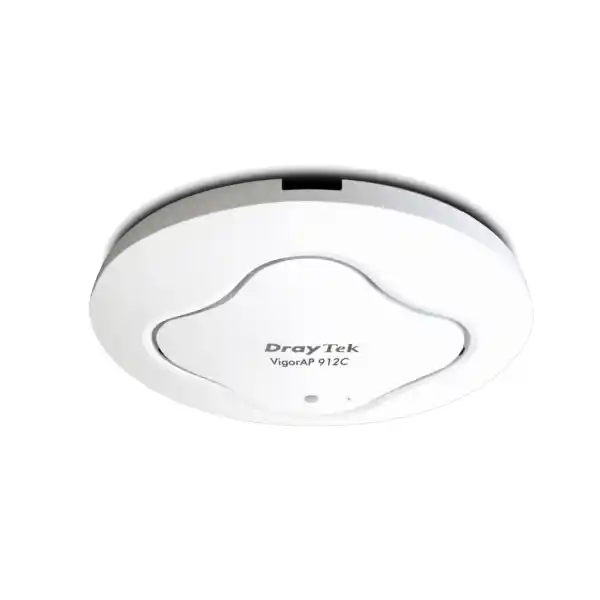
DrayTek VigorAP 912C AC1200 Ceiling-Mount Access Point
The DrayTek VigorAP 912C is an indoor dual-band 802.11ac Wave 2 wireless access point designed for organizations that need dependable business Wi-Fi, discreet ceiling installation, Power over Ethernet, VLAN-aware SSIDs, roaming support and flexible management without moving immediately to a high-cost controller architecture. For Dubai offices, education sites, clinics, branch locations, warehouses with office zones, retail floors and hospitality spaces, it provides a practical balance between capacity, manageability and installation simplicity.
Useful for compatibility, IoT-style endpoints and coverage-oriented client access.
802.11ac Wave 2 capacity for modern laptops, phones, tablets and business applications.
Flexible installation using 802.3af/at PoE input or the supported DC power method.
Low-profile indoor enclosure with mounting accessories for common business interiors.
What the VigorAP 912C is designed to solve
A business wireless network has to do more than make a speed-test application display an attractive number. It must provide predictable association, sensible airtime behavior, segmentation between different user classes, secure authentication, clean installation, operational visibility and a management path that does not become difficult as additional access points are added. The VigorAP 912C addresses these practical requirements with a familiar AC1200 radio platform, a single Gigabit wired uplink, Power over Ethernet, multiple SSID-to-VLAN mappings, local security controls, roaming assistance, mesh options and several DrayTek management models.
For a small office, the unit can operate as a stand-alone access point and be configured through its web interface. In a larger DrayTek environment, it can participate in centralized AP management through compatible Vigor routers, VigorConnect or VigorACS, reducing the amount of repetitive configuration required across multiple units. This makes the product particularly relevant to organizations that want to standardize branch Wi-Fi while keeping a straightforward operational model.
The access point is also useful where appearance matters. Ceiling installation places the radios near the normal working area, helps reduce obstructions compared with equipment hidden in cabinets, and avoids the visual clutter of desktop routers with external antennas. The 176 × 176 × 30 mm enclosure and internal antennas allow the AP to blend into many office, school and hospitality interiors while keeping cabling above the ceiling where structured cabling is normally routed.
Published technical specification overview
| Wireless standards | 2.4 GHz: 802.11b/g/n; 5 GHz: 802.11a/n/ac Wave 2 |
|---|---|
| Maximum link rates | 300 Mbps at 2.4 GHz and 867 Mbps at 5 GHz; commonly described as AC1200 class |
| Antennas | Two internal antennas; published gain 3 dBi at 2.4 GHz and 5 dBi at 5 GHz |
| Ethernet | One 10/100/1000Base-T RJ-45 LAN port with PoE input |
| Power | 48–56V PoE input; 802.3af/at; 12V DC input; maximum published power consumption 10W |
| SSID capacity | Eight SSIDs total, up to four per radio, with 802.1Q tag-based VLAN support |
| Client capacity | Manufacturer states up to 256 active users, with a maximum of 128 per radio |
| Operating modes | Access Point, Mesh Root, Mesh Node and Range Extender |
| Security | WPA/WPA2/WPA3 family support, Personal and Enterprise authentication, OWE, MAC filtering and built-in RADIUS capabilities |
| Roaming tools | AP-assisted roaming, PMK caching, pre-authentication and 802.11r; DrayTek also documents 802.11k/v roaming assistance in its current product information |
| Management | Stand-alone web management, DrayTek Router APM, VigorConnect and VigorACS support; SNMP v1/v2c/v3, syslog and configuration backup/restore |
| Dimensions and weight | 176 × 176 × 30 mm; approximately 307 g |
| Environment | Indoor; operating temperature 0 to 45°C; operating humidity 10% to 90% non-condensing |
Wireless link rates are PHY connection rates under suitable conditions, not guaranteed application throughput. Real performance depends on channel conditions, client capabilities, interference, channel width, protocol overhead, traffic direction, security settings and network design.
Dual-band AC1200 radio architecture
The VigorAP 912C is a Wi-Fi 5 generation access point. On 2.4 GHz it supports 802.11b/g/n with a published maximum link rate of 300 Mbps, while the 5 GHz radio supports 802.11a/n/ac Wave 2 with a maximum link rate of 867 Mbps. This combination is commonly marketed as AC1200. The important design consideration is not the arithmetic sum of the two radio rates, because a single client normally associates to one band at a time. The practical value is that the AP can distribute different clients across both frequency bands and use 5 GHz for higher-throughput devices while preserving 2.4 GHz for compatibility and longer-range requirements.
The internal antenna design is intended for ceiling or wall installation rather than directional long-range links. Published antenna gain is 3 dBi at 2.4 GHz and 5 dBi at 5 GHz. In a UAE commercial interior, ceiling mounting generally provides more symmetrical coverage than hiding the AP inside a cabinet or placing it at desk height behind monitors and furniture. Coverage should still be validated with a site survey because concrete walls, metalized glass, service shafts, lift cores, dense shelving, decorative ceilings and neighboring Wi-Fi networks can all alter the usable RF footprint.
802.11ac Wave 2 and MU-MIMO
Wave 2 introduced capabilities that make an 802.11ac platform more suitable for multi-user business environments than early Wi-Fi 5 equipment. DrayTek highlights MU-MIMO support for the VigorAP 912C, allowing the radio to serve compatible clients more efficiently when conditions permit. MU-MIMO does not eliminate contention and does not turn one radio into dedicated bandwidth for every user, but it can improve airtime utilization when client capabilities and traffic patterns align with the feature.
For planning, it is better to size access points from expected active-device count, airtime demand and application mix rather than from the headline maximum of 256 active users. A meeting room full of laptops running video calls can consume substantially more airtime than a reception area with many associated phones that are mostly idle. The published maximum is therefore a protocol and platform capacity reference, not a recommendation to place 256 heavily active users on a single AP.
Radio design for real business workloads
Wireless design in an office is primarily an airtime engineering problem. Every frame transmitted by an AP or client consumes a portion of a shared channel. Legacy clients, low signal levels, retries and interference increase the time needed to move a given amount of useful data. The VigorAP 912C includes airtime fairness, which is intended to prevent slower or older clients from disproportionately occupying the channel. In mixed-device environments this can improve overall responsiveness, especially where a small number of weak clients would otherwise consume a large share of transmission time.
Band steering is another useful control when many clients support both 2.4 GHz and 5 GHz. The AP can encourage suitable dual-band devices toward 5 GHz, helping reduce pressure on the more crowded 2.4 GHz band. This is not a substitute for good RF planning; a poorly placed access point cannot force a client to maintain a healthy 5 GHz connection through multiple dense walls. It is better understood as a policy aid within a properly designed deployment.
A practical Dubai office design often reserves 2.4 GHz for older equipment, peripherals or coverage-sensitive devices while encouraging modern laptops and phones to use 5 GHz. Where several VigorAP units are installed, non-overlapping or carefully coordinated channels should be used, transmit power should be reviewed instead of left blindly at maximum, and AP density should be driven by measured signal quality and capacity rather than by floor area alone. These design choices become particularly important in towers and mixed-tenant buildings where neighboring wireless networks create substantial external interference.
SSID and VLAN segmentation
The VigorAP 912C supports up to eight SSIDs, with a maximum of four per band, and supports 802.1Q tag-based VLAN operation. This is one of the most important business features because it enables different classes of wireless users to be separated even though they share the same physical access point. A corporate SSID can be mapped to an internal user VLAN, a guest SSID can be isolated into an Internet-only VLAN, and a dedicated SSID can be used for operational devices such as scanners, tablets or building-management endpoints.
VLAN segmentation should be planned end to end. The access point can tag traffic, but the connected switch port and upstream router or firewall must also understand those VLANs. In a common deployment, the AP uplink is configured as a tagged trunk carrying several wireless VLANs plus an untagged or tagged management network according to the chosen design. The switch forwards those VLANs to the gateway, where policy controls decide which networks can access internal servers, printers, VoIP systems or only the Internet.
For security, the management plane should not automatically be placed on the same network as guests. An administrator can instead place the AP management address on an infrastructure VLAN reachable only from trusted IT workstations or a management subnet. This reduces unnecessary exposure of the device web interface while still allowing centralized monitoring. Where the site uses enterprise authentication, the wireless client SSID can be separated from the AP management network and authenticated against a RADIUS service.
FourTeck can integrate the VigorAP 912C with suitable switching, VLAN and gateway policies as part of a wider UAE network project. Customers planning a broader infrastructure refresh can also review the FourTeck UAE solutions portfolio and coordinate wireless design with switching, routing and endpoint requirements rather than treating the access point as an isolated component.
Corporate WLAN
Use WPA2/WPA3-capable security and, where required, enterprise authentication for staff devices. Place users in a controlled VLAN with access determined by firewall policy rather than by simple layer-two reachability.
Guest WLAN
Map visitors to a separate VLAN with Internet access and restrictions toward private address ranges. Guest networks should be designed so visitors cannot browse internal servers, printers or management interfaces.
Operational devices
Separate scanners, tablets, IoT-style devices and other fixed-purpose endpoints when they have different security requirements or should communicate only with specific services.
Management network
Keep infrastructure administration separate from general users where the switching and firewall design permits it. Restrict management access to trusted IT systems and document the management addressing plan.
WPA3, enterprise authentication and RADIUS options
The published security modes for the VigorAP 912C include OWE, WEP, WPA, WPA2, mixed WPA3/WPA2 and WPA3 options, with Personal and Enterprise authentication support. For a new business deployment, older protocols should be retained only when a documented legacy requirement makes them unavoidable. Modern clients should use WPA2 or WPA3 configurations that match the organization’s authentication model and compatibility requirements.
Enterprise authentication becomes valuable when a company wants individual user or device credentials rather than a single shared pre-shared key. In a RADIUS-based design, the AP handles wireless access while credentials are validated by a RADIUS service. The VigorAP 912C also includes built-in RADIUS server functionality, giving smaller environments another deployment option. Larger organizations may still prefer a central authentication service tied to directory policy, certificate infrastructure or centralized identity lifecycle management.
The correct security configuration depends on the client estate. For example, a pure WPA3 policy may not be suitable if essential older handhelds cannot support it. A transition approach can preserve compatibility while newer endpoints are migrated. The network should be tested with every critical device type before a site-wide change because association success, roaming behavior and authentication timing can differ between operating systems and wireless drivers.
Wireless security should also be supported by gateway policy. Even a strongly encrypted SSID does not determine what a connected user can reach after authentication. For sites that need network policy design, remote access, security zoning or firewall integration, FourTeck’s Firewall Dubai practice can be aligned with the Wi-Fi and VLAN design so wireless access is controlled by explicit security policy.
Roaming across multiple access points
A client device ultimately decides when to leave one access point and join another, which is why roaming quality depends on both network configuration and client behavior. The VigorAP 912C includes AP-assisted roaming mechanisms, PMK caching, pre-authentication and 802.11r support. DrayTek’s current product information also describes 802.11k and 802.11v roaming assistance. These mechanisms are designed to reduce interruption and help capable clients move more intelligently between access points.
The practical target is not simply to make roaming occur as often as possible. Excessive roaming can create its own disruption. A well-designed system aims to give each client enough overlap to discover a stronger AP before the old connection becomes unusable, while avoiding such strong overlapping cells that a client remains attached to a distant access point. Signal thresholds and assisted-roaming controls can help address the so-called sticky-client problem, but they should be tuned with real measurements rather than copied between very different sites.
Voice over Wi-Fi and video calls are especially sensitive to roaming delays, packet loss and unstable signal. For these applications, a survey should check not only received signal strength but also channel reuse, interference, latency, retransmissions and the behavior of the actual client devices. Different phone and laptop models can make different roaming decisions even on the same network.
In corridors, clinics, classrooms and office floors, AP placement should create predictable cell boundaries. Mounting every AP at maximum power is often counterproductive because the client’s own transmit power may be lower than the AP’s. The result can be a client that can hear the AP but cannot reliably transmit back. Balanced power and planned channel reuse provide a more stable foundation for the roaming features built into the VigorAP platform.
Mesh Root and Mesh Node modes
The VigorAP 912C can operate as a Mesh Root or Mesh Node. Mesh can be helpful where a wired Ethernet connection cannot be provided to every access point, allowing compatible DrayTek APs to extend coverage through a wireless backhaul. This can reduce cabling work in specific retrofit situations, temporary installations or locations where structural constraints prevent a new cable run.
Mesh should not be chosen automatically when Ethernet is available. A wireless backhaul consumes radio resources and is affected by the same interference and signal limitations as client traffic. For high-capacity business areas, a wired Gigabit uplink is generally the cleaner design because each AP receives a dedicated wired path to the switching infrastructure. Mesh is best treated as a targeted engineering option rather than a universal replacement for structured cabling.
Range Extender mode
Range Extender operation can provide another way to reach an area without a direct Ethernet cable. It is useful for limited requirements, but the design trade-offs are similar to mesh backhaul: the radio must spend airtime receiving and retransmitting traffic, and performance depends heavily on the quality of the upstream wireless link.
For permanent enterprise installations, FourTeck normally evaluates whether a PoE cable can be provided first, because a wired uplink improves predictability, simplifies fault isolation and avoids consuming additional wireless airtime. Extender mode remains valuable where the physical environment makes a wired path impractical and the required application bandwidth is modest.
Gigabit Ethernet and PoE installation model
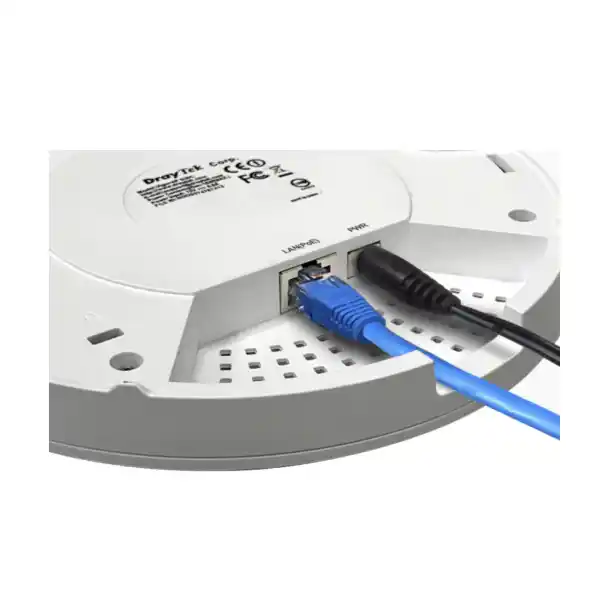
The VigorAP 912C has one 10/100/1000Base-T Ethernet port and supports PoE input. This single cable model is ideal for ceiling deployment because the same copper run can carry data and operating power from a PoE switch or suitable injector. The manufacturer publishes 48–56V at 0.3A for PoE input and indicates 802.3af/at support. Maximum published device power consumption is 10W, so the AP is not a heavy PoE load compared with many high-end multi-radio access points.
PoE budgeting must nevertheless be performed across the complete switch. A switch may have enough physical PoE ports but an insufficient total wattage budget to power every connected device simultaneously. The design should include access points, IP phones, cameras and any other powered endpoints. Reserve capacity is useful for future additions and for avoiding a situation where a switch replacement or expansion unexpectedly exceeds the available PoE allocation.
Cabling quality is equally important. A Gigabit link expects all four twisted pairs to be correctly terminated. Old two-pair cabling, damaged patch leads, poor keystone termination or excessive cable length can cause the Ethernet link to fall back, flap or fail entirely. For new deployments, structured Cat6 cabling is a common business choice, but the final cable category should match the wider site standard and distance requirements.
Where PoE switching is not available, the VigorAP 912C can also use 12V DC input. The appropriate power-adapter type can vary by market. In a commercial ceiling installation, centrally managed PoE is usually more convenient because an administrator can power-cycle an AP remotely from the switch and does not need a separate mains socket near each mounting position.
Physical installation and mounting considerations
DrayTek supplies mounting options intended for common indoor construction. The product documentation describes installation on wooden ceilings, plasterboard ceilings, suspended ceilings using T-rail mounting hardware, and walls. The package content includes the main access point, ceiling-mount bracket, T-rail mounting kits, fixings, screws, Ethernet cable and quick-start documentation, with the exact power-adapter arrangement depending on market packaging.
For RF performance, mount the AP in open indoor space rather than above a dense metal ceiling or inside a communications cabinet. A ceiling location close to the center of the intended coverage zone is often effective, but the exact position should be determined from the floor plan and the materials between the AP and users. Metal shelving, reinforced concrete columns, elevator shafts, mirrors, machinery and decorative metal panels can create significant attenuation or reflections.
Cable serviceability should be considered during installation. Leave enough slack for the AP to be removed from its bracket without putting stress on the RJ-45 plug, but avoid loose loops that interfere with ceiling systems. Label both ends of the cable with an AP identifier and switch-port reference. The AP name used in management software should correspond to the physical label and floor plan so that future troubleshooting does not require guessing which device is which.
The published operating temperature range is 0 to 45°C and the product is intended for indoor use. In UAE projects, do not treat a nominally indoor ceiling void as automatically suitable if it experiences excessive heat, condensation or poor ventilation. The access point should be installed in a sheltered, dry environment within the specified limits. Outdoor balconies, semi-exposed loading areas and non-conditioned service zones require equipment specifically rated for those conditions.
Management choices: standalone, router APM, VigorConnect and VigorACS
One of the strengths of the VigorAP 912C is that it is not limited to a single management model. A small site can configure the device directly through its local interface. A DrayTek router can provide AP management in compatible deployments. VigorConnect offers software-based centralized management, while VigorACS supports broader centralized provisioning, monitoring, hierarchy, alarms, maintenance and reporting for supported DrayTek equipment.
Standalone management is appropriate when there are only one or two access points and changes are infrequent. The administrator can define SSIDs, security, VLANs, radio parameters and management settings locally. The disadvantage appears as the AP count grows: repeating changes manually across ten or twenty devices increases administrative effort and the risk of configuration drift.
Router-based AP Management can be attractive at branch sites already standardized on a compatible Vigor router. Central profiles can simplify provisioning and monitoring, making it easier to maintain consistent SSID and radio settings. DrayTek’s published specifications state central AP management support for up to 20 APs on the VigorAP-based management function and indicate VigorRouter management support. The exact scalable architecture should still be matched to the chosen controller or router model.
VigorConnect provides another path for organizations that want local software management across DrayTek devices. VigorACS is the broader centralized platform and can be particularly useful for service providers or multi-site businesses that need remote monitoring and maintenance. The correct choice depends on site count, ownership model, remote-support requirements, reporting expectations and whether network administrators already operate a DrayTek management platform.
FourTeck can align wireless configuration with wider operational support requirements through IT Services UAE, including documentation, commissioning standards and ongoing network-management workflows where required.
SNMP monitoring
SNMP v1, v2c and v3 support allows the AP to feed compatible monitoring systems. Where possible, SNMPv3 is preferable for environments that need authenticated and encrypted monitoring credentials.
Syslog
Central syslog collection can preserve operational events outside the AP, making it easier to correlate wireless issues with switch, router, authentication or firewall logs during troubleshooting.
Configuration backup
Configuration backup and restore reduce recovery time after replacement or maintenance. Backups should be version-controlled operationally and stored securely with change records.
Scheduled operations
Published scheduling options include Wi-Fi up/down, LED on/off and auto-reboot capabilities, useful where site policy calls for defined wireless availability or scheduled maintenance behavior.
No undocumented ASIC claims
The manufacturer’s public product specification identifies the radio standards, antenna configuration, Ethernet interface, power characteristics, software functions and management features, but it does not provide a detailed public chipset or packet-processing ASIC architecture for the VigorAP 912C. For that reason, a responsible product specification should not invent a CPU model, radio chipset, memory quantity, hardware acceleration block or proprietary forwarding ASIC that DrayTek has not published for this model.
For deployment engineering, the published interface and RF behavior are more relevant than speculative internal silicon details. The access point has one Gigabit uplink, AC1200-class radios and a 10W maximum power specification; these define the practical edge of the device more clearly than an unverified chipset name. If a project requires component-level assurance for compliance or lifecycle reasons, request a formal statement or approved technical document from the vendor or authorized distribution channel rather than relying on unofficial teardown information.
Capacity planning: how many users per VigorAP 912C?
DrayTek states a maximum of 256 active users, with up to 128 per radio. This number should be treated as a supported association or active-user ceiling, not as a guarantee that 256 users can simultaneously run demanding real-time applications with acceptable performance. Wireless capacity depends primarily on airtime. A single active 5 GHz client transferring a large file may consume significant airtime, while dozens of associated mobile phones sitting idle may use very little.
A useful sizing exercise begins by classifying user behavior. Light office users typically browse web applications, send email, use cloud productivity platforms and make occasional calls. Heavy users may participate in continuous video conferences, synchronize large files or run virtual desktop sessions. Classrooms can have a burst pattern where many devices download the same content at once. Retail devices may generate small transactions but require high availability. Each profile produces a different AP density requirement.
The next step is to estimate concurrent activity, not simply headcount. A 100-person office does not necessarily generate 100 simultaneously heavy wireless users, but modern users often carry more than one device. Laptops, phones, tablets, wearables, meeting-room systems and peripherals can all associate. Device count can therefore exceed staff count even when each person performs ordinary office work.
Channel width influences capacity. Wider channels can deliver higher peak PHY rates when spectrum is clean, but they also consume more spectrum and reduce the number of non-overlapping channels available across a multi-AP site. In a dense building, narrower channels may improve overall reuse and reduce co-channel contention. The correct setting depends on AP density, neighboring networks and the performance objective.
For planning in a Dubai office tower, it is often better to use more carefully placed APs at moderate power than a small number of APs running at maximum power. This produces smaller, more predictable cells and allows clients to distribute across more radios. A site survey or post-installation validation should confirm signal, noise, channel utilization, retry rates and application performance before the project is signed off.
Coverage planning for UAE buildings
Coverage cannot be accurately quoted as a single number of square metres because buildings differ dramatically. An open-plan office with light partitions may need fewer APs than a similarly sized clinic with dense walls, a warehouse office with metal shelving, or a hotel floor with repeated room partitions. Frequency also matters: 5 GHz generally attenuates more through obstacles than 2.4 GHz, so a design that provides strong 2.4 GHz coverage may still have weak 5 GHz performance at the edges.
In Dubai high-rise environments, external interference can be substantial because many neighboring tenants operate independent wireless networks. Automatic channel selection is useful, but it should not replace validation. An installation team should scan the RF environment, identify heavily occupied channels, consider DFS implications where relevant, and verify that channel assignments remain sensible after all site APs are active.
Concrete and glass construction also needs attention. Standard gypsum partitions may cause moderate attenuation, while reinforced concrete, service shafts and certain coated glass can sharply reduce signal. Conference rooms with acoustic treatments or metal framing can behave differently from ordinary offices. Site plans are useful for the first estimate, but measured RF data provides the most reliable basis for final placement.
When an organization is moving offices or opening a new branch, wireless planning should happen before ceiling closure where possible. It is far easier to adjust cable routes and AP positions during fit-out than after furniture, ceilings and tenant finishes are complete. Providing one or two spare cable drops in likely expansion areas can also reduce future installation cost.
Application-specific deployment guidance
Corporate offices
Use 5 GHz as the preferred band for modern laptops and phones, map corporate and guest access to separate VLANs, and position APs to support meeting rooms without creating excessive overlap. Document SSID purpose and security mode so future administrators can maintain consistency.
For voice and video users, validate roaming between work areas and meeting spaces using the actual client devices used by staff.
Schools and training centers
Classrooms can generate highly synchronized traffic, particularly when lessons begin and many devices access the same cloud service. Size APs for concurrent airtime rather than just the number of registered students.
Separate staff, student and guest access using VLANs and apply policy at the gateway so educational devices receive only the services they require.
Clinics and professional practices
Prioritize reliable roaming and segmentation. Clinical or operational tablets should not share the same policy zone as public guest users. Infrastructure management should be restricted to trusted administrators.
Where application availability is critical, use wired backhaul and monitored PoE switching rather than relying on wireless extension modes.
Retail and hospitality
Guest Wi-Fi, staff terminals and operational handhelds can coexist when they are mapped to separate network segments. Public users should have Internet-focused access while point-of-sale or staff devices follow stricter policy.
Ceiling mounting keeps the AP secure from casual handling and can provide a cleaner aesthetic than desktop wireless equipment.
DHCP, IP addressing and management access
The VigorAP 912C supports DHCP client, DHCP server and DHCP relay functions, as well as static IP configuration. In most managed business networks, the AP itself either receives a reserved management address through DHCP or is assigned a documented static address. Client DHCP services are commonly provided by the gateway or a centralized server so addressing and policy remain consistent across the site.
The quick-start documentation indicates that when no DHCP server is available, the AP can use a default local address for initial access, while in a DHCP-enabled network it obtains an address from the server. During commissioning, the installer should change default administrative credentials, record the final management address, set the device name and confirm that time, logging and firmware settings match the site standard.
Management interfaces should be reachable only from trusted networks. If remote administration is required, it is generally safer to access the management VLAN through a secure VPN or centralized management platform than to expose an AP web interface directly to the public Internet. Access-control policy, logging and credential management should follow the organization’s wider security standards.
The access point supports local services including HTTP, HTTPS and Telnet according to the published specification. In a security-conscious deployment, prefer encrypted management methods and disable or restrict legacy clear-text services where the firmware and management design permit. Configuration choices should be reviewed after every major firmware update because capabilities and defaults can change over a product lifecycle.
Firmware lifecycle and operational maintenance
A wireless access point should be treated as maintained infrastructure, not as an appliance that is installed once and ignored. Firmware updates can correct security issues, improve client interoperability, add management features and resolve stability problems. DrayTek provides firmware and documentation for the VigorAP platform, and the VigorAP 912C supports firmware upgrade through documented management methods including its web interface and TFTP-related recovery paths.
Before an update, export the current configuration and read the release notes. Confirm whether an intermediate firmware version is required, whether settings are migrated automatically, and whether a reboot will interrupt users. In a multi-AP environment, upgrade in a controlled sequence so that wireless coverage remains available where practical. After the change, verify SSIDs, VLAN tags, authentication, roaming and monitoring rather than assuming a successful reboot means every service is functioning correctly.
Operational teams should also monitor physical and upstream dependencies. An AP outage may actually be caused by a PoE switch fault, a bad cable, an exhausted PoE budget, a gateway VLAN change or an authentication server failure. Central logs from the AP, switch, DHCP service, RADIUS server and firewall make fault isolation much faster than examining each component separately.
For long-term lifecycle planning, maintain an inventory of serial numbers, installed locations, firmware versions, mounting areas and switch ports. This allows scheduled updates and replacements to be organized without rediscovering the network each time. It also supports procurement planning when the site eventually transitions from Wi-Fi 5 to a newer wireless standard.
Understanding AC1200 performance without overpromising throughput
The 300 Mbps and 867 Mbps figures are maximum wireless link rates for the two radios under suitable conditions. They are not a statement that a user will download data from the Internet at 1.167 Gbps, nor that one client can combine both bands at those rates. Real application throughput is lower because Wi-Fi carries management frames, acknowledgements, encryption overhead and contention. Client hardware may also support fewer spatial streams, narrower channels or lower modulation rates than the AP.
The Gigabit Ethernet uplink is also part of the performance envelope. It is appropriate for an AC1200-class AP because the aggregate practical wireless throughput is generally below the marketing sum of the two PHY rates. Unlike newer multi-gigabit Wi-Fi access points, the VigorAP 912C does not require a 2.5GbE switch port for its published radio class. This can be an advantage in existing sites that already have Gigabit PoE switching.
Internet speed tests also reflect the WAN service, gateway performance, remote server and test methodology. A user connected at a high PHY rate may still see a lower result because the Internet circuit is the bottleneck. Conversely, a lower-rate client can still perform well for ordinary cloud applications if latency and packet loss remain low. The design objective should therefore focus on application experience, not a single speed-test screenshot.
For businesses buying the VigorAP 912C specifically to improve a problem area, FourTeck can review whether the limiting factor is radio coverage, interference, cabling, PoE, gateway policy, WAN bandwidth or the client device itself. Replacing an AP can help when the existing wireless infrastructure is the bottleneck, but it cannot correct an unrelated upstream constraint.
Wi-Fi 5 positioning: when the VigorAP 912C still makes sense
The VigorAP 912C is an 802.11ac Wave 2 product, not a Wi-Fi 6 access point. That distinction matters when comparing it with newer models. Wi-Fi 6 introduces OFDMA and other efficiency improvements that can provide advantages in very dense or modern client environments. The published VigorAP 912C specification does not list OFDMA support, which is consistent with its Wi-Fi 5 generation.
Despite that, a Wi-Fi 5 AP can remain appropriate where the requirement is straightforward business connectivity, the client fleet is mixed, the switching infrastructure is Gigabit, budgets are controlled and the density is moderate. Many typical office applications do not require multi-gigabit wireless speeds. Reliability, correct placement, VLAN design and secure management can have a greater impact on user experience than the Wi-Fi generation label alone.
A newer Wi-Fi 6 model becomes more attractive when the site has many modern clients, high-density collaboration areas, substantial concurrent traffic, a longer planned technology lifecycle or a requirement for OFDMA-based efficiency. Procurement should therefore compare the VigorAP 912C not only on unit price but also on expected years of service, client refresh plans and future capacity needs.
For UAE projects that need a mixed refresh, it is possible to retain suitable Wi-Fi 5 APs in lower-demand areas while using newer technology in meeting zones or high-density floors, provided the management and roaming design remains coherent. A phased migration can reduce capital expense while avoiding unnecessary replacement of equipment that still meets its operational requirement.
Compatibility with switching, gateways and non-DrayTek infrastructure
At the Ethernet layer, the VigorAP 912C uses standard Gigabit networking, PoE input and 802.1Q VLAN tagging, so it can be connected to suitable standards-based switching infrastructure. The switch must provide the correct PoE mode or an injector must be used, and its VLAN configuration must match the SSID mapping configured on the AP. A DrayTek switch is not mandatory for basic connectivity.
Centralized DrayTek-specific management features do, however, depend on compatible DrayTek platforms. A Vigor router using AP Management can simplify provisioning in a DrayTek branch architecture. VigorConnect and VigorACS provide their own centralized paths. In a mixed-vendor environment, SNMP, syslog and ordinary IP management can still be used, but proprietary centralized features should be validated before procurement.
The wireless VLAN gateway can be a DrayTek router, firewall from another vendor or a layer-three switching design, provided routing, DHCP, DNS and security policies are correctly configured. For guest networks, the gateway should restrict access to internal subnets and apply the desired Internet policy. For staff networks, access can be permitted to internal resources according to user role and organizational rules.
Organizations with global or multi-country infrastructure standards can also coordinate product and network requirements through FourTeck Global while keeping UAE deployment, cabling and on-site commissioning aligned with local project needs.
Recommended commissioning workflow
- Validate the physical location. Confirm the mounting position is indoor, within the environmental range, clear of major RF obstructions and accessible for maintenance. Verify that the cable label matches the floor plan.
- Test the copper link. Confirm the structured cabling passes certification or at minimum reliable Gigabit link testing. Check that the intended switch port negotiates at 1 Gbps and delivers stable PoE power.
- Update and baseline firmware. Use an approved release, back up any existing configuration and record the installed version for the asset inventory.
- Change administration settings. Set a unique administrative password, device name and management IP strategy. Restrict management access to trusted networks.
- Configure SSIDs and VLANs. Map each wireless service to the intended network segment. Verify that the switch trunk carries the required tags and that DHCP is available for every client VLAN.
- Configure security. Select WPA2/WPA3 modes according to client support, configure Enterprise authentication where required, and remove outdated compatibility settings that are not needed.
- Tune radios. Review 2.4 GHz and 5 GHz channels, channel width, transmit power, band steering and airtime fairness. Do not assume default automatic settings are ideal in a dense building.
- Test roaming. Walk the intended coverage area with representative devices while generating real traffic such as calls, video or continuous ping. Confirm transitions do not create unacceptable interruption.
- Validate security policy. Ensure guests cannot access internal networks, staff reach only permitted services, and management interfaces are not exposed from user VLANs.
- Enable monitoring and documentation. Configure syslog, SNMP or the chosen DrayTek management platform, then record AP name, serial number, switch port, IP address, location, firmware and configuration backup.
Troubleshooting common deployment symptoms
| Symptom | Likely areas to check | Engineering approach |
|---|---|---|
| Strong signal but slow performance | Channel congestion, retries, legacy clients, WAN bottleneck, switch errors | Measure channel utilization, client PHY rates, packet loss and wired throughput separately. |
| Client stays connected to distant AP | Cell overlap, transmit power, client roaming behavior | Review assisted-roaming thresholds and power levels; test with the affected client model. |
| SSID visible but no IP address | VLAN tagging, DHCP scope, trunk configuration, gateway relay | Trace the client VLAN from AP to switch and DHCP server; confirm tag consistency end to end. |
| AP intermittently reboots | PoE budget, cabling, switch port, power injector, firmware | Check PoE logs and cable quality before assuming an AP hardware fault. |
| Guests can reach internal systems | Firewall rules, VLAN design, client isolation | Correct gateway policy immediately and validate with tests from the guest network. |
| Poor 5 GHz coverage in one room | Wall material, AP placement, power, client capability | Measure attenuation and consider moving or adding an AP rather than simply increasing transmit power. |
Procurement considerations for Dubai and the UAE
When procuring VigorAP 912C units for a UAE deployment, verify the exact hardware revision, included accessories, local power-adapter format if a DC adapter is required, firmware support status and warranty channel. Enterprise buyers should avoid treating the access point as a generic commodity because deployment success also depends on suitable PoE switching, structured cabling, configuration and RF placement.
For a new site, purchase quantities should be based on a coverage and capacity plan rather than a simple one-AP-per-room assumption. Include a reasonable spare strategy for environments where downtime is costly. A spare AP can be pre-staged with current firmware and a baseline configuration so it can replace a failed unit quickly. If centralized management is used, confirm how replacement devices are adopted into the management hierarchy.
Document the expected lifecycle. If the organization plans to keep the Wi-Fi infrastructure for many years and expects a rapid shift toward Wi-Fi 6 or later client devices, compare the VigorAP 912C with newer alternatives before standardizing. If the requirement is a cost-controlled Wi-Fi 5 deployment for moderate user density or a compatible extension to an existing DrayTek WLAN, the VigorAP 912C can still be a logical fit.
FourTeck can supply the product as part of a project that includes AP quantity planning, switch-port checks, PoE budget review, VLAN and SSID configuration, mounting coordination, testing and handover documentation. This reduces the risk of purchasing hardware without confirming whether the surrounding network can support the intended design.
Frequently asked technical questions
Is the DrayTek VigorAP 912C Wi-Fi 6?
No. It is an 802.11ac Wave 2 access point, which belongs to the Wi-Fi 5 generation. Its published rates are 300 Mbps on 2.4 GHz and 867 Mbps on 5 GHz. Organizations that specifically require Wi-Fi 6 features such as OFDMA should compare newer access-point models.
Does it support PoE?
Yes. The single Gigabit Ethernet port supports PoE input, allowing data and power to share one cable. DrayTek publishes support for 802.3af/at PoE input and a maximum device power consumption of 10W.
How many SSIDs can it broadcast?
The published maximum is eight SSIDs, up to four per radio. Those SSIDs can be associated with 802.1Q VLANs so staff, guests and operational devices can be separated through the wired network and gateway policy.
Can the VigorAP 912C be centrally managed?
Yes. Management options include local stand-alone operation, compatible Vigor router AP management, VigorConnect and VigorACS. The best method depends on site size and the wider DrayTek architecture.
Can it form a wireless mesh?
Yes. The product supports Mesh Root and Mesh Node operation. Mesh is useful where a wired uplink cannot be installed, but a wired Gigabit connection generally provides more predictable capacity for permanent business deployments.
Does it support WPA3?
Yes. DrayTek lists WPA3-capable security modes, including mixed WPA3/WPA2 and WPA3 operation, along with Personal and Enterprise authentication. Client compatibility should be tested before disabling older modes in a mixed device estate.
Is the access point suitable for outdoor UAE use?
No. The VigorAP 912C is specified for indoor operation. Outdoor or semi-exposed spaces should use hardware designed for the relevant environmental conditions, temperature, moisture and ingress-protection requirements.
Can one AP support 256 heavy users?
The manufacturer states a maximum of 256 active users, but this should not be interpreted as 256 simultaneous high-throughput users. Real capacity depends on airtime demand, client signal quality and application behavior. High-density sites should use multiple APs planned for capacity.
Does it need a DrayTek firewall or router?
No for basic Ethernet, PoE and VLAN connectivity. Standards-based network equipment can provide the wired infrastructure. DrayTek-specific centralized management features require compatible DrayTek management platforms or routers.
What is the best installation position?
A central ceiling position in the intended indoor coverage zone is often effective, but the correct location depends on walls, ceiling materials, interference, client density and application needs. A survey provides a more reliable answer than a fixed square-metre estimate.
Designing a complete branch network around the VigorAP 912C
A complete branch design normally begins at the Internet edge and works inward. The firewall or router terminates the WAN connection, applies security policies and routes between approved VLANs. A managed PoE switch distributes power and connectivity to access points, phones and other edge devices. The VigorAP 912C then provides wireless access for the SSIDs associated with those VLANs. This architecture keeps security decisions at the gateway while the AP focuses on RF access and wireless policy.
For example, a small branch might use four VLANs: corporate users, guest users, voice devices and infrastructure management. The VigorAP broadcasts corporate and guest SSIDs and tags each to the correct VLAN. The switch trunk carries those tags to the router or firewall. Corporate users can access approved internal services and the Internet, guests can reach the Internet only, and administrators reach the AP management address through a controlled management path.
Redundancy requirements depend on business impact. A very small office may accept a single switch and gateway, while a larger branch may need dual WAN links, redundant firewalls or stacked switching. The VigorAP 912C itself has one Ethernet interface, so AP-level wired redundancy is not part of the hardware design. Resilience is instead achieved through overlapping wireless coverage from multiple APs and reliable upstream infrastructure.
Monitoring should include the AP as well as surrounding devices. If a wireless user reports poor performance, an administrator should be able to check whether the AP is online, what channel it is using, whether the switch port has errors, whether DHCP and DNS are responding, and whether the WAN circuit is congested. This end-to-end visibility prevents every user complaint from being treated as an RF problem.
A documented branch template also helps multi-site expansion. Once SSIDs, VLAN IDs, security settings, naming conventions and monitoring rules are standardized, new branches can be deployed with fewer design decisions and more consistent troubleshooting. Centralized DrayTek management can further reduce repetitive tasks where the wider environment is compatible.
When to choose wired backhaul versus mesh
Wired backhaul should be the default choice for a permanent business installation when structured cabling is available. Each VigorAP 912C then has a direct Gigabit path to the switch, maximizing predictable capacity and making the fault domain easier to understand. A cable can be tested and monitored independently, and the radio spectrum remains available primarily for client communication rather than AP-to-AP transport.
Mesh is valuable when the physical cost of installing a cable is disproportionate or impossible. Heritage interiors, temporary spaces, leased areas with restricted building works and retrofit locations can all justify wireless backhaul. The mesh node still needs reliable power and a strong wireless path to the root or upstream node. Placing a mesh node in the same poor-signal location as the client problem often fails because the node itself cannot create capacity from an already weak backhaul.
The design should therefore place a mesh node where it can receive a strong, clean signal and then extend service into the target zone. Every additional wireless hop should be evaluated for throughput and latency impact. For demanding applications, keep hop count low and prefer a cable whenever practical.
A hybrid deployment is also possible: most APs use wired PoE while a small number operate as mesh nodes in difficult areas. This keeps the majority of traffic on the wired infrastructure while preserving deployment flexibility. The management plan should clearly identify which APs rely on mesh so troubleshooting teams know that those units have an additional wireless dependency.
Operational security hardening checklist
Why a site survey matters even for a compact AP deployment
A predictive design uses a floor plan and estimated wall materials to place access points before installation. This is useful during budgeting and fit-out, but it remains a model. A post-installation survey verifies the real result after furniture, partitions, neighboring WLANs and final equipment are present. Even a small site benefits from this validation because moving one AP a few metres can sometimes improve service more than replacing hardware.
The survey should check both signal strength and signal quality. A strong signal can still perform poorly if the channel is heavily congested or if interference causes retries. Channel utilization, noise floor, retry rate, client PHY rate and packet loss provide a more complete picture. For voice applications, roaming transitions and latency should also be observed while walking the intended path.
Capacity validation is equally important. During busy periods, observe how many clients associate to each radio and whether one AP carries substantially more load than neighboring units. Adjust power, channels or placement as needed. Band steering can encourage 5 GHz use, but the RF environment must support that decision.
A documented survey becomes a baseline for future troubleshooting. If a user later reports a dead zone, the support team can compare new measurements with the original accepted condition. This helps distinguish a new interference source or layout change from a long-standing design characteristic.
Lifecycle planning and migration strategy
Wireless technology evolves quickly, but a replacement decision should still be based on business requirements. The VigorAP 912C can continue to serve many ordinary office workloads when properly designed, especially where clients are a mixture of Wi-Fi 5 and older equipment and the Internet service is well below Gigabit speed. Replacing every AP purely because a newer standard exists can create cost without a proportionate user benefit.
On the other hand, sites planning a major refresh should consider whether buying new Wi-Fi 5 hardware today creates an unnecessarily short lifecycle. If the client fleet is already predominantly Wi-Fi 6 or newer, dense spaces experience airtime congestion, or the organization expects significant growth, a newer AP family may provide better long-term value. The decision should compare acquisition cost, switch requirements, management compatibility, user density and expected service life.
Mixed-generation networks can be operated during migration. For example, high-density meeting areas can receive newer APs first while lower-demand corridors or branch offices retain VigorAP 912C units. Roaming and SSID design should remain consistent where possible, and management tools should be checked for compatibility across generations.
Asset records should capture installation date and model so refresh decisions are based on real age and support status. A periodic wireless health review can identify access points with rising utilization, recurring client issues or inadequate coverage and prioritize those areas for replacement first.
FourTeck deployment scope for DrayTek VigorAP 912C
A professional deployment can include more than supplying the access point. FourTeck can review the site requirement, existing switching, PoE capacity, Internet edge, VLAN design and cabling before finalizing AP quantity. This avoids common mismatches such as purchasing PoE access points for a switch with no available power budget or defining multiple wireless VLANs when the upstream switch ports are still configured as simple access ports.
Configuration can be standardized across units with consistent naming, SSIDs, authentication, VLAN IDs and radio policy. Where compatible DrayTek centralized management is available, templates and profiles can reduce manual work. Commissioning tests can validate client association, DHCP, DNS, Internet access, internal policy, roaming, PoE stability and management visibility.
For customers integrating the wireless network with servers, telephony or broader business systems, network segmentation should be coordinated with the application owners. For example, a wireless voice device may need access to an IP PBX while remaining isolated from unrelated office systems. The gateway policy should allow only the required flows rather than broad unrestricted access.
Projects can be coordinated alongside other FourTeck infrastructure services so the WLAN is treated as part of the complete network. This is particularly useful for new UAE offices, relocations and branch rollouts where cabling, switching, security and wireless installation are happening on the same schedule.
Detailed decision matrix
| Requirement | VigorAP 912C fit | Design note |
|---|---|---|
| Indoor office Wi-Fi 5 | Strong functional fit | AC1200 dual-band radios suit ordinary business connectivity where Wi-Fi 6 is not mandatory. |
| PoE ceiling installation | Supported | One Gigabit Ethernet port with 802.3af/at PoE input simplifies cabling. |
| Staff and guest segmentation | Supported | Up to eight SSIDs and 802.1Q VLAN mapping; gateway policy must also be configured. |
| Multi-AP roaming | Supported with assisted features | Roaming quality still depends on client behavior, RF overlap and correct tuning. |
| Wi-Fi 6 / OFDMA requirement | Not suitable for that requirement | Choose a newer Wi-Fi 6 model if OFDMA is required. |
| Outdoor deployment | Not intended | Use an outdoor-rated access point for exposed environments. |
| Central DrayTek management | Supported | Options include compatible Vigor router APM, VigorConnect and VigorACS. |
| Wireless backhaul | Supported through mesh | Use when cabling is impractical; wired Gigabit remains preferable for predictable capacity. |
Decision recap for UAE buyers
Choose the DrayTek VigorAP 912C when the project calls for a compact indoor Wi-Fi 5 access point with ceiling or wall mounting, Gigabit PoE connectivity, multiple SSIDs, VLAN tagging, WPA3-capable security, assisted roaming, optional mesh and a choice of DrayTek management methods. It is particularly sensible for moderate-density offices, branches, clinics, schools, retail spaces and hospitality areas where a well-engineered AC1200 platform meets the application requirement.
Do not choose it solely because the manufacturer states up to 256 active users. High-density performance must be designed around airtime and application demand. Do not choose it for an outdoor location or when Wi-Fi 6/OFDMA is an explicit technical requirement. Do not assume mesh is automatically better than cabling; use wired PoE backhaul whenever feasible for permanent business installations.
The final decision should consider user density, client generations, floor construction, neighboring interference, switch PoE capacity, VLAN design, management preference and planned lifecycle. FourTeck can use those inputs to determine whether the VigorAP 912C is appropriate or whether a different DrayTek model better matches the project.
Quotation input checklist
For an accurate supply and installation quotation, provide the following project information:
- Site location in Dubai or elsewhere in the UAE.
- Floor plan with approximate dimensions and wall types.
- Estimated staff, guest and device counts by area.
- Critical applications such as video, voice, POS or scanners.
- Existing switch model, free ports and PoE budget.
- Existing firewall/router and VLAN requirements.
- Whether structured cabling already reaches AP positions.
- Need for guest portal, enterprise authentication or centralized management.
- Target completion date and any access restrictions for installation.
What to confirm before ordering
Confirm whether the requirement is new deployment, replacement of existing APs or an expansion of a current DrayTek environment. For replacement work, share the existing AP models and management platform so migration can be planned without unexpectedly changing SSIDs, VLANs or authentication behavior.
Confirm whether a PoE switch is already installed. If yes, provide the model so port speed, PoE standard and available power can be checked. If no PoE is present, the quotation can include suitable switching or injectors.
If the site is new or under fit-out, involve the networking team before ceiling closure. Correct AP cable placement at this stage saves rework and gives the wireless design more flexibility.
Consult FourTeck for DrayTek VigorAP 912C deployment in Dubai
A successful wireless project combines the correct access point with proper placement, PoE switching, structured cabling, VLAN policy, secure authentication and measurable acceptance testing. FourTeck can help scope those elements together so the VigorAP 912C is installed as part of a coherent business network rather than as an isolated Wi-Fi device.
Share your floor plan, user count, switch model and application requirements for a deployment review. For wider infrastructure planning, you can also explore FourTeck UAE, IT Services UAE, Firewall Dubai and FourTeck Global.

Reviews
There are no reviews yet.