
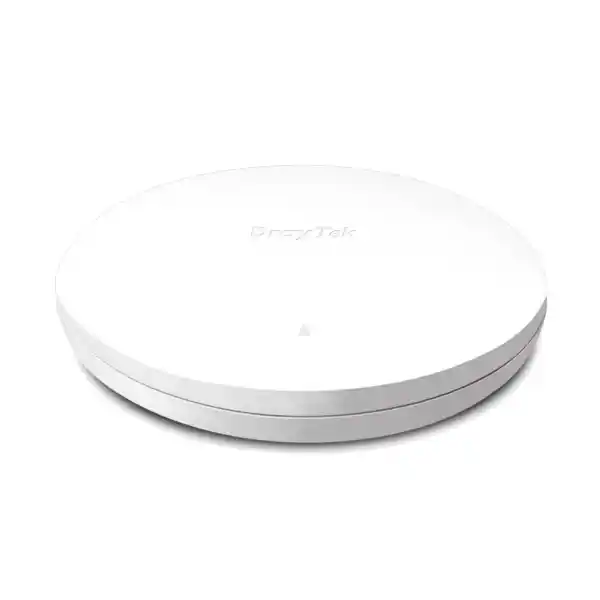
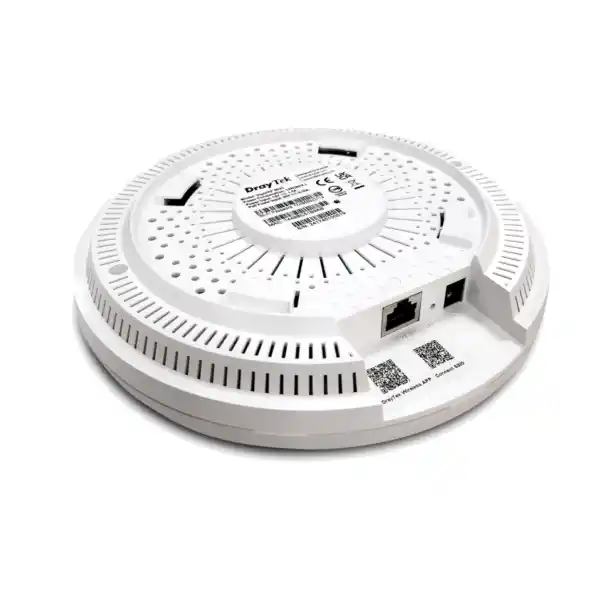
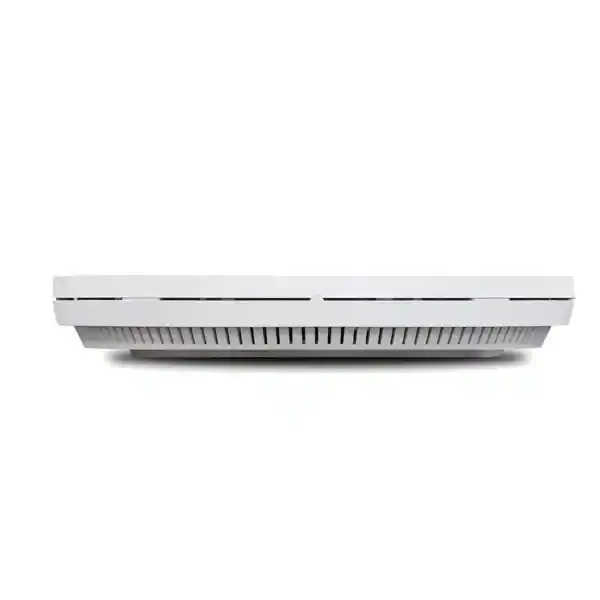
DrayTek VigorAP 962C in Dubai, UAE
The DrayTek VigorAP 962C is a dual-band 802.11ax access point created for business environments that need higher wireless efficiency, a multi-gigabit wired uplink, flexible ceiling or wall installation, secure segmentation and practical centralized management. Its AX3000-class radio platform combines a maximum 5GHz PHY rate of approximately 2.4Gbps with a 2.4GHz rate around the 600Mbps class, while its single 2.5GbE RJ-45 interface prevents the wired edge from becoming an unnecessary one-gigabit bottleneck in well-designed deployments. The platform is intended for indoor installations and can be powered by PoE+ or a compatible DC supply.
Core deployment profile
Wireless: Dual-band WiFi 6 / 802.11ax
Class: AX3000
Uplink: 1 × 2.5G/1G/100M/10M RJ-45
Power: PoE+ or 12V DC
Client capacity: up to 256 concurrent clients shared across radios
Mounting: Ceiling or wall, indoor
What the VigorAP 962C is designed to solve
Many business wireless upgrades fail because the access point is selected only by its advertised wireless rate. Real deployments are constrained by client density, channel reuse, interference, roaming behavior, switch uplink capacity, PoE budget, VLAN design, authentication policy and operational management. The VigorAP 962C addresses these practical constraints with WiFi 6 features such as OFDMA and MU-MIMO, a 2.5GbE Ethernet interface, business security controls, multiple SSIDs, VLAN tagging, assisted roaming and management options that scale beyond one standalone unit. For a Dubai office, retail branch, training center, healthcare facility or hospitality floor, those operational capabilities can matter more than peak laboratory throughput.
The access point operates on the 2.4GHz and 5GHz bands simultaneously. DrayTek specifies a maximum link rate in the 5GHz band of about 2.4Gbps and a 2.4GHz rate around 600Mbps, forming the AX3000 marketing class. Those figures are PHY link rates rather than guaranteed application throughput. Actual user throughput depends on client capabilities, channel width, modulation rate, distance, walls, RF noise, protocol overhead and the amount of airtime shared among active devices. For proper project sizing, it is better to calculate expected active users, application demand and usable channels than to multiply a headline radio rate by the number of access points.
The 2.5GbE uplink is especially important in dense modern networks. A high-performance WiFi 6 cell can generate aggregate traffic that approaches or exceeds what a one-gigabit Ethernet edge can comfortably sustain under favorable RF conditions. A 2.5GbE connection provides additional wired headroom while remaining compatible with multi-gigabit switching designs that use existing category-rated copper runs where appropriate. This is useful when refreshing wireless coverage without rebuilding every cable pathway. It also aligns the access layer with current laptops, mobile devices and voice/video endpoints that can use wider channels and newer modulation schemes.
For customers planning a broader UAE network refresh, FourTeck can align the wireless layer with switching, firewalling, VLAN architecture and internet edge requirements through FourTeck UAE. The access point should be treated as one part of an end-to-end LAN and WLAN design: the strongest AP cannot correct an undersized PoE switch, a congested uplink, poor channel allocation or a flat security model.
Verified hardware and radio specification
Dual-band WiFi 6
802.11 b/g/n/ax operation on 2.4GHz and 802.11 a/n/ac Wave 2/ax operation on 5GHz, supporting current WiFi 6 clients while retaining compatibility with many older devices.
AX3000 class
Up to roughly 600Mbps class on 2.4GHz and 2.4Gbps class on 5GHz. Exact client rates vary by spatial streams, channel width, signal quality and regulatory configuration.
2.5GbE uplink
One RJ-45 LAN interface supporting 2.5G, 1G, 100M and 10M speeds, with PoE power acceptance on the same network port.
PoE+ input
Designed for IEEE 802.3af/at PoE input, with DrayTek listing 48V at 0.32A for PoE input power and 12V DC at 1.5A as the DC power specification.
Internal antenna system
Five internal antennas are specified, with reported antenna gain around 4.5dBi on 2.4GHz and 4.9dBi on 5GHz for the global hardware specification.
Business-scale clients
DrayTek states support for up to 256 concurrent clients shared across the two radios. Sustainable performance still depends on airtime demand and client behavior.
The enclosure measures approximately 190 × 190 × 30mm and weighs around 390g. DrayTek rates the access point for indoor operation at 0°C to 40°C, storage from -20°C to 60°C and 10% to 90% non-condensing humidity. Maximum power consumption is listed at 12W. These specifications make it straightforward to calculate switch PoE budget and mounting requirements before installation. In UAE projects, environmental planning should account for ceiling void temperature, HVAC shutdown periods and local heat buildup rather than assuming normal occupied-room temperature exists above every suspended ceiling.
WiFi 6 efficiency: why OFDMA and MU-MIMO matter
WiFi 6 improves more than headline speed. One of its central goals is to use airtime more efficiently when many devices share a radio. OFDMA divides a wireless channel into smaller resource units so an access point can schedule transmissions for multiple clients more efficiently than a legacy model that repeatedly dedicates the full channel to one station at a time. This can be valuable in offices and public-facing venues where dozens of phones, laptops, scanners, IoT devices and collaboration endpoints generate small or bursty packets rather than one continuous high-bandwidth stream.
MU-MIMO complements that approach by allowing compatible radios to communicate with multiple clients in a coordinated way, subject to client support and RF conditions. The practical result is improved efficiency under concurrency rather than a promise that every user will see the full AP link rate. In a meeting-heavy office, for example, many clients may simultaneously sustain voice, video, screen sharing and cloud application traffic. A well-designed WiFi 6 cell can schedule that demand more gracefully than older generations when clients and configuration allow the newer features to be used.
Target Wake Time, another WiFi 6 capability highlighted by DrayTek, can help compatible battery-powered clients coordinate when they wake to transmit or receive. The feature is most relevant where endpoints support it correctly; it should be treated as an efficiency enhancement rather than a universal battery guarantee. The access point also includes airtime fairness and band steering functions. Airtime fairness can reduce the extent to which slow clients consume disproportionate radio time, while band steering can encourage suitable dual-band clients toward 5GHz, preserving scarce 2.4GHz airtime for devices that genuinely need it.
For UAE businesses migrating from older 802.11n or 802.11ac infrastructure, these scheduling improvements can be more meaningful than simply replacing an AP one-for-one. A proper migration should review channel reuse, transmit power, AP spacing, client capability and the ratio of active users to available radios. WiFi 6 works best when the physical RF plan and wired LAN are upgraded with the same discipline as the access points themselves.
2.5GbE wired architecture and PoE planning
The VigorAP 962C uses one multi-gigabit Ethernet interface rather than several Ethernet ports. This design is typical of ceiling access points because the AP is expected to bridge wireless client traffic into a structured switching environment. The interface negotiates 2.5GbE, 1GbE, 100Mb or 10Mb speeds. To obtain multi-gigabit performance, both the switch port and copper run must support the required signaling quality. A 2.5GbE AP connected to a one-gigabit switch will normally operate, but its wired path is then capped by that negotiated Ethernet rate.
Power over Ethernet is often the preferred deployment method because it allows one cable to carry power and data. DrayTek identifies PoE+ support and a maximum AP power consumption of 12W, which places the unit comfortably within the budget of properly engineered 802.3at switching. Nevertheless, project planners should calculate total switch PoE budget rather than only per-port compliance. A switch may have enough power for each port individually but not enough aggregate wattage for every AP, camera or VoIP endpoint connected simultaneously.
For example, a branch with twelve VigorAP 962C units should reserve adequate budget for the access points plus engineering headroom, and the switch should still meet power demand under worst-case conditions. The uplink from that access switch toward the core or firewall should also be sized for the expected aggregate wireless load. Multiple 2.5GbE AP ports feeding a single one-gigabit switch uplink can simply move the bottleneck upstream. In larger deployments, 10GbE switch uplinks, VLAN-aware trunks and resilient core paths can make more sense.
Where an existing cabling plant is uncertain, validate cable category, termination quality, run length and patching before commissioning. Multi-gigabit Ethernet is more forgiving than a full migration to 10GBASE-T in many office scenarios, but poor joints, untwisted terminations, damaged patch cords and high electromagnetic noise can still cause negotiation or stability problems. FourTeck’s UAE IT services can be integrated with wireless rollout planning when customers need structured deployment, switching alignment and site implementation rather than a hardware-only purchase.
SSID design, VLAN segmentation and business security
Business wireless should not be treated as one universal SSID connected to one flat LAN. The VigorAP 962C supports multiple SSIDs and 802.1Q VLAN tagging, allowing administrators to map wireless networks to separate logical segments. DrayTek’s current product information describes up to 16 SSIDs in total, typically eight per radio. The exact number activated in a real project should be kept only as high as operationally necessary because every additional broadcast SSID introduces management overhead and consumes airtime through beacon traffic.
A common enterprise design may separate corporate users, guests, voice or specialized handheld devices, building systems and restricted IoT endpoints. Each SSID can be paired with a VLAN, firewall policy and appropriate authentication method. The AP supports WPA3 and WPA2 modes as well as enterprise authentication with RADIUS. WPA3 should be preferred for compatible modern clients, while mixed modes may be required during phased migrations. Legacy protocols such as WEP exist for compatibility in some specifications but should not be selected for new business deployments because they do not meet modern security expectations.
Enterprise authentication allows user or device access decisions to be tied to a RADIUS infrastructure rather than a single shared passphrase. This improves accountability and makes credential lifecycle management more practical, especially in organizations with staff turnover or many branch sites. Personal authentication can still be appropriate for smaller networks or isolated device classes, but passphrases should be strong, changed under controlled processes and not reused across unrelated security zones.
The access point supports MAC filtering, but MAC filtering is not a substitute for strong authentication because client addresses can be observed or spoofed. It is better treated as an administrative convenience or a supplementary control in limited scenarios. Likewise, hiding an SSID should not be mistaken for robust security. The core controls remain encryption, authentication, VLAN isolation, firewall policy, secure management access, firmware maintenance and careful handling of administrator credentials.
For a Dubai business using a next-generation firewall, the wireless VLAN design should be coordinated with firewall segmentation so guest traffic cannot reach internal resources and IoT devices receive only the destinations they require. Additional firewall project guidance and related security infrastructure are available through Firewall Dubai. This relationship between WLAN and firewall policy is particularly important when one AP carries multiple business functions over a shared physical uplink.
Roaming for voice, video and mobile workflows
In a multi-AP building, users care less about which access point they are connected to than whether applications remain stable while they move. The VigorAP 962C supports modern roaming assistance technologies including 802.11k, 802.11v and 802.11r, as well as DrayTek AP-assisted roaming functions. These mechanisms can help compatible clients discover neighboring APs, receive steering information and shorten the handoff process between cells. They are particularly useful for voice-over-WiFi, collaboration calls, mobile point-of-sale terminals, warehouse scanners and staff devices that move continuously.
Roaming is still fundamentally client-driven. An AP can advertise information and encourage transitions, but the client chipset, driver, operating system and application behavior influence when the endpoint actually leaves one cell and joins another. This is why a roaming design should not rely only on enabling 802.11r. Cell overlap, transmit power and minimum signal thresholds need to be engineered so clients encounter a stronger candidate before their existing link becomes unusable.
DrayTek includes a minimum-RSSI-with-adjacent-AP concept intended to reduce sticky-client behavior by disconnecting a weak client only when a stronger adjacent AP is available. In practice, aggressive thresholds can create instability if the RF plan is sparse or if clients are stationary near cell edges. Conservative tuning, site validation and observation of client logs are preferable to copying a generic RSSI value from another building. Concrete walls, glass partitions, elevator shafts, metal shelving and ceiling structures can produce very different propagation characteristics across UAE properties.
For high-quality real-time communications, roaming should be tested with the actual devices used by staff. A laptop that roams smoothly does not prove that a voice handset or barcode terminal will behave identically. Validation should include walking tests during an active call, monitoring handoff delay and checking whether authentication or VLAN assignment changes unexpectedly. Where 802.1X is used, the RADIUS path and certificate configuration should also be included in the roaming test plan.
Mesh mode, range extender mode and wired AP mode
The VigorAP 962C can operate as a conventional access point, a mesh root, a mesh node or a range extender. Wired AP mode is generally the preferred architecture when Ethernet is available because the backhaul does not consume wireless airtime. Every access point can dedicate its radios to client service while the LAN carries traffic back to the switch. This produces more predictable capacity and makes VLAN transport straightforward.
Mesh is useful where cabling cannot be installed economically or where coverage must be extended through areas that are difficult to reach with Ethernet. DrayTek describes mesh groups of up to eight APs, with a wired mesh root and wireless nodes that can select paths automatically. Mesh can provide self-healing behavior when alternative wireless paths exist, but it does not create bandwidth from nowhere. Every wireless backhaul hop consumes radio resources and can reduce the effective capacity available to client traffic. For performance-sensitive sites, minimize the number of wireless hops and place the mesh root where it has a strong wired connection.
Range extender mode can also relay wireless connectivity and is useful for compatibility-focused scenarios, but it lacks some of the path optimization and self-healing advantages associated with a coordinated mesh. It should be selected only when its operational trade-offs are understood. A range extender installed at the edge of an already weak signal will repeat a poor connection. It needs a strong upstream link to provide useful downstream service.
For Dubai villas converted into offices, heritage-style properties, pop-up spaces and leased facilities where new cabling may be restricted, mesh can be an effective compromise. In a newly fitted corporate office, however, structured Ethernet to each AP is usually the stronger engineering choice. The correct architecture depends on building constraints, expected traffic and the cost of cabling relative to long-term wireless performance.
When mesh is used, keep business SSID and VLAN behavior in mind. DrayTek supports multi-SSID over mesh in compatible configurations, enabling internal and guest networks to be extended across nodes. Administrators should still validate segmentation end to end, including DHCP behavior, firewall rules and client isolation, rather than assuming that wireless extension automatically preserves every policy as intended.
Centralized management: VigorACS, VigorConnect and AP management
As soon as a business deploys more than a few access points, management becomes a major part of total cost. A standalone web interface may be adequate for a single office, but it becomes inefficient when administrators must change SSIDs, security settings, radio configuration or firmware across many units. DrayTek therefore offers several management paths for the VigorAP 962C: direct local administration, VigorConnect, VigorACS and compatible router-based AP management.
VigorACS is DrayTek’s centralized management platform for provisioning, monitoring, alarms, hierarchy views, maintenance and reporting. For organizations with multiple UAE branches, managed service requirements or distributed equipment, this can reduce the need to visit each site for routine configuration. Central management is most valuable when the configuration model itself is standardized. A consistent SSID naming convention, VLAN template, firmware process and monitoring policy lets a business use central tooling as an operational control rather than merely as a remote login portal.
VigorConnect provides discovery, provisioning, monitoring and maintenance functions for supported DrayTek devices. It can be appropriate for local centralized management where the customer wants visibility over APs and switches without depending on each unit individually. The VigorAP 962C also includes Virtual AP Controller functionality, with DrayTek listing management for up to 20 access points in that role. The actual management architecture should be selected according to site count, administrator responsibilities, availability requirements and whether the organization already uses a DrayTek routing environment.
Operational security is as important as convenience. Restrict management access to dedicated administrative networks where possible, use HTTPS rather than plaintext protocols for routine administration, apply role-based privileges, back up configuration and maintain firmware. DrayTek supports SNMP v1, v2c and v3; when SNMP is needed for monitoring, SNMPv3 should be considered for stronger security because it can provide authentication and encryption that older versions lack.
The current DrayTek support channel for the VigorAP 962C lists firmware in the DrayOS 5 family. Before deployment, verify the approved firmware release for the customer environment, read release notes and schedule upgrades with a rollback and backup plan. Centralized firmware rollout is powerful, but pushing an untested release to every AP simultaneously can create avoidable risk. A staged process—lab, pilot area and then broader production—is safer for critical networks.
Capacity planning: 256 clients does not mean 256 heavy users
DrayTek states that the VigorAP 962C can support up to 256 concurrent clients across its radios. That number describes association capacity, not a guarantee that 256 simultaneously active devices can each run high-definition video, large file transfers or latency-sensitive applications at full speed. Wireless capacity is constrained by airtime. Every transmission occupies a shared radio medium, and each device’s data rate affects how long that transmission consumes the channel.
A practical design begins with active-client assumptions. An office of 120 employees may have 250 registered devices because many users carry a laptop and phone, but perhaps only 60 to 90 devices are actively transmitting during a normal period. A training venue with 120 students may behave very differently because all participants can start the same cloud task at the same time. A hotel has yet another pattern, with a mixture of idle personal devices, streaming, messaging and guest movement between rooms. The association limit cannot capture these workload differences.
Application mix should therefore be converted into realistic per-user throughput and latency expectations. Voice and transaction systems use modest bandwidth but are sensitive to delay, jitter and packet loss. Video conferencing uses more continuous upstream and downstream traffic. Cloud backups and software updates can create bursts that dominate a cell. Guest streaming is often less predictable. Quality-of-service policies can help, but they do not replace sufficient RF capacity.
As density rises, deploy more APs at lower effective cell sizes rather than expecting one access point to serve an entire floor. The goal is to create enough independent airtime capacity while keeping channel reuse controlled. Too many APs can also be harmful if they use overlapping channels or excessive transmit power. Capacity design is therefore a balancing exercise: enough radios to carry the load, sufficient separation to reuse channels and appropriate power so clients roam instead of clinging to distant cells.
For planning, use the 256-client figure as an upper association boundary, then size substantially below it for performance-sensitive deployments. The exact target per AP depends on application demand, channel width, spectrum availability and client capability. A voice-heavy or exam environment may justify a conservative client ratio, while a low-activity sensor environment can tolerate far more associations. This distinction is essential when comparing wireless quotes that appear identical on product count but were designed around different density assumptions.
RF design for Dubai offices and commercial interiors
RF performance depends strongly on the building. Modern Dubai offices often combine glass partitions, metal framing, raised floors, suspended ceilings, acoustic materials and dense tenant layouts. Hospitality and residential projects may introduce reinforced concrete, stone finishes, mirrors and fire-rated doors. Warehouses add metal shelving and moving inventory. Each material changes attenuation and reflection. A floor plan alone cannot reliably predict final coverage without accounting for construction.
The 2.4GHz band generally travels farther through obstacles but provides fewer non-overlapping channels and is more exposed to interference from legacy WiFi and other devices. The 5GHz band offers more channel options and is usually preferred for capable business clients, but signal attenuates more rapidly through walls. Band steering can move compatible devices toward 5GHz, yet the RF plan must still provide enough 5GHz coverage for users to remain on that band without frequent fallback or low data rates.
Channel width is another critical choice. Wider channels can increase peak throughput for a single client in clean spectrum, but they consume more frequencies and reduce the number of independent cells that can be deployed in a dense environment. An office requiring many APs may perform better with narrower 5GHz channels because channel reuse improves and co-channel contention falls. The optimal width should be determined from density and spectrum conditions, not chosen solely because a wider option appears faster on a specification sheet.
Transmit power should be balanced against client power. If the AP transmits at maximum power but a phone cannot return a signal at the same strength, the user may see the SSID but experience poor upstream performance. Excessive power also enlarges cells and makes roaming more difficult. A good design creates intentional overlap at target signal levels, then validates coverage with actual client devices after installation.
Regulatory settings must match the UAE deployment region. Available channels and power limits vary by regulatory domain, and administrators should not override country settings simply to expose unavailable channels. The final radio plan should follow the configuration approved for the product region and the applicable UAE spectrum requirements. For large or critical installations, perform a predictive design followed by an on-site validation survey once furniture, partitions and equipment are in place.
Deployment scenarios for the VigorAP 962C
Corporate offices
Use ceiling-mounted APs with wired 2.5GbE uplinks, staff and guest VLANs, WPA3 or enterprise authentication, and roaming support. Capacity should be planned around meeting rooms, collaboration areas and high-density desk neighborhoods rather than distributing APs uniformly by floor area.
Retail and branches
Segment point-of-sale, staff devices, guest WiFi and IoT equipment. Centralized management can help maintain consistent SSIDs and policies across several outlets while PoE deployment simplifies ceiling installation.
Clinics and professional services
Separate clinical or business devices from guest access and general IoT. Roaming can support staff mobility, while RADIUS integration provides more controlled user authentication for internal networks.
Education and training
Plan for burst concurrency when many learners access the same cloud resource simultaneously. Multiple APs and careful channel planning are usually more important than the theoretical maximum client association count.
Hospitality and guest areas
Use guest isolation, captive portal options where appropriate, multiple VLANs and roaming. Construction materials and room geometry should be surveyed carefully because corridor-only AP placement may not deliver acceptable in-room 5GHz performance.
Warehouses and back-of-house
Validate coverage at working height and around shelving. Mobile scanners may have different antenna performance from phones or laptops, so the actual endpoint type should be included in roaming and signal tests.
Hotspot, guest access and policy separation
Guest wireless is often one of the most visible services in a business, but it should be one of the most isolated from internal resources. The VigorAP 962C supports business WLAN features that can be combined with VLAN separation and hotspot or captive portal functions in supported DrayTek environments. A guest SSID can be mapped to a dedicated VLAN, assigned its own DHCP scope and restricted at the firewall to internet-only access.
Client isolation can further reduce direct device-to-device communication within the guest segment, depending on the required workflow. This is useful in waiting rooms, showrooms, cafés, training venues and shared accommodation areas where unrelated users should not discover each other. Administrators should decide whether guests need local services such as printers or casting devices before enforcing complete isolation because those workflows may require selective exceptions.
Captive portals should be designed for usability as well as policy. Excessively long registration forms or unstable redirects can produce support calls and poor customer experience. Where terms of use or identity collection are required, organizations should review privacy, legal and data-retention obligations with their own advisors. The WLAN equipment can enforce network behavior, but it does not determine an organization’s legal basis for collecting personal information.
Bandwidth policy can also protect business applications from guest peaks. Rather than allowing a few visitors to saturate the WAN, use sensible traffic limits or prioritization at the firewall or gateway. The target is not to make guest WiFi artificially slow; it is to keep shared resources predictable during busy periods. In hotels and event spaces, internet circuit capacity should be sized alongside AP capacity because excellent RF cannot compensate for an undersized ISP connection.
Management, monitoring and troubleshooting workflow
The VigorAP 962C exposes operational information such as client lists, DHCP information, LLDP neighbor details, internet detection, syslog and diagnostic utilities. These tools matter because wireless incidents are often intermittent. A user may report that “WiFi is slow” while the root cause is actually low RSSI, high channel utilization, DHCP delay, DNS performance, WAN congestion, roaming behavior or an overloaded application server. Effective troubleshooting separates the wireless layer from the rest of the path.
Begin with client context: which SSID, which AP, which band, what signal level, what negotiated rate and whether the problem affects one device or many. Compare successful and failing clients. Then check radio utilization and channel conditions. If RF is healthy, test local gateway reachability before internet speed. This narrows the fault domain and avoids replacing access points for problems located elsewhere.
LLDP can help administrators confirm which switch port an AP is attached to, simplifying VLAN and PoE troubleshooting. Syslog provides event history, while SNMP can feed external monitoring platforms. Ping and traceroute tools are useful for validating network paths. Configuration backup should be part of normal operations so a unit can be restored quickly after hardware replacement or an incorrect change.
Monitoring should track trends, not only outages. Rising client counts, repeated roaming failures, growing channel utilization or frequent interface renegotiation can indicate a capacity or cabling issue before users complain. Multi-site organizations benefit from central dashboards that show patterns across branches. The value of centralized management is therefore preventive as well as reactive.
Document every AP location, switch port, management IP, serial number, firmware version and cable identifier during installation. A network with good documentation is faster to support and safer to change. Where equipment spans several countries, FourTeck Africa can support broader regional technology planning alongside UAE deployments, while final product availability and regulatory configuration should always be confirmed for each destination.
Firmware lifecycle, security hardening and administrative practice
Wireless infrastructure is part of the security perimeter and should have a defined firmware lifecycle. The VigorAP 962C supports firmware upgrade through DrayTek management methods, and current documentation identifies DrayOS 5 releases for the platform. Organizations should monitor vendor release notes for security fixes, stability improvements and behavior changes. Critical vulnerabilities may justify accelerated updates, while major feature releases should be tested before broad rollout.
Change default administrative credentials at commissioning and store access in an approved password-management system. Limit who can administer the WLAN, separate management traffic from user traffic where the architecture allows, and prefer encrypted protocols such as HTTPS and SSH. Disable or restrict legacy plaintext management services when they are not required. Role-based privilege should be used where multiple support tiers need different levels of access.
Certificates should be handled deliberately. If enterprise authentication or secure management relies on certificates, define expiration monitoring and renewal responsibility. A wireless network can appear healthy until an expired certificate causes mass authentication failures. Similarly, time synchronization should be accurate because logs, certificates and authentication systems depend on consistent timestamps.
Back up configuration before firmware changes and after approved configuration milestones. For larger environments, maintain a small pilot group or lab AP to validate firmware before changing the full estate. If a release modifies radio behavior, test real clients including voice devices, scanners and older endpoints. A technically successful upgrade that breaks a critical legacy handheld application is still an operational failure.
Security hardening should extend beyond the AP. Protect the switch ports, restrict VLAN trunks to required networks, secure RADIUS servers, monitor the firewall and remove unused SSIDs. Wireless security is an end-to-end system. The AP provides important controls, but the final security posture is determined by how authentication, segmentation, logging and gateway policy are combined.
Detailed technical specification summary
| Product | DrayTek VigorAP 962C indoor wireless access point |
| Wireless class | AX3000 dual-band WiFi 6 |
| 2.4GHz standards | 802.11 b/g/n/ax |
| 5GHz standards | 802.11 a/n/ac Wave 2/ax |
| Maximum link rate | Approximately 600Mbps class on 2.4GHz and 2.4Gbps class on 5GHz; actual throughput is lower and client dependent |
| Ethernet | 1 × 2.5G/1G/100M/10M RJ-45 LAN |
| PoE | PoE+ input, 802.3af/at support as specified by DrayTek |
| DC input | 12V DC at 1.5A |
| Maximum power consumption | 12W |
| Concurrent clients | Up to 256 shared across 2.4GHz and 5GHz |
| SSIDs | Up to 16 total, typically 8 per radio |
| Security | WPA3, WPA2/WPA3 transition options, WPA2, enterprise and personal authentication, OWE and legacy compatibility modes |
| Roaming | 802.11r, 802.11k, 802.11v, pre-authentication and AP-assisted roaming functions |
| WiFi efficiency features | OFDMA, MU-MIMO, airtime fairness, band steering, WMM and Target Wake Time support in the WiFi 6 feature set |
| Operating modes | AP, Mesh Root, Mesh Node and Range Extender |
| VLAN | 802.1Q tag-based VLAN support |
| Management | Standalone web management, VigorACS, VigorConnect, TR-069 and supported DrayTek AP management options |
| Monitoring | SNMP v1/v2c/v3, syslog, client monitoring, LLDP information and diagnostic utilities |
| Antennas | Five internal antennas; stated gain approximately 4.5dBi at 2.4GHz and 4.9dBi at 5GHz |
| Dimensions | 190 × 190 × 30mm |
| Weight | Approximately 390g |
| Operating environment | Indoor, 0°C to 40°C, 10% to 90% non-condensing humidity |
| Mounting | Ceiling or wall |
Specification values are based on DrayTek’s published product information and can vary by firmware, regulatory domain, hardware region and supported client capabilities. Confirm final regional SKU and approved firmware at the time of quotation.
Installation methodology for stable results
A professional wireless installation starts before the AP is unpacked. Confirm floor plans, ceiling type, mounting height, switch location, cable routes, PoE capacity and target VLANs. Mark planned AP positions and record which switch port will serve each device. If the site has suspended ceilings, verify that the mounting surface can securely carry the access point and that cabling meets building rules. Avoid positioning immediately beside large metal objects, electrical distribution equipment or sources of heavy RF noise.
During installation, terminate and test cabling, then verify the negotiated Ethernet rate. A multi-gigabit access point connected at 100Mbps because of a damaged pair may still appear online, creating a subtle performance fault. Confirm PoE class and power delivery at the switch. Label both ends of the cable and document the AP serial number against its physical location.
Apply firmware and configuration in a controlled sequence. Set the regulatory region correctly, configure management addressing, define SSIDs and VLANs, apply security settings, then tune channels and transmit power. In a multi-AP network, avoid manually assigning every unit to the same channel. Whether using automatic radio management or a fixed plan, verify the resulting channel reuse with a spectrum-aware survey or at least a professional WLAN analyzer.
Test every SSID from the user perspective. Confirm IP addressing, DNS, internet access, local resource access where intended and isolation where required. Move between APs to validate roaming. Test guest networks against internal addresses. Run throughput tests on both 2.4GHz and 5GHz with a capable client, but interpret results as site measurements rather than manufacturer benchmarks.
After handover, provide the customer with an AP map, switch-port schedule, VLAN table, SSID/security matrix, administrative procedure, firmware baseline and backup files. This documentation makes future changes safer and reduces troubleshooting time. A successful wireless project is not complete when the AP LED turns green; it is complete when coverage, capacity, security and operational ownership have all been validated.
UAE procurement and project considerations
When purchasing the DrayTek VigorAP 962C in Dubai or elsewhere in the UAE, confirm the exact regional unit, included accessories, power option, warranty channel and firmware support. Access points can have region-specific radio settings and power adapter bundles, so the model supplied should match the intended country of use. Do not import a unit configured for another regulatory domain merely because the hardware name appears identical.
For PoE deployments, quotation should include compatible switching if the existing switch lacks sufficient 802.3at capacity or 2.5GbE ports. If a customer intends to use the AP’s multi-gigabit uplink but connects it to a legacy one-gigabit switch, the project should make that limitation explicit. Likewise, if the switch has multi-gigabit access ports but only a one-gigabit uplink to the core, capacity planning should evaluate the aggregate bottleneck.
Warranty handling is easier when serial numbers, purchase records and installed locations are maintained. Keep a small spare pool in business-critical environments so a failed AP can be replaced immediately while the warranty process proceeds. For multi-branch organizations, standardizing one or two AP models simplifies spares, training and firmware management.
A complete quotation should therefore specify access point quantity, PoE switching, licensing or management requirements where applicable, cabling scope, installation, configuration, survey work, VLAN/firewall integration, testing and post-deployment support. Hardware price alone does not reveal whether two wireless proposals deliver the same outcome. FourTeck can position the VigorAP 962C as part of an integrated UAE LAN and security project rather than as an isolated box purchase.
Frequently asked technical questions
Is the VigorAP 962C a WiFi 6E or WiFi 7 access point?
No. It is a dual-band WiFi 6 / 802.11ax access point operating on 2.4GHz and 5GHz. It does not provide a 6GHz radio, Multi-Link Operation or WiFi 7 features. This can still be an appropriate choice for organizations whose client estate is primarily WiFi 5 and WiFi 6 and who want a mature dual-band business platform.
Does the 2.5GbE port guarantee 2.5Gbps wireless throughput?
No. The Ethernet interface provides up to 2.5GbE wired link capacity, but wireless throughput depends on protocol overhead, client radio capability, channel width, signal quality, interference and shared airtime. The benefit of 2.5GbE is that the wired edge is less likely to bottleneck aggregate WiFi 6 traffic than a one-gigabit port.
Can it run from PoE?
Yes. DrayTek specifies PoE+ input with 802.3af/at support and also provides for 12V DC power. PoE is usually preferred for ceiling installation because it centralizes power at the network switch and avoids a local power outlet near each AP.
How many users can connect?
DrayTek lists up to 256 concurrent clients shared across the 2.4GHz and 5GHz radios. For performance design, do not size a business WLAN by association limit alone. Active-user demand and airtime are more important. High-density collaboration spaces should generally use multiple APs and careful channel planning.
Does it support VLANs?
Yes. It supports 802.1Q tag-based VLANs and multiple SSIDs, allowing corporate, guest and device networks to be separated when the connected switch and firewall are configured accordingly.
Can it be centrally managed?
Yes. Management options include DrayTek VigorACS, VigorConnect, compatible router/AP management and local administration. The right choice depends on site count, desired monitoring, change control and whether the organization already operates DrayTek infrastructure.
Does it support fast roaming?
It supports 802.11r, 802.11k and 802.11v along with DrayTek roaming assistance. These features can improve handoffs for compatible clients, but RF cell design and client behavior remain critical. Roaming should be tested with the actual endpoint types used by the business.
Can it be used as a mesh node?
Yes. The VigorAP 962C supports mesh root and mesh node modes, as well as range extender operation. A wired backhaul remains preferable where possible because wireless mesh links consume radio airtime and can reduce effective client capacity.
Decision recap: where the VigorAP 962C fits best
Choose the DrayTek VigorAP 962C when the requirement is a business-class indoor WiFi 6 access point with a 2.5GbE uplink, PoE+ power, dual-band AX3000-class performance, VLAN-aware multiple SSIDs, WPA3, enterprise authentication options, mesh capability, modern roaming assistance and several centralized management paths. It is particularly attractive where an organization wants to move beyond one-gigabit AP uplinks without adopting a more expensive 6GHz or WiFi 7 architecture.
It is not automatically the correct choice for every site. Projects that require 6GHz operation, extremely high-density stadium-style capacity, outdoor weatherproofing, specialized directional antennas or WiFi 7 features should evaluate a different access-point class. Conversely, a small site with only a handful of low-bandwidth clients may not need 2.5GbE. The correct decision comes from matching architecture to workload rather than buying the newest or fastest label.
Strong fit
Offices, branches, clinics, training centers, hospitality spaces, retail and managed multi-AP environments that need secure WiFi 6 with multi-gigabit wired headroom.
Design carefully
High-density halls, mesh-heavy deployments, hot ceiling voids, legacy clients and sites with limited PoE or one-gigabit switch infrastructure.
Quotation input checklist
For an accurate DrayTek VigorAP 962C proposal in Dubai or the wider UAE, provide the information below. These inputs allow the wireless quantity, switching requirement and implementation scope to be estimated on engineering grounds rather than by guesswork.
Approximate square meters, number of floors, room layout and ceiling construction.
Total users, devices per user and expected peak concurrent active devices.
Voice, video meetings, cloud applications, guest internet, scanners, POS, IoT or streaming.
Switch model, available PoE budget, multi-gigabit port availability and uplink speed.
Staff, guest, voice, IoT, RADIUS, WPA3 and firewall segmentation requirements.
Existing cable category, test status, patch panel locations and whether new drops are required.
Standalone, VigorConnect, VigorACS or integration with an existing DrayTek management environment.
Supply only, installation, configuration, survey, documentation and managed support expectations.
Plan a complete DrayTek VigorAP 962C deployment
A dependable business wireless network requires more than selecting an access point. The VigorAP 962C provides a strong WiFi 6 foundation with 2.5GbE, PoE+, WPA3, VLANs, mesh, roaming and centralized management, but final results depend on AP placement, switching, cabling, firewall policy, spectrum planning and client behavior. FourTeck can help structure the solution around those dependencies so the installed network is easier to operate and scale.
For customers in Dubai, Abu Dhabi, Sharjah and other UAE locations, the quotation can be built around hardware supply, access switching, structured deployment, SSID/VLAN architecture, firewall integration, testing and documentation. Multi-site customers can also standardize configuration and management across branches, reducing one-off site decisions and support complexity.
To compare the VigorAP 962C with alternative wireless architectures, provide your floor plan, user count, switch details and application profile. The resulting proposal can then specify the right AP quantity, PoE and uplink capacity, management method and implementation scope rather than relying on generic coverage assumptions.

Reviews
There are no reviews yet.